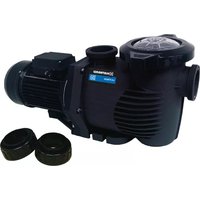
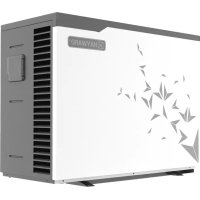
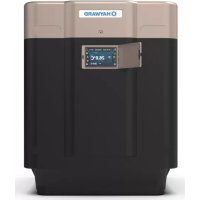
Easy Temp Fi - Pump HAYWARD - Free user manual and instructions
Find the device manual for free Easy Temp Fi HAYWARD in PDF.


Pick your language and provide your email: we'll send you a specifically translated version.
| Product Type | Pool Heat Pump |
| Brand | Hayward |
| Model | Easy Temp Fi |
| Dimensions (L x W x H) | 32.5 x 24.2 x 36.1 inches |
| Weight | 140 lbs (63.5 kg) |
| Power Supply | 230V / 50-60 Hz / Single Phase |
| Heating Capacity (BTU/h) | 50,000 BTU/h (14.6 kW) |
| Flow Rate (GPM) | 50 GPM (189 L/min) |
| Refrigerant Type | R410A |
| Operating Temperature Range | 40°F - 104°F (4.4°C - 40°C) |
| Suitable Pool Size (gallons) | Up to 20,000 gallons (75,708 L) |
| Features | Digital display, WiFi connectivity, programmable timer |
| Installation | In-line with existing pool plumbing |
| Maintenance | Clean air filter monthly, inspect coils annually |
| Safety | Overheat protection, freeze protection, high-pressure cut-off |
| Warranty | 5 years on compressor, 2 years on parts |
| Noise Level (dB) | 55 dB at 10 feet |
| Energy Efficiency (COP) | 6.0 at 80°F ambient |
| Water Connections | 2-inch PVC unions |
| Control Panel | Backlit LCD with touch buttons |
Frequently Asked Questions - Easy Temp Fi HAYWARD
How do I reset the Hayward Easy Temp Fi heat pump?
To reset the unit, turn off power at the breaker for 5 minutes, then turn back on. If the issue persists, press the Reset button on the control panel for 3 seconds until the display shows 'rE'. Release and wait for the unit to restart.
How do I winterize my Easy Temp Fi heat pump?
First, disconnect power. Drain all water from the heat pump by removing the drain plugs at the bottom. Blow out any remaining water with compressed air through the inlet and outlet connections. Cover the unit with a weatherproof cover or store indoors if possible.
How often should I clean the air filter on the Easy Temp Fi?
Check the air filter monthly during heavy use. If dirty, remove and rinse with a hose, or replace if damaged. A clean filter ensures efficient operation and prevents airflow restriction.
What does error code E1 mean on the display?
Error code E1 indicates a flow switch issue. Ensure the pool pump is running at adequate speed and that the water flow is sufficient. Check for blocked skimmers, dirty filter, or closed valves. Reset the unit after resolving the flow issue.
Can I install the Easy Temp Fi heat pump indoors?
No, this unit is designed for outdoor installation only, in a well-ventilated area away from any structure or vegetation. Indoor installation can lead to moisture buildup and reduced efficiency.
What is the COP of the Easy Temp Fi heat pump?
The COP (Coefficient of Performance) is approximately 6.0 at 80°F ambient temperature, meaning for every 1 kW of electricity used, the unit produces 6 kW of heating output. COP varies with air and water temperatures.
How do I connect the Easy Temp Fi to WiFi?
Download the Hayward Connect app on your smartphone. Press the WiFi button on the control panel for 5 seconds until the WiFi icon flashes. In the app, select your home network and enter the password. The unit will pair automatically. Refer to the manual for troubleshooting.
How do I set the desired water temperature?
Press the Set button on the control panel. Use the up/down arrows to adjust the temperature (range: 60°F to 104°F). Press Set again to confirm. The display will show the actual temperature, and the unit will heat/cool as needed.
What is the warranty on the Easy Temp Fi heat pump?
Hayward offers a 5-year warranty on the compressor and a 2-year warranty on all other parts. Labor and freight costs are not covered. Register your product online to activate the warranty.
How do I drain water from the heat pump for winter storage?
Turn off power and close the shut-off valves. Locate the two drain plugs (one on each side of the unit) and remove them. Allow all water to drain completely. Use a shop vacuum or compressed air to remove residual water. Reinstall the plugs loosely to allow air circulation.
User questions about Easy Temp Fi HAYWARD
0 question about this device. Answer the ones you know or ask your own.
Ask a new question about this device
No questions yet. Be the first to ask one.
Download the instructions for your Pump in PDF format for free! Find your manual Easy Temp Fi - HAYWARD and take your electronic device back in hand. On this page are published all the documents necessary for the use of your device. Easy Temp Fi by HAYWARD.