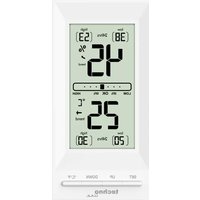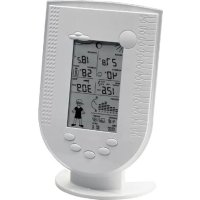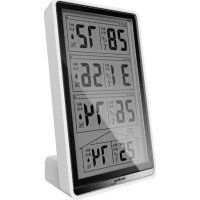
WS 6730 - Weather Station TECHNOLINE - Free user manual and instructions
Find the device manual for free WS 6730 TECHNOLINE in PDF.


| Product Type | Weather Station |
| Brand | TECHNOLINE |
| Model | WS 6730 |
| Main Unit Dimensions | 90 x 165 x 55 mm |
| Outdoor Sensor Dimensions | 55 x 111 x 16 mm |
| Main Unit Power | 2 AA batteries (1.5 V) |
| Outdoor Sensor Power | 2 AAA batteries (1.5 V) |
| Indoor Temperature Range | 0 °C to 50 °C (32 °F to 122 °F) |
| Outdoor Temperature Range | -20 °C to 50 °C (-4 °F to 122 °F) |
| Indoor Humidity Range | 20 % to 99 % |
| Barometric Pressure Range | 850 to 1050 hPa |
| Wireless Transmission Range | 30 m (open area) |
| Transmission Frequency | 433 MHz |
| Number of Sensor Channels | 3 (maximum) |
| Weather Forecast | 5 icons: sunny, partly cloudy, cloudy, rainy, snowy |
| Clock | DCF radio-controlled, manual setting, 12/24 h display, dual alarm, calendar up to 2099 |
| Max/Min Memory | Indoor/Outdoor temperature and humidity |
| Pressure History | Last 12 hours |
| Backlight | Yes, 3 seconds via SNOOZE/LIGHT button |
| Care and Cleaning | Do not use abrasive or corrosive products. Avoid direct exposure to sun, rain, heat sources or excessive humidity. |
| Safety | Use a pin for the RESET button. Avoid interference (computer, TV). Do not expose to extreme temperatures. |
Frequently Asked Questions - WS 6730 TECHNOLINE
User questions about WS 6730 TECHNOLINE
0 question about this device. Answer the ones you know or ask your own.
Ask a new question about this device
Download the instructions for your Weather Station in PDF format for free! Find your manual WS 6730 - TECHNOLINE and take your electronic device back in hand. On this page are published all the documents necessary for the use of your device. WS 6730 by TECHNOLINE.
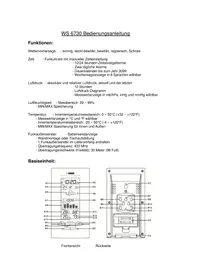
USER MANUAL WS 6730 TECHNOLINE
natural_image
Simple line drawing of a sun with rays (no text or symbols)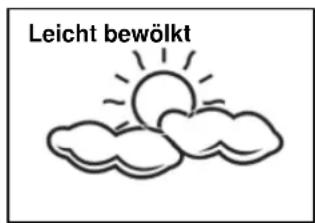
natural_image
Simple line drawing of two clouds with raindrops falling (no text or symbols)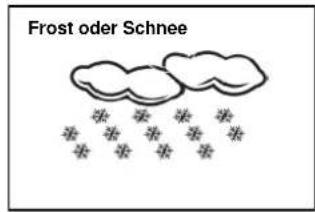
1.1 Weather Forecast - Sunny, Slightly Cloudy, Cloudy, Rainy and Snow animaon
1.2 Time - Radio controlled me with Manual Time seng opon
- 12/24 hour user selectable
- Dual Daily Alarm funcon
- Perpetual Calendar Up to Year 2069
- Day of week in 8 languages user selectable
1.3 Barometric Pressure - Current and past 12hr Absolute and Relave Barometric Pressure reading
- Barometric Pressure bar chart
- Measures mb/hPa, inHg &mmHg user selectable
1.3 Humidity - Measurable range: 20 \~ 99%
- Max/Min Memory
1.4 Temperature - Indoor measurable range: 0 \~ 50°C [+32 \~ +122°F]
- Measures °C / °F user selectable
- Outdoor measurable range: -20 \~ 50°C [-4 \~ +122°F]
- Max/Min Memory [indoor & outdoor]
1.5 Wireless Outdoor Sensor - Low-baery indicator for Outdoor Thermo Sensor
- Wall Mount or Table Stand
- One Wireless Thermo Sensor Included
- 433MHz RF transming frequency
- 30 meter [98 feet] transmission range in an open area
2. Main Unit Appearance
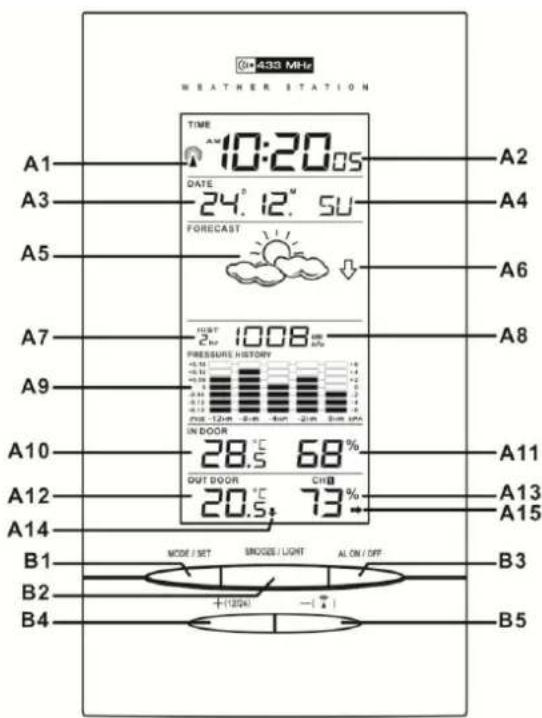
text_image
433 MHz WEATHER STATION TIME 10:20.05 DATE 24. 12" 5U FORECAST A2 A3 A4 A5 A6 A7 1008 PRESSURE HISTORY -0.41 -0.51 -0.61 -0.71 -0.81 -0.91 IN DOOR 28.5 °C 68 % OUT DOOR CHB 20.5 °C 73 °C A8 A9 A10 A11 A12 A13 A14 A15 B1 B2 B3 B4 + (100%) - ( ) B5
text_image
C1 B7 B8 B10 B12 B13 C2 C3 HISTORY RELASS °C/°F MAX/W/N CHANNEL RESET SIZE AA 1.5V SIZE AA 1.5V2.1 Part A- LCD
A1: Radio Control Icon
A2: Time Display
A3: Date
A4: Day of Week
A5: Weather Forecast
A6: Air Pressure Trend
A7: Past Hour (Pressure History)
A8: Absolute/Relave Barometric Pressure Reading
A9: Barometric Pressure Bar Graph
A10: Indoor Temperature
A11: Indoor Humidity
A12: Outdoor Temperature
A13: Outdoor Humidity
A14: Outdoor Temperature Trend
A15: Outdoor Humidity Trend
2.2 Part B-Buons
B1: "MODE/SET "buon
B3: "AL ON/OFF" buon
B4: “+(12/24)” buon
B5: “-( )” buon
B6: "HISTORY" buon
B7: "▲" buon
B8: “▼” buon
B9: "REL/ABS" buon
B10: "C/F" buon
B11: "MAX/MIN" buon
B12: "CHANNEL" buon
B13: "RESET" buon
2.3 Part C- Structure
C1: Wall Mount Hole
C3: Stand
C2: Baery Cover
3. Outdoor Thermo Sensor
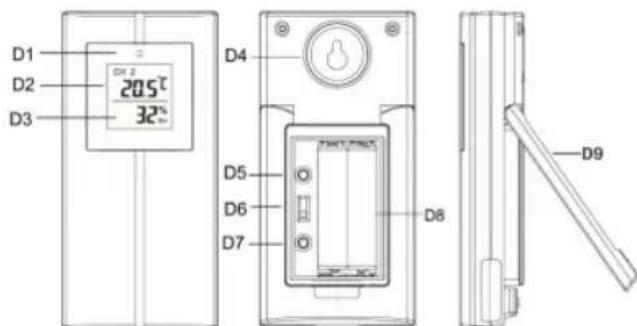
text_image
D1 20.5°C D2 32° D3 D4 D5 D6 D7 D8 D9D1: Transmission Indication LED
D2: Outdoor Temperature display
D3: Outdoor Humidity display
D4: Wall Mount Hole
D5: "C/F" Button
D6: Channel Select Switch
D7: Key does not exist anymore
D8: Battery Compartment
D9: Stand
4. Getting Started:
4.1 Main Unit:
- Slide open main unit battery compartment cover [C2]
5.2 Outdoor Thermo sensor
The remote sensor should be securely mounted onto a horizontal surface.
Note: Transmissions between receiver and transmier can reach up to 30m in open area. Open Area: there are no interfering obstacles such as buildings, trees, vehicles, high voltage lines, etc.
6. Weather Forecast Funcon
6.1 Operaon
- Aer Batteries inserted, or holding "HISTORY" buon (B6) for 3 seconds, weather icon ash (A5) on the LCD. Enter the current weather pressing "▲" (B7) or "▼" (B8) buon. Press "HISTROY" (B6) buon to conrm the seng. The weather forecast may not be accurate if the current weather entered is not correct.
- The current weather status should be entered again if the altitude of the Main Unit is changed. (Barometric pressure is lower at higher altitude locaon. Therefore, altitude change will act the weather forecast). The weather staon will start the rst forecast at 6 hours later aer the current weather status is entered.
6.2 Weather Conditions
There are totally 5 dierent weather status animaons in the weather forecast.
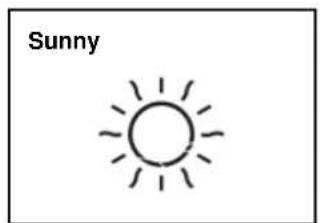
natural_image
Simple line drawing of a sun with rays (no text or symbols)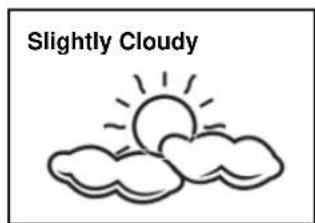
text_image
Slightly Cloudy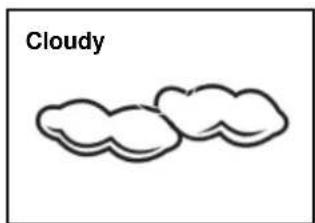
text_image
Cloudy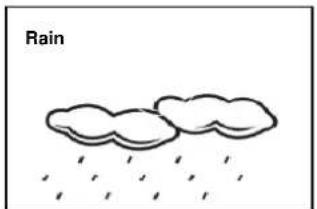
natural_image
Simple line drawing of two clouds with raindrops falling below (no text or symbols)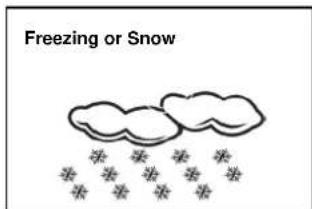
text_image
Freezing or Snow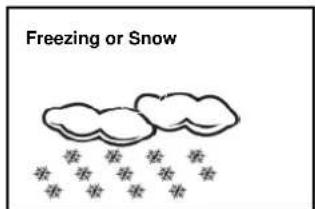
text_image
Freezing or SnowNote:
is shown if the weather forecast is Rainy and outdoor temperature (any channel) under 0^ C.
- Frost Alert: “” is shown if the outdoor temperature (any channel) is between -2 \~ +3°C
7. Barometric Pressure Reading
7.1 Barometric Trend Pointer (A6)
The trend pointer displayed on the LCD (A6) indicates the trend of the Barometric pressure.
| ↑Indicang the barometric pressure trend is rising | →Indicang the barometric pressure trend is steady | ↓Indicang the barometric pressure trend is falling |
7.2 Absolute / Relave Air Pressure
- Press the “REL / ABS” button [B9] to toggle between Absolute or Relave pressure display.
"ABS" is shown for Absolute Pressure; "REL" is shown for Relave pressure - Absolute pressure is the actual pressure measured by the Main Unit
- When viewing Relave pressure, hold “REL/ABS” buon [B9] for 3 seconds, press “▲” (B7) or “▼” (B8) buon to adjust, press “REL/ABS” buon [B9] to conrm.
Note: Check your local weather staon or the internet for informaons about the relave pressure.
7.3 Past Hour Air Pressure (History) Reading
- Press “HISTORY” buon [B6] to view the past 12 hour’s Barometric Pressure history. The hour is indicated on LCD [A7]
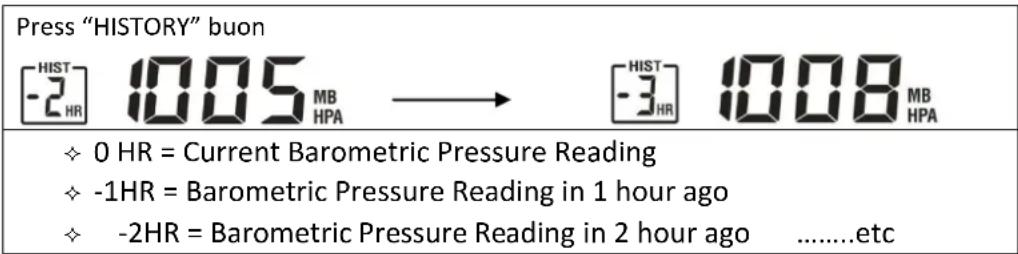
- Hold “▲” buon [B7] for 3 seconds to select the unit for barometric pressure meter in hPa, inHg or mmHg.
7.4 Barometric Pressure Bar Graph
The Barometric Pressure Reading at 0hr, -2hr, -4hr, -8hr, -12hr is recorded and shown on Barometric Pressure Bar Graph [A9]. The Graph is displayed in both hPa and inHg.
8. Thermometer
8.1 RF Transmission Procedure:
- The main unit automacally starts receiving transmission from outdoor thermo sensor for outdoor temperature aer weather condion seng.
- The thermo sensor unit will automatically transmit signal to the main unit aer baeries inserted. For having more than one external transmier (Maximum3), select the Channel, CH1, CH2 or CH3 to ensure each sensor is transmitting dience channel before inserng baeries. The channel select switch (D6) is at the back of the thermo sensor.
- If main unit failed to receive transmission from outdoor thermo sensor in rst 3 minutes aer the baeries inserted (“- - . -” display on the LCD), hold “Channel” buon (B12) for 3 seconds to receive transmission manually. RF icon “ ashes on the LCD
Note: “HISTROY” (B6), “▲” (B7), “▼” (B8), “REL/ABS” (B9), “C/F” (B10), “MAX/MIN” (B11) buons will not funcon while scanning for thermo sensor's signal.
8.2 Temperature & Humidity
(1) Outdoor Temperature--- Channel Selecon
- Press “CHANNEL” buon (B12) to view the 3 Channels’ temperature & humidity. The sequence is shown as follow:

flowchart
graph LR
    A["CH 1"] --> B["CH 2"]
    B --> C["CH 3"]
    C --> D["Q"]
    style A fill:#f9f,stroke:#333
    style B fill:#f9f,stroke:#333
    style C fill:#f9f,stroke:#333
    style D fill:#ccf,stroke:#333
- When viewing the record on CHANNEL 1 or 2, or 3, hold "CHANNEL" button (B12) for 3 seconds to cancel the record on this channel manually, and receive the transmission automacally again.
(2) Maximum / Minimum Temperature and Humidity
- Press "MAX/MIN" buon (B11) to show the maximum recorded Indoor /Outdoor Temperature and Humidity. "MAX" is shown on the LCD
- Press "MAX/MIN" buon again to show the minimum recorded Indoor/Outdoor Temperature and Humidity. "MIN" is shown on the LCD.
(3) Outdoor Temperature Trend
- The trend pointer (A14) displayed on the LCD indicates the trend of the outdoor temperature.
| ↑Indicang the outdoor temp. is rising | →Indicang the outdoor temp. is steady | ↓Indicang the outdoor temp. is falling |
(4) Outdoor Humidity Trend
- The trend pointer (A13) displayed on the LCD indicates the trend of the outdoor humidity.
| ↑Indicang the outdoor humidity is rising | →Indicang the outdoor humidity is steady | ↓Indicang the outdoor humidity down |
- Press “°C /°F” buon (B10) to select Indoor/Outdoor Temperature in Celsius mode or Fahrenheit mode.
- If the temperature is out of the measurable range, LL.L (beyond the minimum temperature) or HH.H (beyond the maximum temperature) will be shown on the LCD.
9. Time and Alarm Seng
9.1 Radio Controlled Clock:
- At 2 minutes aer the start-up of the unit, the clock automacally starts to scan the DCF me signal. Radio Control Icon “” (A1) ashes on LCD.
| [07GW] (A1) ashes, Indicang now is receiving DCF signal | [08TW] (A1) turns on, Indicang signal received successfully | [09ZX] (A1) disappear, Indicang signal recepon failed |
- The clock automacally scans the me signal at 3.00 a.m. every day to maintain accurate me keeping. If recepon fail, scanning stops (“on LCD disappear) and repeats again at 4.00 am, 5am, and 6 am.
- The clock can be set to scan the me signal manually by holding “buon (B5) for 3 seconds. Each recepon takes about several minutes. If recepon fail, scanning stops (“” disappear on the LCD) and repeats again on next full hour.
E.g. scanning failed at 8:20a.m., it will scan again at 9:00a.m.
- Stop scanning by holding “ ^1 ” buon (B5) for 3 seconds.
- "DST" shown on the LCD if it is in Daylight Saving Time Mode
Note: "MODE/SET"(B1), "SNOOZE" (B2), "AL ON/OFF" (B3), "+/(12/24)" (B4), "-/
“(B5) Buons will not funcon while scanning for DCF time signal.
9.2 Manual Time Seng:
- Hold "MODE" buon (B1) for 3 seconds to enter Clock/Calendar setng mode.
- Press “+” (B4) or “-” (B5) button to adjust the seng and press “MODE” buon (B1) to conrm each seng.
- The setng sequence is shown as follow: Hour, Minutes, Second, Year, Month/Day sequence, Month, Day, Time Zone, Day-of-week language.
- 8 languages can be selected in Day-of-week, they are: German, French, Spanish, Italian, Dutch, Denmark, Russian, and English.
- The languages and their selected abbreviations for each day of the week are shown in the following table.
| Language | Sunday | Monday | Tuesday | Wednesday | Thursday | Friday | Saturday |
| German, GE | SO | MO | DI | MI | DO | FR | SA |
| English, EN | SU | MO | TU | WE | TH | FR | SA |
| Russian, RU | BC | ПН | BT | CP | ЧТ | ПТ | СБ |
| Denmark, DA | SO | MA | TI | ON | TO | FR | LO |
| Dutch, NE | ZO | MA | DI | WO | DO | VR | ZA |
| Italian, IT | DO | LU | MA | ME | GI | VE | SA |
| Spanish, ES | DO | LU | MA | MI | JU | VI | SA |
| French, FR | DI | LU | MA | ME | JE | VE | SA |
- The Time zone is used for the countries where can receive the DCF me signal but the me zone is dierent from the German me.
- When the country me is faster than the German me for 1 hour, the zone should be set to +1. Then the clock will automatically set 1 hour faster from the signal me received.
Note:
(1) Second adjusted to zero only.
(2) The Time Setng Mode will automacally exit in 15 seconds without any adjustment.
9.3 12/24 Hour Display mode:
Press "12/24" buon (B4) to select 12 or 24 hours mode.
9.4 Dual Daily Alarm Funcon:
- Press "MODE" buon (B1) to select to view:
Time → Alarm Time1 (Alarm Icon "ash on the LCD) → Alarm Time2 (Alarm Icon "ash on the LCD)
- When viewing Alarm Time 1 or Alarm Time 2, hold "MODE/SET" buon (B1) for 3 seconds to enter that Alarm Time seng. Press "+" (B4) or "-" (B5) button to adjust the alarm me, press "MODE/SET" buon (B1) to conrm the seng.
- When viewing Alarm Time 1 or Alarm Time 2, press "AL ON/FF" (B3) buon to switch that alarm ON or OFF. If it is on, alarm icon " " or " " will be shown on the LCD.
- When Alarming, press any of "MODE/SET" (B1), "AL ON/OFF"(B3), "+ (12/24)" (B4), or "-" (B5) buon to stop the alarm.
- When Alarming, press "SNOOZE / LIGHT" button (B2) to acvate the snooze alarm, alarm icon (" or ") ashes on LCD. The alarm will snooze for 5 minutes, then it alarms again. This snooze funcon can be enabled for maximum 7 mes.
- Press any of "MODE/SET" (B1) "AL ON/OFF" (B3), "+/(12/24)" (B4) or "-" (B5) buon to stop the snooze alarm.
10. Low baery indicaon:
The low battery icon “☒” will appear at parcular channel indicang that thermo sensor unit of the channel is in low baery status. The baeries should be replaced.
11. Backlight
Press "SNOOZE/LIGHT" buon (B2), back light states for 5 seconds.
12. Precauons
• Use a pin to press the reset buon (B13).
- Avoid placing the clock near interference sources/metal frames such as computer or TV sets.
- The clock loses its me informaon when the battery is removed.
- Do not expose it to direct sunlight, heavy heat, cold, high humidity or wet areas
- Set it up in away direct sunlight and Rain
- Never clean the device using abrasive or corrosive materials or products. Abrasive cleaning agents may scratch plasc parts and corrode electronic circuits
- The manufacturer will not take responsible for incorrect forecastsng from this unit.
13. Specicaons
| Indoor Data: | |
| Temperature range: | 0 to 50°C [+32 to +122°F] |
| Temperature Units Measured: | °C or °F [switchable] |
| Humidity Range: | 20% to 99% |
| Air Pressure Range: | 850 – 1050 hPa |
| Air Pressure Units Measured: | mb/hPa, inHg & mmHG [switchable] |
| Weather Forecast: | 5 icons [sunny, slightly cloudy, cloudy, rainy & snow] |
| Outdoor Data: | |
| Transmission distance:(open area) | 30m @ 433MHz |
| Temperature range: | -20°C to 50°C [-4 to +122°F] |
| Mount: | wall / table |
| Main Unit Dimensions: | W90 x h165 x d55 mm |
| Thermo Sensor Dimensions: | W55 x h111 x d16 mm |
| Baery Requirements: | |
| Base Staon [indoor]: | 2 x AA baeries |
| Sensors [outdoor]: | 2 x AAA baeries |
WS 6730 STATION MÉTÉOROLOGIQUE
MODE D'EMPLOI
1. Caractéristiques
natural_image
Simple line drawing of two cloud shapes labeled 'Nuageux' (no additional text or symbols)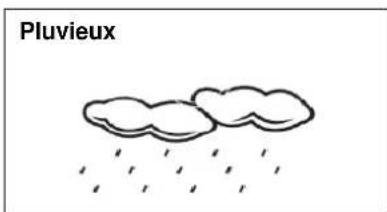
natural_image
Simple line drawing of two clouds with raindrops falling (no text or symbols)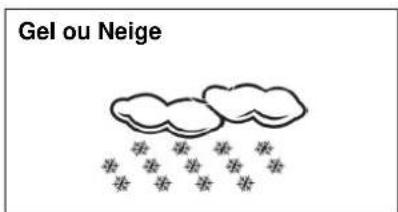
natural_image
Simple line drawing of a sun with rays, labeled 'Soleado' (no other text or symbols)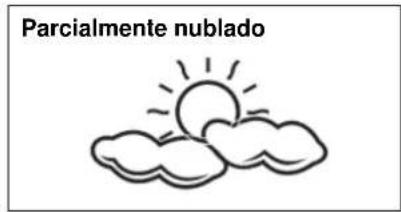
text_image
Parcialmente nublado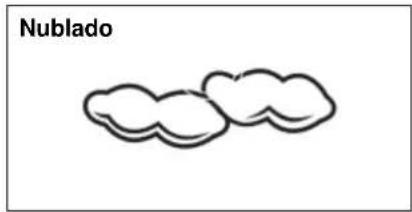
text_image
Nublado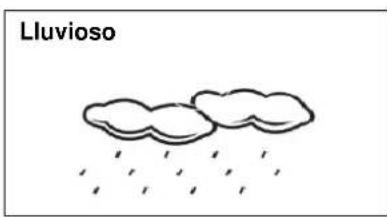
natural_image
Simple line drawing of two clouds with raindrops falling (no text or symbols)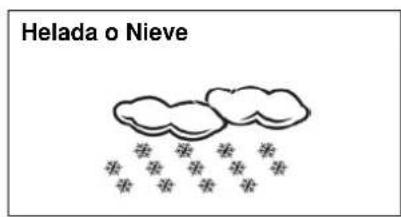
text_image
Helada o NieveNota:
“
natural_image
Simple line drawing of a cloud with snow symbols below (no text or labels)A1: Radio Controle Icoon
A2: Weergave Tijd
A3: Datum
A4: Dag van de Week
A5: Weerbericht
A6: Luchtdruk Trend
B3: "AL ON/OFF" knop
B4: “+ (12/24)” knop
B5: “-( )” knop
B6: "HISTORY" knop
B7: “▲” knop
natural_image
Simple line drawing of a sun with rays (no text or symbols)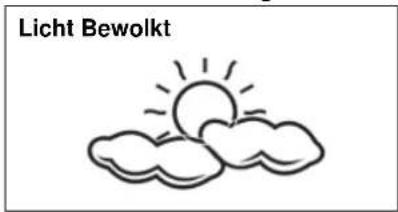
text_image
Licht Bewolkt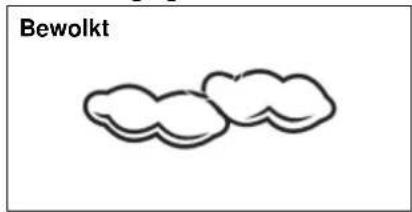
text_image
Bewolkt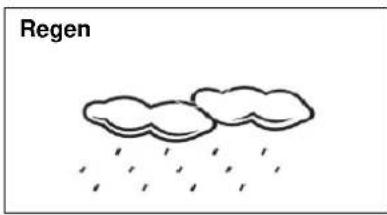
natural_image
Simple line drawing of two clouds with raindrops falling (no text or symbols)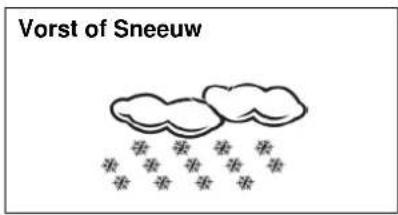
text_image
Vorst of SneeuwOpmerking:
“
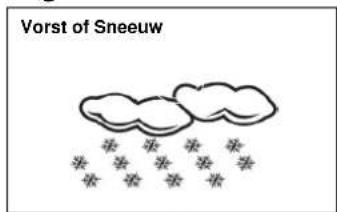
text_image
Vorst of Sneeuw8.1 RF Zendprocedure:
B3: Pulsante "AL ON/OFF"
B4: Pulsante “+ (12/24)”
B5: Pulsante “-()”
B6: Pulsante "HISTORY"
B7: Pulsante "▲"
natural_image
Simple line drawing of a sun with rays, labeled 'Sereno' (no additional text or symbols)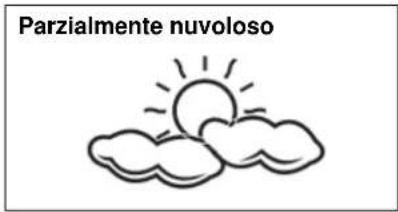
natural_image
Simple line drawing of two cloud shapes labeled 'Nuvoloso' (no other text or symbols)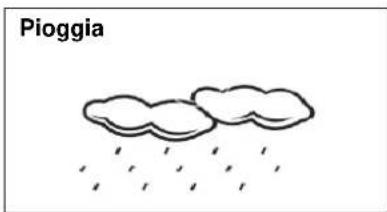
natural_image
Simple line drawing of two clouds with raindrops falling (no text or symbols)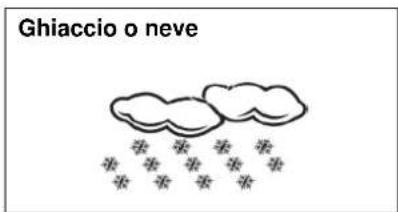
text_image
Ghiaccio o neveNota:
“
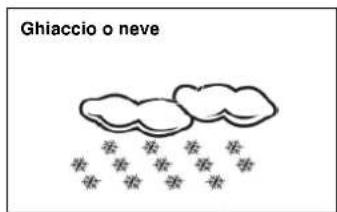
text_image
Ghiaccio o neveNota: I pulsanti "HISTORY" (B6), "▲" (B7), "▼" (B8), "REL/ABS" (B9), "C/F"