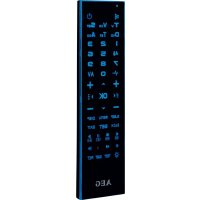
RC 4001 - Remote control AEG - Free user manual and instructions
Find the device manual for free RC 4001 AEG in PDF.



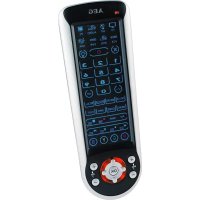
| Product type | Universal remote control 6-in-1 |
| Brand | AEG |
| Model | RC 4001 |
| Power supply | 2 AAA/R03 alkaline batteries (1.5 V each) |
| Net weight | 0.12 kg |
| Number of controllable devices | 6 |
| Compatible device types | TV, VCR, SAT, DVD, HIFI, AUX |
| Programming methods | Code search and learning function |
| Backlight | Yes, activation via dedicated key, turns off after 5 seconds |
| Teletext functions | Yes (TEXT key, navigation, overview pages) |
| Subtitles | Yes (SUB-T key) |
| Sleep timer | Yes (SLEEP key) |
| Standby | Yes (Power key) |
| Volume control | Yes (VOL +/− keys) |
| Menu navigation | Yes (arrow keys, OK, MENU, EXIT) |
| Care and cleaning | Wipe with a dry cloth; do not immerse in water |
| Safety | Do not expose to strong heat or humidity; respect battery polarity; keep out of reach of children |
| Replaceable parts | Battery replacement only |
| Compliance standards | European directives (electromagnetic compatibility, low voltage) |
| Languages of the manual | French, German, English, Spanish, Italian, Dutch, Polish, Portuguese, Russian, Czech, Hungarian, etc. |
Frequently Asked Questions - RC 4001 AEG
User questions about RC 4001 AEG
0 question about this device. Answer the ones you know or ask your own.
Ask a new question about this device
Download the instructions for your Remote control in PDF format for free! Find your manual RC 4001 - AEG and take your electronic device back in hand. On this page are published all the documents necessary for the use of your device. RC 4001 by AEG.
USER MANUAL RC 4001 AEG
intrinsic in 24.40 + 42506 Kersu
In theorem 1.
PERFECT IN FORM AND FUNCTION
AEG
D-47906 Kempen/Germany
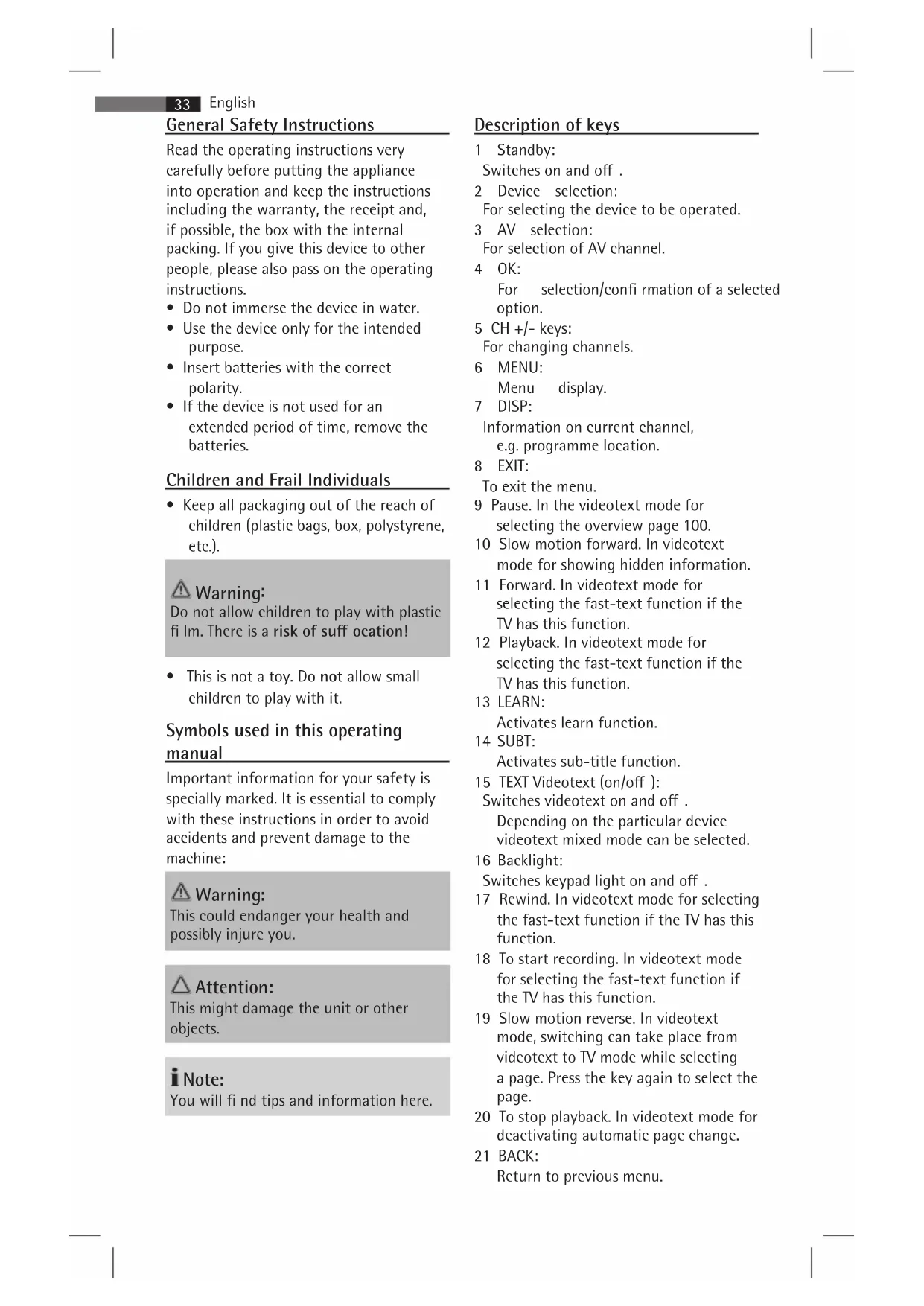
General Safety Instructions
Read the operating instructions very carefully before putting the appliance into operation and keep the instructions including the warranty, the receipt and, if possible, the box with the internal packing. If you give this device to other people, please also pass on the operating instructions.
- Do not immerse the device in water.
- Use the device only for the intended purpose.
- Insert batteries with the correct polarity.
- If the device is not used for an extended period of time, remove the batteries.
Children and Frail Individuals
- Keep all packaging out of the reach of children (plastic bags, box, polystyrene, etc.).

Warning:
Do not allow children to play with plastic fi lm. There is a risk of suff ocation!
- This is not a toy. Do not allow small children to play with it.
Symbols used in this operating manual
Important information for your safety is specially marked. It is essential to comply with these instructions in order to avoid accidents and prevent damage to the machine:

Warning:
This could endanger your health and possibly injure you.

Attention:
This might damage the unit or other objects.

lote:
You will find tips and information here.
Description of keys
1 Standby:
Switches on and off.
2 Device selection:
For selecting the device to be operated.
3 AV selection:
For selection of AV channel.
4 OK:
For selection/confir rmation of a selected option.
5 CH +/- keys:
For changing channels.
6 MENU:
Menu display.
7 DISP:
Information on current channel, e.g. programme location.
8 EXIT:
To exit the menu.
9 Pause. In the videotext mode for selecting the overview page 100.
10 Slow motion forward. In videotext mode for showing hidden information.
11 Forward. In videotext mode for selecting the fast-text function if the TV has this function.
12 Playback. In videotext mode for selecting the fast-text function if the TV has this function.
13 LEARN:
Activates learn function.
14 SUBT:
Activates sub-title function.
15 TEXT Videotext (on/off):
Switches videotext on and off.
Depending on the particular device
videotext mixed mode can be selected.
16 Backlight:
Switches keypad light on and off.
17 Rewind. In videotext mode for selecting the fast-text function if the TV has this function.
18 To start recording. In videotext mode for selecting the fast-text function if the TV has this function.
19 Slow motion reverse. In videotext mode, switching can take place from videotext to TV mode while selecting a page. Press the key again to select the page.
20 To stop playback. In videotext mode for deactivating automatic page change.
21 BACK:
Return to previous menu.
22 SET:
Programmes remote control.
23 SLEEP:
Activates sleep timer.
24 VOL +/:-
Increasing and reducing the volume.
25 Arrow keys:
For navigating through the device menu.
26 -/- -:
One or two-digit programme location selection.
27 Number keys
28 Mute
29 LED indicator
Introduction
This universal remote control is suitable for virtually all commercially available brands. The 6 in 1 universal remote control can be used for operating up to 6 devices (TV/VCR/SAT/DVD/HIFI/AUX).
The universal remote control controls all essential basic functions of your devices.
Inserting the batteries
The universal remote control requires
2 AAA R03 batteries.
-
Open the battery compartment at the back of the remote control.
-
Insert the 2 batteries in the battery compartment noting the polarity indicated in the battery compartment.
-
Close the battery compartment.
i Note:
- If the remote control is not used for an extended period of time, remove the batteries to prevent the leaking of battery acid.
- Replace batteries within 2 minutes to prevent programming loss.
- When replacing the batteries, do not press any of the function keys as this can give rise to programming loss.
Attention:
- Different battery types or new and used batteries may not be used together.
- Batteries do not belong in household waste. Please take the exhausted batteries to an appropriate collection point or to a dealer.
Warning:
- Do not expose batteries to high temperatures or direct sunlight. Never throw batteries into a fire. There is a risk of explosion!
- Keep batteries out of the reach of children. Batteries are not toys!
- Never open batteries with force.
- Avoid contact with metallic objects. (Rings, nails, screws, etc.) This is a risk of short-circuiting!
- A short-circuit will cause batteries to become very hot or even ignite. There is a risk of burns.
- For your own safety, the battery terminals should be covered with adhesive tape during transport.
- If a battery should leak, do not rub the liquid into the eyes or mucous membranes. In the event of contact, wash hands, rinse eyes with clear water and if symptoms persist seek medical advice.
Programming the remote control
The universal remote control offers two programming options. Setting via "Code Search" and "Learn function".
"Code Search" function
- Switch on the device you want to operate (e.g. TV).
- Keep the SET button and the corresponding device selection button (e.g. TV) simultaneously pressed until the LED lights up.
- Activate the search function by pressing the SET key (22). The LED will start to flash. Then keep the POWER button pressed until the LED starts to flash quickly. After releasing the POWER button, the LED lights up again continuously. The LED flashes quickly at intervals of approx. 3 seconds to indicate the activated search function.
- Immediately after the device switches off, press the device selection button (e.g. TV). The LED fl ashes slowly. To save the found code, press the device selection button once again. The LED goes out.
i Note:
Confir rmation of the device code must take place within one second.
- Check the function of the keys on the device. If several of the keys do not function or function incorrectly, repeat the search.
If this method proves unsuccessful, use the Learn function to program the remote control as described below.
i Note:
Owing to the numerous different brands on the market, complete programming of all the functions of your original remote control cannot be guaranteed.
Learn function
The universal remote control is able to "learn" the individual key functions of your original remote control. This function can be used, e.g. when not all functions are programmed via the "Code Search" function.
i Note:
- Do not use the following keys for the Learn function: Light (16), SET (22), LEARN (13) and Selection keys (2).
-
Use new batteries in both remote controls to ensure trouble-free programming.
-
Ensure that your original remote control works perfectly.
- Place both remote controls on a fl at surface and point both ends that are normally aimed at the device towards each other. The distance between both remote controls should be 2 - 5 cm.
- Keep the SET button and the corresponding device selection button (e.g. TV) simultaneously pressed until the LED lights up.
- Press the LEARN key (13).
- Now press the key on the universal remote control to be programmed.
- Press and hold the respective key on the original remote control until the LED fl ashes 2 times slowly. The programmed key function is automatically stored.
i Note:
- If no button is pressed within 30 seconds, the remote control switches back to normal mode
- If programming is unsuccessful, the LED will flash 5 times rapidly.
-
Neon light can influence programming.
-
Repeat steps 5 and 6 until all key functions on the universal remote control have been programmed.
-
Finally press the LEARN key to leave the programming mode. The LED goes out.
Backlight
The keypad lighting can be switched on and off with the light key (16).
When the keypad light is switched on, the backlight illuminates each time a key is pressed. This extinguishes after about 5 seconds if no key is pressed within this time.
Specifications
Model: RC 4001
Battery supply: 2 x 1.5V, AAA, R03
Net weight: 0.12 kg
Declaration of Conformity
This appliance has been examined according to all appropriate current CE guidelines, e.g. electromagnetic compatibility and Low Voltage Directive and was designed according to the latest safety-relevant regulations. Subject to technical modifications!
Meaning of the "Dustbin" symbol
Protect our environment: do not dispose of electrical equipment in the domestic waste.
Electrical appliances that are no longer used must be disposed of at the collection points provided.
This helps to prevent the potential effects of incorrect disposal on the environment and health.
This makes a valuable contribution towards recycling and other forms of using old electrical and electronic appliances.
Information concerning where the equipment can be disposed of can be obtained from your local authority.
- General Safety Instructions
- Children and Frail Individuals
- Warning:
- Symbols used in this operating manual
- Attention:
- lote:
- Description of keys
- Introduction
- Inserting the batteries
- i Note:
- Programming the remote control
- "Code Search" function
- Learn function
- Backlight
- Specifications
- Declaration of Conformity
- Meaning of the "Dustbin" symbol
Brand : AEG
Model : RC 4001
Category : Remote control