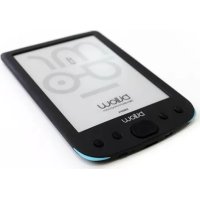
E02E - E-reader Billow - Free user manual and instructions
Find the device manual for free E02E Billow in PDF.



Frequently Asked Questions - E02E Billow
User questions about E02E Billow
0 question about this device. Answer the ones you know or ask your own.
Ask a new question about this device
Download the instructions for your E-reader in PDF format for free! Find your manual E02E - Billow and take your electronic device back in hand. On this page are published all the documents necessary for the use of your device. E02E by Billow.
USER MANUAL E02E Billow
KoHΦnrgypnpaHe n n3nOJ3BaHe
1.1 On / Off
3aIpbjxTe HaTnchat 6yToHa 3a 3axpaHbaHeTO 3a 5 cekyn.
Ako B daheh MOMeHT TelefoHbT Bu Ce 3aKIOUH, ONITaIte HaTnCKaHe Ha 6yToHa "Reset" 6yToHa DoCTbHNO Ha Tbp6a Ha eJeKtpoHHN KHNr 3a 3 CEkyHdN.
1.2 3apexkahe Ha Ebook
3a nbpBOTo n3noJ3BaHe, nbpBO Tp8Ba Da ro 3apeiTe B npOdbJIkeHne Ha 8 yaca.
Korato 6aTepeNaTa e n3ToSeHa, 3apeTe r, KaTO cBbPjKeTe docTaBeHn USB Ka6ena MeJdy KOMNtBpa N eJIeKTPOHH N KHrN.
He 3apekdaite c 3axpaHbau n aadantepn.
1.3 faйноа konne do Ebook
CbpxkTe eKToHHn KNHn Ha Baun KOMNtbp, KaTO n3NoJ3BaTe npIoXeHn USB ka6eI. YcTpoiCTBOTO ige DeiCTBa KaTO yCTpoiCTBO 3a cbxpaHeHne.
ИЗВьршване на Нормална pa6OTa 3a упраВленье на Файноve kaTO друюстю USB пamet.
1.4 OCHOBHNOHATM
Изпольайт e 6утонite CBС CTpeлк, 3a Да ce пидвжinte Do кelaHaTа ONцЯ OT MeHOTO.
HaTnchete 6yToHa Confirm da n36epTe HЯKoR onZna.
HaTnchete 6yToHa Enter, 3a da nOTBbPdnte.
HaTnchete 6yToHa 3a MeHIOTo, 3a da OTBOpnte MeHIOTo C OnuIN.
HaTnCHTe Ha3aI, 3a Ia OTMeHnTe n36opa n Ia Ce BbPHeTe KbM npEiNshOTo MeHIO, IJIi HaTnCHTe 3a Ia Ce BbPHeTe B rJaBHOTO MeHIO.
1.5 Reading Uctopia
Thank you for choosing the E-Book E02E
Product Description
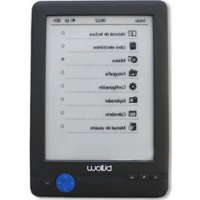
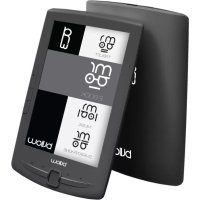
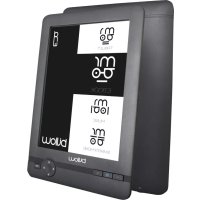
6" E-ink Ebook E02E 6 with which you can read more than 1,400 books, view images at a resolution of 800 × 600 pixels. Its compact and elegant design offers a pleasing and lightweight appearance and with hotkeys everything will be at your fingertips.
Its processor is optimized for fast response to load books and reading.
It has an onboard flash memory of 4 GB and a Micro SD card reader that will allow you to expand your storage capabilities up to 32GB.
Its E-ink screen uses the best PVI technology, showing an electronic ink clearly defined which you can further enhance .
Package contents
-E02E
-Quick installation guide
-Micro USB Cable
Note:
Make sure that your package contains the items described above. If you find any items are missing or damaged, please contact your dealer.
System Requirements
-1 USB 2.0 port
-Operating System Windows
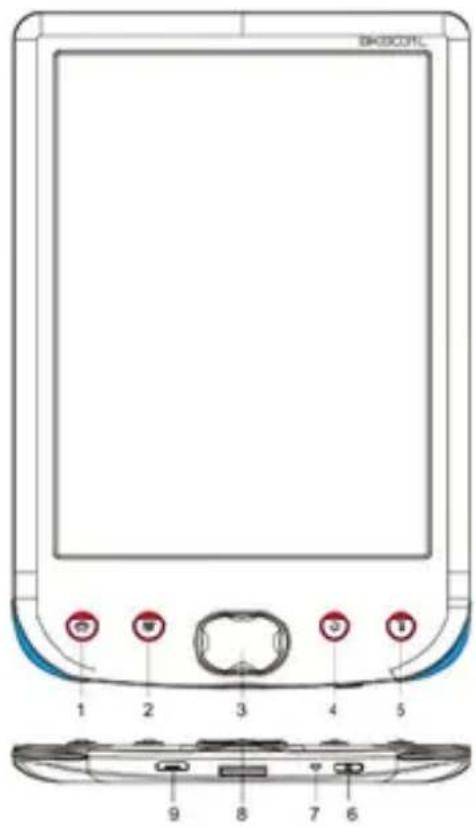
Parts description
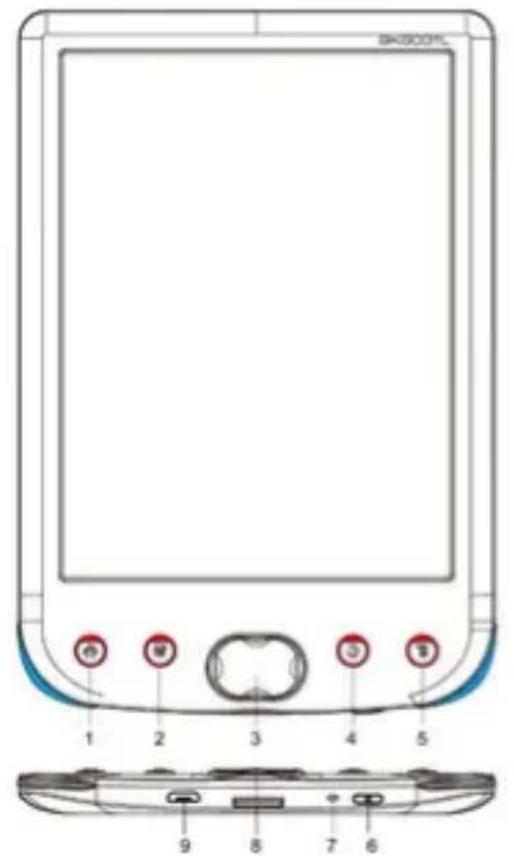

- "Home"
- button "Confirm"
- Navigation buttons: Up: Previous page, bottom: next page, left anterior, right: next.
- "Back" button
- Button "Menu"
- Power Button: Press it for 5 seconds to turn on or off the device
- LED charging indicator
- Micro SD Slot
-
Micro USB slot
-
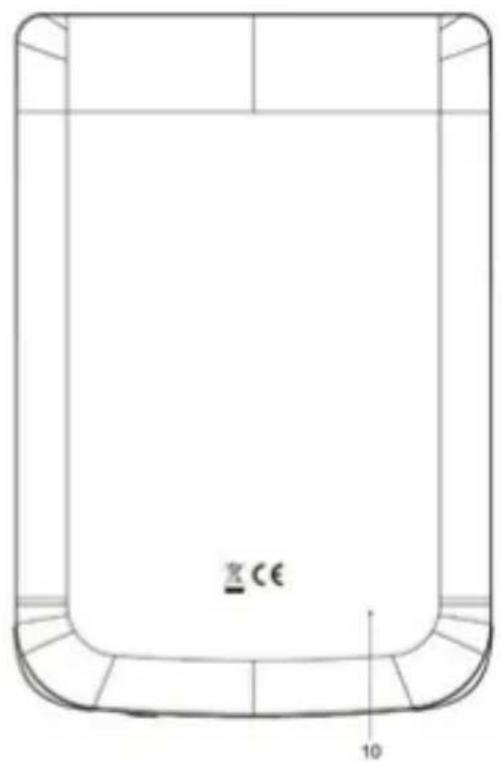
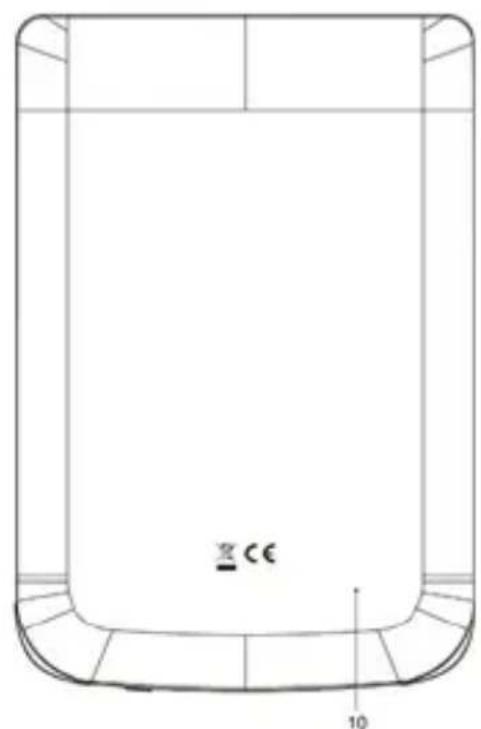
Reset Button
Configuration and Use
1.1 On/Off
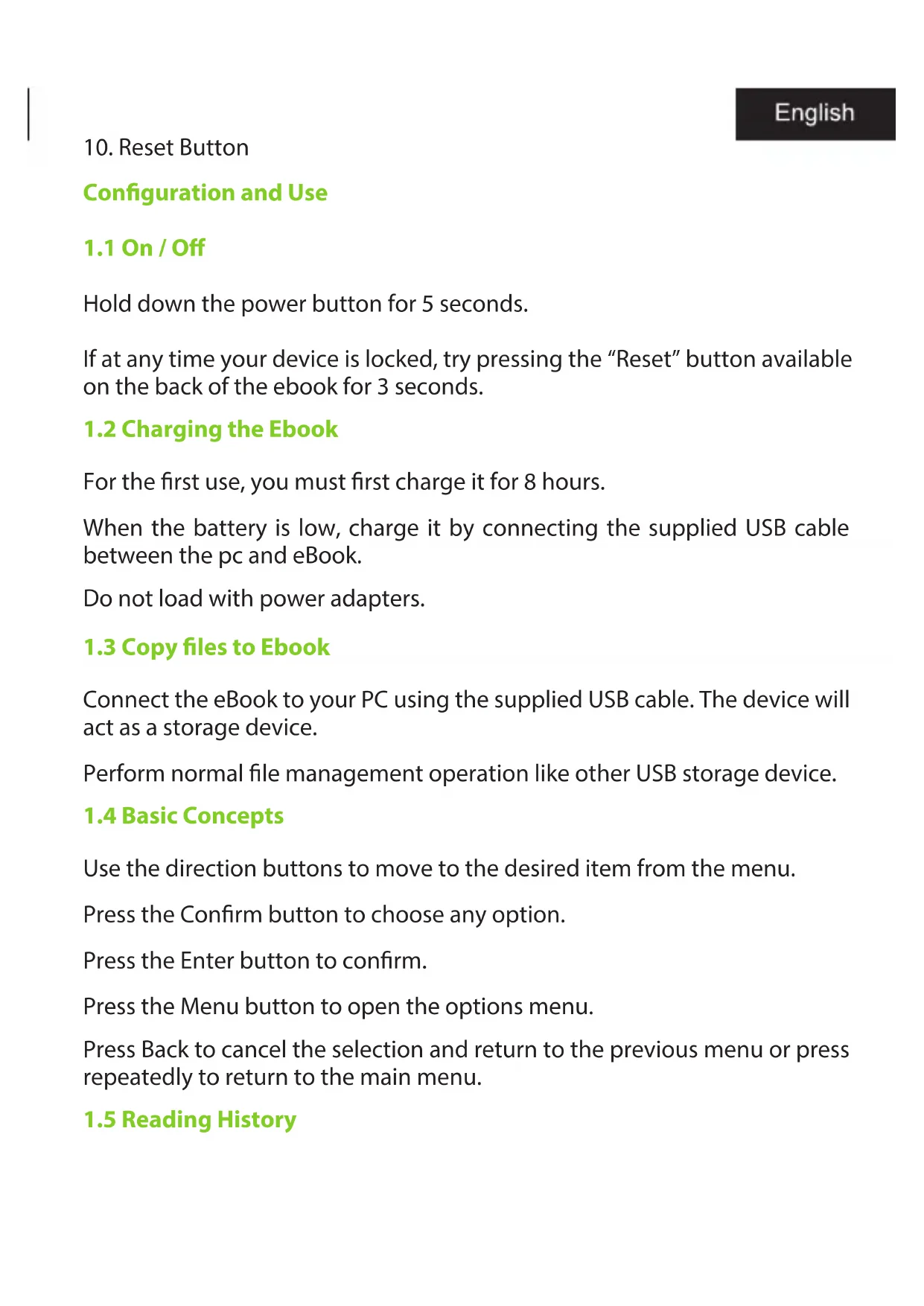
Hold down the power button for 5 seconds.
If at any time your device is locked, try pressing the "Reset" button available on the back of the ebook for 3 seconds.
1.2 Charging the Ebook
For the first use, you must first charge it for 8 hours.
When the battery is low, charge it by connecting the supplied USB cable between the pc and eBook.
Do not load with power adapters.
1.3 Copy files to Ebook
Connect the eBook to your PC using the supplied USB cable. The device will act as a storage device.
Perform normal file management operation like other USB storage device.
1.4 Basic Concepts
Use the direction buttons to move to the desired item from the menu.
Press the Confirm button to choose any option.
Press the Enter button to confirm.
Press the Menu button to open the options menu.
Press Back to cancel the selection and return to the previous menu or press repeatedly to return to the main menu.
1.5 Reading History
From the main screen, select the book you've read recently and press the Confirm button.
You can select your last 10 readings quickly.
1.6 Book Reader
From the main menu, select Library, press the confirm button to enter in your book library.
From the library, use the direction buttons to select a book and press the Enter button to display the desired book
When reading, press the directional buttons to change pages.
In reading page, press the Menu button to use the options menu.
1.7 Viewing Photos
From the main menu, select Extras and press the Confirm button to enter the image viewer.
Select an image and press the Enter button to view full screen.
Press the Menu button to use the options menu.
1.8 Configuration
From the main menu, select settings and press the confirm button.
Use the Arrow keys and Enter to set the language and system time or other adjustments
1.9 File Explorer
From the main menu, select Extras and press the Confirm button, once inside press on Explorer.
- Select a folder or file to open.
- Press the Menu button to use the options menu.
1.10 User Manual
From the main menu, select User Manual and press Enter.
The eBook user manual will open
Technical Support
For more information about this product please visit our support section on our web site www.billowtechnology.com or send an email to support@billowtechnology.com
Introduccion
- "Home"
2.bouton "Confirmer"

Configuration and Use
1.1 On/Off
AEE REI-RAEE 5548 In this manual, the container (bin) symbol indicates that the product is subject to the European directive 2002/96 / EC, electrical and electronic products, batteries, and batteries and other accessories must necessarily be subject to a selective collection.
At the end of the life of the device, make use of the recycling bins. This gesture will help reduce the health risks and preserve the environment.
Municipalities and distributors, will provide essential details on recycling your old device.
This device carries an internal battery must be removed and deposited separately for proper management.
To use this ebook in a fully secure manner, please read the following safety tips carefully:
- Children: Pay special attention to children.
Ebooks contain many individual parts, so you should pay special attention when a child is in contact with a Ebook.
This product contains small parts that may be swallowed or cause choking if swallowed.
If your Ebook has a camera or lighting device, do not use them too close to the eyes of children or animals. - Fire Hazards: Do not let your ebook next to heat sources such as radiators or gas stove. Do not charge your ebook near flammable materials (risk of fire is unquestionable).
- Contact with liquid: Avoid all contact with liquid or handle tablet with wet hands. The water can cause irreparable damage.
- Use only accessories approved by Billow. The use of non-approved accessories may damage or endanger your Ebook.
- Do not manipulate the battery and charger.
Never use a damaged battery or charger.
Do not place in contact the tablet's battery with magnetized objects, as this can result in short-circuits between the + and - terminals of the batteries as well as damage the battery or Ebook.
In general terms, do not expose the batteries to very cold or very high (below 0^ or above 45^ ) temperatures. These differences in temperature can reduce the autonomy and operational life of the batteries. - Falls or impacts, Handle your Ebook with great care.
Protect your tablet from falls or impacts that could damage it. Some elements of your ebook are made of glass, so it may break if dropped. Never touch the screen with sharp objects. - Electric shock: Do not try to disassemble your ebook. It could give you an electric shock.
- Maintenance: If you want to clean your ebook, use a dry cloth (never solvents such as benzene or alcohol).
- Charge your ebook in a well ventilated area.
Do not charge if placed on a fabric.
Important Notice use
- In order to increase the operating life of your battery, use only Billow batteries and chargers. Replacing the original battery with a non-compliant battery can cause it to explode.
- Never dispose of batteries in fire. Respect the laws into place on the recycling of used batteries and Ebooks.
- Pay attention to not damage or crush the battery. This would lead to the risk of internal short circuit and overheating.
- Do not disassemble the battery.
- The battery can be charged hundreds of times prior to replacement. When the battery performance diminishes, contact your service representative for replacement.
- If you are not going to use your tablet for a long time, do not forget to recharge your battery and optimize its operational life.
- Do not throw batteries along with household waste. Consider recycling and follow the manufacturer's guidelines. If the battery is damaged, take it to customer service or the nearest Billow dealer.
- In order to reduce power consumption, disconnect the charger from the socket once the tablet has finished charging.
- Do not leave the battery on charge for days as it could generate an overload and reduce the operating life of the product.

bilibow
EC DECLARATION OF CONFORMITY
We declare under our sole responsibility that the product:
Brand name: BILLOW TECHNOLOGY
Model no: E02E
Product description: E-ink E-Book Reader
The measurements shown in this test report were made in accordance with the procedures given in the:
EMC DIRECTIVE: 2004/108/EC
-RoHS DIRECTIVE: 2011/65/EU
To which this declaration is based on with full conformance to the following European norms and standards:
-
EN 55022: 2006+A1:2007
-
EN 55024: 2010
Signed July 09, 2015
Jose Luis Ruiz Gomez Managing Director
BILLOW TECHNOLOGY
ADD: Poligono Industrial Guadalquivir
C/Tecnologia,5 Postcode:41120
Gelves (Sevilla), Spain.
Website: www.billowtechnology.com

Importado por / Imported by:
APPROX IBERIA S. L.
CIF: B-91202499
Soporte专业技术/Technical support:
support@billowtechnology.com
MADE IN PRC
The content of this guide is subject to typographical errors

billo wtechnology.com
8:
bilocu