AP1100 - Printer AGFA - Free user manual and instructions
Find the device manual for free AP1100 AGFA in PDF.



| Product Type | Thermal sublimation photo printer |
| Brand | AGFA |
| Model | AP1100 |
| Printing method | Thermal sublimation |
| Printing resolution | 309,8 x 309,8 dpi |
| Number of colors | 16,7 million (continuous) |
| Printing speed | Less than 60 seconds per photo (excluding image processing) |
| Interfaces | USB 2.0, IRDA, PictBridge (WiFi/Bluetooth via dongle) |
| Supported image formats | JPEG, TIFF, BMP, PNG |
| Maximum image resolution | 18 million pixels |
| Paper size | 101 x 152,4 mm (with detachable borders) |
| Paper tray capacity | 25 sheets |
| Consumables | Kit APR4200 (ribbon + 75 photos) or APR4200D (2 ribbons + 150 photos) – AgfaPhoto brand only |
| Integrated functions | Crystal Image (automatic optimization) and Red-eye correction |
| Power supply | 230 V AC 50/60 Hz, power adapter PF60N24AS0 |
| Power consumption | 5 W in standby mode, 75 W while printing |
| Dimensions (without paper tray) | 200 x 143 x 78 mm |
| Weight (without power supply) | 1,4 kg |
| Operating temperature | 15°C to 35°C |
| Operating humidity | 30% to 75% RH |
| Maintenance and cleaning | Cleaning the print head with denatured alcohol and cotton swab (printer unplugged and cooled) |
| Safety | Never open the cover during printing; use only AgfaPhoto consumables; keep at least 1,50 m away from water source |
| Warranty | 1 year (parts and labor) by Sagem Communication (except for non-compliant use) |
| Available options | WiFi dongle, Bluetooth dongle, carrying case (see website agfaphotoprinter.com) |
| General information | Manual available in 14 languages; CE declaration of conformity on the website; support via website or address: 4, rue du Petit Albi, 95800 Cergy Saint-Christophe, France |
Frequently Asked Questions - AP1100 AGFA
User questions about AP1100 AGFA
0 question about this device. Answer the ones you know or ask your own.
Ask a new question about this device
Download the instructions for your Printer in PDF format for free! Find your manual AP1100 - AGFA and take your electronic device back in hand. On this page are published all the documents necessary for the use of your device. AP1100 by AGFA.
USER MANUAL AP1100 AGFA
The information in the United States is based on the 2019 Washington Bank, produced for and/or by the Bayern Communitario, www.cayen.com.

AGFAPHOTO
area
| X | Y | |---|---| | 0 | 100 | | 1 | 95 | | 2 | 90 | | 3 | 85 | | 4 | 80 | | 5 | 75 | | 6 | 70 | | 7 | 65 | | 8 | 60 | | 9 | 55 | | 10 | 50 | | 11 | 45 | | 12 | 40 | | 13 | 35 | | 14 | 30 | | 15 | 25 | | 16 | 20 | | 17 | 15 | | 18 | 10 | | 19 | 5 | | 20 | 0 |ENGLISH
Welcome
Thank you for purchasing our new photo printer. With this high quality printer you can get the most out of your digital photos.
The "Crystal Image" and "Red-eye" image optimising functions provide faultless print and copy quality of your photos.
You will also find the following on the web site www.agfaphotoprinter.com:
- print drivers for PCs,
- a list of answers to frequently asked questions (FAQ).
Safety instructions and recommendations

Do not install your photo printer in a humid room (bathroom, laundry, kitchen, etc.), or within 1.50 m of a tap or water source, or outside. The printer should be operated within an ambient temperature range of 10 °C to 35 °C. Your printer should be used at an ambient temperature of between 15°C and 35°C for optimum printing results.
Do not set up your printer in a dusty environment as dust deposits might adversely affect the print quality of your photos.
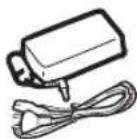
Only use the power supply that is supplied (PF60N24AS0 of Shanghai Moons' Automation Control Co., Ltd). Connect it to a mains outlet in compliance with the installation instructions in this booklet and the indications stated on the identification label located on the unit (voltage, current and frequency of the electricity network). As a precaution, in case of danger, the mains adapters act as a disconnecting mechanism for the 230V power supply. They should be placed near the device and should be easily accessible.
Never open the top cover when the printer is operating, as you risk breaking the film that may result a printer malfunction.
After using the printer, wait a few moments after switching the printer off before opening it. To avoid injury, never touch the print head.
Only use AgfaPhoto consumables, if not you are likely to damage the equipment and invalidate the guarantee. To obtain the references of the consumables, refer to paragraph Consumables, page 7.
The CE marking certifies that the product meets the main requirements of the European Parliament and Council directive 1999/5/CE on telecommunications terminal equipment, regarding safety and health of users, and regarding electromagnetic interference.
The declaration of compliance can be consulted on the site www.agfaphotoprinter.com, or can be requested at the following address:
AGFAPHOTO is used under licence of Agfa-Gevaert AG AP1100 is produced for Sagem Communication and distributed or sold by Sagem Communication
Sagem Communication - Customer relations department 4, rue du Petit Albi - 95800 Cergy Saint-Christophe - FRANCE

Environment
Preservation of the environment as part of a sustainable development logic is an essential concern of AgfaPhoto. The desire of AgfaPhoto is to operate systems observing the environment and consequently it has decided to integrate environmental performances in the life cycle of its products, from manufacturing to commissioning, use and elimination.
PACKAGING

The presence of the logo (green dot) means that a contribution is paid to an approved national organisation to improve packaging recovery and recycling infrastructures. To facilitate recycling, please respect the sorting rules set up locally for this kind of waste.
BATTERIES
If your product contains batteries, they must be disposed of at appropriate collection point
THE PRODUCT
The crossed-out waste bin stuck on the product means that the product belongs to the family of electrical and electronic equipment.
In this respect, the European regulations ask you to dispose of it selectively:
- At sales points in the event of the purchase of similar equipment.
- At the collection points made available to you locally (drop-off centre, selective collection, etc.).
In this way you can participate in the re-use and upgrading of Electrical and Electronic Equipment Waste, which can have an effect on the environment and human health.




Your printer and its accessories
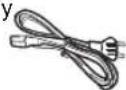
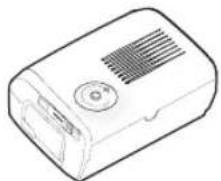
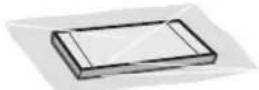
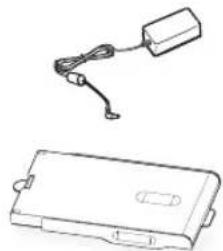
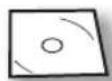
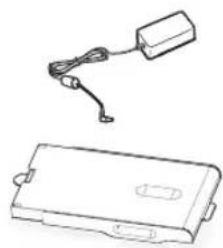
Place your set in front of you. Take out the various components for your printer and check that the components shown below are present :
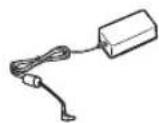
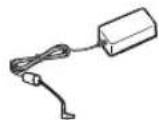
A power cable A power supply
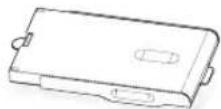
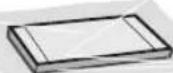
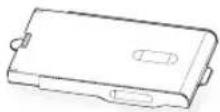
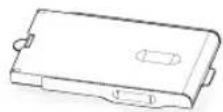
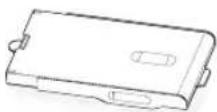
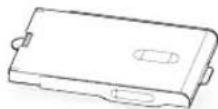
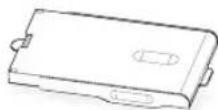
A printer A paper tray
natural_image
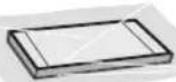
Line drawing of a rectangular electronic device with ventilation slots and a circular button (no text or symbols)A pack of photo paper (depending on model)
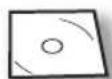
CD-Rom
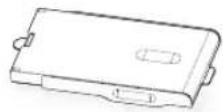
A ribbon (depending on model)
natural_image
Line drawing of a battery pack and its circuitry (no text or symbols)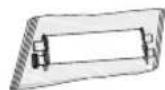
3



Setting up the printer
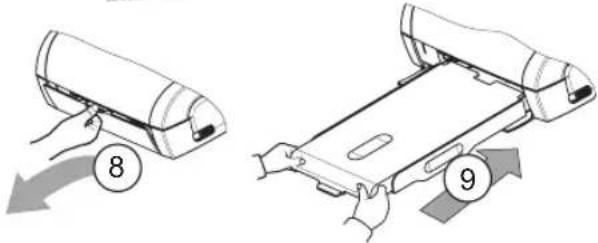
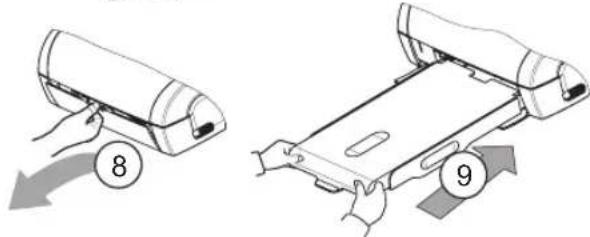
Note ! : When installing your printer near a wall or some other object, keep a free space of at least 4 inches at the back of the printer, to make sure the movement of the sheet of paper being printed is not obstructed.
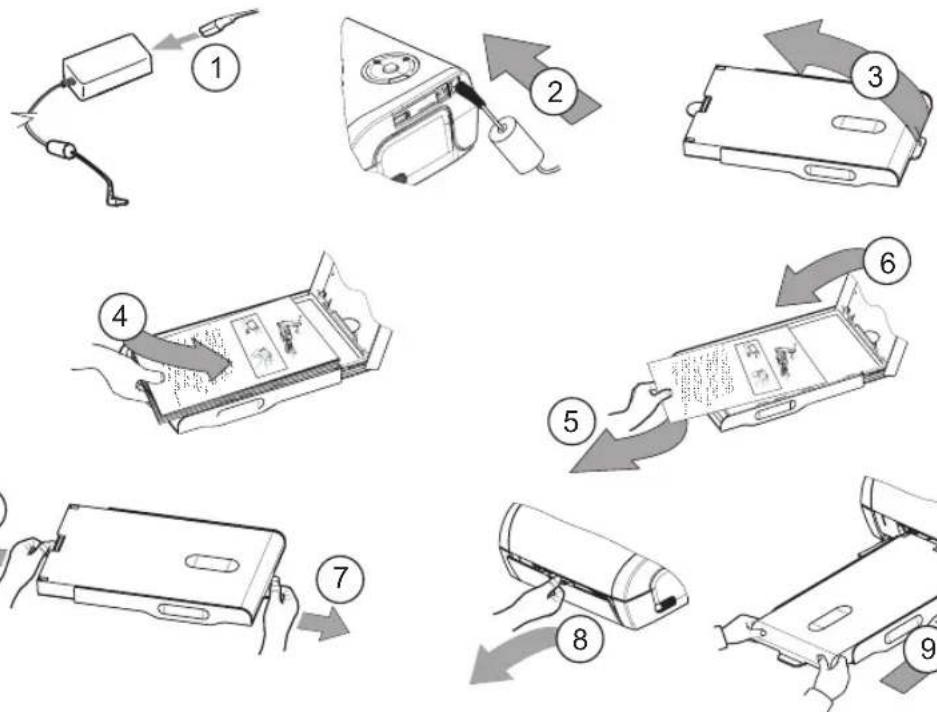
natural_image
Illustration of hands operating a mechanical device with a numbered circle and arrow (no text or symbols)
Plug the power cable into a wall socket that is easy to access.
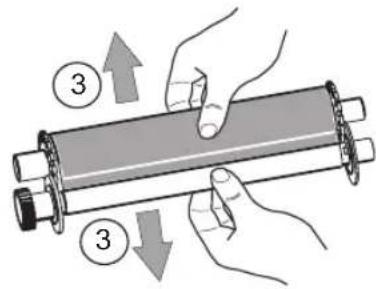
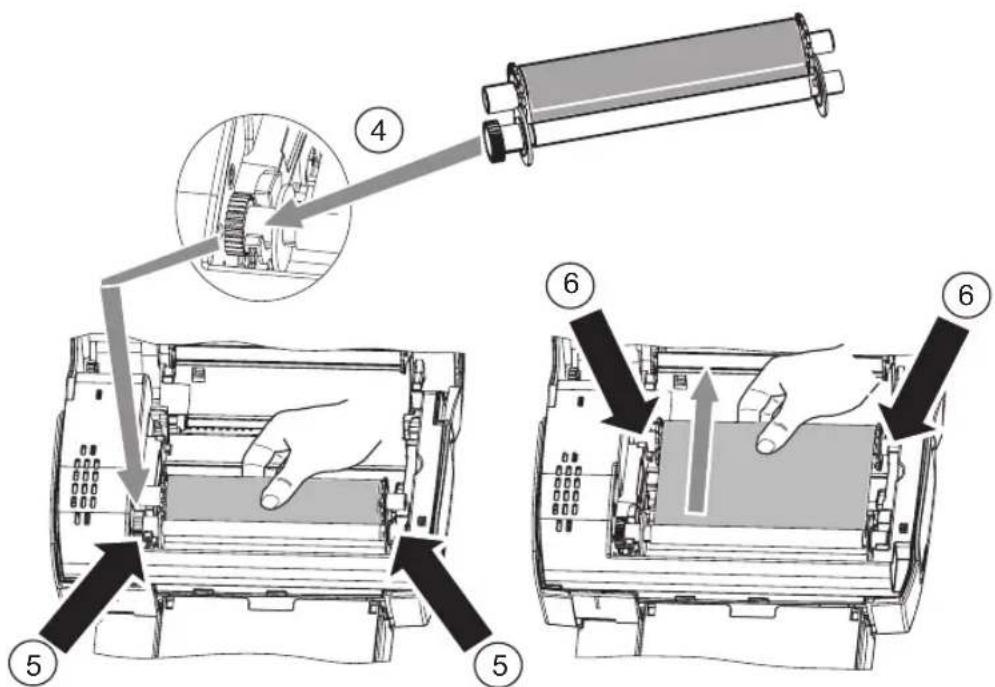
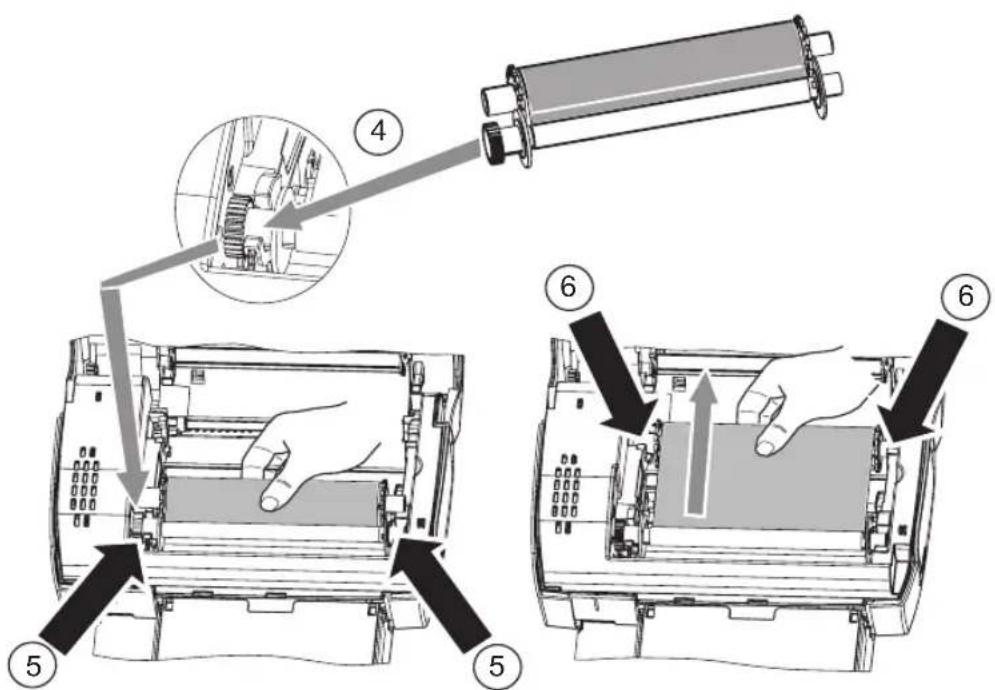
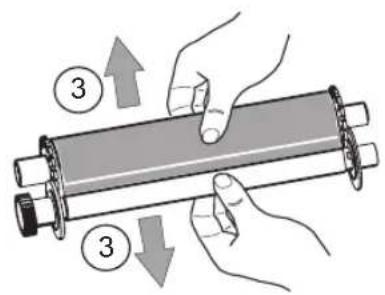
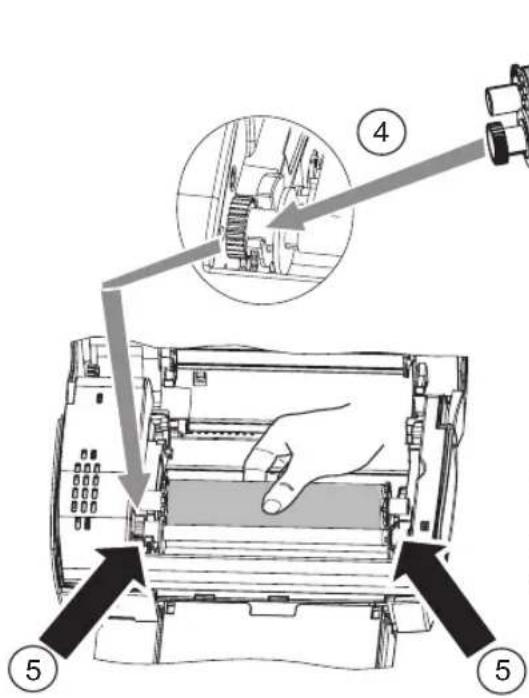
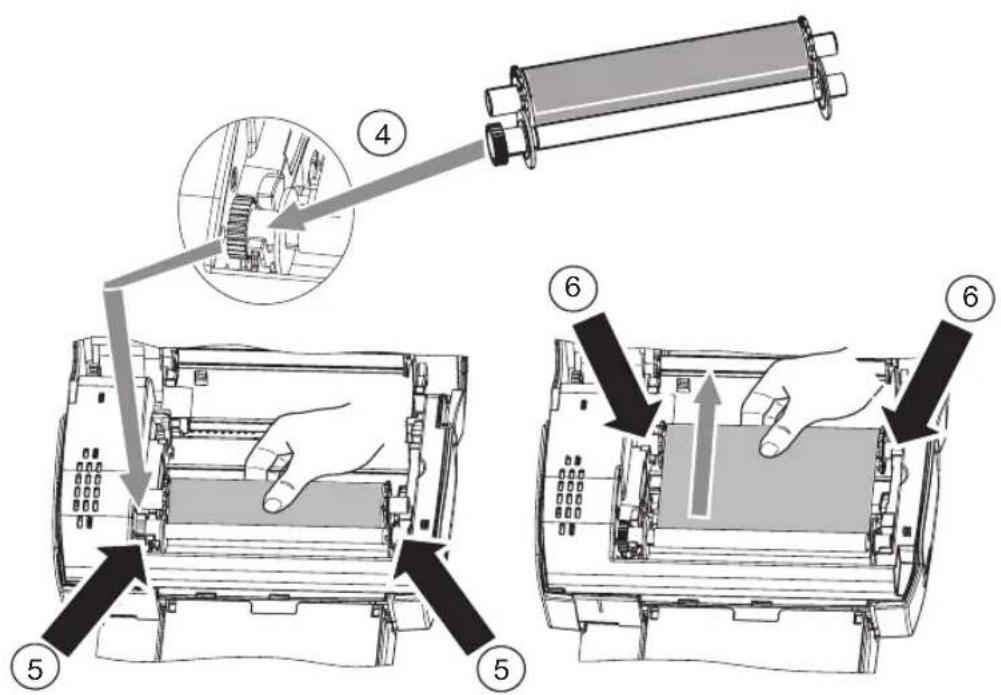
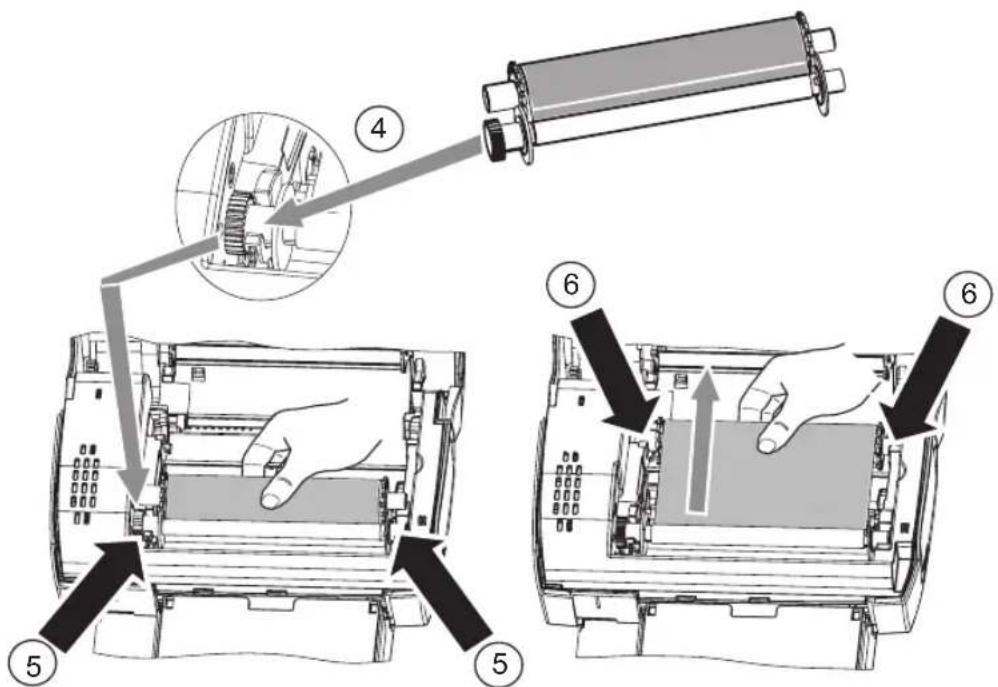
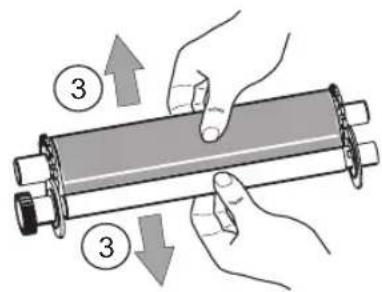
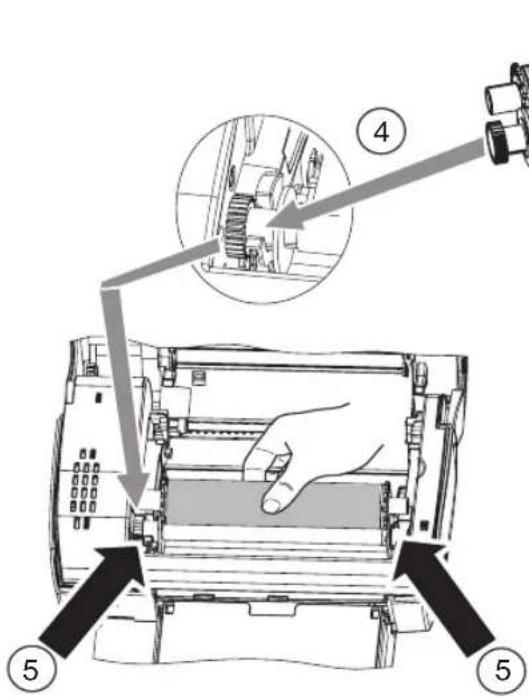
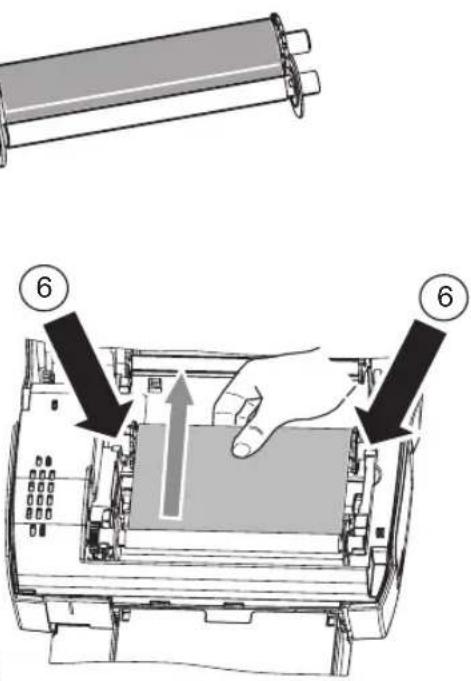
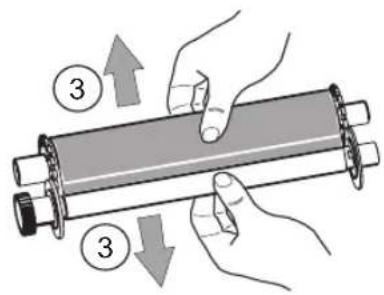
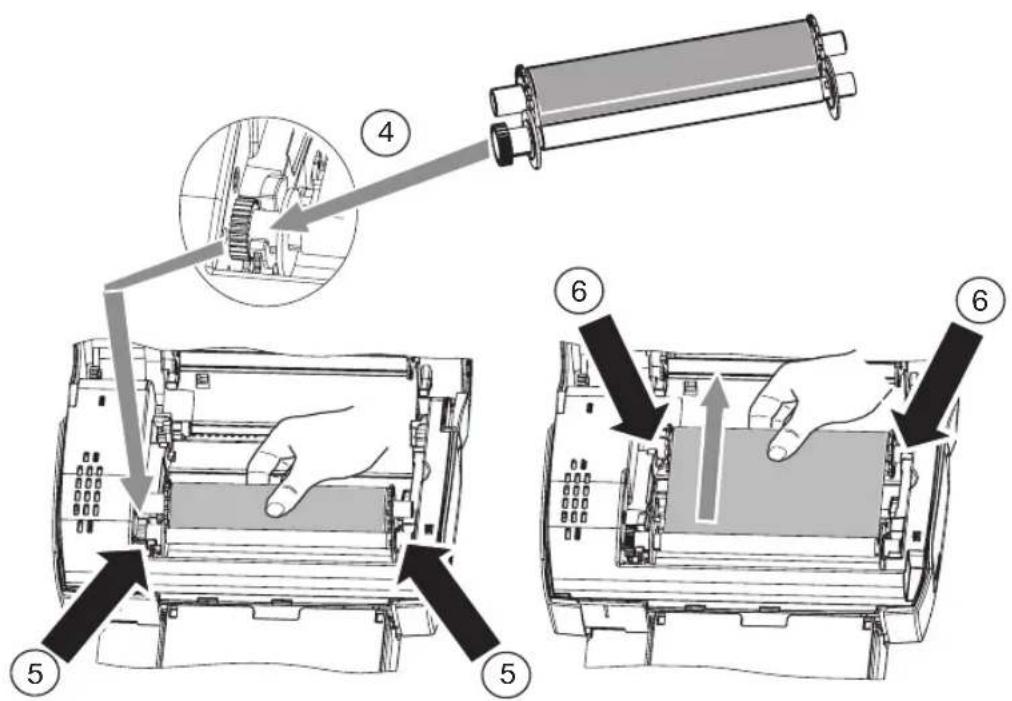
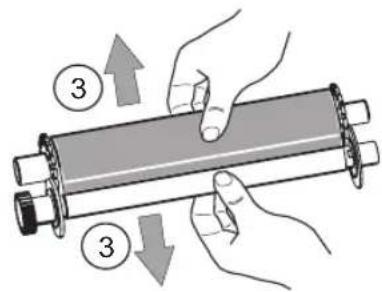
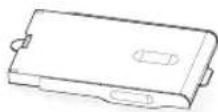
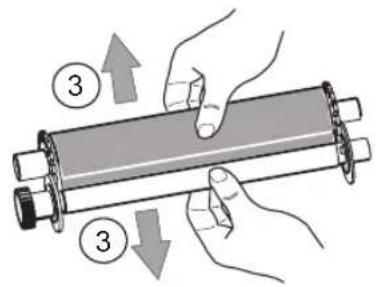
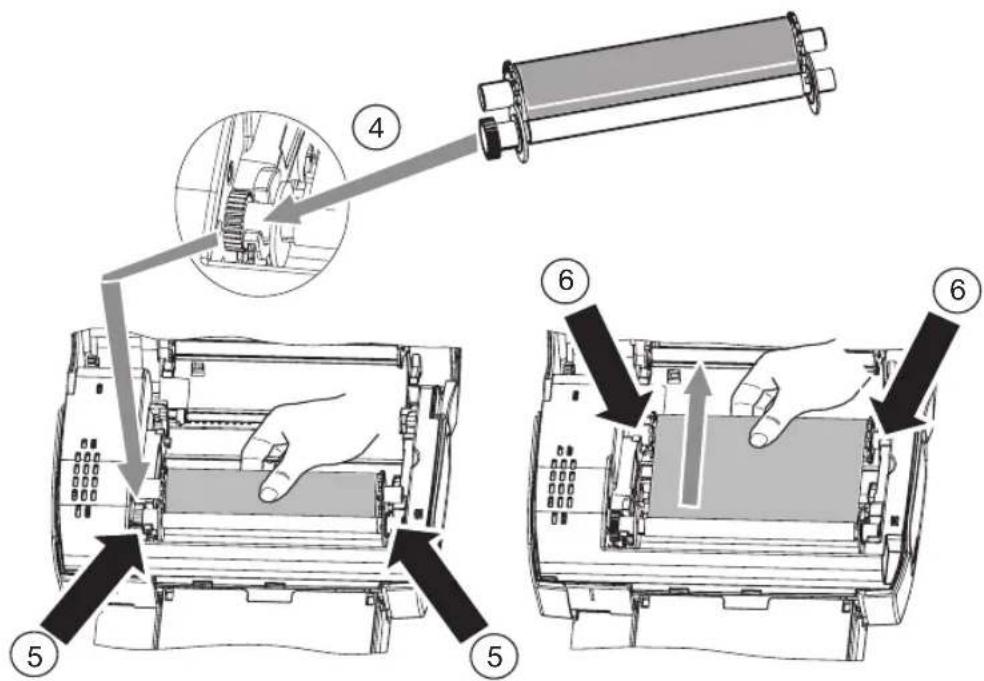
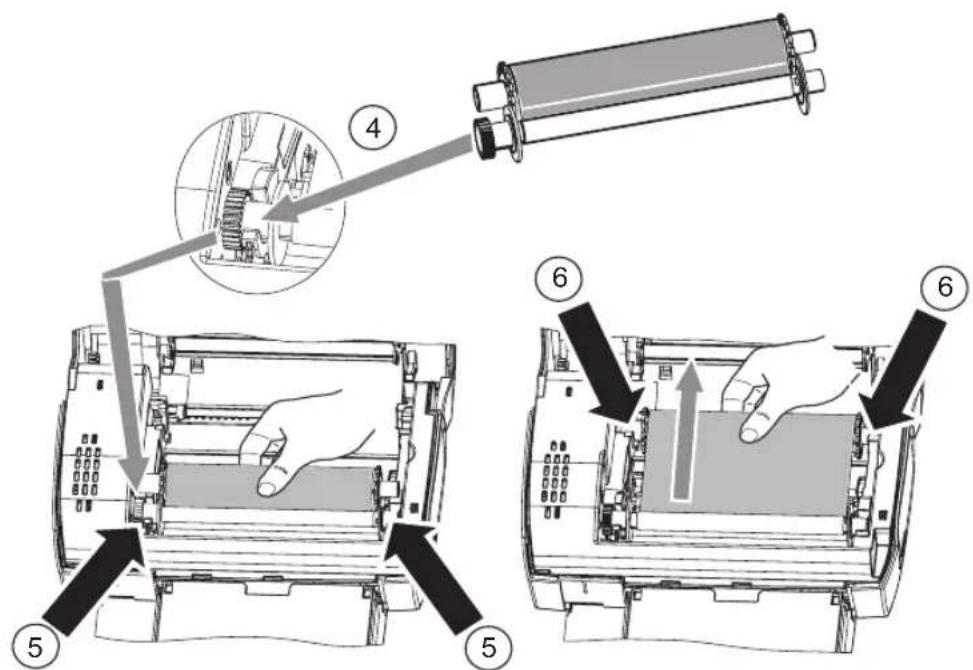
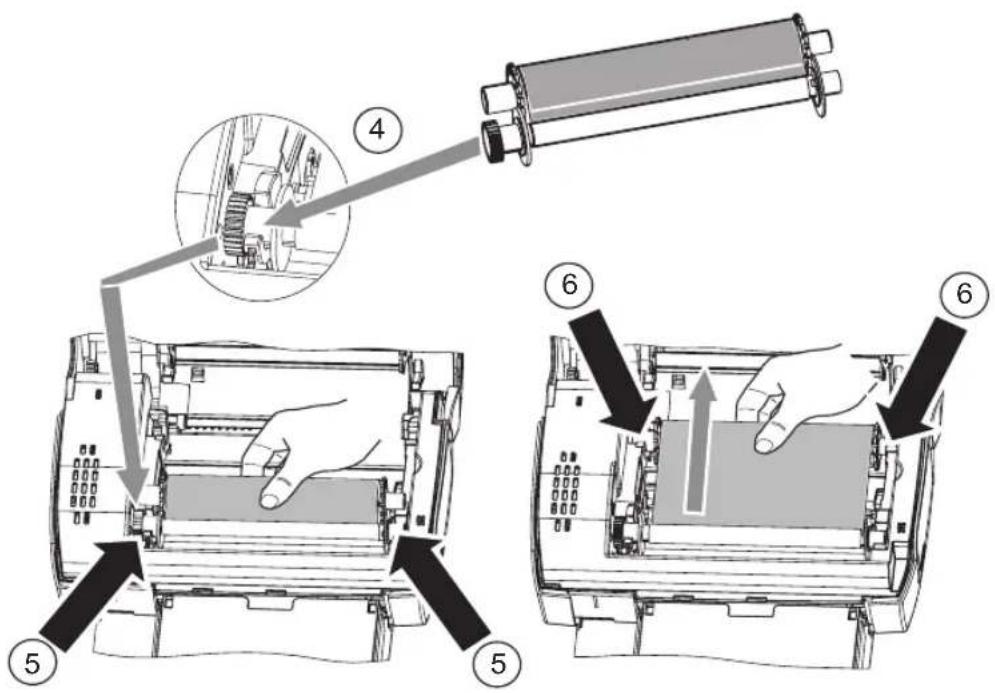
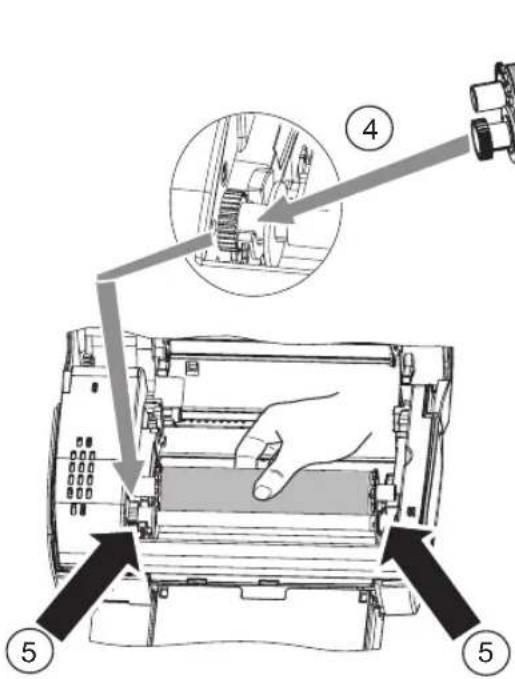
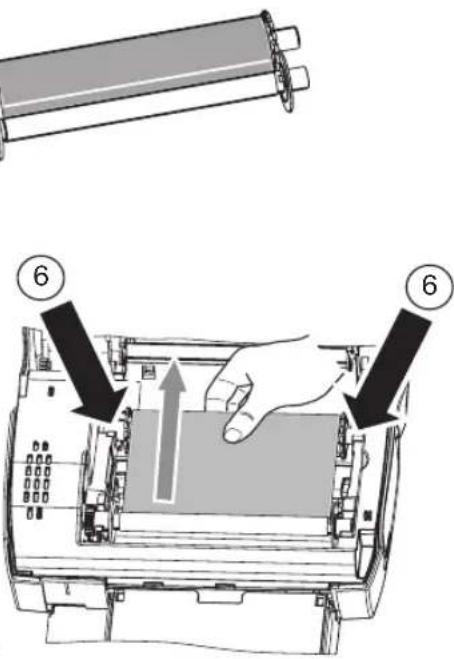
Installing the ribbon
Note ! : Use manufacturer consumables only. These are specially designed to provide optimum print quality (Refer to paragraph p. 7).
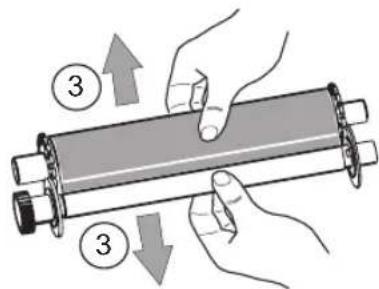
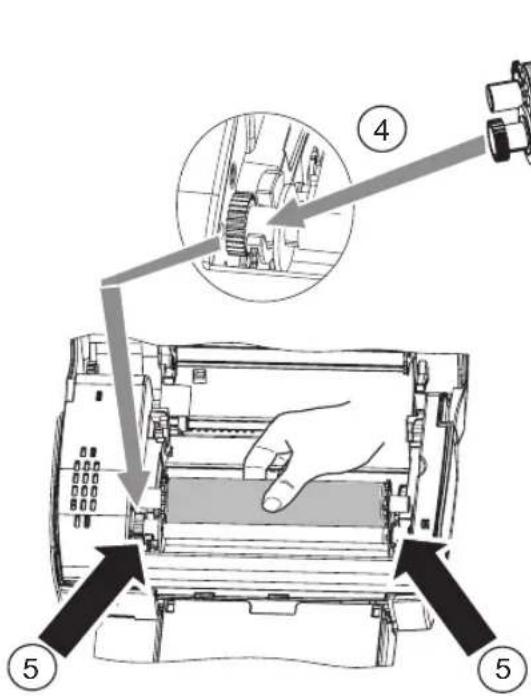
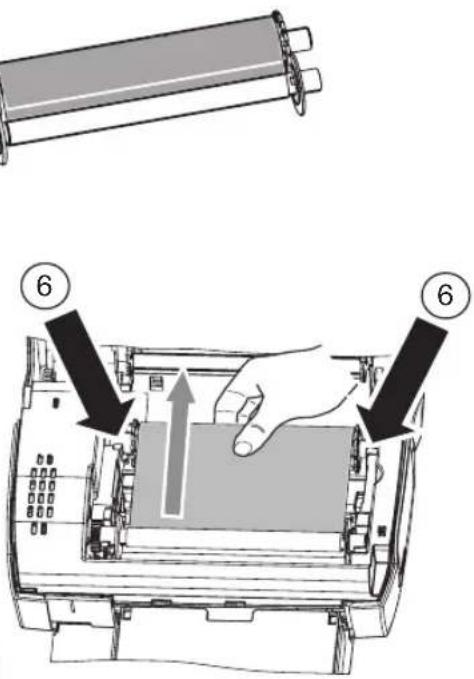
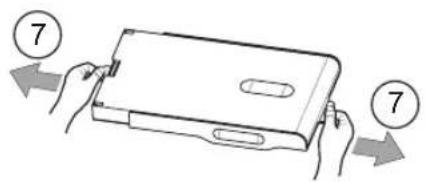
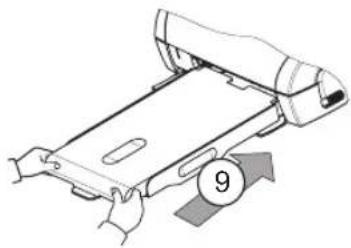
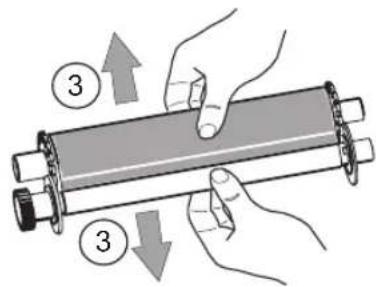
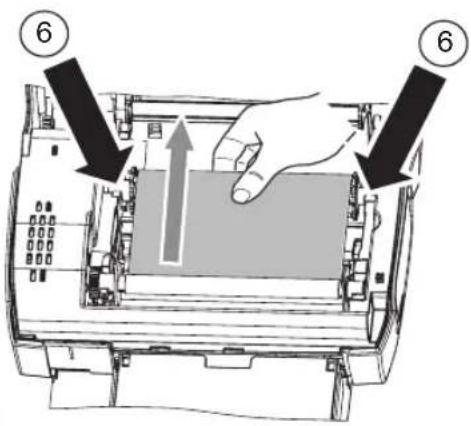
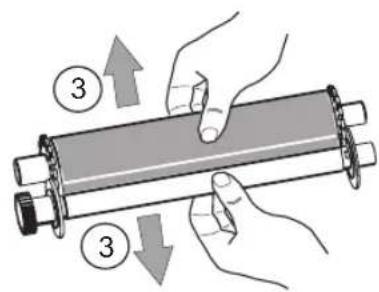
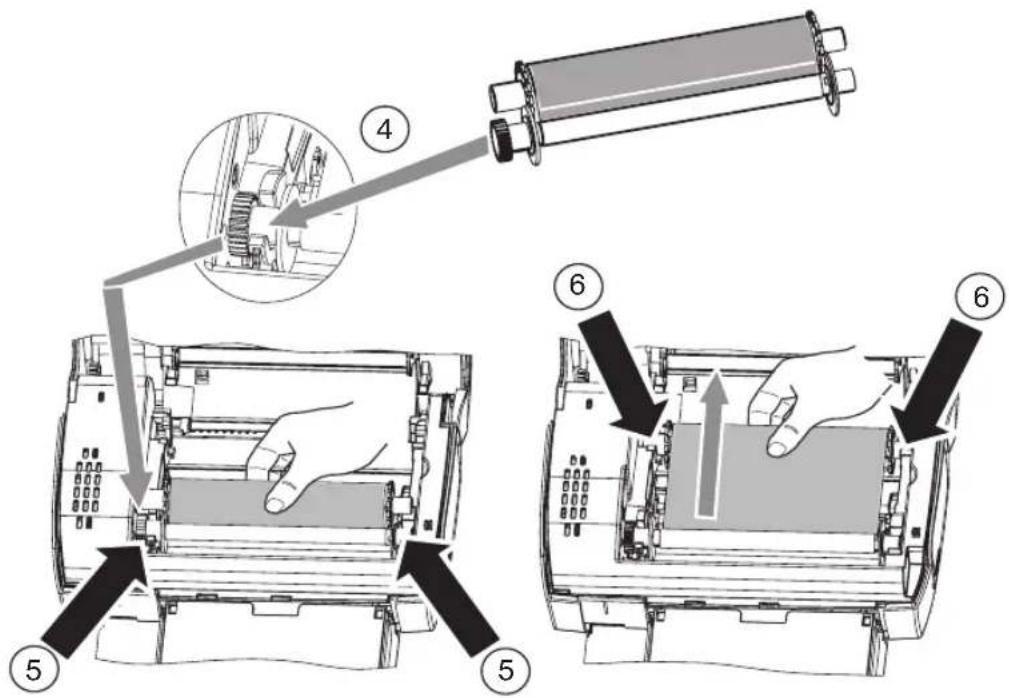
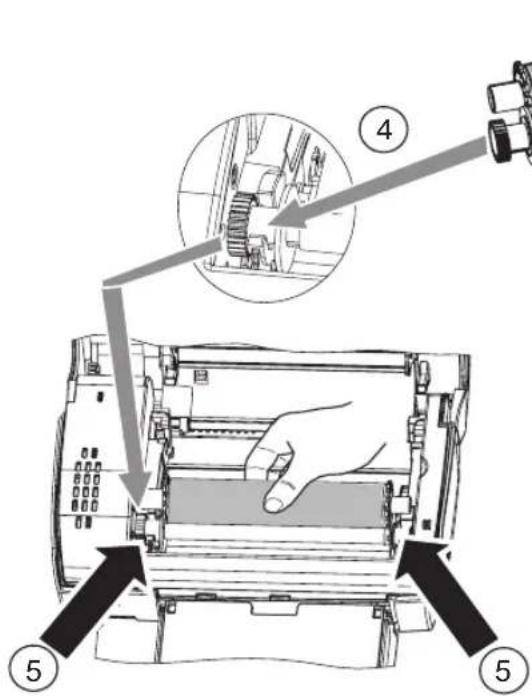
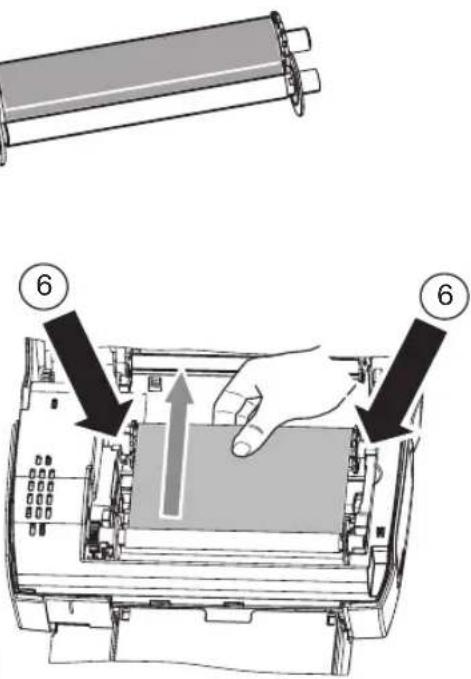
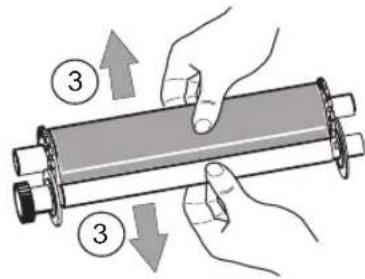
⑦ Stretch the ribbon on the roller shafts (6) and close the printer.
5



Connections
Master USB, WiFi key*
Pictbridge, Bluetooth key*
*Optional
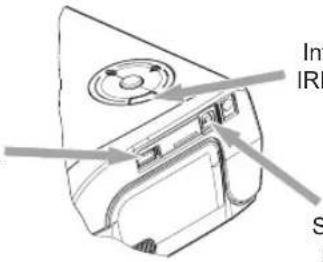
Infrared IRDA port
Slave USB PC LINK

Operating
Check that the consumables (paper and ribbon) are installed.
Ensure that your printer is connected to the mains supply.
Connect your equipment, containing your files to be printed, to one of the USB ports or place the device fitted with IRDA close to the IRDA port on your printer so that it automatically.
- For WiFi key, Pictbridge and Bluetooth key connections, files are transferred automatically as soon as the connected devices are recognised.
Note ! : When using Bluetooth mode, you must select your photo before you start printing. The default manufacturer code is 1234.
- For the IRDA link, check that the IRDA port on the transmitting device is activated. Move the transmitting device close to the IRDA port on the printer. As soon as it is recognised, transfer will begin.
- From a PC, print from the control panel used with your print utility or software. Select "A6 Photo Printer" to print your photos.
Note ! : "Crystal Image" and "Red-Eye" functions are not available with PC link.
When transferring data and during printing, the indicator located on the top of the printer flashes green.
Once transfer is complete, printing starts automatically.
5


Settings
You can improve print quality using the "Crystal Image" and "Red-Eye" functions.
"Crystal Image" makes all the necessary settings and corrections related to picture sharpness, colour management and contrast automatically to obtain the best print quality possible.
Furthermore, exposure defects will be corrected (for example, under-exposed photos will be made lighter or the portions of photo with strong contrasts will be compensated for). The "Red-Eye" correction function touches up Red-eyes on shots taken with the flash.
These functions must be activated before transfer to the printer.
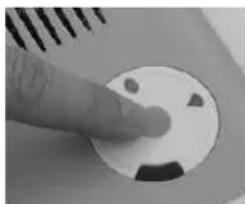
To activate these functions, press the green key located on the top of the printer as explained in the following sequence.
Press the green key once. The icon lights up and the "Crystal Image" function is activated.
Press the green key again. The icons and light up and the "Crystal Image" and "Red-Eye" functions are activated.
Press the green key again. The icon goes off and the icon lights up and the "Red-Eye" function is activated.
Press the green key again. The icons and are no longer lit and the "Crystal Image" and "Red-Eye" functions are disabled.
natural_image
Close-up of a finger pressing a circular button with abstract shapes (no text or symbols visible)
Consumables
The consumable items used with the photo printer (film cartridge, paper) are AgfaPhoto brand products. Consumables may be purchased in all big stores in the photography or printer sections but also on our internet site www.agfaphotoprinter.com or by using the consumables order form supplied with your printer (nature of supplies dependent on the model).
Use of any consumable items other than AgfaPhoto brand products may result in the loss of the printer's guarantee.
Film cartridge APR4200 (ribbon + paper for 75 photos): ref. 252302798
Film cartridges APR4200D (2 ribbons + paper for 150 photos) : ref. 252303013
natural_image
Pure geometric diagram with shaded area and four circular symbols at bottom (no text or labels)
Maintenance
Cleaning the print head
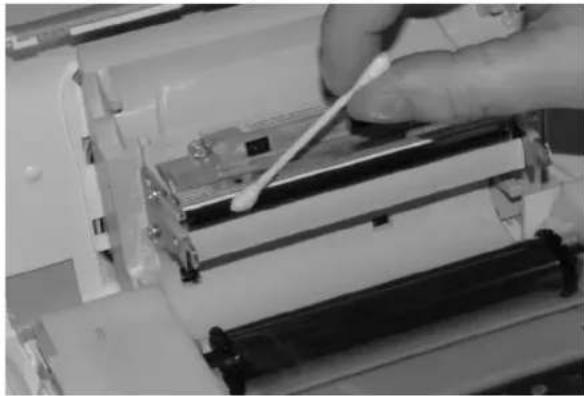
Continuous lines across the length of your photographs may be caused by dirt particles stuck to the printhead.
You will need a methylated alcohol (do not use corrosive chemicals, they may damage your printer) based cleaning product and some off-the-shelf cotton tips ("Q-tips").
Unplug your printer from the wall socket. Wait for five minutes since the print head operates at a high temperature, there is a risk of burning if you touch it.
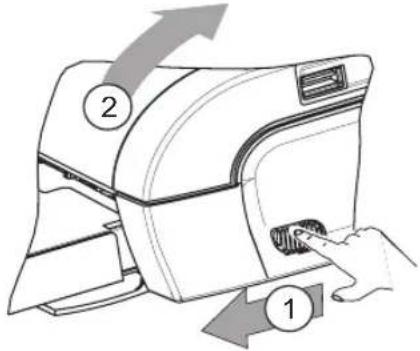
Open your printer and clean the print head as shown in the illustration below.
Caution : Never touch the print head with your fingers or any object that might scratch it.
natural_image
Close-up of a hand using a cotton swab to clean or store items in a printing machine (no visible text or symbols)Close the printer and plug the power cable back into the wall socket.
Paper jam
Follow this procedure if a sheet becomes stuck in the printer and cannot simply be pulled out:
Unplug your printer from the wall socket. Wait five minutes, because the print head operates at high temperature and you may hurt yourself if you touch it.
Open your printer and remove the trapped sheet of paper.
Close the printer and plug it back into the wall socket.
Caution : A photo that is already fully or partially printed must NEVER be put back in the paper tray as it may damage the ribbon.
Incidents
Note ! : The printer is fitted with an automatic time-out to prevent overheating, this can be tripped when performing large print jobs. The printer automatically restarts the current print job as soon as the temperature drops back to normal.
Error indicators
| Indicator Cause | |
| Flashing red | End of ribbonNo more paperPaper jam |
| Permanently red | Data reception errorConsumable not compatibleFile format not supported |
| PROBLEMS SOLUTIONS | |
| No mains supply | Check that the power supply is correctly plugged into the mains.Check that the power supply connector is correctly plugged into the printer.Check that the mains socket is working (check fuses and/or circuit breakers of your installation as necessary). |
| The printer was unplugged during a print job | Check that the printer is off and then reconnect the mains lead.Switch on the printer and wait for the initialisation phase to be completed, until the indicator associated to this function lights up green.If a sheet of paper is jammed, carry out the procedure (refer to paragraph Paper jam, page 8).Printing will resume automatically. |
| No photograph is printed on a sheet | Are you using sheets that meet the technical specifications (refer to paragraph Consumables, page 7).Have the sheets been inserted glossy face up? |
| The photograph is marked with a continuous line or a lot of spots | Clean the printhead (refer to paragraph Cleaning the print head, page 8). |
| No printout from your personal computer or camera | Check that the cable is correctly connected (PC, camera...).Is the printer driver installed?Have you validated your consumable with the smartcard supplied? |
B


Technical characteristics
Device name : AP1100
Print method : Dye-sublimation thermal transfer
Resolution : 309,8 x 309,8 dpi
Colours : 16.7 million continuous
Print speed : Less than 60 seconds per photo (excluding image processing)
Interface : USB 2.0 compatible port, IRDA
Size of photos transferred from
a wireless peripheral : up to 1MB
Image formats supported : JPEG (format standard), TIFF, BMP, PNG (most types)
Image resolution supported : Up to 18 million pixels
Consumable items : Photo-quality paper. Film cartridge with three colours
(yellow, magenta, cyan and protective coating)
Paper size : 101 x 152,4 mm excluding detachable borders
Paper tray : By automatic loader, capacity 25 sheets
Mains supply : 230 V AC 50/60 Hz
Approval : EC
Field of use for optimum print quality : 15 °C to 35 °C, 30 % to 75 % humidity
Size : 200 x 143 x 78 mm excluding paper tray
Weight : 1.4 kg (except power supply unit)
Power consumption : in standby:5 W, in print mode:75 W
Additional accessories : Bag, WiFi key and Bluetooth key.
Visit our website www.agfaphotoprinter.com to order accessories.
All data are provided for reference purposes only. AgfaPhoto reserves the right to make any changes without prior notice.
Guarantee
GUARANTEE (UK Terms and Conditions)
In order to apply the guarantee, you should contact your dealer. Proof of purchase will be required.
Should malfunctioning arise, the dealer will advise you what to do.
If you bought your equipment from Sagem Communication directly, the following shall apply :
A) Sagem Communication undertakes to remedy by repair, free of charge for labour and replacement parts, any defects in the equipment during a period of twelve [12] months from the date of original delivery of the Equipment, where those defects are a result of faulty workmanship.
During this twelve month guarantee period, the defective equipment will be repaired free of charge; the customer must however return the defective equipment at his/her own expense, to the address given by Sagem Communication After Sales Department, the phone number of which can be found on the delivery slip. Unless the customer has concluded with Sagem Communication a maintenance contract in respect of the equipment which specifically provides for repairs to be carried out at the customer's premises, the repairs will not be carried out on the equipment at the customer's premises. The following sentence applies to purchases of equipment for the customer's trade, business or profession. Except as otherwise expressly provided in this Document and to the extent permitted by law, Sagem Communication makes no representations or warranties, express or implied, statutory or otherwise, and to such extent, all terms and conditions implied by law are hereby excluded.
This guarantee does not affect the Customer's statutory rights.
B) Exclusions From Guarantee
Sagem Communication shall have no liability under the guarantee in respect of :
- damage, defects breakdown or malfunction due to :
-failure to properly follow the installation process and instructions for use; or
-an external cause to the equipment (including but not limited to, lightening, fire, shock or water damage of any nature); or
-modifications made without the written approval of Sagem Communication ; or
-a failure or neglect to maintain the equipment or inappropriate maintenance; or
-unsuitable operating conditions, particularly of temperature and humidity; or
-repair or maintenance of the equipment by persons not authorised by Sagem Communication.
- wear and tear from normal daily use of the equipment and its accessories
- damage due to insufficient or bad packaging of equipment when returned to Sagem Communication
• supply of new versions of software
• work on any equipment or software modified or added without the prior written consent of Sagem Communication malfunctions not resulting from the Equipment or from software installed in user workstations for the purpose of use of the equipment
- communication problems related to an unsuitable environment, including :
-problems related to access and/or connection to the Internet such as interruptions by access networks or malfunction of the line used by the subscriber or his correspondent
line
| Point | Value | |-------|-------| | 1 | 11 |
-transmission faults (for example poor geographical coverage by radio transmitters, interference or poor line quality)
-the local network fault (wiring, servers, workstations) or the failure of the transmission network
- the normal servicing (as defined in the user guide supplied with the equipment) as well as malfunctioning due to servicing not being carried out, servicing costs are in any event always borne by the customer.
C) In the cases set forth in § B) as well as after expiry of the twelve month guarantee period, the customer must ask Sagem Communication for an estimate, and he/she must accept the estimate and agree to pay the charges mentioned in it before returning the equipment to Sagem Communication. The repair and delivery costs will be invoiced to the customer.
The foregoing shall apply unless otherwise agreed in writing with the customer and only for the UK. If any provision of this guarantee shall be held to be in whole or in part invalid or illegal due to an obligatory rule applicable to consumers pursuant to their national legislation, such invalidity or illegality shall not impair or affect the remaining provisions or parts of this guarantee.


FRANÇAIS
Bienvenue
AGFAPHOTO is used under licence of Agfa-Gevaert AG AP1100 is produced for Sagem Communication and distributed or sold by Sagem Communication SAGEM COMMUNICATION - Customer relations department 4, rue du Petit Albi - 95800 Cergy Saint-Christophe - FRANCE
natural_image
Line drawing of a rectangular electronic device with ventilation slots and a circular button (no text or symbols)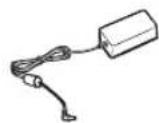

natural_image
Pure geometric diagram with shaded region and four circular symbols at bottom (no text or labels)
Réglages
natural_image
Close-up of a finger pressing a circular button with abstract symbols (no readable text or labels)
Consommables
natural_image
Pure geometric diagram with no text, numbers, or symbolsENTRETIEN
natural_image
Close-up of a hand using a cotton swab to adjust cotton in a machine (no visible text or symbols)AGFAPHOTO is used under licence of Agfa-Gevaert AG AP1100 is produced for Sagem Communication and distributed or sold by Sagem Communication
Sagem Communication - Customer relations department 4, rue du Petit Albi - 95800 Cergy Saint-Christophe - FRANCE
natural_image
Pure geometric diagram with crosshair and circular shapes, no text or symbols presentUmwelt
natural_image
Line drawing of a rectangular electronic device with ventilation slots and a circular button (no text or symbols)Ein Block
Fotopapier
(je nach Modell)
Ein Farbband
(je nach Modell)
natural_image
Simple line drawing of a battery pack and its cable (no text or symbols)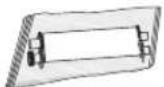
CD-Rom
natural_image
Pure geometric diagram with a shaded region and marked points, no text or symbols present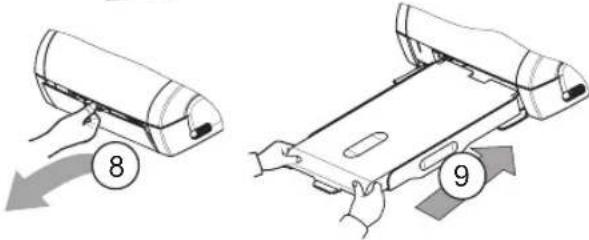
natural_image
Close-up of a finger pressing a circular button with a smiley face (no text or symbols visible)
natural_image
Pure geometric diagram with no text, numbers, or symbols
Wartung
natural_image
Close-up of a hand using a tool to adjust or install a component, no visible text or symbolsnatural_image
Pure geometric diagram with shaded area and marked points (no text or symbols)
AGFAPHOTO is used under licence of Agfa-Gevaert AG
AP1100 is produced for Sagem Communication and distributed or sold by Sagem Communication
Sagem Communication - Customer relations department
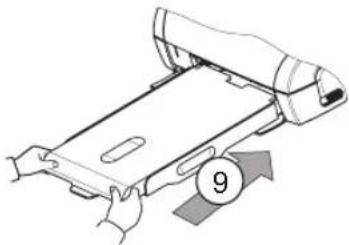
natural_image
Illustration of hands operating a printer or scanner device with a numbered arrow indicating motion (no text or symbols present)
USB MAESTRO, MÓDULO WI-FI* PICTBRIDGE, MÓDULO BLUETOOTH*
*OPCIONAL
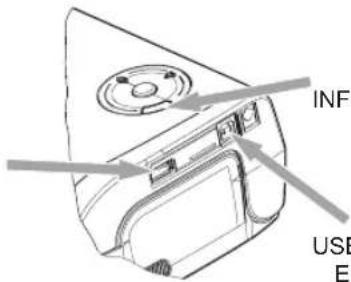
IRDA INFRARROJO
USB ESCLAVO, ENLACE PC

Uso
natural_image
Close-up of a finger pressing a circular button with a smiley face (no text or symbols visible)natural_image
Close-up of a hand using a cotton swab to adjust or install a machine component (no visible text or symbols)AGFAPHOTO is used under licence of Agfa-Gevaert AG AP1100 is produced for Sagem Communication and distributed or sold by Sagem Communication
Sagem Communication - Customer relations department 4, rue du Petit Albi - 95800 Cergy Saint-Christophe - FRANCE
natural_image
Pure geometric diagram with crosshair and circular elements, no text or symbols present
Ambiente
natural_image
Line drawing of a rectangular electronic device with ventilation slots and a circular button (no text or symbols)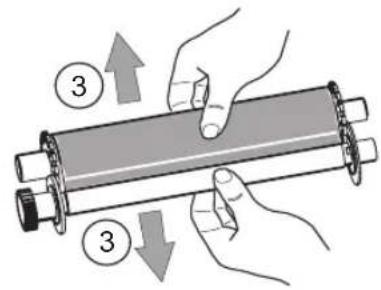
natural_image
Close-up of a finger pressing a circular button with triangular symbols (no text or labels visible)
natural_image
Close-up of a hand using a tool to adjust or install electronic components, no visible text or symbolsAGFAPHOTO is used under licence of Agfa-Gevaert AG
AP1100 is produced for Sagem Communication and distributed or sold by Sagem Communication
SAGEM COMMUNICATION - Customer relations department
natural_image
Line drawing of a rectangular electronic device with ventilation slots and a circular button (no text or symbols)Een papierlade
Een blok met
fotopapier
[afhankelijk van
het model]
CD-Rom

natural_image
Pure geometric diagram with shaded area and four circular symbols at bottom (no text or labels)
Afstellingen
natural_image
Close-up of a finger pressing a circular button with a smiling face (no text or symbols visible)
Toebehoren
natural_image
Pure geometric diagram with shaded area and four marked points (no text or symbols)
Onderhoud
De printkop reinigen
natural_image
Close-up of a hand using a tool to adjust or install electronic components, no visible text or symbolsSluit de printer weer en doe de stekker weer in de wandcontactdoos.
Papier verstopt
natural_image
Pure geometric diagram with shaded area and marked points (no text or symbols)[Unreadable]


AGFAPHOTO is used under licence of Agfa-Gevaert AG
AP1100 is produced for Sagem Communication and distributed or sold by Sagem Communication
SAGEM COMMUNICATION - Customer relations department
natural_image
Line drawing of a rectangular electronic device with ventilation slots and a circular button (no text or symbols)Bandeja para papel

natural_image
Close-up of a finger pressing a circular button with three square cutouts (no text or symbols visible)
Consumíveis
natural_image
Close-up of a hand using a cotton swab to clean or store items in a machine (no visible text or symbols)Fecha a impressora e volte a ligar a ficha eléctrica à tomada de parede.
AGFAPHOTO is used under licence of Agfa-Gevaert AG AP1100 is produced for Sagem Communication and distributed or sold by Sagem Communication
SAGEM COMMUNICATION - Customer relations department 4, rue du Petit Albi - 95800 Cergy Saint-Christophe - FRANCE

Miljö
natural_image
Line drawing of a rectangular electronic device with ventilation slots and a circular button (no text or symbols)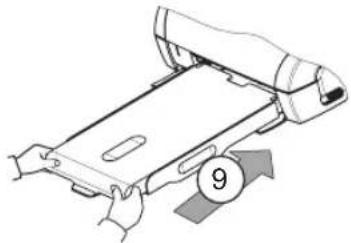
natural_image
Illustration of hands holding a device with a numbered arrow and circle (no text or symbols)

natural_image
Close-up of a finger pressing a circular button with abstract shapes (no text or symbols visible)natural_image
Close-up of a hand using a tool to adjust or install electronic components, no visible text or symbolsAGFAPHOTO is used under licence of Agfa-Gevaert AG
AP1100 is produced for Sagem Communication and distributed or sold by Sagem Communication
SAGEM COMMUNICATION - Customer relations department 4, rue du Petit Albi - 95800 Cergy Saint-Christophe - FRANCE
OKOLNÍ PROSTŘEDÍ
natural_image
Line drawing of a rectangular electronic device with ventilation slots and a circular button (no text or symbols)Zásobník papíru
natural_image
Illustration of hands holding a rectangular device with two numbered arrows indicating movement (no text or symbols present)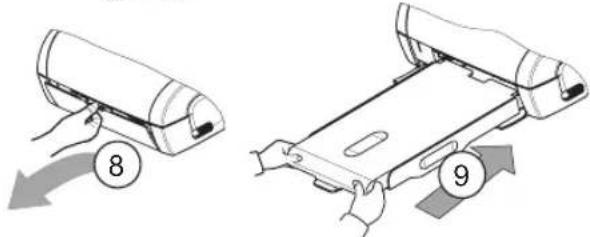
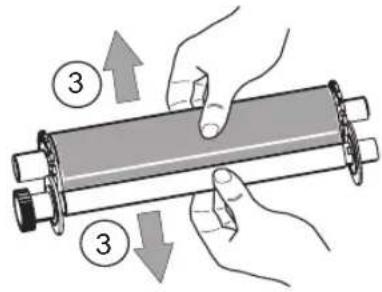
natural_image
Close-up of a finger pressing a circular button with abstract shapes (no text or symbols visible)natural_image
Close-up of a hand using a tool to adjust or install electronic components, no visible text or symbolswww.agfaphotoprinter.com, support category.


Ελληνικά
Καλωσήρθατε
AGFAPHOTO is used under licence of Agfa-Geavaert AG
AP1100 is produced for Sagem Communication and distributed or sold by Sagem Communication
SAGEM COMMUNICATION - Customer relations department
natural_image
Line drawing of a rectangular electronic device with ventilation slots and a circular button (no text or symbols)natural_image
Illustration of hands holding a device with a numbered arrow and circle (no text or symbols)
Plug the power cable into a wall socket that is easy to access.
natural_image
Close-up of a finger pressing a circular button with abstract shapes (no text or symbols visible)natural_image
Pure geometric diagram with shaded area and four circular symbols at bottom (no text or labels)
ΣΥΝΤΗΡΗΣΗ
natural_image
Close-up of a hand using a tool to adjust or install electronic components, no visible text or symbolsAGFAPHOTO is used under licence of Agfa-Gevaert AG
AP1100 is produced for Sagem Communication and distributed or sold by Sagem Communication
SAGEM COMMUNICATION - Customer relations department
natural_image
Line drawing of a rectangular electronic device with ventilation slots and a circular button (no text or symbols)Pojemnik na papier
natural_image
Close-up of a finger pressing a circular button with three dots, no visible text or symbolsnatural_image
Pure geometric diagram with shaded area and marked points (no text or symbols)Konserwacja
natural_image
Close-up of a hand using a cotton swab to clean or store items in a printing machine (no visible text or symbols)area
| Category | Value | | -------- | ----- | | Top Left | 9 | | Bottom Left | 0 | | Bottom Right | 0 | | Bottom Right | 0 |natural_image
Pure geometric diagram with shaded area and marked points (no text or symbols)
natural_image
Pure geometric diagram with shaded area and control points (no text or symbols)
AGFAPHOTO is used under licence of Agfa-Gevaert AG
AP1100 is produced for Sagem Communication and distributed or sold by Sagem Communication
Sagem Communication - Customer relations department
natural_image
Line drawing of a rectangular electronic device with ventilation slots and a circular button (no text or symbols)Лоток для бумаги
natural_image
Illustration of hands holding a device with a numbered arrow and circle (no text or symbols)
natural_image
Close-up of a finger pressing a circular button with abstract shapes (no text or symbols visible)natural_image
Pure geometric diagram with no text, numbers, or symbolsnatural_image
Close-up of a hand using a tool to clean or store electronic equipment (no visible text or symbols)www.agfaphotoprinter.com, support category.
AGFAPHOTO is used under licence of Agfa-Gevaert AG
AP1100 is produced for Sagem Communication and distributed or sold by Sagem Communication
SAGEM COMMUNICATION - Customer relations department
natural_image
Line drawing of a rectangular electronic device with ventilation slots and a circular button (no text or symbols)Kağıt tepsisi
natural_image
Illustration of hands operating a mechanical device with a numbered label (9) and an arrow indicating rotation or movement (no text or symbols on the device itself)
natural_image
Close-up of a finger pressing a circular button with a smiley face (no text or symbols visible)natural_image
Pure geometric diagram with shaded area and marked points (no text or symbols)Bakım
natural_image
Close-up of a hand using a tool to clean or store electronic equipment (no visible text or symbols)GARANTIYE DAHİL OLMAYANLAR
www.agfaphotoprinter.com, support category.
AGFAPHOTO is used under licence of Agfa-Gevaert AG
AP1100 is produced for Sagem Communication and distributed or sold by Sagem Communication
Sagem Communication - Customer relations department
natural_image
Line drawing of a rectangular electronic device with ventilation slots and a circular button (no text or symbols)egy db papírtartó
natural_image
Pure geometric diagram with shaded region and four circular markers at bottom (no text or symbols)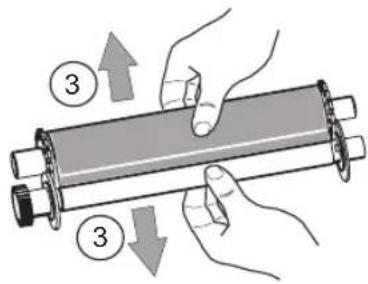
IIRDA infravörös