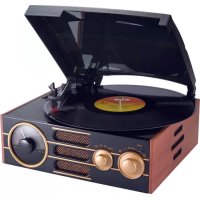
TD101 - Turntable BIGBEN - Free user manual and instructions
Find the device manual for free TD101 BIGBEN in PDF.



User questions about TD101 BIGBEN
0 question about this device. Answer the ones you know or ask your own.
Ask a new question about this device
Download the instructions for your Turntable in PDF format for free! Find your manual TD101 - BIGBEN and take your electronic device back in hand. On this page are published all the documents necessary for the use of your device. TD101 by BIGBEN.
USER MANUAL TD101 BIGBEN
customerservice@bigben-interactive.be
ESPANA, sat@bigbeninteractive.es
ITALIA, support@bigbeninteractive.it
www/bigben.eu
bigben INTERACTIVE
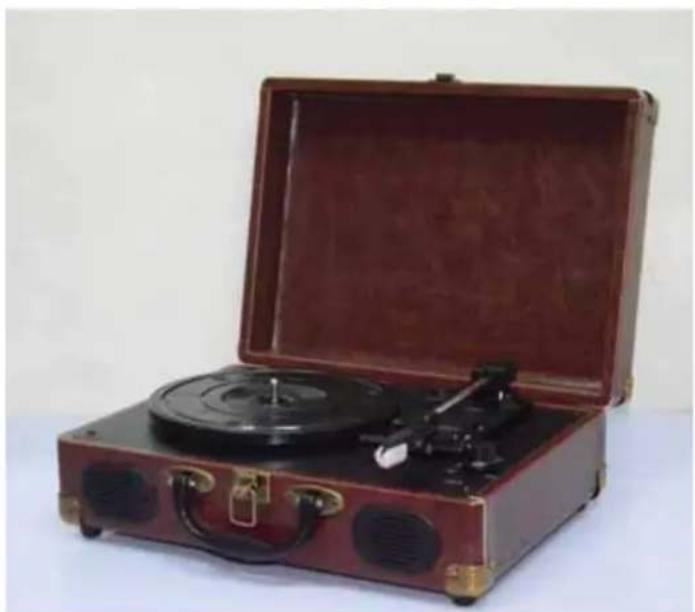
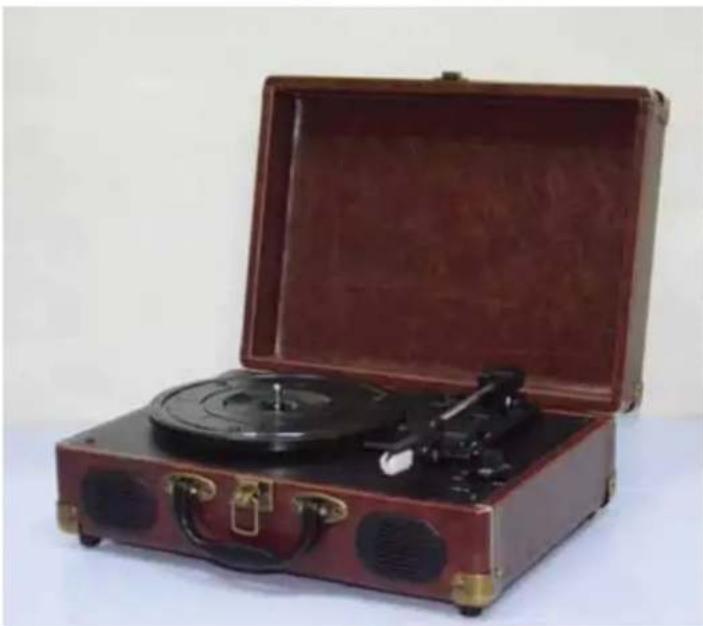
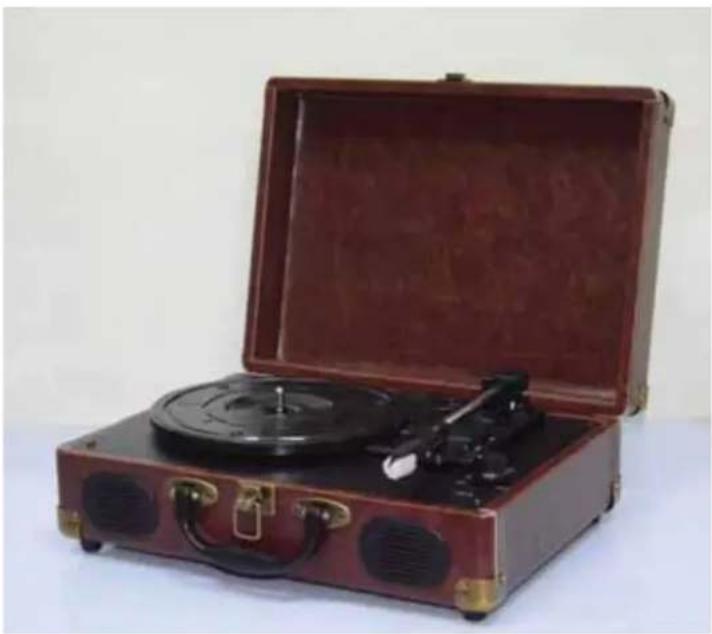
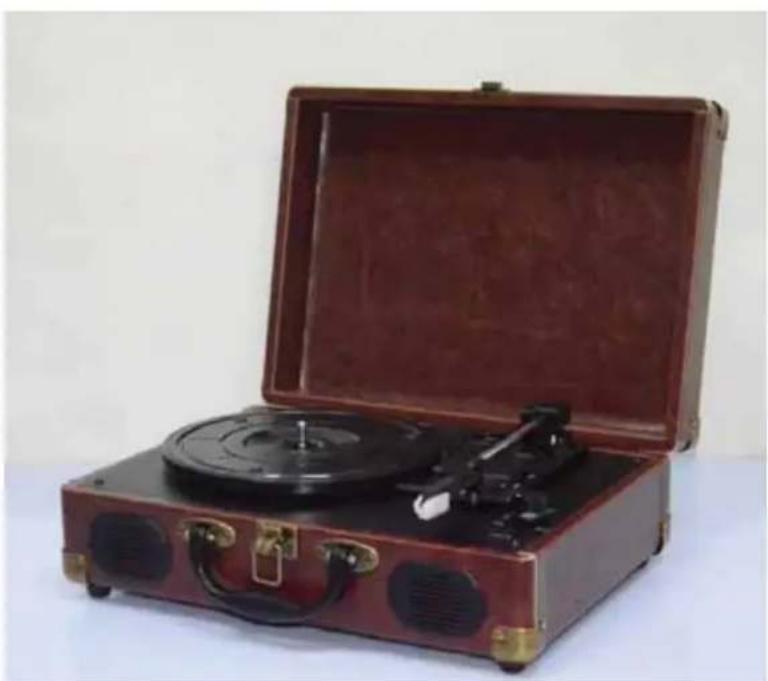
TURNTABLE TD102
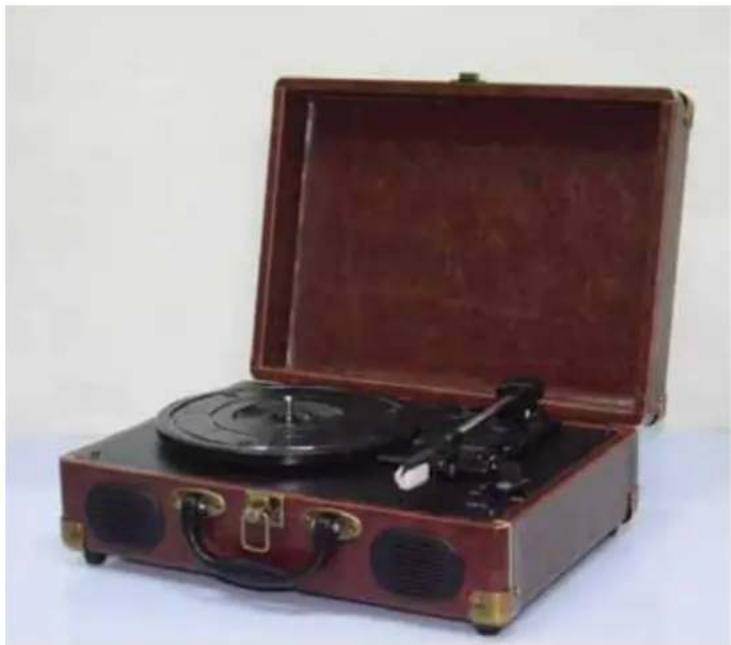
OPERATING INSTRUCTIONS
PLEASE READ THIS USER MANUAL IN FULL BEFORE
OPERATING THIS UNIT AND RETAIN
FOR FUTURE REFERENCE.
REV.0-EN

CONTENT
CONTENT 2
IMPORTANT SAFETY INSTRUCTIONS FOR AUDIO PRODUCTS - READ BEFORE USE 3
PRECAUTIONS 5
BEFORE USE 6
HOW TO REPLACE THE TURNTABLE STYLUS (NEEDLE) 6
LAYOUT 7
MAIN FUNCTION
PHONOGRAPH 8
LINE OUT 8
LINE OUT 8
TROUBLESHOOTING 9
SPECIFICATIONS 10
Important safety instructions for audio products - READ BEFORE USE
Basic precautions must always be taken when using electrical products, including:
- Read the instructions - Read all the safety and operating instructions prior to use.
- Retain the instructions - Retain the safety and operating instructions for future reference.
- Observe all warnings - Take note of all the warnings on the product and in the operating instructions.
- Follow instructions - Follow all operating and user instructions.
- Cleaning the product - Unplug this product from the wall outlet before cleaning. Do not use liquid or aerosol cleaners. Use a damp cloth for cleaning.
- Attachments - Only use attachments recommended and/or approved by the product manufacturer, as the use of non-approved attachments may be hazardous.
- Water and moisture - Do not use this product near water - for example near a bathtub, wash basin, kitchen sink, in a wet basement, near a swimming pool, etc.
- Accessories - Do not place this product on an unstable surface. The product may fall, causing serious injury to a child or adult and serious damage to the product. Only use the product on a stable surface or with a stand or bracket recommended by the manufacturer or sold with the product. Any mounting of the product should be done in accordance with the manufacturer's
instructions, using a mounting accessory that is recommended by the manufacturer.
- Transportation - This product should be moved with care to avoid damage or injury.

- Ventilation - The cabinet contains slots and openings to provide
adequate ventilation. This ensures reliable operation of the product and protects it from overheating. These openings must not be blocked or covered. This includes blocking by placing the product on a bed, sofa, rug, or similar surface. This product should not be placed in a built-in installation such as a bookcase or rack unless proper ventilation is provided and the manufacturer's instructions have been adhered to.
- Power sources - This product should only be operated using the type of power source indicated on the product label. If you are not sure of the type of power supply you have available, please consult your product dealer or energy supplier. Refer to the operating instructions in the case of products intended to run on battery power.
- Power plug - To fully power down the device, you must remove it from the power supply. The plug and its socket should therefore be accessible.
- Power cord - The power cord should be routed in such a way that it is not likely to get caught up, trapped, compressed or otherwise damaged.
- Storms - For added protection for this product during a lightning storm, or when it is left unattended and unused for long periods of time, unplug it from the wall outlet and disconnect the antenna or cable system. This will prevent damage to the product from lightning and power surges.
- External antenna safety - Do not place external antenna systems near overhead power lines or other electric light or power circuits, or in a position where they may fall into such power lines or circuits. When installing an outside antenna system, take extreme care to avoid contact with
power lines or circuits as this is very dangerous and may prove fatal.
- Overloading - Do not overload wall outlets, extension cords, or integral convenience receptacles as this can result in a risk of fire or electric shock.
- Penetration by object or liquid - Never insert objects or liquids of any kind into this product through the openings as they may touch dangerous voltage points or short out components. This could result in a fire or electric shock. Do not expose the product to dripping or splashing liquids and ensure that no objects containing liquids, such as vases, are placed on the product.
- Servicing - Do not attempt to service this product yourself as opening or removing covers may expose you to dangerously high voltages or other hazards. Refer to qualified service personnel for servicing.
- Damage requiring service - Unplug this product from the wall outlet and refer to qualified service personnel for service:
a. If the power cord or plug is damaged.
b. If liquid has been spilled on the product, or other objects have fallen into the product.
c. If the product has been exposed to rain or water.
d. If the product does not operate as normal despite following the operating instructions. Only adjust the controls referred to in the operating instructions, as improper adjustment of other controls may damage the device and will often require extensive work by a qualified technician to repair the damage.
e. If the functioning of the device has noticeably changed since a fall or other damage to the device, then the device must be serviced.
- Replacement parts - If parts must be replaced, ensure the service technician uses/has used replacement parts specified by the manufacturer or parts which have the same characteristics as the original parts. Inappropriate substitutions may result in fire, electric shock, or other hazards.
- Safety check - Once the service or repairs are complete, ask the service technician to perform safety checks to determine that the product is safe to use and functioning as normal.
- Heat - The product should be situated away from heat sources such as radiators, ovens, stoves or other products (including amplifiers) that emit heat.
Precautions
Safety Information - CAUTION:
- Unplug the power cord from the wall outlet to fully power down the device. Be sure to unplug the unit if you do not intend to use it for an extended period of time, for example if you are going on a trip away.
- Using controls, making adjustments or otherwise using the device in a way other than that directed herein may result in hazardous radiation exposure.
- To minimise risk of electric shock, align the prongs of the plug to the socket prior to insertion and then insert fully.
- If this product develops a fault, contact a qualified service centre and do not use the product while it is in a defective state.
Safety Precautions
| WARNING:Do not expose this appliance to rain or moisture as this will greatly increase the risk of fire or electric shock. CAUTION:Using controls, making adjustments or otherwise using the device in a way other than that directed herein may result in hazardous radiation exposure. |
| CAUTIONRISK OF ELECTRIC SHOCK - DO NOT OPEN!Do not remove the cover or back to avoid the risk of electric shock. No user-serviceable parts inside. Refer to qualified service personnel for servicing. |
| The lightning flash with an arrowhead symbol within a triangle is intended to alert the user to the presence of non-insulated dangerous voltages within the product's enclosure that may be of sufficient magnitude to constitute a risk of electric shock. The exclamation point within a triangle is intended to alert the user to the presence of important operating and maintenance (servicing) instructions in the literature that accompanies the appliance. |
(See markings on the back of the unit.)
CAUTION:
Strong electro-magnetic interference can impede normal functioning of the product.
If this is occurring, simply reset the product to resume normal operation and follow the instruction manual.
If this does not solve the problem and the product is still not working as normal, then try using the product in another location.
Before use
- Take care choosing where to install the device. Avoid placing it in direct sunlight or close to a source of heat. Also avoid placing it in locations subject to vibrations, excessive dust, cold or moisture. Keep away from devices that produce a humming sound, such as transformers or motors.
- Do not open the cabinet as this might result in damage to the circuitry or a risk of electric shock. If a foreign object has somehow entered the unit, please contact your dealer.
- Do not handle records with dirty fingers. Never play a record that has a crack on the surface.
- Always pull directly on the plug when removing the power plug from the power socket. Never pull it out by the cord.
- Always put the white protective needle cover back on the needle after use, in order to protect the stylus.
- Do not attempt to clean the unit with chemical solvents as this might damage the finish.
Use a clean, dry cloth.
- Unplug the power cord from the wall outlet to fully power down the device. Be sure to unplug the unit if you do not intend to use it for an extended period of time, for example if you are going on a trip away.
- Keep this guide in a safe place for future reference.
How to replace the turntable stylus (needle)
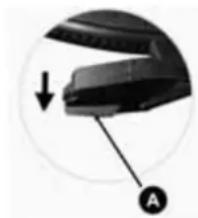
Removing old stylus
- Hold a screwdriver at the tip of the stylus and push down in the direction of "A".
- Remove the stylus by pulling it forward and down.
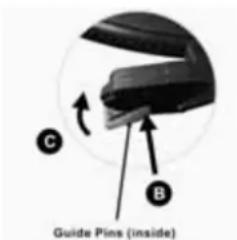
Installing a new stylus
- Hold the tip of the stylus and insert the other edge by pressing in the direction of "B".
- Push up in the direction of "C" until it locks at the tip.
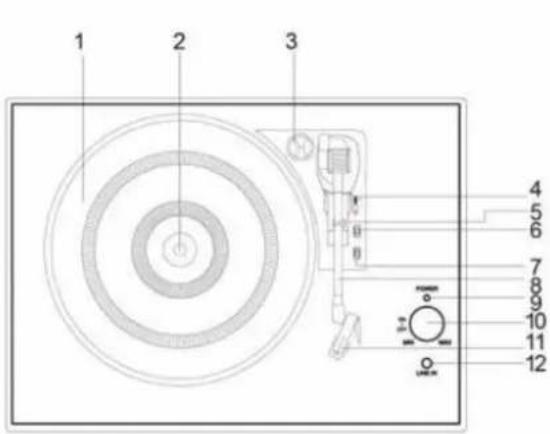
Layout
- TURNTABLE PLATTER
- TURNTABLE SHAFT
3.45 RPM ADAPTOR - LIFT LEVER
- TONE ARM CLIP
- SPEED SELECTION SWITCH
- AUTO AND MANUAL STOP SWITCH
- TONE ARM
- POWER LIGHT INDICATOR
- POWER ON/OFF AND VOLUME KNOB
- STYLUS CARTRIDGE
- LINE-IN JACK
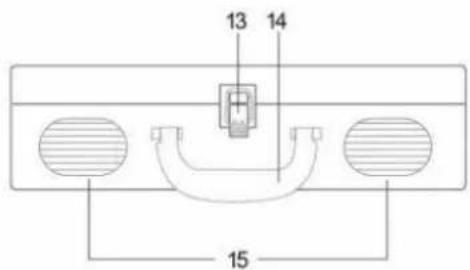
- BUCKLE
- HANDLE
- SPEAKERS
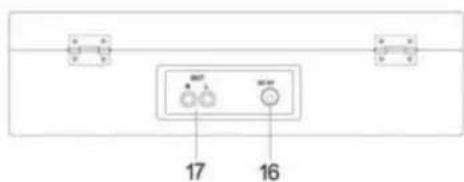
- POWER ADAPTOR JACK
17.RCA OUTPUT JACK
Getting started
This unit can be operated using AC power.
An AC-DC adaptor with an output of 5V DC 1000mA (included) is required to use the main unit in AC power mode.
Phonograph function
- Rotate the POWER/VOLUME knob clockwise until you hear a "click" sound to turn the device on. The Power LED indicator will light up.
- Put a record on the turntable platter. Remember to use the 45 RPM adaptor located on the top-right corner when playing a 45 RPM record.
- Remove the white plastic needle cover. Keep the needle cover in a safe and accessible place for future use.
- Select the speed according to the record you are playing.
- Release the tone arm by unlocking the tone arm lock.
- Lift the tone arm by pushing back the lift lever.
- Gently move the tone arm towards the turntable. Then, push the lift lever forward. The tone arm will gently descend onto the record and start playback.
- To pause or stop playing, you need to manually lift and move the tone arm back to the tone arm rest.
Line out
- Connect the RCA line out jacks to auxiliary input sockets of your home amplifier device. Make sure to match the socket colours up to the jack colours.
- Connect the power adaptor to the rear of the unit and the power supply. Then power on your amplifier device and adjust its volume level to your preference.
Line In
- Rotate the POWER/VOLUME knob clockwise until you hear a "click" sound to turn the device on.
- Connect the line-in cable to the 3.5mm line-in jack on the unit and your audio source.
| Problem | Cause | Solution | |
| THE WHOLE UNIT | Power does not come on when the unit is switched on. | Unit is unplugged. | Connect the unit to the AC power supply. |
| No sound comes out of the speakers. | The volume is turned down (to MIN). | Adjust the volume. | |
| The input selector does not match the playback source. | Re-select the desired input source. | ||
| The sound is distorted. | The unit is too close to a TV set or another similar appliance. | Turn off the TV or other appliances and relocate the unit. | |
| The unit does not respond. | External factors such as ESD (electro-static discharge) can affect the unit. | Remove the power cord and all other power supplies from the device, then plug in the unit again after one minute. | |
| PHONO PLAYER | The sound is distorted when playing the record. | The stylus is not placed in the centre. | Place the stylus in the centre. |
| The sound is distorted when used for a period of time. | The stylus is damaged. | Please insert a new stylus. | |
Specifications
AMPLIFIER section
Output power.
Frequency response.
0.4W + 0.4W
60 TO 20,000 Hz (+3, -2dB)
PHONOGRAPH section
Motor
Drive system.
Speeds.
Wow and
flutter.
S/N ratio.
Cartridge type.
Stylus.
Output level.
DC servo motor
Belt drive
33-1/3 rpm, 45 rpm and 78 rpm
Less than 0.35% (WTD)
More than 35 dB
Ceramic stereo cartridge
TL3034
130mV (±50 mV 1 KHz -10dB)
SPEAKER SYSTEM section
Type 1-way
Impedance 4 ohms
Input power Max 2W
GENERAL
Power requirements. DC 5V, 1A; AC 230 50Hz
Power consumption. 3W
Dimensions (WxHxD) 355 x 280 x 130 mm
Weight 2.69 kg (approx.)
Standard accessories.. Instruction Manual
45 RPM adaptor
- This device is subject to continual improvements, and so the design, specification and manual are subject to change without prior notice.
Do not dispose of electrical devices with the ordinary waste.
- Bring them to a collection point.
- Some parts contained in these appliances may be hazardous to human and animal health, as well as the environment.
Imported by BIGBEN INTERACTIVE SA
396, Rue de la Voyette
CRT2-FRETIN
CS 90414
59814 LESQUIN Cedex - France
www/bigben.eu



Made in China
bigben
customerservice@bigben-interactive.be
ESPANA, sat@bigbeninteractive.es
ITALIA, support@bigbeninteractive.it
www/bigben.eu
bigben INTERACTIVE
TOCADISCOS TD102
customerservice@bigben-interactive.be
ESPANA, sat@bigbeninteractive.es
ITALIA, support@bigbeninteractive.it
www/bigben.eu
bigben INTERACTIVE
GIRADISCHI
TD102
ISTRUZIONI D'USO
PRIMA DI UTILIZZARE L'APPARECCHIO, LEGERE PER INTERO
customerservice@bigben-interactive.be
ESPANA, sat@bigbeninteractive.es
ITALIA, support@bigbeninteractive.it
www/bigben.eu
bigben INTERACTIVE
GIRA-DISCOS TD102
customerservice@bigben-interactive.be
ESPANA, sat@bigbeninteractive.es
ITALIA, support@bigbeninteractive.it
www/bigben.eu
bigben INTERACTIVE
customerservice@bigben-interactive.be
ESPANA, sat@bigbeninteractive.es
ITALIA, support@bigbeninteractive.it
www/bigben.eu
bigben INTERACTIVE
DRAAITAFEL
TD102
VEILIGHEIDSINSTRUCTIES
LEES DEZE GEBRUKSAANWIZING VOLLEDIG DOOR ALVORENS DE
EENHEID TE BEDIENEN, EN BEWAAR DIT BOEKJE VOOR UW
ADMINISTRATIE.
REV. 0 - NL
NL
INHOU
INHOUD 2
BELANGRIJKE VEILIGHEIDSINSTRUCTIES VOOR AUDIOPRODUCTEN - LEZEN VÖR GEBRUIK .. 3
VOORZORGSMAATREGELEN 5
VoR GEBRUk. 6
DE NAALD VAN DE DRAAITAFEL VERVANGEN 6
INDELING 7
HOOFDFUNCTIES
PLATENSPELER 8
LINE OUT 8
LINE IN 8
PROBLEM OPLOSSEN 9
SPECIFICATIONS 10
customerservice@bigben-interactive.be
ESPANA, sat@bigbeninteractive.es
ITALIA, support@bigbeninteractive.it
www/bigben.eu