TRA2350P - Radio ROADSTAR - Free user manual and instructions
Find the device manual for free TRA2350P ROADSTAR in PDF.



| Product Type | Portable multiband radio |
| Brand | Roadstar |
| Model | TRA2350P |
| Dimensions | 185 x 290 x 70 mm |
| Weight | Approx. 2 kg (with batteries) |
| Power Supply | 230 V AC, 6-9 V DC, 4 R20 (D) or 4 AA batteries |
| Reception Bands | FM 87-108 MHz, MW 520-1710 kHz (10k step) / 522-1620 kHz (9k step), SW1 1711-10010 kHz, SW2 9990-19999 kHz, SW3 20000-29999 kHz |
| Display Accuracy | FM 10 kHz, AM 1 kHz |
| Speaker | 5 inches, 8 ohms, 5 W |
| Audio Output | 3.5 mm headphone jack 32 ohms, L/R output for amplifier |
| Antenna | Telescopic FM/SW, MW ferrite bar, external FM/SW and MW input 500 ohms |
| Main Functions | PLL tuning, dual alarm, sleep timer, backlight, AM bandwidth adjustment, MW/SW gain, FM mono/stereo selection, 50 station memory |
| Display | Backlit LCD with battery level, signal strength, local/world time, frequency |
| Care and Cleaning | Disconnect power before cleaning. Use a soft dry cloth. Do not use chemicals. |
| Safety | Do not mix old and new batteries. Remove batteries if not used for a long time. Use a DC power supply of 6-9 V 500 mA with negative center polarity. |
| Spare Parts and Repairability | Spare parts are not specified. For any repair, contact an authorized service center. |
Frequently Asked Questions - TRA2350P ROADSTAR
User questions about TRA2350P ROADSTAR
0 question about this device. Answer the ones you know or ask your own.
Ask a new question about this device
Download the instructions for your Radio in PDF format for free! Find your manual TRA2350P - ROADSTAR and take your electronic device back in hand. On this page are published all the documents necessary for the use of your device. TRA2350P by ROADSTAR.
USER MANUAL TRA2350P ROADSTAR
- Built in MCU, can control and display station frequency, local/world time, battery capacity and signal strength.
- Built in 8 pieces standalone high quality ICs and MOSFETs and make this unit features high sensitivity, strong interference-free, low background noise and small distortion etc.
FM: 87.00-108.00MHz, MW: 520-1710 kHz, (10k step), 522-1620 kHz - (9k step) SW 1: 1711-10010kHz, SW 2: 9990-19999 kHz SW 3: 20000-29999 kHz.
- Install FM and SW external antenna jack to proceed with long distance receiving and connect to local cable FM. MW sets exclusive 500 ohms external air/ground connector, can improve the sensitivity of MW with external antenna and ground wire.
- FM accuracy 10kHz , AM accuracy 1kHz .
- Install AM IF output, can use for extending other functions of AM broadcast, for example: CW, SSB (single side band), DRM (digital radio mondial) SSTV (slow scan TV) etc.
- AM uses dual conversation PLL technology to get excellent anti-image rejection, SW>40DB£MW > 60DB
- Built in FET equalizer and mixer, MW built-in digital track tuning technology,
SW built-in anti strong signal interference technology, so AM features very good interference-free ability.
- Special setting selectable wide/narrow IF band width, also adjust RF gain to get best reception according to the strength or weak of broadcast signal to get best reception.
- Tuning knob can control tuning station frequency..
- Double time buzzer, alarm, snooze, program sleep time function.
- Button hint sound select, key lock feature
- Listen to FM stereo station with headphone. The user can shut down FM stereot to get higher Signal to Noise according to listening to station..
- Built in L/R channel output connector, can take this unit as a tuner, connecting to speaker amplifier to better sound quality.
- Built in 5 inch speaker and BTL audio amplifier, standalone tweeter, woofertuning knob to meet the user's different tone requirements.
- The backlit LCD can select manually, temporary or permanent lighting two different lighting methods, button backlight can be control by button operation.
- Multiple power supply method, external 230V AC and 6-9V DC, 4 x R20 size and 4 x AA alkaline or rechargeable batteries, also features charging.
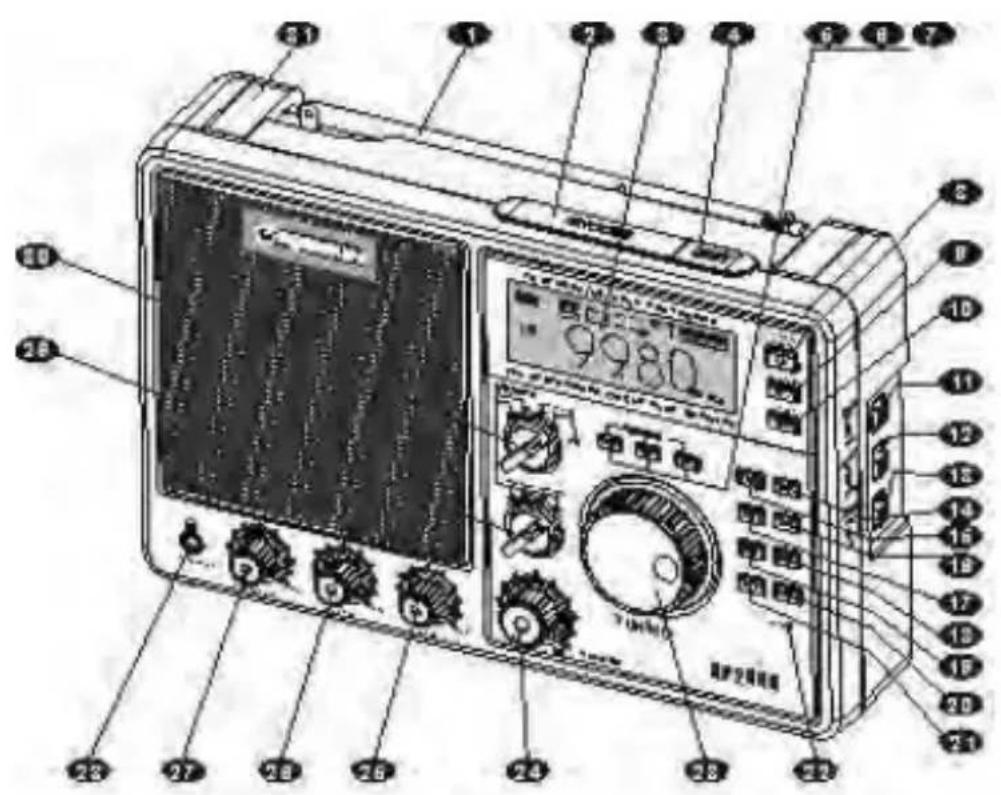
COSMETIC AND FUNCTIONS GUIDELINE
1: Telescopic aerial, listening to FM/SW stations, extend and tilt telescopic aerial, adjust it to a upright positions to obtain best reception.
2 : Snooze button £ in alarm mode, press this button to confirm the snooze mode in five minutes, Press and hold down this button to confirm the button hint sound on/off, if the button hint sound is on, press any buttons, the hint sound will be heard.
3 :LCD screen, display time, frequency, battery capacity and signal strength etc.
4 :Night light button, fast press these buttons will light for 8 seconds, press and hold
down the buttons for lighting all the time, press the button and the light becomes dim when the light is on.
5:Stop button of tuning knob £ when listening, press this button and tuning knob cannot tune any frequency.
6 :Slow button of tuning knob £ when listening, press this button and tuning knob can increase or decrease frequency at slow step (FM 10kHz, AM 1kHz)
7:Fast button of tuning knob, when listening, press this button and tuning knob can increase or decrease frequency at fast step (FM 100kHz, SW 5kHz, MW 9kHz or 10kHz)
8 :Power/ Sleep button £ Power on or off the unit, setting sleep time .
8: Local/world time button, press this button to display local/world time, press this
9: Button for 5 second sto display electronic time shifting. This unit has two time format selection. The default is local time when the unit is reset.
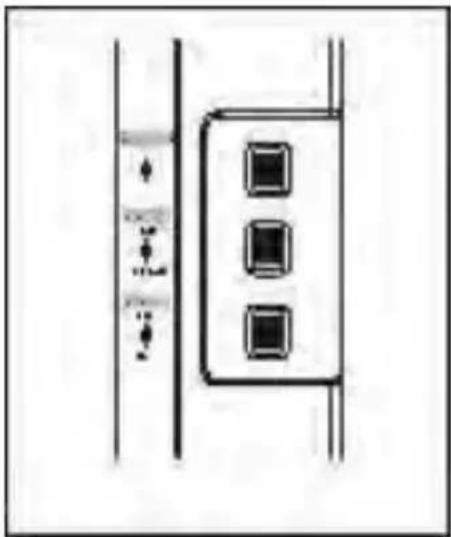
10: Key lock button, short, quick press this button to start this function, other buttons are not valid except light button; press this button for a long time to cancel..
11: Key light switch, set the switch ON and the button light will last for 8 seconds, this function is suitable for using at night.
12 :Local/DX button, suitable for receiving strength or weak signals in different conditions.
13:Ext./Int. antenna selector, select external or internal antenna according to different conditions.
14 :Hour button. when adjusting time, used for hour adjustment and increasing, press and hold down for 5 seconds to confirm 12/24 hour format shift.
15:Minute button, when adjusting time, used for minute adjustment and increasing.
16 : Alarm set button, available in displaying timer A/B mode, can set alarm buzzer, timing turn-on or cancel alarm setting.
17:Time button, press and hold down for a long time to confirm the time
adjustment, press this button to display electronic clock when listening.
18 :Timer B button, press and hold down this button for a long time to confirm alarm B adjustment. Press this button to display timer B when listening..
19 :Timer A button, press and hold down this button for a long time to confirm alarm A adjustment. Press this button to display timer A when listening.
20 :Fast frequency increasing button, when receiving FM frequency at 1000kHz step; receiving MW frequency at 100KHz step; Receiving SW frequency will work as meter band.
21 :Charger button, when the unit is off, press this button to confirm the charging.
22 :Reset hole, use for reset the unit operation.
23 :Tuning knob, use for time and frequency adjustment.
24 :Volume knob.
25:Bass knob.
26:Treble knob
27 :MW/SW gain control knob, adjust this knob to obtain best reception when listening to MW/SW band..
28 : Stereo headphone jack listen to FM stereo station
29 :MW/SW1/SW 2/SW 3 band selector, turn this selector to obtain the desired band.
30 :FM/AM band switch, push this switch to select the desired FM mono, FM
stereo,
AM wide and AM narrow.
31:Handle
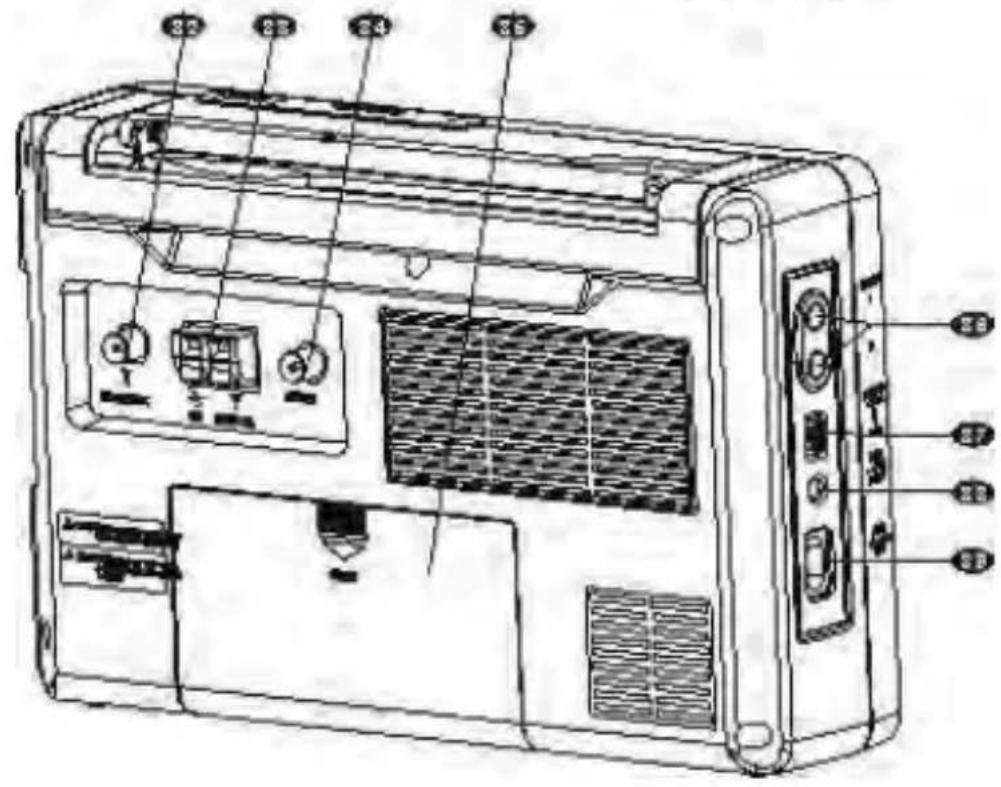
32 :FM/SW external antenna socket
33 :MW external antenna socket
34:AMIFoutputsocket
35: Battery compartment
36 :Audio output connector
37 : Battery size selector, the battery compartment has two different battery grooves, can put two different size batteries.
38:External DC power socket (6-9V)
39:External AC power socket(230V).
LCD display indicator diagram
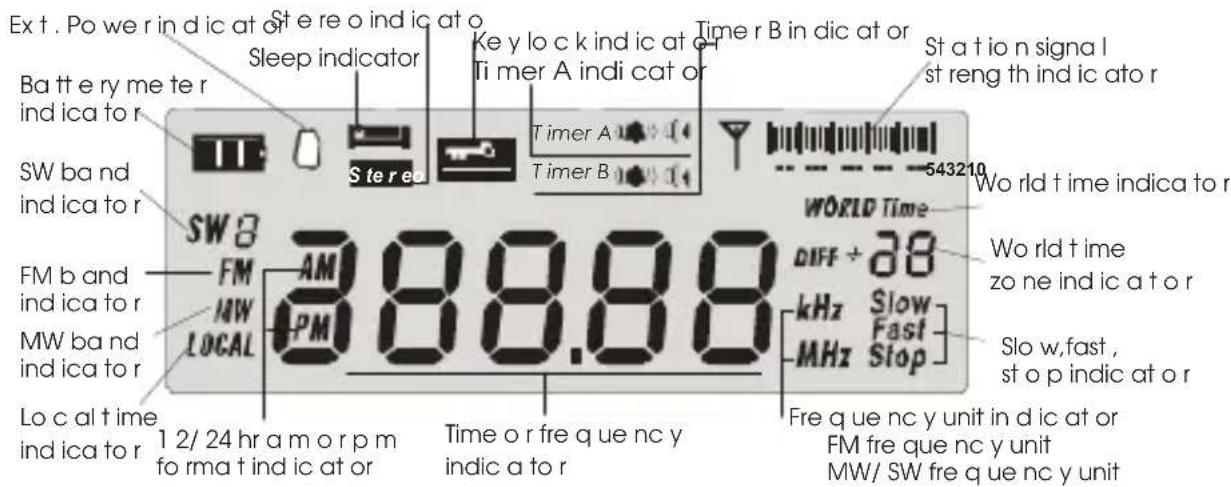
POWER SUPPLY METHOD
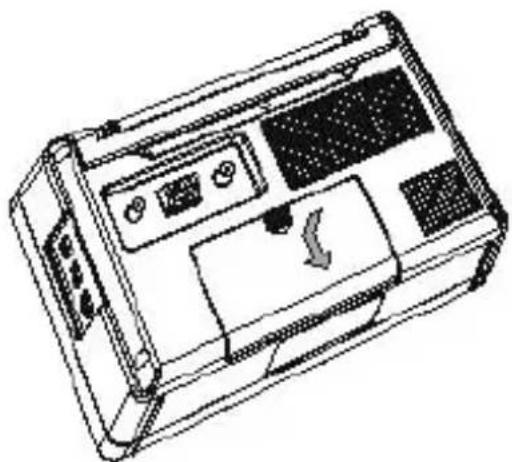
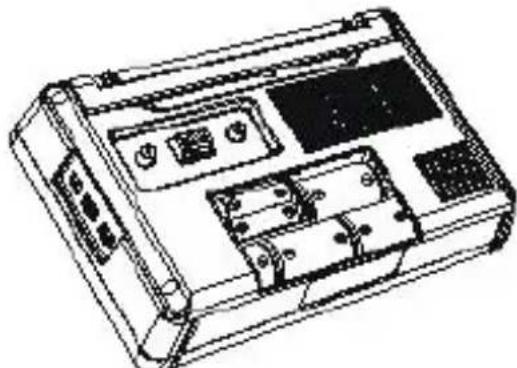
1.Battery
- This unit can select D or AA size
battery to supply power, after putting battery in the compartment (35), push battery selector switch (37) to the correct position.
- This unit features battery meter and
automatically power off the unit when
the power is unsufficient. Putting new
battery, the screenwill display the
icon.
- If the battery meter displays and flash,
it indicates the unit will power
off automatically after a few minutes
and need to change new battery.
- Change new battery for 2 seconds,
the battery meter will become
icon
NOTE:
1.Do not mix old and new battery along.
2. Please pull out battery to avoid the battery leakage and damage inside components when unused for a long period.
3. After changing battery or disconnect external power, the clock can maintain 10 minutes, so you have enough time to change new battery.
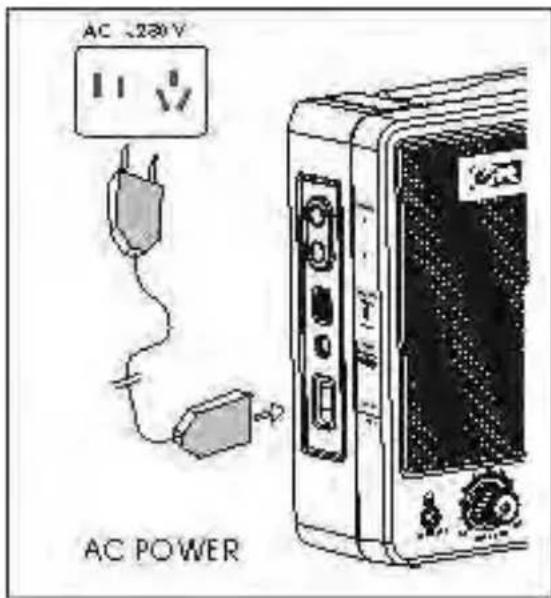
2. AC Power
When connecting AC plug to external socket (39) the unit is operated by AC power. The power is off accidentally or plug is loose from wall outlet, the built-in battery will supply power automatically.
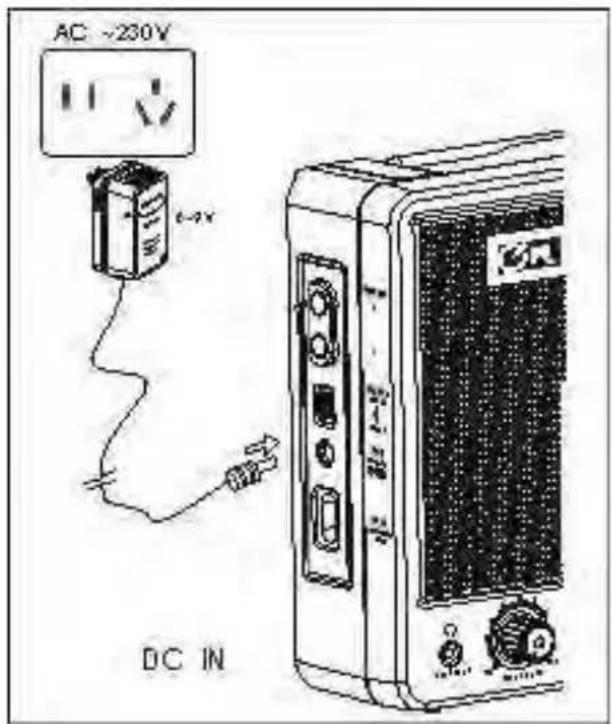
3. External wall DC power supply (not included)
When connecting DC plug to
DC jack (38), the unit is operated
by DC power, the power is off
accidentally or the plug is loose
from wall outlet, the built-in
battery will supply power automatically.
Please use specified DC power
supply, voltage: 6-9V, current
;500mA, the central polarity of
plug is negative (
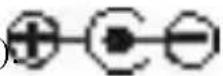
Or the unit or DC power supply may
be damaged, even serious contingency.
POWER ON/OFF UNIT
1.Power ON unit
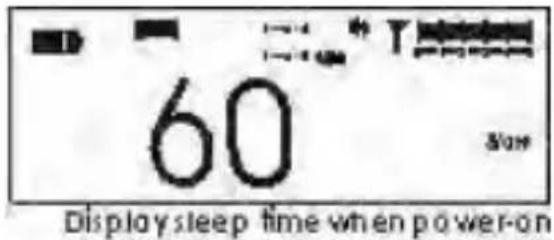
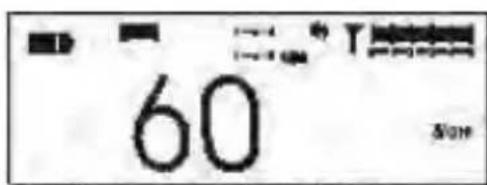
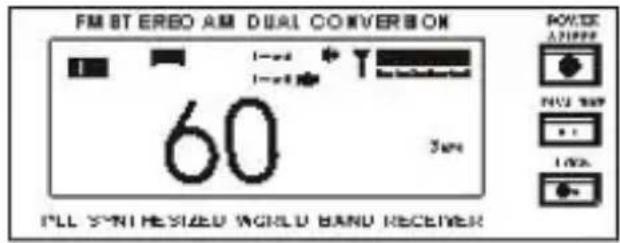
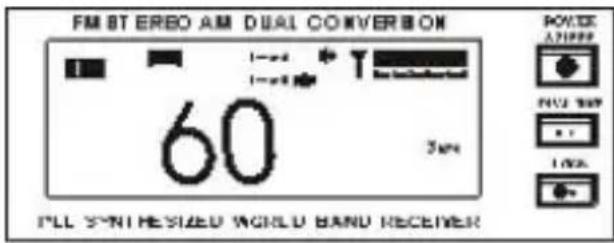
Press power/sleep button (8)
the screen will display "60"
and icon, the unit will power
off automatically after 60 minutes
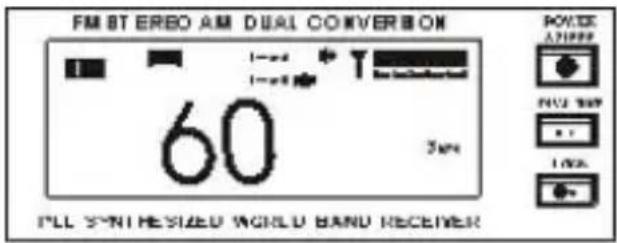
LCDscreen displaysleeptimewhen turn on the unit
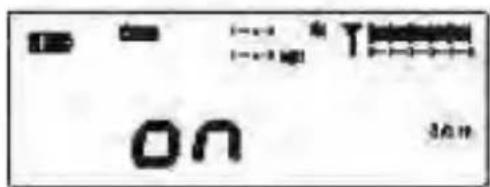
If changing sleep timing, press
Power/Sleep button (8) one by one£
the digit in the screen will change until
the desired time. The display "ON"
indicates the unit will turn on all the time.
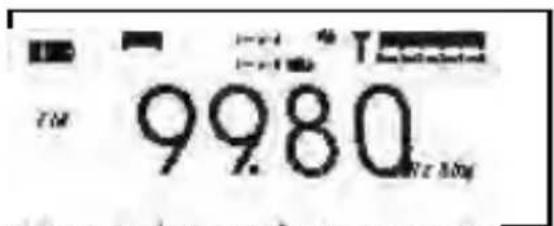
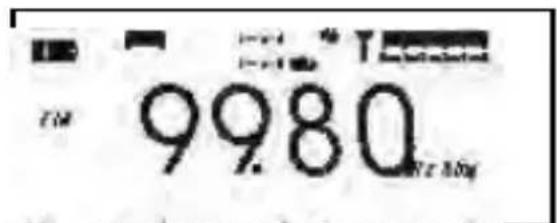
LCD screen displays station frequency after turn on the unit.
2. Adjust VOLUME
Turning volume knob (24) to
increase or decrease volume;
3. Adjust treble or bass tone
use treble knob (26) or bass
knob (25) to get your favorite
sound quality.
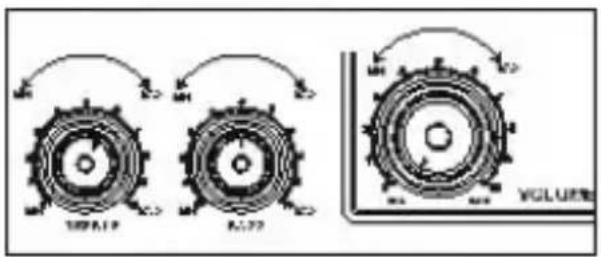
Volume /tone adjusment
Selecting FM band
1.In general, if listening to FM
station through built-in speakers,
please shift FM/AM band switch (30)
to FM MONO, because FM MONO
has better S/N and interference-free
than FM STEREO.
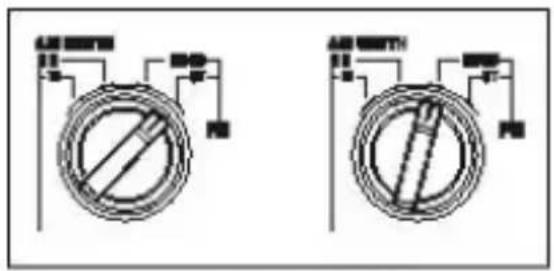
FM band selector
2.If listening through earphone or external stereo amplifier, adjust
FM/AM (30) switch to FM ST, so you can listen to FM stereo stations.
Selecting AM band
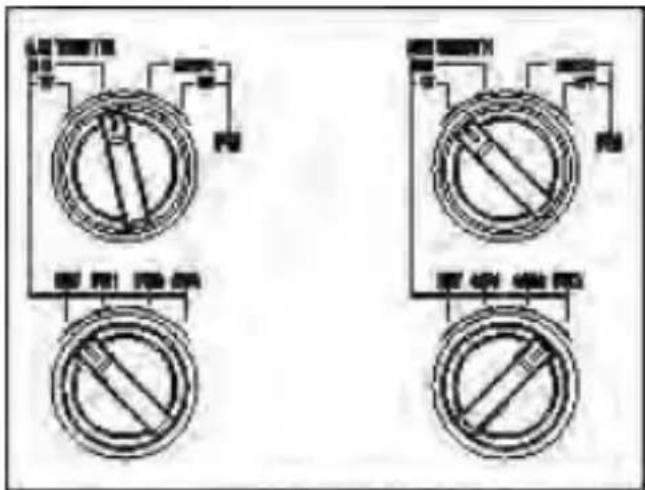
In general, turn FM/AM switch (30) to
AM narrow band. Then adjust
MW/SW1/SW2/SW3 switch (29), select
you desired MW,SW1,SW2 or SW3.
If you feel the sound quality is not
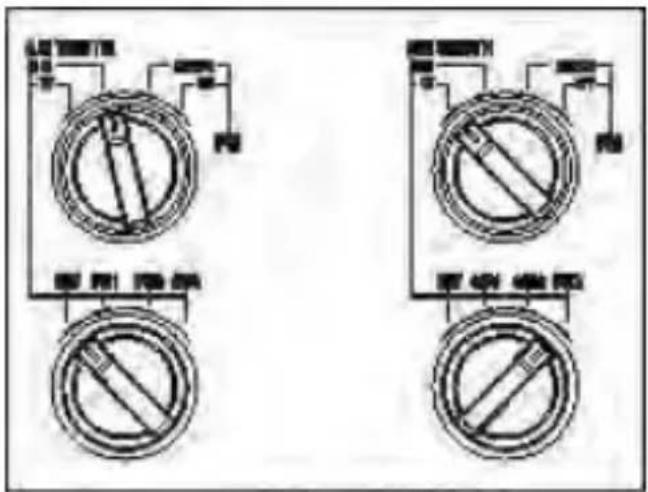
AM band selector
good, you can adjust FM/AM switch (30) to AM wide band to get better sound
quality.
NOTE: 1.Setting AM narrow band", can receive more clear station sound;
2.Setting AM wide band", can receive better sound quality.
SEARCHING STATION
Listening to the radio, press fast or slow button can select fast or slow search also use fast tuning button to get your desired station. You can confirm the best tuning effect according to signal strength icon or accurate frequency and actual heart feeling.
Note, this unit apply for PLL, can fix frequency excursion problem.
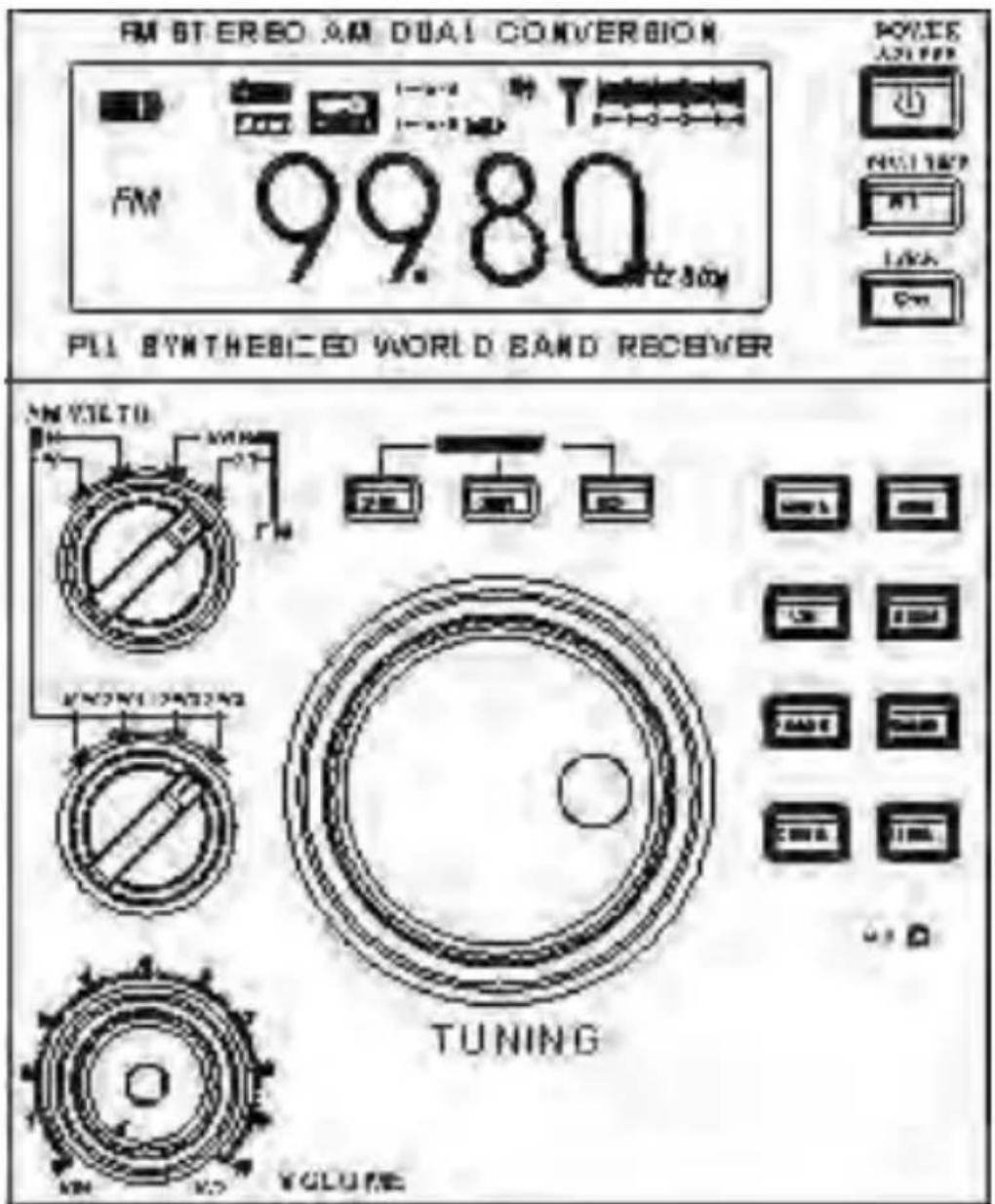
- When the radio is turned on, press slow button (6), display "SLOW" at this time, turn tuning knob to increase and decrease frequency, the step is FM 10kHz , MW 1kHz , SW 1kHz .
- When the radio is turned on, press fast button (7), display "FAST", turn tuning knob to increase or decrease frequency, the step is FM 100kHz, MW 9 kHz 9K step or 10KHz 10K step SW 5KHz.
- When the radio is turned on, press STOP button (5), display "STOP" the tuning knob will be locked.
- When the radio is turned on, press fast frequency increasing button (20). For FM and MW band, the step is FM 1000KHz, MW 100KHz; for SW band, changing by meter band form..
MW/SW gain control
Receiving MW, adjust MW/SW gain control
knob (27) to MAX, the sensitivity is the best.
If the signal is strong, may cause signal overload,
the sound will distorted, at this time, adjust this knob
anti-clockwise to solve overload and distortion problem.
If there exists serious electronic magnet
interference in this environment, suitable to
adjust MW/SW gain control knob (27) (see
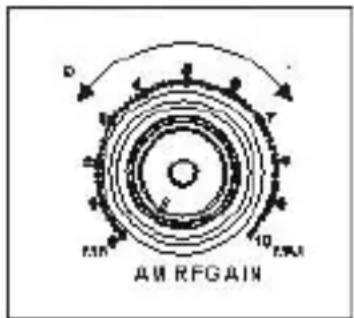
left) to reduce the sensitivity and interference.
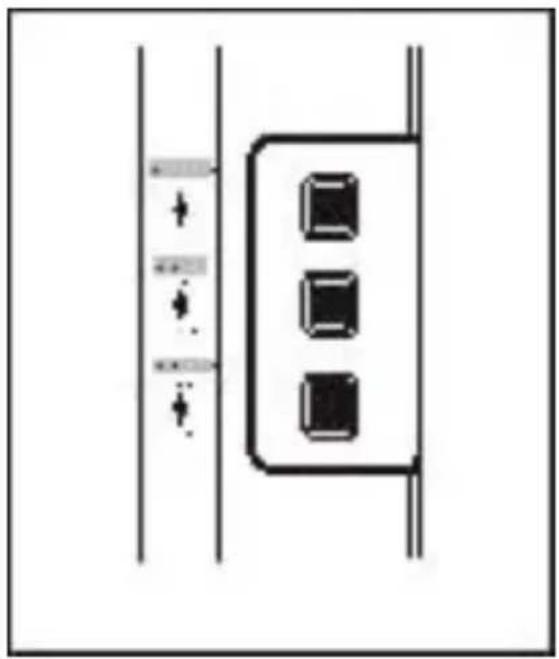
AM Local/DX selector
This unit is installed Local/DX switch (12),
the main purpose is to overcome strong
signal interferes with MW station (12), in
general, set Local/DX switch (12) to DX.
If encounter strong signal FM station, VHF
TV,BP pager and UHF signal interference,
set switch (27) to local. In the mean time,
adjust MW/SW gain control knob to
control any interferences effectively.
AUDIO Output
This unit is installed L/R output connector,
convenient (36) to connect to external
stereo amplifier. Listening to FM stereo
program, set FM/AM switch (30) to ST,
at this time, the screen will display stereo
icon. If the signal is too weak or not stereo

station, the screen will not display stereo. To receive signal through FM DX, set FM/AM switch (30) to MONO to get higher S/N.
The volume control will not change audio output signal.
ANTENNA USE
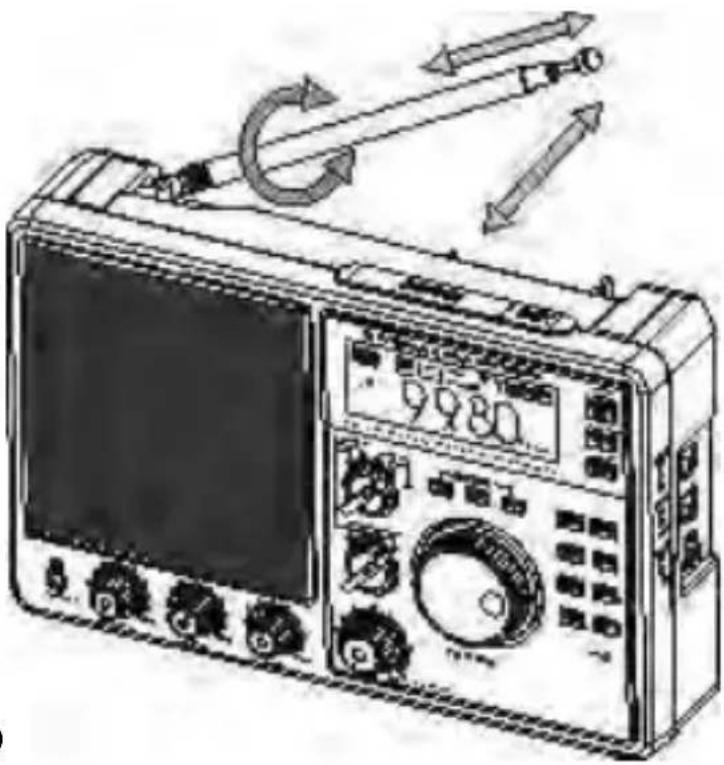
1. Listen to FM broadcast
-
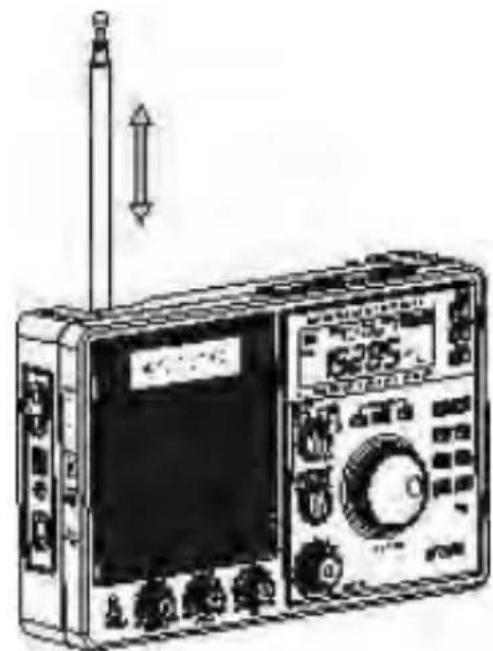
This unit installs telescopic Aerial (1) to receive FM stations, when listening, can pull out telescopic aerial (1).
-
In case of dense stations, adjust the direction of aerial (1)
and shorten it to avoid interferences between adjacent stations and get best reception.
2. Listening to MW broadcast
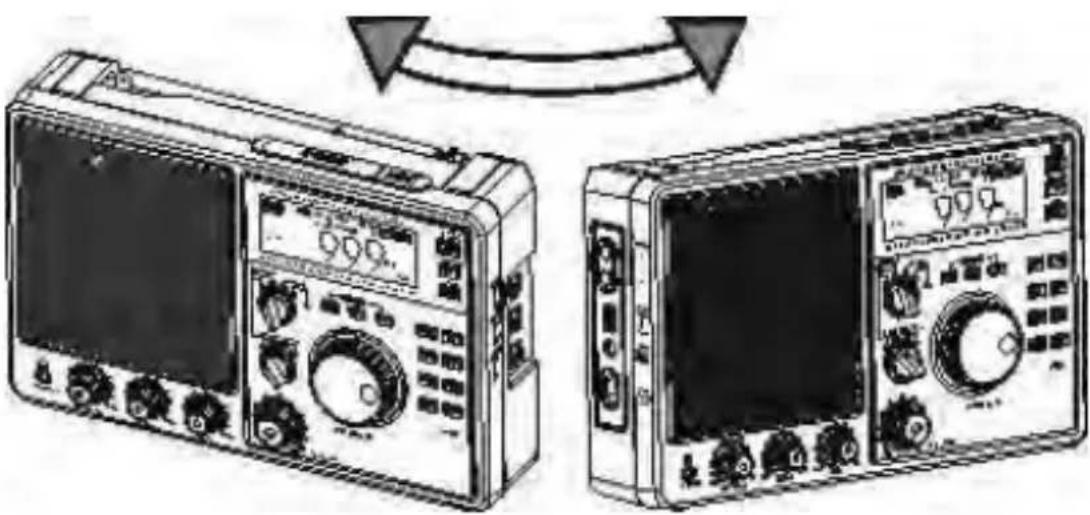
This unit receives MW broadcast with ferrite bar inside unit, has great effect with directions. Suggest to adjust the unit's placement to get best reception.
3. Listening to SW broadcast
When listening to SW stations, pull out telescopic aerial and keep it vertical to get best reception.
4. External FM/SW antenna
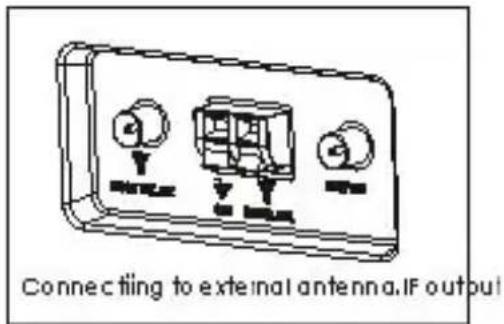
This unit is installed external FM/SW
antenna jack (32) (FM 75 Ohm SW 50 Ohm),
can connect outdoor antenna, at this
time, set antenna switch (13) to External
place .In FM mode, can proceed with
long distance signal receiving (short
for FM DX), also connect to local cable
FM (call for CABLE FM).
5. External MW antenna
This unit is installed 500 Ohm external MW antenna
jack (33), please connect external antenna as
shown right.
6. AM IF Output
This unit is built in AM IF output (34), output AM
455KHz IF signal, can use for extending other
functions of AM band, for example: SSB (single
side band), DRM (digital radio mondial), SSTV
(slow scan TV) etc.(Refer to the details of related
documents).
TIME SETTING
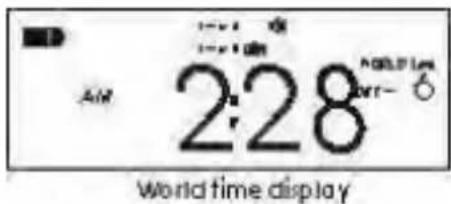
Select and adjust local/word time, 12/24 hour format.
Select local/word time
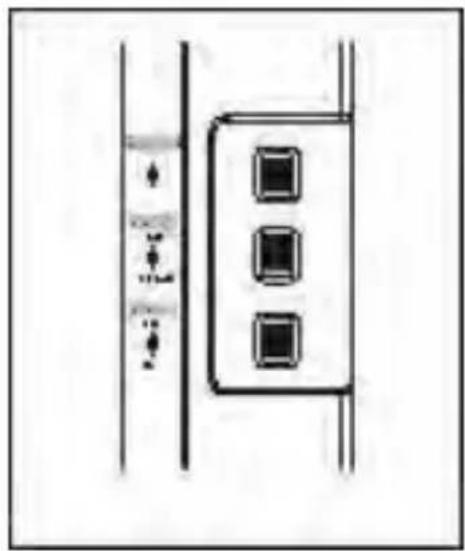
- Press Local/world time button (9), will display local or world time.
- Press and hold down local/world time
button (9) for 5 seconds the screen
will flash, in this time, the display mode
of time will be changed.
Adjust local time
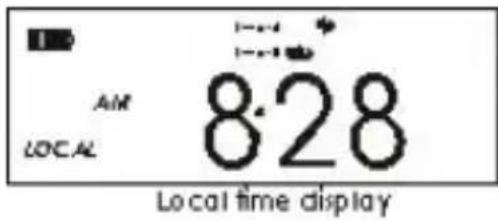
- Press time set button (17) till the time display is flasing.
- Press Hour button to (14) confirm hour adjustment, press and hold down it to adjust hour, turn tuning knob (7) left or right to increase or decrease hour value.
- Press Minute button (15) to confirm minute adjustment, press and hold down this button to adjust minute function, turn tuning knob left or right to increase or decrease minute value.
- Press time set button (17) again to confirm the time adjustment.
Adjust world time
- Press world/Local time button (9) to select display world time.
- Press time set button (17) till the time display is flashing.
- Press Hour button (14) to increase hour value, press Minute button (15) to decrease minute value, turn tuning button left or right to increase or decrease hour value.
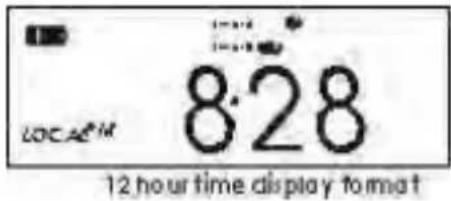
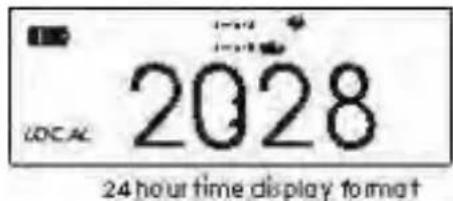
12/24 hour format selection
- Press Hour button (7) for 5 seconds to enter 12/24 hour format selection, when display 12 hour format, the screen will display "AM" or "PM" icon.
Setting dual timer
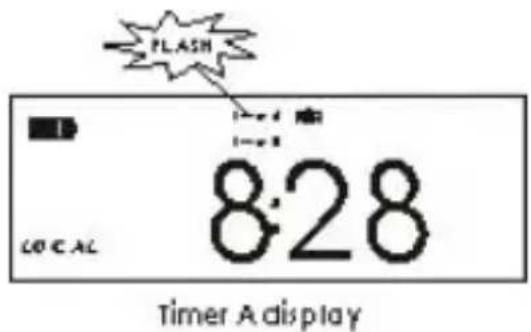
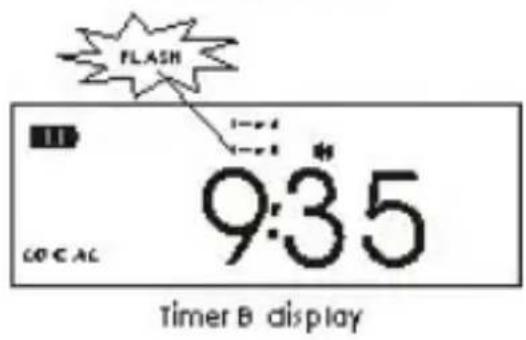
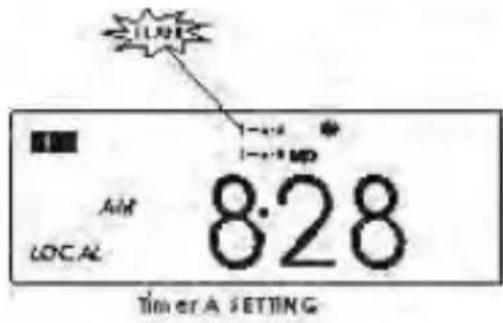
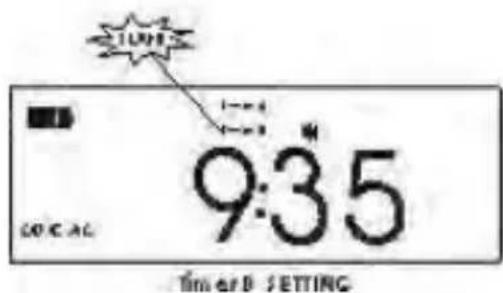
- Press Timer A button (19), "TIMER A" will flash.
- Press Timer B button (18), "TIMERB" will flash.
Adjust dual timer
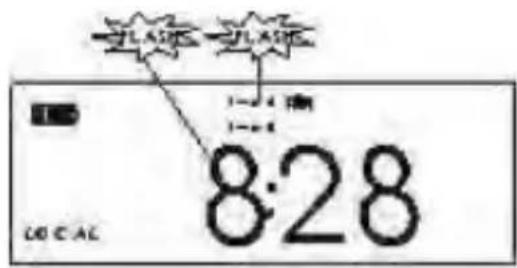
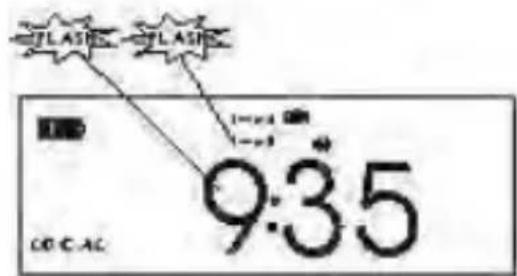
- Press timer A button (19) or timer B button (18) until the time is flashing.
- Press Hour button(14) to adjust hour, press and hold down hour button (14) to increase hour value.
Tune tuning knob (7) left or right to increase or decrease hour value.
- Press Minute button (15) to adjust minute, press and hold down this button to increase minute, tune tuning knob (7) left or right to increase or decrease minute value.
TIMERAADJUSTMENT
TIMERBADJUSTMENT
- Press timer A button (18) or timer
B button (19) again to confirm the time adjustment.
ALARM TIMER AND SLEEP TIMER
Setting alarm timing
- Press Timer A button (19), will display
timer A, in the mean time, press alarm set
button (16) will display or


- Press timer B button (18) will display
timer B, in the mean time, press alarm set
button (16) will display or.

- indicates buzzer timer is activated.

indicates the turn-on timer is activated.
Alarm setting buzzer, power on function
- When the buzzer timer is activated, if
the desired time is due, the unit will
buzzer reminding for 3 minutes.
- When the turn-on timer is activated,
if the desired time is due, the unit
will turn on reminding for 60 minutes.
In timing buzzer, timing turn-on mode, the

or will be flashing.
Setting snooze button hint sound
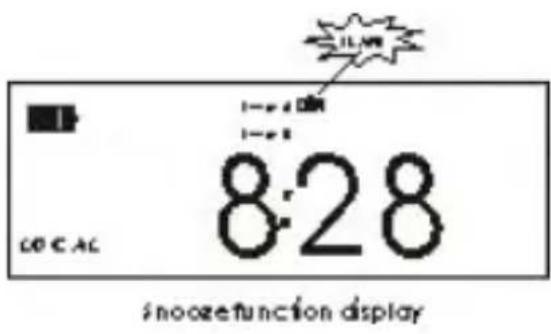
In alarm timing buzzer and timing turn-on mode, press snooze button (2) to power off buzzer or unit temporarily. This means the snooze function is working, the screen will display or icon and
flash. After 5 minutes, the buzzer will work again, if nobody operates it, the buzzer will shut down automatically after 3 minutes or the unit will power off after one hour. The snooze function can repeat 4 times, Press snooze button (2) in the fifth time to cancel alarm timing status.
Press snooze button for 2 seconds, will start button (2) hint sound, then press any button, can hear hint sound
Sleep Function
The adjustment method for this function as shown:
Press power/sleep button (8) the
screen will display "90" and
icon. At the same time, the digit in the screen will change as shown below:
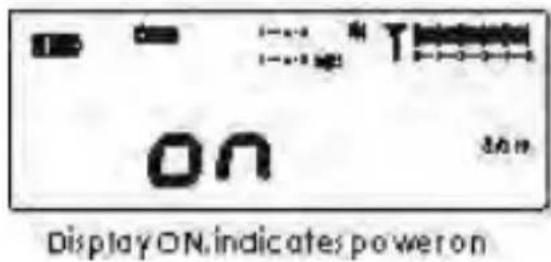

If stopping at digit "30", the unit will turn off automatically after 30 minutes. If stopping at ON, indicates staying turn on, will not display icon at this time.
OTHER FUNCTION
Backlight Operation
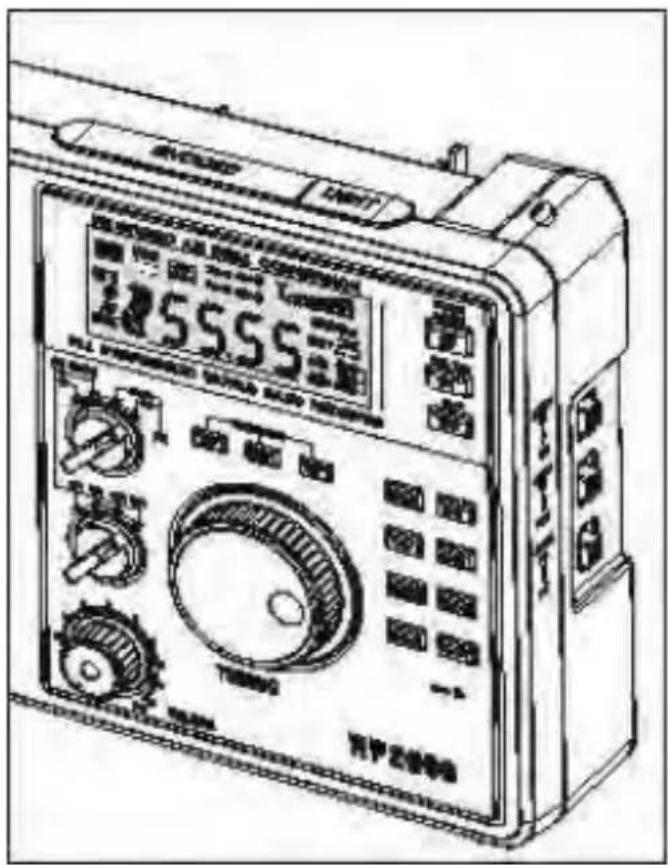
This unit features LCD and
button lighting functions.
LCD backlight:
1) Temporary lighting: press
light button (11) one time, the screen will light for 8 seconds and then turn off.
2) Permanent lighting: press
and hold down light button
for 2 seconds, the light stay
lighting, if turning off light
or lasting lighting function, press light button again.
Button backlight :
-
Set light button (11) ON.
-
Press any button and back-light will last for 8 seconds;
-
This function is only used for dark night, it had better set night button OFF to save power.
Charging terms and conditions
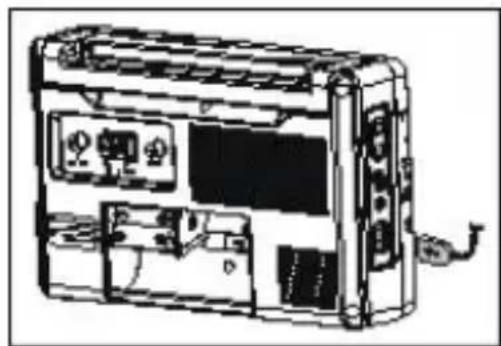
1.Shall connect to external power supply.
- Shall put rechargeable battery in the battery compartment.
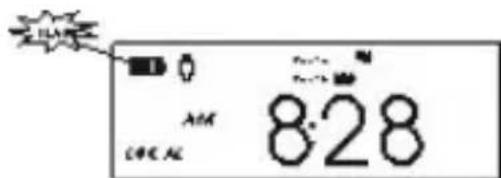
3.When the radio turns off press Charge button (21) to confirm charge status, the battery icon will display charging status.
-
The until will stop charging automatically when the battery is full or the time of charging is over 12 hours.
-
Stop charging when the radio turns ON..
Headphones
You can plug 3.5mm 32 ohms stereo
headphone into headphone socket (28)
to listen to radio programs, especially
listening to Hi Fi FM stereo (30) station.
When listening to radio with headphone,
the speaker will cut off automatically.
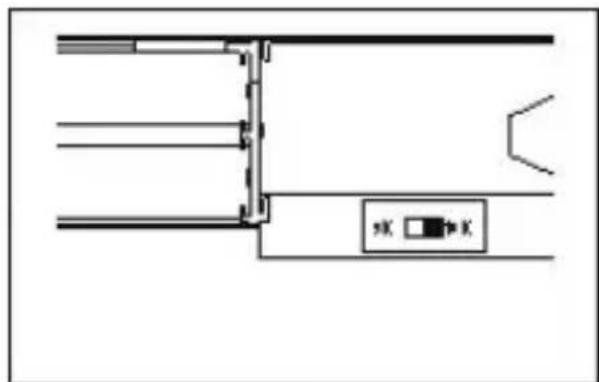
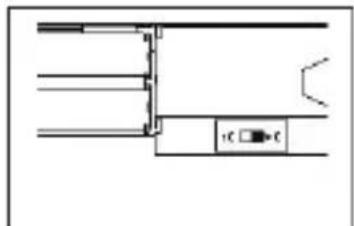
9K/10K step selector
To set FM/AM switch (30) to ST, can listen to FM stereo station.
There sets up MW step selector in the battery compartment, can select
9K/10K£If selected 10K,MW range£
520-1710 kHz. If selected 9K,MW
rangef522-1620 kHz.
Note: this selection is available after reset.
Reset Operation
This unit is built in MCU, when happen
the following issues: no display, no press function, display misorder, key control abnormality, receiving station abnormality etc.
Please follow up the below operations to resume the unit: insert into RESET hole with one sharp objects eg.
Toothpick and press it OK.
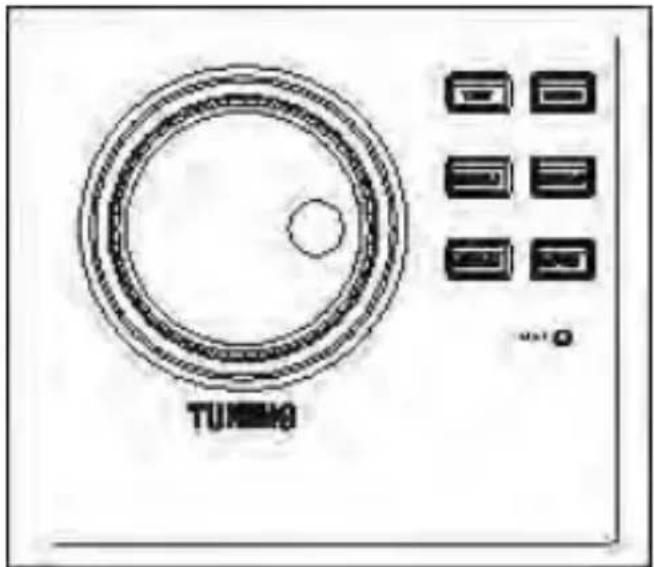
INTRODUCTION FOR SPECIAL FEATURES
TRA-2350P features the following several special functions
-AM width/narrow bandwidth selectivity
-MW/SW gain adjustment
-MW/SW local/DX switch
-FM stereo/mono selectivity
Please refer to the following details, you can enjoy these features.
they will bring you exceptional listening effects.
1.AM width/narrow bandwidth selectivity.
The bandwidth of width band is about +/- 10 kHz the bandwidth of narrow band is +/- 5 kHz . When listening to MW and SW strong signal stations, use the bandwidth selectivity to get best reception. When the adjacent station is mixed into ongoing stations you are listening to, shall push FM/AM band switch to AM narrow band (30) to avoid adjacent station's interference.
2.MW/SW gain adjustmen
Because the strength or weakness of AM signal (especial SW) has a big difference, when found the gap of station sound is too big during the receiving, exceeding the range of AGC, at this time, can adjust MW/SW gain control button (27) manually to get the best reception.
3. MW/SW local/DX switch
When listening to AM band in bad environment, and heard distorted FM sound, VHF TV,BP pager sound from speaker, or not heard the above sound, but feel the background noise is big, at this time, you can push local/DX switch (12) to local position, to restrain the interference and remove background noises. If the receiving environment is good, no interference, set the switch to DX..
4. FM stereo/mono selectivity
In general, listen to FM stereo station through built-in speaker because FM mono station has better S/N and anti-interference features.
If connecting to external amplifier or listening to stations with headache, push AM/ FM switch to FM ST position,
then you can listen to FM stereo station..
- Frequency range:
FM 87.00 108.00MHz
MW 522 - 1620 kHz Step 9K
520 - 1710 kHz Step 10K
SW11711-10010kHz
SW29990-19999kHz
SW320000-29999kHz
- Display Accuracy:
FM 10kHz
AM 1kHz
- S/N Sensitivity:
FM > 3uV
MW > 0.15mV / m
SW > 30Uv
- AM Single Signal Selectivity:
Wide Band >40dB
Narrow Band >60dB
- Image Rejection:
FM > 46dB
MW > 60dB
SW> 40
6 AC power output without:
distortion >2500mW
- Power Supply:
Battery 4 x D size or 4 x AA
Alkaline batteries
External DC 6-9V
External AC 230V 50Hz
-
Internal Speaker 8 ohms 5W
-
Headphone 3.5mm 32 ohms
10.Size 185X290X70mm
Correct Disposal of This Product
(Waste Electrical & Electronic Equipment)
This marking shown on the product or its literature, indicates that it should not be disposed with other household wastes at the end of its working life. To prevent possible harm to the environment or human health from uncontrolled waste disposal, please separate this from other types of wastes and recycle it responsibly to promote the sustainable reuse of material resources.
Household users should contact either the retailer where they purchased this product, or their local government office, for details of where and how they can take this item for environmentally safe recycling. Business users should contact their supplier and check the terms and conditions of the purchase contract. This product should not be mixed with other commercial wastes for disposal.
TRA-2350P
STROMVERSORGUNG. 9-12
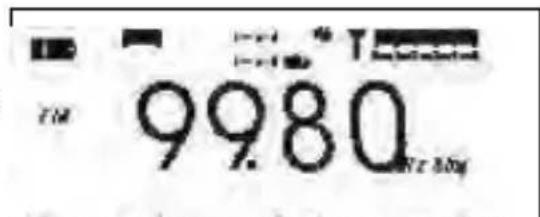
LCD screen displays station frequency turn on the unit.
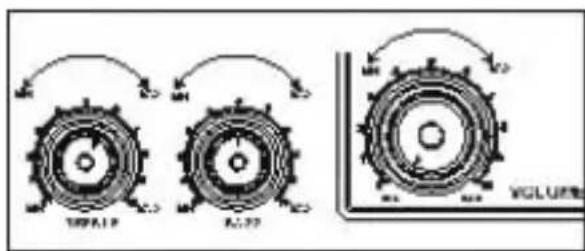
Volume/tone adjustment
SSB (Single Side Band), DRM (Digital Radio
Mondial), SSTV (Slow Scan TV) usw. (Bitte
MANUEL D'INSTRUCTIONS
Table des Matieres
CHARACTERISTIQUES ET FONCTIONS SPECIALES. 4
APPARENCE ET FONCTIONS 5-10
ALIMENTATION ELECTRIQUE. 11-12
ALLUMER/ETEINDRE L'UNITE. 13
SELECTION DE LA BANDE. 14
RECHERCHE DES STATIONS. 15-16
FONCTIONS SPECIALES. 17
UTILISATION DE L'ANTENNE. 18-20
REGLAGE DE L'HEURE 21-23
REVEIL ET MISE EN VEILLE PROGRAMMABLES. 23-25
AUTRES FONCTIONS 26-28
CHARACTERISTIQUES SPECIALES. 29-30
SPECIFICATIONS TECHNIQUES. 31
CHARACTERISTIQUES ET FONCTIONS SPECIALES
LCD screens display sleep time when turn on the unit
LCD screen displays station frequency after turn on the unit.
permettant de receivevoir les stations
(32) (FM 75 Ohms SW 50 Ohms),
Displaysleeptimewhenpower-on
DisplayON.indicates power on
LCD screendepplays sleeptimewhen turn on the unit
LCD screen displays station frequency after turn on the unit.
Volume /tone adjustment
quindi MW,SW1,SW2 o SW3.
AM band selector
Selettore AM Local/DX
9k/10k step selector
3. Interruftore MW/SW local/DX
LCD screed depays sleep time when turn on the unit
LCD screen displays station frequency after turn on the unit.
Selector AM Local/DX
LCD screendepplays sleeptimewhen turn on the unit
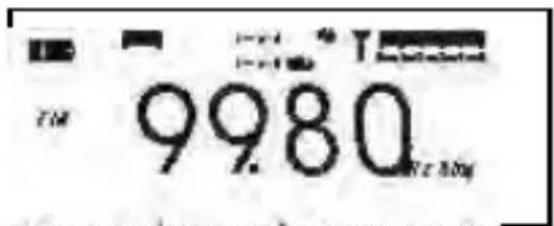
LCD screen displays station frequency after turn on the unit.
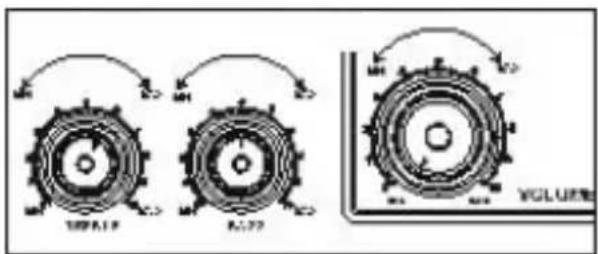
Volume /tone adjusment
Selecao da banda FM
Selector AM Local/DX
antenna exterior FM/SW (32) (FM: 75
Ohm; SW: 50 Ohm). Quando ligar ama
Esteaporede saidaAMIF
(34), sinal de saía AM 455Hz IF, que
SSB (banda unilateral), DRM (radio
digital mundial) SSTV (TV de
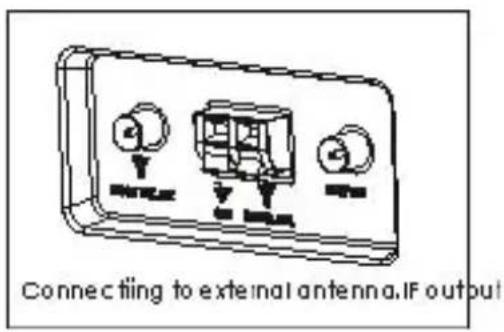
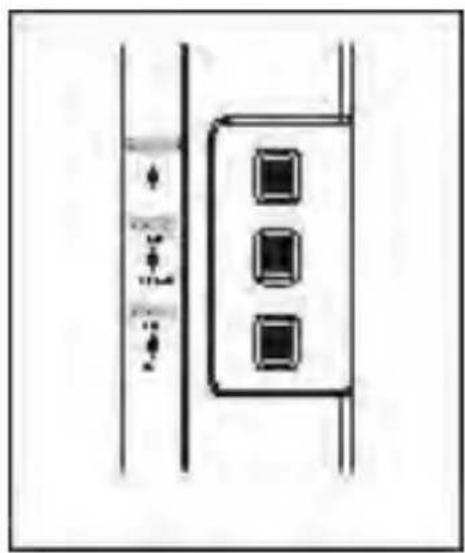
3. Comutador MW/SW local/DX
This model has 50 program memory (10 memory on each band).
How to store the stations:
When the Radio ON, tune the desired station and press the MEM/TIME button, the “PRESET” symbol appear in the display.
Press the UP / DOWN button to select the program where you wish to store the station.
Press again the MEM/TIME button to store the station.
The PRESET symbol disappear and the preset number where has been stored the station appear in the right corner of the display. Repeat the same procedure to store other stations you wish to program.
ATTENZIONE!
Como armazenar as estacoes:

- COSMETIC AND FUNCTIONS GUIDELINE
- LCD display indicator diagram
- POWER SUPPLY METHOD
- 1.Battery
- NOTE:
- AC Power
- External wall DC power supply (not included)
- POWER ON/OFF UNIT
- 1.Power ON unit
- Adjust VOLUME
- Adjust treble or bass tone
- Selecting FM band
- Selecting AM band
- SEARCHING STATION
- MW/SW gain control
- AM Local/DX selector
- AUDIO Output
- ANTENNA USE
- Listen to FM broadcast
- Listening to MW broadcast
- Listening to SW broadcast
- External FM/SW antenna
- External MW antenna
- AM IF Output
- TIME SETTING
- Select local/word time
- Adjust local time
- Adjust world time
- 12/24 hour format selection
- Setting dual timer
- Adjust dual timer
- ALARM TIMER AND SLEEP TIMER
- Setting alarm timing
- Alarm setting buzzer, power on function
- Setting snooze button hint sound
- Sleep Function
- OTHER FUNCTION
- Backlight Operation
- Charging terms and conditions
- Headphones
- Reset Operation
- INTRODUCTION FOR SPECIAL FEATURES
- 1.AM width/narrow bandwidth selectivity.
- 2.MW/SW gain adjustmen
- MW/SW local/DX switch
- FM stereo/mono selectivity
- Correct Disposal of This Product
- (Waste Electrical & Electronic Equipment)
- TRA-2350P
- Table des Matieres
- CHARACTERISTIQUES ET FONCTIONS SPECIALES
- Selettore AM Local/DX
- Interruftore MW/SW local/DX
- Selector AM Local/DX
- Selecao da banda FM
- Comutador MW/SW local/DX
- ATTENZIONE!
Brand : ROADSTAR
Model : TRA2350P
Category : Radio