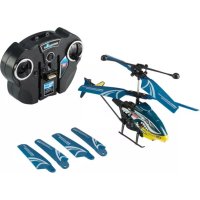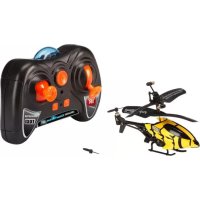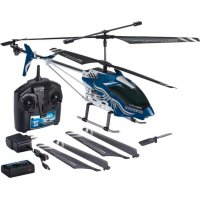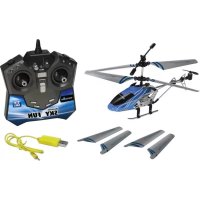
Sky FUN - Remote control toy Revell - Free user manual and instructions
Find the device manual for free Sky FUN Revell in PDF.



| Product type | Radio-controlled helicopter |
| Brand | Revell |
| Model | Sky FUN |
| Dimensions (approx.) | Length: approx. 15 cm, height: approx. 8 cm |
| Weight (approx.) | Approx. 50 g |
| Helicopter power supply | Rechargeable Li-Po battery 3.7 V / 180 mAh (included) |
| Remote control power supply | 6 AA 1.5 V batteries (not included) |
| Charging time | Approx. 40 minutes |
| Flight time | 6 to 8 minutes |
| Main functions | Forward/backward flight, left/right rotation, up/down, stabilization, trimming, multi-color LED |
| Use | Indoor and outdoor in calm wind |
| Recommended age | From 15 years (adult supervision required) |
| Care and cleaning | Clean with a clean cloth; protect from direct sunlight and heat sources |
| Safety | Do not touch moving blades; keep distance >1 m from people; turn off after use |
| Spare parts and repairability | Rotor blades available at www.revell-control.de |
| General information | Complies with directive 1999/5/EC; declaration of conformity at www.revell-control.de |
Frequently Asked Questions - Sky FUN Revell
User questions about Sky FUN Revell
0 question about this device. Answer the ones you know or ask your own.
Ask a new question about this device
Download the instructions for your Remote control toy in PDF format for free! Find your manual Sky FUN - Revell and take your electronic device back in hand. On this page are published all the documents necessary for the use of your device. Sky FUN by Revell.
USER MANUAL Sky FUN Revell
Electrical and electronic waste ordinance. After the end of use remove all ballons and separately dispose of all electrically operated devices at the communal collection centres for electrical and electronic waste. Dispos of the remaining parts with household waste. Thank you for your cooperation!
Revell GmbH hereby declares that this product conforms with the basic requirements and the additional applicable provisions of Directive 1999/5/TC. The Declaration of Conformity can be found at www.revell-control.de
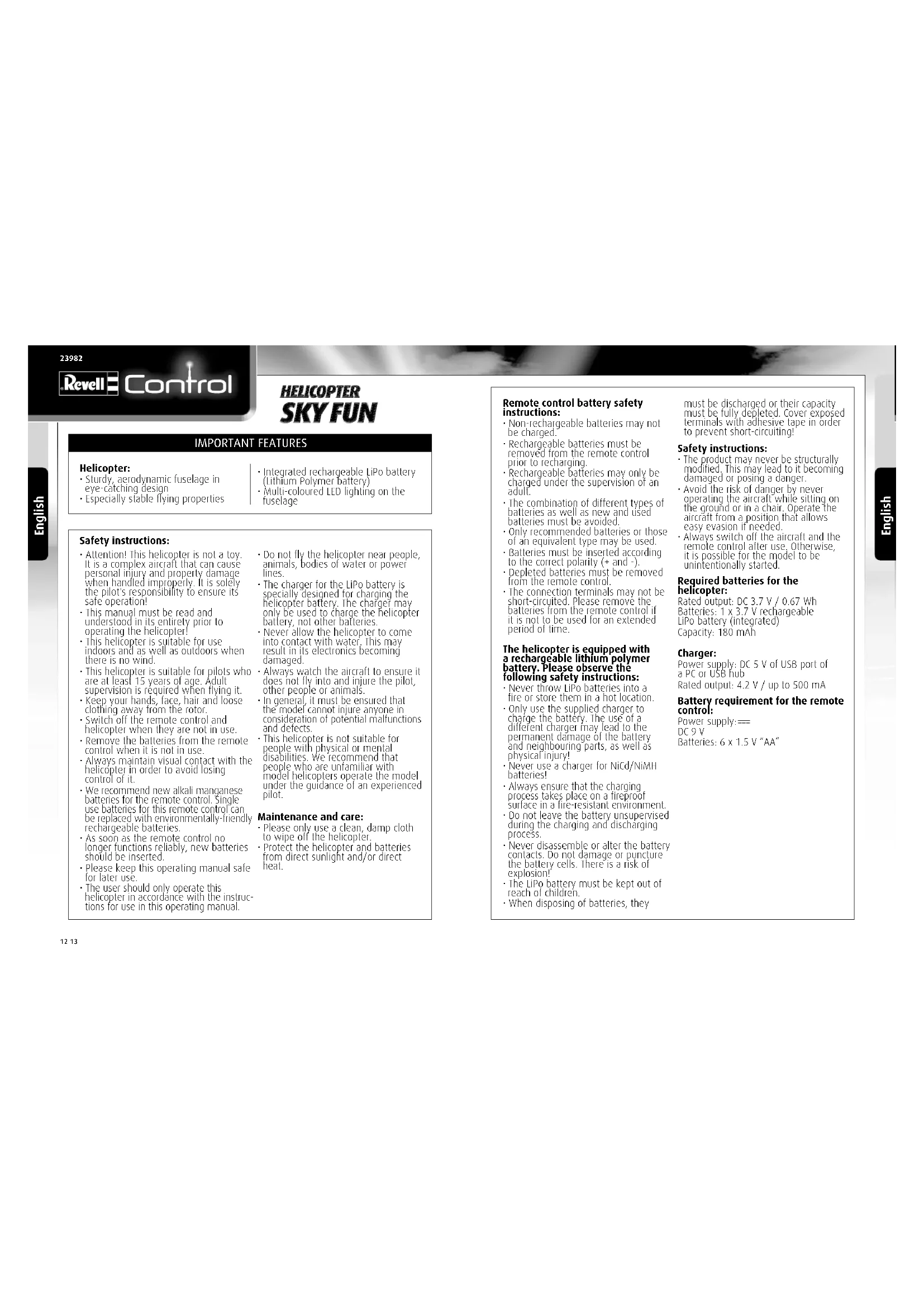
Sturdy, aerodynamic fuselage in eye-catching design
- Especially stable flying properties
Integrated rechargeable LiPo battery (Lithium Polymer battery)
Multi-coloured LED lighting on the Iuselage
Safety instructions:
- Attention! This helicopter is not a toy. It is a complex aircraft that can cause personal injury and property damage when handled improperly. It is solely the pilot's responsibility to ensure its safe operation!
This manual must be read and understood in its entirety prior to operating the helicopter!
This helicopter is suitable for use indoors and as well as outdoors when there is no wind.
This helicopter is suitable for pilots who are at least 15 years of age. Adult supervision is required when flying it.
- Keep your hands, face, hair and loose clothing away from the rotor.
- Switch off the remote control and helicopter when they are not in use.
- Remove the batteries from the remote control when it is not in use.
- Always maintain visual contact with the helicopter in order to avoid losing control of it.
We recommend new alkali manganese batteries for the remote control. Single use batteries for this remote control can be replaced with environmentally friendly rechargeable batteries.
- As soon as the remote control no longer functions reliably, new batteries should be inserted.
- Please keep this operating manual safe for later use.
The user should only operate this helicopter in accordance with the instructions for use in this operating manual.
Do not fly the helicopter near people, animals, bodies of water or power lines.
The charger for the LiPo battery is specially designed for charging the helicopter battery. The charger may only be used to charge the helicopter battery, not other batteries.
- Never allow the helicopter to come into contact with water. This may result in its electronics becoming damaged.
Always watch the aircraft to ensure it does not fly into and injure the pilot, other people or animals.
In general, it must be ensured that the model cannot injure anyone in consideration of potential malfunctions and defects.
This helicopter is not suitable for people with physical or mental disabilities. We recommend that people who are unfamiliar with model helicopters operate the model under the guidance of an experienced pilot.
Maintenance and care:
Please only use a clean, damp cloth to wipe off the helicopter.
Protect the helicopter and batteries from direct sunlight and/or direct heat.
Remote control battery safety instructions:
Non-rechargeable batteries may not be charged.
- Rechargeable batteries must be removed from the remote control prior to recharging.
Rechargeable Batteries may only be charged under the supervision of an adult.
- The combination of different types of batteries as well as new and used batteries must be avoided.
Only recommended batteries or those of an equivalent type may be used.
- Batteries must be inserted according to the correct polarity (+ and -).
- Depleted batteries must be removed from the remote control.
The connection terminals may not be short-circuited. Please remove the batteries from the remote control if it is not to be used for an extended period of time.
The helicopter is equipped with a rechargeable lithium polymer battery. Please observe the following safety instructions:
- Never throw LiPo batteries into a fire or store them in a hot location.
Only use the supplied charger to charge the battery. The use of a different charger may lead to the permanent damage of the battery and neighbouring parts, as well as physical injury! - Never use a charger for NiCd/NiMA batteries!
Always ensure that the charging process takes place on a fireproof surface in a fire-resistant environment.
Do not leave the battery unsupervised during the charging and discharging process. - Never disassemble or alter the battery contacts. Do not damage or puncture the battery cells. There is a risk of explosion!
The LiPo battery must be kept out of reach of children. - When disposing of batteries, they
must be discharged or their capacity must be fully depleted. Cover exposed terminals with adhesive tape in order to prevent short-circuiting!
Safety instructions:
The product may never be structurally modified. This may lead to it becoming damaged or posing a danger.
- Avoid the risk of danger by never operating the aircraft while sitting on the ground or in a chair. Operate the aircraft from a position that allows easy evasion if needed.
Always switch off the aircraft and the remote control after use. Otherwise, it is possible for the model to be unintentionally started.
Required batteries for the helicopter:
Rated output: DC 3.7 V/0.67 Wh Batteries:1x3.7V rechargeable LiPo battery (integrated) Capacity:180 mAh
Charger:
Power supply: DC 5 V of USB port of a PC or USB hub
Rated output: 4.2 V / up to 500 mA
Battery requirement for the remote control:
Power supply: DC 9 V
Batteries: 6 x 1.5 V "AA"
1 HELICOPTER
1A Counter-rotating rotor blades.
10 LED lamps
1E chame socket
1F ON/Off switch
2 REMOTE CONTROL
24ON/OFF switch
2B Thrust controller
2 Antenna
2D Left/right trim
adjustment
2E Controller for
forwards and
backwards flight
as well as rotation
2F ON/OFF button
3 INSERTING BATTERIES (REMOTE CONTROL)
3A Unscrew and remove the cover
3B insert 6 x 1.5 V AA batteries and pay attention to the polarity, as shown in the battery compartment.
3C Close the battery cover and secure with the screw.
4 CHARGING THE HELICOPTER
Attention: The battery and motor must cool down for 10 to 15 minutes before charging and after every flight. Otherwise they can be damaged. The charging process must be constantly monitored. Always ensure that the charging process takes place on a fireproof surface in a fire resistant environment.
- Switch off the helicopter and the remote control.
- Plug the USB charger into a USB hub or a USB port on a computer (4A).
In the chalger is ready for operadn, the LEO on the top illuminates red. 2. Now used the value of the above in the bottom right of the coroll (19). - Now insert the plug of the charger on the bottom side of the model (4B) The charging process begins automatically.
- The Power LED on the charger goes out during the charging process and illuminates red when the battery is full (4C). After charging, disconnect the battery from the charger and pull the charger plug out of the USB interface.
The helicopter can fly for approx. 6-8 minutes after a charge time of approx. 40 minutes.
Warning notice: The LiPo battery does not normally heat up while charging. If it should become warm or even hot and/or changes to the surface begin to appear, immediately discontinue the charging process!
You can also charge your helicopter with the remote control:
- Switch off the remote control and the helicopter
- The plug for the charge cable is located on the back of the remote control (4D). Remove the cover and then carefully plug the cable into the charge socket of the helicopter (4E). The plug must be gently inserted into the charging socket - DO NOT USE FORCE. If the plug is not correctly inserted into the charging socket, the helicopter may become damaged and, under certain circumstances, become an injury risk. Switch on the remote; the power LED blinks red. Slowly move the thrust controller to maximum and then back to its starting position to activate the remote control (2B), the power LED will begin to blink quickly. This process lasts for approx. 3 seconds. Now the LED continuously illuminates green.
The charging process is complete as soon as the LED is illuminated red. - After the charging process, switch the power switch to "Off" and disconnect the charge cable from the helicopter.
5 START PREPARATION
The thrust controller (the left controller on the remote control) must point down before being switched on (5A). Then set the remote control's ON/OFF switch to "ON" (5B). The power LED begins to blink.
Now set the helicopter's ON/OFF switch to the "ON" (5C). Place the helicopter on the ground so that the tail points toward you (5D).
Activate the remote control by slowly moving the thrust controller to maximum and then back to its starting position; the power LED will begin to blink quickly. This process lasts for approx. 3 seconds. The helicopter is ready to start when the headlamp is permanently illuminated red.
6 TRIM ADJUSTMENT OF THE CONTROL
The correct trimming is a basic requirement for achieving fault-free flying from the helicopter. Its adjustment is simple, but it requires some patience and a feel for it. Please observe the following instructions precisely: Carefully move the thrust control up and raise the helicopter approximately 0.5 to 1 metre in altitude.
6A If the helicopter quickly or slowly rotates clockwise by itself...
If the helicopter begins to automatically rotate clockwise, rotate the left/right trim adjustment anti-clockwise until the helicopter no longer rotates on its own.
6B If the helicopter quickly or slowly rotates anti-clockwise by itself...
If the helicopter begins to automatically rotate anti-clockwise, rotate the left/right trim adjustment clockwise until the helicopter no longer rotates on its own.
7 FLIGHT CONTROL
Note: Only minimal corrections of the controls are necessary for a smoothing flying behaviour of the helicopter!
7A Take off or increase altitude by carefully moving the control for thrust forward.
78 Land or decrease altitude by moving the control for thrust backward. Only minimal corrections to the controller are necessary to ensure smoothing flying of the helicopter!
7C Fly forward by moving the controller for forward/backward flight and right/left rotation carefully forward.
7D Fly backward by moving the controller for forward/backward flight and right/left rotation carefully backward.
7E Turn the helicopter around anticlockwise by moving the controller for forward/backward flight and right/left rotation to the left.
7F Turn the helicopter around clockwise by moving the controller for forward/ backward flight and right/left rotation to the right.
INSTRUCTIONS FOR SAFE FLYING
GENERAL FLYING TIPS:
- Always place the helicopter on a level surface. An inclined surface can, under certain circumstances, negatively effect the helicopter during take-off.
- Always operate the controls slowly and with a gentle touch.
Always maintain visual contact with the helicopter and do not look at the remote control! - Move the thrust controller somewhat down again once the helicopter has lifted off from the ground. Maintain flying altitude by adjusting the thrust controller.
- If the helicopter descends, move the thrust controller slightly upward again.
- if the helicopter climbs, move the thrust controller down slightly.
SUITABLE FLYING ENVIRONMENT:
The location in which the helicopter is found should fulfil the following criteria:
- It should be an indoor location without any wind. Insofar as possible, there should be no air conditioning systems, heaters, etc. that can cause air currents.
- The room should be at least 10 metres long, six metres wide and three metres high.
- No disruptive objects, such as fans, lamps, etc. should be present in the room.
- When initialising take-off, make absolutely sure that all persons and animals - including the pilot - are at least 1-2 metres removed from the aircraft before flight begins.
Flying model aircraft and helicopters outdoors has required mandatory liability insurance since 2005. Contact your private liability insurer and make sure that your new and earlier models are included in your insurance coverage. Request written confirmation and keep this in a safe place. Alternatively, the DMFV offers a trial membership free of charge online at www.dmfv.aero, which includes insurance.
8 CHANGING THE ROTOR BLADES
If the helicopter's rotor blades have been damaged, they must be replaced. Proceed as follows:
Prior to installation, make sure that you do not mix up the rotor blades. The rotor blades are marked with "A" and "B" (8A). Type "B" rotor blades are mounted on top and Type "A" rotor blades are mounted on the bottom.
8B Use a Phillips screwdriver to carefully remove the screws on the rotor blade.
8C Now carefully remove the rotor blade from the mount.
8D Carefully fit the new rotor blade in the mount and tighten the screw. Attention: Do not over-tighten the screw. The rotor blade must have a certain amount of play.
TROUBLESHOOTING
Problem: The rotor blades do not move.
Cause: The ON/OFF switch is set to the "OFF" position. The battery is too weak or depleted.
Remedy: Set the ON/OFF switch to the "ON" position. Charge the battery.
Problem: The helicopter stops and descends during flight for no apparent
Cause: The battery is too weak.
Remedy: Charge the battery.
Problem: It isn't possible to control the helicopter using the remote control.
Cause: The ON/OFF switch is set to the "OFF" position.
The batteries were not inserted correctly. The batteries do not have enough power
Remedy: · Sel the ON/OFF switch to the "ON" position.
-
Check whether the batteries are inserted correctly.
-
Insert new batteries
Problem: The helicopter only rotates around its axis clockwise or anti-clockwise.
Cause: Excessive trimming to the left or right.
Remedy: - Reset the left/right trim adjustment in the opposite direction (see point 6: Adjusting the trim Controller).
Additional tips and tricks can be found online at www_REVell-control.de.
SERVICE NOTES
Go to www.revell-control.de for ordering information and tips on replacing spare parts, plus other useful information on all Revell Control models.