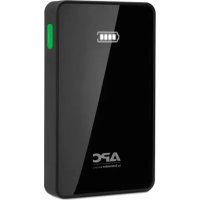
M5BK - Power bank APC - Free user manual and instructions
Find the device manual for free M5BK APC in PDF.



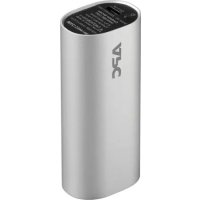
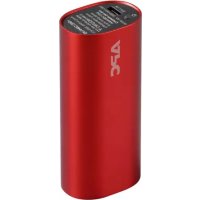
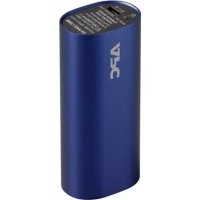
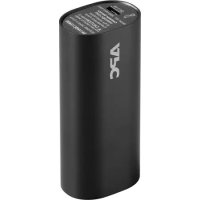
| Product Type | Portable Battery (Power Pack) |
| Brand | APC |
| Model | M5BK |
| Battery Capacity | 5000 mAh |
| Nominal Input Voltage | 5 V DC |
| Maximum Input Current | 1.5 A |
| Total Output Current | 2.4 A (max) |
| Output Ports | 2 USB ports: USB1 (1 A), USB2 (2.4 A) |
| Charging Time | Approximately 4 hours (with 5 V / 1.5 A charger) |
| Capacity Indicator | 4-level LED display |
| Dimensions (L x W x H) | 10.75 x 6.44 x 1.44 cm |
| Weight | 142 g |
| Operating Temperature | 0 °C to 35 °C |
| Short Circuit Protection | Yes (automatic protection mode) |
| Battery Recycling | Recyclable device: return used batteries to an approved center |
| Warranty | Contact an authorized APC reseller or visit www.apc.com |
Frequently Asked Questions - M5BK APC
User questions about M5BK APC
0 question about this device. Answer the ones you know or ask your own.
Ask a new question about this device
Download the instructions for your Power bank in PDF format for free! Find your manual M5BK - APC and take your electronic device back in hand. On this page are published all the documents necessary for the use of your device. M5BK by APC.
USER MANUAL M5BK APC
Mobile Power Pack M5/M10
User Manual
Inventory Safety and General
Information
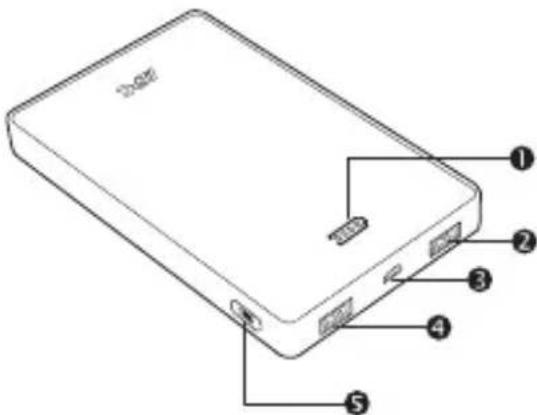
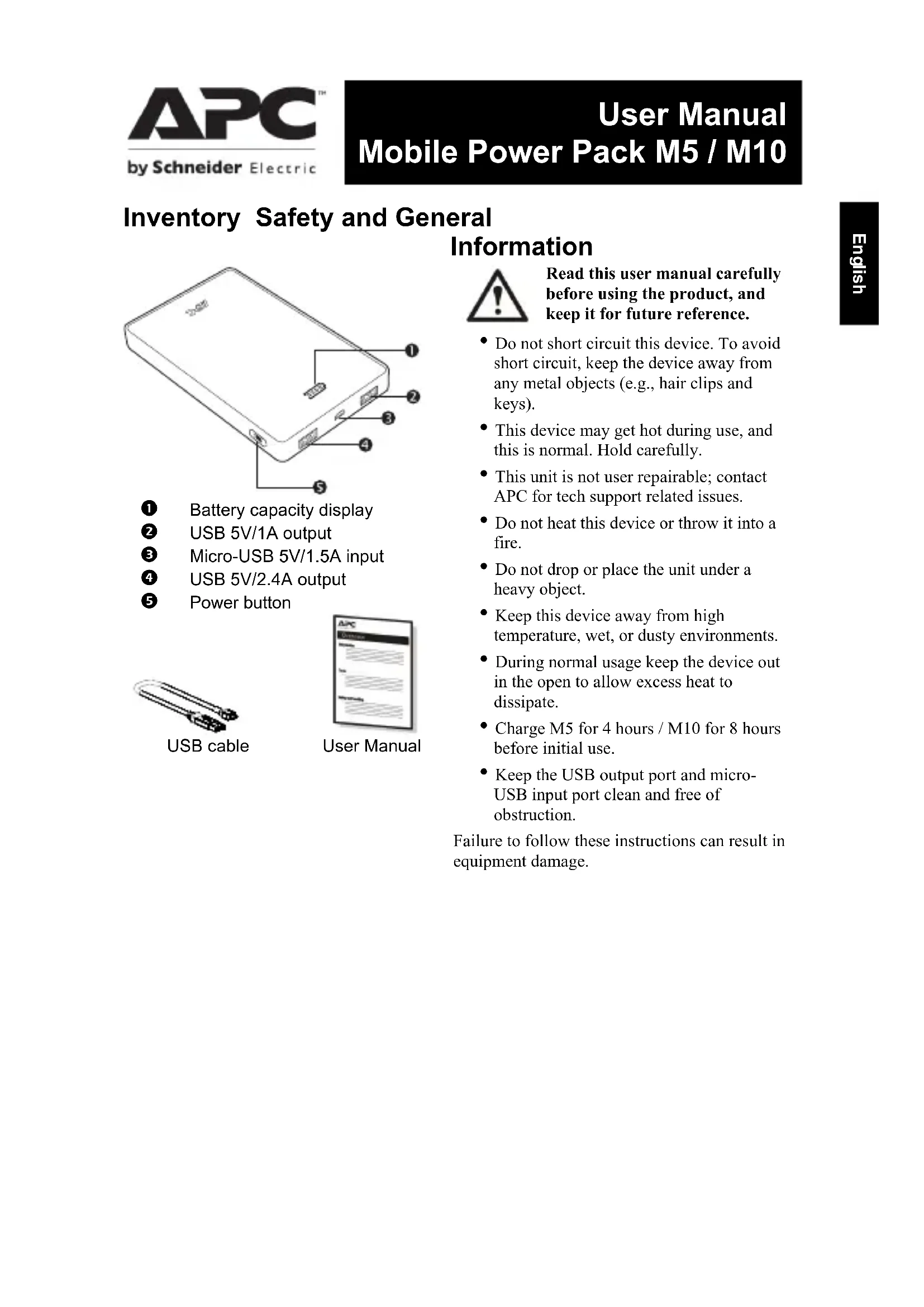
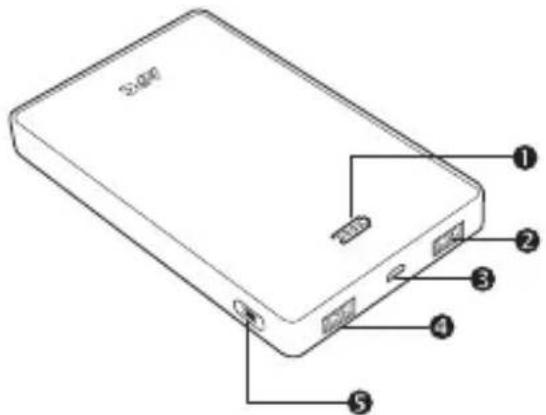
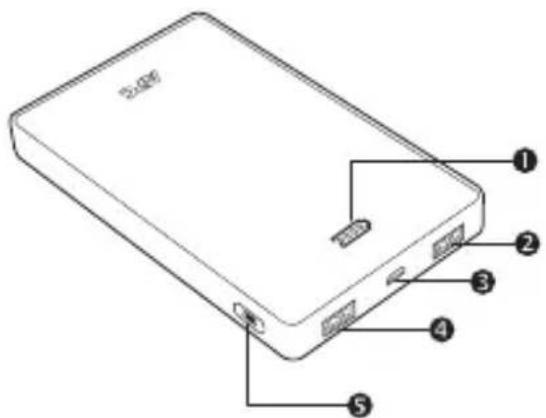
Battery capacity display
USB 5V/1A output
Micro-USB 5V/1.5A input
USB 5V/2.4A output
5 Power button
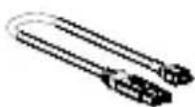
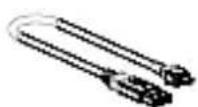
USB cable
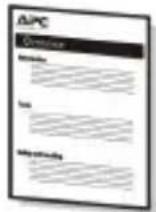
User Manual

Read this user manual carefully before using the product, and keep it for future reference.
- Do not short circuit this device. To avoid short circuit, keep the device away from any metal objects (e.g., hair clips and keys).
- This device may get hot during use, and this is normal. Hold carefully.
- This unit is not user repairable; contact APC for tech support related issues.
- Do not heat this device or throw it into a fire.
- Do not drop or place the unit under a heavy object.
- Keep this device away from high temperature, wet, or dusty environments.
- During normal usage keep the device out in the open to allow excess heat to dissipate.
- Charge M5 for 4 hours / M10 for 8 hours before initial use.
- Keep the USB output port and microUSB input port clean and free of obstruction.
Failure to follow these instructions can result in equipment damage.
Operation
Charging USB based devices such as smartphones, portable media players and tablets
Charge devices using the original USB cable that comes with the unit, or another USB charging cable.
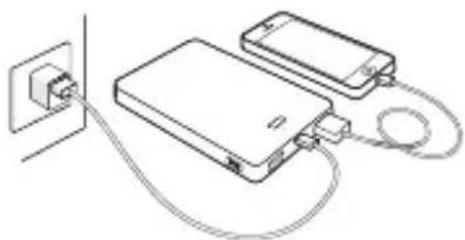
Properly connect the mobile power pack with the device to be charged. To begin charging press the power button for about 1 second.
a. M5 / M10 Mobile Power Pack charging devices
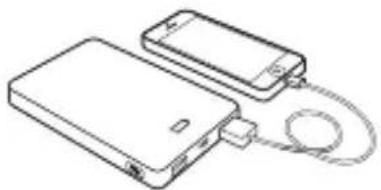
b. Pass-through charging mode will charge the mobile device first, and then charge the M5 / M10 Mobile Power Pack.
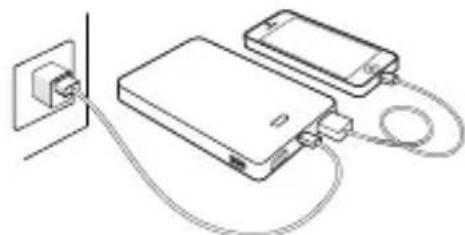
Charging the Power Pack
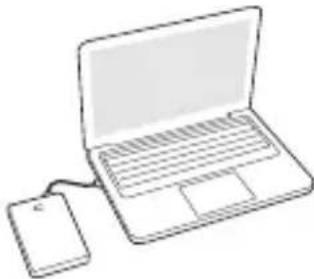
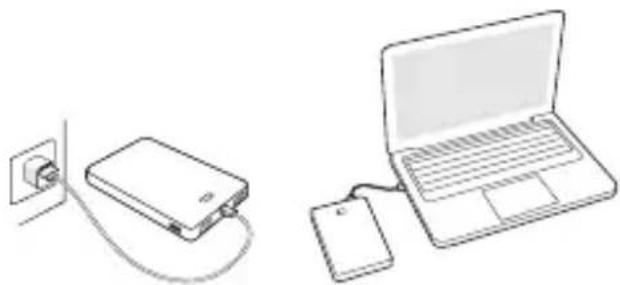
Charge via USB adapter or computer connection
Connect the power pack to the USB output port of a PC or USB charger using the included charging cable (Note: Some PCs in sleep mode will not charge this device.)
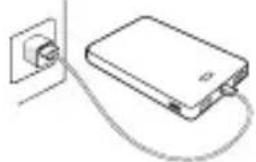
Typical Number of Charges by Device
| Device | M5 | M10 |
| Smartphone | 2x 4x | |
| Tablet ~0.5x | ~ 1x |
Note: The charge times in this table are approximate figures. They can vary depending on the type of device, ambient conditions, or battery discharge level of the M5 and M10.
The battery capacity display will illuminate to show how much of the battery is charged. Once all of the battery capacity LEDs are lit, the unit should be fully charged. Once complete, disconnect the charging cable from the unit.
Checking the Remaining Battery Charge of this Device
In standby mode, press the power button for about 1 second. The battery capacity display will display how much battery power is remaining.
Status Indicators
Battery capacity display State explanation
| ~ 100% capacity ~ 70% capacity ~ 40% capacity ~ 15% capacity | |
| Alarm for low battery | |
| No more charge remains. The battery has been completely discharged. | |
| The battery is being normally charged | |
| The battery has been fully charged | |
| Internal fault |
Specifications
| Item | Specification | |
| Model number | M5 | M10 |
| Capacity | 5000mAh | 10000mAh |
| Input current (maximum) | 1.5A | |
| Rated input voltage | 5V dc (Voltages other than 5 V dc are not supported) | |
| Output current USB: 2.4A (Total), USB1: 1A, USB2: 2.4A* 1 | ||
| Output voltage 5V | ||
| Capacity indicator light | 4 level capacity display | |
| Charging time 4 hours 8 hours | ||
| Dimensions (L x W x H) | 10.75 x 6.44 x 1.44 cm | 14.65 x 8.89 x 1.35 cm |
| 4.5 x 2.5 x 0.6 in | 5.7 x 3.5 x 0.5 in | |
| Weight | 142g, 0.31lb 268g, 0.59lb | |
| Operating temperature | 0 °C - 35 °C | |
*1 The two (2) USB ports combined have a maximum output of 2.4A. If two (2) devices together draw more than 2.4A, overload protection circuits will trigger and disable output.
Battery Recycling Information

Always dispose of used or spent batteries properly.
Return the spent battery to an appropriate facility for proper disposal and recycling.
Troubleshooting
| Problem and Possible Cause Solution | |
| The mobile power pack cannot be charged. | |
| The PC is in sleep mode. Wake PC from sleep mode. | |
| The temperature is outside of the recommended temperature range for use. | Stop using the mobile power pack until it is within the correct temperature range. |
| The charging cable is malfunctioning. Carefully check if the charging cable is functioning. Clean the micro-USB port in case there is an obstruction. | |
| All battery capacity LEDs flash simultaneously while charging. | Stop using the mobile power pack and contact your APC by Schneider Electric dealer or authorized APC by Schneider Electric service agency. |
| The mobile power pack cannot charge some devices. | |
| The remaining capacity of the mobile power pack is low. | Charge the mobile power pack. |
| The mobile power pack may have failed to recognize and detect the devices connected to it. | Remove connected devices. Turn the unit on, reconnecting each device one at a time. A dedicated charging cable may be required. |
| A short circuit has occurred in the mobile device(s) connected to the mobile power pack. | A short circuit will cause the mobile power pack to enter into safe mode. To deactivate safe mode, disconnect all devices from the mobile power pack and connect the mobile power pack to a USB charger as if charging. |
| The life of the mobile power pack has expired or a fault has occurred in it. | In the case of a system fault, contact your local APC by Schneider Electric dealer or authorized APC by Schneider Electric service agency. |
Warranty

Contact your local APC by Schneider Electric dealer, an authorized APC by Schneider Electric service agency, or APC by Schneider Electric Customer Support.
APC by Schneider Electric IT Customer Support Worldwide
For country specific customer support, go to the APC by Schneider Electric Web site, www.apc.com.
Australian Consumer Law
APC by Schneider Electric warrants its products to be free from defects in materials and workmanship. In addition to the obligations covered by our product warranty, the consumer has the following rights as stipulated by the Australian Consumer Law.
-
The benefits to the consumer given by the warranty are in addition to other rights and remedies of the consumer under a law in relation to the goods or services to which the warranty relates.
-
Our goods come with guarantees that cannot be excluded under the Australian Consumer Law. You are entitled to a replacement or refund for a major failure and for compensation for any other reasonably foreseeable loss or damage. You are also entitled to have the goods repaired or replaced if the goods fail to be of acceptable quality and the failure does not amount to a major failure.
Warranty Claims
Customers with warranty claims issues may access the APC by Schneider Electric IT customer support network through the APC by Schneider Electric Web site: support.apc.com. Select your country from the country selection pull-down menu. Open the Support tab at the top of the web page to obtain contact information for customer support in your region.
For additional warranty information and assistance, please contact Schneider Electric Australia:
Schneider Electric | IT Business
78 Waterloo Road,
Macquarie Park, NSW 2113
Australia
Phone: 1800 652 725
Soutien technique international APC by Schneider Electric IT
Hubungi dealer APC by Schneider Electric, agen servis resmi APC by Schneider Electric, atau Dukungan Pelanggan APC by Schneider Electric.
Dukungan Pelanggan APC by Schneider Electric di Seluruh Dunia
Untuk dukungan pelanggan di negara tertentu, kunjungi situs web APC by Schneider Electric di www.apc.com.
nau
Wuuuunnnnnaaauuuuua
USB 5V/1A
3 aww Micro-USB 5V/1,5A
USB5V/2.4A
5 1
USB
nnaan nnaaannnn

Jusnuaaunnaaunn nauunuunnnn uauu nn
- 1nnaaunrnnnnae nnae nnne nnae nnae nnae nnae nnae nnae nnae nnae nnae nnae nnae
aunnnnnaanannnnaanennnnnnnnnnnnnnnnnnnnnnnnnnnnnnnnnnnnnnnnnnnnnnnnnnnnnnnnnnnnnnnnnnnnnnnnnnnnnnnnnnnnnnnnnnnnnnnnnnnnnnnnnnnnnnnnnn
Nnnaaunnnnnaanannnnnnaaannnnnnae
aunnnnnaeennnnnne aannnnnnae nann
aunnnae nnne nnnn - 155072423567890000000000000000000000000000000000000000000
- 155555555555555555555555555555555555555555555555555555555555555555555555555555
M5 4 / M10 8 - waaanwau USB uwwanu micro-USB nanaaunnnae nn anan anan anan anan anan anan anan anan anan anan anan anan anan anan anan anan anan anan anan anan anan anan anan anan anan anan anan anan anan anan anan anan anan anan anan anan anan anan anan anan anan anan anan anan anan anan anan anan

n52nu
b. Pass-through M5/M10 Mobile Power Pack
Power Pack
ywnnnaaunnne USB nannnnnaa
Iaia Power Pack uwnwaaanwau USB
uav PC wanuus USB 1uunu
wnuun (nuu:PC unnuu
APC by Schneider Electric, APC by Schneider Electric and APC by Schneider Electric
電動機電力機電力機電力機電力機APC by Schneider Electric IT
swnnnsaunnnnnaanannnnaeapcbySchneiderElectricw www.apc.com
Cac Chi thi Trang thai
| Đèn chì báo dung luǒng pin | Giài thích trang thai |
| Dung luǒng ~ 100% | |
| Dung luǒng ~ 70% | |
| Dung luǒng ~ 40% | |
| Dung luǒng ~ 15% | |
| Báo dòng pin yéu | |
| Khòng còn sàc pin nūa. Pin dā duǒc xà hét. | |
| Pin dāng duǒc sàc binh tuòng | |
| Pin dā duǒc sàcday | |
| Lǒi khác bó |
Thòng sǒ kǔ chuāt
Lien hé vói dai ly bànHang APC by Schneider Electric tāi dia phuong, dai ly bao annihil uy quyen cua APC by Schneider Electric hoac Bô phan Ho tro KhachHang cua APC by Schneider Electric.
Bô phân Hõ tro Khäch häng IT Toàn cău)cua APC by Schneider Electric
Déquykhachduoc hótrocu theo tung quocgia,hay truy caprang web cua APC by Schneider Electric taji www.apc.com.
国
| anza버티通用 개수류용품다트용품리지 | 상품명 |
| 0000 | ~100%용품 ~70%용품 ~40%용품 ~15%용품 |
| 0000 | anza버티부종류신의일목 |
| 0000 | anza버티 출전 기재이에 odds내다.anza버티가安慰선지방前端에서遇到了 odds내다. |
| 0000000000000000000000000000000000000000000000000000000000000000000000000000000000000000000000000000 | |
| 000000000000000000000000000000000000000000000000000000000000000000000000000000000000000000000000 | |
| 9999999999999999999999999999999999999999999999999999999999999999999999999999999999999999999999999999 | 내부 기재 |
☆
- Mobile Power Pack M5/M10
- Inventory Safety and General
- Information
- Operation
- Charging USB based devices such as smartphones, portable media players and tablets
- Charging the Power Pack
- Charge via USB adapter or computer connection
- Checking the Remaining Battery Charge of this Device
- Status Indicators
- Battery capacity display State explanation
- Specifications
- Battery Recycling Information
- Troubleshooting
- Warranty
- APC by Schneider Electric IT Customer Support Worldwide
- Australian Consumer Law
- Warranty Claims
- Soutien technique international APC by Schneider Electric IT
- Dukungan Pelanggan APC by Schneider Electric di Seluruh Dunia
- nau
- nnaan nnaaannnn
- Jusnuaaunnaaunn nauunuunnnn uauu nn
- n52nu
- b. Pass-through M5/M10 Mobile Power Pack
- Power Pack
- ywnnnaaunnne USB nannnnnaa
- 電動機電力機電力機電力機電力機APC by Schneider Electric IT
- Cac Chi thi Trang thai
- Thòng sǒ kǔ chuāt
- Bô phân Hõ tro Khäch häng IT Toàn cău)cua APC by Schneider Electric
- 国
- ☆
Brand : APC
Model : M5BK
Category : Power bank