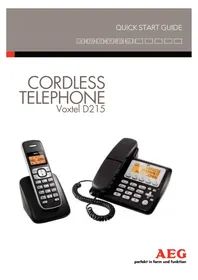
Voxtel D215 - Cordless phone AEG - Free user manual and instructions
Find the device manual for free Voxtel D215 AEG in PDF.



| Brand | AEG |
| Model | Voxtel D215 |
| Product type | DECT cordless phone with answering machine and wired handset |
| Standard | DECT (Digital Enhanced Cordless Telecommunications) |
| Frequency | 1.88 to 1.9 GHz |
| Outdoor range | Up to 300 m |
| Indoor range | Up to 50 m |
| Standby time | 100 hours |
| Talk time | 10 hours |
| Battery charging time | 15 hours |
| Base power supply | 100-240 V AC, 50/60 Hz, output 6 V DC, 450 mA |
| Charger power supply | 100-240 V AC, 50/60 Hz, output 6 V DC, 300 mA |
| Maximum number of handsets | 5 |
| Directory capacity | 50 entries per handset, 50 entries in base |
| Answering machine capacity | Up to 59 messages, 18 minutes maximum recording |
| Call log | 20 entries |
| Main functions | Answering machine, intercom, call transfer, speakerphone, mute mode, key lock, auto answer, caller ID display |
| Batteries | 2 AAA NiMH rechargeable batteries (supplied) |
| Warranty | 24 months |
| Care and cleaning | Clean with a damp cloth; do not use solvents |
| Safety | Disconnect before cleaning, do not expose to water or lightning, use only supplied batteries |
Frequently Asked Questions - Voxtel D215 AEG
User questions about Voxtel D215 AEG
0 question about this device. Answer the ones you know or ask your own.
Ask a new question about this device
Download the instructions for your Cordless phone in PDF format for free! Find your manual Voxtel D215 - AEG and take your electronic device back in hand. On this page are published all the documents necessary for the use of your device. Voxtel D215 by AEG.
USER MANUAL Voxtel D215 AEG
Thank you for purchasing this product. This product has been designed and assembled with utmost care for you and the environment. This is why we supply this product with a quick installation guide to reduce the number of paper (pages) and therefor save trees to be cut for making this paper. A full and detailed user guide with all the features described can be found on our website www.aegtelephones.eu. Please download the full user guide in case you want to make use of all the advanced features of your product. To save the environment we ask you not to print this full user guide. Thank you for supporting us to protect our environment.
2 IMPORTANT SAFETY INSTRUCTIONS
When using your telephone, basic safety precautions should always be followed to reduce the risk of fire, electric shock and injury, including the following:
- Read and understand all the instructions.
- Follow all warnings and instructions marked on the product.
- Unplug the power adapter from the wall outlet before cleaning. Do not use liquid cleaners or aerosol cleaners. Use a damp cloth for cleaning.
- Keep your phone away from hot, humid conditions or strong sunlight and don't let it get wet or use this product near water (for example, near a bath tub, kitchen sink, swimming pool).
- Do not overload wall outlets and extension cords as this can result in the risk of fire or electric shock.
-
Unplug this product from the wall outlet under the following conditions:
-
When the power supply cord or plug is damaged.
- If the product does not operate normally by following the operating instructions.
- If the product has been dropped and the cabinet has been damaged.
-
If the product exhibits a distinct change in performance.
-
NEVER use your phone outdoors during a thunderstorm-unplug the base from the telephone line and the mains socket when there are storms in your area. Damage caused by lightning is not covered by the guarantee.
- Do not use the telephone to report a gas leak in the vicinity of the leak.
- Use only the supplied NiMH (Nickel Metal Hydride) batteries!
- The use of other battery types or non-rechargeable batteries/primary cells can be dangerous. These may cause interference and/or damage to the unit or surroundings. The manufacturer will not be held liable for damage arising from such non-compliance.
- Do not use third party charging bays. Damage may be caused to the batteries.
- Please ensure the batteries are inserted in the correct polarity.
- Dispos of batteries safely. Do not immerse them in water, burn them, or put them where they could get punctured.
3 INTENDED USE
This telephone is intended to be connected to a public analogue telephone network or to an analogue extension of an approved compatible PBX system.
4 UNPACKING YOUR PHONE
The package contains the following items:
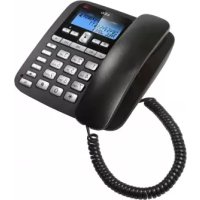
1 Corded Handset
1 Coiled Handset Cord
- 1 Base station
1 Cordless Handset
- 1 Charger Pod with connected AC power adapter
- 1 AC power adapter for the base station
- 1 Telephone line cord
- 2 AAA rechargeable Batteries
- 1 User manual
Keep the packing materials in a safe place in case you later need to transport the device.
5 GETTING TO KNOW YOUR PHONE
5.1 Cordless handset overview (see P1)
| # Meaning | ||
| 1 | △ | Up key • In idle mode: press to access the call list • In menu mode: press to scroll up the menu items • In phonebook list / radial list / call list: press to scroll up the list • During a call: press to increase the earpiece volume • During ringing: press to increase the ringer volume |
| 2 | /⊗ | Right soft key (clear/back/mute/intercom) • In main menu mode: press to go back to idle screen • In sub-menu mode: press to go back to previous level • In sub-menu mode: press and hold to go back to idle screen • In editing / predialling mode: press to clear a character/digit • In editing / predialling mode: press and hold to delete all the characters / digits • During a call: press to mute / unmute the microphone • In idle mode: press to intercom another handset |
| 3 | ◎ | Off / hang up key • During a call: press to end a call and go back to idle screen • In menu / editing mode: press to go back to previous menu • In idle mode: press and hold to power off the handset • In idle mode (when the handset is powered off): press and hold to power on the handset |
| 4 | R | Flash key • In idle / predialling mode: press to insert a flash • During a call: press to generate flash signal |
| 5 | ▲ | Speakerphone key • During a call: press to turn on / off the speakerphone • Call list / phonebook entry: press to make a call with speakerphone • During ringing: press to answer a call with speakerphone |
| 6 | ▽◎ | Down key (redial/down) • In idle mode: press to access the radial list • In menu mode: press to scroll down the menu items • In phonebook list / radial list / call list: press to scroll down the list • During a call: press to decrease the earpiece volume • During ringing: press to decrease the ringer volume |
| 7 | C | Talk key • In idle / predialling mode: press to make a call • In radial list / call list / phonebook list: press to make a call to the displayed entry • During ringing: Press to answer a call |
| 8 | 国/OK | Left soft key (menu/ok) • In idle mode: press to access the main menu • In sub-menu mode: press to confirm the selection • During a call: press to access Intercom/phonebook/ radial list/ call list |
5.2 Cordless handset display (see P2)
The LCD display gives you information on the current status of the telephone.
| # Meaning | ||
| T | Steady when the handset is in range of the base. Flashes when out of range of the base or not registered to the base. | |
| = | Steady when an intercom call is in progress. Flashes when there is an incoming internal call. | |
| c | Indicates a call is in progress on that handset. | |
| Indicates that speakerphone is being used. | ||
| Indicates that your answering machine (TAM) is on and flashes when there is a new message. | ||
| Indicates that the handset ringer is switched off. | ||
| Steady when an alarm is set. Flashes when the alarm is sounding. | ||
| Indicates that the keypad is locked. | ||
| Indicates when you have a new Voice Mail message. (This is a caller display service from the network operator.) | ||
| Indicates when the battery is fully charged. Whole icon flashes when the battery is charging. Internal block icon flashes when the battery is in final charging stage. | ||
| Indicates when the battery needs charging. Flashes when low battery power level is detected. | ||
| Indicates when there are more characters or numbers in front of those being displayed. | ||
| Indicates when there are more characters or numbers after those being displayed. | ||
| Left soft key function. Press to access the main menu. | ||
| OK | Left soft key function. Press to confirm the current selection. | |
| ★ | Indicates new TAM message / new call in TAM message list / call list. | |
| ▲▼ | Indicates more options available in lists, above or below. | |
| = | Right soft key function. Press to start an intercom call. | |
| Right soft key function. Press to go back to the previous menu (back) level or cancel the current action. | ||
| c | Right soft key function. Press the alarm, or mute/unmute the microphone during a call. | |
5.3 Corded Base Station
| # Meaning | ||
| 9 | ∞ | Ans On/Off In Idle: Press to switch the answering machine ON or OFF. |
| 10 | / | Repeat/OGM In Idle mode: Press and hold to record an OGM. Press to playback the OGM. In TAM message playback mode: Press once to repeat the current message, or twice to go back to the previous message. |
| 11 | / | Play/Stop In idle mode: Press to playback messages. During TAM message playback: Press to stop playing messages. |
| 12 | / / MEMO | FWD/MEMO In idle mode: Press and hold to record a Memo. In TAM message playback mode: Press to skip forward to play the next message. |
| 13 | / | Delete In TAM message playback mode: Press to delete the message playing. In idle mode: Press and hold to delete all old TAM messages. |
| 14 | / OK | Menu/OK In idle mode: Press to access the main menu. In sub-menu mode: Press to confirm the selection. In Redial List / Call Log: Press for sub-menu. |
| 15 | / / | C/Mute In main menu mode: Press to go back to idle screen. In sub-menu mode: Press to go back to previous level. In editing / predialling mode: Press to clear a character / digit. During a call: Press to mute / unmute the microphone. During ringing: Press to silence the base ringer. In idle mode: Press to intercom handsets. |
| 16 | / | Up In menu mode: Press to scroll up the menu items. In Phonebook list / Redial list / Call List / Call Log: Press to scroll up the list. During a call or TAM message playback: Press to increase the volume. |
| 17 | / | Call list / right In Idle mode: Press to access the Call List. In editing mode: Press to move the cursor one character to the right. |
| 18 | / | Redial/Down In idle mode: Press to access the Redial List. In menu mode: Press to scroll down the menu items. In Phonebook list / Redial list / Call List / Call Log: Press to scroll down the list. During a call or TAM message playback: Press to decrease the volume. |
| 19 | / | Phonebook / left In Idle: Press to access phonebook list. In editing mode: Press to move the cursor one character to the left. |
| 20 | / | Flash In predial mode or during a call: Press to insert a Flash signal. |
| 21 | / | Speakerphone Press to make a call with speakerphone. |
5.4 Base Station Display
| Indicates a call is in progress. |
| Indicates that handsfree is being used. |
| ANPM | Indicates the time of day. |
| # | Indicates that the base ringer volume is switched off. |
| ☐ | This will display when you are in the phonebook menu. |
| ☐ | Indicates when you have a new Voice Mail message. (This is a network service depend on your operator). |
| #PT | This will display when it is a repeat call. |
| # | Indicates the sequence number of the CID record. |
| NEW | This will display when there is a new CID entry or if one is being viewed. |
6 INSTALLING YOUR PHONE
6.1 Connecting the corded base station (see P6)
- Use the coiled cord to connect the corded handset to the base station, making sure the plugs are inserted fully into the sockets on the handset and on the side of the base, until they click in place.
- Plug the power supply cord & phone line cord into the sockets in the back of the base station.
- Plug the power adapter into a 230Vac, 50Hz mains socket and the line cord into your telephone line socket.
Warning:
Use only the power adapter provided for the base station.
6.2 Installing the cordless handset and charging the batteries (see P3)
- Slide open the battery compartment cover from the back of the handset.
- Place the 2 supplied batteries into the battery compartment with the polarity markings as indicated.
- Slide the battery compartment cover back until it clicks into place.
- Put the cordless handset on the charger and charge for 15 hours before using the handset for the first time.
The handset will give a beep when it is properly placed on the charger.
Warning:
Use only NiMH rechargeable batteries.
7 USING YOUR PHONE
Using the cordless handset:
7.1 Make a call
7.1.1 Preparatory dialling
- Enter the phone number and press to connect to the line and dial the number.
When entering the number, if you make a mistake, press "C" to delete digits.
7.1.2 Direct dialling
- Press to connect to the line and then enter the phone number.
Note:
If you enter a wrong digit you cannot correct it with the "C" (♀/♀) key.
7.1.3 Call from the phonebook
- Press OK to access the phonebook and press tselect the desired phonebook entry.
- Press to dial out the selected phonebook entry.
Note:
The alphanumeric keys provide a short-cut to find entries beginning with the corresponding letters.
7.1.4 Call from the call list (only available with caller display)
- Press to access the call list and press to select the desired call list entry.
- Press to dial out the selected call list entry.
7.1.5 Call from the radial list
- Press to access the radial list and press to select the desired radial number.
- Press to dial out the selected radial number.
7.1.6 Call timer
Your handset automatically times the duration of every call.
The call timer is displayed as soon as you answer a call or 15 seconds after dialling and remains on the screen for 5 seconds after the end of the call.
It is shown in hours, minutes and seconds format (HH:MM:SS).
7.2 Answer a call
If the handset is not on the charging cradle:
- When the phone rings, press (to answer a call).
Note:
If "AUTO ANSWER" is set to "ON", then lifting the handset off the base or charger will answer the call automatically and no keys need to be pressed.
7.3 End a call
- During a call press to end the call.
OR
- Put the handset on the base station or charger to end the call.
7.4 Handset speakerphone
During a call, you can press to alternate between hands-free speakerphone and normal handset use.
7.5 Adjust volume
There are 5 levels ("VOLUME 1" to "VOLUME 5") to choose from for each of the earpiece and speaker volumes.
During a call:
- Press / to select volume 1-5. The current setting is shown.
When you end the call, the setting will remain at the last selected level.
7.6 Mute a call
You can talk to someone nearby without letting the caller hear you during a call.
During a call:
Press "C" (▶/☑) to mute the microphone and "MUTED" will display on the LCD.
Your caller cannot hear you. Press "C" (▶/⊗) again to unmute the microphone.
7.7 Turn off the handset ringer
In idle, press and hold # to turn off the handset ringer. The icon is displayed on the LCD.
Note:
The display will still flash the call icon and show "CALL" or the caller display number, when there is an incoming call, even if the ringer is turned off.
To turn the ringer back on, press and hold # again.
7.8 Turn on the keypad lock
You can lock the keypad so that it cannot be used accidentally while carrying it around.
- In idle, press and hold to turn on the keypad lock and the icon will display.
Note:
You can still use to answer a call when the handset is ringing. To turn the keypad lock off, press and hold * again.
7.9 Redial the last number
You can redial any of the 5 last numbers called. If you have stored a name in phonebook to go with the number, the name will be displayed instead.
The most recent last number will display at the top of the redial list.
7.9.1 Redial a number from the radial list
- In idle mode, press to access the radial list.
Note:
If the radial list entry shows a name, press # to view the number of this entry.
-
Press / 空 to browse the radial list.
-
Press to dial to the selected radial number.
Note:
If there are no numbers in the radial list, the display shows "EMPTY".
Using the corded base:
7.10 Make an External Call
7.10.1 Preparatory dialling
Enter the phone number and lift up the corded handset or press to dial the number. When entering the number, if you make a mistake, press to delete digits.
Note:
To insert a pause in the dialling sequence, press and hold the < 0> button, the screen will then show a "P" in the number.
Press R to insert a flash signal and the screen will show a "F".
7.10.2 Direct dialling
Lift up the corded handset or press to connect to the line and then enter the phone number.
7.10.3 Call from the phonebook
Press to access the phonebook and press to select the desired phonebook entry.
Lift the corded handset or press to dial out the selected phonebook entry.
7.10.4 Call from the call list
Press to access the Call List and press to select the desired Call List entry. Lift up the corded handset or press to dial out the selected Call List number.
7.10.5 Call from the radial list
Press to access the radial list and press / to select the desired radial number. Lift up the handset or press to dial out the selected radial number.
7.10.6 Call timer
Your base display automatically times the duration of every call. The call timer appears on the display as soon as a call is answered or about 15 seconds after dialling, and remains on the screen for a few seconds after the end of the call. It is shown in hours, minutes and seconds format (HH:MM:SS).
7.11 Answer a Call
When there is an incoming ring, pick up the handset or press to answer the call.
7.12 End a Call
During a call connection, put the corded handset on the base station to end the call. Or press if you have a call in handsfree mode.
7.13 Adjust Earpiece and Handsfree Volume
There are 5 levels ("VOLUME 1" to "VOLUME 5") to choose from for each of the earpiece and speaker volumes.
During a call:
Press / to increase or decrease the volume level respectively.
The current setting is shown. When you end the call, the settings will remain at the last selected level.
7.14 Mute a Call
You can talk to someone nearby without letting the caller hear you during a call.
During a call:
Press to mute the microphone and "MUTED" is displayed on the display. Your caller cannot hear you. Press again to unmute the microphone. "MUTED" will be replaced by "LINE IN USE" on the display, and the caller will be able to hear you again.
7.15 Emergency Call without Mains Power
The corded base unit can make an emergency call with the corded handset when the mains AC power is disconnected.
Pick up the corded handset and wait for the dial tone and then enter the phone number to make a call.
Note:
It is not possible to dial numbers from memories or use the speakerphone when the mains power is off.
When the mains power is off, you can also answer an incoming call with the corded handset.
When the phone rings, pick up the corded handset to talk to the caller.
7.16 Redial
You can redial any of the last 10 numbers called. If you have stored a name in the phonebook to go with the number, the name will be displayed as well.
7.16.1 Redial a Number from the Redial List
In idle mode, press to view the radial list.
Note:
The radial list can also be viewed using then selecting "CALL LOG" and "DIALED".
- Press to browse the radial list.
- Pick up the corded handset or press to dial the selected radial number.
Note:
If no numbers are in the radial list, the display will show "EMPTY".
7.17 Make an Internal Call
This feature allows you to make internal calls, transfer external calls. If the called base or handset is not answered within 60 seconds, the called base or handset will stop ringing and the calling one will return to standby mode.
7.17.1 Intercom
Using the cordless handset:
- In idle mode, press "C" (▶/⊗) and all the other registered handset numbers will display, along with a 7'' and a 9'' .
- Enter < 7> to call the base or enter the number of the handset that you want to call, or enter 9'' to call all handsets and the base.
- The called base rings and the corded handset must be lifted off the base to establish the internal call. OR
- The called handset rings and must be pressed on that handset to establish the intercom call.
Note:
If only one handset is registered to the base station, pressing "C" (3/8) will call the base immediately.
Note:
If there is an external call while you are on an intercom call, you'll hear warning beeps, and you have to end the intercom call, before you can answer the external call.
Using the corded base:
- In idle mode, press 2 / 8 and the registered handset numbers will display, along with a ^ 9^
- Enter the handset number you want to call, or press ^ 9^ to call all handsets.
- The called handset rings. Press on the called handset to establish the internal call.
7.17.2 Transfer an External Call
Using the cordless handset:
During an external call:
- Press to show "INTERCOM".
- Press to show all the other registered handset numbers, plus "9". Enter the number for the handset you want to transfer the call to.
- The external call is put on hold automatically and the called handset rings.
- Press on the called handset to establish an internal call.
- Press on the calling handset or put the calling handset on the charging cradle to end the current call with the external party.
- The external call is transferred to the called handset.
Note:
If the other handset has not answered the intercom call, you can stop the intercom and return to the external call by pressing.
Using the corded base:
During an external call:
- Press to show all the other registered handset numbers, plus a ^ 9^
- Enter the number for the handset you want to transfer the call to. The external call is put on hold automatically and the called handset rings.
- Press on the called handset to establish an internal call.
- Replace the corded handset on to the base, or press if in speakerphone mode, to end the current call with the external party.
- The external call is transferred to the called handset.
8
PRIVATE
PHONEBOOK
Your phone can store up to 50 private phonebook entries with names and numbers in each handset and 50 entries in the base. Each phonebook entry can have a maximum of 20 digits for a handset phone number or 24 digits for a base phone number, and 12 characters for the name. You can also select different ringtones for your phonebook entries. (Note: the different ringtones only play when you receive a call if you subscribe to Caller Display and the incoming number matches the stored number.) Phonebook entries are stored alphabetically by name.
Using the cordless handset:
8.1 Add a new phonebook entry
In idle:
- Press and to select "PHONEBOOK" and then press OK to access the phonebook.
- Press OK to show "ADD".
- Press OK and then enter the name.
- Press OK and then enter the number.
- Press OK and to select the desired ringtone for your phonebook entry.
- Press OK to store the phonebook entry.
Using the corded base:
8.2 Add a new entry
In idle:
-
Press to show "PHONEBOOK".
-
Press then to show "ADD".
-
Press and the display will show the cursor at the beginning of the name position.
-
Key in the name using the digit keys (maximum 12 characters). If you make any mistakes, press to delete the last character.
-
Press and the cursor will move to the number position.
-
Key in the number using the digit keys (maximum 24 digits). If you make any mistakes, press to delete the last digit.
-
Press to show "MELODY 1".
Use A to scroll through the melodies (there are 10 melodies to choose from).
- Press to confirm the melody and store the entry in the phonebook.
Note:
If there is no more space in the phonebook, "PB FULL" will appear on the display.
9 CALLER DISPLAY (NETWORK DEPENDENT)
This feature is available if you have subscribed to the Caller Display service with your network service provider. Your phone can store up to 20 received calls with date/time information in the base and cordless handset Call Lists. The number will be shown on the handset and base displays when the phone is ringing. If the number matches with one of the entries in your base and/or handset Phonebook, the caller's name stored in that phonebook will be displayed alternately with the number on the handset, and with the number on the base.
The handset and base will ring with the melody associated with that phonebook entry.
If the call is from someone who withheld their number, "WITHHELD" will display.
If the call is from someone whose number is unavailable, e.g. an international call or from a private exchange."OUT OF AREA" will display.
If you've got new Caller Display records, the handset will display "X NEW CALLS" in standby mode, where X is the number of new calls, and the base will show "NEW X" at the top right of the display.
Using the cordless handset:
9.1 View the call list
All received calls are saved in the call list with the latest call at the top of the list. When the call list is full, the oldest call will be replaced by a new call. Any unanswered calls which have not been viewed are marked with a icon at the centre of the bottom line of the display.
- Press to access the call list.
OR Press and show "CALL LIST", then press OK.
-
Press to select the desired entry.
-
Press # to view the caller's number if applicable.
-
Press to show "DETAILS", and then OK to display the date and time of the call.
-
Press OK to go back to the previous screen.
Using the corded base:
9.2 View the call log and/or call list
Calls are saved in the Call Log, with all calls in the RECEIVED list but only unanswered calls in the MISSED list and in the Call List, with the latest call at the top of the list. When the call list is full, the oldest call will be replaced by a new call. Any unanswered call which has not been read is marked with the icon when viewed, and the number of new calls is shown at the top right of the screen in idle mode.
- Press to see the most recent Missed call record from the Call Log.
OR Press, then show "CALL LOG", then to show "MISSED", and press to see the most recent Missed call record in the Call Log, or press again to show "RECEIVED" and then press to see the most recent Received call in the Call Log.
- Press to scroll through the appropriate list.
10 PHONE SETTINGS
Your phone comes with a selection of settings that you can change to personalise your phone the way you like it to work.
Using the cordless handset:
10.1 Set the handset language
- Press and select "HS SETTINGS".
- Press OK and to select "LANGUAGE".
- Press OK and to select the desired language.
- Press OK to confirm.
10.2 Set the Auto Answer
If you turn on the Auto Answer, you can answer a call automatically by just lifting the handset off the base or charger, without having to press any key.
- Press and select "HS SETTINGS".
- Press and to select "AUTO ANSWER".
- Press and turn on or off the auto answer feature.
- Press to confirm.
10.3 Base Settings
10.3.1 Set the base language
In Idle:
- Press and select "LANGUAGE".
- Press and to select your desired language.
- Press to confirm.
10.3.2 Reset your phone
You can reset your phone to the default settings. After a reset, all your personal settings, call list entries, radial list entries, and answering machine messages will be deleted but your phonebook remains unchanged:
- Press and to select "DEFAULT".
- Press to display "PIN?----".
- Enter the 4-digit system "PIN" (default 0000).
- Press to display "CONFIRM?"
- Press to confirm, and the phone will be reset to its default settings.
10.3.3 Base default
You can reset all of your base settings to their default settings. After a reset, all your personal base settings, call list entries, radial list entries, direct memory entries, and answering messages will be deleted, but any phonebook entries will be kept:
- Press and to select " SETTINGS".
- Press and to select "BS DEFAULT".
- Press and display will show "PIN?", enter the 4-digit PIN (default setting is 0000).
- Press to confirm, and base will return to the previous menu.
11 HANDSET REGISTRATION
Important:
When you purchase your phone system, all cordless handsets are already registered to your base, so you do not need to register them.
Handset registration is only necessary when you buy extra cordless handsets or if a cordless handset has become faulty.
You can register additional cordless handsets to have up to 5 handsets per base unit, with each handset's number (1 to 5) shown on its display.
A cordless handset can be registered to only one base at a time.
To check whether a handset is registered, make sure mains power to the base unit is switched on and the handset is within range. The handset's display should show its number and the Y icon should be steadily on. If the display shows "REGISTER", you need to register the handset again using the following process:
-
On the base station, press and show "REGISTRATION", and then press to the base station into registration mode. The base display will show "PLEASE WAIT" and the base will stay in registration mode for about 2 minutes, so the following handset sequence must be completed within this time.
-
Press and to select "REGISTRATION".
- Press to display "PIN?----".
- Enter the 4-digit system PIN (default is 0000).
- Press to confirm, and the display will show "PLEASE WAIT" flashing.
If the handset registration is successful, the display will change to standby mode with the new handset number and the Y icon will stop flashing.
The handset will automatically be allocated the next available handset number. If the handset registration is unsuccessful, the Y icon will still flash.
12 ANSWERING MACHINE (TAM)
Your phone includes a telephone answering machine that records unanswered calls when it is on. The display on the base will show the number of messages recorded.
The answering machine can store up to 59 messages within the maximum recording time of up to about 18 minutes, depending on the compression rate set.
As well as recording incoming messages, you can record memos for other users of your phone. If the answering machine memory is full, the Handset will display "TAM FULL" alternately with the handset's name or time, depending on the handset standby display mode set, and you will have to delete some messages before any new ones can be recorded.
You can turn the answering machine on or off using the base or handset. When the answering machine is set to ON, calls will be answered after the set answer delay and if the Answer and Record mode is set, the caller can then leave you a message. When the answering machine is set to OFF, calls will be answered after 14 rings and the answer only message will be played to your callers. They will not be able to leave you a message.
Using the cordless handset:
12.1 Turn on/off the answering machine
You can turn the answering machine on or off using the handset.
When the answering machine is set to "ON", calls will be answered after the set answer delay and the caller can then leave you a message.
When the answering machine is set to "OFF", calls will be answered after 14 rings and the answer only message will be played to your callers. They will not be able to leave you a message.
- Press and to select "ANS. MACHINE".
- Press OK and to select "TAM ON/OFF".
- Press OK and to select "ON" or "OFF".
- Press OK to confirm.
If answering machine is set to "ON" displays on the handset LCD.
If answering machine is set to "OFF will not display on the handset LCD.
12.2 Listen to the messages in the answering machine
When new messages are recorded on the answering machine, the flashes on the handset display until all the new messages are played. After a new message is played it will be saved as an old message automatically unless it is deleted.
Old messages will be played after all new messages are all played.
- Press and /to select "ANS. MACHINE".
- Press OK and to select "MSG PLAYBACK".
- Press OK to start message playback through the earpiece and the screen displays the date and time information of the message received.
Note:
A is placed at the centre of the bottom of the handset display to indicate that it is a new message. When a message has been played, the will disappear and will not be shown when you listen to this message again.
Note:
If there are no messages, the handset display will briefly show "00-00 00-00" then return to "MSG PLAYBACK".
- During message playback, press or to increase or decrease the message playback volume respectively.
- Press and to select "STOP", "FORWARD", "PREVIOUS", "DELETE" to perform the following functions during message playback.
| STOP Stop the current message playback and return to the ANS. MACHINE menu. |
| FORWARD Skip to play the next message. The date and time information of the next message will display if there is another message. |
| PREVIOUS Repeat playing the current message from the beginning. The date and time information of the current message will display. |
| DELETE Delete the current message and the next message will be played. |
Note:
Alternatively, you can use the following shortcut keys to control different operations during message playback.
- Press key 5 to stop message playback.
- Press key 4 once to skip to repeat playing the current message from the beginning. Press twice to skip backward to play the previous message.
- Press key 6 to skip to play next message.
- Press key 2 to delete the current message playback.
12.2.1 Record Your Own Outgoing Message (OGM)
You can record your own OGM for ANS & REC mode or ANSWER ONLY mode. When you record your own OGM, it will be used when the answering machine answers the call. If your personalised OGM is deleted, the pre-set OGM will be restored automatically.
Press and to select "ANS. MACHINE".
Press OK and to select "TAM SETTINGS"
Press OK and to select "OGM SETTINGS"
- Press OK and to select "ANS & RECORD" or "ANSWER ONLY".
- Press OK and to select "RECORD MESS".
- Press OK to start recording your personalised OGM and "RECORDING" is displayed on the screen.
- Press OK to stop and save your personalised OGM. Your newly saved OGM will playback automatically.
Alternatively, press to return to previous screen without saving the personalised OGM.
12.2.2 Call screening
When the answering machine is on and takes a call, you can listen to the caller leaving a message. You can then identify the caller and decide whether to take the call in person. The call can be screened at the base.
12.2.2.1 Screening at the base
By default, answering machine calls are played automatically through the base speaker and the volume can be adjusted with the VOL + and VOL -keys on the base.
If you don't want the caller to be heard when leaving a message, the base screening can be turned off:
- Press and to select "ANS. MACHINE".
- Press and /to select "TAM SETTINGS".
- Press and to select "BS SCREENING".
- Press and select "OFF" or "ON". (The current setting will be indicated by a .)
- Press to confirm the setting.
Using the corded base
12.3 Switching the TAM On/Off
When the TAM is switched on, the TAM ON/OFF indicator will be turned on, and it will flash if there are new messages recorded.
If the TAM is turned off, the TAM ON/OFF indicator will be off unless there are new messages.
12.3.1 Using the direct key
From idle mode, press 空 to switch the TAM on or off.
12.3.2 Using the menu
- Press and to select "ANS. MACHINE".
- Press nd /Ato go to "TAM ON/OFF" and press to select.
- Press 国 to select "ON" or "OFF" then 国 o confirm the selection.
12.4 Outgoing Message Settings
12.4.1 Record your Outgoing Message (OGM)
You can record your own OGM for "ANS & REC" mode or "ANSWER ONLY" mode. When you record your own OGM, it will be used when the answering machine answers the call. If your personal OGM is deleted, the preset OGM will be restored automatically.
12.4.1.1 Using the direct key on the base
- Make sure the TAM is set to the answer mode required, "ANS & REC" or "ANSWER ONLY".
- Press and hold until you hear a beep and "RECORDING" appears on the Base display. Then speak clearly from about 30cm away from the base to record your personal OGM.
- When you want to end the recording, press the / button.
The base will playback your new personal outgoing message and display "PLAYING OGM".
Note:
Press at any time during recording or playback to erase your personal OGM and return to the preset OGM.
12.4.1.2 Using the menu
- Press and to select "ANS. MACHINE".
- Press and to select "TAM SETTINGS".
- Press and select "OGM SETTINGS".
- Press and select "ANS & REC" or "ANSWER ONLY".
- Press and to select "RECORD".
- Press to start recording your personal OGM and "RECORDING" is displayed on the screen.
- Press to stop and save your personal OGM. Your newly saved OGM will playback automatically.
Note:
Press at any time during recording or playback to erase your personal OGM and return to the preset OGM.
12.5 Switch between OGMs
By default, the answer machine is set in "ANS & REC" mode which allows callers to leave a message. This mode can be changed to "ANSWER ONLY" which does not allow callers to leave a message. In that case, your callers will be prompted to call back later.
When the answering machine is switched ON, you can select "ANS & REC" or "ANSWER ONLY". Using the Menu:
- Press and select "ANS.MACHINE".
- Press and to select "TAM SETTINGS".
- Press to show "ANSWER MODE".
- Press and to select "ANS & REC" or "ANSWER ONLY".
- Press to confirm.
12.6 TAM messages
12.6.1 Play the TAM messages
If you have new messages, the base display will show e.g. "01/02 MSGS", which means you have 1 new message out of a total of 2 messages.
New messages are played first, and then are saved as old messages, until they are deleted. Old messages are played again after all new messages are played completely.
From idle, press to listen to messages and memos.
- During playback, press to stop the playback.
- During playback, press once to replay the current message from the beginning, or twice to replay the previous message.
- During playback, press H/MEMO to skip on to the next message.
- Press to delete the current message being played.
12.6.2 Delete a message on the TAM
- Press while a message is playing.
- You will hear a tone and the current message or memo playing will be deleted. If there are more messages, the next message will start to play.
12.6.3 Delete all messages on the TAM
12.6.3.1 Using the direct key
- In idle mode, press and hold for 2 seconds to delete all old messages.
- You will hear a tone and all old messages will be deleted.
Note:
New messages will not be deleted.
12.6.3.2 Using the menu
- Press and to select "ANS. MACHINE".
- Press and to select "DELETE ALL".
- Press and display will show "CONFIRM?"
- Press to confirm and the display will return to the previous menu.
Note:
You cannot delete New Messages, so you will have to start to play them before trying to delete them.
13 GUARANTEE AND SERVICE
The phone is guaranteed for 24 months from the date of purchase shown on your sales receipt. This guarantee does not cover any faults or defects caused by accidents, misuse, fair wear and tear, neglect, faults on the telephone line, lightning, tampering with the equipment, or any attempt at adjustment or repair other than through approved agents.
Please keep your sales (till) receipt this is your proof of guarantee.
13.1 While the unit is under Guarantee
- Disconnect the base unit from the telephone line and the mains electricity supply.
- Pack up all parts of your phone system, using the original package.
- Return the unit to the shop where you bought it, making sure you take your sales receipt.
- Remember to include the mains adapter.
13.2 After the Guarantee has expired
If the unit is no longer under Guarantee, contact us via www.aegtelephones.eu.
This product works with rechargeable batteries only. If you put nonrechargeable batteries in the handset and place it on the base, the handset will be damaged and this in NOT covered under the warranty conditions.
14
TECHNICAL DETAILS
| Standard Digital Enhanced Cordless Telecommunication (DECT) | |
| Frequency range 1.88 to 1.9 GHz (bandwidth = 20 MHz) | |
| Channel bandwidth 1.728 MHz | |
| Operating range Up to 300m outdoors; Up to 50m indoors | |
| Operating time Standby: 100 hours, Talking: 10 hours Battery charge time: 15 hours | |
| Temperature range Operating 0°C to 40°C, Storage -20°C to 60°C | |
| Electrical power Cored Base: | Ten Pao - S004LB0600045 / S004LV0600045 input 100-240VAC 50/60Hz 150mA, output 6VDC 450mA Charger unit: Ten Pao - S004LB0600030 / S004LV0600030 input 100-240VAC 50/60Hz 150mA, output 6VDC 300mA |
15 CE DECLARATION
This product is in compliance with the essential requirements and other relevant provisions of the R&TTE directive 1999/5/EC.
The Declaration of conformity can be found on: www.aegtelephones.eu
16 DISPOSAL OF THE DEVICE (ENVIRONMENT)

At the end of the product lifecycle, you should not throw this product into the normal household garbage but bring the product to a collection point for the recycling of electrical and electronic equipments. The symbol on the product, user guide and/or box indicate this. Some of the product materials can be re-used if you bring them to a recycling point. By reusing some parts or raw materials from used products you make an important contribution to the protection of the environment. Please contact your local authorities in case you need more information on the collection points in your area.
Batteries must be removed before disposing of the device. Dispose of the batteries in an environmental manner according to your country regulations.
17 CLEANING AND CARE
Do not clean any part of your phone with benzene, thinners or other solvent chemicals as this may cause permanent damage which is not covered by the Guarantee.
When necessary, clean it with a damp cloth.
Keep your phone system away from hot, humid conditions or strong sunlight, and don't let it get wet.
12.3 Mode REP. ON/OFF (TAM ON/OFF)
13 GWARANCJA I SERWIS
12.5 Evaaayn eatao mnuopatov otofoxic
12 TELEFONSVARER (TAM)
N Lue Ce NOKa3Ba "CALL" HAN HOMePbT Ha NOBnKBaIuH, KORATO HMA BXoAaIoo NOBnKBaHe.
3a Da BKAIOHTE OTHOBO 3BBHEHETO, HATINCHETe N 3aApbXkTe OTHOBO#.
7.8 AKTINBnpaHe Ha 3aKaIouyBaHeto Ha KaABHaTpyTa
MoKeTe Da 3aKIAOHTe KAABnATypata, Taka Ye Da He MoKe Da Ce N3POA3Ba CAYAHHO, OOKATO HOCITE CaYsAaKaTAtc BcC Ce6e cn.
BpexHMaTOTOBHOCT HATNCHETe 3aApbXTe *, 3a Da AKTNBnPate 3AKAOYBAHTo HA KAABnATypata, n Ie Ce NOKAXe NKOHATA
3a6eAekka:
Bbnpekn TOBa Ie MoKTe Da H3noA3BATE C, 3a Da npHeMeTe NOBnKBaHe, KOrato CAYaAKata 3BbHn.
3a da deaktnbnpate 3akioybaheTo Ha KAabnAtypata, HATNCHEte N 3aDpxbkTe OTHOBO*.
7.9 NOBTOPHO H6npaHe Ha nocAeHnHa6paH Homep
Mokete Da NahepeTe NOBTOPOH BCEKN OT NocAeHNTE 5 HabeHn Homepa. Ako Cte 3anametnHnme KbM Homepa B TeAeOHHy YKAaTeA, BMeCTO TOBa Iue Ce NOKaKe HMeTo.
IocAeHnT H6paH Homep Iue Ce IOKaXe B HauaTo Ha CnncbKa 3a NOBTOHO H6paHe.
7.9.1 Nobtopno Ha6upahe Ha Homep ot cnncbka 3a nobtopno Ha6upahe
BpeKIM HA rTOBHOCT HATUCHETe 3a Da BAE3eTe B CNHcKa 3a NOBTOPO HaBipaHe.
3a6eAekka:
Ako 3aIncbT B cIncbKa 3a IOBTOpHO Ha6npaHe NOKa3Ba IMe, HATNCHTe #, 3a DAHOMepa 3a TO3n 3aInc.
- Hatnchete / 3a da npereAeAte cncsbka 3a NOBtOpHo Habipane.
- Hatischete, 3a da ha6epete n36paHnI Homep.
3a6eAekka:
Ako Hama Homepa B Cnncbka 3a NOBTOPO Ha6npaHe, Ha dncnlae Iue ce noka3Ba ,EMPTY".
N3noA3BaHe Ha 6a3OBaTa CTaHnca Ka6eA:
7.10 OcbueCTBBAHe HA BbHNo IOBNKBAHe
7.10.1 IpeBapnteHa6npaHe
BbBeTe TeAeOHHn Homep N BAnHete CAYUaKata C KaBe A HATnCHTea Da HabepeTe Homepa. Ako dOnyChTe rpeuKa npN BBExKaHeTo Ha Homepa, HATnCHTe 3a Da n3Tpne TnCpnte.
3a6eAekka:
3a Da BMbKHeTe NaY3a B NocAeOBeAteHOCT Ha HApHaHe, HATncHe T 3aApBxTe 6yToHa < 0 >, CaeA TOBa ekpaHbT Ie NOKa3Ba ,P" B Homepa.
HATINCHETe R,3a Da BmkbHete CnHaA 3a PpeKbCBAHe N ekpaHbT Lue NOKa3Ba ,F".
7.10.2 AnpeKTHo Ha6npaHe
BAnHHeTe CAYaAkaTc KaBea HnHATnCHete 3a Da Ce CBpXeTe C AnHnra, n CaeTobHaBepeTe TeAeOHHnHOmeP.
7.10.3 NOBKBaHe Ype3 TeAeOHHnYkA3aTeA
HATINCHETe 3a Da Bae3eTe B TeAeOHHnYKa3aTeA, HATINNE / , 3a Da N36epete XeAAHN 3aNNC OT TeAeOHHN YKa3aTeA.
BAnHete CAYaAkaTc Ka6eN HATnCHET, 3a Da Habepete N36paHn 3aPiNC OT TeAeOHHy YKa3aTeA.
7.10.4 NOBnKBaHe OT cncbKa C NOBnKBaHn
HATNCHETe 3a Da Bae3eTe B CnncbKa C NOBnKBAHn, HATNCHETe / aHa n36epete XeAAHn 3aHnC OT CnncbKa C NOBnKBAHn. BAnrHete CAYLJaAkata C KaBeA Hn HATNCHeTe, 3a Da HApepTe N36paHn Homep OT CnncbKa C NOBnKBAHn.
7.10.5 NOBKBAHe OT cHcBka 3a NOBTOPOHa6HpaHe
HATNCHETe 3a Da BAE3eTe B CnncbKa C NOBnKBaHnra, HATNCHETe 4a Da N36epete XeAahn 3aHnC OT CnncbKa C NOBnKBaHnra. BAnrHete CAYsAakata HAn HATNHeBa Da Habepete N36paHnra Homep 3a NobTOpHo Ha6npaHe.
7.10.6 TaHMeP Ha IOBnKBaHnTa
AnCnAeT Ha 6a3OBATA CTAHUIN ABTomATNUHO OTHTA PNOBAXNTEAHOCCTTA HA BCAKO NOBNKBAHe. TaImept 3a NOBKNBAHnRA Tc POKa3Ba BeHARa IOM OTROBOPHTe Ha NOBKNBAHe HAI 15 CeKYHAn CaeHnHa6nPaHc HOMep H OctABa HA EKpAH B PNOBbXeHne Ha HRAKO KcYHAn CaeD KpaH a pa3roBopa. Poka3Ba ce BBb fopmat Ha YacObE, MInHyn n CeKyHAn (4y:MM:CC).
7.11 PnemaeHa noBnKbaHe
Korato HMa BxoAaIIO NOBnKBaHe, BAnrHete CAYaAKata nn HATnCHete 3a Da To npneMeTe.
7.12 IpekpaTBAHe Ha NOBnKBaHe
No BpeMe Ha NOBnKBaHe NoCTabete CAYUaAkaTc Ka6eA Bbpxy 6a3OBaTa CTAHzra, 3a D npekpatnte pa3roBopa.
Hn HATNCHeTe , aKO npOBexKaTe pa3roBOp B peKIM Ha ,CBO6oAHn pbue"
7.13 Peryanpahe Ha HNBOTo Ha 3Byka Ha CAYwaKaTa n yCTpOiCTBOTO 3a CBO6oAnn Pbue
octbHn ca 5 HnBa (,VOLUME1" do " ,VOLUME5" ),OT KOHTO MOKETe Da n36epTe HnBTo Ha 3Byka HA CAYUaAKATA N HA BNCOKOTOBOPTEA.
No BpeMe Ha NOBnKBAHe:
HATINCHETe 3a da yBEANHTe HAM CbOTBETHO DA HAMAAITE HNBOTO HA 3BYKa.
Ioka3aHa e Tekuata HactpoiKa. Korato npekpatnte pa3roBop, ue ce 3aapanIOcAeHNO36paHata HactpoiKa 3a HnBO.
7.14 3arayuwaBaHe Ha NOBnKbaHe
MoKeTe Da TROBOpTE C HrKOrO Ha6An3o, 6e3 NOBnKBaUssnT DA Bn CyBa N0 BpeMe Ha pa3roBopa.
No BpeMe Ha NOBnKbaHe:
HATNCHETe 3a Da 3aAAYLHTe MHKPOOHa, Hn Ha AnCnAe Ie Ce n3BeDe ,MUTED". NOBKBAIHe MoKe Da Bn CyBa. HATNCETeTHOBO, 3a Da BkAIOHTe MHKPOoPoHa. ,MUTED" Ie ce 3aMeHn C ,LINE IN USE" Ha AnCnAe I n NobNKBaUHrOTHOBO Ie MoKe Da Bn CyBa.
7.15 Cneshno nobukbahe 6e3 3axpaHbahe ot MPexkaTa
4pe3 6a3OBATA cTaHcIg C Ka6e MoKe Da Ce npoBeDe CneLHIO NOBHKBaHe CbC CayLHaKata C Ka6e, KOrato e N3KaIOUeHO 3axpaHBAHeTo OT eAeKTpHueckata Mpeka.
BAnHHeTe CAYUaKata C KaBeI N3uKaIte Da yyeTe CNHaI „CBO6OaHO". CaEa TOBa BbBeAeTe TelecoHHn HOMep, 3a Da OcbLcECTBnTE NOBnKBaHeto.
3a6eAekka:
He Mojkete Da HabepeTe Homepa OT 3aIamTeHIne P03nU INA N3NOA3BATE BNCOKOROBOpHTeA, KOrato 3axpaHBAHeTo OT MPexkata e N3KAIOUcHo.
Korato 3axpaHbaHeto OT MpeXaTa e N3KAIOyeHo, MoKTe CbIoo Da npHemate BXOaRIO IOBnKBaHe cBC CaUshaKaTa C Ka6eA.
Korato TeAeOHBt 3BbHHe, BAnrHeTe CAYUaKata C Ka6eA, 3a Da pa3roBaprTe C o6aKaunrCe.
7.16 NOBTOPOHa6HpaHe
Moxete Da NahepeTe NOBTOpHO BcEKN OT NocAeHnTE 10 HapAHN Homep a . A K O C 3aPamETnH NMe KbM HOMepa B TelepoHHy YKa3aTeA, LCe Ce NOKaKe N IMeTo.
7.16.1 NOBTOPO Ha6HpaHe Ha HOMep OT CnncbKa 3a NOBTOPO Ha6HpaHe
BpeKIM Ha rTOBHOCT HATNCHETe 3a da pereAeate cncbka 3a NOBTOPOHa6npaHe.
3a6eAekka:
CnncbKbT 3a noBtOpHo Ha6npaHe moKe da ce npereAa Ype3 n nn3bnpaHe Ha ,CALL LOG" n,,DIALED".
- HATINCHETe△/3a Da npereAedeTe CnncbKa 3a NOBTOPO Ha6npaHe.
- BAnHHeTe CAYUaKata C KaBeA HAn HAtIChTe3a Da HAbepTe N36paHn HOpE 3a NOBToPHO HaBnpaHe.
3a6eAekka:
Ako Hama Homepa B Cnncbka 3a NOBTOPO Ha6npaHe, Ha dncnlae Iue ce noka3Ba ,EMPTY".
7.17 OcbseCTBBAHe Ha BbTpewHO NOBNKbaHe
Ta3n cyHKUra Bn PO3BOAra BA DA OcbIeCTBRAte BbTpEaHn IOBNKBAHn I Da npexBpAte BbHsHn. Ako Hapahata 6a3OBA CTAHn IAN CAYaAka He PnneMe IOBNKBAHTo B pAMKITE Ha CEkyHn, Tg Ue Cnpe Da 3BbHn I NOBnKBaIoo YcTPOJCTBO Ue Ce BbpHe Bpexm HA rOTOBHOCT.
7.17.1 HHTepkOM
N3noA3BaHe Ha 6e3xuHata CAYaKa:
- BpeKIM Ha rOToBHOCT HATnCHTe „C" (7/8) nIe Ce NOKaXaT HOMepaTa HA BCNUOCTAHAN peHCTpnpAHn CAYUAAKN, 3aeAHO CbC „N „9".
- BbBeTe < 7> , 3a Da HabepeTe 6a3OBATA CTAHUN, HAN BbBeTe Homepa HA CAYUAKATA, KOrTo NCKATE Da HabepeTe. MoKeTe Da BbBeTe "9", 3a Da HabepeTe BCNUKn CAYUAKN IN 6a3OBATA CTAHUN.
- NOBHKaHATA 6a3OBA CTAHcNIA 3BbHN, a CAYUaKATA C Ka6eA Tp8Ba Da 6bAe BAnIHATA, 3a DAcCe OcbuieCTBN BbTppeWeH pa3ROBOp.
MAN
- Повиканота сayшада 3вьн И Трябда ce HATINCHeT Ta3n caywaKa, 3a Da ce OcbшecTN BbTppeShen pa3roBOp.
3a6eAekKa:
Ako KbM 6a3OBATA cTAHnE peHnCTpnpaHa cAmO eHa caylaKa, HATnCKaHTo Ha ,C" (5/8)
Ie Habepe He3abABHO 6a3OBATA cTAHn.
3a6eAekka:
Ako Ce NIoAyn BbHsHo NOBKBAHe, AOKATO NPOBExaTe pa3ROBOp NO INTEPKOMa, Ie Cyte PpeynpaNTeAHn CInHaN uIe Tp6Ba Da IpeKpaTne NOBKBAHeTo IO INTEPKOMa, PpeAn DA IIpnEMeTe BbHsHOTo NOBKBAHe.
N3noA3BaHe Ha 6a3OBaTa CtaHcna C Ka6eA:
- B pexnHa rTOBHOCT HATNCHE/8N Ⅲe ce NOKAKa HOMepaTa Ha perHCTpnpaHInTe CAYUAAKA 3aeADHO C,9".
- BbBeTe Homepa Ha CAYIaKaTa, KOrTo NCKate Da HabepeTe, Hn HATNCheTe 94, 3a da NOBHKATE BCNUKN CAYIaKn.
- NOBnKaHata CAYaKa 3BbHn. HATNCHeTe Ha NOBnKaHata CAYaKa, 3a Da OcbIeCTBHTe BbTpeWeH pa3ROBOp.
7.17.2 IpxBbpaHHe Ha BbHNo NOBnKbaHe
N3noA3BaHe Ha 6e3XnHHaTa CAYaAka:
No BpeMe Ha BbHsHo NOBnKbaHe:
- Hattichete国, 3a da ce nokaxe „INTERCOM".
- Hatnchete国, 3a da ce nokakat Homepata Ha BCnky npertnpaHn CAYlaAkn PAnoc "9". BbBeDeTe Homepa Ha CaylaAkaTAt, KbM KOrTO NCKATE Da IpexBpAnTe NOBNKBAHTo.
- BbHsHOTo NOBnKBaHe Ce NoCTABr ABtOMaTHUHO B peXm Ha N3yakBaHe Hn HabpaHaTa CAYuAka 3BbHn.
- Hatachete Ha Hapahata CaylaaKa, 3a da OcbteBHTe BbTpeH pa3roBOp.
- Hatnchete Ha NOBnKBaLaaTc CAYlaaKa HAn NoCTABeTe NOBnKBaLaaTc CAYlaaKa BbpXy BnAKata 3a 3apeJkaHe, 3a Da npeKpaTHe TekUu pa3RObO p C BbHsHaTc CTpHa.
- BbHshHOTIO NOBnKBaHe Ce npExBpAra KbMaHaPaHaTa CAYsAAka.
3a6eAekKa:
Ako Dpyrata CnyaKa He e OTROBOPHa HA NOBNKBAHTo No HHTepKOMa, MoKTe Da npeKpaTHe INTEpKOMa N da Ce BbPHeTe KbM BbHsHnPa3ROBOP C HATNCKaHTo Ha 0).
N3noA3BaHe Ha 6a3OBata CtaHnca Ka6eA:
No BpeMe Ha BbHsHo NOBKBAHe:
- HatncheTe国, 3a da ce nokaxat HomepaTa Ha BCnKn peHCTpnpaHn CAYlaAKn NIOc ^ 9^4
- BbBeTe HOMepa Ha CAYUAAkata, KbM KOrTO NCKATE Da npexBpAnTE NOBNKBAHTo. BbHJHOTIO NOBnKBaHe Ce NoCTABr ABTomAtuHOBpeXIM HA N3yakBaHe n HApahTa CAYUAAKA 3BbHN.
- Hatachete Ha ha6paHata caylaaKa, 3a da ocBtceTBte BbtpeWeH pa3roBOp.
- NocTabete o6paTHo CAYsAaKATA C Ka6eA Bbpxy 6a3OBATA CTAHnI HAn HATnCHete aKOCTe BpeKIM HA BnCOKOROBOpTeA, 3a Da npeKpatITE TekyuPa3ROBOP C BbHnHata CtpaHa.
- BbHshHOTO NOBnKBaHe Ce npExBpAry KbM Ha6paHaTa CAYsAAka.
8 YACTEH TEAΦOHEYKA3ATEA
TeAefoHbT Bn MoKe Da CbXpaHn Do 50 3aNICA B TeAefoHHn YKa3aTeA C NMeHa N HOMepa BB BcRAK CaUaKA n 50 3aNICA B 6a3OBATA CTAHn. BCEKn 3aNtC B TeAefoHHn YKa3aTeA MOKe Da CbBpKa MaKChmym 20 uOprn 3a TeAefoHem Homep B CAYuAka n 24 uOprn 3a TeAefoHem Homep B 6a3OBATA CTAHn, KAKTO n 12 CmBOA 3a Nme. MoKTe CbLIO da N3BepeTe n pa3AnuHn TOHOBe HA 3BbHeNe 3a Pa3AnuHnTE 3a Anncite OT TeAefoHHn YKa3aTeA. (3a6eEke: pa3AnuHnTE TOHOBe Ha 3BbHeNe Ce Bb3POn3BExkDat cAmO KOrATO NoAyabate NOBnKBaHe, aKO CTe a6oHnpAHn 3a YcAYrata 3a NOKa3BaHe Ha NOBnKBaU, HOMep CbOTBeTCTBA Ha 3aAnMeTeHn Homep.) 3aNcHTe B TeAefoHHn YKa3aTeA CE CbXpaHABAT B a36yueH peA no Ime.
N3noA3BaHe Ha 6e3XnHHaTc CAYaAka:
8.1 06abHHe Ha HOB 3aHc B TeAeOHHy Ka3aTeA
B PEXKIM HA ROTOBHOCT:
- Hatnchete 国 n 3a da n36epete ,PHONEBOOK" H CaeT OBA HATnCHe 3a da BAE3ETe B TEAEPOHHY YKA3ATEA.
- HatncheTe OK, 3a Da ce nokaxe ,ADD".
- Hatnchete OK n CAeTobBa BBBeTe HMeTo.
- Hatnchete OK n cAeTobBa BBBeTe HOMepa.
- Hatnchete OK n 2a da n36epete XeAHHaTOn HA 3BbHeHe 3a 3aHcBa TteAeOHHy yKa3aTeA.
- Hatnchete OK, 3a Da cbxpaHnTE 3aHnCA B TeaeepOHnY kA3aTeA.
N3noA3BaHe Ha 6a3OBata CtaHnra C Ka6eA:
8.2 O6aBHe Ha HOB 3annC
B pexm Ha rotobhoct:
- HATINCHTe国, 3a da ce nokaxe „PHONEBOOK".
- HATINCHETe国, CAeA KOEtO A Za Da C NOKaKe "ADD".
- HatncheTeHnHa dnCnAe Iue ce nokaxe KypcOpbT B HauaOTo Ha POnuIyTa 3a Hme.
- BbBeTe HMeTo Upe3 6yToHnte C uHcPn (a 12 cHMBoA). Ako dOnyChete rpeUka, HATNCHETe 3a Da N3TpneTe NocAeAHNcMBOA.
- HatncheTeH KypcOpbT Ie Ce npemecn DO nO3nIyra 3a Homep.
- BbBeTe Homepa 36yToHnTe C nOePN (MaKcMym 24 nOePN). Ako dOnyChete rpeLka, HATNCHETe 3a Da N3TpneTepocAeHata UoPpa.
- Hattchete国, 3a da ce nokaxe ,MELODY 1".
I3noA3BaInTe △/V3a Da IpeBbptInTe MeAoAnHe (HMa 10 MeAoAnn, OT KOnTo MoKeTe Da n36napate).
8. HatncheTe国, 3a Da NotTbbpAnTe MeAoAnrTa H Da CbXpaHIne 3aPiNcA B TeAeOHHy Ka3aTeA.
3a6eAekka:
Ako Hama Nobuec Cbo6oHa Namet B Teaeponnna Yka3aTea, Ha Dncnlae Iue Ce NOKaK
9 NOKA3BAHE HA NOBUKBALUN (B 3ABNCIMOCT OT MPEXATA)
Ta3n cyuHKUe e OocbHnA, aKo CTe a6ohnpaHn 3a ycAYtata 3a NOKa3BaHe Ha NOBnKBaH npn MPexKOBn c n onepatop. TelepoHbT MoKe Da cbxpaHn Do 20 npneHn NobNKBAHn C HOpMaun 3a dAtata/Yaca B cnncbKa C NOBnKBAHn HA 6a3OBATA CTAHnHa 6e3XnHata CAYsAAKA. Homept Iue Ce NOKa3Ba Ha AnCpAe Ha CAYsAAkATA Ha 6a3OBATA CTAHc KOrato TelepoHbT 3BbHn. Ako HmepbT CbBnaDa C eAnH OT 3aPNCITE B TelefoHHN yKa3ATEA Ha 6a3OBATA CTAHnHa /nHa HA CAYsAAkATA, Iue Ce NOKaKe HMeTO Ha NOBnKBAUHn, 3aPamTeHo B Hero, KATO CE CMEHr C HOMepa B CAYsAAkATA n TO3n B 6a3OBATA CTAHnI.
CaywaKaTAt6a3OBATA CTAHnA 3BbHrT C MeAoHrTa, PnCbeAnHeHa KbM To3N 3aPiNC B TeaeoHHyka3aTeA.
Ako IOBnKBAHTo e ot Anue, KoETo e cKnHO Homepa cn, Ie Ce nokaxe ,WITHHELD".
Ako NOBnKBaHTo e ot Anu, YuHTo Homep He e DOctbneH, HApP. MeKdyHapOaHO NOBnKBaHe nn TAKOBa OT YACTHa TealeoHHa UeHTpaA, Ue ce nokaxe "OUT OF AREA".
Ako HmATE HOBN 3aHNCBcKa 3a NOKa3BaHe Ha NOBNKBaLH, HA DNcPae HA CAYJAAkata
Ie ce noka3Ba ,X NEW CALLS", Kato X e 6poT HOBn NOBKNBAHn, a Ha 6a3OBATA CTAHnIe
ce noka3Ba ,NEW X" B rophata qact Ha dncPae.
N3noA3BaHe Ha 6e3XnHHaTa CAYwaAka:
9.1 PperAeHa cncsbKa c NOBnKbaHna
BcHKn NOAuyehn NOBHKBAHnCe 3aIaMeTbAT B CnncbKa C NOBHKAHn, KATO NocaeHDoto NOBHKBaHe e B HauaAOTO Ha CnncbKa. Korato CnncbKbT C NOBHKAHn Ce 3aIbAHn, Han-CTAPOTO NOBHKBAHe Ie Ce 3aMeHN C HOBO NOBHKBAHe. BCNUKN HePnEtn NOBHKAHn, KOtO He Ca 6nAn PpeAedAHn, Ce OTBeAra3BAT C NKoHa B CpeData HA DOAHN PeA DAHCnAeJ.
HaTnCHeTe 3a Da OTBOpNTe CnHcBka C NOBnKBAHNA.
HATNCHETe Haa da ce noKaxe,CALL LIST",CAeA KOeTo HATNCHETe OK.
- Hatnchete / 3a a n36epete keaHna 3anC.
- Hatnchete #, 3a da Bnnte Homepa Ha NOBnKbaLnn, aKO e AOCTbIeH.
- Hatnchete国, △а da ce nokaxe „DETAILS“, И са e TOBa - OK, 3a da ce nokakat aatau
N YacbT Ha NOBnKBaHETO.
- HatnchheTe OK, 3a Da Ce BbPHeTe Ha npeXoHn eKpaH.
U3noA3BaHe Ha 6a3OBaTa CTaHcna C Ka6eA:
9.2IperAeHa pernctbpa Ha nobKBaHnra Tn/An CNncbKa C nobKBaHn
ПОВИКBAHЯТа ce 3aПИСВСВТ B PerINCTbpa Ha NOBIVKBAHЯТа, KATO BCnIcKII NOBIVKBAHЯ CA B CnIcMbKa RECEIVED, a cAmO HENPnEITe - B CnIcMbKa MISSED n B CnIcMbKa C NOBIVKBAH. NocAeHOTO NOBIVKBAHe e Hau-OTrope B CnIcMbKa. Korato CnIcMbKbT C NOBIVKBAHЯ Ce 3aIbAHN, Hau-CTApOTO NOBIVKBAHe Ie Ce 3aMeHN C HOBO NOBIVKBAHe. BCaKO HENPnETo NOBIVKBAHe, KoETO He e 6bIa IpoUeTeHo, Ce OTBeAIA3Ba C IKOHATANe, KOrato 6bIe IpeIeAdaHO, a 6pOrt Ha HOBITE NOBIVKBAHЯ CE POKa3Ba B TropHATA Yact Ha ekPaHa B pExHM HA TOTOBHOCT.
- Hatnchete 3a da Bnnte NocAedHn 3aHc B CnCbKa C npOnychatn NOBnKBAHn O T pernctbpa Ha nobKNBaHnra.
HATNCHETe 目 ,CAeAD KOeTo / ,3a Da ce NOKaKe ,CALL LOG",CAeAD KOeTo 目 ,3a Da CE NOKaKe ,MISSED",HATNCHETe 目 ,3a Da BnAnTE NOCAEADNRA 3aAINC B CnncbKa C npOnyChATN NOBnKBaHHB peHCTbPa HA NOBnKBaHHra, HAI HATNCHEVOTHOBO,3a Da CE NOKaKe ,RECEIVED" HcAeAD TOBa HATNCHETe 目 ,3a Da BnAnTE NOCAEADHOTnpHeTO NOBnKBaHe B CnncbKa C NOBnKBaHHrTa.
- Hatnchete / 3a a npeBbptnte npe3 cbOTBETHra CnncbK.
10 HACTPOIKN HA TEAΦOHA
TeAefohBt e cHa6dE h Cpea HactpoiKn, KOTo MoKeTe Da IpOMeHrTe, 3a Da To IepcoHaAn3nPeTe CnopeC BOnTe JeAahn.
N3noA3BaHe Ha 6e3XnHHaTa CAYwaKa:
10.1 3aabahe Ha e3nka Ha caywaakata
- Hatnchete国 n △da da n36epete „HS SETTINGS".
- Hatnchete OK n △ □ a △a n36epete „LANGUAGE".
- HatnCHete OK n △na n36epete XeAaHn e3NK.
- Hatnchete OK, 3a Da nOTBpAnTe.
10.2 3aabahe Ha pexnma Ha aBTOMaTHueh OTRObOp
Ako BKAIOUHTe ABOTOMATHNNO OTTOBOP, MOKETe Da OTROBOPHTe Ha IOBNKBOHe ABOTOMATNHO, KATO CAMO BAINHETe CAYWAAKATA OT 6a3OBATA CTAHUNI HAN 3APRAHOTO YCTPOINCTBO, 6e3 Da CE HAARAGA DA HATNCKATE 6yTOH.
·HaTnchete国H △da n36epete "HS SETTINGS".
·HaTnchete国Ia da n36epete,AUTO ANSWER".
·HATNCHETe国AaBkAOHTe HAN N3KAOHTe cyHKUraTa 3a CBTOMaTHueH OTROBOp.
- HatnCHete国, 3a Da NOTBbPdnte.
10.3 HacpoKn Ha 6a3OBaTa CTaHcna
10.3.1 3aabaHe Ha e3nka Ha 6a3OBata CTAHn
B pexm Ha rotobhoct:
- Hatnchete国 n △da da n36epete „LANGUAGE".
·HATINCHETe国AaDn36epeteXeAAHnO TBACe3NK. - HatnCHete国, 3a Da NOTBbPAnTe.
10.3.2 HyaipaHe Ha TeAeOHa
Moxete Da Bb3CTAHOBHTe HAcTPOIKTE NO NOpda3bnpaHe Ha TeAefoHa Cn. CAd HuaHpaHTo BCnKITE Bn AunHn HAcTPOIKN, 3aPncn B CnPcBka C NobuKBaHn I CnPcBka 3a NoBTOHO NaBipane, KaKTo n CbO6IeHNrTa B TeAefoHHn CeKpETap Ie 6bDat N3TpHn, Ho TeAefoHHnYkA3ATEA Lte OCTaHe HEnpOMeHn:
- Hatnchete国 n △ a da n36epete „DEFAULT".
- Hatnchete国, 3a da ce nokaxe „PIN?----".
BbBeTe 4-LnOppeHna ,PIN"3a cncTeMaTa (no noDpa36npahe - ,0000"). - HatnCHete国, 3a Da nokaxe „CONFIRM?".
- Hatnchete 国, 3a Da NOTBbPAnTe, N TeAefoHbT Lue Bb3CTaHOBn HAcTpOyKIne Cn No Pa36npaHe.
10.3.3 HactpoKn no noApa3bpahe Ha 6a3OBata cTahnra
Moxete Da Bb3CTAHOBITE BCNUKIN HACTPOIKN NO NOpa36HpaHE Ha 6a3OBATA CTAHNI. CLeA HYIpaHe BCNUKITE NepcoHaAHN HAcTPOIKN Ha 6a3OBATA CTAHNI, 3aPiNC B CnncbKa C IOBnKBaHnRA, CNcBkA 3a NOBtOpho Ha6pAne, 3aPiNCte B PAmETTA a AnpeKTHO Ha6pAne i Cbo6LHeHnTA OT TeAefoHHnCEKeTAP LHe Ce n3TpIrT, HO 3aPiNCte OT TeAefoHHnYka3aTeA LHe Ce 3aPAn3rT:
- Hatnchete国 n △da da n36epeTe „SETTINGs".
·HaTnCHeTe国H 3a Da n36pePeTe „BS DEFAULT". - HATINCHETe 国 n HA DnCnAe Iue ce nOKaKe „PIN?“, BBBeAte 4-nuΦpeHnRA PIN (HACtpoNkata no noDpa3bnpaHe e 0000).
- Hatnchete国, 3a da NOTBbpaNTe, 6a3OBATA CTAHUINI Ue Ce BbpHE KbM IpeXoHOTo MeHIO.
11 PEFNCTPNPAHE HA CAYLAKA
Baxho:
Korato 3akynnte TealepoHHata cn cnctema, BCuKN 6e3xHn CAYwaKn Buee ca pernctpnpaHn KbM 6a3OBATA cTahunr, Taka ye He e Heo6xoAnmo Da n peHnCTpnpate.
PerehctpnpaHTo Ha caywaKa e Heo6xOAnMo cAmo KOrato KpyBaTe dOnbAHnTeHa 6e3KnHa caywaKa nn aKO 6e3KnHata caywaKa ce NobpeAn.
Moxete da pernctnpate doNbHHTeHN 6e3KNUH CNyUaAN -do 5 CAYUaAN 3a BCa 6a3OBA CTAHUN, KATO HOMepbT HA BcRA CaUaAka (1 do 5) Iue ce NOKa3Ba Ha HeHHra DCnAe.
БeЗкуна саллама може да ce peгострпра само кьм eнда 6a3OBa CTAHця eHOBpeMeHHO. 3a dana npobepite daan e peintpnpaHa daedha caylaak, ce ybepete, ye 3axpaH OT ealektpnueckata mpeka KbM 6a3OBaTc TAHZI E BKAIOyeHO uYe cayllamaKATA e B OxbBAT.
Диспелгот Ha Caywaakata Tpr6Ba Da NOKa3Ba Homepa И NGOHATA Tpr6Ba DA CBETN NOCTOHHo. Ako Ha DnCpIeR Ce NOKa3Ba „REGISTER“, Tpr6Ba DA peHcTpnpate CAYwaakata OTHOBO Ype3 CaeHnЯ ПОUEc:
Ha 6a3OBATA CTAHUN HAHCHETe N △/V, 3a Da CE NOKAXE „REGISTRATION", H CEAED TOBA HATNCHETe 3a Da INPEBKAIOUHTe 6a3OBATA CTAHUN B pEXHM Ha pernctpnpaHe. AnCnAeRt HA 6a3OBATA CTAHUN Ue NOKa3Ba „PLEASE WAIT" " T Ta Ue OCTane B pEXHM Ha pernctpnpaHe 3a OKOAO 2 MInHyTH, Taka Ye INPOUeApata Cbc CAYWAAkATA NO-DOAY Tpr6Ba Da Ce N3PbAHN B pAMKNTe HA TOBA BpeMe.
- Hatnchete国 n △da n36epeTe „REGISTRATION".
·HATINCHETe国,3a da ce nokaxe „PIN?---".
- BbBeTe 4-LnCpeHnI PIN 3a cnCTeMaT(a no nOpa36npaHe - 0000).
- Hatnchete国, 3a da NOTBbpaTe, n dncnlaerIe nokaxe mraa, hdaaic ,PleasesWait".
Ako peHnCTpnpaHTo Ha cayuakata e ycneUHO, hncnAeT Iue Ce npeBkIoUH B pexm Ha TOTOBHOCT C HOBnHOMep HA cayuakata n IKOHATA 1Ie cnpe da mHa.
KbM CAYUaKaT a BtOMaTHo Lc e Ce Ha3HauN CaeBALuR T CBOOaH Homep Ha CAYUaKA. Ako peInCTpnpaHTo Ha CAYUaKaT a e HeycneuHo, Lc e PPOabxN Da Mtra.
12 TEAEΦOHEH CEKPETAP (TAM)
TealepoHbT Bn BKAOyBa TealepoHc CeKpeTap, KOIto 3aNNCBA HENPHeTte NOBKNBAHn, KOrato e BKIOueH. AnCpAeT Ha 6a3OBATA CTAHCnIe NOKa3Ba 6por HA 3aNNCAHnTE Cbo6LHeHn.
TealepoHHnT CekpeTap MoKe Da CbXpaHraBa Do 59 Cbo6UeHnB PamKIne Ha MaKcHMaHOTo BpeMe Ha 3aPiNc Do OKoAo 18 MInHyTn B 3aBnCmOCT OT 3aAaDeHata CTenE H KaOMnPecnPaHe.
Hapea C Bxodn CbOeHna, Moat Da 6bDat 3aHcAHn IaocBn 6eJckn 3a OctaHAnTe NotpeBnteHa TeAepona. Ako nametTn Ha TeAeponHn CekpETap e NbHa, Ha CaywaaKaTa 1ue ce noka3Ba ,TAM FULL" n ige ce peayBa c Hmeto Ha CaywaKaTa Hn YACA B 3ABNCMOCT
OT 3aAaEHHa TOTOBHOCT 3a AnCnAe Ha CAYsAAkata N Iue Tp8Ba Da H3TpHcBo6uHn, PpeAn DA MOAT DA CE 3aNNCBAT HOBn.
Mожete Да ВкlioчITE ИИ N3KIOUHTe TeLEФОHHЯ CekpeTapЧe3 6a3OBATA CTAHця ИИ caywaakata. Korato TeLEФOHHЯ CekpeTap e c HactpoiKa ,ON", NOBKNBAHnra Tse ce npHemAT, CAED KATO N3Teue 3aAaDeHOTo 3AkbCHEHne n aKO e 3aAaDeH pexHM Ha OTRO BAN 3aINc, И TOrABA NOBkBAUHTI Ye Moze DA BN OCTABN CbObSeHne. Korato TeLEФOHHЯ CekpeTap e c HactpoiKa ,OFF", NOBKNBAHnra Tse ce npHemAT Cae14 N03BbHRAHnry I Ze CE Bb3IpOn3BExJa CbObSeHnETo CAMO 3a OTROBOP HA NOBKNBAUHTe. Te HrMa Da MOrAT Da BN OCTABRt CbObSeHne.
N3noA3BaHe Ha 6e3xuHHaTa CAYaKA:
12.1 BKAIOUBAHe/H3KIAOUBaHe Ha TeAeOHHnCeKepeTap
Moxete Da BKAIOHTe Hn N3KAIOTte TeAedeOHNNcEKeTap Upe3 CAYLJAAKATA.
Korato TeledoonHnrt Cekpeta c Hactpoika ON", NOBHKBaHnraTa Ue Ce npneMaT, Cea KaTo N3Teue 3aAaDeHOTo 3aKbCHEHne, N TOrBA NOBHKBaUHnrt Ue MoKe Da BN OCTABN CbObUeHne.
Korato TealepoHHnT cekpete c hactponka ,OFF"NOBKNBAHnTa ige ce npneMat Cae14 N03BbHBaHnI NOBKNBaHnT IpOCTo ige yye Cbo6uHHe 3a OTROBOp. Toh Hama Da MoKe Da BN OCTABN Cbo6uHHe.
- Hattichete国 n △da da n36epeTe „ANS. MACHINE".
- Hatnchete OK n △ na da n36pepeTe ,TAM ON/OFF".
- Hatnchete OK n △ na nn36epete „ON“ nn „OFF".
- Hatnchete OK, 3a Da nOTBbpaNTe.
AKo TealepoHHnT cekpeTap e c HactpoNka, LCD dncnAeT Ha caywaKaTa noka3B
Ako TeledoHHnT cekpeTap e c HactpoiKa ,OFF", LCD dncnAeT Ha CAYaAkaTa Hma da NOKa3Ba
12.2 IpocayuBaHe Ha cbo6eHnraTo TEaedponHnCeKpeTap
Korato 6bDat 3aHncaHn HOBn Cbo6uHn B TeaefoHHn CeKpeTap, HA dncnae Ha CaylaAkaTa Mna ,doKATO He 6bDat Bb3POn3BeDeHN BCNUKN HOBn Cbo6uHn. CaeB Bb3POn3BExKaHETO HA HOBO Cbo6uHHe,TO qBTOMATnHHO Ue Ce 3aNa3N KATO CTapo, aKO He 6bDe N3TPnTO.
Ctapnte cbo6uHnI Iue Ce Bb3PpOH3BEdaT CAnE Bb3PpOH3BExKaHeTo Ha BCnKn HOBN Cbo6uHnI.
·HaTnCHete国Ⅱda da n36pepeTe „ANS.MACHINE".
- Hatnchete OK n △ □ a △ a n36epete „MSG PLAYBACK".
- Hatnchete OK, 3a Da CTaptnate Bb3npOn3BexKaHTo Ha Cbo6uHeHra npe3 CAYsAkaTAt, HA AnCpAer Ce NOKa3Ba HOpopMaunr 3a DaTata u Yaca Ha NoAyHeHTo Cbo6uHeHne.
3a6eAekKa:
CE NOKa3Ba B CpeaTa HA DOAHATA YACT Ha DnCpAe HA CAYLAAkata, 3a Da yKaxe, Ye TOBa e HOBo CbO6uHeHne.
Korato 6bAe Bb3npoH3BeAeHO aAeHO CbObUeHne, 1ue H3ye3He n HraMa Da Ce NOKa3Ba, aKO npocaywate TOBa CbObUeHne OTHOB.
3a6eAnekka:
Ako Hama Cbo6uHnra, AncnaerT Ha CAYaKata ige nokaxe 3a Kpatko ,00-00 00-00" n cAed TOBa ige Ce BbpHe KbM „MSG PLAYBACK".
- ПО ВЕME на Бзпpon3Вexдане на Сьовшие на Hatис悔te ANN V3a DA yBEANHTE nAN СьOTВETHО DA HAMAANTe HIBOTO HA 3ByKa HA BьзрОИЗБEXДАнe Ha CьовшENETO.
- Hatnchete n △/V, 3a da n36epete „STOP“, „FORWARD“, „PREVIOUS“, „DELETE“, 3a da n3BbprHnte cyHKcHnTe NO-DOAY NO BpeMe HA Bb3PpOu3BexdaHe Ha cbo6LueHne.
12.6.1 Bb3npoH3BexKahe Ha cbo6eHnB TeAeOHHn CekpeTap
Ako HMaTe HOBn CbO6UeHn, AnCnAeT Ha 6a3OBaTa CTAHn Ie NOKaKe HAnp. ,01/02 MSGS", KOEtO O3NaHabA, Ye HMaTe 1 HOBO CbO6UeHnE O T O6Ioo 2 CbO6UeHn.
HOBHTe CbO6UeHnCe Bb3PON3BExKdAT NpBn H CaeT OBOa Ce 3AnamETraBt KATO CTAPN CbO6UeHn, DOKATO He 6bDAT n3TpNTn. CTAPHTe CbO6UeHnCe Bb3PON3BExKdAT OTHOBO CAEd PbAHOTO Bb3PON3BExKaHe Ha BCNUKN HOBN CbO6UeHn.
- Ot pejkm Ha rotobhoct HATNCHETe P/0, 3a Da npocaywate Cbo6uHnra T 6eEKKnte.
- ПО Врeme На Вьзпpon3Векдане HATINCHETeD/口, 3a Да сппетe Вьзпpon3Векданeto.
- По Врeme Ha Bb3npOn3BexKdaHe HATnCHete / BeaHbX, 3a Da NOBtOpTe TEkyLToTO Cbo6uEHe O T HauAATO, ИAN DBa NbTn, 3a DA NOBtOpTe PpexOaHOTo Cbo6uEHe.
- ПО ВрemeHa Bb3пpon3BexKdaHe HATnCHeI/MEMO, 3a Дд прemHete KbM CAnEBaLIOTo cbo6uEHe.
- Hatnchete, 3a da n3tpneTe TKyIooTo Cbo6uHHe, KOEt Ce Bb3IpOn3Bexda.
12.6.2 N3tpnbane Ha cbo6eHne ot TeAeOHHnCeKpeTap
- Hatnchete, dOKaTO Ce Bb3POn3BExDa Cbo6UeHne.
- Ye ToH TeKyUo B3POn3BExKaHTo CbO6UeHne Hn 6eXka Ue Ce n3Tpne. Ako HMa OSe CbO6UeHn, Ue 3aNoUHe Da Ce Bb3POn3BExKa CaeDBAUTo CbO6UeHne.
12.6.3 ɪnɪtpɪbahe Ha BCnʌkN CbʊðüeHHa B TeʌæɒpOHHHa CekpeTap
12.6.3.1 I3noA3BaHe Ha 6yToHa 3a AnpeKTHo Ha6npaHe
BpeKIM Ha IOTOBHOCT HATINCHTe 3aApbXTe 3a2 CEkyHAn, 3a Da N3TpneTE BCnHKN CTapNI Cbo6uEHH.
- Με ηγeTe TOH BCnUKN CTapn CbO6LHeH N Με Ce ΕN3TpπrT.
3a6eAekka:
HOBNTe CbO6LueHnHaMa Da Ce N3TpnaT.
12.6.3.2 ⅢnoA3BaHe Ha MeHIOTo
- Hatnchete国 n △da n36epeTe „ANS. MACHINE".
- Hatnchete国 n △a da n36epete „DELETE ALL".
·HATINCHETe国HaIaNcPnAeIe Ce nOKaKe „CONFIRM?“
- Hatnchete国, 3a da NOTBbpaNTe, n AnCpAerT lue Ce BbpHe KbM ppeXoHOTo MeHIO.
3a6eAekka:
He =MOxTe =Da =N3TpneTe =HOBnTe =CbO6uEHHa, =Taka =ye =LcE =Tpa6Ba =Da =3aNoCHte =Da =Fb3PON3BExkdaTe, PpeAn Da Ce ONHTate Da Fn N3TpneTe.
13 TAPAHUNIOBCAYXBAHE
Teaefohbt =e =c =rapaunra =B =npoabjxkeHne =Ha =24 =meceua =OT =Aata =Ha =NOKynpka, =yka3a
Ha =pa3nckata =3a =npdajk6a. =Ta3n =rapaunra =He =NOKpna =Hen3npabHOCTn =HAN =AdpeKTn,
PnPHENH =nPN =HHUdENTn, =HenpabNAHA =ynotpe6a, =HopmaHO =n3HOCBAhe, =He6peXHOCT,
HEN3NPABHOCTN B TeaefoHHATA AHHRA, MbaHIN, MOAnPHKaUN B YCTPOICTBOTO HAN KAKbBTO IN
DA e ONIT 3a HACTpoKa HAN PEMOH, N3BbpJWeH OT HeynbAHOMOLueHN AUnca.
3ana3e pa3nckkata 3a nokynka (kacob 60H), Tb' KATO TOBa e BAwata rapaHua.
13.1 Dokato yctpoiCTBOTO e B rapaunia
-Изкалочeteба3OBaTастаняOT TealefoHHata AnHЯи OT eAeKtpnueckata Мржа.
-Приберете BCИЧКOMПОЕНТHA TEАLEСПОHHATA CNTeMa B OригнIHаHATA ONAKOBKa.
Bbphete yctpoiCTBOTo B MaIa3nHa,OT KOITo CTe TcKyIIN, KATO He 3a6paBraTe Da B3eMeTe CB0rTa pa3nNcKa 3a NOKynka.
He 3a6paBraIte Da aO6abNITE n aAantepa 3a eAeKtpnueckata MpeXa.
13.2 CaeA n3TuHaHeTo Ha cPoka Ha rapaHuaTa
AkoIapauhunraHa yCTpOInCTBOTO e H3TEKla,CbpxKeTe Ce C HAc Ha aDpeC
www.aegtelephones.eu
To3n npOaYKT pa60TH cAmO c AkymyAaTOpHn 6aTePHN. AKO nOCTaBITE o6nKHOBeHN 6aTePHN B CAYsAAkATA I NOCTABTE Bbpxy 6a3OBATA CTAHUN, CAYsAAkATA Ie Ce nOBpeHN I TOBA HE CE NOKPnBA OT rapaHcIra.
14 TEXHINUeCKN DAHHN
| Стандат Digital Enhanced | Cordless Telecommunication (DECT) |
| Чеборг онлайн 1,88 до 1,9 GHz (чеборг онлайн = 20 MHz) | |
| Чеборг онлайн 1,728 MHz | |
| Раобoting онлайн 300 m на оTKрпto; 50 m на зakрпto | |
| Враим на раобoting Рекиим на говост: 100 саа, Разовори: 10 сааВраим на заразаде на бateрята: 15 саа | |
| Темпера的那种 Ахалдахon | Раобота 0°C до 40°C, сбхарене -20°C до 60°C |
| Ельстриеско захсанунache | Базова.stанця с кабел:Ten Pao - S004LB0600045 / S004LV0600045Вхаяша мошноct 100-240 VAC 50/60 Hz 150mA, ИЗхаяша мошноct 6 VDC 450 mAЗардано устroduстvo:Ten Pao - S004LB0600030 / S004LV0600030Вхаяша мошноct 100-240 VAC 50/60 Hz 150mA, ИЗхаяша мошноct 6 VDC 300 mA |
15 CE DEKAPAUJIA

To3n npOaYKT e B CbOTBETCTBHe C OCHOBHIne N3NCKBAHHn N Apyr n Cbbp3AHn pa3nope6n
DnapeKTHBa R&TTE 1999/5/EO.
AekapauTAta cBtBcTBHe MoKTe Da HamePte Ha aDpec: www.aegtelephones.eu
16 N3XBbPAAHE HA YCTPOINCTBOTO (OKOANCAPEA)

B kpa Ha ekcnaoataaONHHa NpOdykTa He Tp8Ba Da To H3XbPpAte 3aeHc C bHTOBHe OTnAbu, a Tp8Ba Da To npEaTe B cbbpateaen NyHKT 3a peunKAnpahe Ha eAektpueecko n eAeKTPoHNo obOpyDbaHe. TOBa e Yka3aHO ype3 cIMBOa Bbpxy npOdykTa, B pbKOBoADCTBOTO 3a Notpe6nteHa n Ha KytIa. HAKOn OT MATEpnaIte B npOdykTa MOAT Da 6bDat N3NOA3BAHN IOBTOPO, Ako Tn npEaTe B NyHKT 3a peunKAnpahe. Ype3 NOBTOPHOTo N3NOA3BAHe Ha HAKOn Yactn HAN CypOBHH ot yNtpe6ehn npOdykTN Bne DABATE BaxKeH pRnHoc 3a ONa3BAHETO HA OKoAHATA CpeDa. CbpxKeTe ce C MeCTHIne BAACTn, Ako Ce HyxAdete OT dONbAHNTeH INΦopMaunr OTHOCHO cbbpateaHIne NyHKTOBE BB BALINr peHIOH.
BaTepeHnTe Tp6Ba Da ce H3BaAraT IppeHn H3XbPaJHeTo Ha yCtpoiCTBOTo. H3XBpa 6aTepeHnTe no 6e3oNaCeH 3a OKoAHata CpeHaHn Hc06pa3Ho HAuHOHaHnTe pa3NopeA6n.
17 IOUHCTBAHE N OBCAYXBAHE
He nouchTbaIte HnKAKBa Yact OT TeAefoHa C 6eH3oA, pa3peAnTeaN HAn Apytn pa3TBapraUx HmNueCKn BeLcEcbTa, TbN KATO TOBa MoKe Da npuHn TpaHn NOBpeDa, KOrTO He Ce NOKpNBa OT rapaHua.
Pn Heo6xOAMOCT NOUHCTBaIte C BAAxHa Kbpa.
PanaTe TeAeOHHata CnCTema DaAey OT ropeu H BAAxHn yCAOBn H CnHa CbHc CBETAMHa. He no3BOaBAIte da ce Hamokpn.
1 NAČEM NÁM ZÁLEŽI
© 2012 Binatone Electronics International Limited
All rights reserved
Subject to availability. Rights of modification reserved.
AEG is a registered trademark used under license from AB Electrolux (publ)
www.aegtelephones.eu