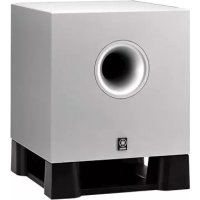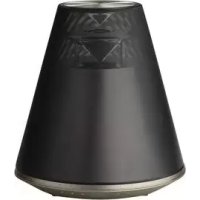
Relit LSX170 - Speakers YAMAHA - Free user manual and instructions
Find the device manual for free Relit LSX170 YAMAHA in PDF.



| Brand | YAMAHA |
| Model | Relit LSX170 |
| Product type | Speaker with LED lamp |
| Dimensions (W × H × D) | 271 × 290 × 271 mm |
| Weight | 3.3 kg |
| Power supply | 230 V AC, 50 Hz |
| Power consumption (operating, light on) | 15 W |
| Power consumption (standby with Bluetooth active) | 0.6 W |
| Power consumption (minimum standby) | 0.2 W |
| Bluetooth connectivity | Bluetooth 2.1+EDR, Class 2, range 10 m |
| Supported Bluetooth codecs | SBC, AAC, aptX |
| Auxiliary input (AUX IN) | 3.5 mm stereo mini-jack socket |
| LED lighting | Built-in LED, estimated service life 36,000 hours |
| Light brightness | Adjustable to 10 levels (via remote control) |
| Remote control | Included, CR2032 battery |
| Mobile app | DTA CONTROLLER (iOS and Android) |
| SMART TIMER function | Scheduling on/off of lighting and music |
| Auto standby | Yes, adjustable (20 min without activity) |
| Apple compatibility | Made for iPhone, iPod, iPad |
| Package contents | Main unit, remote control, power adapter, documentation |
| Maintenance and cleaning | Clean with a soft, dry cloth |
| Repairability | Contact an authorized Yamaha service center |
Frequently Asked Questions - Relit LSX170 YAMAHA
User questions about Relit LSX170 YAMAHA
0 question about this device. Answer the ones you know or ask your own.
Ask a new question about this device
Download the instructions for your Speakers in PDF format for free! Find your manual Relit LSX170 - YAMAHA and take your electronic device back in hand. On this page are published all the documents necessary for the use of your device. Relit LSX170 by YAMAHA.
USER MANUAL Relit LSX170 YAMAHA
Supplied accessories.4
About this manual. 4
Part names
Main body.5
Remote control.6
Preparations
Installing "DTA CONTROLLER" 7
Turning on the lighting/power.7
Listening to music via Bluetooth connection
Pairing a device with the unit.8
Performing pairing and playing back music. 9
Connecting a paired Bluetooth device and playing back music....10
Terminating the Bluetooth connection. 10
Listening to external sources
Connecting an external device. 11
Playing back. 11
Using the SMART TIMER
Setting the SMART TIMER... 12
Troubleshooting. 13
Specifications.15
Introduction
Confirm the package contents and thoroughly read this manual.
Supplied accessories About this manual
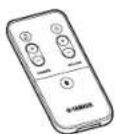
Remote control
-Operations
How to operate this unit is described mainly using the remote control.
"iPhone" described in this manual may also refer to "IPod touch" or "IPad."
Illustrations
Illustrations may differ from actual item depicted.
-Symbols

Indicates precautions for use of the unit and feature limitations.

Indicates supplementary explanations for better use.

Indicates the corresponding reference page(s).
Part names
Familiarize yourself with all parts and these functions.
Main body
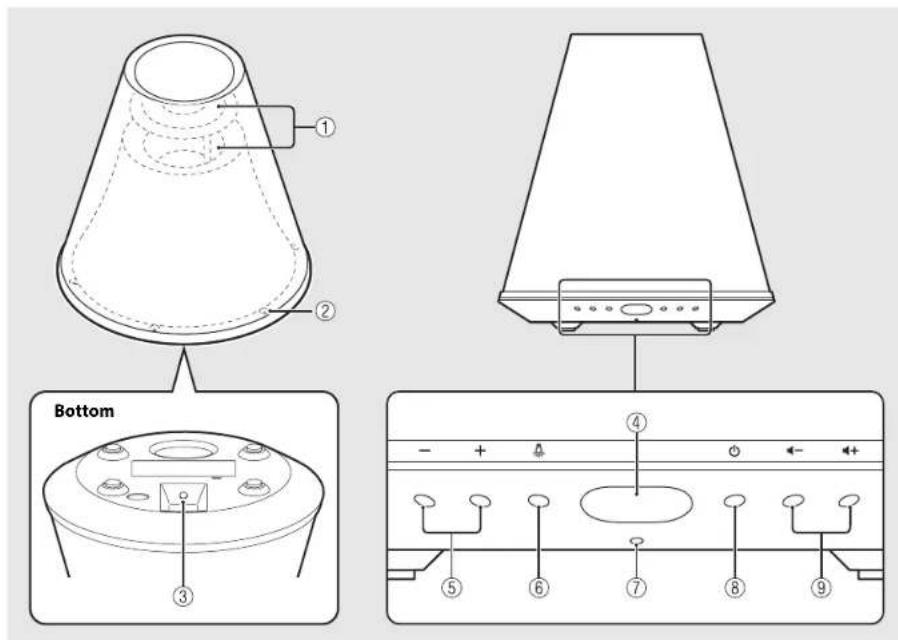
* The light effects represent the sound expansion.
①Light/speaker
②Light
③ AUXIN(P.11)
Connect to an external device via a commercially available 3.5 mm stereo mini-plug cable.
④ Remote control signal sensor (P.6)
⑤Lighting-/+
Press to adjust the lighting brightness.
⑥ (Lighting) (P.7)
Press to turn on or off the light.
⑦Indicator
Lights when the unit is turned on. The indicator blinks when the Bluetooth connection status changes.
(8) (Power) (P.7)
Press:Turns the unit on/off.
Press and hold: Disconnects a Bluetooth device.
The unit plays a startup tone when turned on and a shutdown tone when turned off.
9/(+V O L U M E)
Controls the volume.
Remote control
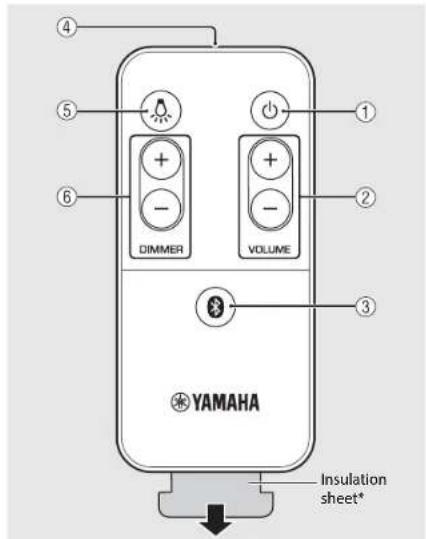
* Remove the insulation sheet of the remote control before using.

(Power) (P.7)
The unit plays a startup tone when turned on and a shutdown tone when turned off.
②VOLUME+/-
Controls the volume.

(Bluetooth) (P.9)
Press: Connects to a Bluetooth device. Press and hold: Disconnects from a Bluetooth device. The unit plays a connection tone when establishing a Bluetooth connection, and plays a disconnection tone when disconnecting a Bluetooth connection.
Remote control signal transmitter

(Lighting) (P.7)
Press to turn on or off the lighting.
⑥ DIMMER+/-(P.7)
Press to adjust the lighting brightness.
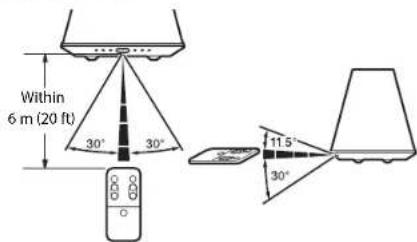
Remote control angle/range
Point the remote control at the remote control signal sensor on the unit.
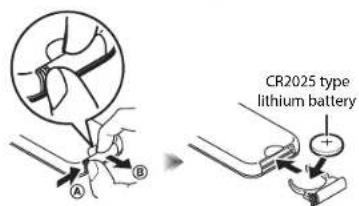
Replacing the battery
- Check the "+" of the battery and insert it the correct way around.
While pushing the release tab in direction, #de out the battery holder in direction
Preparations
Install Yarnaha's application "DTA CONTROLLER" and turn the unit on.
Installing "DTA CONTROLLER"
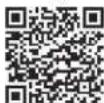
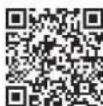
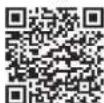
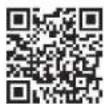
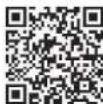
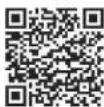
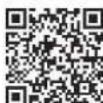
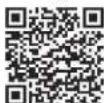
Installing DTA CONTROLLER application on a mobile device, such as a smartphone or tablet computer, allows you to use a variety of additional convenient features of Yamaha desktop audio systems.
Features
-Turning on/off of the unit, adjusting volume
-Turning on/off the lighting, adjusting the brightness of the lighting
Setting of the SMART TIMER (P.12)
-Playing back songs stored in a smart phone or tablet

The mobile device needs to be connected with the unit via Bluetooth connection (P.8).
Available on the App Store
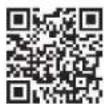
http://tune.com/app/dtacontroller
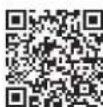
(For users in the U.S.A.)
https://itunes.apple.com/us/ app/dta-controller-us/id5493332937mt=8
Google PlayTM
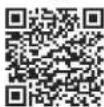
https://play.google.com/
store/apps/
details?id=com.yermaha.av.
dtacontroller
*If access to any of these fails, search for "DTA CONTROLLER" on the App Store or Google Play.
Turning on the lighting/power
1 Plug the power cable into a wall outlet.
2 Press to turn on the light.
- Lighting can be turned on/off even when the power of the unit is off.
To adjust the brightness, press the DIMMER+ button on the remote control (10 steps).
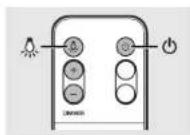
Press to turn on the unit.
The unit plays a startup tone and turns on. You can then play music.

Auto standby function
The auto standby function will be activated as follows (default setting),
The unit turns off automatically if no operation has been performed for more than
20 minutes with no device connected to AUX IN or via Bluetooth connection.
The unit turns off automatically if no operation has been performed for more than 8 hours.
Activating/deactivating the auto standby function
1 Press to turn on the light.
2 Press and hold for at least 10 seconds.
The auto standby function switches and the lighting (一 P.5) blinks.
- Auto standby is activated: The lighting blinks three times
- Auto standby is deactivated: The lighting blinks once.
Turning the notification-tone function on/off
If you want to turn the notification tones (startup tone/shutdown tone, Bluetooth connection tone, maximum/minimum volume notification tone) on or off, when the unit is off, press while pressing turn on the unit.
- If turning on the notification tones: The unit plays the startup tone.
- If turning off the notification tones: The unit does not play the startup tone.
Listening to music via Bluetooth connection
You can listen to sound wirelessly from a Bluetooth compatible device.
- Pairing a device with the unit
When connecting a Bluetooth device to the unit for the first time, the device is required to be registered to the unit. This process is called "pairing." Once pairing is completed, subsequent connection can be made with a couple of easy steps.
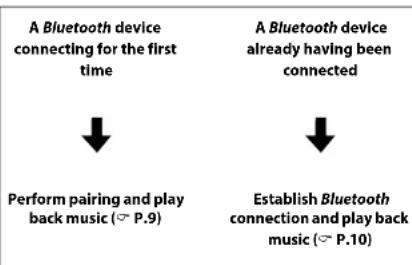
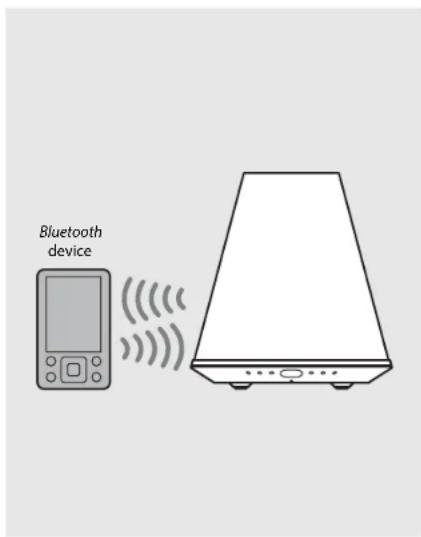

If pairing information for a device is deleted, you will need to perform pairing of that device again in order to connect it again.
Performing pairing and playing back music
iPhone
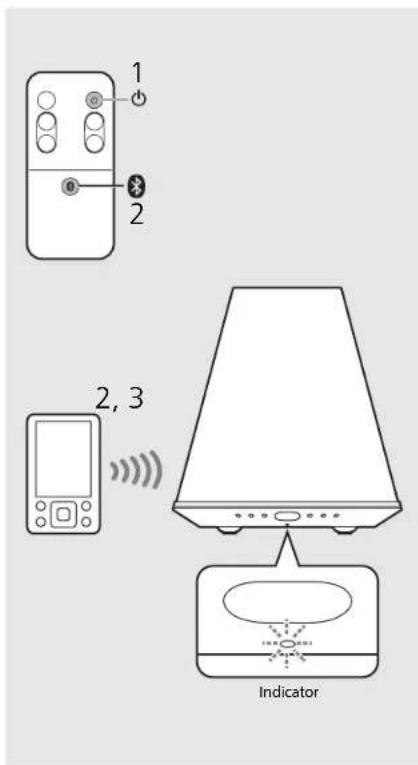
1 Press to turn on the unit (P.7).
The indicator lights in orange.
2 Tap "Settings" and "Bluetooth" on your iPhone to turn on its Bluetooth function.
3 On the connecting list in the "Device" field, tap "LSX-170 Yamaha."
- After pairing is complete, the indicator (一 P.5) blinks in blue and the unit plays a Bluetooth connection tone when a Bluetooth connection is established.
4 Play back music on your iPhone.
Other than iPhone
1 Press to turn on the unit (P.7).
The indicator lights in orange.
2 Turn on the Bluetooth function on your device.
3 In the Bluetooth setting of the device, select "LSX-170 Yamaha."
- After pairing is complete, the indicator (^c.5) blinks in blue and the unit plays a Bluetooth connection tone when a Bluetooth connection is established.
If the device does not connect to the unit automatically after the pairing is completed, select "LSX-170 Yamaha again in the Bluetooth setting on your device.
For details, see the owner's manual of your device.
4 Play back music on your device.
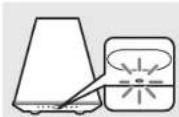
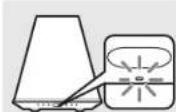

If another device is already connected to the unit, terminate that Bluetooth connection by pressing and holding 0en perform pairing with the new device.
The pairing operation may differ depending on your iPhone or version of device OS.

If another device is already connected to the unit, terminate that Bluetooth connection by pressing and holding 0en perform pairing with the new device.
If a passkey is required during the pairing operation, enter the number "0000."
Connecting a paired Bluetooth device and playing back music
If the unit is connected to another device via Bluetooth connection, terminate that connection (see "Terminating the Bluetooth connection" on the right) before connecting to the target device.
1 Press to turn on the unit.
2 Perform Bluetooth connection.
- Connecting from the unit Press 0
- Connecting from the Bluetooth device
Turn on the Bluetooth function on the device and select "LSX-170 Yamaha."
The indicator blinks in blue and the unit plays a Bluetooth connection tone when a connection is established.
3 Play back music on the connected device.
Decrease the volume of the unit before playback. Otherwise, playback volume may be too loud.
If connecting from the unit, the unit searches for the Bluetooth device connected the last time. In this case, make sure that device's Bluetooth function is turned on.
Terminating the Bluetooth connection
Bluetooth connection can be terminated by either one of the following:
- Turn off the Blueooth function of the connected device.
Press and hold on the unit.
Press and hold. 0
The indicator blinks in blue and the unit plays a Bluetooth disconnection tone when the connection is terminated.
Music enhancer
This function enhances the sound of compressed digital sound by regenerating musical elements that are lost through compression via Bluetooth connection.
Listening to external sources
This unit allows playback of external devices connected to the AUX IN terminal. A commercially available 3.5 mm stereo mini-plug cable is required for this connection. Be sure to turn off the unit by pressing and unplug the power cord from the wall outlet before connecting an external device.
Connecting an external device
1 Place a soft cloth on a table and turn the unit upside down.
2 Plug the cable into the AUXIN terminal of the unit.
3 Plug the other end of the cable into the external device.
Playing back
1 Press to turn on the unit.
2 Play back the external device.
For details on playback see the owner's manual supplied with the external device.
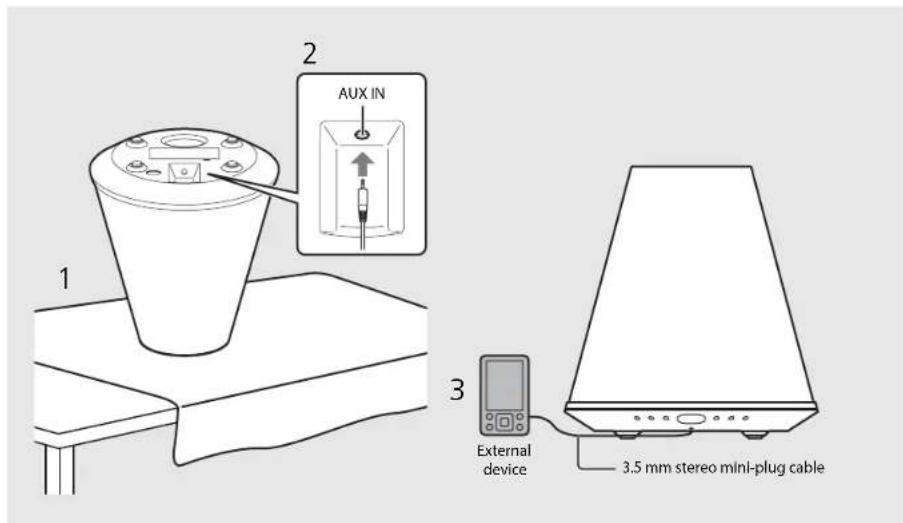
Decrease the volume of the unit and the external device before connection.
- When turning the machine upside down, make sure that it is stable so that it does not fall.
If both a Bluetooth device and external device are played back, sound from both devices will be heard.
Using the SMART TIMER
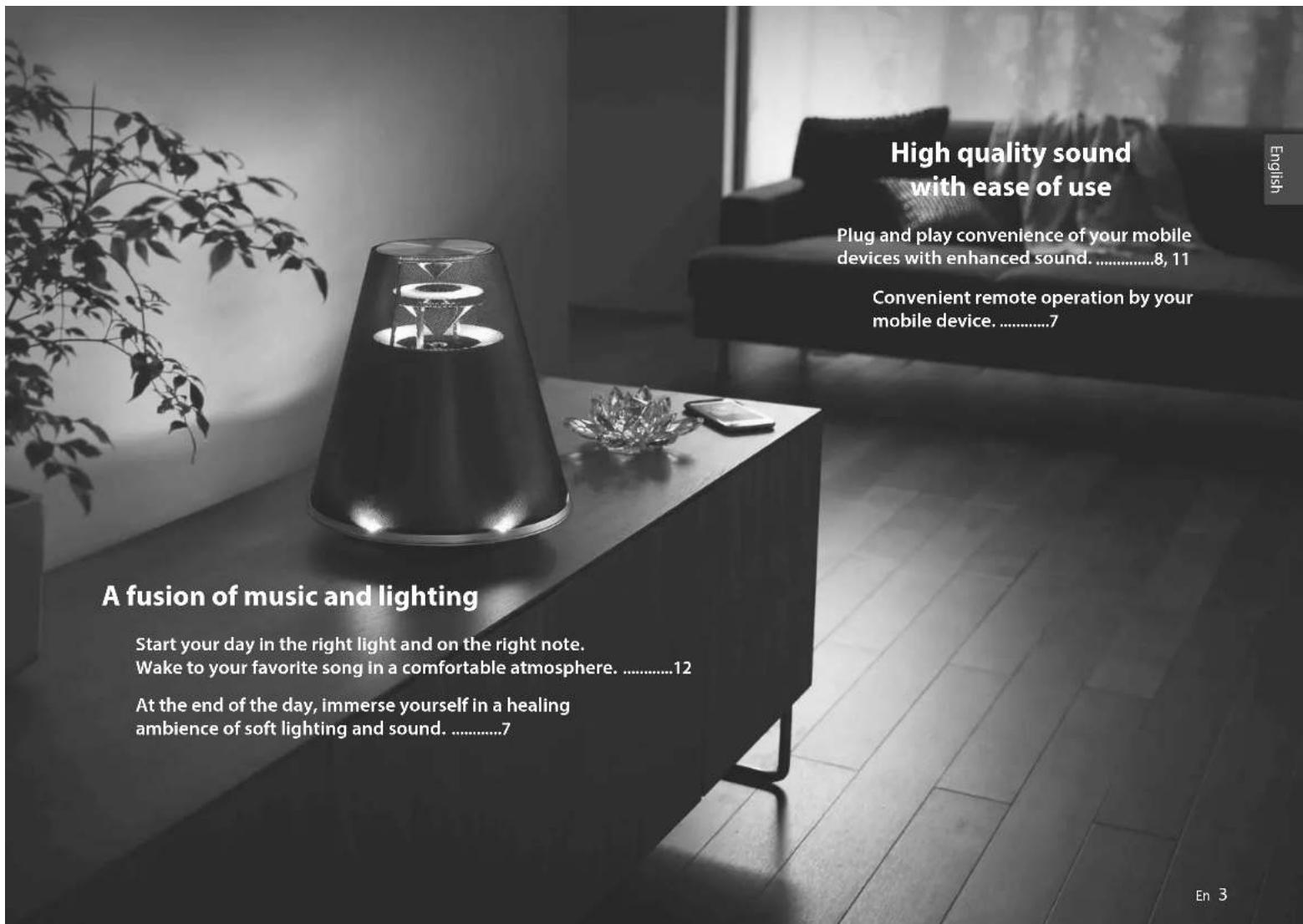
The SMART TIMER allows you to turn on the lighting at the brightness you set and play back your favorite music as a wake-up timer every morning. You can also turn off the lighting and stop music playback automatically while you are in bed listening to music.
What the SMART TIMER can do
On-timer Off-timer
Turn on the lighting at a specified time.
- Specify the brightness of the lighting.
Play back the music of a connected device at a specified time.
- Specify a song.
- Preset the volume level.
-Turn off the lighting at a specified time.
-Turn off the power at a specified time.
Setting the SMART TIMER
SMART TIMER settings can be performed with a smart phone or tablets that has the DIA CONTROLLLR application (P.7) installed.
1 Connect a device via Bluetooth connection (P.9, 10).
2 Start DTA CONTROLLER on the device and make the SMART TIMER settings.
3 Synchronize the SMART TIMER with the unit by DTA CONTROLLER.
- Be sure to synchronize the SMART TIMLR with the unit every time you perform the SMART TIMLR setting.
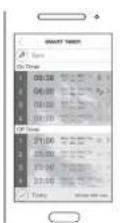
Due to product improvements, specifications and appearance are subject to change without notice.

To play back a song via Bluetooth connection at a set time, it is required that the Bluetooth function of your smart phone or tablet is turned on. Additionally, in the case of an iPhone, do not quit DTA CONTROLLER while multitasking.
If another Bluetooth device is connected to the unit at the time you set, the song you set as the on-timer will not be played back Disconnect any other device before the time you set.

The on-timer and off-timer of the SMART TIMER can be activated/deactivated by DTA CONTROLLER only.
Inner clock of the unit
The unit copies the time to the unit's inner clock from DTA CONTROLLER when a device connects to the unit via Bluetooth connection. The SMART TIMER follows the unit's inner clock.
The clock setting will be reset and the SMART TIMER will be deactivated if the power cable is kept disconnected from the wall outlet for about twenty four hours.
Troubleshooting
Refer to the table below if the unit does not function properly. If your solution is not listed below or if the instruction below does not help, turn off the unit, disconnect the power cable, and contact your nearest authorized Yamaha dealer or service center.
General
Problem Cause Solution
| The unit turns off soon after the power is turned on. The unit does not operate properly. | The power cable is not properly connected. Connect the power cable firmly. | |
| This unit has been exposed to a strong external electric shock such as lightning or strong static electricity. | Hold down ⑤ on the front panel for more than 10 seconds to initialize and reboot the unit. | |
| The speakers make no sound. | The volume is minimum. Turn up the volume. | |
| The power is off. Turn on the unit and play the music again. | ||
| The auto standby function is activated. | Turn on the unit (P.7). | |
| The unit and/or lighting turn off suddenly. | The auto standby function is activated. | Turn on the unit and/or lighting (P.7). |
| The off-timer of the SMART TIMER is set. | Check the setting of the off-timer from DTA CONTROLLER. | |
| The unit and lighting turn on suddenly. | The on-timer of the SMART TIMER is set. | Check the setting of the on-timer from DTA CONTROLLER. |
| SMART TIMER does not operate. | The power cable has been disconnected for more than twenty four hours and the clock information is cleared. | Set the SMART TIMER from DTA CONTROLLER and synchronize it to the unit (P.12). |
| SMART TIMER is not set from DTA CONTROLLER. | ||
| There is noise interference from digital or high-frequency equipment. | This unit is too close to the digital or high-frequency equipment. | Place this unit farther away from such equipment. |
| The remote control does not work or does not function properly. | The remote control may be operated outside its operation range. | Operate the remote control within its operation range (P.6). |
| The remote control sensor on this unit may be exposed to direct sunlight or strong lighting such as an inverter type fluorescent lamp. | Change the orientation of the lighting or unit, or location of the unit. | |
| The battery may be worn out. | Replace the battery with new one (P.6). | |
| There are obstacles between the sensor of this unit and the remote control. | Remove the obstacles. | |
Bluetooth
| Problem Cause Solution | ||
| Cannot make the unit pair with aBluetooth device. | The unit is turned off. | Turn the unit on and perform the pairing (P.P.9). |
| Another Bluetooth device is connected. | Terminate current Bluetooth connection, and perform pairing with the new device. | |
| This unit and the device are too far apart. | Pair the unit and device within a distance of 10 m (33 ft). | |
| There is a device (microwave oven, wireless LAN, etc.) that outputs signals in the 2.4 GHz frequency band nearby. | Move this unit away from the device that is emitting radio-frequency signals. | |
| A Bluetooth adaptor, etc., that you want to pair with this unit has a passkey other than "0000." | Use a Bluetooth adaptor, etc., whose passkey is "0000." | |
| The Bluetooth device does not support A2DP. | Perform pairing with a device which supports A2DP. | |
| Cannot make aBluetooth connection. | The unit is turned off. Turn the unit on. | |
| Another Bluetooth device is connected. | Terminate current Bluetooth connection, then establish a Bluetooth connection with that device again. | |
| The Bluetooth function of the device is turned off. | Turn on the Bluetooth function of the device. | |
| The pairing information has been deleted. | Perform pairing again (P.P.9).This unit can be paired with eight devices. If pairing with a ninth device is performed, the pairing information with the earliest connection date will be deleted. | |
| This unit is not registered on the device's Bluetooth connection list. | Perform pairing again (P.P.9). | |
| No sound is produced, or the sound is interrupted during playback. | The volume of the connecting device is set too low. | Turn up the volume of the connecting device. |
| The connecting device is not set to send Bluetooth audio signals to the unit. | Switch the output of Bluetooth audio signals of the connecting device to the unit. | |
| The Bluetooth connection of the unit with the device has terminated. | Perform Bluetooth connection operations again (P.P.10). | |
| There is a device (microwave oven, wireless LAN, etc.) that outputs signals in the 2.4 GHz frequency band nearby. | Move this unit away from the device that is emitting radio frequency signals. | |
| This unit and the connecting device are too far apart. | Move the connecting device to within 10 m (33 ft) of the unit. | |
Specifications
Bluetooth section
| Bluetooth version Ver. 2.1+EDR | |
| Supported profile A2DP (Advanced) | Audio Distribution Profile) |
| Compatible codes SBC, AAC, apUX | |
| Wireless output Bluetooth Class 2 | |
| Maximum communication range 10 m [33 ft] (without obstructions) | |
AUX IN section
| Input connector 3.5 mm stereo mini jack | |
| Lighting section (LED*) | |
| Lifetime (Luminous flux under 70%) | About 36,000 hours |
| Power consumption (When only the lighting is on) 7 W | |
| General | |
| Power supply AC 230 V, 50 Hz | |
| Power consumption | Power-on condition (music is played back and the lighting is on):15 W |
| Power-off condition (lighting and SMART TIMER are off and no Bluetooth connection):0.2 WStandby condition (SMART TIMER is on) or Bluetooth standby:0.6 W | |
| Dimensions (W×H×D) 271×290×271 mm (10-5/8 × 11-3/8 × 10-5/8 in) | |
| Weight 3.3 kg (7.3 lbs.) | |
Specifications are subject to change without notice.
The estimated lifetime of LED lighting is about 36,000 hours. This figure is based on the shorter of either the duration until the lighting is worn out, or the duration before luminous flux drops to below 70% of the original. Note, however, that the estimated 36,000 hour duration is not guaranteed.
Made for

"Made for iPod," "Made for iPhone," and "Made for iPad" mean that an electronic accessory has been designed to connect specifically to iPod, iPhone, or iPad, respectively, and has been certified by the
develop to meet Apple performance standards.
Apple is not responsible for the operation of this device or its compliance with safety and regulatory standards.
Please note that the use of this accessory with iPod, iPhone, or iPad may affect wireless performance.
iPad, iPhone, iPod and iPod touch are trademarks of Apple Inc., registered in the U.S. and other countries.
Bluetooth
- Bluetooth is a technology for wireless communication between devices within an area of about 10 meters (33 ft) employing the 2.4 GHz frequency band, a band which can be used without a license.
- Bluetooth is a registered trademark of the Bluetooth SIG and is used by Yamaha in accordance with a license agreement.
Handling Bluetooth communications
The 2.4 GHz band used by Bluetooth compatible devices is a radio band shared by many types of equipment. While Bluetooth compatible devices use a technology minimizing the influence of other components using the same radio band, such influence may reduce the speed or distance of communications and in some cases interrupt communications.
The speed of signal transfer and the distance at which communication is possible differs according to the distance between the communicating devices, the presence of obstacles, radio wave conditions and the type of equipment.
- Yamaha does not guarantee all wireless connections between this unit and devices compatible with Bluetooth function.
© 2013 CSR plc and its group companies.
The aptX® mark and the aptX logo are trade marks of CSR plc or one of its group companies and may be registered in one or more jurisdictions.
AndroidTM
Android and Google Play are trademarks of Google, Inc.
Table des matieres
Introduction
(6) (Eclairage) (P.7)
(8) (Allimentation) (P.7)
① (Alimentation) (P.7)
https://tunes.apple.com/us/ app/dta-controller-us/ id549333293?mt=8
Google PlayTM
https://play.google.com/ store/apps/ details?id-com.yamaha.av. d控制器
Uber theses Handbuch. 4
http://icunes.com/app/ diacontroller
https://itunes.apple.com/us/ app/dta-controller-us/ id549332937mtt=8
Google PlayTM
https://play.google.com/ store/apps/ details?id com.yamaha.av. dtacontroller
Available on the App Store
http://icunes.com/app/ diacontroller
For anwandarei USA)
https://itunes.apple.com/us/ app/dta-controller-us/ id549332937mt=8
Google PlayTM
https://play.google.com/
store/apps/
details?rid=com:gammaav.
dtacontroller
http://icunes.com/app/ diacontroler
https://tunes.apple.com/us/ app/dta-controler-us/ id549332937mt=8
Google PlayTM
https://play.google.com/ store/apps/ details?id com.yamaha.av. dtacounter
Available on the App Store
http://tunes.com/app/dtacontroller
https://itunes.apple.com/us/ app/dta-controller-us/ id549332937mtt=8
Google PlayTM
https://play.google.com/ store/apps/ details?id com.yamaha.av. dtacounter
http://icunes.com/app/ diacontroller
https://itunes.apple.com/us/ app/dta-controller-us/ id549332937mt=8
Google PlayTM
https://play.google.com/
store/apps/
details?id=com.yamaha.av.
dtafter controller
http://tunes.com/app/ dacontroller
(1)
https://tunes.ippie.com/us/ app/dta-controller-us/ id549337937mt-8
Google PlayTM
https://play.google.com/ store/apps/ details?id=com.yamana.av. dtacontroler
*EcnHn ydaetc noryuHb Doctyn K noobomy
Hs Bnuepepehnhoro, Haidnre
ppnnncxhe "TDA CONTROLLER" Ha caire
App Stocnu Google Play.
BkIIOueHne noDCBeTKn/NTaHnA
1 PoiKlIOUHTe Ka6bI NbTuHaN K 3JIeKTPuueckoP03ETke.

Haxmnte KhoNky BkNoueHn NOcbETKn.
IIOCBETKMOHNOAKHOHTb/3bIKHOHTbDaeHEBTOM CNYAC, KORDA NITAHNAnpapaBbKNHOCHO.
-PerpynpOBKnApKCTnHAKMNTK HONKY DIMMER+Ha npBte DY(10cynnc)
HaKMNTe KhoNky BKNIOUeHnAnnapata.
AnapaaBocnoo3eepCTHaHbnycknA KKnHcTc.3aTeMMOHOBOCpPONBCmHTMy3Ky

Функиг abTomatueckoro nepexoda bpekmOxuaHn
DyHnKzAbotmTeeCKTO npexoO BpHIM OKJDAHIN OYDST KNOKHe CHENIOOMOBaOpAM (IaTPONknoNo ymoHINHIO)
AnnatpBeknckaeotcAotomaticeck,ecmBtenchke Bonge 20MHTyBbHOBHOTK Hsueh
AIIa3B1 BkIeBcH AotmHecN, cH HnKxhe OepuHHe BnHnHIOH CbeHne Sone 8 hacoe.
BknouheHbblknoeHne yHKnABToMaTueckoro nepexoDa B pekm OxndaHna
1 HaxMMTe KHNKy BKBIOOCHENH NOCBETKN.
2 Haxmte n yepkmbaTe KhONKx 6b1 10 cekyH.
-ByETBnONHNEPPOKNCHEMΦKNAMOBATUMCCKOPEPCXOPDABPOKHM 000000000000000000000000000000000000000000
- DyHKUABTOMaTHueCKOro nepeXOaBpeXm OxMdaHbKInouHeHa: NO,CEtKa MHTeT TOn D33
-ФункURA BToMArTHeCKOrO nepexoDA B pexm OxHnDaHn BbKIOeHaCOpCtKaMnEaI CmHp3.
BknHueHne/BykHouHne FyHKm nCnHa yBeDOMHeHH
EOTYHYHO BGNIOHBI KBNBNNIOI CHNHN HyeDpmei HCHN HABLYCNH NBNBaepeHH,CHHAN TOKHEHBEe (Bouho)CNHAR YAEoHcHNOOHNMOHNOMHNNHOMHPOHINrPOMKCTV),KORPA ananm EaONCHOH, HAKWITR KOHcy DApEHHN rpoA rnoHNKHOHbKnKBOHnAnAP.
- PnB KIOUeHn CnHAnOB yBeOMneHn: aIaPap BoCpOu3oMnT CyHaH 3aYyCa.
- PnBbIKIOeHm CnHAnOB yBeOMnHeHnIpaT He BOCPcAeBDxCTnTHaIbnyckA.
HnKkKatOPMMAETCHHMUEKTHNAPATBOCNPBOBDMTCNHANOTKNKNEHNBLuToothPnIPpepNNHNNNDKNKNEHN
Функцу ynyuшенma My3bikn
3a4yKURNOSBONETYRYHHTB3BAYHHE CXATOHRINPOORO 3BYKA38 CHET BOCCTAHOBREHHMYSKABHIXNEMEHTOB, NOPEHbHnPcXATNNpepeN NKNKCHBEe
IyHnHnHn npOyKTA TexHHHeckXe XapakTePmCTaBn BHeIHn BnMoryTbN3MeHn63 npDynpKeHn.

BOCNPON3BEGHNNKOMN03MNCCMOO
NOHIOKIOHNAI Blue tooth 3badahnoB BpRM HCO6XDOAMIO EKNIOHTb fyHKUIO Blue tooth cMPTOPDAHNIINPAHCTA KPOME TOPO NOI
Hcnonb30BaHmIPhone He 3akpbBaT
npnocknDC TA CONTROLLER
MHORO3aHOMPCXHMO
ECA BO EPEW YCTAHOKN K TOMAY ANAPATy BDET NOKNIHNO Dnyoe yCTPOeBTO BoTeotho KOMNOHIA, ZADHNA B KACCTBE TaHEPA BKNOHNA He BDET BOCPOM3BcDHa. OTKNNHTe NIOOe IpyrCe yCTPOeCTBO BPEM YCTAHOKN

-TaMepBeknOeHnEbIKNcHmFyHKUN
SMART TIMER MOKHO BKNHOATb/BKKH
TONKOCNOMOUBIO pHNOXEHNA DTA
BHyTpHHe Hye aacbIannapata
Annapat konnyeT nokaaHne BepemnB CbON BYHTpeHHe HcHnPnIOKHeHN DTA CONTROLLER npn noKnOHeHn yCtpoCTBa K annapary c nnooBn noKnOHeHn BluTooth. FyHKnSMART TImER nCNObByET BYHTpeHHe Hacn annapana.
EeKabEnbHnHnOCTaENCHKcBnEMBmO 1NkPcckckpo8eKnPiINHnENTbIO B TceHeHnBaJIaNtHbTePexHacOB,To HAcTPOHN BpemEH6byIcpeHn, aOyHKnSMART TIMER6dyenOTKQCHNA.
Понск и устараенье несправност
Ecn annapat yhkuohnye Hnnpabnblho, cm npbeHnhyu nne TaBniu. Ecn cnooc yctpaehn HeencpaHOCTn He yka3n B cneyniue TaBniue mnn BHe Cmtnnncpabntb ee, cnpy hNcTpykIam TaBniu, otKnHnte daHHn annapat, ocoenHnate Kaebn nHTAHR N opaTeTEC k 6nKAAHMy OphiMaNBOMy dInepy mN B cepBCHn CEHTP YamaHa.
06uine cBeDeHnA
Mcnonb30BaHnE CBn Bluetooth
IIOOCA2,4IIKOTOPA HcNbOyCTCoBmecTHMnMnYcTPOkTBAMn BlTeoH,ABnEeTa PAOMNIA3HOH,COBMECHOHNOBILyUIMnPAPINMIIMnOBpOuBaAHnXOT BcMecTMnEeBOHTBAOHNTBAYIOETKIOHO,MNMMNpOuYIOBnIMHe IpyHXKOONHOHTOB,VcNbOyUIMxTyKcPAHOACTOT,TAKC BnHnHOMKOTCHMTB CKPOCTWPAACCIOHIE CBNHNIIEKTOPOBIXCYRABXCMELLMBCBN
Ckpoctb npedauu Cn Haa n BacCTHHe BO3MOHOH CBn PAaNAAOTCB BABMCIOH OI paccOHHMekdy ycTPOCTBAMn HauNnHperpad,paNaeonH TnaobopDbaHN.
KomnHMyAymaHa He rapaTnpyTeBecpnoBdyu CBAuB 8 No6Bx CnyaX MExdu HbM annapatOM COmectTMIMM yctpoCTBaAM Bteoth
2013 CSPLc npyma konna
3Hak apx' HIOOTIAPX HBHIOCHOBAPBM 3HAKAM KOMTANM CSR pN N OHOH MEE COMECTHX KOMTAMN MOYI BHTApeNTPPOABH B OHOH NHECKBHKX OPNCUNHIX
AndroidTM
Android n Google Play HBIHIOIOT TOBAPIM 3NAKAMn Google, Inc.


YAMAHA