BMR104 - Radio MAKITA - Free user manual and instructions
Find the device manual for free BMR104 MAKITA in PDF.


| Technical Specifications | Details |
|---|---|
| Product Type | Radio |
| Power Supply | Operates on mains and battery |
| Connectivity | Bluetooth, AUX input |
| Sound Power | 2 speakers of 5W |
| FM/AM Frequencies | FM and AM frequency range |
| Dimensions | Compact dimensions for easy transport |
| Weight | Lightweight for mobile use |
| Usage | Ideal for construction sites, gardens, or outdoor activities |
| Maintenance | Regular cleaning and connection checks |
| Safety | Use in a dry environment, avoid shocks |
| General Information | Check Makita battery compatibility |
Frequently Asked Questions - BMR104 MAKITA
User questions about BMR104 MAKITA
0 question about this device. Answer the ones you know or ask your own.
Ask a new question about this device
Download the instructions for your Radio in PDF format for free! Find your manual BMR104 - MAKITA and take your electronic device back in hand. On this page are published all the documents necessary for the use of your device. BMR104 by MAKITA.
USER MANUAL BMR104 MAKITA
ENGLISH (Original instructions)
Symbols
The following show the symbols used for the equipment. Be sure that you understand their meaning before use.

Read instruction manual.
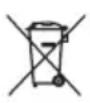

Only for EU countries
Do not dispose of electric equipment or battery pack together with household waste material!
In observance of European Directive 2002/96/EC on waste electric and electronic equipment, 2006/66/EC on batteries and accumulators and waste batteries and accumulators and their implementation in accordance with national laws, electric equipment and battery pack that have reached the end of their life must be collected separately and returned to an environmentally compatible recycling facility.
IMPORTANT SAFETY INSTRUCTIONS
WARNING:
When using electric tools, basic safety precautions should always be followed to reduce the risk of fire, electric shock, and personal injury, including the following:
- Read this instruction manual and the charger instruction manual carefully before use.
- Clean only with dry cloth.
- Do not install near any heat sources such as radiators, heat registers, stoves, or other apparatus (including amplifiers) that produce heat.
- Only use attachments/accessories specified by the manufacturer.
- Unplug this apparatus during lighting storms or when unused for long periods of time.
- A battery operated radio with integral batteries or a separate battery pack must be recharged only with the specified charger for the battery. A charger that may be suitable for one type of battery may create a risk of fire when used with another battery.
- Use battery operated radio only with specifically designated battery packs. Use of any other batteries may create a risk of fire.
- When battery pack is not in use, keep it away from other metal objects like: paper clips, coins, keys, nails, screws, or other small metal objects that can make a connection from one terminal to another. Shorting the battery terminals together may cause sparks, burns, or a fire.
- Avoid body contact with grounded surfaces such as pipes, radiators, ranges and refrigerators. There is an increased risk of electric shock if your body is grounded.
- Under abusive conditions, liquid may be ejected from the battery; avoid contact. If contact accidentally occurs, flush with water. If liquid contacts eyes,
additionally seek medical help. Liquid ejected from the battery may cause irritation or burns.
- The MAINS plug is used as the disconnect device, and it shall remain readily operable.
SAVE THESE INSTRUCTIONS
IMPORTANT SAFETY INSTRUCTIONS
FOR BATTERY CARTRIDGE
- Before using battery cartridge, read all instructions and cautionary markings on (1) battery charger, (2) battery, and (3) product using battery.
- Do not disassemble battery cartridge.
- If operating time has become excessively shorter, stop operating immediately. It may result in a risk of overheating, possible burns and even an explosion.
- If electrolyte gets into your eyes, rinse them out with clear water and seek medical attention right away. It may result in loss of your eyesight.
- Do not short the battery cartridge:
(1) Do not touch the terminals with any conductive material.
(2) Avoid storing battery cartridge in a container with other metal objects such as nails, coins, etc.
(3) Do not expose battery cartridge to water or rain. A battery short can cause a large current flow, overheating, possible burns and even a breakdown.
-
Do not store the tool and battery cartridge in locations where the temperature may reach or exceed 50^ (122^) .
-
Do not incinerate the battery cartridge even if it is severely damaged or is completely worn out. The battery cartridge can explode in a fire.
- Be careful not to drop or strike battery.
- Do not use a damaged battery.
Features:
FM/DAB or DAB+
Large LCD display with illumination
- Manual/Preset/Scan tuning
- Rotary tuning and volume control
- 5 preset stations for each band
- Micro USB port for software upgrade
- Stereo speaker for rich sound performance
- Ultra rugged design
Water resistant to IPX 4
- Powered by both Makita battery pack and supplied power adaptor
Explanation of general view
Controls
- Power button
- Band button
- Advanced setting button
- Info button
- Preset button
-
Auto tune button
-
Volume/Tuning Control/Select knob
- DC IN socket
- AUX IN 1
- LCD display
- Soft bended rod antenna
- Handle
- Battery compartment (covering main battery pack)
- Speaker
- Battery compartment locker
- Input terminal (AUX IN 2)
- Main battery compartment
- Micro USB port for software upgrade
- Red indicator
- Button
- Battery cartridge
- Supporting bar
Battery Installation
Note:
- Pull out the battery compartment locker to release battery compartment. (Fig. 2)
- Insert the main battery pack to power radio. The suitable battery packs for this radio listed as the following table.
The following tables indicate the operating time on a single charge.
| Battery Cartridge Voltage AT SPEAKER | OUTPUT = 50mW + 50mW unit: Hour | |||||
| 7.2 V 9.6 V | 10.8 V 12 V 14 | .4 V 18 V | ||||
| BL7010 Approx 4.5 | ||||||
| PA09 PA12 | PA14 PA18 | Approx. 6.5 | ||||
| 9050 1250 | 1450 | 1850 | ||||
| 9051 1251 | 1452 | 1852 | ||||
| 9100 1200 | 1420 | BL1815 | ||||
| 9120 | BL1013 | 1220 | BL1415 | |||
| 9100A | 1200A | |||||
| 9102 1202 | 1422 | 1822 | Approx. 10.0 | |||
| 9122 1222 | BH1420 | |||||
| 9102A | 1202A | |||||
| BH9020 | BH1220 | |||||
| BH9020A | BH1220C | |||||
| 9134 1234 | 1434 | 1834 Approx. 14.5 | ||||
| BH1427 | Approx. 15.0 | |||||
| 9135 1235 | 1435 | 1835 | Approx. 17.0 | |||
| 1435F | BL1830 | |||||
| 1235F | BL1430 | |||||
| BH9033 | BH1233 | BH1433 | Approx. 18.0 | |||
| BH9033A | BH1233C | |||||
: Cluster battery
:Slidebattery

WARNING:
Do not use two main batteries at the same time.
3-1. Installing or removing Slide battery cartridge (Fig. 4)
- To install the battery cartridge, align the tongue on the battery cartridge with the groove in the housing and slip it into place. Always insert it all the way until it locks in place with a little click.
- If you can see the red indicator on the upper side of the button, it is not locked completely. Install it fully until the red indicator cannot be seen. If not, it may accidentally
fall out of the tool, causing injury to you or someone around you.
- Do not use force when installing the battery cartridge. If the cartridge does not slide in easily, it is not being inserted correctly.
- To remove the battery cartridge, slide it from the tool while sliding the button on the front of the cartridge or pressing the buttons on both sides of the cartridge.

WARNING:
Do not use two main batteries at the same time.
3-2. Installing or removing Cluster battery cartridge (Fig. 5-9)
- Pull the supporting bar to allow the battery to insert to the terminal.
- To insert the battery cartridge, align the tongue on the battery cartridge with the groove in the housing and slip it into place.
- Release the supporting bar.
- To remove the battery cartridge, pull the supporting bar and take the battery out of the terminal.
4. Return the battery compartment locker to the original position.
5. Reduced power, distortion and a "stuttering sound" are the signs that the main battery pack needs to replace.
Note:
The battery pack can't be charged via the supplied AC power adaptor.
Installing the soft bended rod antenna (Fig. 10-11)
Install the soft bended rod antenna as shown in the figure.
Note:
There is a click in the battery compartment designed to store the removed antenna.
Using supplied AC power adaptor (Fig. 12)
Remove the rubber protector and insert the adaptor plug into the DC socket on the front side of the radio. Plug the adaptor into a standard mains socket outlet. Whenever the adaptor is used, the battery pack is automatically disconnected. The AC adaptor should be disconnected from the main supply when not in use.
Operating the radio
This radio has three tuning methods- Scan tuning, Manual tuning and Memory presets recall.
Selecting a station - DAB
- Press the Power button to switch on your radio.
- Select the DAB mode by pressing the Band button.
- Press the Advanced setting button and rotate the Volume/Tuning Control/Select knob until "Station List" is flashing on the screen. Press the Volume/Tuning Control/Select knob to enter the list of the stations.
- Rotate the Volume/Tuning Control/Select knob to scroll through the list of available stations. Press the knob to select the station.
- Adjust the desired volume by rotating the Volume/Tuning Control/Select knob.
Display modes - DAB
Your radio has a range of display options in the DAB mode:
Press the Info button to cycle through the various options shown in the following letters (a. to g.).
a. Station name Indicates the station name being listened to.
b. Program type Indicates the type of station being listened to. E.g. Pop, Classics, News, etc.
c. Multiplex name Indicates the name of the DAB multiplex to which the current station belongs.
d. Time & date Indicates the current time and date.
e. Frequency and channel
Indicates the frequency and channel number for the currently tuned DAB station.
f. Bit rate/Audio type
Indicates the digital audio bit rate and audio type for the currently tuned DAB station.
g. Signal strength Indicates the signal strength for the currently tuned DAB station.
Finding new stations - DAB
From time to time, new DAB radio stations may become available. Or you may have moved to a different part of the country. In this case you may need to activate your radio to scan for new stations.
To allow the radio to find the available stations, it is recommended to carry out a full scan of the entire DAB Band III frequencies.
- Press the Auto tune button.
- Your radio will perform a full scan of the DAB frequencies. As new stations are found, the station counter on the left side in the display will increase and stations will be added to the list.
Manual tuning - DAB
Manual tuning allows you to tune your radio to a particular DAB frequency in Band III. This function can also be used to assist the positioning of the antenna or the radio so as to optimize reception for a specific channel or frequency.
-
Press the Advanced setting button and rotate the Volume/Tuning Control/Select knob until "Manual Tune" shown on the display. Press the Volume/Tuning Control/Select knob to enter the manual tuning mode.
-
Rotate the Volume/Tuning Control/Select knob to select the desired DAB channel. Press Volume/Tuning Control/Select knob to confirm the chosen frequency.
Dynamic Range Control (DRC) - DAB
DRC feature can make quieter sounds easier to hear when your radio is used in a noisy environment by reducing the dynamic range of the audio signal.
There are three levels of compression: DRC 0 No compression applied.
DRC 1/2 Medium compression applied.
DRC 1 Maximum compression applied.
1. Press the Power button to switch on your radio.
2. Press the Band button to select the DAB band.
3. Press the Advanced setting button and rotate the Volume/Tuning Control/Select knob until "DRC Value"
shown on the display. Then press the Volume/Tuning Control/Select knob to enter the setting. The display will show the current DRC value.
- Rotate the Volume/Tuning Control/Select knob to select desired DRC setting.
- Press the Volume/Tuning Control/Select knob to confirm the setting.
Station order setup - DAB
Your radio has 3 station order settings from which you can choose. The station order settings are alphanumeric, ensemble and valid station.
- Press the Advanced setting button.
- Rotate the Volume/Tuning Control/Select knob until "Station order" appearing on the display, then press the Volume/Tuning Control/Select knob to enter the setting.
- Rotate the Volume/Tuning Control/Select knob to select the following options and press the knob to confirm the setting.
Alphanumeric Sorts the station list alpha-numerically 0...9 A...Z
Ensemble Organizes the station list by DAB multiplex
Valid Shows only those stations for which a signal can be found
Scan Tuning - FM
- Press the Power button to turn on the radio.
- Select the desired waveband by pressing the Band button. Make sure the soft bended rod antenna has been well placed for best FM reception. Try to avoid operating the radio next to a computer screen and other equipment which will cause interference to the radio.
- Press the Auto tune button and the radio will search and stop automatically when it finds a radio station. The radio will continue searching for the next available station unless the operator presses the Auto tune button to stop the scanning.
- Rotate the Volume/Tuning Control/Select knob to get the desired sound level. The LCD display will show sound level changes.
Note:
In order to use the Volume/Tuning Control/Select knob to find your desired station, press and hold the Volume/Tuning Control/Select knob to switch to the tuning control mode.
- To turn off the radio, press the Power button.
FM scan zone
When using FM mode, your radio can be set to scan either local stations or to scan all stations including distant radio stations.
Manual Tuning - FM
-
Press the Power button to turn on the radio.
-
Press the Band button to select desired waveband. Adjust the antenna as described above.
- Rotate the Volume/Tuning Control/Select knob will change the frequency in the following increment: FM: 50 or 100kHz
Note:
In order to use the Volume/Tuning Control/Select knob to find your desired station, press and hold the Volume/Tuning Control/Select knob to switch to the tuning control mode.
- Keep rotating the Volume/Tuning Control/Select knob until desired frequency is shown on the display.
- Rotate the Volume/Tuning Control/Select knob to get the desired sound level.
- To turn off the radio, press the Power button.
Display modes - FM
Your radio has a range of display options for FM radio mode:
Repeat pressing the Info button to cycle through the different options.
a. Program station Indicates the name of the station being listened to.
b. Radio text Indicates text message such as new items, etc.
c. Program type Indicates the type of station being listened to such as Pop, Classic, News, etc.
d Time & date Indicates the current time and date.
e. Frequency Indicates the frequency of the FM signal.
Storing stations in preset memories (DAB and FM)
There are 5 memory presets for each waveband.
1. Press the Power button to turn on the radio.
2. Tune to the desired station using one of the methods previously described.
3. Press and hold the desired Preset button until the preset number shown on the display, for example, "P2 Saved". The station is then stored in the selected Preset button.
4. Repeat this procedure for the remaining presets.
5. Stations stored in the preset memories can be overwritten by following the procedures described above.
Recall stations from the preset memories (DAB and FM)
- Press the Power button to turn on the radio.
- Press the Band button to select your desired waveband.
- Press the desired Preset button momentarily. The preset number and station frequency will appear in the display.
Language options (only available in BMR105)
There are four language options available in the radio: English, German, Italian and French.
- Press Advanced setting button.
- Rotate the Volume/Tuning Control/Select knob until "Language" shown on the display. Press the Volume/Tuning Control/Select knob to enter the setting.
- Rotate the Volume/Tuning Control/Select knob to choose your desired language. Press the Volume/Tuning Control/Select knob to confirm your setting.
Brightness control
The backlight of the display can be adjusted.
- Press the Advanced setting button.
- Rotate the Volume/Tuning Control/Select knob until "Backlight" shown on the display. Press the Volume/Tuning Control/Select knob to enter the setting.
- Rotate the Volume/Tuning Control/Select knob to choose to enable or disable the backlight function, then press the Volume/Tuning Control/Select knob to confirm the setting.
System reset
If your radio fails to work correctly, or some digits on the display are missing or incomplete, carry out the following procedure.
- Press the Advanced setting button.
- Rotate the Volume/Tuning Control/Select knob until "Factory Reset" shown on the display. Press the Volume/Tuning Control/Select knob to enter the setting.
- Rotate the Volume/Tuning Control/Select knob to choose "Yes". Press the Volume/Tuning Control/Select knob to confirm the setting and a full reset will be performed.
Software version
- Press the Advanced setting button.
- Rotate the Volume/Tuning Control/Select knob until "SW Version" shown on the display. Press the Volume/Tuning Control/Select knob to view the software version installed in the radio.
Micro USB port for software upgrade
Software updates for your radio may be available in the future.
As software updates become available software and information on how to update your radio can be found at Makita website.
How to play other audios
CAUTION:
Unplug this apparatus before connecting other audios.
-
There are 2 AUX IN sockets. AUX IN 1 is located on the front panel, and AUX IN 2 is located in the battery compartment.
-
Connect a stereo or mono source (i.e. iPod, MP3, or CD player) to either AUX IN 1 or AUX IN 2 by audio cord.
- Repeatedly press and release the Band button until "AU1" or "AU2" is displayed, then AUX function is activated.
MAINTENANCE
CAUTION:
- Never use gasoline, benzine, thinner, alcohol or the like. Discoloration, deformation or cracks may result.
Specifications:
Power requirements
AC power adaptor DC12 V 1A, center pin positive
Battery Cluster battery: 7.2 V - 18 V
Slide battery: 9.6 V - 18 V
Frequency coverage FM 87.50 - 108 MHz
DAB/DAB+174.928-239.200MHz
DAB/DAB+ Channel block
DAB (Band III) 5A-13F
Compatible standard DAB (BMR104)
DAB/DAB+ (BMR105)
Circuit feature
Loudspeaker 3 inches 8 ohm
Output power 7.2 V: 0.5 W × 2, 9.6 V: 1 W × 2
10.8 V: 1.2 W × 2, 12 V: 1.5 W × 2
14.4 V: 2.2 W × 2, 18 V: 3.5 W × 2
Input terminal 3.5mm dia.AUX IN1/AUX IN2
Antenna system DAB/FM: soft bended rod antenna
Dimension (W× H× D) in mm
280× 302× 163
Weight 4 kg (without battery)
a. Station name (Sendername)
c. Multiplex name (Multiplex-Name)
Dynamic Range Control (DRC) - DAB
a. Program station (Sendername)
DAB (Band III) 5A-13F
Ko mpatible Norm DAB (BMR104)
DAB/DAB+ (BMR105)
Elektrische Daten
Dynamic Range Control (DRC) - DAB
DAB (Band III) 5A-13F
Standard compatible DAB (BMR104)
DAB/DAB+ (BMR105)
Circuito
Casse 3 pollici 8 ohm
Tensione 7,2 V: 0,5 W × 2, 9,6 V: 1 W × 2
10,8V:1,2W×2,12V:1,5W×2
14,4V:2,2W×2,18V:3,5W×2
Terminale d'ingresso diametro 3,5mm
(AUX IN1/AUX IN2)
Sistema antenna DAB/FM: antenna morbida
DAB (Band III) 5A-13F
Compatible norm DAB (BMR104)
DAB/DAB+ (BMR105)
Circuitfunctie
Luidspreker 3 inch, 8 ohm
10,8V:1,2W×2,12V:1,5W×2
14,4V:2,2W×2,18V:3,5W×2
Ingangsaansluiting diameter 3,5 mm
(AUX IN 1/AUX IN 2)
Antennesystem DAB/FM:flexible staafantenne
Afmetingen (b× h× d) in mm
280× 302× 163
Gewicht 4kg (zonder accu)
ESPANOL (Instrucciones originales)
Simbolos
10,8V:1,2W×2,12V:1,5W×2
14,4V:2,2W×2,18V:3,5W×2
Terminal de entrada 3,5 mm de diametro
(ENTRADA AUX 1/
ENTRADA AUX 2)
Sistema de antenna DAB/FM: antenna de varilla flexible
Dimensiones (An x Al x Pr) en mm
280× 302× 163
Móvo yia tic xwpe ts EC
Mny aToppiTTETe Tov nAekptko Egoiao np Tnv mTatapia paCi με Ta oikiaka aToppiμata!
Manuell stationsinstalling - DAB
Manuell stationsinstalling - FM
10,8V:1,2W×2,12V:1,5W×2
14,4V:2,2W×2,18V:3,5W×2
Ingang for extern ench 3,5 mm dia. (AUX-IN1/AUX-IN2)
Antennsystem DAB/FM: antenn
Manuell innstilling - FM
-
Trykk pa Pa/Av-knappen for a sla pa radioen.
-
Trykk knappen for bändfrekvens for á velge ønsket bändfrekvens. Juster antennen som beskrevet ovenfor.
- Én enkelt dreining av volum-/innstillingskontroll-/ valgknappen vil endre frekvensen i følgende intervaller:
FM: 50 eller 100kHz
Merk:
DAB (band III) 5A-13F
Kompatibel standard DAB (BMR104)
DAB/DAB+ (BMR105)
Kretlslopsfunksjon
Hoyttaler 3 tommer 8 ohm
Utgangseffekt 7,2 V:0,5 W x 2,9,6 V:1 W x 2
10,8V:1,2W×2,12V:1,5W×2
14,4V:2,2W×2,18V:3,5W×2
Inngangsterminal 3,5 mm dia. (AUX IN1 / AUX IN2)
Antennesystem DAB/FM: gummiantenne
Dimensjoner (× × ) i mm
280× 302× 163
n3 cTPOy. AkKMyJrTOpHbI 6NOK MOKeT B3OpBaTbcr NOI DeIeCTBnEM OTHR.
- He poHnIte n He yIapnIte aKkyMnyIaTOp.
- Henb3a nCnONoB3OBaTb NOBpeXeHnhb aKkMyJrTOP.
Oc6eHHocn:
FM/DAB nn DAB+
-БольшовЖК-экразс noDCBETKоI
HactpoKn:pyuHa/npeBapntelbHa/MetOdom cKaHInpOBaHn
-ПоворOTьнpeулгОпнHаСТрОиИурВьгPOMKOCtN
- 5 npedyctaHOBOK cTaHcNIM dJa KaJDoRo Dnana3OHa qactOT
- Noprt micro USB Ддя обновленnersпоррамного obecneuehenia
- CtepeoHnAMNK dnybokoro, hacbiueHHoro 3Byka
Cbepxnpouhna KOHcTpkyuia
BdoHepoHuaemocTb do ypoBnI IPX 4
-Питане оТаKKуМЛЯТOPHOrO 6noka Makita n npuJaraemoro ceTeBOro aanTepa
Ponchenny K obsemy Bndy
OprahbI ynpaBneHnA
- Khonka nHTaHnA
- Khonka Band (Noica yactot)
- Khonka Advanced setting (PacunpeHHbIe HacTroPKu)
- Khonka Info (Инфорmaцья)
- Khonka Preset (PpeBapntbHna HacTroKa)
- KhoNka Auto tune (ABToHacTpoNka)
- PerynlaTOp rpoMkoCTn/HaCtpoKu/BbI6opa
- THe3do DC IN (BXoI nHTaHn noCToHHoro ToKa)
- BxoAUX IN 1
10.KKK-3kpan
11.巾tbypebaaHTehHa - Pука
13.БатAPEньй отск (noД КрblшКо - OCHOBHOI KOMПЛЕKT aKKуМЛЯТОРВ)
14.ДиhamNK - Ctonop 6atapeHoro orceka
- BxOaHNo pa3bEm (AUX IN 2)
- OCHOBHOI aKKyMylTOpHbI OTCEK
- Порт мicro USB дnia обновлени пограMHORO obecneуеня
- KpacHbI INHdkaTOp
- Khoika
21.БлokakkymyTopa - Onopa
yctahOBka aKKymyTopa
Приимechanical:
- BbITaHInTe cTOnOp 6aTapeHOro OTo6Ka, YTO6blocBO6OAnThb 6aTapeHbI OTo6K. (Pnc.2)
- BCTaBbTe OCHOBHOA kkyMnyTOpHbI 6NoK, YTO6bl o6ecneHTb NITaHHe paDnO npMeMHNka. IOnxOJaune aKKMyJyTOpHbI 6NoKn Dnla DaHHoro paDnO nepeuNCJIeHbI B Ta6NIue HIXke.
B cneyuoue ta6nue noka3aHO Bpemra6oTbHa oHOn 3aprKe.
| Наръжени akкум�ятого блoka | HA BbIXOДЕ ДИНAMИKA=50 MВТ + 50 MВТ единисторегия: Час | |||||
| 7,2 V 9,6 V | 10,8 V 12 V 14 | 4 V 18 V | ||||
| BL7010 Пп. 4,5 | ||||||
| PA09 PA12 PA14 PA18 | Проб. 6,5 | |||||
| 9050 1250 | 1450 | 1850 | ||||
| 9051 1251 | 1452 | 1852 | ||||
| 9100 1200 | 1420 | BL1815 | ||||
| 9120 | BL1013 | 1220 | BL1415 | |||
| 9100A | 1200A | |||||
| 9102 1202 | 1422 | 1822 | Проб. 10,0 | |||
| 9122 1222 | BH1420 | |||||
| 9102A | 1202A | |||||
| BH9020 | BH1220 | |||||
| BH9020A | BH1220C | |||||
| 9134 | 1234 | 1434 | 1834 | Проб. 14,5 | ||
| BH1427 | Проб. 15,0 | |||||
| 9135 1235 | 1435 | 1835 | Проб. 17,0 | |||
| 1435F | BL1830 | |||||
| 1235F | BL1430 | |||||
| BH9033 | BH1233 | BH1433 | Проб. 18,0 | |||
| BH9033A | BH1233C | |||||
: AkkymyTOpHbI 6nok
:BbIDBnKHOaKKMyJITOP
ANPEIOCTEPEXEHNE:
He nCnoNb3yIte DBA OCHOBbIX aKKymyIaTopa OHOBpeMeHHo.
3-1. YcTaHOBka HnH ChrTne BblDnKHO aKKMyJrTopHOrO 6NoKa (Pnc.4)
-Дя установки akkyмлг�того 6лoka coьмстп Te BыICTун 6лoka c пазом в корпеси 3адвинье erо на Meсят.Всерда устанавливаite 6лokdo унopa тak, YTOБы OH 3aфИКсрOBаIGNСЯ на Meсяс с Heболшим Uцелчkom.
- EcIn Bbl MoKeTe BnDeTb KpaChBn INHdNkATOp Ha BepxHei Yactn KnaBnUn, aadntep AKKyMylTopa He NOJIHOCTbI yCTaHOBJeH Ha MecTe. YcTaHOBtE erO do KOHua TAK, YTObI KpaChBn INHdNkATOp 6bl Ne BnDEH. B npOTuBHOM cnyae aadntep MOKeT bblnAcTb n3 INHCTpyMeHTa HnHeCTn TpaBMy Bam Nn DpyrIM JIOdM.
He npimehnTe cnny npu yctaHObke aKKymyIaTOPHOrO 6JIOka.Ecnn 6JIOK He DBrnaeTcra CBO6oNDHO,3HaHT OH BCTaBJeH HEnpaBnIbHO.
- UTo6bI n3BHeCy aKKyMyJIaTOpHbI 6JOK, BblBnHbTe erO u3 yCTpoiCtBa, nepeMeaJ KHOJKy Ha nepeJHne CTopoH e 6JOKa IJN HaxKaB Ha KHOJKn no 6okam 6JOKa.
I PENEOCTEPEXEHNIE:
He nCnoNb3yIe DBA OCHOBbIX aKKymyIaTopa OHOBpeMeHHO.
3-2. YctaHOBka n ChTne aKKyMyJrTopHoro 6noka (Puc.5-9)
- Notaryte 3a onopy, yTo6bl aKKyMnyTOp BOweJ B rHe3do.
-Дя yctaHOBKn aKKyMnyTOpHOrO 6Ioka CoBMeCTnte BbICTyn 6Ioka C Na3OM B Kopnyce n 3aDbHbTe ero Ha MeCTO. - OtcoeINHnTe onopy.
- 4To6bln3Bnueb akKymyIaTOPhbi 6JIOK,NotHInTe onOpny n BbIHbTe aKcyMylAaTOp n3 rHe3da.
- YctaHOBnte cTOp 6aTapeHoro OTeKa B IcXoHoe NOJIOKeHne.
- CHINKHeHMe MOUHOCTn, NCKaKeHnI N "3aIKaHHe" JBNIAOTc npu3HaKaAMn Heo6XoDmOCTn 3aMeHbIO OCHOBHorO aKKyMyJrTOpHOrO 6JIOka.
PpmeuHne:
AkkymyIaTOPhBn 6JIOK HeNb3a 3apXaTb C NOMOuBo npInaraemoro aanTepa nepemehHoro Toka.
YcTaHOBka WtBipeBOi aHTeHHbI (Pnc. 10-11)
YCTAHOBNTe WtBipeByo aHTEHy KaK NOKa3aHO Ha pncyHke.
Приимechanical:
B 6aTapeHOM oTceKe npedymoTeHa 3aueJIka dIpaHHeHn CHrToI aHTeHHbI.
IcnoIb3OBAHne npUlaeMOro aanTepa nepemehnHO Toka (Pnc. 12)
CHIMITE pe3HOBBI n3OJATOP IN BCTaBbTe pa3bem aadantepa B rHe3do DC ha nepeJeHn naHeJI npaIO. BCTaBbTe aadantep B po3eTKy 3neKTPocETn. Pn INcNoJIb3OBAHN aadantepa akMyJrTOpHbI 6nOK aBTOMaTUnCeKn OTCoeDInHReTc. Ecnn aadantep nepemeHHoro TOKa He nCNOJIb3YeTc, erO Heo6XoDmO OTCOeDINHrTb OT pO3eTKN.
IcnoJb3OBAHne paAno
CyueCTByeT TpN BapnaHTa HacTroPoiKn paIIO - cKaHnpoBaHne,pyHnA HacTroPoiKa N Bbl3OB npEduCTaHOBOK n3 NaMRTN.
BbI6Op cTaHcun - DAB
- Haxmnte KhoNky NHTaHn, YTO6bI BKIOuHTb paAnOpnpemHnK.
- BbI6epnTe HxHbI pexm DAB, haxab KhoNky Band.
- Haxmte KhoNky pacuHpeHHbIX HAcTpoek N NOBepHnte peryIaTOP rPOMKoCTn/HacTpoiKn/Bl6opa, YTo6bl Ha 3kpaHe nOraBnIacb MIRaIOUaA uHdNkaunia "Cncoc cTaHcui". Haxmte peryIaTOP rPOMKoCTn/ HAcTpoiKn/BbIbopa, YTo6bl BBecTN cNcok cTaHcui.
4.BpaaaTe peryrnaprpoMKoCTn/HacTPOIKu/BbI6opa, T06bl npokpyntb cncocKdoctynhbx CTAHm.ДЯ BbI6opa ctaHmHaxMntepeyraTOp. - HacptpoTe HyxHbI ypOBeHb rPOMKoCTn C nOMOuBIO peryIaTopa rPOMKOCTn/HacTPOuKN/BbIbopa.
Peximbl oTo6paXeHn - DAB
Дя ржma DABпрсусмOTpeHbI pa3JIuHbI napametpbI nucnner: HaxmTe KhONky Info ДЯ npokpyuBaHnra pa3n onu,об03haeHHbIX 6yKbAmn a-g.
a. Ha3BaHne cTaHcMn
OTo6paKeHne Ha3BaHnI npocnyuINBaemOn CTaHcN.
b. Tn nporpammbl
OTo6paXeHne Tnna npocnyuNbAemOn CTaHcN (HaNPmep, POnyIpyNa, Klaaccnuecka, HoBOCTn nT.D.).
c. MynbTnJIeKCHOe IMMa
OTo6paKeHHe IMeHN MyIbTnIIpeKcopa DAB, K KOtOpOMy OTHOCITcTeKyUaJcCTaHcN.
d. Bpemn ndata
OTo6paKaAeT KekuIee BpeMn DaTy.
e. Yactota n kaHaI
OTo6paKaet YacToTy n HmOp KaHaNa TeKyuSei cTahuDAB.
f. BntpeT/Ttn 3Byka
OTo6paxaet 6ntpeT n Tn uΦpOBOrO 3Byka Tekyuε CTaHcN DAB.
g. MoUHOCTb CnHana
OTo6paKaeT MoUHOCTb CnHana TeKuIeN CTaHcIM DAB.
ПОИСК HOБВIX CTaHци - DAB
BpeMg OT BpeMeH MOryT NOBnTBcH HOBbIe paNocTaHcH N DAB. IIn6o Bbl MoKeTe Oka3aTbcR B dpyroJ qactn cTpaHbI. B 3tOM cNyuae Heo6xOdmo BKIOUHTb peKIM cKaHnpOBaHnJa IJI NaCKa HOBbIX CTaHcH.
YTo6bI paHIOnpmEHnK o6HApxHn IocTynHbIe cTaHcHn, peKOMeHdyETc npoBeCTn NOHoe cKaHIpOBaHne BCero dnaana30Ha III DAB.
- Haxmte kHonky Auto tune.
- PaɪnɒpɪnemHnɪk pɒBoeTeT nɒHoe cKaHɪpOBAHne qæctot DAB. Pn o6hApyKeHn HOBbIX cTaNiŋ cYeTnK B IeBOI qAeTn DiNcPJIe 6yEdT yBéNJHnBaTbC, a CtAHCuN -DóBaNJIrTbC B CnICOK.
Puchna Hactpoika - DAB
PyHnHa HAcTpoKa no3BoJareHAcTPONTb
paHIOnpMnHK Ha onpeDeJIeHHyO yactOTy DAB B
dIana3oHe III. 3Ty fYHKU MOxHO nCNOJB3OBaTB dIy
NOMOUs B opneHTnpOBaHN aHTEHbI IIN
paHIOnpMnHKa C ueBIO ONTUMn3aUN npMeMa
onpeDeJIeHHOr KaHana IIN YactOTbl.
- Haxmte KhoNky pacuHpeHHbIX HAcTpoek n NOBepHnTe peryIaTOp rPOMKocTN/HacTpoiKN/Bl6opa, YTo6bl Ha 3KpaHe noRbUaCb INDnKaunia "PyHna HAcTpoiKa". Haxmte peryIaTOp rPOMKocTN/ HAcTpoiKN/Bl6opa, YTo6bl BKnIOuHTb peXmM pyHoi HAcTpoiKn.
- BpaaTe peryIaTOp rPOMKoCTn/HacTpOoiKn/BbI6opa, T06bl BBipatb HxKnBn KaHn DAB.HaxmTe peYIaTOp rPOMKoCTn/HacTpOoiKn/BbI6opa, T06bl IOTBepdntb BbI6paHHyU qAcToTy.
PereynipoBka DnHaMnueckoro DnaNa3OHa (DRC) - DAB
EcnpaonnpemHKnCnoJb3yeTcB WymHOn CpeDe, yHKnra DRC no3BoJrTe lyWe cnblaTaB HerpOMKe 3ByKn 3a CHT COKpaUeHNnDnHaMMueCKOrO DnAna3OHa ayNoocirHana.
CyueCTbyET Tpu yPOBnCkataH:
DRC0 Ckatahe oTCyTCTByeT.
DRC 1/2 IcnoJb3yeTc cpeHn ypoBeHb CkaTna.
DRC1 IcnoJb3yeTcMAKcHMaJIbHOe CKaTne.
- Haxmnte KhoNky nHTaHn, yTo6bI BKIOuHTb paAnOpnpemHnK.
- HaxmTe KhoNky Band, YTo6bI BbI6paTb Dnna3oH DAB.
- Haxmte KhoNky pacuHpeHHbIX HaCTpoek n noBepnTe peyIaTOp rPOMKocTN/HacTpOoiKn/Bbl6opa, yTo6bHa 3kpaHe NoBUNacb INDnKaun "3HaueHne DRC". 3aTeM Haxmte peyIaTOp rPOMKocTN/
HacTPOkN/BbI6opa, YTo6bl BBecTN 3HaueHne. HaDCnJIeep NoBHTcRA Tekyuee 3HaueHne DRC.
- BpaaTe peryIaTOp rpoMocTn/HacTpoIKN/Bl6opa, YTO6bI Bb6paTb HyKHyIO HAcTpoIky DRC.
- Haxmte peryIaTOp rpomKocTu/HacToPouKu/BbI6opa, YTO6bl NOITBePdNTb HaCTpOky.
Hac tropoika nopraika cTaHcni - DAB
B padnoepnemHne npedycmOTpehbl BapnaHTa 3 HacTpoKn nopAka cIeIOBaHnCtAHn. CtAHnMOxHO opraHn3OBAbT no aIpaBnTy, rpynnam IIN DeiCTBNTbHBIM CTAHnM.
- Hαχmnte KhoNky paCunpeHHbIX HacTpoeK.
2.ПовернitepeуларToprpoMocTN/HaCTpoiKN/Bl6opa,TO6bHa3KpaHneNoBnIacbHndikaunra"PopraDOKCTAHuN",3aTeM HaxMITEpeYyIaTOp rpoMKoCTN/HaCTpoiKN/Bbl6opaДЯВBOdaHaCTpoiKn.
3.Повернitepeуларогромкocn/Hactpoyn/ыбopa,чтобblb6paTb cneDyUOuNe OOnuN,3aTeMHxMntepeулардпnoDTBepKdEHNHaCtpoyn.
AnaphaBnTHbI
CopTnPOBka cnNcKa cTaHcM no Unpam OT 0 Do 9 n 6ykbam NaTHNCKORO anpabNTa OT A do Z
rpynnbl
Cnncok ctaunOpraHn3yeTcno MylbTnJIeKcopam DAB
DnCTBNTeNbHbIe
OTo6paKaIOTcTOnbKO Te cTaHcUN, CnHnKoTOpbIX HauDeH
HactpoKa MeToDOM cKaHnpOBaHn - FM
- Haxmnte KhoNky NtTaHn, YTo6bI BkInOHTb paNo.
- Bb6epTe HxhBn Dnana3oH qactOT, HxkAB KONky Band. Y6eNTecb, yTO 7tbpEbaa aHTehHa ycTaHOBHeBa ONTImaHbOe NOnOKeHne dI npema B Dnana3oHe FM. He peKomeHnyetcN cNoJIb3OBaTb paIIO pIOM C MOHITOpOM KOMlbIOTepa n dpYrIM O6OpyIDOBaHMe, KOtOpoe MoXeT Bb3BaTb NOMEXn dIpaIINOpnEMHnka.
- Haxmnte KhoNky Auto tune, paHIOnpMnK BbIOnHNT NOnCK, OCTaHaBnBaJc bATOMaTnueckn npn O6napyKeHn paNoocTaHcNn. PaHIOnpMnK npoJnxT NOnCK cNeDuOSei DocTyHoi CTaHcNn, ecIn onepatoP He Haxmet KhoNky Auto tune dJa npeKpaUeHn cKaHnpoBaHn.
- Bpaaaipepernyantop rpmkocn/Hactpoyn/Bb6opa, yto6bl b6paTb HxHbI ypoBeHr pomkoctn. Ha KK3kpaHe oTo6paxaetc n3MeHeHne ypoBra rpmkoctn.
Приимechanical:
YTo6bI nCNoJIb3OBA TbpeyJrTOp rPOMKocTn/ NaCTpoiKn/BblOpa dJa NiOncKa HUxHoi CTaHcN, HaxMnte uYepXnBaIte peyJrTOp rPOMKocTn/ NaCTpoiKn/BblOpa dJa NepeKlIOueHnB Pexm NaCTpoiKn.
5.ДЯВыкlioуehna paDnO haxMnte KhONky nHTaHnY.
3oha ckaHnpoBaHHa FM
B pexkme FM paHIOnpnEMHK MOxHO HAcTpOntb Ha cKaHIpOBaHne MeCThBX CTaHcN JIb6o BCEx CtAHcN, BKJIouy ydaJIeHHbIe.
Рунаянстpoиka - FM
- Haxmnte KhoNky nIaHn, UTo6bI BkInOHTb paIIO.
- Haxmte KhoNky Band, TTo6bI BbI6paTb Heo6xOaMby dnaana3OH. OtperynpyuTe aHTeHny KAK ONICAHO BbIwe.
- BpaaTe peryTOp rpoMkoCTn/HacTpoiKn/BbI6pa n3MeHRe T acToTy CO CneDyUOIm WaROM: FM: 50 n1n 100 kTc
Приимейчны:
YTo6bI NcNoB3OBaTbpepyJrTOp rPOMKoCTn/ NaCTpoiKn/BbIbOpa dJa noncka HxHoi CTaHcun, HaxMITE u ydepXnBaIe pepyJrTOp rPOMKoCTn/ NaCTpoiKn/BbIbOpa dJa nepeKIOUeHnB PexIM NaCTpoiKn.
- BpaaaTe peryIaTOp rpomKocTu/HacTpoiKn/Bl6opa do Tex nop, noka HuxHa yactota He oTo6pa3ntcHa dncnnee.
- BpaaTe peryTnTop rPOMKoCTn/HacTroKn/Bl6opa, T06bI Bb6paTb HyXhBi yPoBeHrPOMKOCTn.
6.ДЯВБИКЛIOUeHINpaINo HAXMNTe KHOKNky NITaHnY.
Peximblnncnpe - FM
IpyeKma FM npedymotpehbi pa3nHbie napametpbI duCnnner:
Haxmaite KhoNky Info npeKluoyen mekdy cneyuouuMOn OunyMa.
a. CtaHnBaWeHaHn
OTo6paXHe Ha3BaHn npocnyuBaemo CTAHn.
b. PaДиоТeКТ
OTo6paKeHne TeKCTOBbIX COo6uEHN, HApPmep, HOBbie 3JIeMeHTbI N T. D.
c. Tn nporpaMMbl
OTo6paXeHne Tnna npocnyuWbAemo CtaHcnn (PonyaepnKnaaccuecka, HOBocTu T.d.).
d. BpemnndaTa
OTo6paKaet TeKyuuee BpeMn DaTy.
e. Yactota
OTo6paKaeT YactOTy CnHaHa FM.
CoxpaHeHne cTaHcN B NaMaTn B KaYeCTBe npeDbAPnteIbHOH HAcTpoiKN (DAB u FM)
Дя Каду Диana3OHa DoCTyNHO 5 npedBapuTeNbHbIX HAcTpoiKn.
- Haxmte KhoNky nTahn, yTo6bI BKnIOHTb paIIO.
- HactpoTecb Ha HyKHyIO CTaHcIIO OdHM N3 ONiCaHHbIX Bblwe CnOco6OB.
-
Haxmte u ydepknaBate Heo6xOmyo KhoNky Preset, noka Ha dinCnlee He noaBntcHomep npedbapnteJbHoH hactpoKn, HapnPmeP, "CoXpaHeNo B P2". Pn 3tOM cTahCnIa CoXpaHareTcnoB bIbpaHHoKHOKnKoH Preset.
-
Nobtopnte npoceDpy dna octabuxxcnpeDbapnteJbHbix HacTpoek.
- CtaHcHn, coXpaHeHHbIe B KaueCTBe npEaBapnteHbHO HaCTpOKn, MoXHo I3MeHHTb, BblONHIV ONICAHHbIe BblIe PpoUeDpybl.
BbI3OB cTaHcN m3 nAmrTn npeDbapntelbHoH hAcTpoKn (DAB n FM)
- Haxmnte KhoNky NtHaHn, YTo6bI BkInOHTb paDnO.
- Haxmnte KhoNky Band, YTo6bI Bbl6paTb Heo6xOaUMbI dHaNa3OH.
- HαKMITE Heo6xOДmMy KHONky Preset - Ha 3KpaHe oTo6pa3aTcra 3aDaHHbI HOMep u YaCTota cTaHcIM.
Язвк (ДOCунho TOЛькоВ модени BMR105)
PapnoepMHNK noDepKNaBaeT YeTbIpe a3bIka: anHnnckn, HemeKn, nTaIbHckn n paHcy3ckn.
- Hαχmnte Khoŋky Advanced setting.
- BpaaTe peryTOp rpomKocTu/HacTpoiKn/BbI6opa Do Tex nop, noka Ha dinCnlee He oTo6pa3ntc Hndkaun "J3bik".HaxMnte peryTOp rpomKocTu/ HacTpoiKn/BbI6opa, YTO6bl BBecTu HacTpoiKy.
- BpaaaTe peryrnapTo rpoKocn/HactpoNn/Bb6opa, T06bl Bb6paTb HxKhBn Ja3bIK. HaxMnte perynTop rpoKocn/HactpoNn/Bb6opa, T06bl NoTBePdntb HactpoNkY.
Perynnpovka npKocTn
IOncBETK DnCnpe MoKHO peRyIpOBaTb.
- Haxmte KhoNky Advanced setting.
- BpaaIte peryIaTOp rpoMkoCTn/HacTpoN/Bl6opa Do Tex nop, noka Ha dinCnIee He oTo6pa3ntc Hndkaun "PiocBETka".HaxmTe peyIaTOp rpOMKOCTn/HacTpoN/Bb6opa, YTO6bl BBecTn HAcTpoNky.
- BpaaaTe peryIaTOp rpoMocTn/HacTpoN/Bl6opa, yTo6bI BKIOHTb IIN BBIKIOHTb cyHKUIO NOcBETKn, 3aTeM HaxMMTe peryIaTOp rpoMocTn/ HAcTpoN/Bl6Opa dIy IOdTBePjXeHn HaCTpoNk.
C6poc cncTembl
Ecn npao paobotaet Heaadnexkaumm o6pa3om nn HeKOTOpBie uDpbl Ha 3kpaHe OTCyTCTByIOT nn HenoHbte, BInOJIHNTE CNeDuOuYIO npOeDpy.
- Haxmnte KhoNky Advanced setting.
- BpaaTe peryTApToMkoCTn/HacTpoKn/BbIbopa Do Tex nop, noka Ha dinCnnee He oTo6pa3ntc Hndkaun "C6poc K 3aBoDcKm HacTpoKaM". Haxmnte peryTApToPOMKOCTn/HacTpoKn/Bbl6opa, YTO6bI BBecTuHacTpoKy.
- BpaaaTe perynTOp rpoMkOCTn/HacTpoKu/BbI6opa, T06bl BbI6paTb "Ja". HaxMMte perynTOp rpoMkOCTn/ HacTpoKu/BbI6opa, T06bl NODTBepDnTb HacTpoKy; npn 3tOM 6yDet BbINOJIHeH nonHbI c6poc HacTpoEK.
Bercna nporpaMMHoro o6ecneueHnra
- HaxmTe KhoNky Advanced setting.
- BpaaTe peryIaTOp rpoMkoCTn/HacTpoiKn/BbIbopa Do Tex nop, noka Ha dncnlee He oTo6pa3ntc Hndkaunra "Bepcn IIO".Haxmnte peryIaTOp rpOMKOCTn/HacTpoiKn/BbIbopa, YTO6bl npocmotpeTB BepcnIO nporpaMMHoro obecneueHna paAnOpnpemHnka.
AkkymyIaTOp AkkymyIaTOpHbI 6Jok:
7.2V-18V
BbIDBnKHOaKymyJrTOp:
9,6V-18V
10,8V:1,2W×2,12V:1,5W×2
14,4V:2,2Wx2,18V:3,5Wx2
BxoHno pa3bem DnAmetp 3,5 MM
(AUX IN1/AUX IN2)
AHTeHHa cncTeMa DAB/FM: tBpeBa aHTeHHa
Pa3mep (LxxBxΓ) BMM
280× 302× 163
Macca 4 kg (6e3 aKKyMjTopa)

- ENGLISH (Original instructions)
- Symbols
- IMPORTANT SAFETY INSTRUCTIONS
- WARNING:
- SAVE THESE INSTRUCTIONS
- FOR BATTERY CARTRIDGE
- Features:
- Explanation of general view
- Controls
- Battery Installation
- Note:
- Installing the soft bended rod antenna (Fig. 10-11)
- Using supplied AC power adaptor (Fig. 12)
- Operating the radio
- Selecting a station - DAB
- Display modes - DAB
- Finding new stations - DAB
- Manual tuning - DAB
- Dynamic Range Control (DRC) - DAB
- Station order setup - DAB
- Scan Tuning - FM
- FM scan zone
- Manual Tuning - FM
- Display modes - FM
- Storing stations in preset memories (DAB and FM)
- Recall stations from the preset memories (DAB and FM)
- Language options (only available in BMR105)
- Brightness control
- System reset
- Software version
- Micro USB port for software upgrade
- How to play other audios
- CAUTION:
- MAINTENANCE
- Specifications:
- Power requirements
- Circuit feature
- Elektrische Daten
- Circuito
- Circuitfunctie
- ESPANOL (Instrucciones originales)
- Simbolos
- Manuell stationsinstalling - DAB
- Manuell stationsinstalling - FM
- Manuell innstilling - FM
- Merk:
- Kretlslopsfunksjon
- Oc6eHHocn:
- Ponchenny K obsemy Bndy
- OprahbI ynpaBneHnA
- yctahOBka aKKymyTopa
- Приимechanical:
- ANPEIOCTEPEXEHNE:
- 3-1. YcTaHOBka HnH ChrTne BblDnKHO aKKMyJrTopHOrO 6NoKa (Pnc.4)
- I PENEOCTEPEXEHNIE:
- 3-2. YctaHOBka n ChTne aKKyMyJrTopHoro 6noka (Puc.5-9)
- PpmeuHne:
- YcTaHOBka WtBipeBOi aHTeHHbI (Pnc. 10-11)
- IcnoIb3OBAHne npUlaeMOro aanTepa nepemehnHO Toka (Pnc. 12)
- IcnoJb3OBAHne paAno
- BbI6Op cTaHcun - DAB
- Peximbl oTo6paXeHn - DAB
- ПОИСК HOБВIX CTaHци - DAB
- Puchna Hactpoika - DAB
- PereynipoBka DnHaMnueckoro DnaNa3OHa (DRC) - DAB
- Hac tropoika nopraika cTaHcni - DAB
- AnaphaBnTHbI
- rpynnbl
- DnCTBNTeNbHbIe
- HactpoKa MeToDOM cKaHnpOBaHn - FM
- 3oha ckaHnpoBaHHa FM
- Рунаянстpoиka - FM
- Приимейчны:
- Peximblnncnpe - FM
- CoxpaHeHne cTaHcN B NaMaTn B KaYeCTBe npeDbAPnteIbHOH HAcTpoiKN (DAB u FM)
- BbI3OB cTaHcN m3 nAmrTn npeDbapntelbHoH hAcTpoKn (DAB n FM)
- Язвк (ДOCунho TOЛькоВ модени BMR105)
- Perynnpovka npKocTn
- C6poc cncTembl
- Bercna nporpaMMHoro o6ecneueHnra
Brand : MAKITA
Model : BMR104
Category : Radio