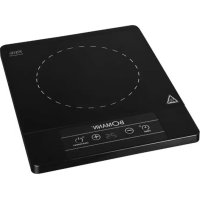
EKI 5000 CB - Frying Pan BOMANN - Free user manual and instructions
Find the device manual for free EKI 5000 CB BOMANN in PDF.

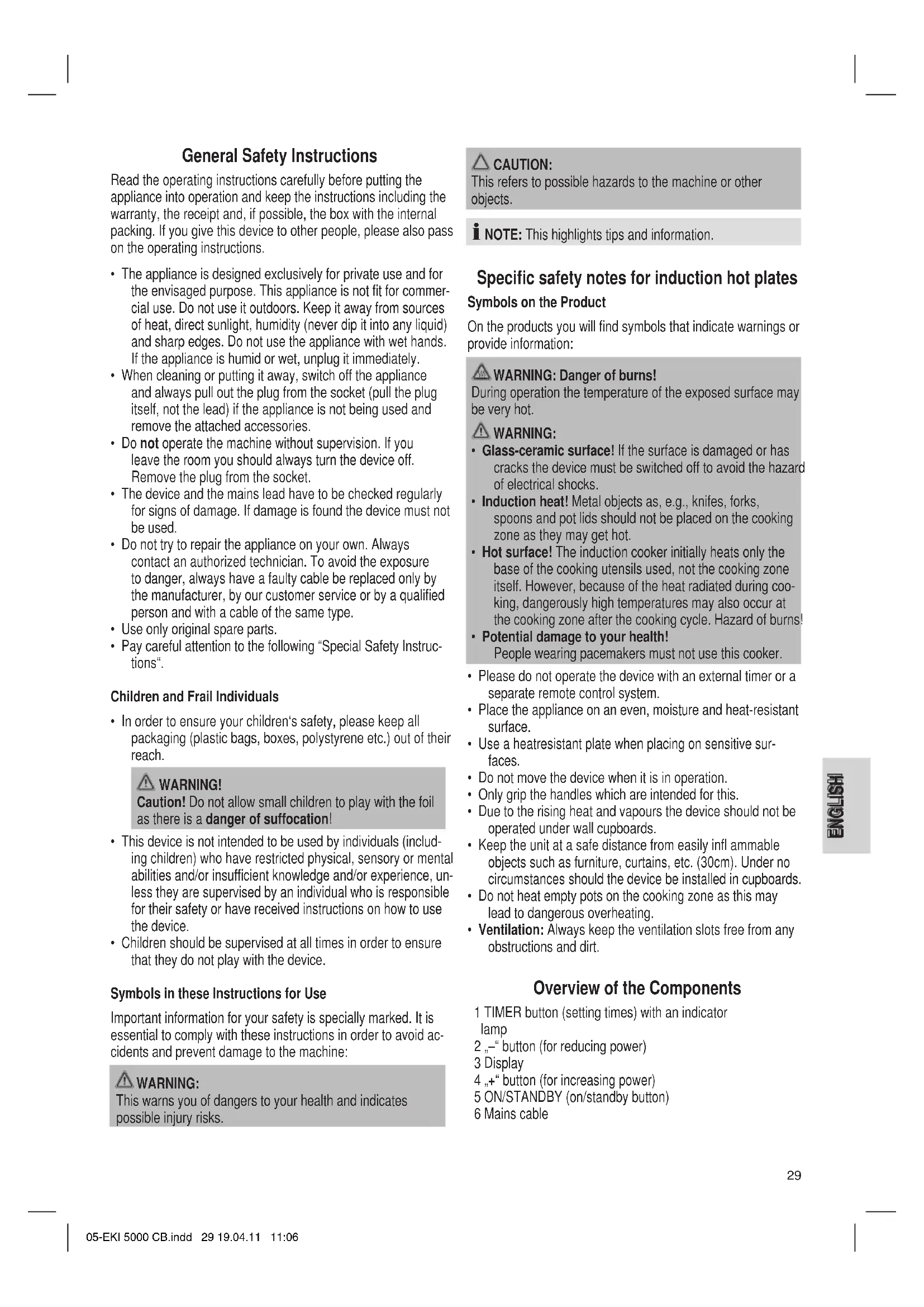


| Product type | Portable induction hob |
| Brand | Bomann |
| Model | EKI 5000 CB |
| Dimensions (W x D x H) | approx. 30 x 30 x 6 cm |
| Weight | approx. 2.5 kg |
| Power supply | 220-240 V, 50/60 Hz |
| Total power | 2000 W |
| Number of cooking zones | 1 (induction) |
| Power levels | 9 (1 to 9) |
| Timer | 1 to 199 minutes |
| Automatic shut-off | After 120 minutes without operation |
| Pan detection | Yes |
| Overheating protection | Yes |
| Cooking surface | Ceramic glass |
| Cleaning | Damp cloth, specific products for ceramic glass |
| Standby function | Yes (flashing indicator) |
| Display | Digital (LED) |
| Utensil compatibility | Magnetic bottom (diameter ≥12 cm) |
| Intended use | Domestic, food preparation |
Frequently Asked Questions - EKI 5000 CB BOMANN
User questions about EKI 5000 CB BOMANN
0 question about this device. Answer the ones you know or ask your own.
Ask a new question about this device
Download the instructions for your Frying Pan in PDF format for free! Find your manual EKI 5000 CB - BOMANN and take your electronic device back in hand. On this page are published all the documents necessary for the use of your device. EKI 5000 CB by BOMANN.
USER MANUAL EKI 5000 CB BOMANN
INDUKTIONSKOCHPLATTE EKI 5000 CB
Inductiekookplaat • Plaque chauffante à induction • Piano di cottura ad induzione Placa de hornillo por inducción • Chapa de cozimento por indução • Induction Cooker Indukcyjna plyta kuchenna • Indukciós főzőlap • Індукційна кухонна плита
Overview of the Components ...... Page 3
Instruction Manual Page 29
Technical Data...... Page 32
FRANÇAIS
JEZYK POLSKI
Sommaire
D-47906 Kempen/Germany
Consommation: 2000 W
Classe de protection: ......II
Poids net: 2,33 kg
General Safety Instructions
Read the operating instructions carefully before putting the appliance into operation and keep the instructions including the warranty, the receipt and, if possible, the box with the internal packing. If you give this device to other people, please also pass on the operating instructions.
- The appliance is designed exclusively for private use and for the envisaged purpose. This appliance is not fit for commercial use. Do not use it outdoors. Keep it away from sources of heat, direct sunlight, humidity (never dip it into any liquid) and sharp edges. Do not use the appliance with wet hands. If the appliance is humid or wet, unplug it immediately.
- When cleaning or putting it away, switch off the appliance and always pull out the plug from the socket (pull the plug itself, not the lead) if the appliance is not being used and remove the attached accessories.
- Do not operate the machine without supervision. If you leave the room you should always turn the device off. Remove the plug from the socket.
- The device and the mains lead have to be checked regularly for signs of damage. If damage is found the device must not be used.
- Do not try to repair the appliance on your own. Always contact an authorized technician. To avoid the exposure to danger, always have a faulty cable be replaced only by the manufacturer, by our customer service or by a qualified person and with a cable of the same type.
- Use only original spare parts.
- Pay careful attention to the following "Special Safety Instructions".
Children and Frail Individuals
- In order to ensure your children's safety, please keep all packaging (plastic bags, boxes, polystyrene etc.) out of their reach.

WARNING!
Caution! Do not allow small children to play with the foil as there is a danger of suffocation!
- This device is not intended to be used by individuals (including children) who have restricted physical, sensory or mental abilities and/or insufficient knowledge and/or experience, unless they are supervised by an individual who is responsible for their safety or have received instructions on how to use the device.
- Children should be supervised at all times in order to ensure that they do not play with the device.
Symbols in these Instructions for Use
Important information for your safety is specially marked. It is essential to comply with these instructions in order to avoid accidents and prevent damage to the machine:

WARNING:
This warns you of dangers to your health and indicates possible injury risks.

CAUTION:
This refers to possible hazards to the machine or other objects.

NOTE: This highlights tips and information.
Specific safety notes for induction hot plates
Symbols on the Product
On the products you will find symbols that indicate warnings or provide information:

WARNING: Danger of burns!
During operation the temperature of the exposed surface may be very hot.

WARNING:
- Glass-ceramic surface! If the surface is damaged or has cracks the device must be switched off to avoid the hazard of electrical shocks.
- Induction heat! Metal objects as, e.g., knives, forks, spoons and pot lids should not be placed on the cooking zone as they may get hot.
- Hot surface! The induction cooker initially heats only the base of the cooking utensils used, not the cooking zone itself. However, because of the heat radiated during coo-king, dangerously high temperatures may also occur at the cooking zone after the cooking cycle. Hazard of burns!
• Potential damage to your health!
People wearing pacemakers must not use this cooker.
- Please do not operate the device with an external timer or a separate remote control system.
- Place the appliance on an even, moisture and heat-resistant surface.
- Use a heatresistant plate when placing on sensitive surfaces.
- Do not move the device when it is in operation.
- Only grip the handles which are intended for this.
- Due to the rising heat and vapours the device should not be operated under wall cupboards.
- Keep the unit at a safe distance from easily infl ammable objects such as furniture, curtains, etc. (30cm). Under no circumstances should the device be installed in cupboards.
- Do not heat empty pots on the cooking zone as this may lead to dangerous overheating.
- Ventilation: Always keep the ventilation slots free from any obstructions and dirt.
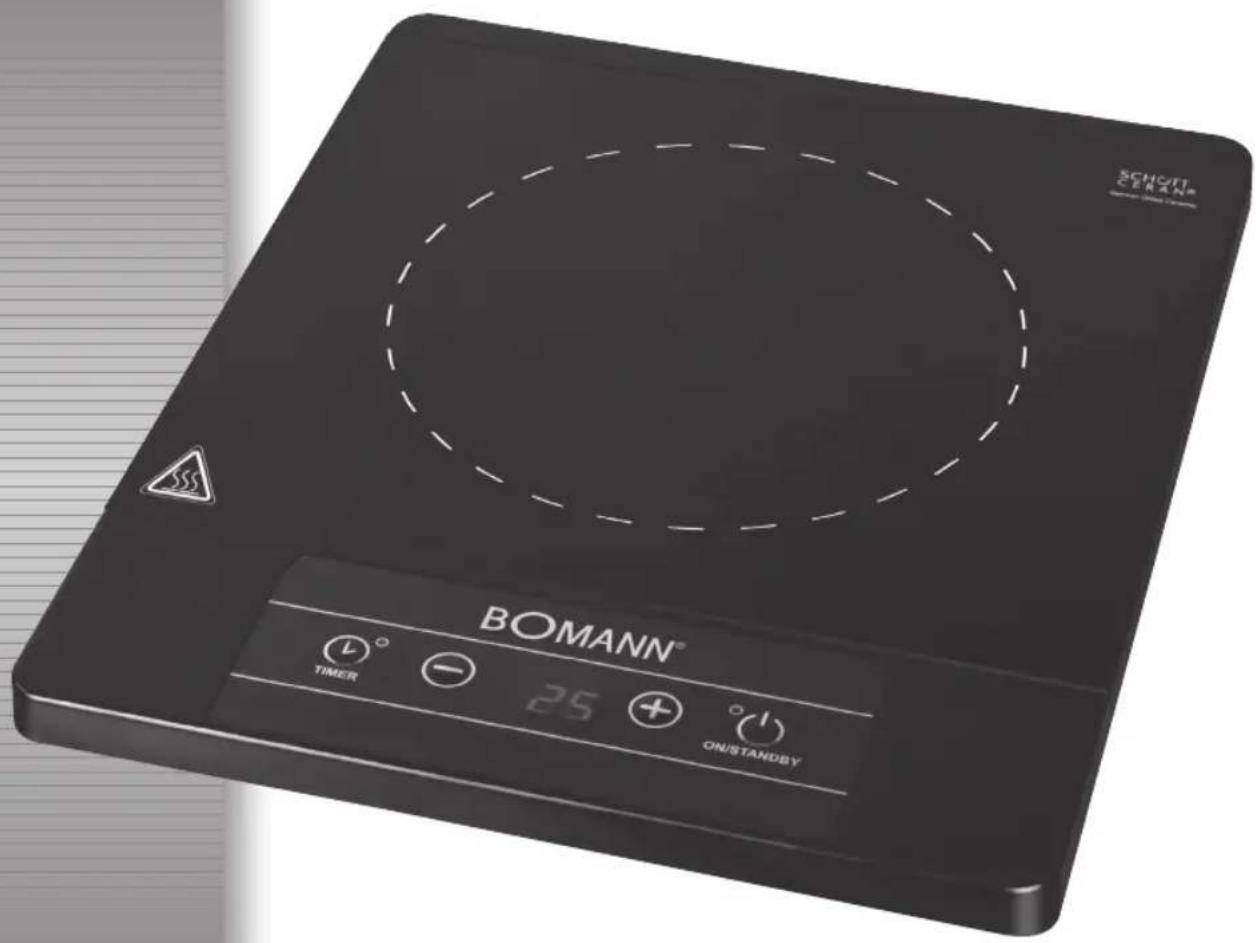
Overview of the Components
1 TIMER button (setting times) with an indicator lamp
2 „-“ button (for reducing power)
3 Display
4 „+“ button (for increasing power)
5 ON/STANDBY (on/standby button)
6 Mains cable
General information
Cooking with induction technology
When cooking with induction technology, heat is only generated by means of magnetic power, if a pot or pan with a magnetisable base is placed on a switched-on cooking zone. The induction cooker heats only the base of the cooking utensils used, not the cooking zone itself. Under the glass-ceramics surface, the induction coil is located. If the coil is supplied with electrical power a magnetic field develops generating whirls in the pot's base. This results in the heating of the base material. The induction process saves energy as heat is solely produced where it is needed.
What cooking utensils may I use?
Induction cookers require pots, i.e., pot bases made of magnetisable material. Today, cooking utensils appropriate for induction cooking usually bear a note saying 'Suitable for induction hob' or similar.
But principally you may use any iron-based cooking utensils; to find out whether a pot or pan is suitable, i.e., magnetisable just try the following:
Put the respective pot on the hob. If you hear an alarm sound after selecting the cooking function and switching the device on, the pot is not suitable.
i NOTE:
For reasons of safety, the device automatically switches to the standby mode after a few seconds.
Cooking utensils made of the following materials are not suitable for induction hobs:
Clay, glass or aluminium.
Do not use the following types of pots:
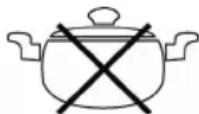
Pots with bended (convex/parabolic) bases.
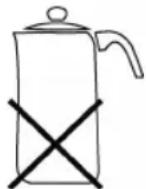
Pots with a base diameter of less than 12 cm.
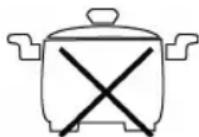
Pots standing on feet.
Mains supply
Connected load/wattage
The hob can take up an overall load of 2000 W. Because of this high connected load it is recommended to use a separate connection protected over a 16A safety switch.

CAUTION: OVERLOAD!
Do not use extension cables or multiple sockets as the power consumption of this device is too high for these.
Connection
- Before inserting the mains plug into the socket check whether the voltage which you intend to use corresponds to that of the machine. Please see the label on the machine for details.
- Only connect the machine to a correctly installed safety socket, 230 V/50 Hz.
Designated use
- This device is intended to be used to prepare food in induction crockery.
- If the appliance is not used according to the instructions or incorrectly, the manufacturer is not liable for the resulting damage!
Initial operation
- Standby mode: After you have connected the device's plug to the mains supply, the hub is in standby mode. A signal sounds and the indicator lamp on the ON/STANDBY button (5) flashes. The display shows "L" for "LOW" (low temperature).
- Put a suitable pot on the cooking zone.
- Press the ON/STANDBY button (5) to start cooking. The indicator lamp on the ON/STANDBY button (5) will be on continuously.
Choose power output of the hot plate
- Press the -/+ buttons (2/4) repeatedly to select a power level of between 1 and 9.
i NOTE:
• The hot plate always starts off on level P(OWER) 7.
- The level which is selected is shown on the display.
- If no further entry is made, the hot plate is automatically switched off after 120 minutes.
Enter stop time
You can use the TIMER button to limit the cooking time.
- Switch on the unit and select a power level of your choice.
- Then press the TIMER (1) button. The indicator lamp on the TIMER button (1) will be on continuously.
- Set a switch-off time between 1 and 199 minutes with the -/+ buttons.
i NOTE:
- Press the - or + buttons briefly to adjust the time by one minute.
- If you hold down the - or + buttons, the time will jump by 10 minutes.
- Once you have set the time, the figure shown flashes for a few seconds and is then on continuously.
- During timed operation, the display switches between showing the power level and the remaining time.
- Once the preset time period elapses, the hot plate is automatically switched off and a signal sounds.
Delete the time
- If you would like to delete the preset times, press the TIMER (1) button, so that the control lamp goes off.
Automatic shut-off
- The hot plate turns off automatically after 120 minutes, if no input was given over the operator control panel during this time. This switching serves as security for you.
Switching off
- Press the ON/STANDBY button (5).
i NOTE:
- The hot plate is reset from its operational state to standby mode. The fan may continue to run for a period of time.
- A signal sounds and the indicator lamp on the ON/STANDBY button (5) flashes.
- As long as the hot plate is still hot, a „H“ flashes on the display.
- Pull the plug.
- Let the device cool down, before you put it away.
Pan recognition
The device has a pot recognition function. After the pot has been taken from the hob, it switches back to the standby mode. In this context, please pay attention to the following:

WARNING:
- After use, the hot plate is to be switched off by means of its regulation and control devices (ON/STANDBY button) and not just by pan recognition.
- Hazard of burns! Because of the heat radiated during cooking, dangerously high temperatures may occur at the cooking zone after the cooking cycle.
Cleaning

AVVISO:
• Always remove the mains lead before cleaning!
- Wait until the machine has cooled down completely.
- Under no circumstances should you immerse the device in water for cleaning purposes. Otherwise this might result in an electric shock or fire.

CAUTION:
- Do not use a wire brush or any abrasive items.
- Do not use any acidic or abrasive detergents.
Ceramic Hob
- Clean the surface from food remains when it's still warm using a moist cloth or tissue.
- Wash the hob using a soft sponge and some water, then wipe dry with a soft cloth.
- Cleaning agent for glass-ceramics surfaces: In case of stubborn, baked-in remains, use suitable cleaning products available at special departments of department stores.
Housing
- Clean the housing after use using a slightly moist cloth.
- Make sure that no fluid matter gets into any of the openings of the housing. This might damage the device or result in an electric shock.
Troubleshooting
- Device does not function, no indication on the display.
Remedy:
Check the mains connection.
- There is a sound after I have selected a cooking function and switched the device on.
Possible cause:
You put no or an unsuitable pot on the hob.

NOTE:
For reasons of safety, the device automatically switches to the standby mode after a few seconds.
Remedy:
Put a pot on the hob that is suitable for induction hobs.
- The hob suddenly switches off during operation.
Possible cause:
The overheating protection (cutout switch) has been activated.
Remedy:
Pull the plug and let the device cool down for about 20 min. Then start operating the device again.
Further cause:
The ventilation slots are obstructed.
Remedy:
Free the ventilation slots from any obstructions.
Further cause:
The hot plate was automatically switched off after 120 minutes.
Error messages
During the operation the display shows the following security instructions:
| Security instruction | |
| E1,E2,E4,E5,Eb,EC | In this case, there is a problem with the electronic control. |
| E3,E6 Overheating. See below remedy of the fault. | |
| E7,E8 Overvoltage or undervoltageCheck the power supply system! | |
Technical Data
Model: EKI 5000 CB
Power supply: 220–240 V, 50/60 Hz
Power consumption: 2000 W
Protection class: II
Net weight: 2,33 kg
This device has been tested according to all relevant current CE guidelines, such as electromagnetic compatibility and low voltage directives, and has been constructed in accordance with the latest safety regulations.
Subject to technical changes without prior notice!
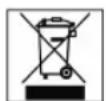
Meaning of the "Dustbin" Symbol
Protect our environment: do not dispose of electrical equipment in the domestic waste.
Please return any electrical equipment that you will no longer use to the collection points provided for their disposal.
This helps avoid the potential effects of incorrect disposal on the environment and human health.
This will contribute to the recycling and other forms of reutilisation of electrical and electronic equipment.
Information concerning where the equipment can be disposed of can be obtained from your local authority.
- INDUKTIONSKOCHPLATTE EKI 5000 CB
- FRANÇAIS
- JEZYK POLSKI
- Sommaire
- General Safety Instructions
- Children and Frail Individuals
- WARNING!
- Symbols in these Instructions for Use
- WARNING:
- CAUTION:
- Specific safety notes for induction hot plates
- Symbols on the Product
- WARNING: Danger of burns!
- Overview of the Components
- General information
- Cooking with induction technology
- What cooking utensils may I use?
- i NOTE:
- Cooking utensils made of the following materials are not suitable for induction hobs:
- Do not use the following types of pots:
- Mains supply
- Connected load/wattage
- CAUTION: OVERLOAD!
- Connection
- Designated use
- Initial operation
- Choose power output of the hot plate
- Enter stop time
- Delete the time
- Automatic shut-off
- Switching off
- Pan recognition
- Cleaning
- AVVISO:
- Ceramic Hob
- Housing
- Troubleshooting
- NOTE:
- Error messages
- Technical Data
- Meaning of the "Dustbin" Symbol
Brand : BOMANN
Model : EKI 5000 CB
Category : Frying Pan