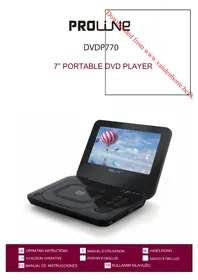
DVDP770 - DVD player PROLINE - Free user manual and instructions
Find the device manual for free DVDP770 PROLINE in PDF.



| Product type | Portable DVD player with LCD screen |
| Brand | Proline |
| Model | DVDP770 |
| Dimensions (L x W x H) | 196 x 153 x 40.3 mm |
| Weight | 632.5 g (with battery) |
| Screen | 17.8 cm (7") LCD, 16:9 format, 480 x 234 pixels resolution |
| Power supply | DC 5V, 1A AC adapter (100-240V AC, 50/60 Hz) |
| Built-in battery | Lithium-polymer, battery life approx. 2.5 h, charging 4-5 h |
| Power consumption | 5 W |
| Compatible disc formats | DVD-Video, Audio CD, CD-JPEG (CD-R/RW) |
| Playback functions | Play/pause, skip, fast forward/rewind, slow motion, repeat (1/ALL, A-B), zoom, image rotation, angle selection, subtitles, audio tracks |
| Connections | Video output (3.5 mm), audio output (3.5 mm), headphone jack (3.5 mm stereo), USB port, SD card slot |
| Video output | 1 V (p-p), 75 ohms, negative sync |
| Audio output | 1.2 Vrms (1 kHz, 0 dB), 3.5 mm jack |
| Audio signal-to-noise ratio | 90 dB typical |
| Audio dynamic range | 90 dB typical |
| Video standard | NTSC, PAL |
| Laser | Class 1, wavelength 650 nm |
| Operating temperature | 0°C to 35°C |
| Parental control | Yes, with password (default 1111), categories 1 to 8 |
| Built-in remote control | Yes, accessible via menu |
| Maintenance | Clean with a soft, dry cloth; do not use solvents |
| Safety | Class 1 laser, double insulation, do not open, do not expose to water or heat |
| Spare parts / repairability | Non-replaceable AC adapter; no user-serviceable parts |
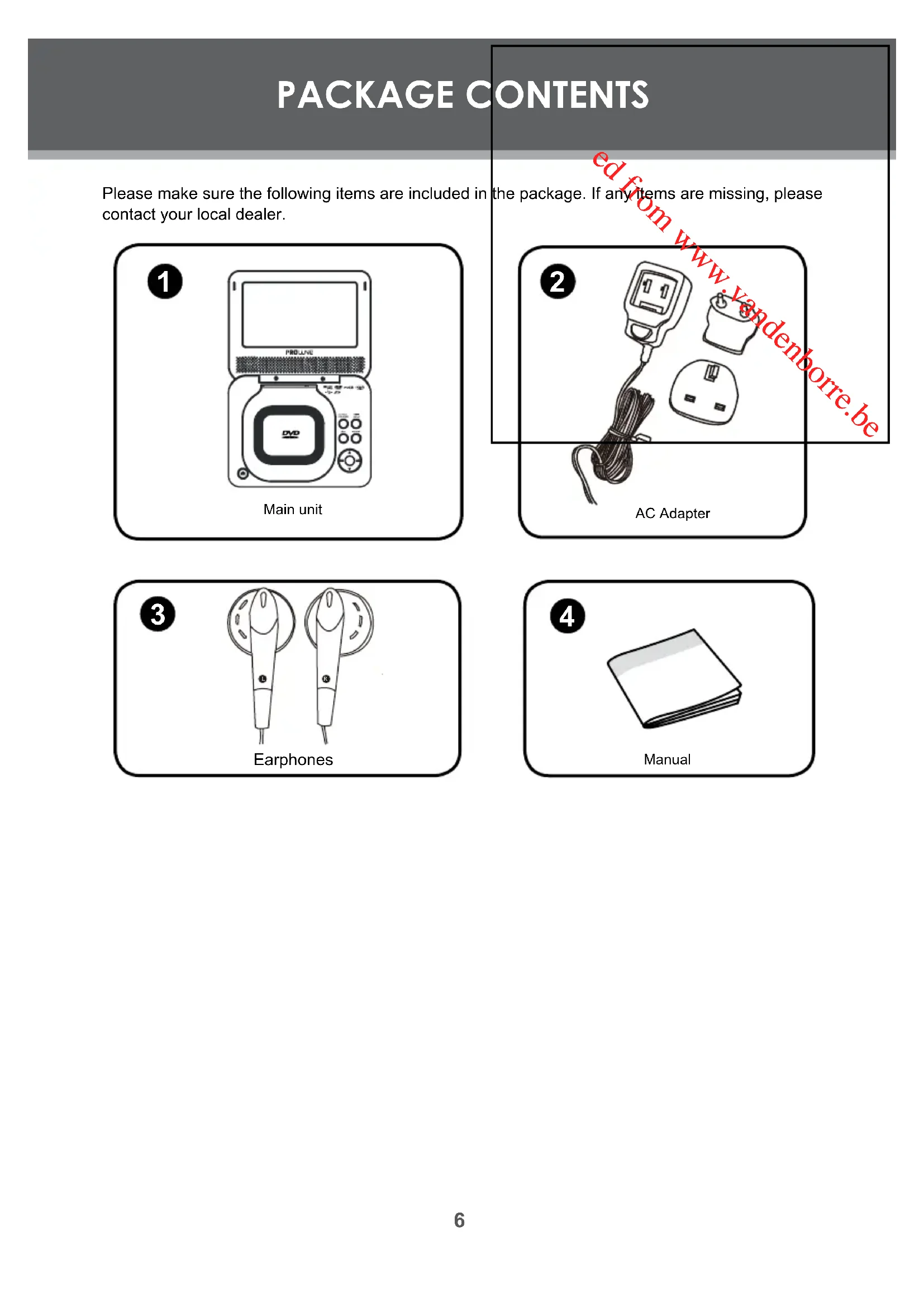
| Package contents | Player, AC adapter, headphones, user manual |
Frequently Asked Questions - DVDP770 PROLINE
User questions about DVDP770 PROLINE
0 question about this device. Answer the ones you know or ask your own.
Ask a new question about this device
Download the instructions for your DVD player in PDF format for free! Find your manual DVDP770 - PROLINE and take your electronic device back in hand. On this page are published all the documents necessary for the use of your device. DVDP770 by PROLINE.
USER MANUAL DVDP770 PROLINE
Enter below the serial number that is located on the bottom of the unit. Retain this information for future reference.
Model No. Serial No.
DVDP770
Mains Supply
This product is designed to operate from a 100-240 volt, 50/60Hz AC mains supply. Other power sources may damage it. Check that the rating label (on the mains adapter) states 100-240V AC before you plug it in for the first time.
Mains Adapter
The power adapter supplied is compatible with a standard mains socket.
WARNING: The external flexible cable or cord of this transformer cannot be replaced; if the cord is damaged the transformer must be scrapped.
Symbol

This product is double insulated and an earth connection is not required.

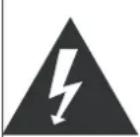
Dangerous voltage constituting a risk of electric shock is present inside this equipment.

This mark is applied to show the equipment conforms to European safety and electro-magnetic compatibility standards.

There are important operating and maintenance instructions in the literature accompanying this equipment.
Class1 Laser Product

This product contains a low power laser device. Invisible laser radiation when open and interlocks defeated.
Avoid exposure to beam.
Never stare directly into the laser beam.

This producthas built-in copy-right protection tec hology that prevents copying from a DVD disc to any media If a video recorder is connected to the player, the video output image will be distorted during recording.
At full power, prolonged listening to the player can damage the ear of the user
WARNING: To protect your hearing it is important that any headphones or earphones used in conjunction with this product are compliant with French Decree of 8 November 2005 implementing Article L.5232-1 This ensures that the sound level does not exceed 100 dB SPL. The prolonged listening at high volume for more than five hours a week can damage your hearing.
IMPORTANT SAFETY INSTRUCTIONS
These safety and operating instructions should be read before the product is operated.
These safety and operating instructions should be retained for future reference.
- Do not use this product near water e.g. near a bath tub, washbowl, basements or near a swimming pool.
kitchen sink, laundry tub, in wet
The product should be situated away from heat sources such as radiators, heating vents, stoves and other products (including amplifiers) that produce heat.
If a car power adapter is used, always disconnect when not in use. This unit is not suitable for 24V vehicles.
This product should not be used by the driver of a moving motor vehicle, or left unsecured whilst the vehicle is moving. If this unit is being used by a passenger in your vehicle be sure that it is secured or held safely and does not obstruct any safety device i.e. air bag, seat belt etc. - Never push objects of any kind into this product through openings as they may touch dangerous voltage points or may short out parts that could result in fire or electric shock.
The power adapter is the main disconnect device and should be accessible at all times. - Do not attempt to repair this unit yourself; always get a qualified service agent to carry out any adjustments or repairs.
Cleaning
Unplug this product from the mains socket before cleaning. To clean the player, use a soft, dry cloth. If the surfaces are extremely dirty, use a soft cloth lightly moistened with a mild detergent solution. Do not use strong solvents such as alcohol, benzene or thinner, as these might damage the surface of the unit.
Ventilation
Do not obstruct the ventilation slots, including those underneath with soft furnishings Overheating will shorten the life of this product and increase the risk of fire.
WARNING
This appliance is intended for domestic household use only and should not be used for any other purpose or in any other application, such as for non-domestic use or in a commercial environment.
The apparatus shall not be exposed to dripping or splashing and that no objects filled with liquids, such as vases shall be placed on the apparatus.
No naked flame sources, such as lighted candles should be placed on the apparatus.
The ventilation shall not be impeded by covering the ventilati on openings with items, such as newspapers, table -cloths, curtains etc.
TABLE OF CONTENTS
PRECAUTIONS 2
IMPORTANT SAFETY INSTRUCTIONS
TABLE OF CONTENTS
P A R G A C E N T C E N T S
ABOUT OPTICAL DISCS
Disc Requirements. 7
Disc Care and Maintenance
Handling a Disc 7
Cleaning a Disc. 7
LOCATION OF CONTROLS 8
Front View. 8
Left View 9
Bottom View. 9
CONNECTIONS 10
Audio & Video Connections 10
USB Connection 10
Earphone Connection 10
Power Connection 11
Connecting to the wall outlet 11
Using the car plug 11
Using the Built- in battery 11
BASIC OPERATIONS 12
BasicPlayback 12
Play/Pause/Stop 12
Next/Previous (Skip) 12
Forward/Reverse (Search) 12
Slow 12
Rotate (Picture) 12
Menu Navigation 12
Adjusting the Volume 13
Disc Error Messages 13
Power Management. 13
Screen Saver 13
RC FUNCTIONS 14
RC Screen 14
Numeric Keypad 14
Angle 14
Repeat Playback of a chapter / Title / All of a Disc (1/ALL) 14
Repeat A-B Mode (A-B). 14
Multi-Subtitle (Sub) 14
Audio 14
Zoom 14
Title 14
TABLE OF CONTENTS
Search 15
SETUP 16
Language 16
Video 16
Audio 17
Rating 17
Misc. 17
SPECIFICATIONS 18
TROUBLESHOOTING 19
PACKAGE CONTENTS
Please make sure the following items are included in contact your local dealer.
the package. If any items are missing, please
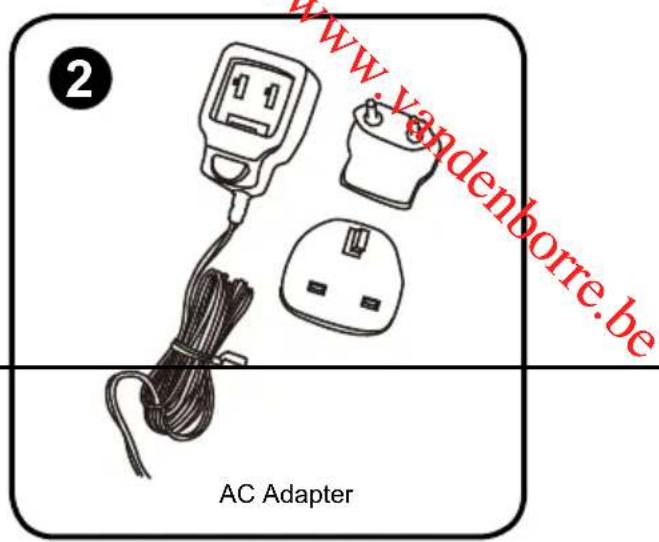
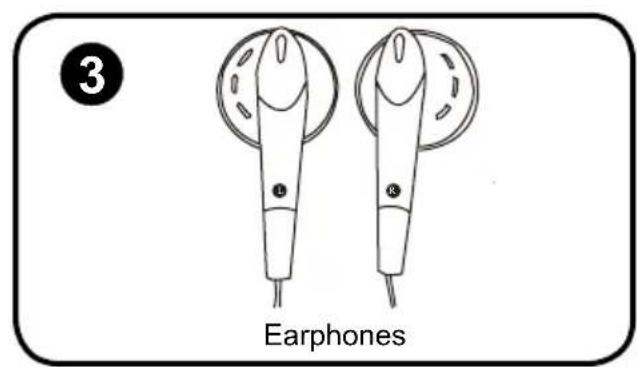
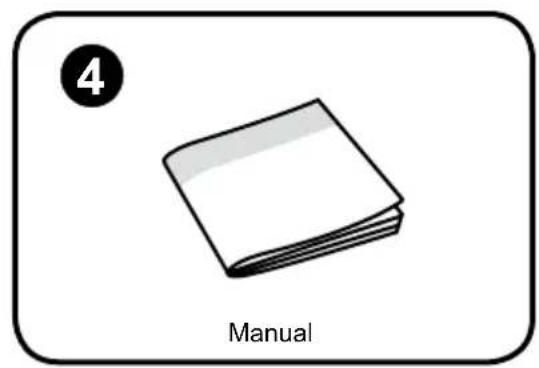
ABOUT OPTICAL DISCS
Disc Requirements
This DVD player supports playback of the following discs.
| Type Disc Mark Content Type | Disc Size Max. Playback Time | ||||
| DVD-Video Discs | DVD VIDEO | Audio (moving) + Video picture) | 12 cm | 133 min (SS-SL) | |
| 242 min (SS-DL) | |||||
| 266 min (DS-SL) | |||||
| 484 min (DS-DL) | |||||
| Audio Compact Discs (CDs) | AUDIOACT DISC DIGITAL AUDIO | Audio 12 cm | 74 min | ||
| JPEG CDs -- Still Picture 12 cm -- | |||||
This unit can play back CD-R and CD-RW discs that contain JPEG picture files. Discs not listed above are not supported by this unit (eg, PC CD-ROM, CD-Extra, CD-G, CD-I, etc.)
Disc Care and Maintenance
Optical discs (DVDs, CDs) contain high-density compressed data and need proper handling.
Handling a Disc
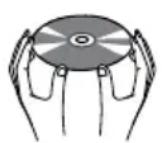
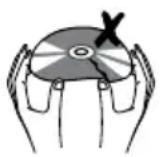
- Hold a DVD/CD by its edges. Avoid touching the recorded side of the disc. To remove a DVD/CD from its stora ge case, press down on the center retention mechanism of the case and lift the disc out.
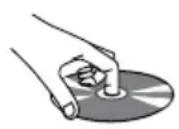
- Do not subject discs to prolonged exposure to direct sunlight, high humidity, or high temperatures.
Do not bend or press discs.
To reduce the risk of scratches, always put discs back in their case after use. Store discs vertically in a cabinet.
Do not place stickers or labels on either side of a disc.
Cleaning a Disc
Use a dry, soft cloth to wipe off any fingerprints and dust from the playing surface of the disc. Wipe in a straight line radially from the center to the outside edge of the disc. Small dust particles and light stains will not affect playback quality.
- Never use chemicals such as record sprays, anti-static sprays, benzene, or thinners to clean a disc. Doing so will damage the surface of the disc permanently.
LOCATION OF CONTROLS
Front View
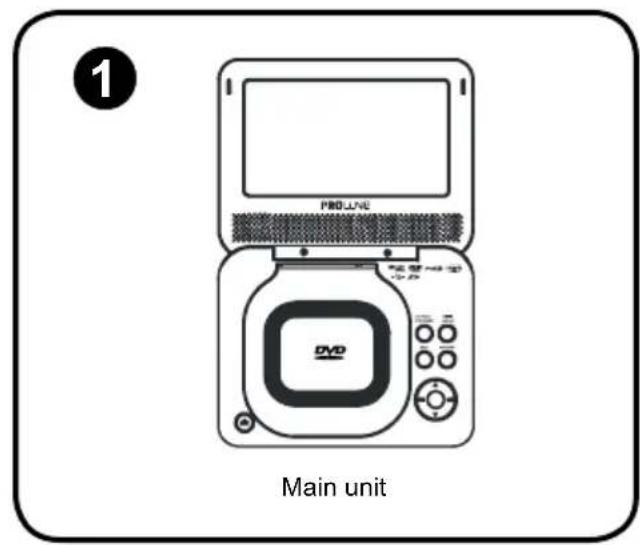
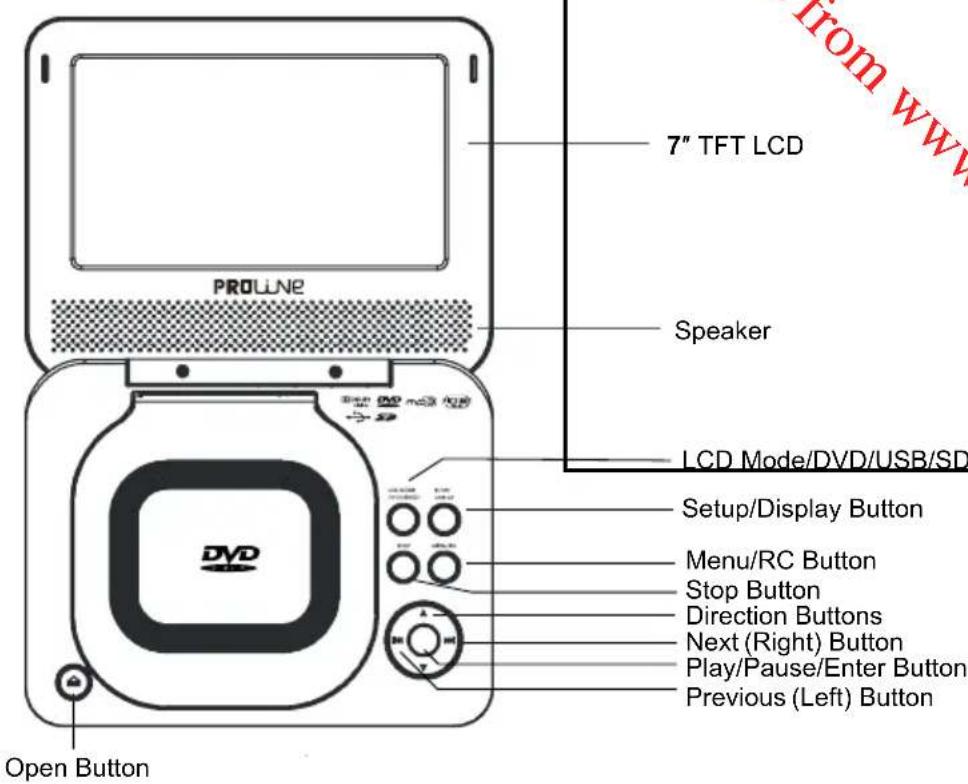
LCD Mode/DVD/USB/SD button
- Briefly press this button to display the LCD menu.
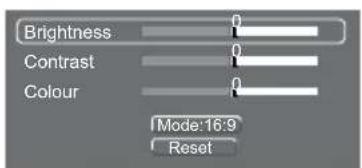
- Press up/down direction button to highlight item and then make adjustment by left/right direction button.
- Press up/down direction button to select Mode and then press the Enter button to toggle the screen dimension between 16:9 and 4:3.
- Select RESET and press ENTER to return the settings of brightness, contrast and colour to their factory default settings.
- To access the USB/SD mode, insert a USB flash drive/SD card into the USB port/SD slot. In stop mode or with no disc loaded, press and hold LCD MODE/DVD/USB/SD button for a short while to display the Disc/USB/SD menu, you can access a DVD/USB/SD using this menu.
Setup/Display button
Briefly press the SETUP/DISPLAY button to show playback information(In DVD mode).
Press and hold it to enter the player's setup menu. To adjust the player's internal settings, please see the SETUP section for more details.
Stop
Press once to prestop the playback, press twice to stop completely.
Menu/RC button
Briefly press this button to display the menu screen. Press up/down button to select track and press Play/ Pause/Enter button to play.
Press and hold this button to display the Remote Control screen, refer to RC functions for more details.
Direction buttons
Press direction buttons to select an item and press the Play/Pause/Enter button to confirm. Press up/down button to slow reverse/forward during video.audio playback.
Next/Previous buttons
Press the Next button on to skip forward one track.
Press the Previous button to skip back one track.
Press and hold the NEXT / PREVIOUS button to fast forward/reverse during video / audio playback.
Play/Pause/Enter buttons
Press this button to confirm the selection.
Press this button to start/pause playback.
LOCATION OF CONTROLS
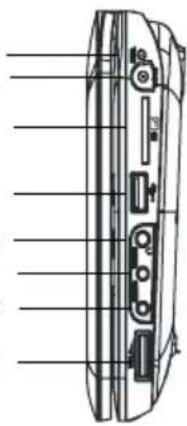
Charge Indicator
DC 5V in Jack
SD Slot
USB Port
Headphone Jack
Video Jack
Audio Jack
Volume Dial
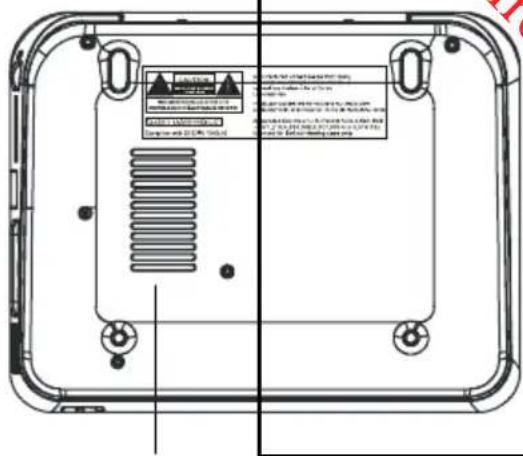
Cooling Slots
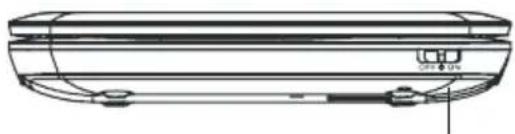
Power Switch
Left View
Charge Indicator
The charge indicator will light red while the built-in battery is charging; it will go off when the battery is fully charged
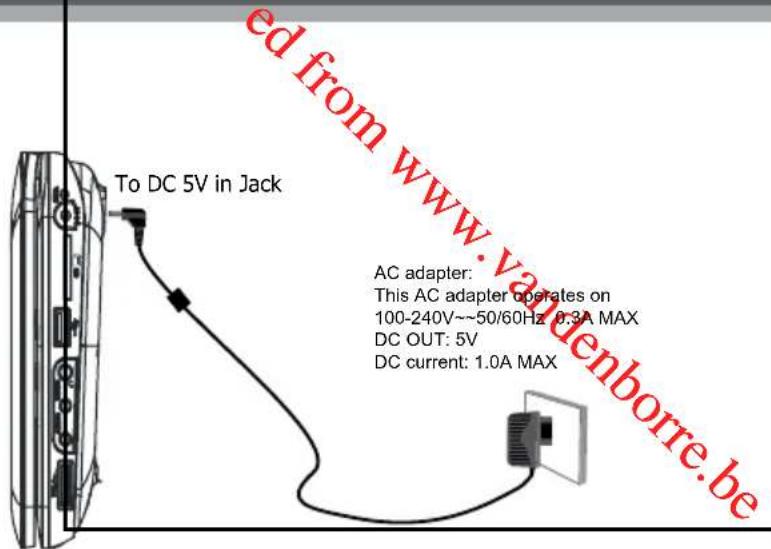
DC 5V IN Jack
To connect to the AC Adapter / DC 5V Car adapter for power supply.
SD Slot
For use with SD card.
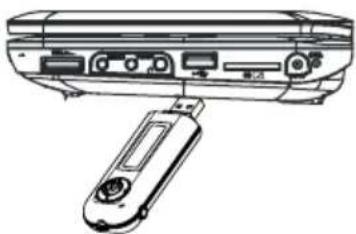
USB Port
For use with USB flash drives.
Video Jack
To connect to an external TV screen by the AV cable.
Audio Jack
To connect to an external speaker system by the AV cable.
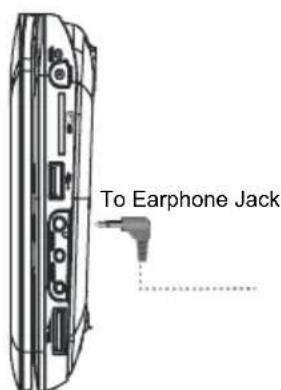
Headphone Jack
To connect to the earphone/headphone.
Volume Dial
To Adjust the Volume Level.
Bottom View
Cooling Slots
Front View
Power Switch
To turn on/off the unit.
CONNECTIONS
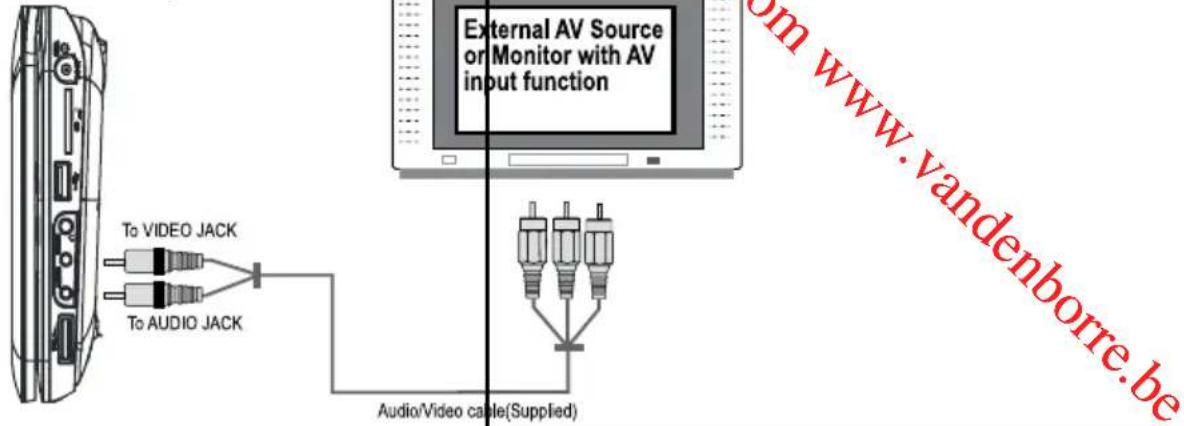
Audio and Video Connections
Refer to the owner's manual of the external device as well.1.
Before connecting the power source, 2. ensure that all the connections are properly done.
USB Connection
- Insert the USB into the USB port on the left panel of the main unit. With no disc loaded or in stop mode, press and hold the LCD MODE/DVD/USBSD button to enter source mode. Press the Up/Down direction button to select USB and then press Play/Pause/Enter button to access.
It takes a short while for the unit's reading data. After the device is detected, the screen will display the 2. working menu, press the direction buttons to select the desired file from the menu and press Play/Pause to start playback.
Earphone Connection
Be sure that your unit is at low volume level before connecting the earphones. Increase the volume gradually for your comfortable listening.
CAUTION:
Hearing experts advise against the constant use of personal stereos played at high volume. Constant high volume use can lead to hearing loss. If you experience ringing in the ears or hearing loss, discontinue use and seek medical advise.
CONNECTIONS
Power Connections
Connecting to the wall outlet
Caution:
Do not connect the power plug to a power outlet other than that which is indicated here and on the label as this may result in the risk of fire or electric shock.
Do not handle the power plug with wet hands. Doing so may cause electric shock.
Only use AC adapters of the type specified here. Failure to do so may cause a fire or damage the player.
Using a car power adaptor (not supplied)
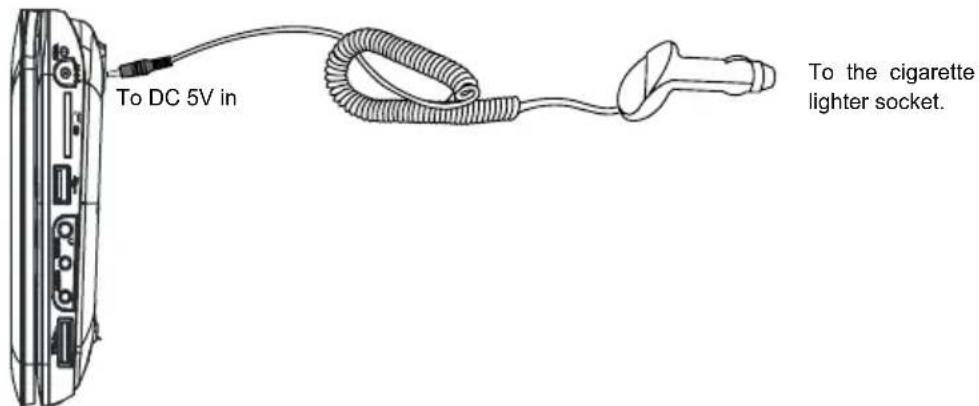

Disconnect this car power adaptor when not in use.
The unit can only be connected to a car adaptor that outputs DC 5V, otherwise the unit may be damaged.
Using the Built- in battery
The unit has a built-in rechargeable battery (lithium-polymer). Charge the built-in battery before using it for the first time. It takes about 4~5 hours to fully charge the battery.
To charge the built-in battery, just connect the AC adapter to the player and a specified wall outlet. see above. The built-in battery can only be charged when the unit is turned off. (The Battery Charge indicator will light red while it is charging; it will go off when the battery is fully charged.)
The built-in rechargeable battery can be used for approximately 300 charge-cycles without any noticeable change in performance.
The built-in battery can last approx 2.5 hrs during normal playback after fully charged.
- When the built-in battery power is low, the low battery icon will flash on the upper right corner of the screen for a while, and then the player will turn itself off automatically.
Note:
Use the specified charger.
Never dispose of in fire or heat up.
- Do not use in high temperature or near heat sources.
Do not open the cover.
Refer servicing only to qualified service personnel.
To get the longest service life of the built-in battery, charge at indoor-temperature.
BASIC OPERATIONS
Basic Playback
- Prepare the connections and power supply.
- Load a disc.
Press the Open button to open the disc compartment lid. Load a disc with the label-side facing up. Close the lid manually. If a single-sided disc is loaded upside-down, the player will display "BAD DISC".
- Start playback.
Press Play/Pause/Enter button to start playback (some discs may start playing automatically).
Play/Pause/Stop
Press Play/Pause/Enter button to play the disc for the first time.
Press Play/Pause/Enter button during playback to pause. Press again to resume playback.
Press Stop button during playback to stop the disc ("Pre-Stop"). Press Play/Pause/Enter button to resume playback.
Press Stop button when the disc is "Pre-Stopped" to stop playback completely. (If the playback is stopped completely, the disc will play from the very beginning the next time.)
Next/Previous (Skip)
Press Next(Right) button to skip forward one track (DVD, CD, MP3, etc).
Press Previous(Left) button to skip back one track (DVD, CD, MP3, etc).
Forward/Reverse (Search)
Press and hold Next/Previous button to fast-forward / reverse through the disc.
Each successive press of Next/Previous will change the rate of fast-forward / reverse playback.

Slow
To slow-forward/reverse through the disc, press the DOWN/UP direction button.
Each successive press of DOWN/UP direction button will change the rate of slow-motion playback.


Press Pause/Play/Enter button to resume normal playback.
Note:
Audio will be muted during fast-forward, fast-reverse, and slow-motion playback
Rotate (Picture)
Press Up/Down button to rotate the picture by 360/180 degrees during photo playback.
press Left/Right button to view the previous/next picture.
Press and hold Left/Right button to rotate the picture by 90/270 degrees.
Menu Navigation
To navigate DVD disc menus or the player's setup menus:
Press the DIRECTION keys (arrows) to select a desired feature or option in the menu.
- Press Play/Pause/Enter button to confirm a selection in the menu.
- For some menu options, you may be able to use the numeric keypad appeared in the remote control screen to input data.
BASIC OPERATIONS
Adjusting the Volume
- Turn the Volume Control dial to adjust the volume level up or down.
Disc Error Messages
The following messages will be displayed on-screen if there is a problem with the format of the loaded disc.
- WRONG REGIONAL DISC. The region code of the disc does not match the player's region code (Region 1).
WRONG PASSWORD. The parental rating level of the disc is higher than the parental rating level setting of the player. The player will not play the disc. - BAD DISC. The player is equipped with automatic disc quality detection software. If the player detects a disc that is damaged or has a format problem, it may play the disc at a lower quality or stop play completely, depending on how damaged the disc is.
Note:
DVD disc production quality may vary; some discs may deviate from the industry standard.
Some incorrectly-formatted discs may still play, however, the playback and operational quality of the disc may be substandard.
Power Management
If the player is not to be in use for a long period of time, set the Power Switch to the OFF position and unplug the player.
Screen Saver
If you stop using the player for 5 minutes, the screen saver will automatically start, you can press any key to stop it, otherwise, the player will enter standby mode 6 minutes later, then you can press Enter button to wake it up.
RC FUNCTIONS
RC Screen
Press and hold MENU/RC button to display the RC(Remote Use direction buttons (up/down/right/left) to select the confirm.
Control) screen.
Items and press Play/Pause/Enter button to
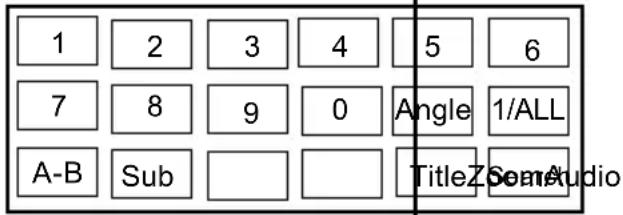
Numeric Keypad
Use the numeric keypad to skip directly to a DVD chapter or CD track. (Some discs may not allow direct access function).
Use the numeric keypad to input data in menu option fields dr input the desired chapter/track number when possible. The selected chapter/track will play automatically after exiting from RC screen (press and hold) MENU/RC button to exit after inputting the data).
Angle
During playback of a DVD that has been mastered with multiple angles, select Angle to view the available alternate camera angles. (A DVD may have up to 9 selectable angles.)
RepeatPlaybackofChapter/Title/ALLofaDisc(1/ALL)
Use REPEAT to change the repeat mode of the player. Each successive press of REPEAT will change the mode as follows: Repeat Chapter Repeat Title Repeat Disc Repeat Off
Repeat A-B Mode (A-B)
To repeat playback of a specific section of a disc (loop):
- Select A-B and press Play/Pause/Enter once to set the desired start point ("A") of the section to be repeated.
Press Play/Pause/Enter button again to set the desired end point ("B") of the section to be repeated.2.
- The section "A-B" will now play repeatedly as a loop. Press Play/Pause/Enter again to resume normal playback.
Multi-Subtitle (Sub)
During playback of a DVD that has been mastered with subtitles, use Sub to view the available subtitle tracks. (A DVD may have up to 32 selectable subtitles.)
Audio
During playback of a DVD that has been mastered with alternate language/audio tracks, use Audio to hear the alternate tracks. (A DVD may have up to 8 selectable audio tracks.)
Zoom
Use ZOOM to change the magnification level of the picture.
During DVD playback, select Zoom and press Play/Pause/Enter button, each successive press of Play/Pause/Enter will change the level of magnification to:
Zoom 1x, Zoom 2x, Zoom 3x, Zoom Off.
In picture mode, each successive press of Play/Pause/Enter will change the level of magnification to:
Zoom 1x, Zoom 2x, Zoom 3x, Zoom Off.
When the magnification level is greater than Normal/100%, use the direction keys to pan around the magnified picture.
Note: The picture quality will decrease as the zoom level increases.
Title
Select the TITLE and press Play/Pause/Enter button during DVD playback to return to the DVD's Title menu.
RC FUNCTIONS
Search
Use Search to select the desired Title/Chapter.
Select Search and press Play/Pause/Enter button to enter the Title/Chapter menu, use up/down button to select Title/Chapter, press left/right button to change the number.
Search
Title4
Chapter
2
Search Menu
SETUP

Various features of the player can be adjusted in th
- Press and hold SETUP/DISPLAY button to enter
- Press the direction buttons to select the desired
-
Press PLAY/PAUSE/ENTER button to confirm.
-
SETUP menu.
the player's setup menu.
em.
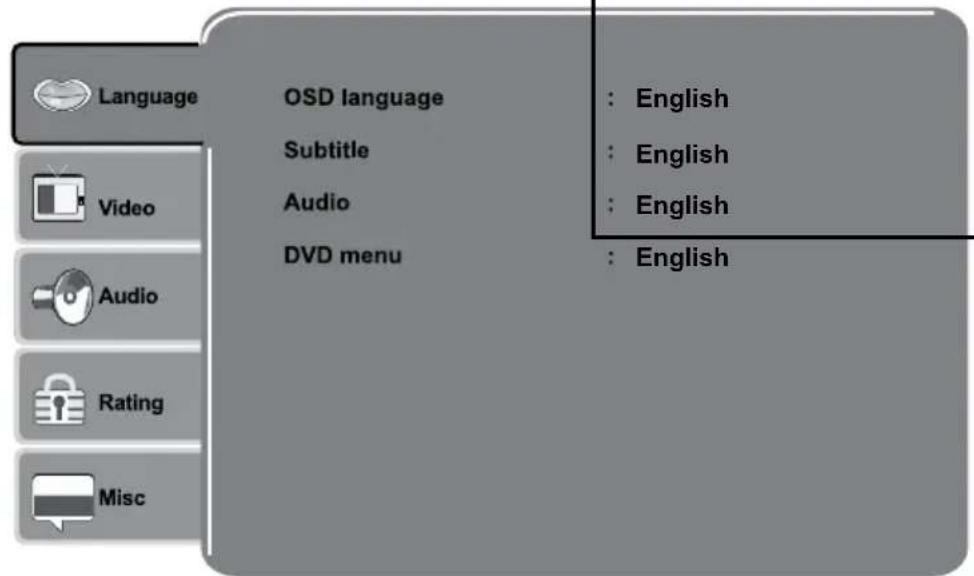
Language
| Item | Description | Default Setting |
| OSD | Sets the language of the player's on-screen display. | English |
| Subtitle | Sets the default subtitle track of loaded DVDs. | English |
| Audio | Sets the default language audio track of loaded DVDs. | English |
| DVD Menu | Sets the default menu language of loaded DVDs. | English |
Video
| Item | Description | Default Setting |
| Aspect Ratio | Sets the aspect ratio of the display. 4:3 is used with standard television displays; 16:9 is used with widescreen television displays. | 16:9 |
| TV System | Sets the player's Video Out signal type. Set this to correspond with your TV's Video System type. PAL is the standard used in the United Kingdom | PAL |
SETUP
Audio
| Item | Description | Default Setting |
| Channel Output | Sets the audio channel mix mode (LT/RT, Stereo). | Stereo |
Rating
| Item | Description | Default Setting | |
| Parental Control | Sets the maturity rating level player will not play any discs this setting.This setting is password protected (the default password is: 1111).Press Enter button to display the “enter password” screen, then press it again to display the RC screen when you need to input the password, use the numeric keypad to input it, then press and hold MENU/R C button to exit the RC screen and press Enter button to confirm the password. | of the player. The rated higher than | Levels 1 to 8.(8: ADULT is de-fault) |
| Set Password | Change the Parental Ctrl password. Enter the old password, and then the new password.DO NOT FORGET THE PASSWORD; this password cannot be reset. | ||
Misc
| Item | Description | Default Setting |
| Use Default Settings | Reset all settings to their factory default state. This will not reset the Parental Control password. | |
| Screen saver On | The screen saver prevents burn-in damage to the player's screen. |
SPECIFICATIONS
| Power supply | DC 5.0V 1A (AC adap er Terminal) |
| Power consumption | ≤ 5W |
| Signal system | NTSC /PAL |
| Video output | 1±0.2V (p-p), 75ohm, Negative sync., 3.5 mm mini jack x1 |
| Audio output | 1.2 Vrms (1 KHz, 0dB), 3.5 mm mini jack x1 |
| Earphone terminal | 3.5mm stereo mini jack x1 |
| Signal /Noise ratio(audio) | 90dB typical |
| Dynamic range.audio) | 90dB typical |
| Panel size | 7 inch (16:9) |
| Resolution | 480(H) x 234 (V) (QV) GA) Pixels |
| Laser | Wavelength 650 nm |
| Operating conditions | Temperature: 0°C to 35°C. Operation status : Horizontal |
| Dimensions | 196 x 153 x 40.3mm (Main Unit & Batt.) |
| Weight | 632.5g (Main Unit & Batt.) |
TROUBLESHOOTING
There is no power to the device.
- Ensure that the Power Switch on the main unit is physically set to the ON position.
- Ensure that the AC adapter cord is securely connected to the player and the proper wall outlet.
The device will not play the disc.
Ensure that a supported disc is loaded in the player label-side up.
Ensure that the disc's rating level does not exceed the player's parental rating level.
Ensure that the disc is not damaged or too dirty.
Clean the disc or try another disc. Moisture may have condensed inside the player. Remove the disc and
leave the player on for 1-2 hours and then try again.
There is no picture.
- Ensure that the TV set has been powered on and is set to the correct AV mode.
Ensure that the connections between the player and the TV are secure and correct.
Check if the connection cables are damaged.
The picture is noisy or distorted.
The disc may be damaged or dirty. Clean the disc or try another one.
Reset your TV's colour system.
- Ensure that the player is connected directly to the TV (and not through a VCR, cable box, satellite receiver, etc.)
The picture is not full-screen.
- Change the aspect ratio setting of your player from the Setup menu.
- Select a different aspect ratio option from the DVD disc menu.
There is no sound or distorted sound.
- Ensure that the TV and amplifier have been turned on and properly set up.
- Ensure that the TV and amplifier connections are secure and correct.
Try a different Audio track of the DVD by pressing AUDIO. - Ensure that the MUTE function of the TV, Amplifier, or Player is not engaged.
Cannot turn the player on using battery power
To activate the battery power: Turn off the player and then charge the battery by the AC adapter for about 10 seconds.
See Using the Built- in battery section on Page 14.
DISPOSAL
The battery in this product is not accessible.
You must dispose of this product according to local laws and regulations.
Because this product contains electronic components and batteries, the product must be disposed of separately from household waste when the product reaches its end of life.
The product should be taken to your local collection point for recycling.
Some collection points accept products free of charge.
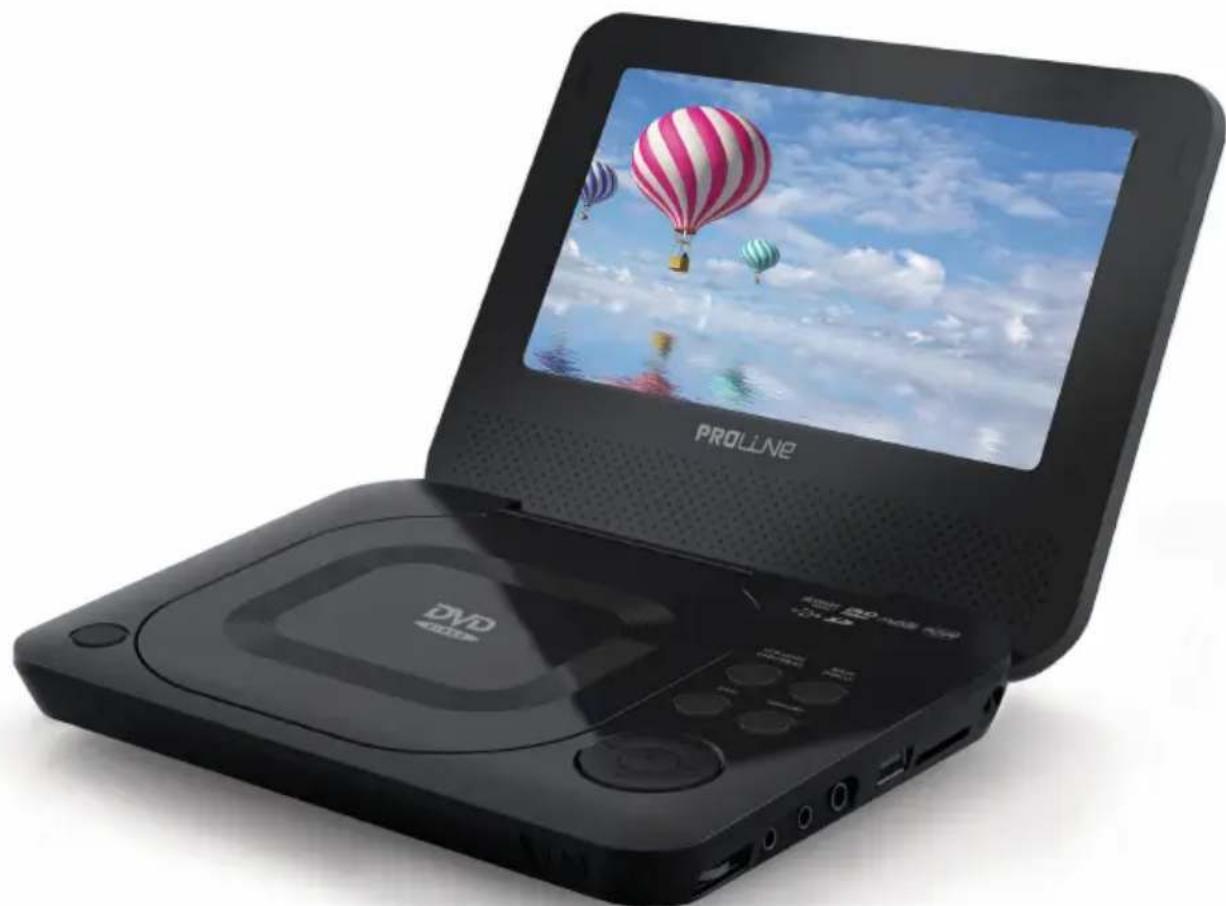
PROUN
DVDP770
LECTEUR DVD PORTABLE 17,8 CM
PRECAUCIONES
ATTENTION : AFIN DE RÉDUIRE LES RISQUES
D'INCENDIE ET DE CHOC ÉLECTRIQUE, N'OUVREZ PAS
LE BOITIER (OU LE CAPOT ARRÊRÉ) DE L'APPAREIL.
POUR TOUTE RÉPARATION, FAITES SYSTÉMATIQUEMENT
APPEL À UN TECHNIÇIEN QUALIFIÉ.
Lecture/Pause/Stop 12
Touche Mode LCD/DVD/USB/SD
Touche Lecture/Pause/Entrer
Touche Mode LCD/DVD/USB/SD
Touche Lecture/Pause/Entrer
VOORZORGSGMAATREGELEN
OPGELET
RISICO OPELEKTRISCHE SCHOKKENNIET OPENEN

OPGELET: OM BRANDGEVAAR EN ELEKTRISCHE
SCHOKKEN TE BEPERKEN, VERWIJDER HET DEKSEL (OF
ACHTERZIJDE) NIET VAN HET TOESTEL. LAAT
ONDERHOUD ALLEEN DOOR GEKWALIFICEERD
ONDERHOUDDPERSONEEL UITVOEREN.
PROBLEEMOPLOSSING 19
INHOUD VAN DE VERPAKKING
LCD Modus/DVD/USB/SD knop
Play/Pause/Enter knop
To get the longest service life of the buil
BASIC OPERATIONS
Standaard afspelen
- Press the DIRECTION keys (arrows) to select a desired feature or option in the menu.
- Play/Pause/Enter button to confirm a selection in the menu.
For some menu options, you may be able to use the numeric keypad
Appeared in the remote control screen to input data.
Multi-Subtitle (Sub)
DÔLEŽITÉ BEZPEČNOSTNÉ POKNY
Multi- Subtitle (Sub)
- Mains Supply
- Mains Adapter
- Symbol
- Class1 Laser Product
- IMPORTANT SAFETY INSTRUCTIONS
- Cleaning
- Ventilation
- WARNING
- TABLE OF CONTENTS
- PACKAGE CONTENTS
- ABOUT OPTICAL DISCS
- Disc Requirements
- Disc Care and Maintenance
- Handling a Disc
- Cleaning a Disc
- LOCATION OF CONTROLS
- Front View
- LCD Mode/DVD/USB/SD button
- Setup/Display button
- Stop
- Menu/RC button
- Direction buttons
- Next/Previous buttons
- Play/Pause/Enter buttons
- Left View
- Charge Indicator
- DC 5V IN Jack
- SD Slot
- USB Port
- Video Jack
- Audio Jack
- Headphone Jack
- Volume Dial
- Bottom View
- Cooling Slots
- Power Switch
- CONNECTIONS
- USB Connection
- Earphone Connection
- CAUTION:
- Power Connections
- Using the Built- in battery
- Note:
- BASIC OPERATIONS
- Basic Playback
- Play/Pause/Stop
- Next/Previous (Skip)
- Forward/Reverse (Search)
- Slow
- Rotate (Picture)
- Menu Navigation
- Adjusting the Volume
- Disc Error Messages
- Power Management
- Screen Saver
- RC FUNCTIONS
- RC Screen
- Numeric Keypad
- Angle
- RepeatPlaybackofChapter/Title/ALLofaDisc(1/ALL)
- Repeat A-B Mode (A-B)
- Multi-Subtitle (Sub)
- Audio
- Zoom
- Title
- Search
- SETUP
- Language
- Video
- Rating
- Misc
- SPECIFICATIONS
- TROUBLESHOOTING
- There is no power to the device.
- The device will not play the disc.
- There is no picture.
- The picture is noisy or distorted.
- The picture is not full-screen.
- There is no sound or distorted sound.
- Cannot turn the player on using battery power
- DISPOSAL
- PROUN
- DVDP770
- PRECAUCIONES
- Touche Mode LCD/DVD/USB/SD
- Touche Lecture/Pause/Entrer
- VOORZORGSGMAATREGELEN
- OPGELET
- INHOUD VAN DE VERPAKKING
- LCD Modus/DVD/USB/SD knop
- Play/Pause/Enter knop
- Standaard afspelen
- DÔLEŽITÉ BEZPEČNOSTNÉ POKNY
- Multi- Subtitle (Sub)
Brand : PROLINE
Model : DVDP770
Category : DVD player