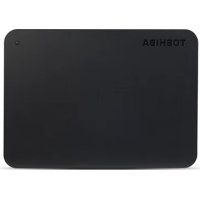
Canvio Plus - External hard drive TOSHIBA - Free user manual and instructions
Find the device manual for free Canvio Plus TOSHIBA in PDF.


| Product type | External hard drive |
| Form factor | 2.5 inches |
| Interface | USB 3.0 (compatible with USB 2.0) |
| Power supply | USB bus power (self-powered) |
| Compatible operating systems | Windows XP/Vista/7/8/8.1 |
| Main functions | Data storage, backup, transfer |
| Maintenance and cleaning | Unplug before cleaning, use a soft cloth |
| Safety | Do not expose to moisture, extreme temperatures, do not open the casing |
| Spare parts and repairability | Not user-repairable, contact Toshiba support |
| General information | Brand Toshiba, model Canvio Plus, warranty included |
Frequently Asked Questions - Canvio Plus TOSHIBA
User questions about Canvio Plus TOSHIBA
0 question about this device. Answer the ones you know or ask your own.
Ask a new question about this device
Download the instructions for your External hard drive in PDF format for free! Find your manual Canvio Plus - TOSHIBA and take your electronic device back in hand. On this page are published all the documents necessary for the use of your device. Canvio Plus by TOSHIBA.
USER MANUAL Canvio Plus TOSHIBA
Safety Instructions 3
System Requirements 4
Installing the drive. 4
Connecting the drive to your computer 5
Dismount and disconnect the drive 6
Further Advise 6
Frequently Asked Questions 6
Troubleshooting 7
TOSHIBASupport 8
Regulatory statements. 9
Introduction
Thank you for choosing our TOSHIBA Canvio Plus 2.5" Hard Disk Drive.
Please read this User's Manual carefully, as it contains all relevant information for installation, usage and maintenance of the drive, as well as security and safety advice.
In case it does not behave as expected, please refer to the "Frequently Asked Questions" section at the end of this manual.
Check the Components
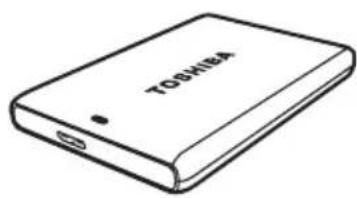
Canvio Plus 2.5" (including User's Manual)
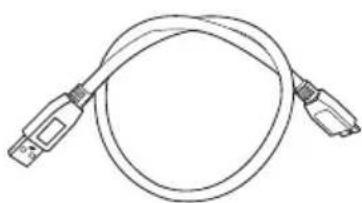
USB 3.0 Micro-B Cable
Quick Start Guide and Warranty Leaflet
This User's Manual is uploaded on the drive itself. We recommend to backup the User's Manual onto a CD or your local hard disk drive, directly after the drive being installed.
Safety Instructions
In order to avoid malfunction or damage of the drive, please carefully follow the precautions listed below.

WARNING
Make sure that you backup all your data on the drive, as Toshiba is not responsible for data corruption or data loss. Toshiba will not cover any data recovery cost.
Do not
open the enclosure or drive
disassemble the drive or parts of it
place liquids near or on the drive, as it may damage the drive, cause personal injury or may result in an electrical shock or fire
■ bump, drop or jar the drive
move the drive while operating, as data damage may happen
use other connectors than USB bus powered types
■ disconnect cables while operating. Please dismount the drive first!
expose the drive to temperatures outside the range of 5^ - 35^ while operating, and temperatures of -20^ - 60^ while switched off
expose the drive to wet or damp conditions
cover the drive during operation, as it may become overheated
Immediately disconnect the drive if
■ smoke or an unusual smell is coming from the drive enclosure
water has entered the drive enclosure or if it becomes wet
an object has entered the drive enclosure
the cable has been damaged (in such case replace the cable with a new one)
CAUTION
This product can become hot! Avoid prolonged contact to prevent skin irritation and/or heat injury.
If the drive behaves not as expected or you have doubts about the electrical safety, please contact immediately the TOSHIBA hotline or an authorised reseller!
System Requirements
WindowsXP/Vista/Windows7/Windows8/Windows8.1
One free port of USB 3.0 or USB 2.0
NOTE
USB 3.0 is backward compatible with USB 2.0.
Installing the drive
Some information about bus-powered operation and the supplied USB cable:
- Your drive is bus-powered. Therefore, there is no need to connect an external power supply as all needed current will be supplied by the connected USB port(s).
Passive USB hubs or USB connectors like keyboards, mice or similar products cannot be used or connected to the drive.
Make sure that the connectors will be inserted correctly.
Never use pressure for connecting the cables. Check the polarity before connecting!
Connecting the drive to your computer
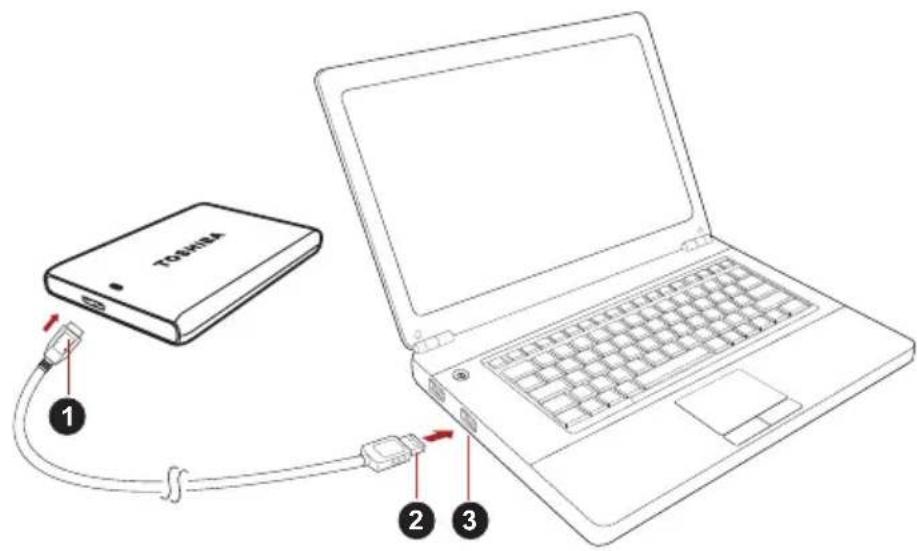
- USB 3.0 Micro-B connector 3. USB 3.0 host
backward compatible to USB 2.0
-
USB 3.0 Standard-A connector
-
With your computer powered on and fully booted up, plug the USB 3.0 Standard-A connector into a USB port of your host system, or an active USB HUB.
NOTE
You may need USB 3.0 Express Card Host Controller for your computer if the computer doesn't have USB 3.0 port. You also can connect the device to USB 2.0 port of your computer, However the transfer rate will be downgraded to that of USB 2.0.
- Now, plug the USB 3.0 micro-B connector into the corresponding port of the drive itself.
Immediately,
the Power/Data indicator light will illuminate
the drive will power up
the drive should mount and a new drive icon should appear in "My Computer"
Dismount and disconnect the drive
It is strongly recommended not to unplug the drive by just unplugging the cable connection as it may be that data is written to the drive at that time.
Such data will be lost and the drive may be damaged physically!
Please follow the steps below for a safe dismount of the drive (Windows).
- Click the "Hardware and Eject Media - icon"
A pop-up message box will appear listing the external devices connected to your computer.
- Select the TOSHIBA drive to eject.
After a few seconds, you will get the notification that it is now safe to remove the device. - Click "OK" and you can unplug the drive now.
Cleaning the drive case / enclosure
Before cleaning the drive, make sure that it's physically disconnected from the computer. We suggest to use standard products for cleaning it and to make sure that possible remaining liquid on the surface will be wiped off.
Further Advise
For any further action of normal operation such as renaming the drive, backup data, or file management, we suggest to read your operation system user's manual.
Also for maintenance tasks such as defragmenting and optimisation we suggest to refer to the operating system user's manual.
We also strongly suggest having anti-virus software installed to protect your data against intended damage caused by virus or trojan programs.
Frequently Asked Questions
Q: Do I need to format my drive after installation?
A: No, as the drive is already formatted during the manufacturing process.
Q: Do I need USB drivers for Windows XP, Vista, Windows 7, 8, 8.1?
A: No, they are already available with your operating system.
Q: Can I boot my system from the drive?
A: No, because Windows does not support booting from external hard disk drives.
Q: Why doesn't the drive need a fan?
A: The drives are designed to have optimal heat dissipation, and therefore no fan is required. This results in a near silent operation.
Q: Why is the capacity of my drive (as shown in Windows) lower than the drives actual stated capacity?
A: This difference can be explained because of the different methods of calculating the capacity.
Hard drive manufacturers calculate on the decimal system, while the operating system calculates in the binary system.
Example decimal:
[ 1GB = 1,000MB = 1,000,000KB = 1,000,000,000 ] bytes
Example binary:
[ 1GB = 1,024MB = 1,048,576KB = 1,073,741,824 bytes ]
As a result, a 120GB (decimal) hard disk appears in Windows to have just 112GB (binary).
Q: Can I use my drive to copy an operating system from one computer to another?
A: No, you must follow the operating system supplier instructions for installation. A simple copy does not work.
Q: Does Toshiba offer a data recovery services?
A: Yes, Toshiba offers a Data Recovery Service for external hard drives. Please check our website www.toshiba-europe.com/services for further information about this service.
Troubleshooting
My computer does not recognize the disk drive at all.
Make sure all of your connections are secure.
If your drive is connected via a USB hub, make sure that it has its own power supply.
If using an add-on card, make sure it is working properly and update the software/firmware. If using Windows XP, make sure you have Service Pack 1 or later.
Is it dangerous if the drive feels warm whilst in operation?
A: This is normal, and therefore not dangerous.
The drive gives me a "Device cannot start."
A: Two possible reasons. It is either a power problem and you should check the connections, or the drive has a malfunction and requires service.
I cannot see my drive in "My Computer", but it does appear in the Device Manager.
A: Follow these instructions:
- Right-click "My Computer".
- Select "Manage" in the pop-up menu.
- Select "Disk Management".
You should see a list of available storage devices.
- Check whether your drive is listed.
- Right-click the right hand box and select "Delete Partition" in the pop-up menu.
- Right-click the box and select "Create New Partition" in the pop-up menu.
- Then select "Primary Partition" in the partition wizard window. Click next.
- A drive letter will be displayed, which you can change. Click next.
- Confirm to format the drive.
As I try to format the drive, I receive the message "Could not complete format".
A: This can be caused by formatting the drive with FAT file system. Try "NTFS" file system. This should solve the problem.
TOSHIBA Support
Need help?
Please contact TOSHIBA's hard drive and storage products support page: www.toshiba.eu/externalstorage/support
For warranty claims, please check: computers.toshiba.eu/options-warranty
Regulatory statements
CE Compliance
CE
This product is CE marked in accordance with the requirements of the applicable EU Directives. Responsible for CE marking is Toshiba Europe GmbH, Hammfelddamm 8, 41460 Neuss, Germany. A copy of the official Declaration of Conformity can be obtained from following website: http://epps.toshiba-tec.com.
Working Environment
The Electromagnetic Compliance (EMC) of this product has been verified typically for this product category for a so called Residential, Commercial & Light Industry Environment. Any other working environment has not been verified by Toshiba and the use of this product in these working environments is maybe restricted or cannot be recommended. Possible consequences of the use of this product in non verified working environments can be: Disturbances of other products or of this product in the nearby surrounding area with temporarily malfunction or data loss/ corruption as result. Example of non verified working environments and related advices:
Industrial environment (e. g. where 3-phase 380V mains is being used mainly): Danger of disturbances of this product due to possible strong electromagnetic fields especially near to big machinery or power units.
Medical environment: The compliance to the Medical Product Directive has not been verified by Toshiba, therefore this product cannot be used as a medical product without further verification. The use in usual office environments e.g. in hospitals should be no problem if there is no restriction by the responsible administration.
Automotive environment: Please search the owner instructions of the related vehicle for advices regarding the use of this product (category).
■ Aviation environment: Please follow the instructions of the flight personnel regarding restrictions of use.
Additional Environments not Related to EMC
- Outdoor use: As a typical home/office equipment this product has no special resistance against ingress of moisture and is not strong shock proofed.
- Explosive atmosphere: The use of this product in such special working environment (Ex) is not allowed.
Following information is only valid for EU-member States:
REACH - Compliance Statement
The new European Union (EU) chemical regulation, REACH (Registration, Evaluation, Authorization and Restriction of Chemicals), entered into force on 1 June 2007.
Toshiba will meet all REACH requirements and is committed to provide our customers with information about the chemical substances in our products according to REACH regulation.
Disposal of products
The use of the symbol indicates that this product may not be treated as household waste. By ensuring this product is disposed of correctly, you will help prevent potential negative consequences for the environment and human health, which could otherwise be caused by inappropriate waste handling of this product. For more detailed information about recycling of this product, please contact your local city office, your household waste disposal service or the shop where you purchased the product.
The following information is valid only for Turkey:
Compliant with AEEE Regulation.
Notices
©2014 TOSHIBA Europe GmbH. All rights reserved.
TOSHIBA reserves the right to make technical changes. TOSHIBA assumes no liability for damages incurred directly or indirectly from errors, omissions or discrepancies between this product and the documentation.
The Toshiba name and its logos are registered trademarks of Toshiba. Other trademarks mentioned or appearing in this document are the property of their respective owners. Errors and omissions excepted.
Obsah
www.toshiba.eu/externalstorage/support
www.toshiba.eu/externalstorage/support
1 GB = 1.024 MB = 1.048.576 KB = 1.073.741.824 byte
Dette betyder, at en harddisk på 120 GB (i 10-talssystemet) i Windows ser ud til kun at��re på 112 GB (i det binaere talsystem).
www.toshiba.eu/externalstorage/support
1 GB = 1.024 MB = 1.048.576 KB = 1.073.741.824 bytes
www.toshiba.eu/externalstorage/support
1 Gt = 1000 Mt = 1000000 kt = 1000000000 tavua
Binaarjärestelmä:
1 Gt = 1024 Mt = 1048576 kt = 1073741824 tavua
www.toshiba.eu/externalstorage/support
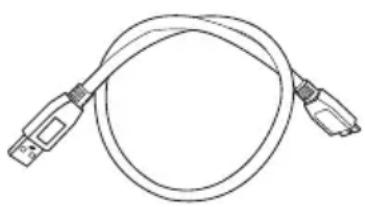
Cable USB 3.0 micro-B
1 Go = 1000 Mo = 1000000 Ko = 100000000 octets
Exemple binaire :
1 Go = 1 024 Mo = 1 048 576 Ko = 1 073 741 824 octets
www.toshiba.eu/externalstorage/support
www.toshiba.eu/externalstorage/support
Tia aIomegaic yyyunonc, Epiokeepte Tn dieuovon:
computers.toshiba.eu/options-warranty
KavovioTikéç δηλώσεις
Συμόρφωση κατά CE

To pioiov auto fepei onmuon CE ouuwa u Tc aattnoseic twv oxetikwv Onyiwv Tns EE. Ytueuvyia tn onmuon CE ivai n Toshiba Europe GmbH
Hammfelddamm 8, 41460 Neuss, ερμανί.
Eva avtiypao Tns ETIaonuns dhawong oumuoppwong 1TIOpeTe va IaBETe ano Tnv npakatw toTtoeoiia web:
http://epps.toshiba-tec.com.
περιβαλλον εργασίας
www.toshiba.eu/externalstorage/support
U vezi popravaka u jamstvenom roku potražite:
computers.toshiba.eu/options-warranty
Regulativne izjave
CE sukladnost
CE
Ovaj proizvod nosi CE oznaku sukladno zahtjevima važecih direktiva EZ. Toshiba Europe GmbH, Hammfelddamm 8, 41460 Neuss, Njemačka odgovorna je za CE oznake. Kopija službene Izjave o sukladnosti se moze pronaći na ovoj internetskoj stranici: http://epps.toshiba-tek.com.
Radno okruženje
www.toshiba.eu/externalstorage/support
www.toshiba.eu/externalstorage/support
1 GB = 1.024 MB = 1.048.576 KB = 1.073.741.824 bytes
A: Volg deque instructions:
www.toshiba.eu/externalstorage/support
Feilmeldingen Device cannot start (Kan/DD) vises.
www.toshiba.eu/externalstorage/support
For garantikrav, gà til computers.toshiba.eu/options-warranty
www.toshiba.eu/externalstorage/support
www.toshiba.eu/externalstorage/support
www.toshiba.eu/externalstorage/support
Za zahteve u vezi garancije pogledajte stranu: computers.toshiba.eu/options-warranty
Regulativne izjave
Usaglasenost sa znakom CE

Ovaj proizvod nosi oznaku CE u skladu sa zahevima primenljivih direktiva EU. Odgovorna za oznaku CE je kompanija Toshiba Europe GmbH, Hammfelddamm 8, 41460 Neuss, Germany (Nemačka). Primerak zvanične Izjave o usaglasenosti možete preuzeti sa sledećeg veb-sajta: http://epps.toshiba-teg.com.
Radno okruženje
Elektromagnetna usaglasenost (EMC) ovog proizvoda odobrena je tipicno za ovu kategoriju uredaja, za takozvano stambeno, komercijalno i neintezivno industrijsko okruzjenje. Svako drugo radno okruzjenje kompanija Toshiba ne odobrava, a upotreba ovog proizvoda u takvim radnim okruzjenima moze biti ograničena ili se ne moze preporuciti. Moguce posledice upotrebe ovog proizvoda u neodobrenim radnim okruzjenima mogu biti ometanja drugih proizvoda ili ovog proizvoda u okolnoj oblasti uz privremeni otkaz ili gubitak/ostećenje podataka kao rezultat. Primer neodobrenih radnih okruzjenja i saveta vezanih za njih:
Industrijsko okrużenje (npr. gde se uglavnom koristi 3-fazno napajanje od 380V ): opasnost od smetnji ovog proizvoda usled mogućih snažnih elektromagnetnih polja, posebno u blizini velikih mašina ili strujnih urežaja.
■ Medicinsko okruženje: usaglasenost sa Direktivom za medicinske proizvode不同程度a od strane kompanije Toshiba, stoga se ovaj proizvod ne moze koristiti u medicinske svrhe bez dodatne potvrde. Upotreba u uobičajenim kancelarijskim okruženjima, npr. u bolnicama, ne bi trebalo da predstavlja problem, ukoliko ne postoje ograničanja od strane odgovorne administracione.
Automobilsko okrużenje: molimo pogledajte korisnička uputstva za dato vozilo za savete koji se odnose na upotrebu ovog proizvoda (kategorije).
Vazdušno okruženje: molimo sledite savete letačkog osoblja koji se odnose na ograničenja upotrebe.
Ostala okrużenja koja nisu vezana za EMC
Upotreba na otvorenom: kao tipicna kuca/kancelarijska oprema, ovaj proizvod nema posebnu opcornost na prodor vlage i nods otporan na jak udar.
Eksplozivna atmosfera: upotreba ovog proizvoda u takvom specijalnom radnom okruženju (Ex)不同程度 dozvoljena.
Informacije koje slede vaze isključivo za korisnike u državama-članicama EU:
REACH - Izjava o usaglašenosti
Novi propis Evropske Unije (EU) o hemikalijama, REACH (Registration, Evaluation, Authorization and Restriction of Chemicals - registracija, procena, odobrenje iograničenje upotrebe hemikalija), stipio je na snagu 1. juna 2007.
Kompanija Toshiba ce zadovoljavati sve zahteve propisa REACH i posvecena je pruzanju informacija svojim korisnicima o hemijskim supstancama u svojim proizvodima u skladu sa propisom REACH.
Odlaganje proizvoda na OTPad

Upotreba ovog simbola ukazuje na to da se ovaj proizvod ne sme smatrati OTPadom domacinstva. Time sto cete se pobrinuti da se proizvod odlozi pravilno na OTPad, spreci cate negativne posledice po zivotnu sredinu i ljudsko zdravlje, koje bi u suprotnom izazvalo nepravalno rukovanje OTPadom ovog proizvoda. Vise informacija u vezi s reciklaranjem ovog proizvoda mozete dobiti ukoliko se oblratite lokalnoj upravi, preduzecu koje odnosi vaš domaci OTPad ili prodavnici u kooj ste kupili ovaj proizvod.
Napomene
© 2014 TOSHIBA Europe GmbH. Sva prava zadržana.
Kompanija TOSHIBA zadržava pravo da izvrši tehnicke izmene. Kompanija TOSHIBA ne preuzima nikakvu odgovornost za štetu koja direktno ili posredno:noze nastati zbog grešaka, omaški ili neslaganja izmedu ovog proizvoda i prisucnika.
Naziv Toshiba i njegovi logotipi su registrovane robne marke kompanije Toshiba. Ostale robne marke koje su spomenute ili se pojavljuju u dokumentu su vlasništro v NJihovih vlasnika. Greške i propusti su isključeni.
OrnaBneHne
BVeJeHne 2
Поверы салоче kompoнentов 2
IpaBnnaTexnKn6e30nacHocTn 2
Tpe6obHnK cnCTeme. 3
YcTaHOBKa DnCKa 4
IopKJIouHeHne DnCKa K KombIOTepy. 4
Pa3MOHTIPOBaHne I OTKJIQUeHne DnCKa 5
DoponHntbHa HOpMaucn 6
OTBeTbHa yacto 3aDaBaemble Bonpocbl 6
Bo3MOxHbIe npo6JIembln cnooc6blnxpeuHnra 7
Iopndepkka TOSHIBA 8
3aBHeHnO COOTBeTCTBn HOpMaTnBbIM Tpe6OBaHnM. 9
В级以上
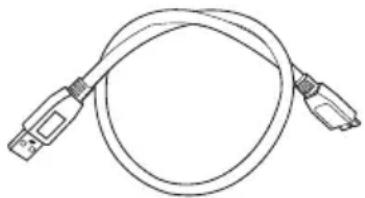
Ka6eBb MmKpo-B USB 3.0
KpaTKoe pyKOBoDCTBO n rapaHTnHbI 6yKnET
HaCTOJaee PyKOBOdCTBO NOJb3OBaTeJIa 3aIncaHO Ha cAm JecTKn DnCK. PekomeHnyem co3daTb pe3epBHyIO KOJIHO PyKOBOdCTBa noJb3OBaTeJIa Ha KOMNaKT-DnCKe IIN JOKaJIbHOM JecTKOM DnCKe Cpa3y Je NocJe yCTaHOBKn ETOrO DnCKa.
ПразвILA.texник的服务站
Bo n36ekaHne HapuWeHn B pa6oTe DnCKa N erO NOBpeXdEHNr CTporo co6IoudaIe N3IOXeHHbI DaJIe e MepbI IpeDocTopOXHOCtN.
OCTOPOXHO!
I IepnoDnueckn co3daBaaiTe pe3epBhble KOIN BCex DaHHbIX, 3aNcaHHbIX Ha dNcK. Kopnpaunia Toshiba He HeceT OTBeTCTBeHHocTN 3a npuy n oTePuo daHHbIX. Kopnpaunia Toshiba He KOMneHcnpyet paCXoDbI, CBra3aHHbIe C BOCCTaHOBNeHEm DaHHbIX.
He cneyuet:
OTKpbIbTaB KOpnyc N DnCK;
pa3bnpaTb DnCK I erO Yactn;
pa3MeuTb KndKocTn PdOM C DnCKOM Nn Ha HeM, NOCKoBky 3TO MoKeT npBeCTn K NOBpeXdeHnHO HAKOnITeJIa, TpaBMam, a TaKKe IopaxHeHIO 3JeKtpnueckm TOKOM Nn BO3RopaHIO;
yapTb,poHrybN Tpactn DnCK;
I nepeMeaTb DnCK BO BpeM pa6oTbI BO n36eXaHne NOBpeXdEHHaHbIX;
IcnoJb30BaTb dpYrHe pa3beMbI, KpOme uHbI USB c npauey IHTaHn;
OTCOeINHЯTb KaBeJIb BO BpEma pa6Otbl. ChaJaIa Inck Heo6xOJIMo pa3MOHTnpOBaTb!
I NOBBepraTb DnCK BO3DeiCTBnIO TeMnepaTyp, BbIXoJnx 3a CneDyUOuNe Dnana3OnbI: 5-35 ^ C (pa60Ta), -20-60 ^ C (BbIKHoueHHoe COCTOJHne);
NoDBepraTb DnCK BO3dEInCTBnIO cbIpOcTN IN BnArN;
HaKpbIbAtb DnCK Bo BpeM pa60TbI BO n36eXaHne ero neperpeBa;
Heo6xOIMO HeMeIeHHOOTcEINHTb INCK,ecn:
13 Kopnyca Dncka Noctynaet dblm Hne6bUHb 3anax;
B KOpNyc DnCKa IpoHnKNa BOda NJIu DNCK HaMOK;
B KOpnyc DnCKa IpoHnK NoCTOpOHnN PpeDMeT;
6bIIN NOBpeKdEHN Ka6eNb (B 3TOM cIyuae Ka6eNb cIeDyET 3aMeHnTB HOBblM).
OCTOPOXHO!
I3dene moxem Haapeambca! Cneydem u3beamb npodoxumenbHOo KOhmacma, ymo6bI He donycmumb pa3dpaxeHua OKO2O6 KOku.
Ecnn Dnck BeTeT Ce6r He TaK, KaK OxNJaETCra, NIn y Bac Bo3HKnI comHeHn IIO NObOy 3NeKtpo6e3OnaChocTn, HEmeJneHNO o6paTITecb Ha TOpRyu JINHIO INN K yNoJIHOMOueHHOMy TOPROBOMy npedCTaBNTeJIIO TOSHIBA!
Tpe6obahnaK cncteme
WindowsXP/Vista/Windows7/Windows8/Windows8.1
OdH Cbo6oDhBn nopT USB 3.0 nIu USB 2.0
ПРМЕЧАНЕ
Hmepcuc USB 3.0 o6pamHo coemecumc USB 2.0
YctahOBka DnCKa
Hopmaa o paote c nntaHem OT uHHb i npnaeraom Ka6ene USB:
■ДИСК ПИТаETСА OT WIINHы, NO3OTOMY Heo6xOДIMOCbВ NOДКЛIOUeHnBHEshHERO NCTOChNka 3JIeKTPoPNTaHnA OTCyTCTByeT, NOCKOLkYHeo6xOДIMbI TOK 6yIDet NOdABaTbCn NOPTaMn USB, K KOToPbIM BblIOJIHeHO NODKJIIOUeHne.
KДИСКУ HeIb3Я NOДКЛIOUaTb NaCCNHBbie KOHcEHTpaTOpbl USB, a TAKKe KJIaBnATyPbI, MbluN IDPYrHe aHaIaONuHbIe yCTPOJCTBa USB.
Heo6xOIMO CneIb 3a npaBnIbHOCTbIO NOLOXeHna WTeKePOB pnpoiNOKNIpyEHN.
3aPepaetc npimHeTb cnny npn noKlnHneHn Ka6eJe. Ppeed noKluOeHem Heo6xOIMo npOBepaTb nOJpHOCTb!
OTBeTbI Ha yacto 3aDaBaemble BOpocbl
B: Hyxho Jn fopmatnpoBaTb nck noCne erO yctaHOKn?
O: Het, dNCK yKe oTΦopMaTINPOBaH B nPoUeCCe N3rOToBnEHHa.
B: HxKbI nn dpaBepbl USB nla Windows XP, Vista, Windows 7, 8, 8.1?
O: Het, OHyXe IMeOTcB OnepaunOHNoCnCTeMe.
B: MoXHo JI 3aRpyXaTb CnCTeMy c 3ToRo DnCKa?
O: HeT, noTo my uTo cncTeMa Windows He noDpeXnBaet 3aRpy3ky C BHeuHnx JecTKnx DnCKOB.
B: Nooemy 3TOMy DnCKy He HyXeH BeHTnJIaTOp?
O: KoHCTpyKUra DNCKa ObecneuNbae ONTmAmlbHoe paccenBaHne Tennla, NO3tOMy BeHTnIaTOp He Tpe6yEtca. B pe3yIbTaTe N3dEJIne pa6oTaet NOUTN 6ecwymHO.
B:Почему emkoctbДИСКА (OTOBPAXaEMaB Windows) MeHbIe erOФakTnuecko 3aABJIeHHoN emKoCTn?
O: Pa3nue o6brcraTc npimeHHeM pa3hbx cncocob pacyea emKoCTn.
ПОНЗВОДЛТЕЛЖЕСТКИXДИСКOBБИПОЛНЯЮТpacuetВДECЯТУHОCSCTeMe,aONEpaционнаяСИСТeMa-BДBOИЧОИ.
Ppimep paucheta B decaTnHoi cncTeMe:
www.toshiba.eu/externalstorage/support
m = 311 ;
PnBHeHbI 3deCb CmBOJ yKa3bIbAeT Ha TO, YTO C HAcToaMn
n3dennem HeIb3aObpaatbcra KaC 6bITOBbIMN OTXoDAMN.
OBeCneHene HadHexauey TtINn3aunn HAcToaero n3dennr
cnocobCTByET npedOTBpaueHHIO OTPuataeNbHbIX NocJeCDTBNI,
KOTOpoe HnnpabInbHOe ydaJIeHne n3dEJIa B OTXoDb MoKeT
BO3bIMTeB dJa OKpykaIOUe Cpebl N 3doPoBBa IIODei. 3a
NoDPo6Ho INHopMaueNe O nopAikke BTOpHuOH nepepa6OTKn
HaCToAeRo n3dEJIa ObpaauTEcB K MeCThblm Bnactam, B
MyHnIaIIbHyO cIyX6y, OTBETCTBEHHyIO 3a BBIO3 Mycopa, Jn60
no MecTy npno6peTeHna HAcToaUero n3dennr.
YbeDomJIeHnIa
© 2014 r. TOSHIBA Europe GmbH. Bce npaba zaunienbl.
KopnpaTn TOSHIBA coxpaHre 3a co6o npaBO npOn3BODntb Texnueckne n3MeHnra. KopnpaTn Toshiba He HecET hKaKOI OTBeTCTBeHHOCTn Hn 3a nprMoN, Hn 3a KocBeHHbYuep6, HAcTyPnBwN B pe3yNbTaTe NOrpeShHOCTeN, yNuSeHn INn HecOoTBeTCTBnM MeJdY DaHHbIM npOdyKTOM I DOKyMeHTaCneN.
HaimehoBaHne n Iorotnbl KoprnapuTn Toshiba raBnaIOTc e3apeRnCTpnpoBaHHbIMn TOBapHbIMn 3HaKaAMn. IpOyHe ToBapHbIe 3HaKn,ynomraHTbIe NII BCTpeaIOUncEaB HAcToaIeM DoKymeHTe, RaBnaIOTcco6CTBeHHocTBIO INx 3aKOHbIX BnaDeJIbCeB. Bo3MOxHOCTb Own6OK orOBopeHa.
www.toshiba.eu/externalstorage/support
www.toshiba.eu/externalstorage/support
Ak si chcete uplatnit naroK vyplyvajuci zo zaruky, pozrite si stranku: computers.toshiba.eu/options-warranty
www.toshiba.eu/externalstorage/support
Za garancijske zahevke obiscite: computers.toshiba.eu/options-warranty
Pravna izjava
Skladnost z oznako CE

www.toshiba.eu/externalstorage/support
Garanti talepleri icin lufen 山 adresi ziyaret edin:
computers.toshiba.eu/options-warranty
SLSIUSB 3.0 Express Card Host Controller
Hardware and Eject Media" 1
.
TOSHIBA jj
J 1
OK" 1c jai
aie
aaii iie 1iie iie 1iie 1iie 1iie 1iie 1iie
a#
aai 1 jy yll jz 1j y aill lbi j 3
a
J 1
.
a a a a a a a a a a a a a a a a a a a a a a a a a a
.(trojan)
i
45
eill aloc lll jellly jnrall qssu pi 2
8.1,8,Windows7,Vista,WindowsXP 1234567890 USB
L 1
J 1
yWindows 1
y 150
J (Windows)
aewllbwsgbrpsy
i 1
:sslll lill
-
-
-
-
-
-
-
-
-
-
-
-
-
-
-
-
-
- 1.
-
-
-
-
-
-
-
-
-
-
-
-
-
-
-
-
:
- VYV 1A Y E = CULS 1. A O V T = CULS 1. Y E = CULS
114 4 g Windows (s) 17.
()
j 1 j 1 1 1 1 1 1 1 1 1 1 1 1
www.toshiba-europe.com/services
ioll oie clogall jao
JSL
y
A
USB
A
add-on card)
1
Service 5dWindowsXP
Pack 1
a
1 1
.(jLj#e 1
j 1 j 1 j 1 j 1 j 1 j 1 j 1 j 1 j 1 j 1 j 1 j 1 j 1 j 1 j 1 j 1 j 1 j 1 j 1 j 1 j 1 j 1 j
a 1111
Device Manager My Computer
:
My Computer" 1
Manage" j
Disk Management" jai
aaii jjssii jgai g
- -aaiall 2
Delete Partition" jzj 1
aII
Create New Partition' jzj 1000000000000000000000000000000000000000
iiaii
next 1e jai g. 1234567890 "Primary Partition" jai
next 15
9 1
"Could not complete format"
FAT 1alalal alalalalalalalalalalalalalalalalalalalal
“NTFS”
y
www.toshiba.eu/externalstorage/support
computers.toshiba.eu/options-warranty: 品 _ 一 ^ 一 jzj,
a#i1
CE
EU cagg jy Cllbial Lgce yjaiall lgs pail TOSHIBA Europe GmbH ggy Jgolal Directives aga Hammfelddamm 8,41460 Neuses aill
Gawlln JcJ Gwge CE adc n gswall (Declaration of Conformity) qlll .http://epps.toshiba-tec.com:
CE
JooJI
A. (Residential, Commercial & Light Industry Environment) A. (Residential, Commercial & Light Industry Environment) A. (Residential, Commercial & Light Industry Environment) A. (Residential, Commercial & Light Industry Environment) A. (Residential, Commercial & Light Industry Environment) A. (Residential, Commercial & Light Industry Environment) A. (Residential, Commercial & Light Industry Environment) A. (Residential, Commercial & Light Industry Environment) A. (Residential, Commercial & Light Industry Environment) A. (Residuals, Commercial & Light Industry Environment) A. (Residuals, Commercial & Light Industry Environment) A. (Residuals, Commercial & Light Industry Environment) A. (Residuals, Commercial & Light Industry Environment) A. (Residuals, Commercial & Light Industry Environment) A. (Residuals, Commercial & Light Industry Environment) A. (Residuals, Commercial & Light Industry Environment) A. (Residuals, Commercial & Light Industry Environment) A.(Residuals, Commercial & Light Industry Environment) A.(Residuals, Commercial & Light Industry Environment) A.(Residuals, Commercial & Light Industry Environment) A.(Residuals, Commercial & Light Industry Environment) A.(Residuals, Commercial & Light Industry Environment) A.(Residuals, Commercial & Light Industry Environment) A.(Residuals, Commercial & Light Industry Environment) A.(Residuals, Commercial & Light Industry Environment) A.(Residuals. Commercial & Light Industry Environment) A.(Residuals, Commercial & Light Industry Environment) A.(Residuals, Commercial & Light Industry Environment) A.(Residuals, Commercial & Light Industry Environment) A.(Residuals, Commercial & Light Industry Environment) A.(Residuals, Commercial & Light Industry Environment) A.(Residuals, Commercial & Light Industry Environment) A.(Residuals, Commercial & Light Industry Environment) A.(Residuals, Commercial & Light industry environment)
Medical Product 11111111111111111111111111111111111111111111111111111
aai i 111 111 111 111 111 111 111 111
y (EMC)
aaiiaagai jai jia jia jia jia jia jia jia jia jia jia jia jia jia jia jia jia jia jia jia jia jia jia jia jia jia jia jia jia jia jia jia jia jia jia jia jia jia jia jia jia jia jia jia jia jia jia jia jia jia jia jaijai
y
:
REACH
Registration 154 154 154 154 154 154 154 154 154 154 154 154 154 154 154 154 154 154 154 154 154 154 154 154 154 153 153 153 153 153 153 153 153 153 153 153 153 153 153 153 153 153 153 153 153 153 153 153 153 153 154
i
1 1 1 1 1 1 1 1 1 1 1 1 1 1 1 1 1 1 1 1 1 1 1 1 1 1 1 1 1 1 1 1 1 1 1 1 1 1 1 1 1 1 1 1 1 1 1 1 1 1 1
.2014 TOSHIBA Europe GmbH
j 1 1 1 1 1 1 1 1 1 1 1 1 1 1 1 1 1 1 1 1 1
y 11 y 11 11 11 11 11 11 11 11 11 11 11 11 11
UM_CANVIO_PLUS_V1_0714