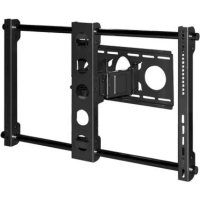
TV EasyScope XL - Flat screen mount Cabstone - Free user manual and instructions
Find the device manual for free TV EasyScope XL Cabstone in PDF.



| Product Type | Wall mount for flat screen |
| Brand | Cabstone |
| Model | TV EasyScope XL |
| Compatible screen size | 76 - 160 cm (30 - 63 inches) |
| Maximum load | 75 kg |
| Dimensions (W x H x D) | 850 x 510 x 300 mm |
| Mount weight | 10.5 kg |
| Material | Powder coated steel |
| Distance from wall | 130 - 300 mm |
| Tilt angle | +/-15° |
| Swivel angle | +/-45° |
| VESA standards | 100x100, 100x200, 200x200, 300x300, 400x200, 400x400, 800x400 mm |
| Installation | On solid wall (stone or concrete) – recommended by a professional |
| Warranty | 2 years |
| Maintenance | Dry or slightly damp cloth |
| Safety | Do not install near heat sources, humidity or vibrations; check the solidity of the wall |
| Package contents | Mounting kit including wall bracket, screen bracket, screen holder, retaining bars, screws, wall plugs, washers, spacers |
Frequently Asked Questions - TV EasyScope XL Cabstone
User questions about TV EasyScope XL Cabstone
0 question about this device. Answer the ones you know or ask your own.
Ask a new question about this device
Download the instructions for your Flat screen mount in PDF format for free! Find your manual TV EasyScope XL - Cabstone and take your electronic device back in hand. On this page are published all the documents necessary for the use of your device. TV EasyScope XL by Cabstone.
USER MANUAL TV EasyScope XL Cabstone
VESA LochmaBe 100x100, 100x200 mm 100x100, 100x200 mm
200x200,300x300mm 200x200,300x300mm
400x200mm 400x200,400x400mm
800 × 400 mm
Wandabstand 130-300 mm 130-300 mm
Schwenkwinkel +1 - 45^ +1 - 45^
200x100oder 200x200mm
MIS-F:
400× 200,400× 400,600× 200,
ATTENTION! Please read the user's guide completely and carefully. It is part of the product and includes important information for proper installation and use. Keep this guide to have it available, when there are uncertainties, or the product will be passed on.
Contents:
1 Description and Function 8
2 Intended Use
3 Parts Package 8
4 Notes on Safety 9
5 Installation 10
6 Warranty and Liability 11
7 Care, Maintenance, Storage, and Transport 12
8 Troubleshooting
9 Specifications 13
10 Information for VESA Standard 13
11 Note on Waste Disposal 13
1 Description and Function:
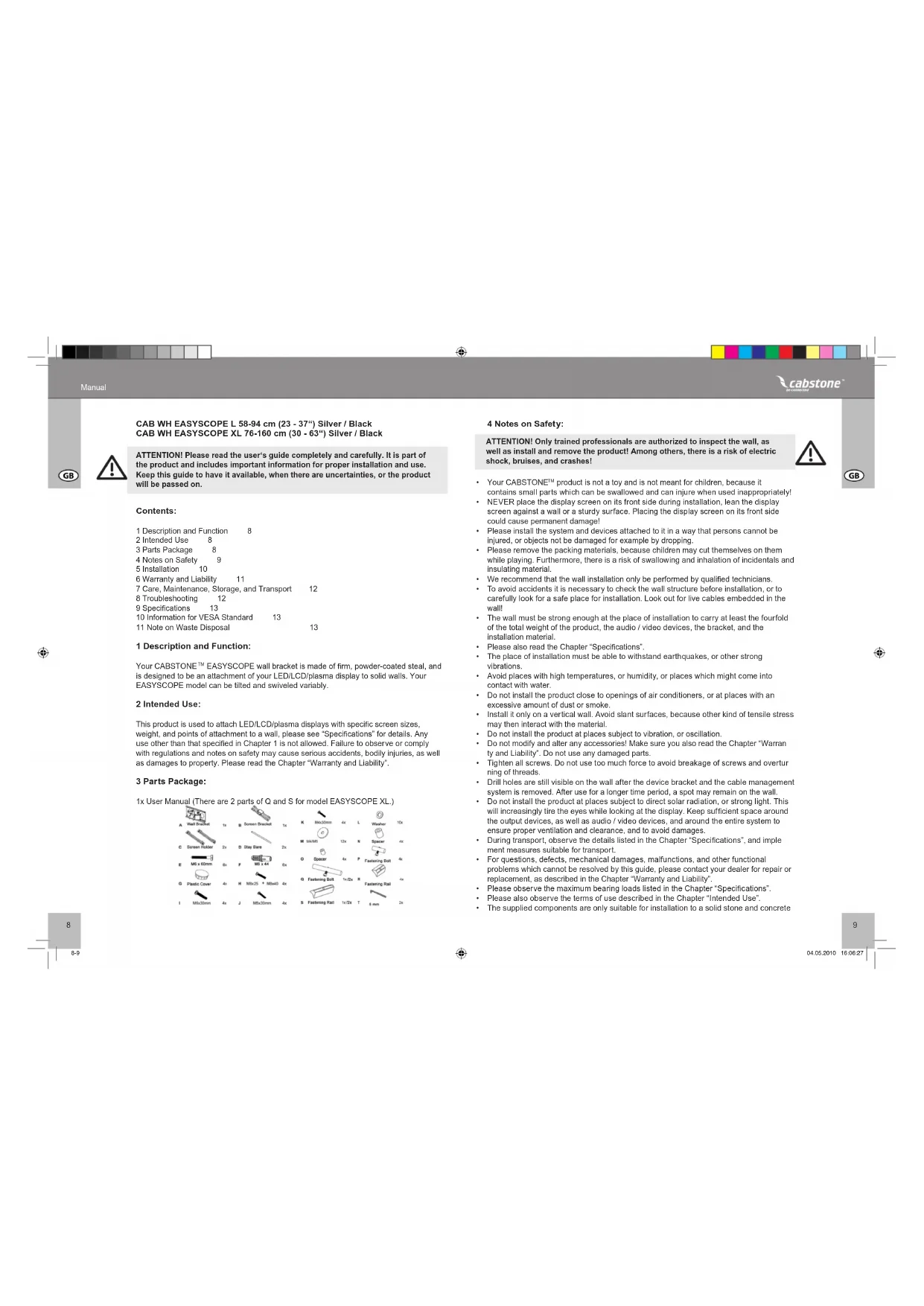
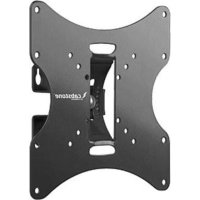
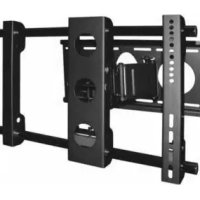
Your CABSTONE™ EASYSCOPE wall bracket is made of firm, powder-coated steel, and is designed to be an attachment of your LED/LCD/plasma display to solid walls. Your EASYSCOPE model can be tilted and swelled variably.
2 Intended Use:
This product is used to attach LED/LCD/plasma displays with specific screen sizes, weight, and points of attachment to a wall, please see "Specifications" for details. Any use other than that specified in Chapter 1 is not allowed. Failure to observe or comply with regulations and notes on safety may cause serious accidents, bodily injuries, as well as damages to property. Please read the Chapter "Warranty and Liability".
3 Parts Package:
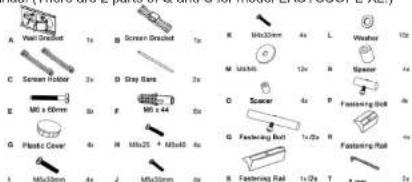
1x User Manual (There are 2 parts of Q and S for model EASYSCOPE XL.)
4 Notes on Safety:
ATTENTION! Only trained professionals are authorized to inspect the wall, as well as install and remove the product! Among others, there is a risk of electric shock, bruises, and crashes!


- Your CABSTONE™ product is not a loy and is not meant for children, because it
contains small parts which can be swallowed and can injure when used inappropriately! - NEVER place the display screen on its front side during installation, lean the display screen against a wall or a sturdy surface. Placing the display screen on its front side could cause permanent damage!
- Please install the system and devices attached to it in a way that persons cannot be injured, or objects not be damaged for example by dropping.
- Please remove the packing materials, because children may cut themselves on them while playing. Furthermore, there is a risk of swallowing and inhalation of incidentals and insulating material.
We recommend that the wall installation only be performed by qualified technicians. - To avoid accidents it is necessary to check the wall structure before installation, or to carefully look for a safe place for installation. Look out for live cables embedded in the wall!
- The wall must be strong enough at the place of installation to carry at least the fourfold of the total weight of the product; the audio / video devices, the bracket, and the installation material.
Please also read the Chapter Specifications". - The place of installation must be able to withstand earthquakes, or other strong vibrations.
- Avoid places with high temperatures, or humidity, or places which might come into contact with water.
- Do not install the product close to openings of air conditioners, or at places with an excessive amount of dust or smoke.
- Install it only on a vertical wall. Avoid slant surfaces, because other kind of tensile stress may then interact with the material.
- Do not install the product at places subject to vibration, or oscillation.
- Do not modify and alter any accessories! Make sure you also read the Chapter "Warranties and Liability". Do not use any damaged parts.
- Tighten all screws. Do not use too much force to avoid breakage of screws and overturning of threads.
- Drill holes are still visible on the wall after the device bracket and the cable management system is removed. After use for a longer time period, a spot may remain on the wall.
- Do not install the product at places subject to direct solar radiation, or strong light. This will increasingly tire the eyes while looking at the display. Keep sufficient space around the output devices, as well as audio / video devices, and around the entire system to ensure proper ventilation and clearance, and to avoid damages.
- During transport, observe the details listed in the Chapter "Specifications", and implement measures suitable for transport.
For questions, defects, mechanical damages, malfunctions, and other functional problems which cannot be resolved by this guide, please contact your dealer for repair or replacement, as described in the Chapter "Warranty and Liability".
Please observe the maximum bearing loads listed in the Chapter "Specifications".
Please also observe the terms of use described in the Chapter 'Intended Use'
The supplied components are only suitable for installation to a solid stone and concrete
wall. If the structure of your wall is different, corresponding installation material must be used. In any case, consult a specialist.
- Make sure to observe the correct thread size during installation of the display screen to the wall bracket.
5 Installation:

ATTENTION! Only trained professionals are authorized to inspect the wall, as well as install and remove the product! For more information please read the Chapters "Notes on Safety" and "Troubleshooting".
Step1 Wall Installation:
Please use the wall bracket (A) as template to mark 6 holes to be drilled in the wall using a level (4 on top, 2 at the bottom). There must be a horizontal distance of 150mm between the drilled holes. Check, if gas or water pipes, or power lines are behind the wall before drilling. Use a 10mm slona drill to bore the holes with a depth of 60mm . Insert one dowel (F) into each of the drilled holes. Now, use the 6 wall screws (E) and 6 suitable washers (M/L) to attach the wall bracket (A).
Step 2 Installation of Screen Bracket:
As illustrated in Figure 2, stay bars (D) must be inserted through screen bracket (B) and screen holder (C), make sure the stay bars are clamped. Use the fastening rails (R) and the fastening bolt (P) to fasten the screen ho Figures 3-A and 3-B. Then, please compare
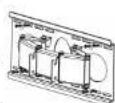
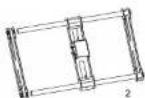

Fig. 3-A


Fig. 3-A
Display Screen to Screen Bracket:
Step 3 Attaching the Display Screen to Screen Bracket:

ATTENTION! Do no tighten the fastening bolts so that screen holders can still slide on the stay bars to be able to change their position. Screen holders may not exceed the edges of stay bars, and all 6 fastening parts must be tightened for secure attachment.
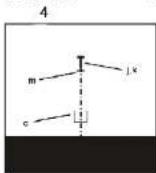
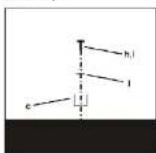
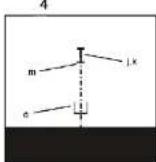
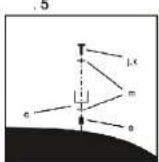
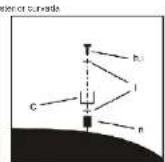
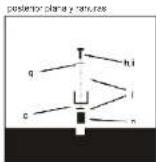
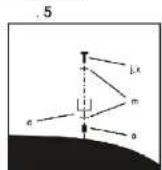
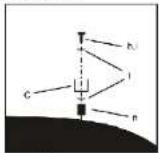
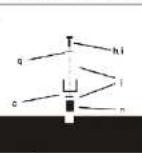
Check which of the supplied screws match the threads of your display screen. Short screws are for display screens with flat rear side. Long screws should be used with spacers (O) M4/M5, or (N) M6/M8, and are provided for display screens with curved rear side. Long screws should only be used without spacers, when threads of display screens are very deep. Figures 4-9 serve as guideline to chose screws for attachment to the screen bracket.
Fig. 4


Fig.7
Fig.5

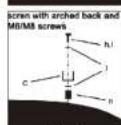
Fig.8
Fig. 6
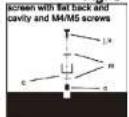
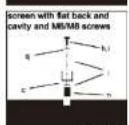
Fig.9
Hooking onto Wall Bracket
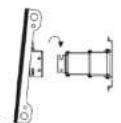
After you have attached the screen bracket and screen holders to your display screen, hook the display screen on the wall bracket as illustrated in Figure 10. When the display screen hangs safely on the wall bracket, you must use the pre-installed screws (U) to connect the wall bracket with the screen bracket. You can use the thumbnut on the wall bracket to adjust the angle of inclination of the display screen.

Step 4
The installation is completed. Please proceed in reverse order for disassembly.

NOTE:
6 Warranty and Liability:
The manufacturer warrants this new device for 2 years.
- As the manufacturer has no influence on the wall type and the installation of the wall installation kit, warranty of the product only applies to the installation kit.
If any fault or damage is detected on your device, please contact your dealer and provide your sales slip or invoice as evidence of the purchase, if necessary. Your dealer will repair the fault either on site, or send the device to the manufacturer. You make the work of our technicians considerably easier, when you describe possible faults in detail - only then you can be assured that faults occurring only rarely will be found and repaired with certainty!
If your dealer cannot be contacted, you can also contact us directly.
- The manufacturer is not liable for damages to persons or property caused by improper installation or operation not described in this guide. This includes, among others, any alteration and modification of the product and its accessories.
- Any use other than described in this user's guide is not permitted, and causes loss of warranty, loss of guarantee, and non-liability.
We reserve our right for misprints and changes of the device, packing, or user's guide.
7 Care, Maintenance, Storage, and Transport:
- Use a dry linen cloth to clean your product, or use a slightly moist cloth for heavy stains.
Look out for live cables of your device during cleaning! Pull the plug prior to cleaning! Make sure no cable cables will be pinched in the previous device when ends of the device - Make sure no body parts will be pinched in the swivel device, when parts of the device are screwed.
ATTENTION! There is a risk of electric shock and bruises!
- Make sure there is sufficient space around the display unit to ensure proper ventilation, and check the clearance of the system, if necessary.
- Periodically check, if all attachments and screws are secured, and tighten them again when they are loose. This may be caused for example by frequent movements.
- Avoid places with high temperatures, humidity, or places which can become wet, also during rain, rainpipe,泄漏, and transport.
- Drill holes are still visible on the wall after the device and the wall installation kit is
removed. After use for a longer time period, a spot may remain on the wall. - Follow the safety symbols on the packing during transport.
8 Troubleshooting:
Problem
How can the wall quality be tested?
Which holes must be drilled?
The wall bracket is hard to align.
other questions:
Correction
Check the wall thickness, and the material below plaster and wallpaper. Consult trained professionals.
Please read the Chapters "Parts Package" and "Installation".
Ask a second person for help, and observe the Notes on Safety! Check all attachments, and contact your dealer, if necessary.
Contact us.
Marking
Live loads for living space are listed for example in standards such as DIN 1055, and EN 594.
Holes are marked in drawings.
Contact details - back of cover sheet
9 Specifications:
| Model 51936 / 51937 51942 / 51943 | ||
| Screen size 580 - 940 mm, 23 - 37" 760 - 1600 mm, 30 - 63° | ||
| max. load: 75 kg | 75 kg | |
| Weight | ||
| Dimensions | ||
| VESA hole diameters | 100x100, 100x200 mm | 100x100, 100x200 mm |
| 200x200, 300x300 mm | 200x200, 300x300 mm | |
| 400x200 mm | 400x200, 400x400 mm | |
| 800x400 mm | ||
| Wall distance | 130-300 mm | 130-300 mm |
| Angle of inclination | +/-15° | +/-15° |
| Swivel angle: | +/-45° | +/-45° |
10 Information for VESA-Standard:
To harmonize attachment options of monitors, TV devices, and their stands and wall brackets in a user-friendly manner, VESA (Video Electronic Standard Organization) defined 3 standards for the applications mentioned above. Using the relevant VESA standard specified on your display unit, or In its user's guide, and the specifications in Chapter "Specifications" in this guide you are able to define the possible points of attachment. Some models allow for an infinitely variable individual attachment. (eg. 300 × 300 mm for Sony TVs)
VESA Class
MIS-D:
MIS-E:
MIS-F:
Hole distance for attachment of monitors
75 x 75, or 100 x 100 mm
200× 100 or 200× 200mm
400×200,400×400,600×200,600×400.
or 800× 400mm
11 Note on Waste Disposal:
This product should be not disposed together with domestic waste. Please return your device free of charge at the end of its service life at public collection points established for this purpose, or at the sales outlet. Details for disposal are regulated in the relevant federal state law. Potential recyclable materials are fed into the recycling cycle to obtain new raw materials from them. Following recyclable materials are collected a local collection points:
- Waste glass, plastic, waste metal, metal sheet, and more.
This type of recycling of waste equipment contributes significantly to the protection of our environment.
Lithium nitrate 246456 mol per ton-concentration unit
face arnle phe
Utilize this to make 4M/6452 on a computer temperature of 10^
coare nure
$ lcase var i=14544545
an octet component 100
face arriare plane of cos Cayes


Ultimate loss vs MMSV200 in corn corn equivalent in source grain plants
UnlesebevsMFAEpaar un cnon component unce
Unlese boes vHANFandoun comon cemant anepromed nolminal pings
7

8

9
200x100,ou 200x200mm
MIS-F:
Office term by 2016:
cane parables can parable
posterior curvatures
Uusur ciori MUMPare paralleles con carleocellulare plana rurans

Urine creatins M2/M4 paracetamol nonse
Office Committee gazette parishes on parnes
time series KNAI
polar polynomials
sample


Step 1 Vagginstallation:
Aristotle
savior for skater
mannequil antibodies
Assumed MDS
sirce for skdme
mod planabas adh Dcming

Android OS/OS
sivor: for skinner
mode: pianolabi

André M. Meirek
skirvor for skier
meo: vorted basiskids
Amnd MmM
sinver for sindar
med plan bside shreeping
Upphakning pa vaggkonsol:
Nár du har monterat skákmkonsolen och skámmhällaren pa skarmen, haka fast skammen pa vaggén sasom vis à figur 10. Nár skarmen hänger saktert pa vaggkonsomen du anvanda de forinstalerade skruvarna (U) für at ansoluta vaggkonsolen till skákmkonsolen. Du kan anvanda vingmuttern pa vaggkonsolen for att justera lutningsvinkelin for skarmen.
Steg 4
m = 311
32
- Contents:
- Description and Function:
- Intended Use:
- Parts Package:
- Notes on Safety:
- Installation:
- Step1 Wall Installation:
- Step 2 Installation of Screen Bracket:
- Step 3 Attaching the Display Screen to Screen Bracket:
- Fig. 4
- Fig.5
- Fig. 6
- Hooking onto Wall Bracket
- Warranty and Liability:
- Care, Maintenance, Storage, and Transport:
- ATTENTION! There is a risk of electric shock and bruises!
- Troubleshooting:
- Problem
- other questions:
- Correction
- Contact us.
- Marking
- Specifications:
- Information for VESA-Standard:
- VESA Class
- Hole distance for attachment of monitors
- Note on Waste Disposal:
- Step 1 Vagginstallation:
- Upphakning pa vaggkonsol:
Brand : Cabstone
Model : TV EasyScope XL
Category : Flat screen mount