
SCX450 - Baby monitors PHILIPS - Free user manual and instructions
Find the device manual for free SCX450 PHILIPS in PDF.

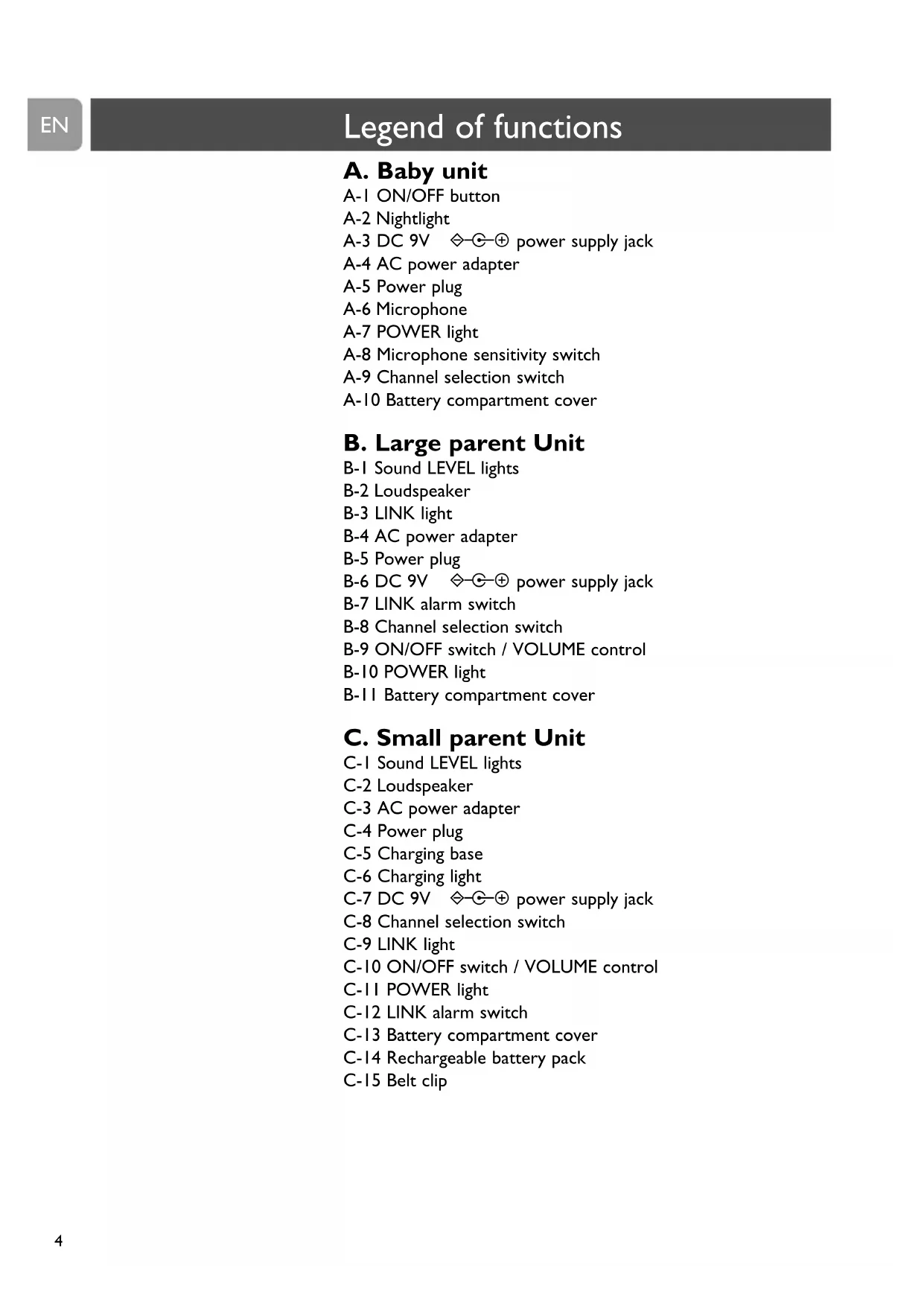


| Product type | Baby monitor |
| Brand | Philips |
| Model | SCX450 |
| Mains power supply | 230 V~ 50 Hz, 9 V DC 200 mA adapter |
| Battery power | 4 AA 1.5 V batteries (baby unit and main parent unit) |
| Rechargeable battery | NiMH (secondary parent unit) |
| Number of channels | 16 |
| Transmission frequency | 40.665 - 40.695 MHz |
| Maximum outdoor range | Up to 250 m |
| Microphone sensitivity | Adjustable (low, medium, high) |
| Night light | Yes, built into baby unit |
| Connection alarm | Yes, adjustable |
| Silent monitoring | Yes, via indicator lights |
| Belt clip | Yes, for secondary parent unit |
| Operating temperature | 0 °C to 40 °C |
| Maintenance | Clean with a damp cloth |
| Safety | Minimum distance of 1 m from baby, do not cover, do not use near water |
| Batteries | Use recommended Philips alkaline batteries |
Frequently Asked Questions - SCX450 PHILIPS
User questions about SCX450 PHILIPS
0 question about this device. Answer the ones you know or ask your own.
Ask a new question about this device
Download the instructions for your Baby monitors in PDF format for free! Find your manual SCX450 - PHILIPS and take your electronic device back in hand. On this page are published all the documents necessary for the use of your device. SCX450 by PHILIPS.
USER MANUAL SCX450 PHILIPS
natural_image
Three Philips radio telephones with antenna spires, displayed on a reflective surface (no text or symbols visible on devices)
natural_image
Black-and-white photo of a woman holding a baby, both facing each other (no text or symbols visible)PHILIPS
A. Baby unit
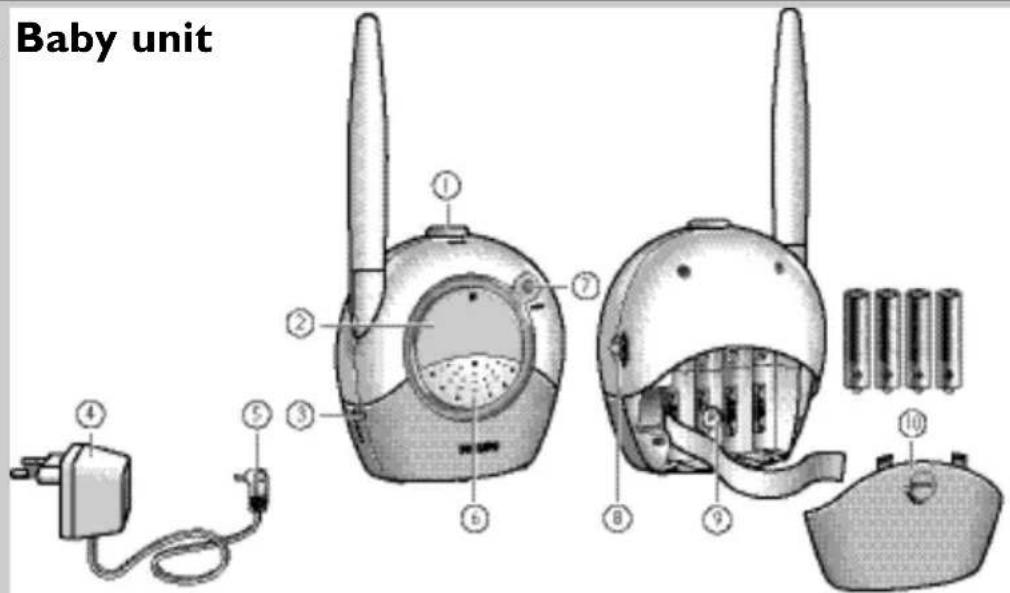
text_image
Baby unit ① ② ③ ④ ⑤ ⑥ ⑦ ⑧ ⑨ ⑩B. Large parent unit
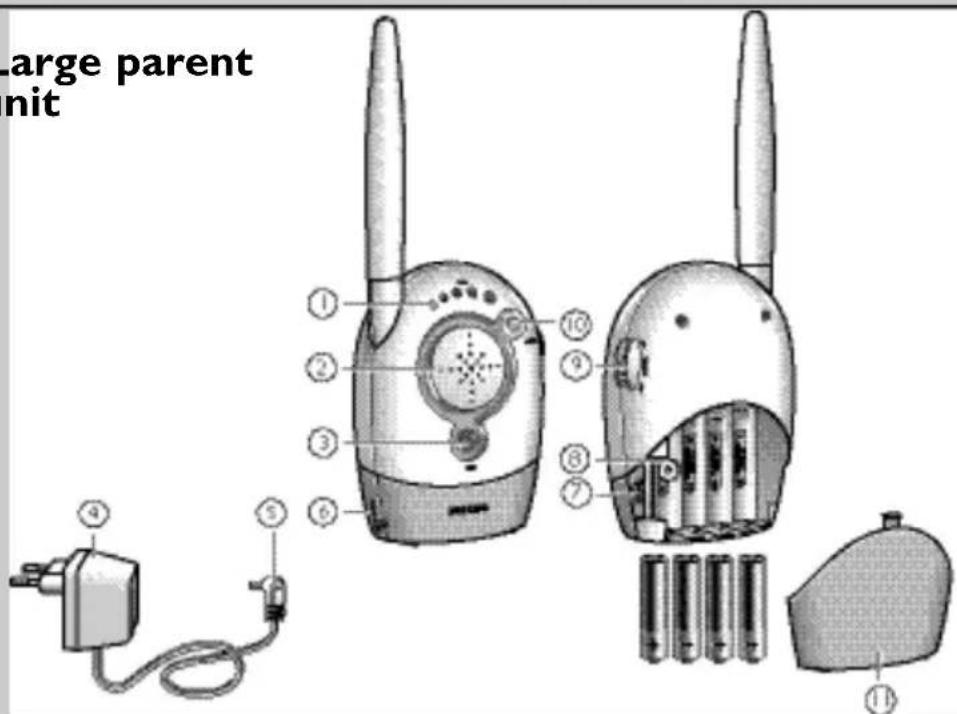
text_image
large parent nit ① ② ③ ④ ⑤ ⑥ ⑦ ⑧ ⑨ ⑩C. Small parent unit
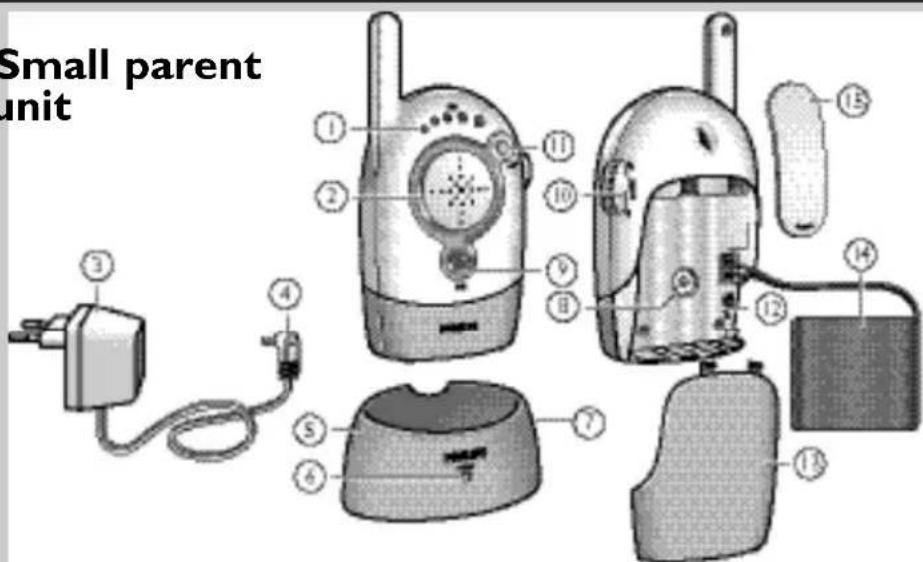
text_image
Small parent unitA. Baby unit
A-I ON/OFF button
A-2 Nightlight
A-3 DC 9V ◇-⊕ power supply jack
A-4 AC power adapter
A-5 Power plug
A-6 Microphone
A-7 POWER light
A-8 Microphone sensitivity switch
A-9 Channel selection switch
A-10 Battery compartment cover
B. Large parent Unit
B-1 Sound LEVEL lights
B-2 Loudspeaker
B-3 LINK light
B-4 AC power adapter
B-5 Power plug
B-6 DC 9V ◇-⊕ power supply jack
B-7 LINK alarm switch
B-8 Channel selection switch
B-9 ON/OFF switch / VOLUME control
B-10 POWER light
B-11 Battery compartment cover
C. Small parent Unit
C-I Sound LEVEL lights
C-2 Loudspeaker
C-3 AC power adapter
C-4 Power plug
C-5 Charging base
C-6 Charging light
C-7 DC 9V ◇-⊕ power supply jack
C-8 Channel selection switch
C-9 LINK light
C-10 ON/OFF switch / VOLUME control
C-11 POWER light
C-12 LINK alarm switch
C-13 Battery compartment cover
C-14 Rechargeable battery pack
C-15 Belt clip
D.What else you'll need
- Coin (to open the battery compartment of the baby unit)
- Small, flat screwdriver (to set the channel selection switches)
- 4 x 1,5V AA batteries for the baby unit (optional, we recommend Philips Alkaline batteries)
- 4 x 1,5V AA batteries for the large parent unit (optional, we recommend Philips Alkaline batteries)
3 Illustrations
4 Legend of functions
4 Baby unit
4 Large parent unit
4 Small parent unit
5 What else you need
6 Contents
7 Welcome
7 Safety information
7 Getting your baby monitor ready
7 Baby unit
8 Large parent unit
9 Small parent unit
9 Using your baby monitor
10 Features
10 Avoiding interference (channel selection)
12 Adjusting microphone sensitivity
12 Monitoring baby silently
12 Switching the nightlight on and off
13 Switching the LINK alarm on and off
14 Connecting / disconnecting the belt clip (small parent unit)
14 Troubleshooting
16 Frequently asked questions
17 Technical specifications
18 Important information
18 Replacing the battery pack (small parent unit)
19 Environmental information
19 Maintenance
19 Need help?
Philips is dedicated to produce caring, reliable products to give parents the reassurance they need. With this baby monitor you can hear your baby from where ever you are in and around your house. With sixteen different channels options you will experience minimal interference.
Philips Baby Care, taking care together
Safety information
Please read this user manual carefully before using your baby monitor and keep it for future reference. This baby monitor is intended as an aid. It is not a substitute for responsible and proper adult supervision and should not be used as such.
• Make sure the baby unit and adapter cable are always out of reach of the baby (at least 1 meter / 3 feet away).
- Never place the baby unit inside the baby's bed or playpen.
- Never cover the baby monitor (with a towel, blanket, etc.).
- Never use the baby monitor in moist places or close to water.
- Check if the voltage indicated on the type plate of the adapters (A-4, B-4, C-3) correspond to the local power voltage before connecting to the AC power supply.
- Do not expose the baby monitor to extreme cold, heat or light (e.g. direct sunlight).
• To prevent electric shock, do not open the inside of the baby unit and parent units (except for the battery compartment covers)
• The antennas on all three units are fixed; do not try to extend them.
Getting your baby monitor ready
Baby unit
The baby unit can be mains or battery operated.
When batteries are installed, you have an automatic back up in case of mains failure.
Mains operated use
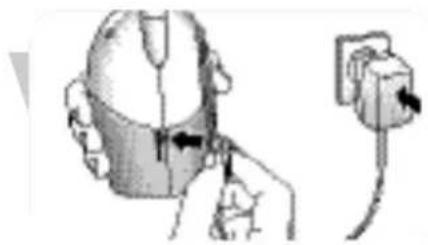
I Connect the power adapter cord to the power supply jack (DC 9V ◇-⊕-⊕ - A-3) of the baby unit.
2 Connect the AC power adapter (A-4) to a wall outlet.
→ The baby unit is now ready for mains operated use.
Battery operated use
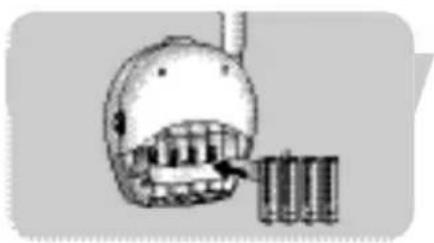
I Remove the battery compartment cover (A-10) of the baby unit, using a coin.
natural_image
Illustration of a person wearing a helmet and holding an attached device (no text or symbols visible)
natural_image
Simple cartoon illustration of a bird-like character with a beak and hat (no text or symbols)EN
Getting your baby monitor ready
natural_image
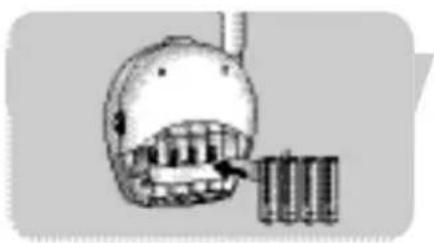
Illustration of a helmet with teeth and a battery stack, no text or symbols present2 Insert four 1,5V AA batteries, noting the + and - configuration inside the battery compartment (batteries are not supplied, we recommend Philips Alkaline batteries).
3 Close the battery compartment cover (A-10), using a coin
→ The baby unit is now ready for battery operated use.
Large parent unit
The large parent unit can be mains or battery operated. When batteries are installed, you have an automatic back up in case of mains failure.
natural_image
Illustration of a hand holding a small electronic component connected to an electrical outlet (no text or symbols visible)Mains operated use
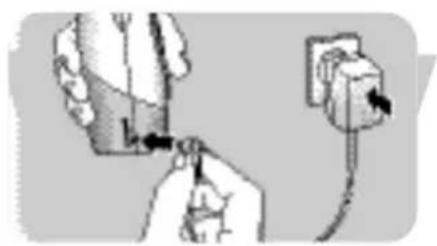
I Connect the power adapter cord to the power supply jack (DC 9V ◇-⊕-⊕ - B-6) of the parent unit.
2 Connect the AC power adapter (B-4) to a wall outlet.
→ The large parent unit is now ready for mains operated use.
natural_image
Diagram showing a mechanical device with a dial and a cylindrical housing, no text or symbols presentBattery operated use
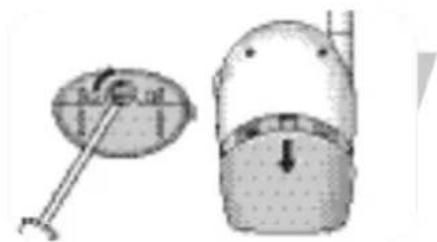
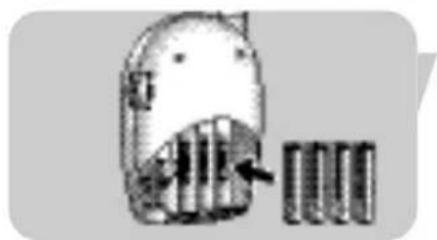
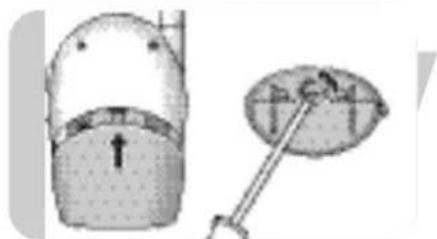
I Open the parent unit's battery compartment, using a screwdriver and slide down the cover (B-11).
natural_image
Illustration of a cartoon character with a pointing arrow next to a grid of books (no text or symbols)2 Insert four 1,5V AA batteries, noting the + and - configuration inside the battery compartment (batteries are not supplied, we recommend Philips Alkaline batteries).
natural_image
Diagram showing a mechanical device with a lever and a separate view of a cylindrical component (no text or symbols)3 Slide the battery compartment cover (B-11) back in place until it clicks in position and close the compartment, using a screwdriver.
→ The large parent unit is now ready for battery operated use.
Getting your baby monitor ready
EN
Small parent unit
A rechargeable battery pack has already been installed in the small parent unit.
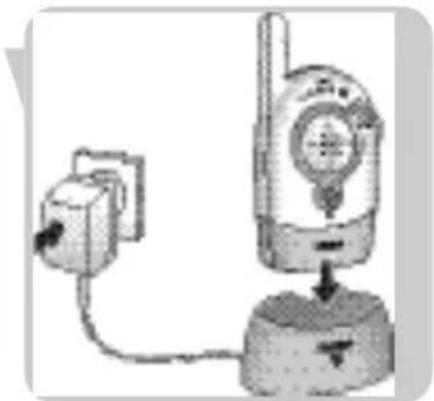
I Connect the power adapter cord to the power supply jack (DC 9V ◇-⊕-+ - C-7) of the charging base (C-5).
2 Connect the AC power adapter (C-3) to a wall outlet.
3 Place the parent unit in the charging base (C-5).
The charging light (C-6) lights up red.
4 Leave the parent unit in the charging base (C-5) until the batteries are fully charged (at least 14 hours).
When the batteries are fully charged, the charging light (C-5) will gradually dim. The parent unit can now be taken out of the charging base and used cordlessly for up to 10 hours.
When the POWER light (C-11) flashes red, battery power is low. Place the parent unit in the charging base (C-5) to recharge the batteries.
natural_image
Diagram of a mechanical device with a mounted component and a base, showing no visible text or symbols.→ The small parent unit is now ready for use!
Using your baby monitor
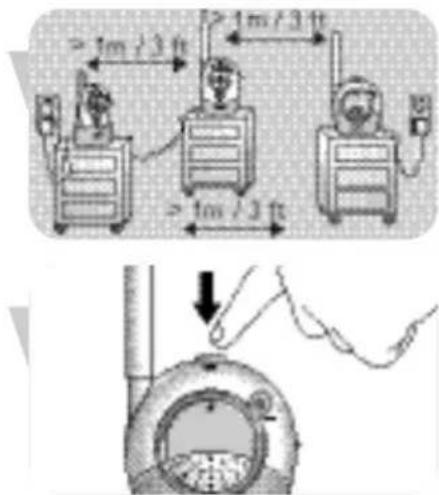
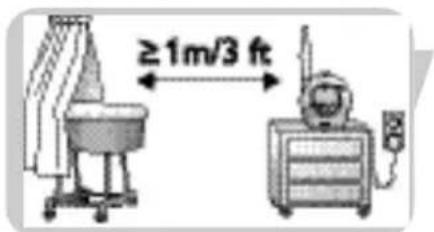
I Position all three units in the same room to test the connection. Make sure the baby unit is at least 1 meter / 3 feet away from the parent units.
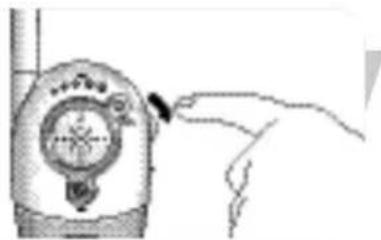
2 Press the ON/OFF button (A-1) to switch on the baby unit.
The POWER Light (A-7) lights up green.
text_image
≥ 1m / 3 ft ≥ 1m / 3 ft ≥ 1m / 3 ft ↓EN
Using your baby monitor
natural_image
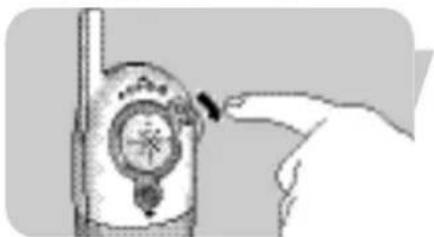
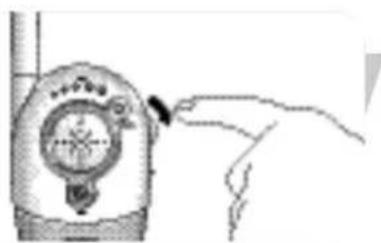
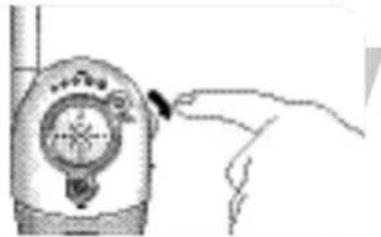
Hand pointing at a mechanical device with a circular dial (no visible text or symbols)3 Switch on the parent units using the ON/OFF switches (B-9, C-10) and adjust the volume to the level you prefer using the VOLUME controls (B-9, C-10).
The POWER lights (B-10, C-11) light up green.
natural_image
Illustration of a hand pointing at a device with a circular dial and pointer (no text or symbols visible)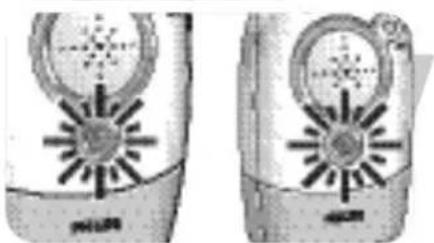
natural_image
Two identical mobile phone cases showing front and side views with solar panels (no visible text or symbols)When connection has been established between the units, the LINK lights (B-3, C-9) on the parent units light up green.
text_image
≥1m/3 ft4 Position the baby unit at least 1 meter / 3 feet away from your baby.
natural_image
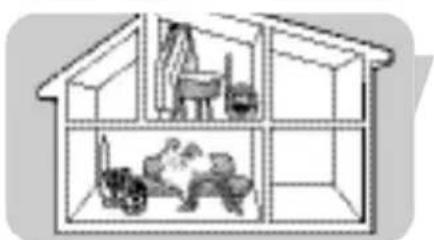
Diagram of a two-story house interior showing internal furniture layout (no text or symbols)5 Position the parent units at the desired place within the operating range of the baby unit but at least 1 meter / 3 feet away from the baby unit. For more information on the operating range see 'Technical specifications'.
When your baby makes sounds, this will be heard on both parent units.
→ Your can now monitor you baby!
Features
Avoiding interference (channel selection)
Always make sure that the CHANNEL selection switches (A-9, B-8, C-8) inside the battery compartments on all units are set to the same position!
With the CHANNEL selection switches (A-9, B-8, C-8) you can select sixteen different channel positions. If you experience interference from other baby monitors, radio devices, etc. select a different channel.
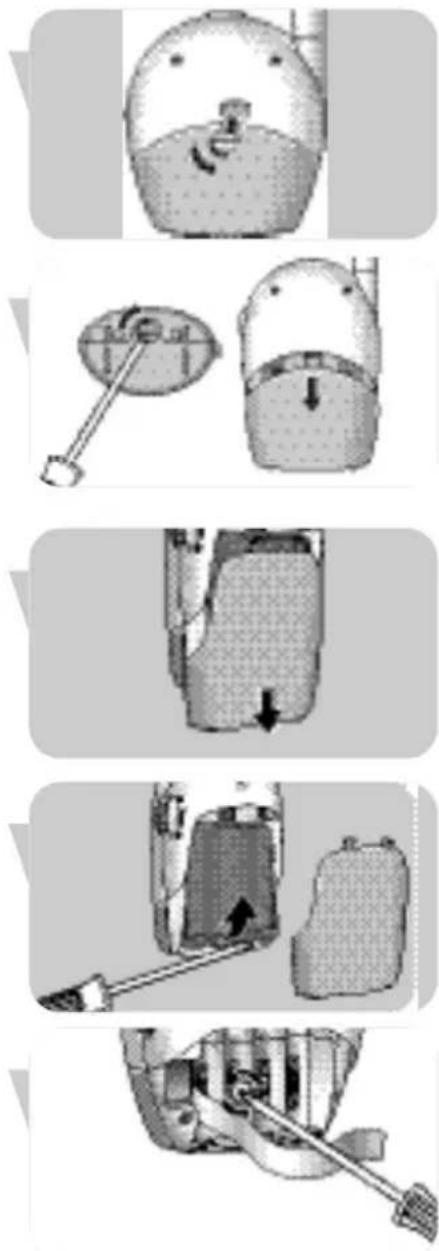
I Open the battery compartment covers (A-10, B-11, C-13) of all units.
- Baby unit: use a coin.
- Large parent unit: use a screwdriver and slide down the cover (B-11).
- Small parent unit: slide down the cover (C-13).
2 Lift up the rechargeable battery pack of the small parent unit (C-14).
If you are operating the baby unit and the large parent unit on battery power, remove the batteries from both units.
3 Use a small, flat screwdriver to rotate the inner circle of the channel selection switches (A-9, B-8, C-8) to the desired position. Make sure all units are set to the same channel.
4 Put batteries and battery pack back in place.
5 Close the battery compartment covers (A-10, B-11, C-13).
Adjusting microphone sensitivity
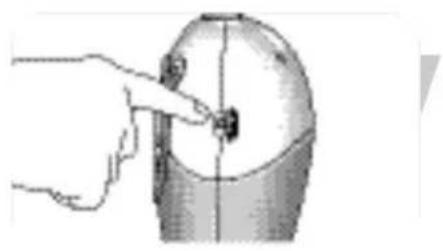
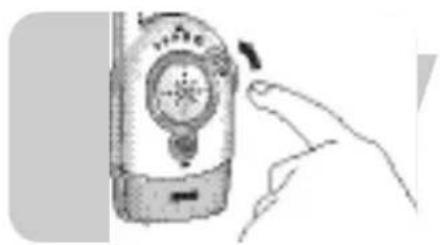
With the microphone sensitivity switch (A-8) on the baby unit, you can set the sound, coming from the baby unit, to the desired level: low, mid or high. When set to the maximum level, the baby unit monitors all sounds. You can only change the microphone sensitivity if the connection between the baby unit and the parent units is established (when the LINK lights (B-7, C-9) light continuously green).
natural_image
Hand pointing at a small object on a cylindrical surface (no text or symbols visible)- Use the microphone sensitivity switch (A-8) to adjust the baby unit microphone sensitivity to the desired level. You can use your own voice as a sound reference.
The POWER light (A-7) on the baby unit lights up yellow when a sound is picked up.
natural_image
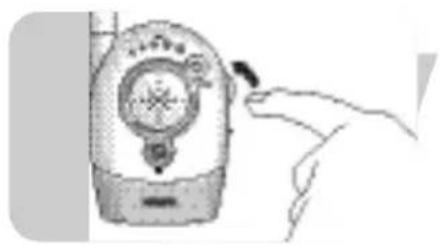
Illustration of a hand holding a handheld device with a circular dial and pointer (no text or symbols visible)Monitoring baby silently
- Use the ON/OFF switch / VOLUME controls (B-9, C-10) on the parent units to set the volume to the lowest level.
Do not switch off the parent units completely!
The sound level lights (B-1, C-1) on the parent units visually alert you to baby's sounds. The more sounds your baby makes, the more lights you will see.
When no sound is detected all sound level lights (B-I, C-I) will be off.
Note: You can also monitor baby silently on only one of the parent units
natural_image
Illustration of a hand holding a flip phone with a circular dial and pointer (no text or symbols visible)Switching the night-light on and off
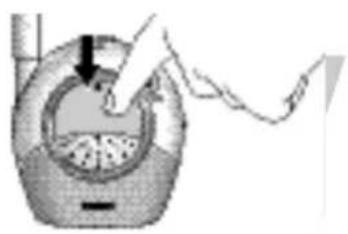
- Press the baby unit night light (A-2) to switch it on and off.
natural_image
Illustration of a hand pressing down on a circular device with a handle (no text or symbols visible)Switching the LINK alarm on and off
You can switch on the LINK alarm on the parent units.
The LINK alarm will beep when connection between the units is lost.
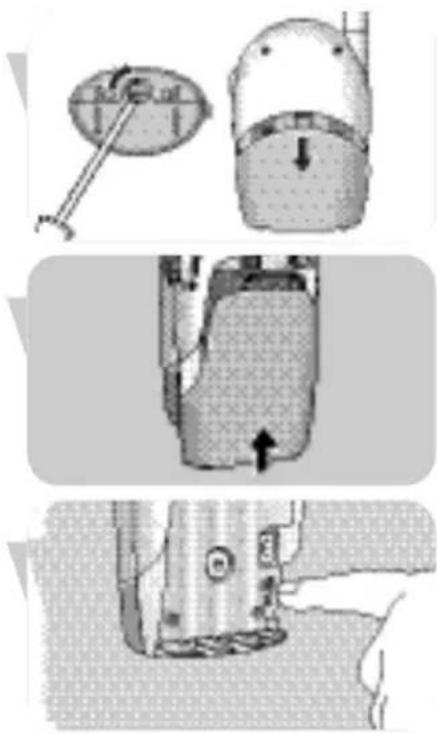
I Open the battery compartments (B-11, C-13) of the parent units.
- Large parent unit: use a screwdriver and slide down the cover (B-11).
- Small parent unit: slide down the cover (C-13).
2 Set the switches (B-7, C-12) inside the compartment to the ON (D position.
3 Close the battery compartment covers (B-11, C-13).
- To switch off the alarm, set the switches (B-7, C-12) to the OFF (W) position.
natural_image
Three-panel diagram showing garment sewing process: top panel with handle, side panel with down arrow, and bottom panel with hand holding a shoe (no text or symbols)Connecting / disconnecting the belt clip (small parent unit)
You can carry the small parent in and around your house, giving you freedom of movement while still monitoring your baby.
natural_image
Illustration of a person in profile wearing a helmet and holding a tool, with no visible text or symbolsConnecting the belt clip
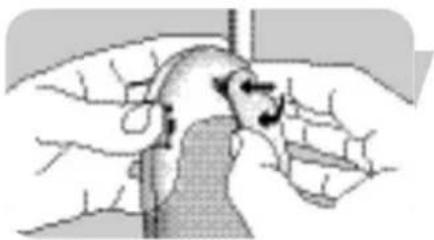
- Insert the little spindle on the rear of the belt clip into the recess on the rear of the parent unit.
Turn the belt clip to the left until it clicks in position.

natural_image
Illustration of a hand holding a curved object with directional arrows indicating movement or force (no text or symbols present)Disconnecting the belt clip
- Turn the belt clip to the right (TURN▶) and take it off.
Troubleshooting
Problem Possible cause Solution
No sound on parent units Volume off or too low. Turn VOLUME controls (B-9, C-10) on parent units downwards.
Units out of range. Move parent units closer to baby unit.
No connection Units are set to different Set channel selection switches between units. channels. (A-9, B-8, C-8) to the same
position on all three units.
Parent units out of range of Move parent units closer transmitted signal. to baby unit.
Battery pack of small parent unit does not charge.
Battery life at an end. Replace battery pack (C-14).
Problem Possible cause Solution
Interference or poor Mobile or cordless phone(s) Move phone(s) away from reception too close to baby monitor. baby monitor.
Interference from other Switch all units to another baby monitors in the channel using the channel neighborhood. selection switch (A-9, B-8, C-8).
Battery power running low. Recharge battery pack (C-14) of small parent unit in time.
Replace batteries of large parent unit and / or baby unit.
Transmitted signal is out of range; e.g. there are too many walls and/or ceilings between baby unit and parent units.
Move parent units closer to baby unit.
Parent units located too close to a window and picking up interfering signals from other appliances.
Move parent units away from window.
LINK lights (B-3, C-9) flashing red / LINK alarms beep.
Units are out of range.
Move units closer together.
Interference from another baby monitor.
Switch to a different channel (A-9, B-8, C-8).
Interference from another FM source.
Remove other FM source.
| Question | Answer |
| Why does a new rechargeable battery pack has no full operating time capacity after the first charge? | It takes about 3 times full recharge and discharges before the rechargeable NiMH batteries have their full capacity available. |
| My rechargeable battery pack has very short duration.Why? | Leaving the rechargeable battery pack continuously connected to a charging unit can shorten it's lifetime. If the product is not used for some time, the charged battery pack slowly looses it's load.This is normal; a short recharge will bring it back to it's full capacity again. |
| The charging light (C-6) on the small parent unit charging base (C-5) remains lit red, even after the full charge duration.Why? | The charging light (C-6) is always activated as soon as the parent unit is installed. It gradually dims when the batteries are fully charged but remains lit, indicating that the parent unit is powered. |
| When installed on the charging base, the small parent unit cannot be switched on immediately. | At this point your battery is probably completely empty.After some 30 minutes of charging it will be possible to switch the parent unit on, while installed on the charging unit. |
| Parent units react too slow / late on baby's cry. | Set microphone sensitivity on the baby unit to a higher level and / or move the baby unit closer to the baby (keep minimal distance of 1 meter / 3 feet). |
| Parent units react too quick on other ambient sounds. | Set microphone sensitivity on the baby unit to a lower level and/or move the baby unit closer to the baby (keep minimal distance of 1 meter / 3 feet). |
| The link is lost every now and then, sound interruptions etc. | You are probably approaching the outer boundaries of the practical range.Try a different location or reduce the distance slightly. Please note that it takes about 30 seconds each time before a new link is established. |
Technical specifications
EN
Power supply
- Battery pack: rechargeable NiMH for small parent unit (included).
- AC power adapter 230V AC, 50 Hz (three included). Output voltage 9V DC, 200mA.
Operating range
- Up to 250 meters / 750 feet in open air. Depending on the surroundings and other disturbing factors this range may be limited.
Dry materials Material Loss of thickness range
| Wood, plaster, < 30cm / 12” 0-10%plaster cardboard,glass (without metalor wires, no lead) |
| Brick, plywood < 30cm / 12” 5-35% |
| Reinforced concrete < 30cm / 12” 30-100% |
| Metal grids, bars < 1cm / 0.4” 90-100% |
| Metal, Aluminium sheets < 1cm / 0.4” 100% |
For wet and moist materials reduction can be as up to 100%.
Operating temperature
0^-40^
Transmission frequencies
40.665 MHz, 40.680 MHz, 40.695 MHz
Replacing the battery pack (small parent unit)
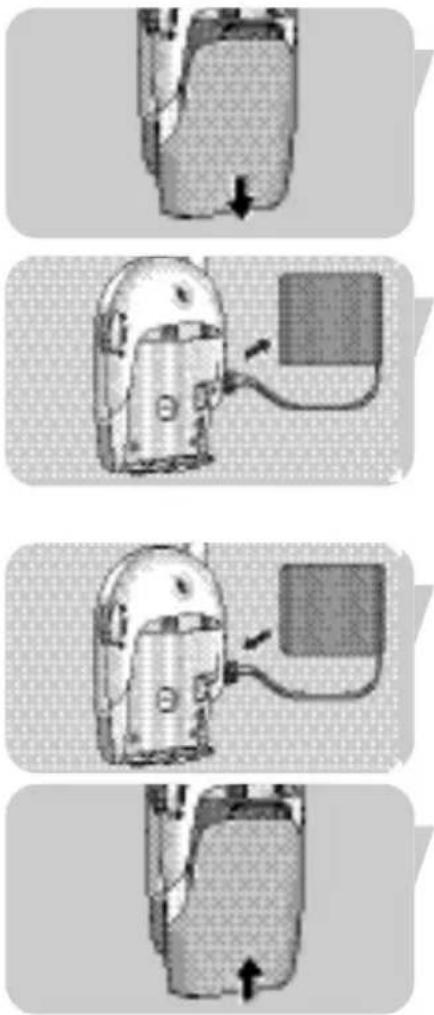
If the battery pack of the small parent unit needs to be recharged more often than usual, replace it with a new battery pack. Only use rechargeable NiMH batteries.
text_image
Diagram showing four steps of a device or device with directional arrows indicating movement, likely illustrating a procedure or assembly.I Open the battery compartment cover (C-13) of the small parent unit by sliding down the cover.
2 Disconnect the old battery pack (C-14) from its power plug and remove it.
3 Carefully connect the new battery pack to the power plug and place inside the battery compartments.
4 Close the battery compartment cover (C-13).
Environmental information
Disposal of your old product
Your product is designed and manufactured with high quality materials and components, which can be recycled and reused.
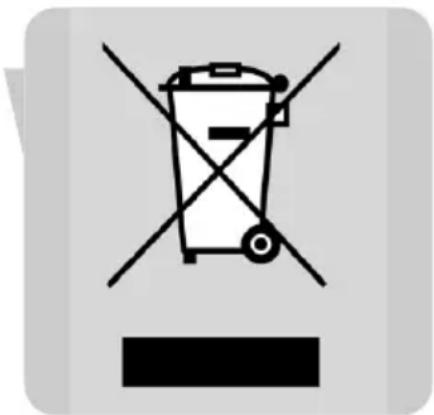
When this crossed-out wheeled bin symbol is attached to a product it means the product is covered by the European Directive 2002/96/EC.
Please inform yourself about the local separate collection system for electrical and electronic products.
Please act according to your local rules and do not dispose of your old products with your normal household waste. The correct disposal of your old product will help prevent potential negative consequences for the environment and human health.
text_image
Prohibition sign with a trash bin and crossed cross lines, indicating no waste or disposal.Maintenance
- Clean the baby monitor with a damp cloth
- Dispose of used batteries in an environmentally friendly manner
- Do not mix old and new batteries or different types of batteries.
- If the batteries are left in the unit when it is powered from the mains, check them for leakage every six months.
Need help?
Online help: www.philips.com
For interactive help, downloads and frequently asked questions
Contact line:
If you have any questions about the SCD450, please contact our helpline for assistance! You can find the number in the separate Guarantee leaflet.
Before you call, please read this manual carefully.
You will be able to solve most of your problems.
You will be asked for:
• A description of the problem and when it occurs
- The type number on the label of your product
• The date of purchase
A. Unité bébé
A-I Bouton ON/OFF
A-2 Veilleuse
A-3 Prise jack d'alimentation CC 9 V ◇-⊕-⊕
C-14 Batterie rechargeable
Philips Baby Care, Taking care together
natural_image
Illustration of a person wearing a helmet and holding an attached electrical plug (no text or symbols visible)
natural_image
Illustration of a cartoon bird-like character with a rounded head and textured body (no text or symbols)FR
natural_image
Diagram of a mechanical device with internal components and a directional arrow (no text or symbols)natural_image
Illustration of hands connecting a cable to an electrical outlet plug (no text or symbols present)natural_image
Illustration of a mechanical device with a lever and a circular component, no visible text or symbolsnatural_image
Illustration of a cartoon character with striped hair and a small inset showing three vertical bars (no text or symbols)natural_image
Diagram showing a computer monitor and its corresponding satellite dish with arrows indicating motion (no text or symbols)natural_image
Diagram of a handheld device with a mounted antenna and power outlet, showing no text or symbols.text_image
≥1m/3 ft ≥1m/3 ft ≥1m/3 ftnatural_image
Hand holding a device with a dial indicator (no visible text or symbols)natural_image
Illustration of a hand pointing at a device with a circular dial (no text or symbols visible)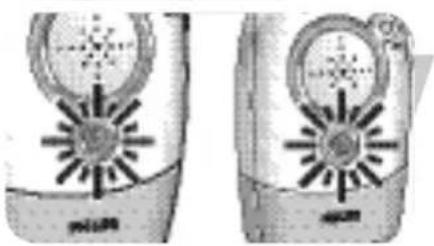
natural_image
Two identical illustrations of a portable electronic device with circular and star-shaped components (no text or symbols visible)natural_image
Diagram of a two-story house with internal furniture and plants (no text or symbols)natural_image
Hand pointing at a small object on a cylindrical surface (no text or symbols visible)natural_image
Illustration of a hand holding a device with a circular dial and pointer (no text or symbols visible)natural_image
Illustration of a hand holding a flip phone with a circular dial and pointer (no text or symbols visible)natural_image
Illustration of a hand pressing down on a mechanical component with a downward arrow (no text or symbols)natural_image
Three-panel diagram showing mechanical assembly steps: top view with circular component, middle section with cylindrical component, and bottom view of a mechanical part (no text or symbols)natural_image
Illustration of a person wearing glasses and a mask, viewed from behind (no text or symbols)natural_image
Illustration of a hand holding a curved object with arrows indicating direction (no text or symbols)text_image
Warning symbol for a trash bin with crossed cross and horizontal lines indicating no waste or dischargeEntretien
natural_image
Diagram of a mechanical assembly with a cylindrical component inserted into a housing (no text or symbols visible)natural_image
Illustration of a hand holding a small electrical component connected to an electrical outlet (no text or symbols visible)natural_image
Diagram showing a measuring tool interacting with a circular object and a cylindrical container, both without any text or symbols.natural_image
Illustration of a cartoon character with striped hair and a small object nearby (no text or symbols)natural_image
Illustration of a mechanical device with a circular component and a separate view showing internal components (no text or symbols)natural_image
Diagram of a handheld device connected to a power outlet, showing internal components and wiring (no text or symbols)Uso del vigilabebés
natural_image
Hand pointing at a mechanical device with a circular dial (no visible text or symbols)natural_image
Illustration of a hand pointing at a device with a circular dial and pointer (no text or symbols visible)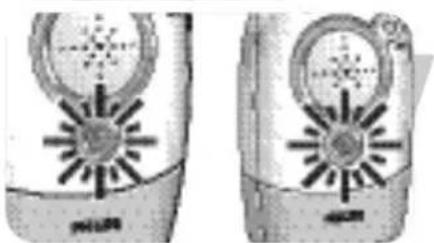
natural_image
Two identical mobile phone cases showing front and side views with solar panels (no visible text or symbols)natural_image
Diagram of a two-story house interior showing internal furniture layout (no text or symbols)natural_image
Hand pointing at a small object on a cylindrical surface (no text or symbols visible)natural_image
Illustration of a hand inserting a small circular component into a device (no text or symbols visible)natural_image
Illustration of a hand interacting with a flip phone (no text or symbols visible)natural_image
Illustration of a hand pressing down on a circular device with a handle (no text or symbols visible)natural_image
Three-panel technical illustration showing mechanical assembly steps: top view with tool, middle view with meshed component, bottom view with detail (no text or symbols)natural_image
Illustration of a person wearing a helmet and glasses, partially obscured by hand (no text or symbols visible)Fijar el enganche de cintura
natural_image
Illustration of a hand holding a curved object with directional arrows indicating movement or force (no text or symbols present)40,665 MHz, 40,680 MHz, 40,695 MHz
text_image
Warning symbol for a trash bin with crossed and uncorrected lines, indicating no waste or discharge.Mantenimiento
natural_image
Diagram of a mechanical assembly with a component inserted into a housing (no text or symbols visible)natural_image
Illustration of a hand holding a small electronic component connected to an electrical outlet (no text or symbols visible)Netzbetrieb
natural_image
Illustration of a mechanical device with a circular component and a cylindrical housing, showing internal components (no text or symbols)natural_image
Illustration of a cartoon character with a magnifying glass, next to a row of books (no text or symbols visible)natural_image
Diagram showing a computer monitor and its corresponding satellite dish with a pointer (no text or symbols)natural_image
Diagram of a handheld device connected to a wall-mounted base, showing wiring and components (no text or symbols)natural_image
Illustration of a hand pressing down on a mechanical component with a downward arrow indicating force or direction (no text or symbols present)natural_image
Hand pointing at a mechanical device with a circular dial (no visible text or symbols)natural_image
Illustration of a hand pointing at a device with a circular dial and pointer (no text or symbols visible)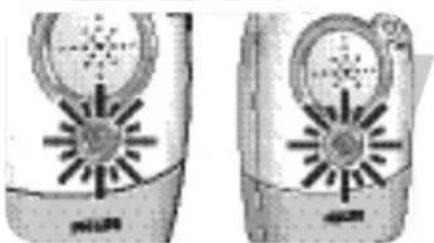
natural_image
Two identical mobile phone cases showing front and side views with solar panels (no visible text or symbols)natural_image
Diagram of a two-story house interior showing internal furniture layout (no text or symbols)natural_image
Hand pointing at a small object on a cylindrical surface (no text or symbols visible)natural_image
Illustration of a hand interacting with a device resembling a mobile phone or radio (no text or symbols visible)natural_image
Hand holding a flip phone with a circular dial and a scroll, no visible text or symbolsnatural_image
Illustration of a hand pressing down on a circular device with a handle, no text or symbols presentnatural_image
Diagram of a mechanical device with a circular component and a cylindrical housing, showing internal components (no text or symbols)natural_image
Diagram of a vehicle interior with a highlighted section and directional arrow (no text or symbols)natural_image
Close-up of a sewing machine needle and foot (no visible text or symbols)natural_image
Illustration of a person in a wheelchair with hand gestures, no text or symbols presentnatural_image
Illustration of a hand holding a curved object with directional arrows indicating movement or force (no text or symbols present)40,665 MHz, 40,680 MHz, 40,695 MHz
text_image
Prohibition sign with crossed-out trash bin and no text, indicating no waste or disposal.Wartung
natural_image
Illustration of a person using a medical or surgical device to interact with another person (no text or symbols visible)
natural_image
Simple line drawing of a cartoon character wearing a dome and holding a small object (no text or symbols)NL
natural_image
Diagram of a mechanical device with internal components and a tool, showing no visible text or symbols.natural_image
Illustration of a hand holding a small electronic component connected to an electrical outlet (no text or symbols visible)natural_image
Diagram showing a mechanical device with a dial and a cylindrical component, no visible text or symbolsnatural_image
Illustration of a cartoon character with striped hair and a small object, next to a row of books (no text or symbols visible)natural_image
Diagram showing a mechanical assembly with a cylindrical component and a circular component with a rod, no visible text or symbols.natural_image
Diagram of a mechanical device with a bulb and base, connected to a power outlet (no text or symbols visible)text_image
≥1m/3 ft ≥1m/3 ft ≥1m/3 ftNL
natural_image
Hand pointing at a mechanical device with a dial indicator (no visible text or symbols)natural_image
Illustration of a hand inserting a device into a device with a circular dial (no text or symbols visible)
natural_image
Two identical grayscale images of a mobile phone with circular and starburst design (no visible text or symbols)natural_image
Diagram of a two-story house interior showing internal furniture and plants (no text or symbols)natural_image
Hand pointing at a small object on a cylindrical surface (no text or symbols visible)natural_image
Illustration of a hand interacting with a device resembling a handheld device (no text or symbols visible)natural_image
Illustration of a hand holding a mobile phone with a circular dial and scroll (no text or symbols visible)natural_image
Diagram of a hand pressing down on a circular object with a downward arrow, no text or symbols presentnatural_image
Illustration of a person in profile wearing a helmet and holding an object, with no visible text or symbols.Riemclip aanbrengen
natural_image
Illustration of a hand holding a curved object with directional arrows indicating movement or force (no text or symbols present)40,665 MHz, 40,680 MHz, 40,695 MHz
text_image
Warning symbol for a trash bin with crossed cross lines and a blank base, indicating no waste or discharge.Onderhoud
natural_image
Diagram of a mechanical device with internal components and a directional arrow (no text or symbols)natural_image
Illustration of hands connecting a cable to an electrical outlet (no text or symbols visible)natural_image
Illustration of a mechanical device with a circular component and a cylindrical housing, showing internal components (no text or symbols)natural_image
Illustration of a cartoon character with a magnifying glass, next to battery cells (no text or symbols)natural_image
Diagram showing a mechanical assembly with a cylindrical component and a circular component with a pointer (no text or symbols)natural_image
Diagram of a handheld device connected to a power outlet, showing wiring and a mounted device (no text or symbols present)natural_image
Illustration of a hand pressing down on a circular mechanical component with a downward arrow indicating force or direction (no text or symbols)IT
natural_image
Hand pointing at a mechanical device with a circular dial (no visible text or symbols)natural_image
Illustration of a hand pointing at a device with a circular dial and pointer (no text or symbols visible)natural_image
Two identical mobile phone cases showing front and side views with solar panels (no visible text or symbols)natural_image
Diagram of a two-story house with internal furniture and plants (no text or symbols)natural_image
Hand pointing at a small object on a cylindrical surface (no text or symbols visible)natural_image
Illustration of a hand holding a handheld device with a circular dial and a pointer (no text or symbols visible)natural_image
Illustration of a hand interacting with a flip phone (no text or symbols visible)natural_image
Illustration of a hand pressing down on a circular device with a handle, no text or symbols presentnatural_image
Three-panel diagram showing mechanical assembly steps: top view with a circular component, middle view with a meshed component, and bottom view of a sewing machine (no text or symbols)natural_image
Illustration of a person in a wheelchair with hand gestures (no text or symbols)natural_image
Illustration of a hand holding a curved object with directional arrows indicating movement or force (no text or symbols present)40,665 MHz, 40,680 MHz, 40,695 MHz
natural_image
Symbol of a trash bin crossed with two crossed lines, no text or numbers presentManutenzione
natural_image
Diagram of a mechanical device with internal components and a directional arrow (no text or symbols)natural_image
Illustration of hands connecting a wall-mounted electrical outlet to a plug, with no visible text or symbolsnatural_image
Diagram showing a mechanical device with a lever and a circular component, no visible text or symbolsnatural_image
Illustration of a cartoon character with striped hair and a small inset showing a battery (no text or symbols)natural_image
Illustration of a computer mouse with a magnified view showing the internal components (no text or symbols)natural_image
Diagram of a vintage telephone receiver with antenna and base, no visible text or symbolstext_image
≥1m/3 ft ≥1m/3 ft ≥1m/3 ftnatural_image
Hand pointing at a mechanical device with a dial indicator (no visible text or symbols)natural_image
Illustration of a hand inserting a small object into a device (no text or symbols visible)
natural_image
Two identical grayscale images of a mobile phone with circular and starburst graphics (no visible text or symbols)natural_image
Diagram of a two-story house interior showing furniture and plants (no text or symbols)natural_image
Hand pointing at a small object on a cylindrical surface (no text or symbols visible)natural_image
Illustration of a hand holding a handheld device with a circular dial and pointer (no text or symbols visible)natural_image
Illustration of a hand interacting with a flip phone (no text or symbols visible)Ligar e desligar a luz nocturna
natural_image
Illustration of a hand pressing down on a circular device with a handle, no text or symbols presentLigar e desligar o alarme LINK
natural_image
Illustration of a hand holding a small object with an arrow indicating motion or force (no text or symbols present)natural_image
Illustration of a hand holding a curved object with directional arrows indicating movement or force (no text or symbols)40,665 MHz, 40,680 MHz, 40,695 MHz
natural_image
Top-down view of a vehicle's internal gear or valve component with a black arrow pointing to a specific area (no text or symbols visible)natural_image
Diagram of a car interior with a cable and attached component (no text or symbols)natural_image
Diagram of a device with a cable and connector, no visible text or symbolsnatural_image
Diagram of a vehicle interior with a highlighted section and directional arrow (no text or symbols)text_image
Warning symbol for a trash bin with crossed and uncorrected lines, indicating no waste or discharge.Manutenção
natural_image
Illustration of a helmet with a gear and battery stack, no text or symbols presentnatural_image
Illustration of hands connecting a small component to an electrical outlet (no text or symbols visible)Λειτουργία με ρεύμα
natural_image
Illustration of a measuring instrument with a dial and a cylindrical container (no text or symbols)natural_image
Illustration of a cartoon character with striped hair and a small inset showing three bars, no text or symbols present.natural_image
Diagram showing a computer mouse with an open lid and a close-up of its screen (no text or symbols present)natural_image
Diagram of a portable radio device connected to a power outlet (no text or symbols visible)natural_image
Illustration of a hand pressing down on a mechanical component with a downward arrow (no text or symbols)natural_image
Hand pointing at a mechanical device with a dial indicator (no visible text or symbols)natural_image
Illustration of a hand pointing at a device with a circular dial and pointer (no text or symbols visible)natural_image
Two identical mobile phone cases showing front and side views with solar panels (no visible text or symbols)natural_image
Illustration of a two-story house with internal furniture and plants (no text or symbols)Λειτουργίες
natural_image
Hand pointing at a small object on a cylindrical surface (no text or symbols visible)natural_image
Illustration of a hand holding a small electronic device with a circular dial and antenna (no text or symbols visible)natural_image
Illustration of a hand interacting with a flip phone (no text or symbols visible)natural_image
Illustration of a hand inserting a plug into a container with a tool, no text or symbols presentnatural_image
Three-panel diagram showing mechanical assembly steps: top view with rotating component, middle view with internal mesh structure, and bottom view with base and mounting (no text or symbols)natural_image
Illustration of a person wearing a helmet and holding a device, with no visible text or symbolsnatural_image
Illustration of hands performing a medical procedure on a curved object, showing motion arrows (no text or symbols)40,665 MHz, 40,680 MHz, 40,695 MHz
text_image
Prohibition sign depicting a trash bin crossed with no signage, indicating no waste or disposal.Συντήρηση
Philips Baby Care, Taking care together
Säkerhetsinformation
natural_image
Illustration of a person wearing a helmet and holding an attached electrical plug (no text or symbols visible)
natural_image
Illustration of a cartoon character wearing a dome-shaped headgear (no text or symbols)Installera babyvakten
natural_image
Diagram of a mechanical assembly with a component inserted into a housing (no text or symbols visible)natural_image
Illustration of a hand holding a small electronic component connected to an electrical outlet (no text or symbols visible)Nätansluten drift
natural_image
Illustration of a mechanical device with a dial and a separate view showing internal components (no text or symbols)natural_image
Illustration of a cartoon character with a speech bubble and bar chart, no text or symbols presentnatural_image
Diagram showing a mechanical assembly with a cylindrical component and a circular component, no visible text or symbols.natural_image
Diagram of a portable radio device connected to a power outlet (no text or symbols visible)natural_image
Illustration of a hand pressing down on a circular mechanical component with a downward arrow indicating force or direction (no text or symbols)Använda babyvakten
natural_image
Hand pointing at a device with a circular dial and pointer (no visible text or symbols)natural_image
Illustration of a hand pointing at a device with a circular dial and a watch (no text or symbols visible)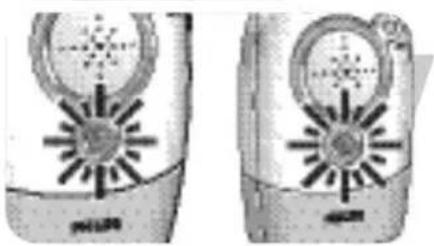
natural_image
Two identical illustrations of a device with circular components and starburst patterns, no visible text or symbols.natural_image
Diagram of a two-story house interior showing internal furniture layout (no text or symbols)natural_image
Three-panel diagram showing mechanical assembly steps: top view with a circular component, middle view with a textured surface and directional arrows, bottom view with a meshed base (no text or symbols)natural_image
Illustration of a person interacting with a wall-mounted device (no text or symbols visible)natural_image
Illustration of a hand holding a curved object with directional arrows indicating movement or force (no text or symbols present)40,665 MHz, 40,680 MHz, 40,695 MHz
natural_image
Symbol of a trash bin crossed with no text or numbers, indicating no waste or disposal (no text present)Underhåll
A-4 Vekselstrømsadapter
A-5 Strømstik
A-6 Mikrofon
A-7 POWER-indikatorlampe
B-4 Vekselstrømsadapter
B-5 Strømstik
natural_image
Diagram of a mechanical device with internal components and a directional arrow (no text or symbols)natural_image
Illustration of hands connecting a wall-mounted electrical outlet to a plug, with no visible text or symbolsNetdrift
natural_image
Illustration of a mechanical device with a dial and a base, showing no text or symbols.natural_image
Illustration of a cartoon character with striped head and arrow pointing to a grid of books (no text or symbols)natural_image
Diagram showing a mechanical assembly with a cylindrical component and a circular component, no visible text or symbolsnatural_image
Diagram of a handheld device connected to a base with a cable, showing no text or symbols.Brug af babymonitoren
text_image
≥1m / 3 ft ≥1m / 3 ft ↓DK
Brug af babymonitoren
natural_image
Illustration of a hand pointing at a device with a circular dial (no text or symbols visible)natural_image
Illustration of a hand pointing at a device with a circular dial and pointer (no text or symbols visible)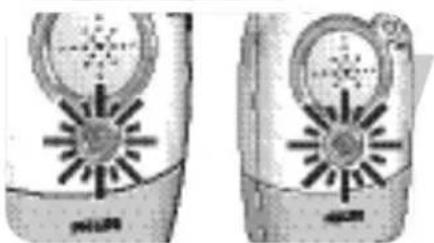
natural_image
Two identical mobile phone cases showing front and side views with solar panels (no visible text or symbols)natural_image
Diagram of a two-story house interior showing internal furniture layout (no text or symbols)natural_image
Hand pointing at a small object on a cylindrical surface (no text or symbols visible)natural_image
Illustration of a hand holding a device with a circular dial and pointer (no text or symbols visible)natural_image
Illustration of a hand interacting with a vintage mobile phone (no text or symbols visible)natural_image
Illustration of a hand pressing down on a circular device with a handle (no text or symbols visible)natural_image
Three-panel technical illustration showing mechanical assembly steps: dial indicator, top-down view of a cylindrical component, and bottom-down view of a mechanical part (no text or symbols)natural_image
Illustration of a person interacting with a wall-mounted device (no text or symbols visible)natural_image
Illustration of a hand holding a curved object with directional arrows indicating movement or force (no text or symbols present)natural_image
Cross-sectional view of a mechanical component with a downward arrow indicating a specific part (no text or symbols visible)natural_image
Diagram of a car interior with a cable and attached component (no text or symbols)natural_image
Diagram of a device with a cable and connector, no visible text or symbolsnatural_image
Cross-sectional view of a mechanical component with internal grid pattern and an arrow indicating direction (no text or symbols)4 Luk batterirumsdækslet (C-13).
Miljøoplysninger
natural_image
Symbol of a trash bin crossed with no text or numbers, indicating no waste or discharge (no text present)Vedligeholdelse
natural_image
Diagram of a mechanical device with internal components and a directional arrow (no text or symbols)natural_image
Illustration of a hand holding a small electronic component connected to an electrical outlet (no text or symbols visible)natural_image
Illustration of a mechanical device with a dial and lever mechanism (no text or symbols)Batteridrift
natural_image
Illustration of a cartoon character with a cat-like head and striped body, next to a grid of rectangular blocks (no text or symbols)natural_image
Diagram showing a mechanical assembly with a cylindrical component and a circular component with a rod inserted (no text or symbols)natural_image
Diagram of a handheld device connected to a base with a cable, showing no text or symbols.text_image
≥1m/3 ft ≥1m/3 ft ≥1m/3 ftNO
Bruke babyvarsleren
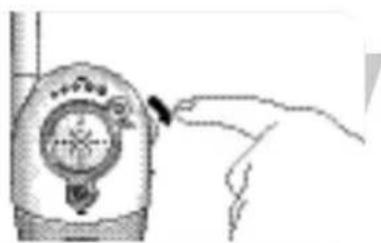
natural_image
Hand pointing at a device with a circular dial and pointer (no visible text or symbols)natural_image
Illustration of a hand inserting a small object into a device (no text or symbols visible)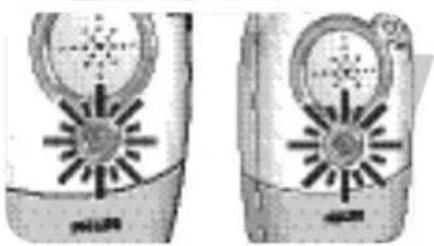
natural_image
Two identical grayscale images of a mobile phone with circular and starburst designs, no visible text or symbols.natural_image
Diagram of a two-story house with internal furniture and plants (no text or symbols)natural_image
Illustration of a hand pressing a button on a cylindrical device (no text or symbols visible)natural_image
Illustration of a hand holding a small electronic device with a dial and antenna (no text or symbols visible)natural_image
Illustration of a hand holding a mobile phone with a dial and scroll (no text or symbols visible)natural_image
Illustration of a hand pressing down on a circular device with a handle (no text or symbols visible)natural_image
Three-panel diagram showing mechanical assembly steps: top view with tool, middle view with component, bottom view with hand and foot (no text or symbols)natural_image
Illustration of a person wearing a helmet and holding a device, with no visible text or symbolsFeste belteklemmen
natural_image
Illustration of a hand holding a curved object with directional arrows indicating movement or force (no text or symbols)Løsne belteklemmen
40.665 MHz, 40.680 MHz, 40.695 MHz
Skifte ut batteripakken (lite foreldreapparat)
Hvis batteripakken til det lille foreldreapparatet må lades opp oftere enn vanlig, må du skifte den ut med en ny batteripakke. Bruk bare oppladbare NiMH-batterier.
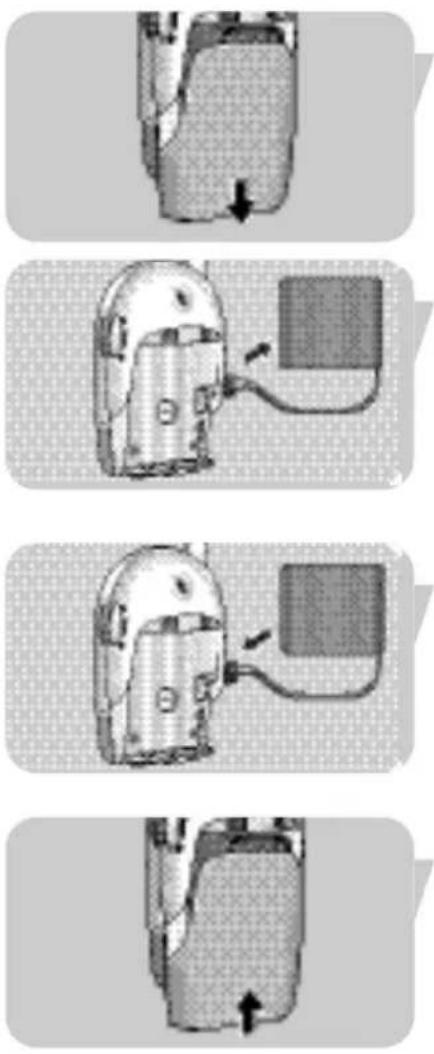
text_image
Warning symbol for a trash bin with crossed cross and horizontal lines indicating no waste or dischargeVedlikehold
natural_image
Diagram of a helmet with gear and battery pack, showing mechanical components (no text or labels)natural_image
Illustration of hands connecting a cable to an electrical outlet (no text or symbols visible)natural_image
Diagram showing a mechanical device with a lever and a circular component, no text or symbols present.natural_image
Illustration of a cartoon character with striped head and rectangular bars, no text or symbols presentnatural_image
Diagram showing a device with a sensor or probe inserted into a circular component, no text or symbols present.natural_image
Diagram of a handheld device connected to a wall-mounted base, showing wiring and a vertical axis (no text or symbols present)natural_image
Hand holding a small electronic device with a dial and screen (no visible text or symbols)natural_image
Illustration of a hand inserting a small object into a device (no text or symbols visible)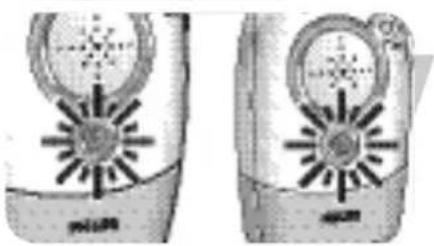
natural_image
Two identical illustrations of a portable electronic device with circular and star-shaped components (no text or symbols visible)natural_image
Diagram of a two-story house with internal furniture and plants (no text or symbols)natural_image
Hand pointing at a small object on a cylindrical surface (no text or symbols visible)natural_image
Illustration of a hand holding a device with a circular dial and pointer (no text or symbols visible)natural_image
Illustration of a hand holding a flip phone with an arrow pointing to the screen (no text or symbols visible)natural_image
Illustration of a hand pressing down on a circular device with a handle, no text or symbols presentnatural_image
Three-panel diagram showing garment sewing process: top panel shows wheel, down arrow, bottom panel shows sewing machine (no text or symbols)natural_image
Illustration of a hand holding a small object, possibly a tool or device, with no visible text or symbols.natural_image
Illustration of hands performing a medical procedure on a curved anatomical structure (no text or symbols visible)40,665 MHz, 40,680 MHz, 40,695 MHz
natural_image
Symbol of a trash bin crossed with no visible text or numbers, indicating no waste or discharge.Hoito ja huolto
natural_image
Illustration of a person wearing a helmet and using a power cord to interact (no text or symbols present)
natural_image
Simple line drawing of a cartoon character with a hat and beard (no text or symbols)TR
natural_image
Illustration of a helmet with teeth and a battery stack (no text or symbols)natural_image
Illustration of a hand holding a small electronic component connected to an electrical outlet (no text or symbols visible)Elektrikle kullanım
natural_image
Illustration of a mechanical device with a tool and a circular component, no visible text or symbolsnatural_image
Illustration of a cartoon character with a cat face and a broken egg, no text or symbols presentnatural_image
Diagram showing a computer monitor and its internal components with arrows indicating motion (no text or symbols)natural_image
Diagram of a mechanical device with a vertical shaft and base, connected to a power outlet (no text or symbols visible)natural_image
Hand pointing at a mechanical device with a circular dial (no visible text or symbols)natural_image
Illustration of a hand inserting a small object into a device (no text or symbols visible)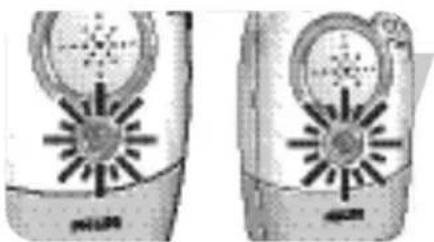
natural_image
Two identical electronic devices with circular and star-shaped designs, no visible text or symbols.natural_image
Diagram of a two-story house with furniture and plants inside (no text or symbols)natural_image
Simple cartoon illustration of a character inside a dome-shaped container (no text or symbols)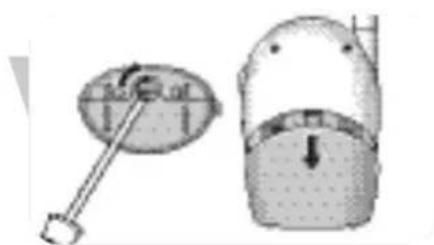
text_image
Diagram showing a dial indicator and a mechanical component with downward force arrow
natural_image
Close-up of a mechanical component with a downward arrow indicating force or direction (no visible text or symbols)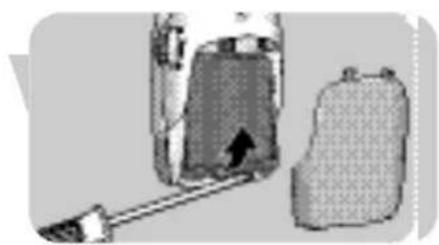
natural_image
Diagram showing a container with an arrow pointing to it, next to a textured bag (no text or symbols)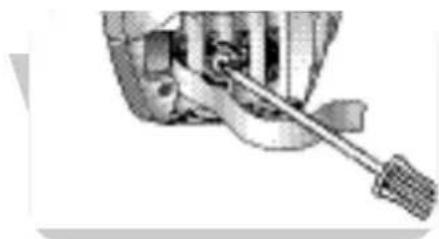
natural_image
Close-up of a mechanical tool interacting with a component (no visible text or symbols)natural_image
Hand pointing at a small object on a cylindrical surface (no text or symbols visible)natural_image
Illustration of a hand interacting with a device resembling a handheld device (no text or symbols visible)natural_image
Illustration of a hand interacting with a mobile phone displaying a circular dial (no text or symbols visible)natural_image
Illustration of a hand pressing down on a circular object with a handle, no text or symbols presentnatural_image
Three-panel diagram showing sewing machine tool manipulation: top panel shows dial indicator, middle panel shows fabric cutting with arrow indicating seam, bottom panel shows base and foot (no text or symbols)natural_image
Illustration of a hand holding a small object with arrows indicating motion or force (no text or symbols)Kemer klipsini takma
natural_image
Illustration of a hand holding a curved object with directional arrows indicating movement or force (no text or symbols present)40,665 MHz, 40,680 MHz, 40,695 MHz