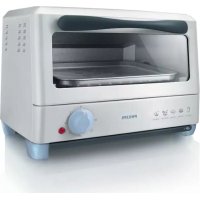
HD4493 - Toaster PHILIPS - Free user manual and instructions
Find the device manual for free HD4493 PHILIPS in PDF.



| Product type | Toaster oven |
| Brand | Philips |
| Model | HD4493 |
| Power supply | 220-240 V, 50-60 Hz |
| Power | Approximately 1200 W (estimate) |
| Capacity | Up to 4 slices of bread |
| Timer | 0-30 minutes with automatic shut-off and audible signal |
| Temperature control | No (model without thermostat) |
| Functions | Toasting, browning/gratin, defrosting |
| Included accessories | Removable rack, crumb tray |
| Door | Glass with handle |
| Safety | Automatic shut-off, safety lock (not specified) |
| Cleaning | Damp cloth for exterior and interior; rack and crumb tray washable with soapy water |
| Dimensions (L x D x H) | Approximately 35 x 30 x 25 cm (estimate) |
| Weight | Approximately 4 kg (estimate) |
| Warranty | 2 years (depending on country) |
Frequently Asked Questions - HD4493 PHILIPS
User questions about HD4493 PHILIPS
0 question about this device. Answer the ones you know or ask your own.
Ask a new question about this device
Download the instructions for your Toaster in PDF format for free! Find your manual HD4493 - PHILIPS and take your electronic device back in hand. On this page are published all the documents necessary for the use of your device. HD4493 by PHILIPS.
USER MANUAL HD4493 PHILIPS
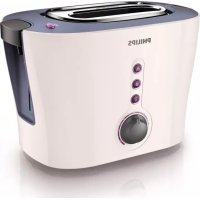
natural_image
Exterior view of a Philips 30-inch toaster with open lid and control knobs (no visible text or symbols on main body)
ENGLISH 6
ESPAÑOL 12
FRANÇAIS 19
INDONESIA 26
ITALIANO 32
한국어 39
BAHASA MELAYU 46
PORTUGUÊS 53
ภาษาไทย 60
TIÊNG VIÊT 65
繁體中文 71
简体中文 77
187 العربية
92 فارسی
Introduction
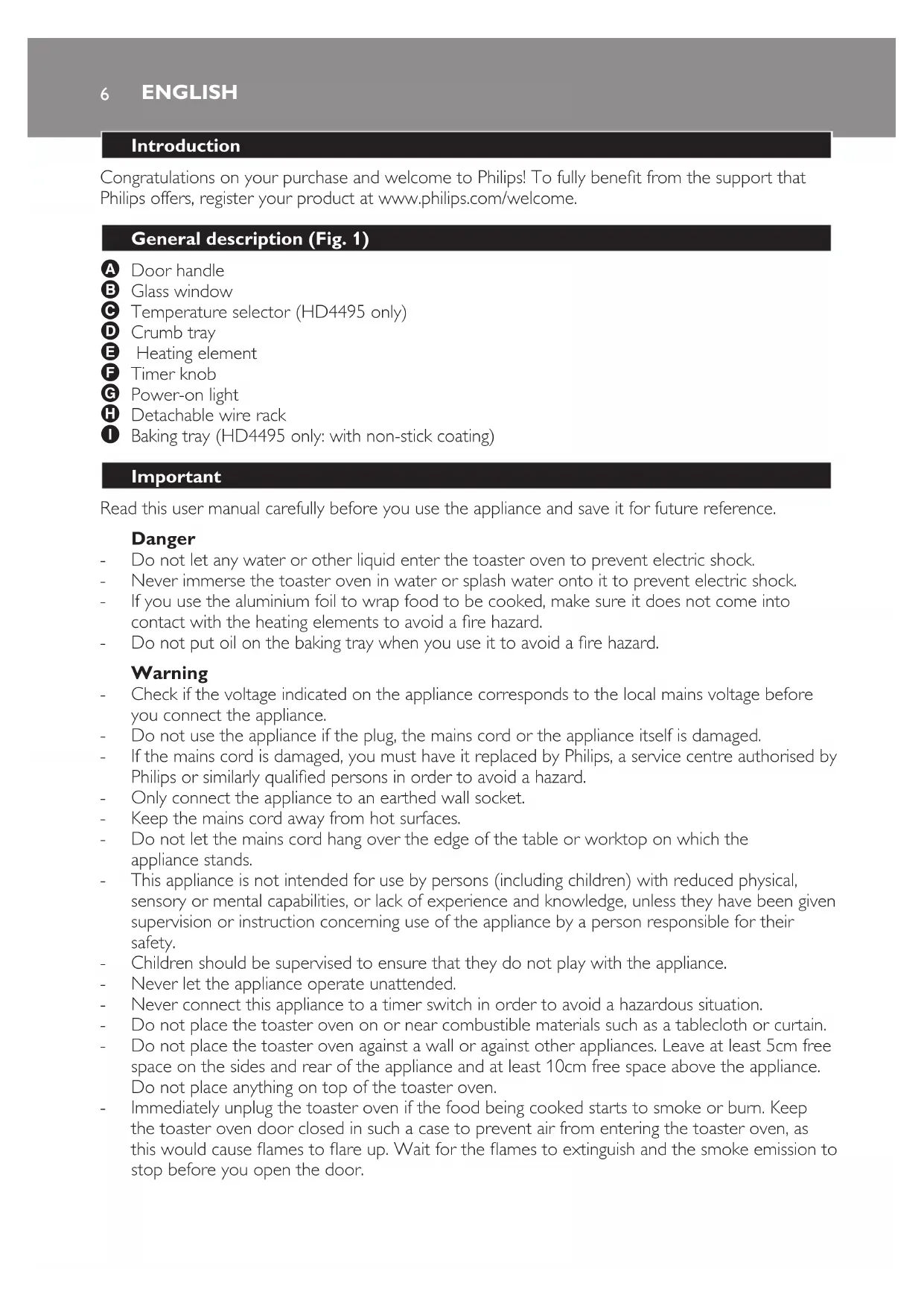
Congratulations on your purchase and welcome to Philips! To fully benefit from the support that Philips offers, register your product at www.philips.com/welcome.
General description (Fig. 1)
A Door handle
B Glass window
C Temperature selector (HD4495 only)
D Crumb tray
E Heating element
F Timer knob
G Power-on light
H Detachable wire rack
Baking tray (HD4495 only: with non-stick coating)
Important
Read this user manual carefully before you use the appliance and save it for future reference.
Danger
- Do not let any water or other liquid enter the toaster oven to prevent electric shock.
- Never immerse the toaster oven in water or splash water onto it to prevent electric shock.
- If you use the aluminium foil to wrap food to be cooked, make sure it does not come into contact with the heating elements to avoid a fire hazard.
- Do not put oil on the baking tray when you use it to avoid a fire hazard.
Warning
- Check if the voltage indicated on the appliance corresponds to the local mains voltage before you connect the appliance.
- Do not use the appliance if the plug, the mains cord or the appliance itself is damaged.
- If the mains cord is damaged, you must have it replaced by Philips, a service centre authorised by Philips or similarly qualified persons in order to avoid a hazard.
- Only connect the appliance to an earthed wall socket.
- Keep the mains cord away from hot surfaces.
- Do not let the mains cord hang over the edge of the table or worktop on which the appliance stands.
- This appliance is not intended for use by persons (including children) with reduced physical, sensory or mental capabilities, or lack of experience and knowledge, unless they have been given supervision or instruction concerning use of the appliance by a person responsible for their safety.
- Children should be supervised to ensure that they do not play with the appliance.
- Never let the appliance operate unattended.
- Never connect this appliance to a timer switch in order to avoid a hazardous situation.
- Do not place the toaster oven on or near combustible materials such as a tablecloth or curtain.
- Do not place the toaster oven against a wall or against other appliances. Leave at least 5cm free space on the sides and rear of the appliance and at least 10cm free space above the appliance. Do not place anything on top of the toaster oven.
- Immediately unplug the toaster oven if the food being cooked starts to smoke or burn. Keep the toaster oven door closed in such a case to prevent air from entering the toaster oven, as this would cause flames to flare up. Wait for the flames to extinguish and the smoke emission to stop before you open the door.
Caution
- This appliance is intended for household use only. If the appliance is used improperly or for professional or semi-professional purposes or if it is not used according to the instructions in the user manual, the guarantee becomes invalid and Philips refuses any liability for damage caused.
- Always place the appliance on a stable, level and horizontal surface.
- Always unplug the appliance after use.
- Let the appliance cool down before you handle or clean it.
- Make sure that the crumb tray is in place when you use the toaster oven.
- Do not touch the glass window and the metal parts of the appliance, as they become very hot during use.
- Use oven gloves or a thick dry cloth to remove the hot baking tray or the hot food from the toaster oven.
Electromagnetic fields (EMF)
This Philips appliance complies with all standards regarding electromagnetic fields (EMF). If handled properly and according to the instructions in this user manual, the appliance is safe to use based on scientific evidence available today.
Before first use
1 Remove any stickers and wipe the body of the appliance with a moist cloth.
2 Clean the wire rack and the baking tray in warm water with some washing-up liquid.
Note: Let the toaster oven heat up for about 5 minutes without the wire rack and/or the baking tray and without any food in it, to burn off any dust that may have accumulated on the heating elements during storage.
Using the appliance
How to use the toaster oven
1 Place the appliance on a stable, level and horizontal surface.
Do not place the toaster oven on or near combustible materials such as a tablecloth or curtain.
Do not place the toaster oven against a wall or against other appliances. Leave at least 5cm free space on the sides and rear of the appliance and at least 10cm free space above the appliance.
Do not place anything on top of the toaster oven.
2 Put the plug in an earthed wall socket (Fig. 2).
3 Make sure the timer knob is set to 0 before you put the plug in the wall socket (Fig. 3).
4 Pull the door handle to open the door (Fig. 4).
5 Place the wire rack in the toaster oven.
6 Place the food to be cooked on the baking tray, directly on the wire rack or on the wire rack in suitable cookware (Fig. 5).
Note: Always use the baking tray or suitable cookware when you cook juicy food.
7 HD4495 only: Set the temperature selector to the required cooking temperature. (Fig. 6) For cooking temperatures, see the cooking guide at the end of this user manual.
8 Set the timer knob to the required cooking time. (Fig. 7) For cooking times, see the cooking guide at the end of this user manual.
ENGLISH8
The maximum cooking time that can be set is 30 minutes for type HD4493 and 45 minutes for type HD4495.
The power-on light goes on.
Note: To set a cooking time of less than 5 minutes, turn the timer knob past the 5-minute indication and then turn it back to the required time. (Fig. 8)
When the set cooking time has elapsed, you hear a bell and the appliance switches off automatically (Fig. 9).
9 If you want to remove food from the toaster oven or if you want to stop cooking before the end of the preset cooking time, turn the timer knob to 0 to switch off the appliance (Fig. 10). If there is still food in the toaster oven that needs to be cooked, turn the timer knob to the required cooking time again.
Be careful: the wire rack and/or the baking tray and the cooked food are hot! Use oven gloves or a thick dry cloth to remove the hot food and the hot wire rack or baking tray from the toaster oven.
Toasting
See section 'How to use the toaster oven'.
Note: It is not necessary to preheat the toaster oven.
1 Place the slices of bread side by side on the wire rack. To toast a single slice, place it in the centre of the wire rack (Fig. 11).
The toaster oven can toast up to 4 slices of bread at a time. Use the wire rack for toasting bread.
2 HD4495 only: Set the temperature selector to the required temperature.
For cooking temperatures, see the cooking guide at the end of this user manual. If you want to warm up pastries, select a low temperature.
3 Set the timer knob to the required cooking time.
For cooking times, see the cooking guide at the end of this user manual.
Note: During toasting, some condensation may form on the glass window of the door. This is normal and is caused by moisture in the food. It does not affect the toasting process.
Browning/crisping
See section 'How to use the toaster oven'.
Note: It is not necessary to preheat the toaster oven.
1 If you want to brown or crisp food toppings such as cheese and breadcrumbs to cook a gratin, put the food in suitable cookware or on the baking tray.
2 Place the cookware or the baking tray on the wire rack in the toaster oven.
3 HD4495 only: Set the temperature selector to the required temperature.
For cooking temperatures, see the cooking guide at the end of this user manual.
4 Set the timer knob to the required cooking time.
For cooking times, see the cooking guide at the end of this user manual.
Note: Keep an eye on the food to make sure that it does not get overcooked.
5 When the result is satisfactory, turn the timer knob to 0 and remove the food.
Defrosting
See section 'How to use the toaster oven'.
1 Remove all paper and plastic wrappings from the food.
2 HD4493 only: wrap the food to be defrosted in aluminium foil to prevent it from being cooked during defrosting.
3 Put the food to be defrosted on the baking tray.
4 Place the baking tray on the wire rack in the toaster oven.
5 HD4495 only: Set the temperature selector to 80°C.
6 Set the timer knob to the cooking time for foil-wrapped food (see the cooking guide).
7 Leave the food in the oven until it is defrosted.
The time required depends on the food type and food size.
8 When the food is defrosted, turn the timer knob to 0 and remove the defrosted food.
To avoid defrosted food from going bad, it should be refrigerated or fully cooked after defrosting.
Grilling (HD4495 only)
See section 'How to use the toaster oven'.
1 Set the temperature selector to the required cooking temperature.
For cooking temperatures, see the cooking guide at the end of this user manual.
2 Set the timer knob to 5 minutes to preheat the toaster oven.
3 Place the food on the baking tray and place the baking tray on the wire rack in the preheated toaster oven.
4 Set the timer knob to the required cooking time.
For cooking times, see the cooking guide at the end of this user manual.
Tip: To prevent the food from browning too quickly, cover it with aluminium foil during the last few minutes of cooking. Neatly tuck the loose ends of the foil round the edges of the baking tray.
Make sure the aluminium foil does not touch the heating elements to avoid a fire hazard.
Baking (HD4495 only)
See section 'How to use the toaster oven'.
1 Set the temperature selector to the required cooking temperature (Fig. 6)
For cooking temperatures, see the cooking guide at the end of this user manual.
2 Set the timer knob to 5 minutes to preheat the toaster oven.
3 Place the baking tin or the baking tray with the food to be baked on the wire rack in the preheated toaster oven.
4 Set the timer knob to the required cooking time.
For cooking times, see the cooking guide at the end of this user manual.
Note: Keep an eye on the food to make sure that it does not get overcooked.
Tip: To prevent the food from browning too quickly, cover it with aluminium foil during the last few minutes of cooking. Neatly tuck the loose ends of the foil round the edges of the baking tray.
Make sure the aluminium foil does not touch the heating elements to avoid a fire hazard.
After use
1 Set the timer knob to 0.
2 Remove the plug from the wall socket.
3 Let the appliance cool down before you handle or clean it.
Cleaning
Never use scouring pads, abrasive cleaning agents or aggressive liquids such as petrol or acetone to clean the appliance.
Never immerse the toaster oven in water or splash water onto it to prevent electric shock.
1 Set the timer knob to 0, remove the plug from the wall socket and let the appliance cool down completely.
2 Wipe the inside and outside of the toaster oven with a moist cloth.
3 Unhook the wire rack and clean it in warm water with some washing-up liquid. Wipe it dry with a cloth before you put it back into the toaster oven (Fig. 12).
4 Clean the baking tray in warm water with some washing-up liquid or in the dishwasher. If food particles or juices have caked onto the tray, let it soak in hot water for a while before you start cleaning it.
5 Slide the crumb tray out of the appliance and remove the crumbs with a dry or moist cloth (Fig. 13).
Make sure that the wire rack, the baking tray and the crumb tray are dry before you put them back into the toaster oven.
Make sure the appliance is completely dry before you use it again.
Environment
- Do not throw away the appliance with the normal household waste at the end of its life, but hand it in at an official collection point for recycling. By doing this, you help to preserve the environment (Fig. 14).
Guarantee & service
If you need service or information or if you have a problem, please visit the Philips website at www.philips.com or contact the Philips Consumer Care Centre in your country (you find its phone number in the worldwide guarantee leaflet). If there is no Consumer Care Centre in your country, go to your local Philips dealer.
Troubleshooting
This chapter summarises the most common problems you could encounter with the appliance. If you are unable to solve the problem with the information below, contact the Consumer Care Centre in your country.
Problem Solution
The toaster oven does not work. Make sure the plug is properly inserted into the wall socket.
If the plug is in the wall socket and the appliance still does not work, the electronic system is malfunctioning. Have the appliance examined and repaired by Philips or a service centre authorised by Philips.
I want to interrupt the cooking process. Turn the timer knob to 0 to switch off the toaster oven.
Problem Solution
| I want to change the temperature during cooking. | HD4495 only: Turn the temperature selector to set a different temperature. |
The food is not well-cooked. Follow the instructions on the package of the food or follow the suggestions in the cooking guide.
Cooking guide
| Type of food (quantity) | HD4495 only | Cooking time (minutes) | Temperature in °C (HD4495 only) | Recommendations |
| Toast/rolls (1-4) 2-4 230 Use wire rack | ||||
| Gratin (1) 4-6 230 Use baking tray or suitable | cookware | |||
| Frozen fried food (250g) | 5-20 230 Follow instructions on package | |||
| Frozen pizza (1) 10-16 220 Use baking tray and follow | instructions on package | |||
| Hot dog (3-5) 4-5 200 Pierce or slit hot dogs before | cooking; use baking tray | |||
| Steak (200g) * 9-15 230 Use baking tray | ||||
| Hamburger (2-4) | 6-10 230 Use baking tray | |||
| Chicken wings (200g) | * 10-15 200 Use baking tray | |||
| Foil-wrapped food | 10-16 230 Make sure that foil does not touch heating elements. | |||
| Cake | * 25-30 175 Use round baking tin of 18cm. | Follow instructions on package or in recipe | ||
| Cookies (6 pcs) | * 10-14 180 Use baking tray; follow | instructions on package or in recipe | ||
Introducción
Membakar (HD4495 only)
5 Chỉ có ở kiểu HD4495: Đặt nút điều chỉnh nhiệt độ ở 80°C.
6 Đặt núm hạn giờ ở mức thời gian chế biên cho đồ ăn gói trong giấy nhôm (xem hướng dẫn nâu ăn).
7 public sector public sector public sector public sector public sector public sector public sector public sector public sector public sector public sector public sector public sector public sector public sector public sector public sector public sector public sector public sector public sector public sector public sector public sector public sector public sector public sector public sector public sector public sector public sector public sector public sector public sector public sector public sector public sector public sector public sector public sector public sector public sector public sector public sector public sector public sector public sector public sector public sector public sector public sectors

- Introduction
- General description (Fig. 1)
- Important
- Danger
- Warning
- Caution
- Electromagnetic fields (EMF)
- Before first use
- Using the appliance
- How to use the toaster oven
- ENGLISH8
- Toasting
- Browning/crisping
- Defrosting
- Grilling (HD4495 only)
- Baking (HD4495 only)
- After use
- Cleaning
- Environment
- Guarantee & service
- Troubleshooting
- Problem Solution
- Introducción
- Membakar (HD4495 only)
Brand : PHILIPS
Model : HD4493
Category : Toaster