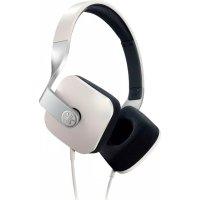
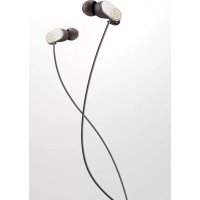
HPHM82 - Earphones YAMAHA - Free user manual and instructions
Find the device manual for free HPHM82 YAMAHA in PDF.



| Product type | Closed circum-aural headphone |
| Brand | Yamaha |
| Model | HPH-M82 |
| Weight (without cable) | Approx. 190 g |
| Cable length | 1.2 m |
| Connector | 3.5 mm gold-plated jack plug, 6.3 mm adapter included |
| Transducer type | Dynamic |
| Speaker diameter | 40 mm |
| Impedance | 48 Ω |
| Sensitivity | 99 dB/mW |
| Frequency response | 20 Hz – 20 kHz |
| Cable controls | Remote control with microphone (center button, +, -) for Apple products |
| Compatibility | iPod, iPhone, iPad, Android, BlackBerry (limited functions) |
| Included accessories | 6.3 mm jack adapter |
| Recommended use | On-the-go listening, studio, home cinema |
| Cleaning | Soft dry cloth, clean the plug regularly |
| Usage precautions | Do not use while driving; moderate volume to protect hearing; avoid exposure to heat, humidity, dust |
| Repairability and spare parts | Contact the dealer or an authorized Yamaha center |
| Warranty | 2 years (EU/CH), limited warranty (Canada) |
Frequently Asked Questions - HPHM82 YAMAHA
User questions about HPHM82 YAMAHA
0 question about this device. Answer the ones you know or ask your own.
Ask a new question about this device
Download the instructions for your Earphones in PDF format for free! Find your manual HPHM82 - YAMAHA and take your electronic device back in hand. On this page are published all the documents necessary for the use of your device. HPHM82 by YAMAHA.
USER MANUAL HPHM82 YAMAHA
MANUAL DE INSTRUÇÕES
natural_image
Close-up of a metallic mechanical component with a star-shaped end cap and curved handle (no visible text or symbols)FCC INFORMATION (for US customers)
1 IMPORTANT NOTICE: DO NOT MODIFY THIS UNIT!
This product, when installed as indicated in the instructions contained in this manual, meets FCC requirements. Modifications not expressly approved by Yamaha may void your authority, granted by the FCC, to use the product.
2 IMPORTANT: When connecting this product to accessories and/or another product use only high quality shielded cables. Cable/s supplied with this product MUST be used. Follow all installation instructions. Failure to follow instructions could void your FCC authorization to use this product in the USA.
3 NOTE: This product has been tested and found to comply with the requirements listed in FCC Regulations, Part 15 for Class "B" digital devices. Compliance with these requirements provides a reasonable level of assurance that your use of this product in a residential environment will not result in harmful interference with other electronic devices. This equipment generates/uses radio frequencies and, if not installed and used according to the instructions found in the users manual, may cause interference harmful to the operation of other electronic devices.
Compliance with FCC regulations does not guarantee that interference will not occur in all installations. If this product is found to be the source of interference, which can be determined by turning the unit “OFF” and “ON”, please try to eliminate the problem by using one of the following measures:
Relocate either this product or the device that is being affected by the interference.
Utilize power outlets that are on different branch (circuit breaker or fuse) circuits or install AC line filter/s.
In the case of radio or TV interference, relocate/reorient the antenna. If the antenna lead-in is 300 ohm ribbon lead, change the lead-in to coaxial type cable.
If these corrective measures do not produce satisfactory results, please contact the local retailer authorized to distribute this type of product. If you can not locate the appropriate retailer, please contact Yamaha Corporation of America A/V Division, USA. 6600 Orangethorpe Ave., Buena Park, CA 90620.
The above statements apply ONLY to those products distributed by Yamaha Corporation of America or its subsidiaries.
This device complies with part 15 of the FCC Rules.
Operation is subject to the following two conditions: (1) This device may not cause harmful interference, and (2) this device must accept any interference received, including interference that may cause undesired operation.
Thank you for selecting this Yamaha product.
To assure the finest performance, please read this owner's manual carefully. Keep it in a safe place for future reference.
WARNING
Do not listen with the headphones while driving or cycling. Also avoid using them where hearing must not be impaired, like at a railroad crossing and a site of construction. Reduced ability to hear surrounding sound increases the risk of an accident.
CAUTION
■ Cautions against hearing damage
- Avoid continuous headphones-use at high volume. It may cause hearing loss.
- Minimize the volume from the device to be connected before connecting the plug.
Refer to the following table for the effect of sound volume on hearing. The volume level is indicated in decibels (dB).
| Environment Volume | level (dB) Effect | |
| Rock concert 120 dB | Even a short listening | period may cause a serious hearing loss. |
| MP3 players at maximum volume | 105 dB Continuous | listening for extended periods may cause a hearing loss. |
| Heavy city traffic 85 dB | Effect on hearing begins. | |
| Normal conversation 60 dB No effect | ||
Source: http://www.drf.org, Hearing Health Foundation
For your safety
- In case the headphones irritate your skin, stop use immediately.
- Keep the product out of reach of children to avoid them swallowing small parts.
Notes on use
- Refer also to the manuals supplied with the devices to be connected.
- When removing the plug from the connected device, be sure to pull out by the plug itself, not the cable. Bending or pulling the cable forcefully may damage it.
- Do not disassemble the headphones. Do not use headphones that are malfunctioning.
- Clean the headphones with a soft dry cloth. Do not leave the plug dirty otherwise the sound may be distorted.
- Do not expose the headphones to direct sunlight, dirt, heat or moisture.
- Applying any force or weight to the headphones may deform the headphones. Be careful when you store the headphones.
Etiquette
Do not use the headphones at high volume in a public place. Sound leakage from the headphones will be a nuisance to people around you.
How to use the headphones
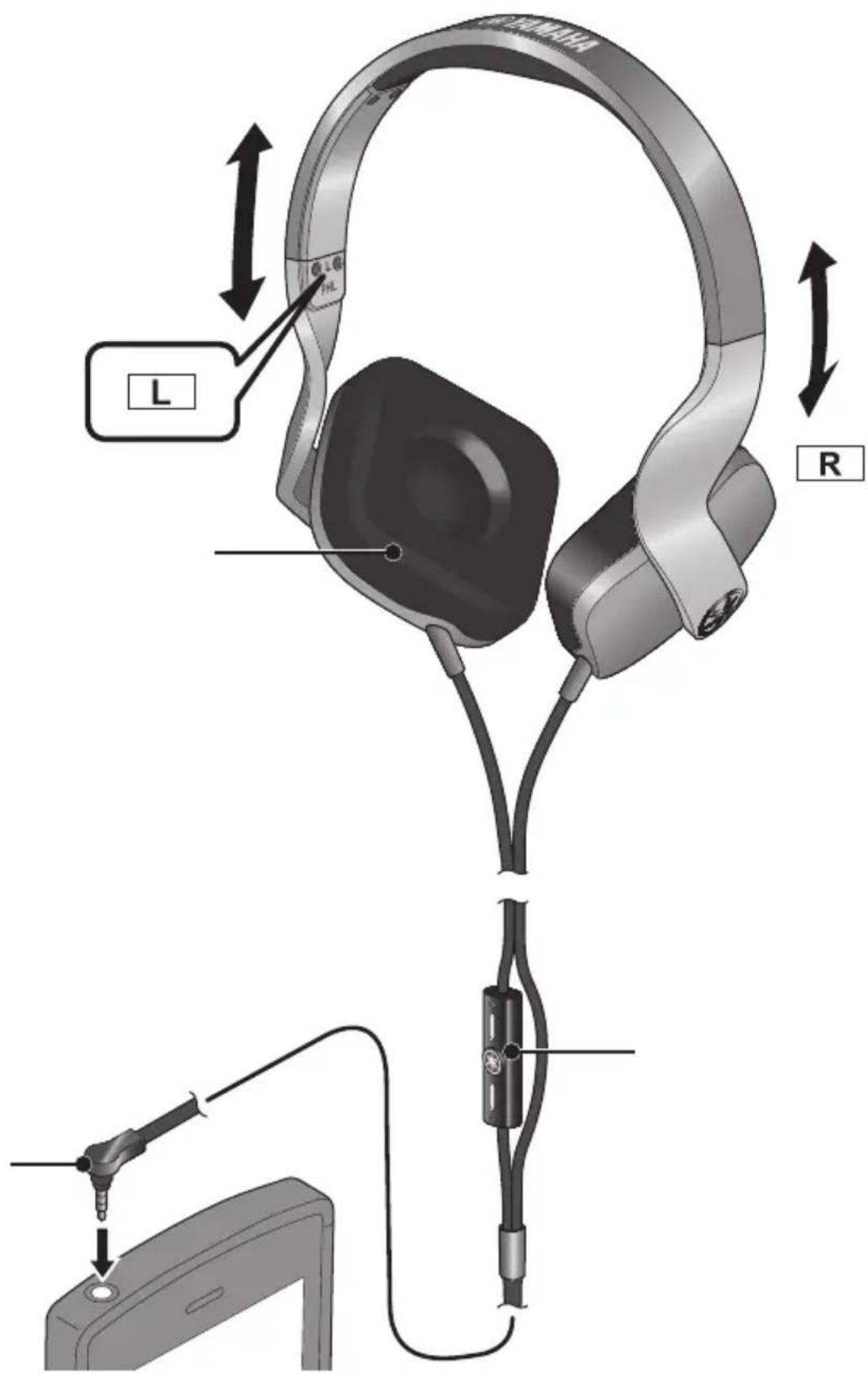
Wear the headphones with the L mark in your left ear, and the one with the R mark in your right ear. Depending on the device to be connected, use the supplied 6.3 mm (1/4") adaptor as necessary.
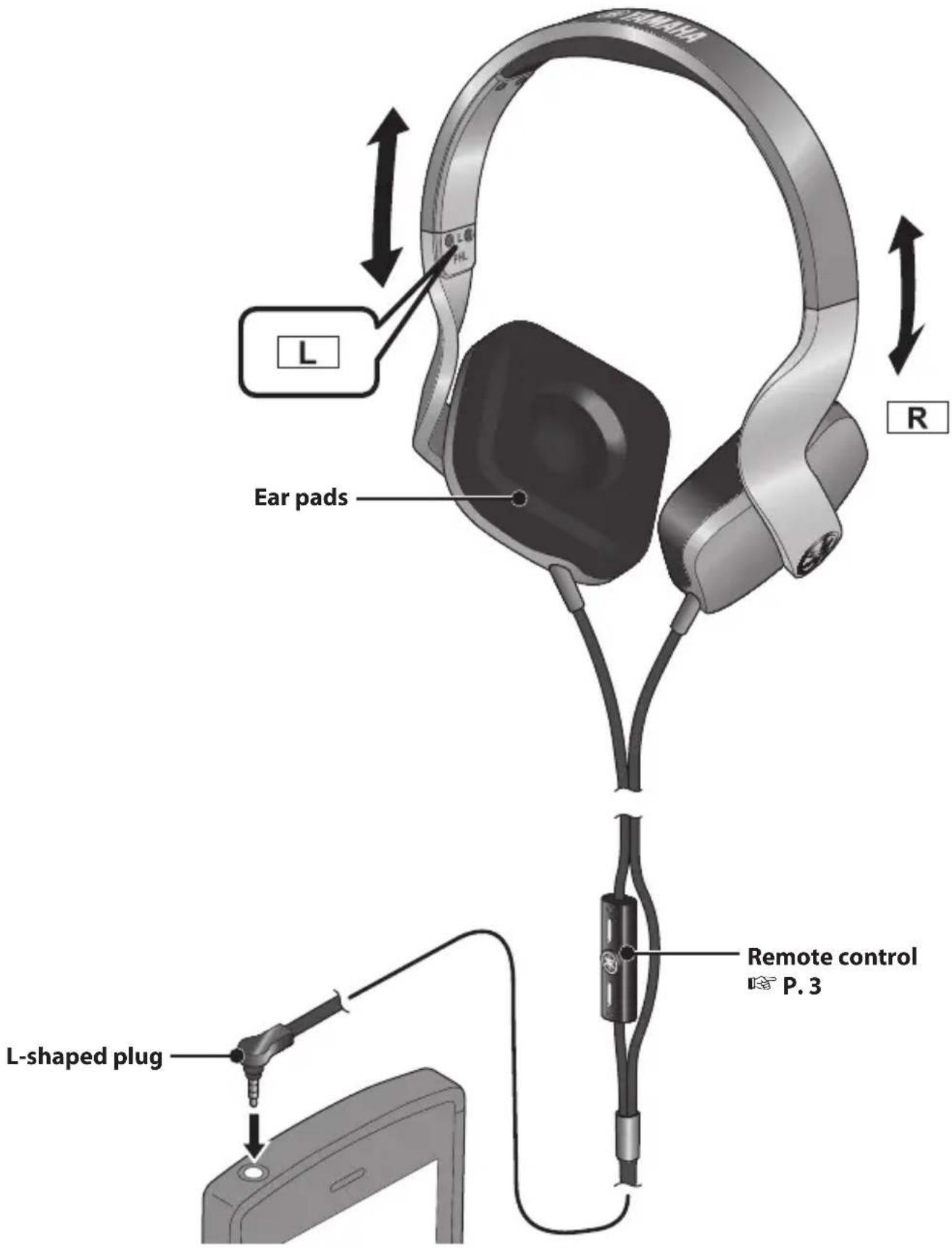
■ Remote control operation for using Apple products
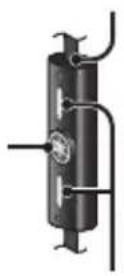
The HPH-M82 uses a remote control cable with a built-in microphone that can control Apple products. You can easily receive an incoming call, talk over the phone, play back music, etc.
| Operation Music playback function | Telephone function*1 | |
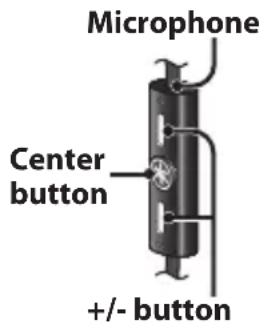 | Push center button once | Playback/Pause •Receive call/Hang up•Receive call waiting/Return to previous call |
| Push center button twice | Skip to next | |
| Push center button three times | Skip to previous | |
| Push and hold center button | Voice Control*2Call rejection | |
| Push + button Turn up volume | ||
| Push - button Turn down volume | ||
*1 During a call, the conversation is possible without moving the microphone close to the mouth.
*2 Some models do not support the Voice Control function. For details of compatible models, see the Apple official website.
Supported iPod/iPhone/iPad (as of September 2013)
iPod : iPod touch (2nd, 3rd, 4th and 5th generation), iPod classic, iPod nano (4th, 5th, 6th and 7th generation), iPod shuffle (3rd and 4th generation)
iPhone : iPhone 5, iPhone 4S, iPhone 4, iPhone 3GS
iPad : iPad (4rd generation), iPad mini, iPad (3rd generation), iPad 2, iPad
In the case of Android or BlackBerry models or some models of iPod, remote control functions may be limited, or may not work.
Made for

iPod

Phone

Pad
“Made for iPod,” “Made for iPhone,” and “Made for iPad” mean that an electronic accessory has been designed to connect specifically to iPod, iPhone, or iPad, respectively, and has been certified by the developer to meet Apple performance standards.
Apple is not responsible for the operation of this device or its compliance with safety and regulatory standards.
Please note that the use of this accessory with iPod, iPhone, or iPad may affect wireless performance.
iPad, iPhone, iPod, iPod touch, iPod classic, iPod nano, and iPod shuffle are trademarks of Apple Inc., registered in the U.S. and other countries.
Troubleshooting
If the situation does not improve even after trying the following actions, or if any abnormalities not listed below are observed, contact the nearest authorized Yamaha dealer or service center.
| SymptomAction | |
| No sound | Make sure the plug is fully inserted in the jack on the playback device.Make sure the volume is not set low.Make sure the playback device is not paused.Make sure the playback device is turned on. |
| Sound is heard only from one channel | Make sure the plug is fully inserted in the jack on the playback device. |
| Headphones volume is too high/low | Adjust the volume on the playback device/remote control, as necessary. |
| Remote control does not work | Make sure the plug is fully inserted in the jack on the playback device.A device not compatible with this model is connected. For details on compatible device, see P. 3. |
Warranty policy for European Economic Area (EEA) and Switzerland, Australia customer
In the unlikely event that your Yamaha product needs guarantee service, please contact the dealer from whom it was purchased. If you experience any difficulty, please contact Yamaha representative office in your country. You can find full details on our website.
EEA and Switzerland: (http://europe.yamaha.com/warranty/)
Australia: (http://au.yamaha.com/)
Warranty policy for U.S. and Canada customer
Your Yamaha product is covered by a limited warranty for one year from the date of purchase. In the unlikely event of failure due to defective materials or workmanship, Yamaha will repair or replace them at no charge.
Please visit our website for full details.
U.S.: (http://usa.yamaha.com/), Canada: (http://ca.yamaha.com/)
Information for Users on Collection and Disposal of Old Equipment
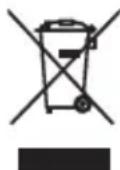
This symbol specified in the Directives 2002/96/EC indicates that used electrical and electronic products should not be mixed with general household waste.
For proper treatment to avoid harmful effect on human health and environment, please contact your local municipality, your waste disposal service or the point of sale where you purchased the items.


 | |||
Made for

Pod

Phone

Pad
お問い合わせ窓口
AV1302A
- FCC INFORMATION (for US customers)
- IMPORTANT NOTICE: DO NOT MODIFY THIS UNIT!
- Thank you for selecting this Yamaha product.
- WARNING
- CAUTION
- ■ Cautions against hearing damage
- For your safety
- Notes on use
- Etiquette
- How to use the headphones
- ■ Remote control operation for using Apple products
- Supported iPod/iPhone/iPad (as of September 2013)
- Troubleshooting
- Warranty policy for European Economic Area (EEA) and Switzerland, Australia customer
- Warranty policy for U.S. and Canada customer
- Information for Users on Collection and Disposal of Old Equipment
- お問い合わせ窓口
Brand : YAMAHA
Model : HPHM82
Category : Earphones