EPH200 - Earphones YAMAHA - Free user manual and instructions
Find the device manual for free EPH200 YAMAHA in PDF.



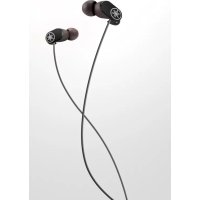
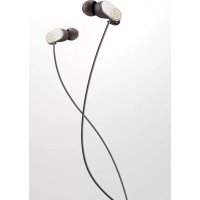
| Product Type | In-ear headphones |
| Brand | YAMAHA |
| Model | EPH-200 |
| Color | Black (default) |
| Cable type | Detachable with MMCX connector |
| Audio plug | L-shaped plug (3.5 mm jack) |
| Included accessories | Eartips (LL, L, M, S, SS), detachable cable, carrying case, safety brochure |
| Pre-installed eartips | Size M |
| Smart cable clip | Yes, to prevent tangles |
| Compatibility | Portable players, smartphones, etc. |
| Main features | Optimal sound quality, ergonomic design, detachable cable, anti-tangle clip |
| Safety | Moderate volume recommended; do not use if eartips detached; keep out of reach of children |
| Maintenance and cleaning | Clean eartips with a dry cloth; avoid moisture |
| Replacement parts and repairability | Eartips and detachable cable available as replacements |
| General information | User manual and safety brochure included |
Frequently Asked Questions - EPH200 YAMAHA
User questions about EPH200 YAMAHA
0 question about this device. Answer the ones you know or ask your own.
Ask a new question about this device
Download the instructions for your Earphones in PDF format for free! Find your manual EPH200 - YAMAHA and take your electronic device back in hand. On this page are published all the documents necessary for the use of your device. EPH200 by YAMAHA.
USER MANUAL EPH200 YAMAHA
PykoBoDCTBO NOIb3OBaTeJIa
使用说明书
使用說明書
사용품명서
取叢説明書
Earphones
EPH-200
Owner's Manual
Thank you for selecting the Yamaha
EPH-200 Earphones.
This manual explains preparations and
usage for everyday users of the unit.
About content in this manual and the "Safety Brochure"
- To ensure optimum performance, please read this manual carefully.
- Please read the included "Safety Brochure" before using the device.
- The illustrations in this manual are for instructional purposes only.
-
The company names and product names in this manual are the trademarks or registered trademarks of their respective companies.
-
The "WARNING" icon indicates points that may lead to death or serious injury if not properly observed.
The " CAUTION" icon indicates points that may lead to injury if not properly observed. - The "NOTICE" sections contain points that you must observe to prevent product failure, damage or malfunction and data loss.
- The " Note" sections contain important or detailed supplementary information.
Responsible Use
Do not use the earphones at high volume in a public place. Sound leakage from the earphones may be a nuisance to people around you.
Contents
Accessories. 2
Part names and usages.. 3
Troubleshooting. 5
Accessories
This product includes the following accessories.

CAUTION
Keep small parts out of the reach of infants. Your children may accidentally swallow them.
- Quick Manual
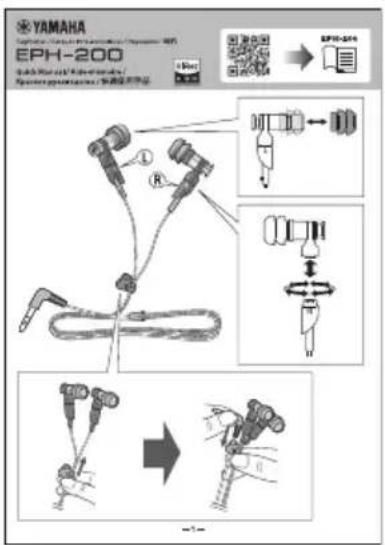
- Safety Brochure
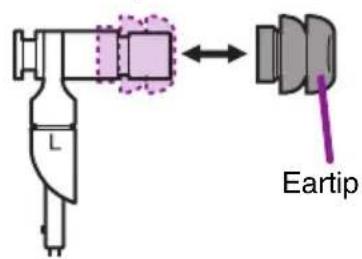
Ea r ti p s
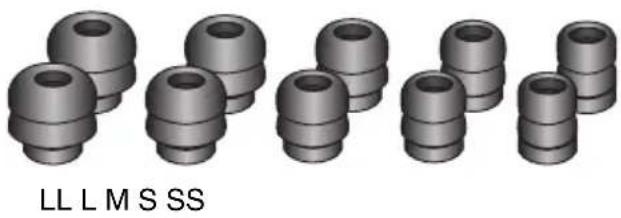
Included with the unit are pairs of eartips in various sizes (LL, L, M, S, and SS). The M-size eartips are already attached to the earphones when shipped from the factory.
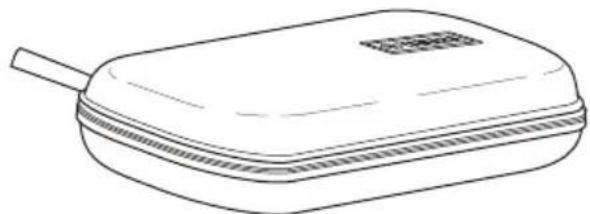
- Carrying case
Part names and usages
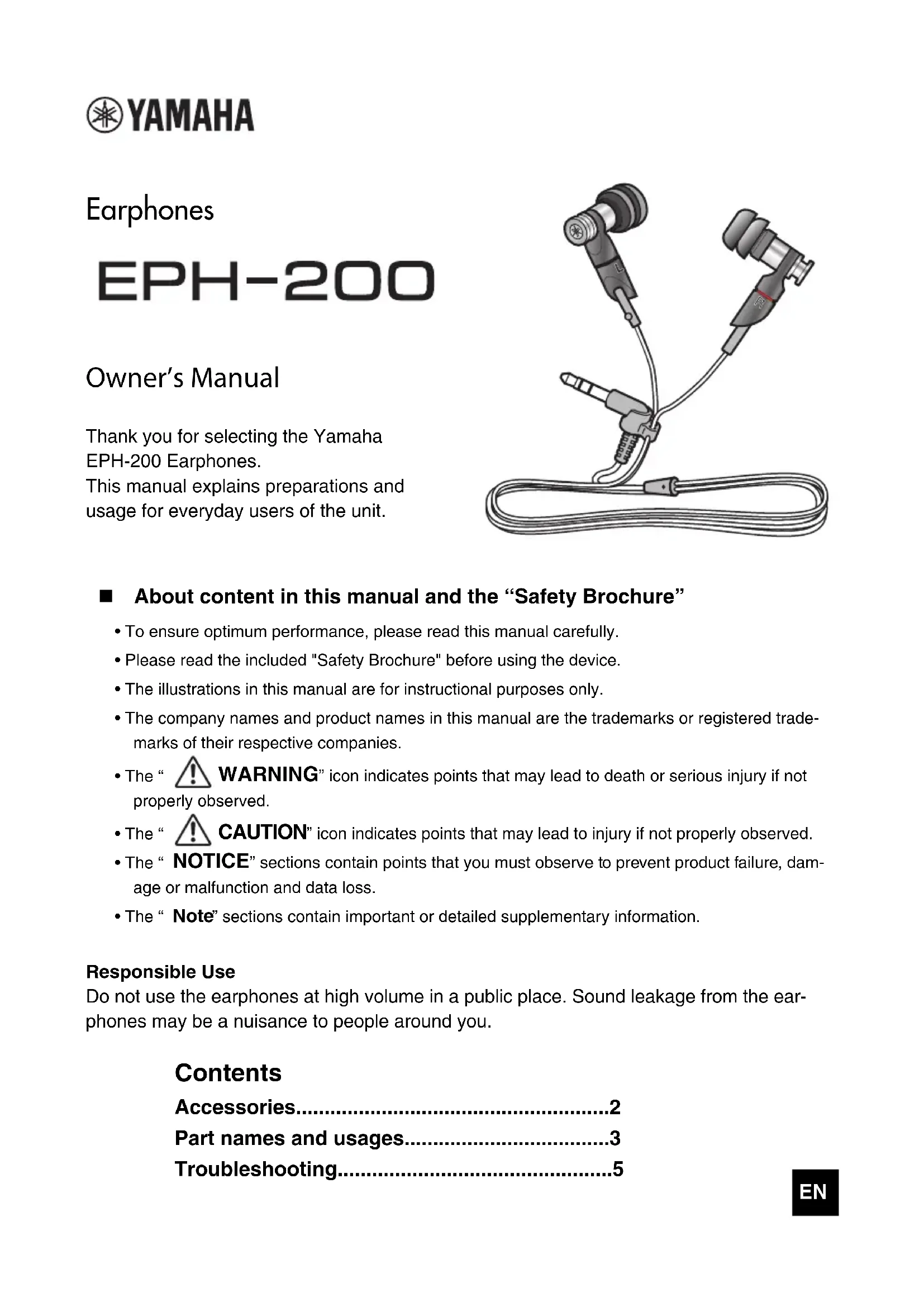
Wear the earphones with the L mark in your left ear, and the one with the R mark in your right ear.
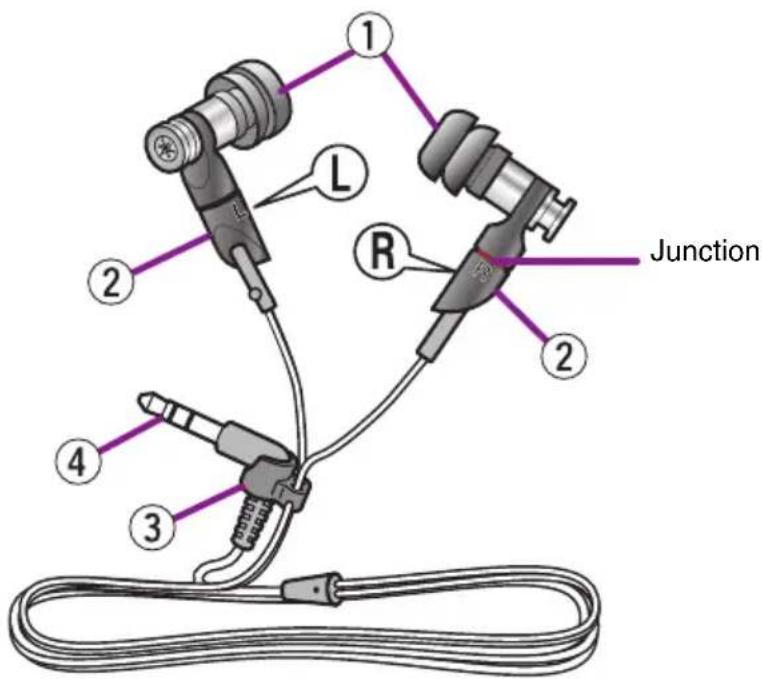
①Eartips
Attach eartips of the size that best fits your ears. The M-size eartips are already attached to the earphones when shipped from the factory.
Replacing the eartips

CAUTION
- Do not use the earphones with detached or broken eartips. Doing so may cause injury or illness.
- Securely attach the eartips to the earphones. If the eartips detach from the earphones and lodge in your ears, they may cause injury or illness.
Note
- If the eartips are not securely positioned in your ears, you may not hear the bass range clearly. To enjoy optimum sound quality, adjust the eartips so they will fit in your ears perfectly. Also, try replacing poor-fitting eartips with eartips of an appropriate size.
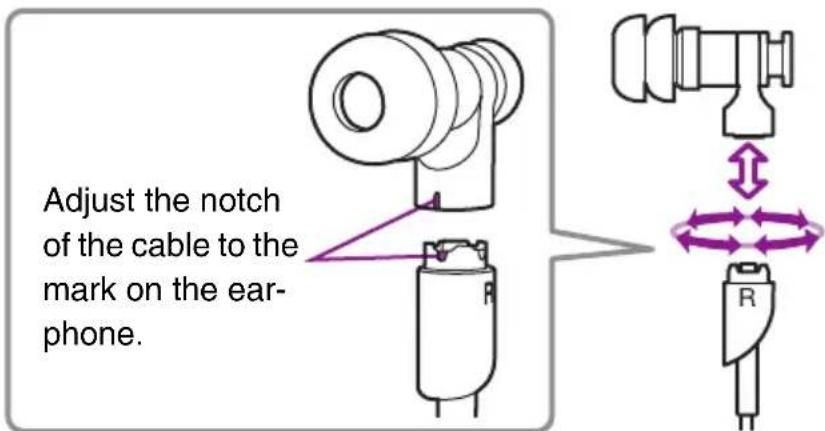
② Detachable cable
The attachment can be set to one of four different angles. When detaching and attaching the cables, plug and unplug them straightly. Adjust the notch of the cable to the mark on the earphone.
NOTICE
- When removing the cable from the earphones, always hold the junction not the cable. Pulling by the cable can damage it.
- To avoid damage to the junction with a detachable cable, do not insert or remove it frequently.
- The junction with a detachable cable is not a screw type. Turning it by force may damage it.
Note
Though the junctions adopt MMCX connectors, the earphones may not be able to be connected to commercially available MMCX cables.
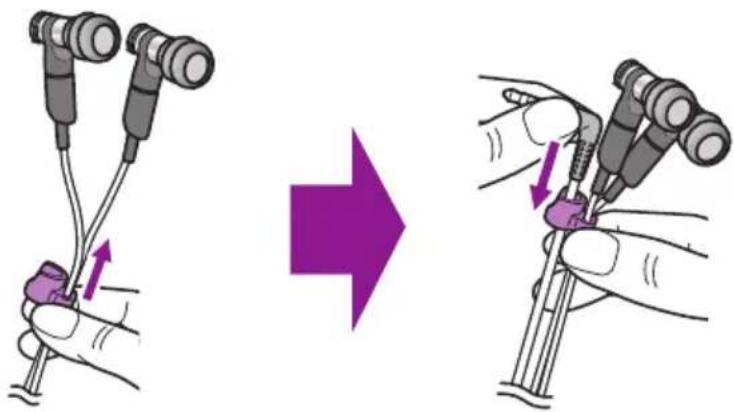
③Smart cable holder
When not using the earphones, slide the smart cable holder (for preventing tangling) fully upward. Also, insert the L-shaped plug in the smart cable holder to prevent the entire cable from becoming tangled.
(4)L-shaped plug
Connect to an output jack of a portable player or a smart phone.
NOTICE
When removing the plug from the connected device, be sure to pull it out by firmly holding the plug itself, not the cable. Bending or pulling the cable forcefully may damage it.
Troubleshooting
If the situation does not improve even after trying the following actions, or if any abnormalities not listed below are observed, contact the nearest authorized Yamaha dealer or service center.
| Symptom Action | |
| No sound · Make sure that the | plug is inserted all the way into the earphone jack of the portable audio player or smartphone. ·Make sure that the volume is not set too low on the portable audio player or smartphone. ·Make sure that the portable audio player or smartphone is not paused. ·Make sure that the portable audio player or smartphone is turned on. |
| Sound is heard only from one channel | Check that the plug is inserted all the way into the earphone jack of the portable audio player or smartphone. |
| Earphones volume is too high/low | Adjust the volume on the portable audio player or the smartphone. |
Utilisation responsible
Manual Development Group
© 2017 Yamaha Corporation

Brand : YAMAHA
Model : EPH200
Category : Earphones