 ManualGo.com
 NSP380 - Haut-parleur YAMAHA - Free user manual and instructions
Find the device manual for free NSP380 YAMAHA in PDF.


Download the instructions for your Haut-parleur in PDF format for free! Find your manual NSP380 - YAMAHA and take your electronic device back in hand. On this page are published all the documents necessary for the use of your device. NSP380 by YAMAHA.
USER MANUAL NSP380 YAMAHA
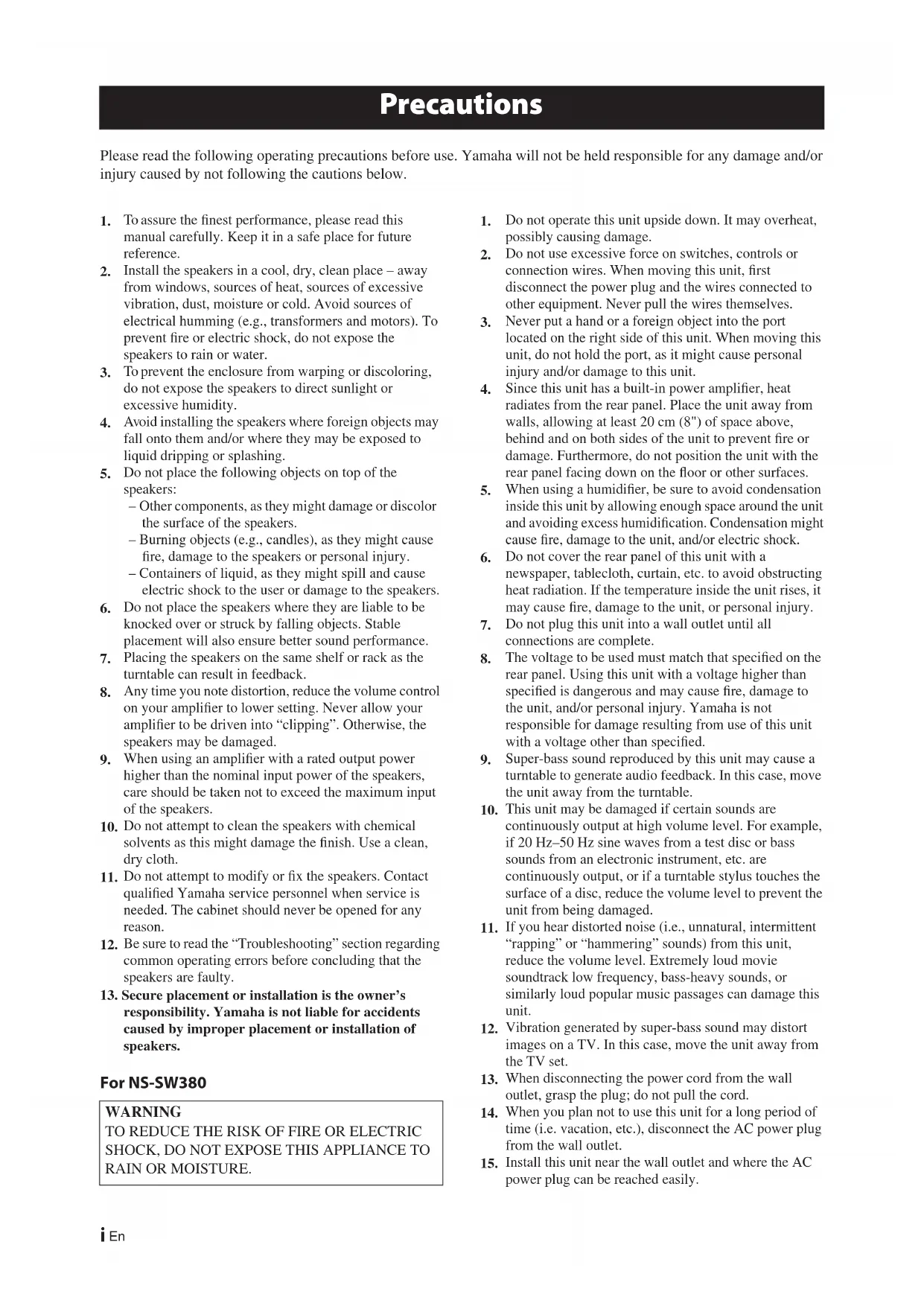
Please read the following operating precautions before use. Yamaha will not be held responsible for any damage and/or
injury caused by not following the cautions below.
To assure the finest performance, please read this manual carefully. Keep it in a safe place for future reference.
Install the speakers in a cool, dry, clean place – away from windows, sources of heat, sources of excessive vibration, dust, moisture or cold. Avoid sources of electrical humming (e.g., transformers and motors). To prevent fire or electric shock, do not expose the speakers to rain or water.
To prevent the enclosure from warping or discoloring, do not expose the speakers to direct sunlight or excessive humidity.
Avoid installing the speakers where foreign objects may fall onto them and/or where they may be exposed to liquid dripping or splashing.
Do not place the following objects on top of the speakers:– Other components, as they might damage or discolor the surface of the speakers.– Burning objects (e.g., candles), as they might cause fire, damage to the speakers or personal injury. – Containers of liquid, as they might spill and cause electric shock to the user or damage to the speakers.
Do not place the speakers where they are liable to be knocked over or struck by falling objects. Stable placement will also ensure better sound performance.
Placing the speakers on the same shelf or rack as the turntable can result in feedback.
Any time you note distortion, reduce the volume control on your amplifier to lower setting. Never allow your amplifier to be driven into “clipping”. Otherwise, the speakers may be damaged.
When using an amplifier with a rated output power higher than the nominal input power of the speakers, care should be taken not to exceed the maximum input of the speakers.
Do not attempt to clean the speakers with chemical solvents as this might damage the finish. Use a clean, dry cloth.
Do not attempt to modify or fix the speakers. Contact qualified Yamaha service personnel when service is needed. The cabinet should never be opened for any reason.
Be sure to read the “Troubleshooting” section regarding common operating errors before concluding that the speakers are faulty.
13. Secure placement or installation is the owner’s responsibility. Yamaha is not liable for accidents caused by improper placement or installation of speakers.
Do not operate this unit upside down. It may overheat, possibly causing damage.
Do not use excessive force on switches, controls or connection wires. When moving this unit, first disconnect the power plug and the wires connected to other equipment. Never pull the wires themselves.
Never put a hand or a foreign object into the port located on the right side of this unit. When moving this unit, do not hold the port, as it might cause personal injury and/or damage to this unit.
Since this unit has a built-in power amplifier, heat radiates from the rear panel. Place the unit away from walls, allowing at least 20 cm (8") of space above, behind and on both sides of the unit to prevent fire or damage. Furthermore, do not position the unit with the rear panel facing down on the floor or other surfaces. 5.
When using a humidifier, be sure to avoid condensation
inside this unit by allowing enough space around the unit
and avoiding excess humidification. Condensation might
cause fire, damage to the unit, and/or electric shock.
Do not cover the rear panel of this unit with a newspaper, tablecloth, curtain, etc. to avoid obstructing heat radiation. If the temperature inside the unit rises, it may cause fire, damage to the unit, or personal injury.
Do not plug this unit into a wall outlet until all connections are complete.
The voltage to be used must match that specified on the rear panel. Using this unit with a voltage higher than specified is dangerous and may cause fire, damage to the unit, and/or personal injury. Yamaha is not responsible for damage resulting from use of this unit with a voltage other than specified.
Super-bass sound reproduced by this unit may cause a turntable to generate audio feedback. In this case, move the unit away from the turntable.
This unit may be damaged if certain sounds are continuously output at high volume level. For example, if 20 Hz–50 Hz sine waves from a test disc or bass sounds from an electronic instrument, etc. are continuously output, or if a turntable stylus touches the surface of a disc, reduce the volume level to prevent the unit from being damaged.
If you hear distorted noise (i.e., unnatural, intermittent “rapping” or “hammering” sounds) from this unit, reduce the volume level. Extremely loud movie soundtrack low frequency, bass-heavy sounds, or similarly loud popular music passages can damage this unit.
Vibration generated by super-bass sound may distort images on a TV. In this case, move the unit away from the TV set.
When disconnecting the power cord from the wall outlet, grasp the plug; do not pull the cord.
When you plan not to use this unit for a long period of time (i.e. vacation, etc.), disconnect the AC power plug from the wall outlet.
Install this unit near the wall outlet and where the AC power plug can be reached easily.
WARNING TO REDUCE THE RISK OF FIRE OR ELECTRIC SHOCK, DO NOT EXPOSE THIS APPLIANCE TO RAIN OR MOISTURE.English
(For China, Korea, Asia and General models)
The voltage selector switch on the rear panel of this
unit must be set to your local main voltage BE-
FORE plugging this unit into the AC main supply.
Voltages are 110-120/220-240 V AC, 50/60 Hz.
If the socket outlets in the home are not suitable for the
plug supplied with this appliance, it should be cut off and
an appropriate 3 pin plug fitted. For details, refer to the
instructions described below.
The plug severed from the mains lead must be
destroyed, as a plug with bared flexible cord is hazardous
if engaged in a live socket outlet.
SPECIAL INSTRUCTIONS FOR U.K. MODEL This unit is not disconnected from the AC power
source as long as it is connected to the wall outlet, even
if this unit itself is turned off. In this state, this unit is
designed to consume a very small quantity of power.
THE WIRES IN MAINS LEAD ARE COLOURED IN ACCORDANCE WITH THE FOLLOWING CODE:
Blue: NEUTRAL Brown: LIVE As the colours of the wires in the mains lead of this
apparatus may not correspond with the coloured
markings identifying the terminals in your plug,
proceed as follows: The wire which is coloured
BLUE must be connected to the terminal which is
marked with the letter N or coloured BLACK. The
wire which is coloured BROWN must be connected
to the terminal which is marked with the letter L or
coloured RED. Make sure that neither wire is
connected to the earth terminal of a three pin plug.
Information for Users on Collection and Disposal
This symbol on the products, packaging,
and/or accompanying documents means
that used electrical and electronic
products should not be mixed with
general household waste.
For proper treatment, recovery and
recycling of old products, please take
them to applicable collection points, in
accordance with your national legislation
and the Directives 2002/96/EC.
By disposing of these products correctly,
you will help to save valuable resources
and prevent any potential negative effects
on human health and the environment
which could otherwise arise from
inappropriate waste handling.
For more information about collection
and recycling of old products, please
contact your local municipality, your
waste disposal service or the point of sale
where you purchased the items.
[Information on Disposal in other
Countries outside the European Union]
This symbol is only valid in the European
Union. If you wish to discard these items,
please contact your local authorities or
dealer and ask for the correct method of
Limited Guarantee for European Economic Area (EEA) and Switzerland
Thank you for having chosen a Yamaha product. In the unlikely event that your Yamaha product needs guarantee service, please contact the dealer from
whom it was purchased. If you experience any difficulty, please contact Yamaha representative office in your country. You can find full details on our
The product is guaranteed to be free from defects in workmanship or materials for a period of two years from the date of the original purchase. Yamaha
undertakes, subject to the conditions listed below, to have the faulty product or any part(s) repaired, or replaced at Yamaha’s discretion, without any
charge for parts or labour. Yamaha reserves the right to replace a product with that of a similar kind and/or value and condition, where a model has been
discontinued or is considered uneconomic to repair.
1. The original invoice or sales receipt (showing date of purchase, product code and dealer’s name) MUST accompany the defective product, along with
a statement detailing the fault. In the absence of this clear proof of purchase, Yamaha reserves the right to refuse to provide free of charge service and
the product may be returned at the customer’s expense.
2. The product MUST have been purchased from an AUTHORISED Yamaha dealer within the European Economic Area (EEA) or Switzerland.
3. The product must not have been the subject of any modifications or alterations, unless authorised in writing by Yamaha.
4. The following are excluded from this guarantee:
a. Periodic maintenance and repair or replacement of parts due to normal wear and tear.
b. Damage resulting from:
(1) Repairs performed by the customer himself or by an unauthorised third party.
(2) Inadequate packaging or mishandling, when the product is in transit from the customer. Please note that it is the customer’s responsibility to
ensure the product is adequately packaged when returning the product for repair.
(3) Misuse, including but not limited to (a) failure to use the product for its normal purpose or in accordance with Yamaha’s instructions on the
proper use, maintenance and storage, and (b) installation or use of the product in a manner inconsistent with the technical or safety standards in
force in the country where it is used.
(4) Accidents, lightning, water, fire, improper ventilation, battery leakage or any cause beyond Yamaha’s control.
(5) Defects of the system into which this product is incorporated and/or incompatibility with third party products.
(6) Use of a product imported into the EEA and/or Switzerland, not by Yamaha, where that product does not conform to the technical or safety
standards of the country of use and/or to the standard specification of a product sold by Yamaha in the EEA and/or Switzerland.
(7) Non AV (Audio Visual) related products.
(Products subject to “Yamaha AV Guarantee Statement” are defined in our website at
5. Where the guarantee differs between the country of purchase and the country of use of the product, the guarantee of the country of use shall apply.
6. Yamaha may not be held responsible for any losses or damages, whether direct, consequential or otherwise, save for the repair or replacement of the
7. Please backup any custom settings or data, as Yamaha may not be held responsible for any alteration or loss to such settings or data.
8. This guarantee does not affect the consumer’s statutory rights under applicable national laws in force or the consumer’s rights against the dealer
arising from their sales/purchase contract.English
Thank you for choosing the Yamaha NS-P380 5.1CH Speaker Package.
Make sure the package contains the following items.
Installing the front, center, and surround
Installing the subwoofer 2
Wa ll-mounting the front and surround
Connecting the speakers 4
Connection diagram 4
Connecting the power cables 5
Using the Subwoofer 6
Setting the subwoofer volume 6
Frequency characteristics 6
Specifications 7 Speaker cable, 25 m (82 ft.) x1(To be cut into 5 lengths for the front, center, and surround speakers. Take care to prevent injury when preparing the cables.)Subwoofer cable, 5 m (16 ft.) x1Non-skid pads (20 pcs.) x1(For the front, center, and surround speakers.) ■ Subwoofer
The Subwoofer features a built-in power
amplifier and utilizes Advanced Yamaha
Active Servo Technology to provide high-
quality sub-bass sound that adds real
“punch” to your home theater.
The front speakers are
suspension speakers.
The surround speakers are full-range
acoustic-suspension speakers.
The center speaker is a 2-way
acoustic-suspension speaker. Non-skid pads: When placing the speakers on a flat surface, affix the included non-skid pads to the corners of the speaker undersides, as shown. The pads will prevent the speakers from moving around.■ Front speakers■ Center speaker ■ Surround speakersNon-skid pad2
Before you connect the speakers, place each speaker in
its respective location. Speaker positioning is very
important as it affects the overall sound quality of the
system. Place the speakers in locations that will
optimize the sound quality at your listening position.
Refer to the illustration below.
The position of the subwoofer is not as critical as the
position of the other speakers because sub-bass
sounds are not very directional. Refer to “Installing the
subwoofer” for more information.
•Placing the speakers too close to a CRT-type TV
may impair the picture color or cause a buzzing
noise. In this case, move the speakers at least 20 cm
(8") away from the TV. This is not an issue with LCD
Installing the front, center, and
Place the two front speakers on the
left and right sides of the TV, at approximately the
same height as the TV, facing directly forward.
Place the left and right
surround speakers behind your listening position,
facing slightly inward, about 1.8 meters (approx. 6 ft.)
You c a n place the front and surround speakers on
tables or other supports, or mount them on the walls.
For more information, see “Wall-mounting the front
and surround speakers” on page 3.
Place the center speaker centrally
between the front speakers, facing directly forward.
Installing the subwoofer
Place the subwoofer on the outside of either the right
or the left front speaker, as shown in
The placement shown in
is also possible, however, if
the subwoofer is placed directly facing a wall and your
listening position is in the center of the room, you may
not be able to obtain enough bass sound from the
subwoofer. This is because “standing waves” are
forming between the two parallel walls and cancelling
out the bass sounds. In this case, position the
subwoofer at an angle to the wall. It may be necessary
to break up parallel wall surfaces by placing
bookshelves, etc., along them.
Installing the speakers CenterFront rightSubwoofer TV Surround left Front left Surround rightSubwoofer Front speaker
AB C Note: Standing waves may make it difficult to hear bass sounds here.English
En Installing the speakers
Wall-mounting the front and
You c a n mount the front or surround speakers on a wall as follows. The front speakers can be mounted vertically or horizontally.
Install screws into a solid wall or wall support as shown below. Use 3.5 to 4 mm (1/8") diameter self-tapping screws.
Hang each speaker by its keyhole slots onto the protruding screws.
•Make sure the shaft of the screw is seated in the narrow part of the keyhole slot. Otherwise, the speaker may fall.
•Each front speaker weighs 1.0 kg (2.2 lbs.) and each surround speaker weighs 0.45 kg (1 lbs.). Do not mount the speakers on thin plywood or on a wall with a soft surface material. Otherwise, the screws may pull out of the surface and the speakers may fall, possibly damaging the speakers or causing personal injury.•Do not affix the speakers to a wall using nails, adhesives, or unstable hardware. Long-term use and vibration may cause the speakers to fall.•To avoid accidents resulting from tripping over loose speaker cables, affix the cables to the wall.•Mount the speakers in a wall location that will be unlikely to result in injury to an individual’s head.
Make sure the power cables for the subwoofer and your other AV components are disconnected from the
AC wall outlets before making any connections.
Connecting the speakers
Preparing the speaker cables
Once you’ve positioned the speakers, you’ll need to cut the 25-meter (82 ft.) speaker cable to make five cables for connecting the two front speakers, center speaker, and the two surround speakers.
Cut the included speaker cable to suitable lengths for the front, center, and surround speakers. You need five cables.
Remove about 10 mm (3/8") of insulation from the end of each speaker wire.
Twist the bare wires tightly.
•Make the speaker cables as short as possible. Do not bundle or roll up excess cable.•Twist the bare wires tightly so the individual strands are not splayed.•Be careful not to injure yourself while preparing the speaker cables.
Operating the speaker terminals
Release the tab so that it closes securely on the bare wire, not the insulation.
Test the security of the connection by pulling gently on the cable.
•Make sure the bare wires do not touch each other, as this could damage the speaker or the amplifier.•If the connections are faulty, you will hear no sound from the speakers.
Connecting the speakers
Connect each speaker to the appropriate speaker terminals on your amplifier by using the cables you prepared earlier. See the “Connection diagram” on page 4 for reference.Make sure you connect the speakers with the correct polarity—positive (+) terminals to positive (+) terminals, and negative (–) terminals to negative (–) terminals. If you get them crossed over, the sound will be unnatural and lack bass.In your AV receiver’s speaker size settings, specify small (or “S”) for all of the NS-P380 speakers.If you’re connecting the subwoofer to a Yamaha DSP amplifier or AV receiver, connect to its SUBWOOFER or LOW PASS output.
Connecting the power cables
Once you’ve completed all of the speaker and subwoofer connections, plug the subwoofer, amplifier, and your other AV components into suitable AC wall outlets.Good No Good10 mm (3/8") 2 3311Positive (+)Negative (–)Note: Make sure the terminal is gripping the bare wire, not the insulation.6
Power indicator Lights up when the POWER switch is set to ON; goes off when the POWER switch is set to OFF.
2 INPUT jack Input jack for connecting the line-level subwoofer output on your amplifier. 3 VOLUME control Adjusts the volume of the subwoofer. Turn it clockwise to increase the volume; counterclockwise to decrease the volume. 4 POWER switch Set this to ON to turn on the subwoofer. Set it to OFF to turn off the subwoofer. Setting the subwoofer volume The very first time you use the subwoofer, you need to set the volume balance between the subwoofer and the front speakers as follows. 1 Turn on your other AV components.
2 Set the subwoofer’s VOLUME control to minimum (0). 3 Set the subwoofer’s POWER switch to ON. The power indicator on the rear panel lights up. 4 Play a audio source that contains low- frequency bass sounds. Set the amplifier’s volume control to a suitable level. 5 Turn the subwoofer’s VOLUME control up gradually until you achieve a good balance between the subwoofer and the other speakers.Notes •Once the subwoofer volume has been set, you can leave the subwoofer’s VOLUME control set as it is and use your amplifier’s volume control to adjust the volume of the entire system. •If you replace the front speakers (NS-B380) with other speakers, you will need to re-adjust the subwoofer’s volume.•The frequency characteristics graphs below show how the subwoofer and front speakers work together to provide a full-range sound. Frequency characteristics The following graph shows the frequency characteristics of the subwoofer (NS-SW380).The following graph shows the combined frequency characteristics of the subwoofer (NS-SW380) and front speakers (NS-B380). Using the Subwoofer
If this product doesn’t work as expected, look for a possible cause below. If the issue you are experiencing is not
listed, or you cannot resolve it after reading through these instructions, disconnect the power cable and contact an
authorized Yamaha dealer or service center.
■ Subwoofer (NS-SW380)
■ Front speakers (NS-B380),
Center speaker (NS-C380) Type 2-way acoustic-suspension speaker systemnon-magnetic shielding type Driver 6.5 cm (2-1/2") cone woofer x 2 + 2.5 cm (1") balanced-dome tweeter
Nominal input power 50 W Maximum input power 100 W Impedance 6
Frequency response 110 Hz–40 kHz
Crossover frequency 8 kHz
Sensitivity 84 dB/2.83 V, 1 m Dimensions (W x H x D)NS-B380 90 x 220 x 109 mm(3-1/2" x 8-5/8" x 4-1/4")NS-C380 220 x 90 x 109 mm(8-5/8" x 3-1/2" x 4-1/4") Wei ght 1.0 kg (2.2 lbs.)
■ Surround speakers (NS-B280) Type Full-range acoustic-suspension speaker systemnon-magnetic shielding type Driver 6.5 cm (2-1/2") cone speaker
Nominal input power 30 W Maximum input power 80 W Impedance 6
Frequency response 110 Hz–40 kHz
) Power supplyU.S.A. and Canada models AC 120 V, 60 HzAustralia modelAC 240 V, 50 HzU.K. and Europe models AC 230 V, 50 HzChina, Korea, Asia, and General models AC 110-120/220-240 V, 50/60 HzDimensions (W x H x D) 290 x 292 x 327 mm(11-3/8" x 11-1/2" x 12-7/8") Wei ght 8.5 kg (18.7 lbs.)
Specifications are subject to change without notice.
Troubleshooting Issue Possible cause RemedyThere’s no sound. The speaker cables are not connected properly.Make sure the speaker cables are connected properly.The sound is very quiet. The speaker cables are not connected properly.Make sure the speaker cables are connected properly: L (left) to L, R (right) to R, “+” to “+” and “–” to “–”.Issue Possible cause RemedyThe POWER switch is set to ON but the subwoofer doesn’t work.The power cable is not connected properly.Set the POWER switch to OFF, then make sure the power cable is connected properly.There’s no sound. The VOLUME control is set to 0. Turn up the VOLUME control.The subwoofer cable is not connected properly.Make sure the subwoofer cable is connected properly.The subwoofer is too quiet.The source material doesn’t contain much bass.Try playing source material that contains more bass.Bass sounds are being cancelled out by standing waves.Reposition the subwoofer, or break up parallel wall surfaces by placing bookshelves or other large objects along the wall. Specificationsi Fr
Lisez attentivement les précautions d’utilisation suivantes. Yamaha décline toute responsabilité en cas de dommages et/
surroundspeakers. Wees,
Printed in China WR97160-1
© 2009 Yamaha Corporation All rights reserved.