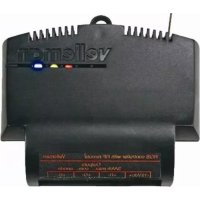
VM161 - Remote control VELLEMAN - Free user manual and instructions
Find the device manual for free VM161 VELLEMAN in PDF.



| Product type | RGB controller for LED strips |
| Brand | Velleman |
| Model | VM161 |
| Dimensions | 80 x 70 x 23 mm |
| Power supply | 12 V DC, max. 9 A |
| Outputs | 3 MOSFET outputs (Red, Green, Blue), 12 V / 3 A each |
| Transmission/reception frequency | 433 MHz |
| LED PWM frequency | ± 300 Hz |
| Main functions | 7 color shades, 10 variation settings, dimming |
| Compatible remote control | VM118R (optional) |
| LED strip compatibility | Common anode LED strips (CHLS4RGB, LDB1-HS3027AC) |
| Configuration | Remote pairing with on/off and number buttons |
| Memory | Configuration retained after battery removal |
| Warranty | 2 years against component and manufacturing defects |
| Safety | Do not install near water or high humidity; repair by qualified personnel only |
| Cleaning | Avoid any contact with water; clean with a dry cloth |
| Spare parts and repairability | Contact manufacturer for spare parts; repair by qualified personnel |
Frequently Asked Questions - VM161 VELLEMAN
User questions about VM161 VELLEMAN
0 question about this device. Answer the ones you know or ask your own.
Ask a new question about this device
Download the instructions for your Remote control in PDF format for free! Find your manual VM161 - VELLEMAN and take your electronic device back in hand. On this page are published all the documents necessary for the use of your device. VM161 by VELLEMAN.
USER MANUAL VM161 VELLEMAN
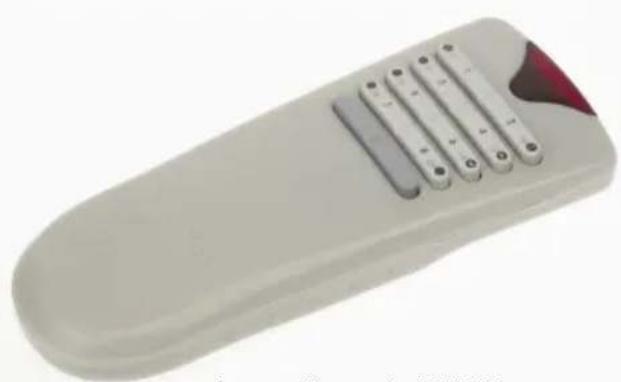
for use with remote: VM118R
LED strip colour dimmer 4
Velleman hereby certifies that the device VM161 meets the essential requirements and all other relevant stipulations of directive ETS 300-220
For the complete conformity declaration
check out
http://www.velleman.be/downloads/doc/cevm161.pdf
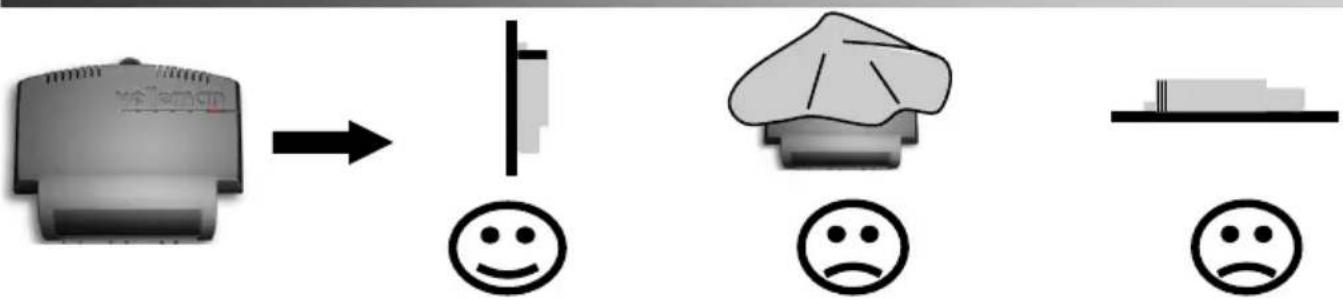
Do not mount the unit in the proximity of other electronic devices or metal objects. Straighten the antenna!
Specifications and features
For use with optional VM118R full size remote Ideal for use with common anode led strips e.g. CHLS4RGB / LDB1-HS3027AC
SPECIFICATIONS
- easy remote control operation
- Hi power MOSFET outputs
- ideal for use with common anode led strips
7 colours
10 dimming steps
FEATURES
LED PWM frequency: ± 300Hz
- 3x 12V/3A outputs
TX/RX:433MHz operation
- power supply: max. 12V/9A
- dimensions: ± 80x70x23mm/3.15x2.75x0.9"
Mounting
WARRANTY
This product is guaranteed against defects in components and construction from the moment it is purchased and for a period of TWO YEAR starting from the date of sale. This guarantee is only valid if the unit is submitted together with the original purchase invoice. VELLEMAN components Ltd limits its responsibility to the reparation of defects or, as VELLEMAN components Ltd deems necessary, to the replacement or reparation of defective components. Costs and risks connected to the transport, removal or placement of the product, or any other costs directly or indirectly connected to the repair, will not be reimbursed by VELLEMAN components Ltd. VELLEMAN components Ltd will not be held responsible for any damages caused by the malfunctioning of a unit.
VM118R remote control setup
- First connect the RGB led-strip to the controller VM161, see page 2.
- Place 3 AAA battery's in the remote control
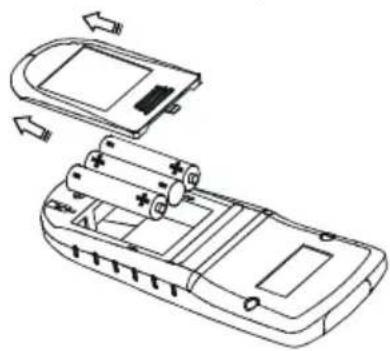
Insert the batteries in the battery compartment as indicated in figure and close the compartment.
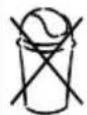
Remark: Respect your national and local laws when disposing of empty batteries.
Note: All settings remain in memory after battery replacement
-
First-time configuration of the remote control for use with the VM161 controller
-
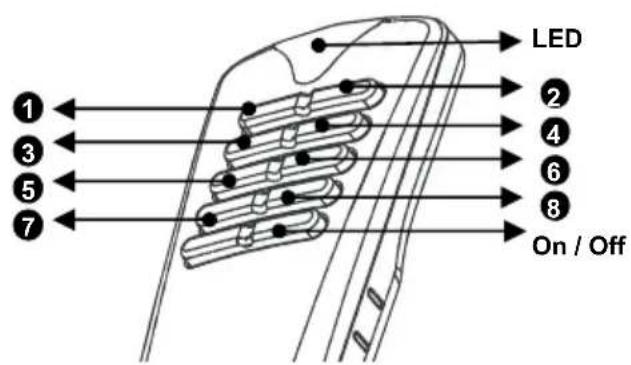
keep button 'on/off' pressed until the led lights
- briefly press button '1'
- briefly press button '8' (the led will blink once)
- press button 'on/off' twice to confirm the setting (the led will turn off)
4. Learning the remote to the VM161 controller
make sure that all VM161 controllers that need to respond to the remote are turned on (turn off all others if necessary)
- keep button 'on/off' pressed until the led lights
- briefly press button '3' (the led wil blink 3x times)
- choose an address between 1 and 8 by pressing the corresponding button briefly
- press button 'on/off' twice to confirm the setting (the led will turn off)
Operation
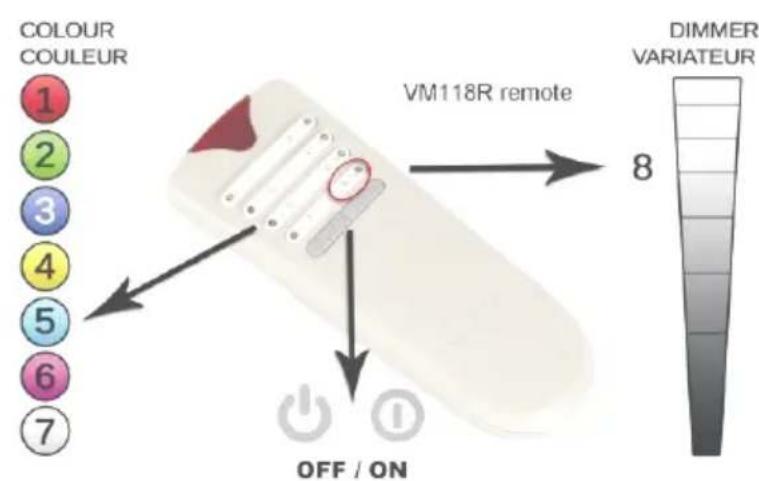
Press button 1 ... 7 to choose the colour.
1:red
2:green
3:blue
4:yellow
5:light blue
6 : pink
7:white
Press and hold button 8 to dim the output. Dimming direction changes at release.
Specifications en eigenschappen
All repairs should be executed by qualified technicians.
Avoid the installation of the module in locations with standing or running water or excessive humidity. Indoor use only!
■ Handle the module gently and carefully. Dropping it can damage the circuit board.
Never exceed the protection limit values indicated in the specifications.
As safety requirement vary, please check with your local authorities.
Facilitate the operation of the device by familiarising yourself with its adjustments and indications.
Velleman modules are not suitable for use or as part of life support systems, or systems that might create hazardous situations of kind.
SAFETY INSTRUCTIONS
LED dimmer with RF remote control

Belgium [Head office] Velleman Components +32(0)9 384 36 11
France Velleman Electronique +33(0)3 20 15 86 15
Netherlands Velleman Components +31(0)76 514 7563
USA Velleman Inc.
Spain Velleman Components +32(0)9 384 36 11

+1(817)284-7785

velleman
M O D U L E S
Modifications and typographical errors reserved - © Velleman Components nv - HVM161G - 2010- ED2_rev.1



Brand : VELLEMAN
Model : VM161
Category : Remote control