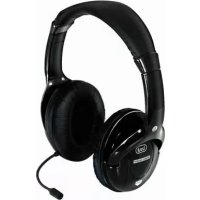
FRS 1270 USB - Earphones Trevi - Free user manual and instructions
Find the device manual for free FRS 1270 USB Trevi in PDF.



| Product Type | Wireless headset with microphone |
| Brand | Trevi |
| Model | FRS 1270 USB |
| Transmission Frequency | 2.4 GHz |
| Modulation | GFSK |
| Audio Sampling Rate | 44.1 KHz |
| Signal-to-Noise Ratio | 70 dB |
| Frequency Response | 20 Hz - 20 kHz |
| Speaker Power | 2 x 10 mW |
| Headset Power Supply | 2 AAA 1.5 V batteries |
| Audio Adapter Power Supply | 2 AAA 1.5 V batteries or DC 5V 400 mA |
| Range | Less than 10 meters in open space |
| Weight | 165 g |
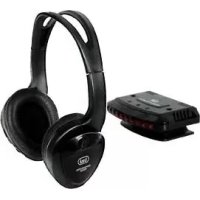
| Main Functions | Wireless listening, built-in microphone, compatible with PC (USB dongle) and audio devices via adapter |
| Care and Cleaning | Clean with a soft, dry cloth. Do not expose to moisture or rain. |
| Safety | Do not open the device. Risk of electric shock. Contact an authorized service center for any repairs. |
| Spare Parts and Repairability | Not user-serviceable. Contact an authorized Trevi support center. |
| General Information | Wireless headset with audio adapter and USB dongle. Auto standby after 3 minutes without a signal. |
Frequently Asked Questions - FRS 1270 USB Trevi
User questions about FRS 1270 USB Trevi
0 question about this device. Answer the ones you know or ask your own.
Ask a new question about this device
Download the instructions for your Earphones in PDF format for free! Find your manual FRS 1270 USB - Trevi and take your electronic device back in hand. On this page are published all the documents necessary for the use of your device. FRS 1270 USB by Trevi.
USER MANUAL FRS 1270 USB Trevi
Audio sampling rate: 44.1 KHz
Rapporto S/N: >70db
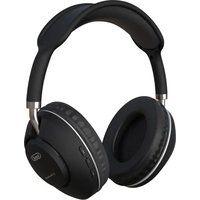
CONGRATULATIONS on your purchase of the high-tech wireless headphones TREVI FRS I270USB
DESCRIPTION OF CONTROLS AND ACCESSORIES
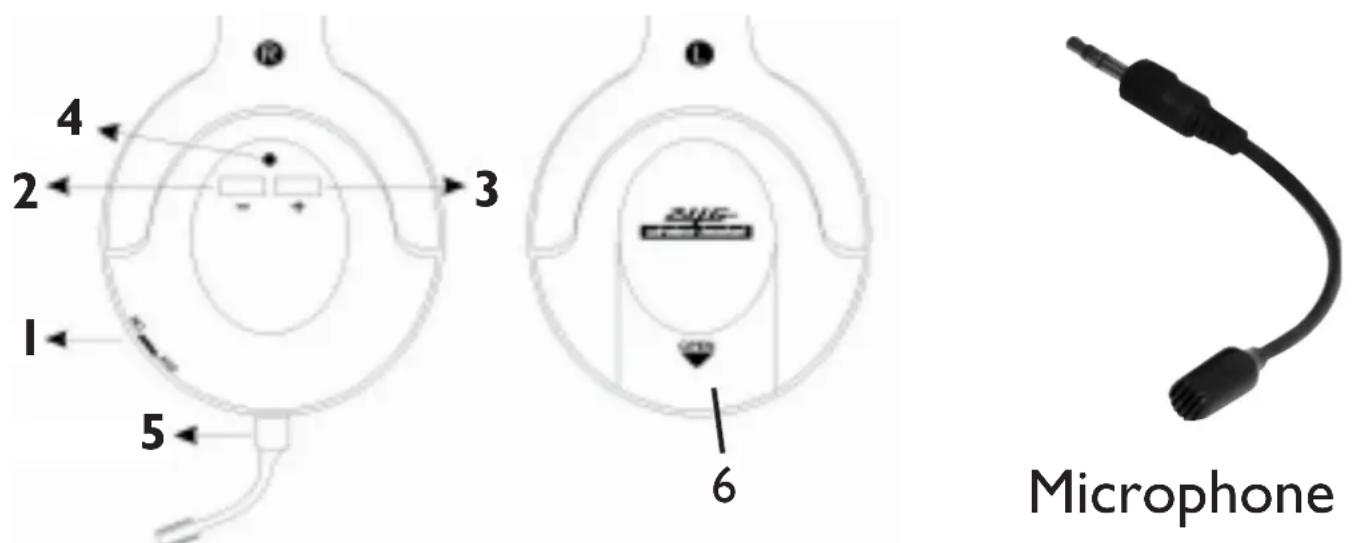
HEADPHONES AND MICROPHONE
I. On/Off switch to turn on / turn off the headphones
2. Volume Key -
3. Volume Key +
4. Operation LED indicator
5. Microphone input jack
6. Headphones battery compartment
N.B.: The rotary switch (1) only allows to turn on / turn off the headphones and do not adjust the volume. To adjust the headphones volume use the + (3) and - (2) keys.
PC DONGLE AND AUDIO ADAPTER
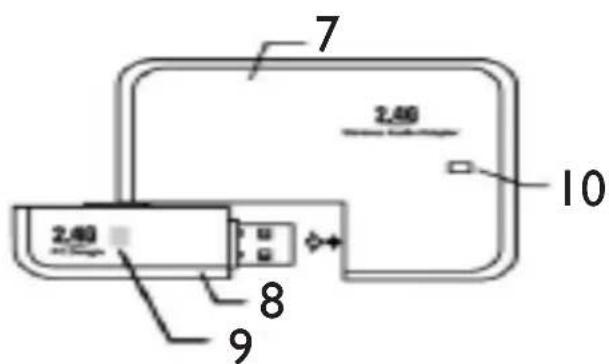
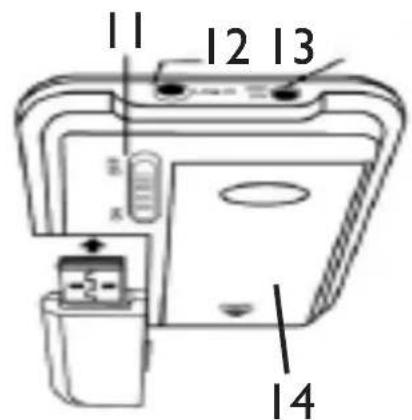
- Audio adapter
- Usb pc dongle
- Status / Operation indicator of the usb pc dongle
- Audio adapter operation indicator
I I. On/Off switch to turn on / turn off the audio adapter - Line in / Audio input
13.5V DC Power supply input - Audio adapter battery compartment
JACK-JACK AUDIO CABLE AND RCA EXTENSION CORD

Jack-Jack cable
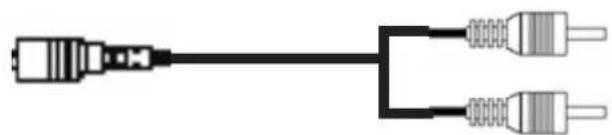
RCA extension cord
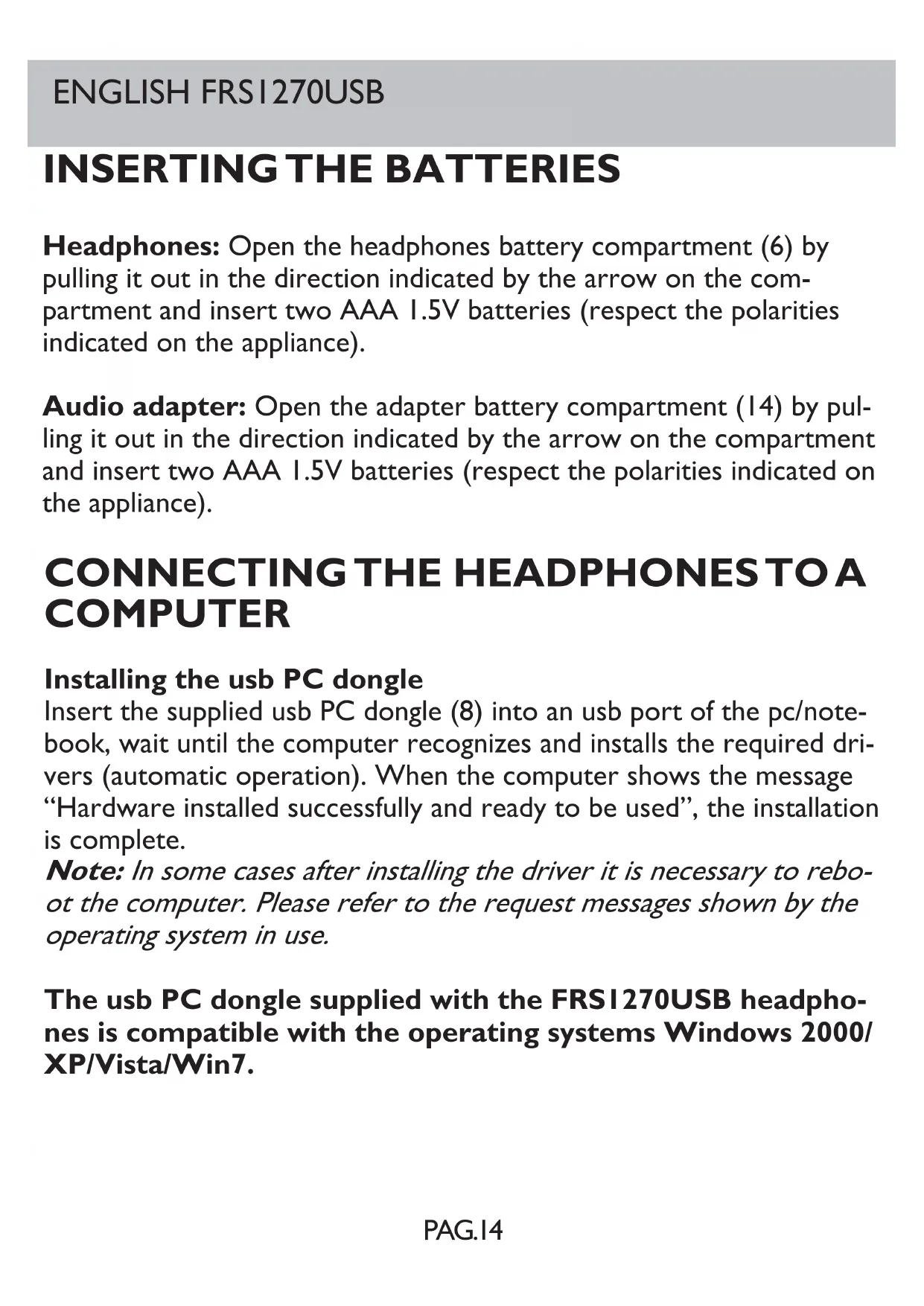
Headphones: Open the headphones battery compartment (6) by pulling it out in the direction indicated by the arrow on the compartment and insert two AAA 1.5V batteries (respect the polarities indicated on the appliance).
Audio adapter: Open the adapter battery compartment (14) by pulling it out in the direction indicated by the arrow on the compartment and insert two AAA 1.5V batteries (respect the polarities indicated on the appliance).
CONNECTING THE HEADPHONES TO A COMPUTER
Installing the usb PC dongle
Insert the supplied usb PC dongle (8) into an usb port of the pc/notesbook, wait until the computer recognizes and installs the required drivers (automatic operation). When the computer shows the message "Hardware installed successfully and ready to be used", the installation is complete.
Note: In some cases after installing the driver it is necessary to reboot the computer. Please refer to the request messages shown by the operating system in use.
The usb PC dongle supplied with the FRS1270USB headphones is compatible with the operating systems Windows 2000/XP/Vista/Win7.
Using the headphones
Turn on the headphones using the On/Off rotary switch (1). Wait few seconds to allow the headphones to receive the radio signal of the usb PC dongle (the operation led (4) blinks for a few seconds and then turns on steadily). Now the headphones can be used to listen to videos and music files stored on the computer.
If the headphones do not receive the radio signal of the usb PC dongle (operation led blinking) it is necessary to perform the manual procedure:
press the + (3) and - (2) keys simultaneously for about 5 seconds until the operation led (4) turns on steadily.
Note: In order to connect the headphones to the usb PC dongle the two appliances should be placed at a distance of about 30 cm.
Volume adjustment: The headphones volume can be adjusted via the + (3) e - (2) keys. Press the + (3) key repeatedly to increase the volume; press the - (2) key repeatedly to decrease the volume.
Using the microphone: The FRS1270USB headphones can be used with the most famous video communication software. Insert the supplied microphone in the appropriate jack (5) on the side of the on/off rotary switch (1). Once the procedure for using the headphones has been performed, the microphone is activated and it is possible to use it with the different video chat software (for more information on how to start a video call please refer to the instruction of the software in use).
Note: To allow the microphone to receive properly place it at about 5 cm from the mouth.
Standby function: To reduce battery consumption, the FRS1270USB headphones are equipped with a circuit that puts the headphones in standby mode if they do not receive any audio signal from the usb dongle for 3 minutes. The headphones enter in standby mode also if they are out of the usb dongle range (about 10 metres). When the appliance is in standby mode the operation led (4) turns off. To reactivate the headphones use the On/Off switch (I). Move it to the Off position and then to the On position again.
Turning off the headphones: move the rotary switch (I) to the off position.
CONNECTING THE HEADPHONES TO AN AUDIO DEVICE
To use the headphones with an audio/video device (TV, DVD, Hi-Fi, multimedia player) it is necessary to use the audio adapter (7) supplied in the package.
-
Insert the usb pc dongle (8) in the appropriate port on the audio adapter (7).
-
Use the jack-jack audio cable and the Jack-RCA extension cord if necessary to connect the audio/video device (TV, Hi-Fi, multimedia player) to the adapter (7). Insert one jack into the LINE IN audio input (12) of the adapter (7) and connect the other end of the cable (jack or RCA) to headphones output or to the audio output of the audio/video device (TV, Hi-Fi, multimedia player).
-
Make sure that the batteries are inserted correctly in the audio adapter (7) or use the power adapter and the appropriate cable supplied in the package and connect it to the 5V DC power supply input (15).
ENGLISH FRSI270USB
Note: If the power adapter is used together with batteries, the latter are automatically excluded from the power circuit in order to preserve them.
- Turn on the audio adapter by moving the switch (I I) on the side of the battery compartment on the ON position.
For further information on how to use the headphones, adjust the volume and turn it off please refer to the previous paragraph.
TECHNICAL FEATURES
Transmission frequency: 2.4 GHz
Modulation: GFSK
Audio sampling rate: 44.1 KHz
S/N ratio: >70db
Frequency response: 20-20KHz Speaker Power: 2 × 10mW
Headphones power supply : 2 AAA batteries Audio adapter power supply: 2 AAA batteries DC5V 400mA
Transmission range: lower than 10 metres in an open space
Weight: 165 g

CAUTION
DANGER OF ELECTRIC SHOCK! DO NOT EXPOSE TO RAIN OR UMIDITY

CAUTION: TO REDUCE THE RISK OF ELECTRIC SHOCK, DO NOT REMOVE COVER OR BACK, NO USER SERVICEABLE PARTS INSIDE, REFER SERVICING TO QUALIFIED PERSONNEL ONLY.
INTRODUCTION
Audio sampling rate: 44.1 KHz
S/N Abstand:
Frequenzgang:
Speaker Power:
Audio sampling rate: 44.1 KHz
Relação S/N: >70db
Precautions for correct disposal of the product.
The symbol shown on the equipment indicates that waste must be disposed of in "separate collection" and so the product must not be disposed of together with urban waste.
The user must take the product to special "separate waste collection centres" provided by local government, or deliver it to the retailer against the purchase of a new product.
Separate collection of waste and subsequent treatment, recycling and disposal operations promotes the production of equipment with recycled materials and limits negative effects on the environment and on health caused by improper handling of waste.
Illegal disposal of the product leads to the enforcement of administrative penalties.

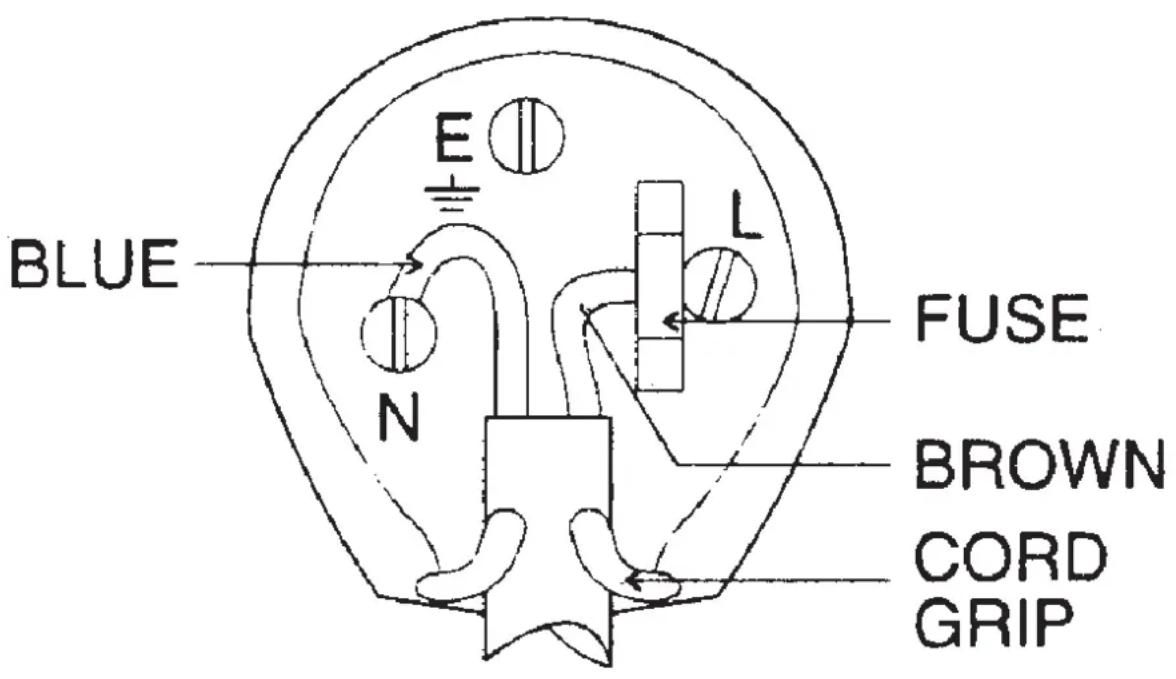
The wires in this mains lead are coloured in accordance with the following wiring codes:
Blue: Neutral
Brown: Live
The wires in this mains lead must be connected to the terminals in the plug as follows:
Blue wire: N or Black
Brown wire: L or Red
Neither wire is to be connected to the earth (E or W) terminal of three-pin plug.
Should the fuse fail in the plug remove the plug form the wall socket and replace the fuse with a 3 Amp. ASTA approved BS I362 fuse.



- DESCRIPTION OF CONTROLS AND ACCESSORIES
- PC DONGLE AND AUDIO ADAPTER
- JACK-JACK AUDIO CABLE AND RCA EXTENSION CORD
- CONNECTING THE HEADPHONES TO A COMPUTER
- Installing the usb PC dongle
- Using the headphones
- CONNECTING THE HEADPHONES TO AN AUDIO DEVICE
- ENGLISH FRSI270USB
- TECHNICAL FEATURES
- CAUTION
- INTRODUCTION
- Precautions for correct disposal of the product.
Brand : Trevi
Model : FRS 1270 USB
Category : Earphones