
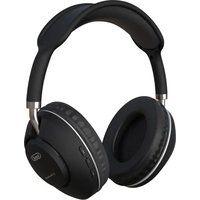
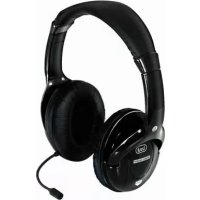
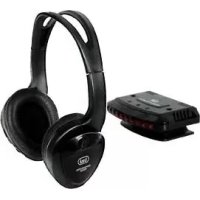
DJ 1260 BT - Earphones Trevi - Free user manual and instructions
Find the device manual for free DJ 1260 BT Trevi in PDF.

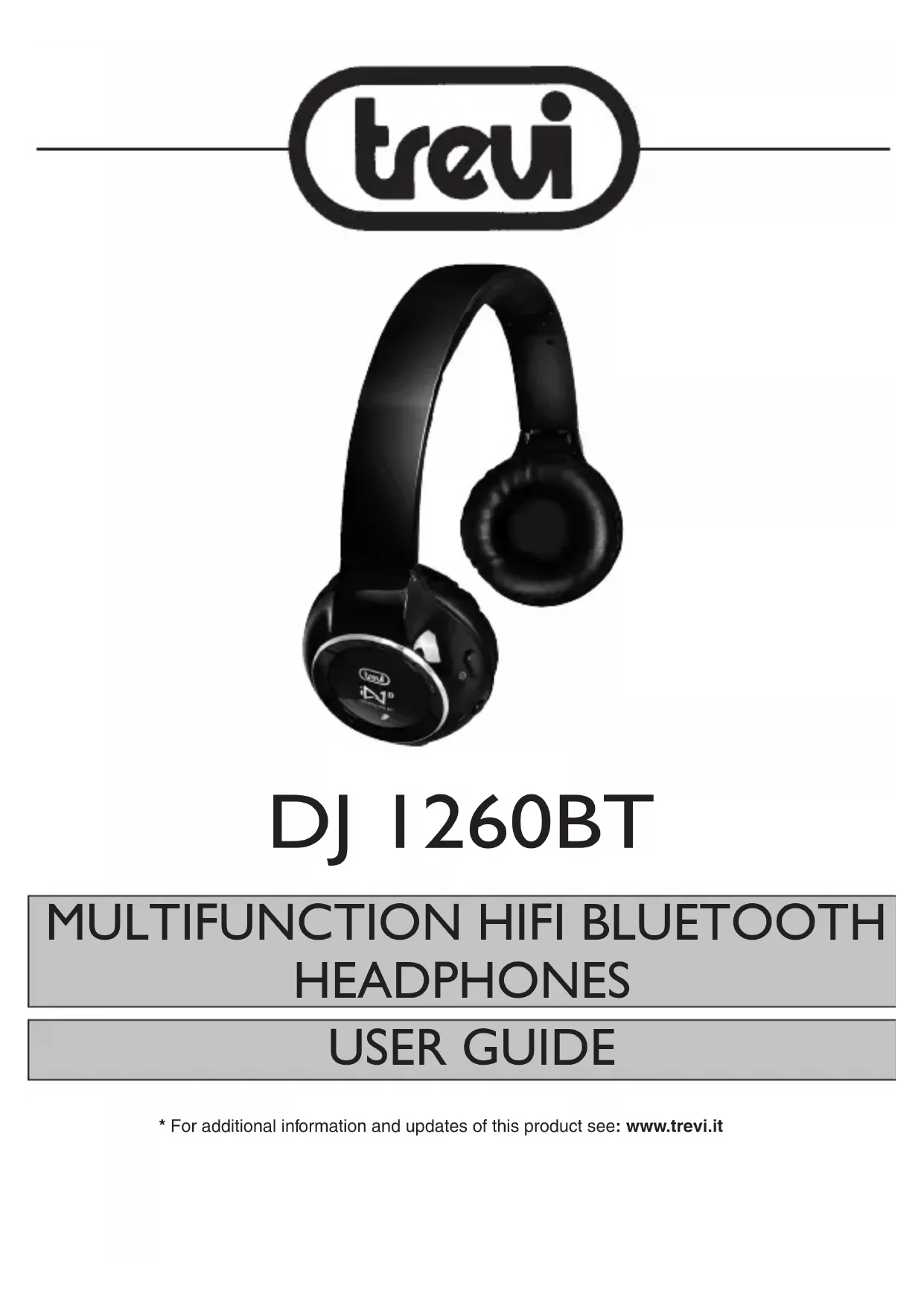


| Brand | Trevi |
| Model | DJ 1260 BT |
| Product type | Bluetooth audio headset |
| Bluetooth profile | V2.1+EDR, compatible A2DP, AVRCP, HSP, HFP |
| Frequency response | 20 Hz - 20 kHz |
| Headphone power | 2 x 15 mW |
| Power supply | Internal lithium battery, DC 5V 500 mA recharge |
| Battery life (music playback) | Approximately 9 hours |
| Battery life (standby) | Approximately 75 hours |
| Charging time | 3-4 hours for first charge |
| Bluetooth range | Up to 10 meters (8-10 meters recommended) |
| Connectivity | AUX 3.5 mm input, USB charging port |
| Main functions | Play/pause, previous/next track, volume +/-, call management, voice dialing |
| Maintenance and cleaning | Clean with a soft, dry cloth |
| Safety | Do not throw the battery into fire or water, mandatory recycling |
| Included accessories | Stereo Jack-Jack cable, miniUSB-USB cable |
| Weight (estimated) | Approximately 150 g |
| Warranty | Consult your retailer |
Frequently Asked Questions - DJ 1260 BT Trevi
User questions about DJ 1260 BT Trevi
0 question about this device. Answer the ones you know or ask your own.
Ask a new question about this device
Download the instructions for your Earphones in PDF format for free! Find your manual DJ 1260 BT - Trevi and take your electronic device back in hand. On this page are published all the documents necessary for the use of your device. DJ 1260 BT by Trevi.
USER MANUAL DJ 1260 BT Trevi
natural_image
Black Sony iN240 headphones with earbuds and charging case (no visible text or symbols on the device body)DJ 1260BT
CUFFIA HIFI MULTIFUNZIONE BT
MANUALE D'USO
USER GUIDE
MULTILANGUAGE
FRA DEU ESP
natural_image
Black Sony iN10 headphones with adjustable earbuds and black headband (no visible text or symbols on the device body)DJ 1260BT
MULTIFUNCTION HIFI BLUETOOTH
HEADPHONES
USER GUIDE
DESCRIPTION OF CONTROLS AND ACCESSORIES
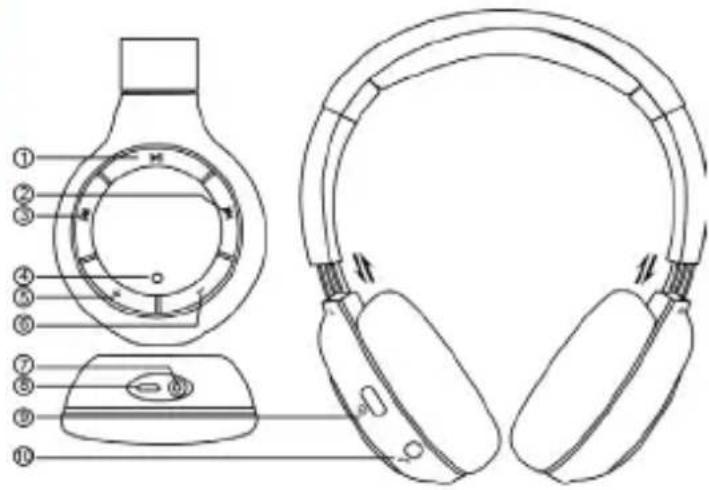
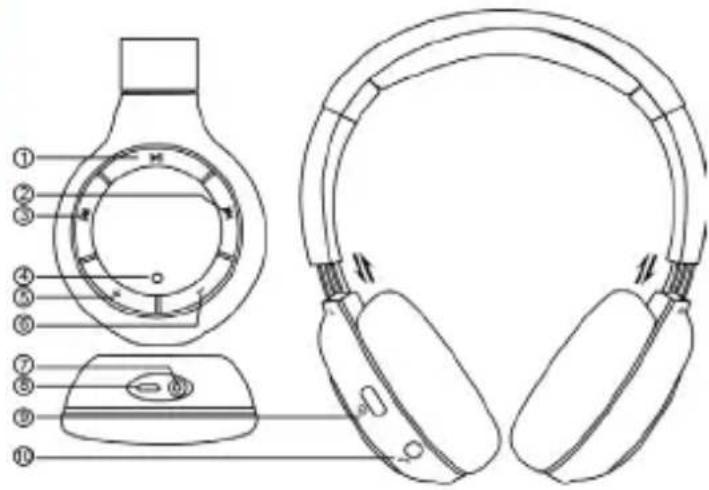
I. PLAY/PAUSE key
2. NEXT key, forward, skip to next track
3. PREV key, rewind, skip to previous track
4. Operation LED indicator
5. Volume + key, to increase the volume
6. Volume - key, to decrease the volume
7. Aux In Jack 3.5 mm, audio cable input
8. USB port for battery charging
9. ON/OFF key to turn on/off the headphones
10. Multifunction key
Enclosed accessories: Jack-Jack stereo cable for connection to a device equipped with an Audio Out socket, miniUsb-Usb cable to charge the multifunction HiFi headphones from a device equipped with a USB port or 5VDC USB external adapter (not included in the supply).
BATTERY CHARGING
The multifunction HiFi headphones are equipped with a rechargeable battery.
Leave the battery to charge for 3-4 hours upon headphones first use. When the battery is fully charged, the headphones will last about 9 hours in music listening mode and 75 hours in standby mode.
To charge the battery:
- Connect the USB plug of the USB-miniUSB cable provided to a device equipped with a USB port (computer, tablet, etc.) or to an adapter featuring a 5VDC USB port (not included in the supply).
- Connect the miniUsb plug of the USB-miniUSB cable to the special connector (8) of the multifunction HiFi headphones. The red led indicator (4) will blink during the charging phase.
- When the battery is fully charged, the red led indicator will turn off.
Battery going flat warning:
- When the battery is almost flat, the led indicator (4) will blink twice every 30 seconds. At the same time, an intermittent warning beep will be heard in the headphones.
TURNING ON AND OFF
To turn on the headphones: press the ON/OFF key (9) and hold it pressed until the led indicator (4) turns on.
To turn off the headphones: hold the ON/OFF key (9) pressed. The led indicator (4) will turn on for a few seconds and then will go off.
Standby: after 3 minutes of inactivity, the HiFi headphones turn off automatically.
CONNECTION TO A BLUETOOTH DEVICE
I. Press the ON/OFF key (9) and hold it pressed until the led indicator turns on alternating red and blue light.
2. Enable the Bluetooth® connection on the external device (mobile phone, Tablet, etc.) - to do this, please refer to the device's manual.
3. Search for the devices on the external device and select "TREVI DJ1260BT". Enter the key code "0000" if required.
4. When the connection to the external device is established, the led indicator (4) will blink.
Note 1: When the device is connected, the connection might be interrupted (e.g. when the devices connected via Bluetooth get too far from each other). Usually, the connection is restored automatically. If this does not happen, repeat the connection procedure from step 1 to step 4.
Note 2: Each time the headphones are to be connected to a new device, a new connection must be established and the procedure described above must be repeated from step 1 to step 4.
Note 3: During the connection stage, the two devices must be placed within 1 m of each other. Under standard operation, the maximum distance recommended for correct use is about 8-10 metres.
CONNECTION TO A COMPUTER
I. Press the ON/OFF key (9) and hold it pressed until the led indicator turns on alternating red and blue light.
2. If the computer features an integrated Bluetooth device, activate it and search for new Bluetooth peripheral devices by means of its management software.
If the computer does not feature any integrated Bluetooth devices, install an external Bluetooth device and its relevant management software. When the Bluetooth device is installed, search for new Bluetooth peripheral devices by means of its management software.
3. Among the peripheral devices found, select "TREVI DJ1260BT" and enter the key code "0000" if required.
4. When the connection to the external device is established, the led indicator (4) will blink.
CABLE CONNECTION TO AN EXTERNAL DEVICE
The multifunction HiFi headphones can be used as normal headphones by connecting them via cable to an external device equipped with headphones input. To do this, use the Jack-Jack stereo cable supplied:
I. Connect one of the cable Jack plugs to the headphones AUX IN (7) socket and the other Jack plug to the HEADPHONES OUTPUT of the device.
2. Turn on the external device and start the playback.
VOLUME CONTROL
Volume can be adjusted by means of the volume control keys.
I. Press the VOLUME + (5) key to increase the volume.
- Press the VOLUME - (6) key to decrease the volume.
When the minimum or maximum volume is reached, a warning tone will be heard.
PLAYBACK CONTROL
The keys on the headphones allow you to control the playback of the tracks contained in the connected device. Once the headphones are connected to the device, start the playback.
The following actions are available:
-Press the PLAY/PAUSE key (I) to start or stop the track playback.
-Press the PREV key (3) to skip to the previous track.
-Press the NEXT key (2) to skip to the following track.
Note 1: This function is only available on Bluetooth® devices supporting the AVRCP profile.
Note 2: Bluetooth® technology is constantly evolving; therefore, some devices may not be compatible - fully or in part - with the TREVI DJ1260BT device.
MANAGING MOBILE PHONE CALLS
The headphones allow for various operations while receiving calls on your mobile phone:
Answer to a call: press the multifunction key (10) once to start the conversation.
End a call: when the conversation is finished, press the multifunction key (10) once.
Refuse an incoming call: press the multifunction key (10) twice in rapid sequence.
Call the last dialled number: press the multifunction key (10) twice.
Divert the conversation from the HiFi headphones to the phone, and vice versa: if you are using the headphones during a phone conversation and you wish to return to standard mobile phone use, hold the PLAY/PAUSE key (I) pressed. If you wish to return to the headphones mode, hold the PLAY/PAUSE key (I) pressed again.
VOICE DIALING FUNCTION (on compatible devices)
The Voice Dialing function allows you to search and select an item in your contact list and call it by simply pressing a key on the clip, without using the phone.
I. Hold the multifunction key (5) pressed for about 2 seconds; a confirmation tone will be heard.
2. The Voice Dialing function will be enabled on the phone. Pronounce the desired name clearly; the phone will start the search and will repeat the corresponding item found. The number found will be called automatically.
3. Press the multifunction key (10) to stop the call to the selected number.
Note 1: The Voice Dialing function is not supported by all the phones or devices.
Note 2: The Voice Dialing performance level depends mainly on the management software implemented on the phone or Bluetooth device. Perfect operation of the search function is not guaranteed.
TECHNICAL SPECIFICATION
Bluetooth® profile: V2.1+EDR compatible with A2DP,AVRCP,HSP,HFP
Frequency response: 20Hz-20KHz
Headset power: 2x15mW
Battery: ....Lithio internal battery
Recharge: ......DC 5V-500mA
Note:
A2DP: Advanced Audio Distribution Profile
AVRCP: Audio Video Remote Control Profile
HSP: Headset Profile
HFP: Hands-free Profile
WARNING FOR THE PROPER USE OF RECHARGEABLE BATTERY
- Charge the battery at a temperature between 5 °C and 35 °C.
- Do not extend the recharge over the indicated time to avoid the risk of overheating and explosion.
- The charging of the battery over the indicated time period or a prolonged period of inactivity can shorten battery life.
- The rechargeable battery is subject to wear and its capacity gradually decreases.
- To prolong battery life, use it when it is fully charged to fully discharge and then fully charge it again before using it again.
Putting in a battery is not depleted, its lifetime will be reduced. In this case, repeat the cycle charge / discharge fully again. - Avoid keeping the battery undercharge all night.
INFORMATION NOTE ON THE REMOVAL AND DISPOSAL OF BATTERIES
Warning: Only high-qualified personnel should perform this operation! BATTERY REMOVAL
The appliance should not be plugged to the mains socket when performing this operation!
Used batteries should not be disposed of with household waste or thrown into fire or water.
Used batteries should be recycled or disposed of in separate waste collection centres.

PRECAUTIONS FOR CORRECT DISPOSAL OF THE PRODUCT.
The symbol shown on the equipment indicates that waste must be disposed of in “separate collection” and so the product must not be disposed of together with urban waste.
The user must take the product to special “separate waste collection centres” provided by local government, or deliver it to the retailer against the purchase of a new product.
Separate collection of waste and subsequent treatment, recycling and disposal operations promotes the production of equipment with recycled materials and limits negative effects on the environment and on health caused by improper handling of waste.
Illegal disposal of the product leads to the enforcement of administrative penalties.

natural_image
Black wireless headphones with earbuds and charging case (no visible text or symbols)DJ 1260BT
MULTIFUNCTION HIFI BLUETOOTH
HEADPHONES
USER GUIDE
MULTILANGUAGE
FRA DEU ESP
DESCRIPTION DES COMMANDES ET DES ACCESSOIRES
ACCOUPLEMENT AVEC UN DISPOSITIF BLUETOOTH
AVRCP: Audio Video Remote Control Profile
HSP: Headset Profile
HFP: Hands-free Profile
NOTE D'INFORMATION RELATIVE À L'ENLÈVEMENT ET L'ÉLIMINATION DES PILES
RECOMMANDATIONS POUR L'ÉLIMINATION CORRECTE DU PRODUIT.
AVRCP: Audio Video Remote Control Profile
HSP: Headset Profile
HFP: Hands-free Profile
AVRCP: Audio Video Remote Control Profile
HSP: Headset Profile
HFP: Hands-free Profile


- DJ 1260BT
- MULTIFUNCTION HIFI BLUETOOTH
- HEADPHONES
- USER GUIDE
- DESCRIPTION OF CONTROLS AND ACCESSORIES
- BATTERY CHARGING
- TURNING ON AND OFF
- CONNECTION TO A BLUETOOTH DEVICE
- CONNECTION TO A COMPUTER
- CABLE CONNECTION TO AN EXTERNAL DEVICE
- VOLUME CONTROL
- PLAYBACK CONTROL
- MANAGING MOBILE PHONE CALLS
- VOICE DIALING FUNCTION (on compatible devices)
- TECHNICAL SPECIFICATION
- WARNING FOR THE PROPER USE OF RECHARGEABLE BATTERY
- INFORMATION NOTE ON THE REMOVAL AND DISPOSAL OF BATTERIES
- PRECAUTIONS FOR CORRECT DISPOSAL OF THE PRODUCT.
- MULTILANGUAGE
- FRA DEU ESP
- DESCRIPTION DES COMMANDES ET DES ACCESSOIRES
- ACCOUPLEMENT AVEC UN DISPOSITIF BLUETOOTH
- NOTE D'INFORMATION RELATIVE À L'ENLÈVEMENT ET L'ÉLIMINATION DES PILES
- RECOMMANDATIONS POUR L'ÉLIMINATION CORRECTE DU PRODUIT.
Brand : Trevi
Model : DJ 1260 BT
Category : Earphones