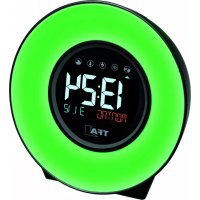
Frequently Asked Questions - 60.2507 TFA
How to set the time manually if DCF reception fails?
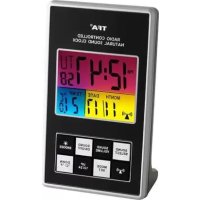
Press and hold the MODE/SET button for 3 seconds in normal mode. The hour indicator flashes. Use the UP/12/24 or DOWN/°C/°F buttons to set the hour, then press MODE/SET to go to minutes, year, month, date, and time zone. Setting automatically ends after 20 seconds of inactivity.
How to set the alarm?
Press MODE/SET in normal mode to enter alarm mode (AL displays). Press UP/12/24 to activate the alarm (alarm icon appears). Press MODE/SET again to set hours, then minutes with UP/12/24 or DOWN/°C/°F. Confirm with MODE/SET. To return to normal mode, press MODE/SET again.
How to change the alarm sound (nature sounds)?
Press the SOUND/ON/OFF button to activate the selection function. Use SOUND/SELECT to browse the 10 available sounds (bird songs, sea, etc.). Set the volume with SOUND/VOLUME. Confirm with SOUND/ON/OFF.
What to do if the clock does not receive the DCF signal?
Place the device near a window, 1.5-2 m from sources of interference (computers, televisions). Reception is better at night. You can also press and hold the DCF signal button for 3 seconds to force reception. If it fails, set the time manually.
How to activate the snooze function?
When the alarm sounds, press the SNOOZE/LIGHT button. The alarm stops for 4 minutes and Zz flashes on the display. To completely turn off the alarm, press any button or UP/12/24 in alarm mode.
How to turn on the display backlight?
Briefly press the SNOOZE/LIGHT button to light the display for 5 seconds. If the device is powered by the AC adapter, the backlight stays on permanently.
How to change the temperature display between °C and °F?
Press the DOWN/°C/°F button to switch between Celsius and Fahrenheit.
What batteries to use and how to replace them?
Use 3 AAA 1.5V alkaline batteries. Insert them into the compartment respecting polarity. Replace as soon as the display becomes weak. Do not dispose of used batteries in household waste, drop them at a collection point.
Can the device be used with a power adapter?
Yes, plug an AC/DC 6V/300mA adapter (not included) into the Q jack (Fig. 2) and connect it to a 230V wall outlet. Caution: The backlight then stays on permanently.
What does the DST display mean?
DST (Daylight Saving Time) appears on the display when daylight saving time is active. Automatic switching between winter and summer time is done via the DCF signal.