EasyManual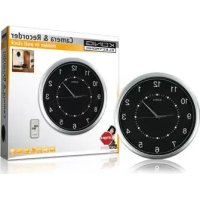
SECDVRWCA10 - Surveillance Camera KONIG - Free user manual and instructions
Find the device manual for free SECDVRWCA10 KONIG in PDF.



User questions about SECDVRWCA10 KONIG
0 question about this device. Answer the ones you know or ask your own.
Ask a new question about this device
Download the instructions for your Surveillance Camera in PDF format for free! Find your manual SECDVRWCA10 - KONIG and take your electronic device back in hand. On this page are published all the documents necessary for the use of your device. SECDVRWCA10 by KONIG.
USER MANUAL SECDVRWCA10 KONIG
Clock with Camera and DVR
ANLEITUNG (S. 5)
MANUAL DE USO (p. 21)
This stylish clock is ideal for hidden security and observation. The housing is equipped with a pinhole camera and a Micro SD card reader (Micro SD card not included) for recording. The clock is furthermore equipped with unique motion detection technology. The recorder constantly records but does not store data if there is no movement detected. If movement is detected the recorder will start storing the data 3 seconds before the actual movement was detected. This technology ensures that no movement is lost and everything is captured. The SEC-DVRWCA10 comes with a remote control for easy operation.
Clock Description
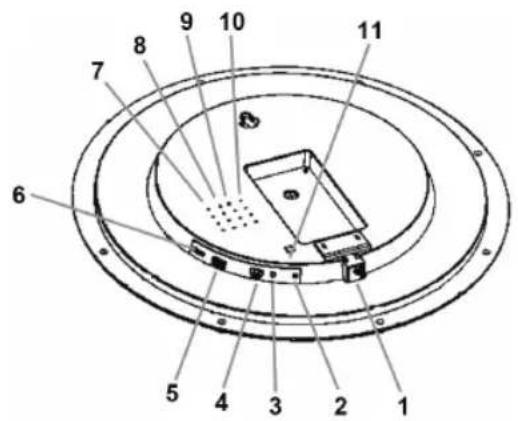
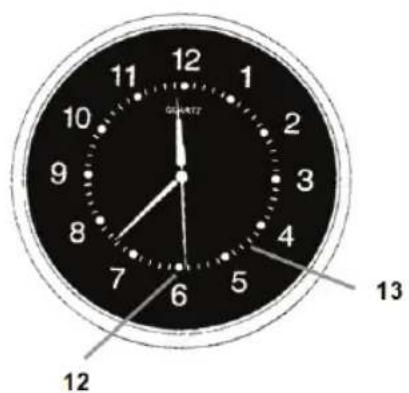
- DC 6 V connector
- POWER indicator
- DETECT indicator
- AV output
- USB connector
- Micro SD CARD slot
-
Microphone
-
SET button
- DETECTION button
- BUZZER
- ON/OFF switch
- CAMERA lens
- IR receiver RC
Settings:
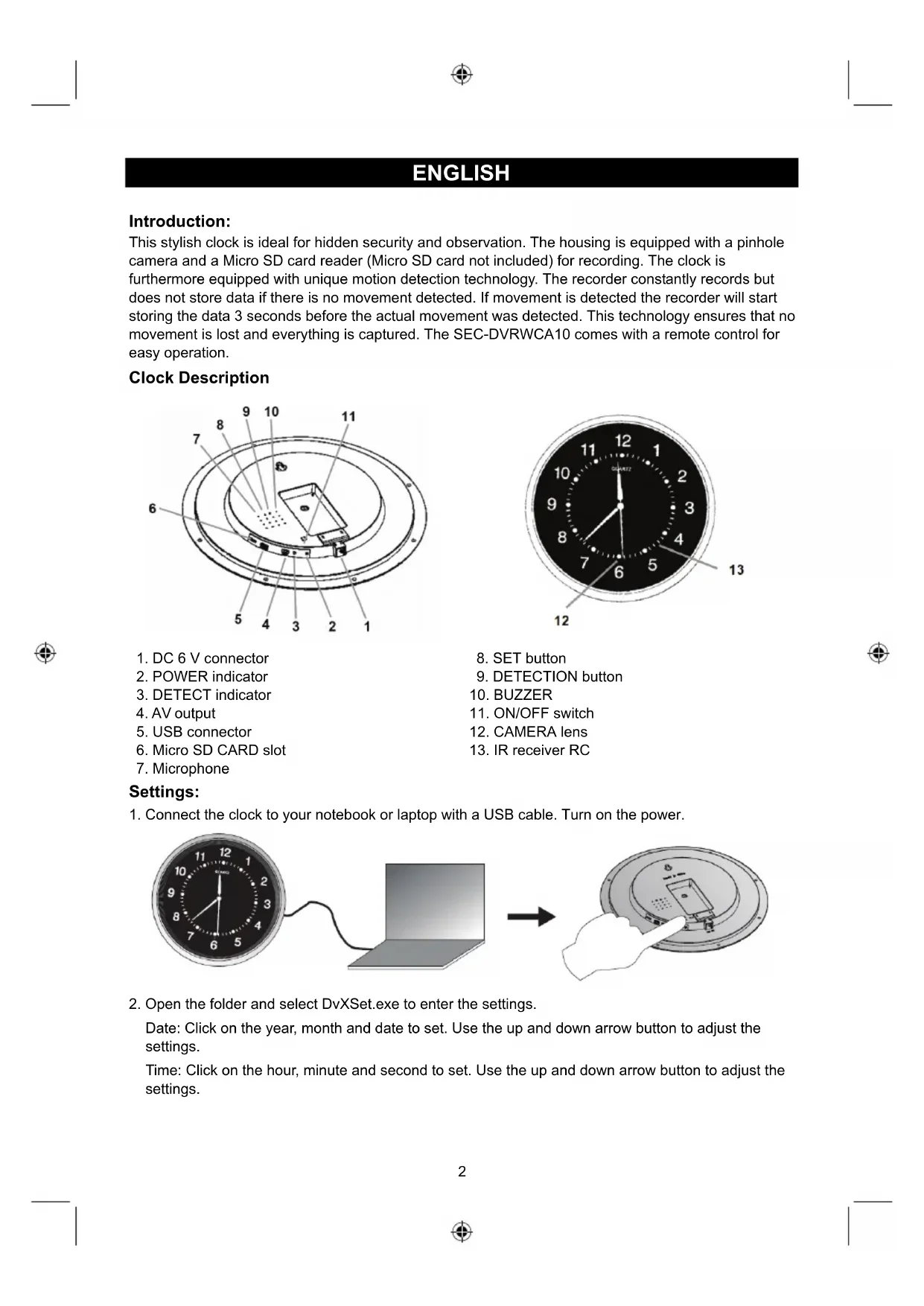
- Connect the clock to your notebook or laptop with a USB cable. Turn on the power.
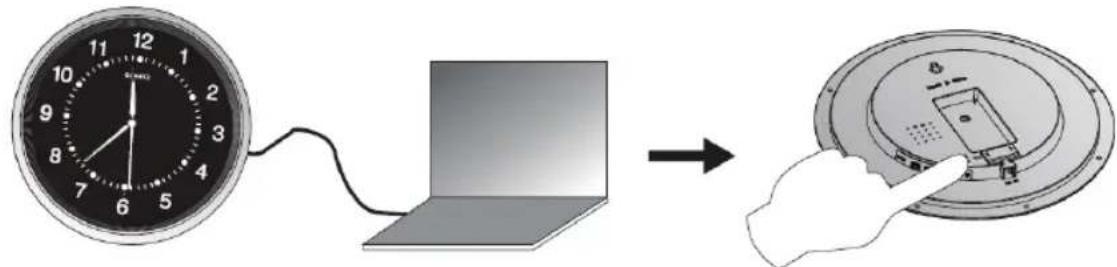
- Open the folder and select DvXSet.exe to enter the settings.
Date: Click on the year, month and date to set. Use the up and down arrow button to adjust the settings.
Time: Click on the hour, minute and second to set. Use the up and down arrow button to adjust the settings.
Stamp Date Format: Select YY/MM/DD, DD/MM/YY or MM/DD/YY. Use the arrow down button to adjust the settings.
Motion Detection Sensitivity: Select the sensitivity of the motion detector from 1 to 5. Use the arrow down button to adjust the setting. (5 is the most sensitive setting, 3 is recommended).
Light Frequency (Hz): Select the light frequency for your country. For example, 50 Hz for Europe, 60 Hz for United States. Use the arrow down button to select.
Image Quality: Select the recording quality, High-HD, Standard or Low VGA. Use the arrow down button to select.
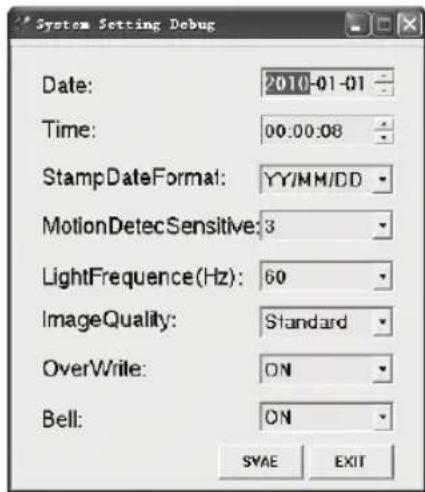
Overwrite: If the SD card must be overwritten when it is full,
then select ON. If overwritten is not preferred, then select OFF. Use the arrow down button to select.
Bell: When you want to hear a peep sound when pushing the buttons on the remote control or clock, select ON. If not, select OFF. Use the arrow down button to select.
After adjusting all settings, click on SAVE and push the SET button on the back side of the camera for 3 to 5 seconds to store the settings in the clock.
Clock Installation:
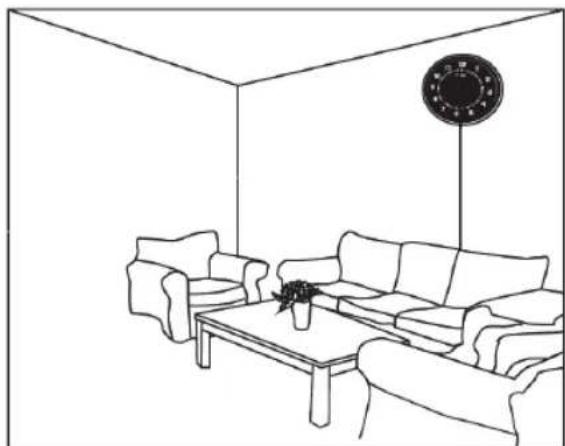
- Find a desired location for the clock, near a wall. The recommended height is around 2 meters.
Note: the camera is mounted inside the clock with a 17 degree downward angle. The view of the angle of the lens is 45 degrees.
- Connect the AC/DC adapter.
Note: view the recorded files after installation to determine whether the installation height and angle of view meets requirements.
Operation:
- Insert an AA 1.5 V battery in the battery compartment of the clock.
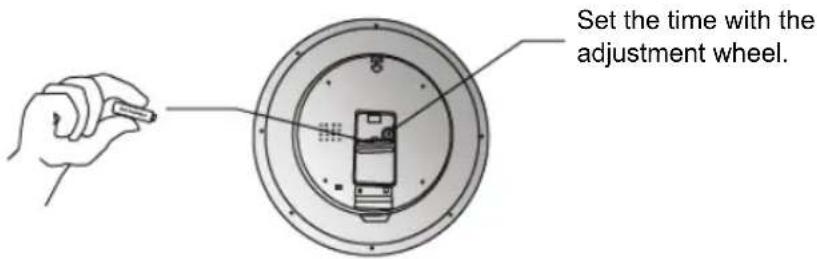
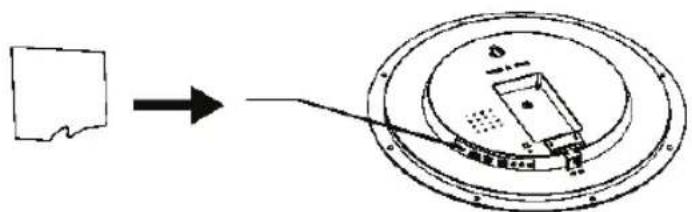
- Insert a Micro SD Card (maximum 32 GB).
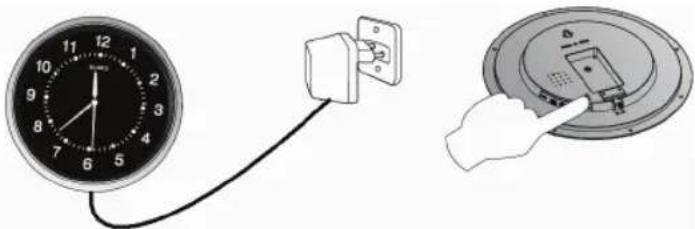
- Insert the power supply into the DC connector and a wall outlet. Switch the power to ON. The power and detect indicator light up.
-
For operation of the motion detection function (or use the remote control), push the detect button to activate the motion detection function. The indicator will flash a few times and then go out. When motion is detected the standby indicator flashes once. To end the function push the detect button again. The standby indicator will light up again. Two beeps will indicate that the function is activated. One beep indicates the function is deactivated.
-
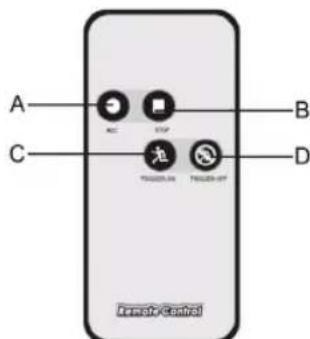
The different functions can also be operated by remote control.
A: Start manual recording (motion detection is disabled and the motion detector will record constantly until the stop button is pressed)
B: Stop manual recording
C: Enable motion detection
D: Disable motion detection
Note: the remote control has infrared transmission, which means you have to point the remote control towards the clock for operation.
-
The clock starts to record 3 seconds before motion is detected and 15 seconds after the last detection with a minimum of 18 seconds of recording. When motion is continually detected the motion detector will recording constantly. The recording time of any single file should not exceed 15 minutes.
-
The clock can be connected directly to a monitor or TV for live view or playback. Use the AV cable to connect (AV OUT) and the AC/DC adapter. When connected to a monitor or TV, the following indicators can be shown on the screen.
A: The motion detector is recording
B: Motion detection
C: Present time and date
D: Recording time
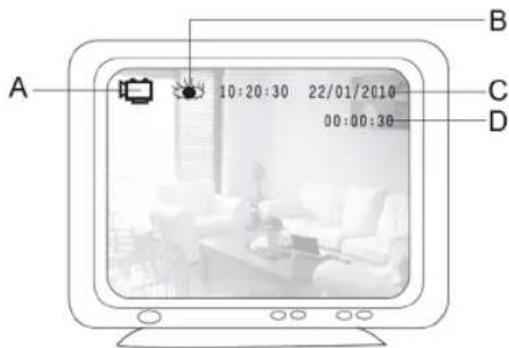
- For playback or file transfer, connect the clock with the USB cable to a computer or notebook. Switch on the clock. Open the folder to view the files. Open folder VIDEO to playback the recordings or copy/delete files (for file playback of files a player that supports AVI files is needed).
Specifications:
| • Resolution: 2 Mega pixel, | Real 1280x720 |
| • Video format: AVI 30 FPS with audio | |
| • Recording time: 2GB for 50 minutes 1280x720 video, 2GB for 110 minutes 720x480 video | |
| • Camera lens: 3mm/720 TVL | |
| • View angle: 45° | |
| • Supported SD card: Maxim num 32 GB (SD card not included) | |
| • Video file size: 38 MB/min in 1280x720 resolution, 18 MB/min in 720x480 resolution | |
| • USB port: 2.0 | |
| • AV out: 3.5mm | |
| • Pre recording time: 3 seconds | |
| • Distance remote control: 10 meters | |
| • Power supply: 6V/800mA (for camera and DVR) | |
| • Battery: 1xAA, 1.5V (for clock, not included) | |
| • Dimensions: 363x45mm | |
Safety precautions:
This product should ONLY be opened by an authorized technician when service is required. Disconnect the product from mains and other equipment if a problem should occur. Do not expose the product to water or moisture.
Maintenance:
Clean only with a dry cloth. Do not use cleaning solvents or abrasives.
Warranty:
No guarantee or liability can be accepted for any changes and modifications of the product or damage caused due to incorrect use of this product.
General:
Designs and specifications are subject to change without notice.
All logos brands and product names are trademarks or registered trademarks of their respective holders and are hereby recognized as such.
Keep this manual and packaging for future reference.
Attention:

This product is marked with this symbol. It means that used electrical and electronic products should not be mixed with general household waste. There is a separate collections system for these products.
DEUTSCH
Einleitung:
Description: Clock with Camera and DVR