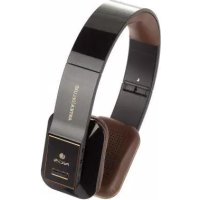
Black Artica Deluxe - Earphones NGS - Free user manual and instructions
Find the device manual for free Black Artica Deluxe NGS in PDF.



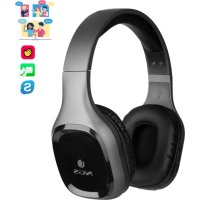
| Product type | Bluetooth stereo headset |
| Brand | NGS |
| Model | Black Artica Deluxe |
| Bluetooth version | V2.1+EDR |
| Supported Bluetooth profiles | HSP, HFP, A2DP, AVRCP |
| Battery capacity | 415 mAh |
| Charging time | Approximately 2.5 hours |
| Music playback time | Up to 17 hours |
| Standby time | Approximately 384 hours (16 days) |
| Charging input voltage | 5.0 V DC / 340 mA |
| Weight | Approximately 172.8 g |
| Built-in microphone | Yes |
| Connectivity | Bluetooth and audio input jack (cable not included) |
| LED indicator | Red (charging, low battery) and blue (connection, call) |
| Main functions | Hands-free calls, music control, voice dialing, last number redial |
| Care and cleaning | Keep dry, avoid extreme temperatures, do not use chemicals |
| Safety | Do not dispose of battery in fire, recycle according to regulations |
| Warranty | 2-year limited warranty (subject to conditions, see manual) |
| Package contents | Headset, USB charging cable, quick start guide |
| Compatibility | Bluetooth devices (phones, tablets, etc.) |
Frequently Asked Questions - Black Artica Deluxe NGS
User questions about Black Artica Deluxe NGS
0 question about this device. Answer the ones you know or ask your own.
Ask a new question about this device
Download the instructions for your Earphones in PDF format for free! Find your manual Black Artica Deluxe - NGS and take your electronic device back in hand. On this page are published all the documents necessary for the use of your device. Black Artica Deluxe by NGS.
USER MANUAL Black Artica Deluxe NGS
for Tablets & Phones

NGS
technology
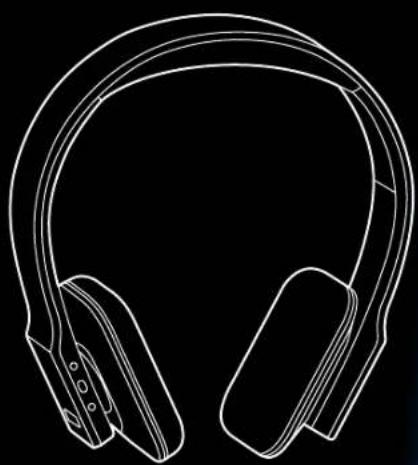
ARTICA DELUXE
USER'S MANUAL
ENGLISH | FRANÇAIS | ESPÁNOL | DEUTSCH | ITALIANO | PORTUGUES | POLSKI
WWW.NGS.EU


Welcome to use this Bluetooth stereo headset. Please read this user's manual carefully before using it.
BRIEF INTRODUCTION
NGS ARTICA DELUXE is a stereo Bluetooth headset. It supports the following Bluetooth profiles:
HSP: Headset Profile
HFP: Hands-free Profile
A2DP: Advanced Audio Distribution Profile
AVRCP: Audio/Video Remote Control Profile
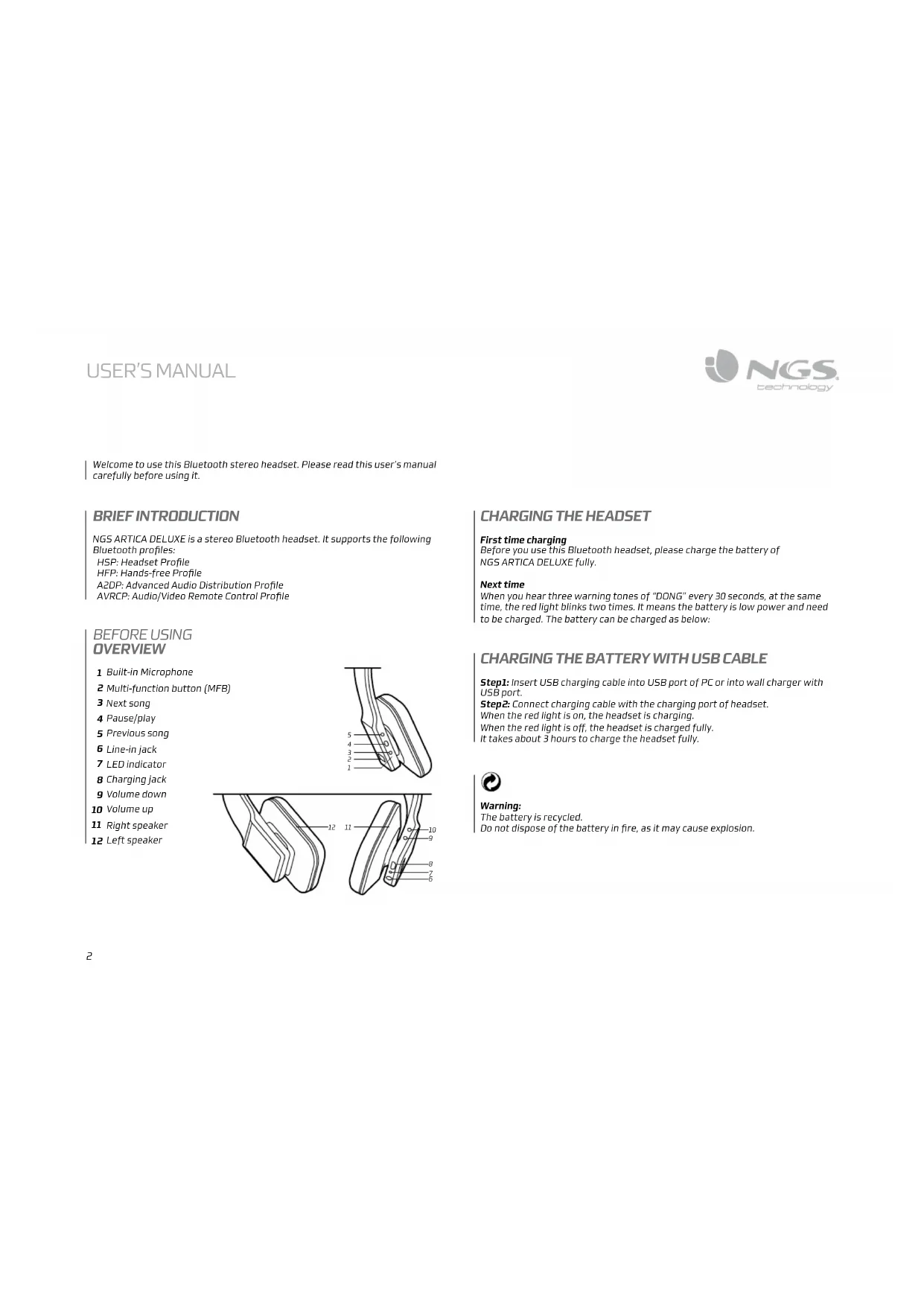
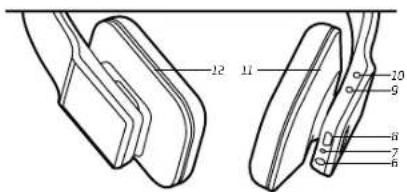
BEFORE USING OVERVIEW
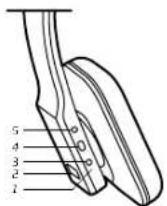
1 Built-in Microphone
2 Multi-function button (MFB)
3 Next song
4 Pause/play
5 Previous song
6 Line-in jack
7 LEDindicator
8 Charging jack
9 Volume down
0 Volume up
11 Right speaker
12 Left speaker
CHARGING THE HEADSET
First time charging
Before you use this Bluetooth headset, please charge the battery of NGS ARTICA DELUXE fully.
Next time
When you hear three warning tones of "DONG" every 30 seconds, at the same time, the red light blinks two times. It means the battery is low power and need to be charged. The battery can be charged as below:
CHARGING THE BATTERY WITH USB CABLE
Step1: Insert USB charging cable into USB port of PC or into wall charger with USB port.
Step2: Connect charging cable with the charging port of headset. When the red light is on, the headset is charging.
When the red light is off, the headset is charged fully.
It takes about 3 hours to charge the headset fully.

Warning:
The battery is recycled.
Do not dispose of the battery in fire, as it may cause explosion.
GETTING STARTED
1 Switching on/off headset
Function Operation LED Indicator
| Switch on Press the MFB button for 3-5 seconds, and release it till the blue LED is on | Blue LED is on for 1 second |
| Switch off Press the MFB button for 3-5 seconds, and release it till the red LED is on | Red LED is on for 1 second |
Note: In order to save power, the headset will automatically switch off if no devices can be connected within 5 minutes after switching on.
2 Pairing the headset with Bluetooth devices
How to enter pairing mode
Function Operation LED indicator
| Enter | Make sure the heading is off. Press and hold | Red and blue LEDs blink alternately. |
| pairing | MFB button for 7-9 seconds, and release it till the red and blue LEDs blink alternately. | |
| mode |
Note: The pairing mode will last 2 minutes. If the headset still can't pair with any Bluetooth devices after 2 minutes, it will switch into standby mode automatically.
Pairing the headset with Bluetooth mobile phone
Please make sure your mobile phone has Bluetooth function that can be used. Specific pairing procedures may vary with different mobile phone. Please refer to your mobile phone manual for further information. Steps as follows:
- Please keep the headset and mobile phone in the range of 1 meter when pairing.
- Make the headset enter into pairing mode (Please refer to "how to enter into pairing mode").
- Start the Bluetooth function of mobile phone and search the Bluetooth devices. After searched, select "NGS ARTICA DELUXE" in the Bluetooth device list.
- According to indication, enter password or PIN No:"0000",and press the key of "Yes" or "confirm.
- After successful pairing, select "NGS ARTICA DELUXE" in the Bluetooth device list, and press "connect".
- After successful connecting, the blue LED of the headset quickly blinks twice or three times every 4 seconds.
Remarks:
If pairing is failed, please turn off the headset first and then re-pair according to steps 1-6 mentioned above.
- After pairing is successful, the headset and the cell phone will remember each other, they will no need to re-pair next time. The headset can remember 8 paired devices, when the number of paired devices exceeds 8, the first one will be replaced.
Every time the headset is turned on, it will connect to last connected device automatically. If you want to pair it with other devices, please turn off the Bluetooth function of last connected devices first and pair the headset with the new device according to steps 1-6 mentioned above.
3 Making calls with the headset
Basic operation
| Cancel calling Calling Short press MFB once | ||
| Answer a call Incoming ringing Short press MFB once | ||
| Reject a call incoming ringing Long press MFB for 2 seconds and release it until listen a tone | ||
| End a call | During a call | Short press MFB once |
| Volume up | During a call | Short press + button |
| Volume down | During a call | Short press - button |
| Transfer conversation to mobile phone | During a call | Long press MFB for 2 seconds |
| Transfer conversation to headset | During a call | Long press MFB for 2 seconds |
| Microphone mute | During a call | Double click MFB |
| Cancel mute | During a call(micro mute) | Double click MFB |
| Voice dial | Standby mode(have already connected device) | Long press▶ button for 2 seconds |
| Redial the last number Standby mode(have already connected device) | Double click MFB | |
| Remove paired list | Turned off | Press MFB and pause button for 8 seconds simultaneously, and release it until the red and blue(or purple) LED on at the same time |
4 Playing music
When the headset connects with the mobile phone or Bluetooth transmitter which supports A2DP, you can enjoy music through headset wirelessly.
Function Status of headset Operation
| Volume up Playing music Short press | + button |
| Volume down Playing music Short press | - button |
| Previous song Playing music Short press | ☐ button once |
| Next song Playing music Short press | ☐ button once |
| Pause Playing music Short press | ▶button once |
| play Pausing Short press | ▶button once |
| Line in input Turned off it can playing music through 3.5mm audio line | |
Notes:
- For some of mobile phones, when they are playing music, the music will transmit to the speaker of mobile phone, you have to choose "transmit the sound through Bluetooth" in the "setting" of music play interface, and then choose "NGS ARTICA DELUXE" in the device list, the music will be transmitted to the headset. Please refer to the instruction of your mobile phone for further information.
- When the volume of headset is adjusted to max. or min, you will hear a indication tone.
- Remote control the function of last song/next song/pause/revert. it needs your mobile phone or Bluetooth transmitter supports AVRCP. Please refer to the instruction of your mobile phone or Bluetooth transmitter for further information.
5 LED indicator
1 Charging
LEDindicatorStatusoftheheadset
Red LED is on Charging
RedLEDisoff
Finish charging
2 Pairing with the Bluetooth devices
LED indicator Status of the headset
| Red and blue LEDs blink alternately | Pairing mode |
| Blue LED quickly blinks once every 2 seconds. | Not connected to a device |
| Blue LED quickly blinks twice every 4 seconds | Set up HFP or A2DP connection |
| Blue LED flashes quickly | Calling/incoming call |
| Blue LED flashes once quickly every 4 seconds | During a call |
| Red LED blinks twice every 20 seconds | Low power |
6 Factory Reset
In the status of turned off, long press MFB and pause button for 8 seconds simultaneously and release it until the red and blue LED on.
CARE AND MAINTENANCE
Please read the following suggestions carefully, that will help you to fulfill any warranty obligations and to enjoy this product for many years.
- Keep dry and don't put it in the dump place, in case of effecting the interior circuit of product.
- Don't put the product under the sunlight or place hot areas. High temperature will short the life of electronic device, destroy the battery, or distort certain plastic.
- Don't expose the product in the cold areas. It may damage the internal circuit board.
- Don't try to take apart the product. It may damage the product if you are not professional.
- Don't fall off on the floor or knock the hard substance. It may damage interior circuit.
- Don't use intensify chemical or detergent to clean the product.
- Don't scrap the surface with sharp things.
- In case the product doesn't function properly, send it to the store you bought it. The staff will help you to solve the problem.
SPECIFICATIONS
Bluetooth version Bluetooth v2.1+EDR
Bluetooth profiles Headset, Hands free, A2DP, AVRCP
Effective range 10 meters
Headset working Music up to 17 hours time
Headset standby time Approx 384 hours
Charging input DC 5.0V/340mA
Headset charging time Approx 2.5 hours
Dimension 176x165x32mm
Weight Approx 172.8g
Battery capacity 415mAh
WARRANTY
Limited warranty. NGS warrants that any hardware products accompanying this documentation shall be free from significant defects in material and workmanship (or a period of two (2) years, three (3) years or five (5) years from the date of purchase. NGS's limited warranty is non-transferable and is limited to the original purchaser. This warranty gives you specific legal rights, and you may also have other rights, which vary under local laws.
Remedies. NGS's entire liability and the user's exclusive remedy for any breach of warranty shall be, at NGS's option, to: (a) repair or replace the hardware, or (b) refund the price paid, provided that the hardware is returned to the point of purchase or such other place as NGS may direct, with a copy of the sales receipt. Any replacement hardware will be warranted for the remainder of the original warranty period. These remedies are void if failure of the hardware has resulted from accident, abuse, misapplication, or any unauthorized repair, modification or disassembly. Besides, as it regards wireless devices, such remedies are void if the batteries used are different from those recommended by NGS. On request of NGS, the user shall provide a dated proof of original purchase or a dated summary invoice.
Disclaimer of warranty. The warranties expressly set forth in this agreement replace all other warranties. NGS and its suppliers expressly disclose all other warranties, including, but not limited to, the implied warranties of merchantability and fitness for a particular purpose and noninfringement of third-party rights with respect to the hardware, software, documentation and any other materials provided by NGS or its suppliers, and any warranties of non-interference or accuracy of informational content. No NGS dealer, agent, or employee is authorized to make any modification, extension, or addition to this warranty. Some jurisdictions do not allow limitations on how long an implied warranty lasts, so the above limitation may not apply to you.
Limitation of liability In no event will NGS or its suppliers be liable for any costs of procurement of substitute products or services, lost profits, loss of information or data, or any other special, indirect, consequential, or incidental damages arising in any way out of the sale of, use of, or inability to use any NGS product or service, even if NGS has been advised of the possibility of such damages. In no case shall NGS and its suppliers' total liability exceed the actual money paid for the NGS producer or service giving rise to the liability Some jurisdictions do not allow the exclusion or limitation of incidental or consequential damages, so the above limitation or exclusion may not apply to you. The above limitations will not apply in case of personal injury where and to the extent that applicable law requires such liability.
Returns Procedure. Any item to be returned or exchanged, other than those that are processed through the seller or dealer for services, please directly contact NGS. You will find NGS disclaimer's address and phone numbers on the provided documentation, and on NGS website www.ngs.eu.
If at any time in the future you should need to dispose of this product please note that:
Waste electrical products should not be disposed of with household waste. Please recycle where facilities exist.
Check with your Local Authority or retailer for recycling advice.
(Waste Electrical and Electronic Equipment Directive)
conversation versus telephone mobile
Portee effective 10 metres
Dimensions 176x165x32mm
HSP: Headset Profile
HFP: Hands-free Profile
A2DP: Advanced Audio Distribution Profile
AVRCP: Audio/Video Remote Control Profile
HSP: Headset Profile
HFP: Hands-free Profile (Profil "walne rece")
A2DP: Advanced Audio Distribution Profile ( Profil zaawansowane)
dystrybucjia audio)
AVRCP: Audio/Video Remote Control Profile ( Profil zdalnego
Profile systemu Bluetooth Headset, Hands free, A2DP, AVRCP


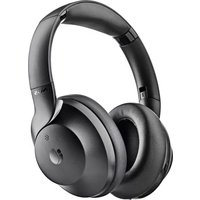
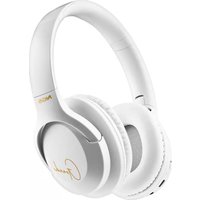
- ARTICA DELUXE
- BRIEF INTRODUCTION
- BEFORE USING OVERVIEW
- CHARGING THE HEADSET
- CHARGING THE BATTERY WITH USB CABLE
- GETTING STARTED
- 1 SWITCHING ON/OFF HEADSET
- 2 PAIRING THE HEADSET WITH BLUETOOTH DEVICES
- HOW TO ENTER PAIRING MODE
- PAIRING THE HEADSET WITH BLUETOOTH MOBILE PHONE
- REMARKS
- 3 MAKING CALLS WITH THE HEADSET
- BASIC OPERATION
- 4 PLAYING MUSIC
- NOTES
- 5 LED INDICATOR
- 6 FACTORY RESET
- CARE AND MAINTENANCE
- SPECIFICATIONS
- WARRANTY
Brand : NGS
Model : Black Artica Deluxe
Category : Earphones