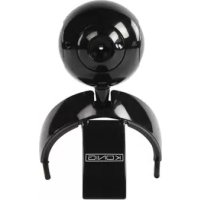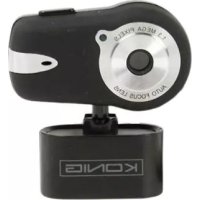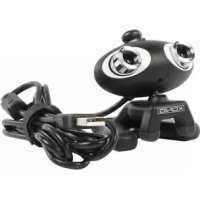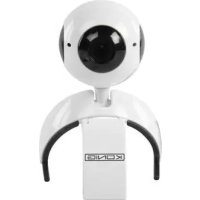
CMPWEBCAM95WH - Webcam KONIG - Free user manual and instructions
Find the device manual for free CMPWEBCAM95WH KONIG in PDF.


| Product type | Webcam |
| Brand | Konig |
| Model | CMPWEBCAM95WH |
| Sensor type | CMOS 1/3 inch |
| Maximum resolution | 1280 x 1024 pixels (SXGA) |
| Interface | USB 2.0 |
| Frame rate | 30 fps (CIF/VGA), 10 fps (SXGA) |
| Focus | 3 cm to infinity |
| Built-in microphone | Yes, sensitivity -40 dB |
| Supported operating systems | Windows XP, Vista, 7 |
| Minimum configuration | 1.4 GHz processor, 128 MB RAM, 50 MB disk, 16-bit display, DirectX 9.0c |
| Power supply | Via USB port |
| Operating temperature | 5 °C to 40 °C |
| Operating humidity | 10 % to 80 % RH |
| Package contents | Webcam, software CD, user guide |
| Lens cleaning | Damp cloth or neutral solvent |
| Safety | Do not open; protect from water and heat |
| Warranty | Void if modified or used incorrectly |
| Repairability | Only by a qualified technician |
| Disposal | Do not dispose of with household waste |
Frequently Asked Questions - CMPWEBCAM95WH KONIG
User questions about CMPWEBCAM95WH KONIG
0 question about this device. Answer the ones you know or ask your own.
Ask a new question about this device
Download the instructions for your Webcam in PDF format for free! Find your manual CMPWEBCAM95WH - KONIG and take your electronic device back in hand. On this page are published all the documents necessary for the use of your device. CMPWEBCAM95WH by KONIG.
USER MANUAL CMPWEBCAM95WH KONIG
Webcam da1.3 Megapixel
HASZNÁLATI UTMUTATÓ (o. 29.)
1.3 Megapixels Webkamera
1.3 Megapixel Webcam
ANLEITUNG (s. 6)
1.3 MegaPixel Webcam
MANUAL DE USO (p. 24)
1.3 Megapixel Webcam
Plug & Play is only available in Windows XP, Vista and 7.
- To avoid damage of the image sensor please do not point expose to direct sunlight.
Please protect the camera from heat to avoid electronic shock.
Please protect the camera from rain or moisture.
The lens may be cleaned with a moistened cloth or neutral cleaning detergent.
- Misuse, abuse or disassembling the camera may cause electric shocks and will void the warranty.
SYSTEM REQUIREMENTS
Intel Pentium 4 1.4GHz, AMD Athlon processor 2.4GHz processor recommended
128 Mb RAM or higher
50 Mb available hard drive space
16-bit colour display adapter
Windows XP/Vista/7
CD-ROM drive
Soundcard
DirectX 9.0C or above
OPERATING ENVIRONMENT
Temperature: 5^ - 40^ (41^ - 104^)
Relative humidity: 10% R.H. - 80% R.H.
Illumination: 200 lux or more
PACKAGE CONTENTS
CMP-WEBCAM95
Software CD
User guide
TECHNICAL SPECIFICATIONS
| Sensor type | 1/3" CMOS sensor |
| Resolution | 1280x1024 pixels |
| Interface | USB 2.0 |
| Frame rate | 30 fps (CIF mode); 30 fps (VGA mode); 10 fps (SXGA mode) |
| Focus | 3 cm to infinity |
| OS system | Windows® XP, Vista, 7 |
| Microphone sensitivity | -40 dB |
CAMERA INSTALLATION
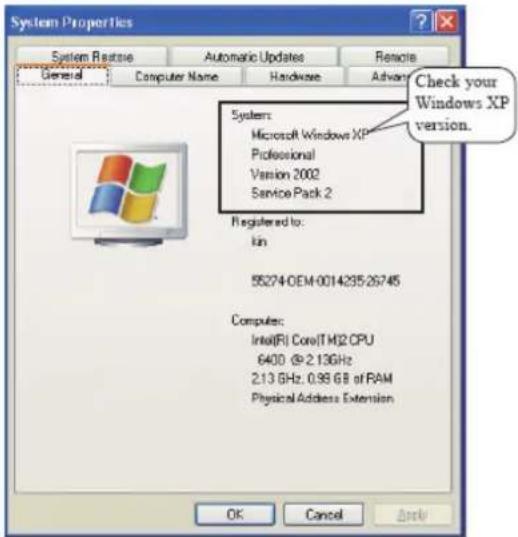
- Please ensure that you have Service Pack 2 or later installed when using Windows XP. If you do not have Service Pack 2, please update your operating system.
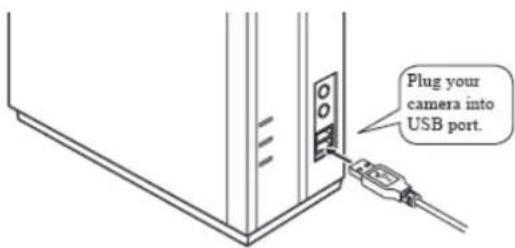
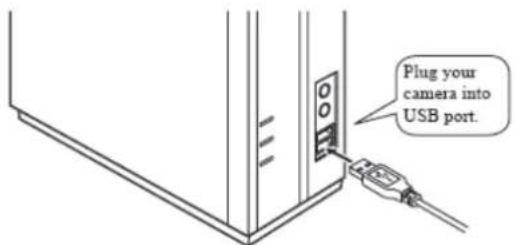
- Please plug your camera into the USB port.
- The camera will install itself automatically. When the installation has finished you will see the following message:

HOW TO USE THE CAMERA
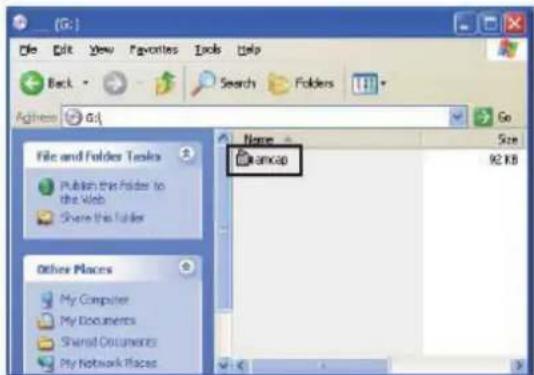
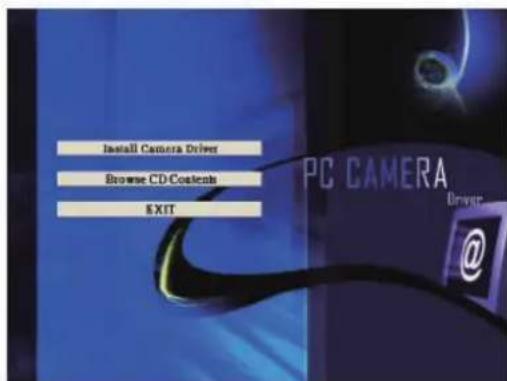
- Insert the software CD into the CD-ROM drive. The software can either be run from the CD or you can copy the software to your hard disk.
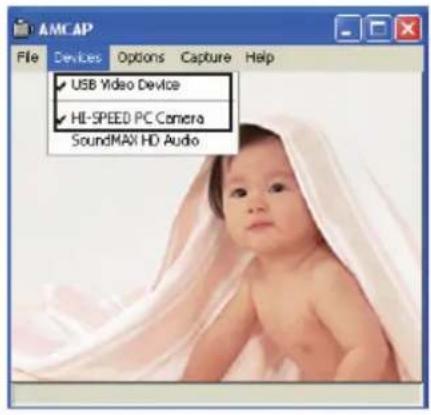
- Please select "USB Video Device" as your video device and "HIGH-SPEED PC Camera" as your audio device.
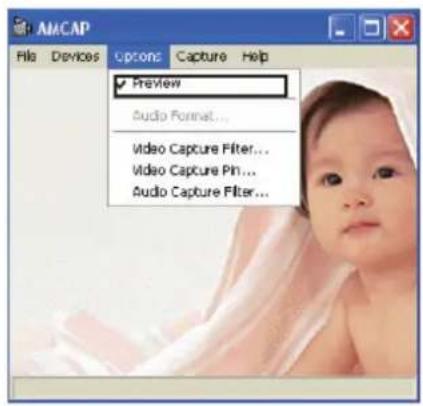
Select Preview from the options menu.
CAMERA FUNCTIONS
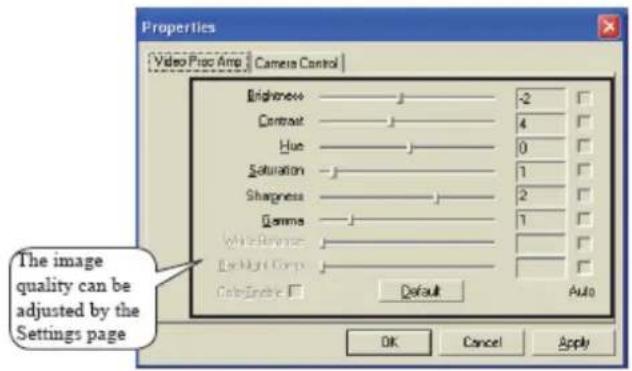
Please run Amcap software and navigate to Options > Video Capture Filter.
CAMERA INSTALLATION
- Plug camera into USB port
- Select "Install Camera Driver" to start the installation.
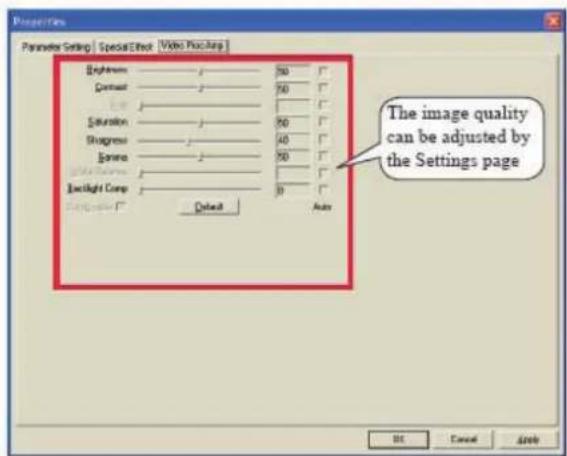
EXTENDED CAMERA FUNCTIONS
Please run Amcap and navigate to Options > Video Capture Filter
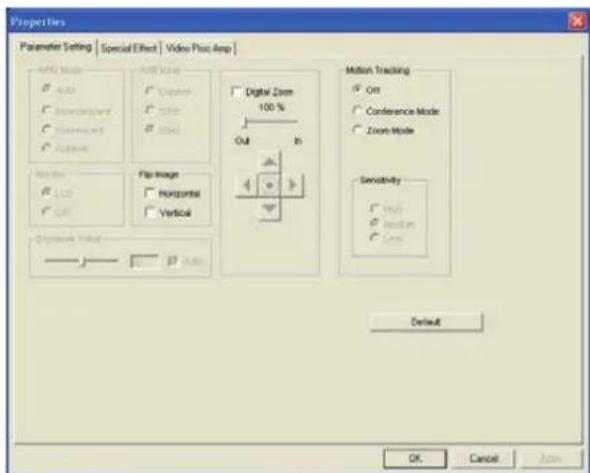
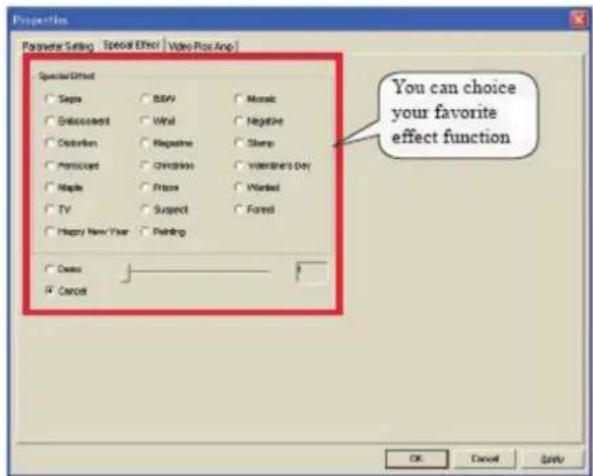
Resolution: 1280x1024 - 800x600 - 640x480 supported Enhance Options 2x
TROUBLE SHOOTING
| PROBLEM SOLUTION | |
| The camera shows no image after being connected to an USB port on the PC. | 1.Make sure the USB connectors are connected properly at both ends.2.Exit the program,re-connect the device and start the program again.3.Make sure that you have installed the driver properly. |
| The image taken and shown on the PC screen is blurred. | 1.The camera might have been dropped or moved accidentally. Try to adjust the focus again.2.Check if there is anything sticking on the camera lens,if so,clean it with a soft cloth. |
| The image shows black stripes.When using the camera indoors,make sure the electric frequency of the lighting system does match the camera's specifications (50Hz-60Hz). | |
| The images turn slow when viewing in VGA mode (640x480 pixels). | This is because the volume of transmission data is getting bigger in VGA mode. To improve the performance,we suggest to upgrade the computer hardware. |
| There are stripes or black shadows on the images. | Please reset the display levels to 24-bits or 32-bits true color. |
| No image turns up while running the programs. | Please click the “Preview” button in “Options”. |
Safety precautions:

CAUTION
BISK OF ELECTRIC SHOCK
DO NOT OPEN

To reduce risk of electric shock, this product should ONLY be opened by an authorized technician when service is required. Disconnect the product from mains and other equipment if a problem should occur. Do not expose the product
to water or moisture.
Maintenance:
Clean only with a dry cloth. Do not use cleaning solvents or abrasives.
Warranty:
No guarantee or liability can be accepted for any changes and modifications of the product or damage caused due to incorrect use of this product.
General:
Designs and specifications are subject to change without notice.
All logos brands and product names are trademarks or registered trademarks of their respective holders and are hereby recognized as such.
Keep this manual and packaging for future reference.
Attention:

This product is marked with this symbol. It means that used electrical and electronic products should not be mixed with general household waste. There is a separate collections system for these products.
DEUTSCH
Luminosite:200luxouplus
CONTENU DE L'EMBALLAGE
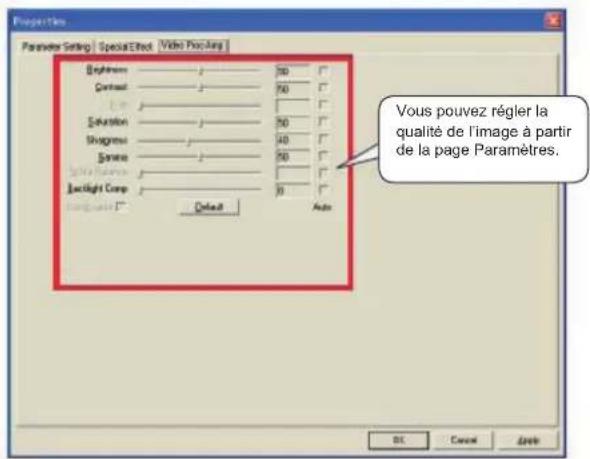
Options accentuation 2x
DEPANNAGE
Display a color i a 16-bit
WindowsXP/Vista/7
Lettore CD-ROM
Scheda audio
DirectX 9.0C o superiore
LAAJENNETUT KAMERATOIMINNOT
Description: Webcam 1,3 Megapixels
EMC Directive 2004/108/EC
's-Hertogenbosch, 20-3-10
Mrs. / Mme. / Mevr. / Sig.ra / D. / Fru / Pani / Kα: J. Gilad
Purchase Director / Einkaufsleiterin / Directrice des Achats / Direeur inkoop / Direttore agli acquisti / Director de compras / értékesitési igazgato / Ostojohtaja / Inköpsansvarig / Obchodni reditelka / Director achiziti / āειθυντής αγορών / Indkobschef / Innkjøpssjef
Copyright ©