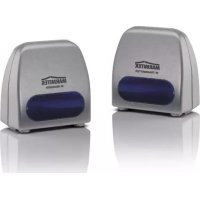
PowermidXS - Remote control MARMITEK - Free user manual and instructions
Find the device manual for free PowermidXS MARMITEK in PDF.


User questions about PowermidXS MARMITEK
0 question about this device. Answer the ones you know or ask your own.
Ask a new question about this device
Download the instructions for your Remote control in PDF format for free! Find your manual PowermidXS - MARMITEK and take your electronic device back in hand. On this page are published all the documents necessary for the use of your device. PowermidXS by MARMITEK.
USER MANUAL PowermidXS MARMITEK
- Do not expose the components of your systems to extremely high temperatures or bright light sources.
- In case of improper usage or if you have altered and repaired the product yourself, all guarantees expire. Marmitek does not accept responsibility in the case of improper usage of the product or when the product is used for purposes other than specified. Marmitek does not accept responsibility for additional damage other than covered by the legal product responsibility.
- This product is not a toy. Keep out of reach of children.
- Do not open the product (battery panel excepted): the device may contain live parts. The product should only be repaired or serviced by a qualified repairman.
- Keep batteries out of the reach of children. Dispose of batteries as chemical waste. Never use old and new batteries or different types of batteries together. Remove the batteries when you are not using the system for a longer period of time. Check the polarity (+/-) of the batteries when inserting them in the product. Wrong positioning can cause an explosion.
- Only connect the adapter to the mains after checking whether the mains voltage is the same as the values on the identification tags. Never connect an adapter or power cord when it is damaged. In that case, contact your supplier.
1. INTRODUCTION
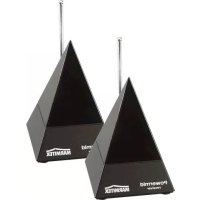
Congratulations on your purchase of the Marmitek Powermid XS. Using this device, you can continue to operate your A/V equipment with your own remote control, even when it is placed in a closed cupboard, at the other side of the room or even at the other side of the wall! The Powermid XSTM is suitable for use in any interior, due to its compact design.
2. SET CONTENTS
1x IR receiver
1x IR transmitter
1x Power adapter
2x 1.5V AAA alkaline batteries
1x User manual
3. INSTALLATION OF THE IR TRANSMITTER
See figure 1.
-
Insert the supplied power adapter into the power socket (230V-50Hz) and insert the power plug into the DC input [E] at the backside of the IR transmitter. Use strictly the supplied adapter!
-
Place the IR transmitter at a maximum distance of 6 meters from the AV equipment (DVD player, decoder, video, stereo, etc.) that you want to operate. Point the front side (with the Marmitek logo) of the IR transmitter at the AV equipment.
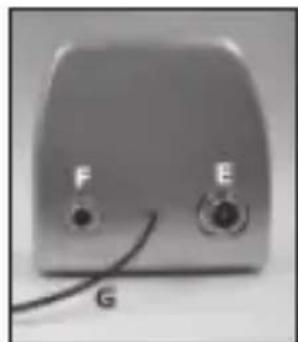
Figure 1
Beware: It is important for the proper function of the system that the antenna wire [G] stays free and does not get covered by the metal casing of e.g. A/V equipment.
4. INSTALLATION OF THE IR RECEIVER
See figure 3 and 4.
- Open the IR receiver by sliding down the cover at the backside.
- Place the 2 additionally supplied AAA 1.5V batteries into the IR receiver. Be careful about the polarity (+/-) . This is indicated at the inside of the IR receiver. Use strictly non-rechargeable (Alkaline) batteries. Slide the cover back onto the IR receiver.
- Place the IR receiver within the range of your remote control (maximum 6 meters). Make sure that the front side (with the Marmitek logo) is facing you.
The IR receiver can be moved freely due to the wireless technology. However, it is important to place it within the sight and range of your remote control. Experiment with its position for the best result.
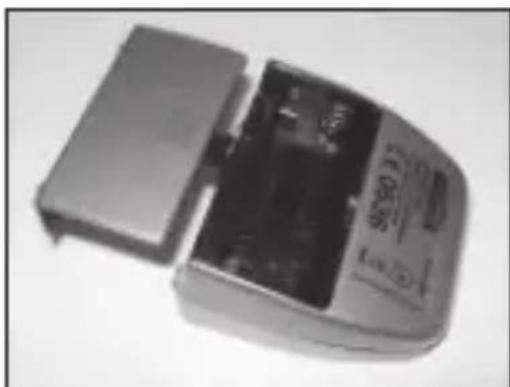
Figure 3
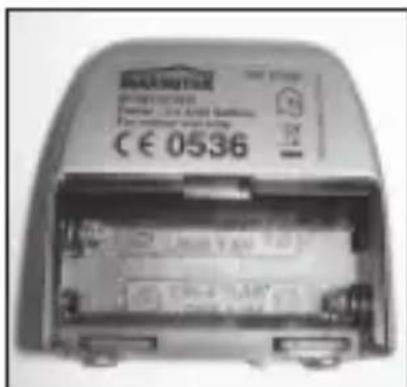
Figure 4
5. USAGE
- Make sure that the A/V equipment is switched on.
- Point your remote control at the Powermid XS IR receiver. The IR receiver receives the infrared signal, transforms it into an RF signal and transmits it to the Powermid XS IR Transmitter. The IR Transmitter then transforms this signal again into an infrared signal, which is transmitted to your DVD-player, decoder, video, stereo-equipment, etc. When you want to operate your equipment from several rooms, you can make use of several additional IR receivers (Art. no. 09773).
6. INSTALLATION OF THE OPTIONAL IR EXTENDER CABLE (IR EYE)
When you can't place the IR transmitter within the sight of your A/V equipment (because it is in a closed cupboard, for example), then you can place the IR transmitter next to or on your A/V equipment with the use of an additional IR Eye (Art. no. 09682).
- Connect the IR extender cable to the output [F] at the backside of the IR transmitter (see figure 1).
- Remove the protection foil from one of the IR LEDs. Place this IR LED on the IR window of the A/V equipment that you want to operate. Don't press it down too much yet. It is recommended that you check the function of the IR LED before its definite attachment. Point your original remote control at the sensor on the front side of the IR receiver, and choose a few channels, for example. When the A/V equipment does not respond, it may be so that the IR LED has not been attached at the right position. In case of some devices, the positioning is critical. You can use the second IR LED to operate a second A/V device. Never remove the IR LED, even if you don't use it!
7. FREQUENTLY ASKED QUESTIONS
I can't operate the A/V equipment via the Powermid XS.
Consider the following instructions:
- Use strictly new (full) non-rechargeable alkaline AAA type batteries for your IR receiver.
-
Check if the light of the IR receiver lights up when you use the remote control.
-
Is your IR transmitter within the range of your AV equipment?
- Shifting the IR receiver or the IR transmitter often solves the problem. Even 30~cm to the left or to the right can make much difference.
- Change the position of the antenna wire [G], experiment with it for the best result.
- The IR Receiver does not work together with some AV apparatus and models which use a higher IR frequency like for instance Bang&Olufsen (B&O).
I'm having problems operating the A/V equipment in combination with the optional IR Eye:
Consider the following instructions:
- Do the IR LEDs light up when you press a button of the remote control?
- Is the IR Eye correctly connected to the IR transmitter?
- Is the IR LED correctly attached to the IR window of your AV equipment?
Is it possible to use several IR receivers with each other?
Yes, they will all send signals to the IR transmitter.
Is it possible to use several IR transmitters with each other?
Yes, however, the IR transmitters will all transmit the same IR signal, which is received by the IR receiver.
Do you still have questions? Please check out www.marmitek.com for more information.
8. TECHNICAL DATA
IR TRANSMITTER
Range: Up to 100m free field, up to 30m through wall or ceiling
Power: 230VAC/50Hz, 9VDC 100mA.
Frequency: 433.92 MHz.
Dimensions: 52x29x54 mm.
IR RECEIVER
Power: 2 x AAA 1.5V non-rechargeable alkaline batteries (supplied).
Frequency: 433.92 MHz.
Dimensions: 52x29x54mm
Specifications may change without prior notice.
9. OPTICTIONALLY AVAILABLE
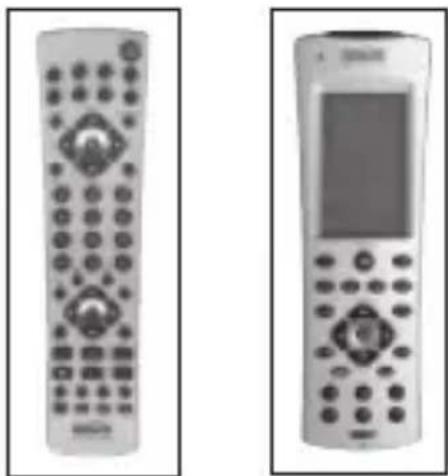
Marmitek EasyControl8 or Marmitek EasyTouch35 (with built-in RF transmitter).
With both these remote controls, you can operate 8 AV devices: TV, video, DVD, cable, satellite, audio, Marmitek X-10 and digital satellite. They will always be functional due to the pre-programmed codes and the memory function. The remote control will operate with the Powermid XS, even through walls and ceilings due to the built-in RF transmitter. That's how it is possible to operate your devices from a different place than where the Powermid XS IR receiver is situated. The EasyTouch35 is provided with a handy Touch screen with light blue display illumination.
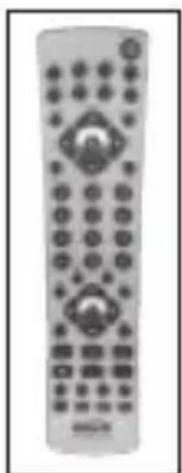
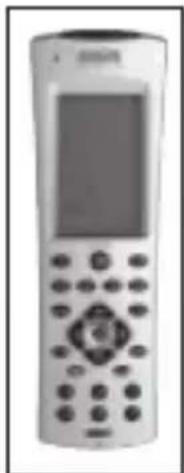
EasyControl 8 EasyTouch 35
For more information, checkout www.marmitek.com
The IR Eye extends the IR signal of your remote control in combination with the Powermid XS. Using the infrared extender, you can operate your AV equipment even when it is in a closed cupboard, out of sight or in another room. For more information, checkout www.marmitek.com
Extra IR receiver Art. nr. 09773
With the help of an extra IR Receiver you can also control your AV equipment from another place.
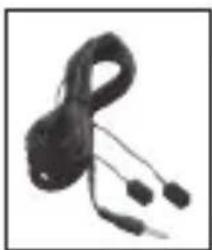
IR EYE
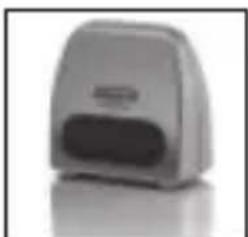
IR Receiver
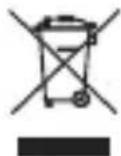
Environmental Information for Customers in the European Union
European Directive 2002/96/EC requires that the equipment bearing this symbol on the product and/or its packaging must not be disposed of with unsorted municipal waste. The symbol indicates that this product should be disposed of separately from
regular household waste streams. It is your responsibility to dispose of this and other electric and electronic equipment via designated collection facilities appointed by the government or local authorities. Correct disposal and recycling will help prevent potential negative consequences to the environment and human health. For more detailed information about the disposal of your old equipment, please contact your local authorities, waste disposal service, or the shop where you purchased the product.
SICHERHEITSHINWEISE
EasyControl 8 EasyTouch 35

EasyControl 8 EasyTouch 35

EasyControl 8 EasyTouch 35
EasyControl 8 EasyTouch 35
VEILIGHEIDSWAARSCHUWINGEN
Voeding: 230VAC/50Hz, 9VDC 100mA.
Frequentie: 433.92 MHz.
Afmeting: 52x29x54 mm.
IR ONTVANGER (IR RECIEVER)
Voeding: 2 x AAA 1.5V nicht oplaadbare Alkaline batterijen (meegeverd).
Frequentie: 433.92Mhz.
Afmeting: 52x29x54mm
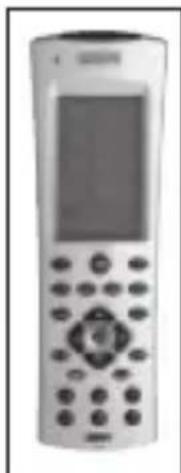
EasyControl 8 EasyTouch 35
DECLARATION OF CONFORMITY
Hereby, Marmitek BV, declares that this POWERMID XS is in compliance with the essential requirements and other relevant provisions of the following Directives:
Directive 1999/5/EC of the European Parliament and of the Council of 9 March 1999 on radio equipment and telecommunications terminal equipment and the mutual recognition of their conformity
Council Directive 89/336/EEC of 3 May 1989 on the approximation of the laws of the Member States relating to electromagnetic compatibility
Council Directive 73/23/EEC of 19 February 1973 on the harmonization of the laws of Member States relating to electrical equipment designed for use within certain voltage limits
Marmitek is a trademark of Marmidenko B.V. Powermid XSTM is a trademark of Marmitek B.V. All rights reserved.
Copyright and all other proprietary rights in the content (including but not limited to model numbers, software, audio, video, text and photographs) rests with Marmitek B.V. Any use of the Content, but without limitation, distribution, reproduction, modification, display or transmission without the prior written consent of Marmitek is strictly prohibited. All copyright and other proprietary notices shall be retained on all reproductions.