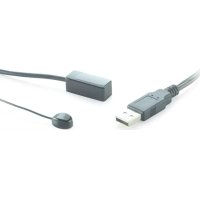
IR 100 USB - Remote control MARMITEK - Free user manual and instructions
Find the device manual for free IR 100 USB MARMITEK in PDF.



| Product Type | Infrared Remote Control Extender |
| Brand | Marmitek |
| Model | IR 100 USB |
| Dimensions | 15 × 30 × 11 mm |
| Power Supply | USB 5 VDC, 500 mA |
| IR Frequency | 30 - 60 kHz |
| IR Range | ± 8 meters |
| IR Reception Angle | 60° (±30° from the center) |
| Number of IR LEDs | 1 IR blaster LED |
| Cable Length | 2 cables of 1 meter each |
| Main Functions | Extension of infrared signals to control A/V devices in a closed cabinet or out of sight |
| Package Contents | 1 IR 100 USB, 1 user manual |
| Maintenance and Cleaning | Wipe with a soft, dry cloth. Do not use chemical or abrasive products. |
| Safety | Use only indoors in a dry place. Do not expose to rain or moisture. Do not open the product. Keep out of reach of children. |
| General Information | Complies with European directives 2004/108/EC, 2006/95/EC, 2002/95/EC and 278/2009. Do not dispose of with household waste. |
Frequently Asked Questions - IR 100 USB MARMITEK
User questions about IR 100 USB MARMITEK
0 question about this device. Answer the ones you know or ask your own.
Ask a new question about this device
Download the instructions for your Remote control in PDF format for free! Find your manual IR 100 USB - MARMITEK and take your electronic device back in hand. On this page are published all the documents necessary for the use of your device. IR 100 USB by MARMITEK.
USER MANUAL IR 100 USB MARMITEK
- To prevent short circuits, this product should only be used inside and only in dry spaces. Do not expose the components to rain or moisture. Do not use the product close to a bath, swimming pool etc.
- Do not expose the components of your systems to extremely high temperatures or bright light sources.
- In case of improper usage or if you have altered and repaired the product yourself, all guarantees expire. Marmitek does not accept responsibility in the case of improper usage of the product or when the product is used for purposes other than specified. Marmitek does not accept responsibility for additional damage other than covered by the legal product responsibility.
- This product is not a toy. Keep out of reach of children.
- Do not open the product: the device may contain live parts. The product should only be repaired or serviced by a qualified expert.
- Only connect the adapter to the mains after checking whether the mains voltage is the same as the values on the identification tags. Never connect an adapter or power cord when it is damaged. In that case, contact your supplier.
1. INTRODUCTION
Congratulations on buying the IR 100 USB™. With the IR 100 USB™ you can extend the IR (infra-red) signals from your own remote control. The IR 100 USB™ gives you the opportunity to control your A/V equipment when it's stored away in a closed cabinet or placed out of sight.
Marmitek products are manufactured with the utmost care and are exceptionally high quality. Please read this manual carefully and follow the instructions in order to get the best from this product.
2. SET CONTENT
1x IR 100 USBTM
1x User manual
3. HOW DOES IT WORK?
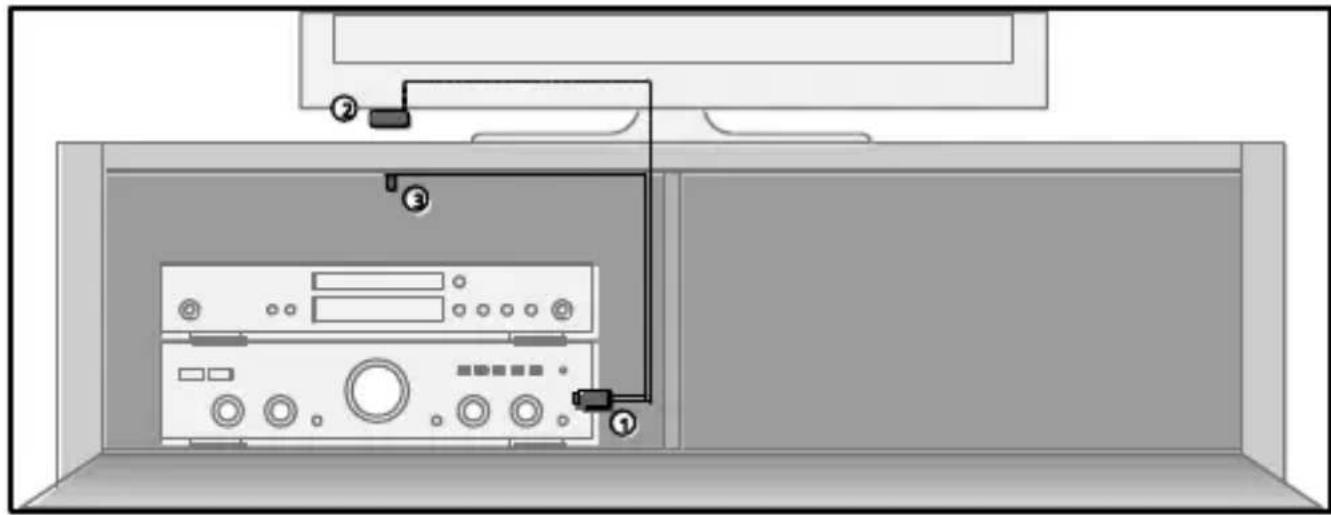
Place your A/V equipment in a closed cabinet or TV stand. Use one of the USB ports (1) on your A/V equipment (Digital TV decoder, Blu-ray player, audio installation) or TV to power the IR 100 USB. The IR receiver (2) must be installed within your remote's line of sight and you should stick the IR blaster LED (3) inside the cabinet. Point the remote at the IR receiver to operate your equipment through the cabinet doors.
4. INSTALLATION
In order to check that the system works correctly, it is advisable to first test the set-up you had in mind. To do so, connect everything as described below but do not stick the components securely.
4.1 USB POWER
No power adapter is included with the IR 100 USB™. You can power the product by connecting it to a free USB port on your AV device or TV.
Please note the following:
- Not all USB ports are active or provide enough power for proper functioning.
- Some USB ports are disabled when turning off the set. In that case, you can only use the IR 100 USB when the unit is on.
- Use a universal USB extension cable if you want to extend the cable.
- If necessary, use a universal USB power adapter (5VDC, 500mA) if you cannot use any USB port on your device.
4.2 LOCATING THE IR RECEIVER
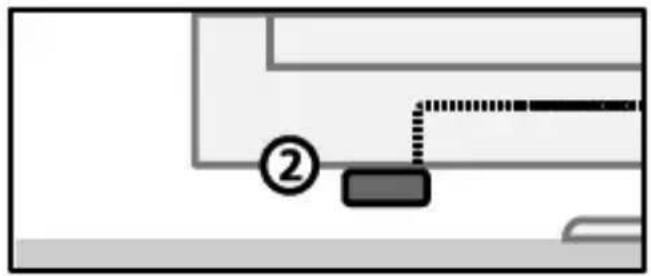
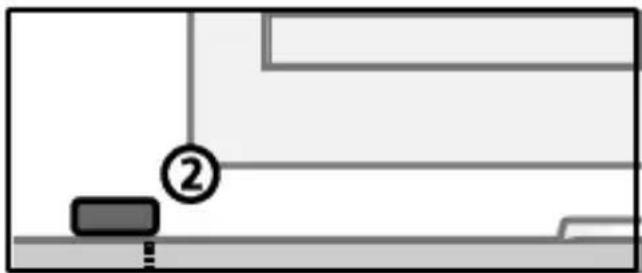
Place the very small IR receiver (2) that comes with the IR 100 USB™ so that it can be seen by your (infrared) remote control and receive the commands (max. 8 metres).
- The most logical location for the IR receiver is, for example, on the cabinet in which the AV equipment is located or near the TV.
- Use the self-adhesive strip which is supplied to locate the IR receiver just about anywhere you please.
- Experiment with the location before you stick the IR receiver in its final position.
Note! The sticky strip may lead to discolouration or leave glue residues on certain surfaces.
4.3 LOCATING THE IR BLASTER LED
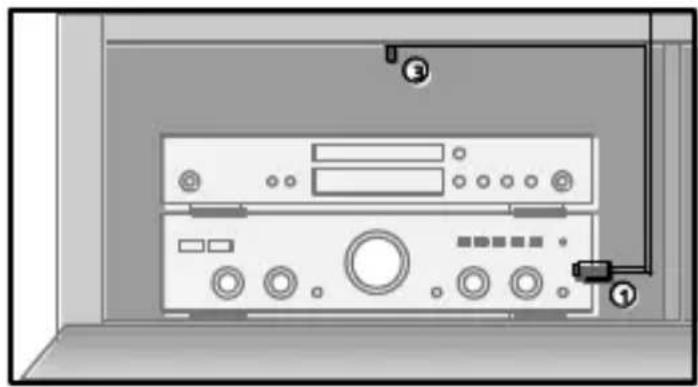
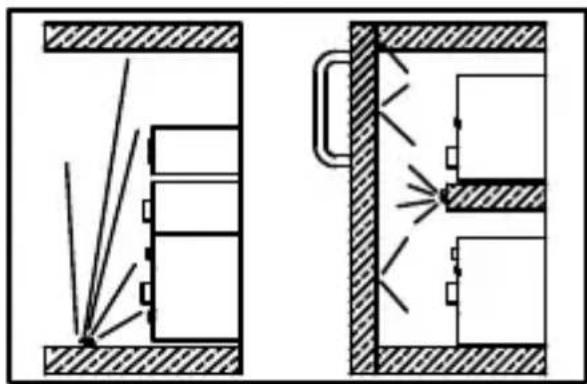
Stick the IR blaster LEDs (3) wherever you like in the cabinet or TV unit. You will then be able to operate all of the A/V devices in that specific section.
- With a correct placement one blaster LED can control all A/V devices placed in the same compartment.
- Or you place the blaster LED on one of the A/V devices in the middle of the cabinet and the other equipment will be controlled as well by the reflection of the infrared signal.
5. FREQUENTLY ASKED QUESTIONS
The A/V equipment does not respond to signals from my remote control.
Take the following instructions into account:
- The IR receiver has a receiving sensitivity of about 8 metres with an acceptance angle of 60 degrees. Range is also dependent on the remote control used.
- If the light on the IR Receiver is continuously illuminated, the IR receiver is probably being disrupted by another infrared signal. Try to locate the IR receiver so that it encounters as little disruption as possible from, for example, direct sunlight, Flat Screen TVs, (LCD, Plasma, LED), fluorescent lighting or energy-efficient light bulbs.
- The IR receiver does not work with some A/V devices and models that use higher IR frequencies such as Bang&Olufsen (B&O).
- Ensure that the IR receiver and the IR blaster extender cable are correctly connected and that these are plugged in properly.
Do you have other questions that have not been resolved by the above information? Please go to www.marmitek.com
6. TECHNICAL DATA
IR 100 USBTM
Power: USB 5VDC 500mA
Frequency range: 30-60 KHz.
IR reception range: ± 8 metres.
IR reception angle: 60° (+30° / - 30° from centre).
Dimensions: 15 × 30 × 11 mm
IR Extension cable
IR LEDs: 1 x IR blaster LED
IR transmission range: 2 metres
Length of cable: 2 × 1 metres
Specifications may change without prior notice.

Environmental Information for Customers in the European Union
European Directive 2002/96/EC requires that the equipment bearing this symbol on the product and/or its packaging must not be disposed of with unsorted municipal waste. The symbol indicates that this product should be disposed of separately from regular household waste streams. It is your responsibility to dispose of this and other electric and electronic equipment via designated collection facilities appointed by the government or local
authorities. Correct disposal and recycling will help prevent potential negative consequences to the environment and human health. For more detailed information about the disposal of your old equipment, please contact your local authorities, waste disposal service, or the shop where you purchased the product.
SICHERHEITSHINWEISE
Portée de transmission IR: 2 metres
LEDs IR: 1 x Blaster LED IR
VEILIGHEIDSWAARSCHUWINGEN
IR blaster LED's 1 x IR Blaster LED
DECLARATION OF CONFORMITY
Hereby, Marmitek BV, declares that this IR 100 USB™ is in compliance with the essential requirements and other relevant provisions of the following Directives:
Directive 2004/108/ec of the european parliament and of the council of 15 December 2004 on the approximation of the laws of the Member States relating to electromagnetic compatibility
Directive 2006/95/EC of the European Parliament and of the Council of 12 December 2006 on the harmonisation of the laws of Member States relating to electrical equipment designed for use within certain voltage limits
Directive 2002/95/EC of the European Parliament and of the Council of 27 January 2003 on the restriction of the use of certain hazardous substances in electrical and electronic equipment
Commission Regulation (EC) No 278/2009 of 6 April 2009 implementing Directive 2005/32/EC of the European Parliament and of the Council with regard to ecodesign requirements for no-load condition electric power consumption and average active efficiency of external power supplies



- INTRODUCTION
- SET CONTENT
- HOW DOES IT WORK
- INSTALLATION
- 4.1 USB POWER
- 4.2 LOCATING THE IR RECEIVER
- 4.3 LOCATING THE IR BLASTER LED
- FREQUENTLY ASKED QUESTIONS
- TECHNICAL DATA
- ENVIRONMENTAL INFORMATION FOR CUSTOMERS IN THE EUROPEAN UNION
- SICHERHEITSHINWEISE
- VEILIGHEIDSWAARSCHUWINGEN
- DECLARATION OF CONFORMITY
Brand : MARMITEK
Model : IR 100 USB
Category : Remote control