
Invisible Control 6 XTRA Smart - Remote control MARMITEK - Free user manual and instructions
Find the device manual for free Invisible Control 6 XTRA Smart MARMITEK in PDF.


| Product type | Universal remote control |
| Brand | Marmitek |
| Model | Invisible Control 6 XTRA Smart |
| Dimensions (L x W x H) | 180 x 60 x 25 mm |
| Weight | 150 g |
| Power supply | 2 AAA batteries (not included) |
| Range | Up to 30 meters |
| Operating frequency | Infrared (IR) and/or Radio frequency (RF) |
| Main functions | Volume control, channel change, source selection, on/off |
| Compatibility | TVs, DVD players, sound bars, set-top boxes |
| Maintenance and cleaning | Clean with a soft dry cloth, avoid solvents |
| Safety | Do not expose to moisture, keep out of reach of children |
| Spare parts | Replacement batteries (not supplied) |
| Repairability | Contact customer service in case of malfunction |
| Languages of the manual | French, English, German, Spanish, Italian, Dutch |
| Number of pages | 76 |
| User rating | 6.0/10 |
Frequently Asked Questions - Invisible Control 6 XTRA Smart MARMITEK
User questions about Invisible Control 6 XTRA Smart MARMITEK
0 question about this device. Answer the ones you know or ask your own.
Ask a new question about this device
Download the instructions for your Remote control in PDF format for free! Find your manual Invisible Control 6 XTRA Smart - MARMITEK and take your electronic device back in hand. On this page are published all the documents necessary for the use of your device. Invisible Control 6 XTRA Smart by MARMITEK.
USER MANUAL Invisible Control 6 XTRA Smart MARMITEK
USER MANUAL 3
SAFETY WARNINGS
- To prevent short circuits, this product should only be used inside and only in dry spaces. Do not expose the components to rain or moisture. Do not use the product close to a bath, swimming pool etc.
- Do not expose the components of your systems to extremely high temperatures or bright light sources.
- In case of improper usage or if you have altered and repaired the product yourself, all guarantees expire. Marmitek does not accept responsibility in the case of improper usage of the product or when the product is used for purposes other than specified. Marmitek does not accept responsibility for additional damage other than covered by the legal product responsibility.
- Do not open the product: the device may contain live parts. The product should only be repaired or serviced by a qualified repairman.
- Only connect the adapter to the mains after checking whether the mains voltage is the same as the values on the identification tags. Never connect an adapter when it is damaged. In that case, contact your supplier.
- This product is not a toy. Keep out of reach of children.
1. INTRODUCTION
Congratulations on your purchase of the Invisible Control 6 XTRA | SMART™! The Invisible Control 6 XTRA | SMART™ allows you to extend the IR (infrared) signals from your remote control and to operate your A/V equipment using your smartphone/tablet via the corresponding iOS or Android app. The Invisible Control 6 XTRA | SMART™ gives you the opportunity to control your A/V equipment when it's stored away in a closed cabinet or placed out of sight. Marmitek products are manufactured with the utmost care and are exceptionally high quality. Please read this manual carefully and follow the instructions in order to get the best from this product.
2. SET CONTENTS
1x IR Receiver + adhesive strip
1x IR Smart module + adhesive strip
1x IR Extender cable with one IR blaster LED + adhesive strip
2x IR Extender cable with two IR blaster LEDs + adhesive strip
1x Power Adapter
1x User manual
3. HOW DOES IT WORK?
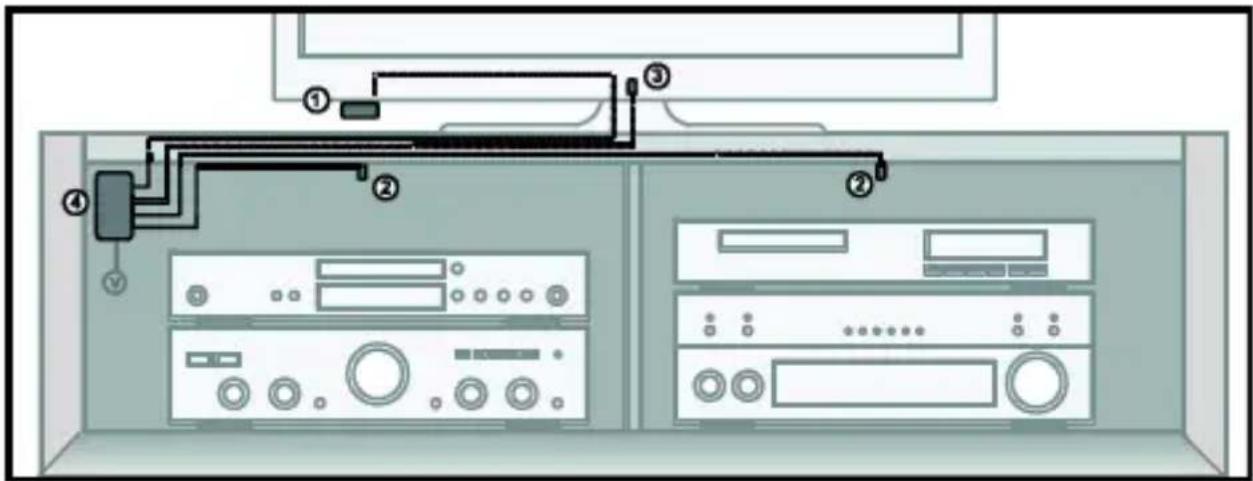
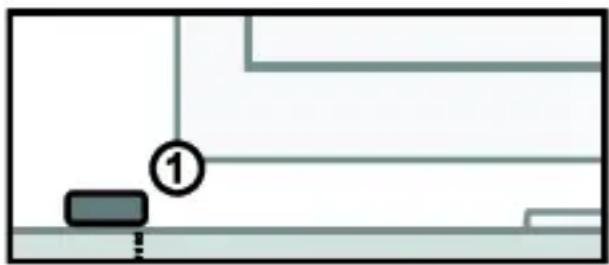
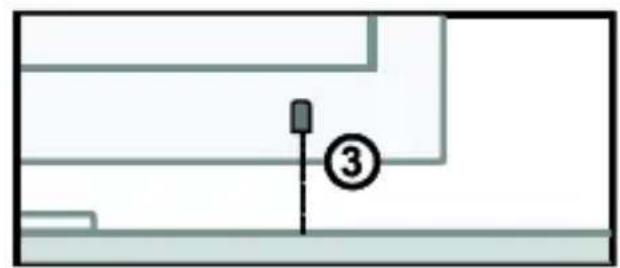
Place your A/V equipment inside a closed (TV) cabinet. The IR receiver (1) should be installed within your remote control's line of sight. Stick the Blaster LEDs (2) marked 'IR OUT' wherever you like inside the (TV) cabinet, enabling you to operate all A/V equipment in the same compartment. Stick the Blaster LED (3) marked 'IR TV' on the outside of the (TV) cabinet on or within sight of your TV's IR sensor. Then store the IR Smart Module (4) neatly away.
Point the remote at the small IR receiver to send the desired command to the 'IR OUT' Blaster LEDs (2); these will instantly transfer the infrared command to the A/V equipment inside the (TV) cabinet. The 'IR TV' Blaster LED (3) is only operated using your smartphone/tablet.
4. INSTALLATION
In order to check that the system works correctly, it is advisable to first test the set-up you had in mind. To do so, connect everything as described below but do not stick the components securely.
4.1 LOCATING THE IR RECEIVER

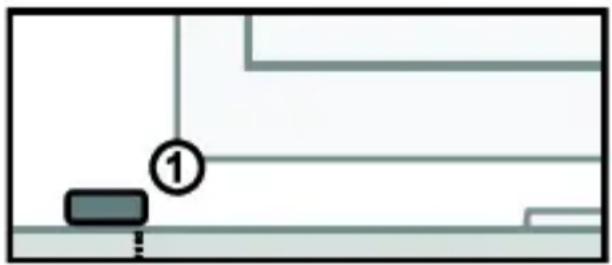
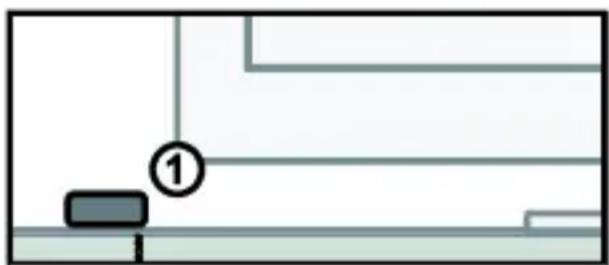
Place the very small IR receiver (1) that comes with the Invisible Control 6 XTRA | SMART TM so that it can be seen by your (infrared) remote control and receive the commands (max. 10 metres).
- The most logical location for the IR receiver is, for example, on the (TV) cabinet in which the A/V equipment is located or near the TV.
- You can run the cable underneath or behind, using the notch at the back of the IR receiver housing; this allows the cable to be hidden easily.
- Use the self-adhesive strip which is supplied to locate the IR receiver just about anywhere you please.
- Experiment with the location before you stick the IR receiver in its final position.
- Note! The sticky strip may lead to discolouration or leave glue residues on certain surfaces.
4.2 LOCATING THE IR BLASTER LED

4.2.1 Inside the (TV) cabinet
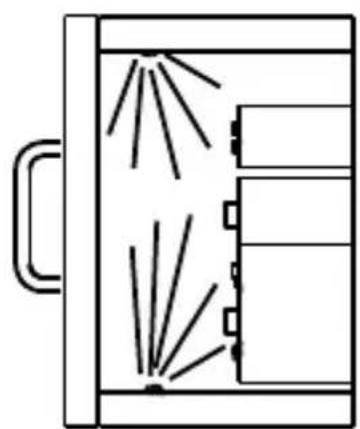
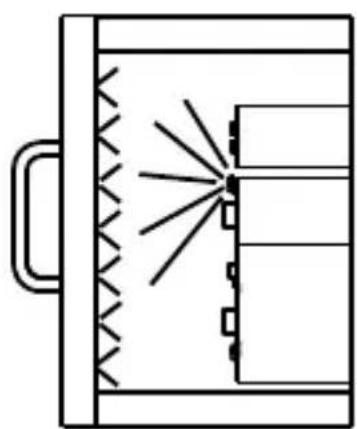
Stick the Blaster LEDs (2) that are connected to the 'IR OUT' output wherever you like inside the (TV) cabinet, enabling you to operate all A/V equipment inside the same compartment.
- With a correct placement one blaster LED can control all A/V devices placed in the same compartment.
- In some situations it is necessary to place a second blaster LED if not all A/V devices can be controlled with one blaster LED.
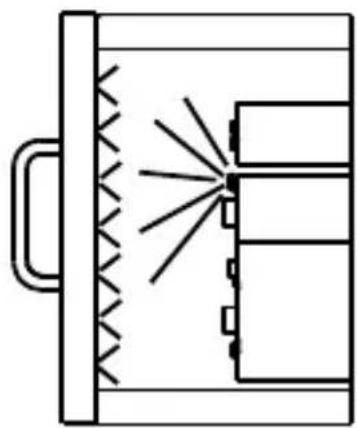
- Or you place the blaster LED on one of the A/V devices in the middle of the (TV) cabinet and the other equipment will be controlled as well by the reflection of the infrared signal.

4.2.2 Outside the (TV) cabinet
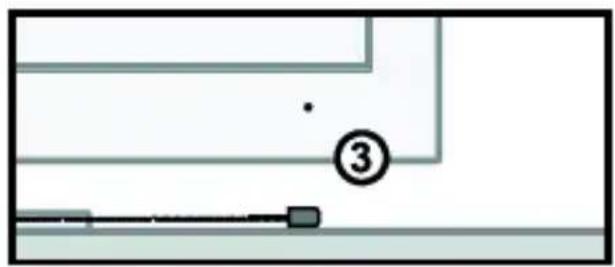
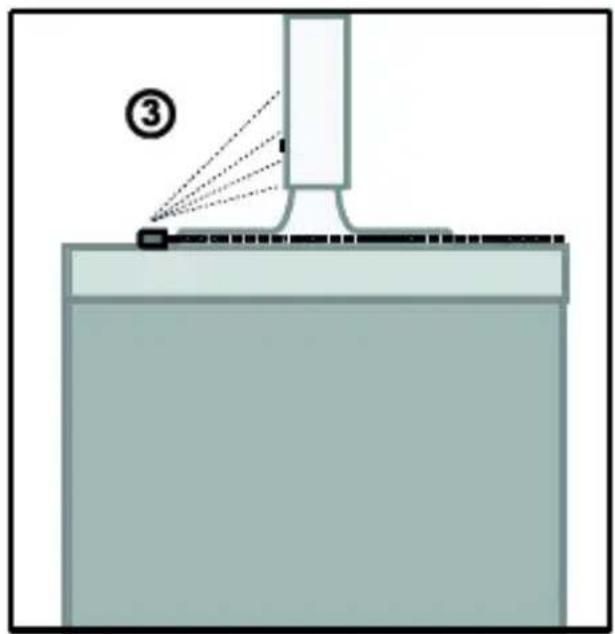
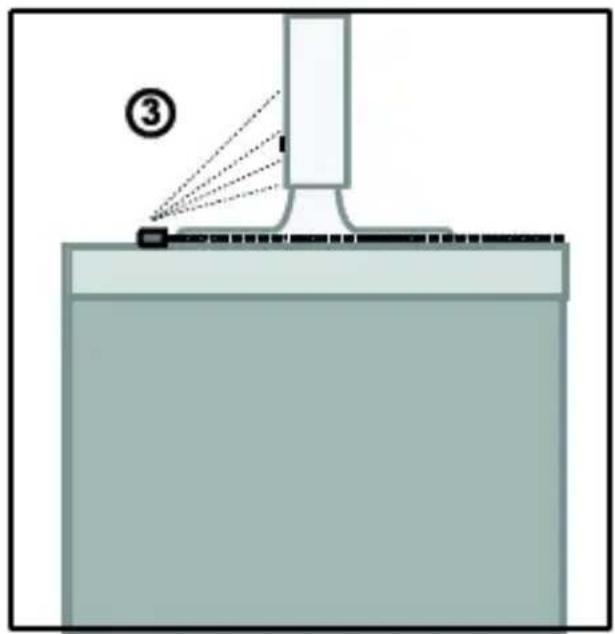
Stick the Blaster LED (3) that is connected to the 'IR TV' 'output, outside the (TV) cabinet on or within sight of your TV's IR sensor.

4.3 Positioning the IR Smart module
Place the IR Smart Module (4) in an accessible place on or next to your A/V equipment, and near an electrical outlet.
- Take into account the cable length of the IR Blaster LED and the IR receiver cable.
- Note that the connectors remain accessible and that the LEDs remain visible to check for proper operation.
- The supplied adhesive strip allows placement practically anywhere.

4.4 Connecting the IR Smart module
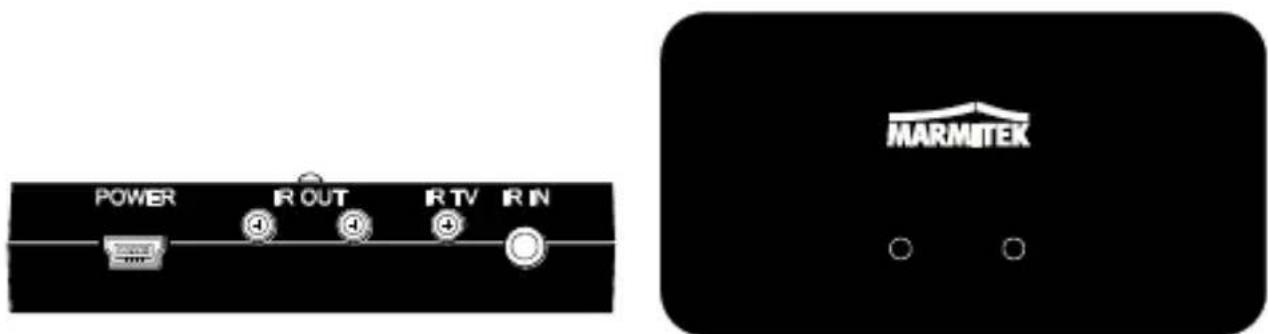
-
Connect the installed IR extension cables with two Blaster LEDs to the IR Smart Module's 'IR OUT' jack.
-
Connect the installed IR extension cables with one Blaster LED to the IR Smart Module's 'IR TV' jack.
-
Connect the installed IR Receiver cable to the 'IR IN' connection on the IR Module:
-
Connect the USB Power adapter to the 'POWER' connection on the IR Module and plug this into an electrical socket.
-
If the Invisible Control 6 XTRA | SMART™ is connected correctly, the red light on the IR Smart module will flash when a button on the (infrared) remote control is pressed while pointing the remote to the IR receiver.
-
Close the doors of your (TV) cabinet to ensure that the A/V equipment cannot receive an infrared command directly from the remote control as this can lead to operational problems.
-
You can now operate the A/V equipment via the Invisible Control 6 XTRA | SMART™ through closed cupboard doors!
4.5 Installing the Invisible Control app
When the Marmitek Invisible Control 6 XTRA | SMART™ is installed by following the steps in this manual, you can, in addition to your remote control, also use your smartphone/tablet to operate any devices outside the line of sight. First, you will need to install the Marmitek Invisible Control app and enable Bluetooth on your smartphone/tablet.
Then, the app automatically establishes a Bluetooth connection, after which you can start adding features. Check the "Help" button in the app's settings menu to learn how to best use the app.

Download the "Invisible Control" app on your smartphone/tablet:


http://goo.gl/nR2doa

http://goo.gl/iOXIV
5. FREQUENTLY ASKED QUESTIONS
The A/V equipment does not respond to signals from my remote control.
Take the following instructions into account:
- The IR receiver has a receiving sensitivity of about 10 metres with an acceptance angle of 60 degrees. Range is also dependent on the remote control used.
- If the ‘IR data’ light on the IR Smart Module is continuously illuminated, the IR receiver is probably being disrupted by another infrared signal. Try to locate the IR receiver so that it encounters as little disruption as possible from, for example, direct sunlight, Flat Screen TVs, (LCD, Plasma, LED), fluorescent lighting or energy-efficient light bulbs.
- The IR receiver works with all standard (infrared) remote controls. The only exception (known to us) is Bang & Olufsen (B&O).
- Ensure that the IR receiver and the IR extender cable are correctly connected and that these are plugged in properly.
Do you have other questions that have not been resolved by the above information? Please go to www.marmitek.com
6. TECHNICAL DATA
IR Smart module
Power supply 100-240VAC @50/60Hz,
5VDC@1A mini USB adapter (included) or mini USB cable (not included).
IR Blaster LED connections: 3 x 2.5mm jack (mono).
IR Receiver connection: 1 x 3.5 mm jack (mono).
Dimensions: 80 x 43 x 19 mm.
IR receiver
Frequency range: 30-60 KHz.
IR reception range: ± 10 metres.
Length of cable: 3 metres.
IR reception angle: 60° (+30°/-30° from centre).
Dimensions receiver bloc: 15 x 30 x 11 mm.
IR extension cable
IR blaster LEDs 2 x IR extension cable with two
Blaster LEDs.
1 x IR extension cable with one
Blaster LED.
IR transmission range: 2 metres.
Cable length: 3 metres.
DECLARATION OF CONFORMITY
Hereby, Marmitek BV, declares that this Invisible Control 6 XTRA | SMART™ is in compliance with the essential requirements and other relevant provisions of the following Directives:
Directive 2004/108/ec of the european parliament and of the council of 15 December 2004 on the approximation of the laws of the Member States relating to electromagnetic compatibility
Directive 2006/95/EC of the European Parliament and of the Council of 12 December 2006 on the harmonisation of the laws of Member States relating to electrical equipment designed for use within certain voltage limits
Directive 2002/95/EC of the European Parliament and of the Council of 27 January 2003 on the restriction of the use of certain hazardous substances in electrical and electronic equipment
Commission Regulation (EC) No 278/2009 of 6 April 2009 implementing Directive 2005/32/EC of the European Parliament and of the Council with regard to ecodesign requirements for no-load condition electric power consumption and average active efficiency of external power supplies

MARMITEK BV - P.O. BOX 4257 - 5604 EG EINDHOVEN – THE NETHERLANDS
COPYRIGHTS
Marmitek is a trademark of Pattitude B.V. Invisible Control 6 XTRA | SMART™ is a trademark of Marmitek B.V. All rights reserved. Every effort has been made to ensure that the information in this manual is accurate. Marmitek is not responsible for printing or clerical errors. Copyright and all other proprietary rights in the content (including but not limited to model numbers, software, audio, video, text and photographs) rests with Marmitek B.V. Any use of the Content, but without limitation, distribution, reproduction, modification, display or transmission without the prior written consent of Marmitek is strictly prohibited. All copyright and other proprietary notices shall be retained on all reproductions. Other company and product names mentioned herein may be trademarks of their respective companies. Mention of third-party products is for informational purposes only and constitutes neither an endorsement nor a recommendation. Marmitek assumes no responsibility with regard to the performance or use of these products.

Environmental Information for Customers in the European Union
European Directive 2002/96/EC requires that the equipment bearing this symbol on the product and/or its packaging must not be disposed of with unsorted municipal waste. The symbol indicates that this product should be disposed of separately from regular household waste streams. It is your responsibility to dispose of this and other electric and electronic equipment via designated collection facilities appointed by the government or local authorities. Correct disposal and recycling will help prevent potential negative consequences to the environment and human health. For more detailed information about the disposal of your old equipment, please contact your local authorities, waste disposal service, or the shop where you purchased the product.
SICHERHEITSHINWEISE


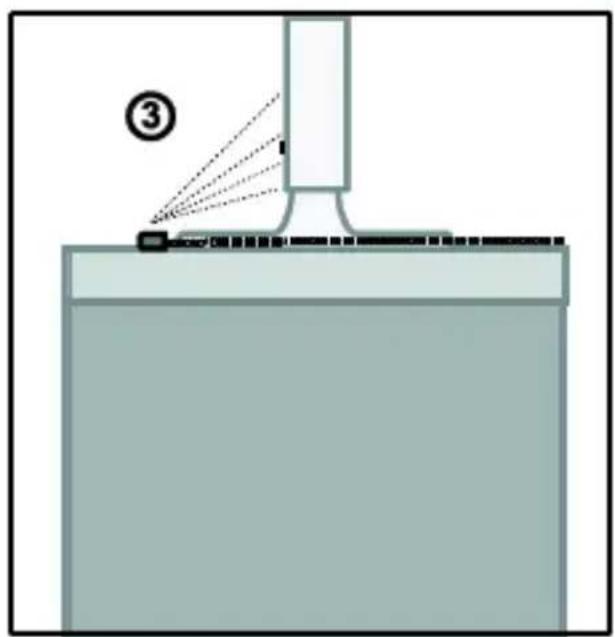
4.3 Installation des IR Smart Moduls


http://goo.gl/nR2doa

http://goo.gl/iIOXIV
DECLARATION OF CONFORMITY

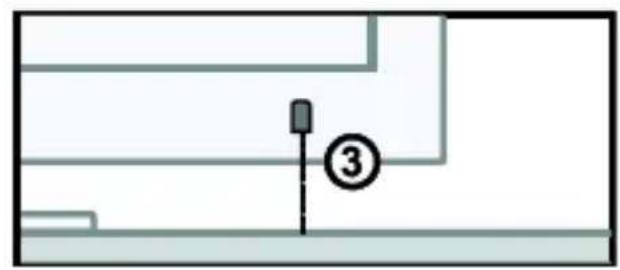


4.3 Installation du module Smart IR

http://goo.gl/nR2doa

http://goo.gl/iLOXIV
5. FOIRE AUX QUESTIONS
Dimensions: 80 x 43 x 19mm.
Récepteur IR
Fréquence: 30-60 KHz.
DECLARATION OF CONFORMITY




http://goo.gl/nR2doa
http://goo.gl/iIOXIV
DECLARATION OF CONFORMITY

4.3 Collocare il modulo Smart IR


http://goo.gl/nR2doa

http://goo.gl/iOXIV
5. DOMANDE FREQUENTI
VEILIGHEIDSWAARSCHUWINGEN






http://goo.gl/nR2doa

http://goo.gl/iIOXIV


- SAFETY WARNINGS
- INTRODUCTION
- SET CONTENTS
- HOW DOES IT WORK
- INSTALLATION
- 4.1 LOCATING THE IR RECEIVER
- 4.2 LOCATING THE IR BLASTER LED
- 4.2.1 INSIDE THE (TV) CABINET
- 4.2.2 OUTSIDE THE (TV) CABINET
- 4.3 POSITIONING THE IR SMART MODULE
- 4.4 CONNECTING THE IR SMART MODULE
- 4.5 INSTALLING THE INVISIBLE CONTROL APP
- FREQUENTLY ASKED QUESTIONS
- TECHNICAL DATA
- IR SMART MODULE
- IR RECEIVER
- IR EXTENSION CABLE
- DECLARATION OF CONFORMITY
- COPYRIGHTS
- ENVIRONMENTAL INFORMATION FOR CUSTOMERS IN THE EUROPEAN UNION
- SICHERHEITSHINWEISE
- 4.3 INSTALLATION DES IR SMART MODULS
- 4.3 INSTALLATION DU MODULE SMART IR
- FOIRE AUX QUESTIONS
- RÉCEPTEUR IR
- 4.3 COLLOCARE IL MODULO SMART IR
- DOMANDE FREQUENTI
- VEILIGHEIDSWAARSCHUWINGEN
Brand : MARMITEK
Model : Invisible Control 6 XTRA Smart
Category : Remote control