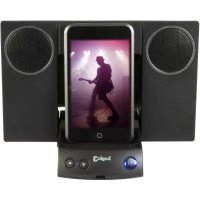
iStation11 - Docking station Logic3 - Free user manual and instructions
Find the device manual for free iStation11 Logic3 in PDF.



| Product type | iPod docking station |
| Brand | Logic3 |
| Model | iStation11 |
| Mains power | AC adapter 5VDC@1.2A (interchangeable Euro and BS plugs) |
| Battery power | 4 AA batteries (not included) |
| Output power | 6W RMS (3W x 2) |
| Speakers | Two 40 mm full-range drivers |
| Signal-to-noise ratio | 60 dB @ 1W |
| Frequency response | 200 Hz - 20 kHz |
| Main functions | iPod charging, Line-in mode, volume control, on/off button, foldable dock |
| iPod compatibility | iPod with 30-pin connector (adapters included according to model) |
| Auxiliary input | 3.5 mm Line-in jack |
| Care and cleaning | Clean with a soft, dry cloth. Do not use abrasive products or water. |
| Safety | Use only the supplied adapter. Observe battery polarity. Do not expose to moisture. |
| Spare parts available | AC adapter (YAD011), Line-in cable (YCB000K) |
| Customer service | Phone support +44 (01923) 471 000, email support@logic3.com |
Frequently Asked Questions - iStation11 Logic3
User questions about iStation11 Logic3
0 question about this device. Answer the ones you know or ask your own.
Ask a new question about this device
Download the instructions for your Docking station in PDF format for free! Find your manual iStation11 - Logic3 and take your electronic device back in hand. On this page are published all the documents necessary for the use of your device. iStation11 by Logic3.
USER MANUAL iStation11 Logic3
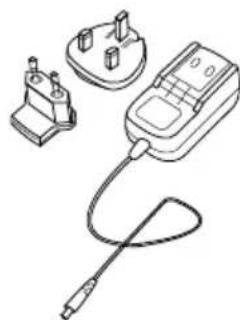
AC Adapter with Interchangeable Plugs (Euro 2pin and BS 3pin)
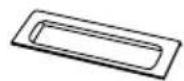
Universal Cradle
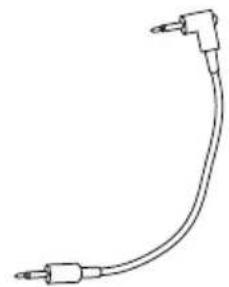
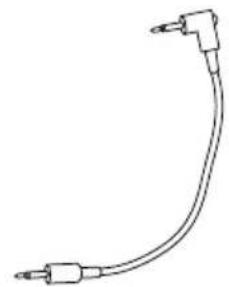
Line-in cable (3.5mm)
Set up of i-Station
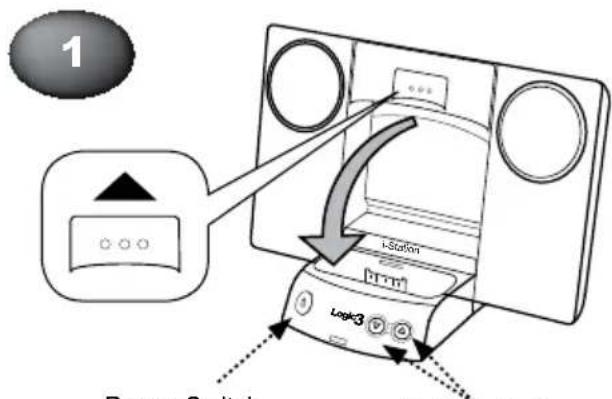
Power Switch
Volume Up/Down
or
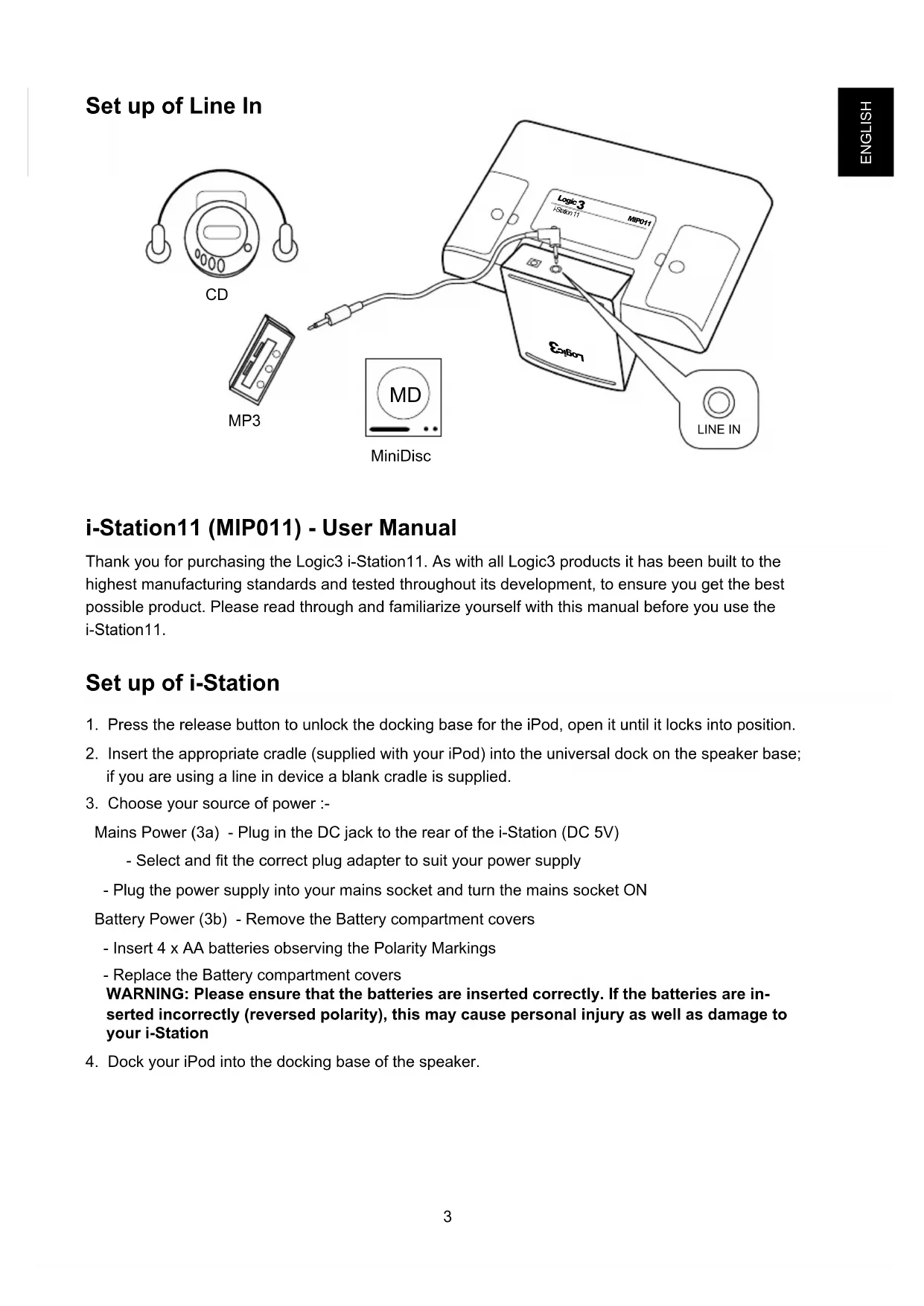
Setup of Line In
i-Station11 (MIP011) - User Manual
Thank you for purchasing the Logic3 i-Station11. As with all Logic3 products it has been built to the highest manufacturing standards and tested throughout its development, to ensure you get the best possible product. Please read through and familiarize yourself with this manual before you use the i-Station11.
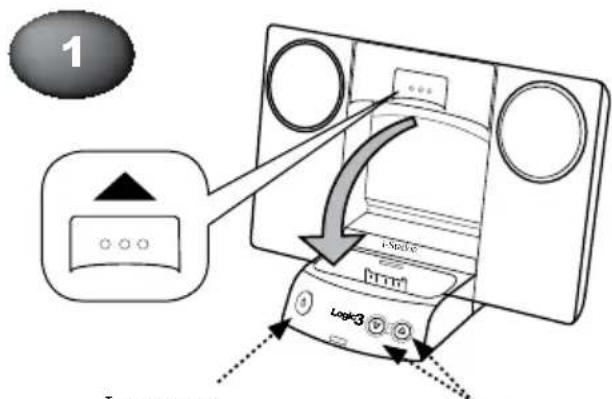
Set up of i-Station
- Press the release button to unlock the docking base for the iPod, open it until it locks into position.
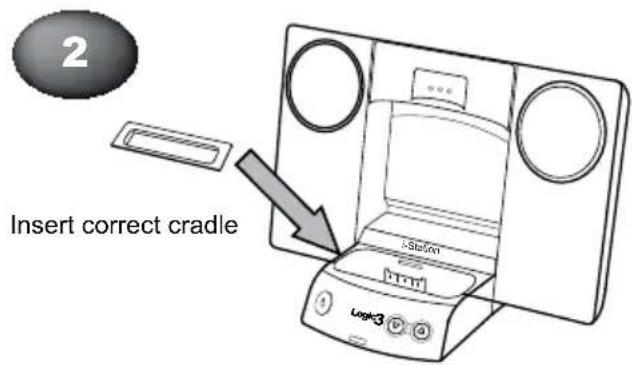
- Insert the appropriate cradle (supplied with your iPod) into the universal dock on the speaker base; if you are using a line in device a blank cradle is supplied.
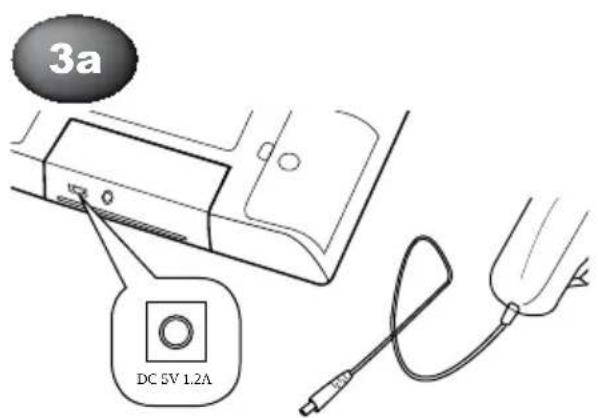
- Choose your source of power :-
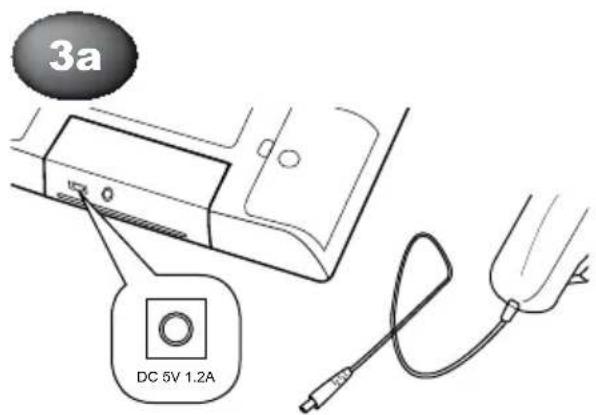
Mains Power (3a) - Plug in the DC jack to the rear of the i-Station (DC 5V)
-
Select and fit the correct plug adapter to suit your power supply
-
Plug the power supply into your mains socket and turn the mains socket ON
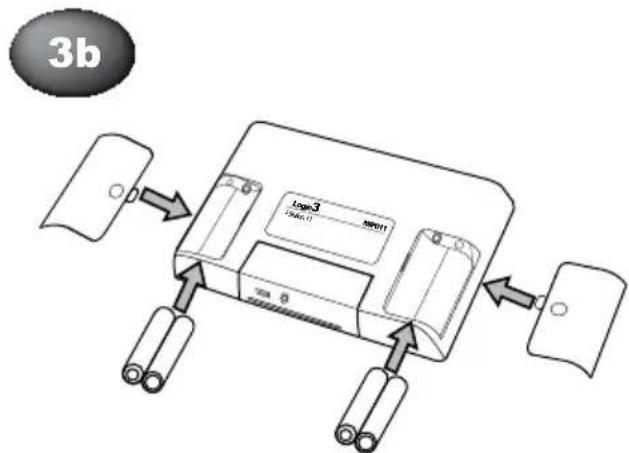
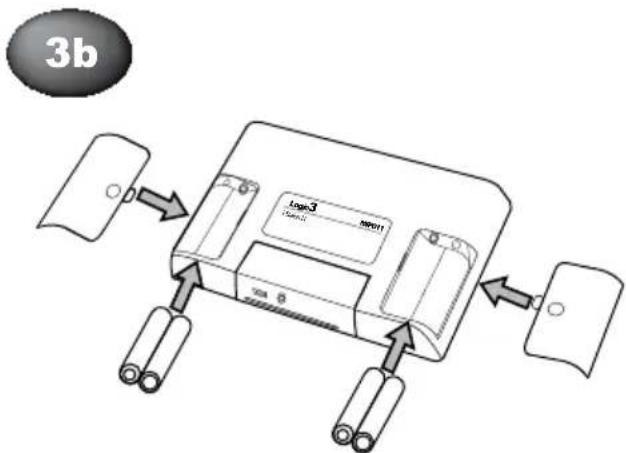
Battery Power (3b) - Remove the Battery compartment covers
-
Insert 4 x AA batteries observing the Polarity Markings
-
Replace the Battery compartment covers
WARNING: Please ensure that the batteries are inserted correctly. If the batteries are inserted incorrectly (reversed polarity), this may cause personal injury as well as damage to your i-Station
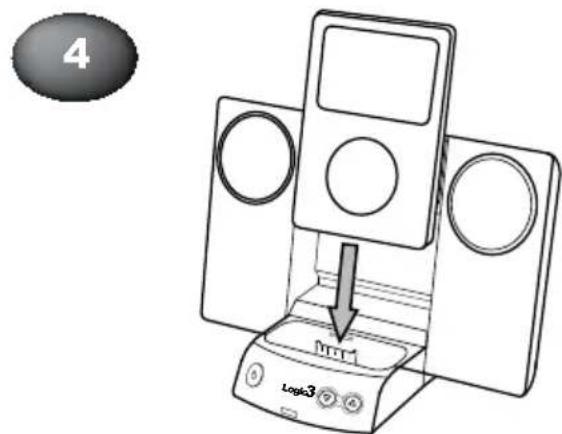
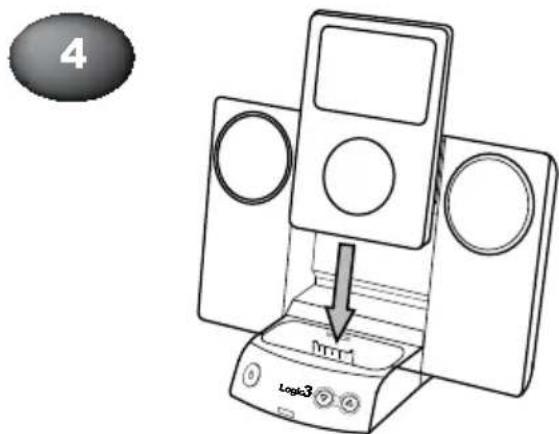
- Dock your iPod into the docking base of the speaker.
Using the i-Station
- Power is turned ON/OFF via the Power Button located on the front of the Docking Base (Button will illuminate Blue when switched ON).
- The speaker system is preset to a 30% volume level. The volume can be adjusted by using the Up and Down keys located on front of the docking base.
- The docking base can be folded up by pressing in the two catches on either side of the dock, folding it upwards until it locks flush into position
Recharging the iPod
- Connect the AC adaptor to the i-Station and turn ON at the mains socket.
- Dock your iPod onto the speaker and the iPod will begin to recharge (The i-Station Power button does not have to be turned ON in order to recharge the iPod).
- iPod can recharge and play music at the same time when using the AC adapter.
NOTE: Your iPod will not charge when using Batteries as the Power Source.
Line in Mode
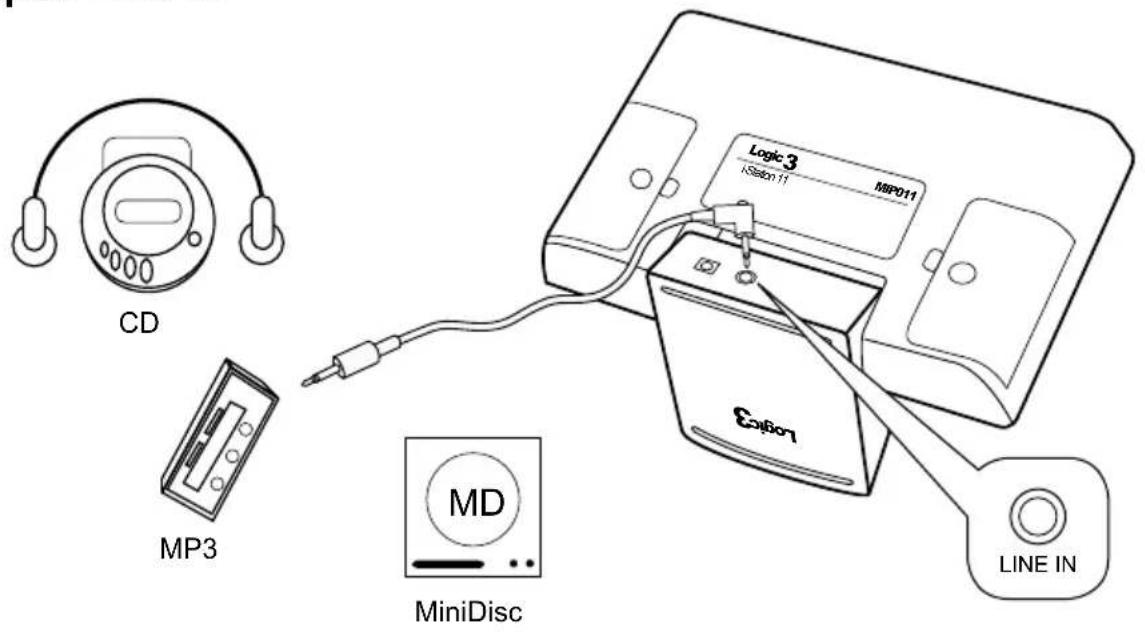
The i-Station also offers the ability to allow other portable audio devices such as iPod shuffle, MP3, MiniDisc and Portable CD Players to be connected for use as a speaker system.
- Insert the universal cradle into the docking base, this will allow you to rest your device on the docking base without damaging the 30 pin connector.
- Plug in the line in cable (3.5mm right angle jack) into the rear of the i-Station Line in Socket.
- Connect the other end of the line in cable (3.5mm straight jack) to your device (headphone/line out socket).
- Set your device volume to Maximum.
- Turn on your i-Station.
Note: Remember to remove the line in cable when using the docking station as the line in cable will override any sound coming from the docking station.
System Specifications
Total Continuous Power: 6W RMS (3W x 2)
Satellite Speakers: 3Watts/Channel
Speaker Drivers: Two 40mm Full Range Speaker Cone Drivers
Signal to Noise Ratio: 60dB@1W
Frequency Response: 200Hz - 20kHz
Provided Power Adaptor:5VDC@1.2A
Trouble Shooting
| Problem What Should I do? | |
| i-Station does not turn ON when pow-ered via AC Mains | Check the AC power cable is connected firmly into the AC wall outlet and the i-Station. |
| Test the i-Station by powering the unit with 4 x AA batteries. | |
| i-Station does not turn ON when pow-ered via Batteries | Test the i-Station by powering the unit via AC Mains, if this works replace the batteries with new ones. |
| No sound | Ensure the correct universal dock cradle has been used for your iPod. |
| Ensure the line in cable is not plugged into the i-Station | |
| Check Play status on the iPod | |
| Please try updating the firmware for your iPod using the latest iTunes which is available from www.apple.com/ipod/download | |
| Sound Quality is poor iPod is not recharging | If you are using AA Batteries, replace them with new ones. |
| Ensure the correct cradle is used with your iPod. | |
| Ensure the correct cradle is used with your iPod. | |
| Ensure sure your i-Station is connected to the AC Mains | |
| Cradle will not fix into the i-Station Remove any previously inserted universal dock cradles | |
| I have lost a part for the i-Station Please refer to the spare parts section in this manual | |
Spare Part List
| Part No. | Item code Item | Name Price | |
| 1 YAD | 011 AC ADAPTOR (INTERCHANGEABLE POWER PLUGS) | For prices visit our website at www logic3.com | |
| 2 YCB | 000K LINE IN CABLE (BLACK) | ||
Should you have any setup problems with the i-Station11 (MIP011) please contact our Technical Support Hotline on +44 (01923) 471 000 - National/International call rates apply or Email support@logic3.com - Spare parts are available for some models at our website www_logic3.com
Contenu
i-Station11
Support universal
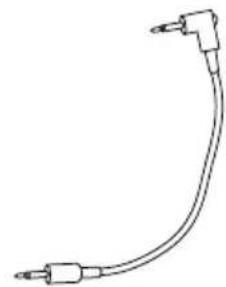
Cable Line-in (3,5mm)
Cabo line-in (3,5mm)

Configurar a i-Station
Interruptor
Aumentar / Diminuiro Volume

ou
Colunas: 3Watts/Canal
Drivers: Dois Drivers de Colunas de Alcance Total de 40mm
Systeemspecificities
Totale continue stroom: 6W RMS (3W x 2)
Losse luidsprekers: 3Watt/kanaal
Luidsprekerdrivers: Twee 40 mm. volledig bereik luidspreker kegeldrivers
Signaal的那一 ruis ratio: 60dB@1W
Frequentierresponds: 200Hz - 20kHz
Bijgeleverde stroomadapter: 5VDC@1.2A
Problemen oplossen
Follow all operating and usage instructions
Do not submerge or use the i-Station in or near water
Do not disassemble any part of the i-Station
Do not place heavy objects on top of the i-Station
Do not allow small children to play with the i-Station unsupervised
Keep i-Station away from extreme temperatures and store away from dust and humidity
Unplug this product from the power source before cleaning
Do not use liquid or aerosol cleaner, use only a damp cloth for cleaning
Logic3
Rhodes Way, Watford
WD24 4YW UK
Tel: +44 (0)1923 471 000
Email: support@logic3.com
www_logic3.com

Logic3 International Ltd. of Watford, UK is the owner of the Logic3 and i-Station registered trademarks as well as registered and unregistered design rights and copyright subsisting in various products within its range. "Made for iPod" means that an electronic accessory has been designed to connect specifically to iPod and has been certified by the developer to meet Apple performance standards. Apple is not responsible for the operation of this device or its compliance with safety and regulatory standards. iPod is a trademark of Apple Inc., registered in the U.S. and other countries. All other trademarks, copyrights and trade names are registered properties of their respective owners. Logic3 are continually updating their products in the interest of improving the quality and design. As a result, some features and the appearance of the product may vary from those shown on this packaging. Copyright in this manual is owned by Logic3 International Ltd.
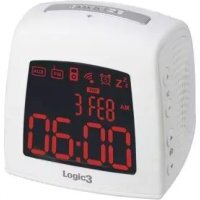


Brand : Logic3
Model : iStation11
Category : Docking station