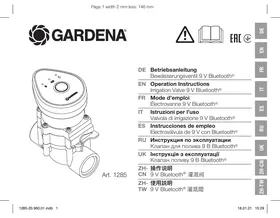
1285 - Valves and solenoid valves GARDENA - Free user manual and instructions
Find the device manual for free 1285 GARDENA in PDF.



| Product Type | Bluetooth® Solenoid Valve |
| Brand | GARDENA |
| Model | 1285 |
| Supply Voltage | 9 V DC |
| Battery Type | 1 x 9 V alkaline battery IEC 6LR61 |
| Battery Runtime | Approximately 1 year |
| Operating Pressure | 0.5 - 12 bar |
| Maximum Fluid Temperature | 40 °C |
| Bluetooth Frequency Band | 2.402 - 2.480 GHz |
| Maximum Transmission Power | 10 mW |
| Free Field Range | Approximately 5 m |
| Compatible Fluid | Clean fresh water |
| Control App | GARDENA Bluetooth® (iOS/Android) |
| Features | Scheduling, manual control, optional moisture sensor |
| Intended Use | Outdoor, automatic garden watering |
| Safety | Suitable for persons over 16 years, do not use under influence |
| Maintenance | Clean with a soft damp cloth, do not use chemicals |
| Warranty | Manufacturer warranty (see terms) |
| Repairability | Repair by GARDENA authorized centers |
Frequently Asked Questions - 1285 GARDENA
User questions about 1285 GARDENA
0 question about this device. Answer the ones you know or ask your own.
Ask a new question about this device
Download the instructions for your Valves and solenoid valves in PDF format for free! Find your manual 1285 - GARDENA and take your electronic device back in hand. On this page are published all the documents necessary for the use of your device. 1285 by GARDENA.
USER MANUAL 1285 GARDENA
EN Operation Instructions
Irrigation Valve 9 V Bluetooth®
FR Mode d'emploi
Électrovanne 9 V Bluetooth®
http://www.gardena.com/int/support/safety-regulations
Translation of the original instructions.

For safety reasons, children and young people under 16 as well as anyone who is not familiar with these operating instructions should not use
the product. Persons with reduced physical or mental abilities may use the product only if they are supervised
or instructed by a responsible person. Children must be supervised to ensure that they do not play with the product.
Never operate the product when you are tired, ill or under the influence of alcohol, drugs or medicine.
Intended use:
The GARDENA Irrigation Valve is intended solely for outdoor use for fully automatic control of individual irrigation systems. It is a benefit to arrange a watering system into separate sections in case of varying watering needs for different plant areas or if there is insufficient water available for simultaneous operation of the entire watering system. The Irrigation Valve is installed upstream in the watering system (e.g. Pop-up Sprinklers; Micro-Drip-System), for example, in the ground.
The Irrigation Valve Bluetooth® Art 1285 forms part of an irrigation system in conjunction with the Bluetooth® App.
1. SAFETY
IMPORTANT!
Read the operator's manual carefully before use and keep for future reference.
Battery:
To ensure the Water Control runs safely, only a 9 V alkaline manganese battery (alkaline) type IEC 6LR61 must be used!

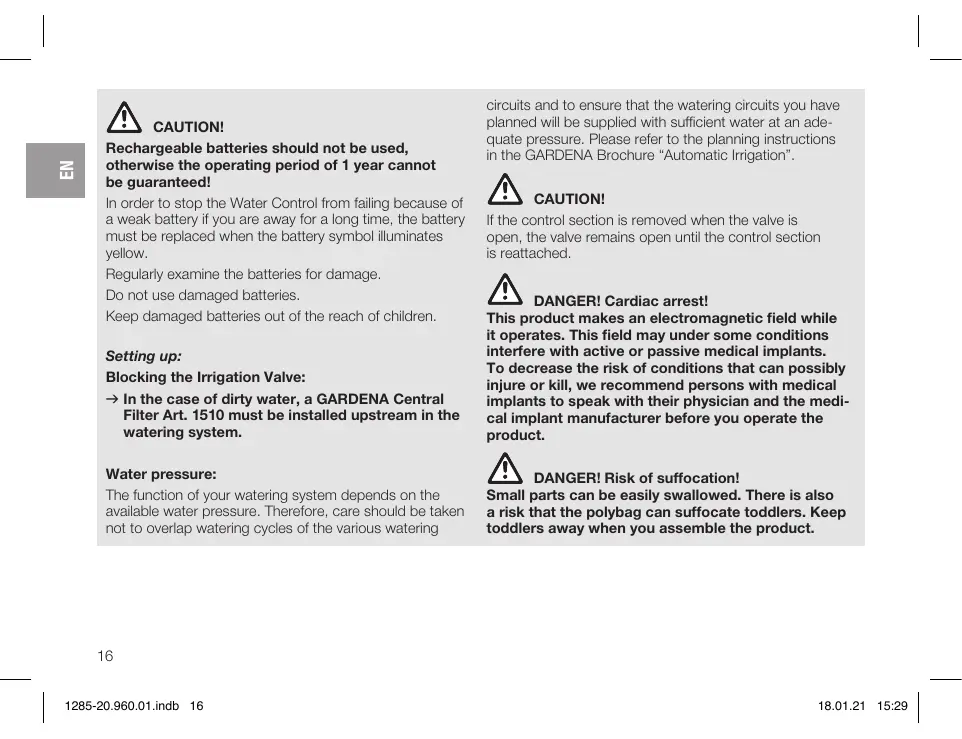
CAUTION!
Rechargeable batteries should not be used, otherwise the operating period of 1 year cannot be guaranteed!
In order to stop the Water Control from failing because of a weak battery if you are away for a long time, the battery must be replaced when the battery symbol illuminates yellow.
Regularly examine the batteries for damage.
Do not use damaged batteries.
Keep damaged batteries out of the reach of children.
Setting up:
Blocking the Irrigation Valve:
In the case of dirty water, a GARDENA Central Filter Art. 1510 must be installed upstream in the watering system.
Water pressure:
The function of your watering system depends on the available water pressure. Therefore, care should be taken not to overlap watering cycles of the various watering
circuits and to ensure that the watering circuits you have planned will be supplied with sufficient water at an adequate pressure. Please refer to the planning instructions in the GARDENA Brochure "Automatic Irrigation".

CAUTION!
If the control section is removed when the valve is open, the valve remains open until the control section is reattached.

DANGER! Cardiac arrest!
This product makes an electromagnetic field while it operates. This field may under some conditions interfere with active or passive medical implants. To decrease the risk of conditions that can possibly injure or kill, we recommend persons with medical implants to speak with their physician and the medical implant manufacturer before you operate the product.

DANGER! Risk of suffocation!
Small parts can be easily swallowed. There is also a risk that the polybag can suffocate toddlers. Keep toddlers away when you assemble the product.
2. FUNCTION
Irrigation Valve:
The GARDENA Irrigation Valve 9 V Bluetooth® is configured automatically with the GARDENA Bluetooth® App and consists of a valve and a control unit.
The Irrigation Valve carries out watering automatically according to the set program and can therefore also be used during holidays.
Controls/Display [Fig. F1]:
① LED Connection display/Signal: Blue flashing for 3 min.: While connection Blue lightning for 10 sec: Successfully connected
② LED Battery display: Green lightning: Capacity up to 1 year Yellow lightning: Capacity min. 4 weeks
Red flashing: Capacity max. 4 weeks
Red lightning: Battery flat, valve no longer opens. A valve opened will also close again if the battery is flat.
The battery display is reset when the batteries are changed.
③ LED Active watering: Green lightning for 10 seconds.
4 Man. Button: A single push on the Man. Button activates the status request and the battery status is displayed for 10 sec. A second push activates manual watering.
To operate with the GARDENA Bluetooth® App:
You can use the free GARDENA Bluetooth® app to control the GARDENA Irrigation Valve Bluetooth® at any time. It can be downloaded from the Apple App Store or from the Google Play Store.
Settings of the Irrigation Valve:
- According to the timings in the Bluetooth® App: Watering start, duration, days
- As required in the Bluetooth® App: Start and finish
- As required on the Irrigation Valve: Start and stop
To Insert the battery [Fig. 11]:
The battery is not included in the scope of delivery.
The operating period is approx. 1 year. The operating period can vary depending on ambient temperature and transmission frequency.
- Pull the control unit off the valve.
- Place the battery 8 in the battery compartment 5 note the polarity + / - The connection LED is flashing.
- Push the control unit back onto the valve.
To install the valve mount [Fig. 12/13/14]:
If the Irrigation Valve is installed below ground level, it must be installed in a sturdy and stepprooef valve mount (6) (valve box), e.g. GARDENA Art. 1254/1255/1290/1292.
- Draw up a plan. Additional information is provided in the GARDENA Brochure "Automatic Irrigation".
- For underground installation: Support the valve surround ⑥ for drainage with a coarse gravel pack ⑦
- Install the valve box with the top edge of the box at ground level. This avoids damage when mowing the lawn.
Please refer to the relevant operating instruction for information on how to install the Irrigation Valves in GARDENA Valve Boxes V1 and V3.
To install the Irrigation Valve without a Valve Box [Fig. 15]:
![GARDENA 1285 - To install the Irrigation Valve without a Valve Box [Fig. 15]: - 1](/content/2025/01/332339/images/cbfd216402284350bbab3f2cc442cf9867a20aa4716d7839f0ef1f71a67a630c.jpg)
CAUTION! Flow direction!
When installing the Irrigation Valve (8), pay attention to the direction of flow (arrows) to make sure it works properly.
- Seal the screw connections with the GARDENA PTFE sealing tape, Art. 7219.
Connecting GARDENA Connecting pipes ⑤ (2700/2701/2718) or other commercially available connecting pipes:
- Screw the GARDENA Connectors ⑩ Art. 2763 into the Irrigation Valve ⑧ .
- Connect the GARDENA Connecting pipes ⑨ or other commercially available connecting pipes (25 mm).
To connect the Soil Moisture Sensor (optional) [Fig. 16]:
In addition to time-dependent control, it is also possible to include soil moisture.
If the soil moisture is sufficient, irrigation is stopped or skipped.
- Place the Soil Moisture Sensor (1) in the area to be irrigated.
- Plug the connector into the sensor socket of the Control Unit 8.
Conventional installation [Fig. 17]:
If using Art. 2750/2751/2752/2753/2755 the points marked with an arrow must be sealed with sealing tape (e.g. Art. 7219).
4. OPERATION
To adjust the valve control [Fig. 01]:
Fully Automatic Control:
Time-controlled irrigation with the GARDENA Bluetooth® App.
An automatically opened valve can be closed manually via the Man. Button on the valve or in the App.
Set the selection lever (13) to AUTO/OFF.
Manual Control:
Permanent water flow, independent of the time control.
Set the selection lever ⑬ to ON.
Factory Reset [Fig. F1/I1]:
The Irrigation Valve 9 V Bluetooth® will be reset to the factory settings.
- Remove the battery ⑧
- Push and hold the Man. Button 4 and place the battery 8 in the battery compartment 5 (note the polarity + / -
- Push and hold the Man. Button 4 for another 10 seconds.
After approx. 10 seconds the factory setting is restored and the connection LED is flashing.
5. MAINTENANCE
To clean the Irrigation Valve:

DANGER! Risk of physical injury! Risk of injury and risk of damage to the product.
Do not clean the product with water or with a water jet (in particular high-pressure water jet).
Do not clean with chemicals including petrol or solvents. Some can destroy critical plastic parts.
Clean the Irrigation Valve with a soft, damp cloth.
6. STORAGE
To put into storage:
The product must be stored away from children.
The GARDENA Irrigation Valve are intended for outdoor use and are only frost-proof to a limited extent. The only way to protect your Irrigation Valves completely is to remove the valves before the frosty season begins. Alternatively, the pipe system can be emptied before and after the Irrigation Valve.
- Remove the battery to preserve it (see 3. Initial Operation).
- Store the Irrigation Valve in a dry, enclosed and frost-free place.
To empty the pipeline system:
To empty the pipeline system UPSTREAM of the valve:
- Turn off the tap and disconnect the hose between the tap and the GARDENA Water Connection Point Art. 2722/Art. 2795.
This allows the air to flow freely. - If the watering system is directly connected to the water tap, turn off the water supply and open the venting tap.
- Set the selection lever ⑬ of all valves to the ON position.
- If you are using the GARDENA Valve Box V3, make sure that you open the integrated drain cap.
To empty the pipeline system DOWNSTREAM of the valve:
Requirement: The Drainage Valve must be installed deeper than or at the same depth as the Irrigation Valve.
Install the GARDENA Drainage Valve Art. 2760 immediately after the valve.
The system is drained automatically via the the GARDENA Drainage Valve.

CAUTION!
If neither of these requirements is fulfilled, the valve must be removed and stored in a place safe from frost.
Disposal:
(in accordance with RL2012/19/EC)

The product must not be disposed of to normal household waste. It must be disposed of in line with local environmental regulations.
IMPORTANT!
Dispose of the product through or via your municipal recycling collection centre.
Disposal of the battery:
The battery may only be disposed of when discharged.
IMPORTANT!
Dispense of the battery through or via your municipal recycling collection centre.
7. TROUBLESHOOTING
In case of malfunctions you will find the FAQ at this address:
www.gardena.com/de/bluetooth/faq
| Problem | Possible Cause | Remedy |
| No LED-display appears | Battery is inserted incorrectly. | → Batteries inserted incorrectly. |
| Battery is completely empty. | → Replace the battery. |

| Problem | Possible Cause | Remedy |
| Irrigation valve does not open, no water flow | No water supply. | →Turn on the water supply. |
| Control Unit is not connected correctly to the Irrigation Valve. | →Connect the Control Unit correctly to the Irrigation Valve. | |
| Irrigation valve does not close, continuous water flow | Irrigation valve is installed opposite to the flow direction. | →Turn the Irrigation valve (observe the flow direction). |
| Selection lever ⑨ is set to ON. | →Set the selection lever ⑧ to AUTO/OFF. |

NOTE: For any other malfunctions please contact the GARDENA service department. Repairs must only be done by GARDENA service departments or specialist dealers approved by GARDENA.
8. TECHNICAL DATA
| Irrigation Valve Bluetooth® | Unit | Value (Art. 1285) |
| Voltage | V (DC) | 9 |
| SRD: | ||
| Frequency range | GHz | 2,402 – 2,480 |
| Maximum power | mW | 10 |
| Free field radio range (approx.) | m | 5 |
| Min./max. operating pressure | bar | 0,5/12 |
22
| Irrigation Valve Bluetooth® | Unit | Value (Art. 1285) |
| Flow medium | Clear fresh water | |
| Max. liquid temperature | °C | 40 |
| Battery required | 1 x 9 V alkaline manganese Typ IEC 6LR61 | |
| Operating time of the battery (approx.) | a | 1 |
EC Declaration of Conformity
Hereby, GARDENA Manufacturing GmbH declares that the radio equipment type (Art. 1285) is in compliance with directive 2014/53/EU.
The full text of the EC declaration of conformity is available at the following internet address:
http://www.gardena.com/int/support/safety-regulations
9. ACCESSORIES
GARDENA Soil Moisture Sensor
For irrigation depending on the soil moisture.
Art. 1867

10. SERVICE/WARRANTY
Service:
Please contact the address on the back page.
Warranty statement:
The manufacturer's warranty can be viewed at:
www.gardena.com/warranty or
Phone number +497314903773
This manufacturer's warranty is limited to replacement and repair of products in accordance with the abovementioned conditions. The manufacturer's warranty does not constitute an entitlement to lodge other claims against us as a manufacturer, such as for damages. This manufacturer's warranty does not, of course, affect statutory and contractual warranty claims against the dealer/retailer.
The manufacturer's warranty is governed by the law of the Federal Republic of Germany.
Trademark Attribution Footnote:
The Bluetooth® word mark and logos are registered trademarks owned by Bluetooth SIG, Inc. and any use of such
marks by GARDENA is under license. Other trademarks and trade names are those of their respective owners.
Product liability
In accordance with the German Product Liability Act, we hereby expressly declare that we accept no liability for damage incurred from our products where said products
24
have not been properly repaired by a GARDENA-approved service partner or where original GARDENA parts or parts authorised by GARDENA were not used.
Électrovanne GARDENA 9 V Bluetooth®
- SECURITE 25
- FONCTION 27
- MISE EN SERVICE 27
- UTILISATION 29
- MAINTENANCE 30
- ENTREPOSAGE 30
- DEPANNAGE 32
8.CARACTERISTIQUES TECHNIQUES 33
9 ACCESSORIES 34 - SERVICE/GARANTIE 34
Par ex. GARDENA ref. 1254/1255/1290/1292.
http://www.gardena.com/int/support/safety-regulations
9. ACCESSORIES
http://www.gardena.com/int/support/safety-regulations
42
9. ACCESSORI
H3 coo6paJhen 6e0anachOtoTnIaM noIPOCTkAM Do 16 let, a TaKoe IuZam, He n3yUWBIM 37y INCHTOYKUIO NO 9cKnIyATAuZiN, noJIb
3OBaTbCn3DeJIeM 3aPpeIaTeC. JIiZAMc O rpaHueHbIMN fN3HECKMN IIN yMCTBeHbIMN CnTOC6OBCTHMn pa3PeJAAETCR NcONb3OBAtB N3DeJIe TOJbKO B pNcYCTBNI INo NOJe INHCTpyKtaXa OTBEcTBeHHO RnIa.
DeTn DOnJHKHb6Bt NpO npNCMOTpOM: HEnb3a OOnyCTmTb, YTObO HnIgPajn C 3Tm n3dJIeNEM. HnkOrDa He paBoTaTte C n3dJIeNEM, ecn Bb yctan, 6oJbHb IIN hAxO- dNTec BoN BO3dJIeCTBnEM aIKKOrOJIa, HapKOTNKOB IIN MeDNIKAmeHTOB.
PnmuHeHne B COOTBeTCTBnC Ha3HaueHHeM:
GARDENA Knanan IpnnoBa npedHa3nueH NCKHOHTBnIgNIOJb3OBAHnI HAOTKpBITOM BO3DyXe,IaIABOTMaTHeCKoYO ynpaBHeHnOI TeBbIMn IOJIbHBmIYCTAHOBkAMn. PazdEHeHne BcE yCTaHOBHKn H OTeBbHBeIINMn POINBA BByIgNO pRn HePABHMOpeHOnIOTpe6HOCTN B BoDE OTeBbHbIX yAcTKBoc HacKaJeHNI pRn HeOpCTAOuHOM KOUYeCETB BoDblrOHOBpeMeHNo paBOtBu CeYCTaHOBKn. OpocIneBHyBEHTINbIOKLIIOuCAETepeN opocIneBHOcnCTEmoH (Hapnpem, noprpyKHO doxDeBaTe; Micro-Drip-System), Hapnpem, no3ZemJeL.
Klana nДЯ noJIbBa Bluetooth® apt. 1285 COBMECTHO C pIIOJKeHnEM Bluetooth® App AByJIeTcH qAcbIbO CNTeMbI pONIBA.
1. B3O3NACHOCTb
BAXHO!
KoXaLyNcTa, BHNMaTeBNo IpoUHTaTE 3Ty HnCTpyKcIIO NO hCNOb3OBAHIO IN COxpaHNTe eE JdA TcHNeB DaJIbHeMWeM.
Barapen:
IIO coo6paJehnMn HaeJHNO pa60tbl pa3pe7aetcNcOInb3OBaTb TOnbKo 9 B MapranHeBOKncnyo 6aTapeo (uEnocHyu) Tna IEC 6LR61!

BHIMAHHE!
He donnyckaTcH cnoNb3oBab kAkyMylrTobpI, TAK KAK B npoTnBHOM cnuyae cpoK cnyk6bl 1 ro He rapaHTnpyeTcR!
Bo n36eKaHHe BbXoJa n3 cTpo8 bloka ynpabLeHn noJIbOMn 13-3a p3aJaB 6atapeKeN npi dIITBeHOM oTCyTcBm, Heo6xoJMMo 3aMeHEnb 6atapeKy, ecnn CmBOJ 6atapeKeN MMFAET JKETbIM CBTOM.
Peynphno npOBepaTe 6atapen Ha hAJNue NOBpeK-DeHNI.
He noIb3yI TeCb NOBpeKdEHHbIMn 6aTapeMn.
He npdnyckaiaTe deTei K nobpeKdeHbIM 6aTapeaM.
BbD B 3KcnnyatauHIO:
3acopeneOpocntbHOroBeHTnla:
→Pn pa60te c rpa3HOB oBOH nCNOb3yTe GARDENA ueHTpabHbN bHb pApt.1510, yctanahBnBaemb nepeD yctaHOBKO.
IaBJIeHne BOJbI B OPOcHTeJIbHOIN CnCTeMe:
Tak kak yhkuohnoHOBAHHe opocnteIbHOy UcTaHOBKn 3aBmCnT OJabEHNBObl, BAM HeO6xoDIMO CneIbTb 3a Tem, YTObHe I nepeceKanCb BpEmeHaNoIbA pa3- liuHbIX LInHH NIOJIbIA bNIIY TObI pOnIOXeHHBe IINHn IOJIbIA cHAbJAlncB BOoB I DOCTaTOHOM KOnUeCTBe INoD IOCTaTOCHIM DabNEHMe. PnP EOM CoIIOJaTte YKAZAHNI PO npoeKtnpOABAHIO n3 6poWOpbl GARDENA «ABTomAtueChekni NOJIbI’.

BHIMAHHE!
EcnI 6nOK ynpaBHeN CHMaetc pI np OTKpbITOM Klanane, To klanan octaTe aO Kpblm, Noka 6nok ynpaBHeN He 6yed YCTaHOBNeHa Ha MeCTO.

ONACHO!Octanobka cepnda!
3To H3dJIeNE Co3aEaET Bo BpEMra pabObI 3JNeKtpoMarHHTHOne NBEonpeJEnHbIX O6CToRtIELCTBAX 3To NOPE MoKET NobJIrTa H cyHKUOnHPOBaHHe AKTHBbIX NHIN NACCnBHIX MEduNHCckNXIMnPaHtOB.Bo n36ExAHme ONACHOCTNI BO3NHKOBeHHN CnTyauN, KOTOpBIE MOyT PnPBecTN K TAgKeJbIM INIcMePTeJIbHbIM TpaBMam, Nua, NOnb3YIOuNEc MEduNHCckMNIMnPaHtATAMN, NepeNcNOJb3OBAHnEM 3TOFO H3dJIeN HONDOJXHbI IpOKOHCyJbTnPOBaTbCBOuM BpaOM N3rTOBNTeLEMIMnPaHtTA.

ONACHO!Onacnoctb3aOxHytcbr!
MeIknne Detanm Moryt 6bItb NErKO npOrnoeHbI.
N3-3a POnn3TnEHOBO NaKeta DnA MaNEhKnx
Tei cyueCTByet OnaHocTb 3aOxHytcbr.Bo
Bpem MoTaxka He nOpnyckaite 6n3KO MaEnhKnx
Tei.
2.ФУнКЦИОНЮВАНЕ
Knanan dny nolna:
GARDENA Klaan an dna noiba 9 B Bluetoo
KOHnIpypyeTcN NOMOJIbIO npJIoXeHnGARDENA
Bluetooth® App IN COCTOIT N3 KlaJaHa N 6NoKa yIpaBJIeHn.
KJanaH, IaIIOJIbA ABOTMATUeCKN ynpABJIeT OJIINBOM B COBTBCTBN C COCTABJIeHHO N OPGPAMMOI N IO3OTMy MOJEt IICNOJIb3OBAITcBn BO BPEM OTNcycka.
3nementbIy npabHeHn/HHnKaTOpbl [Pnc.F1]:
① CBeToNDoCoEduHHeHnA:
MIRAHNE CINHM CBETOM 3 MNH.:
B npouecce coeinyen
CbeueHne cHHM CBetOM 10 cek.:
YcneHoe coeDInHeHne
② CBeToDnOd COCToHn6aTapeu:
CbeueHne 3eJIeHbIM CBeTOM:
EMKoCTbdo1roda
Batapera pa3p8keHa, Klanahan 60bIe He OTKpbBaetc. OTKpbTbI Klanahan HAdexHIO 3aKpbBaetc.
Индikatop 6atapeи cspacbIbAetc npn 3aMeH6atapei.
③ CBeToIIOJ IOnJB aKTHBEN:
CbeueHne 3eJehbIM CBetOM 10 cekyHd.
④ Khonka Pyh.:
Ondokpathoe haxaTne Ha KHONky PyHn. akTNBpyeY onPoc coCToHHn B TeueHne 10 cek. BbIOJntcR coCTOHNHe batape. BToPoE haxaTne akTNBpyeT pyHno noiHB.
- Mo Mepe Heo6xoDMOCn C KlaNaHa DnI POJINBa: Hauano n OKOHuaHne
UcTaHOBka 6aTapeu [Pnc.11]:
Баразец He BxOДNTВ KOMПЛЕKT NOCTaBKN.
Cpok cnkyb6octabnret OK.1 roda.B 3aBcHmOCTN O n HApKyHOI TEmpepaTpyu N aactOtBu nepeaHcn Cpok cnkyb6BaatapeMooTe BapbropOBaCb.
- OToeDInHte 6nok ynpaBHeHna ot KlaNaHa.
- BLOKHTE 6batapeoB 8 batapeiHbO Tcck ⑤. (Co6IIOaTe IPOAHPoTb +/.) CBeTOIOo CoEOINHeNnMraET.
- Choba haandehe ste 6nok ynpabneHna Klaanah.
YcTaHOBKa BeHTnIbHoJ paMbI [Pnc.12/13/14]:
EcnOpocntelbHbBcHTnIbYcTaHaBnBaeTcNpOd 3emne,TO OH DOLJKeH 6bIb YcTAHOBnB IN PPOHYo UyCTOnuByIO pAmy ⑥ (BeHTnJIbHaK Kopo6Ka/uaXta IaIy BeHTnJIa). HapnpMep, GARDENA 1254/1255/ 1290/1292.
- CoctabTe pIaan pa3B0dKn.Доюнiteьня
иФбрмаць в Боршке GARDENA «АвтOMатчec
СКИ ПОЛINВ».
2.Bcnyae no3eMHoY ctaHOBKn:YcTpoIte noJ KpOMKo KJIaNaHa ⑥ 3aONHeHHyO KpyINbIM rpaBn- em RMky ⑦ dIa dpeHaka. - Pa3MeCTIte BepXHIOU KpOMky KlaIaHa BpoBeHb C IepHNHO. 3TO N3BOJNT IpeDIOBpaTITb NOBpeKdEHNIE Ra3OHO-KOCIMKN.
MотанклamosовДглпогиВаВ GARDENA Kopo6knДд Клamosов V1 n3 Вbl мokete НаTNВ coOTBETcByuOeHnCTpyKuNП OЗКРЛУТaTaN.
MOnTakOpocHTeNbHOBeHTnJIa6e3BeHTnIbHOn Kopo6Kn[Pnc.15]:
![GARDENA 1285 - MOnTakOpocHTeNbHOBeHTnJIa6e3BeHTnIbHOn Kopo6Kn[Pnc.15]: - 1](/content/2025/01/332339/images/07207c85d7b2dfd1dc82ce4473db2b3ed420467e42f04e81f1c21023b5e49dbc.jpg)
BHIMAHNE! HanpaBLeHne noToKa!
OblyuHaJ yCTaHOBka [Pnc.17]:
Ppi nCpNoB3OBAHnI DeTaeIe apt. 2750/2751/
2752/2753/2755 yIJIOTHITb JIeHTOi (HaIp.,
apt.7219) B MeCTax, NOMEHeHHbIX CTpeJIkAmM.
4. 3KcPJIyATAUJN
HacrpoKa cnCTembl ynpabHeHHB eHTJIaMn [Pnc.01]:
IoiHocTbIO aBtOMaTHueckoe ynpabJIeHne:
UnpaBnEmbI IO BpEMeH NIOINB C IOMOuBIO npInoKeHHGARDENA Bluetooth® App.
ABTomatUneCKN OTKpbTbI KJIaHaN MOKeT 6bIT 3aKpBT BpyHnyIO KhoIKnOy PyuH. Na KJIaHaNe HINB pInIoXeHm.
→ YctaHOBNTe CenEeKToPbHbI pblHaT Ha ABTO/BblKI.
PyuHoe ynpaBJIeHne:
IocTOrHHoe npoTeKaHne BODJI,He3aBcImOe OT ynpabJIeHnI PO paCnIcaHIO.
→ YctaHOBInTe celenkTopHbI pyHar ⑬ Ha BKNJ.
BocctaHOBHeHne 3aOIOcknX HacTpoE [Pnc. F1/I1]:
Блok управлия 9ВBluetooth®сбарыbaetca на звордкneн Habtrokn.
- BbHbTe 6aTapeio ⑧
2.YpeKnBaiTe KOnkPyu.④HaxaToI N BCTaBbTe 6baTapeo 8 B bTaapeiHbN tOeK ⑤ (CoBliouaiTe nolpHocTh + / - - YdejKnBaIte KhoNky Pyn. ④ HaxaToB TceHne CNeDyUOx1X 10 cekyHd. IpIMepNo yepe3 10 cekyHd 3aBoDcKne HaCTpoKn BOcCTaHaBbIbAIOCTN CBeTODnO CoeINHeHn MIRaET.
5. TEXHnueCKOE OBCJnyKINBAHNE
UcTka Knaana dIJI noJIbA:

ONACHO! Onachocb noJyehn TpaBMbl!
OnachocTb TpaBMPOBaHnI pNCK NOBpeK-DeHnI n3dEInr.
→He pa3peaTeC OUcMaTb N3dEIne B BOe HnIOI CTpye BObl (BOCO6eHNOCTN C NOMOJIbO MOEK BICOKORO DAJIENH).
→He npOn3BODInTe YnCTky C NOMOuIbIO XmMnKaTob, B TOM YnCNe 6eH3nHa nn pAcTBOPHTenei. HeKOTOpBie BeueCTBa MOrTy p3pyWntB BaXhbIe nIaCTMaccOBBe DetAnI.
OuNTe KlaPAnH DnIa NIOINBa MraKoB BnaKHOI TpAInKOi.
6. XPAHEHNE
BbIO n3 3KcIpyaun:
I3dene Heo6xOIMO xpaHnTB B HeoctyHOM nIeTet MeTe.
KlanaHДЯ NOINBa NpeHa3HaueHДЯ pa60bI Ha OTKpblTom BO3dYxe I NIIb YactNHyO MOpO3OCToeK. A6CONIOHTA MOPO3OCToKoCTb DOCTnraETC TOnbKO 3a Cuet DEMoHTaKa KlanahOB NepeH HAcTyPHeHHeM MOpO3OB.AIbTePHaTNoB RnRETC cNIB BObI N3 TpybONpBOdHO CMCTeMbI NepeD KlanaHOM DЯ NOINBa NocNE Hero.
1.ДЯЗКОHOMM6aTapeIN BByHbTe ee (cM.3.BBODB3KcPnIyatauIO).
2. XpaHnTe KJIaHaN dIy nIOnBa C yXOM, 3akpyTOM N OtaJIINBaEMOM IomeUeHN.
CnB BOIbI n3 Tpy6oPBOJHOH CNCTeMbI:
CINB BOIbI n3 Tpy6oPBOHOH CNCTeMbI IPEPD KJIanaHOM:
- 3aKpOte BOdONpOBOdNbI KpaH n CHIMnTe CoeINHInTeBbI ShlaHT MekJy BOdONpOBOdNbIM KpaHOM n GARDENA CoeINHInTeBbHO Kopo6kOa prt. 2722/2795. Pocne 3TOrO B Tpyb MoJcET 3aTeKaTb BO3dYx.
2.ПиnpRIMOM NOKJIIOHEnY UCTAHOBKN NOINBA K CNTE MEДOMOBORO BOODCHKEHIN OKIIOHHTe NOJduy BObl OTKpoTe CInBHO KpaH BDMOBOM BOIDNPBOOJe.
3.YctaHOBInTe CenekTOpHbIe pbIyarN ③ BCex KJIanaHOB B NOJKeHne BKJI. - Пиюнспolyзовани GARDENA Kopo6kn Дя Клana-Ha V3 оTKроTe BCTpoeHHyO дeнжHyO 3aŋnyuKу.
CINB BObI N3 Tpy6oPBOHOH CNCTeMbI IOCNE Klanana:
Ipeinocbka: IpeHaknbl Klaanah yctaHOBHe HnKe IINHa TOM JVE yPOBHe, YTO IN Klaanah DIn PONIBa.
YcTaHOBInTe GARDENA DpeHaxHbI KlaIaHa apt.2760 cpa3y nocIe KlaIaHaHa.
Boda abTOMaTnueeCKn CInBaEeTcN 13 yctaHOBKn Ypee3 GARDENA JpeHaJkHbI KlaJaH.

BHIMAHHE!
EcnHnOHaN3 3THX DByX PneIINocblOK He BbIOnHHe, Heo6xOdImo CHaTb COOTBCTCYIOuN Klanah H xpaHnt b erO B OtaPJIbAeMOM NOMEeHnn.
YTNn3aunr:
(corlnacno DnapeKtmb2012/19/EC)

He donnyckaetc BbI6paBbIbTaN3dennie C 06bIuHbM 6bIbTObMb MycOpom.Ero Heo6xOIdmo yTINI3nIOBaTb COBOTCTCBN C DeTICTBYUOMIMMECHTBIM NpeDIIICaHIIMN No 3aIINTe OKpykaio
üe Cpebl.
BAXHO!
YTNIN3NpyIe N3dJIeNeYepe3 MeCTHbI NyHKT npINEMKn BTOpcbIpB.
Yttnn3aun 6a napen:
YtJIN3aUIO 6aTapei pa3peuAeTcnpOIN3BOINb TOJIbKOBpa3pXKeHHOM COCTOHIN.
BAKHO!
YTuNIm3npyTe 6aTapee Upeep3 MeCThBm IyHKT npIeMKN BTOpcbpa.
7. YCTPAHEHNE HENCPPABHOCTEIN
B cnyuae hapuhen Bb handeTe chao 3aabaemble Bopocb (FAQ) no cneyuouemy aepcy: www.gardena.com/de/bluetooth/faq
8. TEXHnueCKNE DAHHbIE
MroTOBntelb: GARDENA Germany AB, PO Box 7454, S-103 92 Stockholm, Sweden Ctpana mroTOBneHn yka3Ha n TaTope.
OOhmAbHbMnOpTePHa TeppntOpno Pocnn OOO «XyckBaHApHa, 141400, MockOBKaH aObnactb, r. XmKn,
BcTaHOBHeHH KOpNcy IJI BeHTnIa [3o6p.12/13/14]:
Hkso BENTINb 3pOWeHHB BCTaHOBLeHn NiD 3emNeIO, INOr Heo6xIINO B6yDoByBATn B MlCNH Ta CTiKm Do XOiINH KOPnyc ⑥ (BeHTINbHa Kopo6Ka/KaHAn dnn BENTINb). Hapnklad, GARDENA apt. 1254/1255/ 1290/1292.
- CTbOpiTb План npokladkn. Подальшia inhopmaizig B GARDENA 6pouzypi «ABytomatNHy noiINB
2.Пипдзмну устаньи:наситп пкорус клалANA ⑥ дял забзneчehн Дрehakу крунни rap abi ⑦. - Bepxhi Kpaik Kopnyc KlaanaHIB BCTaHOBNTHa OdHOMY pIBHi 13 TPA'B RHM NOKPBNOM. TaHm YHOM BVKIIIOAeTbCMAOJKJIbICtB NOJIKoDKeHHN PnI KOCiHI ra3OHiB.
IhΦopMaJIo ΜιO MO TΛλαHΠ ΚληνB Α GARDENA Bæntɪnʌbɪ Μορɔkɒk V1 N3 V3 Bɑ Mɔkete 3aɪnɪy b YdɪnəbɪdɪNx Ḥctукμλίχ 3 ekçnʌyaTauJI.
MOnTax BENTnIb 3poWeHn8 6e3 BENTnIbHOi Kopo6Kn [3o6p.15]:
![GARDENA 1285 - MOnTax BENTnIb 3poWeHn8 6e3 BENTnIbHOi Kopo6Kn [3o6p.15]: - 1](/content/2025/01/332339/images/eeb662d9b81ebd1614b77020553fc699bcefeaa172a8865d82525ebfa35e20b9.jpg)
YBAFA! Hanpromok notoky!
→ДиЯЗБЕЗЕНHAнEXHOROФункUJOHyBAHЯ npnMOHTaKi KJIanaHaNoIbY ⑧ЗерHiTb Ybary Ha HaprMOK NOTOKY (ctpIINA).
- 3aegepMeu3yIte p3b6oBi cIOnyuEHHA 3a DOonomoIO GARDENA PTFE-yuInbHOBaBbHOIO cTpiUcKOIO aptr. 7219.
Плдклioченя GARDENA Tpy6 (2700/2701/2718) a60 Tpy6 CTOPOHHIX Bnpo6HnKiB:
- GARDENA 3'eDHyBaU ⑩ apT. 2763 BGBHITb B KnaH noJIBy ⑧.
3.Плдклочь GARDENA trpy6n ⑨ a60 trpy6n iHux Bnpo6nKIB (25 MM).
BcTaHOBJIeHHa MOMENTy KepyBaHHa BeHTnJIeM [3o6p.01]:
Повсгю abTomatнуне керванг:
PergyboBAni 3a yacOM pOJIb 3 GARDENA Bluetooth App.
ABTOMATUHO BIXKPRITNI KLANAH MOKE 6yTN 3AKPNTNI BUPHy 3aONOMOIO KHONKN PyuH. Na Klanahi a60 BdoDATKY.
→ BctaHObitb nepeMnKauch ③ y nOIOKeHHA «AUTO (ABTO.)/OFF(BUMK)».
PyuHe KepyBaHHa:
IocTINHnnoTikBOu,IOHe3aJIeKntbBIDpeRyIIOBaHnH3aYacOM.
→ BctaHObitb nepemHKauch 18 y noIooKeHHA «ON (BKN).»
BiINHOBLeHnHaBOcBkNx HaJIaWtYBaHb [306p.F1/I1]:
Kepyuoyn6Iok9BBluetooth 6bye noBepHytndo 3aBOcBknx HanaTuBaHb.
- BntaHnItb 6aTapeHIO (B).
- YTPMMyTe KONkPyu. ④ HATNCHyTOHO Ta BCTaBTE 6aTaapeO ⑧ yBiCDK eIeMeHtIB JKNBLeHHA ⑤. (3BepHITb yBary h NaIopRHiCTb +/.)
- YtpmyTe KhONky Puyh. ④ HATNCHYTOIe npotrarom 10 cekyHdYepe3 10 cekyHd BiJHOBnTbCRA 3aBOcBki HaNaHTyBaHHr i 6bnmae CbitnoioDHN IHdkatop nIKnIOueHHa.
5.Доглад
OuichiHnKnIanaHa nIINBy:

HE6E3NEKA! He6e3neKa OTpMaHnHa TpaBMn!
3arpo3a OTPMaHH TpaBMn i pN3NK NOsKo- DxHnBnO6y.
→He ouuuyte Bnpi6 BOIOO a6o nID CTpymeh BoIN (ocobnBO nID BnCOKM TnCKOM).
→He ouhuyte ximikatamn, Bknoaoun 6eHnH, a0o po3HHNkAMn. DeRki 3 HxN MoKytB nOko-dtnbaxnni nactKOBi detani.
Ounctitb klaanah nolnBy 3a DOnomoroIO M'koI, BOONoTkAHIN.
6. 3БЕPIГАHHЯ
IpepeymoBa: IpeHnKJIaHaB BCTaHOBJeHn HnKHe a60 Ha pIBHi KJIaHaHa POniBy.
BctaHOIBtB GARDENA dpehakn knanah aptr.2760 63eNocepeiHbO nicJ knanaHa. Cntema bye abTOMaTHNO cOpokHHTNc Hpe3 GARDENA dpehakn knanah.

YBAGA!
KJIO KOJODHa 3 YMOB HE BKNOHcytbcra -BIDNObiDnH Klanapan Heo6xHIO DEMOHTyBaTNI 36epiratn Horo B 3axuheomoy BiD MOp03yMiCi.
Ytunlaiajin:
(BiINOBiIDHOIOnIHypeKTHBn2012/19/EC)

Bupi6 He MoKHa yTnIiyBAtn 3i 3BnuaHIMn NobTyOBIMn BiXdoAMn. Bi NobINeH 6Ty nYtNiIOBAHmBiNObIHDo No MiCbeBNx YNHNX CTaHdaptB 3OxOPHOH NabKOINuHBoro CepedOBNuia.
BAXJINBO!
YtNi3yIte Bnpi6 y a6o 3a DonomoroIO MicceBOrO Cneuiian3OBaHOrO 36ipHOrO nyHkTy 3ytNi3auii.
7. YCYHEHHA HECNPAHOCTEI
Y pa3i HecnpapBnOte Bn 3naIeTe hainoipenH iNtAnHn (FAQ) 3a HactynHO aDpecoIO: www.gardena.com/de/bluetooth/faq
https://www.gardena.com/int/support/safety-regulations
VIKTIG PRODUKTINFORMATION
Var god lax brausanvisningen for de produiter som levererats innan systemet tas i drift.
https://www.gardena.com/int/support/safety-regulations
VIGTIGE PRODUKTINFORMATIONER
https://www.gardena.com/int/support/safety-regulations
https://www.gardena.com/int/support/safety-regulations
VIKTIG PRODUKTINFORMASJON
Les braksanvisingen til produktene godt ffor du setter systemet i drift.
Du finner forsklaringen for GARDENA-productet pa den tilhorende produitsiden pa: www.gardena.com

https://www.gardena.com/int/support/safety-regulations


INDICACOs IMPORTANTES SOBRE O PRODUTO
WAZNE INFORMACJE O PRODUKCIE
https://www.gardena.com/int/support/safety-regulations
DULEZITE POKNY K PRODUKTU
https://www.gardena.com/int/support/safety-regulations
DOLEZITE UPOZORNENIE K VYROBKU
Pred uvedenim systemu do prevadzky si prectajte navod na obluh prislusnych vyrobkov.
Navod pre vyrobok GARDENA najdete na prislusnej stranke vyrobku na adrese: www.gardena.com

https://www.gardena.com/int/support/safety-regulations

ZHMANTIKEE YIIOAEEEIEI IPOIONTQN
Ipyo an thon de laeiauoyia tou ouotouc taobadte tic obinyoc hycn.tuw aiovtoxov pnoivotv. Oi oyncy ia oipov GARDENA napexovtav nnt avionov oelao npovtrov: www.gardena.com

YnOeIeIaOpPipN
Mny anoprrnre T npovr O aikok Anpoipua. Taekpivokia Povrpoi ne pvi oanprrnroa ouuupw ma Tny Odyia yia betaoqipieueve; nckptkec kai nckptkecukoueuek eum wov Twn Kowu uonuyuuyu cia mey eepoiyece; nckptkecukoueuek
AALLay mataipiov
O npnnpnneuee nptapie 6ev tnnrpe a anopnnntovt a oiaokai anopppitap. Anpnpitie TIO tomki onuio uauoyh mptapriotx Xpnnoanonane pmo nptapiratou tou iou nun (L86 AA). KATyTnMAAJnptaparvpoNooE7Tn wout noikkntaTvun ptaparvi.
EoTepiko ouTma SRD (Kepaic paioeikovwiaac mkiic eElaic):
Eupoc ouxovotnac:2,402-2,480 GHz
Meyiotn 1oxuc eknoptnc: 10 mW
PaoioeEeiaeUeBepou noiu (nep.): 5 m


Anawon ouuopwoong CE
Mto npaoj n GARDANMAuNGiBmHnOAto t uouotauoatooaogouoytowit (Koob. 1285) kovnooei tic aattioocic, oNiyiac. 2014/53/EE. To npaeke jtcnDyAonpEeE Ee dttetraTt atn npakatae Nkctkrvki Dtehovwn:
https://www.gardena.com/int/support/safety-regulations
POMEMBNA NAVODILA ZA IZDELEK
Pred zagonomistema preberite navodila za uporabo ustreznih izdelkov.
Navodilo za izdelek GARDENA Najdete na ustrezni strani izdelka na: www.gardena.com

https://www.gardena.com/int/support/safety-regulations
VAZNE NAPOMENE O PROIZVODU
Pre prvog pušanja systemdu rad pročitajte odgovarajuće uputstvo za rukovanje.
Uputstvo za GARDENA proizvod mozte pronaci na odgovarajucoj stranici sa opisom proizvoda na adresi: www.gardena.com

Informacije o odlaganju u oppad
Urodaj nemotne odazete kao komunali opad. U skladu s Direktivom o elektrichnim i elektronik skim statim uredajima te uredeja treba odloziti ut opad utputem lokainih sakukjilista starih elektroniksh uredja.
Zamena baterija
Istrosene baterije nemoje da odlazte u komunalni otpad. Predaje h likalnom sakupljali stu akumulatora i baterija. Koristite samo baterije istog tipa (LR6 AA).
Prilikom zamene baterija pazite na pravilan połozaj polova.
Interni SRD (radijske antene kratkog dometa):
Raspon frekvencije: 2,402 - 2,480 GHz
Maksimalna snaga emitovanja: 10 mW
https://www.gardena.com/int/support/safety-regulations
INDICATII IMPORTANTE DESPRE PRODUS
Acoperire radio in camp liber (aprox.): 5 m

Declaratie de conformitate CE
Prin prezenta GARDENA Manufacturing GmbH declare c tipul de echipament hertzian (art. 1285) corespunde Direcltvei 2014/53/UE. Textul complat le Claratje de conlatte UE este dispribl urmatooraea adresd Internet:
https://www.gardena.com/int/support/safety-regulations
ÖNEMLI ÜRN BILGILERI
Sistem deveye almasimdasn once, liften ilgili urunin ijlelm klavuzuna oyukun. GARDENA uri talatimini iliigil urin sayfasnda: www.gardena.com alta bdubalbirsinz

Atga ayirma bilgisi
https://www.gardena.com/int/support/safety-regulations
BAXHN YKA3AHN 3A IPOJYKTA
MOn, npOyETe INHCTpyKuNTte 3a EKcNIOaTuaHa CbOTBeTHnTE npOyKTn, npei BbBExKaHe Ha CNCTemaTaB EKcNIOaTau
Hnctpykun 3a npdyka Ha GARDENA moke Ta OTKPneHa cBtBHTata npdykTOba Ctpanua Ha apec: www.gardena.com

Yka3aHne 3a nXbPnaHe KaTo OTnabk
He 3nBbIyJIaYIeCTPOBHTO 3aEHO C b6IOBTBEOTMBAIe. ENEKTHPOHITcYPOCTBAA TpBBABa ce 3eXbIyIPTBpe 0e3 MeCHTN IyN KHOBE Ta cBmPbA H a octaprrno eNekTOHO BOOBPAHBe B cBtEOETBcC 4nEEMKTA 3aIINRANOT OYTIPOBBA ENEKTHPOHBOOBPAHBe

CmHa Ha 6atepuHTE
IIN03NBAHIE BATEPENE IRE P768A 5a d53AT KIXBPLINNI INP PENTOBITE OTTADLNT. IIXKBLPNEITE IN R M ECTHNI NYHK 3a c5b6pnahe H a batePM. IIN03NBAITE CAMO BATEPM eOJDAHN TINOE (LR 6A).MOPI, pR CMAH A BATEPENITE, BHIMAAIBAE 3a npABINNA NIONPTET H a BATEPENITE.
Bbtpewha SRD (aHTeHa 3a 6m3Kn pa3cToHHN):
YecToTeH mana3oh: 2,402-2,480 GHz
MaKcImaHaMoUHocHaIpeDaBaHe:10mW
Paynyc Ha DeiCTBHe HA OTKPnTO npocTpaHCTBO (okono): 5 m

ECДeКларua3aCbOTBETCTBNE
GARDENA Manufacturing GmbH Decklapura c hactoio, Ye Tmtb paoooobopybahe (ApT. 1285) otrobar na Dnpektba 2014/53/EC.
TbHnT KcT Ha EC DeKnapaunra 3a cbOTBcTBne e Ha pa3noJoxHeHa cNeHn HHTepHcT-aDpEc:
https://www.gardena.com/int/support/safety-regulations
UDHEZIME TERENDESISHME PER PRODUKTIN
Para vénies nè punè tè sistemit lexoni manualin e pērdorimit tè produktit pēkates.
Manualin per produitin GARDENA e gjeni ne faqen perkatese te produitit nen: www.gardena.com

Udhezim per asgjesimin
Mos a esgjonsi pajsen nne mbjet sthepiake. Pajset elektronike duhet t asgsohen n pekat e grumbullimit per pajise elektronike vtejtra ne pereputhe me direktiven per pajiset vtejtre elektriche dre elektronik.
Nderrimi i baterisse
Baterite e pedurora nuk hidhen ne mebjet stipeike. Asgeseo ini ane piken lokale te grumbullimit te baterive. Pederorini yetem bateri te nijt tip (LRG AA). Gjat deerrimit te batervare, mermi parasysh polaritet e duhr te batervare.
SRD-ja e brendshme (antenna pa tel me distance tshkurtet):
Diapazoni freuences: 2,402 - 2,480 GHz
Rendimenti maksimal i transmetimit: 10 mW
Rrezjara radio nè fushé tè lire (reth): 5 m

Deklarata e perputhshmérise CE
Me ane tkeasai, GARDENA Manufacturing GmbH deklaron se tipi i pajesjos radio (art. 1285) perputhet me Direktiven 2014/53/BE. Teksti i plotei deklarates se perhpshmerte SE disponehet ne adresen e meposthme t internett:
https://www.gardena.com/int/support/safety-regulations
OLULISED TOOTEJUHISED
https://www.gardena.com/int/support/safety-regulations
SVARBI GAMINIO INFORMACIJA
Pries pradedami eksploatuotiSYSTEMa perskaitykite kiekvieno gaminio eksploavimo instrukcija.
GARDENA gaminio instrukcija rasite atitinkamo gaminio puslapye intermeto svetainéje: www.gardena.com

https://www.gardena.com/int/support/safety-regulations
SVARIGI NORADIJUMIPARIZSTRADAJUMU
Ludzu, pirms sistemas eksplautacijas sakshanas izlasiet attiego izstradajumu lietoans instrukciju.
GARDENA izstradajuma instrukcija ir pieejama atbilstigajia izstradajuma lapa vietne: www.gardena.com

https://www.gardena.com/int/support/safety-regulations
ROBERTO C. RUMBO S.R.L.
Predio Norlog
Lote 7
Benavidez. ZC: 1621
Buenos Aires
Husqvarna Australia Pty. Ltd.
Locked Bag 5
Central Coast BC
NSW 2252
Phone: (+61) (0) 243527400
customer.service@
husqvarna.com.au
Austria/Österreich
Husqvarna Austria GmbH
Industriezeile 36
4010 Linz
Tel.:(+43)732770101-485
service.gardena@
husqvarnagroup.com
Azerbaijan
Firm Progress
a. Aliyev Str. 26A
1052 Baku
Belarus
Private Enterprise
"Master Garden"
Minsk
Sharangovich str., 7a
Phone: (+375) 17 257-00-33
Mob.: (+375) 29 676-16-09
mg@mastergarden.by
Belgium
Husqvarna Belgium NV
Gardena Division
Leuvenseleenweg 542
Planet II E
1930 Zaventem
Belgi
Bosnia / Herzegovina
SILK TRADE d.o.o.
Industrijska zona Bukva bb
74260 Tešanji
Brazil
Brampton, Ontario L6T 4X3
Phone: (+1) 9057929330
info@gardenacadana.com
Chile
REPRESENTACIONES
JCE S.A.
No207, Song Hong Rd.
Chang Ning District,
Shanghai,PRC.200335
上海市长宁区淞虹路207号明
基广场B座3楼,邮编:200335
Colombia
Husqvarna Colombia S.A.
Calle 18 No.68 D-31, zone
Industrial de Montevideo
Bogota, Cundinamarca
Tel. 571 2922700 ext. 105
jairosalazar@husqvarna.com.co
Costa Rica
Compania Exim
Euroiberoamericana S.A.
Aycliffe Industrial Park
Newton Aycliffe
County Durham
DL5 6UP
info.gardena@husqvama.co.uk
Greece
II.NIATAOIONOYAOAEBE
AewoAenov92
Aehya
T.K.104 42
EAAa
Tnλ. (+30) 210 5193 100
info@papadopoulos.com.gr
Hungary
Husqvama Magyarorszag Kft.
Ezred u.1-3
1044 Budapest
Telefon: (+36) 1251-4161
Aycliffe Industrial Park
Newton Aycliffe
County Durham
DL56UP
info.gardena@husqvama.co.uk
Italy
Husqvarma Italia S.p.A.
Via Santa Vecchia 15
23868 VALMADRERA (LC)
Phone: (+39) 0341.203.111
155/1, Tazhibayevoi Str.
050060 Almaty
IP Schmidt
Abayavenue 3B
110 005 Kostanay
Korea
Kyung Jin Trading CO.,LTD.
107-4, SunDuk Bid.
YangJae-dong.
Seocho-gu,
Seoul, (zipcode: 137-891)
Phone: (+82) 02574-6300
Latvia
Husqvarma Latvija SIA
Ulbrokas 19A
LV-1021 Riga
info@gardena.lv
Lithuania
UAB Husqvama Lietuva
Ateities pl. 77C
LT-52104 Kaunas
info@gardena.it
Luxembourg
Magasins Jules Neuberg
Zapopan, Jalisco, Mexico
Phone: (+52) 33 3818-3434
Husqvarna New Zealand Ltd.
PO Box 76-437
Manukau City 2241
Phone: (+64) (0) 9 9202410
support.nz@husqvarna.co.nz
Norway
Husqvama Norge AS
Gardena Division
Trøskenveien 36
1708 Sarpsborg
info@gardena.no
Peru
Husqvarma Peru S.A.
Jr. Ramón Cárcamo 710
Lima 1
Tel: (+51) 13320400ext.416
juan.remuzgo@husqvama.com
Poland
Husqvarna Poland Spolka z 0.o.
ul. Wysockiego 15 b
03-371 Warszawa
Phone: (+48) 223309600
gardena@husqvarna.com.pl
Portugal
Husqvarna Portugal, SA
Lagoa - Albarraque
02-08 Tat Ann Building
Singapore 577185
Phone: (+65) 6253 2277
shiying@hyray.com.sg
Slovak Republic
Husqvarna Cesko s.r.o.
Türkova 2319/5b
149 00 Praha 4 - Chodov
Bezplatná infolinka:
800154044
servis@sk.husqvarna.com
Slovenia
Husqvarna Austria GmbH
Industriezeile 36
4010 Linz
Tel.:(+43)732770101-485
service.gardena@husqvarnagroup.com
South Africa
Husqvarna
South Africa (Pty) Ltd
Postnet Suite 250
Private Bag X6,
Cascades, 3202
South Africa
Phone: (+27) 338469700
info@gardena.co.za
Spain
Husqvarna Espana S.A.
Calle de Rivas n°10
28052 Madrid
Phone: (+34) 917080500

- Translation of the original instructions.
- Intended use:
- SAFETY
- IMPORTANT!
- Battery:
- CAUTION!
- Setting up:
- Water pressure:
- DANGER! Cardiac arrest!
- DANGER! Risk of suffocation!
- FUNCTION
- Irrigation Valve:
- Controls/Display [Fig. F1]:
- To operate with the GARDENA Bluetooth® App:
- Settings of the Irrigation Valve:
- To Insert the battery [Fig. 11]:
- To install the valve mount [Fig. 12/13/14]:
- To install the Irrigation Valve without a Valve Box [Fig. 15]:
- CAUTION! Flow direction!
- Connecting GARDENA Connecting pipes ⑤ (2700/2701/2718) or other commercially available connecting pipes:
- To connect the Soil Moisture Sensor (optional) [Fig. 16]:
- Conventional installation [Fig. 17]:
- OPERATION
- To adjust the valve control [Fig. 01]:
- Fully Automatic Control:
- Manual Control:
- Factory Reset [Fig. F1/I1]:
- MAINTENANCE
- STORAGE
- To empty the pipeline system DOWNSTREAM of the valve:
- Disposal:
- Disposal of the battery:
- TROUBLESHOOTING
- TECHNICAL DATA
- EC Declaration of Conformity
- ACCESSORIES
- SERVICE/WARRANTY
- Service:
- Warranty statement:
- Trademark Attribution Footnote:
- Product liability
- Électrovanne GARDENA 9 V Bluetooth®
- ACCESSORI
- PnmuHeHne B COOTBeTCTBnC Ha3HaueHHeM:
- B3O3NACHOCTb
- BAXHO!
- Barapen:
- BHIMAHHE!
- BbD B 3KcnnyatauHIO:
- IaBJIeHne BOJbI B OPOcHTeJIbHOIN CnCTeMe:
- ONACHO!Octanobka cepnda!
- ONACHO!Onacnoctb3aOxHytcbr!
- 2.ФУнКЦИОНЮВАНЕ
- Knanan dny nolna:
- 3nementbIy npabHeHn/HHnKaTOpbl [Pnc.F1]:
- UcTaHOBka 6aTapeu [Pnc.11]:
- YcTaHOBKa BeHTnIbHoJ paMbI [Pnc.12/13/14]:
- MOnTakOpocHTeNbHOBeHTnJIa6e3BeHTnIbHOn Kopo6Kn[Pnc.15]:
- BHIMAHNE! HanpaBLeHne noToKa!
- 3KcPJIyATAUJN
- TEXHnueCKOE OBCJnyKINBAHNE
- XPAHEHNE
- YTNn3aunr:
- Yttnn3aun 6a napen:
- BAKHO!
- YCTPAHEHNE HENCPPABHOCTEIN
- TEXHnueCKNE DAHHbIE
- BcTaHOBHeHH KOpNcy IJI BeHTnIa [3o6p.12/13/14]:
- MOnTax BENTnIb 3poWeHn8 6e3 BENTnIbHOi Kopo6Kn [3o6p.15]:
- YBAFA! Hanpromok notoky!
- Плдклioченя GARDENA Tpy6 (2700/2701/2718) a60 Tpy6 CTOPOHHIX Bnpo6HnKiB:
- BcTaHOBJIeHHa MOMENTy KepyBaHHa BeHTnJIeM [3o6p.01]:
- PyuHe KepyBaHHa:
- BiINHOBLeHnHaBOcBkNx HaJIaWtYBaHb [306p.F1/I1]:
- 5.Доглад
- 3БЕPIГАHHЯ
- YBAGA!
- Ytunlaiajin:
- BAXJINBO!
- YCYHEHHA HECNPAHOCTEI
- VIKTIG PRODUKTINFORMATION
- VIGTIGE PRODUKTINFORMATIONER
- VIKTIG PRODUKTINFORMASJON
- INDICACOs IMPORTANTES SOBRE O PRODUTO
- WAZNE INFORMACJE O PRODUKCIE
- DULEZITE POKNY K PRODUKTU
- DOLEZITE UPOZORNENIE K VYROBKU
- ZHMANTIKEE YIIOAEEEIEI IPOIONTQN
- YnOeIeIaOpPipN
- AALLay mataipiov
- EoTepiko ouTma SRD (Kepaic paioeikovwiaac mkiic eElaic):
- Anawon ouuopwoong CE
- POMEMBNA NAVODILA ZA IZDELEK
- VAZNE NAPOMENE O PROIZVODU
- INDICATII IMPORTANTE DESPRE PRODUS
- ÖNEMLI ÜRN BILGILERI
- Atga ayirma bilgisi
- BAXHN YKA3AHN 3A IPOJYKTA
- Yka3aHne 3a nXbPnaHe KaTo OTnabk
- CmHa Ha 6atepuHTE
- Bbtpewha SRD (aHTeHa 3a 6m3Kn pa3cToHHN):
- ECДeКларua3aCbOTBETCTBNE
- UDHEZIME TERENDESISHME PER PRODUKTIN
- Udhezim per asgjesimin
- Nderrimi i baterisse
- OLULISED TOOTEJUHISED
- SVARBI GAMINIO INFORMACIJA
- SVARIGI NORADIJUMIPARIZSTRADAJUMU
- Austria/Österreich
- Azerbaijan
- Belarus
- Belgium
- Bosnia / Herzegovina
- Brazil
- Chile
- Colombia
- Costa Rica
- Greece
- Hungary
- Italy
- Korea
- Latvia
- Lithuania
- Luxembourg
- Norway
- Peru
- Poland
- Portugal
- Slovak Republic
- Slovenia
- South Africa
- Spain
Brand : GARDENA
Model : 1285
Category : Valves and solenoid valves