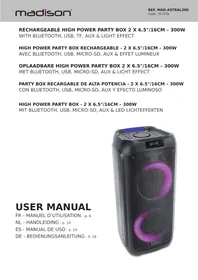
MAD-ASTRAL300 - Pregnant MADISON - Free user manual and instructions
Find the device manual for free MAD-ASTRAL300 MADISON in PDF.



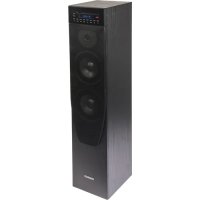
| Product type | Active portable speaker |
| Brand | MADISON |
| Model | MAD-ASTRAL300 |
| Dimensions (L x H x D) | 25 x 54 x 23 cm |
| Weight | 4.4 kg |
| Maximum output power | 300 W |
| Speakers | 2 x 6.5" (16 cm) woofer |
| Frequency response | 100 Hz - 18 kHz |
| Bluetooth frequency | 2402 - 2480 MHz |
| External power supply | AC adapter 100-240V~ 50/60Hz, output 9V 1.3A |
| Built-in battery | Lithium 7.4V, 3000 mAh |
| USB input | Yes (playback and charging 5V/1A) |
| micro-SD input | Yes (plays MP3/WMA files) |
| AUX input (Line) | Yes (3.5mm jack) |
| Microphone input | Yes (6.35mm jack) |
| Bluetooth | Yes, unspecified version |
| TWS function | Yes (pairing two speakers) |
| Karaoke function | Yes (with echo and microphone equalizer adjustments) |
| Voice recording | Yes (on USB or micro-SD) |
| Audio settings | Bass, treble, microphone volume, echo via MENU button |
| Light animation | Yes (switchable) |
| Usage | Indoors only, temperature 5°C to 35°C |
| Safety | Do not expose to rain, do not open, no user-serviceable parts |
| Maintenance | Wipe with a dry cloth, unplug if not used for long periods |
| Battery warranty | Not covered (according to manual) |
Frequently Asked Questions - MAD-ASTRAL300 MADISON
User questions about MAD-ASTRAL300 MADISON
0 question about this device. Answer the ones you know or ask your own.
Ask a new question about this device
Download the instructions for your Pregnant in PDF format for free! Find your manual MAD-ASTRAL300 - MADISON and take your electronic device back in hand. On this page are published all the documents necessary for the use of your device. MAD-ASTRAL300 by MADISON.
USER MANUAL MAD-ASTRAL300 MADISON
WITH BLUETOOTH, USB, TF, AUX & LIGHT EFFECT
WITH BLUETOOTH, USB, TF, AUX & LIGHT EFFECT
Operating Instructions
Congratulations to the purchase of your new speaker.
Explanation of signs
CE Accordance with the requirements of CE standard

The product is for indoor use only
RECOMMENDATIONS FOR BATTERIES

This symbol indicates that used batteries should not be disposed of with household waste but deposited in separate collection points for recycling.
WARNING
Danger of explosion if battery is incorrectly placed. Only replace by the same or equivalent type.
Keep new and old batteries out of the reach of children.
If the battery compartment doesn't close properly, stop using the product and keep it out of the reach of children.
Important Safety instructions and danger warnings
- Please read the manual carefully and keep it for future reference.
- The unit shall be connected to a power supply only of the type described.
- To reduce the risk of fire or electrical shock, do not expose this unit to rain or moisture.
- Adequate care shall be taken so that foreign objects do not fall, or liquids are not spilled into the enclosure through openings.
- Do not remove the cover or back, as there are no user-serviceable parts inside.
- For indoor use only
- Do not place on the apparatus a naked flame source, such as lighted candles.
- The unit should only be used in moderate climates
- A minimum distance of 0.5m around the unit must be kept to ensure sufficient ventilation and avoid overheating.
- All safety instructions and warnings must be adhered to. They are part of the manual and must be kept with the manual.
- Any guarantee claims are rendered invalid if damage occurs due to non-observance of these operating instructions. We assume no liability for any consequent damage.
- We assume no liability for personal injury or damage to property caused by incorrect handling or disrespect of the safety instructions. Any guarantee claims expires in such cases.
- Unauthorized conversions and/or modifications of the appliance are not permitted for safety and licensing reasons (CE).
- The appliance may not be exposed to extreme temperatures (< +5^ C / > +35^ C) in operation.
- The appliance may not be subject to strong vibrations or heavy mechanical strain.
IMPORTANT NOTE on LITHIUM-ION Batteries
PRIOR to using the unit for the first time, please charge fully the battery
- Charge the battery regularly after each use. Don't wait until it is discharged!
- DON'T allow the battery to discharge completely, otherwise it will lose 20% of its capacity or even be totally damaged! If the voltage becomes too low, the internal circuits are not powered anymore and it will become impossible to recharge the battery!
- If you don't use the unit for a longer period of time, it is recommended to charge it at 40% of its capacity and check/charge it once per month.
** BATTERIES ARE NOT COVERED BY THE WARRANTY **
We cannot be held responsible for damaged batteries further to the non-observance of these basic rules.
Charging the battery
Prior to using the unit for the first time, fully charge the built-in battery. Plug de DC connector of the supplied mains adaptor into the input socket (5) on top of the unit and the other end into an appropriate mains outlet. The built-in battery will start charging, no matter if the speaker is on or off. On the display, the battery charging symbol will run from 1 to 3 cells.
Once the battery is fully charged, it will display steadily 3 cells
Description of Top Panel
- USB input: Dual function- Play or Charge USB device
- TF card input
- AUX/LINE input
- MIC input
- DC input to power/charge the speaker
- ON/OFF switch
- In BT/USB/TF mode: press shortly =Previous song In AUX mode, this button has no function
- II Play/pause: In USB/TF/BT mode this button has the Play/Pause function In AUX mode, this button has no function
- In BT/USB/TF mode: press shortly = Next song; In AUX mode: no function
- MODE switch to select among LINE/BT/USB/TF mode.
- Repeat button
- REC button: press you record your voice on USB or TF
- Press to cycle through 3 light effect modes and switch the LED illumination on and off
14 MENU button: details see below - Volume control
- LED display
MENUButton (14)
This button allows to make various adjustments in conjunction with the VOLUME control (15). Press the MENU button:
- If b is displayed, rotate the VOLUME control (15) to adjust the low frequencies of the sound output
- If MU is displayed, rotate the VOLUME control (15) to adjust the microphone volume
- If EC is displayed, rotate the VOLUME control (15) to adjust the echo effect of the microphone
- If Mb is displayed, rotate the VOLUME control (15) to adjust the low frequencies of the microphone
- If Mt is displayed, rotate the VOLUME control (15) to adjust the high frequencies of the sound output
- If U is displayed, rotate the VOLUME control (15) to adjust the overall volume of the sound output. You can adjust the overall volume also directly any time by rotating the VOLUME wheel (15)
INSTRUCTIONS OF USE
- Press the ON/OFF button to switch the unit on.
- Press MODE button to select LINE/BT/USB/TF.
- Press MODE button and it will enter LINE (AUX) mode. Use an audio cable to connect the "AUX input" of the speaker to reproduce music from other devices.
- Press MODE button to enter BT mode. Previously pair the chosen device to the speaker. Once they have been paired successfully you can sit back and enjoy the music. Regulate the volume with the help of the volume knob.
BT Pairing Mode:
- Press MODE button until BT is displayed.
- Put the cell phone within 3 meters;
- Activate the BT features on your cell phone so that the cell phone starts to search for the BT device. Please refer to the users' manual for details
- Select "MAD-ASTRAL300" from the device list found by the cell phone;
- For some cell phones, the users have to key in the identification code "0000" and press ENTER key to pair the unit and cell phone.
- Press RETURN key on the cell phone to exit from the cell phone menu and play music with the unit when there is no barrier between two cell phones within 10 meters. At this time, you can play music with the unit.
- Shortly press PLAY/PAUSE button to play or pause music. Short press "▶" or "▶" key to select the previous or next track.
TWS Pairing Mode:
- Make sure both speakers are OFF.
- Go to your phone's Bluetooth interface and make sure that it is not connected to either of the speakers. If your phone is connected, choose to forget or remove the speakers from the list of available devices.
- Turn both speakers ON, press the MODE button on both speakers. The word « BLUE » should appear on both LCD screens and flash intermittently.
- Press the « NEXT » button on either one of the speakers for 5 seconds. Both units will enter pairing mode.
- One of the units will show the word « BLUE » on the LCD display. This is the master unit and will act as the left channel, while the other one will be the slave unit and will act as the right channel.
- Go to your phone's Bluetooth interface and select « MAD-ASTRAL300 » from the list of available devices. If pairing is successful, the word BLUE on the master unit will stop flashing.
- To disconnect the speakers, select any other mode on either one of the speakers.
LINE IN MODE:
Connect an audio lead from the Line output of your audio device to the AUX input on the unit. Press MODE button until LINE is displayed. When a device is plugged into the AUX socket, it will disconnect all other audio devices. In AUX mode, all functions can be controlled by the external device.
USB Mode:
- After startup, press MODE to select "USB" and insert the USB device. The unit will automatically read and play the music in the USB device.
- Press "▶ II" key shortly to pause or play the track.
- Shortly press “▶” key to skip to the previous track.
- Shortly press "▶" key to skip to the next track.
USB Charging function
If you don't use the USB input to play files from a USB media, you can connect your smartphone to this input to charge your battery. The socket supplies an output voltage of 5V ≈ 1A .
TF Mode:
- After startup, press MODE to select "TF" and insert the TF card. The unit will automatically read and play the music in the TF card.
- Press “▶II” key shortly to pause or play the music.
- Shortly press " 心 " key to skip to the previous track.
- Shortly press "▶" key to skip to the next track.
CONNECTION OF A MICROPHONE
Connect the microphone to the MIC input and switch it on.
Note: If you are playing music from any other input, connecting the microphone will not mute the sound output.
KARAOKE Function
This feature is available with any input. Play a track through USB/TF/Bluetooth/LINE, connect a microphone and sing along. Adjust the volume, echo, bass and treble via the MENU button (14) and the VOLUME wheel (15).
Built-in recording function of microphone sound
In USB/TF play mode: Long press on the record key to go into recording mode. The current sound output will stop and go to mute status. The recording will start when the screen displays 00:01. You can use a microphone to record. If you connect the USB/TF card for the first time to the speaker, the system will create a folder.
Troubleshooting
| Problem | Possible cause | Solution |
| No sound output when power on | 1: No input sound source | 1:Connect a Line signal |
| 2: Volume in the lowest position | 2:Adjust volume | |
| 3: USB/TF not connected | 3:Insert a USB/TF Card | |
| Distortion of sound | 1:Volume too loud | 1:Turn volume lower |
| 2: Audio file error | 2:Check and change the audio file | |
| 3:Adjust Bass/Treble by “MENU” and “Main volume” | ||
| No sound from the Microphone | 1:Microphone socket not fully plugged in | 1:Completely plug in the microphone socket |
| 2: Microphone switch is not on | 2:Power on microphone | |
| 3: Microphone volume too low | 3:Adjust microphone volume | |
| No sound from the USB/TF card | 1:incompatible song format | 1:songs format should be MP3/WMA |
| 2: Illegal operation causes failures | 2:Power off, then power on | |
| 3:USB/TF Card not inserted properly | 3:Insert USB/TF card properly | |
| Speaker makes much noise | 1: Microphone too close to the speaker | 1: Do not let the microphone's head point at the speaker |
| 2: Microphone is switched on but not in use | 2: Turn off microphone if not in use | |
| 3: Microphone volume too loud | 3: Reduce the microphone volume | |
| 4: Mobile phone too close to the speaker | 4: Keep mobile away from the speaker during calls | |
| 5: Too close to the equipment which interferes with the speaker | 5: Keep the speaker away from other sources of interference | |
| Blue-connect Failure | 1: Blue-connect Disconnected | 1: Find the right device Name |
| 2: Blue-connect Connected but no voice | 2: Confirm if you are connected to the right device Name | |
| 3: Blue-connect effective distance too short | 3: Try to keep away from barriers, such as walls, glasses...etc |
Specifications
Max. power 300W
Woofer 2x6.5"/16cm
Freq. range. 100Hz-18kHz
S/N ratio. 75dB
BT frequency 2402-2480MHz
BT Max RF Power -2.22dBm
Power supply. 9V= 1.3A via supplied 100-240V~ 50/60Hz mains adaptor
Built-in battery. Lithium 7.4V= 3000mAh
Operating time on battery at medium power 2-4h
Dimensions 250 x 230 x 540mm
Weight 4.4kg
The product design and specifications may be changed without prior notice!
This marking indicates that this product should not be disposed with other household wastes throughout the EU. To prevent possible harm to the environment or human health from uncontrolled waste disposal, recycle it responsibly to promote the sustainable reuse of material resources. To return your used device, please use the return and collection systems or contact the retailer where the product was purchased. They can take this product for environmental safe
recycling.
HIGH POWER PARTY BOX RECHARGEABLE - 2 X 6.5"/16CM - 300W AVEC BLUETOOTH, USB, MICRO-SD,AUX ET EFFET LUMINEUX
Introduction
BT Puissance RF max. -2.22dBm
Rapport S/B. 75dB
BT Max RF vermogen -2.22dBm
S/Rverhouding 75dB
Potencia RF BT max -2.22dBm
BT Max RF Leistung. -2.22dBm
Storabstand . 75dB
EU Declaration of Conformity
Hereby we,
LOTRONIC SA
Avenue Zénobe Gramme, 9
1480 SAINTES
Belgique
+32.2.390.91.91
Certify and declare under our sole responsibility that the following product:
Trade name:
madison
Product name:
Portable speaker
Type or model:
MAD-ASTRAL3000
Conforms to the essential requirements of the:
RED directive 2014/53/EU, ErP directive 2009/125/EC, Commission Regulation (EC) 2019/1782, 2011/65/EU RoHS directive and the Commission Delegated Directive (EU) 2015/863
Based on the following specifications applied:
EN 62368-1:2014+A11:2017
EN 62311:2020
EN 50665 : 2017
ETSI EN301 489-1 V2.2.3 : 2019-11
ETSI EN301 489-17 V3.2.4 : 2020-09
EN 55032 : 2015
EN 55035 : 2017
EN 61000-3-2 : 2019
Place and date of issue:
Saintes ( Belgium ), on 23/11/2020
Manuel De Sousa
Quality Manager
Average operating efficiency / Efficacité active moyenne: 81.351%
Efficiency at low load (10%) / Rendement à faible charge (10%) 78,81%
No-load consumption / Consommation electrique à vide: 0.09 W
View the product on our website
Download the manual from www.madison-sound.com


Imported from China by LOTRONIC S.A.
Avenue Zénobe Gramme 9
B-1480 Saintes