USER MANUAL GALAXY TAB A (9.7, WI-FI) SAMSUNG
Please read this important safety information before you use the device. It contains general safety information for devices and may include content that does not apply to your device. Follow the warning and caution information to prevent injury to yourself or others and to prevent damage to your device.

The term 'device' refers to the product and its battery, charger, the items supplied with the product, and any Samsung-approved accessories used with the product.

Warning
Failure to comply with safety warnings and regulations can cause serious injury or death
Do not use damaged power cords or plugs, or loose electrical sockets
Unsecured connections can cause electric shock or fire.
Do not touch the power cord with wet hands or disconnect the charger by pulling the cord
Doing so may result in electrocution.
Do not bend or damage the power cord
Doing so may cause electric shock or fire.
Do not use your device while it is charging or touch your device with wet hands
Doing so may cause electric shock.
Do not short-circuit the charger or the device
Doing so may cause electric shock or fire, or the battery may malfunction or explode.
Do not use your device outdoor during a thunderstorm
Doing so may result in electric shock or device malfunction.
Use manufacturer-approved batteries, chargers, accessories, and supplies.
- Using generic batteries or chargers may shorten the life of your device or cause the device to malfunction. They may also cause a fire or cause the battery to explode.
- Use only Samsung-approved battery and charger specifically designed for your device. Incompatible battery and charger can cause serious injuries or damage to your device. Samsung cannot be responsible for the user's safety when using accessories or supplies that are not approved by Samsung.
Do not carry your device in your back pockets or on your waist.
- The device may be damaged, explode, or result in a fire if too much pressure is applied to it.
- You may be injured if you are bumped or fall.
Do not drop or cause an impact to the charger or the device.
Handle and dispose of the device and charger with care.
- Never dispose of the battery or device in a fire. Never place the battery or device on or in heating devices, such as microwave ovens, stoves, or radiators. The device may explode when overheated. Follow all local regulations when disposing of used battery or device.
- Never crush or puncture the device.
- Avoid exposing the device to high external pressure, which can lead to an internal short circuit and overheating.
Protect the device, battery and charger from damage.
- Avoid exposing your device and battery to very cold or very hot temperatures. Extreme temperatures can damage the device and reduce the charging capacity and life of your device and battery.
- Prevent the battery from coming into contact with metal objects, as this can create a connection between the + and - terminals of your battery and lead to temporary or permanent battery damage.
- Never use a damaged charger or battery.
Do not store your device near or in heaters, microwaves, hot cooking equipment, or high pressure containers.
The battery may leak. - Your device may overheat and cause a fire.
Do not use or store your device in areas with high concentrations of dust or airborne materials.
Dust or foreign materials can cause your device to malfunction and may result in fire or electric shock.
Conductive materials may cause a short circuit or corrosion of the terminals, which may result in an explosion or fire.
Do not bite or suck the device or the battery.
- Doing so may damage the device or result in an explosion or fire. Children or animals can choke on small parts.
- If children use the device, make sure that they use the device properly.
Do not insert the device or supplied accessories into the eyes, ears, or mouth.
Doing so may cause suffocation or serious injuries.
Do not handle a damaged or leaking Lithium Ion (Li-Ion) battery.
For safe disposal of your Li-ion battery, contact your nearest authorised service centre.

Caution
Failure to comply with safety cautions and regulations can cause injury or property damage.
Do not use your device near other electronic devices.
- Most electronic devices use radio frequency signals. Your device may interfere with other electronic devices.
- Using an LTE data connection may cause interference with other devices, such as audio equipment and telephones.
Do not use your device in a hospital, on an aircraft, or in automotive equipment that can be interfered with by radio frequency.
- Avoid using your device within a 15 cm range of a pacemaker, if possible, as your device can interfere with the pacemaker.
- To minimise possible interference with a pacemaker, use your device only on the side of your body that is opposite the pacemaker.
- If you use medical equipment, contact the equipment manufacturer before using your device to determine whether or not the equipment will be affected by radio frequencies emitted by the device.
- On an aircraft, using electronic devices can interfere with the aircraft's electronic navigational instruments. Make sure the device is turned off during takeoff and landing. After takeoff, you can use the device in flight mode if allowed by aircraft personnel.
- Electronic devices in your car may malfunction due to radio interference from your device. Contact the manufacturer for more information.
Do not expose the device to heavy smoke or fumes.
Doing so may damage the outside of the device or cause it to malfunction.
The radio frequency emitted by your device may interfere with some hearing aids. Before using your device, contact the manufacturer to determine whether or not your hearing aid will be affected by radio frequencies emitted by the device.
Do not use your device near devices or apparatuses that emit radio frequencies, such as sound systems or radio towers.
Radio frequencies may cause your device to malfunction.
Turn off the device in potentially explosive environments.
- Turn off your device in potentially explosive environments instead of removing the battery.
- Always comply with regulations, instructions and signs in potentially explosive environments.
- Do not use your device at refuelling points (petrol stations), near fuels or chemicals, or in blasting areas.
- Do not store or carry flammable liquids, gases, or explosive materials in the same compartment as the device, its parts, or accessories.
If you notice strange smells or sounds coming from your device or the battery, or if you see smoke or liquids leaking from the device or battery, stop using the device immediately and take it to a Samsung Service Centre.
Failure to do so may result in fire or explosion.
Comply with all safety warnings and regulations regarding mobile device usage while operating a vehicle.
While driving, safely operating the vehicle is your first responsibility. Never use your mobile device while driving, if it is prohibited by law. For your safety and the safety of others, use your common sense and remember the following tips:
- Get to know your device and its convenience features, such as speed dial and redial. These features help you reduce the time needed to place or receive calls on your mobile device.
- Position your device within easy reach. Make sure you can access your wireless device without taking your eyes off the road. If you receive an incoming call at an inconvenient time, let your voicemail answer it for you.
- Suspend calls in heavy traffic or hazardous weather conditions. Rain, sleet, snow, ice, and heavy traffic can be hazardous.
- Do not take notes or look up phone numbers. Jotting down a "to do" list or flipping through your address book takes attention away from your primary responsibility of driving safely.
- Dial sensibly and assess the traffic. Place calls when you are not moving or before pulling into traffic. Try to plan calls when your car will be stationary.
- Do not engage in stressful or emotional conversations that may be distracting. Make the person you are talking to aware that you are driving and suspend conversations that could potentially divert your attention from the road.
Care and use your device properly
Keep your device dry
- Humidity and liquids may damage the parts or electronic circuits in your device.
- Do not turn on your device if it is wet. If your device is already on, turn it off and remove the battery immediately (if the device will not turn off or you cannot remove the battery, leave it as-is). Then, dry the device with a towel and take it to a service centre.
- This device has internal liquid indicators fitted. Water damage to your device may void the manufacturer's warranty.
Store your device only on flat surfaces
If your device falls, it may be damaged.
Do not store your device in very hot or very cold areas. It is recommended to use your device at temperatures from 5°C to 35°C
- Do not store your device in very hot areas such as inside a car in the summertime. Doing so may cause the screen to malfunction, result in damage to the device, or cause the battery to explode.
- Do not expose your device to direct sunlight for extended periods of time (on the dashboard of a car, for example).
- Store the battery at temperatures from 0°C to 45°C.
- Your device may be scratched or may malfunction.
- If the battery terminals come into contact with metal objects, this may cause a fire.
Do not store your device near magnetic fields.
- Your device may malfunction or the battery may discharge from exposure to magnetic fields.
- Magnetic stripe cards, including credit cards, phone cards, passbooks, and boarding passes, may be damaged by magnetic fields.
Do not use your device or applications for a while if the device is overheated.
Prolonged exposure of your skin to an overheated device may cause low temperature burn symptoms, such as red spots and pigmentation.
Do not use your device with the back cover removed.
The battery may fall out of the device, which may result in damage or malfunction.
If your device has a camera flash or light, do not use it close to the eyes of people or pets.
Using a flash close to the eyes may cause temporary loss of vision or damage to the eyes.
Use caution when exposed to flashing lights.
While using your device, leave some lights on in the room and do not hold the screen too close to your eyes. Seizures or blackouts can occur when you are exposed to flashing lights while watching videos or playing Flash-based games for extended periods. If you feel any discomfort, stop using the device immediately. If anyone related to you has experienced seizures or blackouts while using a similar device, consult a physician before using the device.
- If you feel discomfort, such as a muscle spasm, or feel disoriented, stop using the device immediately and consult a physician.
- To prevent eye strain, take frequent breaks while using the device.
Reduce the risk of repetitive motion injuries.
When you repetitively perform actions, such as pressing keys, drawing characters on a touch screen with your fingers, or playing games, you may experience occasional discomfort in your hands, neck, shoulders, or other parts of your body. When using your device for extended periods, hold the device with a relaxed grip, press the keys lightly, and take frequent breaks. If you continue to have discomfort during or after such use, stop using the device and consult a physician.
Protect your hearing and ears when using a headset.

- Excessive exposure to loud sounds can cause hearing damage.
- Exposure to loud sounds while walking may distract your attention and cause an accident.
- Always turn the volume down before plugging the earphones into an audio source and use only the minimum volume setting necessary to hear your conversation or music.
- In dry environments, static electricity can build up in the headset. Avoid using headsets in dry environments or touch a metal object to discharge static electricity before connecting a headset to the device.
- Do not use a headset while driving or riding. Doing so may distract your attention and cause an accident, or may be illegal depending on your region.
Use caution when using the device while walking or moving.
- Always be aware of your surroundings to avoid injury to yourself or others.
- Make sure the headset cable does not become entangled in your arms or on nearby objects.
Do not paint or put stickers on your device
- Paint and stickers can clog moving parts and prevent proper operation.
- If you are allergic to paint or metal parts of the device, you may experience itching, eczema, or swelling of the skin. When this happens, stop using the device and consult your physician.
Do not use the device if it is cracked or broken
Broken glass or acrylic could cause injury to your hands and face. Take the device to a Samsung Service Centre to have it repaired.
Install mobile devices and equipment with caution
- Ensure that any mobile devices or related equipment installed in your vehicle are securely mounted.
- Avoid placing your device and accessories near or in an airbag deployment area. Improperly installed wireless equipment can cause serious injury when airbags inflate rapidly.
Do not drop your device or cause impacts to your device
- Your device may be damaged or may malfunction.
- If bent or deformed, your device may be damaged or parts may malfunction.
Ensure maximum battery and charger life
- Avoid charging your device for more than a week, as overcharging may shorten battery life. Over time, unused device will discharge and must be recharged before use.
- Disconnect the charger from power sources when not in use.
- Use the battery only for their intended purposes.
- Leaving batteries unused over time may reduce their lifespan and performance. It may also cause the batteries to malfunction or explode, or cause a fire.
- Follow all instructions in this manual to ensure the longest lifespan of your device and battery. Damages or poor performance caused by failure to follow warnings and instructions can void your manufacturer's warranty.
- Your device may wear out over time. Some parts and repairs are covered by the warranty within the validity period, but damages or deterioration caused by using unapproved accessories are not.
When using the device, mind the following:
- Hold the device upright, as you would with a traditional phone.
- Speak directly into the microphone.
Do not disassemble, modify, or repair your device.
- Any changes or modifications to your device can void your manufacturer's warranty. If your device needs servicing, take your device to a Samsung Service Centre.
- Do not disassemble or puncture the battery, as this can cause explosion or fire.
- Turn off the device before removing the battery. If you remove the battery with the device turned on, it may cause the device to malfunction.
When cleaning your device, mind the following:
- Wipe your device or charger with a towel or an eraser.
- Clean the battery terminals with a cotton ball or a towel.
- Do not use chemicals or detergents. Doing so may discolor or corrode the outside of the device or may result in electric shock or fire.
Do not use the device for anything other than its intended use.
Your device may malfunction.
Avoid disturbing others when using the device in public.
Allow only qualified personnel to service your device.
Allowing unqualified personnel to service your device may result in damage to your device and will void your manufacturer's warranty.
Handle SIM cards, memory cards, or cables with care.
- When inserting a card or connecting a cable to your device, make sure that the card is inserted or the cable is connected to the proper side.
- Do not remove a card while the device is transferring or accessing information, as this could result in loss of data and/or damage to the card or device.
- Protect cards from strong shocks, static electricity, and electrical noise from other devices.
- Do not touch gold-coloured contacts or terminals with your fingers or metal objects. If dirty, wipe the card with a soft cloth.
- Inserting a card or connecting a cable by force or improperly may result in damage to the multipurpose jack or other parts of the device.
Ensure access to emergency services.
Emergency calls from your device may not be possible in some areas or circumstances. Before travelling in remote or undeveloped areas, plan an alternative method of contacting emergency services personnel.
While using your device, be sure to back up important data. Samsung is not responsible for the loss of any data. - When disposing of your device, back up all data and then reset your device to prevent misuse of your personal information. - Carefully read the permissions screen when downloading applications. Be particularly cautious with applications that have access to many functions or to a significant amount of your personal information. - Check your accounts regularly for unapproved or suspicious use. If you find any sign of misuse of your personal information, contact your service provider to delete or change your account information. - In the event your device is lost or stolen, change the passwords on your accounts to protect your personal information. - Avoid using applications from unknown sources and lock your device with a pattern, password, or PIN.
Do not distribute copyright-protected material.
Do not distribute copyright-protected material without the permission of the content owners. Doing this may violate copyright laws. The manufacturer is not liable for any legal issues caused by the user's illegal use of copyrighted material.
Malware and viruses
To protect your device from malware and viruses, follow these usage tips. Failure to do so may result in damages or loss of data that may not be covered by the warranty service.
- Do not download unknown applications.
- Do not visit untrusted websites.
- Delete suspicious messages or email from unknown senders.
- Set a password and change it regularly.
- Deactivate wireless features, such as Bluetooth, when not in use.
- If the device behaves abnormally, run an antivirus program to check for infection.
- Run an antivirus program on your device before you launch newly-downloaded applications and files.
- Install antivirus programs on your computer and run them regularly to check for infection.
- Do not edit registry settings or modify the device's operating system.
For more information, visit www.samsung.com/sar and search for your device with the model number.
Correct disposal of this product

(Waste Electrical & Electronic Equipment)
(Applicable in countries with separate collection systems)

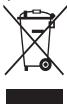
This marking on the product, accessories or literature indicates that the product and its electronic accessories (e.g. charger, headset, USB cable) should not be
disposed of with other household waste.
To prevent possible harm to the environment or human health from uncontrolled waste disposal, please separate these items from other types of waste and recycle them responsibly to promote the sustainable reuse of material resources.
Household users should contact either the retailer where they purchased this product, or their local government office, for details of where and how they can take these items for environmentally safe recycling.
Business users should contact their supplier and check the terms and conditions of the purchase contract. This product and its electronic accessories should not be mixed with other commercial wastes for disposal.
This product is RoHS compliant.
Correct disposal of batteries in this product

(Applicable in countries with separate collection systems)
The marking on the battery, manual or packaging indicates that the battery in this product should not be disposed of with other household waste. Where
marked, the chemical symbols Hg, Cd or Pb indicate that the battery contains mercury, cadmium or lead above the reference levels in EC Directive 2006/66.
The battery incorporated in this product is not user replaceable. For information on its replacement, please contact your service provider. Do not attempt to remove the battery or dispose it in a fire. Do not disassemble, crush, or puncture the battery. If you intend to discard the product, the waste collection site will take the appropriate measures for the recycling and treatment of the product, including the battery.
Disclaimer
Some content and services accessible through this device belong to third parties and are protected by copyright, patent, trademark and/or other intellectual property laws. Such content and services are provided solely for your personal non-commercial use.
You may not use any content or services in a manner that has not been authorised by the content owner or service provider.
Without limiting the foregoing, unless expressly authorised by the applicable content owner or service provider, you may not modify, copy, republish, upload, post, transmit, translate, sell, create derivative works, exploit, or distribute in any manner or medium any content or services displayed through this device.
"THIRD PARTY CONTENT AND SERVICES ARE PROVIDED "AS IS." SAMSUNG DOES NOT WARRANT CONTENT OR SERVICES SO PROVIDED, OTHERWISE EXPRESSLY OR IMPLIEDLY, FOR ANY PURPOSE. SAMSUNG EXPRESSLY DISCLAIMS ANY IMPLIED WARRANTIES, INCLUDING BUT NOT LIMITED TO, WARRANTIES OF MERCHANTABILITY OR FITNESS FOR A PARTICULAR PURPOSE. SAMSUNG DOES NOT GUARANTEE THE ACCURACY, VALIDITY, TIMELINESS, LEGALITY, OR COMPLETENESS OF ANY CONTENT OR SERVICE MADE AVAILABLE THROUGH THIS DEVICE AND UNDER NO CIRCUMSTANCES, INCLUDING NEGLIGENCE, SHALL SAMSUNG BE LIABLE, WHETHER IN CONTRACT OR TORT, FOR ANY DIRECT, INDIRECT, INCIDENTAL, SPECIAL OR CONSEQUENTIAL DAMAGES, ATTORNEY FEES, EXPENSES, OR ANY OTHER DAMAGES ARISING OUT OF, OR IN CONNECTION WITH, ANY INFORMATION CONTAINED IN, OR AS A RESULT OF THE USE OF ANY CONTENT OR SERVICE BY YOU OR ANY THIRD PARTY, EVEN IF ADVISED OF THE POSSIBILITY OF SUCH DAMAGES."
Third party services may be terminated or interrupted at any time, and Samsung makes no representation or warranty that any content or service will remain available for any period of time. Content and services are transmitted by third parties by means of networks and transmission facilities over which Samsung has no control. Without limiting the generality of this disclaimer, Samsung expressly disclaims any responsibility or liability for any interruption or suspension of any content or service made available through this device.
Samsung is neither responsible nor liable for customer service related to the content and services. Any question or request for service relating to the content or services should be made directly to the respective content and service providers.
Please read the important safety information before using the device. It contains general safety information for devices and may include material that applies to your device. Follow the warnings and cautions to prevent injury to yourself and others and to prevent damage to the device.

2
a 1
a
()()()
a a a a a a a a a a a a a a a a a a a a a
a aaii i 10
g21 1 g21 1 g21
ailll ci jia gao jiehll jaiy j Suyi liu
alall jlll alldi llll clln pbn jg 0 Jlll Jlll
ailll lai pia jao daa no jilll aie
Therefore, OE is perpendicular to BC.
a 15

j 1
jglal j0sjlj
is global.
jlll l jlll n 1s Jlll llal So Salln
y jy jy dyie yj yj yj yj yj yj yj yj yj yj yj yj yj
.5y jlll (j) 1u
j 1 1
Aagall llyj yabylal aui Jace jajl jgll plaii el
Cululll jzj 2c algau Cuiu gauw
a 1
Aasill slilipalssolol
ie 1y jy. cybill yjii ie ayj yjaii aiai i jai
j jy jy jy jiy jiy jiy jiy jiy jiy jiy jiy jiy jiy jiy jiy jiy jiy jiy jiy jiy jiy jiy jiy jiy jiy jiy jiy jiy jiy jiy jiy jiy jiy jiy jiy jiy jiy jiy jiy jiy jiy jiy
ailllglal 100g jaoe gj 12.0r
dLus clogjoo jai jai aai 2jay Jua
PbCdHg
17/4.7

Warning: Read all safety instructions before using this device. The instructions may include information not related to your device. Follow the instructions for installation and use to prevent accidents and to prevent damage to your device.

The battery charger, charging device, and battery are designed for use with the product. They are manufactured by Samsung.

Warning
Failure to follow safety warnings and precautions may result in serious injury or death.
Do not use damaged power cords or plugs, or loose electrical outlets.
This may cause electric shock or fire.
Do not bend or damage the power cord, and do not connect or disconnect the charger with wet hands.
This may cause electric shock.
Do not pull or damage the power cord.
This may cause electric shock or fire.
Do not use the device while it is charging, and do not touch it with wet hands.
This may cause electric shock.
Do not expose the battery to direct sunlight.
This may cause electric shock or fire, or the battery may be damaged and explode.
Do not use the device during a thunderstorm.
This may cause electric shock or damage to the device.
Remove the battery, charging device, accessories and spare parts, check the charging contacts.
Use only specialized battery chargers for the charging device. They are designed for the device and prevent damage. The charger may cause damage if used with other devices. Use only the battery charger approved by Samsung. Unapproved battery chargers may cause serious injury or damage to the device. Samsung is not responsible for the safety of users or consumers who do not use approved Samsung chargers.
Do not place the device on soft surfaces or carpets.
• The device may be damaged, explode, or catch fire if exposed to high temperatures or flames. - You may be injured if it falls or is dropped.
Do not expose or place the charging device in water or rain.
Be careful when choosing the device and the charger.
Never throw the battery or device into a fire. Never place the battery or device in a heating device, such as a microwave oven, stove, or radiator. The device may explode if overheated. Follow all local regulations when disposing of used batteries or devices.
Never disassemble or puncture the device. Any damage to the device may cause explosion or fire.
Charge the device, battery, and charger away from fire.
Keep the device, battery, and charger away from high temperatures. High or low temperatures may damage the device or reduce the battery's charging capacity and lifespan. Protect the battery from contact with metal objects, as this may create a short circuit between the battery terminals and cause damage to the battery. Never use a damaged charging device or battery.
Do not leave the device near heaters, microwave ovens, stoves, or hot containers.
The battery may leak. - The device may overheat and catch fire.
Do not use or store the device in containers with flammable liquids or gases.
Flammable liquids or gases may cause a fire or explosion.
The material is intended for use on the surface, when it is not exposed to fire.
Do not disassemble the device or the battery.
This may damage the device or cause a fire hazard. - The device contains small parts. - If the device is used by children, make sure they are supervised.
Place the device and the provided accessories out of reach of children.
This may cause choking or serious injury.
Do not use damaged or leaking lithium-ion (Li-Ion) batteries.
Dispose of the battery in accordance with all local regulations for the disposal of lithium-ion batteries.

Warning
Failure to follow these instructions may result in injury or damage.
Do not use the device near other electronic devices.
The use of electronic devices may be restricted in certain areas. Your device may interfere with other electronic devices. The use of the device in certain areas may cause interference with other devices, such as medical equipment.
Do not use the device in hospitals, airplanes, or automotive equipment, which may be affected by radio signals.
- __SUPPIMER__
- 17 cm on the device. For the task, use your device only on a flat, stable surface, opposite to the direction of the arrow.
- Ако използвате медицински уред, свържете се с неговия производител, преди да използвате устройството, за да разберете дали устройството е одобрено за работа с него, избягвайки на устройството.
В самолета или в болницата, медицински уред може да бъде повреден от електромагнитни смущения и от високочестотен уред или натежаващ апарат. Изключете устройството си в близост до знаци, предупреждаващи за това. След като изключите, можете да познаете устройството, ако видите хартиени или електронни предупреждения. - Електромагнитните смущения могат да попречат на работата на медицинското устройство. Свържете се с производителя за информация.
Не излагайте устройството на слънчева светлина или на дъжд
Това може да повреди корпуса му или да наруши функциите му.
Ако използвате слухов апарат, свържете се с производителя за информация относно смущенията.
Радиочестотата, излъчвана от вашето устройство, може да превиши допустимите нива в някои случаи. Преди да използвате устройството, свържете се с производителя, за да разберете дали случаите, в които се появява радиочестотата, излъчвана от устройството, са безопасни.
Използвайте устройството близо до други устройства или апарати, излъчващи радиочестоти, като например аудио системи или радио кутии
Радиочестотите могат да причинят повреда на устройството.
Изключете устройството, когато се намирате в район с потенциално експлозивна атмосфера
Вместо да използвате зарядното, изключете устройството в потенциално експлозивна среда. Винаги спазвайте предупрежденията, инструкциите и защитата в потенциално експлозивна среда. Не използвайте устройството в бензиностанции, близо до горива или химикали, или в зони с експлозивни вещества. Не оставяйте и не съхранявайте запалими течности, газове или взривоопасни вещества там, където е устройството, частите или аксесоарите му.
Ако забележите странни миризми или звуци, излизащи от устройството или батерията, или ако видите дим или течност, излизащи от устройството или батерията, спрете да използвате устройството незабавно и го занесете в сервизен център на Samsung
В противен случай можете да предизвикате пожар или експлозия.
Improper use or storage of the battery may lead to fire, explosion, or other hazards. If the battery is not used properly, it may leak, and if it comes into contact with skin or eyes, it can cause injury. For battery safety, follow the instructions provided by the manufacturer.
Ensure that the device is used in a safe and appropriate manner, for example, by keeping it away from water and extreme temperatures. These functions will help you save time and effort in your daily tasks. • Place your device on a stable surface. Adjust it so that you can see the screen clearly, without straining your eyes. If you notice any damage or malfunction, stop using the device immediately. - Stop using the device if it overheats or if you notice any unusual smells, sounds, or other signs of malfunction. - Do not expose the device to extreme temperatures or direct sunlight. - Do not use the device while it is charging or if the battery is damaged. - Keep the device away from children and pets. - Do not attempt to repair the device yourself; contact a qualified service center. - Follow all safety instructions provided with the device.
Use the device correctly
Keep the device dry
High humidity or moisture can damage the device or the battery. - Do not immerse the device in water. If the device gets wet, do not turn it on or attempt to charge it (if the device cannot be turned off or the battery cannot be removed, leave it as is). Wipe the device with a cloth and take it to a service center. This device is equipped with a built-in battery. Do not attempt to remove or replace the battery, as this may damage the device.
Store the device only on flat surfaces
If the device falls, it may be damaged.
Do not store the device in hot or cold places. It is recommended to use the device at temperatures between 5°C and 35°C
Do not store the device in hot places, such as in a car on a hot day. This may damage the battery, cause the device to malfunction, or cause the battery to leak. Do not expose the device to direct sunlight for extended periods (e.g., on a car dashboard). Store the battery at temperatures between 0°C and 45°C
Your device may be scratched or damaged. If the battery comes into contact with metal objects, it may cause a short circuit.
Do not leave the device near magnetic fields
The device may be used by children aged 8 and above, and by persons with reduced physical, sensory or mental capabilities, or lack of experience and knowledge, if they have been given supervision or instruction concerning use of the appliance in a safe way and understand the hazards involved. Children shall not play with the appliance. Cleaning and user maintenance shall not be made by children without supervision.
Use the device only for its intended purpose, for a short period of time.
The device is intended for use in household and similar applications such as: staff kitchen areas in shops, offices and other working environments; farm houses; by clients in hotels, motels and other residential type environments; bed and breakfast type environments.
Do not use the device outdoors or for any other purpose.
The device may emit heat, which could cause injury if used incorrectly.
If the camera's LED light is not working, do not use it as a flashlight for people or animals.
Do not look directly into the LED light, as it may cause temporary vision loss or damage to the eyes.
Warning: Do not look directly at the light source.
Turn off the light and unplug the device when not in use. Do not touch the lens or the area around it immediately after use, as it may be hot. The device is designed to emit a bright light for illumination. If you feel any discomfort, stop using the device and consult a doctor. If you have a medical condition that may be aggravated by using this device, consult a doctor before use. If you experience discomfort, such as muscle spasms or twitching, stop using the device immediately and consult a doctor. Keep the device away from children and pets while in use.
Risk of injury from repeated movement.
When using the device repeatedly as a flashlight, it may cause discomfort in the wrist, arm, shoulder, or neck. The device is designed to be held, but if you feel discomfort, stop using it and consult a doctor. If you continue to use it and experience discomfort, stop and consult a doctor.
Protect your hearing and ears when using headphones.

- High volume levels may damage your hearing. Listen at moderate volumes and avoid prolonged exposure to loud sounds.
Before using the device, ensure that the volume is set to a safe level. Start with the volume at a low setting and gradually increase it until you find a comfortable listening level. In dry environments, static electricity may be generated. To avoid this, touch a metal object before using the device. Do not use the device while driving or operating machinery. This may distract you and cause an accident.
Do not place stickers on the device.
The device is designed for use in household and similar applications. If you are an appliance repair technician or a qualified person, you may install it yourself, provided you follow the instructions for use and the safety warnings.
Do not use the device if it has been dropped or damaged.
The device should be repaired only by qualified personnel. For repairs, contact the Samsung service center.
Install the device on a stable surface.
- Always place the device on a flat, stable surface. Do not install it near heat sources or in damp places. The device must be placed at a distance from the wall to ensure proper ventilation. Improper installation may cause the device to fall and be damaged.
Do not drop the device or subject it to impact.
Your device may be damaged or may not work properly. If it is dropped or deformed, the device may be damaged and may cause injury.
Use the maximum recommended battery charging time for the device.
The battery is a consumable part and its lifespan may be shortened depending on usage. If the device is used improperly, the battery may be damaged and must be replaced. Do not use the device while it is charging. Use the battery only for its intended purpose. If you do not use the battery for a long time, it may lose its charge and performance. This may also damage the battery or cause it to leak, which could lead to a fire.
The device contains small parts that may pose a choking hazard. Using the device with non-original accessories or in a manner not specified in the instructions may void the warranty and may cause damage. The device may be used over time. The warranty does not cover damage caused by misuse, accidents, or unauthorized modifications.
When using the device, pay attention to the following.
The device is designed to be used in accordance with the instructions. Samsung is not responsible for the loss of your data. - Please read the instructions carefully and follow them to use the device properly, in order to prevent misuse of your personal information. BE CAREFUL WITH THE SCREEN FOR DAMAGE, WHEN THE DEVICE IS IN USE. PAY SPECIAL ATTENTION TO ACCESSORIES THAT HAVE PORTS AND MULTIPLE FUNCTIONS OR THAT CONNECT TO THE DEVICE AND TRANSMIT INFORMATION. THE USE OF THE DEVICE WITH UNAUTHORIZED ACCESSORIES MAY BE HARMFUL AND MAY CAUSE DAMAGE. IF YOU USE THE DEVICE WITH A NON-COMPLIANT ACCESSORY, CONTACT THE MANUFACTURER OR THE SERVICE CENTER TO OBTAIN THE NECESSARY INFORMATION. IN CASE THE DEVICE IS USED WITH A NON-COMPLIANT ACCESSORY, CHANGE THE PASSWORD ON YOUR ACCOUNT TO PROTECT YOUR DATA. FOLLOW THE INSTRUCTIONS AND DO NOT USE UNKNOWN OR UNVERIFIED ACCESSORIES. DO NOT CONNECT THE DEVICE TO UNKNOWN OR UNVERIFIED SOURCES.
Do not distribute copyrighted material
Do not distribute copyrighted material without the permission of the owner. Doing so may lead to violation of copyright law. The use of the device for any illegal purposes is prohibited, and the user is responsible for any misuse of copyrighted material.
Malware and viruses
To protect the device from malware and viruses, follow these instructions. Failure to follow these instructions may lead to damage or loss of data, and may not be covered by the warranty.
Do not download unknown applications or visit unreliable websites. Install only trusted applications. Ask for advice and read reviews. - Be careful with applications that use Bluetooth or other wireless connections when not in use. - Use the device's security software to check for threats. Install antivirus software on the device and update it regularly to protect against new threats. - Do not modify the system settings or the security software of the device.
Information about certification for specific absorption rate (SAR)
For more information, visit www.samsung.com/sar and search for your device model.
Proper disposal of this product (Waste Electrical & Electronic Equipment)

(Applicable in countries with separate collection systems)
(For households with separate waste collection)
This marking on the product, accessories, or literature indicates that the product and its electronic accessories (e.g., charger, headset, USB cable) should not be disposed of with other household waste.
Dispose of them.
A manufacturer shall take measures to ensure that the product is safe, and shall provide the necessary information to enable the user to use it safely. The product must be designed and manufactured in such a way that, when used in accordance with its intended purpose, it does not present a risk to health or safety. The manufacturer shall also take into account the foreseeable use of the product and the possibility of misuse.
The manufacturer shall provide instructions for use and safety information in the language of the country where the product is sold. The instructions shall be clear and understandable, and shall include all necessary warnings and precautions. The manufacturer shall also ensure that the product is accompanied by all necessary documentation.
The manufacturer shall carry out appropriate tests and inspections to verify that the product complies with the requirements of this regulation. The manufacturer shall also keep records of these tests and inspections, and shall make them available to the competent authorities upon request.
Proper disposal of batteries and accumulators

(Separate collection system for waste batteries)
The crossed-out wheeled bin symbol on the battery indicates that the battery must not be disposed of with household waste. The battery must be collected separately for recycling. By doing so, you help to protect the environment and conserve natural resources.
For more information about recycling and disposal of this battery, please contact your local waste management authority or the retailer where you purchased the product.
The product and its packaging should be disposed of separately from household waste. For information on recycling and disposal, please contact your local waste management authority or the retailer. Do not dispose of the product or its packaging in the regular trash. Please recycle the product and its packaging. If you are unsure about how to dispose of the product, please contact the retailer or the manufacturer for guidance.
Disclaimer
This document is provided "as is" without warranty of any kind, either expressed or implied, including but not limited to the implied warranties of merchantability and fitness for a particular purpose. The entire risk as to the quality and performance of the document is with you. Should the document prove defective, you assume the cost of all necessary servicing, repair, or correction. In no event shall the manufacturer be liable for any damages whatsoever arising out of the use of or inability to use this document, even if the manufacturer has been advised of the possibility of such damages. This document may contain technical inaccuracies or typographical errors. The manufacturer reserves the right to revise this document and to make changes to its content at any time without obligation to notify any person of such revisions or changes.
Samsung makes no warranties, express or implied, with respect to the Services or the Content, and expressly disclaims any warranties of merchantability, fitness for a particular purpose, and non-infringement. Samsung shall not be liable for any direct, indirect, incidental, special, or consequential damages, or any loss of profits or revenues, whether incurred directly or indirectly, or any loss of data, use, goodwill, or other intangible losses, resulting from (i) your use or inability to use the Services or Content; (ii) any conduct or content of any third party on the Services; or (iii) unauthorized access, use or alteration of your transmissions or content, whether based on warranty, contract, tort (including negligence), or any other legal theory, and whether or not Samsung has been informed of the possibility of such damage.
The Services and Content may be provided from third parties, and may be subject to change at any time, without notice from Samsung. Samsung does not warrant that the Services or Content will be uninterrupted or error-free. The Services and Content are provided on an "as is" and "as available" basis, without warranties of any kind, either express or implied, including, but not limited to, implied warranties of merchantability, fitness for a particular purpose, or non-infringement. Samsung does not warrant that the results obtained from the use of the Services or Content will be effective, reliable, or accurate, or that the Services or Content will meet your requirements.
Samsung does not provide any warranty or support for the Services or Content, and any support or warranty for the Services or Content is provided by the respective service provider. If you have any questions or concerns regarding the Services or Content, please contact the respective service provider directly.
Safety Information


25.15 15
4.15 4.20 4.25 4.30 4.35 4.40
i 1
g 1
:

1.25

2006/66
i j k l m n o p q r s t
1
.

y 35C-5°C
145°C-70°C
y
1
X
n7
n n nn
y
.007 1N

7 197 000 000
y
yNn nn nnnn nn nnnn
.
yinnn nnnn nn nnnnnnnnnnnnnnnnnnnnnnnnnnnnnnnnnnnnnnnnnnnnnnnnnnnnnnnnnnnnnnnnnnnnnnn
yynnnn nn nnnn
DNN IN DNN
.
niptn n yipnn in doyn nn ny
1 1 1 1 1 1 1 1 1 1 1 1 1 1 1 1 1 1 1 1 1 1 1 1 1 1 1 1 1
IN PTO XN DN YONNNN N
i i
nni nnnn nn nnnn nn nnnn
nnnnnnnnnnnnnnnnnnnnnnnnnnnnnnnnnnnnnnnnnnnnnnnnnnnnnnnnnnnnnnnnnnnnnnnnnnnnnnnnnnnnnnnnnnnnnnnnnnnnnnnnnnnnnnnnnnn
nnn n nn nx yynn nn
D7N,9nN nT DnNn T OIOO
Xn nn nnnn
D'0000 D'0001
DxNn7nW,wnny
1970 1970
.19n nn nnnn nnnn
wnnnn nn nnnn nn
JINXN 197 1000000000000000000
nwn nnn nn nnn nnn nnn
.Samsung w
y
.771X
JINN IN NNNNINNINNINNIN
.
Bluetooth 170
.
011-2XnNnNn,niun nnnnn n
.001
n nn nnnn nn nnnn nn nnnn nn nnnn
.
TIOIIXNIXINNINNNNINNNNNNNNNNN
DIOIIOIIOIIOIIOIIOIIOIIOIIOIIOIIOIIOIIOIIOIIOIIOIIOIIOIIOIIOIIOIIOIIOIIOIIOIIOIIOIIOIIOIIOIIOIIOIIOIIOIIOIIOIIOIIOIIOIIOIIOIIOIIOIIOIIO
n (Registry) n
wann nn
(SAR) nTn nn nn nn nn nn nn
www.samsung.com/sar nnnn nn
.190n 9-7y
n nn nnnn
()

This device complies with Part 15 of the FCC Rules. Operation is subject to the following two conditions: (1) This device may not cause harmful interference, and (2) this device must accept any interference received, including interference that may cause undesired operation.

Pb, Hg, Cd
Directive 2006/66/EC
(Kv) EILEVckcKefL 3
(Aralg-ALaLg 5
Ucpad, 1epeesrssrjai 3r 2005 Eepaee 4 1005
Ariyamivillat k K aayarayi Jnokrataa rana se Pnyoavkrae Aar Rnnaovkayr Rnnaevkry k O Sahmabvatil nnnnkrakrnrnkrnncr k 150, k npuyu y 342tarnkrn k 342tarnkrn k Kanvarese s Aar Nnne k 342tarnkrn k Bdavranr 342tarnkrn k
202 23 24 25 26 27 28 29 30 31 32 33 34 35 36 37 38 39 40 41 42 43 44 45 46 47 48 49 50 51 52 53 54 55 56 57 58 59 60 61 62 63 64 65 66 67 68 69 70 71 72 73 74 75 76 77 78 79 80 81 82 83 84 85 86 87 88 89 90 91 92 93 94 95 96 97 98 99 100
LzTzTzTzTzTzTzTzTzTzTzTzTzTzTzTzTzTzTzTzTzTzTzTzTzTzTzTzTzTzTzTzTzTzTzTzTzTzTzTzTzTzTzTzTzTzTzTzTzTzTz
欧海 乌斯拉波罗HSK
Samsung Saamaghiya saeebokse sae sahovitilat ahaekn saevahoeke s e kie n to 10krtadaydavte h e ae n h jia vahvabehd 15 Saamaghiya sae saeebokae sae sahovitilat saesae bokcokpokpokpokpokpokpokpokpokpokpokpokpokpokpokpokpokpokpokpokpokpokpokpokpokpokpokpokpokpokpokpokpokpokpokpokpokpokpokpokpokpokpokpokpokpokpokpokpokpokpok
KypblfblHb3dbkyTih3XaHe dpybictan naDanaHb13
KypblnfbHb13ab1 Kypfak YCTaHb13
bIbnfara ibt OPA tne Mm CbykBtBakr KpybFbIbHb6nueKeTePH Hemece 3neKTOPhD bAifAHc XcmaAalabH 3kAbMdYbMMyKH. KcybIbHbI3 dbMbKdAHaC, OHb KcNcAb3. Erep KcybIbHbI3 KcOybl60laC, OHb Ewiipin, batapereCbH bIdepaA hBnH3 (erep KcybIbHbI3 eunne Mehece 6batapecxbl bHpaFra aMacaHb3, con KaIbHbI4 da DaIabpHbI3). CooBx HcybIFbHbI3dbOp aRaMAJEM Keiipin, OHb K3MeT kepcyt opotlAbHbHa anblb6bpHb3. BykIyBbIbIi IkiKcYbIKbIK, NIKdAKrOpAmpaMeH Xa3DbIbTaNfAH. KpybIbIbIh3 CymEh 3aKbIMdaIaNfAH JxafAidaOneHdipuyuJI eNenJIRIHJI, KYUJI XOJIbIbU JMYMkIN
KypblfblHb teric 6etepde fana caKaTaHb3
KpyblfbiHbkyaTbIn aCaHb3,ON3aKbIMdaHybl MyMKIH.
KybplIbHbIbIte bIcTbIK HEMeTe oE cyblk xepnepde cakTaMaHb3. KybplIbHbIbIbIb5 5°C -35°C TEmpepatyapacbHda naaDanahy YcbHbIbIaIbIa
The battery can be used at temperatures from 0°C to 45°C. Do not expose it to direct sunlight or high temperatures. Keep it away from fire and heat sources. Do not short-circuit the battery. If the battery is damaged, do not use it. Dispose of it properly according to local regulations.
The battery should not be exposed to moisture or water. Keep it dry.
Do not store the battery near magnetic fields.
The battery should not be placed near strong magnetic fields. Magnetic cards, such as credit cards, ID cards, phone cards, and bank cards, can be damaged by the magnetic field.
If the battery is not used for a long time, it should be stored separately from other batteries.
If the battery is exposed to high temperatures, it may leak or explode. Do not use it in such conditions.
Do not dispose of the battery in fire.
If the battery is damaged or leaking, do not use it and dispose of it properly.
If the battery is damaged or cracked, do not use it and replace it with a new one.
If the battery is not used for a long time, it should be stored in a cool, dry place.
Do not expose the battery to high temperatures or direct sunlight.
If the battery is not used for a long time, it should be stored in a cool, dry place. Do not dispose of it in fire. If the battery is damaged, do not use it and dispose of it properly.
If you are not sure about the battery's condition, do not use it and consult a professional. If the battery is swollen or damaged, do not use it and dispose of it properly. For safety, keep the battery away from children.
The battery should be disposed of according to local regulations.
Nephenedip 6aCy, kAkaJTHaTaHbAanBpyh CypetihcayCaTatbHb36eH CNAYCMThApkeTeTpeiKaIHTANAPoBHyAanHa, KOlanDaBb3da, MOHbHb3da, HbKtAtpBbHy3da HEMECEneHd3IDBaCKaEileKriPeHDe HyaBcBb3DaTBeC3HyIH3MMyKH. KBypIbnHb1y3ak YkAtJ PnaiAnaHb3A,KybPbIbnHb6O cYctar, nepHENepaKApbiHb6acBnHb3c, coChmXhi y319ic XacahBn3. MyHdai KOnlaHbc6 BapbCiBuHa Hemece OaDH KENH KonaiCb3DbK, JxRfAcca, KBypIbnHb1y NaiAnaHb7b ToKTaBtiBn, dApirepdeHN KHeC EALnbH3.
Tatrynurhaa nai naadana hain Ke3de ecty Muyeuizdla Jxane KynkatahpibIbIdbIkyKopbaIbI

UllamaqanTbc KattbIbDaBcapStapRaphcEcyT KaJIefiHtINH,3AkhMmAnyHbHa ce6en GoByI MyMKH. Yi'panjie Kele XaKaHua KaDta TaBt bDaBt CapbHuRhy H3a4paBb13db ayaDbpHn, anataKbA hInKeN yMMyKH.
KylakacnaptbI bIb6ic K63Ie KcsparIbIbHa dIb6bc KaTtblbHIn aepaIbMa a3aIbIb3JxHe CeJIeReHIn HeMece MyBaKbHaBteyTe KAKETTI TEmEHITbIb6ic KaTbIbHaDJeHIn NaidaalabHbI3. Kyprakr, xekjepepratctatmikabnl3nekpt torbHapritnytpaadnaiaqndaa 60bly MyMmKIn. KypraKepxepnapepratctatmikabnl3nekpt torbHapritnytpaadna1a naIahanaIahabn3 HEMECeRAPHTpyrannhKn yBpUfNbaFkKocapdabH aIbIaHdaCTatmikabnl 3nekpt torbHapr3aDzIaHbDy bYiui MHMLmtal3AtkaTir3Iih3. Xyprisi HEMECE KJIeKTE 60HAna raphnPyrpaHbI NaiJaANHaB3. Bynai iTeY aanahatbyu bHe anata kAeJyMmKIn HEMEce ciDhAiMaNK4 BaanHbNtBu3aHcb3bOByMmKIn.
Xyprin KoheranBap aKtKaHda KypblbHbNn naDanahya CaBtBk uBaapanAahn NaidaHnhBh3
Θe3i3je he 6ackaparj xapaakat Ytcipmey uihn opdabim bCtptkB xagfaadnpbdi 6inir otbpmbni3. TapthyntpaKaefenihiKoandaabHb3aHaHEmeceJXaBbHbHbCaHdapaTaasacinl KaanMahtbHbNaHcEHmD6ObnHbN.
BormaHb3 Hemece KpybIbnbIbIb3ra XanbcIpbMaIap Xa6bIcbIbIb3
Бялххан:
Бялххан:
Бялххан:
Бялххан:
Бялххан:
Бялххан:
Бялххан:
Бялххан:
Бялххан:
Бялххан:
Бялххан:
Бялххан:
Бялххан:
Бялxхан:
Бялххан:
Бялххан:
Бялххан:
Бялххан:
Бялххан:
Бялххан:
Бялххан:
Бялххан:
Бялххан:
Бялххан:
Бялххан: KyybIbHbH, 08bIbHa Hemece 6BHeuKeTePihe anleepnHb3 6Ola, Tepi KblbUy, KbblHa nai Da 0bNybl Tohemic iCy mMykH. MydAn JxafJaDaN KyybIbHbH naiDaanahydu ToKataTbn, dApirepden Kehec any kepek.
CbIHFaH Hemece 6y3blfHaH 60JcA, KypblfBhl naJaIah6aHbI
CbuHraHn HneHemecE akpIaTaalbIK KOANDapBbH3 BeH 6eHtHi3di jXapakATaybMyMkh. KcpblfAByHbX KeHdety yuHsin Samsung Kb3Met Kepcety OpralbHaHa albn GapBbH3.
YnblkpybllapdbjXaHe Xa6bikTbCaTkBkneOpHaTbHb3
Kefihi39e ohp3aBtuHafn aIyI kbbYbIaNabIbIbIbIbIbI bHemece OI npAra KATbIcTbXkAbdIpaBbIbE6ipK EgeKInlireRIIKe 3eKst3HJIa KpybIbIbIhne HEMEce KEMekLI KpyaIadpAr yia JxacTbIK IbIaThbIa IMakrapaOpOAhtAbeIbMaH3a. yia XacTbIKAbpey IbuKkA Ke3de, YpybcOpHApTaMraH aCbMc3b KpybIbIbI deHENJIiEi dyepYJ kxpakatayai MyMkki.
KypbIbnHbIb3Ib Tycipin anMaHb3 HEMece KypblnBbHb3a cokKbIy Tria63e9
KypbIfb3aKbIMdanybI HEmeCe dpybc KMybc icTeMeyi MyMKIH. Erep MaJIbCa ce NIIuHHi 3eRpe, KpyI/IyHbIa3aKbIMdAaJIb He 6BJwKeTepi cTEMek AByIa MyMkhI.
BatebapnHbN Xhme 3aabeTaBbTuBn E hXoTgApbI bXapamDbblbFbHbE03XetKtHi3J3
The device is intended for use in household and similar applications. - Before connecting the device, make sure it is properly grounded. - The battery must only be charged with the supplied charger. - Do not use the device if the battery or the device itself is damaged. - Do not expose the battery to excessive heat or fire. - If the battery is damaged, it must be replaced by the manufacturer or a qualified person. - The device should be stored in a dry place. - Do not use the device if the power cord or plug is damaged. - Keep the device away from children and pets. - Do not immerse the device in water or any other liquid.
Device specifications
Install the device on a flat, stable surface. Do not place it near heat sources.
Do not use the device with a damaged power cord or plug.
Do not use the device if it has been dropped or damaged. If the device is damaged, it may cause electric shock or fire. Do not attempt to repair the device yourself; contact a qualified technician. The battery should be replaced by the manufacturer or a qualified person. Do not dispose of the battery in fire. If the battery is damaged, it must be replaced immediately.
Device specifications
Do not use the device if the power cord or plug is damaged. The battery should be charged only with the supplied charger. Do not use the device near flammable materials. If the device is not working properly, it may cause injury or damage.
Device specifications
The device is not intended for use by persons with reduced physical, sensory, or mental capabilities.
Device specifications
Use only the supplied charger and adapter.
Do not use the device if the power cord or plug is damaged. If the device is damaged, it must be repaired by a qualified person.
Do not install the device near heat sources, such as radiators or stoves.
If the power cord is damaged, it must be replaced by the manufacturer or a qualified person. Do not use the device if the power cord or plug is damaged. Do not attempt to repair the device yourself; contact a qualified technician.
Instructions for using the device
The device is intended for measuring the level of liquids and bulk materials. The device must be used in accordance with the technical specifications and operating instructions.
The device is designed for operation in both indoor and outdoor environments.
When using the device, follow the safety precautions. Samsung is not responsible for any damage caused by improper use. If the device is used in a manner not specified in the instructions, the warranty may be void. To prevent damage, do not expose the device to moisture or extreme temperatures. If the device is damaged, contact a qualified service center. Do not attempt to repair the device yourself.
Copyright protection of materials
All materials in this document are protected by copyright. Unauthorized reproduction or distribution of these materials is prohibited. For permission to use any copyrighted material, contact the copyright holder.
Trademarks
All trademarks mentioned in this document are the property of their respective owners. Use of these trademarks without the owner's permission is prohibited.
This device is intended for home use only. It is not intended for commercial use. The manufacturer is not responsible for damages caused by improper use or failure to follow the instructions. If the device is used for commercial purposes, the warranty is void. The manufacturer is not responsible for damages caused by using the device in a commercial setting. The warranty does not cover damages caused by misuse, accidents, or unauthorized modifications. For more information, refer to the warranty terms.
For information about the correct disposal of this product, visit
To dispose of the product correctly, visit www.samsung.com/sar and follow the instructions.
This device complies with Part 15 of the FCC Rules.

(For electrical and electronic equipment, batteries and accumulators) This symbol on the product, its accessories (mouse, keyboard, USB cable) or its packaging indicates that this product must not be disposed of with other household waste.
The manufacturer is not responsible for any radio or TV interference caused by unauthorized modifications to this equipment. Such modifications could void the user's authority to operate the equipment.
This device complies with the requirements of the European Union's Waste Electrical and Electronic Equipment (WEEE) Directive and the Restriction of Hazardous Substances (RoHS) Directive.
If you have any questions about the disposal of this product, please contact your local waste management authority or the retailer where you purchased the product.
This battery is subject to the following disposal regulations

(For users in the European Union)
Do not dispose of the battery in fire or with household waste. At the end of its life, the battery must be disposed of separately. The battery contains substances that may be harmful to the environment and human health if not disposed of properly.
The battery must be recycled or disposed of in accordance with local regulations.
This product is intended for indoor use only. Do not use it outdoors. Do not expose the battery to excessive heat or fire. If the battery leaks, do not touch the liquid. If the liquid comes into contact with skin or eyes, rinse with water and seek medical attention.
Dispose of the battery properly.
The content of this passage is in Kazakh and appears to be a legal disclaimer about the use of Samsung products and services. It discusses the terms and conditions, limitations of liability, and the user's responsibilities. I will translate it to English and clean it up.
This passage is also in Kazakh and continues the legal disclaimer, discussing the limitations of Samsung's liability and the user's agreement to the terms. I will translate it to English and clean it up.
This passage is in Kazakh and discusses the user's responsibility for the content and services, and Samsung's right to modify or discontinue them. I will translate it to English and clean it up.
This passage is in Kazakh and discusses Samsung's compliance with laws and regulations, and the user's responsibility to comply with them. I will translate it to English and clean it up.
An extension to the set of all functions
\(A\~J )\text{出} _ { 1 } ^ { \text{出} }) A

賊藻藻藥葬凿藻藻藻藻藻藻藻藻藻藻藻藻藻藻藻藻藻藻藻藻藻藻藻藻藻藻藻藻藻藻藻藻藻藻藻藻藻藻藻藻藻藻藻藻藻藻藻藻藻藻藻藻藻藻藻藻藻藻藻藻藻藻藻藻藻
藏,默,灾迦等缘到通之早范生造水矣。
德三贝贝在的是何人宗家用自的
/CTIA(www.ctia.org/consumer_info/safety)
FDA(www.fda.gov/cdrh/consumer)
JUK NRPB(www.hpa.org.uk/radiation)
WHO(www.who.int/peh-emf/en/)
06e36eTe MaKcImaJIeH BeK Ha TpaIeHe Ha 6aTepuJaTa nNoHaayOT
- 163e9y8a9re noIneHHe na 6abepejia jatao nOTo q EaHa cedmua 6bdejkn peKymepHOTo noIneHHe moKeJa rO ckpatn pa607HTNtBcK Ha 6batepJtata.
- Dispose of the frame, the device, and the battery in accordance with local regulations. Do not dispose of them as household waste. Use the battery only for its intended purpose.
- If you leave the battery unused for a long time, it may discharge to a level below the recommended level. In this case, the battery may malfunction or even explode, or it may cause a fire. Follow the instructions in the manual to ensure the best performance of your device and battery. If you ignore or fail to follow the recommended instructions, the warranty may be void. The device may be used with the battery. Some parts may be damaged if used improperly. During the warranty period, the battery's capacity may decrease due to normal wear and tear.
To use the device, have the necessary tools ready.
Hold the device correctly, just like a normal phone. Insert the plug directly into the microphone.
Do not disassemble, modify, or repair your device.
- Any changes or modifications not expressly approved by the party responsible for compliance could void the user's authority to operate the equipment. If your device needs service, take it to a qualified service technician.
- Do not disassemble or puncture the battery, as this may cause an electric shock or fire. Use the device only with the specified battery. If you replace the battery with an incorrect type, there is a risk of explosion. Dispose of used batteries according to the instructions.
To use the device, have the necessary tools ready.
Turn off the device and disconnect it from the power source. Clean the battery contacts with a dry cloth. Do not use solvents or detergents. Otherwise, it may cause corrosion or damage to the device, or it may result in an electric shock or fire.
Use the device only for its intended purpose.
Your device may not function properly.
Be careful not to expose the device to moisture when using it in public.
The device may be used for charging, and with the appropriate adapter, it can also be used for data transfer.
Carefully insert the SIM card, memory card, or card slot.
When inserting the card or connecting the device to the charger, make sure the card is inserted or connected in the correct direction. - Do not remove the card when the device is transmitting or receiving information, as this may cause data loss or damage to the card or device. - Keep the card away from children. - Do not touch the gold contacts with your fingers or metal objects. If the card is dirty, wipe it with a soft cloth. Inserting the card or using it improperly may cause damage to the device or other parts of the device.
Emergency calls
Emergency calls may not be possible in all areas or under all conditions. Before traveling to remote or undeveloped areas, prepare an alternative method of contacting emergency services.
Battery and charger safety
To prevent injury or damage, ensure that the charger and adapter are compatible with your device. Samsung is not responsible for any damage caused by using incompatible accessories. When removing the device from the charger, unplug the charger from the power outlet first, then disconnect the device from the charger to avoid damaging the device or the charger. Read the instructions carefully before using the device. Some applications may require a strong signal and may drain the battery quickly. - Regularly check your device for updates and install them. If you notice any signs of overheating or malfunction, contact your service provider for assistance. Use only Samsung-approved accessories. Avoid exposing the device to extreme temperatures or moisture.
Do not distribute copyrighted material
Do not distribute copyrighted material without the permission of the copyright holder. Doing so may violate copyright laws. The manufacturer is not responsible for any legal consequences arising from the illegal use of copyrighted material.
Proper disposal of the device
To properly dispose of the device, follow the local regulations for electronic waste. Otherwise, it may cause environmental pollution or data loss, which may not be covered by the warranty.
Heed the warnings. Do not visit untrusted websites. Follow the instructions for installing and using the device from the manufacturer. - Place the device in a well-ventilated area. • Check the device and its accessories for any damage. If the device is not functioning properly, contact the service center for inspection and repair. Turn off the device before cleaning. Install the antivirus software on your computer and regularly scan for viruses. Do not disassemble the device or modify its internal system.
Information about SAR (Specific Absorption Rate) certification
For more information, visit www.samsung.com/sar and enter your device model number.
Proper disposal of this product
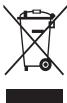
This product and its electronic accessories should not be disposed of with other household waste.
To prevent potential harm to the environment or human health from uncontrolled waste disposal, please separate these items from other types of waste and recycle them responsibly.
This product and its electronic accessories should not be disposed of with other household waste.
Do not dispose of the battery with household waste.
This product and its electronic accessories should not be disposed of with other household waste.
To prevent potential harm to the environment or human health from uncontrolled waste disposal, please separate these items from other types of waste and recycle them responsibly.
This product and its electronic accessories should not be disposed of with other household waste.
Do not dispose of the battery with household waste.
This product and its electronic accessories should not be disposed of with other household waste.
To prevent potential harm to the environment or human health from uncontrolled waste disposal, please separate these items from other types of waste and recycle them responsibly.
This product and its electronic accessories should not be disposed of with other household waste.
If the battery is used incorrectly, it may explode or leak, causing injury or damage. If the battery is used incorrectly, it may cause fire or explosion. Do not disassemble the Samsung battery, do not puncture, do not short-circuit, do not expose to high temperatures. If the battery is used incorrectly, it may cause fire or explosion. Do not disassemble the Samsung battery, do not puncture, do not short-circuit, do not expose to high temperatures. If the battery is used incorrectly, it may cause fire or explosion. Do not disassemble the Samsung battery, do not puncture, do not short-circuit, do not expose to high temperatures.
If the battery is used incorrectly, it may explode or leak, causing injury or damage. If the battery is used incorrectly, it may cause fire or explosion. Do not disassemble the Samsung battery, do not puncture, do not short-circuit, do not expose to high temperatures.
If the battery is used incorrectly, it may explode or leak, causing injury or damage.
If the battery is used incorrectly, it may explode or leak, causing injury or damage. If the battery is used incorrectly, it may cause fire or explosion. Do not disassemble the Samsung battery, do not puncture, do not short-circuit, do not expose to high temperatures. If the battery is used incorrectly, it may cause fire or explosion. Do not disassemble the Samsung battery, do not puncture, do not short-circuit, do not expose to high temperatures. If the battery is used incorrectly, it may cause fire or explosion. Do not disassemble the Samsung battery, do not puncture, do not short-circuit, do not expose to high temperatures.
If the battery is used incorrectly, it may explode or leak, causing injury or damage.
- If the battery is used incorrectly, it may explode or leak, causing injury or damage. If the battery is used incorrectly, it may cause fire or explosion. Do not disassemble the Samsung battery, do not puncture, do not short-circuit, do not expose to high temperatures. If the battery is used incorrectly, it may cause fire or explosion. Do not disassemble the Samsung battery, do not puncture, do not short-circuit, do not expose to high temperatures.
If the battery is used incorrectly, it may explode or leak, causing injury or damage. If the battery is used incorrectly, it may cause fire or explosion. Do not disassemble the Samsung battery, do not puncture, do not short-circuit, do not expose to high temperatures.
If the battery is used incorrectly, it may explode or leak, causing injury or damage. If the battery is used incorrectly, it may cause fire or explosion. Do not disassemble the Samsung battery, do not puncture, do not short-circuit, do not expose to high temperatures.
If the battery is used incorrectly, it may explode or leak, causing injury or damage. If the battery is used incorrectly, it may cause fire or explosion. Do not disassemble the Samsung battery, do not puncture, do not short-circuit, do not expose to high temperatures.
If the battery is used incorrectly, it may explode or leak, causing injury or damage. If the battery is used incorrectly, it may cause fire or explosion. Do not disassemble the Samsung battery, do not puncture, do not short-circuit, do not expose to high temperatures.
Taytac 3CB3I TyyHm 3aIg x3aJx 3Cb3I copK 6IoOxy.
- INH3B3I rap yTAC r3MT3X 3CB3I d3JI63p4, ran rapax 60JHO.
- Xyyxdyy, ambtaJd KxKnR 3d aHrnnr 3aIrrk, xaxx aoYntaI. Xp38 rap ytbcf xxyxdyd aunrrnaek 6aillraa 601 3e8 aunrrnaek Gaiiraar Hb Htana.
Tajytac3B3JI XAMT NpC3H H3M3NT Xp3RCLNIH YH, YHX, AMAHDAa 6yyXHH.
3c t3rB3JI aMbCraa 6ooIdox 3CB3JI HOUToI 63pT3xAd XyprH3.
IMTcH3CB3Jnroo0xK6yJIInTHIOH(IIN-OH)-TOI3aID6yy xyp.
Miyi Li-Jan 3aiy aoyiyang baiyaan xiaobin yuand xamriinyoip baiypan 3px xbywnyuyiun3n194 TEEW XaHanyu da

CəpəmKxIyIyIaT
AIOyIyrH C3P3MxIyIyI3r, XJyPMBI rYI daRachbI yMaac HoIcToN 63rTx, OMyU xepoHreD rMT3n IyypaxaX ypr3K 60lanOswry.
Eep qaxnraan x3p3rCnnH d3prd rap yTcbir 6yy aunrrna.
1N3Hx LaxiHaan 3x3r3c7n PaDNO x3b3JbnI dOyNHO auiYnIaRd. TaHs rar Ipa 6cLac4x3nAan 3x3r3c7n HeBHeJeMaRaTJyD. LTE- nHInrEerdgrnKoBAnIaunBauyIO TeexepEMK, YtaChbI anpanr 4x3M3 eep xpr3cndAneLHeeNk, Ymuaq Caad 506KoBnIO
Padno x363n1nn DoIIOHOA eptex 6o3ouy rraap 6yoy 3mH3n3r, xerOho4, eepee IaarTu HOrTeeepemk Dotop rap ytcBt 6yy aunrrna.
Tap ytacn Hb yzxpHn 3nEeKPOTHxEeepMKD nHeyE3yVJXk 60bn0auyy Tyn xP3B 6oIomKToH 60I np TaYcB 3nEeKPOTH xTeepEMKBeCox YNbOy Dop xayX 15cm- m3dAaWnla.
Zypxnnn 3neKTOH TseEepeMxNc Caad yyyJnxA BBLIg Abl BoON 6Bacrax yyDn3c Rap YtcB 3zyxnnn TseEepeMxK BApIaxk 6y TaIbH 3cpTn dAnuIiHa. Xap38 TaMnIaIIHmTEeEeMxAunHnIadg 6oR apTyaIcAan IaRaparIpaDnOxIa3N3IbnDIOJrInOHb TbXyIaTeEeMeXuN, HeIeJeNex 3C3XkYOnK OJN M3dXnxYNtRp aTyrBcIaunHxIaNHeM ETuXyIaTeHKeNpyUdAB3Prt3Yr3XJXIo60BabXbIaRaLLya.Y XeIger OHIOuOHd 6AaHdaa3KETPOn 3x3c3an AunHbAAONHOIbu IooOOIabHIN 3kTPOn Xp3rCUYnd3 caad yUpyhJbOLOoYRI. OHou, xeepeX, byyx yeqap rytcaa YHTpaacn 3cx33 HRTaII. Xp38 HNC19mH BAIHNHAN 3BeeUepEBN OHIOTc XeepCHN daPa aYtbcIg HNC19Wn ROpIMd AunHJaQ 6LoHO. Tahbi yap rtaacaa rnapaax paiao yuynmahbl ylnmaac Maunidc yunracah 3nektpon Teexepemx6bpyy axaillnaxad xypur b01HNO HMMtMd32nnllmYyddB3pIg73c ABHa yy.
Tap ytcbr nx ytaata ra3ap 6yy aunrna.
NHR3x Hb rap ytacnbI ragaHan taI rGM3x 3cB3n allaaatai axkinnllaxAd xyprH3n.
Xapb Ta cOncbolny annapat aunnraanBog nnuBd3pIa3r3p 1paio yyyuhaia Ta laaepx Ma33nnnna Iaby aa.
Tay tTaHsACnAflrapaDnX36B3JINHnDIOHNHb HcOCHrIbHn 3apHRm XRPcRcIaCnI Caad BoIXo B6ouJyRn. Tay tTaHsACnAflrapu 6yri pAnio X36B3JINHn DIOJINOH Hb TaHIb COHrOlbHxP3RcIaN HeJIeEeN 3CxJYnr M0j E3MxJTHn TuJaTay rTbIb aIryrJnAbxBmHE 9yIqBd3rTAY Xo00B BabKbL NabHa Yna
AyyhTH TeXeepemMK,paHIO qAMxR Tx M3T paHIO xN63nHIN doHrOH anIrapyynar Xp3Rc3n,annapatbH dpR3a npYtcbr 6Vy aunHra.
PauHIO xHa63/33JHnI OdoJIIOH b TaIbI rAp tCByI 6ypyx axKIIaXAd xyp3kM aMarDyI.
Tc3pu 6oI30uRy opuHd rap yTcaa yHTpaX 6ai.
T3c3p4601300yOpuHd3aHr calraXbH opoHd rap yTcbY hTpa. T3aepb60laoyu npohmndaaqaepeexctooypaam,3aa8ap, TM4yduynj ypr3nak aaepd mepk.
- Shataxuyh Ydypr3x Uzf (Shataxuyh Tyr3x CTanu), Tynu SHOHN XMMH H 60dncn HOp OP qyHM, 3CB3T3c3HnR a3a3rTp ray tbc16yy auinHra. Tāp Ṭṭac, Tγhɪn 3d ḀʌHɪn, HɜMβnt xαρrC3n aγy/Ncātacɪlaɪaɪd shatamxən ǚshɪrɪhʒ, xni, Tc3pɔx 6oDɪnc xaMT bɒy xáfɪan, Mēŋ xaMTaŋb h bɒy aBv y.
Xapabrapyta3cB3aaiHaaacxauHHYapaxcoHHuMM33 coHc0doxy,tayaRapax cB3nUHH3n 3yui rOooJBOI rap yTcbir aunlHAAkDaapyrSorcooK,Samsung 3acbpayuNnI3nni TEBd abaannkuaaIyyHa.yy
3cT3B3n ranrpu 3CB3n d3n63pura
MaunHHJooLOO0K 8aYeg,rap ytaac HmRnA Tana aapx AohyrrHyH 6yX yDPM3, XypaM, hxaAyyPbIyr daar AepM.
Maunu JHOOOOG Baiy yed MaunuHbIg AoyIyrg BaIaIaP RAooOOO h TaIIbIeBUNY3XCTOxiamnWInH uyny IparN3x xapmYnIaR om. X3p38 xynnIaP oxipnIOoH baidar So maunu XooOOO6B ayye3 rap ytbcI s3333 y buy annnae. Beepin60bn 6cbIbIaOyIy6badI Tenee 0yy1yxaahraXanJaX, daapea 8eBemJnxnC anBaK 6a
Iap tayratairaa aahn taiaac, xypdah aiaiax, daxnn dyiae 13k M3 amatpauh yiaiynyaiyihb M3d3k ab. 3d3gpryidn Hb rap tayraacaaa yduynara xhih, xyn3hni 13abaaqad xyaarua 8baqradaox TucnaHai. Tap ytaa xpr3x6d oip razap baiyplny. 3amaac xaraaraa caianlany33p 1yactrX npxrc3dX andx axbomkmy Xnha. Xp38 Toxipomkr yed ayduyra opx np23t yuxn Duydabir dyt yu dyudan pyy qiuYy 3aMbH xEdJIeReH xNt3 c3Bn laar aBaH bAan yHxD bAix yeDuyydAbr AybXy bAoi, oOo, amPara, lacM, mec, 3aMbH xEdJIeReH xNt3 bAxHy hAooyTn HxUnniR gPyDyIyIdd. TAmd3n3n 6NwH, tAch7b yuaaX naJxO loXyK. XnXnA.bJbX XaaCtAAHn3n 13MxK 6NwHx, xayHnIN dABTyrI yuYn3X y3Xh H TaHnA hApNkFHX, aOyHnYr gDaIaNan ox JxOLOoX yUyP3, XapYNlaaRae TbH typ 3yD npyAynxLoHO. YdyaaIbIy yhaaIraa pXhK, 3amblx xeJeaeBHeH bAilbnly YhNkO ToDQxRyck BAI. MaunH hXeaeBry Haiyad XcBnEeBHeN OpoLIOxHN eMhe ydyauBriY hXk BAI. MaunH xeJeaeBHeNr HaiyadaXyduAra hXe3P teNebe.
AHaxAaparcapHnyJXbO30uYyK,6yHXMcDac 3CB3x3NtXc3TBA 8aBcEJIeYed yIytaC5bYyRb,YtcaPaaRb6yXyH2d3XoOO 6bpXbXbBaIIraaX3n3d,3maAc hxaAPbIr TaHb XOyUynX 6O30uYyRb Pnayr TAg4y3Anyyh.
TexepemKdoo aHxaapal TaBx,3eB awirrna.
If the hand is washed with soap, the soap must be rinsed off thoroughly. If soap remains on the skin, it may cause irritation (if soap remains on the skin, it can cause dryness and cracking). Therefore, after washing, rinse the hands well with clean water. Then dry them with a clean towel. If the hands are not dried properly, they may become chapped. If the hands are exposed to water for a long time, the skin may become damaged.
Dry the hands thoroughly.
Avoid using hot water.
The temperature of the water used for washing hands should be between 5°C and 35°C. The water temperature should not be too hot or too cold.
When using disinfectants or cleaning agents, follow the instructions on the label. If the hands come into contact with these substances, rinse them with plenty of water. The temperature of the water should be between 0°C and 45°C. The water temperature should not be too hot or too cold.
Do not use the hands to touch hot surfaces. If the hands come into contact with hot surfaces, cool them with cold water.
Do not place the hands near open flames.
Do not use the hands to handle sharp objects. If the hands are cut, clean the wound and cover it with a bandage. If the cut is deep, seek medical attention.
If the hands have been in water for more than 18 hours, they may become waterlogged and the skin may peel.
If the hands have been in water for a long time, they may become wrinkled. The skin may become soft and prone to damage.
Do not use the hands if they are injured.
If the hands are injured, do not use them. If the hands are injured, they should be treated and bandaged.
If the hands are injured, they should be kept clean and dry. If the injury is severe, seek medical attention.
The device is designed for use with a 60A x 3CBN type ND Tm3XdK YpUZH3.
It is intended for indoor use only.
- The device must be installed by a qualified electrician in accordance with all applicable local and national electrical codes. Before installation, ensure that the power supply is disconnected. If the device is damaged or shows signs of wear, do not use it and contact the manufacturer for replacement.
To clean the device, use a soft, dry cloth. Do not use water, solvents, or abrasive cleaners. Ensure the device is unplugged before cleaning.
Do not immerse the device in water or any other liquid.
If the device is used in a manner not specified by the manufacturer, the protection provided by the device may be impaired. Do not use the device if it has been dropped or damaged. If the device is damaged, return it to the manufacturer for repair or replacement.
Always use the device with the correct power supply as specified.

The device should be kept away from heat sources, such as radiators, stoves, or other appliances that produce heat. Do not block any ventilation openings. Install in accordance with the manufacturer's instructions.
Do not place the device on an unstable cart, stand, tripod, bracket, or table. The device may fall, causing serious injury to a child or adult, and serious damage to the device. Use only with a cart, stand, tripod, bracket, or table recommended by the manufacturer, or sold with the device. Any mounting of the device should follow the manufacturer's instructions, and should use a mounting accessory recommended by the manufacturer.
The device should be used only with the type of power source indicated on the marking label. If you are not sure of the type of power supply to your home, consult your dealer or local power company.
The device is equipped with a polarized alternating-current line plug (a plug having one blade wider than the other). This plug will fit into the power outlet only one way. This is a safety feature. If you are unable to insert the plug fully into the outlet, try reversing the plug. If the plug should still fail to fit, contact your electrician to replace your obsolete outlet. Do not defeat the safety purpose of the polarized plug.
Do not use the device if the power cord is damaged or frayed.
If the device is dropped or damaged, do not use it. If the device is damaged, contact the manufacturer for repair or replacement. Do not attempt to repair the device yourself.
If the power cord is damaged, it must be replaced by the manufacturer, its service agent, or similarly qualified persons in order to avoid a hazard.
Do not use the device near water, for example, near a bathtub, washbowl, kitchen sink, laundry tub, in a wet basement, or near a swimming pool. If the device is accidentally wet, unplug it immediately and contact the manufacturer.
This device is intended for household use only. Before using the device, read all instructions carefully. Keep this manual for future reference. Use the device only for its intended purpose as described in this manual.
Do not use the device if it is damaged.
If the power cord is damaged, it must be replaced by the manufacturer, its service agent, or similarly qualified persons in order to avoid a hazard.
Do not immerse the device in water or any other liquid.
- To prevent injury, keep children away from the device while it is in use. Do not leave the device unattended while it is plugged in. Always unplug the device after use and before cleaning. Do not use the device with a damaged cord or plug. If the device malfunctions, do not attempt to repair it yourself; contact a qualified service technician. Keep the device away from heat sources and open flames. Do not use the device outdoors. Use only accessories recommended by the manufacturer.
Before using the device, please read the following instructions carefully!
The device is intended for household use only. - Do not use it for commercial purposes.
Do not disassemble, repair, or modify the device.
If the device is used in a commercial or public setting, the warranty may be void. If you have any questions, contact Samsung service center. Do not use the device for any purpose other than its intended use. If you need to dispose of the device, do not throw it in the trash; recycle it properly.
Before cleaning the device, please read the following instructions!
- The device should be cleaned regularly to maintain its performance. Use a soft, dry cloth to wipe the exterior. Do not use water, solvents, or abrasive cleaners.
Do not use the device for any purpose other than its intended use.
If the power cord is damaged, it must be replaced by the manufacturer.
Do not use the device in a way that could cause injury or damage.
This card is intended for use in the device described in the user manual.
The user manual contains instructions for safe use and maintenance of the device.
SIM card, memory card, cable connection.
To insert the card, first turn off the device, then insert the card into the slot. If the card is not inserted correctly, the device may not function properly. Do not force the card into the slot. If the card is damaged, contact the manufacturer or service center. Do not expose the card to moisture or extreme temperatures. Keep the card away from children.
Do not use the device near water.
If the device is not working properly, contact the manufacturer or service center. Do not attempt to repair the device yourself.
Do not use the device if the screen is cracked or damaged.
This device is intended for personal use. Do not use it for commercial purposes. The device is not a toy. Keep it out of reach of children. Do not use the device in a way that could cause harm to yourself or others. Follow all safety instructions in the manual.
Do not use the device if it has been damaged.
If the device has been damaged, do not use it. Contact the manufacturer or service center for repair. Do not attempt to repair the device yourself.
Do not use the device if it has been exposed to water or other liquids.
Do not use the device if it has been dropped or damaged. Contact the manufacturer or service center for repair.
- Do not use the device if it has been tampered with. If the device has been opened or modified, it may not function properly. Contact the manufacturer or service center for repair.
Information on the specific absorption rate (SAR) for this device is provided in this section.
The latest information can be found at www.samsung.com/sar on the website.
Dispose of it properly.
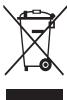
(For electrical and electronic equipment)
(For countries with separate collection systems)
This product and its electronic accessories should not be disposed of with other household waste. To prevent potential harm to the environment or human health from uncontrolled waste disposal, please separate these items from other types of waste and recycle them responsibly.
This helps to promote the sustainable reuse of material resources.
Household users should contact either the retailer where they purchased this product, or their local government office, for details of where and how they can take these items for environmentally safe recycling.
Business users should contact their supplier and check the terms and conditions of the purchase contract. This product and its electronic accessories should not be mixed with other commercial wastes for disposal.
Dispose of it properly.

(For countries with separate collection systems)
This product complies with the requirements for hazardous substances as specified in the relevant regulations. It does not contain lead, mercury, cadmium, hexavalent chromium, PBB, or PBDE in concentrations exceeding the limits set by the European Directive 2011/65/EU.
The battery in this product should be disposed of properly. Do not dispose of it with household waste. Please recycle it in accordance with local regulations. The battery contains substances that may be harmful to the environment and human health if not disposed of correctly.
The 6.33d3xyvHd Xo1062doh Cai 8x33r33e 8peee coIbK bOxNtYk 3aH xOxH cOnmLnX yanaP M3d3nI aBxa 60 IyIuIyI33 y3yyI343 XaH, 3A iCalraX 3cB3yIyHnR raiy P xyix 336 kF yOyDl, 3A 3aZaIaN, 6B1aJx, OooNx B0oxNyX. Xp3B ta 6y133dxyHyWnI XaXbIg XcB3M 3a 3zP3r 6y33d3xyVHynX XaXb, L3B3pI3x 0xnxI npara X3Mx33 XaHdlan 5y7ynNx rasa4Bv XAp3KyyHn3.
Yyp3xapnyuIaraac tataJ3ax.
3Hxyyr rap ytcaaqdAMXyNlAah bAx 60MOnKtZapmYArIgna, yvHnIiHaRbIh TbbpIeM EBeBdE 3OxOHTmNHy3PxAaNTepT, xyaIaDAAaBHe hTcMz3, OOyHbIeMChIn XyIyNarAp XMaTaIaIaCan 60HIO. MBy aYyra, YvHnIiHaRbIh 3EBxeh TaNbIh XyIyBn XpRzIa3D3ZOpYmIaN XaHraHr eOy BaIIa IOM. Ta IaNy bAYyIra3 C3b3 NvHnIaR3r AByIyBn EmuHrye 3CB3 NvHnIaR3 Y3yUyNarH yITyrz3 BvErBaeepeyR bAiHaap aHnIaRk 60LoXyIy. XoIbOdoX aYyRyBn HmUeNeR 3Cb3N VnuHnIaR3 3yYNuTr h IuPxN h BaIaNar 3BueBepCe HbIkaXac 6Cad ToXnIoJIoA d33D yPcAnBHe rXbaRa pIyIaRr 3EH3XYR rap YTCan d33P XpaIaRdx aIbNaBa aYyra 3CB3 NvHnIaR3 eBpyVLeX, XyIbPaBn, daxHnMIHaZ bSaWyyuNx, oIoN HiN tMy3 MdaIa3D, DAmXyNlaX, oPyyuNx, xDaIaN dx, daiBaBap 6Ity33N rapAbx AAs, uHnIaR 3Cb3 NMap HrB dJaNaAoc 3Cb3 xPc3rG3r3 dpAMXyNlaH yCbDad TYTx3xNqXRxpHIO.
*YUPABDAUYAUYIHAO BLOJHO YIWJHIN33T *BAYIATAAPB Hb XAHXTX 已 AAYIAA BOJHO: SAMSUNG Hb XUYHXYAXIHAHIT OTCOHAYVILTA 3C83JYIYN133HID RMAP 3OPYIOLOOP IMRPHXN BOILOH BHTYYAATBA BATAIAA TAPJAXEOTGXYJH SAMUNG Hb BYNTYYTATAAI JALIBAA BATAIAAHAAC (T3P DYNJAA 3EHNTNIH X3P3TJN3HN BATAIAA BOLOH TOPOXPOI 3OPYIOID NIIH3X2A BATAIAA,FTJ3D33YYT39XRAPJIAGD AXYJH) IUN3PXN BAYIJAAN PATTATIAK 3AKBA SAMUNG Hb 3H3XXY JAP TYCAAP DAMXYJUAN AHUIJIAN BOJLOMIXTOI AJLIBAA AUYIYA, YIWJHIN33HN YH3N 380, XYHHY TFEONDEP LQT YE3 JQCHON, XXYNB ECHBJ SOLOH BYP3N BYT3H BAYIABILI XAPVLYJAXYF B60OEQD SAMUNG Hb RMAPBAA H3GTHOXXIPOUL YIWIPBOJIO LIGYTNLAI PAAP TAID M3D3TCH 3CN3X3C YIJXAMAAPAH FTR3HN YXP3HN 3CBNL IHPNHIEN 4PNXHIN 3PNYHIN 7XOLBOJUVAN THXAJH AYFJYTA 3CBNL YIWJHIN33D AYIFNAFTAUXD BXYM D3MD3NTLT3X JOXIBOOTJOUP, 3CBNL T3TD3P ARYJYTA, YIWJHIN33T FAOLOH JIJIABAA YUPBDAUYA TALI AWWIJA CHAIY JYIMAAC YYCCHI AJLIBAA 5UWUD, 5UWUD BC, TOXIOJLBIH, OHLOQY, YP DAJBABPBH LIHNXK HAHPARTA XOXIPOL, BMGTGEJGCHW H 3APDAI JOLOH AJLIBAA BVCAD XOXYJPBLI MARP U HXLEJLD (T3P DYNJAA XAHXPAMKYB ABDJBIH YIMAAAC XAPVLYAJXY).
TpyBaparaTahbIyNnHcyIaI3r3rMaPcUyedYuIaIaJxacTacIaK6BoIox 6Be8eEdSamsung-niHy3rg33c433p33aryAyuIyIyIyI3R6yXuIar yXraJaIaHd aIwIaIaK6OHO nO3Ch6bIaIaRa 3cBn3M3dJIyIrrgApraxR. TpyBaparaTahyIaIyN0OOhYiuIyIaI3Ra3Samsung-niHyr3c3 xRXHaXoBLONMkTxCyJHK3HnN3xPc3Cn,daMckyyIax6BaYyIyMaJkaarp DamKyyIayD.3HxAyTtana3AxTkyM3dJIyIINHnHITnHShnKxHx Rx3aApIaNlyIq3Rp Samsung Hn 3hNxYy rarpItcaap DamKyyIayh Xyp3K6By IaIIbAA ayryIya, YyIyNlI3HnNtacJa,IyTrdJI3N3T3n XoNbOIOUYanmHaap MycUypr, XapoynUaIar yNa3XvRy.
Samsung Hb Nm aryIyra, yinuunl3T3xn xion600toiRoo pynunnyr34ndyynunr33yuy13x xapnuunrya xy13xayi. Nm aryIyra, yinuunr33x nXoTOOBIANALINAABaa acyynt, yinunr33abAxyc3nniy tyaxnH aryIyra, yinuunr33ydyu13w dyuyx xandxj raprax ectoJ.
This product and its accessories, as well as the batteries and other components supplied with the product, and any recommended accessories from Samsung, are designed to be used with this product.

Precautions
Failure to follow the safety instructions may result in serious injury or death.
Do not use damaged or modified batteries, or unsecured or damaged power cords.
This may cause electric shock or fire.
Do not use non-approved batteries, chargers, cables, or components.
Using universal batteries or chargers may shorten the battery life or cause the device to malfunction. This may also lead to fire or explosion of the battery. Use only Samsung-approved batteries and chargers specifically designed for your device. Incompatible batteries and chargers may cause serious injury or damage to the device. Samsung is not responsible for the safety of users who use accessories or components not approved by Samsung.
Do not carry the device in your pants pocket or on your belt.
Exposure to excessive heat may damage the device and could lead to fire or explosion. You may be injured in case of collision or fall.
Do not drop or subject the device to strong impacts.
Be careful when using the device near flammable materials or in areas with high temperatures.
Never dispose of used batteries in a fire. Never place the battery or device on or near heating devices, such as microwaves, ovens, or radiators. The device may explode if overheated. Follow all local regulations regarding the disposal of used batteries. Do not crush or puncture the device. Avoid exposing the device to excessive pressure, as this may cause a short circuit and lead to fire.
Keep the device, batteries, and charger away from sources of heat.
Store the device and batteries in a cool, dry place. High temperatures or excessive humidity may damage the device. This may also affect the battery capacity and lifespan. Do not allow the battery to come into contact with metal objects, as this may create a short circuit and cause temporary or permanent damage. Do not use damaged chargers or devices.
Do not place the device near heaters, microwaves, or other heat-generating equipment, or in containers with high pressure.
The accumulator may heat up. - The device may overheat and cause a fire.
Do not use or store the device near high concentrations of flammable substances.
Dust or foreign substances may cause malfunction of the device, and may also lead to fire or electric shock.
Avoid contact of the universal plug base with conductive materials such as liquids, dust, metal shavings, or graphite.
Do not store the device near magnetic field sources.
Exposure to strong magnetic fields can damage the accumulator. Also, exposure to magnetic fields may damage cards with magnetic stripes, such as credit cards, bank cards, and prepaid cards.
In case of device overheating, stop using it immediately.
Prolonged contact with the device on the skin may cause redness or irritation.
Do not use the device without the back cover.
The accumulator may leak if used improperly, which could lead to damage or injury.
If the device has a flash function, do not use it near the eyes of people or animals.
This may cause temporary vision impairment or damage to the eyes.
Protect your eyes when working with the device.
Do not hold the device too close to the eyes. When using it in a room, always leave the main light source on. Prolonged exposure to flashing lights may cause seizures or loss of consciousness in some individuals. If you experience any symptoms such as dizziness, nausea, or headaches, stop using the device immediately. - If anyone around you has a history of epilepsy or similar conditions, consult a doctor before using the device.
If you experience dizziness, blurred vision, or eye discomfort, immediately stop using the device and consult a doctor. Prolonged use of the device may cause eye strain.
Do not paint the device or apply stickers to it.
Do not paint the device or apply stickers to it.
- Paint and stickers may interfere with the normal operation of the device. The chemicals in paint or metal coatings can cause corrosion, oxidation, or inflammation. In such cases, immediately stop using the device and consult a doctor.
Do not use the device if it is damaged.
Broken glass or plastic parts can cause injury. Return the device to the service center for repair.
Carefully install mobile devices and equipment.
Do not drop the device or subject it to strong impact.
This may lead to device malfunction and improper operation. The device may be damaged, and components may work with errors.
Ensure maximum battery life and device charging.
Do not leave the mobile device connected to the charger for more than a week, as overcharging may shorten battery life. - If the battery is not used, it will discharge over time.
- After charging the battery, always disconnect the charger from the power source. - The battery should only be used for its intended purpose. Using the battery improperly may shorten its lifespan. To ensure maximum device battery life, follow all instructions in this manual. Damage caused by improper use of the device, resulting from failure to follow instructions, will void the manufacturer's warranty. Over time, the device will become obsolete. Some parts and repairs are covered by warranty for a certain period, while other parts and repairs are not covered if the device has been damaged by improper use of accessories.
Using the device in the following way
- Hold the device vertically, like a traditional telephone. Speak into the microphone.
Do not attempt to disassemble, repair, or modify the device.
The battery replacement must be performed by a qualified professional. If the device requires battery replacement, contact a Samsung service center. Do not disassemble or attempt to repair the battery yourself, as this may cause an explosion or fire. - Before removing the battery, turn off the device. Removing the battery from a powered-on device may cause damage to it.
Follow the rules of etiquette when using the device in public places.
Have the device repaired only by qualified specialists.
Unqualified repair may lead to device damage and void the warranty.
Be careful when handling SIM cards, memory cards, and cables.
When inserting a memory card, insert it correctly into the slot. Do not remove the card while data is being transferred, as this may result in data loss or damage to the card or device. • Protect the card from impacts, static electricity, and electrical interference. Do not touch the card's metal contacts with your fingers or metal objects. Clean the card with a soft cloth. Inserting the card incorrectly or with excessive force may damage the card slot or other parts of the device.
Accessing emergency services
In some areas, emergency calls may not be possible. If you are in an area without coverage, you may need to move to another location to make an emergency call.
Seriously consider the importance of your personal data. The manufacturer is not responsible for any loss of data.
- The device may create backup copies of data. Samsung is not responsible for the loss of any data.
- Resetting the device will create a backup of data. Perform a factory reset to restore your device to its original settings. When downloading applications, pay attention to the permissions they request. Especially for applications that have access to many functions or your personal information. Regularly check your usage records for any suspicious activity. If you notice any signs of suspicious activity, contact the service provider or the manufacturer with information about your usage records. In case of any issues, you may need to change your passwords.
- Avoid using applications from untrusted sources. Install the device using a computer, laptop, or PIN code.
Prohibited distribution of copyrighted materials
Distribution of copyrighted materials without the permission of the copyright holder is prohibited. This is a violation of copyright law. The manufacturer is not responsible for any illegal use of copyrighted materials.
Harmful content
Installation of protective covers for USB ports should follow these steps. The warranty for the device does not cover damage caused by improper use of the device.
Do not open unfamiliar attachments. Do not visit unreliable websites. Be cautious when downloading and installing software. - Set a password and change it regularly. - Disable wireless functions, such as Bluetooth, if they are not in use. Perform regular virus scans and update the antivirus software. - Before downloading and installing applications, check the device for viruses. • Install and regularly update antivirus software on your computer. • Perform regular virus scans and update the operating system of the device.
Information about the certification of the specific absorption rate (SAR)
To view the SAR value of your device, go to www.samsung.com/sar and search for your device by model number.
Proper disposal of the product

This marking on the product, accessories, or documentation indicates that the product and its electronic accessories (for example,
charger, headset, USB cable) should not be disposed of with other household waste.
Disclaimer
Some content and services, accessible through this device, belong to third parties and are protected by intellectual property laws, trademarks, patents, or other applicable laws. Such content and services are provided solely for personal, non-commercial use. The use of any content or services in a manner that has not been authorized by the owner of the content or the service provider is prohibited. Without limiting the foregoing, unless expressly authorized by the owner of the content or the service provider, you may not modify, copy, republish, upload, post, transmit, translate, sell, create derivative works, exploit, or distribute any content or services available through this device.
The content of this Service is provided for informational purposes only. Samsung makes no warranties, express or implied, including but not limited to any implied warranties of merchantability or fitness for a particular purpose, with respect to the Service or the information contained therein. Samsung does not guarantee the accuracy, reliability, timeliness, legality, or completeness of any information provided in the Service, whether obtained from the device or from any other source. Samsung shall not be liable for any damages, whether arising in contract or tort, including but not limited to direct, indirect, incidental, consequential, or punitive damages, or any other losses or expenses, arising out of or in connection with the use of or inability to use the information contained in the Service, or in connection with any information provided by you or third parties, even if you or they have been advised of the possibility of such damages.
Samsung reserves the right to make changes to or to discontinue the Service at any time without notice. Samsung does not guarantee that the Service will be uninterrupted or error-free. The Service is provided on an "as is" and "as available" basis, without warranties of any kind, either express or implied, including but not limited to warranties of title, non-infringement, or implied warranties of merchantability or fitness for a particular purpose. Samsung shall not be liable for any damages arising from the use of or inability to use the Service, including but not limited to direct, indirect, incidental, consequential, or punitive damages.
Samsung also assumes no responsibility for any clinical services related to the Service or the Service. For any questions regarding the Service or the Service, please contact the provider of the corresponding Service or Service.
Do not bend or twist the cable.
This may cause damage or electric shock.
The device may be damaged by electric shock.
Do not short-circuit or damage the device.
The device may be damaged by electric shock, or the battery and charger may be damaged.
Do not use the device during a thunderstorm.
The device may be damaged by electric shock or malfunction.
Use the battery, charger, accessories, and consumables supplied by the manufacturer.
Using incompatible batteries or chargers may cause the device to overheat and malfunction. Their use may also cause fire or explosion. Use only Samsung-approved batteries and chargers that are specifically designed for your device. Improper use of batteries and chargers may cause serious injury or damage. Samsung is not responsible for the safety of users using non-approved accessories or consumables.
Do not carry the device in your back pockets or on your belt.
Avoid exposing the device to extreme temperatures, and also avoid exposing it to moisture. Follow the instructions for safe use.
Do not place or drop the charger or device.
Handle the device and charger with care.
Never place the battery or device on or in heating devices, such as microwave ovens, stoves, or radiators. The battery may explode if overheated. Follow all local regulations regarding disposal of used batteries or devices.
Never disassemble the device or puncture its openings. Do not expose the device to high external pressure. This may cause internal short circuits and overheating.
Protect the device, battery, and charger from moisture.
- Avoid exposure to high and low temperatures and to drafts and humidity. Do not expose the device to temperatures above the operating range, as this may damage the battery.
- Avoid contact of the battery with metal objects and conductive materials, as they may short-circuit the terminals and cause a fire or explosion of the battery.
- Never use a damaged charger or battery.
Do not store the device near heat sources, open flames, hot kitchen appliances, or containers with hot liquids, as this may cause damage.
This may cause the battery to leak. The device may overheat and cause damage.
Do not use the device in areas with high concentrations of dust or aerosols.
The device's openings may become blocked by foreign objects, which may cause overheating and damage to the device.
This may cause a short circuit, which may lead to overheating, fire, or damage to the device.
Do not disassemble the device or battery, and do not crush them.
This may cause damage to the device, explosion, or injury. If the device is damaged, stop using it immediately, as it may be unsafe.
Do not take the device or accessories included in the package into your mouth, and do not touch them with wet hands.
This may cause choking or serious injury.
Use only the supplied battery or an approved replacement battery.
Do not use the device if the cover is missing.
Any malfunction of the device may cause incorrect operation.
This device is intended for use in accordance with the instructions provided in this manual. Use of this device in a manner not specified by the manufacturer may result in injury or damage.
Use this device only for its intended purpose to avoid damage to health.
Safety instructions for use and maintenance
Read these instructions carefully before using the device. Failure to follow the instructions may result in injury or damage. If you are not sure how to use the device correctly, consult a specialist. - Before using the device, read all instructions and warnings. - If the device is damaged or shows signs of malfunction, do not use it and contact the manufacturer. - Keep the device out of reach of children and pets.
Changes in function or damage caused by repeated movements
During prolonged use, pressing the buttons or using the device may cause discomfort or injury. If you experience discomfort, stop using the device and consult a doctor. If the device becomes hot or emits an unusual odor, turn it off and disconnect it from the power source.
Protection of hearing and respiratory organs during use of the device

Loud noises can cause hearing damage. - Use hearing protection if the device is loud, and take breaks. If you experience hearing loss or ringing in the ears, stop using the device and consult a doctor.
In dry environments, static electricity may be generated. Avoid using the device in dry environments or on metal surfaces. To prevent static discharge, do not use the device while driving or operating machinery. This may cause distraction and lead to accidents.
Be careful when using the device while moving
• Make sure that the cable does not get caught in moving parts or cause tripping hazards. - Check that the cable is not damaged or frayed.
Do not drop the device or subject it to impact
Do not use the device if it is damaged
Broken parts can cause injury. Dispose of the device properly at the end of its life.
Install the mobile device application
Read all safety warnings and instructions before using the device. Failure to follow the warnings and instructions may result in electric shock, fire, and/or serious injury. Save all warnings and instructions for future reference.
Do not place or drop the device
This may cause damage or malfunction of the device. Dropping or mishandling the device may result in damage or malfunction.
Ensure maximum battery life and charging of the device
- Remove the device from the charger when it is fully charged. Unplug the charger from the power outlet. The battery life may be reduced if the device is left on the charger for a long time. - Do not use the battery for purposes other than its intended use. Using the battery improperly may cause damage to the battery, fire, or personal injury. - Follow all instructions in this manual for proper use and charging of the battery. Damage or improper use of the device, caused by not following the instructions, may void the warranty. After a certain period, the battery may need to be replaced. The battery life may be shortened if the device is used in extreme temperatures or if it is charged with non-approved chargers.
After using the device, you will receive the following instructions
Hold the device vertically, as you would a normal phone. Speak directly into the microphone.
Do not disassemble, modify, or repair the device
Any modifications or changes to the device may cause damage or malfunction. If the device requires repair, contact a Samsung Service Center. Do not disassemble the battery or expose it to water, as this may cause fire or injury. Turn off the device before removing the battery. If the device is turned off while the battery is being removed, it may cause malfunction.
After using the device, you will receive the following instructions
__SUPPIMER__
Therefore, |x1 - y1| = |x2 - y2|
C. Since k1 < k2 < k3 < k4 < ...
1 1
y 1 y
ggi ggi i k j 11111111
iLkssu,slssu ly iKssu 8
gbs 1s
y
Lc
Therefore, the area of triangle OBC is 1/2 * CO * BC = 1/2 * CD * 5.
J 1
1234567890
C
a
S uS S uS uS uS uS uS uS
1
1 5
y 1
Therefore, angle BAC = 120 degrees + 25 degrees.
4
s s
1
S u S u
Therefore, the area of triangle ACD equals the area of triangle COD plus the area of triangle DCE minus the area of triangle BDE.
C
J
()
1 1
__SUPPIMER__
15.4.2.1.
1
C 1
Therefore, the area of triangle APQ equals the area of triangle AQP plus the area of triangle QPQ.
Therefore, 13 < u < 21.

S
S
Ss
()
C
L
∴ ω = 1/2 π
1
1
S 15
y 1
S 1
S
C
-15 1
y ci 100
1
∴ SΔAOB = SΔCOD + SΔBDO - SΔBOC
Therefore, (x, y) = (ab, 5/2 ab)
5 10
15
Suiy
Therefore, angle 1 + angle 3 = 90 degrees.
SCL
135
S
15
15
y
LSSS
J 15
Therefore, sin alpha = y/x.
y i y
a^3 b^3 (a^2 b^3 + b^3/2) = b^9/8 + b^6/2
Therefore, the area of triangle APQ is equal to the area of triangle AQP plus the area of triangle QPQ.
(Applicable in countries with separate collection systems)
The symbol indicating that the battery should not be disposed of with household waste. When marked, the chemical symbols Hg, Cd, or Pb indicate that the battery contains mercury, cadmium, or lead above the thresholds specified in the battery directive.
EU Directive 2006/66.
The battery in this product is not user-replaceable. For information on battery replacement, please contact your service provider. Do not dispose of the battery or product in fire. Do not throw, drop, or puncture the battery. If you intend to dispose of this product, the collection point will have appropriate procedures for recycling and disposal of the product, including the battery.
Disclaimer
Some of the content and services available through this device belong to third parties and are protected by copyright, patent, trademark, and/or other intellectual property laws. Such content and services are provided solely for your personal, non-commercial use. You may not use any content or services in any manner that has not been authorized by the content owner or service provider. Without limiting the foregoing, you may not modify, copy, republish, upload, post, transmit, translate, sell, create derivative works, exploit, or distribute any content or services available through this device in any manner, whether in whole or in part, without the prior written permission of the respective owners.
THIRD PARTY SERVICES AND CONTENT ARE PROVIDED "AS IS." SAMSUNG DOES NOT WARRANT ANY CONTENT OR SERVICES PROVIDED, WHETHER EXPRESSLY OR IMPLIEDLY, FOR ANY PURPOSE. SAMSUNG EXPRESSLY DISCLAIMS ANY IMPLIED WARRANTIES, INCLUDING BUT NOT LIMITED TO WARRANTIES OF MERCHANTABILITY OR FITNESS FOR A PARTICULAR PURPOSE. SAMSUNG DOES NOT GUARANTEE THE ACCURACY, VALIDITY, TIMELINESS, LEGALITY, OR COMPLETENESS OF ANY CONTENT OR SERVICES PROVIDED THROUGH THIS DEVICE. UNDER NO CIRCUMSTANCES, INCLUDING NEGLIGENCE, SHALL SAMSUNG BE LIABLE, WHETHER IN CONTRACT OR TORT, FOR ANY DIRECT, INDIRECT, INCIDENTAL, SPECIAL, OR CONSEQUENTIAL DAMAGES, OR ANY DAMAGES WHATSOEVER ARISING OUT OF OR IN CONNECTION WITH ANY INFORMATION CONTAINED IN, OR THE USE OF, ANY CONTENT OR SERVICE BY YOU OR ANY THIRD PARTY, EVEN IF ADVISED OF THE POSSIBILITY OF SUCH DAMAGES.
Third party services and content may be terminated or interrupted at any time, and Samsung makes no representation or warranty that any content or service will remain available for any period of time. Such content and services are transmitted by third parties over networks and transmission facilities over which Samsung has no control. Without limiting the generality of this disclaimer, Samsung expressly disclaims any liability or responsibility for any interruption or suspension of any content or service provided through this device.
Samsung is not responsible for customer service related to content and services. Any questions or requests regarding content or services should be directed to the respective content or service provider.