
BCS82PWR25 - Vacuum Cleaner BOSCH - Free user manual and instructions
Find the device manual for free BCS82PWR25 BOSCH in PDF.



| Product type | Cordless stick vacuum cleaner |
| Brand | BOSCH |
| Model | BCS82PWR25 |
| Battery | Lithium-ion 18 V, 3.0 / 4.0 / 5.0 Ah (depending on battery supplied) |
| Maximum battery life | Up to 65 min (Eco mode, battery 4.0 Ah) |
| Charging time | Approximately 4 to 5.5 h (depending on battery) |
| Operating modes | Eco, Auto, Turbo |
| Dust bin capacity | 0.5 L (estimated) |
| Filter | Fluff filter and lamellar filter, washable |
| Main brush | Electric floor brush |
| Included accessories | Mini electric brush, mattress nozzle, XXL upholstery nozzle, 2-in-1 furniture brush, flexible long crevice nozzle, short crevice nozzle, hard floor brush, flexible extension, keyboard and drawer nozzle, accessory holder |
| Base station | Wall-mounted with charging function |
| Net weight | Approximately 2.8 kg |
| Dimensions (W x D x H) | 260 x 270 x 1200 mm (estimated) |
| Charger included | 18 V fast charger |
| Charge indicator | Status display (LED) |
| Usage | Indoor only, up to 2000 m altitude |
| Warranty | 2 years (according to country conditions) |
| Safety | Automatic shut-off in case of overheating, battery protection, safety distance of 10 cm for implants |
Frequently Asked Questions - BCS82PWR25 BOSCH
User questions about BCS82PWR25 BOSCH
0 question about this device. Answer the ones you know or ask your own.
Ask a new question about this device
Download the instructions for your Vacuum Cleaner in PDF format for free! Find your manual BCS82PWR25 - BOSCH and take your electronic device back in hand. On this page are published all the documents necessary for the use of your device. BCS82PWR25 by BOSCH.
USER MANUAL BCS82PWR25 BOSCH
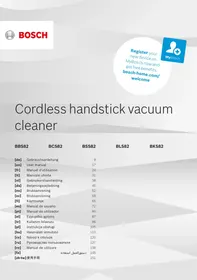
Register your new device on MyBosch now and get free benefits: bosch-home.com/welcome

Cordless handstick vacuum cleaner
BBS82
BCS82
BSS82
BLS82
BKS82
bosch-infoteam@bshg.com
- Read this instruction manual carefully.
- Keep the instruction manual and the product information safe for future reference or for the next owner.
- Do not connect the appliance if it has been damaged in transit.
Only use this appliance:
- With genuine parts and accessories. Damage caused by using third-party products is not covered under the warranty.
- In private households and in enclosed spaces in a domestic environment at room temperature. Up to an altitude of max. 2000 m above sea level.
This appliance may be used by children aged 8 or over and by people who have reduced physical, sensory or mental abilities or inadequate experience and/or knowledge, provided that they are supervised or have been instructed on how to use the appliance safely and have understood the resulting dangers.
Children must not play with the appliance.
Cleaning and user maintenance must not be performed by children unless they are being supervised.
- Repairs to the appliance should only be carried out by trained specialist staff.
- Only use genuine spare parts when repairing the appliance. ▸ Never operate a damaged appliance.
- Never operate an appliance with a cracked or fractured surface. ▸ Call customer services.
- Only use the appliance in enclosed spaces. Never expose the appliance to intense heat or humidity.
- Do not use steam- or high-pressure cleaners to clean the appliance.
- Never let the power cord come into contact with hot appliance parts or heat sources.
- Never let the power cord come into contact with sharp points or edges.
- Never kink, crush or modify the power cord.
- Connect and operate the charging cable 1 and the quick charger 1 only in accordance with the specifications on the rating plate.
- Connect the charging cable 1 and the quick charger 1 to a power supply with alternating current only via a properly installed socket with earthing.
- When cleaning the appliance, do not use flammable substances or substances that contain alcohol.
- Keep clothing, hair, fingers and other body parts away from the openings on the appliance and the moving parts.
- Never point the pipe or the nozzles towards eyes, hair, ears or mouths.
- Ensure that children do not play with the appliance, even when it is in the base station 1 .
- Persons with electronic implants must stand at least 10 cm away from the appliance.
- Keep packaging material away from children. Do not let children play with packaging material. Protect the battery against fire, heat and constant sunlight. Protect the battery against water and penetrating moisture.
- Never open the battery.
- When not in use, keep the battery away from metal objects, e.g. paper clips, coins, keys, nails or screws. Supply fresh air. If there are any problems, seek medical advice from a doctor.
- If these come into contact with the skin, wash immediately with cold water. If these come into contact with the eyes, seek medical help.
Preventing material damage
To prevent material damage to your appliance, accessories or any other objects, follow these instructions.
Check and clean any wet objects. Replace damaged objects. Regularly check the outsides of the nozzles for wear. Replace the worn nozzle.
- Never use the nozzle without the brush roller in place.
- Never operate the appliance without the filter unit.
Included with the appliance
After unpacking all parts, check for any damage in transit and completeness of the delivery.
Note: The appliance comes with additional accessories depending on its features.
| A | Base station1 |
| B | 2-in-1 furniture brush with upholstery nozzle1 |
| C | Mini electro-nozzle1 |
| D | Replacement brush for mini electro-nozzle1 |
| E | Replacement brush for power brush1 |
| F | Mattress nozzle1 |
| G | XXL upholstery nozzle1 |
| H | Variable accessory holder1 |
| I | Power brush for hard floors1 |
| J | Flexible extension hose1 |
| K | Keyboard and drawer nozzle1 |
| L | Long, flexible crevice nozzle1 |
| M | Short crevice nozzle1 |
| N | Battery1 |
| O | Quick charger1 |
| P | Charging cable1 |
1 Depending on the appliance specifications
Appliance
You can find an overview of the parts of your appliance here.
| 1 | Dust container |
| 2 | Fluff filter |
| 3 | Cartridge filter |
Battery charging times
You can find an overview of the battery charging times here.
Notes
- The specified charging times may vary depending on the battery charging status, the battery temperature and the age of the battery.
| 4 | Regulating the operating statuses |
| 5 | On/off switch |
| 6 | Status display |
| 7 | Dust container release button |
| 8 | Suction pipe |
| 9 | Power brush |
Controls
You can find an overview of the controls for your appliance here.
① Switch on the appliance. - Switch off the appliance.
Status display
The status display indicates the different operating statuses.
| Operating status | Status display |
| Normal mode | Auto lights up. |
| Turbo mode | Turbo lights up. |
| Energy-saving mode | Eco lights up. |
| Battery charge below 20% | flashes quickly. |
| Battery empty | Display goes out. |
| Charging process | flashes and shows the already charged status. |
| Battery is fully charged | lights up and goes out after approx. two minutes. |
| Error display | lights up red and goes out after approx. 10 seconds. → "Troubleshooting", Page 21 |
- You can find out which battery charging times are achieved with the quick charger in the instructions for the quick charger.
Tip: If the quick charger displays a battery charging status of approx. 80%, you can remove and use the battery.
| Battery charging status of | 18 V 3,0 Ah | 18 V 4,0 Ah | 18 V 5,0 Ah |
| 80% in hrs | 4 | 4 | 5 |
| 97%-100% in hrs | 5 | 4½ | 5½ |
Battery runtimes
You can find an overview of the battery runtimes, depending on the battery that is used, here.
Note
The following modes affect the battery runtime:
Mode 1: Energy-saving mode with non-electrical accessory Mode 2: Energy-saving mode with electrical floor nozzle Mode 3: Auto mode with electrical floor nozzle Mode 4: Turbo mode with electrical floor nozzle
| Runtime | 18 V 3,0 Ah | 18 V 4,0 Ah | 18 V 5,0 Ah |
| Mode 1 up to min. | 45 | 65 | 45 |
| Mode 2 up to min. | 35 | 50 | 35 |
| Mode 3 up to min. | 15 | 20 | 28 |
| Mode 4 up to min. | 10 | 10 | 12 |
Notes
- Like every Li-ion battery, the batteries from the Power for ALL 18 V series wear out over time, meaning that the battery capacity and the runtime decrease. This is a natural aging process and not the result of a material error, manufacturing error or material defect.
- You can delay the natural wear by using the following measures:
- Only charge the battery in the temperature range between 0°C and 45°C.
- Only store the battery in the temperature range between -20 °C and 50 °C.
- Do not store the battery for an extended period of time if it is fully charged or fully discharged.
Installing the base station
- Check whether any household wiring could be damaged in the installation area.
- Do not install the base station horizontally or vertically above, below or next to a socket.
See Fig. 3–6
Inserting and charging the battery
See Fig. 7–8
Charging
Only charge the battery in chargers that are recommended by the manufacturer. - Only use the battery in connection with the Bosch appliance. - Charge the battery using the original charging cable 1) or the original quick charger 1). - Only use batteries from the Power for ALL 18 V series.
Note: The power supply unit on the charging cable 1) and the appliance heat up while charging. This is normal and harmless.
Charging using the charging cable
See Fig. 9–10
Charging in the base station
- Ensure that children do not play with the appliance, even when it is in the base station 1).
Charging using the quick charger
- Press the release button and remove the battery to the rear.
- Observe the enclosed instructions.
Installing the appliance
Switching on the appliance
Press ①.
Setting the power
Vacuuming with accessories
Storing accessories
→ Fig. 21 - 22
Using the flexible extension hose
→ Fig. 23 - 24
Malfunctions
| Fault | Cause | Troubleshooting |
| The appliance is not working. | The battery has not been inserted correctly. | ► Insert the battery correctly. |
| The battery status display does not show any status. | The battery has not been charged. | ► Charge the battery. |
| The red fault indicator lights up for 10 seconds. | The battery has overheated or overcooled. | 1. Switch off the appliance and disconnect the appliance from the power supply. |
Cleaning the appliance
Requirement: The appliance is switched off.
- Disconnect the appliance from the charging cable 1.
- Clean the appliance and the accessory with a soft cloth and a commercially available plastic cleaner.
Emptying the dust container
→ Fig. 25 - 28
Cleaning the filter unit
- Never allow the filters to come into contact with liquids.
→ Fig. 29 - 35
Cleaning the power brush
→ Fig. 36 - 38
Cleaning the power brush for hard floors
→ Fig. 39-41
Troubleshooting
You can rectify minor faults on your appliance yourself. Read the troubleshooting information before contacting after-sales service. This will avoid unnecessary costs.
Repairs to the appliance should only be carried out by trained specialist staff. - Only use genuine spare parts when repairing the appliance.
| Fault | Cause | Troubleshooting |
| The appliance is not working. The battery status display does not show any status. The red fault indicator lights up for 10 seconds. | 2 Wait until battery has reached room temperature. | |
| The appliance has overheated or overcooled. | 1. Switch off the appliance and disconnect the appliance from the power supply.2. Wait until the appliance has reached room temperature. | |
| No charging function. | Incorrect charger was used. | Only use the charger that is included. |
| The dust container cannot be inserted. | The filter unit is not complete. | Check whether the filter unit is complete. |
| The filter unit or dust container is not positioned correctly. | Check whether the filter unit and dust container are inserted correctly. | |
| Suction is reduced. | The filter is blocked. | 1. Switch off the appliance and disconnect the appliance from the power supply.2. Clean the filter unit. |
| The nozzle is blocked. | 1. Switch off the appliance and disconnect the appliance from the power supply.2. Check whether the air channel from the nozzle to the appliance is blocked.3. Empty the dust container.4. Clean the filter unit.5. Once the appliance has cooled down, switch the appliance back on. |
Disposing of old appliance
Valuable raw materials can be reused by recycling.
- Dispose of the appliance in an environmentally friendly manner.
Information about current disposal methods are available from your specialist dealer or local authority.
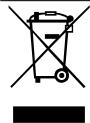
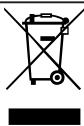
This appliance is labelled in accordance with European Directive 2012/19/EU concerning used electrical and electronic appliances (waste electrical and electronic equipment - WEEE). The guideline determines the framework for the return and recycling of used appliances as applicable throughout the EU.
Disposing of batteries
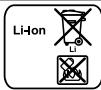
Batteries should be recycled in an environmentally friendly manner. Do not dispose of the batteries in the household rubbish.
- Dispose of batteries in an environmentally friendly manner.
Only for EU countries:
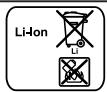
According to the European Guideline 2006/66/EC, defective or used battery packs/batteries, must be collected separately and disposed of in an environmentally correct manner.
Warranty conditions
You can make warranty claims for your appliance under the following conditions. The guarantee conditions for this appliance are as defined by our representative in the country in which it is sold. Details regarding these conditions can be obtained from the dealer from whom the appliance was purchased. The bill of sale or receipt must be produced when making any claim under the terms of this guarantee.

Safety
| Stato di carica della bata teria di | 18 V 3,0 Ah | 18 V 4,0 Ah | 18 V 5,0 Ah |
| 80% in h | 4 | 4 | 5 |
| 97% -100% in h | 5 | 4½ | 5½ |
| Accu-oplaadstatus van | 18 V 3,0 Ah | 18 V 4,0 Ah | 18 V 5,0 Ah |
| 80% in h | 4 | 4 | 5 |
| 97% -100% in h | 5 | 4½ | 5½ |
1 Allt after apparatens utrustning
1 Allt after apparatens utrustning
Unit
Remove the batteries
1 Open the device packaging
1 Open the device packaging
Device
| Akū Şarj durumu | 18 V 3,0 Ah | 18 V 4,0 Ah | 18 V 5,0 Ah |
| %80,.satormal | 4 | 4 | 5 |
| %97-%100,.satormal | 5 | 4½ | 5½ |
www.bosch-home.com/tr
www.bosch-yetkilliservisi.com
In case of eye contact, consult a doctor.
To avoid material damage
To avoid damaging the appliance, accessories, and other objects, follow the instructions given here.
Check important items. Replace damaged items. - Regularly check the wear level of the working surfaces of the nozzles. Replace worn nozzles. Never use a nozzle without a locking pin. Never use the tool without a filter block.
Delivery set
After unpacking, check all parts for the absence of transport damage and the completeness of the delivery.
Note: Depending on the equipment, the tool is supplied with additional accessories.
→Fig.1
Working stroke indicator
Recommendation: If the device is quickly discharged to a charge level of approx. 80%, the battery can be disconnected and used.
Power adjustment
→Fig.17-18
Cleaning with additional accessories
→Fig.19-20
Storage of accessories
→Fig.21-22
Use of the flexible suction hose
→Fig.23-24
Device type
Requirement: Device is switched off.
- Disconnect the device from the charging cable 1. 2. Clean the device with a soft, damp cloth using a mild detergent for plastic.
Emptying the dust container
→Fig. 25-28
Cleaning the filter block
Do not allow the filter to come into contact with liquids. →Fig. 29-35
Cleaning the electric brush
→Fig. 36-38
Cleaning the electric brush for hard floors
→Fig. 39-41
Troubleshooting
You can fix minor issues with your device yourself. Use the information in the "Troubleshooting" chapter before contacting customer service. This will help you avoid additional costs.
- Only qualified specialists are allowed to repair the device.
Round-the-clock telephone service
8 (800) 200-29-61
Official website:
www.bosch-home.ru
For spare parts, customer service, and warranty information, please visit our official website: www.bosch-home.ru.
F
Original accessories and spare parts for Bosch household appliances can be purchased at our official online store: www.bosch-home.ru/store. Please note that availability may vary. Detailed information about accessories and spare parts can also be found on the website.
- Name
- Mo100%
For 1-2 days, if the appliance is not used, it may be necessary to clean the filter (see instructions).
E 8. Please note that the manufacturer reserves the right to make changes to the product, which may affect the information provided in this manual.
Manufacturer: BSH Hausgeräte GmbH, Carl-Wery-Straße 34, 81739 München, Germany.
Before using the appliance, please read this manual carefully and keep it for future reference. The manufacturer is not liable for any damage caused by improper use of the appliance. Keep the receipt 89 as proof of purchase for warranty purposes.
This appliance is intended for household and similar applications such as: staff kitchen areas in shops, offices and other working environments; farm houses; by clients in hotels, motels and other residential type environments; bed and breakfast type environments.
Normal operation
For 1000 hours of operation, the appliance is designed for continuous use. For more information, please visit our website: www.bosch-home.com.
The warranty period for Bosch appliances (excluding commercial and industrial use) is 2 years. The warranty period for accessories and consumables is 5 years. The warranty period for parts subject to wear and tear is determined by the date of purchase, unless otherwise specified in the operating instructions. The warranty period starts from the date of purchase, as indicated on the purchase receipt or warranty card. For warranty claims, please contact the authorized service center.
Technical and other information is subject to change without notice.
Registration deadline: before 17:00 on 2023/12/18

BOSCH
Developed for life
This household appliance is manufactured under the control of the Bosch Group, Carl-Wery-Straße 34, 81739 Munich, Germany, in accordance with the requirements of the legislation on technical regulation and the legislation on consumer protection of the Russian Federation.
Product: vacuum cleaner
Product brand: Bosch
E-10

| Nivel de incǎrcare a accumulatorului de | 18 V 3,0 Ah | 18 V 4,0 Ah | 18 V 5,0 Ah |
| 80%Inset h | 4 | 4 | 5 |
| 97%-100%Inset h | 5 | 4½ | 5½ |
Therefore {220} < S < {520}
125
Therefore, angle 1 equals angle 3.
and electronic equipment - WEEE
1
/66/2006
1
a
Therefore, the area of triangle OBC equals the area of triangle COD plus the area of triangle BOC.
a 1
14 20
j j
Safety
Central Service Contacts
AM AM Armenia, Rujuuunuwu
ZIG ZAG LLC
Charenci str.25
Yerevan 375025
Tel.:010556010
mailto:service@zigzag.am
www.zigzag.am
Gate 1, 1555 Centre Road
Clayton, Victoria 3168
Tel.: 1300369744
mailto:customersupport.au@bshg.com
www.bosch-home.com.au
*Mon-Fri 24 hours
BE Belgique, Belgie, Belgium
BSH Home Appliances S.A.-N.V.
Rue Picard 7, box 400, Picardstraat 7, box 400
1000 Bruxelles-Brussel
Tel.: 024757001
mailto:bru-repairs@bshg.com
www.bosch-home.be
BY Belarus, Беларусь
ООО "BSH Бытовые Техника"
Tel.: 4957372961
mailto:mok-kdhl@bshg.com
19F, Jinling Asia Pacific Tower, No.2 Han
zhong Road, Gulou District
210005 Nanjing, Jiangsu Province
Service Tel.: 4008855888*
mailto:careline.china@bshg.com
www.bosch-home.cn
*phone rate depends on the network used
CY Cyprus, Κύπρος
BSH Ikiakes Syskeves-Service
39, Arh. Makaariou III Str.
2407 Egomi/Nikosia (Lefkosia)
Tel.: 77778007
mailto:EGO-CYCustomerService@bshg.com
CYN
Turkish Rep. Of North Cyprus
Argas Limited Company
37 Osman Pasa Cad. K Çiltlik
Lefkosa
Tel.: 02284070
mailto:argas.tenik@yar-group.com
Turkish Rep. Of North Cyprus
Semson Ticaret Sti. Ltd.
Semson Ticaret Sti. Ltd.
Bedrettin Demirel Cad. No. 17
Girne
Tel.: 08160494
mailto:m.defterali@ercantangroup.com
CZ Czech Republic
More information (e.g., warranty conditions,
Grand Union House, Old Wolverton Road,
Wolverton
Milton Keynes MK12 5PT
To arrange an engineer visit, to order spare
parts and accessories or for product advice
please visit www.bosch-home.co.uk Or call
Tel.: 03448928979*
*Calls are charged at the basic rate, please
check with your telephone service provider
for
GR Greece, EAA
BSH Ikiakes Siskeves A.B.E.
Central Branch Service
17 km E.O. Athinon-Lamias & Potamou 20
14564 Kifisia
Thank you for buying a Bosch Home Appliance!
Register your new device on MyBosch now and profit directly from:
- Expert tips & tricks for your appliance
- Warranty extension options
- Discounts for accessories & spare-parts
- Digital manual and all appliance data at hand
- Easy access to Bosch Home Appliances Service
Free and easy registration – also on mobile phones: www.bosch-home.com/welcome
BOSCH HOME APPLIANCES SERVICE
Looking for help? You'll find it here.
Expert advice for your Bosch home appliances, help with problems or a repair from Bosch experts.
Find out everything about the many ways Bosch can support you: www.bosch-home.com/service
Contact data of all countries are listed in the attached service directory.
- CORDLESS HANDSTICK VACUUM CLEANER
- BBS
- BCS
- BSS
- BLS
- BKS
- PREVENTING MATERIAL DAMAGE
- INCLUDED WITH THE APPLIANCE
- APPLIANCE
- BATTERY CHARGING TIMES
- NOTES
- CONTROLS
- STATUS DISPLAY
- BATTERY RUNTIMES
- NOTE
- INSTALLING THE BASE STATION
- INSERTING AND CHARGING THE BATTERY
- CHARGING
- CHARGING USING THE CHARGING CABLE
- CHARGING IN THE BASE STATION
- CHARGING USING THE QUICK CHARGER
- INSTALLING THE APPLIANCE
- SWITCHING ON THE APPLIANCE
- SETTING THE POWER
- VACUUMING WITH ACCESSORIES
- STORING ACCESSORIES
- USING THE FLEXIBLE EXTENSION HOSE
- CLEANING THE APPLIANCE
- EMPTYING THE DUST CONTAINER
- CLEANING THE FILTER UNIT
- CLEANING THE POWER BRUSH
- CLEANING THE POWER BRUSH FOR HARD FLOORS
- TROUBLESHOOTING
- DISPOSING OF OLD APPLIANCE
- DISPOSING OF BATTERIES
- WARRANTY CONDITIONS
- SAFETY
- UNIT
- REMOVE THE BATTERIES
- DEVICE
- TO AVOID MATERIAL DAMAGE
- DELIVERY SET
- POWER ADJUSTMENT
- CLEANING WITH ADDITIONAL ACCESSORIES
- STORAGE OF ACCESSORIES
- USE OF THE FLEXIBLE SUCTION HOSE
- DEVICE TYPE
- CLEANING THE FILTER BLOCK
- CLEANING THE ELECTRIC BRUSH
- CLEANING THE ELECTRIC BRUSH FOR HARD FLOORS
- NORMAL OPERATION
- THIS HOUSEHOLD APPLIANCE IS MANUFACTURED UNDER THE CONTROL OF THE BOSCH GROUP, CARL-WERY-STRASSE 34, 81739 MUNICH, GERMANY, IN ACCORDANCE WITH THE REQUIREMENTS OF THE LEGISLATION ON TECHNICAL REGULATION AND THE LEGISLATION ON CONSUMER PROTECTION OF THE RUSSIAN FEDERATION
- PRODUCT: VACUUM CLEANER
- PRODUCT BRAND: BOSCH
- E
- CENTRAL SERVICE CONTACTS
- THANK YOU FOR BUYING A BOSCH HOME APPLIANCE
- LOOKING FOR HELP? YOU'LL FIND IT HERE
Brand : BOSCH
Model : BCS82PWR25
Category : Vacuum Cleaner