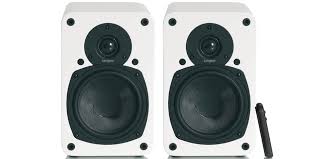
EVO E5A - Speaker TANGENT - Free user manual and instructions
Find the device manual for free EVO E5A TANGENT in PDF.


User questions about EVO E5A TANGENT
0 question about this device. Answer the ones you know or ask your own.
Ask a new question about this device
Download the instructions for your Speaker in PDF format for free! Find your manual EVO E5A - TANGENT and take your electronic device back in hand. On this page are published all the documents necessary for the use of your device. EVO E5A by TANGENT.
USER MANUAL EVO E5A TANGENT
Multi language instructions manual
Active speaker
UK - USER MANUAL 5
FR - MANUEL DE L'UTILISATEUR 15
D-BEDIENUNGSANLEITUNG 26
NL - GEBRUIKSAANWIJZING 37
DK-BETJENINGSVEJLEDNING 49
SE - ANVÄNDARMANUAL 60
FI-KAYTTOOHJEKIRJA 71
I-MANUALE D'USO 82
ES - MANUAL DEL USUARIO 93
P-MANUAL DE INSTRUÇÉS 104
UK - USER MANUAL
Safety precautions
A triangle with a lightning symbol draws the user's attention to "dangerous voltage" without insulation in the cabinet, which may be high enough to entail a risk of electric shock.
A triangle with an exclamation mark draws the user's attention to important instructions for use and maintenance in the enclosed manual, which should be studied.

A symbol for CLASS II (double insulation)

WARNING:
TO MINIMISE THE RISK OF FIRE OR ELECTRICAL SHOCK, DO NOT EXPOSE THE UNIT TO RAIN OR MOISTURE. DO NOT OPEN THE CABINET AS IT CONTAINS DANGEROUS VOLTAGE. ONLY QUALIFIED TECHNICIANS ARE ALLOWED TO CARRY OUT REPAIR AND SERVICE.
CAUTION:
If the plug of the power cord needs to be replaced, it is important that the replacement is identical to the plug to be replaced, or that the new plug has been recommended by the manufacturer
TO AVOID ELECTRICAL SHOCK, IT IS IMPORTANT TO INSERT THE PLUG CORRECTLY INTO THE SOCKET.
Important safety instructions
WARNING: IT IS IMPORTANT THAT YOU READ AND OBSERVE BOTH THE INSTRUCTIONS IN THIS MANUAL AND THE INSTRUCTIONS ON THE UNIT. KEEP THIS MANUAL FOR FUTURE REFERENCE. This unit was designed and manufactured with a view to providing maximum safety for the user. Incorrect use of the unit may cause electrical shock or fire. The protection devices built into this unit will protect the user if the procedures below are observed in connection with installation, use and repair. This unit is fully electronic and contains no parts that can be repaired by the user. DO NOT REMOVE THE CABINET. RISK OF DANGEROUS VOLTAGE. ONLY QUALIFIED TECHNICIANS ARE ALLOWED TO REPAIR THE UNIT.
Read the manual: Upon unpacking the unit, please read the manual carefully and observe all the instructions given.
Power supply: Only the power supply indicated on the rating plate must be used for this unit. If you are not sure which power supply you have, please contact the distributor or the local electricity supplier.
Earthing or polarization: If the plug cannot be inserted properly into the socket, or if the plug does not fit, the unit must not be used in your country.
Ventilation: The cabinet is provided with slots and openings to ensure ventilation and reliable operation and to protect the unit against overheating. Do not block or cover these openings. The openings must never be blocked, for instance by placing the unit on a bed, a sofa, a carpet or similar surface.
Heat: Do not place the unit near sources of heat such as radiators, heat registers, ovens or other units that produce heat.
Water and moisture: The unit must not be placed close to water, such as bathtub, washbasin, kitchen sink or laundry tub, in a damp cellar or close to a swimming pool, etc.
Cleaning: Unplug the unit before cleaning. Do not use liquid detergents and aerosol cleaning agents. Use a dry cloth.
Power cords: Wiring must be organized to prevent people from stepping on the cables and to avoid pinching by objects placed on or beside them. Take special care around sockets and plug boxes and where the power cords leave the unit.
Overloading: Make sure that wall sockets, extension cords and plug boxes are not overloaded as this may lead to fire or electrical shock.
Important safety instructions
Lightning
Unplug the unit for additional protection during thunder or when the unit is not used for prolonged periods. This will prevent damage to the unit from lightning and power surges. Penetration of objects and liquid
Never push any foreign objects through the openings into the unit, as they may touch dangerous voltage points or short-circuit parts and thus cause fire or electric shock. Do not spill liquid on the unit.
Accessories
Do not place the unit on unstable surfaces such as a trolley, stand, tripod, shelf or table. The unit may fall and injure children or adults or be seriously damaged. Use only trolley, stand, tripod, shelf or table that is very stable or provided with the unit. The unit must be installed in accordance with the manufacturer's instructions and by means of installation equipment recommended by the manufacturer. If the unit is placed on a trolley, the trolley must be moved very carefully. Sudden stops, unnecessary force and uneven surfaces may cause the trolley to turn over.
Loads
Do not place heavy loads on the unit and do not step on it. The load may fall and cause serious injury to persons or damage to the unit.
Damage
Unplug the unit and contact qualified technicians in the following cases:
A) If the power cord or the plug is damaged.
B) If liquid has been spilled on the unit or objects have fallen into the unit.
C) If the unit has been exposed to rain or water.
D) If the unit does not work properly after adhering to the instructions in the operation manual. Only the settings described in the operation manual must be made as incorrect setting may result in damage and often will make it difficult for a qualified technician to make the unit work properly again.
E) If the unit has been dropped or damaged in any other way.
F) When the operation of the unit changes drastically, the unit requires service.
Service
Do not attempt to carry out any service work yourself. By opening or removing the cabinet, you will be exposed to dangerous voltage or other hazards. Any service work should be carried out by qualified technicians.
Spare parts
If spare parts are required, make sure that the service technician uses spare parts specified by the manufacturer or spare parts with the same characteristics as the original.
Unauthorized spare parts may cause fire, electrical shock, etc.
Safety check
After service or repairs on the unit, ask the service technician to carry out a safety check to ensure that the unit is ready for use.
Important information
Handling instructions
- The top and back panel of the unit may become warm after prolonged use. This is not due to a defect.
- Turn off the power when the unit is not used.
Protect the power cord
- Follow the instructions below to prevent abnormal operation, electrical shock, fire or personal injury:
- Hold the plug firmly when inserting it into the socket.
- Avoid heat-producing devices.
- Do not place objects on the power cord.
- Do not carry out service work on or change the power cord.
Positioning
Do not place the unit in any of the fol. places:
- In sunlight, close to heat-producing devices or in an enclosed rack.
In places with high temperatures (40C or more) or high relative humidity (90% or more). - In dirty places as some internal parts may be damaged.
Do not put your fingers or any other objects into the unit
- Touching the internal parts is dangerous and may cause injury or damage. Do not open the cabinet.
- Do not place any foreign matter in the unit.
Interference
Placing the unit near a television set, radio or video player may cause poor picture and sound quality. In that case, move the unit further away from the television set, radio or video player.
Condensation
Condensation may occur in the following cases:
- When the unit is moved directly from a cold to a warm place.
- When the unit is used in a room where the radiator has just been switched on or a place where the cold air from the air-conditioning system is directed at the unit.
- If the unit is used in the summer in a warm and humid room just after it has been moved from an air-conditioned room.
- If there is steam or a high level of humidity in the room.
In case of condensation, the unit will not work properly. Turn off the unit. Unplug the unit and leave it for 2-3 hours. The unit will then have adapted to the environment and any condensation will have disappeared.
Loudspeaker positioning
Ideally the Tangent loudspeakers should be positioned at least 50 cm from a rear wall, 1 meter from a side wall and at least 2 metres apart. The space between the two loudspeakers and the distance form the listeners are important. If loudspeakers are placed too close together or too far apart, the stereo image will not be fully developed. In average living rooms, speaker spacing between 2 and 4 metres will usually produce satisfactory results. The listeners distance from the loudspeakers should be at least equal to and preferably greater than the distance between the loudspeakers. Tests should be made with both speech and music before deciding upon final locations.
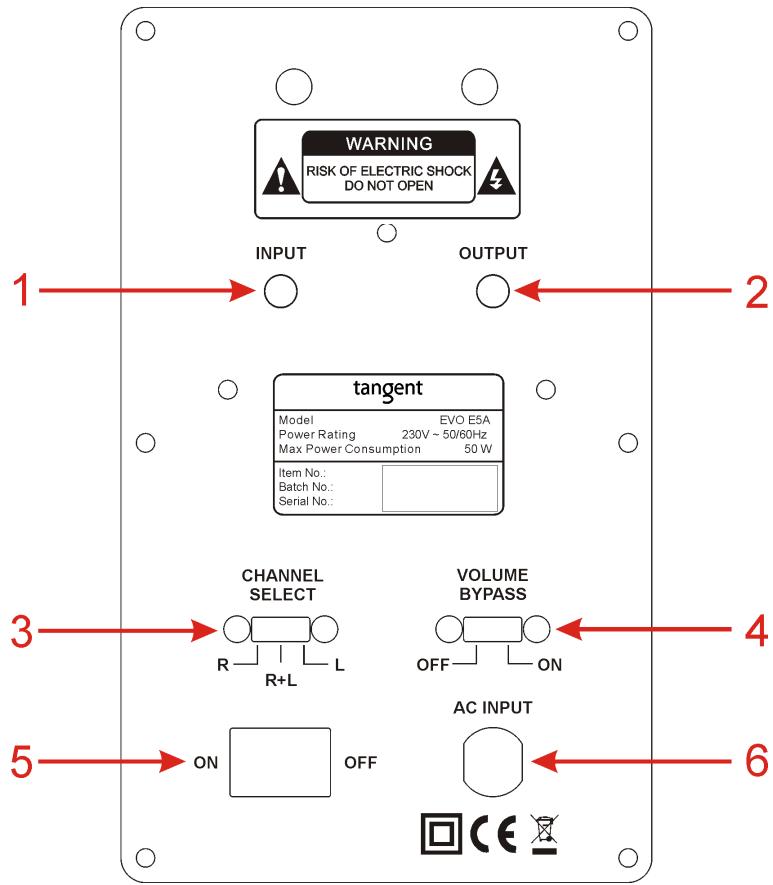
The rear panel
The rear panel of this speaker is equipped with an amplifier for driving the speakers.
This makes the speaker extremely flexible for use in many different places.
1. Input
This 3.5mm stereo jack input can be connected to either a line output signal or a pre output signal. The input can be both a stereo or a mono signal.
You can connect your MP3 player to this input via the head phone output on the MP3 player. please notice that if a signal is not provided for more than 10 minutes, the speaker will go into standby by it self. Once a signal is provided again, the speaker will turn on again.
Note: Do not attempt to connect a speaker output to this connector. It will damage the speaker.
2. Output
This 3.5mm stereo jack output is for connect another Tangent EVO E5A. It is also possible to connect an active subwoofer to this output, if the bass level is not sufficient. Please notice that the signal in this connector will follow the signal in the input connector, when the "volume bypass" is set to ON.
3. Channel select
When a stereo signal is provided to the EVO E5A, it is possible to choose whether the speaker should play as a LEFT speaker, a RIGHT speaker or a MONO speaker. If two EVO E5A are connected to you setup, the speaker you have placed on the right side, should be set to RIGHT, and the left speaker should be set to LEFT, in order to obtain the correct stereo perspective.
If only one speaker is connected this switch should be set to "MONO"
4. Volume bypass
This switch has two settings:
ON: When the switch is set to ON, the volume level of the EVO E5A will be set to maximum level and the speaker cannot be remote controlled anymore. This should be used, when the source connected to the speakers are controlling the volume, or the volume is controlled by the speaker this speaker is connected to.
OFF: When the switch is set to OFF, the volume and standby function can be controlled by the remote. Please notice that the volume level on the OUTPUT connector is also controlled by the remote, when the volume bypass switch is set to OFF.
5. On/Off
Mains power switch.
6. AC input
Check that all other connections have been made correctly before inserting the mains plug into the wall socket. Then insert the plug into a suitable socket.
Note: If the unit is to be used abroad, you may need an adapter.
CAUTION: Do not turn on the power before all connections have been made correctly. You might break your new unit. Check that all connections have been made correctly before turning on the power. Check that the mains voltage is identical with the voltage printed on the rear panel before turning on the power.
The remote
This speaker can be controlled via a remote control. The IR (Infrared) receiver is placed between the tweeter and woofer. So the included remote control must be pointed towards this area in order to control the speaker via the remote.
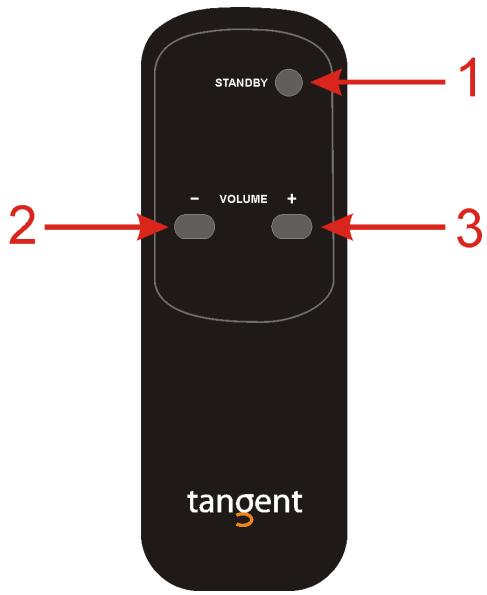
1. Standby
Press this button to set the speaker into standby. Press it again to turn on the speaker again. If no signal is provided to the speaker for a period longer than 10 minutes, the speaker will automatically go into standby.
Please notice that this button will not work, if the "volume bypass" button on the rear panel is set to ON.
2. Volume decrease
Press this button to decrease the volume.
Please notice that this button will not work, if the "volume bypass" button on the rear panel is set to ON.
3. Volume increase
Press this button to increase the volume.
Please notice that this button will not work, if the "volume bypass" button on the rear panel is set to ON.
Connecting a stereo setup
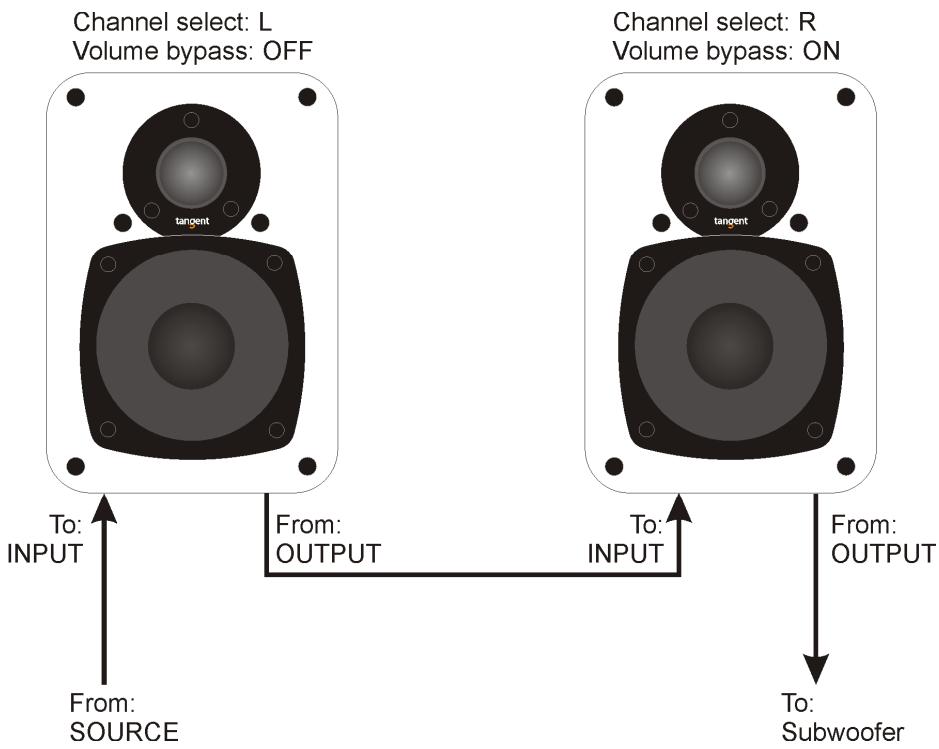
The illustration below shows how to setup two speakers to a source. The stereo setup shown below is with volume control via the first speaker in the chain.
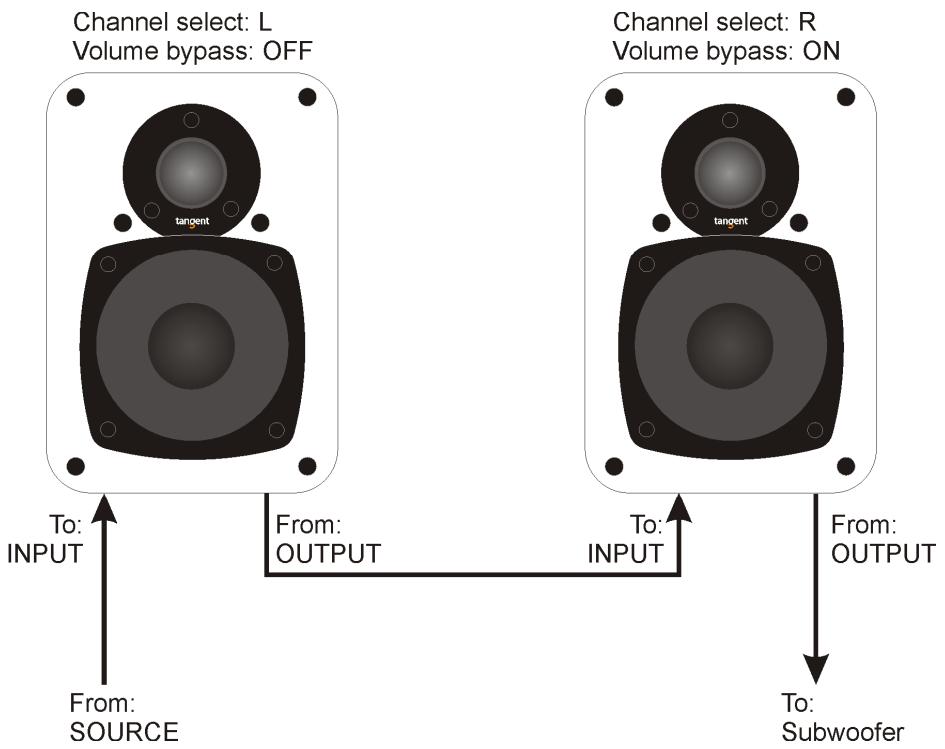
The source is connected to the line input on the speaker to the left. This can be a MP3 player via the headphone output, it can be a CD player or it can be a source with a pre output (Volume controlled.)
The line output from the left speaker is connected directly to the line input on the right speaker. The output on the right speaker can be used for e.g. a subwoofer or another Tangent EVO E5A.
The settings of the switches on the rear panels should be as described below.
The left speaker: The channel select switch must be set to L (left) since it the speaker that is physically placed on the left side. If the physical position is switched, the channel select switches on the speakers should be switches as well. That means the channel select switch should always be the same as the physical placement of the speaker.
The volume bypass switch should be set to OFF. This way you can control the volume via the included remote.
The right speaker: The channel select switch must be set to R (right) since it the speaker that is physically placed on the right side. The channel select switch should always be the same as the physical placement of the speaker.
The volume bypass switch should be set to ON. Then the volume will follow the signal provided to the speaker, which in this case is controlled by the left speaker.
If no signal is provided to the speakers for a period longer than 10 minutes, both the speakers will automatically go into standby.
Connecting a mono setup
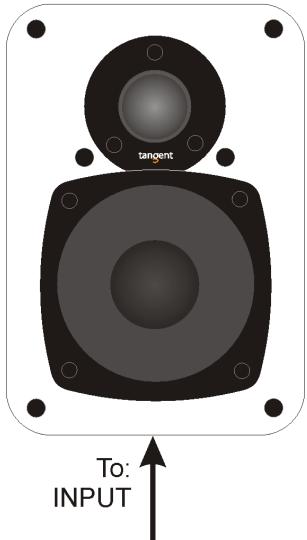
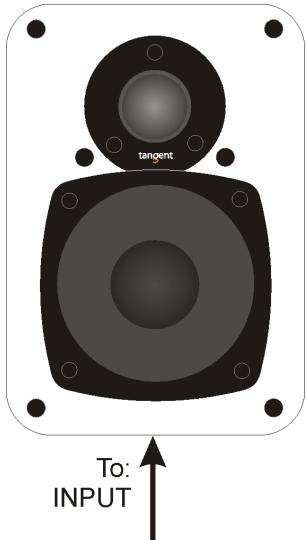
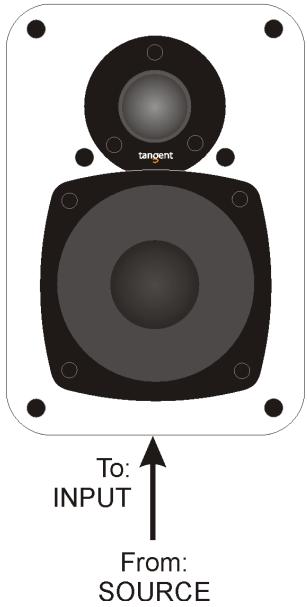
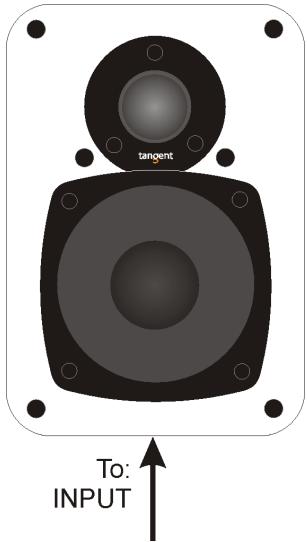
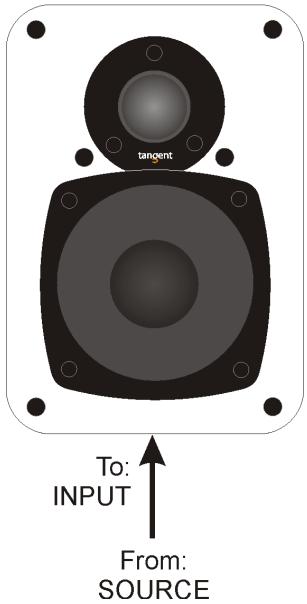
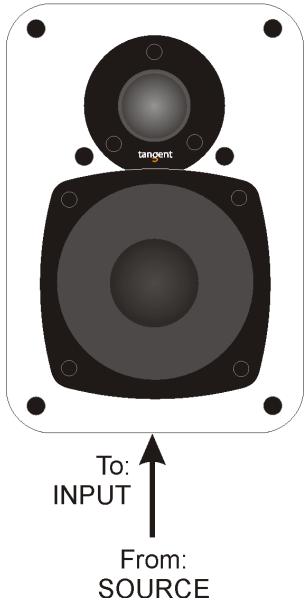
The illustration below shows how to setup one speaker to a source. The mono setup shown below is with volume control via the speaker.
Channel select: MONO
Volume bypass: OFF
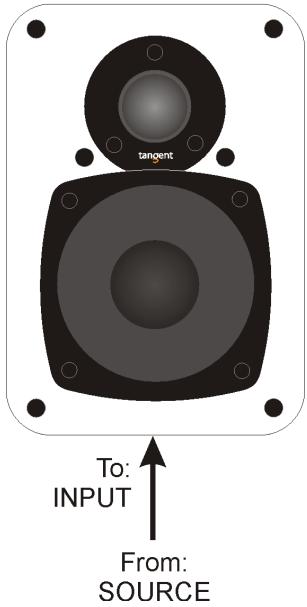
The source is connected to the line input on the speaker. This can be a MP3 player via the headphone output, it can be a CD player or it can be a source with a pre output (Volume controlled.)
The settings of the switches on the rear panel should be as described below.
The channel select switch should be set to mono, since only one speaker is connected to the setup. This way you are sure to get all the sounds from both the left and the right channels of the input connected to the speaker.
The volume bypass should be set to OFF if you whish to be able to control the speaker via remote. If you prefer to control the volume level via the source connected (it could be a MP3
player), the volume bypass switch should be set to ON. Then the speaker will turn on when a source is connected. If no signal is provided to the speaker for a period longer than 10 minutes, the speaker will automatically go into standby.
Specifications
Amplifier
| Input Sensitivity/impedance: | 500mV/47Kohm |
| Line output level/impedance: | up to 500mV/2.2Kohm |
| Rated Output Power (RMS): | 20W (4Ω Load Resistance, THD 0.7%) |
| Signal noise ratio: | min. 90dB |
| Frequency Response: | 40Hz~20KHz (+3/-1dB) |
| Power supply voltage: | 220-240VAC~50/60Hz |
| Rear panel inputs: | AC power input |
| 3.5mm analog stereo jack input | |
| Rear panel outputs: | 3.5mm analog stereo jack output |
| Rear panel switches: | Channel select switch |
| Volume bypass switch | |
| Drivers | |
| Woofer | 5" fully shielded |
| Tweeter | 25mm Neodymium soft dome |
| Cabinet | |
| Weight | 4,70kg |
| Dimensions (H x W x D) | 230 x 145 x 200mm |
FR - MANUEL DE L'UTILISATEUR
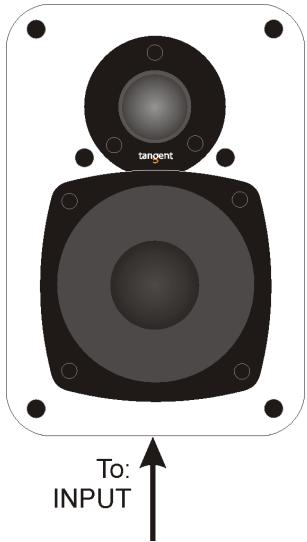
Channel select: MONO Volume bypass: OFF
From: SOURCE
Dimensions (H x L x P)
500mV/47Kohm
Dôme couple Neodymium 25mm
4,70kg
230 × 145 × 200 ~mm
Volume bypass Schalter
5" voll abgeschirmt
25mm Neodymium Kalotte
4,70kg
230 × 145 × 200 ~mm
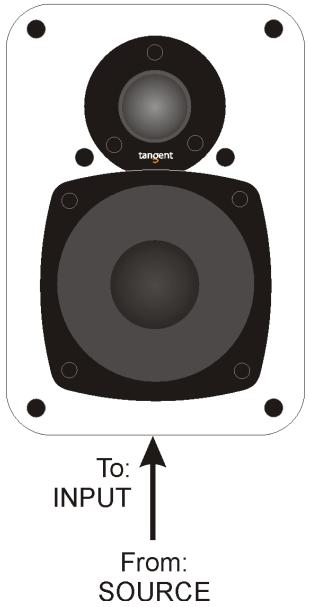
Channel select: MONO Volume bypass: OFF
Volume bypass-schakelaar
Drivers
Channel select: MONO
Volume bypass: OFF
From:
SOURCE
Knappen Channel select
Knappen Volume bypass
25mm Neodymium soft dome
4,70kg
230 × 145 × 200 ~mm
SE - ANVÄNDARMANUAL
Sakerhetsåtgärder
Channel select: MONO
Volume bypass: OFF
From:
SOURCE
Channel select: MONO
Volume bypass: OFF
L'illustrazione in basso在哪来成,我来在那里的。
I'm doing my best to make sure I don't get into trouble.
Channel select: MONO Volume bypass: OFF
From: SOURCE
20W (Resistenza 4Ω, THD 0.7%)
min. 90dB
40Hz~20KHz(+3/-1dB)
220-240VAC~50/60Hz
Channel select: MONO Volume bypass: OFF
Channel select: MONO
Volume bypass: OFF
Dimensoes (A x L x P)
500mV/47Kohm
até 500mV/2,2Kohm
For further information please visit our website:
Item no.: 40616.01
www.tangent-audio.com