
NBG4115 - Wireless Router ZYXEL - Free user manual and instructions
Find the device manual for free NBG4115 ZYXEL in PDF.

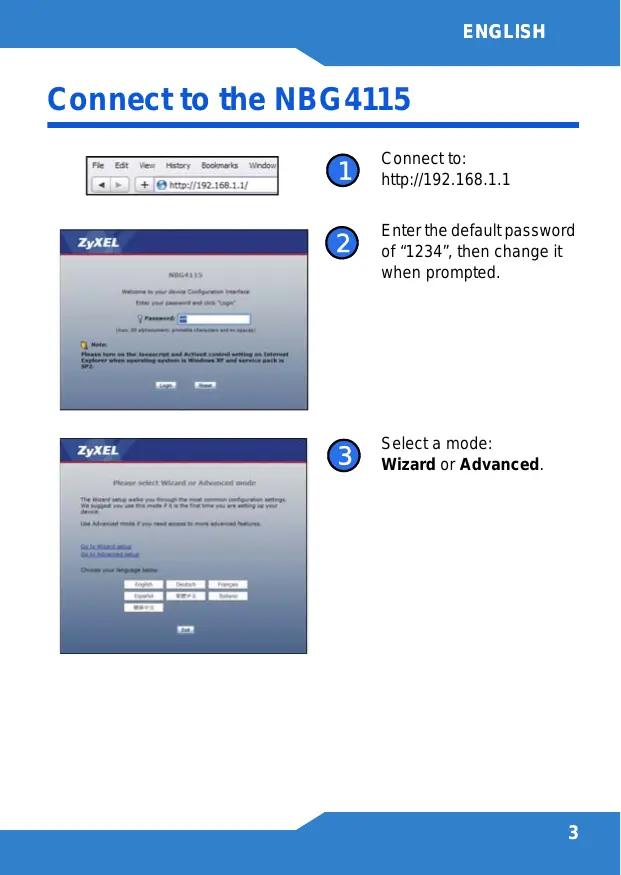


| Product Type | Wireless Router |
| Brand | ZYXEL |
| Model | NBG4115 |
| Dimensions (L x W x H) | Approximately 190 x 130 x 35 mm |
| Weight | Approximately 300 g |
| Power Supply | DC power adapter 12 V, 1 A |
| Network Interface | 1 WAN port 10/100 Mbps, 4 LAN ports 10/100 Mbps |
| Wireless Standard | IEEE 802.11 b/g/n (up to 150 Mbps) |
| Main Features | Internet connection with wizard, 3G support via USB, WPS, NetUSB (USB device sharing) |
| Wireless Security | WEP, WPA, WPA2-PSK, MAC filtering |
| Configuration | Via web interface http://192.168.1.1, default password: 1234 |
| Antennas | 2 internal antennas (or external depending on version) |
| USB Port | 1 USB 2.0 port for device sharing or 3G modem |
| Physical Buttons | WPS button, reset button |
| Maintenance and Cleaning | Unplug before cleaning, use a soft dry cloth, do not use solvents |
| Safety | Place in a ventilated area, avoid moisture and heat sources |
| Spare Parts and Repairability | Power adapter, antennas, Ethernet cables; professional repair recommended |
| Warranty | 2 years (subject to seller's conditions) |
Frequently Asked Questions - NBG4115 ZYXEL
User questions about NBG4115 ZYXEL
0 question about this device. Answer the ones you know or ask your own.
Ask a new question about this device
Download the instructions for your Wireless Router in PDF format for free! Find your manual NBG4115 - ZYXEL and take your electronic device back in hand. On this page are published all the documents necessary for the use of your device. NBG4115 by ZYXEL.
USER MANUAL NBG4115 ZYXEL
Wireless N-lite 3G Home Router
Version 1.00
Edition 3,04/2010
DEFAULT Login DETAILS
| LAN Port | LAN1 ~ LAN2 |
| IP Address | http://192.168.1.1 |
| Password | 1234 |
CONTENTS
| ENGLISH | 3 |
| DEUTSCH | 9 |
| ESPÁÑOL | 15 |
| FRANÇAIS | 21 |
| ITALIANO | 27 |
| SVENSKA | 33 |
| NEDERLANDS | 39 |
ZyXEL
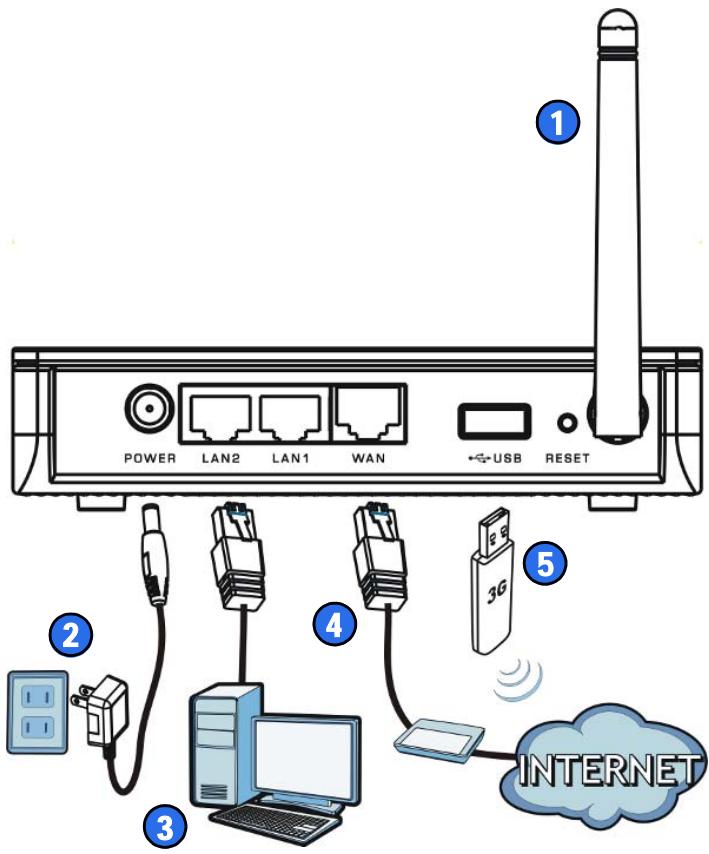
Hardware Connections
Connect to the NBG4115
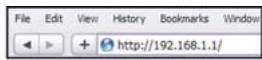
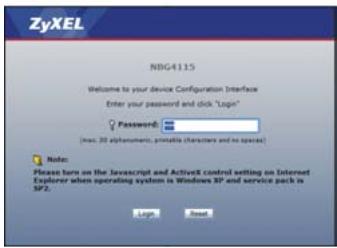
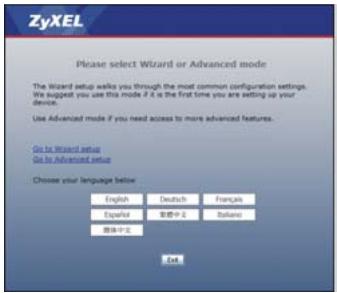
1 Connect to: http://192.168.1.1
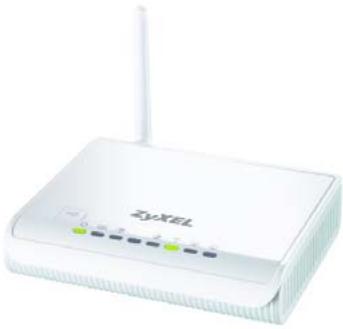
Enter the default password of "1234", then change it when prompted.
3 Select a mode: Wizard or Advanced.
Set Up Your Internet Connection
Connect to the NBG4115 then select Wizard mode:
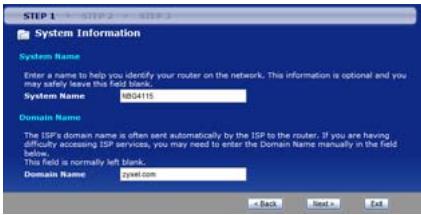
System Name: Enter up to 30 characters for the device's name.
Domain Name: Leave this blank unless your ISP gave you this information.
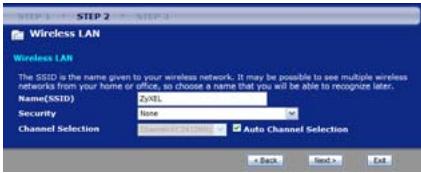
Name (SSID): Enter up to 30 characters for the network name as it appears to other wireless devices.
Security: Select a security type. The option selected here may require additional configuration.
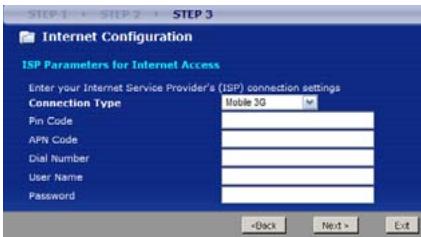
Connection Type: Select how you will connect to the Internet. This information is provided by your ISP. The options available here vary according to the selected connection type.
Set Up Your 3G Connection
On Step 3 of the Wizard, configure the following:
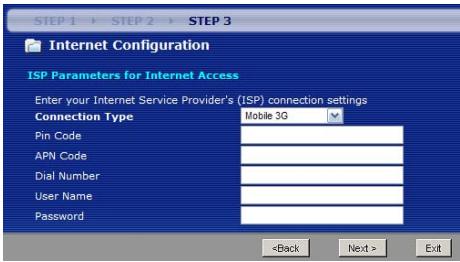
- Connection Type - Select Mobile 3G.
PIN Code - Enter the 4-digit Personal Identification Number (PIN) for the SIM card on your 3G device. - APN Code - Enter the Access Point Name (APN) of the 3G network to which you will connect.
- Dial Number - Enter the dial-up number used to sign into your 3G account.
- User Name and Password - Enter up to 50 alphanumeric characters for your 3G account user name and password.
Note: If you use a USB 3G device with your NB4115, then all incoming and outgoing WAN connections are made through it and not the WAN port.
Set Up a WPS Connection
1 Place the devices you want to connect near one another.
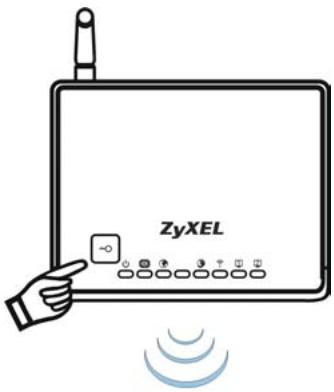
Press the WPS button on the NBG4115. The WLAN light blinks.
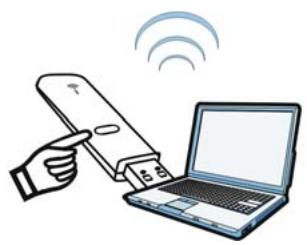
Press the WPS button on a compatible device (such as the NWD-270N) within 2 minutes of pressing the button on the NBG4115.
The WLAN light on the NBG4115 shines steadily when connected.
NetUSB allows you to work with the USB devices connected directly to the NBG4115 over the LAN as if they are connected directly to your computer.
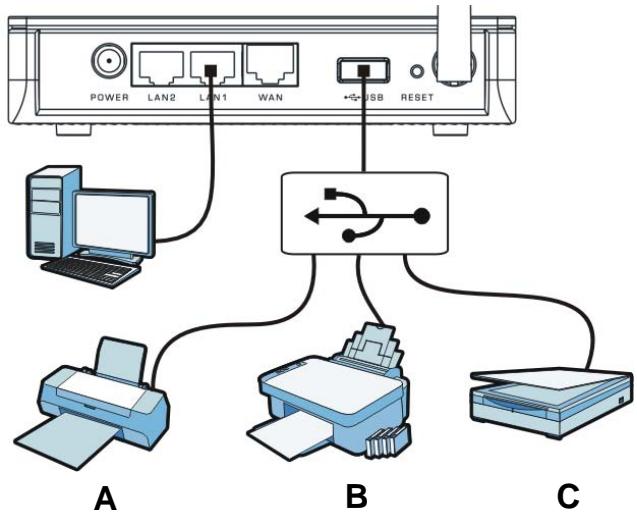
This allows you to easily share USB-based devices such as printers (A), faxes (B) and scanners (C), among others, with people on the network.
For more information about these features, see the User's Guide on the included disc.
Declaration of Conformity
We, ZyXEL Communications Corp., located at No.6, Innovation Rd II, Science-Park Hsin-Chu, 300, Taiwan, declare under our sole responsibility that the product:
Product information
Product Name Wireless N-LITE 3G Router
Model Number : NBG4115
Produced by
Company Name: ZyXEL Communications Corporation
Company Add. : No. 6, Innovation Road II, Science-Park, Hsin-Chu, 300, Taiwan
to which this declaration relates, is in conformity with the following standards or other normative documents:
| EN 301489-17 V1.3.2 (2008-04) | EN 55022:2006+A1: 2007 |
| EN 301489-1 V1.8.1 (2008-04) | EN 55024:1998+A1: 2001+A2: 2003 |
| EN 300 328 V1.7.1 (2006-10) | EN 61000-3-2: 2006 |
| EN 50385:2002 | EN 61000-3-3: 1995+A1: 2001+A2: 2005 |
| Safety EN 60950-1: 2006 |
Following the provisions of 2004/108/EC; 92/31/EEC Directive; 93/68/EEC, 99/5/EEC and LVD 2006/95/EC.
In accordance with Annex III of the Directive 1999/5/EC.
The TCF-File is located at:
Company Name:ZyXEL Communications UK Limited
Company Address : 11 The Courtyard, Eastern Road, Bracknell, Berkshire, RG12 2XB United Kingdom
Person is responsible for marking this declaration:
Hung-Chun Kuo
Name (Full Name)
2009-07-27
Date
Managing Director
Position/ Title
Heng-chen Niu
Legal Signature
Brand : ZYXEL
Model : NBG4115
Category : Wireless Router