Cecoraptor Perfect Solder 360 Advance - Screwdriver CECOTEC - Free user manual and instructions
Find the device manual for free Cecoraptor Perfect Solder 360 Advance CECOTEC in PDF.


| Product type | Cordless soldering iron |
| Brand | Cecotec |
| Model | Cecoraptor Perfect Solder 360 Advance |
| Intended use | Soldering electronic components for home DIY |
| Power supply | Cordless (built-in battery) |
| Maximum temperature | Approximately 450 °C |
| Safety precautions | Never touch hot metal parts; place on a non-combustible surface |
| Cooling | Allow to cool completely before storing |
| Ventilation | Ensure good ventilation during soldering |
| Eye protection | Wear protective goggles |
| Maintenance | Cleaning to be done by adults only, with the device off and cooled down |
| Spare parts | Available through Cecotec technical service |
| Warranty | Coverage according to legal warranty and Cecotec after-sales service |
| Instruction manual | Included with sections on safety, operation, cleaning and troubleshooting |
Frequently Asked Questions - Cecoraptor Perfect Solder 360 Advance CECOTEC
User questions about Cecoraptor Perfect Solder 360 Advance CECOTEC
0 question about this device. Answer the ones you know or ask your own.
Ask a new question about this device
Download the instructions for your Screwdriver in PDF format for free! Find your manual Cecoraptor Perfect Solder 360 Advance - CECOTEC and take your electronic device back in hand. On this page are published all the documents necessary for the use of your device. Cecoraptor Perfect Solder 360 Advance by CECOTEC.
USER MANUAL Cecoraptor Perfect Solder 360 Advance CECOTEC
- Parts and components 139
- Before use 140
- Operation 141
- Cleaning and maintenance 145
- Troubleshooting 147
- Technical specifications 148
- Disposal of old electrical and electronic appliances 149
- Technical support and warranty 150
- Copyright 150
- Declaration of conformity 151
SOMMAIRE
The instruction manual is part of this product. Contains important safety, use and disposal information. Before using the product, please read all instructions for use and safety. Use the product only as described and for the specified applications. Keep this manual in a safe place and, in case of transmission of the product, give it to the third party.
- The safety instructions provided in this manual do not cover all procedures or problems that may arise when operating, maintaining, or cleaning the product.
- Always use common sense and pay special attention to all DANGER, WARNING and NOTICE indications in this manual.
This is a warning symbol. It is used to warn you of potential injury
hazards. Obey all safety messages that follow this symbol to avoid possible injury.
- The cordless soldering iron is suitable for soldering electronic components. The equipment is intended for use in the domestic do-it-yourself field. It is not

designed for commercial, industrial, or professional use.
- This device is not intended for commercial, industrial, or professional use.
- Its commercial, industrial, or professional use will void the warranty. Any other use not expressly approved in these instructions may result in damage to the equipment and pose a hazard to the user.
The user is responsible for accidents or damage to other people or their property.
- Cecotec is not responsible for damage caused by improper or incorrect use.

Risk of fire. When using the soldering iron, make sure that the hot tip does not come into contact with combustible materials. Do not leave the appliance unattended while it is hot.
Allow it to cool completely down before storing it.

The soldering tip reaches temperatures of approx. 450 °C. Touching metal parts can cause burns.

The appliance should always be placed on a non-combustible surface when not in use.
- There is a potential fire hazard.
-
This product can be used by adults, but also by children aged from 12 years and above and people with reduced physical, sensory, or mental capabilities or lack of experience and knowledge if they have been given supervision or instruction concerning use of the appliance in a safe way and understand the hazards involved.
-
Do not allow children to play with the device.
- The cleaning and maintenance of the appliance should not be carried out by children without supervision.
- Always switch on the unit before it comes into contact with the material to be worked on.
- During the welding process, fumes harmful to health are produced. Good
ventilation or adequate vapour removal must be ensured. Protect your eyes with safety goggles and your body with appropriate work clothing against welding spatter and corrosive fumes. It is recommended the use of other PPE (personal protective equipment) such as masks.

People with electronic devices such as pacemakers should
consult their physician before using this product. The use of electrical equipment in the vicinity of a pacemaker may cause interference with or interference to the pacemaker.
- Keep the work area clean and well illuminated. Cluttered workbenches or dark areas can lead to accidents.
- Do not operate power tools in explosive atmospheres, such as in the presence of
flammable liquids, gases, or dust. Power tools create sparks that can cause fire on dust particles or gaseous fumes.
- Do not expose power tools to rain or wet conditions. Water increases the risk of electric shock.
- Do not use a power tool when you are tired or under the influence of drugs, alcohol, or medication.
- Hold the tool by the insulated gripping surface when handling.
Safety instructions for battery-operated tools
- Recharge the device indoors only, as the USB cable is designed for indoor use only.
- To reduce the risk of electric shock, unplug the USB cable from the mains before cleaning.

- Do not expose the battery to strong sunlight for a long time and do not leave it on a heater. Heat damages the battery and may cause a risk of explosion.
- Allow the battery to cool before charging.
- Never open a battery to avoid mechanic damage in it, as this will void the warranty.
- There may be a risk of short circuit and emission of fumes that irritate the respiratory tract. Ensure fresh air
and seek medical assistance in case of physical discomfort. It is recommended to use a mask.
- The battery may leak under extreme conditions. Do not touch any liquid that leaks from the battery. If the liquid gets into contact with skin, wash immediately with soap and water. If the liquid gets into the eyes, wash them immediately with clean water for a minimum of 10 minutes
and seek medical attention. Wear gloves to handle the battery and dispose of it immediately in accordance with local regulations.
- To help the environment, when the product has reached the end of its shelf life, please dispose of it properly at a designated collection point. The battery is built-in in the soldering iron and can only be removed by a specialist.
- The unit must be disconnected from the mains when the battery is removed.
- The battery must be disposed of safely.
Safety instructions for the use of the USB cable
- This USB cable can be used by children aged 8 years and above and people with reduced physical, sensory, or mental capabilities or lack of experience and
knowledge if they have been given supervision or instruction concerning use of the appliance in a safe way and understand the hazards involved. Do not allow children to play with the USB cable. Cleaning and maintenance of the USB cable should not be performed by children without adult supervision.
- If the cable is damaged, it must be replaced by Cecotec or qualified personnel to avoid
accidents and electrical hazards.
- Use only the supplied USB cable to charge the device.
- Never charge a non-rechargeable battery.
- During charge, the device should be placed in a well-ventilated area.
- Keep the USB cable clean and away from moisture and rain. Use the USB cable indoors only.
-
Avoid damage to the USB cable.
-
Do not use the USB cable on a combustible surface (e.g. paper, textiles). There may be a risk of fire due to heating during charging.
- The battery is only partially charged at the time of delivery and must be fully charged before first use. Before the first use, it is recommended to completely charge the device. To do so, insert the soldering iron
in the base and connect the USB cable to the electric circuit.
- Unplug the USB cable from the electric circuit when the device is completely charged and disconnect the USB cable from the device.
- The device should only be powered with a very low voltage corresponding to the voltage marked on the device itself.
- The USB cable use is exclusive to recharge
the product.
- Keep the USB cable away from heat, oil, sharp edges or moving parts.
Functional description
- The cordless soldering iron, with its portable, ergonomic and compact design, and fast heating, is ideal for soldering tin without the need of a soldering station
connected to the electric circuit. Refer to the following descriptions for the operation of the controls.
INSTRUCTIONS DE SÉCURITÉ
- Soldering tip
- Soldering tip bracket
- Power button
- LED indicator light
- Soldering iron charging socket
- Soldering iron stand
- USB charging cable
- Sponge
-
Φ1.0 mm solder wire
-
1.5 mm solder wire
- LED worklight
* USB adapter not included.
NOTE:
The graphics in this manual are schematic representations and may not exactly match the device.
ENGLISH
2. BEFORE USE
- This appliance is packaged in a way as to protect it during transport. Take the appliance out of its box and remove all packaging materials. You can keep the original box and other packaging elements in a safe place. This will help you prevent damage to the appliance when transporting it in the future. In case the original packaging is disposed of, make sure all packaging materials are recycled accordingly.
-
Make sure all parts and components are included and in good conditions. If there is any piece missing or not in good condition, immediately contact the official Cecotec Technical Support Service.
-
Unpack the unit carefully.
- Place the stand (6) on a flat surface. Place the soldering iron in the stand (6) and make sure it is firmly in place.
- Place the sponge (8) in the stand (6); add an adequate amount of water to the sponge to absorb it. Keep the sponge moist at all times.
- If you have to dispose of the packaging, when you have finished unpacking the product, take it to a designated recycling point.
Box content
- Cordless welder
-
3 x soldering tips
-
2 x 1.0 mm diameter solder wire
- 2 x 1.5 mm diameter solder wire
- Soldering iron stand
- Sponge
- USB charging cable
- Instruction manual
3. OPERATION
Charging process
Fig. 2
Warning
Do not expose the battery to extreme conditions, like heat or shock. There is a risk of leakage of electrolyte solution, which may cause injuries. In case of contact, rinse with plenty of water. Seek medical attention immediately if the solution has come into contact with the eyes.
Warning
The device must only be charged in dry places.
The device cannot be used while charging. You can charge the cordless soldering iron in two different ways:
- Connect the USB charging cable (7) to the charging socket (5).
ENGLISH
Then, connect the other end of the USB charging cable (7) to an adapter compatible with the technical specifications, and connect the adapter to the mains. Fig. 2
- You can also connect the USB charging cable (7) directly to the appliance. Fig. 2
This appliance has an LED indicator light (4).
- Steady red: the device is charging and warming up.
- Flashing red: means there is a problem with the battery. Stop charging the device and contact the official Cecotec Technical Support Service for repair.
- Steady green: charging completed and when in use. After
charging, first remove the USB cable from the power socket and then, from the soldering iron.
Installation/replacement of the soldering tip. Fig. 3
Warning:
Make sure the soldering iron is off and cool.
- To install the soldering tip, hold the device and screw the soldering tip (1) firmly into the soldering tip bracket (2).
- To replace the soldering tip (1), unscrew the inserted soldering tip (1) and remove it, then screw the new soldering tip (1) into the soldering tip bracket (2).
Switching on and off
Warning
Risk of burns. Never touch the soldering tip while it is hot or get it closer to any body part.
Process to start soldering
- Remove the device from the stand (6).
- Hold the device in your hand as if it were a pen, with the tip facing downward.
- Press the power button (3), the LED indicator light (4) turns red. The LED worklight (11) will turn on to light up the workspace.
- Wait until the LED indicator light (4) turns green, this means
that the tip is heating up.
- The soldering tip reaches a temperature of approximately 450 °C.
- The tip will maintain the temperature for approximately 10 minutes. After 10 minutes the soldering iron will automatically stop and the LED indicator light (4) and the LED worklight (11) will switch off. Time may vary according to multiple factors, like heavy use, difficulty of the work, etc.
- Repeat steps 2 to 5 and continue using the soldering iron.
Switch-off
- Press the power button (3). Be careful with the hot soldering
ENGLISH
tip (1), do not touch anything until it has cooled down.
- Once it has cooled down, clean the soldering tip with the wet sponge (8).
- Replace the device in the stand (6).
Operating instructions
- For best results, the soldering tip must be completely clean and free of grease.
- Before initial use, the soldering tip must be coated with soldering tin. Only a good tin coating guarantees perfect soldering.
- Make sure that the soldering tip is always clean and free of
scale and excess solder. Regularly clean the soldering tip with a wet sponge. Never use a file for this purpose.
- Before soldering, establish a mechanical connection between the metals to be joined, if possible. For example, twist the wires so that they do not slip. In this way, you will obtain stable soldering tips and avoid heat damage due to excessive soldering.
- To solder two metals, hold the soldering tip at the point where the two metals meet and briefly add a little soldering tin. Tin will melt and flow into the soldering tip. If the solder has spread, remove the soldering iron and allow the soldering tip to cool without vibration or shaking it. Never heat the solder
directly and do not use excessive solder.
- In the case of electronic components, the parts to be soldered should not get too hot to avoid possible damage.
- Place the soldering tip on the heat-resistant surface or use the stand while you are not soldering.
- Clean the soldering iron tip with the wet sponge after work and place the soldering iron back in the stand when finished.
4. CLEANING AND MAINTENANCE
- Warning
- Ask the official Cecotec Technical Support Service to perform any work that is not described in these instructions.
- Use only original parts.
- Before starting to clean or handle the appliance, make sure that it is switched off.
- There is a high risk of burns and electric shock. Exercise extreme caution and use Personal Protective Equipment.
- The following cleaning and maintenance tasks should be carried out regularly. This will ensure a long and reliable service life.
ENGLISH
Cleaning
- ⚡️ Never spray the device with water, nor immerse it into it. This may cause an electric shock hazard.
- ⚠️ Never use cleaning products nor solvents. Otherwise, it may cause irreparable damage to the device.
- While the soldering tip is hot (1) clean it after using it, with a wet sponge. Use extreme caution as burns may occur.
- Never scrape or file soldering residues from the tip (1) with hard objects, as this will damage the tip (1).
Maintenance
Before each use, check the unit for obvious defects, such as loose,
worn, or damaged parts. Replace if necessary.
Storage
- Clean the device before storing it.
- Allow it to cool completely down before storing it.
- Store the device in a dry place where the temperature is above 0 °C, protected from dust and out of the reach of children.
5. TROUBLESHOOTING
- During manufacturing, the correct operation of the device is checked on several occasions. If faults still occur, check the device according to the following list.
- Troubleshooting that requires opening the housing must only be carried out by authorised specialist companies or by Cecotec.
| Problem | Possible cause | Possible solution |
| The soldering tip (1) does not heat up | Battery is discharged. | Charge the battery. |
| Defective USB charging cable (7). | Contact the official Cecotec Technical Support Service. |
ENGLISH
| Temperature at soldering tip (1) too low | The soldering tip (1) is loose. | Tighten the soldering tip (1) as long as it is cold, and the device is switched off. |
| Defective soldering tip (1). | Contact the official Cecotec Technical Support Service. |
If the appliance does not work properly, contact the official Cecotec Technical Support Service.
6. TECHNICAL SPECIFICATIONS
Product name: Perfect Solder 360 Advance
Product reference: 70022
Rated voltage: 4 V DC
Insulation class: III
Temperature: Max. 450 °C
Power: Max. 8 W
Battery (lithium-ion):
Rated voltage: 3.7 V DC
Capacity: 1500 mAh, 5.55 Wh
ENGLISH
Technical specifications may change without prior notice to improve product quality.
Made in China | Designed in Spain
7. DISPOSAL OF OLD ELECTRICAL AND ELECTRONIC APPLIANCES
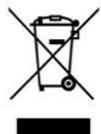
This symbol indicates that, according to the applicable regulations, the product and/or battery must be disposed of separately from household waste. When this product reaches
the end of its shelf life, you should dispose of the cells/batteries/accumulators and take them to a collection point designated by the local authorities.
Consumers must contact their local authorities or retailer for information concerning the correct disposal of old appliances and/or their batteries.
Compliance with the above guidelines will help protecting the environment.
ENGLISH
8. TECHNICAL SUPPORT AND WARRANTY
Cecotec shall be liable to the end user or consumer for any lack of conformity that exists at the time of delivery of the product under the terms, conditions, and deadlines established by the applicable regulations.
It is recommended that repairs be carried out by qualified personnel.
If at any moment you detect any problem with your product or have any doubt, do not hesitate to contact the official Cecotec Technical Support Service at +34 963 210 728.
9. COPYRIGHT
The intellectual property rights over the texts in this manual belong to CECOTEC INNOVACIONES, S.L. All rights reserved. The contents of this publication may not, in whole or in part, be reproduced, stored in a retrieval system, transmitted, or distributed by any means (electronic, mechanical, photocopying, recording or similar) without the prior authorization of CECOTEC INNOVACIONES, S.L.
10. DECLARATION OF CONFORMITY
MANUFACTURER: CECOTEC INNOVACIONES S.L
ADDRESS: Av. Reyes Católicos, 60, 46910, Alfafar, Valencia (Spain)
DESCRIPTION: Soldering station
PRODUCT IDENTIFICATION: Perfect Solder 360 Advance
FUNCTION: Battery-powered electric soldering iron
MODEL: 70022
It certifies that the device described has been designed, manufactured, and tested and complies with all applicable provisions.
EU DIRECTIVES IMPLEMENTED:
- Directive 2014/35/EU on the harmonisation of the laws of the Member States relating to the trading of electrical equipment designed for use within certain voltage limits.
- Directive 2014/30/EU on the harmonisation of the laws of the Member States relating to electromagnetic compatibility.
- Directive 2011/65/EU and delegated directive 2015/863 on the restriction of the use of certain hazardous substances in electrical and electronic equipment.
ENGLISH
APPLICABLE HARMONISED NORMS:
- EN 60335-1:2012 +A11+A13 +A1 +A14 +A2 +A15
- EN 60335-2-45:2002 +A1 +A2
- EN 62233:2008
- EN IEC 55014-1:2021
- EN IEC 55014-2:2021
- EN IEC 61000-3-2:2019 +A1
- EN 61000-3-3:2013 +A1+A2
1. PIÈCES ET COMPOSANTS
Img. 1
5. PROBLEEMOPLOSSING
BESCHRIJVING Soldeerstation
IDENTIFICATIE VAN DE MACHINE: Perfect Solder 360 Advance
FUNCTIE: Elektrische soldeerbout op batterijen
MODEL: 70022
Fig./Img./Abb./Afb./Rys.1

Fig./Img./Abb./Afb./Rys.2

Fig./Img./Abb./Afb./Rys. 3
www.cecotec.es
- SOMMAIRE
- SAFETY INSTRUCTIONS FOR BATTERY-OPERATED TOOLS
- SAFETY INSTRUCTIONS FOR THE USE OF THE USB CABLE
- FUNCTIONAL DESCRIPTION
- INSTRUCTIONS DE SÉCURITÉ
- NOTE
- ENGLISH
- BEFORE USE
- BOX CONTENT
- OPERATION
- CHARGING PROCESS
- WARNING
- INSTALLATION/REPLACEMENT OF THE SOLDERING TIP. FIG. 3
- SWITCHING ON AND OFF
- PROCESS TO START SOLDERING
- SWITCH-OFF
- OPERATING INSTRUCTIONS
- CLEANING AND MAINTENANCE
- CLEANING
- MAINTENANCE
- STORAGE
- TROUBLESHOOTING
- TECHNICAL SPECIFICATIONS
- DISPOSAL OF OLD ELECTRICAL AND ELECTRONIC APPLIANCES
- TECHNICAL SUPPORT AND WARRANTY
- COPYRIGHT
- DECLARATION OF CONFORMITY
- EU DIRECTIVES IMPLEMENTED
- PIÈCES ET COMPOSANTS
- IMG. 1
- PROBLEEMOPLOSSING
Brand : CECOTEC
Model : Cecoraptor Perfect Solder 360 Advance
Category : Screwdriver