FITNESS PARTNER - Exercise bike CARE FITNESS - Free user manual and instructions
Find the device manual for free FITNESS PARTNER CARE FITNESS in PDF.


| Product Type | Exercise Bike |
| Brand | CARE FITNESS |
| Model | FITNESS PARTNER |
| Power Supply | Console batteries (not specified) or 6V/500 mA power adapter (optional) |
| Display | Dot matrix: RPM, speed (km/h), time, pulse, watts, calories; alternate display every 6 seconds |
| Resistance Levels | Manual: 1 to 16 |
| Programs | Manual, 12 automatic programs (P1-P12), Constant Watt (10-350 W), 4 user profiles (U1-U4) + guest profile (U0), H.R.C. (55%, 75%, 90% and free target) |
| Key Functions | START/STOP, ENTER, RESET, UP/DOWN, RECOVERY, QUICK START |
| Recovery Test | Heart rate recovery measurement over 1 minute, rating from F1 (excellent) to F6 (very poor) |
| User Data | Input gender, age, height and weight for profiles U1-U4 (stored) and U0 (guest) |
| Pulse Sensor | Integrated (hand grips); pulse display (P30-240), flashing heart symbol |
| Safety | Consult a doctor before any program, especially if over 35 or sedentary; do not exceed your limits; use on stable floor; keep away from humidity |
| Maintenance | Clean with a soft dry cloth; do not use abrasive products; do not expose console to humidity |
| After-Sales Service | Striale - 18/22 rue Bernard, Z.I. les Vignes, 93012 Bobigny cedex; Tel. 0820 821 167; email: sav@carefitness.com; Monday to Friday 9am-12pm and 1pm-5pm |
| Spare Parts | Available via after-sales service; have the product name, manufacturing number (on frame and box) and part number (on exploded view in manual) |
Frequently Asked Questions - FITNESS PARTNER CARE FITNESS
User questions about FITNESS PARTNER CARE FITNESS
0 question about this device. Answer the ones you know or ask your own.
Ask a new question about this device
Download the instructions for your Exercise bike in PDF format for free! Find your manual FITNESS PARTNER - CARE FITNESS and take your electronic device back in hand. On this page are published all the documents necessary for the use of your device. FITNESS PARTNER by CARE FITNESS.
USER MANUAL FITNESS PARTNER CARE FITNESS
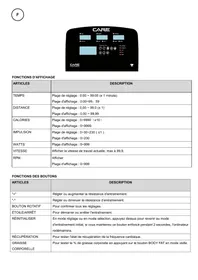
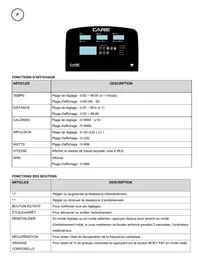
DISTANCE:0.00~99.99 km
WATTS:0~999 watts
CALORIES:0~999.
H.R.C : 55%, 75%, 90%, IND (CIBLE)
E mail: sav@carefitness.com
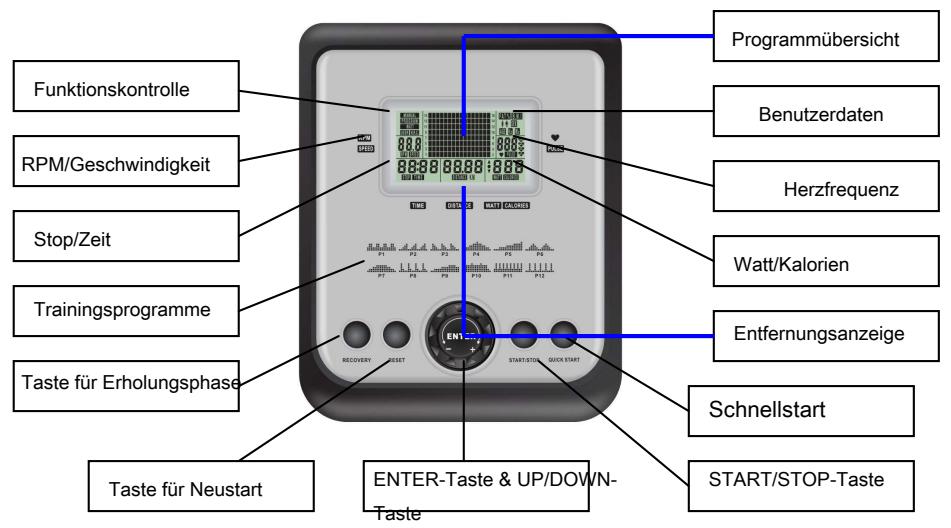
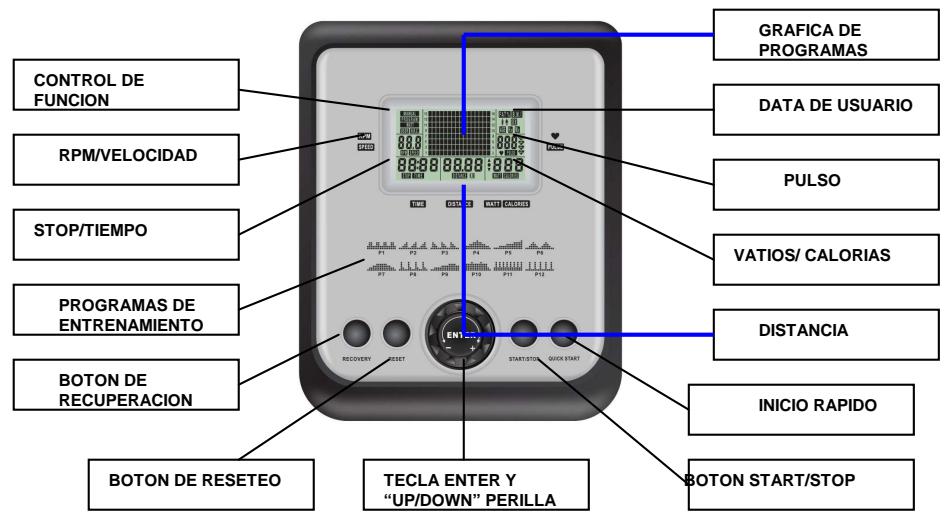
FUNCTION
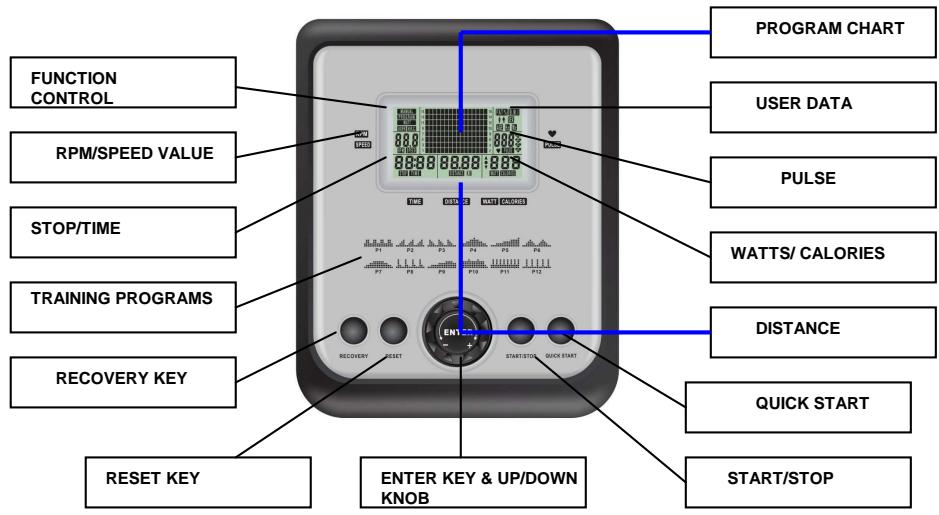
SCAN : Alternates between WATTS/CALORIES and RPM/SPEED. 6 seconds per display.
RPM:0~15~999
SPEED:0.0~99.9 km/h
TIME:0:00~99:59.
DISTANCE:0.00~99.99 km
WATT:0~999 watts
CALORIES:0\~999.
PULSE: P~30~240 max value is available.
HEART SYMBOL : ON/OFF flashes
MANUAL:1~16 level
PROGRAM:P1\~P12
WATT CONSTANT:10~350
USER:U1\~U4
H.R.C:55%75%90%IND (TARGET)
USER DATA : U0 ~U4 ( U1 ~ U4 memorized user data )
DESCRIPTION
This product is used UM series motor system.
FUNCTION DESCRIPTION
MANUAL Set the resistance level using the dot matrix display then (if required) set exercise parameters TIME/DISTANCE / CALORIES / PULSE then press START/STOP to START manual program.
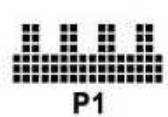
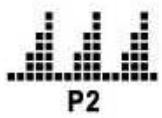
PROGRAM 12 automatic adjusting programs with control exercise (P1~P12),
Resistance level can be adjusted during PROGRAM DIAGRAM is flashing.
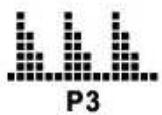
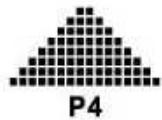
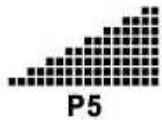
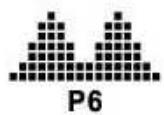
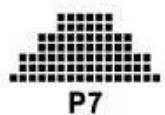
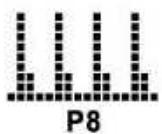
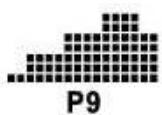
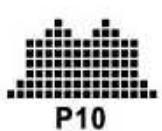
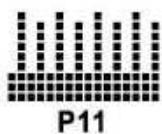
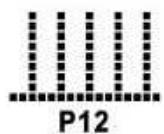
WATT CONSTANT Default WATTS value is 100. User can adjust WATTS value using the UP / DOWN knob. The
entered WATTS will be maintained automatically regardless of speed.
USER Create your own Program profile through U1~U4 by setting the resistance level for each individual segment. Then the Program will be automatically saved for future use. U0 ENTER can be set the same as U1~U4 but this Program cannot be saved.
H.R.C HEART RATE CONTROL- Select your own target Heart Rate of choose one of the preset programs 55% , 75% or 90% . Please enter your age into the User Data to ensure that your target heart rate is set correctly. The PULSE display will flash when you have reached your target heart rate according to the Program you have chosen.
i. 55% -- DIET PROGRAM
ii. 75% -- HEALTH PROGRAM
iii. 90% -- SPORTS PROGRAM
iv. TARGET—USER SET TARGET HEART RATE
RECOVERY
When you have finished your workout, press RECOVERY. For
RECOVERY to function correctly, it needs your Heart Rate input.
TIME will count down from 1 minute and then your fitness level from
F1 to F6 will be displayed.
NOTE: during RECOVERY, no other displays will operate.
F 1 ~ F6 = RECOVERY HEART RATE LEVEL
USER DATA U0~U4 are user's Personal Programs. Users should enter their gender, age, height and weight.
Only data
for U1 to U4 will be saved. U0 is for casual users.
OPERATION
1 After power-on U_ by default but you can select any Ux by turning the UP/DOWN,press the ENTER key to confirm.
Input user data, sex, age, height, weight on top -right window. Then press ENTER key for confirmation.
2 Function Control display will flash indicating you can select the Programs P1-P12 by turning UP/DOWN and then press
ENTER key for confirmation. Any of the default values can be changed by pushing the ENTER key until the desired
program profile is flashing. Press ENTER key again to confirm.
3 When the Program and other protocols are entered press START/STOP key and begin your workout.
4 If you don't want to choose any function, just push QUICK START key to start your workout.
KEY FUNCTIONS
- ENTER : Function select and confirmation key.
- RESET : press RESET 1 time - Function value RESET ( to reset TIME / DISTANCE / CALORIES/PULSE / WATT at U0) ; if user press and hold RESET key 2 SECS, return to initial setting mold , display and flashing U0-U4.
- UP/DOWN KNOB : Increase and decrease function value and select previous / next function and mold.
- START/STOP KEY: START / STOP key
- RECOVERY KEY : Fitness test by measuring your recovery rate.
- QUICK START : If you don't want to choose any function, just push this key to start your workout.
TIPS
- Option: Plug in AC Adaptor (6 VOLT, 500 MA).
-
- Keep moisture away from computer.
Cardio - Training:
Before programming your training, it is essential to take account of your age, particularly for people of more than 35 years of age, as well as your physical condition. If you have a sedentary lifestyle without regular physical activity, it is vital that you consult your doctor to determine the level of intensity of your training. Once determined, do not attempt to achieve your maximum during the first training sessions. Be patient; your performance will quickly improve.
This enables you to develop your cardiovascular system (fitness of the heart / blood vessels). During Cardio-Training, the muscles need a supply of oxygen and nutritive substances. They also need to liminate waste. Our heart increases its rhythm and sends a larger amount of oxygen to the body by means of the cardiovascular system.
The more often you exercise regularly and repetitively, the more your heart will develop, just like any other muscle. In daily life, this translates into the ability to bear greater physical effort and improve your intellectual faculties.
Definition of your work Zone:
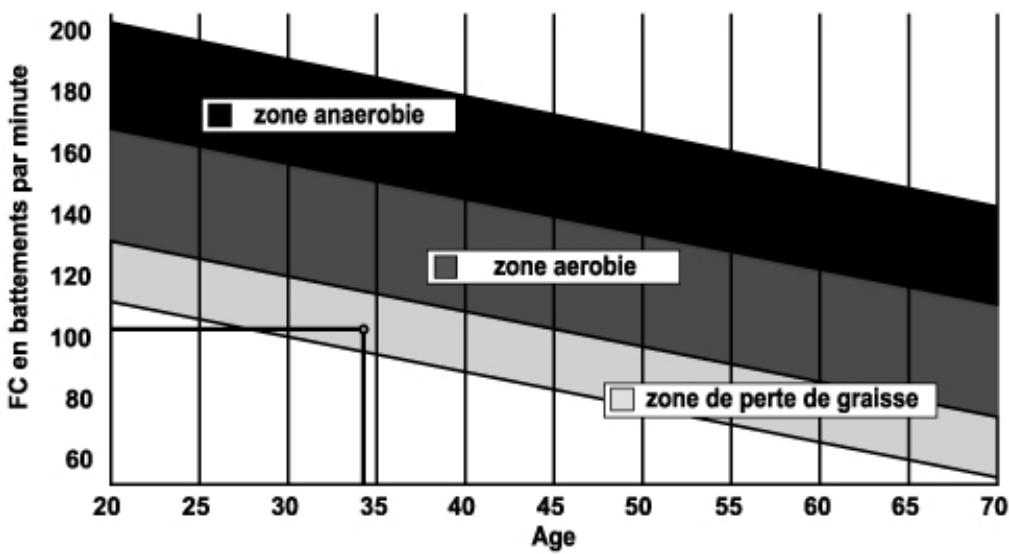
The Maximum Heart Rate (MHR) = 220 - age (180 - age for sedentary people).
The Warming Up Zone and Cooling Down Zone are equal to 55% of your MHR.
The Fat Loss Zone is between 55 / 65% of your MHR.
The Aerobic Zone is between 65 / 85% of your MHR.
The Anaerobic Zone is between 85% of your MHR and your MHR.
Make a diagram of the target zones
The progressive training stages:
1) A warming up phase:
Start each training session by warming up progressively (10-20 min, more if you are over 50) which will put your muscles on standby and gently increase your heart rate. Gently increase your pulse to 55% of your MHR (Maximum Heart Rate).
Keep your Heart Rate at this level for the duration of the warming up time. If you begin your training too quickly, you are in danger of increasing the risk of tendon or muscle injury.
2) A work phase:
This is the main part of the training session. Depending on your specific goals and your initial physical condition, weight loss, improvement of cardiovascular resistance (aerobic work), development of stamina (anaerobic work), it is possible to choose the appropriate target zone.
The Fat Loss Zone, 55 - 65%
The heart rate must be low and the duration of the exercise quite long. This zone is advised for people resuming physical activity after a long period of idleness, who
are trying to eliminate excess weight or are susceptible to cardiac problems. Do not forget that for this type of training the duration of the exercise must be at least 30 minutes and the Heart Rate (HR) between 55 and 65% of the MHR. - Gradually increase from 30 to 60 minutes per session.
Exercise 3 or 4 times a week.
The Aerobic Zone, 65 - 85%
This zone is recommended for those who are in good physical condition who train regularly. By training in this zone, you will improve your physical condition but avoid overworking.
Duration: 20 to 30 minutes per session.
- Frequency: At least 3 or 4 times a week.
The Anaerobic Zone, 85% - MHR
This zone is exclusively for experienced athletes and is never recommended without medical approval and supervision. This zone is designed only for very fit people. It is used for interval training (or for short sprints) to help you to improve or measure your level of stamina. The time spent in this zone must be brief to avoid the risk of accident.
3) A cooling down phase:
This entails a reduction of exertion (10 to 20 min). It enables you to return your cardiovascular system to normal (55% of your MHR) and prevent or reduce muscular pain such as cramp and stiffness. You must follow the training with a session of stretching exercises while your joints
are still warm. This relaxes the muscles and helps to prevent stiffness. Stretch slowly and gently. You must never stretch until you reach the pain threshold. Hold each stretch for 30 to 60 seconds while breathing out.
Check your progress
As it improves, your cardiovascular system will have an HR which will be lower when at rest. You will take longer to reach your target zone and it will be easier for you to maintain it. Sessions will seem easier and easier and you will have more stamina in your daily life.
If, on the other hand, your HR is higher than usual when at rest, you will have to rest or reduce the intensity of your training.
Do not be discouraged by the initial sessions. Motivate yourself by scheduling specific training times. Work hard!
To order spare parts
To guarantee an efficient service, make sure you have the following items before you contact our After Sales Service:
The name or reference of the product.
The manufacturing number shown on the main chassis and on the packing box.
The number of the missing or faulty part shown on the exploded view of the
Product described in this manual.
Contact us from Monday to Friday between 9h00 and 12h00 and 13h00 and 18h00 (except for public holidays).
STRIALE After Sales Service
Email: sav@carefitness.com
FUNKTIONEN
E mail: sav@carefitness.com
FUNCTIONS
E-mail: sav@carefitness.com
NL
FUNCTIES
De harttraining (cardiotraining):
2 tot 3 trainingen per week = circa 30 minutes per keer.
1 tot 2 trainingen per week = circa 50 minutes per keer.
E-mail: sav@carefitness.com