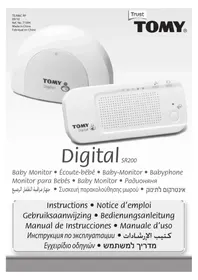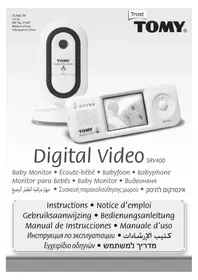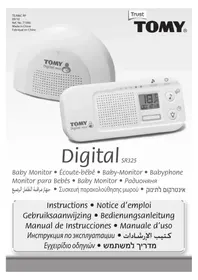
DIGITAL VIDEO PLUS TDV450 - Baby monitor TOMY - Free user manual and instructions
Find the device manual for free DIGITAL VIDEO PLUS TDV450 TOMY in PDF.



| Product type | Digital video baby monitor |
| Brand | TOMY |
| Model | DIGITAL VIDEO PLUS TDV450 |
| Frequency | 2.4 GHz (2400-2483.5 MHz), frequency hopping technology |
| Free field range | Up to 250 meters |
| Parent unit power supply | Rechargeable Ni-MH battery 1500 mAh 3.6 V (included), mains charging |
| Baby unit power supply | Mains only, adapter 6 V / 550 mA (included) |
| Parent unit battery life (after full charge) | Approximately 7 hours initial charge; battery life varies according to use |
| Number of supported cameras | Up to 4 cameras (viewing one at a time) |
| Main functions | Video and audio monitoring, night vision, multicolour nightlight, talk-back function, sound activation, timer, screenshot and slideshow, motion detection (compatible with TSP500 mat) |
| Display | Colour LCD screen (not specified in manual, estimated 2.4 inches) |
| Temperature sensor | Yes, with tolerance of ±1 °C |
| Alarms and notifications | Audible loss of contact alarm, low battery alarm, parent unit locator |
| Dimensions (estimated) | Parent unit: approx 12 x 7 x 3 cm; baby unit: approx 10 x 8 x 12 cm |
| Weight (estimated) | Approximately 400 g (total) |
| Operating temperature | 0 to 50 °C |
| Use | Indoor only |
| Care and cleaning | Clean with a slightly damp soft cloth; do not immerse; unplug before cleaning |
| Safety | Does not replace adult supervision; keep cables out of children's reach; do not place in the crib; use only the supplied adapters |
| Spare parts and repairability | Replaceable battery (reference not provided); for other parts, contact TOMY consumer service |
| Warranty | 2 years against manufacturing defects (upon presentation of receipt) |
Frequently Asked Questions - DIGITAL VIDEO PLUS TDV450 TOMY
User questions about DIGITAL VIDEO PLUS TDV450 TOMY
0 question about this device. Answer the ones you know or ask your own.
Ask a new question about this device
Download the instructions for your Baby monitor in PDF format for free! Find your manual DIGITAL VIDEO PLUS TDV450 - TOMY and take your electronic device back in hand. On this page are published all the documents necessary for the use of your device. DIGITAL VIDEO PLUS TDV450 by TOMY.
USER MANUAL DIGITAL VIDEO PLUS TDV450 TOMY
TE/M6C RP
03/10
Ref. No. 71030
Made in China
Fabrique en China
CE Tomy UK Ltd.,Totton, Hants. SO40 3SA, England.
F Tomy France, Parc d'Affaires International, BP 358, 74166 Archamps, Cedex.
NL Tomy Benelux, Assesteenweg 117C, B-1740 Ternat.
Tomy Deutschland, Niederlassung der TOMY UK Ltd., Messezentrum, Halle 12.2 Stand P 17a, 90471 Nurnberg.


Colour and contents may vary.
Les couleurs et les détails peuvent varier.
De kleuren en inhoud können verschillen.
Abweichungen in Farbe oder Details möglich.
El color y el contenido puedeEARvariarde las ilustraciones.
Colori e contento possono variare rispetto alla confazione
LBeT n coepkaHne MOyT MeHЯTbCA.
A. 12 = 12
GxPomega kai yK s μετa λntá.
NE. nunwnn nnnnnn nn
Pleases RETAIN FOR FUTURE REFERENCE
PRIERE DE CONSERVER A TITRE D'INFORMATION
BEWAREN TER INFORMATIE AUB
DIESE ANGABE BITTE AUFBEWAHREN
CONSERVE LA DIRECCION PARA FUTURAS CONSULTAS
1 CONSERVARE PER FUTURE REFERENCE
TOXKAJYICTA, COXPAHNTE JIJI DAJIbHEIJSEFO IICIOJIb3OBAHIN
A Jaiill 1g LgJg 20
IAPAKAAΩ KPATHΣTE TO ΠIA ΠΕΠΙΣΟΤΕΡΕΣ ΠΛΗΡΟΦΟΥΙΣ
HE.
Important Notice: This Tomy Baby Monitor is designed to help you monitor your child and is not intended as a substitute for adult supervision.
1 Avis important : Cet écoute-bébe de Tomy est concu pour vous aider à surveiller votre enfant mais ne doit en aucun cas se substituer à la surveillance d'un âule.
Belangrijke mededeling: Deze Tomy Baby Monitor is ontworpen om u te helpen toezicht te houden op uw kind en is nicht bedoeld om te worden gebruikt in plaats van toezicht door een volwassene.
Wichtiger Hinweis: Dieses Tomy Babyphone soll Ihnen halten, Ihr Kind zu überwachen und ist nicht als Ersatz für die Beaufsichtigung durch Erwachsene gedacht.
Aviso Important: Este Monitor de Bebe Tomy está diseado para poder a supervisor a su nino y no es un substituto de la superviación alta.
AVERTENZA IMPORTANTE: quello monitor Tomy è progettato per aiuitarti a supervisionare il suo bambino ma non si può sostituire alla supervisione di un adulto.
Bakhaa Hnmaa: PAnnoHna Tomy npEHa3NaHcHb Ira toro, YTO6bI NOMOB Bam cJeNt3a pe6eHcKOM He 3aMeHReT co60J pncmOTB pBCObX.
a 1
Enaavtuik Edoonioin: Autn t ouakeon Mwpu Tc Tomy evai oxediaouevy ia vaoac bnothoei va napakolouote to naoi acd ne pooipctetawoc uokataotato ntc eniBaeicnto anvilo.
Hn nnnnnnnnnnnnnnnnnnnnnnnnnnnnnnnnnnnnnnnnnnnnnnnnnnnnnnnnnnnnnnnnnnnnnnnnnnnnnnn
TOMY®
TOMY Webcare
For all enquiries, please visit our on-line consumer support service at...
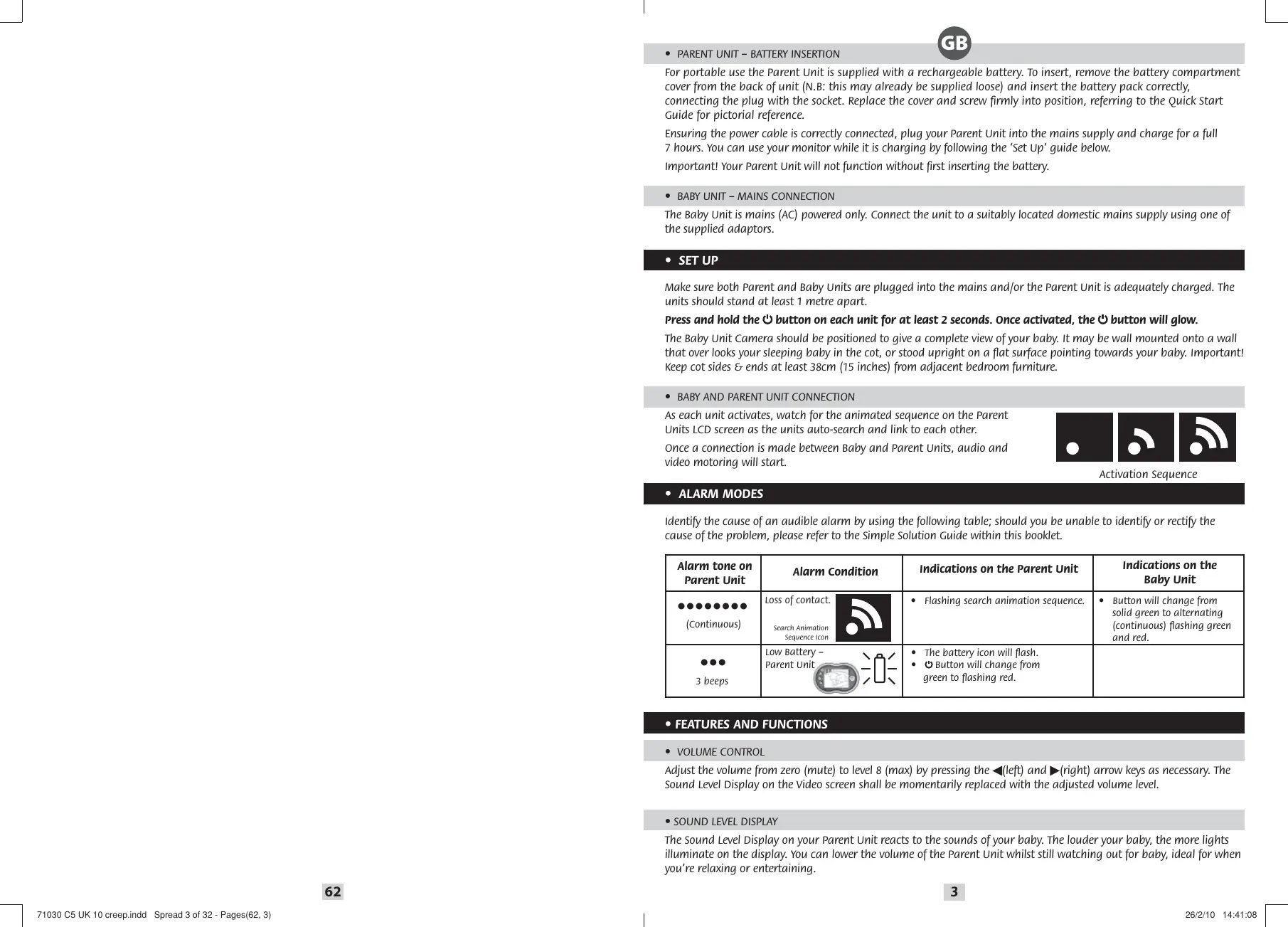
For portable use the Parent Unit is supplied with a rechargeable battery. To insert, remove the battery compartment cover from the back of unit (N.B: this may already be supplied loose) and insert the battery pack correctly, connecting the plug with the socket. Replace the cover and screw firmly into position, referring to the Quick Start Guide for pictorial reference.
Ensuring the power cable is correctly connected, plug your Parent Unit into the mains supply and charge for a full 7 hours. You can use your monitor while it is charging by following the 'Set Up' guide below.
Important! Your Parent Unit will not function without first inserting the battery.
- BABY UNIT - MAINS CONNECTION
The Baby Unit is mains (AC) powered only. Connect the unit to a suitably located domestic mains supply using one of the supplied adaptors.
- SETUP
Make sure both Parent and Baby Units are plugged into the mains and/or the Parent Unit is adequately charged. The units should stand at least 1 metre apart.
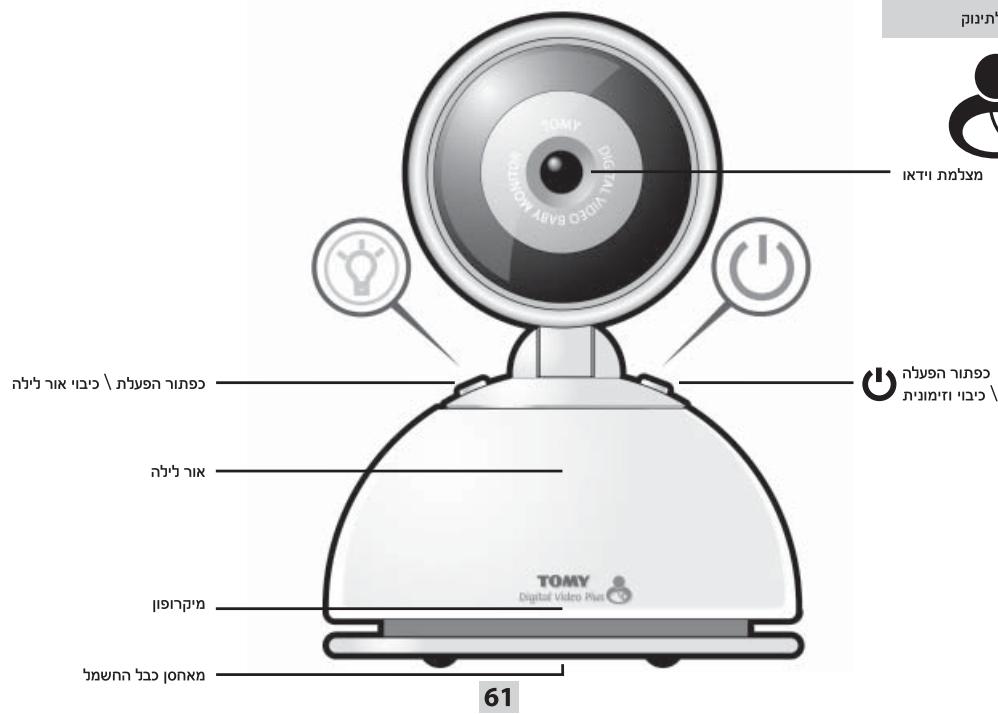
Press and hold the button on each unit for at least 2 seconds. Once activated, the button will glow.
The Baby Unit Camera should be positioned to give a complete view of your baby. It may be wall mounted onto a wall that over looks your sleeping baby in the cot, or stood upright on a flat surface pointing towards your baby. Important! Keep cot sides & ends at least 38cm (15 inches) from adjacent bedroom furniture.
- BABY AND PARENT UNIT CONNECTION
As each unit activates, watch for the animated sequence on the Parent Units LCD screen as the units auto-search and link to each other.
Once a connection is made between Baby and Parent Units, audio and video motoring will start.



Activation Sequence
- ALARM MODES
Identify the cause of an audible alarm by using the following table; should you be unable to identify or rectify the cause of the problem, please refer to the Simple Solution Guide within this booklet.
| Alarm tone on Parent Unit | Alarm Condition | Indications on the Parent Unit | Indications on the Baby Unit |
| ●●●●●●● (Continuous) | Loss of contact. Search Animation Sequence Icon | • Flashing search animation sequence. | • Button will change from solid green to alternating (continuous) flashing green and red. |
| ●●● 3 beeps | Low Battery - Parent Unit | • The battery icon will flash. • ●Button will change from green to flashing red. |
FEATURES AND FUNCTIONS
VOLUME CONTROL
Adjust the volume from zero (mute) to level 8 (max) by pressing the (left) and (right) arrow keys as necessary. The Sound Level Display on the Video screen shall be momentarily replaced with the adjusted volume level.
- SOUND LEVEL DISPLAY
The Sound Level Display on your Parent Unit reacts to the sounds of your baby. The louder your baby, the more lights illuminate on the display. You can lower the volume of the Parent Unit whilst still watching out for baby, ideal for when you're relaxing or entertaining.
For that little extra reassurance and convenience, your monitor has a 2-Way Talkback feature that allows you to speak to your baby. Press and hold down the button on the front of the Parent Unit to activate and speak to your baby.
- MULTICOLOUR NIGHTLIGHT

Your monitor has a unique Multicolour Nightlight feature. Set it to scroll through the colours of the rainbow or simply light up in one colour.
Activate the Nightlight by pressing the button on your Baby Unit or remotely from your Parent Unit.
With the Nightlight ON, press and hold the Y button on the Baby Unit for 2 seconds until the Nightlight starts to change colour, scrolling through the colours of the rainbow. Multicoloured Nightlight can only be activated from the Baby Unit.
As the colour changes, a single press of the button on the Baby Unit only will end the rainbow sequence and display the colour selected. To change colour again, press and hold the button. To use the Nightlight without monitoring, please refer to the 'Independent Nightlight' section within this booklet.
Alternatively, to turn OFF the Nightlight, press the V button while in one-colour mode.
- MAIN MENU
To enter any of the sub-menus simply press the Select Button.

Sound Activated Monitoring

Multi Camera Monitoring

Snap Shot and Photo Scroll

Timer

Digi Camera Monitoring
Settings
To enter any of the above sub-menus, from the main menu highlight your desired sub-menu and press the Select Button
To exit the main menu (or any of the sub-menus) press the arrow keys to go up a menu level or press and hold Select Button to resume monitoring.
- SOUND ACTIVATED MONITORING


For those quiet moments or when your baby is a little older you may not want to hear and see every sound and movement. Your baby monitor has a Sound Activated Monitoring mode, a feature that only captures sounds and movements above a pre-set threshold, for example a cry rather than a gurgle.
Within the Sound Activated Monitoring sub-menu, use the arrow keys to select 'ON' and press the Select Button to activate. It will start 20 seconds after your baby settles. When activated all sounds shall be muted and the video screen shall turn black. Thereafter every time your baby's sounds rise above the threshold this feature will be interrupted instantly and normal sound and video monitoring will continue until your baby settles again.
PAGING
Locate a lost Parent Unit by pressing the button on the Baby Unit 3 times in quick succession and the Parent Unit will sound a 1-minute long alarm. To silence the alarm, press any button on the Parent Unit. Please note that the paging feature will only work when both units are switched ON and monitoring as normal.
mnnn

pnn

INTIIN
n nn nnnn nn nn nn nn nn nn nn nn nn nn nn nn nn nn nn nn nn nn nn nn nn nn nn nn nn nn nn nn nn nn nn nn nn nn nn nn nn nn nn nn nn nn nn nn nn nn nn nn nn nn nn nn nn nn nn nn nn nn nn nn nn nn nn nn nn nn nn nn nn nn nn nn nn nn nn nn nn nn nn nn nn nn nn nn nn nn nn nn nn nn nn nn nn nn nn nn nn
n nn nnnn nn nn nn nn nn nn nn nn nn nn nn nn nn nn nn nn nn nn nn nn nn nn nn nn nn nn nn nn nn nn nn nn nn nn nn nn nn nn nn nn nn nn nn nn nn nn nn nn nn nn nn nn nn nn nn nn nn nn nn nn nn nn nn nn nn nn nn nn nn nn nn nn nn nn nn nn nn nn nn nn nn nn nn nn nn nn nn nn nn nn nn nn nn nn nn nn nn
n nnnnnnnnnnnnnnnnnnnnnnnnnnnnnnnnnnnnnnnnnnnnnnnnnnnnnnnnnnnnnnnnnnnnnnnnnnnnnnnnnnnnnnnnnnnnnnnnnnnnnnnnnnnnnnnnnnnnn
nion nnnn 10nnn nn
wnnnn nnn -nnnn
.01010000000000000000000000000000000000000000000000000000
nappn
1 1
n 2 nnnn nn nnnnnnnnnnnnnnnnnnnnnnnnnnnnnnnnnnnnnnnnnnnnnnnnnnnnnnnnnnnnnnnnnnnnnnnnnnn
n nnnn nn nnnn nnnn nnnn nnnn nnnn nnnn nnnn nnnn nnnn nnnn nnnn nnnn nnnn nnnn nnnn nnnn nnnn nnnn nnnn nnnn nnnn nnnn nnnn nnnn nnnn nnnn nnnn nnnn nnnn nnnn nnnn nnnn nnnn nnnn
nni nni nni n



yann yynnn
n nn nnnnnnnn nn nnnn nn nnnnnnnnnnnnnnnnnnnnnnnnnnnnnnnnnnnnnnnnnnnnnnnnnnnnnnnnnnnnnnnnnnnnnnnnnnnnnnnnnnnnnnnnnnnnnnnnnnnnnnnnnnnnnnn
.
yinnn
"ouy ouy ouy ouy ouy ouy ouy ouy ouy ouy ouy ouy ouy ouy ouy ouy ouy ouy ouy ouy ouy ouy ouy ouy ouy ouy ouy ouy ouy ouy ouy ouy ouy ouy ouy ouy ouy ouy ouy ouy ouy ouy ouy ouy ouy ouy ouy ouy ouy ouy ouy
.1
- SNAP SHOT AND PHOTO SCROLL

At any time during normal video monitoring mode you are able to take and store up to 100 photographs. Simply press the button and a freeze framed image will briefly appear on your screen before being stored within the internal memory.

View and Delete
To individually view images enter the 'image store' sub-menu (pictured) and use the (left) and (right) arrow keys to scroll image-by-image.
Images can be deleted by selecting the bin symbol and pressing the Select Button .

Photo Scroll
To use your Parent Unit as a digital photo frame, select the 'Photo Scroll' sub-menu (pictured) and each stored image shall appear repeatedly and in sequence until deactivated.
To exit this mode at any time, press either the up or down arrow keys.
IMPORTANT! Please note that when viewing stored images, monitoring of your baby shall be suspended.
- TIMER

Tomy have added a Timer so you can keep track of the interval between feeds/doses of medication or how long your child has been asleep and so on.
Within the Timer sub-menu, use the left and right arrow keys to move between ON, OFF and RESET.
Press the Select Button
When active, the timer will display superimposed on the video feed and will override the date and time feature, if selected.
- SETTINGS

Within the settings sub-menu you have the following options:

Multi Camera Brightness Settings
Monitoring

Time and Date

Colour Contrast
Time and Date

Sub-Menu

OFF
ON

SETTING
Use the (left) and (right) arrow keys to scroll between ON, OFF or SETTING. Adjust the time by selecting the SETTING sub-menu and use the up and down arrow keys to adjust the highlighted data or use the (left) and (right) arrow keys to select and adjust further data.
Please note that when the time and date feature is active, subsequently activating the TIMER function will override this feature.
- MULTI CAMERA AND MOVEMENT MONITORING

For extra reassurance, The Tomy Digital Video Plus monitor TDV450 can operate up to 4 camera units*. In addition the Tomy Digital Video is fully compatible with Tomy's Movement Sensor Pad Monitor TSP500. For further details please visit our website: www.tomy.eu

Full instructions on how to connect further units are supplied with the additional units (purchased or provided).
- Please note that 4 camera units can be added but only one can be viewed at any one time.
As your baby grows older you can use the Nightlight without monitoring and without the need for the Parent Unit. With the Baby Unit switched OFF, press and hold the button and the Nightlight will illuminate. The button will glow red (instead of the usual green), indicating that the monitor is not switched ON. Repeat the operations described earlier for colour scroll and colour selection.
- TECHNICAL SPECIFICATIONS

- Power Supply: Mains adaptor rating: PRI: 100-240V~50/60Hz SEC: 6V = 550mA.
- Batteries: Parent Unit - Rechargeable 1500mAh 3.6V Ni-MH battery (included).
- Operating Range: 250m in optimum 'open field' conditions.
- Operating Temperature: 0 - 50^
- Frequencies: 2400~2483.5MHz.
- SAFETY INFORMATION
IMPORTANT! This monitor is restricted for indoor use only! The Tomy Baby Monitor is designed to help you monitor your child and is not a substitute for adult supervision. This product is not a toy. Always keep electrically operated items and their cables out of reach of babies and younger children. Under no circumstances should you place any part of your monitor in or on a cot. Ensure all wiring is positioned safely so that children cannot become entangled and that no trip hazard is created. Under no circumstances should the adaptors supplied with this monitor be used with any other equipment. No other adaptors than those supplied should be used with your monitor. Be careful not to position the adaptor where a child is likely to use it as a step. Putting weight on the adaptor while it is plugged in could damage the unit or cause injury to your child. It is normal for chargers to become hot during use - take care when handling, allow heat to disperse. DO NOT COVER. Disconnect charger if the product will not be used for several days. To prevent a shock hazard, please disconnect from power supply before cleaning. The rechargeable battery within the Parent Unit should be recycled. Do not dispose in normal waste. Do not attempt to dismantle any part of this product.
BATTERY SAFETY
Removal and replacement of batteries should be carried out by an adult or under adult supervision. Take special care to ensure batteries are inserted correctly, observing (+) and (-) polarity marks on battery and product. Do not short-circuit the contacts in the battery compartment or the battery terminals. Remove exhausted batteries from product. Do not mix old (used) and new batteries or batteries of different types, e.g. rechargeable and alkaline or batteries of different makes/brands. Dispose of exhausted batteries safely, and never dispose of batteries in a fire. Remove batteries from product after use or if storing for long periods. Only use batteries of the same or equivalent type to those recommended.
Removal and recharging of rechargeable batteries should be carried out by an adult or under adult supervision.
Do not attempt to recharge non-rechargeable batteries.
Help the environment by disposing of your product and packaging responsibly. The wheelie bin symbols indicate the product and batteries must not be disposed of in the domestic waste as they contain substances which can be damaging to the environment and health. Please use designated collection points or recycling facilities when disposing of the item or batteries.
GUARANTEE
We guarantee your monitor against manufacturing defects for 2 years from the date of purchase on production of a valid receipt. In the first instance of a manufacturing defect, we recommend that you return your monitor to its place of purchase. If this does not satisfactorily resolve your problem, please refer to www.tomy.eu for further advice. Full terms and conditions can be found on our website: www.tomy.eu
- SIMPLE SOLUTION GUIDE
Should your monitor not be operating as expected, the information listed below should be adequate to resolve your problems; alternatively a more comprehensive guide can be found on our website: www.tomy.com.eu
FREQUENTLY ASKED QUESTIONS
Q. Does my Parent Unit need to be switched on or off whilst charging?
A. Your Parent Unit will charge whilst switched on or off, however charging the unit whilst switched on will allow you to monitor your child whilst charging.
Q. I have measured the temperature of my baby's room using another device and I get a different reading than that of my monitor- why?
A. The temperature measuring device within your Tomy monitor is designed to give you an indication of the baby's room temperature to within a small tolerance of +1^ or -1^ . Other devices will also have a similar tolerance.
Q. Can my monitor coexist with WI-FI and other 2.4GHz devices?
A. The Tomy Digital Video Plus TDV450 operates on 2.4GHz, the same frequency used for wireless networking and short range communication devices such as Wi-Fi, Bluetooth, some Cordless Phones and Video Senders etc.
To limit the interference caused by other devices operating at this frequency, the Tomy Digital Video Plus TDV450 utilises Frequency Hopping Spread Spectrum technology, designed to coexist with such devices by continually searching and finding available channels within this set frequency band. To ensure the maximum number of available channels we recommend switching off any unused or unnecessary devices that may operate on this frequency.
Importantly Analogue 2.4GHz devices as used with some Video Senders and alike are designed to flood the band width, significantly restricting the number of channels available for such digital devices. In this instance it will be necessary to switch off the analogue device to ensure unaffected monitoring.


111-17 121
y nnnn nn nnnnnnnnnnnnnnnnnnnnnnnnnnnnnnnnnnnnnnnnnnnnnnnnnnnnnnnnnnnnnnnnnnnnnnnnnnnnnnnnnnnnnnnnnnnnnnnnnnnnnnn
.

y
TINN
y
y 2 2 2
pnnnnn nn nnnn
n nnnn nn nnnn nnnnnn nnnnnn nnnnnn nnnnnn nnnnnn nnnnnn nnnnnn nnnnnn nnnnnn nnnnnn nnnnnn nnnnnn nnnnnn nnnnnn nnnnnn nnnnnn nnnnnn nnnnnn nnnnnn nnnnnn nnnnnn nnnnnn nnnnnn nnnnnn nann
- 1
y

nnnnn nn nnnnnnnnnnnnnnnnnnnnnnnnnnnnnnnnnnnnnnnnnnnnnnnnnnnnnnnnnnnnnnnnnnnnnnnnn

y



ninnnnn

nnn nn nnnnnnnnnnnnnnnnnnnnnnnnnnnnnnnnnnnnnnnnnnnnnnnnnnnnnnn
n nn nnn nnn nnn nnn nnn nnn nnn nnn nnn nnn nnn nnn nnn nnn nnn nnn nnn nnn nnn nnn nnn nnn nnn nnn nnn nnn nnn nnn nnn nnn nnn nnn nnn nnn nnn nnn nnn nnn nnn nnn nnn nnn nnn nnn nnn nnn nnn

y-ynin n
"K, 1000000000000000000000000000000000000000000000000000
y

y
"20 20
J 1
NIN
1 3 3
y
100 100
nnnn


1
.
mnnn nnnnnnnnnnnnnnnnnnnnnnnnnnnnnnnnnnnnnnnnnnnnnnnnnnnnnnnnnnnnnnnnnnnnnnnnnnnnnnnnnnnnnnnnnnnnnnnnnnnnn
nnn

ninn
y nnnn nn nnnn nn nnnn nn nnnn nn nnnn nn nnnn nn nnnn nn nnnn nn nnnn nn nnnn nn nnnn nn nnnn nn nnnn nn nnnn nn nnnn nn nnnn nn nnnn nn nnnn nn nnnn nn nnnn nn nnnn nn nnnn nn nnnn nn nnnn nn nnnn nn nnnn
nui nni nni nnn nn nnn nn nnn nn nnn nn nnn

Tomy Tomy
mnnn nn nnnn nn nnnn nn nnnn nn nnnn nn nnnn nn nnnn nn nnnn nn nnnn nn nnnn nn nnnn nn nnnn nn nnnn nn nnnn nn nnnn nn nnnn nn nnnn nn nnnn nn nnnn nn nnnn nn nnnn nn nnnn nn nnnn nn nnnn nn nnnn nn nnnn nn

n nn nnnnnnnnnnnnnnnnnnnnnnnnnnnnnnnnnnnnnnnnnnnnnnnnnnnnnnnnnnnnnnnnnnnnnnnnnnnnnnnnnnnnnnnnnnnnn
DANT
:NNN NNNNINNNNNTTAN 09nnn

y
y

y


ninnnnn



SETTING
ON
OFF

Sub-Menu
n nn nnnnnnnnnnnnnnnnnnnnnnnnnnnnnnnnnnnnnnnnnnnnnnnnnnnnnnnnnnnnnnnnnnnnnnnnnnnnnnnnnnnnnnnnnnnnnnnnnnnnnnnnnnnnnnnnnnnnnnnnnnnnnnnnnnnnnnnnn
n nn nnnn nn nnnn nn nnnn nn nnnn nn nnnn nn nnnn nn nnnn nn nnnn nn nnnn nn nnnn nn nnnn nn nnnn nn nnnn nn nnnn nn nnnn nn nnnn nn nnnn nn nnnn nn nnnn nn nnnn nn nnnn nn nnnn nn nnnn nn nnnn nn nnnn nn nannn nn nnnn nn nnnn nn
ynnn nn nnnn nn nnnn
TOMY TSP500 TOMY
www.tomy.eu


(1900 IN 1900) nioiin niiin nn iin ninn nnnn nn nnnn
n nn nnnn nn nnnn nn nnnn nnnn 4 pnnn nnnn nnnn
nannnnnnnnnnnnnnnnnnnnnnnnnnnnnnnnnnnnnnnnnnnnnnnnnnnnnnnnnnnnnnnnnnnnnnnnnnnnnnnnnnnnnnnnnnnnnnnnnnnn
n nn nnnnnnnnnnnnnnnnnnnnnnnnnnnnnnnnnnnnnnnnnnnnnnnnnnnnnnnnnnnnnnnnnnnnnnnnnnnnnnnnnnnnnnnnnnnnnnnnnnnnnnnnnnnnnnnnnnnnnnnnnnnnnnnnn
Q. Can I use my monitor abroad?
You can use your monitor in the country it was purchased and anywhere in the EU. Although 2.4GHz is a world wide band and your monitor may function correctly in other countries, its operating frequency may affect (or be affected by) other devices and could be illegal. Tomy cannot accept any liability for use outside of the country in which you purchased your monitor or the EU.
- FAULT FINDING
| PROBLEM | POSSIBLE CAUSE | SOLUTION | PAGE |
| My Parent Unit will not switch ON. | The rechargeable battery (supplied) has not been installed correctly. | Insert the battery as instructed within this booklet or the Quick Start Guide. Once installed place the Parent Unit on charge and leave for several minutes before switching ON. | 3 |
| The rechargeable battery may be below the critical voltage to activate your monitor. | Place the Parent Unit on charge and leave for several minutes before switching ON. | ||
| Mains power is not connected correctly. | Check the power cable connections (including wall socket). | ||
| The Nightlight is active but I cannot connect with the Parent Unit. | The Nightlight is being operated independently of the Baby Unit's monitoring function (which is an intended feature). | Switch the Nightlight OFF by pressing the button then reactivate the Baby Unit's main function by pressing and holding the button. | 5 |
| There is a continuous beeping noise. | Loss of contact alarm. | Ensure both units are adequately powered. | 3 |
| Bring both units closer together and repeat the 'Set-Up' instructions. | |||
| There is a 3 x beep alarm every minute. | Low battery in Parent Unit. | Recharge batteries. | 3 |
| I cannot hear anything through my Parent Unit. And/or: It's only intermittent. | Volume on Parent Unit is set too low. | Increase Parent Unit volume. | 3 |
| Units are out of range. | Move units closer. | ||
| Units are set to Sound Activated mode. | Refer to Sound Activated Monitoring within this instruction booklet. | 4 | |
| My Parent Unit makes a continuous beeping noise. | Units are not connecting. | Ensure both units are adequately powered and then follow the 'Set-Up' guide within this booklet. | 3 |
| My Parent Unit makes a random beep-beep every minute or so. | The Parent Unit is running low on battery power. | Identify the low battery condition and either recharge/replace batteries or switch to mains power. | 3 |
| High pitched noise. | Units are too close together. | Move units apart. | 3 |
| Volume too high. | Decrease volume. | ||
| Battery life after charging is becoming shorter. | As with any rechargeable battery it has a finite life and may need replacing. | Please visit our website for replacement parts: www.tomy.eu | 6 |
| I cannot activate the Multicoloured Nightlight feature from my Parent Unit. | It is not possible to activate the Multicoloured Nightlight feature from the Parent Unit. | Activate the Nightlight and then press and hold the button from the Baby Unit. | 4 |
| My monitor keeps losing contact. | Parent and Baby Units are too far apart. | Move Units closer. | 3 |
| I am experiencing picture and/or sound interference. | Interference from other devices operating on a similar frequency maybe interfering with the signal. | Try to reduce local interference, switch off any unnecessary devices such as Wi-Fi, Video Senders, 2.4GHz appliances. | 6 |
| My picture goes blank and the volume is muted. | Units are set to Sound Activated monitoring mode. | Please refer to Sound Activated Monitoring, within this booklet. | 4 |
.6V 550mA :SEC ,100-240V~50/60Hz :PRI: @wnn nnnn nn nnnn nn nnnn nn nnnn nn nnnn
(1) 1500mAh3.6V Ni-MH 1- nnnn:
n 250 nnn
-50°C -0°: 1
.2400MHz\~2483.5:-
ninnny
n nnnnnnnnnnnnnnnnnnnnnnnnnnnnnnnnnnnnnnnnnnnnnnnnnnnnnnnnnnnnnnnnnnnnnnnnnnnnnnnnnnnnnnnnnnnnnnnnnnnnnnnnnnnnnnnnnnnnnnnnnnn
2.4GHz Tomy tom TDV450 of
.1iTn nn nnnn nn nnnn nnnn nnnn nnnn nnnn nnnn nnnn nnnn nnnn nnnn nnnn nnnn nnnn nnnn nnnn nnnn nnnn nnnn nnnn nnnn nnnn nnnn nnnn nnnn nnnn nnnn nnnn nnnn nnnn nnnn nnnn nnnn nnnn nnnn nn
(FHSS) 100000000000000000000000000000000000000000000000000000000
n nn nnnnnnnnnnnnnnnnnnnnnnnnnnnnnnnnnnnnnnnnnnnnnnnnnnnnnnnnnnnnnnnnnnnnnnnnnnnnnnnnnnnnnnnnnnnnn
2.4GHz 1
n nn nnnn nn nnnn nn nnnn nn nnnn nn nnnn nn nnnn nn nnnn nn nnnn nn nnnn nn nnnn nn nnnn nn nnnn nn nnnn nn nnnn nn nnnn nn nnnn nn nnnn nn nnnn nn nnnn nn nnnn nn nnnn nn nnnn nn nnnn nn nnnn nn nnnn nn nann
"inwwnnnn nn nnnn
n nnnn nn nnnn nnnn nnnn nnnn nnnn nnnn nnnn nnnn nnnn nnnn nnnn nnnn nnnn nnnn nnnn nnnn nnnn nnnn nnnn nnnn nnnn nnnn nnnn nnnn nnnn nnnn nnnn nnnn nnnn nnnn nnnn nnnn nnnn nnnn
n n n nn nnnnnnnnnnnnnnnnnnnnnnnnnnnnnnnnnnnnnnnnnnnnnnnnnnnnnnnnnnnnnnnnnnnnnnnnnnnnnnnnnnnnnnnnnnnnnnnnnnn
TOMY

m = 311
Bonjote To nepiBaalov anoppiitovtac to npoiov oac kai oukeauovtac to uevuva. Ta uubola kaduvw wheile bin deixvov ot npoiov kai omtapiec dev penei va anoppiipbov ota oikiaa antoalnta deoou ov tne piexouov ouicnou mopoov v a evai bapepeyia to peilalovkai tvu uyia. Napakalaoume xnpaumoiinote ta opocvea onueia ulloynic n tic ykataotaceic avakukwanic ytnv anoppuiyn tc oukeunc n twv mtatapiwv.
- EΓΓYHΞH
EyyuoumaTe Tn oukeun napaokouthetaoc ac yia ateleiec kataokeun c tni 2 etn ano tn yepounvia tnc ayopac me tnv npookoi niac eykupnc anodoeiNC npalaBNC. Me npwn dianltown ateleiac kataokeun, ouotnyoue va eniotpeyete tn oukeun oac npakaokouthetaoc oTo kataotma nou tn yapodaate. Eav auto dev eiluoekivakovoinikta to npoblauaoc, npakaolouae avatpexate oTo www.tomy.eu yia nepaipertpw ouubouc. O i npieic opoi kaloi diataeic biokovtai otov ioxpo mac: www.tomy.eu
- ODHROZ ANAQN AYZEQN
Eav n oukeun npapakolouthetaoc ac dev leitoupye onwnpenei, oI npopopoe cno apaiouovtai katwepnpeneiv a evai enapkeic yia va eiluouv ta ppoaeta ma tac; evaalaktika mopoite va bpeite evav pieektikote po 08ny 0tov iooxo pa; www.tomy.com.eu
ΣYXNE ΕPOTHSEI
E XpeiaZeai v avoiEi n va kkeiei n Movaba Tovea ouv yivetai φoption;

Iapakolouθηη Multi Camera

Pouoieic
Tia va kavete eioo oe onoiadnote ano ta npapanavw uno-veou, ano to kupio veou Emonuavete oac eniounto uno-veou ka nato te to koupi «Eiloy»
Tia va eEeAeTe ano to kupio mevo (n onoiobnote ano ta uno-mevou), nathote ta niktpa bouc yia va metakivnthe eva enite npoc ta enavw evoc mevo n mieote kai kpatnoe natmepo to koumi «Eniloyn» yia va ouvexioete tny napakoounon.
IAPAKOAOYOHSHMEENEPROIOIHSHXOY

Tia eivec tic nauce ctiyuec n otav oac mwpocexie kainwc yeyalwoei npopeiva nyn thelete va akoute kai va bienete kae hxo kai kivnon. H oovn napakoolouthetaonc tou mwpouac exei ia aleitoupyia Napakoolouthetaonc me Evpyoioinon Hxou, ia duvatotnta nou kataypapei movo touc nxouc kai tic kivnoic npaw ano eva npokaopiaeva katwtato opio, yi npapadéiyua ika kpauyi kal oxi eva youpouypnto.
Evtoouo-veou tnc Papaokaoouhongc me Evpyoioan Hyou, xpoaiooioiote ta nKtpa Bélouc yia va eiléEETe "ON" (ANOIKTO) ka patnoote to koum' iuoyn" yia va evpyoioiOeTE.
Oa EKivnoe 20 DeutepoAenta apou to mwp oac exi nouxae. Oav evpyonoi theoi oi i nxoi taoyouv kai n obovn tou bivteo a yivei maupn. Ev ouveia kae fo paou oi nxoi tou mwp ouac auavovta naww ano to opio autn duvarotnta 8 diakontetai aueowc kai n kavovikn napakoovon n xoukai biVteo a ouvicieta tme xpi to mwp va nouxaei pali.
-MNINEP
Evtoniote mia xauevn Movada Tovea, natwnto koumi O nav w otnv Movada Mwpu 3 popec o ynpndeltaoxn kai n Movada Tovea 0a eknemu eva napatetaevo ouvayepu 1 aeou. ia va otauatnoe to ouvayepu, nntote oioobhnote koumi naw otn Movada Tovea. Napakaolue oneiwote oti n duvatotnta klnoc (paging)theta Ieitoupyoe i movo otav kai oi duo muvadec eiva aoviktec (ON) kai npakolouoov ownoc uvnthwc.


Evpyoioian Akoloutheta
aagllglllgllllgllllgllllgllllgllllgllllgllllgllllgllllgllllgllllgllllgllllgllllgllllgllllgllllgllllgllllgllllgllllgllllgllllgllllgllllgllllgllllgllllgllllgllllgllllgllllgllllgl
J 1
jJUaagg aagw abaaeg gge gge gge gge gge gge gge gge gge gge gge gge gge gge gge gge gge gge gge gge gge gge gge gge gge gge gge gge gge gge gge gge gge gge gge gge gge
gag gag gag gag gag gag gag gag gag gag gag gag gag gag gag gag gag gag gag gag gag gag gag gag gag gag gag gag gag gag gag gag gag gag gag gag gag gag gag gag gag gag gag gag gag gag gag gag gag gag gag
g 100



aagaaiaaiiiaaiiljieagglalayllgyslll jllll 8.aag J5 aaiy g
jyy Jusagill srycng. yllgny Jlaizlg jaliJzIy aagall gaaa
. agasllg cagall yelalidg aag
Jie 11 Jue
jLg
JgLJI JI JI JI JI JI JI JI JI JI JI JI JI JI JI JI JI JI JI JI JI JI JI JI JI JI JI JI JI JI JI JI JI JI JI JI JI JI JI JI JI JI JI JI JI JI JI
0 jz21j jgc bclj abln j abln c. aacj all jgall o aocj aocj gj

· = ·

(Snap Shot gwhw) aew wab

1xg


gai jaoji jilj
Jg 1 Jg 1
a. a. b. c. d. e.
Gall abnill aol
aJbI aJI bI JgJgJgJgJgJgJgJgJgJgJgJgJgJgJgJgJgJgJgJgJgJgJgJgJgJgJgJgJgJgJgJgJgJgJgJgJgJgJgJgJgJgJgJgJgJgJgJgJgJgJg

JON' jw w 11 11 Jw w 11
JLg cJJs 10000000000000000000000000000000000000000000000000000000000000000
aLg 100000000000000000000000000000000000000000000000000000000000
J L 1000000000000000000000000000000000000000000000000000000000000000000000000000000000
Aollo 1000000000000000000000000000000000000000000000000
005 0a5a
a a a a a a a a a a a a a a a a a a a a a a a a a
JL LLL 1000000000000000000000000000000000000000000000000000000000
aolell aolwll jc LogLeo
1 1 1 1 1 1 1 1 1 1 1 1 1 1 1 1 1 1 1 1 1 1 1 1 1 1 1 1 1 1 1 1 1 1 1 1 1 1 1 1 1 1 1
aai jie jiaag aie jai jai jai g yjg sll jao jai abai g yjg l aai g yjg l aai g jai jai jai jai jai jai jai jai jai jai jai jai jai jai jai jai jai jai jai jai jai jai jai jai jai jai jai jai jai jai jai jai jai jai jai jai jai jai jai jai jai jai jai jai jai jai jai jai jai jai jali jali
jL + S_1 = 0
auiiip
JLw (-8 + ) yablll 10000000000000000000000000000000000000000000000000000000000000000000000000000000
1.

Lalal 100g aai Lai yllal pssi ci 5 lgl ayw abw yoi y wai ai Lai yllal yllal jywl Jywl dloc .g iW s48 gill lcll blln jgJ28. jnlll alal
gLoS cIaI aIgO aLw JlJbI IgOj 8 g aaiy aaiy bai y IaJI Jgl aaiy aaiy aaiy aaiy aaiy
.1JLJI Jc j0jJI 4Jl
m = 311 ;
1J 1Jla
gag aIg gag i 1i iiaaiyai yai ai lglg slll ayai jn nn nnnnll Jlae aie Jlae jn jn nn nnnnne Jnng iJL liag g yjoc cikc sccj j. aeg aogaaa aii iis cki jd jalig aai ayai jno jlg e Ljci yci Jlc Jg
www.tomy.eu 1eLJI JgUJgJg
abnnnll JgJgJg
gjLlU Lio g o Lc o j 5 c J 100000000000000000000000000000000000000000000000
www.tomy.eu
Loga-gebail
aJbIJI JIJI IJIJIJIJIJIJIJIJIJIJIJIJIJIJIJIJIJIJIJIJIJIJIJIJIJIJIJIJIJIJIJIJIJIJIJIJIJIJIJIJIJIJIJIJIJIJIJIJIJIJIJIJIJIJIJIJIJIJIJIJIJIJIJIJIJIJIJIJIJIJIJIJIJIJIJIJIJIJIJIJIJIJIJIJIJIJIJIJIJIJIJIJIJIJIJIJIJIJIJIJIJ
Jg Jg Jg Jg Jg Jg Jg Jg Jg Jg Jg Jg Jg Jg Jg Jg Jg Jg
aLc 11ab
151-1511jge jge jge 111111111111111111111111111