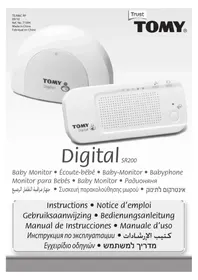
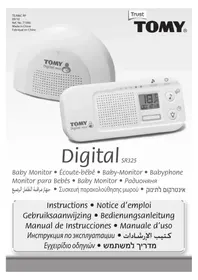
TD350 - Baby monitor TOMY - Free user manual and instructions
Find the device manual for free TD350 TOMY in PDF.


User questions about TD350 TOMY
0 question about this device. Answer the ones you know or ask your own.
Ask a new question about this device
Download the instructions for your Baby monitor in PDF format for free! Find your manual TD350 - TOMY and take your electronic device back in hand. On this page are published all the documents necessary for the use of your device. TD350 by TOMY.
USER MANUAL TD350 TOMY
text_image
Volume Control Wheel On/Off Button Nightlight On/Off Button Timer Button Microphone Vibrate Alert Button Sound Activation Button Docking Station Mains Cable Tidy Timer Icon Nightlight Icon Vibrate Alert Icon Sound Activation Icon Sound Level Lights Display 18 00-45 °C 18 Battery Icon Temperature Gauge Movement Sensor Pad Display* Belt Clip Attachment 2-Way Talkback Button LCD DisplayBABY UNIT


text_image
Temperature Sensor Timer Button OFF (5+ Pager) Button Highlight On/Off Button Microphone Timer Icon 00:45 °C Temperature Gauge LCD Display Timer Battery Icon2
- PARENT UNIT
Remove the battery compartment cover from the back of unit (N.B: this may already be supplied loose) and insert the battery pack (supplied) correctly, connecting the plug with the socket. Replace the cover and screw firmly into position, referring to the Quick Start Guide for pictorial reference. Ensuring the power cable is correctly connected, place your Parent Unit into the Docking Station and charge for a full 6 hours. You can use your monitor while it is charging by following the 'Set Up' guide below.
Important! Your Parent Unit will not function without first inserting the battery.
• BABY UNIT
For best performance we recommend that the Baby Unit is powered by your domestic mains supply using the power adaptor supplied. Alternatively, you can use 4 x AA/LR6 batteries (not supplied) to make it fully portable. To insert the batteries, unscrew the battery compartment cover on the underside of the unit using a flat-head screwdriver. Insert the batteries, making sure you match the “+” and “-” polarity symbols. Replace the cover and screw firmly into position.
Position the Baby Unit at least 1 metre away from your baby ensuring all parts are kept out of reach. Under no circumstance should you place any parts of the monitor in or on a cot. For best performance we recommend that the monitor is placed no further away than 3 metres from your baby.
- SET UP
- POWER ON
Make sure both the Baby and Parent Units are plugged into the mains and/or have their batteries installed (see above). The units should stand at least 1 metre apart.
Press and hold the button on each unit for at least 2 seconds. Once activated, the buttons will glow.
• BABY AND PARENT UNIT CONNECTION
As each unit activates, watch for the animation sequence on the LCD screens as the Baby and Parent Units auto-search and link to each other. Once a connection is made between Baby and Parent Units, normal monitoring will start. The above mentioned connection sequence is replaced on the LCD screens on both units with the ambient temperature from the Baby Unit.

Activation Sequence
• ALARM MODES
Identify the cause of audible alarm by using the following table; should you be unable to identify or rectify the cause of the problem, please refer to the Simple Solution Guide within this booklet.
| Alarm tone on Parent Unit | Alarm Meaning | Indications on the Parent Unit | Indications on the Baby Unit |
| ●●●●●●●●(Continuous) | Loss of contact.Search animation sequence icon | • Flashing search animation sequence. | Flashing search animation sequence. |
| ●●●3 keeps | Low Battery -Parent Unit | • The battery icon will flash.• 📍 Button will change from green to flashing red. | |
| ●●2 keeps | Low Battery -Baby Unit | • The border of the battery icon will flash.• 📍 Button will change from green to flashing red. | • Flashing battery icon.• 📍 Button will change from green to flashing red. |
If the Vibrate Alert on the Parent Unit is switched ON (See 'Vibrate Alert' section within this booklet), the audible alarm will be accompanied with a vibrating motion.
3
• FEATURES AND FUNCTIONS
• VOLUME CONTROL
Adjust the volume from zero (mute) to level 8 (max) by moving the thumb wheel clockwise to increase or anticlockwise to decrease.
• SOUND LEVEL LIGHTS DISPLAY
The Sound Level Lights Display on your Parent Unit reacts to the sounds of your baby. The louder your baby, the more lights illuminate on the display. You can lower the volume of the Parent Unit whilst still watching out for baby, Ideal for when you're relaxing or entertaining.
• SOUND ACTIVATED MONITORING

For those quiet moments or when your baby is a little older you may not want to hear every sound in your baby's room. Your Baby Monitor has a Sound Activated Monitoring mode, a feature that only captures sounds above a preset threshold, for example a cry rather than a gurgle.
Select Sound Activated Monitoring by pressing the button on the Parent Unit. The Parent Unit will mute 15 seconds after your baby settles. Every time your baby's sounds rise above the threshold this feature will be interrupted instantly and normal sound monitoring will continue until your baby settles again.
• 2-WAY TALKBACK
For that little extra reassurance and convenience, your monitor has a 2-Way Talkback feature that allows you to speak to your baby. Press and hold down the button on the side of the Parent Unit to activate and speak to your baby.
• VIBRATE ALERT |01
Perfect for monitoring with or without the sound. Every time your baby's sounds rise above the threshold, the monitor will vibrate until your baby settles again.
Activate by pressing the 10 button on your Parent Unit. Your Parent Unit will vibrate with every alarm and sound from your baby above the pre-set threshold.
This feature is great for the hard of hearing.
• TIMER
Tomy have added a Timer so you can keep track of the interval between feeds/doses of medication or how long your child has been asleep and so on.
Activate the Timer by pressing the Ⓧ button, either on the Baby Unit or on the Parent Unit. To restart press the Ⓧ button once. To deactivate, press and hold until the timer disappears from the display. Please note that the Timer will automatically switch off when both units are powered down.
• MULTICOLOUR NIGHTLIGHT

Your monitor has a unique Multicolour Nightlight feature. Set it to scroll through the colours of the rainbow or simply light up in one colour.
Activate the Nightlight by pressing the ▼ button on your Baby Unit or remotely from your Parent Unit.
With the Nightlight ON, press and hold the ▼ button on the Baby Unit for 2 seconds until the Nightlight starts to change colour, scrolling through the colours of the rainbow. Multicoloured Nightlight can only be activated from the Baby Unit.
As the colour changes, a single press of the button on the Baby Unit only will end the rainbow sequence and display the colour selected. To change colour again, press and hold the button. To use the Nightlight without monitoring, please refer to the 'Independent Nightlight, Timer and Temperature Display' section within this booklet. Alternatively, to turn OFF the Nightlight, press the button while in one-colour mode.
To extend the Baby Unit's battery life, the Nightlight will only operate for 5 minutes at a time. For unlimited use, switch to mains power using the adaptor provided.
4
GB
• HIGH DEFINITION SOUND
Place the Parent Unit into its docking station for High Definition Sound monitoring.
• PAGING
Locate a lost Parent Unit by pressing the button on the Baby Unit 3 times in quick succession and the Parent Unit will sound a 1-minute long alarm. To silence the alarm, press any button on the Parent Unit. Please note that the paging feature will only work when both units are switched ON and monitoring as normal.
• BELT CLIP
Locate the rubber cover on the back of the Parent Unit and the belt clip attachment supplied. Remove and carefully store the rubber cover, then line up the belt clip's guiding pins (image 1), insert the clip in Position A and turn 90 degrees in a clockwise direction to position B. Alternatively, the belt clip can be orientated so that you can wall mount or hang your Parent Unit. In which case, line up the belt clip's guiding pins (image 2), insert the clip in position C and turn 90 degrees in a clockwise direction to position D

text_image
1. Belt Clip 2. Wall MountAs your baby grows older you can use the Nightlight, Temperature display and Timer without monitoring and without the need for the Parent Unit.
With the Baby Unit switched OFF, press and hold the button and the Nightlight will illuminate. The button will glow red (instead of the usual green), indicating that the monitor is not switched ON. Repeat the operations described earlier for colour scroll, colour selection and extending battery life.
- ACCESSORIES; TOMY'S MOVEMENT SENSOR PAD MONITOR AND ADDITIONAL PARENT UNITS
For extra reassurance Tomy's Movement Sensor Pad Monitor and/or an additional Parent Unit from either the Tomy Digital or Digital Plus models can be added to your Monitor. For further details please visit our website: www.tomy.eu
• CARING FOR YOUR MONITOR
Do not immerse any parts in liquids. Do not place in direct sunlight. Periodically examine product for signs of damage to electrical parts and do not use until damage has been properly repaired. Always remove batteries from the Baby Unit if using the mains adaptor for long periods of time.
• GUARANTEE
We guarantee your monitor against manufacturing defects for 2 years from the date of purchase on production of a valid receipt. In the first instance of a manufacturing defect, we recommend that you return your monitor to its place of purchase. If this does not satisfactorily resolve your problem, please refer to www.tomy.eu for further advice. Full terms and conditions can be found on our website: www.tomy.eu
• TECHNICAL SPECIFICATIONS
- Power Supply: Mains adaptor rating: PRI: 230V\~50Hz SEC: 6V=300mA.
- Batteries: Parent Unit - Rechargeable 850mAh 2.4V Ni-MH battery (included).
Baby Unit - Requires 4 x 1.5V AA (LR6) batteries.
- Operating Range: 350m in optimum 'open field' conditions.
- Operating Temperature: 0 - 50°C.
- Frequencies: 1880\~1900MHz.
5
• SAFETY INFORMATION
GB
The Tomy Baby Monitor is designed to help you monitor your child and is not a substitute for adult supervision. This product is not a toy. Always keep electrically operated items and their cables out of reach of babies and younger children. Under no circumstances should you place any part of your monitor in or on a cot. Ensure all wiring is positioned safely so that children cannot become entangled and that no trip hazard is created. Under no circumstances should the adaptors supplied with this monitor be used with any other equipment. No other adaptors than those supplied should be used with your monitor. Be careful not to position the adaptor where a child is likely to use it as a step. Putting weight on the adaptor while it is plugged in could damage the unit or cause injury to your child. It is normal for chargers to become hot during use - take care when handling, allow heat to disperse. DO NOT COVER. Disconnect charger if the product will not be used for several days. To prevent a shock hazard, please disconnect from power supply before cleaning. The rechargeable battery within the Parent Unit should be recycled. Do not dispose in normal waste. Do not attempt to dismantle any part of this product.
• BATTERY SAFETY
Removal and replacement of batteries should be carried out by an adult or under adult supervision. Take special care to ensure batteries are inserted correctly, observing (+) and (-) polarity marks on battery and product. Do not short circuit the contacts in the battery compartment or the battery terminals. Remove exhausted batteries from product. Do not mix old (used) and new batteries or batteries of different types, e.g. rechargeable and alkaline or batteries of different makes/brands. Dispose of exhausted batteries safely, and never dispose of batteries in a fire. Remove batteries from product after use or if storing for long periods. Only use batteries of the same or equivalent type to those recommended.
Removal and recharging of rechargeable batteries should be carried out by an adult or under adult supervision. If you are using rechargeable batteries within the Baby Unit, they must be removed from the monitor before recharging. Do not attempt to recharge non-rechargeable batteries.

Help the environment by disposing of your product and packaging responsibly. The wheelie bin symbols indicate the product and batteries must not be disposed of in the domestic waste as they contain substances which can be damaging to the environment and health. Please use designated collection points or recycling facilities when disposing of the item or batteries.
- SIMPLE SOLUTION GUIDE
Should your monitor not be operating as expected, the information listed below should be adequate to resolve your problems; alternatively a more comprehensive guide can be found on our website: www.tomy.eu
• FREQUENTLY ASKED QUESTIONS
Q. Does my Parent Unit need to be switched on or off whilst charging?
A. Either, your Parent Unit will charge whilst switched on or off, however charging the unit whilst switched on will allow you to monitor your baby whilst charging.
Q. I have measured the temperature of my baby's room using another device and I get a different reading than that of my monitor- why?
A. The temperature measuring device within your Tomy monitor is designed to give you an indication of the baby's room temperature to within a small tolerance of +1°C or -1°C. Other devices will also have a similar tolerance.
Q. Can I use my monitor abroad?
A. You can use your monitor in the country it was purchased and anywhere in the EU. Although your monitor may function correctly in other countries, its operating frequency may affect (or be affected by) other devices and could be illegal. Tomy cannot accept any liability for use outside of the country in which you purchased your monitor or the EU.
- FAULT FINDING

| PROBLEM | POSSIBLE CAUSE | SOLUTION | PAGE |
| My Parent Unit will not switch ON. | The rechargeable battery (supplied) has not been installed correctly. | Insert the battery as instructed within this booklet or the Quick Start Guide. Once installed place the Parent Unit on charge and leave for several minutes before switching ON. | 3 |
| The rechargeable battery maybe below the critical voltage to activate your monitor. | Place the Parent Unit on charge and leave for several minutes before switching ON. | ||
| Mains power is not connected correctly. | Check the power cable connections (including wall socket). | ||
| My Baby Unit will not switch ON. | Mains power is not connected correctly. | Check the power cable connections (including wall socket). | 3 |
| Battery insertion and/or battery life issues. | Check the batteries have adequate charge and are correctly installed. | ||
| The Nightlight is active but i cannot connect with the Parent Unit. | The Nightlight is being operated independently of the Baby Unit's monitoring function (which is an intended feature). | Switch the Nightlight OFF by pressing the √ button then reactivate the Baby Unit's main function by pressing and holding the √button. | 4 |
| There is a continuous beeping noise. | Loss of contact alarm. | Ensure both units are adequately powered. | 3 |
| Bring both units closer together and repeat the 'Set-Up' instructions. | |||
| There is a 2 x beep alarm every minute. | Low battery in Baby Unit. | Replace batteries. | 3 |
| Or switch to mains (AC) using the adaptor supplied. | |||
| There is a 3 x beep alarm every minute. | Low battery in Parent Unit. | Recharge batteries. | 3 |
| I cannot hear anything through my Parent Unit. And/or:It's only intermittent. | Volume on Parent Unit is set too low. | Increase Parent Unit volume or place into the Docking Station to activate High Definition Sound. | 5 |
| Units are out of range. | Move units closer. | 4 | |
| Units are set to Sound Activated mode. | Refer to Sound Activated Monitoring within this instruction booklet. | ||
| My Parent Unit makes a continuous beeping noise. | Units are not connecting. | Ensure both units are adequately powered and then follow the 'Set-Up' guide within this booklet. | 3 |
| My Parent Unit makes a random beep-beep every minute or so. | One or both of the Units are running low on battery power. | Identify the low battery condition and either recharge/replace batteries or switch to mains power. | 3 |
| High pitched noise. | Units are too close together. | Move units apart. | 4 |
| Volume too high. | Decrease volume. | ||
| Nightlight keeps switching off. | The Nightlight is designed to switch off automatically after 5 minutes to conserve battery life. | For continual use please switch to mains power. | 4 |
| Battery life after charging is becoming shorter. | As with any rechargeable battery it has a finite life and may need replacing. | Please visit our website for replacement parts: www.tomy.eu | 5 |
| I cannot activate the Multicoloured Nightlight feature from my Parent Unit. | It is not possible to activate the Multicoloured Nightlight feature from the Parent Unit. | Activate the Nightlight and then press and hold the √ button from the Baby Unit. | 4 |
6
7

• REPERIRE I GUASTI
I
?“הוּרָהוּרָהוּרָהוּרָהוּרָהוּרָהוּרָהוּרָהוּרָהוּרָהוּרָהוּרָהוּרָהוּרָהוּרָה
The image is too blurry to recognize any text content.
B) 1970 men 90 men (A) 1970 men (B) 1970 men (C) 1970 men (D) 1970 men (E) 1970 men (F) 1970 men (G) 1970 men (H) 1970 men (I) 1970 men (J) 1970 men (K) 1970 men (L) 1970 men (M) 1970 men (N) 1970 men (O) 1970 men (P) 1970 men (Q) 1970 men (R) 1970 men (S) 1970 men (T) 1970 men (U) 1970 men (V) 1970 men (W) 1970 men (X) 1970 men (Y) 1970 men (Z) 1970 men (A) 1970 men (B) 1970 men (C) 1970 men (D) 1970 men (E) 1970 men (F) 1970 men (G) 1970 men (H) 1970 men (I) 1970 men (J) 1970 men (K) 1975 men (L) 1975 men (M) 1975 men (N) 1975 men (O) 1975 men (P) 1975 men (Q) 1975 men (R) 1975 men (S) 1975 men (T) 1975 men (U) 1975 men (V) 1975 men (W)
•
For all enquiries, please visit our on-line consumer support service at...