
TP7000 Range - Thermostat DANFOSS - Free user manual and instructions
Find the device manual for free TP7000 Range DANFOSS in PDF.


| Product type | Programmable room thermostat |
| Brand | Danfoss |
| Model | TP7000 Range |
| Programming | 7-day or 5/2 day, up to 6 periods per day |
| Operating modes | Programmed, Thermostat (constant temperature), Holiday, Temporary overrides |
| Display | LCD, °C/°F selection, 12/24h clock |
| Power supply | 2 AAA alkaline batteries |
| Battery life | More than 2 years |
| Dimensions (approximate) | 120 x 80 x 30 mm |
| Weight (approximate) | 200 g |
| Setpoint temperature range | 5°C to 35°C (in 0.5°C increments) |
| Default temperature in Thermostat mode | 8°C |
| Holiday mode | Up to 99 days, adjustable temperature |
| OSC function (optional) | Adjustable period from 30 min to 2 h |
| Overrides | Temporary increase/decrease, period extension |
| Maintenance | Battery replacement every 2 years approx, clean with a soft dry cloth |
| Low battery indicator | Yes, flashing on screen |
| Reset | Recessed RESET button |
Frequently Asked Questions - TP7000 Range DANFOSS
User questions about TP7000 Range DANFOSS
0 question about this device. Answer the ones you know or ask your own.
Ask a new question about this device
Download the instructions for your Thermostat in PDF format for free! Find your manual TP7000 Range - DANFOSS and take your electronic device back in hand. On this page are published all the documents necessary for the use of your device. TP7000 Range by DANFOSS.
USER MANUAL TP7000 Range DANFOSS
natural_image
Black-and-white photo of a woman sitting on a sofa reading a book, with a window and landscape view in the background (no text or symbols visible)TP7000 Range
Electronic 7 Day Programmable
Room Thermostat
For a large print version of these instructions please call Marketing on 0845 121 7400.

Certification Mark
This product complies with the following EC Directives: Electro-Magnetic Compatibility Directive.
(EMC) (2004/108/EC)
Low Voltage Directive.
(LVD) (2006/95/EC)


Danfoss can accept no responsibility for possible errors in catalogues, brochures, and other printed material. All trademarks in this material are property of the respective companies. Danfoss and the Danfoss logotype are trademarks of Danfoss A/S. All rights reserved.
Thank you for buying a Danfoss product
1.0 User Instructions....5
1.1 Your programmable room thermostat ....6 1.2 Preset programmes ....6
1.3 Before you start ....6 1.4 Display preferences ....6
1.5 Setting the clock and day 7
1.6 Setting the OSC period ....7
1.7 Accepting the preset programme ....7
1.8 Before you change the preset programme ....8
1.81 Programming in 7-day mode ....8
1.82 Programming in 5/2 day mode....9
2.0 Advanced....10
2.1 To convert to thermostat mode 10
2.2 To programme holiday mode.... 10
2.3 User overrides
2.4 Changing batteries....11
TACMA
THE ASSOCIATION OF CONTROLS MANUFACTURERS

What is a programmable room thermostat?
... an explanation for householders
A programmable room thermostat is both a programmer and a room thermostat. A programmer allows you to set 'On' and 'Off' time periods to suit your own lifestyle. A room thermostat works by sensing the air temperature, switching on the heating when the air temperature falls below the thermostat setting, and switching it off once this set temperature has been reached.
So, a programmable room thermostat lets you choose what times you want the heating to be on, and what temperature it should reach while it is on. It will allow you to select different temperatures in your home at different times of the day (and days of the week) to meet your particular needs.
Turning a programmable room thermostat to a higher setting will not make the room heat up any faster. How quickly the room heats up depends on the design of the heating system, for example, the size of boiler and radiators.
Neither does the setting affect how quickly the room cools down. Turning a programmable room thermostat to a lower setting will result in the room being controlled at a lower temperature, and saves energy.
The way to set and use your programmable room thermostat is to find the lowest temperature settings that you are comfortable with at the different times you have chosen, and then leave it alone to do its job. The best way to do this is to set low temperatures first, say 18^ , and then turn them up by one degree each day until you are comfortable with the temperatures. You won't have to adjust the thermostat further. Any adjustments above these settings will waste energy and cost you more money.
If your heating system is a boiler with radiators, there will usually be only one programmable room thermostat to control the whole house. But you can have different temperatures in individual rooms by installing thermostatic radiator valves (TRVs) on individual radiators. If you don't have TRVs, you should choose a temperature that is reasonable for the whole house. If you do have TRVs, you can choose a slightly higher setting to make sure that even the coldest room is comfortable, then prevent any overheating in other rooms by adjusting the TRVs.
The time on the programmer must be correct. Some types have to be adjusted in spring and autumn at the changes between Greenwich Mean Time and British Summer Time.
You may be able to temporarily adjust the heating programme, for example, 'Override', 'Advance' or 'Boost'. These are explained in the manufacturer's instructions.
Programmable room thermostats need a free flow of air to sense the temperature, so they must not be covered by curtains or blocked by furniture. Nearby electric fi res, televisions, wall or table lamps may prevent the thermostat from working properly.
1.0 User Instructions
1.1 Your programmable room thermostat
The TP7000 allows you to programme up to 6 different time and temperature settings for each day of the week, providing complete fl exibility. It provides several energy saving features and features several useful user overrides, including a 99 day holiday mode.
1.2 Preset Programmes
Your TP7000 comes ready programmed with a set of operating times and temperatures which often suit most people.
| Weekdays (Mon-Fri) Weekend (Sat-Sun) | |||||
| Event | Time | Temp °C | Event | Time | Temp °C |
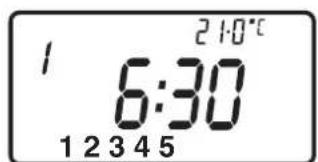
| 1 | 06:30 | 20 | 1 | 07:30 | 20 |
| 2 | 08:30 | 15 | 2 | 09:30 | 20 |
| 3 | 11:30 | 20 | 3 | 11:30 | 20 |
| 4 | 13:30 | 15 | 4 | 13:30 | 20 |
| 5 | 16:30 | 21 | 5 | 16:30 | 21 |
| 6 | 22:30 | 15 | 6 | 22:30 | 15 |
If you want, you can change any of these settings by following the instructions on pages 8-9. First follow the steps on pages 6-7 to set your display preferences and the correct time and date.
1.3 Before you start
Open the flap on the front of your programmer. Using a non-metallic object, press the recessed RESET button, until you hear a click and the display goes blank.

1.4 Display Preferences
Temperature display (°C or °F)
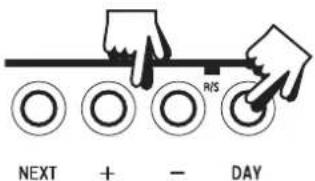
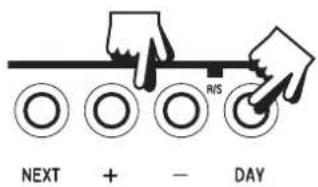
Press and hold DAY & COPY (for 2-3 seconds) until display changes.

Clock display (12 or 24 hr)
Press and hold NEXT & DAY (for 2-3 seconds) until display change.
(AM or PM will appear in 12 hr mode)

1.5 Setting the Clock & Day
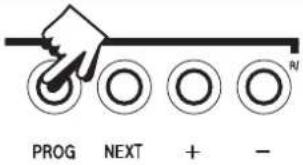
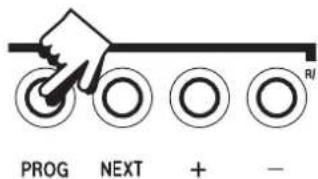
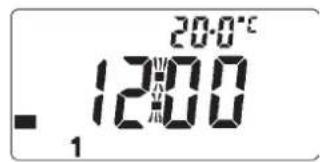
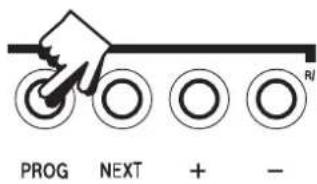
Press PROG to begin programming.
DAY - Press DAY until correct day is shown (1=Monday, 2=Tuesday etc).
TIME - Press + and - to change time (press and hold to change in 10 min increments).
1.6 Setting the OSC Period, if enabled
This display will ONLY appear if the OSC function has been enabled by your installer.
Use the + or - buttons to select the OSC period. The choices are 0:30 (30 mins), 1:00 (1 hr), 1:30 and 2:00.
The recommended setting is 0:30. If set to 0:00 the function is disabled.

1.7 Accepting the preset programmes
If you are happy to use the preset programmes on page 6, you don't need to do anything else. To accept these settings just close the front cover and after 2 minutes the pre-settings will automatically be accepted.
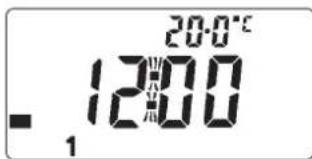
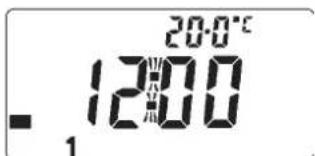
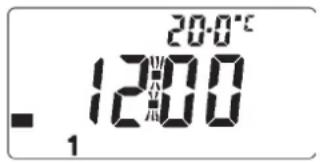
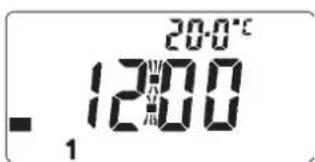
The unit is now in RUN mode (colon fl ashes in display) and the heating will operate according to the preset programmes.
1.8 Before you change the preset programmes
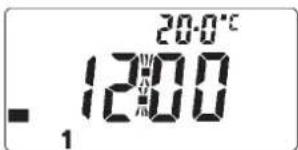
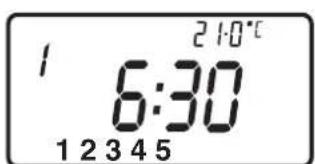
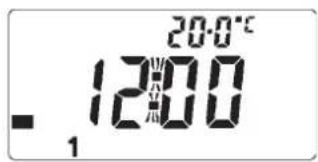
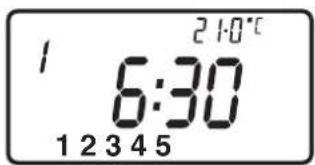
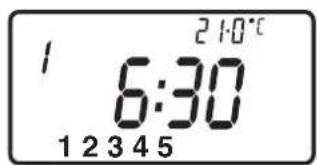
Your installer will have set your unit to operate in either 7-day mode or 5/2 day mode. To tell which mode your unit is set press PROG until Event 1 fl ashes in the display.
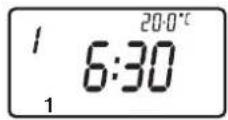
This unit is in 7-day mode and you can programme different settings for each day of the week (see page 8-9).

This unit is in 5/2 day mode and you can enter one of set of programmes for weekdays and another set for weekends (see page 91).
1.81 Programming in 7-day mode
(separate programmes for each day of the week)
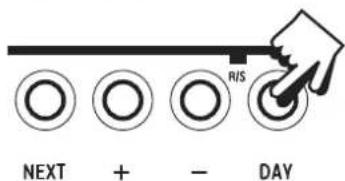
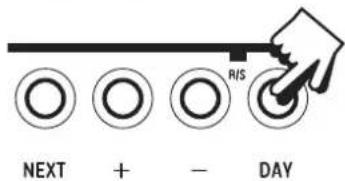
a) Press PROG until Event 1 flashes, then press DAY to move from current day to Day 1.

natural_image
Hand pressing a button on a horizontal line with four circular buttons below (no text or symbols)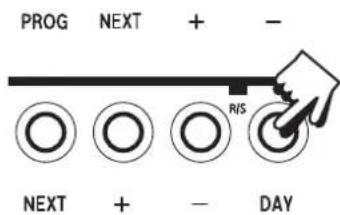
b) Amend the time and temperature as follows:
i) Use + and - buttons to alter time (press and hold to change in 10 min increments).

ii) Use ▲ and ▼ buttons to alter temperature in 0.5°C (1°F) steps.

NEXT + - DAY
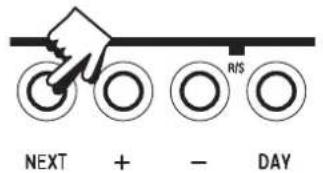
iii) Press NEXT to advance to next Event.
iv) Repeat steps i,ii & iii above for Events 2, 3, 4, 5 & 6.

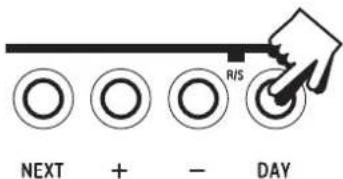
c) When all 6 events are correct, press DAY to programme events for Day 2.

NEXT + - DAY
(If you wish to repeat the previous day's programme simply press COPY).
d) Repeat steps b and c above to programme (or COPY) events for Days 3, 4, 5, 6 & 7.
Returning to RUN Mode – press PROG until colon fl ashes in display.

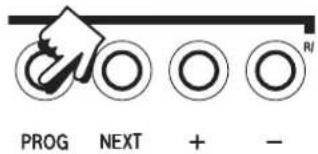

1.82 Programming in 5/2 day mode
(one set of programmes for weekdays, another for weekends)
☐ Press PROG until Event 1 flashes, then press DAY until display shows Day 1-5.
☐ Follow steps b and c on page 8-9 to programme times and temperatures for weekdays.
☐ Press DAY to programme events for weekend (Day 6-7) or press COPY to repeat weekday programme.
Returning to RUN Mode – press PROG until colon fl ashes in display.


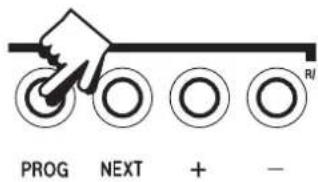

2.0 Advanced
2.1 To convert to Thermostat mode
The TP7000 can be converted to control at a constant user selected temperature, instead of following the set programme.
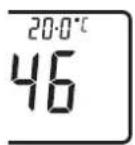
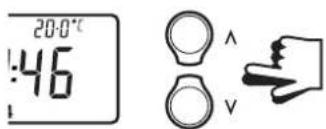
Press and hold ▲ and ▼ together until display changes to colon blinking & default temperature (8°C).


Press ▲ or ▼ to alter temperature as required.
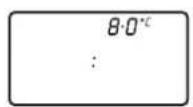

NOTE: unit will remain in thermostat mode until the ▲ and ▼ buttons are pressed together again.
2.2 To programme Holiday Mode
(whilst in Thermostat Mode)
The TP7000 can control at a constant low temperature while you are away on holiday, returning to your programmed settings after a specified number of days (maximum 99 days).
(If not already in Thermostat Mode, press and hold ▲ and ▼ together until display changes to colon blinking and 8°C).
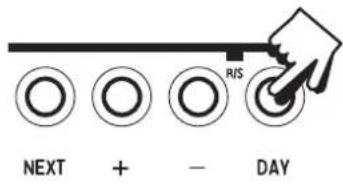
Press DAY (display will show a suitcase and :00).
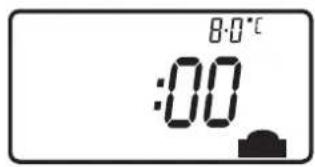
Press + and - to enter number of days of holiday (max. 99).
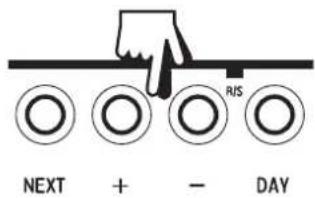
Use ▲ and ▼ buttons to alter the constant temperature, if required.
When selected number of days have elapsed, the unit will return to normal, controlling according to your set programmes.
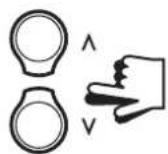
NOTE: Press ▲ and ▼ buttons together to exit holiday mode if necessary.
2.3 User Overrides
Sometimes you may need to change the way you use your heating temporarily, i.e. due to unusually cold or warm weather. The TP7000 has several user overrides, which can be selected without affecting the set programmes.
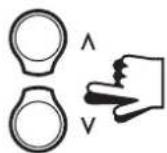
☐ To temporarily increase or decrease the programmed temperature.
- press ▲ or ▼ to select the desired temperature.

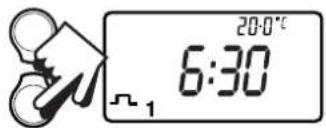
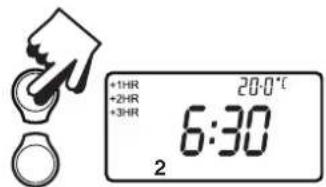
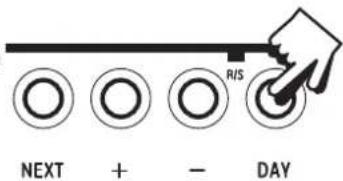
☐ Extend Event 1 (i.e. 06.30 20°C) to last all day (so that heating remains on at a constant temperature all day).
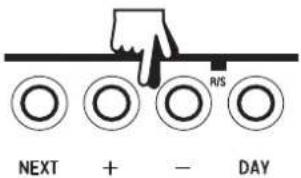
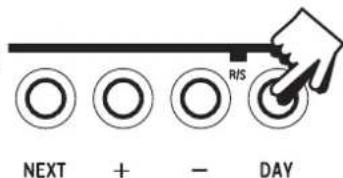
- press button once as shown.
☐ To extend the current set temperature by 1, 2 or 3 hours.
- press button once for 1 extra hour, twice for 2 extra hours, 3 times for 3 extra hours, and press 4 times to remove override.
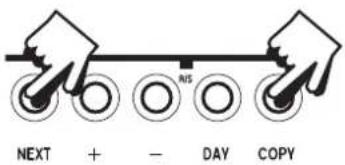
☐ To alter main LCD display to show either time or actual room temperature.
- press NEXT & COPY together.
2.4 Changing Batteries (not TP7000M)
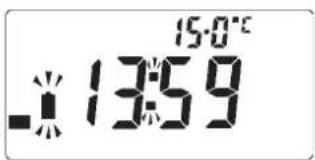
Batteries will last in excess of two years. Low battery indicator will flash on the LCD display. The user has 15 days in which to replace the batteries with high quality alkaline cells.

Retourner au Mode
natural_image
Hand pointing at four circular buttons arranged horizontally (no text or symbols)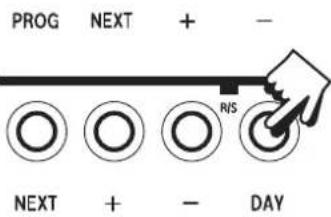

1.82 5/2-Tage-Modus


2.0 Avanceret
2.1 Thermostat-mode
c) When all 6 events are correct, press DAY to programme events for Day 2.

2.0 Geavanceerd

2.0 Avanzato



2.0 Zaawansowany
2.1 Tryb termostatu


(separate programmes for each day of the week)


c) Kad su unešene postavke za svih 6 perioda, pritisnuti tipku DAY radi programiranja perioda uključivanja za dan 2.
(Ako želite kopirati postavke sa prethodnog na slijedeći dan jednostavno pritisnite tipku COPY).

2.0 Napredne funkcije
2.1 Prebacivanje u termostatski način rada
TP7000 može raditi na način da umjesto da slijedi zadane vremenske programe vrši regulaciju po konstantnoj temperaturi zadanoj od strane korisnika (kao obični neprogramabilni sobni termostat).
Držati pritisnuto ▲ i ▼ zajedno dok se na prikazu zaslona ne pojave dvotočka i tvornička postavka temperature (8°C).


natural_image
Black-and-white photo of a minimalist living room corner with a sofa, book, and vase (no text or symbols visible)Danfoss Randall Ltd.
Ampthill Road
Bedford MK42 9ER
Tel: 0845 1217 400
Fax: 0845 1217 515
Email: danfossrandall@danfoss.com
Website: www.danfoss-randall.co.uk
Part No. 37036v03s1-24 02/11


- TP7000 Range
- For a large print version of these instructions please call Marketing on 0845 121 7400.
- User Instructions....5
- Advanced....10
- TACMA
- What is a programmable room thermostat?
- User Instructions
- Your programmable room thermostat
- Preset Programmes
- Before you start
- Display Preferences
- Temperature display (°C or °F)
- Clock display (12 or 24 hr)
- Setting the Clock & Day
- Setting the OSC Period, if enabled
- Accepting the preset programmes
- Before you change the preset programmes
- Programming in 7-day mode
- Programming in 5/2 day mode
- Advanced
- To convert to Thermostat mode
- To programme Holiday Mode
- User Overrides
- Changing Batteries (not TP7000M)
- 5/2-Tage-Modus
- Avanceret
- Thermostat-mode
- Geavanceerd
- Avanzato
- Zaawansowany
- Tryb termostatu
- Napredne funkcije
- Prebacivanje u termostatski način rada
- Danfoss Randall Ltd.
Brand : DANFOSS
Model : TP7000 Range
Category : Thermostat