
TP4000 Range - Thermostat DANFOSS - Free user manual and instructions
Find the device manual for free TP4000 Range DANFOSS in PDF.


| Product type | Programmable room thermostat |
| Brand | Danfoss |
| Model | TP4000 Range |
| Dimensions (approx.) | 80 x 80 x 25 mm |
| Weight (approx.) | 150 g |
| Power supply | 2 AA alkaline batteries (1.5 V) |
| Display | Backlit LCD |
| Programming | Up to 6 periods per day |
| Temperature range | 5 °C to 30 °C |
| Frost protection | Yes, adjustable to 8 °C |
| Thermostat mode | Yes (constant temperature) |
| Override function | Yes, temporary until the next period |
| Time/temperature display | Switchable via + and - keys |
| Temperature unit | °C or °F (switchable) |
| Time format | 12h or 24h (switchable) |
| Reset | Partial (RESET button) or full (RESET + PROG) |
| Batteries - backup duration | 15 days after low battery indication |
| Maintenance and cleaning | Clean with a soft, dry cloth |
| Spare parts | Batteries (standard AA) |
| Repairability | User replaceable batteries; reset possible |
| Safety | Frost protection, microprocessor reset |
Frequently Asked Questions - TP4000 Range DANFOSS
User questions about TP4000 Range DANFOSS
0 question about this device. Answer the ones you know or ask your own.
Ask a new question about this device
Download the instructions for your Thermostat in PDF format for free! Find your manual TP4000 Range - DANFOSS and take your electronic device back in hand. On this page are published all the documents necessary for the use of your device. TP4000 Range by DANFOSS.
USER MANUAL TP4000 Range DANFOSS
natural_image
Black-and-white photo of a woman sitting on a sofa, smiling at the camera, with a window and distant cityscape visible through the window (no text or symbols)TP4000 Range
Electronic Programmable Room Thermostat
TP4000 Range
Electronic programmable room thermostat
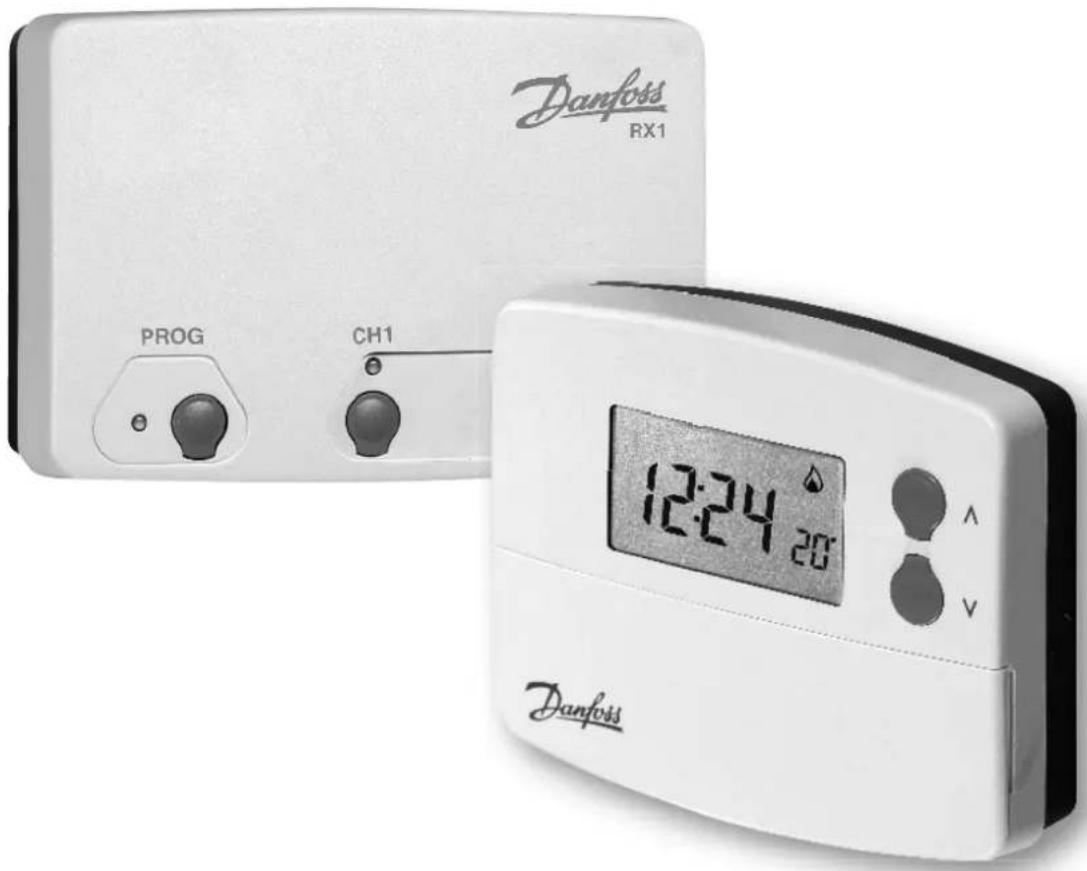
For a large print version of these instructions please call Marketing on 0845 121 7400.

This product complies with the following EC Directives:
Electro-Magnetic Compatibility Directive.
(EMC) (2004/108/EC)
Low Voltage Directive.
(LVD) (2006/95/EC)
CE

natural_image
Simple line drawing of a trash bin with crossed lines indicating no waste or prohibition (no text or symbols)Certification Mark
Danfoss can accept no responsibility for possible errors in catalogues, brochures, and other printed material. All trademarks in this material are property of the respective companies. Danfoss and the Danfoss logotype are trademarks of Danfoss A/S. All rights reserved.
Thank you for Buying a Danfoss Product
1.1 Your programmable room thermostat ....6
1.2 Preset Programmes
1.3 Before you start....6
1.4 Setting the Clock ....7
1.5 Running your programme ....7
2.0 Advanced
2.1 Before you change the preset programmes ....7
2.2 Changing the preset programmes ....8
2.3 Running your programme 8
2.4 User Overrides
2.5 Altering display to show time or room temperature .....8
2.6 To temporarily alter current programmed temperature .....9
2.7 Frost Protection and Thermostat Mode ....9
2.8 Toggle between 12 hour and 24 hour clock ....9
2.9 Toggle between °C and °F scaling 10
3.0 Battery Replacement....10
4.0 Resetting the unit....10
TACMA
THE ASSOCIATION OF CONTROLS MANUFACTURERS

What is a programmable room thermostat?
... an explanation for householders
A programmable room thermostat is both a programmer and a room thermostat. A programmer allows you to set 'On' and 'Off' time periods to suit your own lifestyle. A room thermostat works by sensing the air temperature, switching on the heating when the air temperature falls below the thermostat setting, and switching it off once this set temperature has been reached.
So, a programmable room thermostat lets you choose what times you want the heating to be on, and what temperature it should reach while it is on. It will allow you to select different temperatures in your home at different times of the day (and days of the week) to meet your particular needs.
Turning a programmable room thermostat to a higher setting will not make the room heat up any faster. How quickly the room heats up depends on the design of the heating system, for example, the size of boiler and radiators.
Neither does the setting affect how quickly the room cools down. Turning a programmable room thermostat to a lower setting will result in the room being controlled at a lower temperature, and saves energy.
The way to set and use your programmable room thermostat is to find the lowest temperature settings that you are comfortable with at the different times you have chosen, and then leave it alone to do its job. The best way to do this is to set low temperatures first, say 18^ C , and then turn them up by one degree each day until you are comfortable with the temperatures. You won't have to adjust the thermostat further. Any adjustments above these settings will waste energy and cost you more money.
If your heating system is a boiler with radiators, there will usually be only one programmable room thermostat to control the whole house. But you can have different temperatures in individual rooms by installing thermostatic radiator valves (TRVs) on individual radiators. If you don't have TRVs, you should choose a temperature that is reasonable for the whole ho use. If you do have TRVs, you can choose a slightly higher setting to make sure that even the coldest room is comfortable, then prevent any overheating in other rooms by adjusting the TRVs.
The time on the programmer must be correct. Some types have to be adjusted in spring and autumn at the changes between Greenwich Mean Time and British Summer Time. You may be able to temporarily adjust the heating programme, for example, 'Override', 'Advance' or 'Boost'. These are explained in the manufacturer's instructions.
Programmable room thermostats need a free flow of air to sense the temperature, so they must not be covered by curtains or blocked by furniture. Nearby electric fi res televisions, wall or table lamps may prevent the thermostat from working properly.
1.0 Basics
1.1 Your programmable room thermostat
The TP4000 allows you to programme up to 6 times and temperatures at which your heating will come on and go off each day.
It features several user overrides including frost protection, thermostat mode and time or temperature display.
1.2 Preset Programmes
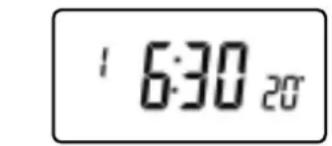
Your TP4000 comes ready programmed with a set of operating times and temperatures which often suit most people.
| Event | Time | Temp |
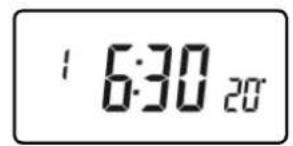
| 1 | 06:30 | 20 |
| 2 | 08:30 | 15 |
| 3 | 11:30 | 20 |
| 4 | 13:30 | 15 |
| 5 | 16:30 | 21 |
| 6 | 22:30 | 15 |
°C
If you want to change any of these settings you can do so by following the instructions on page 8.
First, follow the steps on page 7 to set the correct time and date.
1.3 Before you start
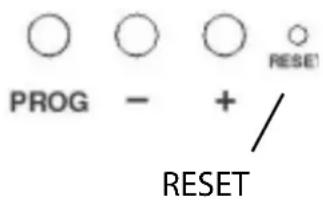
Open the flap on the front of the programmer and press the RESET button with a non-metallic object until the display goes blank. This will ensure that the factory programmes are set and that the micro-computer in the product is operating correctly.
1.4 Setting the Clock
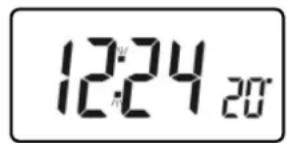
Note: clock is displayed in 24 hour mode.
Press PROG and until the time on the display fl ashes.
Use + or - to adjust the TIME (press and hold to change in 10 min increments).
Press PROG to enter the TIME.

1.5 Running your programme
If you are happy to use the preset programmes on page 6, you don't need to do anything else.
Your unit is now in RUN mode.
2.0 Advanced
2.1 Before you change the preset programmes
Please Note
The unit must be programmed in sequence. Event times cannot be programmed out of sequence.
If you want to leave a preset time as it is, simply press PROG to move on to the next setting.
During programming, if no buttons are pressed for 2 minutes the unit will automatically return to RUN mode, and the programme set up to that minute will be active.
2.2 Changing the preset programmes
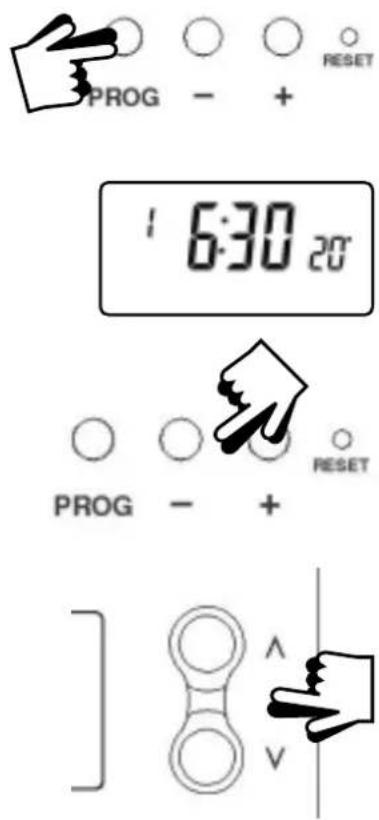
a) Press PROG until 1st pre-set time and temperature appears in display.
b) Use + or - buttons to adjust the TIME (press and hold to change in 10 min increments).
c) Use or V buttons to adjust the TEMPERATURE.
d) Press PROG to move to next preset time & temperature (Event 2).
e) Repeat steps b, c & d for programming Events 3, 4, 5 & 6.
Note: Press and hold PROG at any time will make the unit return to RUN mode.
2.3 Running your programme
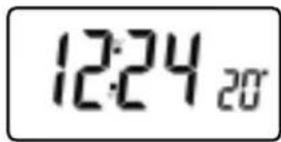
Press PROG – the colon in the LCD display will start to flash. The heating will now be controlled with the programmed times and temperatures.
2.4 User Overrides
Sometimes you may need to change the way you use your heating temporarily, e.g. due to unusually cold weather. The TP4000 has several user overrides, which can be selected without affecting the thermostat programming.
2.5 Altering display to show either time or actual room temperature
- Press + and – together to change between settings.

2.6 To temporarily alter the current programmed temperature
- Press or V until required temperature is displayed.
(This override will automatically cancel at beginning of next programmed event).

natural_image
Simple line drawing of a hand pointing to a vertical bar with two circles and directional arrows (no text or symbols)2.7 Frost Protection and Thermostat Mode
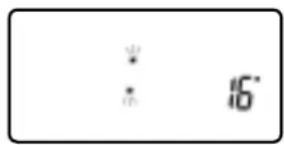
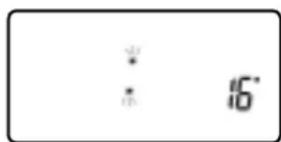
A constant temperature between 5^ C- 30^ C can be selected if desired, for example, for frost protection.
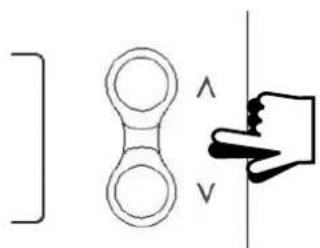
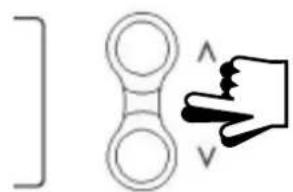
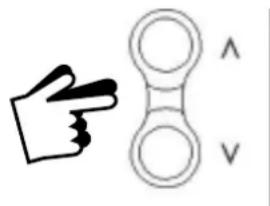
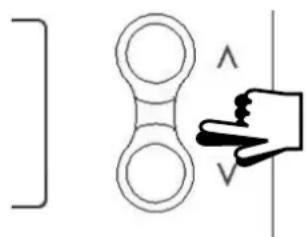
- Press and V together.
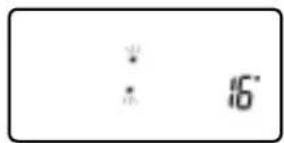
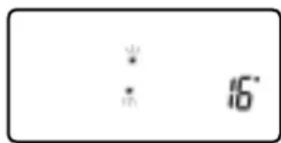
- Use or V buttons to set the desired low temperature.
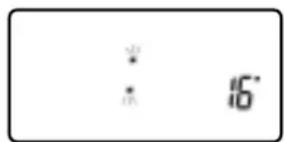
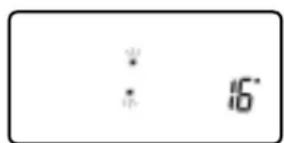
- At 5°C a snowflake symbol appears indicating frost protection mode.
- At all other temperatures the snowflake symbol is turned off.
• To return to automatic programming press Λ and V together again.

natural_image
Hand gesture showing a hand making a peace sign with two circular shapes and an arrow symbol (no text or labels)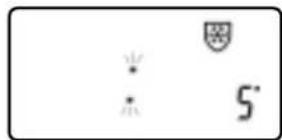

2.8 Toggle between 12 hour and 24 hour clock
To change time display between 12 hour and 24 hour clock. Press and + together to toggle between 12 and 24 hour clock.
2.9 Toggle between °C and °F scaling
To change between °C and °F scaling. Press V and - together to toggle between °C and °F temperature scaling.
3.0 Battery Replacement
When batteries are low a battery symbol will flash in the LCD display. You have 15 days to replace the battery before the unit switches off.

When changing batteries, remove old batteries and insert new ones within one minute and programming will not be lost.
IMPORTANT: always use high quality alkaline batteries
! NB. If the display ever goes blank during normal operation, the batteries will need to be renewed, the unit reset and the time reprogrammed. The event times and temperatures will be retained.
4.0 Resetting the unit
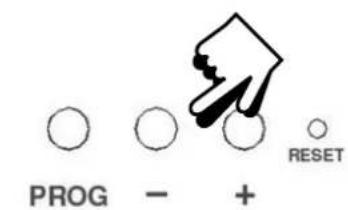
Partial reset: Press RESET (used to restart micro-computer) if display freezes for any reason. This does not reset any programme, clock or date. It is recommended that this is done at time of installation.
User full reset: Press RESET whilst holding down PROG button. This resets event times and and temperatures back to the factory presets. The unit must be re-programmed. The correct time will be retained.
natural_image
Simple line drawing of a hand pointing at a vertical line with angle symbols (no text or labels)natural_image
Simple line drawing of a hand pointing to a circular object with an arrow symbol (no text or labels)2.7 Protection anti-gel et mode thermostat
natural_image
Simple line drawing of a hand making a peace sign next to two circular shapes (no text or symbols)



natural_image
Simple line drawing of a hand pressing down on a vertical line, with no text or symbols present.natural_image
Simple line drawing of a hand pointing to a circular shape with an arrow and a vertical arrow, no text or symbols present.natural_image
Hand gesture showing a hand pressing a button with two circular buttons and an arrow symbol (no text or labels)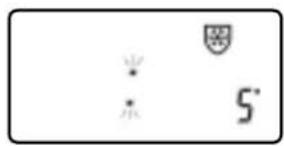
1.4 De klok instellen


natural_image
Simple line drawing of a hand pointing at a vertical line with arrow symbols (no text or labels)natural_image
Simple line drawing of a hand pointing to an inverted circle with two circles above and below, no text or symbols present.2.7 Vorstbeveiliging en Thermostaat-stand
natural_image
Hand gesture pointing at a circular object with two curved arrows labeled 'V' (no text or symbols on the object itself)
natural_image
Simple line drawing of a hand pressing a button on a vertical line, with no text or symbols present.natural_image
Simple line drawing of a hand pointing to a circular object with an arrow and a vertical line (no text or symbols)natural_image
Hand gesture showing a hand making a peace sign next to two circular shapes (no text or symbols)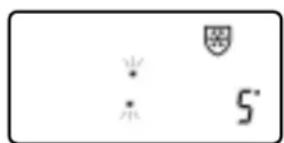
natural_image
Simple line drawing of a hand pointing at a vertical bar and a circular connector (no text or symbols)natural_image
Simple line drawing of a hand pointing to a vertical arrow symbol (no text or labels)natural_image
Simple line drawing of a hand making a peace sign next to two abstract shapes (no text or symbols)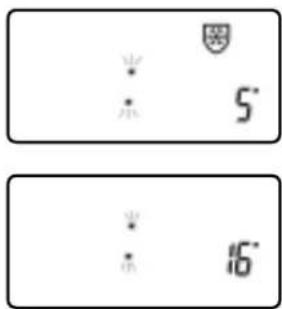
1.4 Nastavení hodin
Poznámka:


natural_image
Simple line drawing of a hand pointing at a vertical bracket and a circular ring, with no text or symbols present.natural_image
Simple line drawing of a hand pointing to a circular object with an arrow and a vertical arrow, no text or symbols present.2.7 Ochrana proti mrazu a režim termostatu

1.4 Saati Ayarlama
natural_image
Simple line drawing of a double-headed connector with a hand pointing at it (no text or symbols)natural_image
Simple line drawing of a hand pointing to a vertical arrow symbol, next to a vertical double-headed arrow symbol (no text or labels)natural_image
Hand gesture pointing at a circular object with two inverted signs (no text or symbols)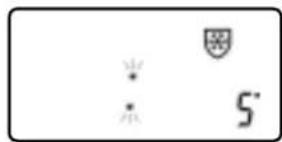
natural_image
Simple diagram with symbols including a star, shield, and number 5' (no text or labels)
natural_image
Abstract gear-like diagram with interlocking teeth and a central circular cutout (no text or symbols)T.C. SANAYİ VE TİCARET BAKANLIĞI
TÜKETİCİNİN VE REKABETİN KORUNMASI GENEL MÜDÜRLÜĞÜ

GARANTI BELGESI
1.4 Podešenje sata
Važno: vremenski prikaz je u 24-satnom modelu.
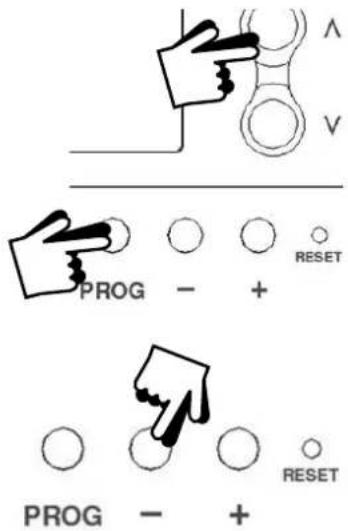
Pritisnite PROG i Λ za početak programiranja.
Koristite + ili - za podešenje vremena (pritisnite i držite pritisnuto za promjene u 10-minutnim intervalima).
Pritisnite PROG za podešenje vremena.
1.5 Programiranje
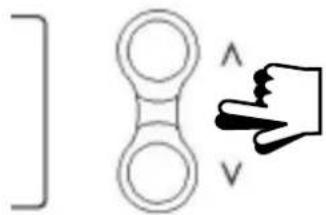
Ako ste zadovoljni s predpodešenim programima na strani 59, ne morate ništa više podešavati.
natural_image
Simple line drawing of a double pendulum with a hand pointing at it (no text or symbols)2.3 Pokretanje programa
Pritisnite PROG – stupac na LCD zaslonu će početi treptati. Grijanje će biti regulirano programiranim vremenima i temperaturama.

2.6 Kratkotrajna promjena trenutne programirane temperature
Pritisnite Λ ili V sve dok ne bude prikazana željena temperature.
(Ova kratkotrajna izmjena će automatski prestati s početkom idućeg programiranog perioda.)
2.7 Zaštita od smrzavanja i rad u u termostatskom modu
Za zaštitu od smrzavanja odaberite konstantnu temperature između 5°C-30°C.
- Pritisnite Λ i V zajedno
- Koristite tipke ili V za podešenje željene snižene temperature
- Na 5°C pojaviti će se simbol pahuljice pokazujući mod zaštite od smrzavanja.
- Na svim drugim temperaturama, simbol pahuljice se neće pojavljivati
- Za povratak na automatsko programiranje pritisnite odjednom zajedno tipke i V.

natural_image
Simple line drawing of a hand making a peace sign next to two circular shapes (no text or symbols)
2.8 Mogućnost odabira vremena na zaslonu (displayu) 12 ili 24-satni prikaz
1.4 Reglarea orei
natural_image
Simple line drawing of a double-circle ring with an arrow pointing to it, next to a vertical line (no text or symbols)natural_image
Simple line drawing of a hand pointing to an inverted symbol with two circles and arrows (no text or labels)natural_image
Hand gesture showing a hand making a peace sign next to two circular shapes (no text or symbols)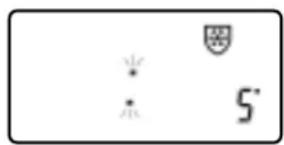
natural_image
Simple line drawing of a hand pointing to a pair of circular shapes with an arrow and letter 'V' (no text or symbols)natural_image
Hand gesture pointing at a circular object with two vertical arrows labeled 'V' (no text or symbols on the object itself)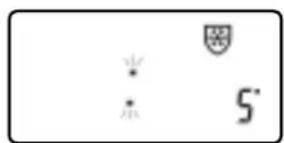
1.5 Programos paleidimas
2.3 Programos paleidimas
natural_image
Simple line drawing of a hand pointing to a pair of circular shapes with an arrow and letter 'V' (no text or symbols)natural_image
Simple line drawing of a hand making a peace sign next to two circular shapes (no text or symbols)

natural_image
Black-and-white photo of a sofa with a knitted blanket, a vase with dried flowers, and a closed book beside it (no text or symbols visible)


- TP4000 Range
- Electronic Programmable Room Thermostat
- For a large print version of these instructions please call Marketing on 0845 121 7400.
- Advanced
- TACMA
- What is a programmable room thermostat?
- Basics
- Your programmable room thermostat
- Preset Programmes
- Before you start
- Setting the Clock
- Running your programme
- Before you change the preset programmes
- Please Note
- Changing the preset programmes
- Running your programme
- User Overrides
- Altering display to show either time or actual room temperature
- To temporarily alter the current programmed temperature
- Frost Protection and Thermostat Mode
- Toggle between 12 hour and 24 hour clock
- Toggle between °C and °F scaling
- Battery Replacement
- IMPORTANT: always use high quality alkaline batteries
- Resetting the unit
- Protection anti-gel et mode thermostat
- De klok instellen
- Vorstbeveiliging en Thermostaat-stand
- Nastavení hodin
- Ochrana proti mrazu a režim termostatu
- Saati Ayarlama
- T.C. SANAYİ VE TİCARET BAKANLIĞI
- TÜKETİCİNİN VE REKABETİN KORUNMASI GENEL MÜDÜRLÜĞÜ
- GARANTI BELGESI
- Podešenje sata
- Programiranje
- Pokretanje programa
- Kratkotrajna promjena trenutne programirane temperature
- Zaštita od smrzavanja i rad u u termostatskom modu
- Mogućnost odabira vremena na zaslonu (displayu) 12 ili 24-satni prikaz
- Reglarea orei
- Programos paleidimas
- Programos paleidimas
Brand : DANFOSS
Model : TP4000 Range
Category : Thermostat