
UPK 10 A1 - Power bank ULTIMATE SPEED - Free user manual and instructions
Find the device manual for free UPK 10 A1 ULTIMATE SPEED in PDF.


| Product Type | Power Bank with Compressor |
| Model | UPK 10 A1 |
| Brand | Ultimate Speed |
| Battery Type | Lithium-Ion |
| Battery Capacity | 14,000 mAh (3.7 V) / 9,800 mAh (5 V) |
| Charge Cycles | 1,500 |
| Charging Time | Up to 8 hours |
| Peak Current | 400 A |
| Starting Current | 200 A |
| USB Output | 5 V / 2 A |
| Input Voltage | 15 V / 1 A |
| Working Pressure (Compressor) | 2.5 bar |
| Maximum Pressure | 10 bar |
| Air Flow Rate | 20 L/min |
| Continuous Operation (Compressor) | Max. 7 minutes, then 15 minutes rest |
| Jumpstart Compatibility | Petrol engines ≤ 2 L, diesel engines ≤ 1.6 L |
| Operating Temperature | -21°C to +55°C |
| Safety Features | Overload protection, safety fuse |
| Included Accessories | USB cable, jumper cable, AC adapter, 3 valve adapters |
| Warranty | 3 years |
Frequently Asked Questions - UPK 10 A1 ULTIMATE SPEED
User questions about UPK 10 A1 ULTIMATE SPEED
0 question about this device. Answer the ones you know or ask your own.
Ask a new question about this device
Download the instructions for your Power bank in PDF format for free! Find your manual UPK 10 A1 - ULTIMATE SPEED and take your electronic device back in hand. On this page are published all the documents necessary for the use of your device. UPK 10 A1 by ULTIMATE SPEED.
USER MANUAL UPK 10 A1 ULTIMATE SPEED
Power bank with compressor UPK 10 A1
HU
Power bank with compressor
Operation and Safety Notes Translation of the original instructions
SI
Before reading, unfold the page containing the illustrations and familiarise yourself with all functions of the device.
O

CHDE AT
GB Operation and Safety Notes Page 57
Ime: C.M.C. Creative Marketing &
Consulting GmbH
Servis in informacije
Media-Impeks d.o.o
Spletna stran: www.cmc-creative.de
E-pošta: service.si@cmc-creative.de
Telefon: 00386 2 796 3511
(Običajna tarifa v nem. stacionarnem
omrežju)
Sedež: Nemčija
IAN 290781
Technical specifications 59
Package contents 60
Safety instructions ....60
Product-specific safety instructions .....63
Using the device ....64
Check the charge level of the power bank with compressor . . . . . . . . . 64
Charging the power bank with compressor 64
Charging mobile phones and tablets 64
Using the integrated compressor 64
Switching on the lights 65
Using the jumpstart feature 65
FAQ 66
Troubleshooting 66
Cleaning .66
Storage ....66
Warranty and service information ....66
Warranty conditions 66
Extent of warranty 67
Processing of warranty claims 67
Information about recycling and disposal .....68
EC Declaration of Conformity .....68
| Table of pictograms used | |||
 | Please read the operating instructions! |  | Risk of serious injury or death! |
 | Please note |  | Warning: Risk of electric shock! Danger to life! |
 | Observe warnings and safety instructions! |  | Caution! Explosion hazard! |
 | The LED bulb is not suitable for domestic room lighting. |  | Don't throw away – recycle! |
 | The LED bulb is suitable for extreme temperatures below -20 °C. |  | Dispose of packaging properly. Do not dispose of the device in household waste! |
 | Hot surface! |  | For indoor use only. |
 | Warning! Compressor system can start without warning. |  | Wear hearing protection, a respirator/dust mask, safety goggles and protective gloves. |
 | Direct current | ||
POWER BANK WITH COMPRESSOR UPK 10 A1
INTRODUCTION

Congratulations! You have purchased one of our high-quality products.
Please familiarise yourself with the product before setup or first use. Please also read the safety instructions carefully. This product must be set up or used only by people who have been trained to do so.
KEEP OUT OF THE REACH OF CHILDREN!

The jumpstart feature is only for petrol engines with a max. capacity of 2 litres and diesel engines with a max. capacity of 1.6 litres.
- Intended use
This power bank with compressor (also referred to in this manual as the 'device' or 'product') is designed to provide additional support to 12 V vehicle batteries in diesel and petrol vehicles experiencing start-up problems caused by batteries that are weak, empty or defective. However, the power bank with compressor cannot replace the vehicle battery. If no more than 400 A are needed for starting (max. peak current), the power bank lets the user single-handedly start the vehicle when necessary, without additional help from a third party. The power bank with compressor is also fitted with a USB port. This means that mobile phones, satnavs or other USB-enabled devices can also be charged if needed. The integrated compressor is designed to generate pressure in tyres (e.g. vehicle and bicycle tyres), balls and other small-scale inflatable articles. Do not use the compressor to inflate articles with a large volume, since it can overheat rapidly in the absence of back pressure. This power bank with compressor is not designed for continuous operation to generate pressure of over 3 bar.
Any other use may cause damage to the device and expose the user to a risk of serious injury. The manufacturer is not liable for any injury or damage resulting from improper use or incorrect operation. This power bank with compressor is not suitable for commercial use. Commercial use will void the guarantee.
This device has been developed for consumer use and is not suitable for use in a commercial or industrial environment.

The lamp is not suitable for domestic room lighting.

The LED bulb is suitable for extreme temperatures below -20 °C.
- Features
After unpacking the product, please check that all of the package contents are present and that the power bank with compressor is in perfect condition. Do not use the device if it is defective.
1 Lamp
2 On/off switch for compressor
3 Pressure gauge with pressure display (not trade-approved)
- In bar: red scale
- In psi: black scale
4 On/off switch for power bank
5 Indicator lights
6 Power bank with compressor
7 Vehicle jumpstart outlet
8 On/off switch for power bank with compressor
9 Charging port 15 V /1-A
10 USB port 5 V /2-A
11 Jumper cable
12 Clamp lever
13 Valve adapter
a+b: for inflatable items
c: for balls
14 Air hose
15 Connecting valve
16 AC adapter
17 USB cable
• Technical specifications
The three individual cells used to construct the rechargeable battery are connected in series to produce a total voltage of 3 × 3.7 V = 11.1 V and a capacity of 4700 mAh. The battery output produced in this way is the same as the output from a rechargeable battery with a total capacity of 14000 mAh at 3.7 V.
Model: UPK 10 A1
Battery type: lithium-ion
Battery capacity: 14,000 mAh, 3.7 V
Charge cycles: 1,500
Charging time: up to 8 hours
Peak current: 400 A
Starting current: 200 A
Operating temperature: -21 to +55 °C
Voltage: 12 V
Input voltage
(charging port): 15 V/1 A
Output voltage
(USB port): 5 V/2 A
Capacity: 9800 mAh / 5 V
Max. current draw: 14 A
Working pressure: 2.5 bar
Maximum pressure: 10 bar
Continuous operation: max. 7 min*
Air flow rate: 20 l/min
* Continuous operation: do not operate the integrated compressor continuously for longer than 7 minutes. Following this, include a rest period of 15 minutes.
Changes to technical and visual aspects of the product may be made as part of future developments without notice. Accordingly, no warranty is offered for the physical dimensions, information and specifications in these operating instructions. The operating instructions cannot therefore be used as the basis for asserting a legal claim.
- Package contents
1 power bank with compressor
1 USB cable
1 jumper cable
1 AC adapter
3 valve adapters
1 set of operating instructions
SAFETY INSTRUCTIONS
PLEASE READ THROUGH THE OPERATING IN STRUC TIONS CAREFULLY BEFORE USE. THESE FORM PART OF THE PRODUCT AND MUST BE AVAILABLE AT ALL TIMES!
This section covers the basic safety instructions applicable
when working with the device.
Personal safety:
This device may be used by children aged 8 years and older, and by persons with reduced physical, sensory or mental capacities, or a lack of experience and knowledge, if they are supervised or have been instructed in how to use the device safely and understand the dangers that may arise when using it. Do not allow children to play with the device. Cleaning and day-to-day maintenance must not be performed by children without supervision.
Do not allow children to play with the device at any time.
Keep the device away from people – especially children – and household pets.
Within the working area, the user is responsible for any damage or injury to third parties that was caused by the use of the device.
During operation, never point the device at yourself or other per-
sons, and keep the device well way from your ears and eyes. Otherwise there is a risk of injury! Do not leave the device unsupervised while running. Comply with the filling instructions for the inflatable item. The inflatable article could burst and cause serious injuries. Keep the device in a dry location and out of the reach of children.
How to avoid damage to the device and personal injury resulting from such damage:
Working with the device:
■ Do not use the device while explosion!
driving the vehicle.
■ Before setup or first use, check the device for any damage and do not use unless in perfect working order.
■ Do not expose the device to rain or wet weather. Do not let the device come into contact with water. Do not immerse the device in water. There is a risk of electric shock!
- Keep all openings on the device clear during operation. Do not block the openings with your hands or fingers, and do not cover the device. There is a
risk of overheating!
■ In hot weather, do not leave the device in your vehicle. This could permanently damage the device.
■ The device becomes warm during use. There is a risk of burn injuries from touching the hot surfaces.
■ Take care to ensure that sand, dust and other small foreign objects cannot enter the air inlet or air outlet openings.
■ Do not operate the device near to flammable liquids or gases. Do not use the device to draw in hot fumes. Failure to do so risks causing a fire or
■ Switch the device off and
, remove the plug from the cigarette lighter socket in the following cases:
■ When you are not using the device
■ If you are leaving the device unsupervised
■ When you are carrying out cleaning or maintenance work
■ If the connection cable is damaged
■ If foreign objects have got into the device or you notice unusual noises
■ Only use the accessories on the cable. Protect the cable supplied and recommended by from heat, oil and sharp edges. the manufacturer.
■ Do not dismantle or modify the power bank with compressor. This device must only be repaired by a maintenance technician. ■ If the cable is damaged, unplug the plug immediately from the socket. ■ Do not short-circuit the two crocodile clips. This can lead to
■ Do not use the device in a hazardous situation! areas with a risk of explosion, e.g. near flammable liquids, Rechargeable batteries, gases or powders.
■ Do not expose the device to heat.
■ Do not store in places where the temperature can exceed 70 °C.
■ Only charge in an ambient power bank with compressor temperature of -21 °C to +55 °C. 6. This could cause the device
■ Only use the power adapter to overheat, ignite or explode.
-power bank with compressor 6. This could cause the device
to overheat, ignite or explode.
16 as supplied with the device.

CAUTION: How to avoid accidents and injuries resulting from electric shock:
Electrical safety:
■ Do not use the device if t switch cannot be switched on and off. Arrange for damaged switches to be replaced.
■ Do not carry the device the cable. Do not unplug the plug from the socket by pulling
■ If the cable is damaged, unplug the plug immediately from the socket.
■ Do not short-circuit the two crocodile clips. This can lead to
a hazardous situation!
Rechargeable batteries:

CAUTION:
EXPLOSION HAZARD!
Do not open or short-circuit the
■ Do not expose the power bank with compressor 6 to high temperatures. The battery could explode.
■ Do not expose the power bank with compressor 6 to high temperatures. The battery could explode.
■ Check the power bank with compressor 6 regularly to confirm it is not leaking. Leaking or damaged batteries may cause
burns if they come into contact with skin. In this situation, always wear suitable safety gloves! Carefully wipe up the liquid with
burns if they come into contact with skin. In this situation, always wear suitable safety gloves! Carefully wipe up the liquid with
a cloth and avoid contact with skin and eyes. In the event of contact with skin or eyes, rinse
immediately with clean water and seek medical attention.
Product-specific safety instructions
We recommend charging the power bank with compressor 6 once a month.
A slightly higher temperature during charging is absolutely normal and not a malfunction. However, we do recommend leaving the power bank with compressor 6 to rest for 15 minutes before using.
Protect the power bank with compressor 6 from moisture and high temperatures, including fires.
Store the power bank with compressor 6 in a dry place and protect the device from moisture and corrosion.
If you notice the power bank with compressor 6 leaking, producing an unusual odour or looking deformed in any way, stop using the device immediately and contact the manufacturer.
Do not drop the power bank with compressor 6 while it is being used.
The power bank with compressor 6 is designed for use with car tyres. It is not designed for use with large tyres like tractor or truck tyres.
During inflation, high temperatures can be produced at the air outlet. There is a risk of burn injuries!
When using the jumper cable 11, ensure that the blue plug is securely plugged into the vehicle jump-start outlet 7.
When using the jumpstart feature, ensure that 3 indicator lights 5 are illuminated.
If the blue LED lamp goes out during the jumpstart, charge the power bank with compressor 6.
If the vehicle does not start after 3–5 attempts, stop the jumpstart procedure and check to see if there are other reasons why the vehicle is not starting.
USING THE DEVICE
- Check the charge level of the power bank with compressor
■ Switch on the power bank with compressor 6 by using the on/off switch for the power bank with compressor 8.
■ When charging, the indicator lights flash 5.
■ The number of permanently lit indicator lights 5 shows the charge level of the power bank with compressor 6.
■ When the device is fully charged, all four indicator lights 5 will be permanently lit.
| Indicator lights Charge level | |
| Device 0% | |
| 1 permanently lit 25% | |
| 2 permanently lit 50% | |
| 3 permanently lit 75% | |
| 4 permanently lit 100% | |
- Charging the power bank with compressor
Use the power supply adapter 16 to plug the power bank with compressor 6 into a mains socket.
Plug the cable from the power adapter 16 into the charging port (15 V ≠ A) 9 on the power bank with compressor 6 and then plug into a mains power socket.
- Charging mobile phones and tablets
■ Switch the on/off switch for the power bank with compressor 8 to the 'On' position.
■ Connect the USB cable 17 to the USB port (5 V --- /2 A) 10 and then plug it into your
mobile phone or tablet.
■ Press the on/off switch on the power bank 4.
Please note: You cannot charge USB devices (e.g. mobile phone, tablet) while the power bank with compressor 6 is being charged.
• Using the integrated compressor
■ Place the device on a level and non-flammable surface. Do not operate the device in a dusty environment. This is a fire risk and could also cause damage to the device.
■ For inflatable items with back pressure (e.g. semi-inflated car tyres): switch the device on before connecting the connecting valve 15 on the tyre.
Please note: Depending on the inflatable item, you can either use the connecting valve 15 directly or together with the valve adapters 13 supplied.
Connecting the connecting valve 15 :
■ Open the connecting valve 15 : move the clamp lever 12 to an upright position.
■ Connecting without a valve adapter 13 :
■ Connect the opened connecting valve 15 into the valve on the inflatable item (remove valve cap on inflatable item first if necessary).
■ Press and hold the connecting valve 15 and then lock it in position: press the clamp lever 12 towards the air hose 14.
■ Connecting valve 15 with valve adapter 13 :
■ Open the connecting valve 15 : move the clamp lever 12 to an upright position.
■ Press the matching valve adapter 13 into the opening on the connecting valve 15.
- Fix the valve adapter 13 into the connecting valve 15 : press the clamp lever 12 towards the air hose 14 .
■ Connect the valve adapter 13 into the connecting valve on the inflatable item (remove valve cap on inflatable item first if necessary).
Switching on/off:
■ Switching the device on: move the on/off switch for the power bank with compressor 8 to the 'On' position.
■ Switching the compressor on: move the on/off switch for the compressor ② to 'I'.
■ When the right filling pressure has been achieved, switch the device off: move the on/off switch for the compressor 2 to '0'.
■ Move the on/off switch for the power bank with compressor 8 to the 'Off' position.
Disconnecting the connecting valve:
■ Connection without a valve adapter 13 : Open the clamp lever 12 on the connecting valve 15 by pressing the clamp lever 12 away from the air hose 14 and then pull this off the valve on the inflatable item.
■ Connecting valve 15 with valve adapter 13 : Pull the valve adapter off the connecting valve on the inflatable item. Open the clamp lever 12 on the connecting valve 15 by pressing the clamp lever 12 away from the air hose 14 and then removing the valve adapter.
Please note: When disconnecting the connecting valve 15, air can escape from the valve on the inflatable item. Ensure that you remove the connecting valve 15 as quickly as possible.
The pressure gauge is not trade-approved. Accordingly, after pumping up inflatable items where the wrong pressure could be dangerous (e.g. vehicle tyres), always check the pressure at a service point with a trade-approved device.
Tips for use
The device is not intended for continuous operation. The device was designed to create air pressure – not an air flow.
Please do not use the device for more than 7 minutes at a time on items with a large volume, to avoid overheating and damage to the device. Then let the device cool down for at least 15 minutes. We recommend first filling a large-volume item with air, followed by then using this device to generate the target pressure. If you need a higher pressure than 3 bar for a vehicle tyre, do not use the device for over 3 minutes at a time without stopping. Then let the device cool down for at least 15 minutes.
Air pressure testing
Connect the connecting valve 1.5 (see 'Using the integrated compressor').
Read off the air pressure on the pressure gauge display 3.
Disconnect the connecting valve 15 again (see 'Using the integrated compressor').
Please note: The pressure gauge is not trade-approved.
Safety fuse
If the device becomes overloaded or malfunctions, the safety fuse triggers to protect the device.

Never install a fuse rated for a higher trip current. Otherwise there is a risk of fire!
- Switching on the lights
■ To switch on the lights 1 , press and hold the on/off button on the power bank 4 for 3 seconds.
■ Press and hold the power button 4 again for 3 seconds to turn the lights off again.

CAUTION! Do not look directly into the lights 1 as this can damage your eyes.
Please note: It is not possible to turn on the lights while the power bank with compressor 6 is charging.
• Using the jumpstart feature
Check the charge level of the power bank with compressor 6. Check that at least 3 indicator lights 5 are illuminated.
Connect the jumper cable 11 to the vehicle jumpstart outlet 7.
Connect the red crocodile clip to the positive terminal on the car battery.
Connect the black crocodile clip to the negative terminal on the car battery.
Attempt to start the vehicle.

⚠ WARNING! Once the vehicle has started, remove the jumper cable 11 from the power bank with compressor within 30 seconds.
Disconnect the black crocodile clip and then the red crocodile clip from the battery. Disconnect the jumper cable 11 from the vehicle jumpstart outlet 7.
FAQ
Q: How long does it take to fully charge a mobile phone with the device?
A: With a battery capacity of 2500 mAh:1–2 hours. Please note that if the device is switched on, it will continually use battery power while actually charging and this can extend the charging time.
Q: How long does the power bank with compressor hold a full charge?
A: 3–6 months. However, we recommend recharging the battery monthly.
TROUBLESHOOTING
● = problem
● = cause
= remedy
● The power bank with compressor is not fully charged, even though all 4 indicator lights 5 are permanently lit.
- Charge level is 60% after a long period of non-use or storage.
○ Disconnect and reconnect the power bank with compressor 6.
● Power bank 4 does not respond when on/off switch is pressed.
Deep discharge protection active on the power bank with compressor 6.
○ Connect the charging port (15 V/1 A) 9 on the power bank with compressor 6.
CLEANING
You must not splash the device with water or place it in water. There is a risk of injury due to electric shock if moisture enters the device. Do not use cleaners or solvents. These could damage the device beyond repair.
- Keep the casing of the device clean.
■ Use a damp cloth or a brush to clean the device.
STORAGE
- Keep the device in a dry location and out of the reach of children.
■ To avoid damage, take care to ensure that the air hose 14 does not become kinked.
WARRANTY AND SERVICE INFORMATION
Warranty from Creative Marketing & Consulting GmbH
We give you a warranty on this device of 3 years from the date of purchase. In the event of product defects, you have legal rights against the retailer of this product. Your statutory rights are not affected in any way by our warranty conditions, which are described below.
- Warranty conditions
The warranty period begins on the date of purchase. Please retain the original sales receipt. This document is required as your proof of purchase.
Should this product show any defect in materials or manufacture within 3 years from the date of purchase, we will repair or replace it – at our discretion – free of charge. This warranty service requires that you retain proof of purchase (sales receipt) for the defective device for the three year period and that you briefly explain in writing what the fault entails and when it occurred.
If the defect is covered by our warranty, we will repair and return your product or send you a replacement. The original warranty period is not extended when a device is repair or replaced.
- Extent of warranty
This device has been manufactured according to strict quality guidelines and carefully inspected before delivery.
The warranty applies to material and manufacturing defects only. This warranty does not cover product parts that are subject to normal wear and tear and can therefore be regarded as consumables, nor does it cover damage to fragile parts such as switches, rechargeable batteries or parts made from glass.
This warranty is voided if the product becomes damaged or is improperly used or maintained. For proper use of the product, all of the instructions given in the operating instructions must be followed precisely. If the operating instructions advise you or warn you against certain uses or actions, these must be avoided in all circumstances.
The product is for consumer use only and is not intended for commercial or trade use. The warranty becomes void in the event of misuse and improper use, use of force, and any work on the device that has not been carried out by our authorised service branch.
- Processing of warranty claims
To ensure prompt processing of your claim, please follow the instructions given below. Please retain proof of purchase and the article number (e.g. IAN) for all inquiries.
The product number can be found on the type plate, an engraving, the cover page of your instructions (bottom left), or the sticker on the back or underside of the device.
In the event of malfunctions or other defects, please first contact our service department below by phone or email. If your product is found to be defective, you can then send your product with proof of purchase (till receipt) and a statement describing what the fault involves and when it occurred free of charge to the service address given.

Please note:
If you visit www.lidl-service.com, you can download this manual and many
other manuals, product videos and software.
How to contact us:
Name: C. M. C. GmbH
Website: www.cmc-creative.de
E-mail: service.gb@cmc-creative.de
Phone: 0-808-189-0652
Registered office: Germany
(Standard rate for calls to German
fixed-line network)
IAN 290781
Please note that the following address is not a service address.
Please first contact the service point given above.
C.M.C. GmbH
Katharina-Loth-Str. 15
66386 St. Ingbert
GERMANY
INFORMATION ABOUT RECYCLING AND DISPOSAL

Don't throw away - recycle!
According to European Directive 2012/19/EU, used electrical appliances must be collected separately for environmentally compatible recycling or recovery. Please return this device to an approved waste management company or use your municipal waste collection service. Please ensure you comply with local regulations. If you have any questions, please contact your local authority or waste management company.

Please return this device, accessories and packaging to your local recycling depot.
Do not dispose of electrical appliances in household waste!
As the consumer you are legally obliged (by the German Battery Ordinance) to return any and all used batteries. Batteries containing harmful substances are labelled with the adjacent symbol, which indicates the prohibition on disposal in household waste. The abbreviations for the relevant heavy metals are: Cd = cadmium, Hg = mercury, Pb = lead. Take used batteries to a waste management company in your city or community, or return them to your dealer. This satisfies your legal obligations while also making an important contribution to protecting the environment.
Please note: the installed battery cannot be separately removed for disposal.
EC DECLARATION OF CONFORMITY
We, C.M.C. GmbH
Responsible for documentation:
Alexander Hoffmann
Katharina-Loth-Str. 15
66386 St. Ingbert
Germany
hereby take sole responsibility for declaring that the product
Power bank with compressor
IAN: 290781
Art. no.: 2120
Year of manufacture: 2018/15
Model: UPK 10 A1
meets the basic safety requirements as specified in the European Directives and the amendments to these Directives.
Electromagnetic Compatibility:
(2014/30/EU)
Low Voltage Directive:
(2014/35/EU)
RoHS Directive:
(2011/65/EU)
Ecodesign Directive:
(2009/125/EU)
and the amendments to these Directives.
The object of the declaration described above meets the requirements of Directive 2011/65/EU of the European Parliament and of the Council of 8 June 2011 on the restriction of the use of certain hazardous substances in electrical and electronic equipment. This conformity assessment is based on the following harmonised standards:
EN 1012-1:2010
EN 50498:2010
EN 50581:2012
EN 55032:2015
EN 55024:2010+A1:2015
EN 60335-1:2012+A11:2014
EN 60950-1:2006+A11:2009
+A1:2010
+A12:2011
+A2:2013
EN 61000-3-2:2014
EN 61000-3-3:2013
EN 62233:2008
EN 62471:2008
Alexander Hoffmann- Documentation Officer
Einleitung ....70
service.at@cmc-creative.de
service.ch@cmc-creative.de
Telefon: +49 (0) 6894/ 9989751


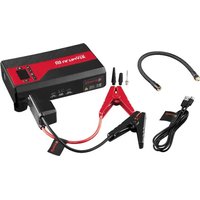
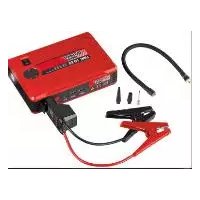
- Power bank with compressor UPK 10 A1
- Power bank with compressor
- O
- Safety instructions ....60
- Product-specific safety instructions .....63
- Using the device ....64
- FAQ 66
- Troubleshooting 66
- Cleaning .66
- Storage ....66
- Warranty and service information ....66
- Information about recycling and disposal .....68
- EC Declaration of Conformity .....68
- INTRODUCTION
- KEEP OUT OF THE REACH OF CHILDREN!
- - Intended use
- - Features
- • Technical specifications
- - Package contents
- SAFETY INSTRUCTIONS
- Personal safety:
- Working with the device:
- Electrical safety:
- Rechargeable batteries:
- Product-specific safety instructions
- USING THE DEVICE
- - Check the charge level of the power bank with compressor
- - Charging the power bank with compressor
- - Charging mobile phones and tablets
- • Using the integrated compressor
- Switching on/off:
- Disconnecting the connecting valve:
- Tips for use
- Air pressure testing
- Safety fuse
- - Switching on the lights
- • Using the jumpstart feature
- FAQ
- Q: How long does it take to fully charge a mobile phone with the device?
- Q: How long does the power bank with compressor hold a full charge?
- TROUBLESHOOTING
- ● Power bank 4 does not respond when on/off switch is pressed.
- CLEANING
- STORAGE
- WARRANTY AND SERVICE INFORMATION
- Warranty from Creative Marketing & Consulting GmbH
- - Warranty conditions
- - Extent of warranty
- - Processing of warranty claims
- Please note:
- IAN 290781
- INFORMATION ABOUT RECYCLING AND DISPOSAL
- Don't throw away - recycle!
- Please note: the installed battery cannot be separately removed for disposal.
- EC DECLARATION OF CONFORMITY
- Electromagnetic Compatibility:
- Low Voltage Directive:
- RoHS Directive:
- Ecodesign Directive:
- Einleitung ....70
Brand : ULTIMATE SPEED
Model : UPK 10 A1
Category : Power bank