
LC200W - Camcorder HP - Free user manual and instructions
Find the device manual for free LC200W HP in PDF.


| Product Type | Digital Camcorder |
| Brand | HP |
| Model | LC200W |
| Dimensions (L x H x D) | 120 x 70 x 50 mm |
| Weight | 300 g (with battery) |
| Power supply | Rechargeable Li-ion battery 3.7 V |
| Main functions | HD 720p video recording, 10x optical zoom, digital image stabilization, 2.7-inch LCD screen, built-in flash |
| Storage | SD/SDHC memory card (up to 32 GB) |
| Connectivity | USB 2.0, HDMI output, AV output |
| Maintenance and cleaning | Clean the lens with a soft, dry cloth; avoid contact with water |
| Safety | Do not expose to moisture; use only the supplied charger |
| Spare parts and repairability | Battery, charger, and cables available; repair by an HP authorized center |
| General information | User manual available in PDF at notice-facile.com |
Frequently Asked Questions - LC200W HP
User questions about LC200W HP
0 question about this device. Answer the ones you know or ask your own.
Ask a new question about this device
Download the instructions for your Camcorder in PDF format for free! Find your manual LC200W - HP and take your electronic device back in hand. On this page are published all the documents necessary for the use of your device. LC200W by HP.
USER MANUAL LC200W HP
lc200w
Mini WiFi Cam
Mini Cam WiFi
Minicámara WiFi
Mini-WLAN-Kamera
Mini videocamera Wi-Fi
Mini Câmera WiFi
Mini-WiFi-camera
Minikamera WiFi
Quick Start Guide
For the full version of the lc200w product user manual go to: www.hp.com/support
Thanks for purchasing the camera. Please read the instruction manual on the supplied CD ROM to ensure correct use of the product. The warranty does not cover any damage that may occur during a sport activity.
Battery warning
Always charge using the provided system. Improper handling of the battery may result in explosion. ✿ Never dismantle or pierce the battery or allow the battery to short-circuit. ◆ Keep the battery out of reach of children. Batteries may explode if exposed to open fire. Never place of batteries in a fire. - Disposed of used batteries observing local regulations. Please use only the battery provided or recommended by the manufacturer or dealer.
Battery model :
Brand Name FUJI
Model Name FJ-SLB-10A
Power Rating 3.7Vdc, 1130mAh, 4.18Wh
Type Lithium-ion
For more operation details, please refer to CD-ROM.
1. Overall Introduction 1.1 Button operation
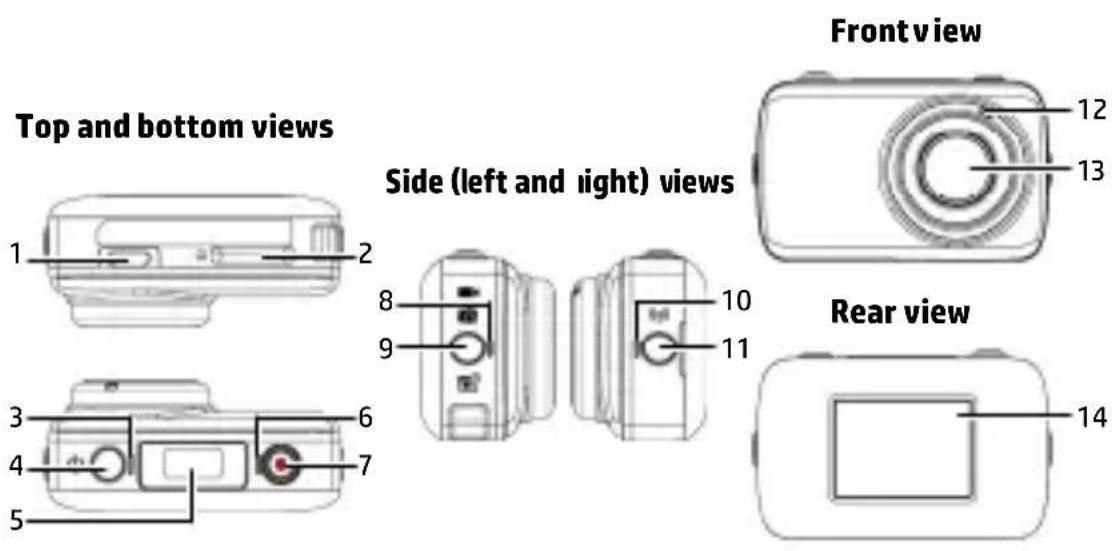
| No. | Item |
| 1 | USB Connector |
| 2 | Memory card slot |
| 3 | Power indicator light |
| 4 | Power button |
| 5 | LCM screen |
| 6 | Record indicator light |
| 7 | Record Button |
| No. | Item |
| 8 | Mode indicator light |
| 9 | Mode button |
| 10 | Wi-Fi indicator light |
| 11 | Wi-Fi button |
| 12 | Microphone |
| 13 | Lens |
| 14 | Magnet |
1.2 Button operation
You can operate the camera without connecting to a mobile device via Wi-Fi/App. See the table below for descriptions of each button.
| Item | Function |
| Mode button | Changing Modes (Time-lapse / Capture / Recording Mode) |
| Shutter button | In Camera mode, press the Shutter button to capture a photo. Double click the shutter button for self-timer photo taken, it will count down for 5 seconds with beep sounds.In Video mode, press the Shutter button to start recording a video. Press it again to stop recording.In Time-lapse mode, press the Shutter button to start recording a video. Press it again to stop recording (When the camcorder enters Power Saving Mode and is in shutdown status, press the Power button to stop recording). |
| Wi-Fi button | Press to turn the Wi-Fi on or off. |
| Power button | Press to turn the camera on or off.To reset, press and hold the Power button for at least 5 seconds. |
2. Getting started
2.1 Inserting the memory card
- Insert the memory card with the gold contacts facing the front of the camcorder. Push the memory card until it clicks into place.
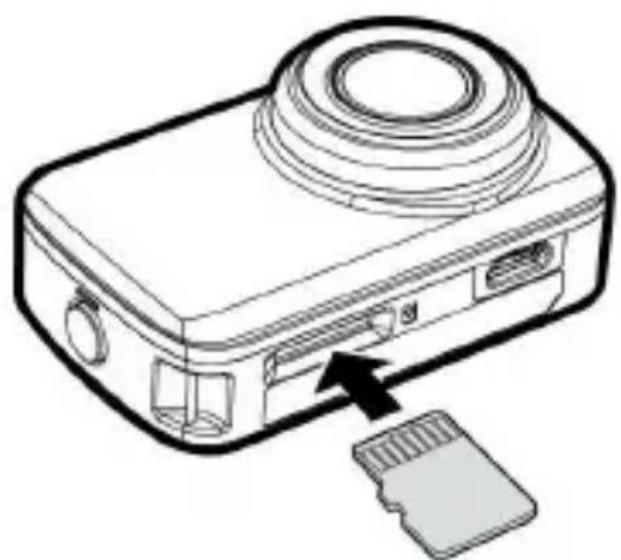
- To remove the memory card, push to eject the memory card out of the slot.
Note:
- Do not remove or insert the memory card when the camcorder is turned on. This may damage the camcorder and memory card.
- Please use a Class 10 or higher rating Micro SD card, max up to 32GB.
- Please format the micro SD card before initial use.
2.2 Information in LCM screen
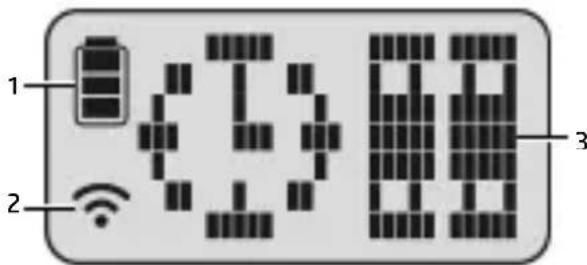
| No. | Item Icon | Description | |
| 1 | Battery status | Full battery power | |
| 2/3 battery power | |||
| 1/3 battery power | |||
| Out of battery power | |||
| Charging | |||
| 2 | Wi-Fi status | Wi-Fi on | |
| Wi-Fi off | |||
| 3 Status | Time-lapse mode | ||
| Capture mode | |||
| Recording mode | |||
| Memory card error (damaged, locked or no card inside) | |||
| Memory card full | |||
| Connect with mobile | |||
| Enter USB mode when charging | |||
| Power will soon run out | |||
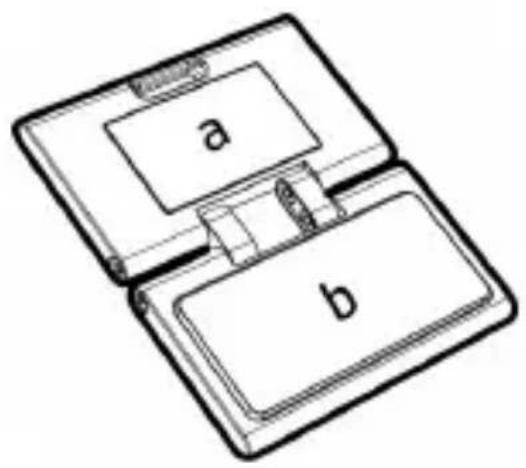
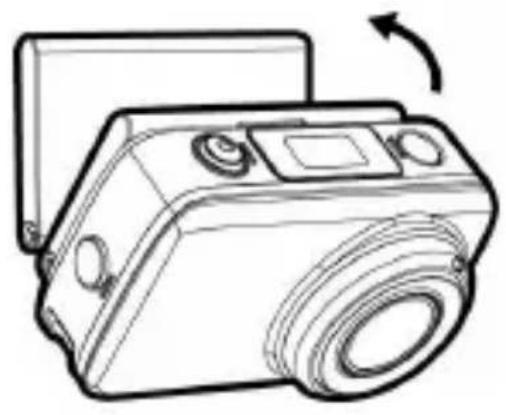
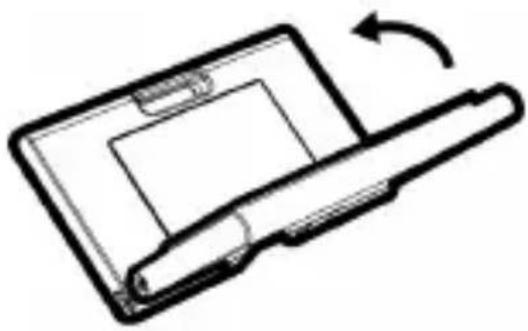
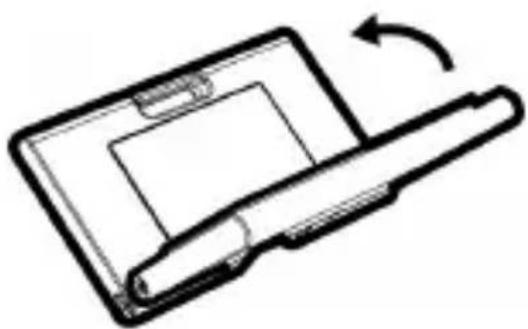
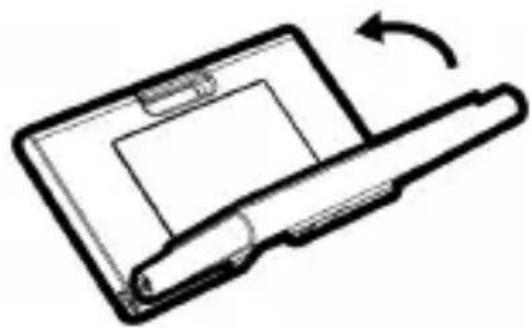
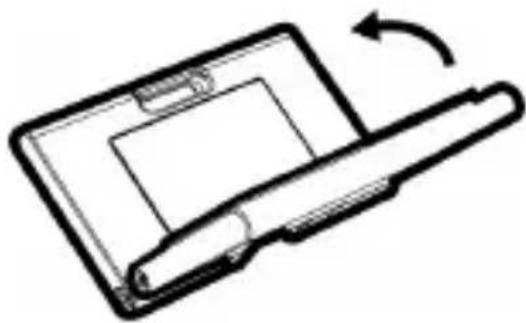
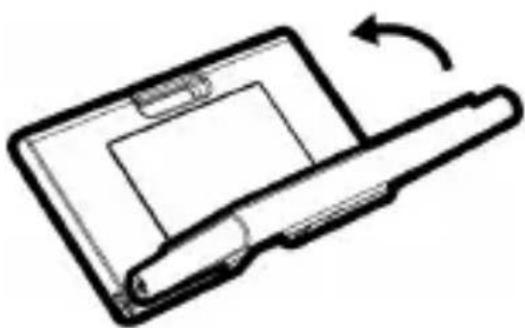
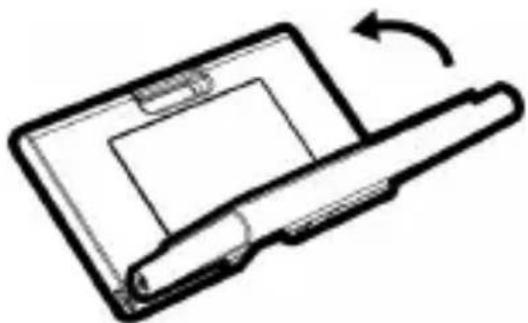
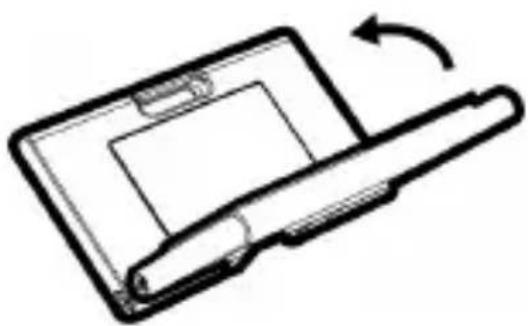
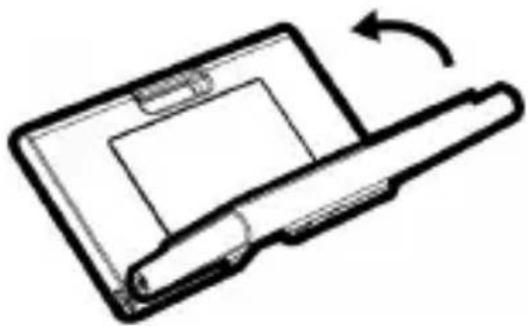
2.3 Using Magic Sticker
- Flip the magic sticker inside out.
- Attach the mental part (a) to the magnet on lc200w.
- Stick the magic sticker (b) to any clean surface.
- Adjust manually the angle before you take photos.
- Use clean water to wash the magic sticker when it is not stick enough, then air-dry to complete dry.
- After using the magic sticker, recommend to flip back in order to keep the product life time.
3. Initial set up
Install a micro SD card (class 10 or higher rating, max up to 32GB) into the camcorder.
3.1 Camcorder application installation
The camera allows you to connect to the mobile devices via the App. When using for the first time, install the [Pixi Cam] App for your mobile device.

- Download Pixi Cam App
from Google Play or App Store.
- Install the App.
3.2 Wi-Fi connecting
- Press the Power button to switch on the camcorder.
- Press the Wi-Fi button to activate the wireless network.
- Using the Wi-Fi function of the mobile device, search for the camcorder ID from the list. Each camcorder has a unique ID no.: hplc200wXXXXXX (The last 4 digits of the ID will be as same as the last 4 digits that displayed on the LCM screen.).
- When connected to the Pixi Cam App, camcorder LCM display will show APP, indicates the Wi-Fi is connected.

4. Using the Pixi Cam application
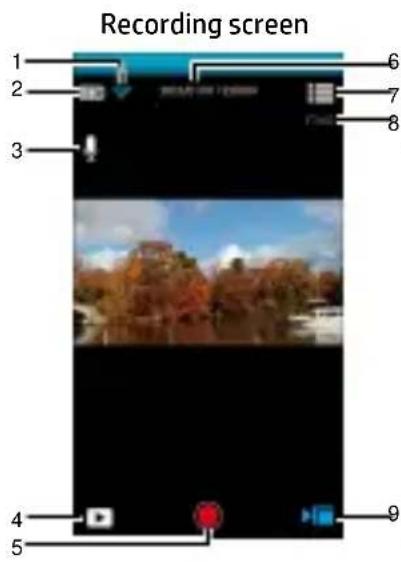
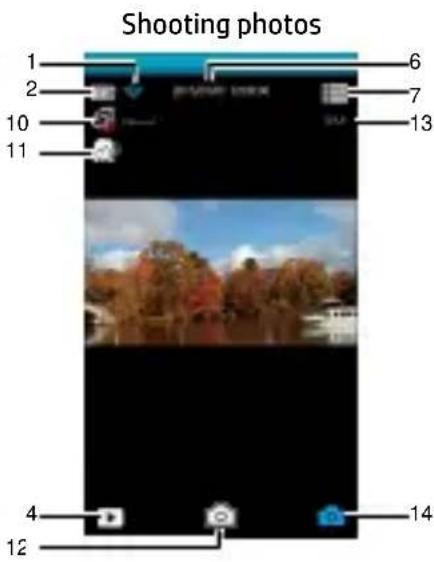
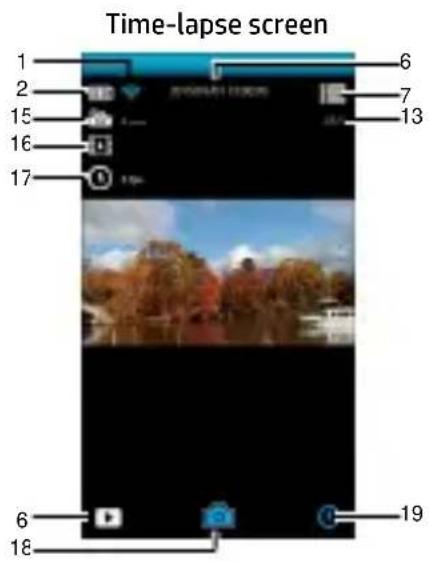
| No. | Icon Item Description | |
| 1 |  | Wi-Fi status Indicates the Wi-Fi status. |
| 2 |  | Battery status Indicates the estimated remaining battery power. |
| 3 |  | Voice record Touch to enable or disable the voice record function.Available options: On / Off |
| 4 |  | Playback Touch to enter Playback mode. |
| No. | Icon Item | Description | |
| 5 |  | Recording | Touch art recording, and touch again to stop. |
| 6 | 2015/01/01 12:00:00 | Date and time | Indicates the current recording date and time. |
| 7 |  | Menu Touch to enter the menu. | |
| 8 |  | Video resolution | Indicates the current video resolution. |
| 9 |  | Recording mode | Indicates the current Recording mode. Touch to switch to Time-lapse or Shooting mode. |
| 10 |  | Capture mode | Touch to select the capture mode. Available options: Normal / 5 sec. / 10 sec. / Burst 3 Photos / Burst 5 Photos |
| 11 |  | Beauty | Touch to select the Beauty mode. Available options: 0 / 1 / 2 |
| 12 |  | Shooting Touch to start shooting photos. | |
| 13 |  | Photo resolution | Indicates the current photo resolution. |
| 14 |  | Shooting mode | Indicates the current Shooting mode.Touch to switch to Time-lapse or Recording video mode. |
| 15 |  | Time-lapse | Touch to select a suitable capture Interval.Available options: 5 sec. / 10 sec. / 30 sec./ 1 min. / 5 min. / 10 min. |
| 16 |  | Store type | Touch to select the required storage type.Available options: Picture / Video / Picture& Video |
| 17 |  | Frame rate | Touch to select the required frame rate.Available options: 3 fps / 5 fps / 10 fps |
| 18 |  | Shooting | Touch to start shooting photos,and touch again to stop. |
| 19 |  | Time-lapse mode | Indicates the current Time-lapse mode.Touch to switch to Shooting photos or Recording video mode. |
Model Name FJ-SLB-10A
Power Rating 3.7Vdc, 1130mAh, 4.18Wh
Type Lithium-ion
3. Initial Configuration
Model Name FJ-SLB-10A
Power Rating 3.7Vdc, 1130mAh, 4.18Wh
Type Lithium-ion
Thank you for purchasing the camera. Please read the instruction manual on the supplied CD ROM to ensure correct use of the product. The warranty does not cover any damage that may occur during a sport activity.
Battery Warning
◆ Always charge using the provided system. Improper handling of the battery may result in explosion. ✿ Never dismantle or pierce the battery or allow the battery to short-circuit. ◆ Keep the battery out of reach of children. Batteries may explode if exposed to open fire. Never place batteries in a fire. ◆ Dispose of used batteries observing local regulations. Please use only the battery provided or recommended by the manufacturer or dealer.
Battery model:
Brand Name FUJI
Model Name FJ-SLB-10A
Power Rating 3.7Vdc, 1130mAh, 4.18Wh
Type Lithium-ion
For more operation details, please refer to CD-ROM.
2.1 Inserting the memory card
3. Initial setup
Model Name FJ-SLB-10A
Power Rating 3.7Vdc, 1130mAh, 4.18Wh
Type Lithium-ion
Model Name FJ-SLB-10A
Power Rating 3.7Vdc, 1130mAh, 4.18Wh
Type Lithium-ion
3. Initial setup
Model Name FJ-SLB-10A
Power Rating 3.7Vdc, 1130mAh, 4.18Wh
Type Lithium-ion
Model Name FJ-SLB-10A
Power Rating 3.7Vdc, 1130mAh, 4.18Wh
Type Lithium-ion


- BATTERY WARNING
- BATTERY MODEL
- OVERALL INTRODUCTION 1.1 BUTTON OPERATION
- BUTTON OPERATION
- GETTING STARTED
- INSERTING THE MEMORY CARD
- NOTE
- INFORMATION IN LCM SCREEN
- USING MAGIC STICKER
- INITIAL SET UP
- CAMCORDER APPLICATION INSTALLATION
- WI-FI CONNECTING
- USING THE PIXI CAM APPLICATION
- INITIAL CONFIGURATION
- INITIAL SETUP
Brand : HP
Model : LC200W
Category : Camcorder