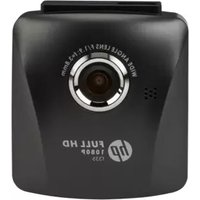
f520 - Camcorder HP - Free user manual and instructions
Find the device manual for free f520 HP in PDF.


Pick your language and provide your email: we'll send you a specifically translated version.
| Product Type | Camcorder |
| Brand | HP |
| Model | f520 |
| Dimensions | 72 x 120 x 58 mm |
| Weight | 410 g (with battery) |
| Battery Type | Rechargeable Li-ion (3.7V, 1200mAh) |
| Power Consumption | 2.5 W (typical) |
| Recording Media | Internal flash memory, SD card (optional) |
| Video Resolution | 640 x 480 @ 30 fps |
| Photo Resolution | 1280 x 720 (1 MP) |
| Zoom | 4x digital zoom |
| Night Mode | Yes, with IR LED |
| Connections | USB 2.0, AV out, DC in |
| Display | 2.4-inch TFT LCD |
| Storage Capacity | 512 MB internal |
| Image Stabilization | Electronic |
| Microphone | Built-in mono |
| Speaker | Built-in |
| Accessories Included | USB cable, AV cable, battery, charger, wrist strap |
| Care and Cleaning | Clean lens with soft dry cloth; avoid moisture and dust |
| Safety | Do not disassemble; keep away from children |
| Spare Parts | Battery, charger, USB cable |
| Repairability | User replaceable battery; other repairs by service center |
Frequently Asked Questions - f520 HP
How to transfer videos from the camcorder to a computer?
Connect the camcorder to your computer using the USB cable. Turn on the camcorder and select the 'PC Camera' or 'Mass Storage' mode. The device will appear as a removable drive. Copy the video files from the internal memory or SD card to your computer.
What should I do if the camcorder does not turn on?
First, ensure the battery is charged. Connect the charger and wait a few minutes. If still not turning on, try removing and reinserting the battery. If the problem persists, the battery may need replacement.
How do I delete recordings from the camcorder?
In playback mode, select the file you want to delete. Press the Delete button (often marked with a trash icon). Confirm the deletion when prompted. You can also format the internal memory or SD card from the settings menu.
Can I use a larger SD card?
The HP f520 supports SD cards up to 32 GB (SDHC). Higher capacity cards may work but are not guaranteed. For best performance, format the card in the camcorder before first use.
How to reset the camcorder to factory settings?
Go to the Settings menu and select 'Reset' or 'Factory Reset'. Confirm the action. This will erase all custom settings and restore default configuration, but will not delete videos and photos unless you choose 'Format'.
Why is the video blurry?
Ensure the lens is clean. Hold the camcorder steady or use a tripod. If the subject is moving, increase shutter speed (if available) or record in better lighting. Auto focus may struggle in low light.
How to charge the camcorder?
Connect the charger to the DC input on the camcorder and plug into a wall outlet. The charging indicator (usually red) will show during charging and turn green when fully charged. Charging time is approximately 2-3 hours.
What is the maximum recording time?
With 512 MB internal memory, recording time is about 30 minutes at standard quality. Using a 32 GB SD card, you can record several hours. Battery life allows up to 90 minutes of continuous recording.
How to enable night mode?
Press the Night Mode button (usually with a moon icon) on the camcorder. The IR LED will activate, allowing recording in very low light. Note that video will appear in black and white. Turn off night mode for normal use.
Where can I find replacement batteries?
Replacement batteries compatible with HP f520 can be purchased from online retailers or electronics stores. Look for batteries with the same voltage (3.7V) and connector. Always buy from reputable sellers.
User questions about f520 HP
0 question about this device. Answer the ones you know or ask your own.
Ask a new question about this device
No questions yet. Be the first to ask one.
Download the instructions for your Camcorder in PDF format for free! Find your manual f520 - HP and take your electronic device back in hand. On this page are published all the documents necessary for the use of your device. f520 by HP.
USER MANUAL f520 HP




Manual assistant
Powered by Anthropic
Waiting for your message
Product information
Brand : HP
Model : f520
Category : Camcorder