ZIR3300 - Iron Zelmer - Free user manual and instructions
Find the device manual for free ZIR3300 Zelmer in PDF.


| Product Type | Steam Iron |
| Brand | Zelmer |
| Model | ZIR3300 |
| Power Rating | 2400 W (typical) |
| Voltage | 220-240 V |
| Frequency | 50-60 Hz |
| Water Tank Capacity | 300 ml (approx.) |
| Soleplate Material | Ceramic or stainless steel (not specified) |
| Spray Function | Yes |
| Shot of Steam | Yes |
| Vertical Steam | Yes |
| Steam Control | Variable |
| Temperature Control | Adjustable dial with indicator light |
| Self-Cleaning System | Yes, with 'clean' button |
| Anti-Calcium System | Yes, permanent resin filter |
| Auto Shut-Off | Yes, after 30 sec on soleplate or 8 sec on base |
| Cord Length | 1.9 m (approx.) |
| Weight | 1.2 kg (approx.) |
| Dimensions (L x W x H) | 30 x 15 x 20 cm (approx.) |
| Safety Features | Auto shut-off, cool-touch handle, heat-resistant stand |
| Maintenance | Self-cleaning every 2 weeks; use tap water mixed with distilled if hard |
| Warranty | 2 years (EUROGAMA) |
Frequently Asked Questions - ZIR3300 Zelmer
User questions about ZIR3300 Zelmer
0 question about this device. Answer the ones you know or ask your own.
Ask a new question about this device
Download the instructions for your Iron in PDF format for free! Find your manual ZIR3300 - Zelmer and take your electronic device back in hand. On this page are published all the documents necessary for the use of your device. ZIR3300 by Zelmer.
USER MANUAL ZIR3300 Zelmer
natural_image
Exterior view of a Zeimer air iron with visible branding and specifications (no text extraction needed)EN USER MANUAL Steam iron
DE BENUTZERHANDBUCH Dampfbügeleisen
WE WOULD LIKE TO THANK YOU FOR CHOOSING ZELMER. WE WISH THE PRODUCT PERFORMS TO YOUR SATISFACTION AND PLEASURE.
WARNING
Please read the instructions for use carefully prior to using the product. Store these in a safe place for future reference.
DESCRIPTION
- Spray button
- Shot of steam button
- Steam regulator
- Cover for filling opening
- Output water spray
- Self-cleaning button
- Temperature Control
- Temperature indicator light
- Level mark for maximum filling
- Power cord
- Soleplate
- Auto shut off indicator
SAFETY INSTRUCTIONS
This appliance can be used by children aged from 8 years and above and persons with reduced physical, sensory or mental capabilities or lack of experience and knowledge if they have been given supervision or instruction concerning use of the appliance in a safe way and understand the hazards involved. Children shall not play with the appliance. Cleaning and user maintenance shall not be made by children without supervision.
If the supply cord is damaged it must be replaced by the manufacturer, its service agent or similarly qualified persons in order to avoid a hazard.
The iron must not be left unattended while it is connected to the supply mains.
The plug must be removed from the socket-outlet before the water reservoir is filled with water.
The iron must be used and rested on a flat, stable surface
When placing the iron on its stand, ensure that the surface on which the stand is placed is stable.
The iron is not to be used if it has been dropped, if there are visible signs of damage or if it is leaking.
Keep the iron and its cord out of reach of children less than 8 years of age when it is energized or cooling down.
Instruction for the safe refilling of the water reservoir are given in filling the water tank section.

CAUTION Hot surfaces. Surfaces are liable to get hot during use.
IMPORTANT WARNINGS
This appliance is designed for home use and should never be used for commercial or industrial use under any circumstances. Any incorrect use or improper handling of the product shall render the warranty null and void.
Prior to plugging in the product, check that your mains voltage is the same as the one indicated on the product label.
If you use one adaptor, make sure it can reach 16 A and is provided with earth socket
The mains connection cable must not be tangled or wrapped around the product during use.
Do not use the device, or connect and disconnect to t supply mains with the hands and / or feet wet.
Do not pull on the connection cord in order to unplug it or use it as a handle
Do not direct steam at people and animals.
Do not place the appliance under the tap to fill the water tank, or immerse it in water or other liquids.
In order to avoid that, under unfavorable mains conditions, phenomena like transient voltage drops or lighting fluctuations can happen, it is recommended that the iron is connected to a power supply system with a maximum impedance of 0.28 . If necessary, the user can ask the public power supply company for the system impedance at the interface point.
Unplug the product immediately from the mains in the event of any breakdown or damage and contact an official technical support service. In order to prevent any risk of danger, do not open the device. Only qualified technical personnel from the brand's Official technical support service may carry out repairs or procedures on the device. Only an official technical support service center may carry out repairs on this product.
Proceed according to maintenance and cleaning section of this manual for cleaning
B&B TRENDS SL. disclaims all liability for damages that may occur to people, animals or objects, for the non-observance of these warnings.
EN
Before the first use
Before using the steam iron, please ensure you read the user manual and understand all parts and features of the steam iron. Be sure to remove any packaging material and labels before using for the first time.
In the first use they can break off odors or fumes that sent quickly. Do not spray for the first time on clothes and there may be traces of dirt on the soleplate.
HOW TO USE
Heating
Always check whether a label with ironing instructions is attached to an article to be ironed. Follow these instructions in all cases.
Turn the temperature control dial round to set the appropriate temperature indicated in ironing instructions or in fabric label.
| Marking Material, for example | |
| . (1 dot) Acetate, elastane, polyamide, polypropylene | |
| .. (2 dots) Cupro, polyester, silk, triacetate, viscose, wool | |
| ... (3 dots) / MAX Cotton, linen |
Insert the main plug into the wall socket. The indicator light will turn on. Once the selected temperature is reached, the indicator light will turn off, indicating you may start ironing.
Water tank filling
Unplug the iron before filling the water tank.
The device is designed for use with tap water. If the water in your area is hard or semi-hard use mix tap water with distilled or demineralized water purchased in stores, in the ratio 2:1 and 1:1 respectively (distilled water: tap water). Check with your water supplier to determine the type of water in your area. Never use 100% distilled or demineralized, rainwater, softened water, scented water, water from other appliances such as refrigerators, air conditioners, dryers or other types of home water preparation water.
Open the cover for filling.
Slowly pour water through the water inlet.
Do not fill higher than mark on the water tank, in order to avoid spilling out of water.
The water tank should be emptied after each use.
Spraying
As long as there is enough water in the water tank, you may use the spray button at any temperature setting during steam or dry ironing.
Press the spray button several times to activate the pump while you are ironing.
Steam ironing
Set the temperature control dial to the desired position in accordance with the manufacturer's label. The indicator light will turn on until the temperature is reached. Then the indicator light will turn off.
Set the variable steam control to the desired position.
CAUTION: Avoid coming in contact with ejected steam.
Dry ironing
The steam iron can be used on the dry setting with or without water in the water tank, it is best to avoid having the water tank full while dry ironing.
Turn the variable steam control to the minimum position.
Select the setting on the temperature control dial best suited for the fabric to be ironed.
CAUTION: If the steam iron has been used for a long time, it is hot and there is no water. Do not refill it with water until the steam iron cools down.
Shot of steam
The shot of steam feature provides additional steam for removing stubborn wrinkles.
Set the temperature control to at least the “●●” position.
Press the powerful steam button to release the burst of steam.
NOTE: To prevent water leakage from the soleplate, do not keep the powerful steam button in continuously and wait almost 5 seconds between pressures.
Vertical ironing
Set the temperature control to "max".
By pressing the shot-steam button at intervals you can also iron vertically (curtains, hung garments, etc.)
NOTE: To prevent water leakage from the soleplate, do not keep the powerful steam button in continuously and wait almost 5 seconds between pressures.
When you finished ironing
Set the temperature dial to the minimum position.
Remove the main plug from the wall socket.
Stand the iron on heel rest.
MANITENANCE AND CLEANING
It is recommended to do the self-cleaning every two weeks if the water in the area is hard or semi-hard if frequent use of the device is made
Before cleaning the steam iron ensure it is unplugged from the power supply and has completely cooled down.
Do not use abrasive cleaners.
To clean exterior surfaces, use a damp soft cloth and wipe dry. Do not use any chemical solvents, as these will damage the surface.
Cleaning the soleplate; Do not use scouring pads or harsh cleaners on the soleplate as these will damage the surface. To remove burnt residue, iron over a damp cloth while iron is still hot. To clean the soleplate, simply wipe with soft damp cloth and wipe dry.
Self-cleaning
-
Unplug the iron from the mains socket
-
Set the steam regulator to the [※] position.
-
Fill the water reservoir.
-
Set the temperature control to its maximum position.
-
Insert the main plug into the wall socket.
-
Allow the iron to heat up until the indicator light turns off.
-
Unplug the steam iron (very important!)
-
Hold the iron over a sink. Press the "clean" button and shake the iron until approximately one third of the water capacity of the tank is evaporated. Boiling water and steam will be ejected from the holes in soleplate with impurities washed out
-
Release the "clean" button, and gently shake the iron for some seconds.
EN
- Repeat the steps 8 and 9 three times until the tank is empty.
- Then plug the iron in and heat it up again until the remaining water has evaporated.
- Push the "clean" button a few times more to clean the valve.
- Unplug the iron and let the soleplate cool down.
- Move the iron over an old (preferably) piece of cloth. This ensures that the soleplate will be dry during storage.
It is recommended to do the self-cleaning at least every two weeks.
Please note:
Do not use chemical additives, scented substances or decalcifies. Failure to comply with the above-mentioned regulations leads to the loss of guarantee.
Anti-calc system
A special resin filter inside the water reservoir softens the water and prevents scale build-up in the plate. The resin filter is permanent and does not need replacing. The “anti-calc” cartridge has been designed to reduce the build-up of scale produced during steam ironing, helping to extend the useful life of your iron. Nevertheless, the “anti-calc” cartridge cannot remove all of the scale that is produced naturally over time.
Please note:
Do not use chemical additives, scented substances or decalcifies. Failure to comply with the above-mentioned regulation leads to the loss of guarantee.
Auto shut-off
This steam iron is fitted with an automatic switch-off system. This stops the iron from heating up, if the iron is resisting on its sole and is not moved for about 30 seconds, there will be a warning beep and the control lamp for the automatic switch-off temperature / automatic switch-off control lamp flashes. The iron will stop heating up. To deactivate the automatic switch-off, lift up the iron and move it gently from side to side. The control lamps for the automatic switch-off temperature / automatic switch-off control lamp goes out and the iron will head up again.
If the iron is resisting on its base and is not moved for about 8 seconds, there will be a warning beep and the control lamp for the automatic switch-off lamps will flash. The iron will stop heating up. To deactivate the automatic switch-off, lift up the iron and move it gently from side to side. The control lamps for the automatic switch-off goes out and the iron will heat up again.
Troubleshooting
| Problem Possible cause | Solution | |
| Soleplate is not heating even though iron is turned on. | Connection problem | Check main power supply cable plug and outlet. |
| Temperature control is in “min” position | Select adequate temperature | |
| Iron does not produce steam | Not enough water in tank Fill water tank | |
| Steam control is selected in non-steam position. | Set steam control between positions of minimum steam and maximum steam. | |
| Selected temperature is lower than that specified to use with steam. | Select a higher temperature | |
| Spray function does not work | Not enough water in tank Fill water tank | |
| Steam jet and vertical steam jet function does not work | Steam jet function was used very frequently within a short period. | Put iron on horizontal position and wait before using steam jet function. |
| Iron is not hot enough | Adjust to higher temperature to steam ironing. Put iron in vertical position and wait temperature indicator light becomes fixed. | |
| The iron is leaking | The temperature setting is too low to produce steam. | The variable steam knob must be set on ✗ position until the iron is hot. |
| No proper closing of “calc’nClean” system. | Actuate a few times the “clean” button | |
| White streaks come through the holes in the soleplate | The soleplate has a build-up of scale because it has not been self-cleaned regularly. | Do the self-cleaning process. Remember to do it at least every two weeks. |
PRODUCT DISPOSAL
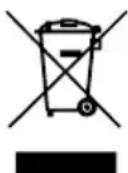
This product complies with European Directive 2012/19/EU on electrical and electronic devices, known as WEEE (Waste Electrical and Electronic Equipment), provides the legal framework applicable in the European Union for the disposal and reuse of waste electronic and electrical devices. Do not dispose of this product in the bin, instead going to the electrical and electronic waste collection centre closest to your home.
We hope that you will be satisfied with this product.
WIR MÖCHTEN UNS BEI IHNEN BEDANKEN, DASS SIE SICH FÜR ZELMER ENTSCHIEDEN HABEN. WIR HOFFEN, DASS DAS PRODUKT ZU IHRER ZUFRIEDENHEIT UND IHREM VERGNÜGEN FUNKTIONIERT.
ACHTUNG
EUROGAMA Sp. Z o.o. guarantees compliance of this product for the use for which it is intended for a period of two years. In the case of breakdown during the term of this warranty, users are entitled to repair or else the replacement of the product at no charge if the former is unavailable, unless one of these options proves impossible to fulfill or is disproportionate. In this case, you can then opt for a reduction in price or cancellation of the sale, which must be dealt with directly with the sales vendor. This also covers replacement of spare parts provided that the product has been used according to the recommendations specified in this manual for both cases, and has not been tampered with by any third party that is not authorised by EUROGAMA Sp. Z o.o.. The warranty will not cover any parts subject to wear and tear. This warranty does not affect your rights as a consumer in accordance with the provisions in Directive 1999/44/EC for member states of the European Union.
USE OF WARRANTY
Customers must contact a EUROGAMA Sp. Z o.o. authorised Technical Service for repair of the product.
Since any tampering of the same by anyone not authorised by EUROGAMA Sp. Z o.o., or the careless or improper use of the same shall render this warranty null and void. The warranty must be fully completed and delivered along with the receipt or delivery docket for the effective exercise of rights under this warranty.
This warranty should be retained by the user as well as the invoice, receipt or the delivery docket to facilitate the exercise of these rights. For technical service and after-sales care outside the Polish territory, please submit your query to the point of sale where you purchased the item or check for further aftersales information at www.zelmer.com