LINKSYS Velop AX5300 - Home Automation

Velop AX5300 - Home Automation LINKSYS - Free user manual and instructions

Find the device manual for free Velop AX5300 LINKSYS in PDF.

📄 999 pages English EN Download 💬 AI Question 10 questions ⚙️ Specs
Notice LINKSYS Velop AX5300 - page 3
Pick your language and provide your email: we'll send you a specifically translated version.
Product Type Tri-Band Mesh Wi-Fi System
Brand Linksys
Model Velop AX5300
Wi-Fi Standard Wi-Fi 6 (802.11ax)
Frequency Bands 2.4 GHz, 5 GHz, 5 GHz (tri-band)
Total Throughput Up to 5,300 Mbps (574 + 1201 + 4804 Mbps)
Dimensions (per node) 7.5 x 7.5 x 18.5 cm
Weight (per node) 0.7 kg
Power Supply Power adapter 12V / 2A
Ports 1 Gigabit Ethernet WAN port, 3 Gigabit Ethernet LAN ports per node
Processor Quad-core 1.4 GHz
Memory 512 MB Flash, 512 MB RAM
Antennas 6 internal antennas (2 per band)
Security WPA2/WPA3, SPI firewall, VPN pass-through
App Linksys App (iOS/Android) for setup and management
Voice Assistant Compatible with Amazon Alexa, Google Assistant
Operating Temperature 0 to 40 °C
Operating Humidity 10 to 85% (non-condensing)
Care and Cleaning Wipe with a soft, dry cloth. Do not use abrasive products.
Spare parts and repairability Not user-repairable. Contact technical support for any issues.
General Information Warranty: 2 years. Manufactured in China.

Frequently Asked Questions - Velop AX5300 LINKSYS

How to install the Velop AX5300 system?
Download the Linksys app, create an account, connect the main node to the modem and follow the step-by-step instructions. Additional nodes are automatically detected.
What is the range of the Velop AX5300?
Each node covers approximately 230 m². With three nodes, coverage reaches up to 700 m², depending on the environment.
Can I use the Velop AX5300 with an internet service provider other than my current ISP?
Yes, the system is compatible with any provider using an Ethernet connection. Verify that your modem is compatible.
How to reset the Velop AX5300 to factory settings?
Press and hold the Reset button located under the node for 10 seconds until the LED flashes red. Release, the device restarts.
Is the Velop AX5300 compatible with Wi-Fi 6 standard?
Yes, it supports the Wi-Fi 6 (802.11ax) standard and is backward compatible with Wi-Fi 5 and earlier standards.
How to optimize the performance of my mesh network?
Place the nodes about 10-15 meters apart, at a height, and avoid metal obstacles or thick walls. Use the app to check signal quality.
Can I set up a guest network with the Velop AX5300?
Yes, via the Linksys app, you can create a separate guest network with a different password, limiting access to local resources.
What if the node's LED turns red?
A solid red LED indicates a loss of connection. Check the Ethernet cable and node position. If the red LED blinks, the device is starting up or updating.
Does the Velop AX5300 support parental controls?
Yes, via the app, you can pause the internet, set time limits, filter content, and receive activity reports.
How to update the firmware of the Velop AX5300?
Updates are performed automatically via the Linksys app. You can also check manually in the app settings.

User questions about Velop AX5300 LINKSYS

0 question about this device. Answer the ones you know or ask your own.

Ask a new question about this device

The email remains private: it is only used to notify you if someone responds to your question.

No questions yet. Be the first to ask one.

Download the instructions for your Home Automation in PDF format for free! Find your manual Velop AX5300 - LINKSYS and take your electronic device back in hand. On this page are published all the documents necessary for the use of your device. Velop AX5300 by LINKSYS.

USER MANUAL Velop AX5300 LINKSYS

Where to find more help 6

Set Up 7

Velop System Settings 9

Log in to the Linksys app 9

Dashboard 10

Devices 11

To view or change device details 12

Wi-Fi Settings 13

Advanced Settings 14

Connect a Device with WPS 15

Guest Access 16

External Storage 17

Speed Check 18

Parental Controls 19

Device Prioritization 20

Notifications 21

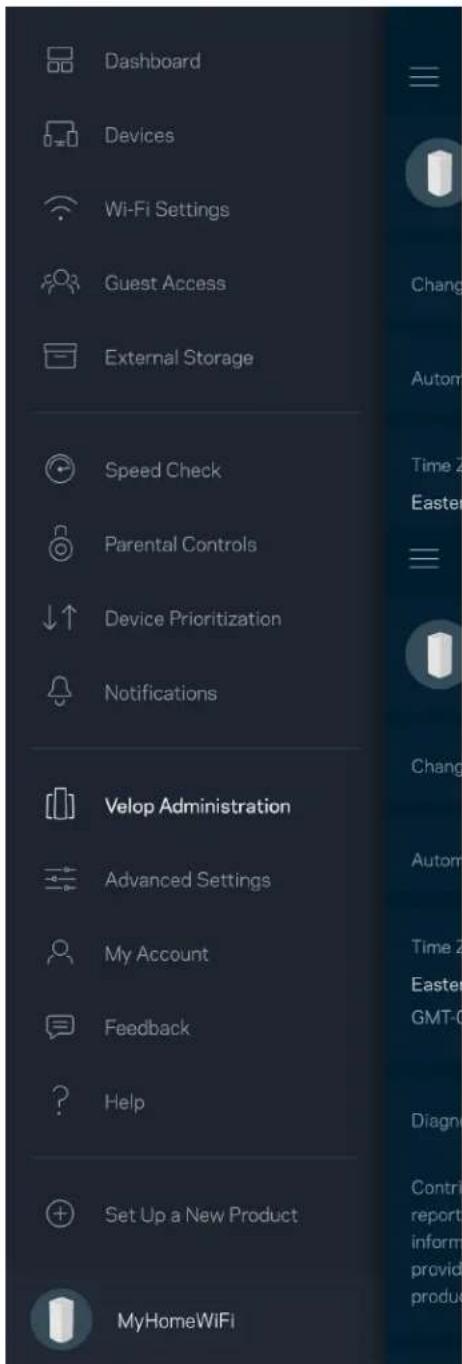
Velop Administration 22

Advanced Settings 24

Internet Settings 24

Port Settings 25

Wi-Fi MAC Filters 26

My Account 27

Feedback 28

Help 29

Connect Directly To Velop 30

Velop admin password 31

How to restore factory defaults 32

Specifications 33

Linksys Velop 33

Environmental 33

Product Overview

Front/top
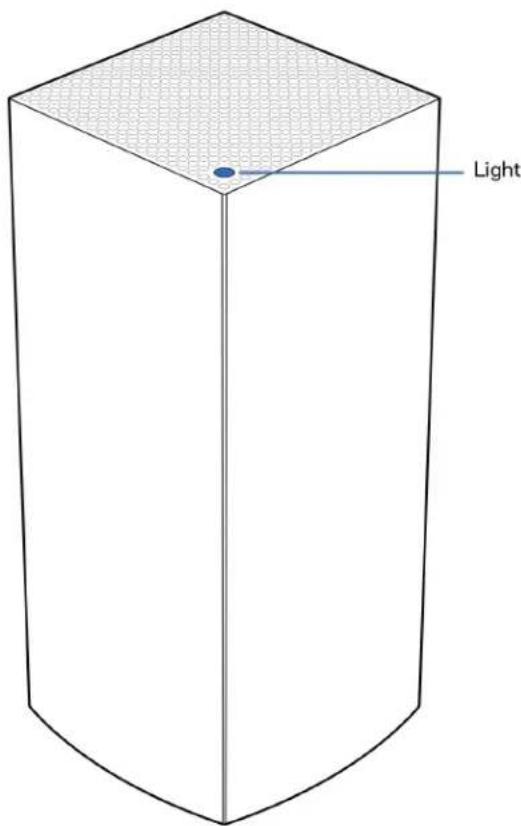
Light

The light on the top of your node gives you information about the node's operation.

Light descriptionStatus
Blinking blue Starting up
Solid blue Connected
Blinking purpleSetup in progress
Solid purple Ready for setup
Blinking red DisconnectedChild node: too farParent node: unplugged from modem
Solid red No internet from the modem
Solid yellow Weak connectionChild node only

Back

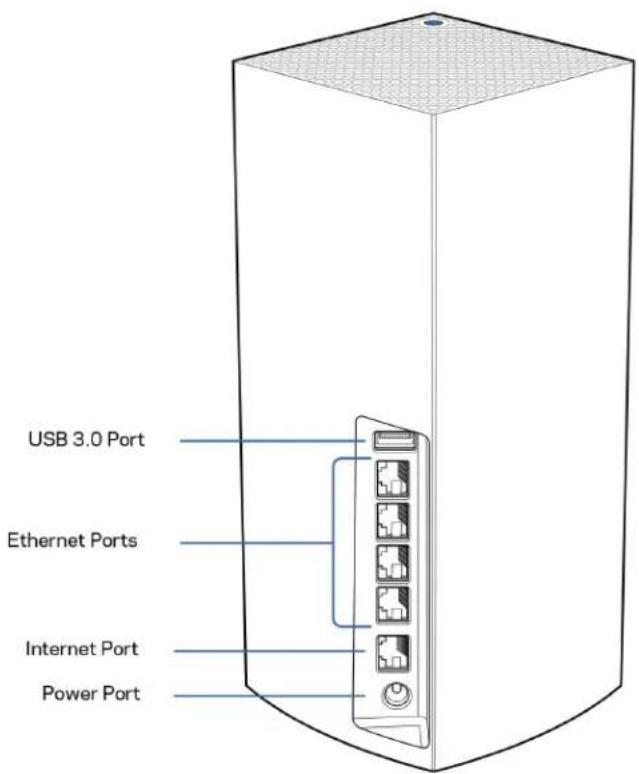
USB 3.0 Port Ethernet Ports Internet Port Power Port

USB 3.0 port—Connect and share USB drives on your network. For local file sharing only (no FTP, media server or virtualUSB support). Also, not intended for sharing peripherals such as printers, scanners or cameras.

Ethernet ports—Connect ethernet cables to these Gigabit ethernet (10/100/1000) ports and to other wired devices on your network. If you have more than one node in your Velop system, use one of these ports to connect to your modem or modem-router.

Note—For best performance, use a CAT5e or higher rated cable on the Ethernet port.

Internet port—Connect an ethernet cable to the yellow gigabit (10/100/1000) port, and to a broadband internet cable/DSL or fiber modem. If you are using this router as a child node in a mesh Wi-Fi system, you can use this port to create a wired connection to another node.

Power port—Connect the included AC power adapter to this port.

Bottom
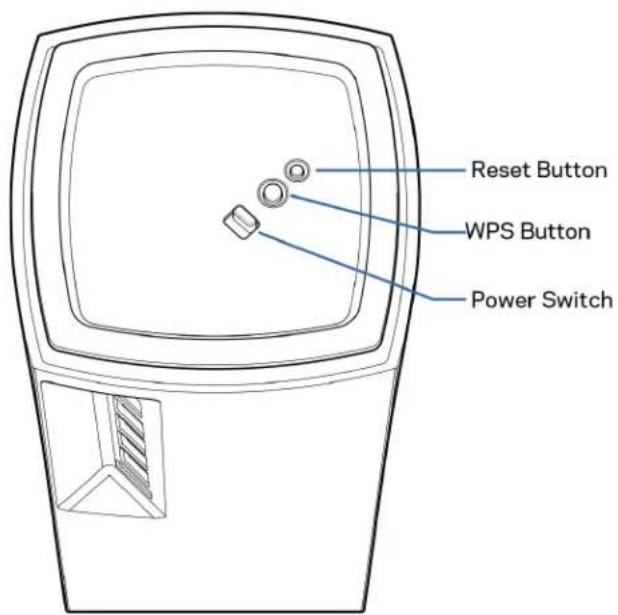
Reset Button WPS Button Power Switch

Reset button—Press and hold until the light on top of the node turns red, fades and flashes bright red again to reset the node to its factory defaults.

Wi-Fi Protected Setup button—Press to connect WPS-enabled network devices.

Power switch—Slide to | (on) to power on the node.

Help

Where to find more help

  • Linksys.com/support/Velop
  • Linksys app help (launch the app and click Help in the main navigation menu)
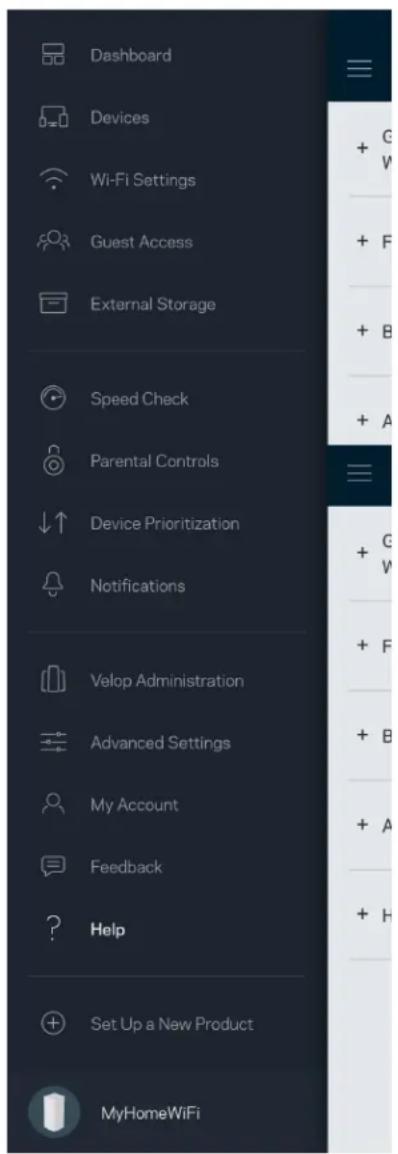
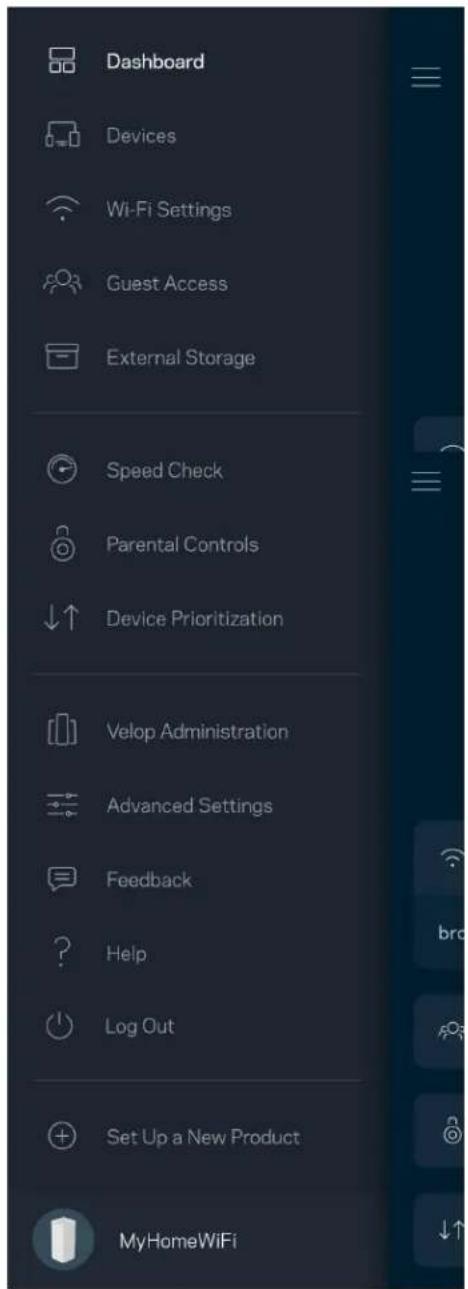
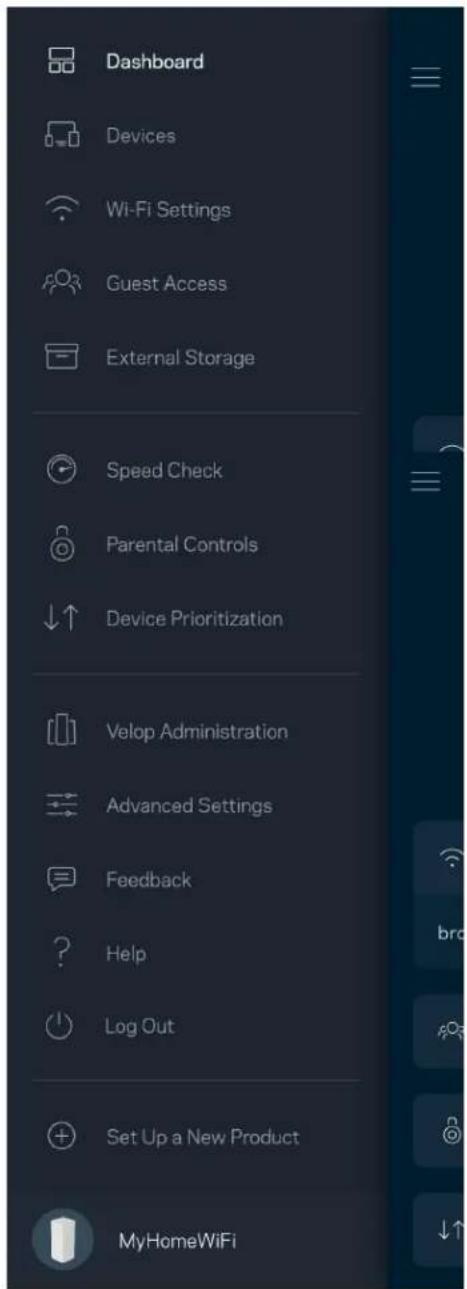
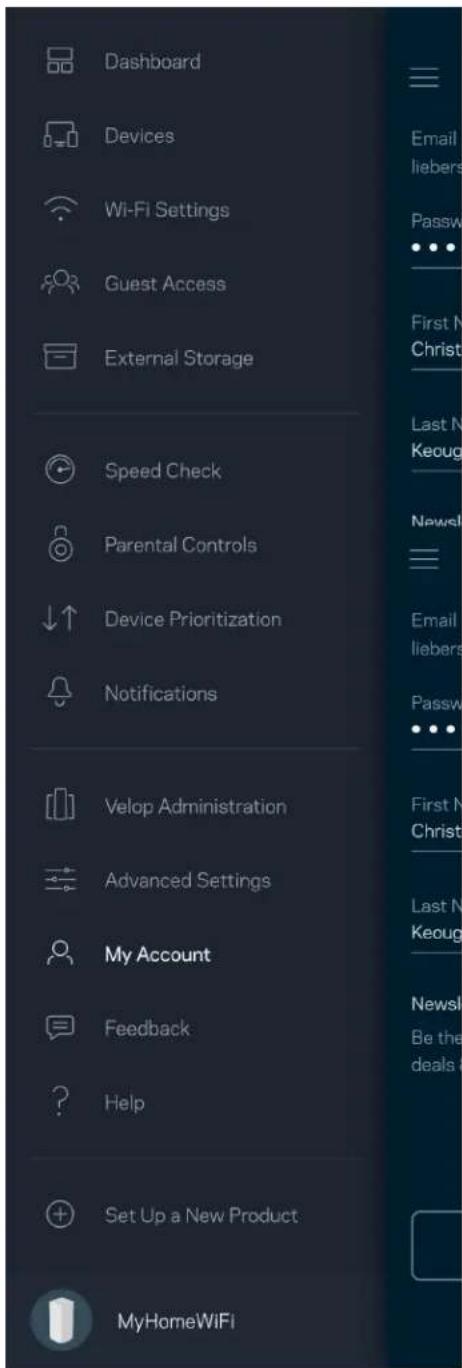
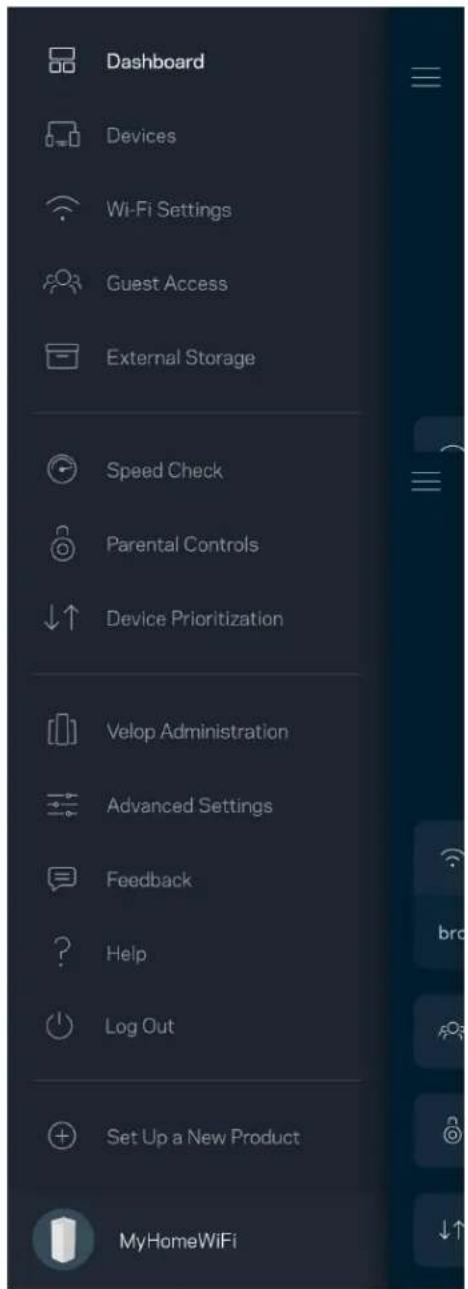
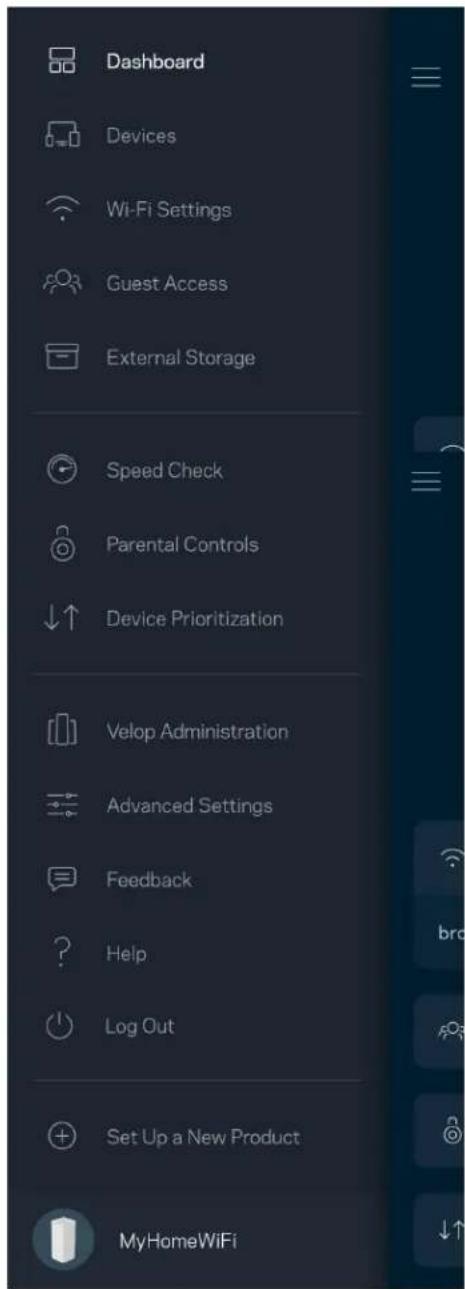
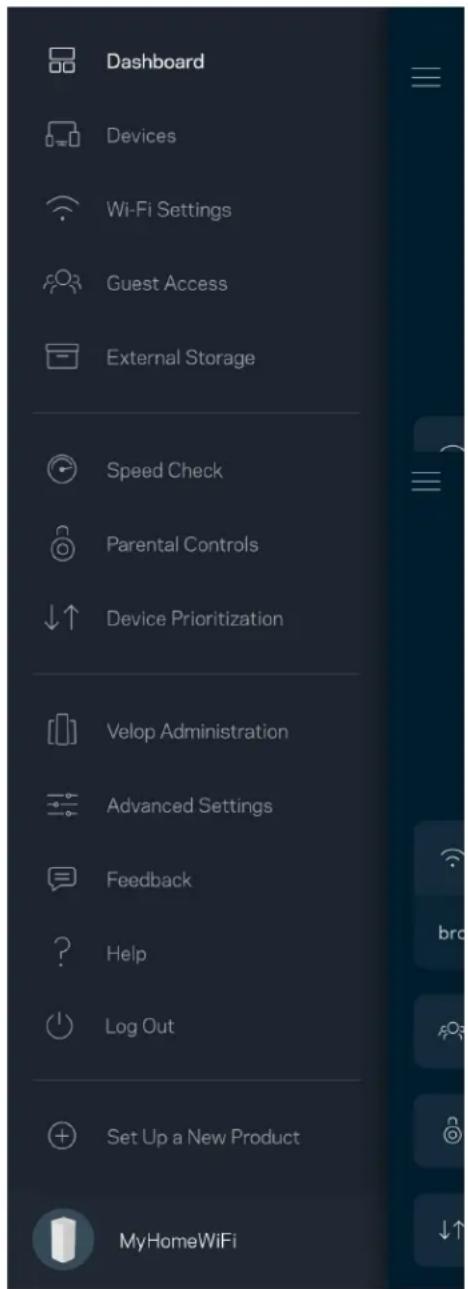
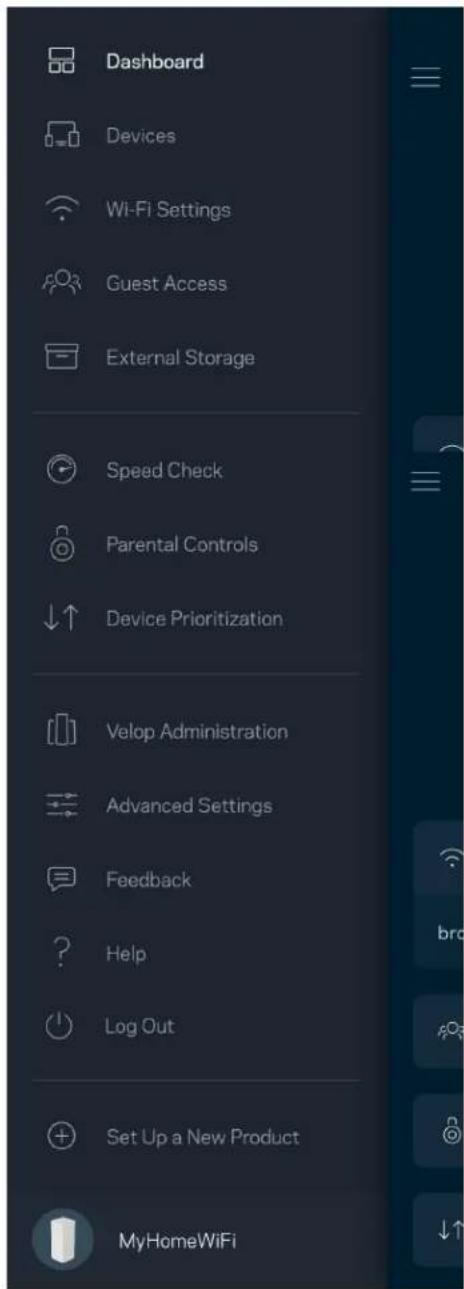
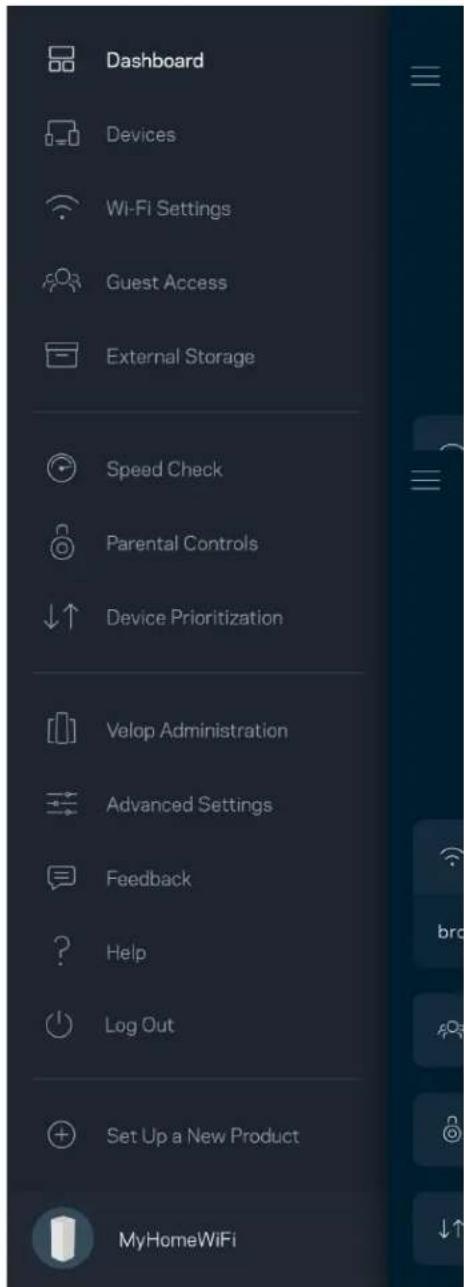
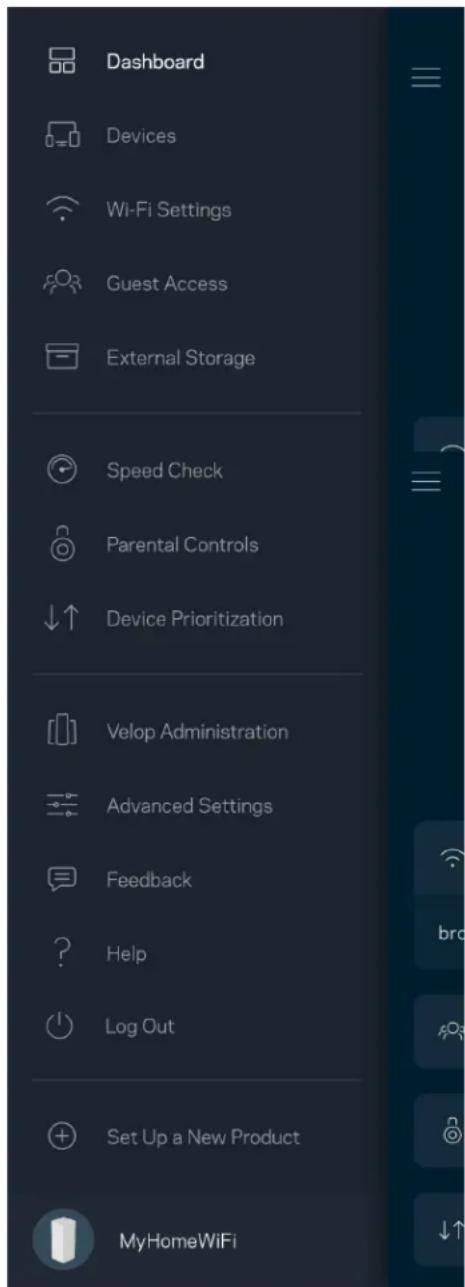
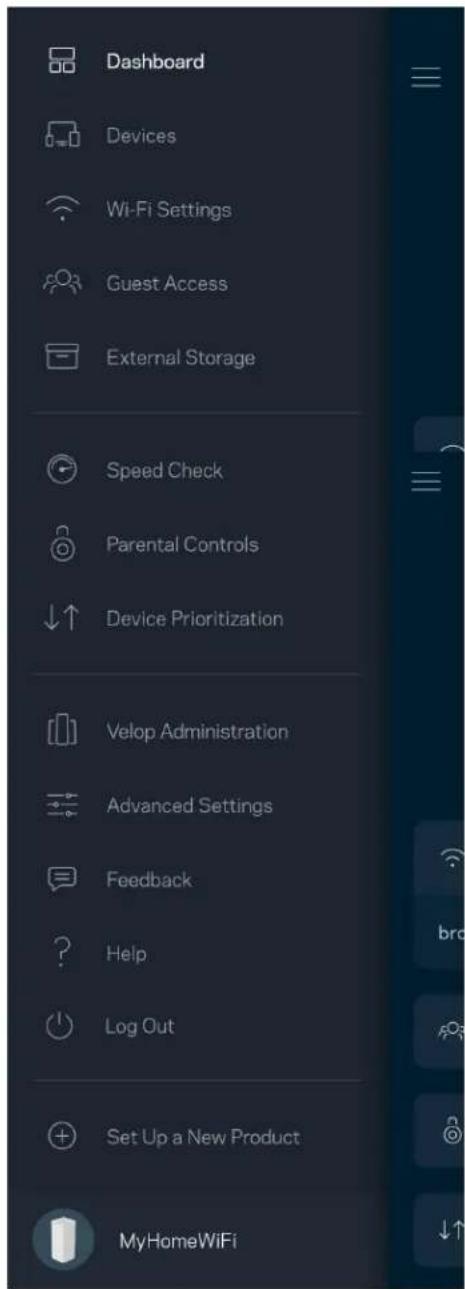
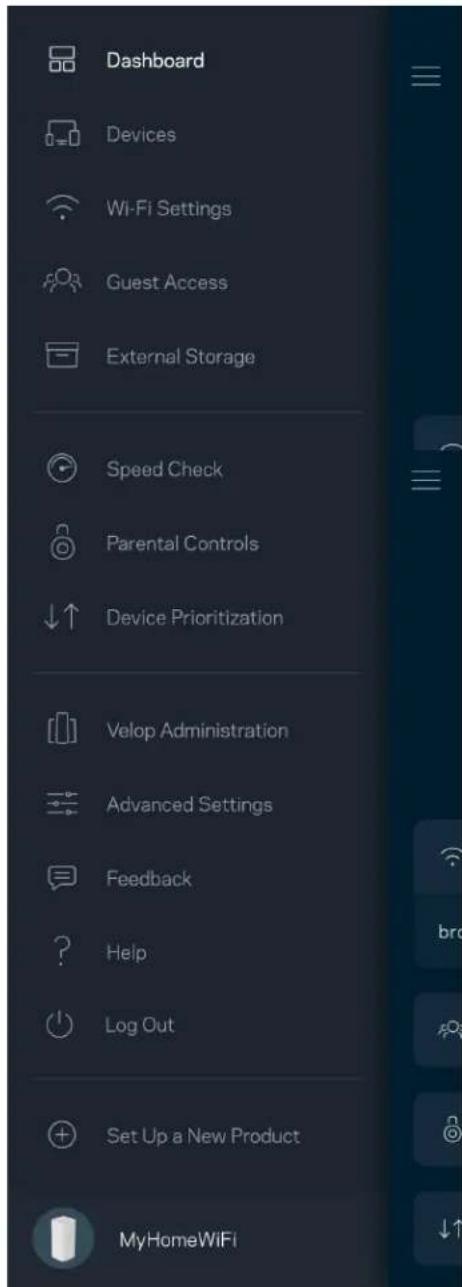
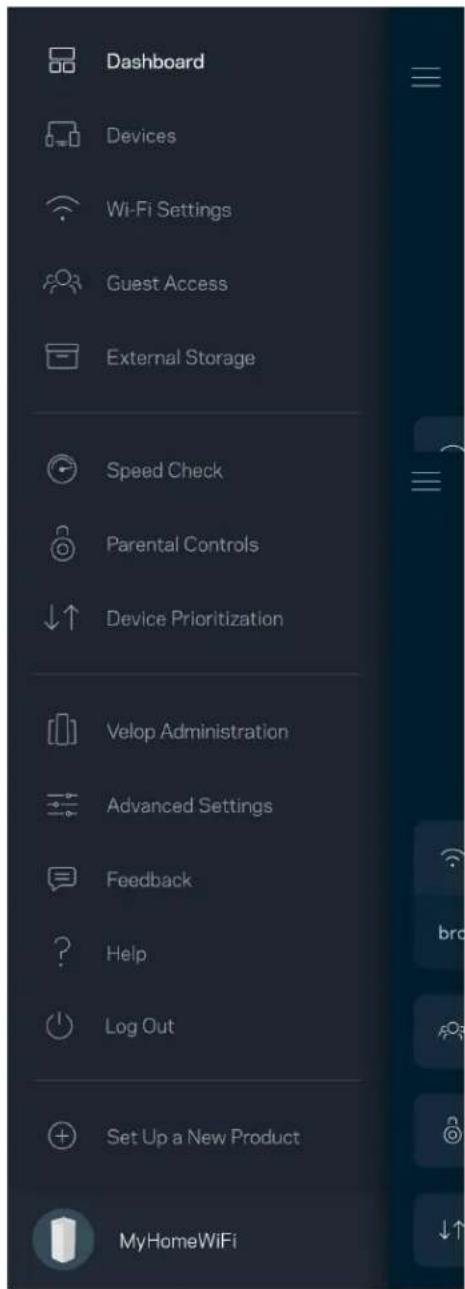
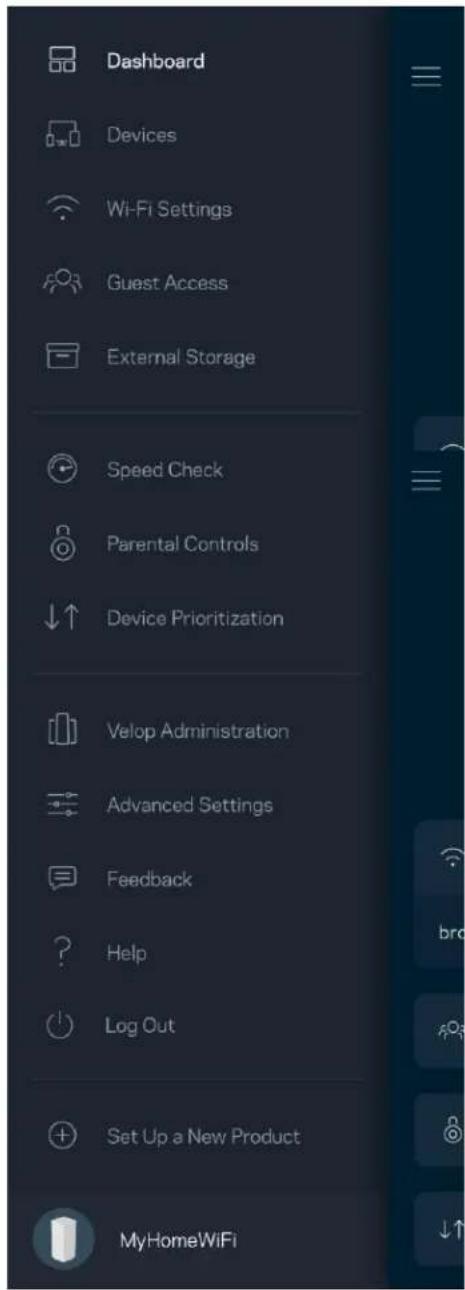
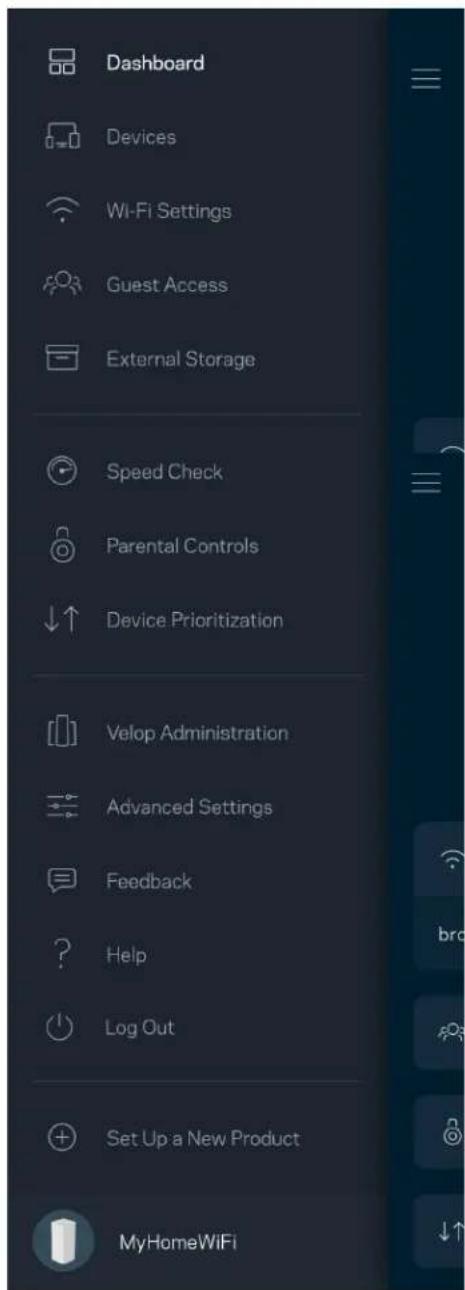
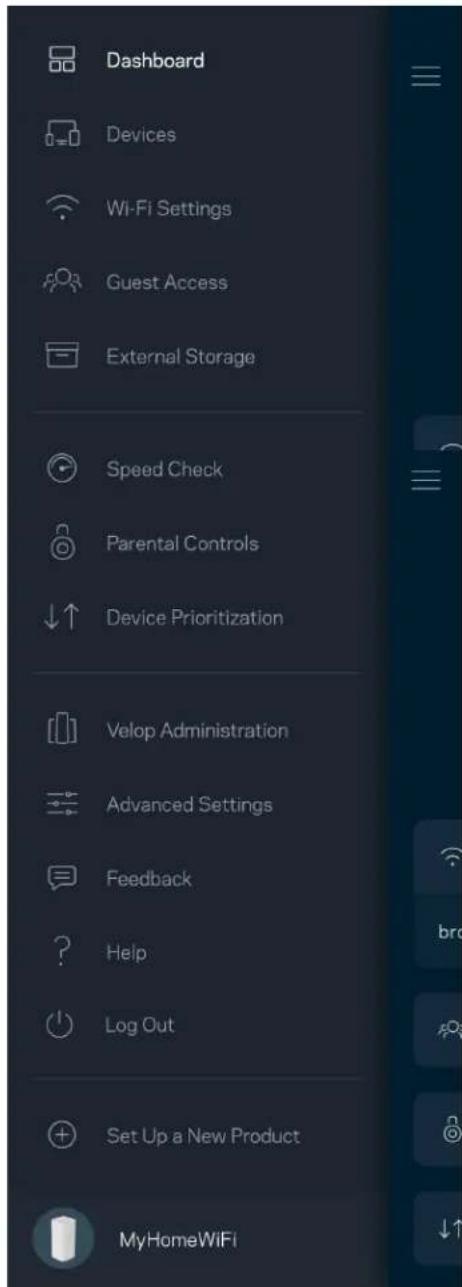
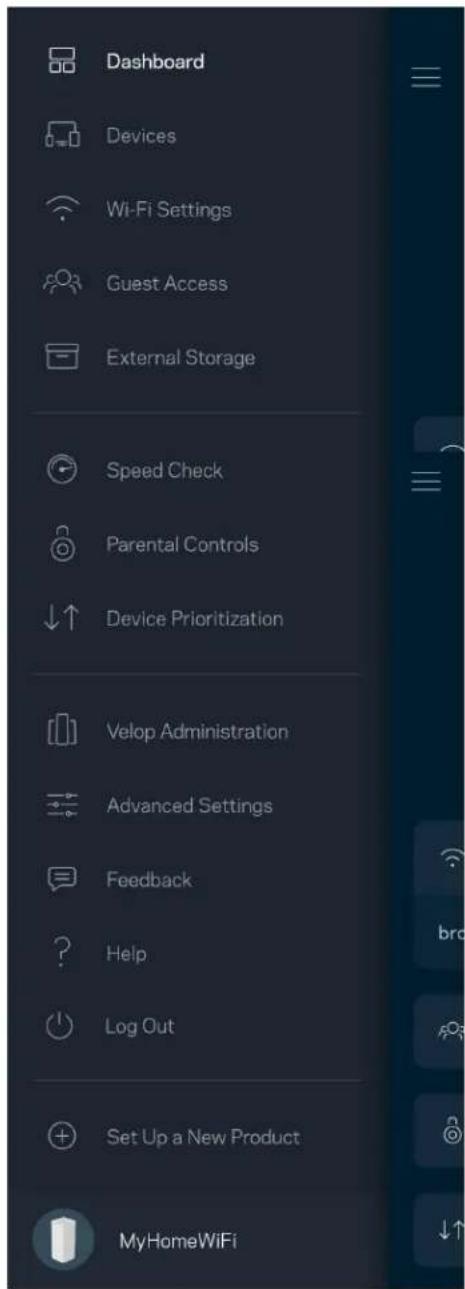
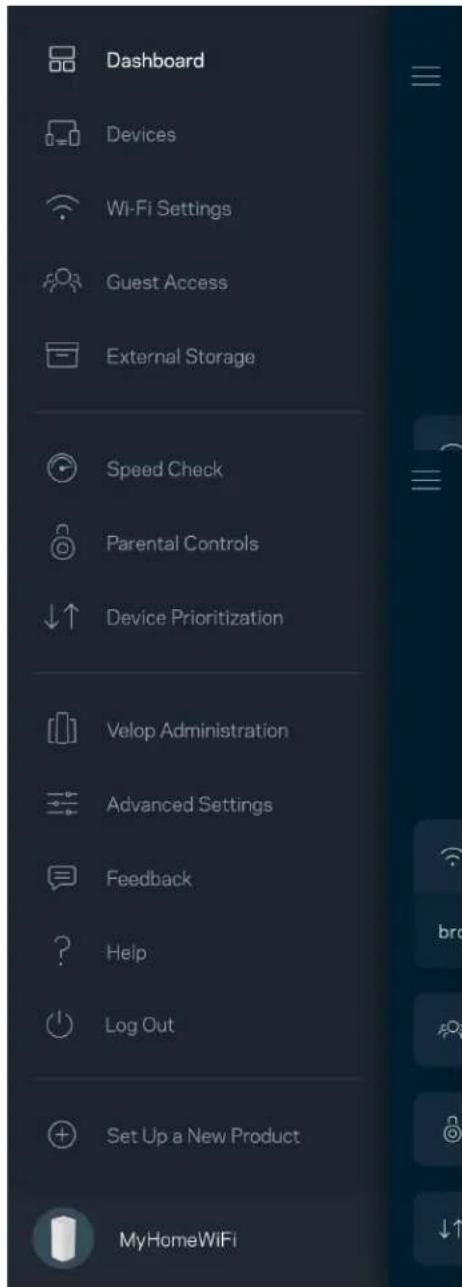
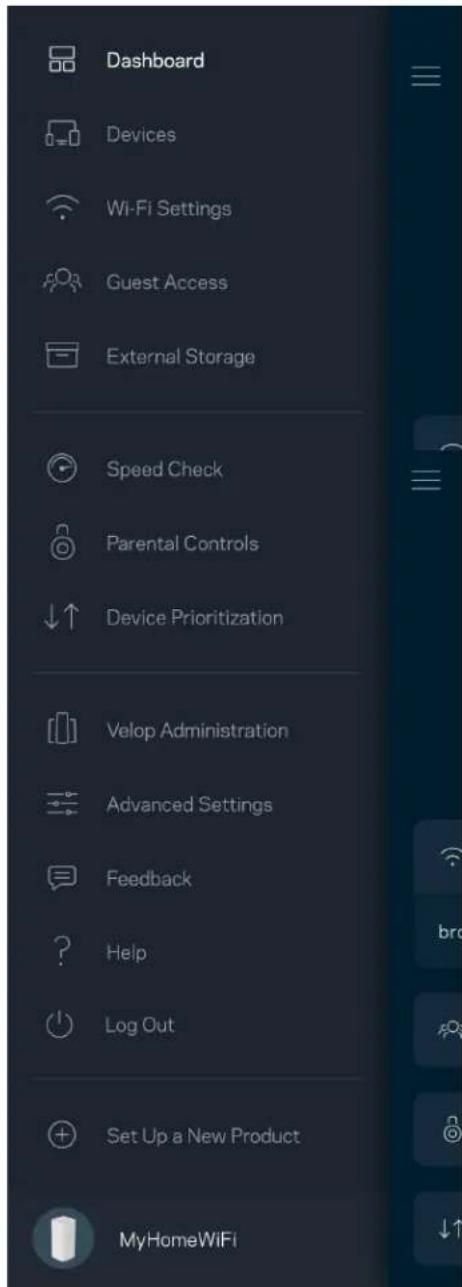
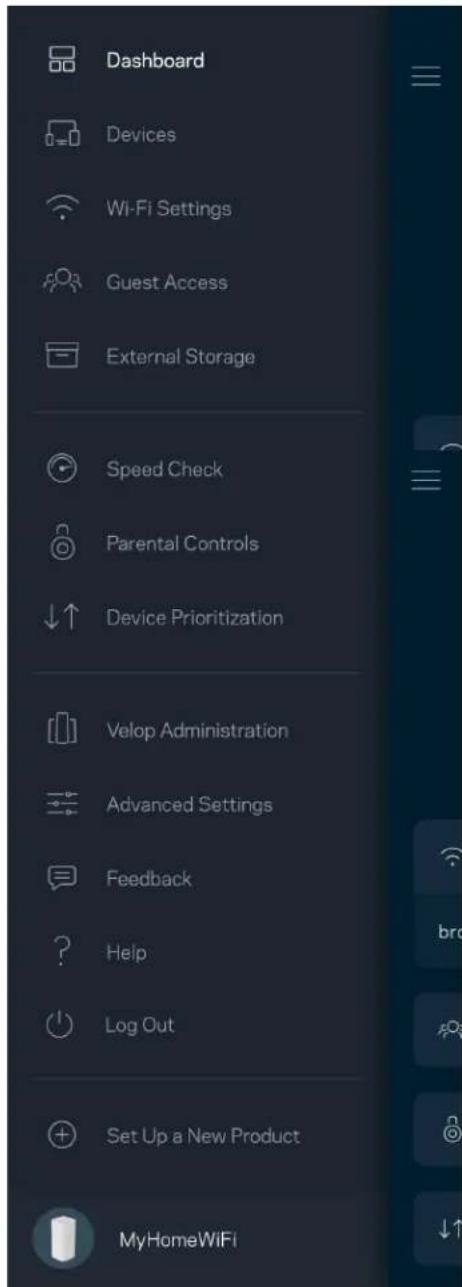
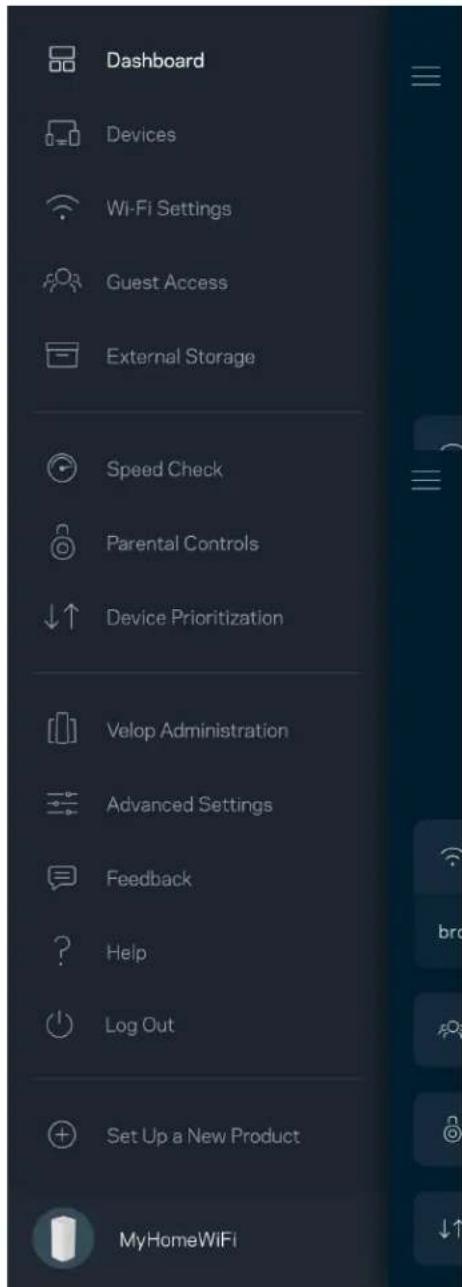
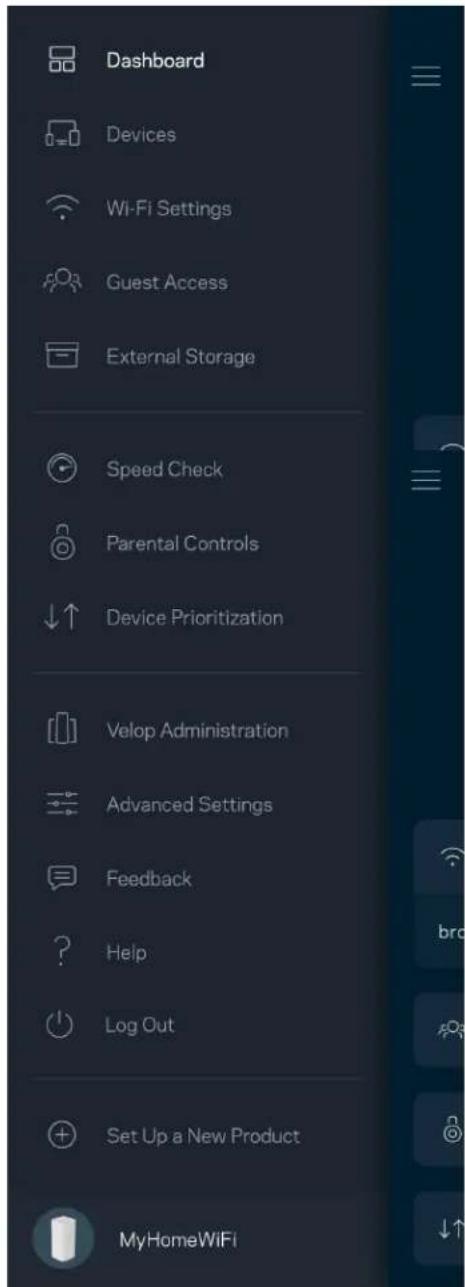
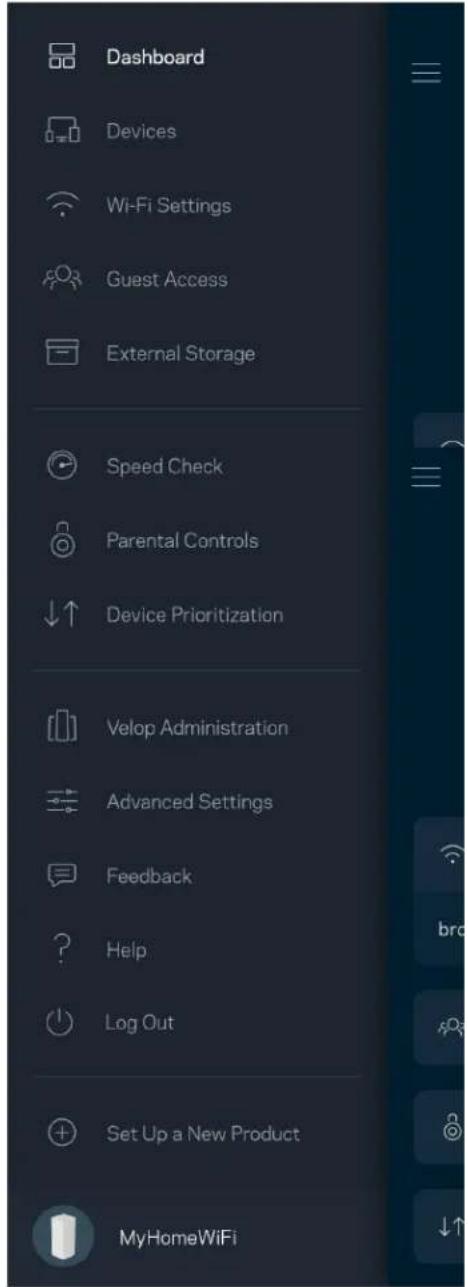
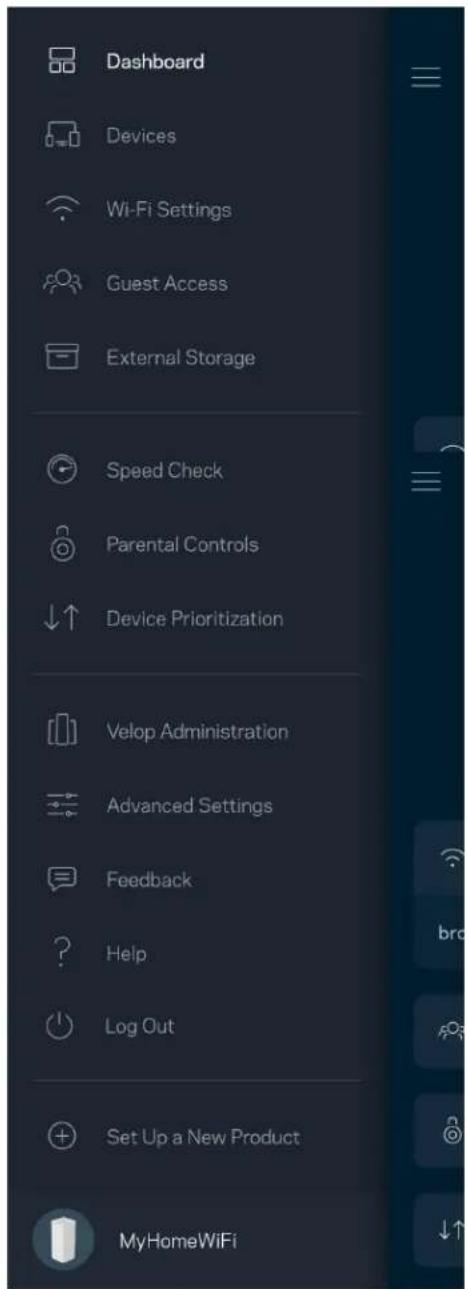
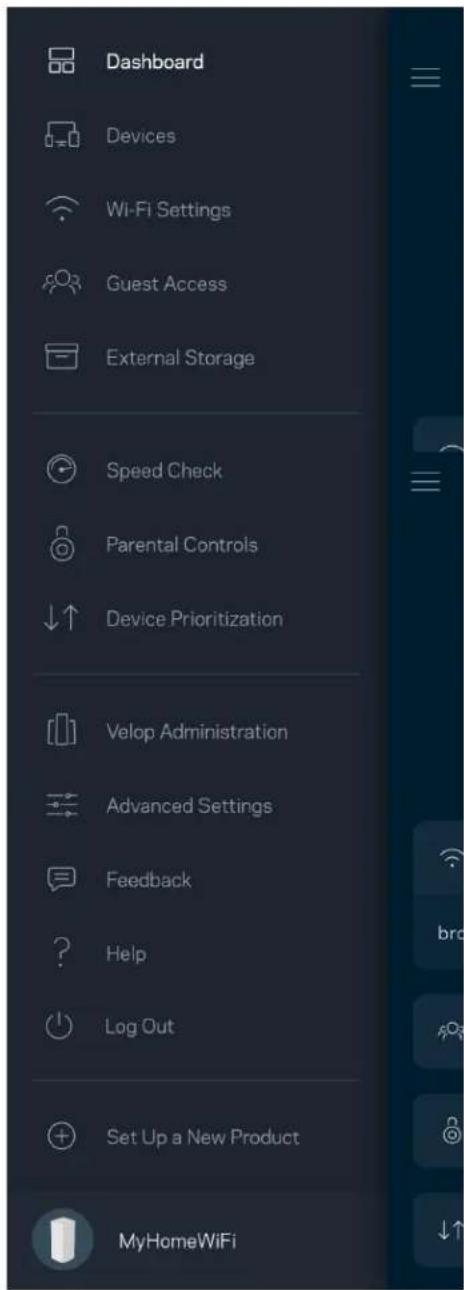
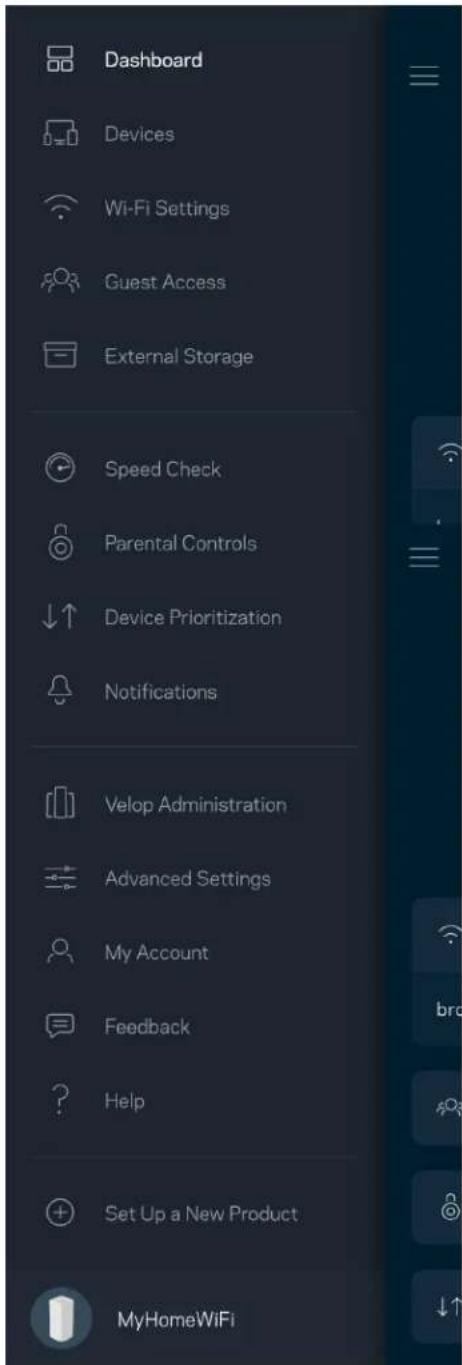
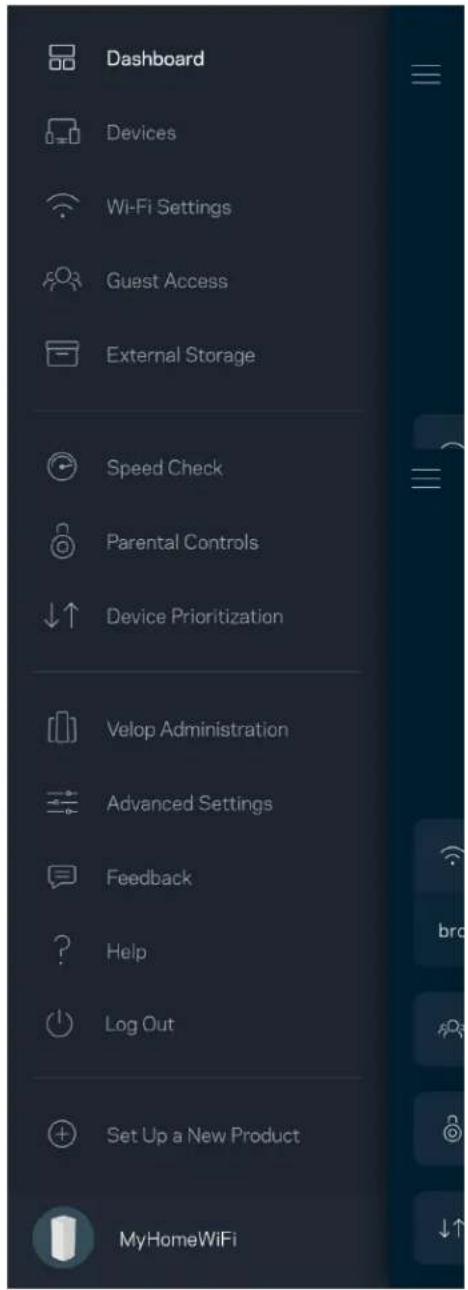
Dashboard Devices Wi-Fi Settings Guest Access External Storage Speed Check Parental Controls Device Prioritization Notifications Velop Administration Advanced Settings My Account Feedback Help Set Up a New Product MyHomeWiFi

Note—Licenses and notices for third party software used in this product may be viewed on http://support.linksys.com/en-us/license. Please contact http://support.linksys.com/en-us/gplcodecenter for questions or GPL source code requests.

Set Up

IMPORTANT—Velop nodes can be set up as primary nodes or child nodes. A primary node must be connected with an ethernet cable to your modem or modem router. Once set up wirelessly, secondary nodes can be connected to another node wirelessly or with ethernet cables.

If you are adding this new node as parent node to an existing Velop whole home mesh Wi-Fi system, factory reset all nodes and add them to the system after the new node is setup and working.

Download the Linksys app. You need this app to set up Velop.

Go to the app store for your device and search for Linksys.

LINKSYS Velop AX5300 - Set Up - 1

Install the app, open it and follow the instructions.

Note—The app works with iOS 11.4 and later, and Android 6 and later.

You will create a Linksys Smart Wi-Fi account so you can use the app to view or change your Velop system settings from anywhere you have an internet connection.

Among the many things you can do with Linksys Smart Wi-Fi:

• Change your Wi-Fi name and password
- Set up guest access
- Connect devices to Wi-Fi with WPS
• Block internet with parental controls
• Test your internet connection speed

Note—During setup we'll send a verification email. From your home network, click the link in the email.

Other than plugging in the power and the ethernet cable, the app-based setup process does the work for you. Once connected, use the app to personalize your Wi-Fi by giving it a name and password. You also can give nodes names based on where they are so you can identify them in the rare case where things need attention.

Print this page, then record your Wi-Fi and account settings in the table as a reference. Store your notes in a safe place.

Wi-Fi Name
Wi-Fi Password
Admin Password
Guest Access Name
Guest Access Password
Linksys App Login Email
Linksys App Password

Velop System Settings

Using your Linksys app, you can view or change Velop system settings to make your Wi-Fi more secure or to work better with a device or game. You can access settings from anywhere in the world if you have an internet connection. You can also access settings using your router password when connected to your home network even if you do not have an internet connection.

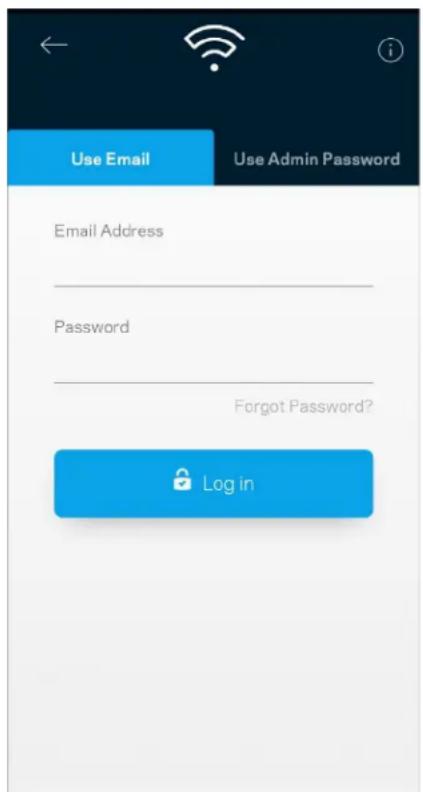
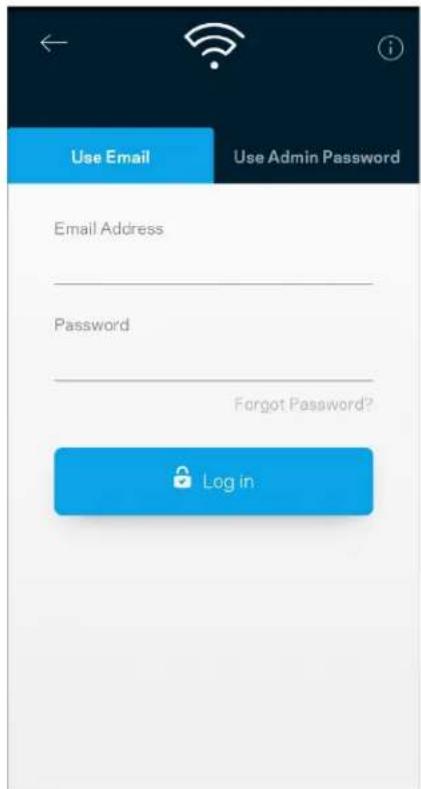
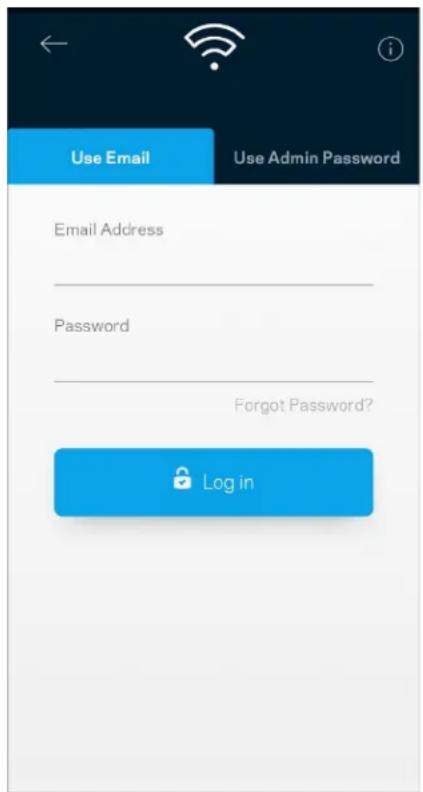
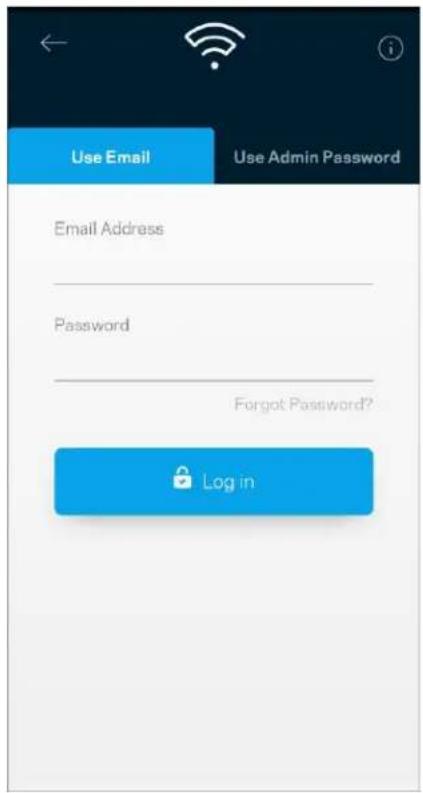
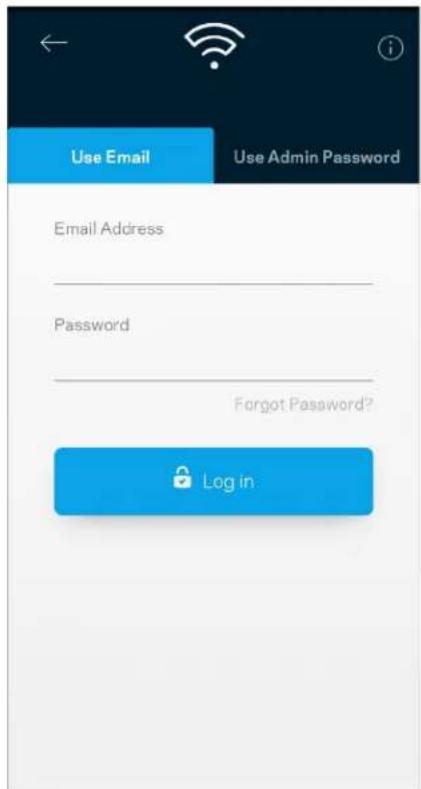
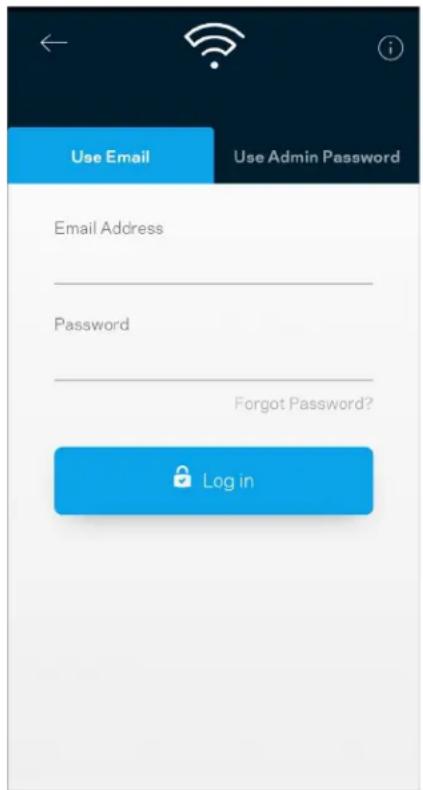
Log in to the Linksys app

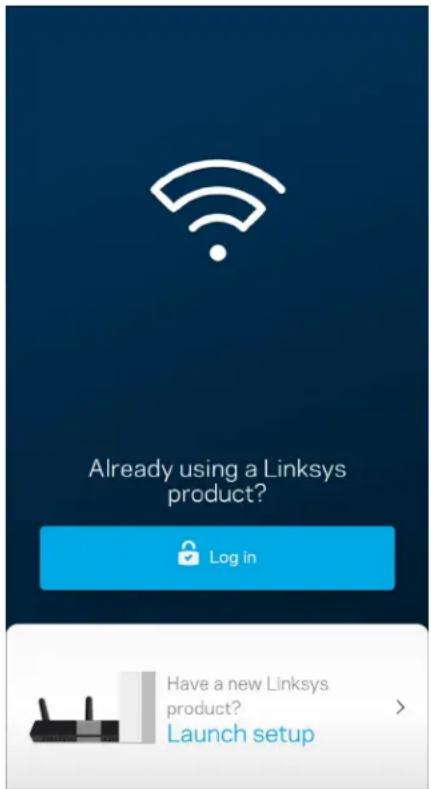
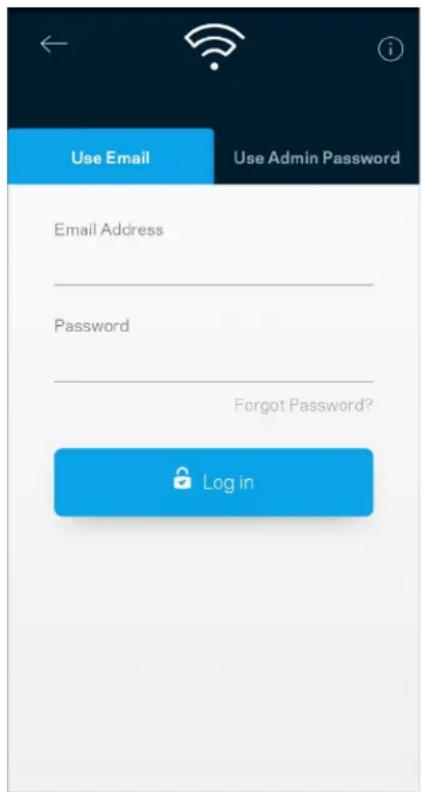
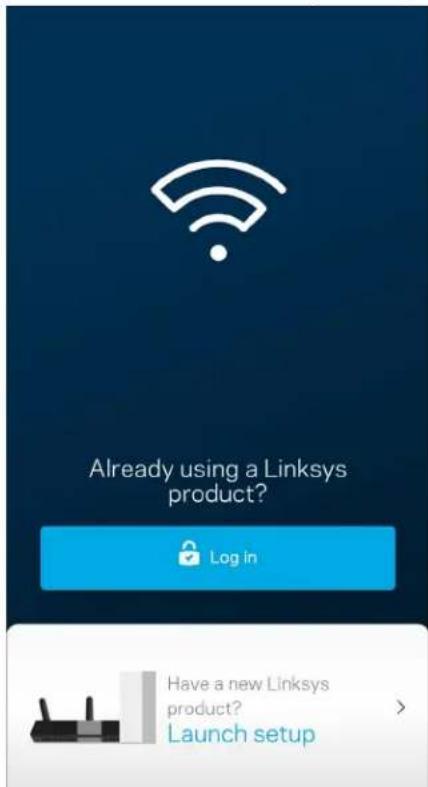
  1. Open the Linksys app.

Already using a Linksys product? Log in Have a new Linksys product? Launch setup

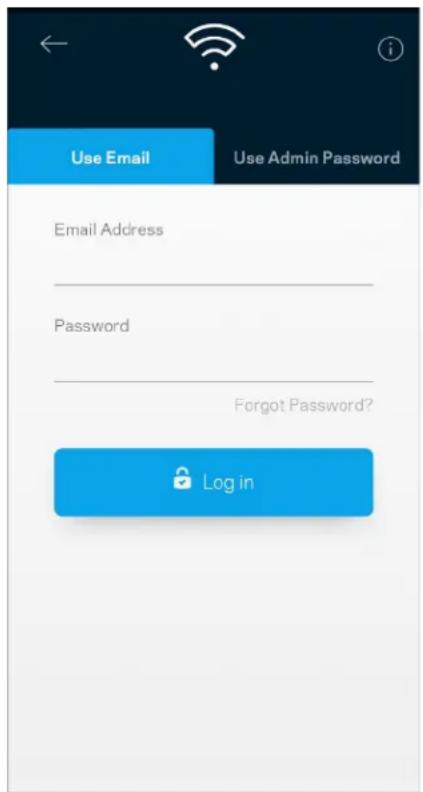
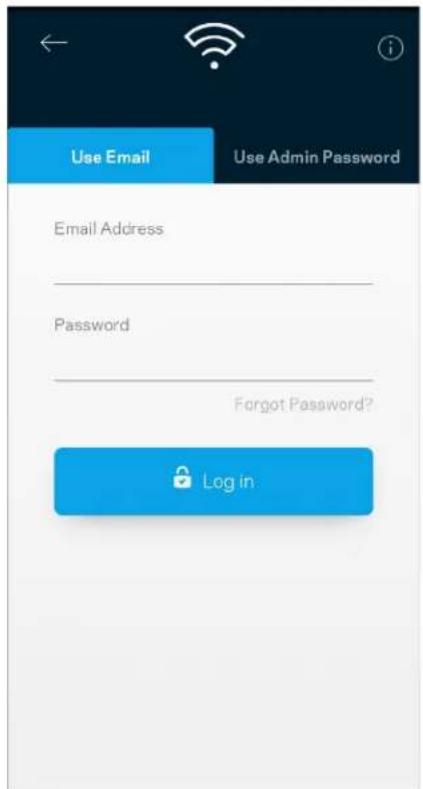
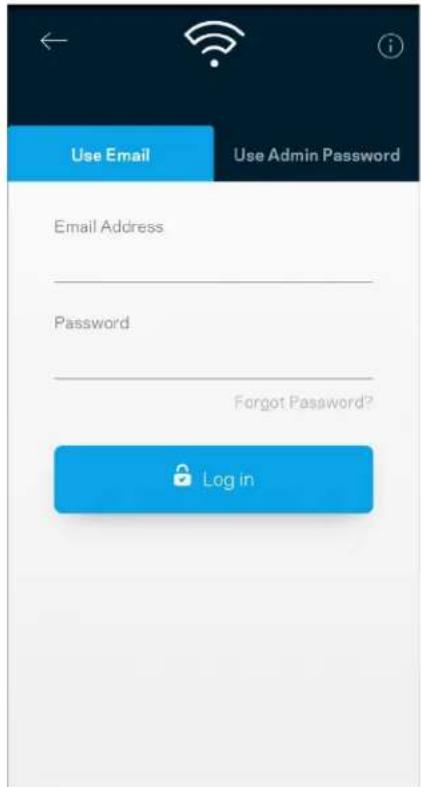
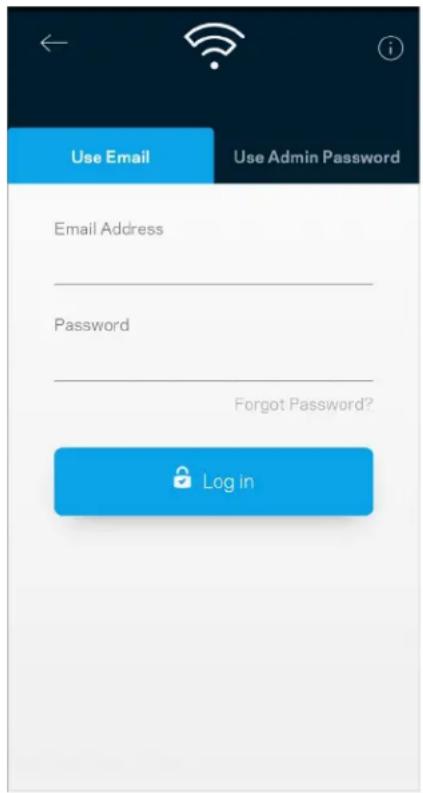
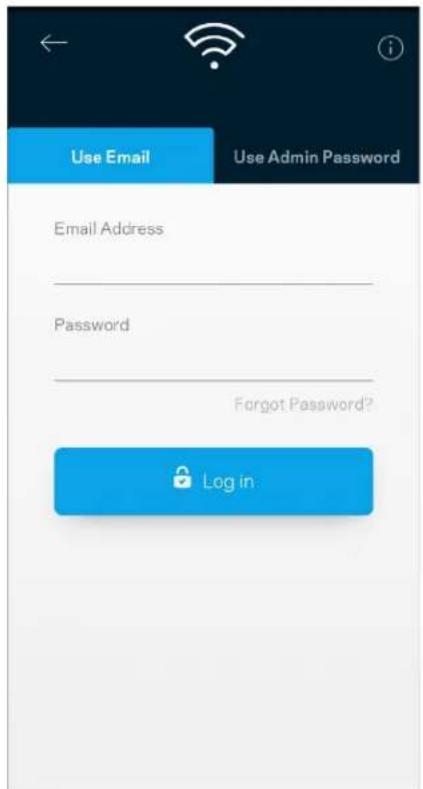
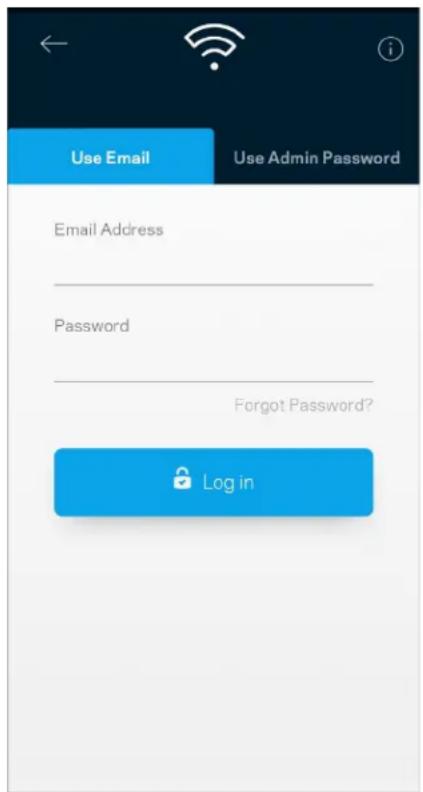
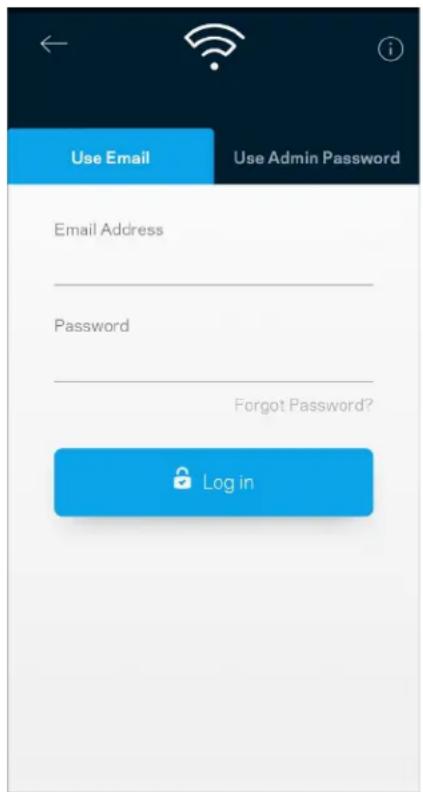
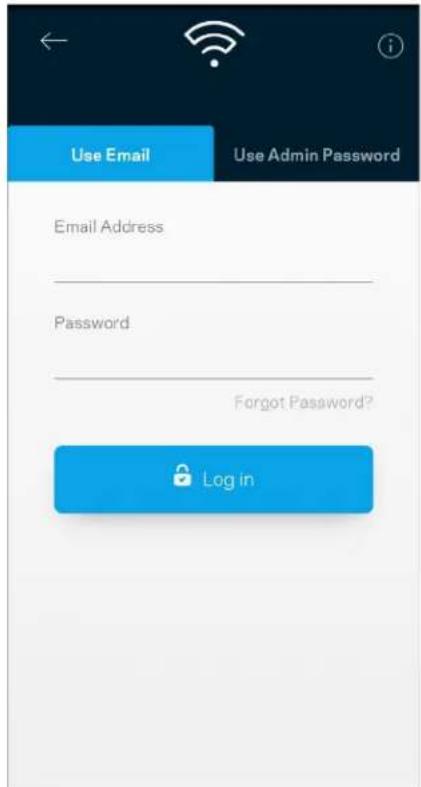
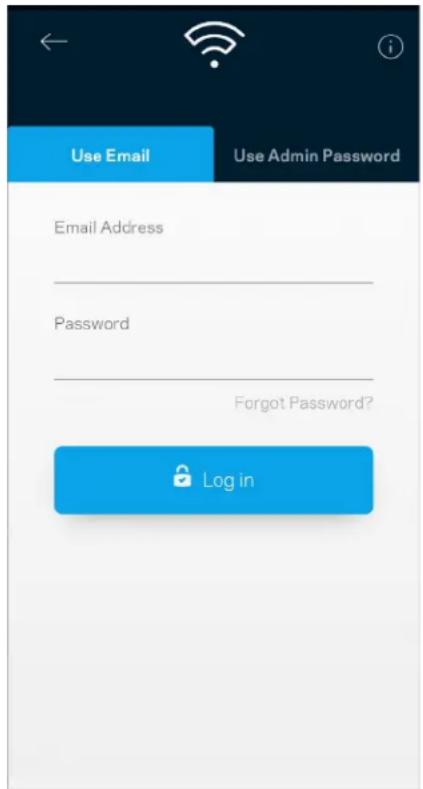
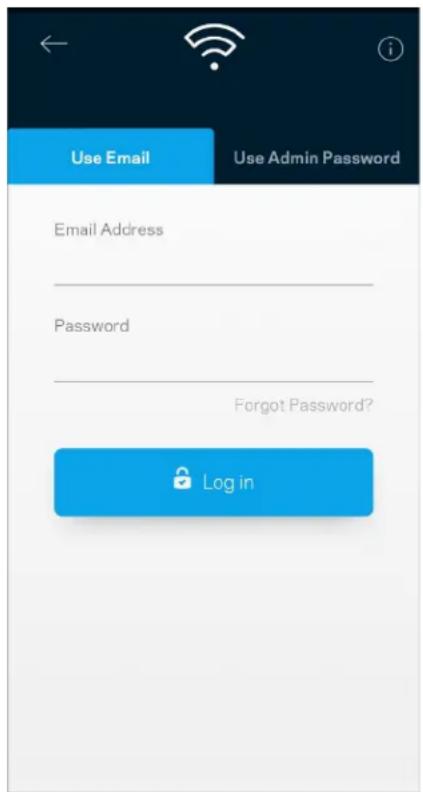
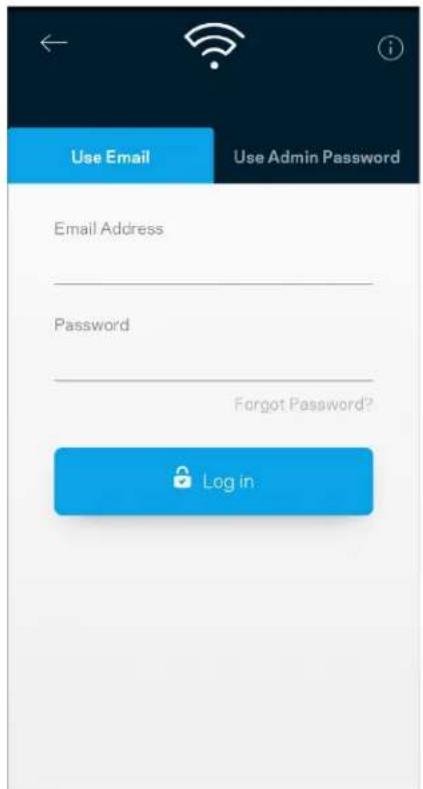
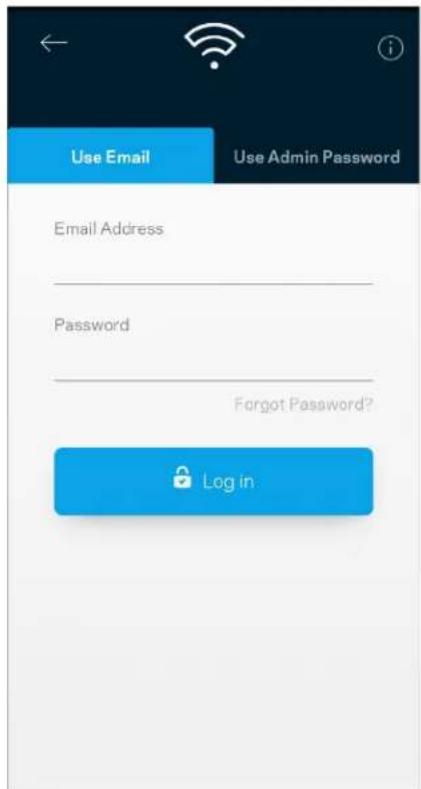
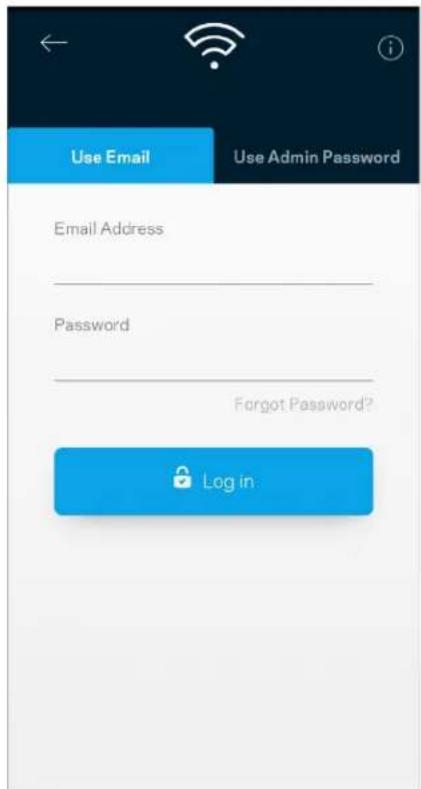
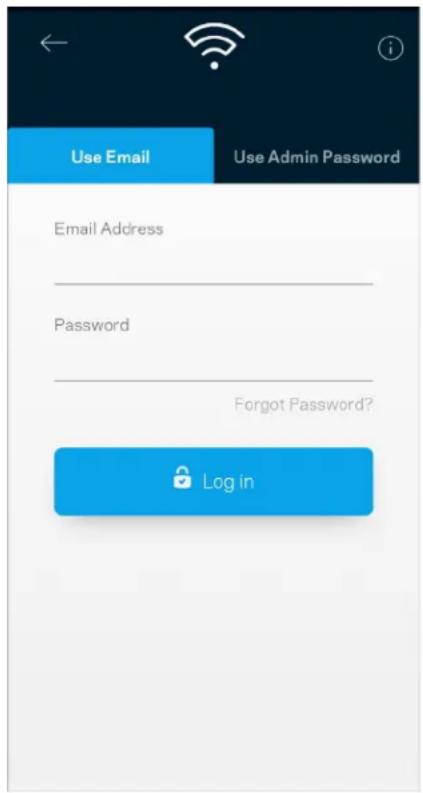
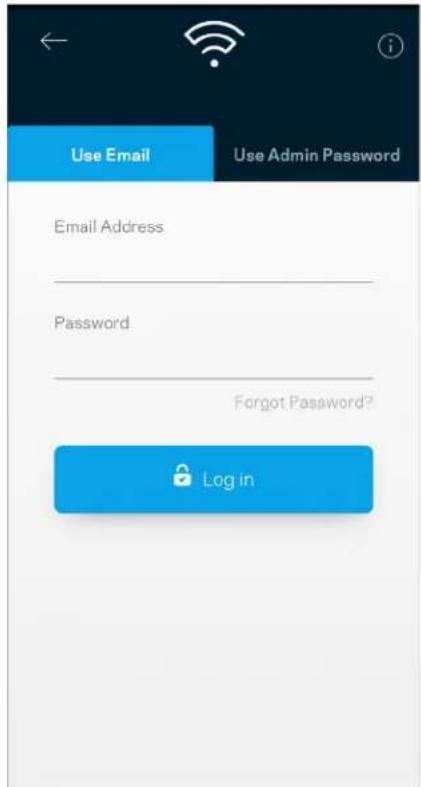
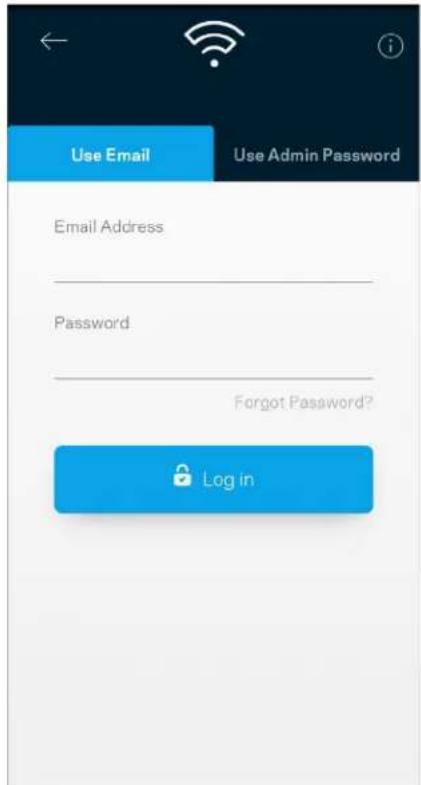
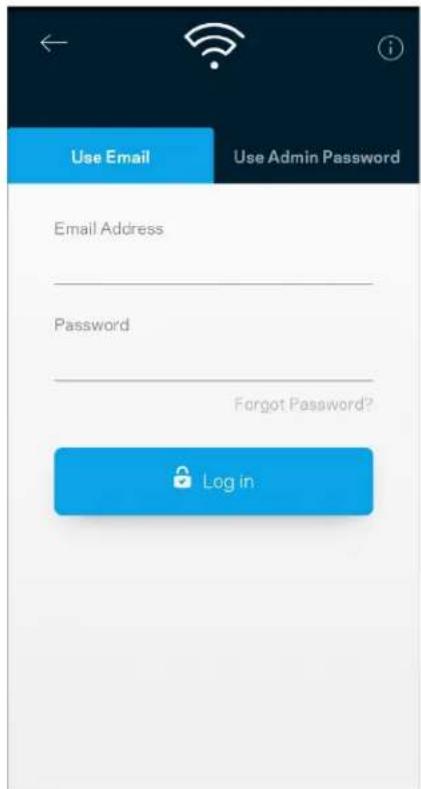
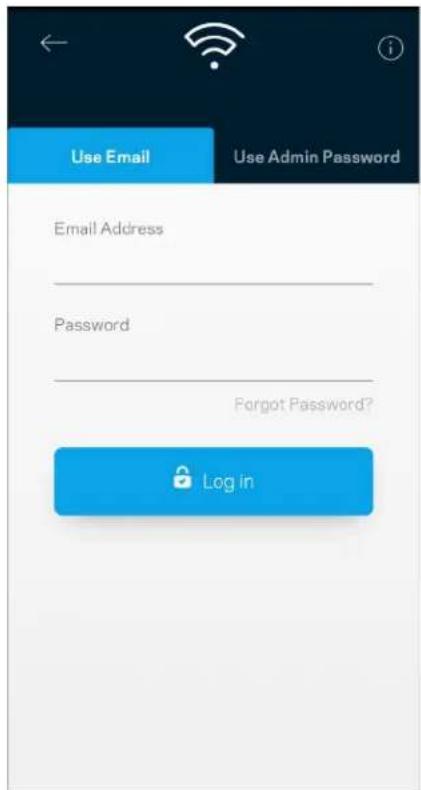
Use Email Use Admin Password Email Address Password Forgot Password? Log in

  1. Enter the email address you used when creating your account.
  2. Enter your account password.
  3. Tap Log in.

Dashboard

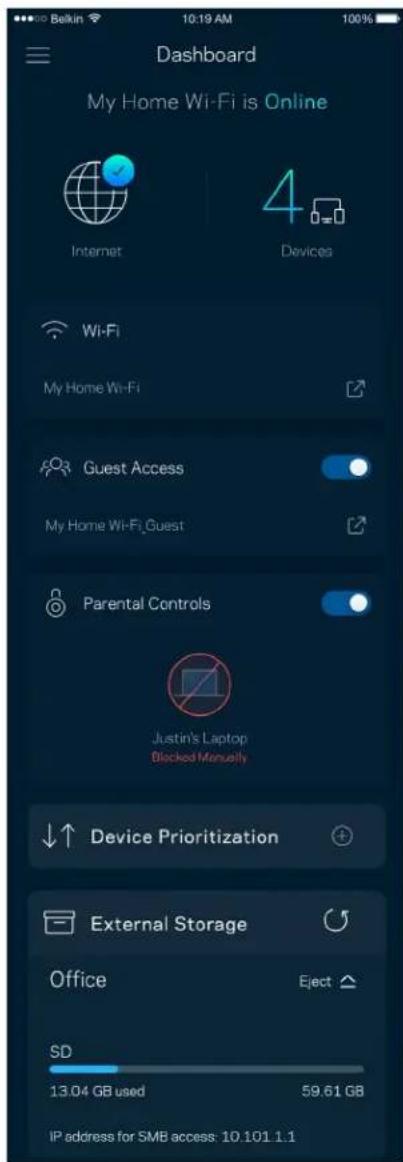
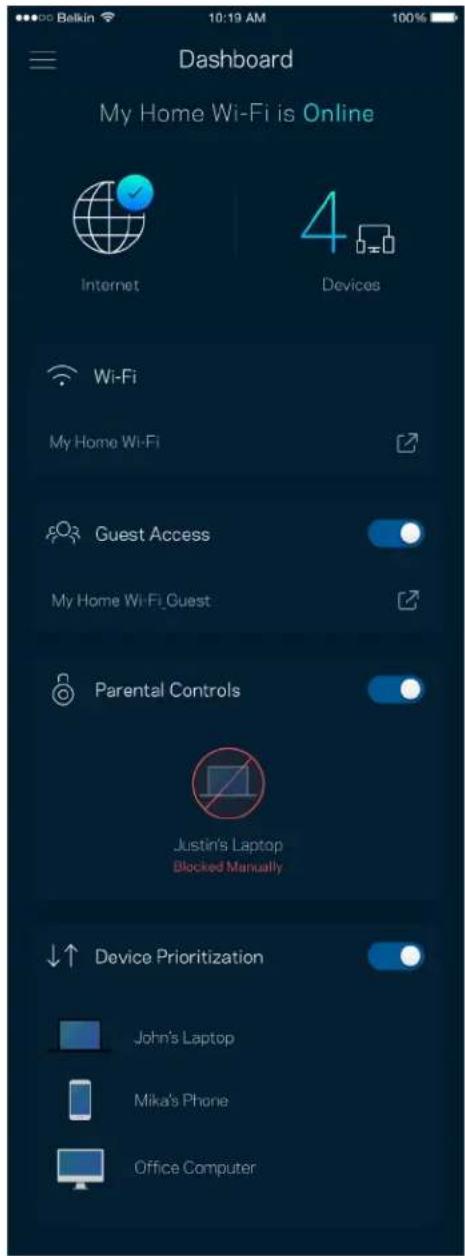
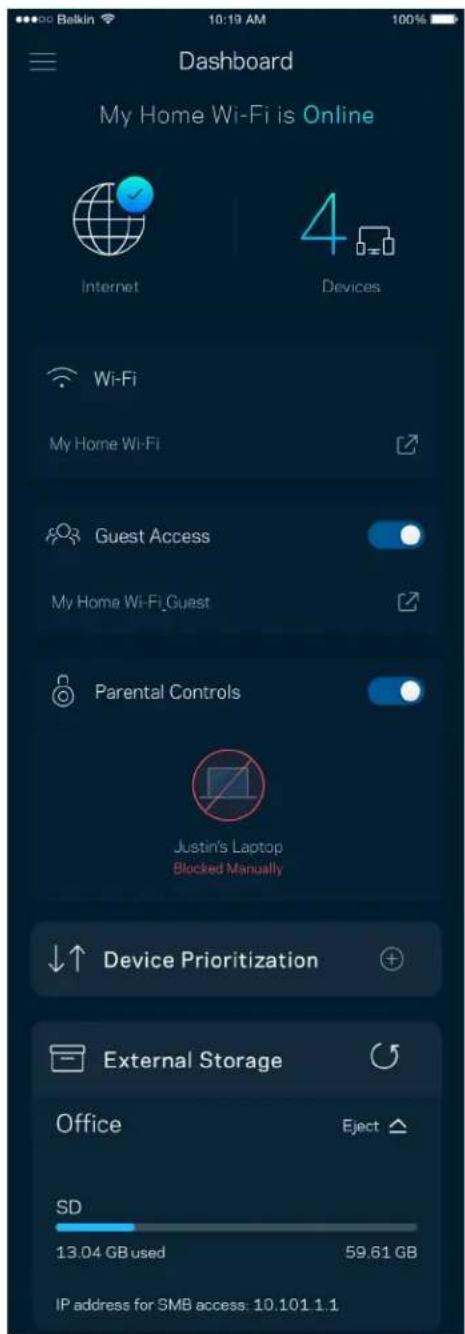
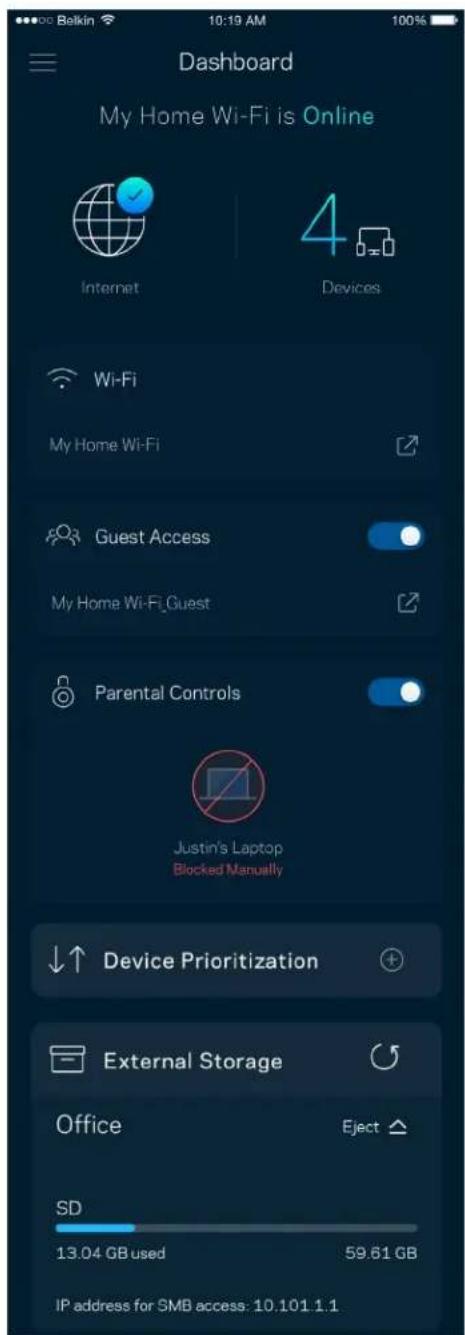
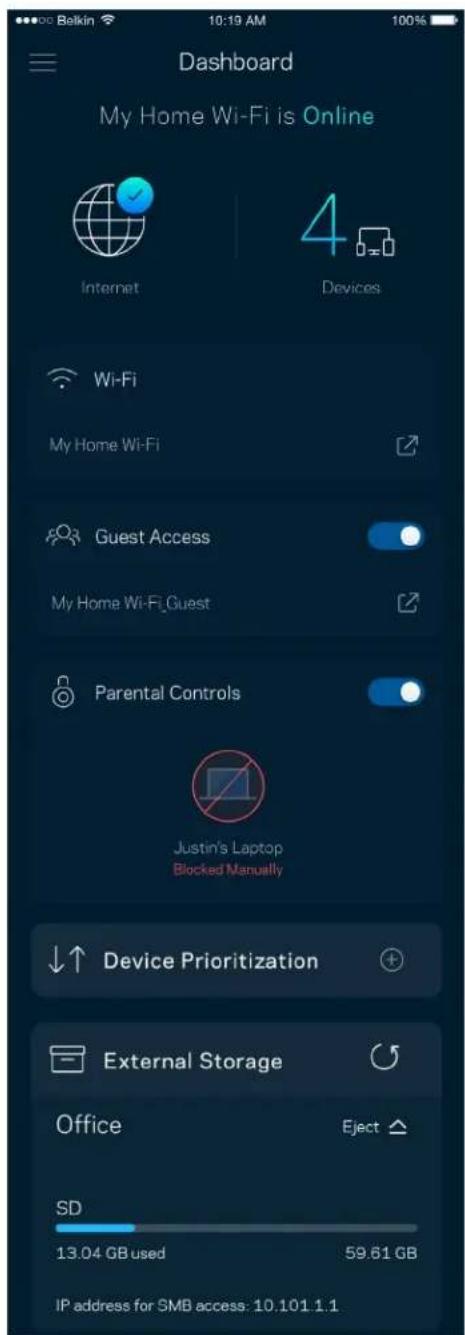
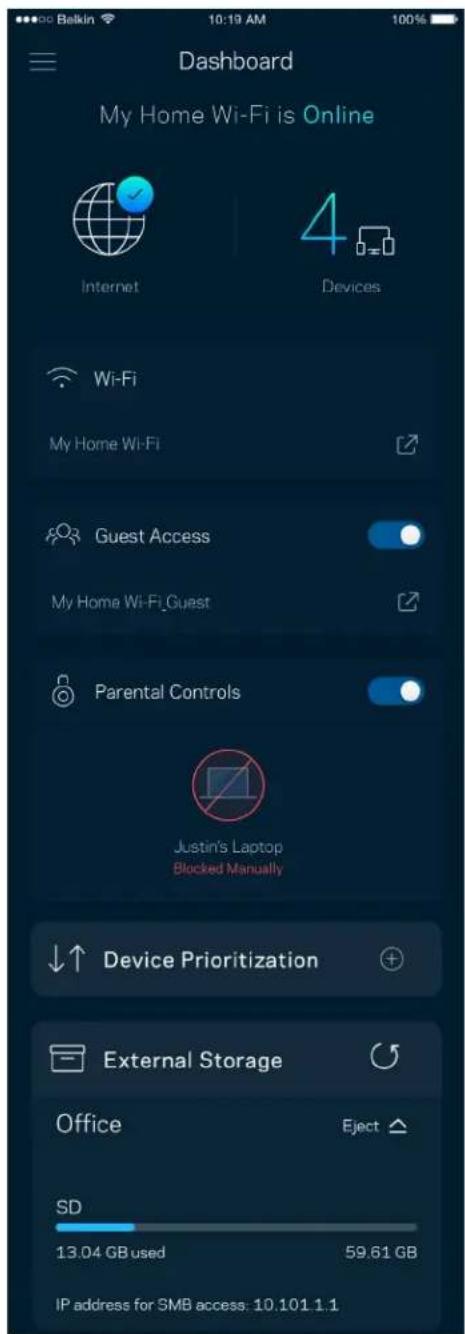
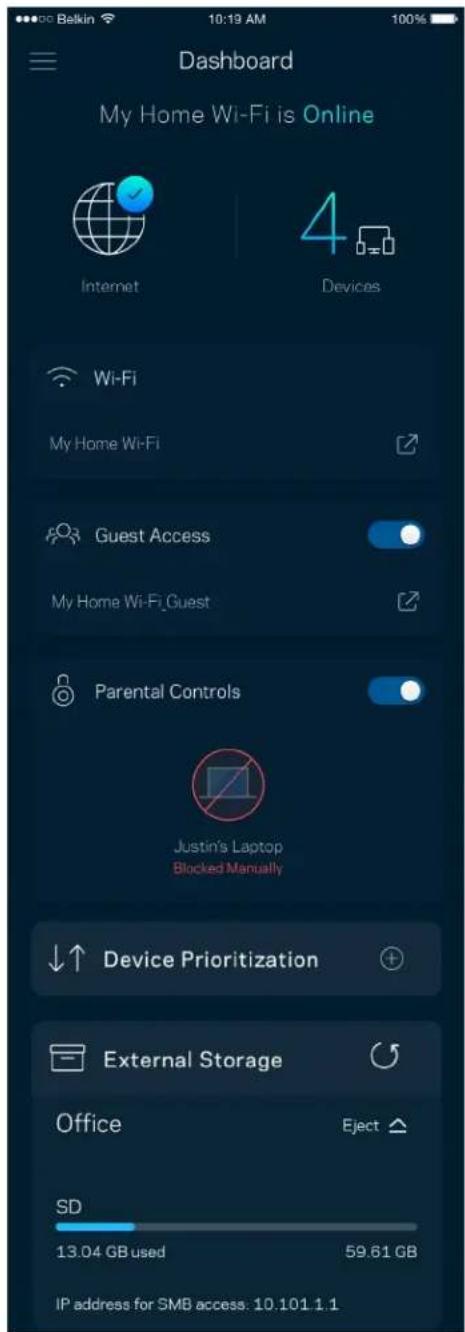
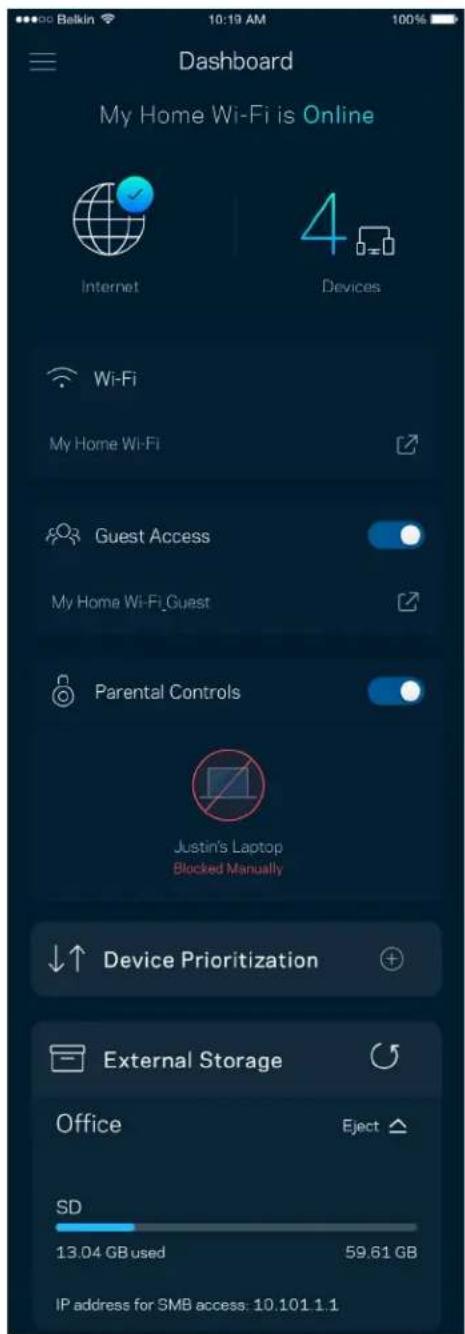
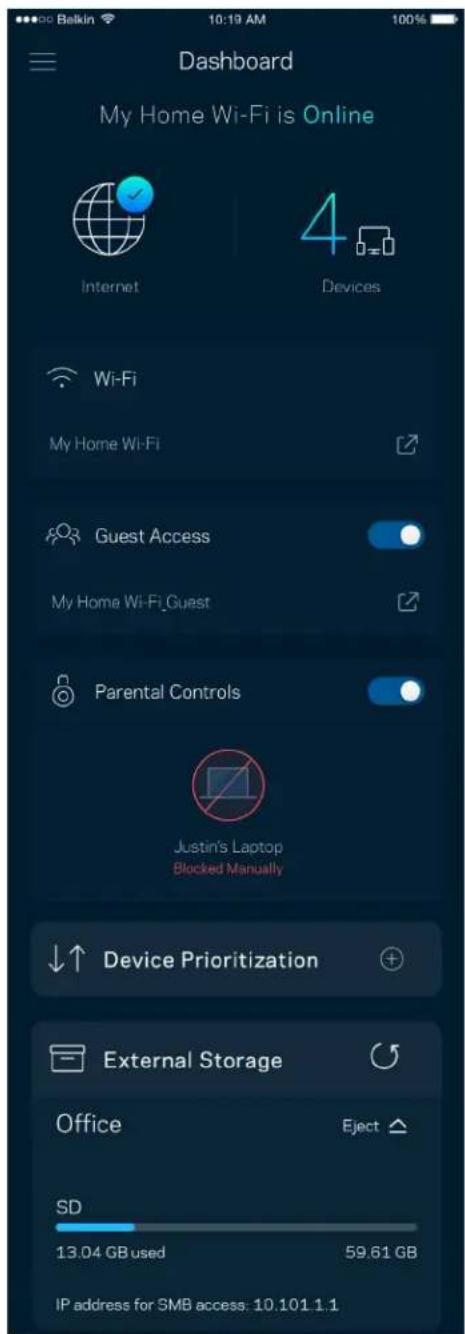
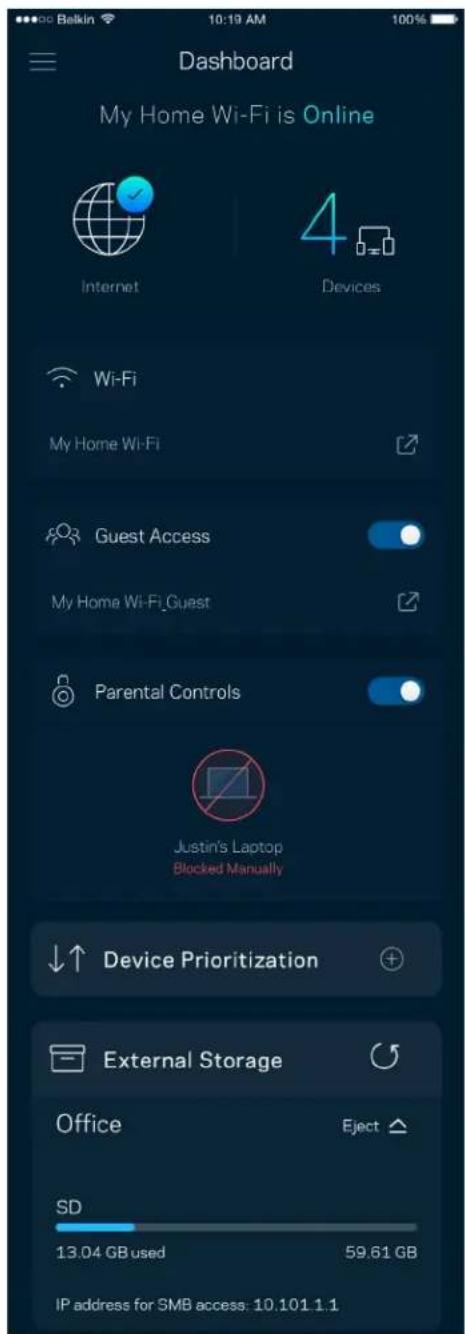
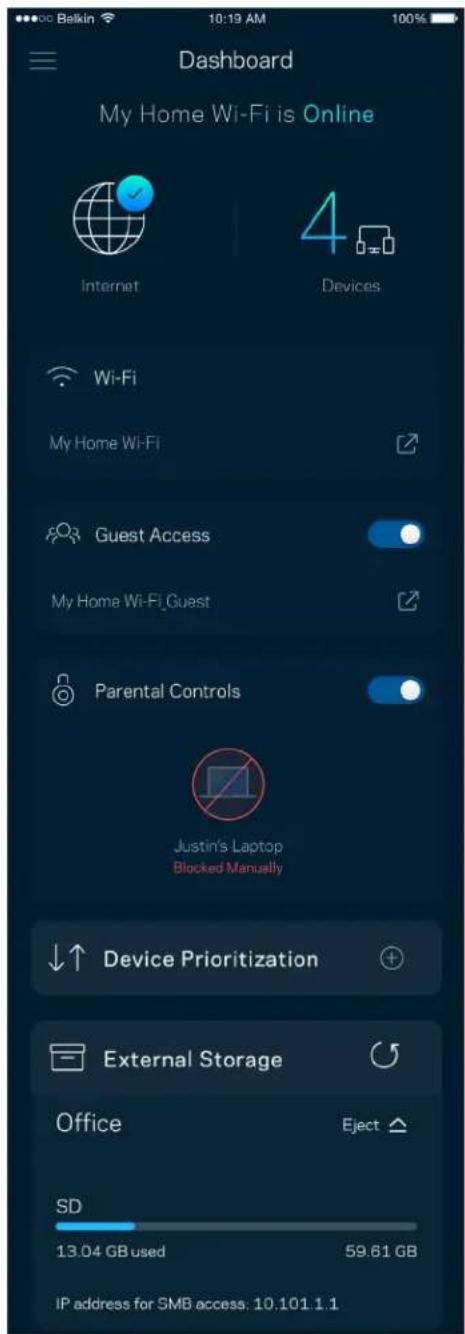
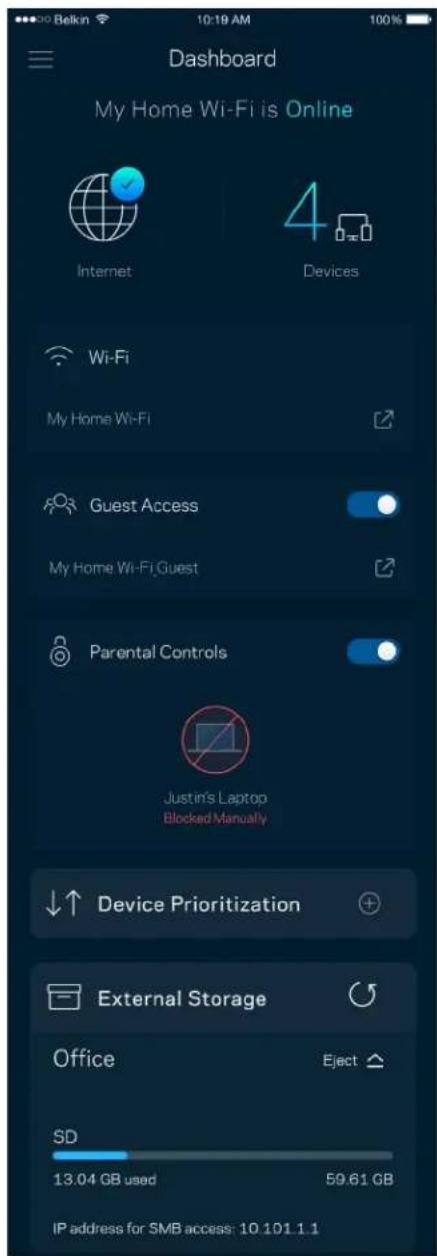
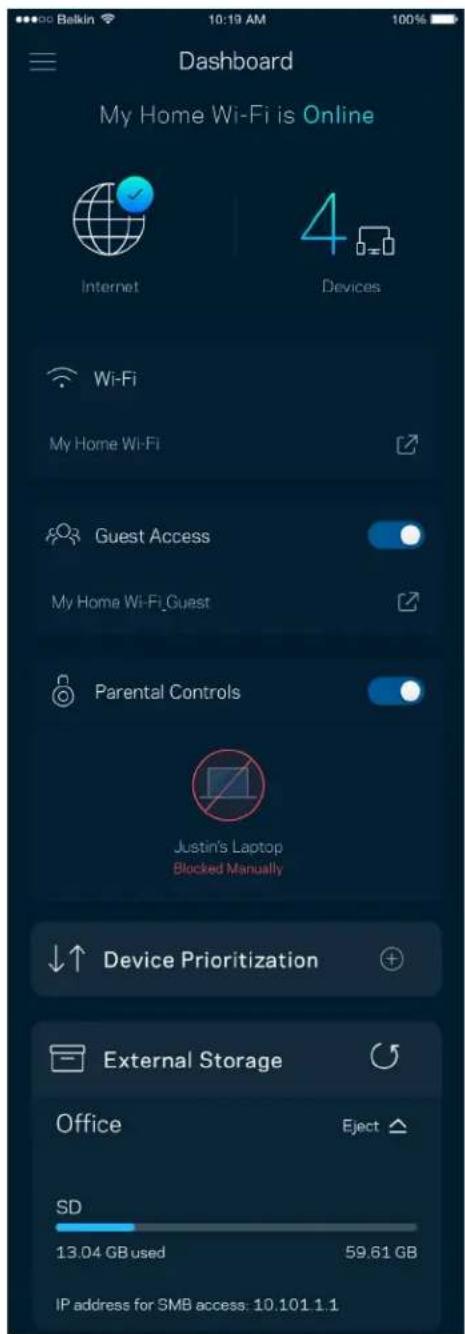
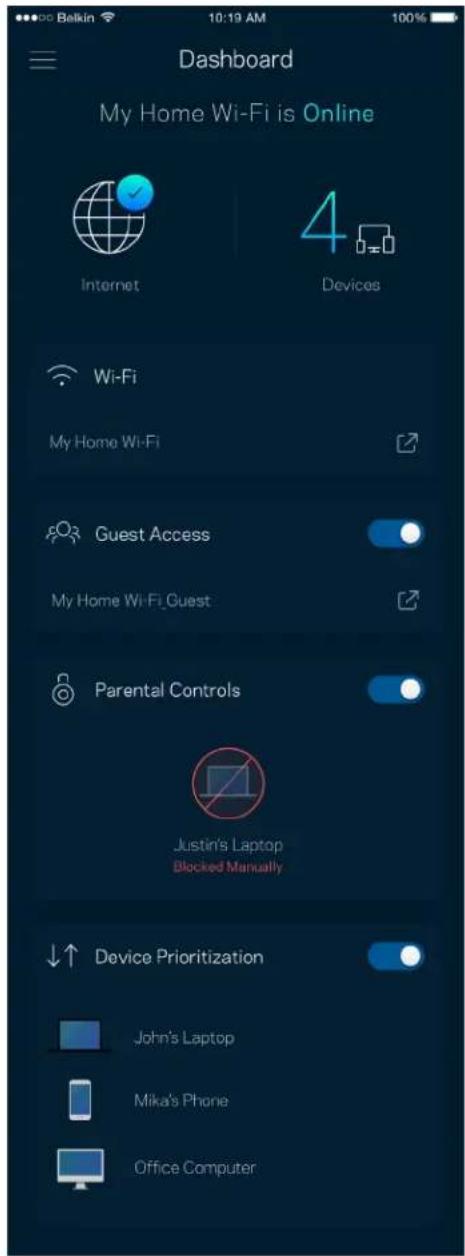
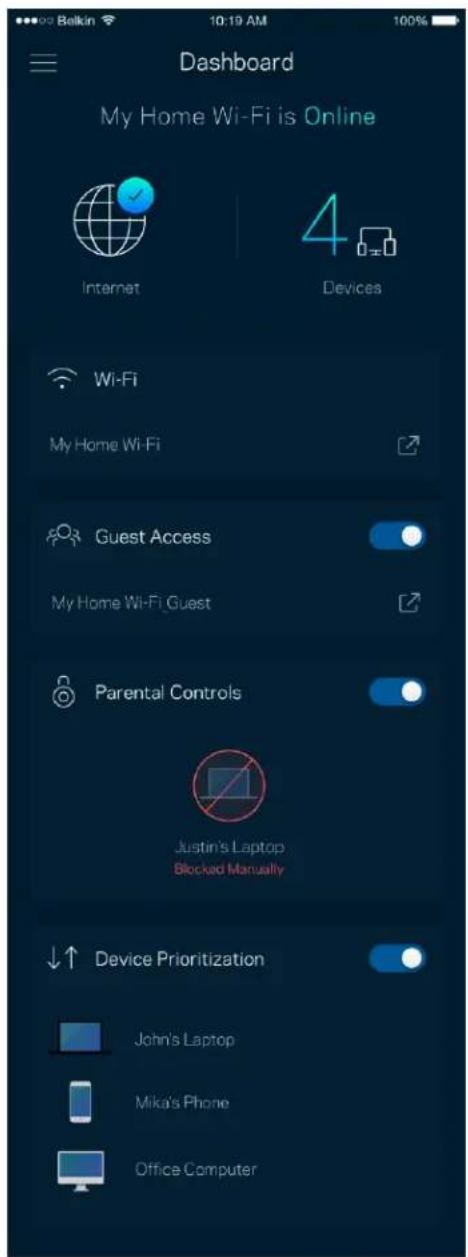
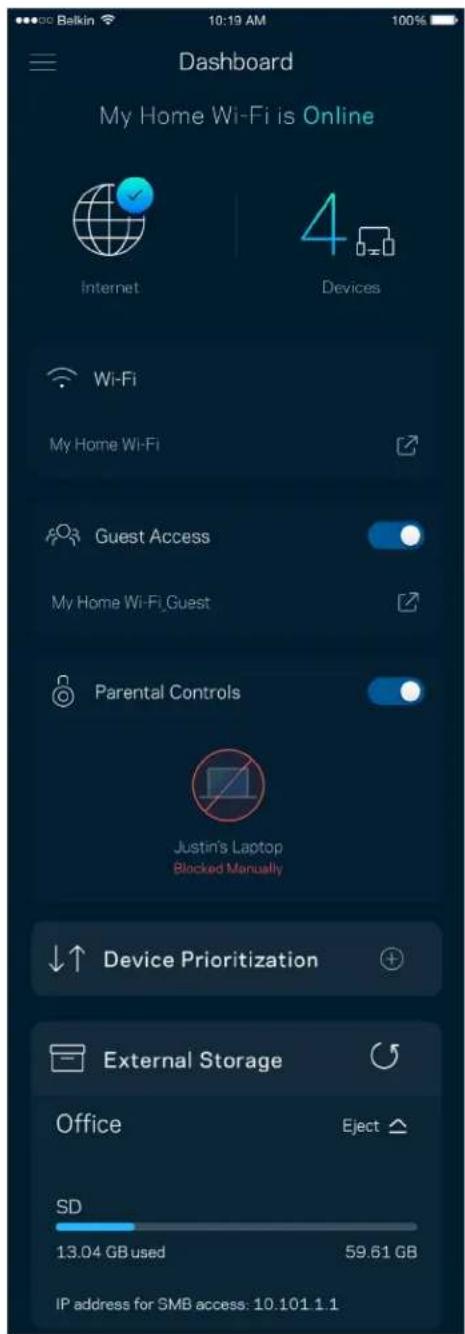
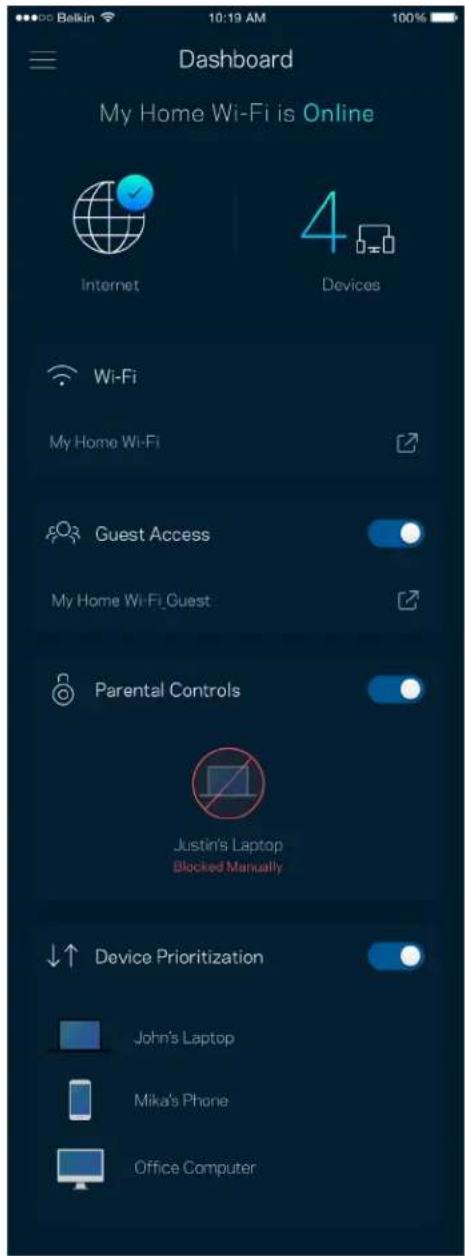
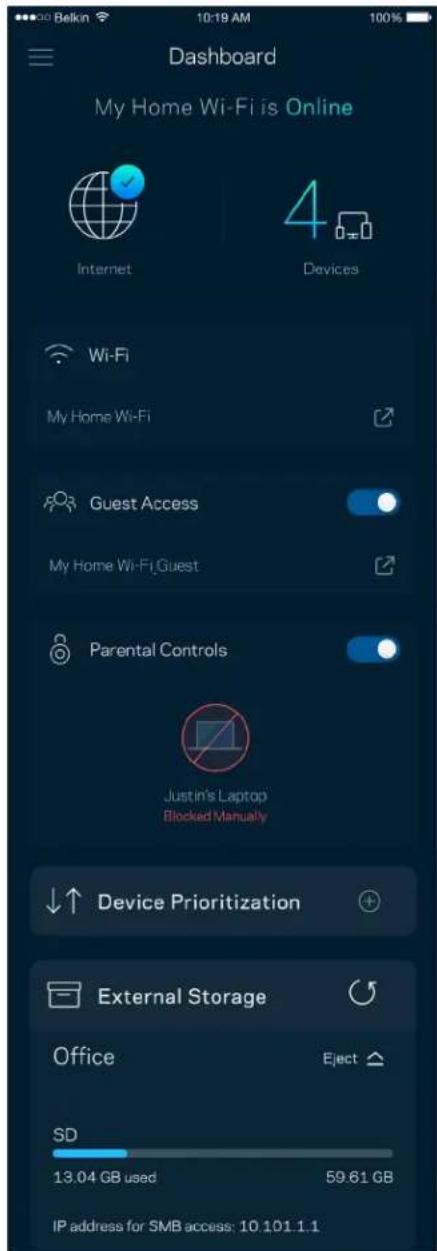
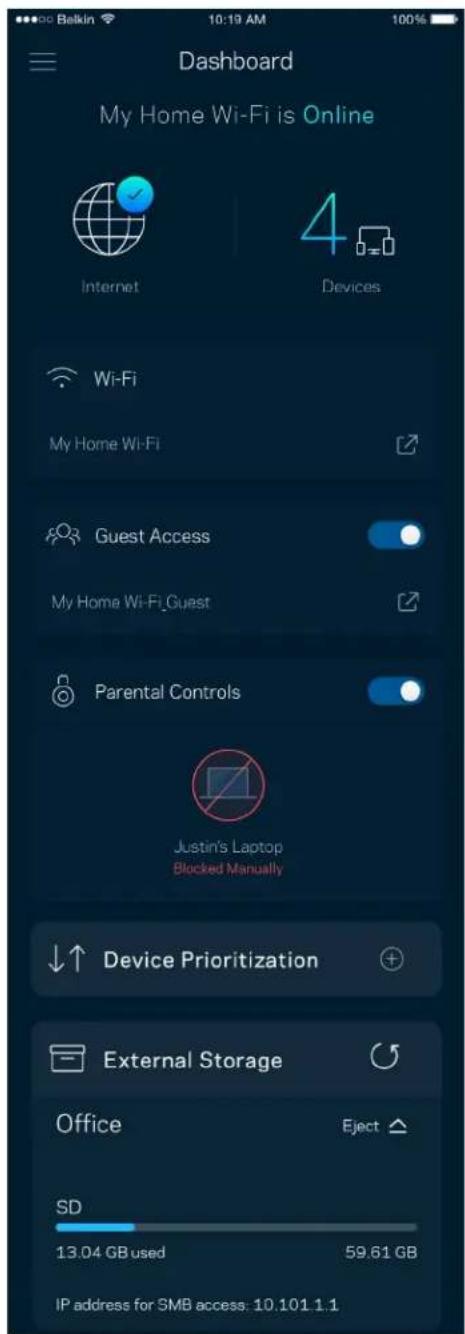
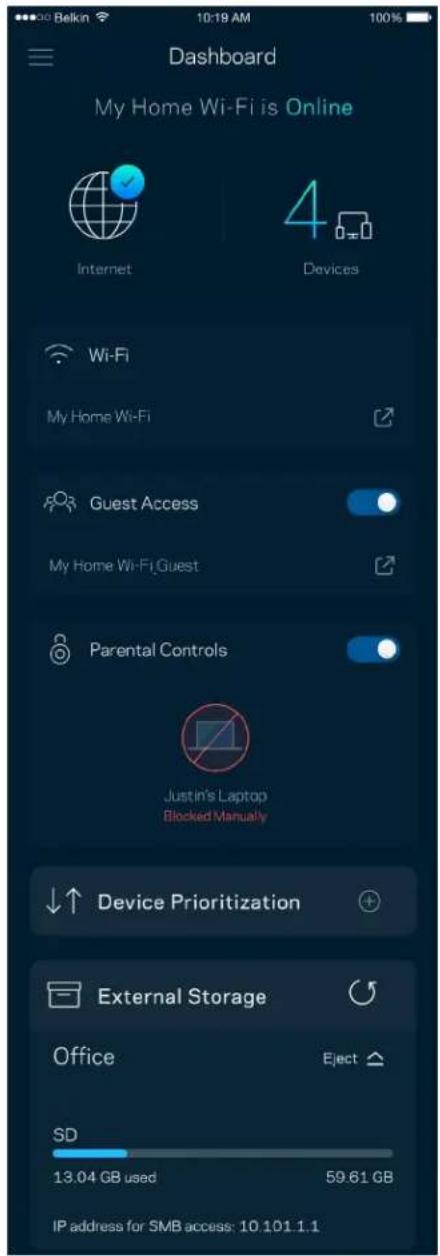
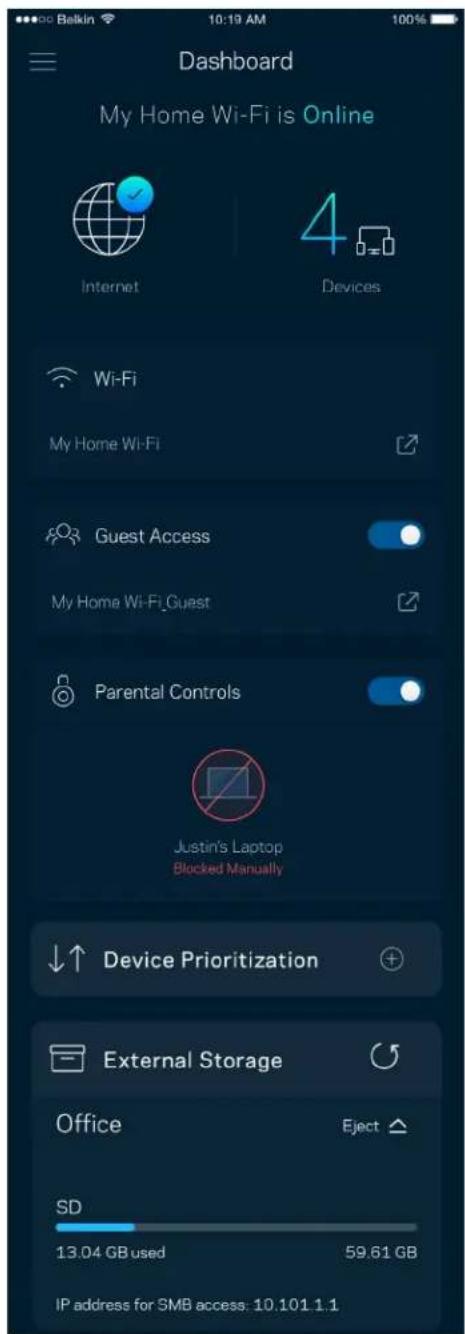
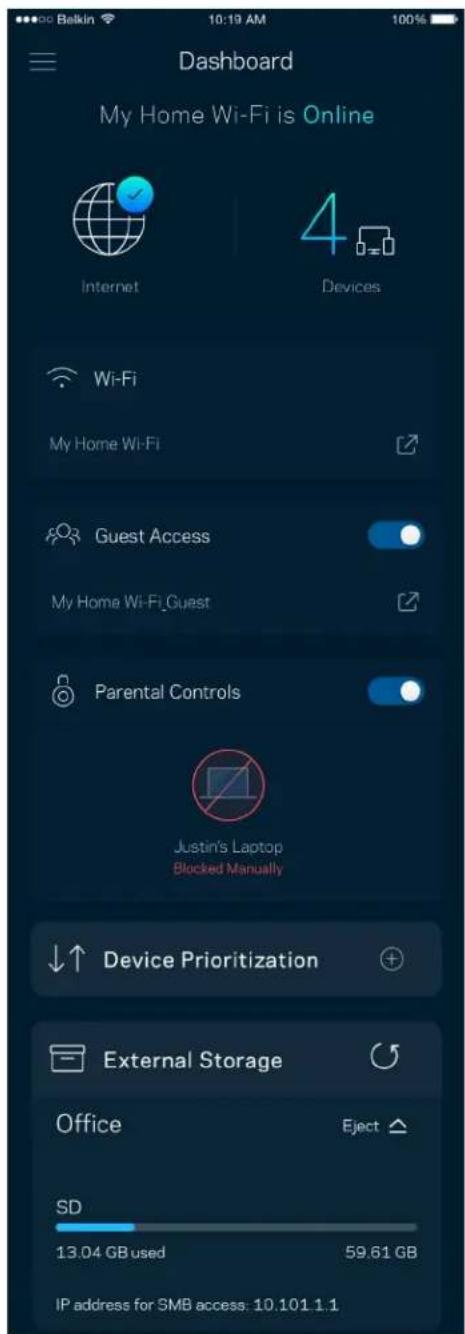
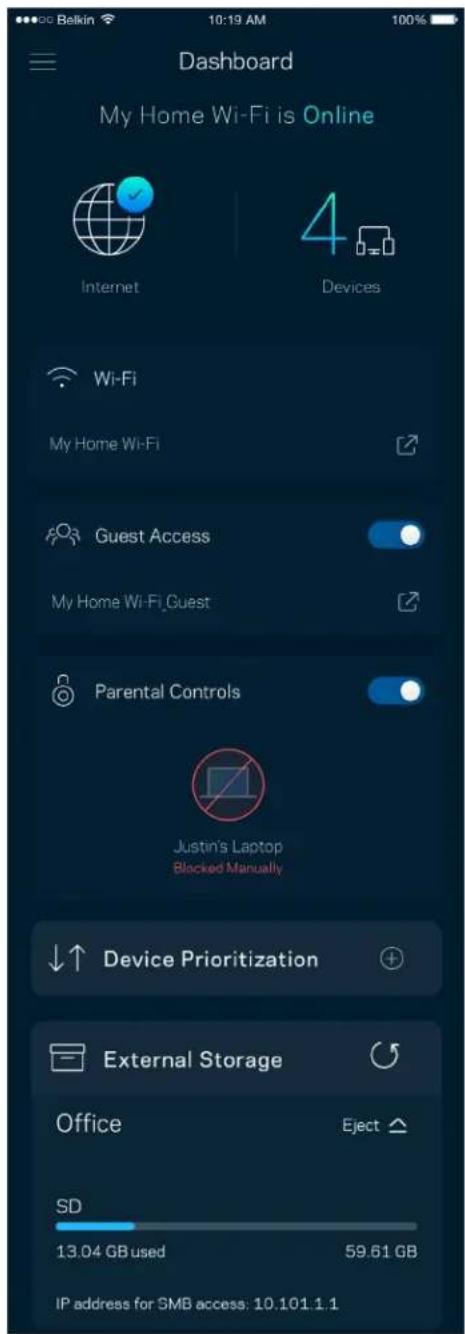
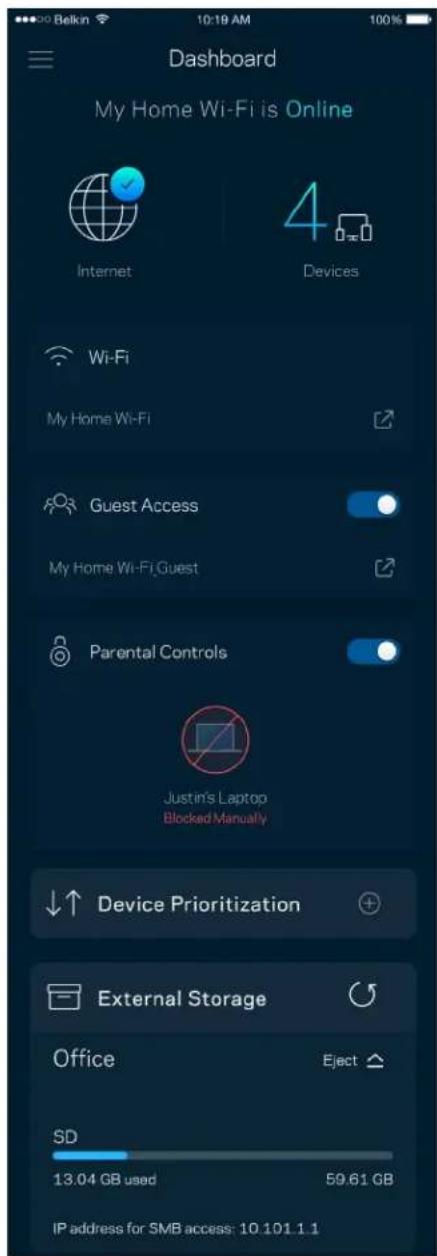
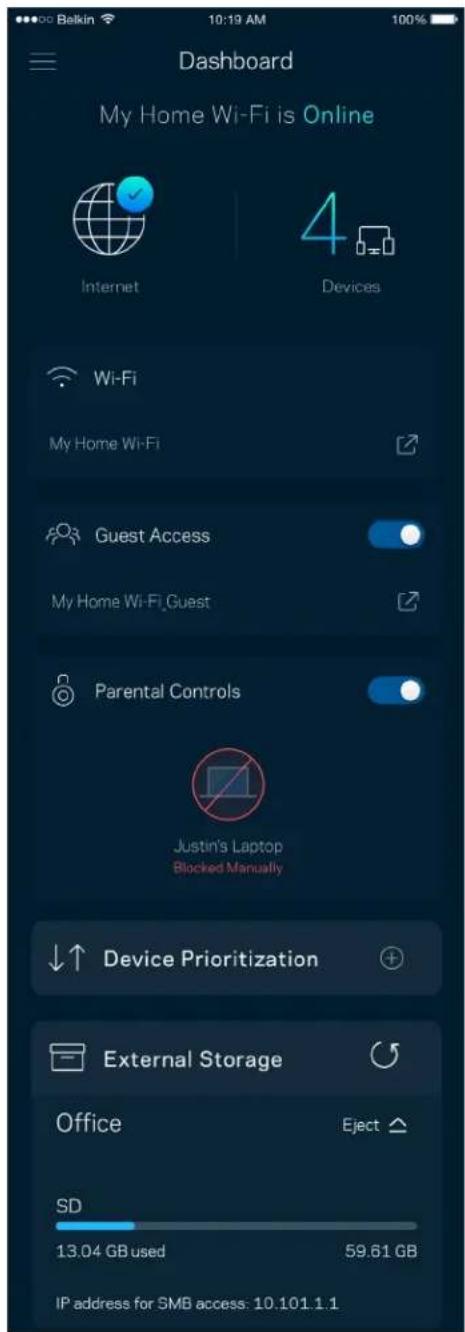
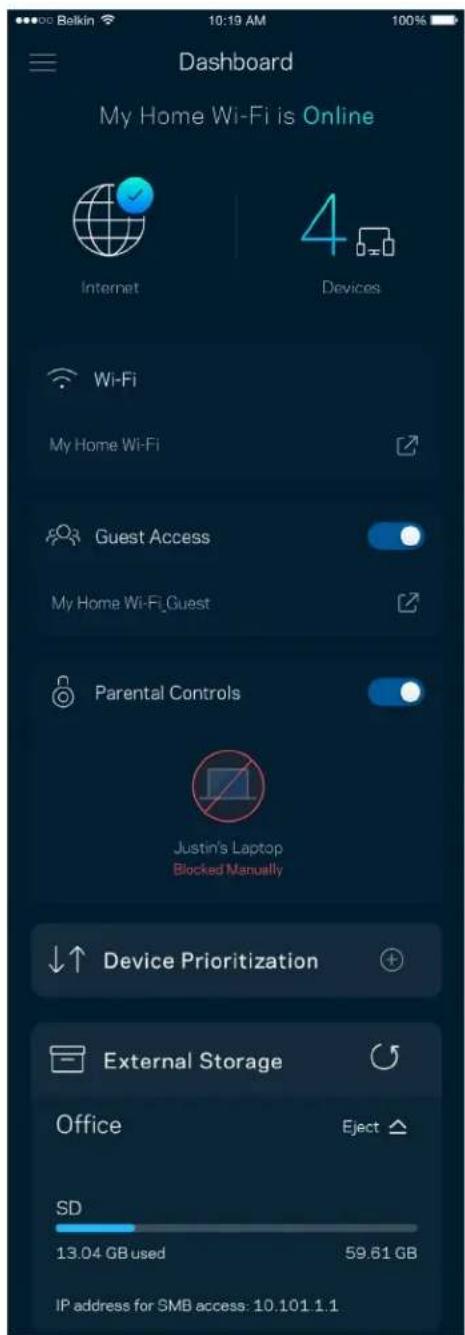
Dashboard is a snapshot of your Wi-Fi. See how many devices are connected to your Velop system. Share Wi-Fi password and allow guest access to your Wi-Fi. Dashboard also shows you if any devices have parental controls on them or have been prioritized for Wi-Fi access.
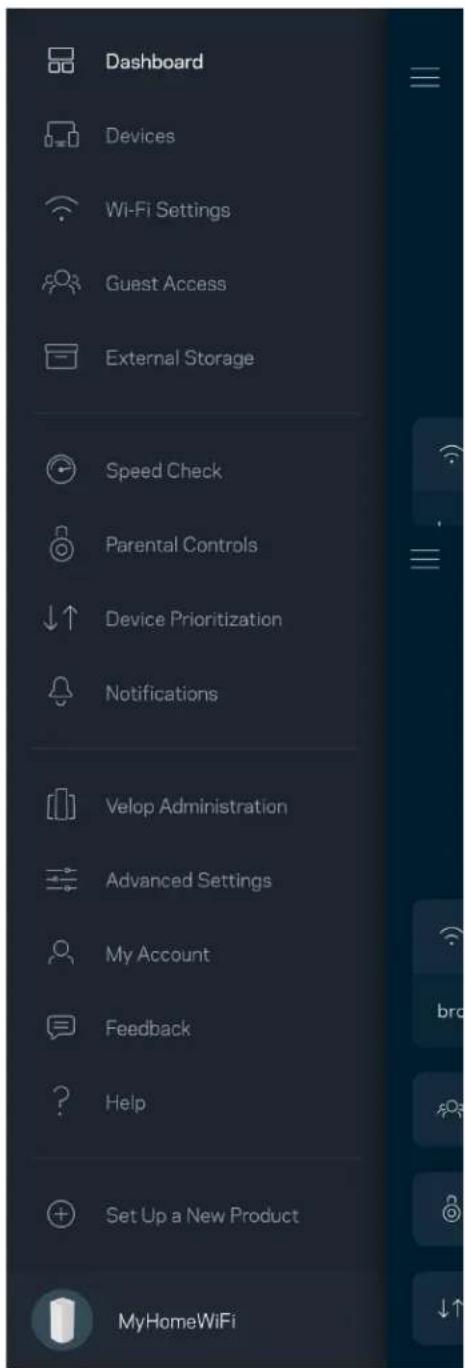
Dashboard Devices Wi-Fi Settings Guest Access External Storage Speed Check Parental Controls Device Prioritization Notifications Velop Administration Advanced Settings My Account Feedback Help Set Up a New Product MyHomeWiFi

Dashboard My Home Wi-Fi is Online Internet 4 Devices Wi-Fi My Home Wi-Fi Guest Access My Home Wi-Fi_Guest Parental Controls Justin's Laptop Blocked Manually Device Prioritization External Storage Office Eject SD 13.04 GB used 59.61 GB IP address for SMB access: 10.101.1.1

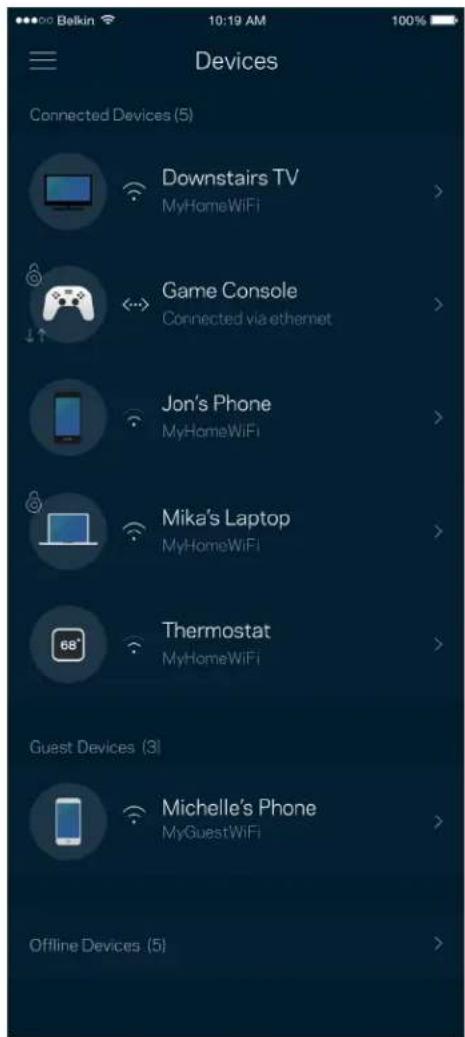
Devices

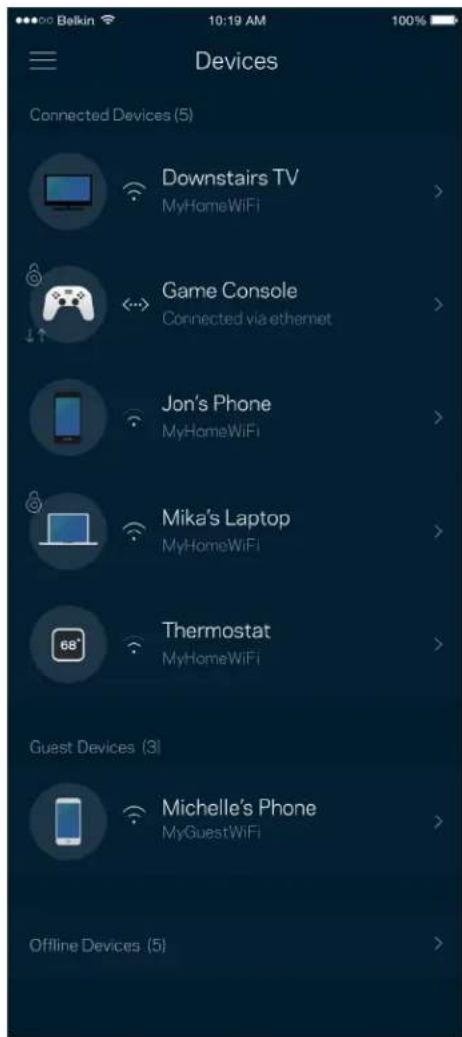
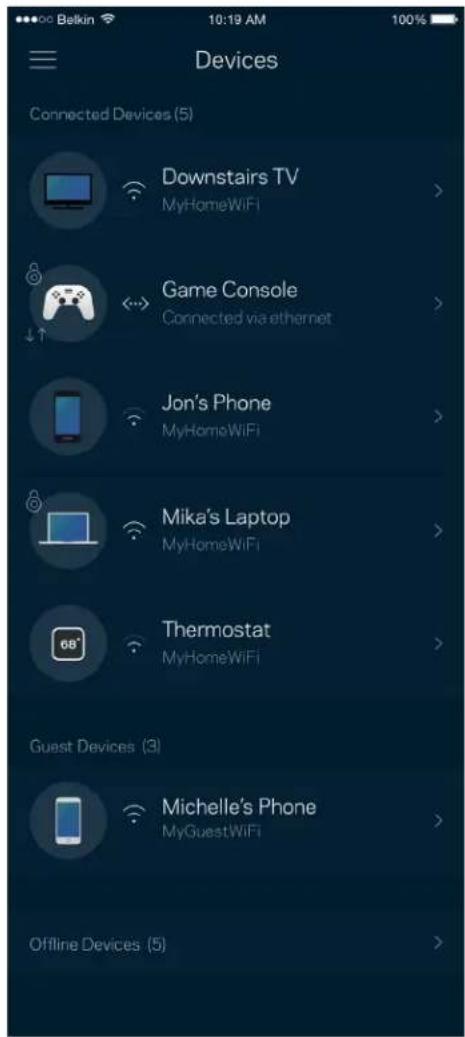
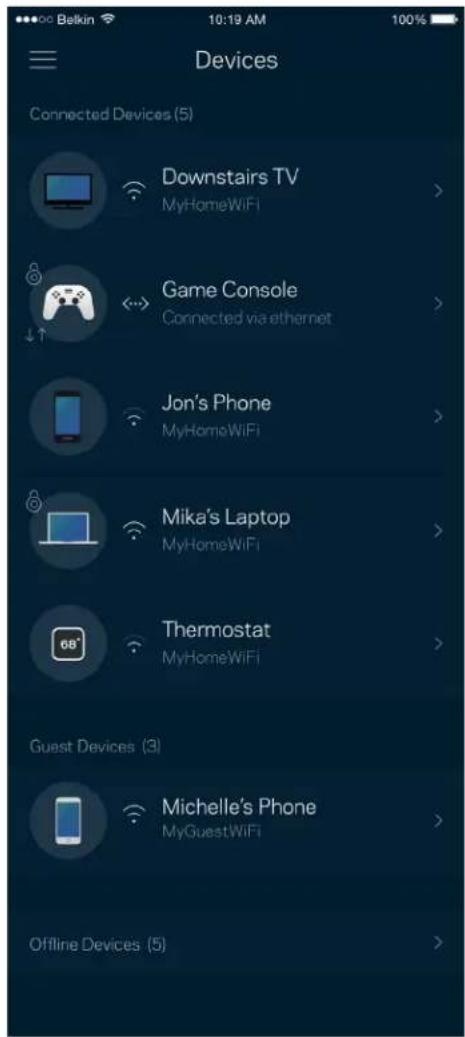
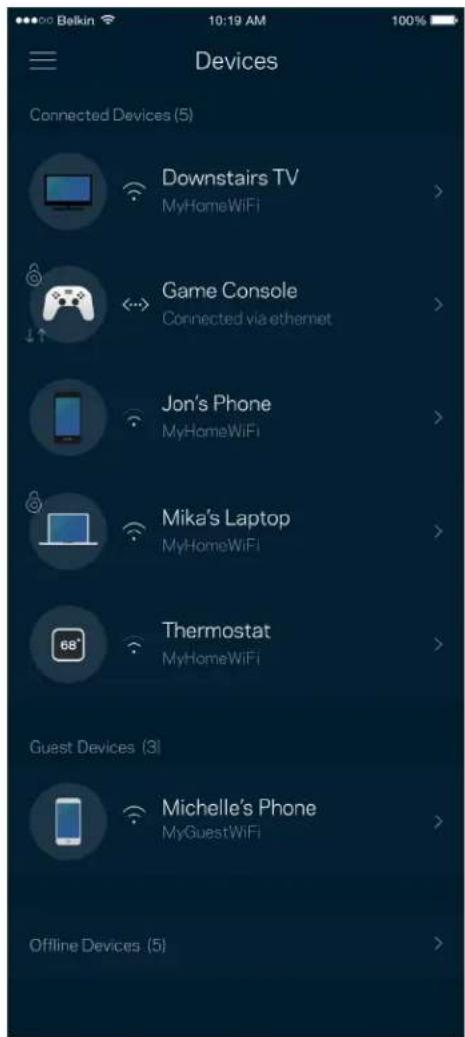
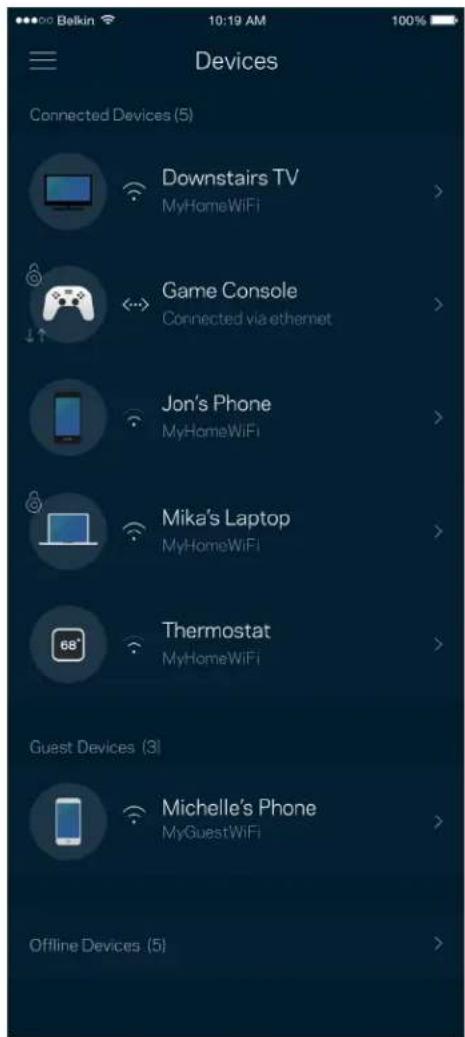
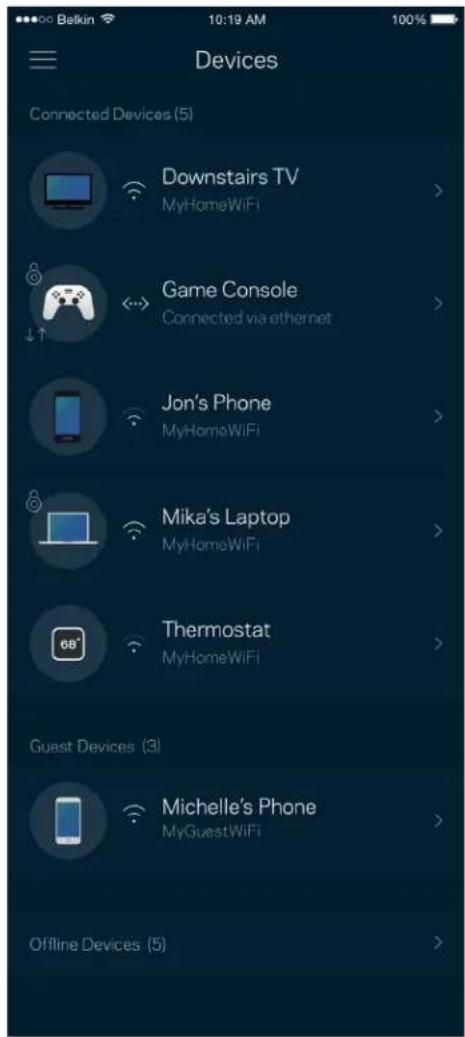
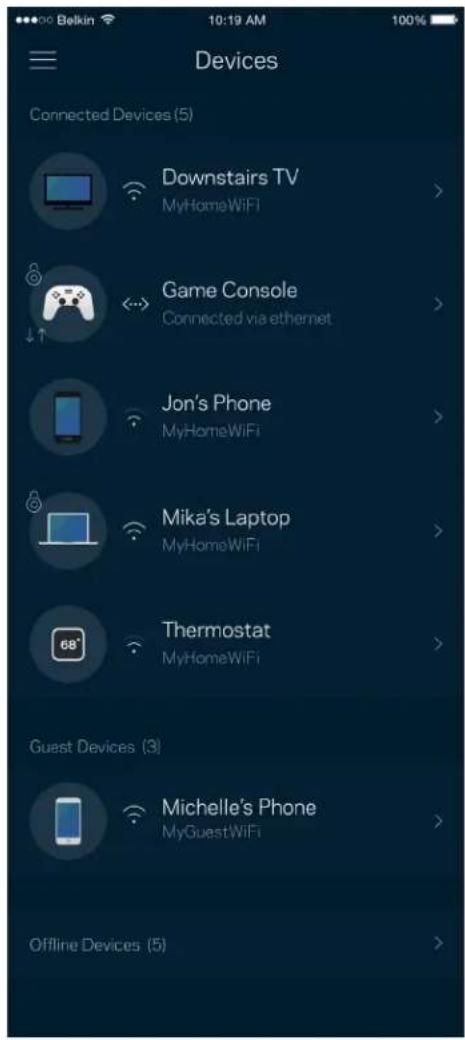
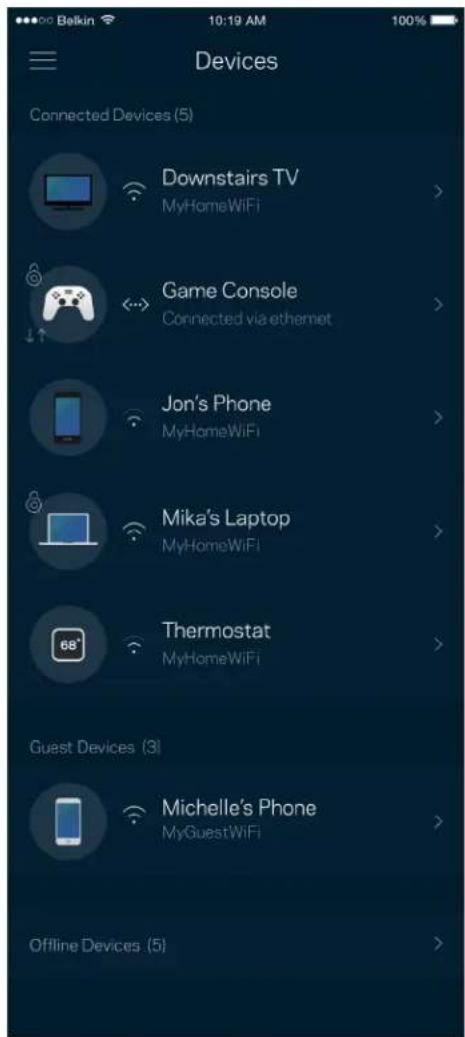
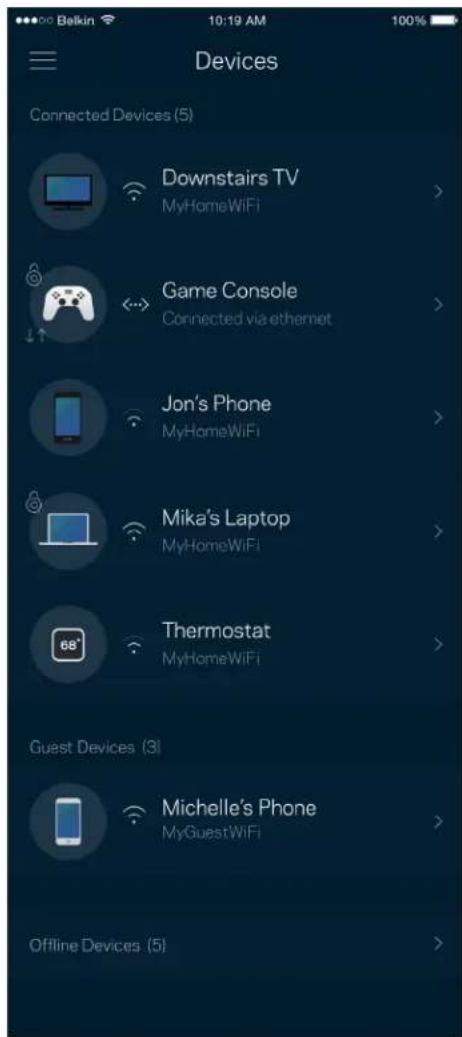
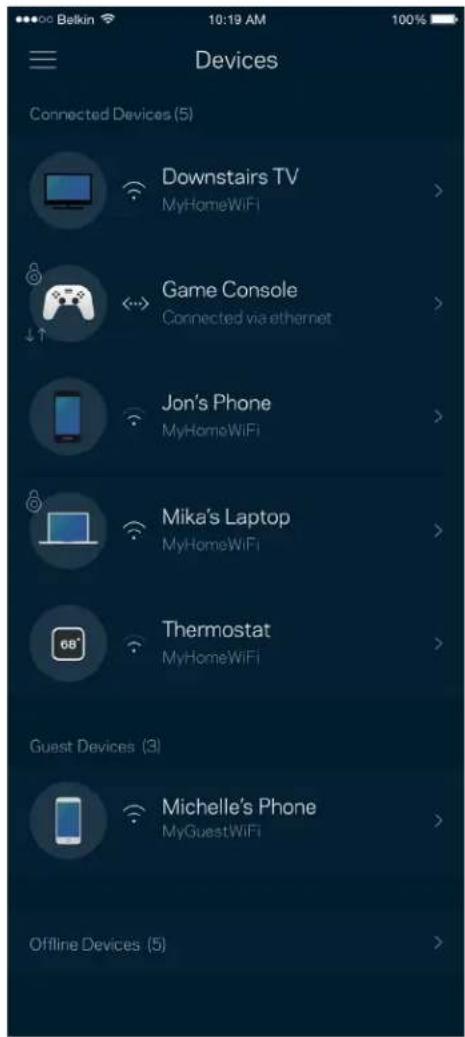
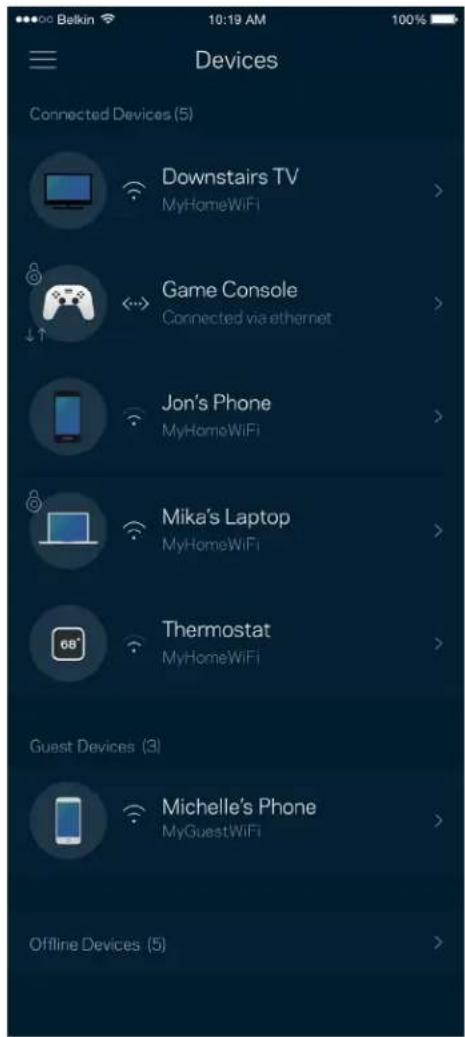
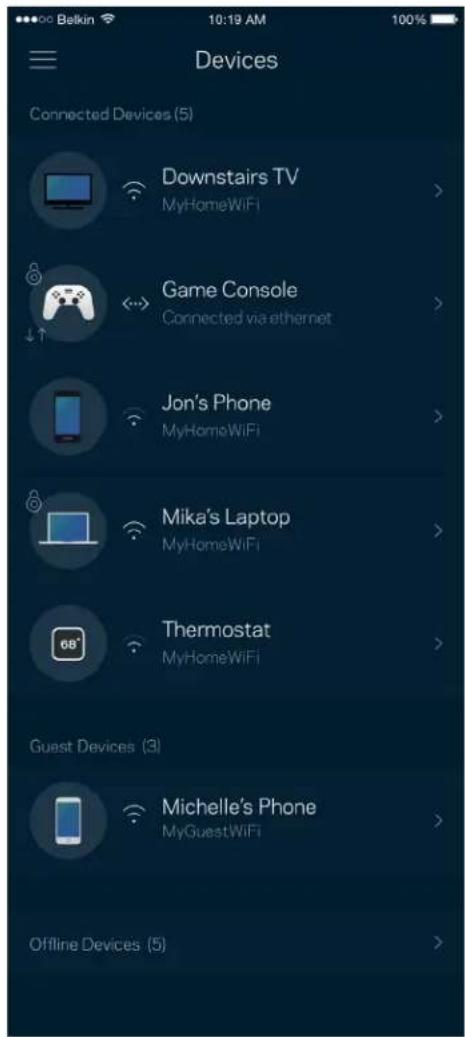
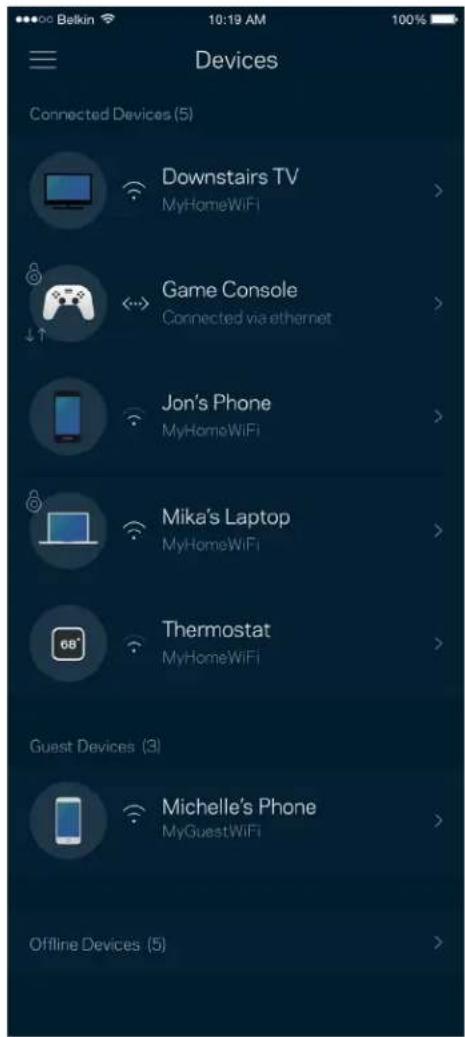
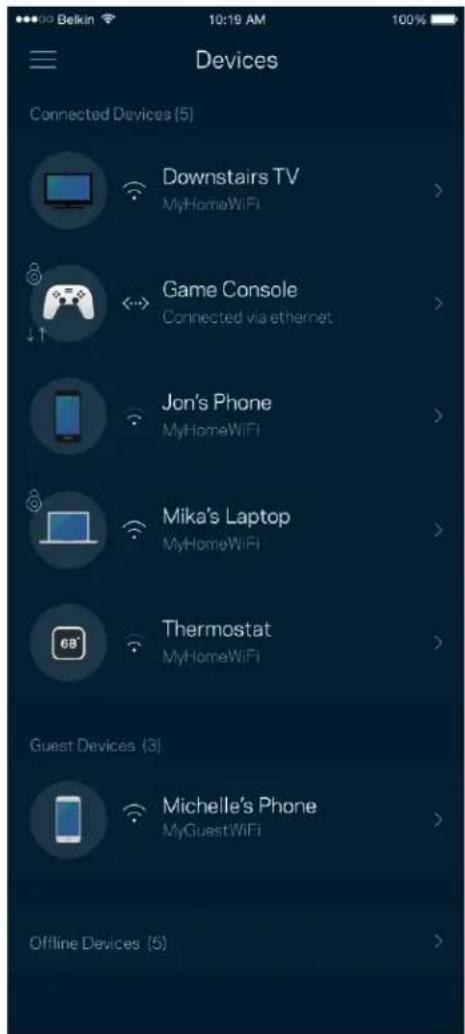
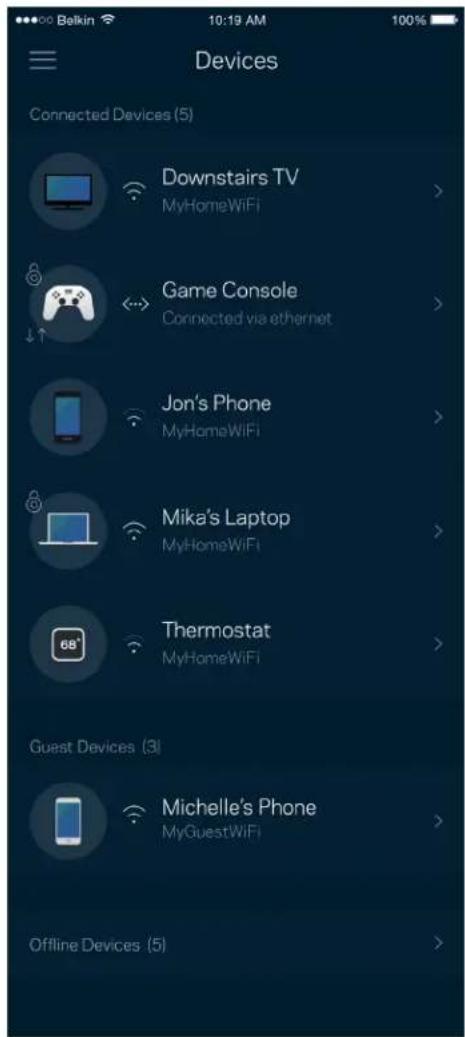
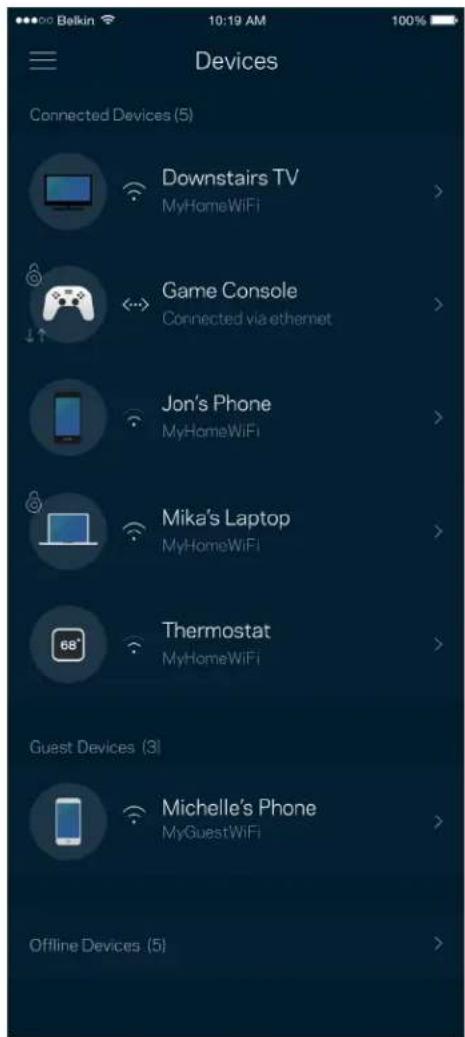
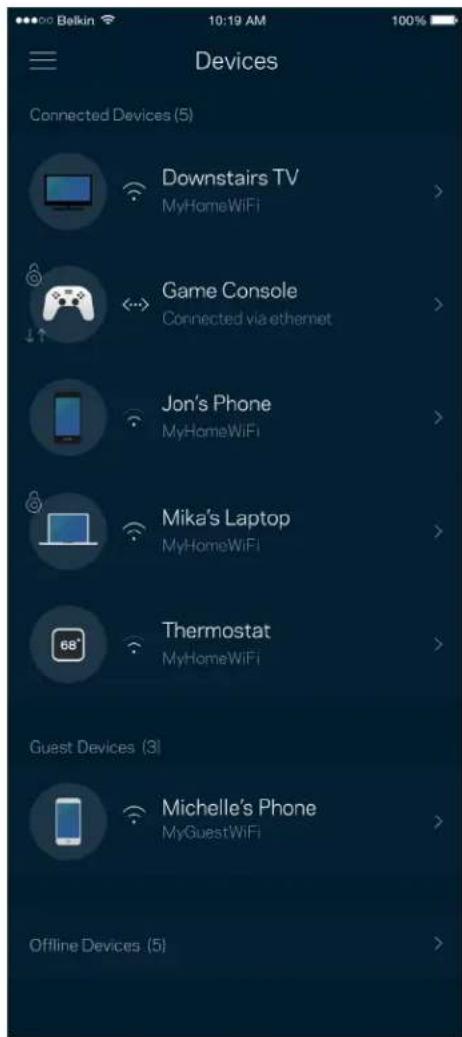
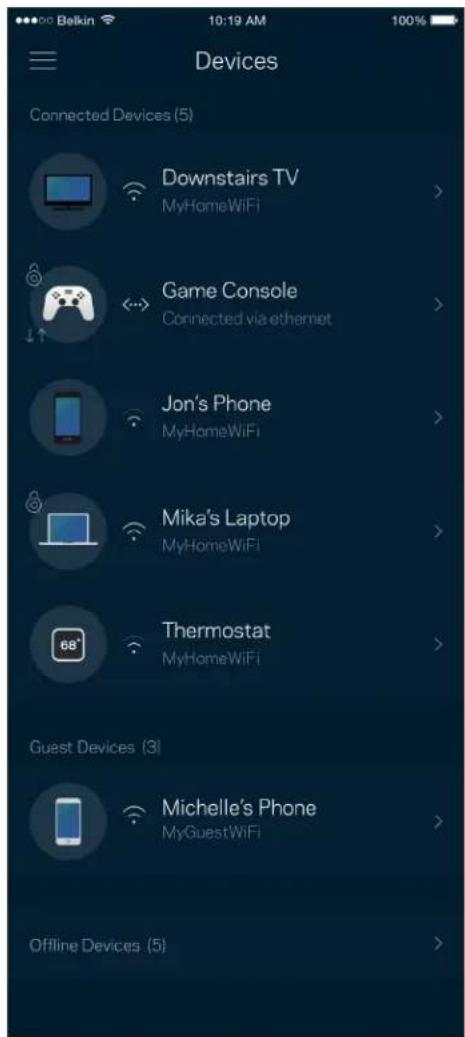
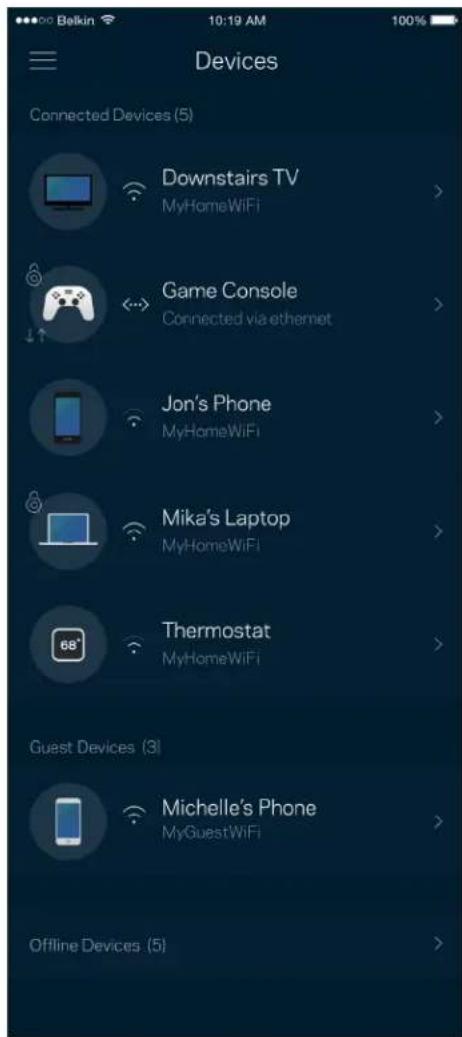
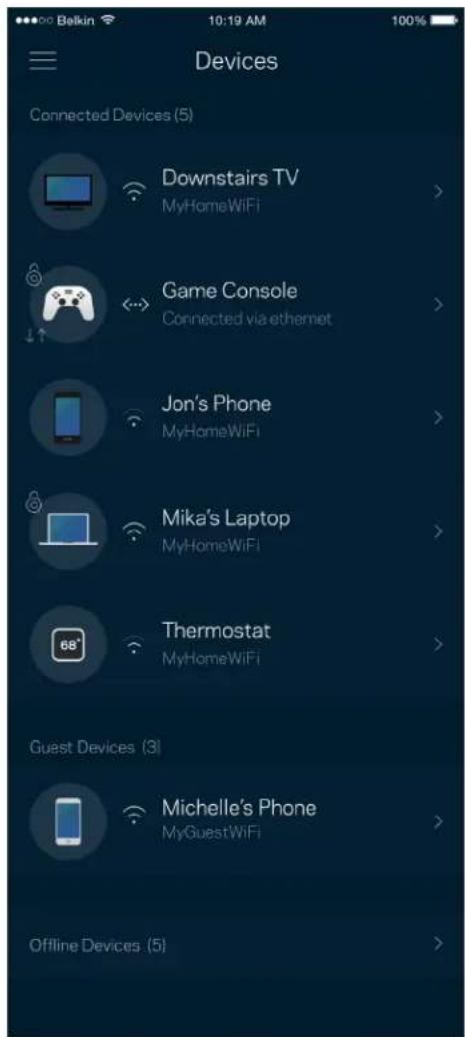
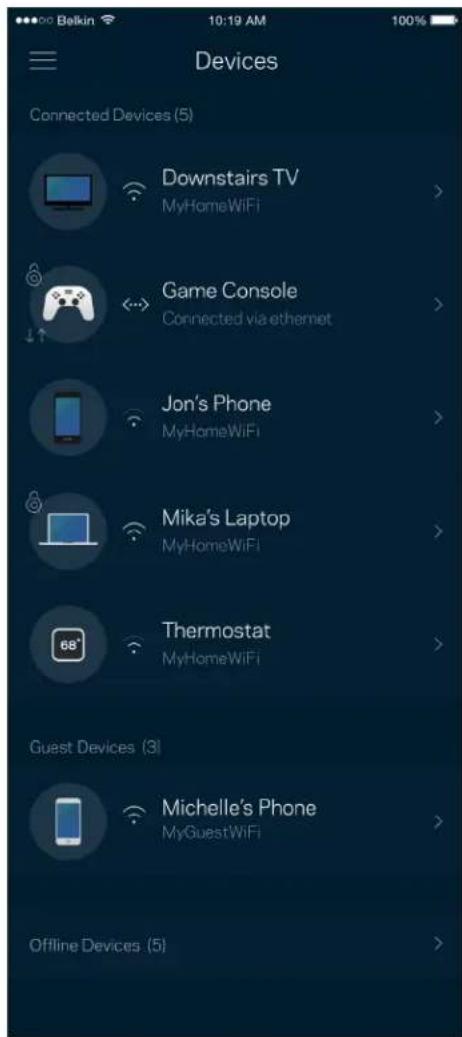
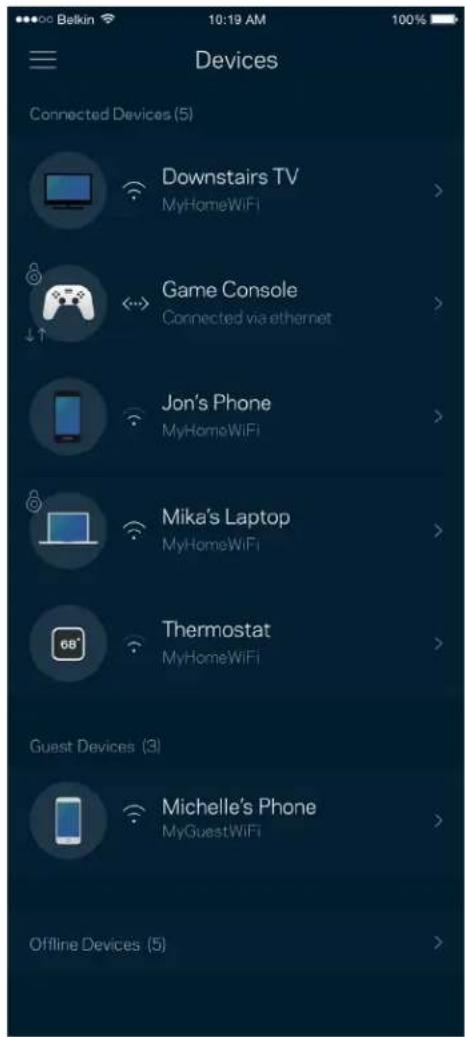
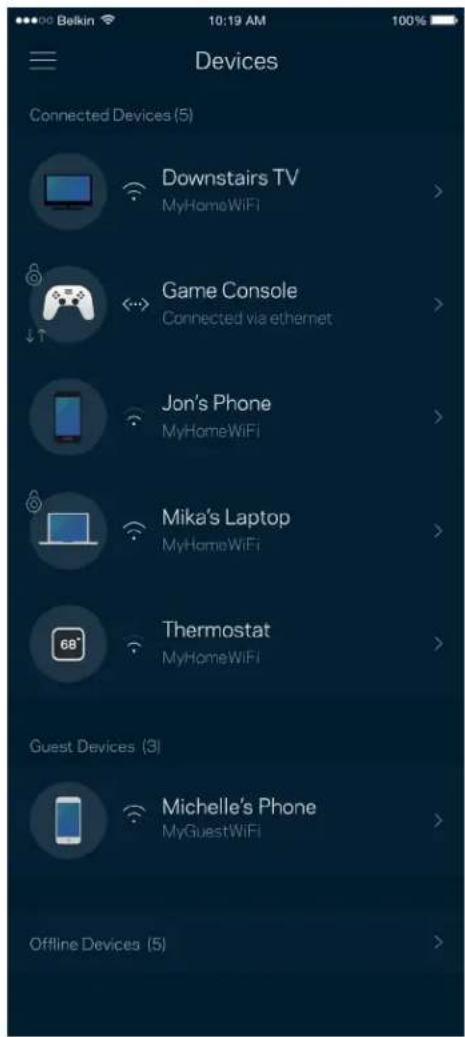
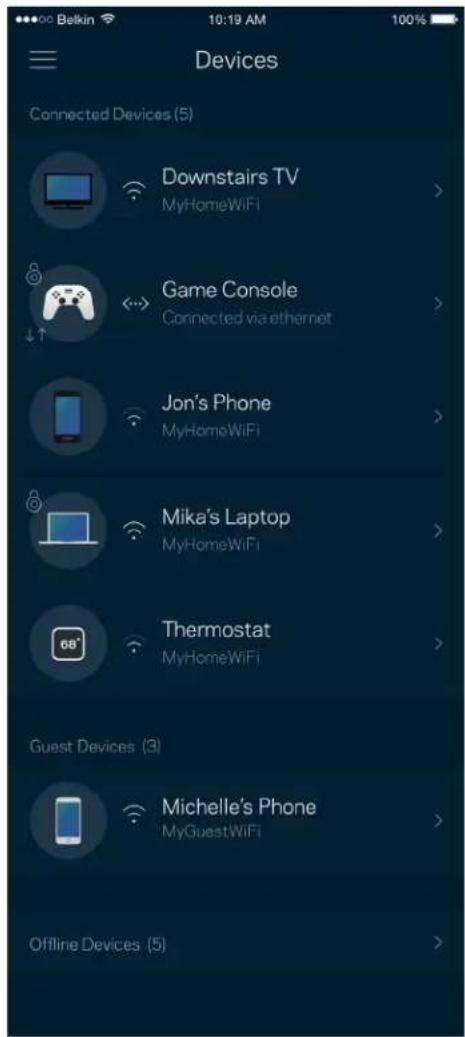
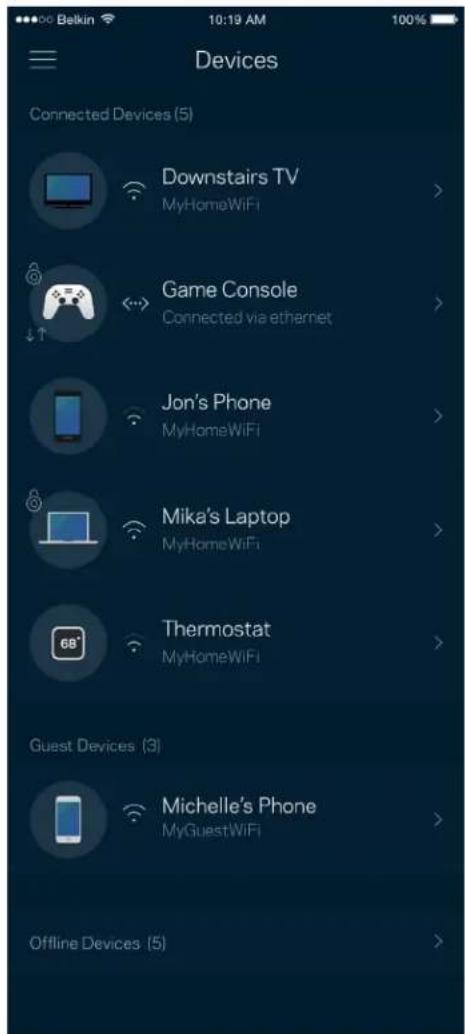
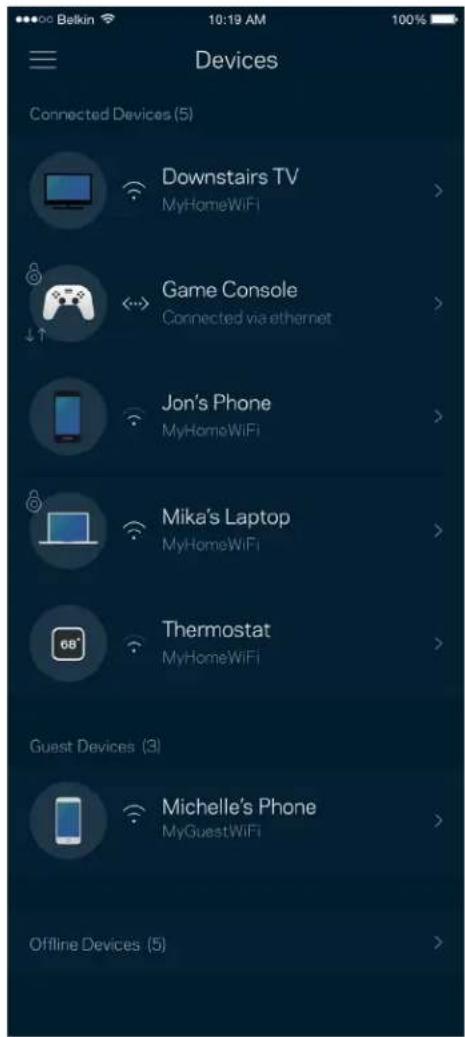
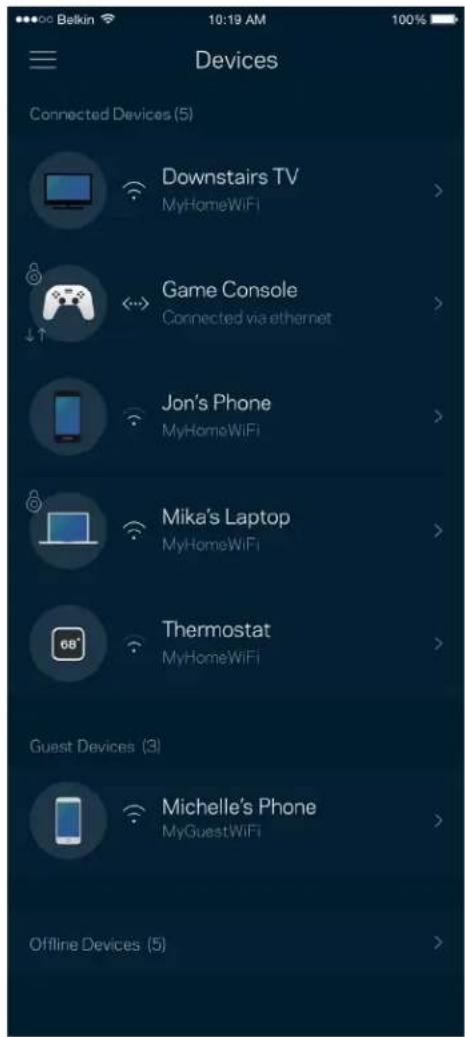
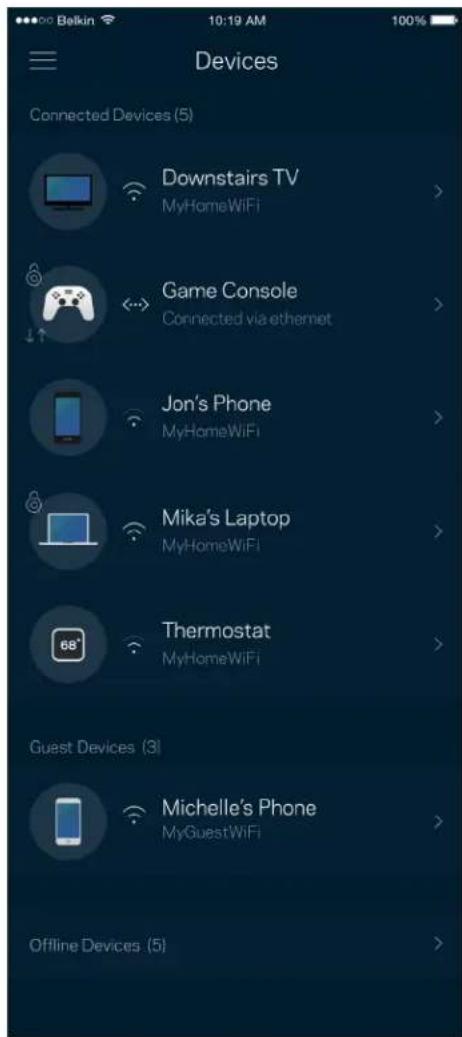
View and change details for all devices connected to your Wi-Fi. You can view devices on your main network and your guest network, or display information about each device.
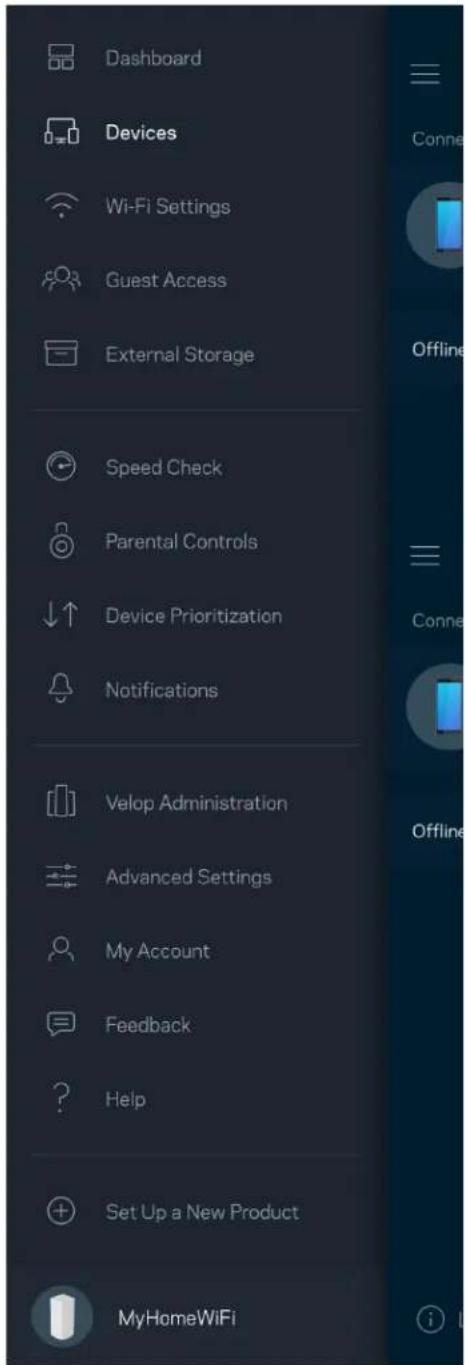
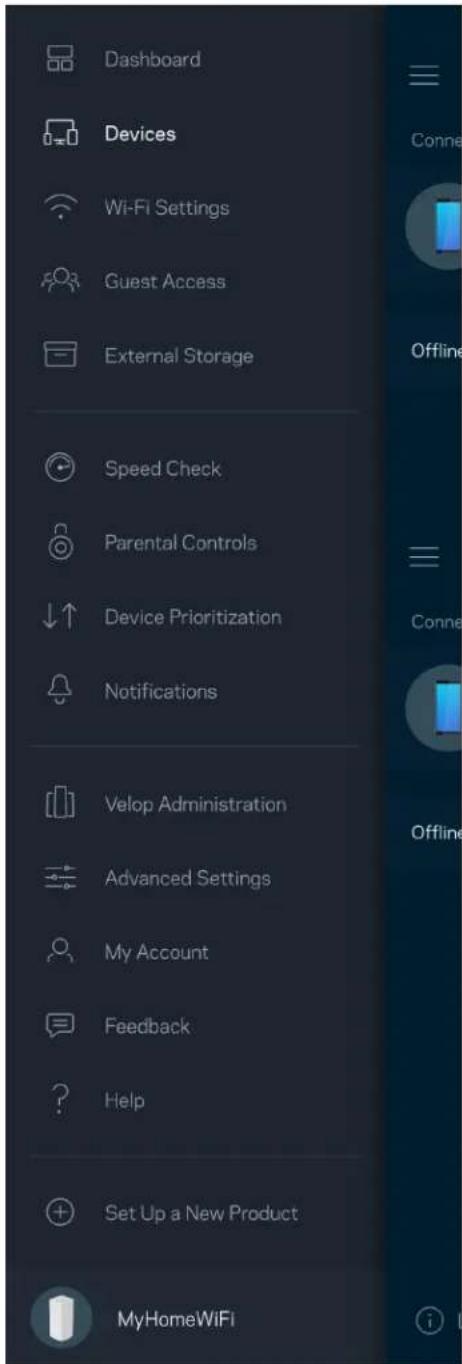
Dashboard Devices Wi-Fi Settings Guest Access External Storage Speed Check Parental Controls Device Prioritization Notifications Velop Administration Advanced Settings My Account Feedback Help Set Up a New Product MyHomeWiFi

Belkin 10:19 AM 100% Devices Connected Devices (5) Downstairs TV MyHomeWiFi Game Console Connected via ethernet Jon's Phone MyHomeWiFi Mika's Laptop MyHomeWiFi Thermostat MyHomeWiFi Guest Devices (3) Michelle's Phone MyGuestWiFi Offline Devices (5)

To view or change device details

From the Devices screen you can edit device names and change the device icons. You also can prioritize devices, set parental controls, and see Wi-Fi details. Tap on any device to see details.
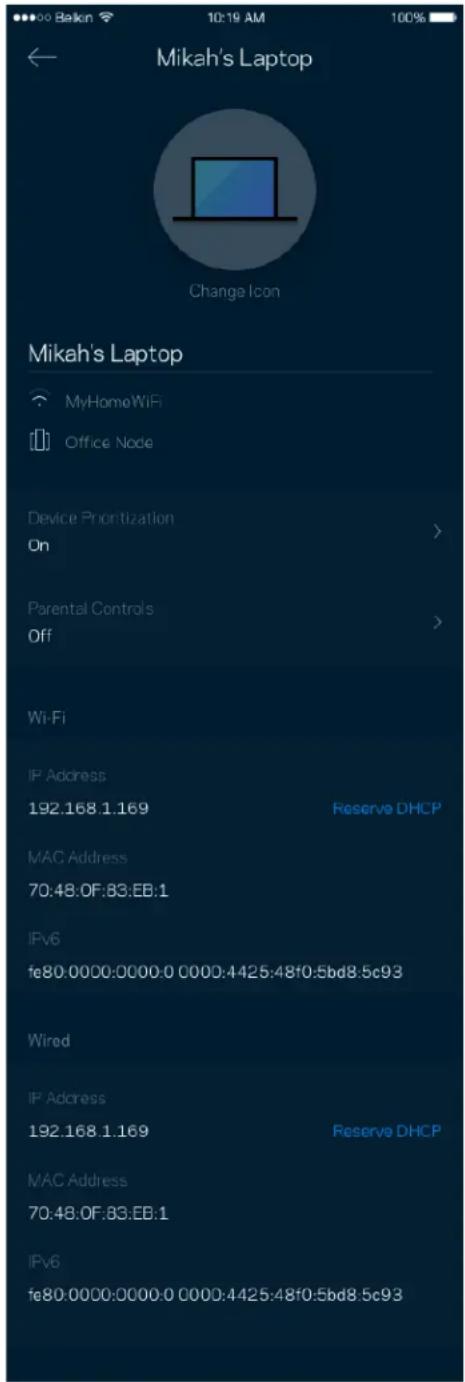
Mikah's Laptop Change Icon Mikah's Laptop MyHomeWiFi Office Node Device Prioritization On > Parental Controls Off > Wi-Fi IP Address 192.168.1.169 Reserve DHCP MAC Address 70:48:0F:83:EB:1 IPv6 fe80:0000:0000:0 0000:4425:48f0:5bd8.5c93 Wired IP Address 192.168.1.169 Reserve DHCP MAC Address 70:48:0F:83:EB:1 IPv6 fe80:0000:0000:0 0000:4425:48f0:5bd8.5c93

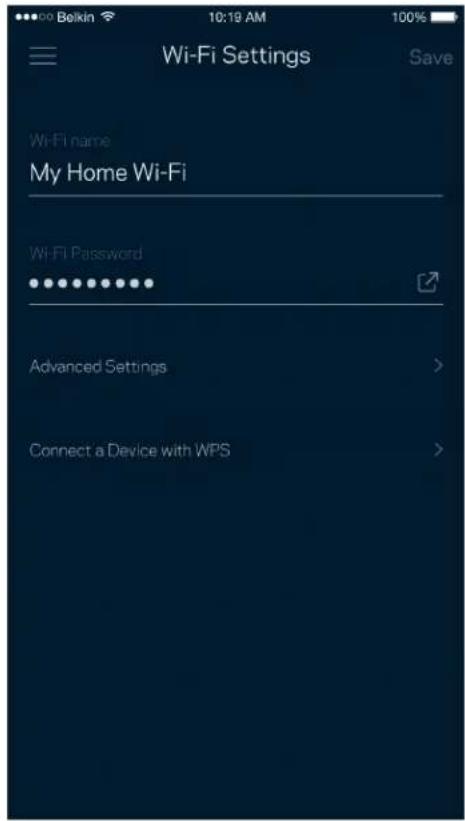
Wi-Fi Settings

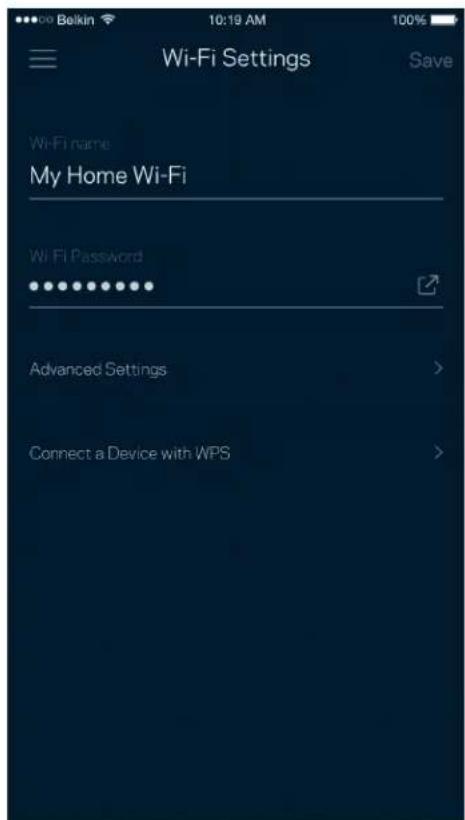
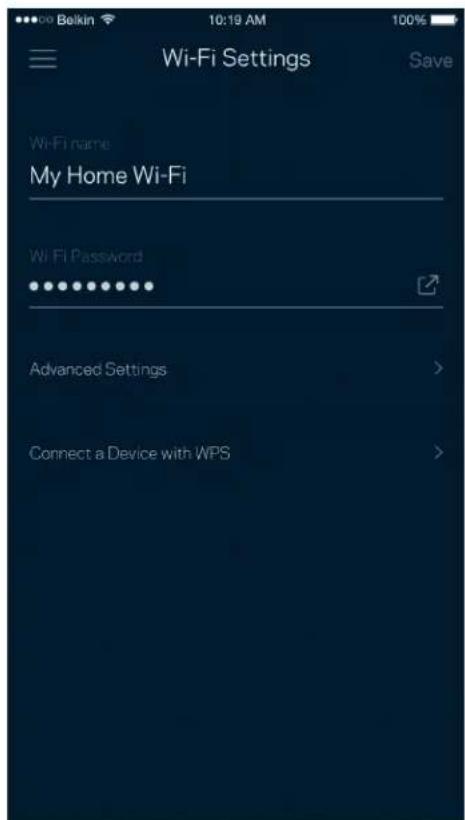
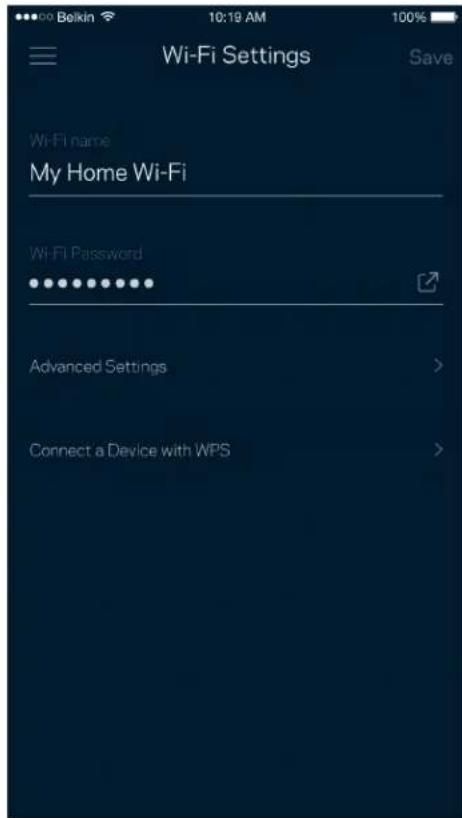
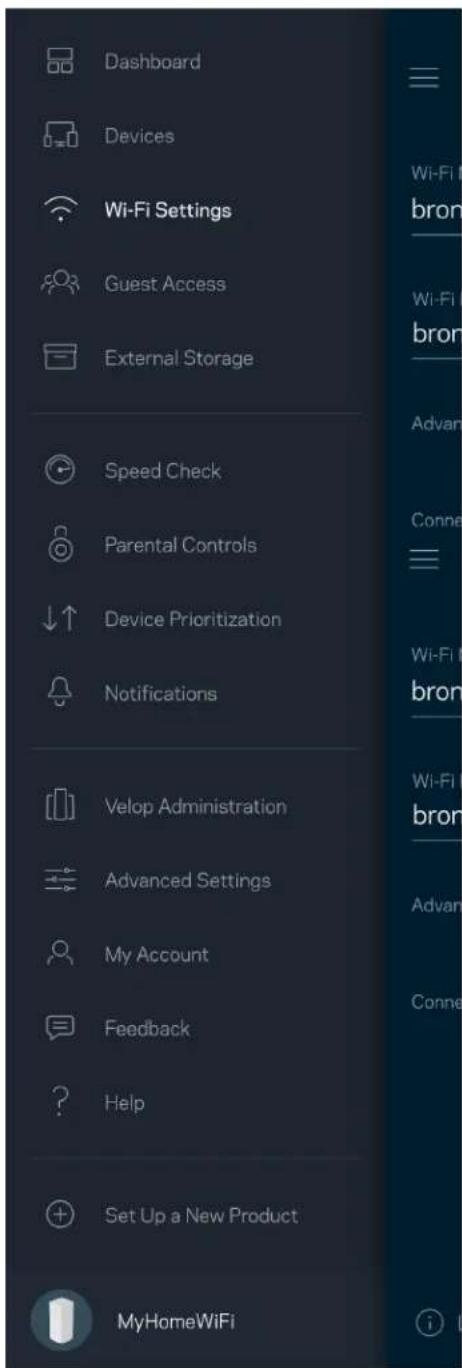
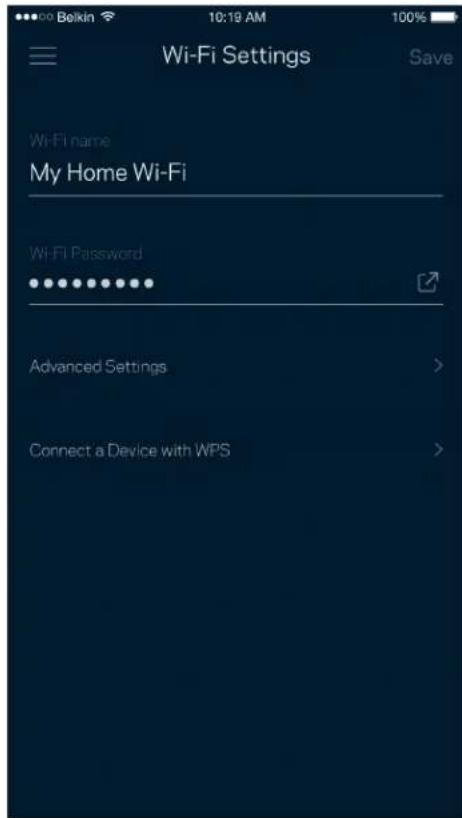
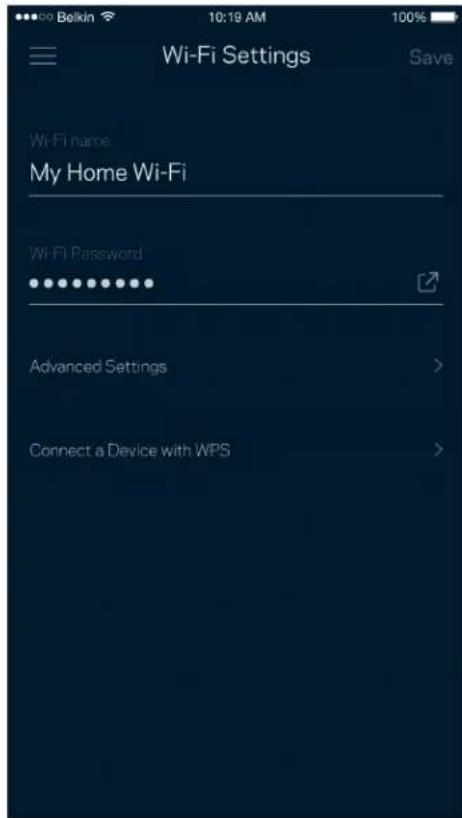
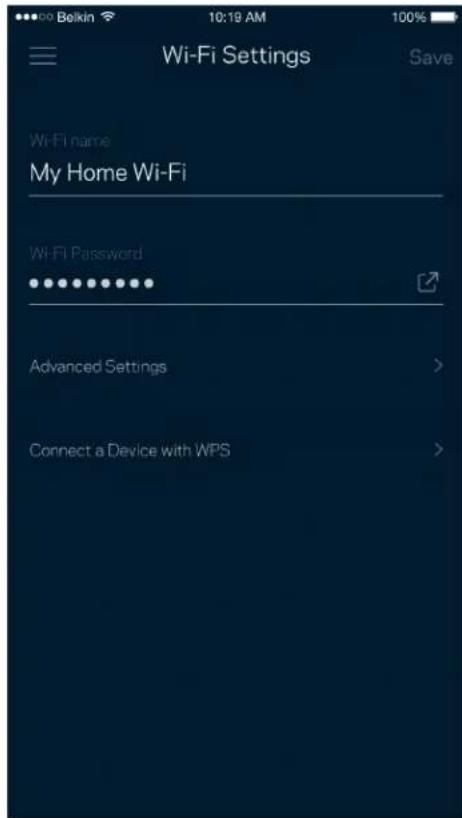
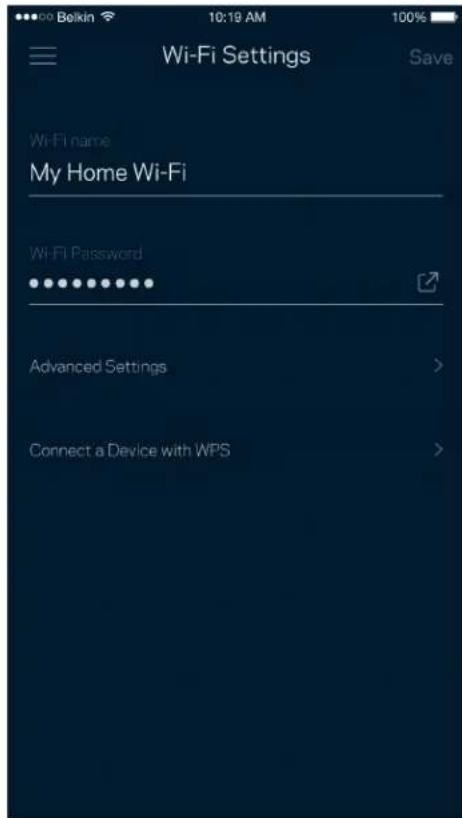
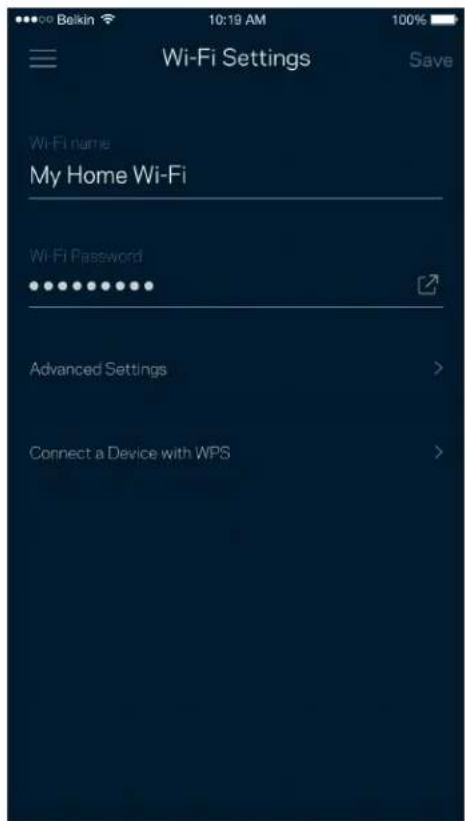
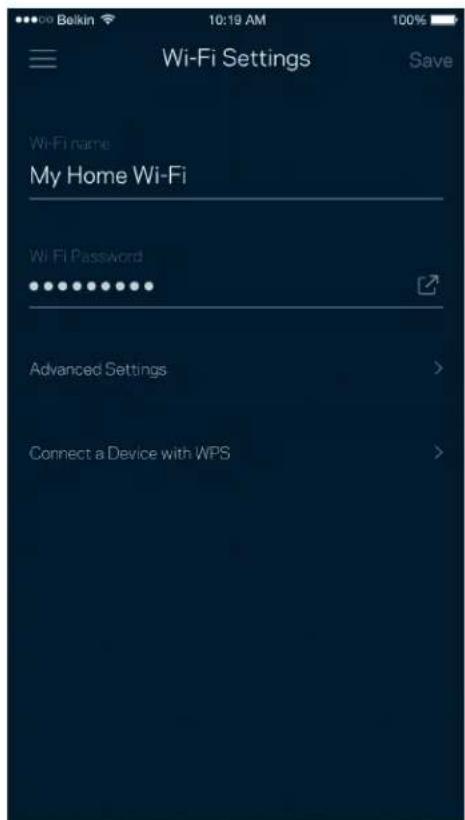
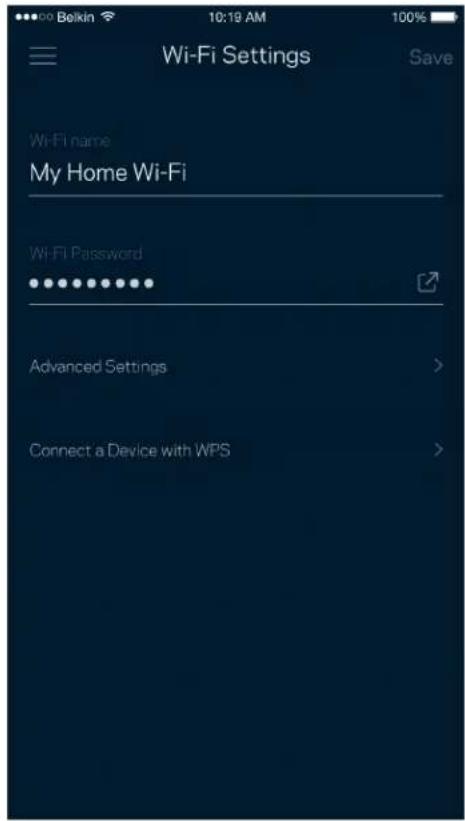
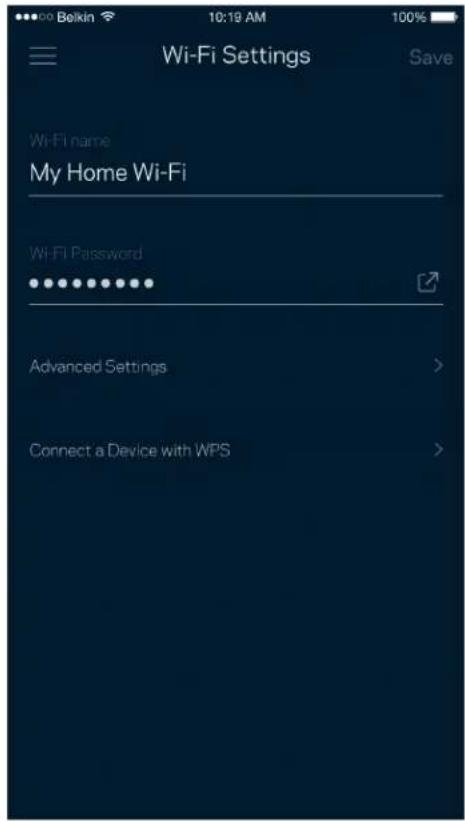
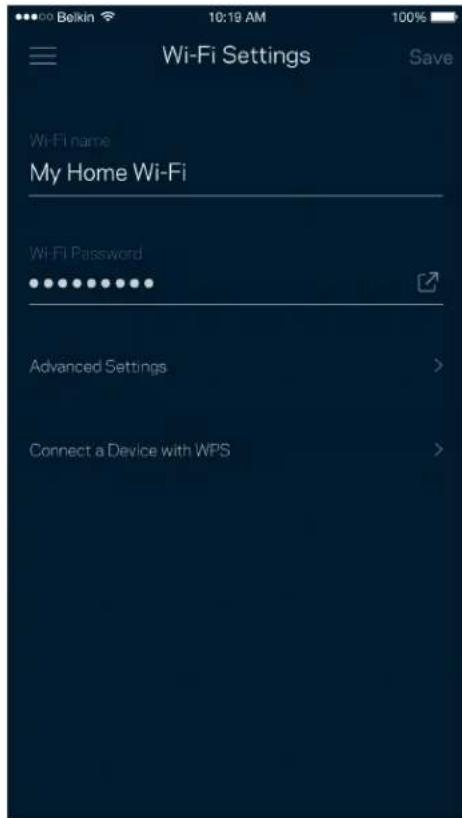
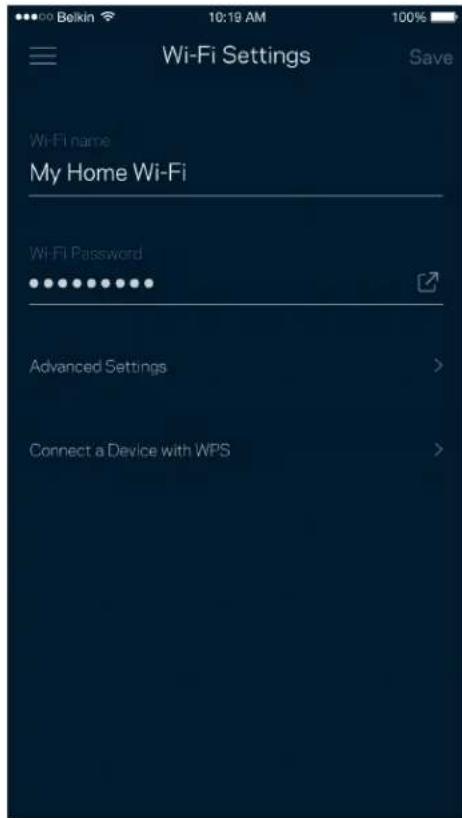
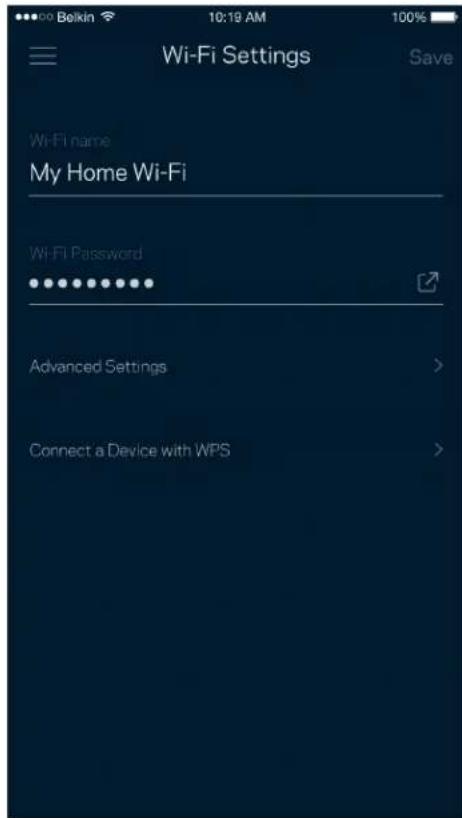
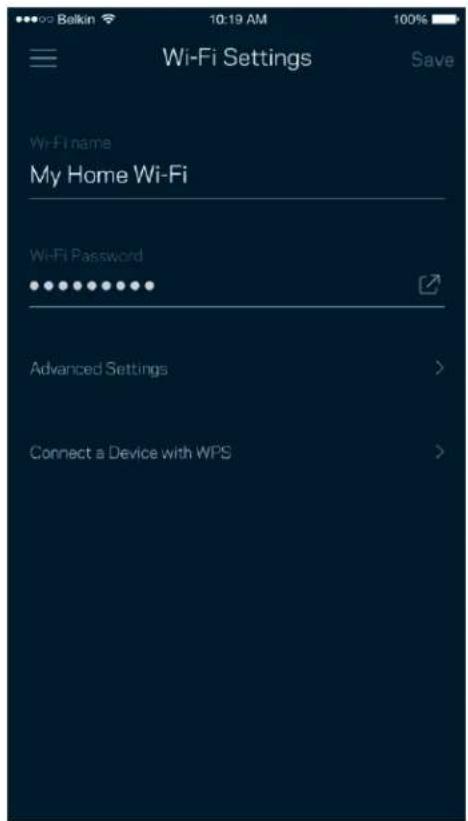
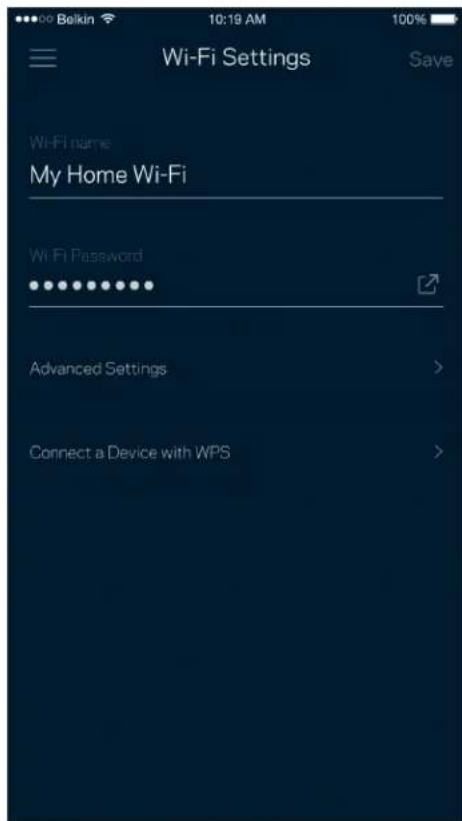
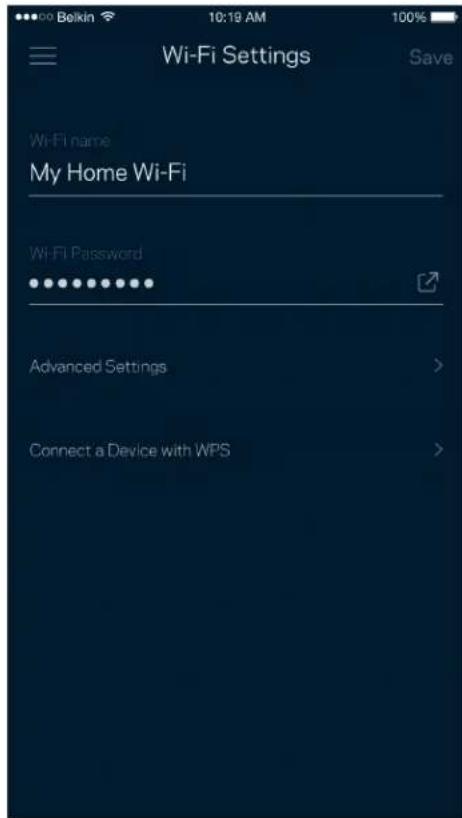
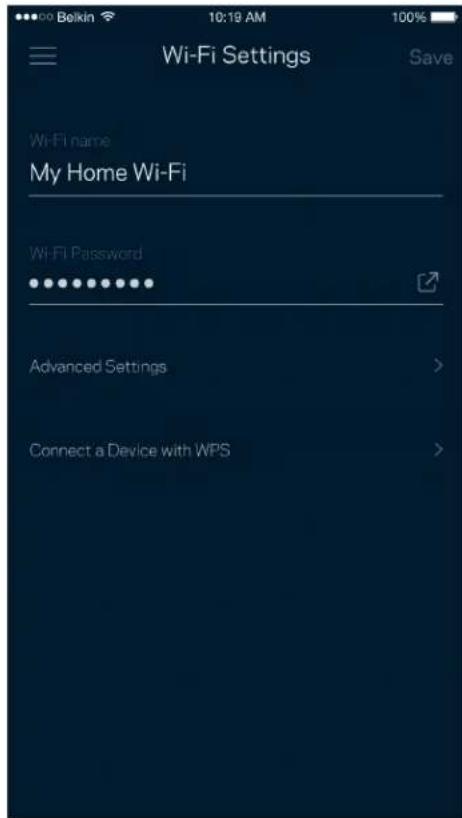
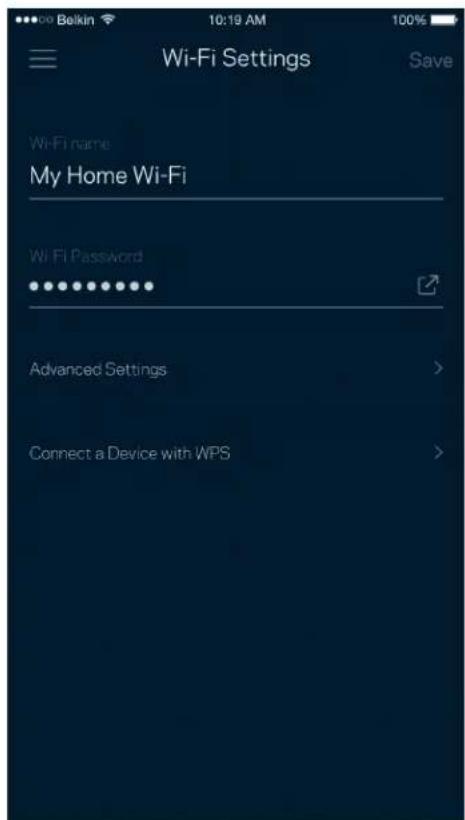
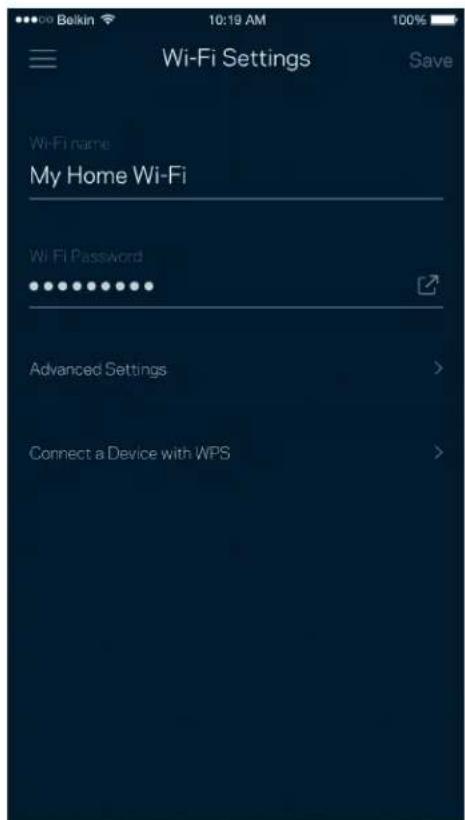
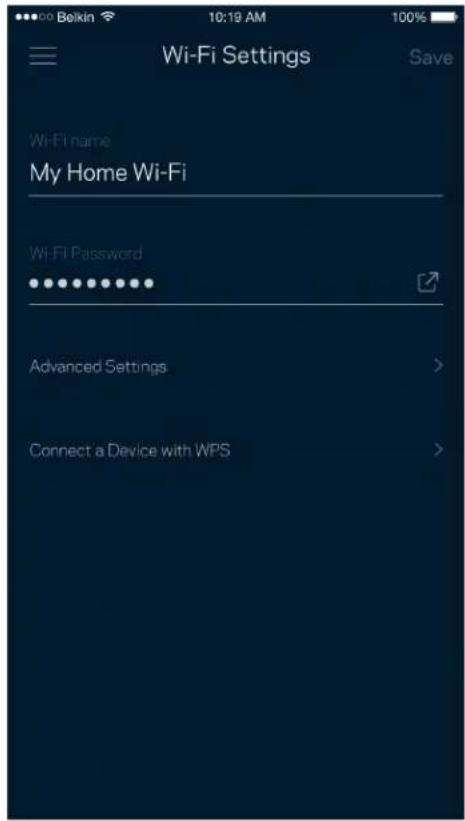
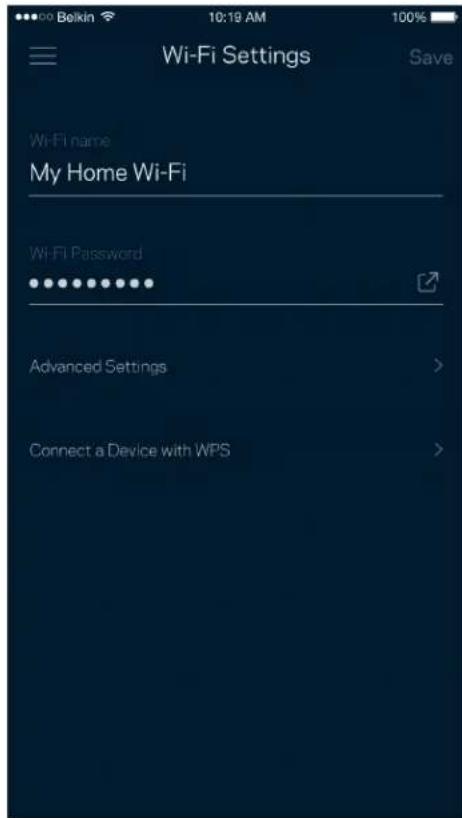
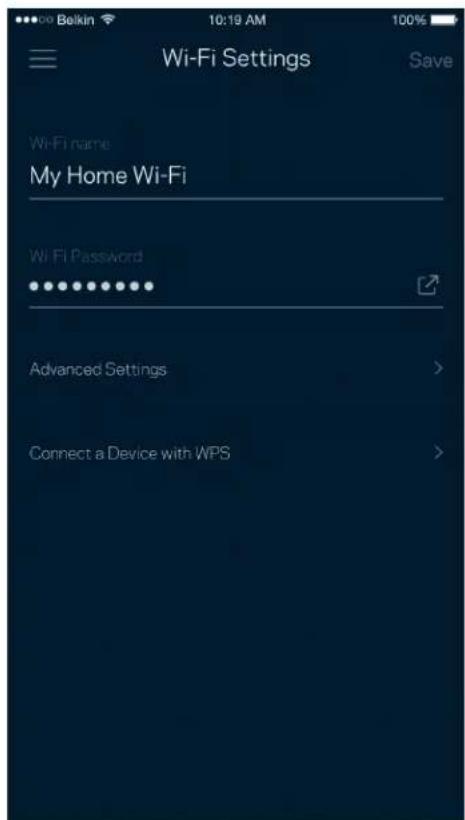
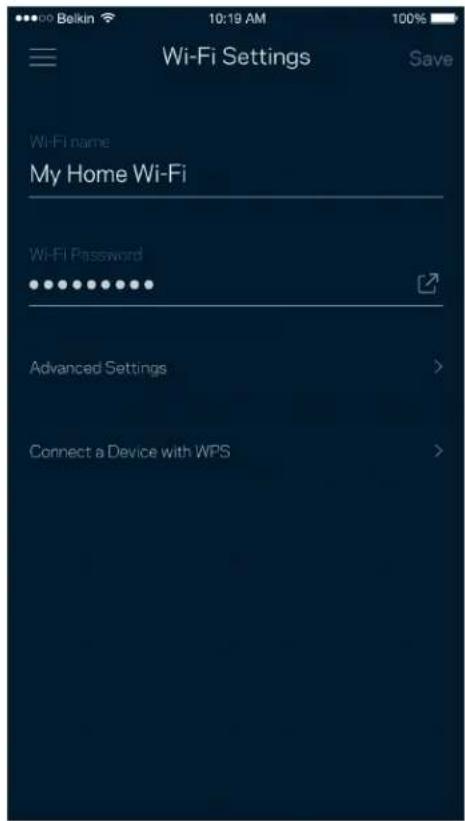
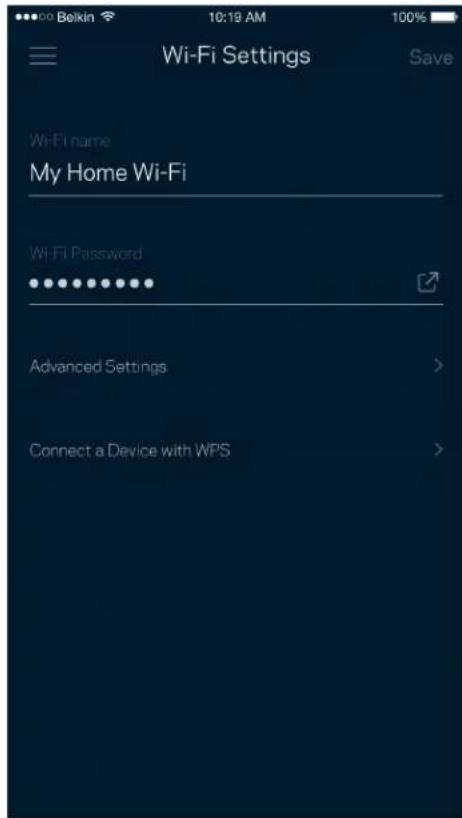
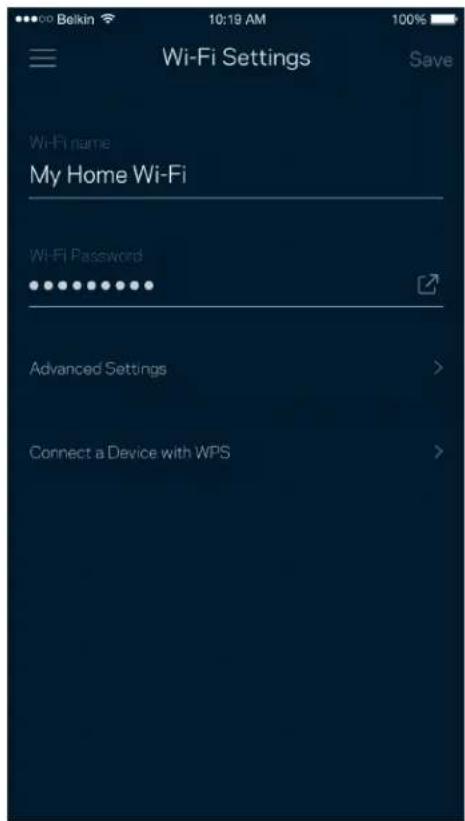
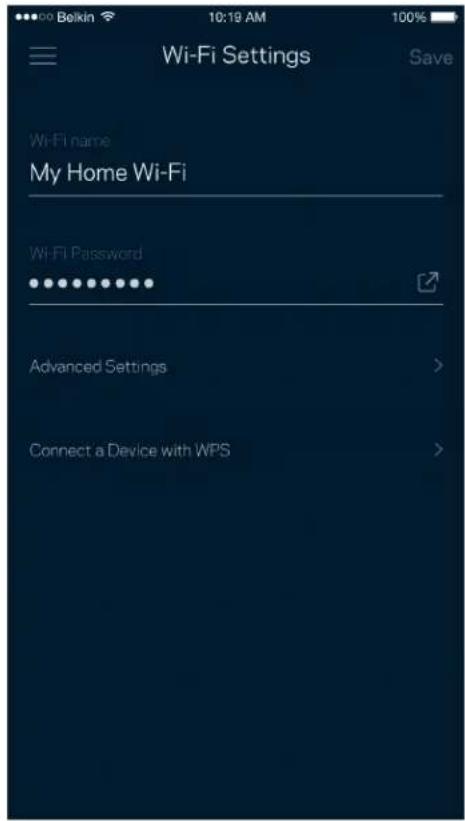
View or change your Wi-Fi name and password and connect devices using Wi-Fi Protected Setup™.
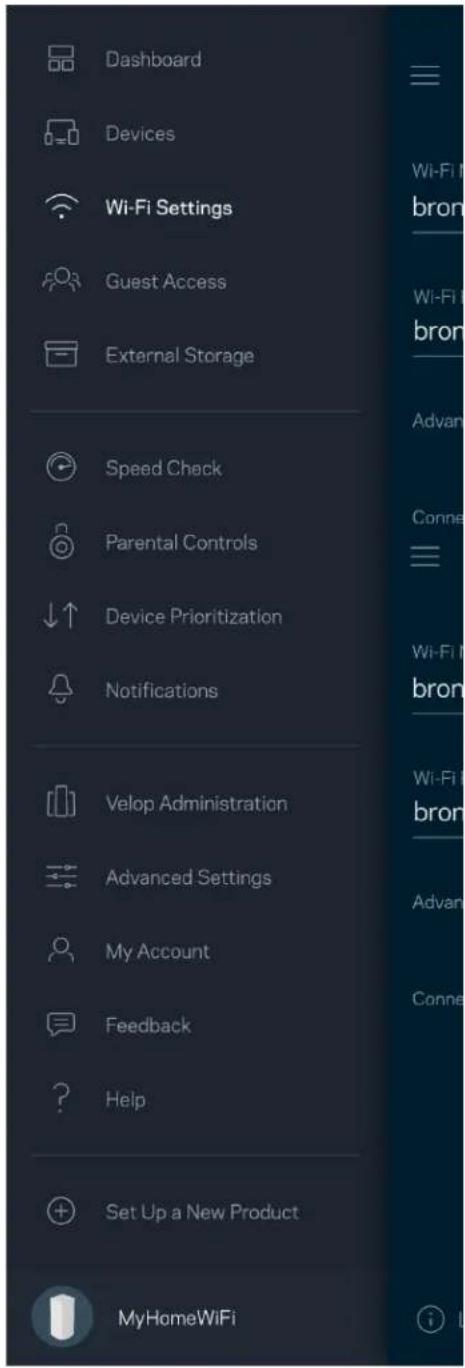
Dashboard Devices Wi-Fi Settings Guest Access External Storage Speed Check Parental Controls Device Prioritization Notifications Velop Administration Advanced Settings My Account Feedback Help Set Up a New Product MyHomeWiFi

Wi-Fi Settings Save Wi-Fi name My Home Wi-Fi Wi-Fi Password Advanced Settings > Connect a Device with WPS >

Advanced Settings

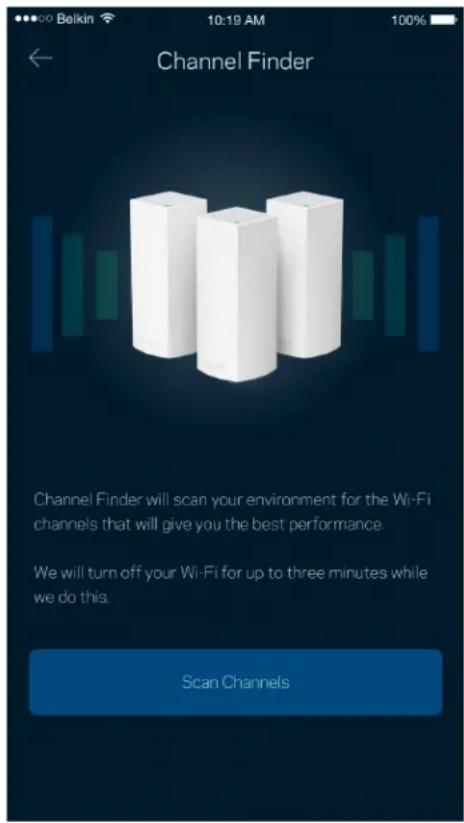
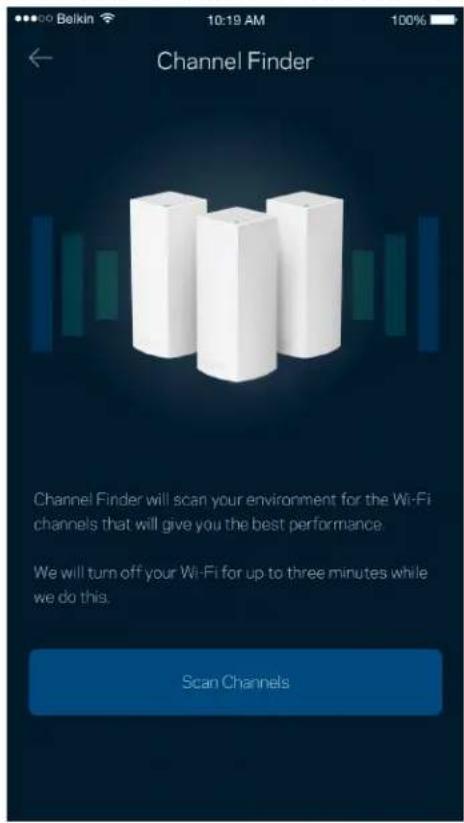
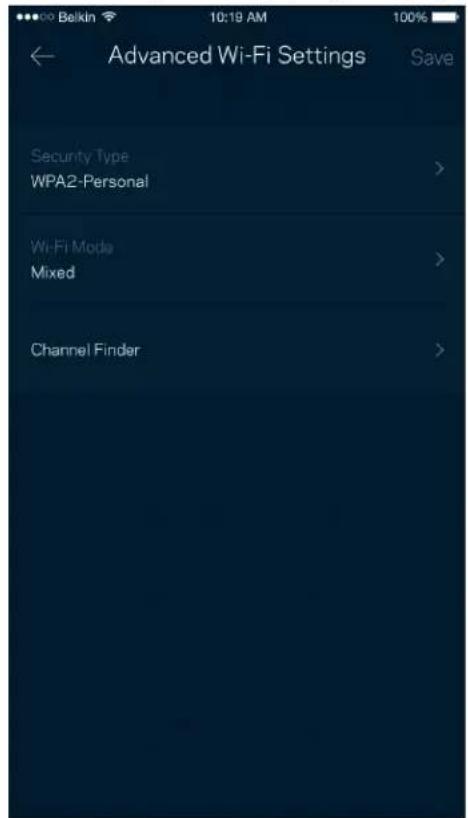
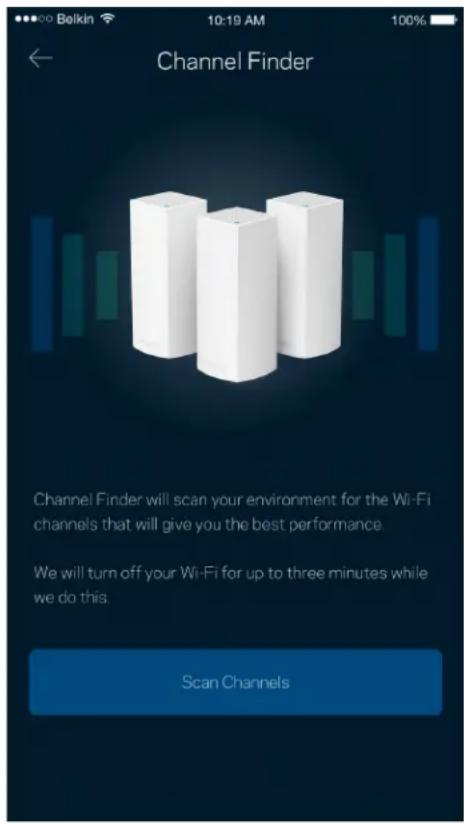
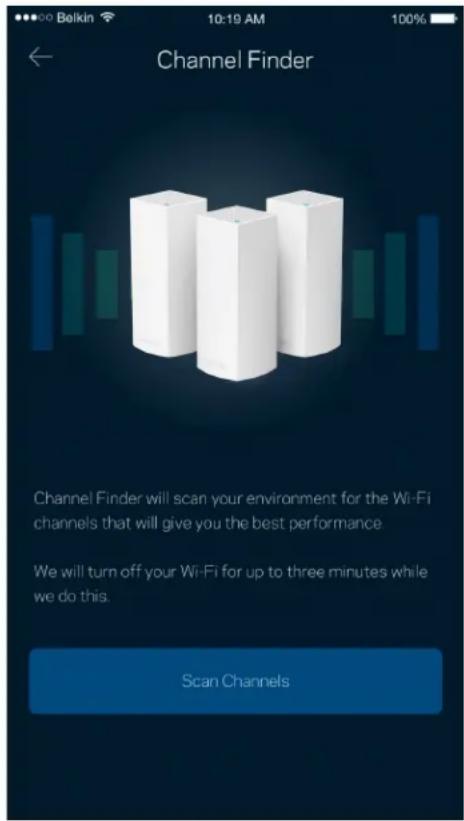
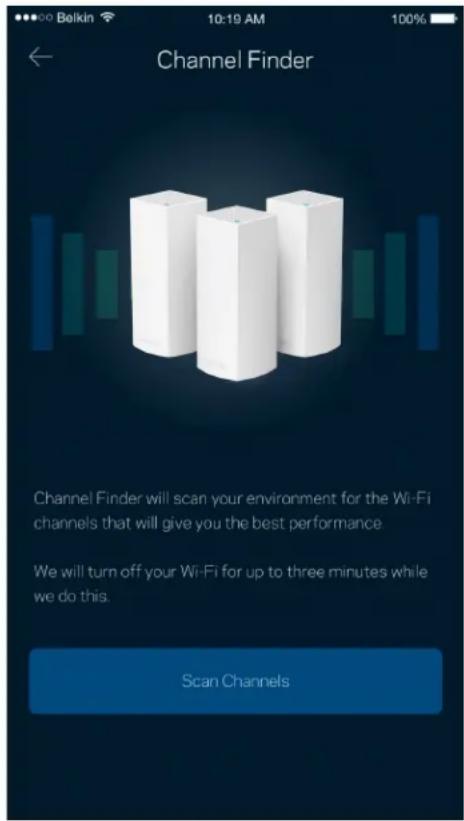
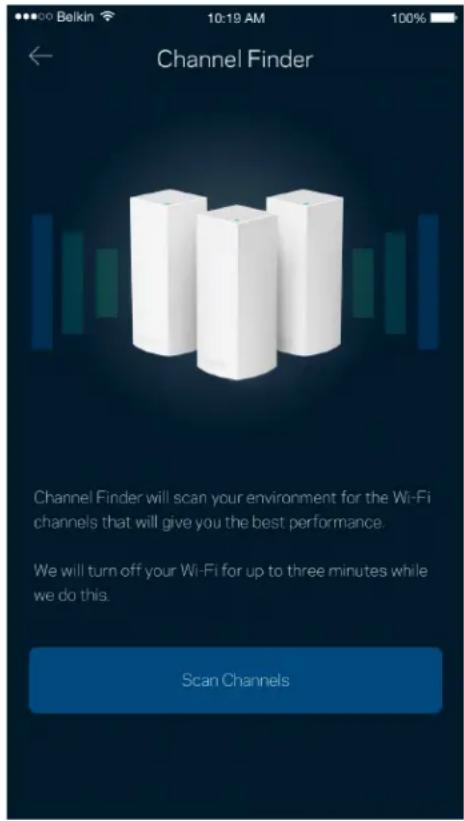
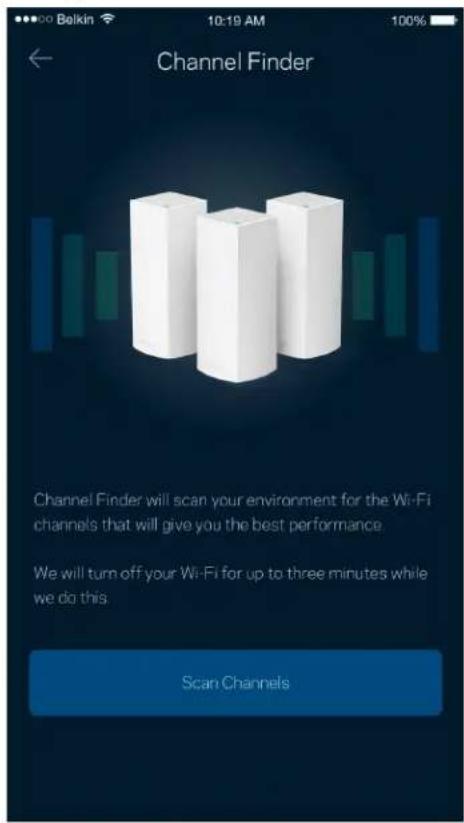
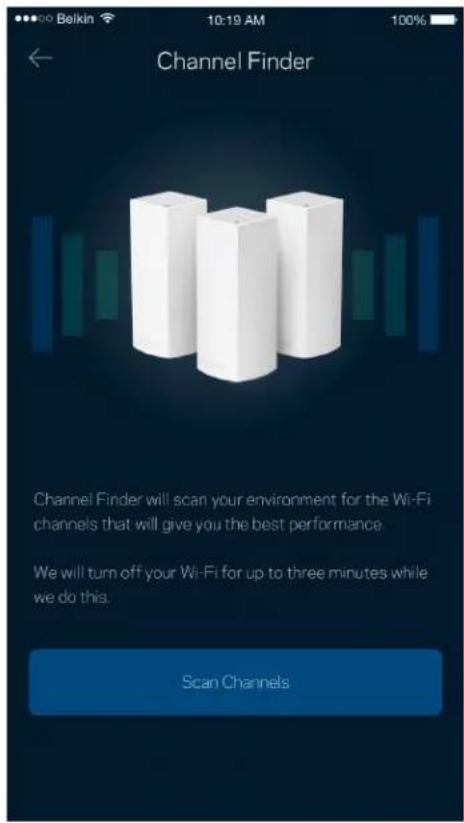
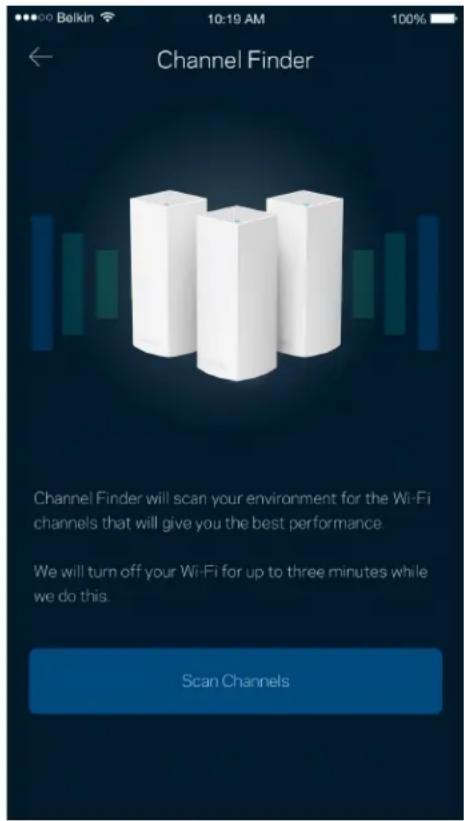
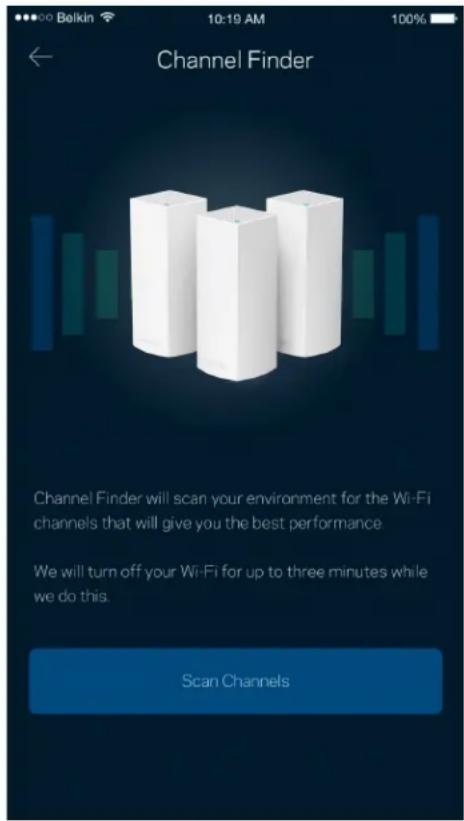
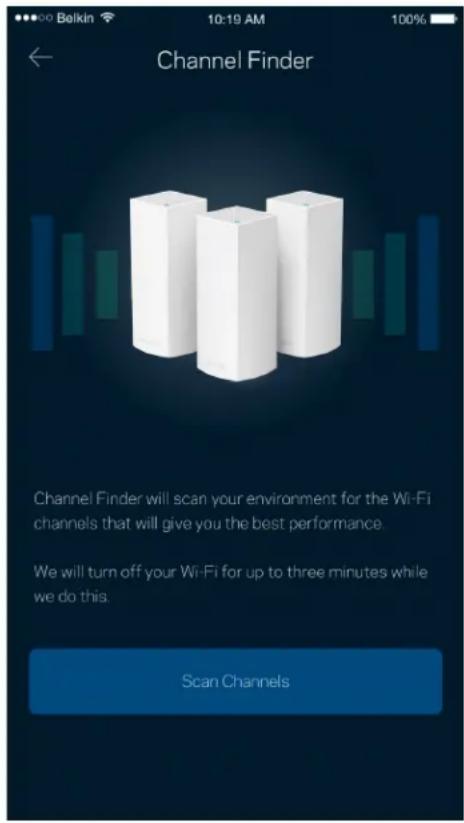
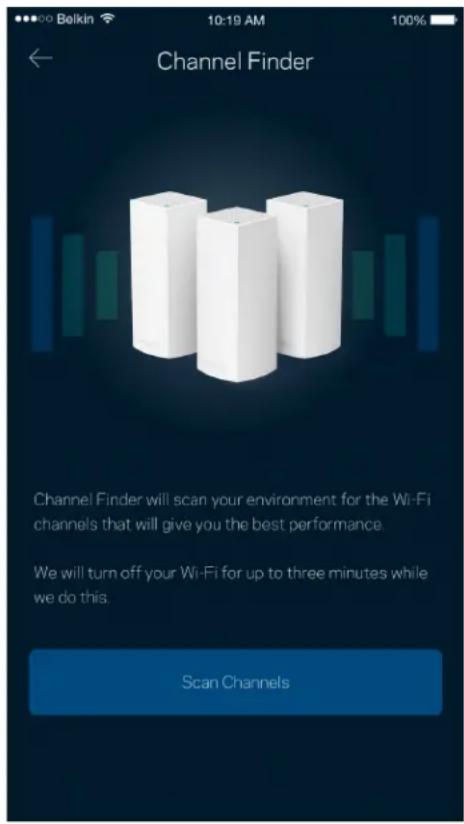
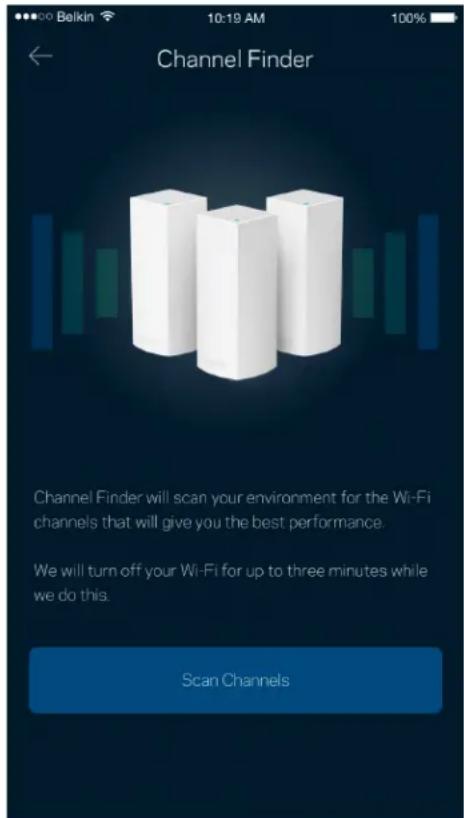
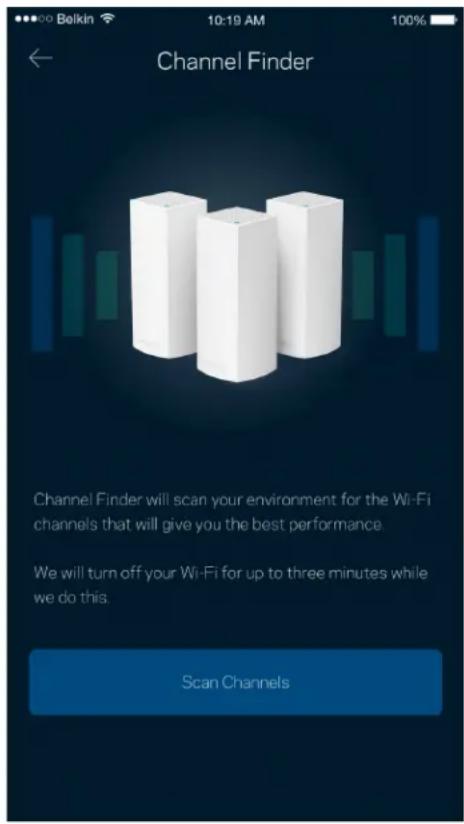
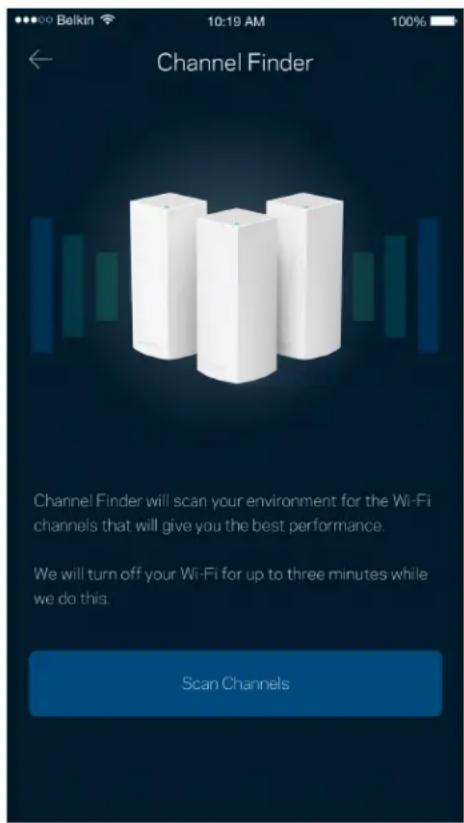
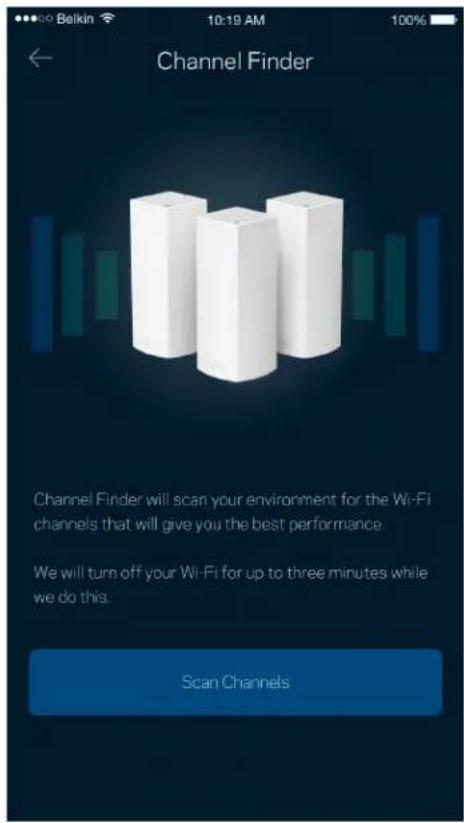
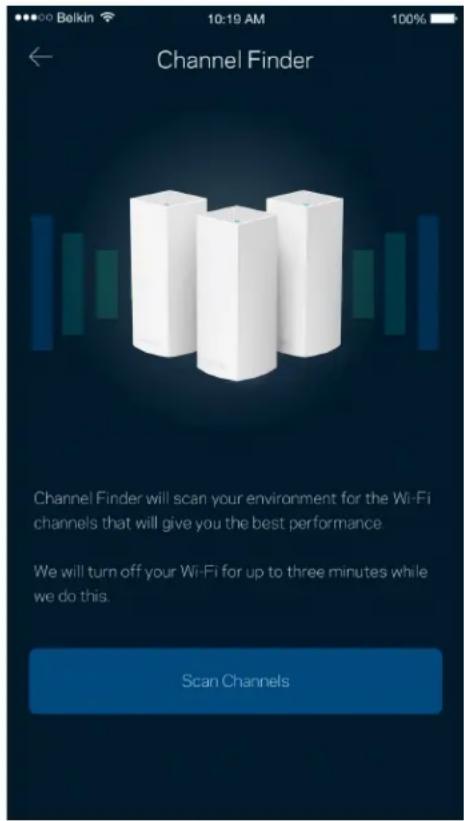
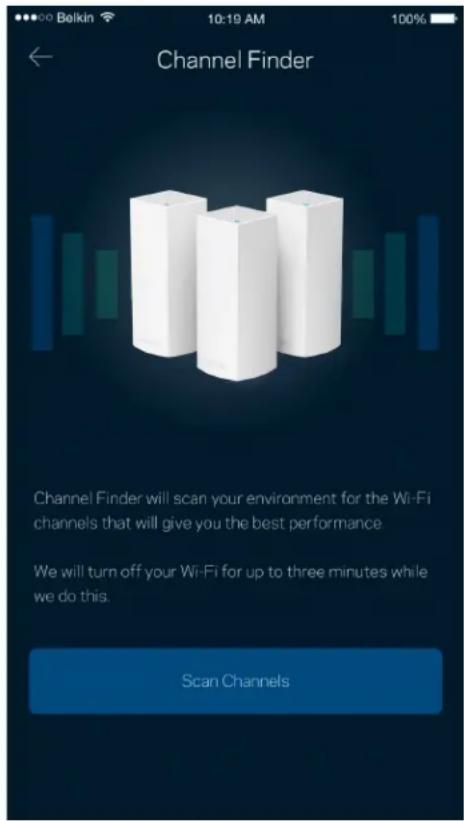
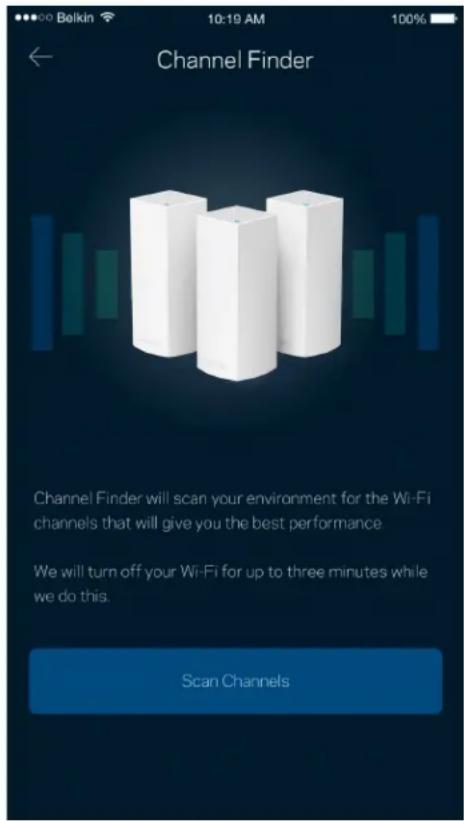
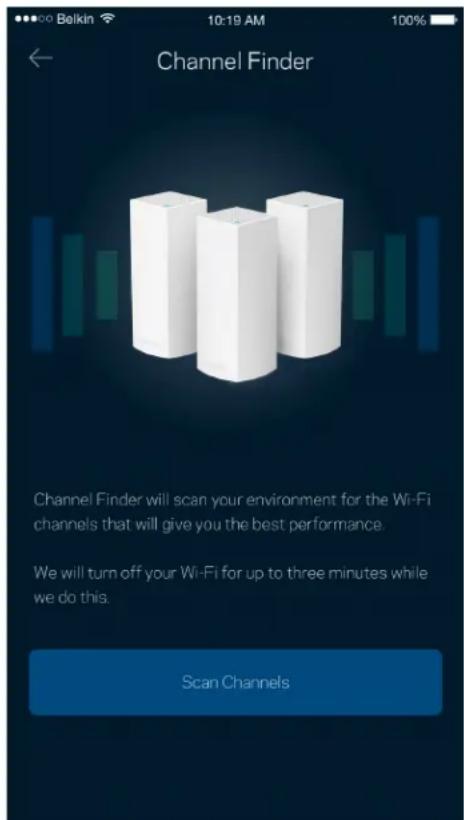
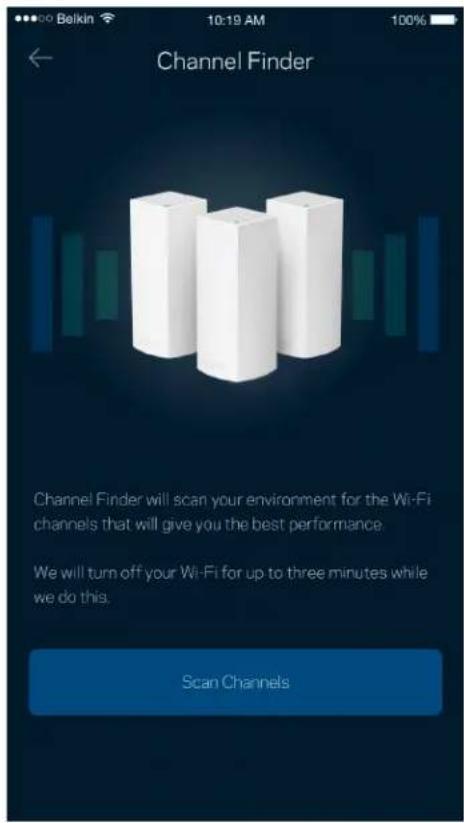
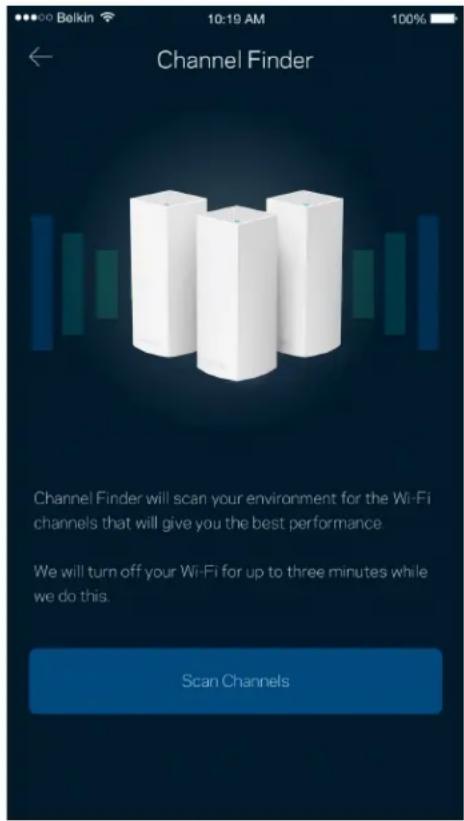
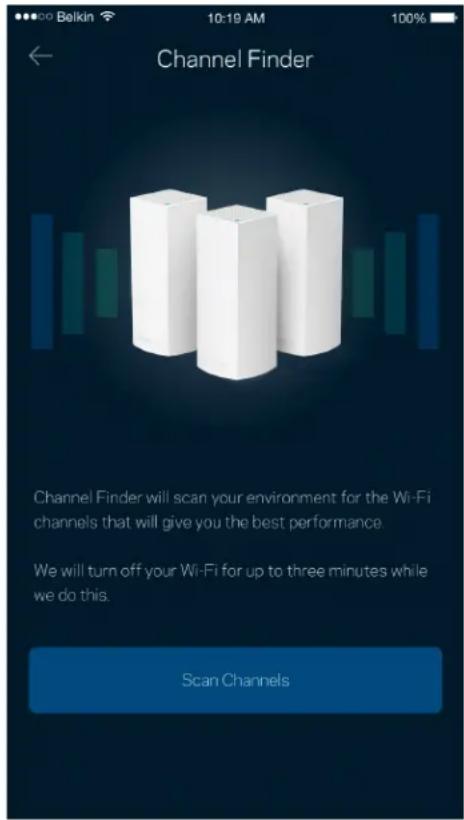
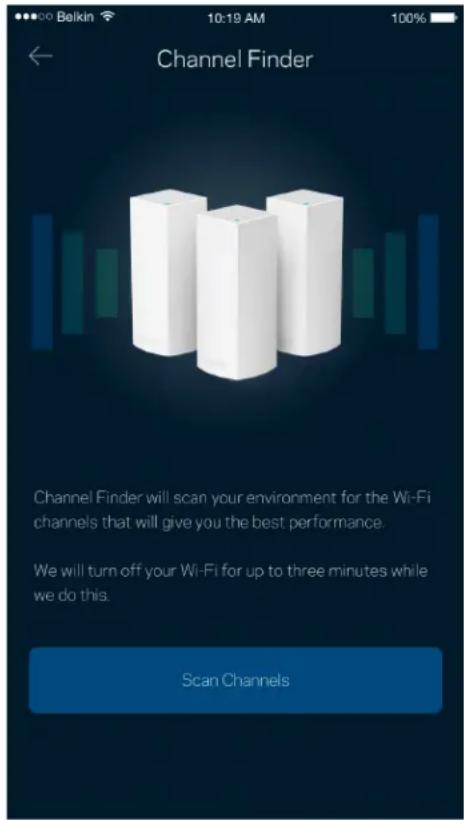
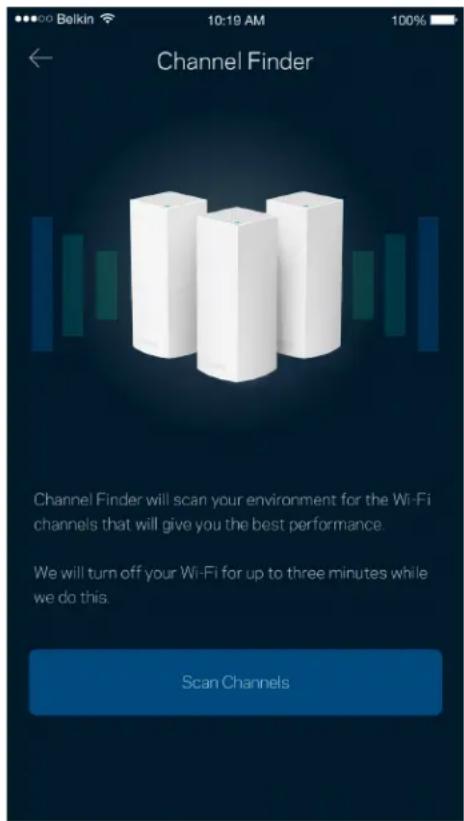
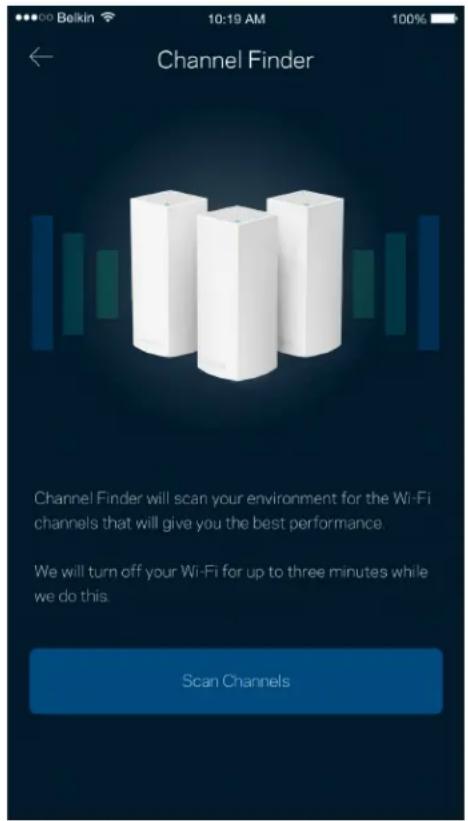
Advanced users can change the default security type and Wi-Fi mode. Do not change these unless you have a lot of experience with Wi-Fi networks. Channel Finder will search for the most-open Wi-Fi channels in your area to ensure you get the best performance from your Velop system. If you have more than one node in your Velop system, Channel Finder will find the best channel for each node.
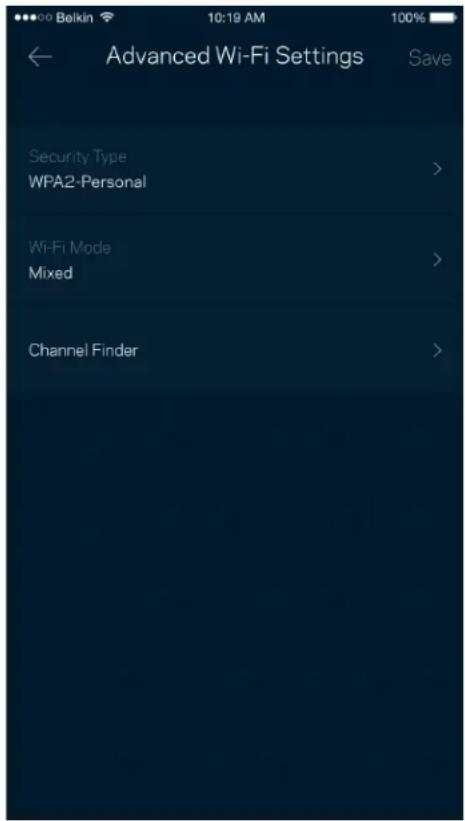
Belkin 10:19 AM 100% ← Advanced Wi-Fi Settings Save Security Type WPA2-Personal > Wi-Fi Mode Mixed > Channel Finder >

Channel Finder Channel Finder will scan your environment for the Wi-Fi channels that will give you the best performance. We will turn off your Wi-Fi for up to three minutes while we do this. Scan Channels

Connect a Device with WPS

Wi-Fi Protected Setup allows you to easily connect wireless devices to your Wi-Fi without manually entering security settings.
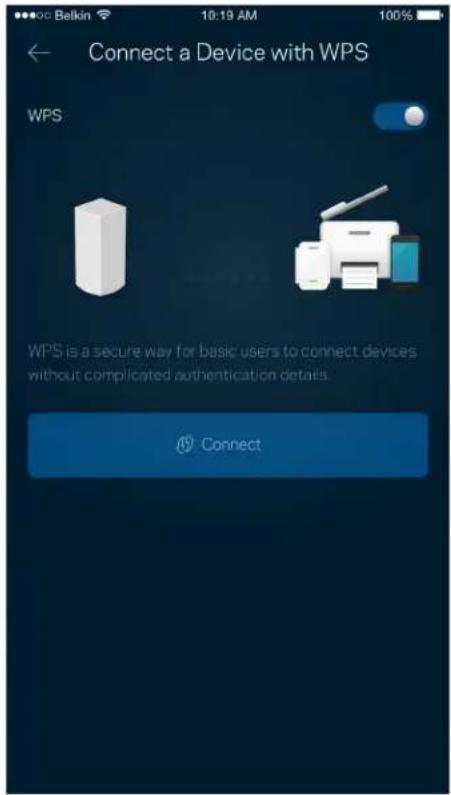
Connect a Device with WPS WPS WPS is a secure way for basic users to connect devices without complicated authentication details. Connect

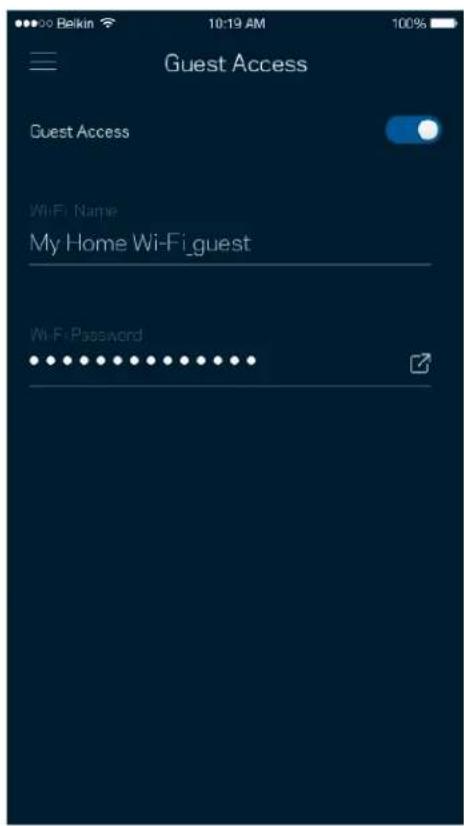
Guest Access

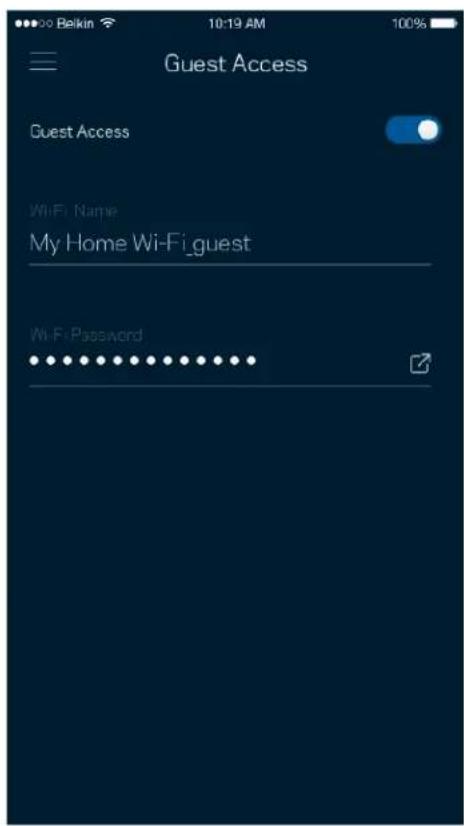
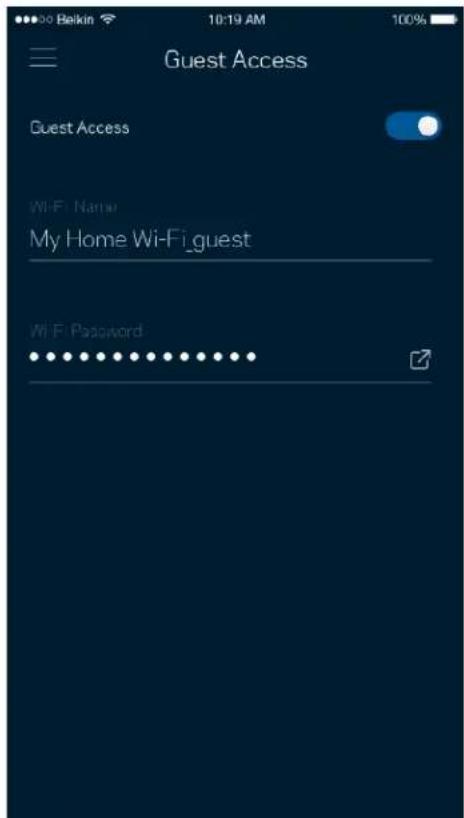
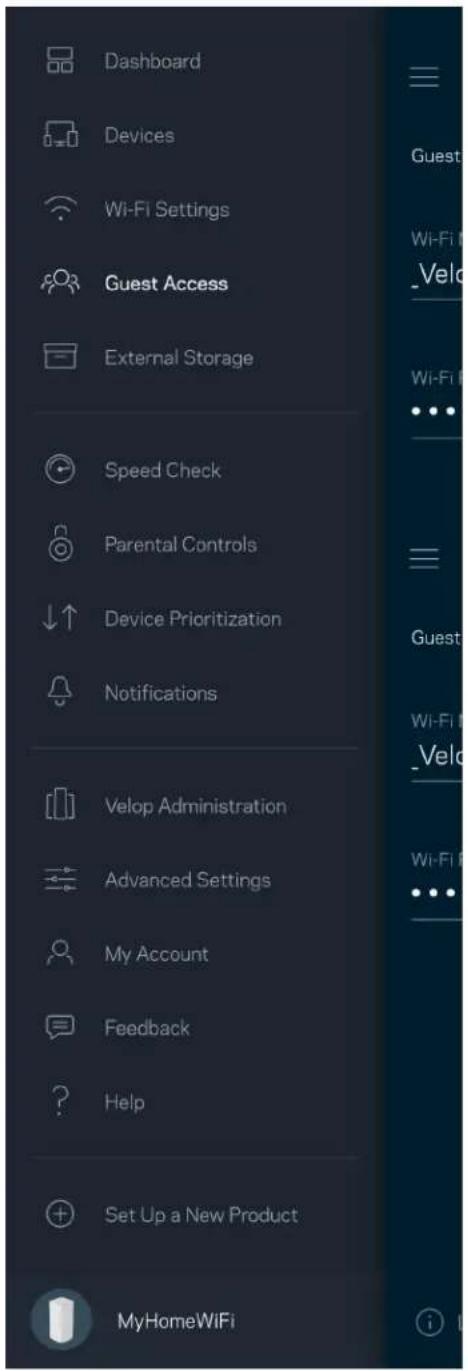
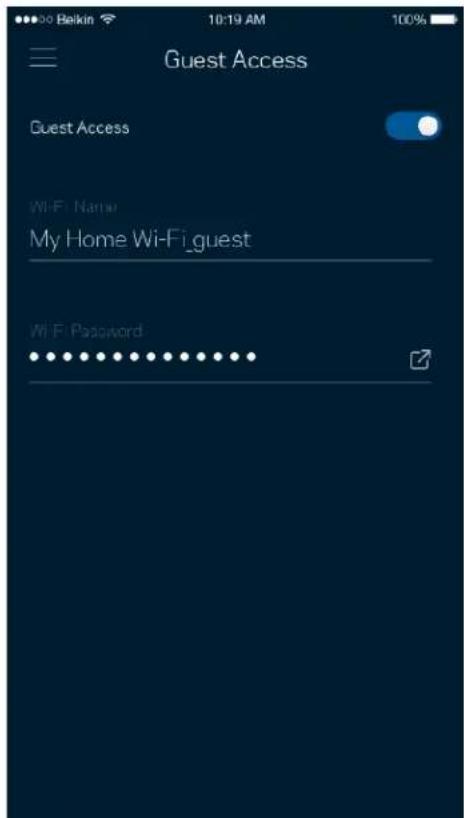
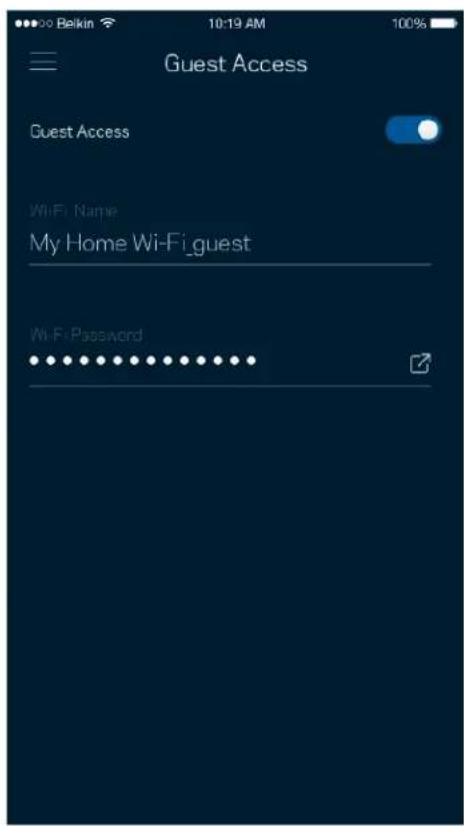
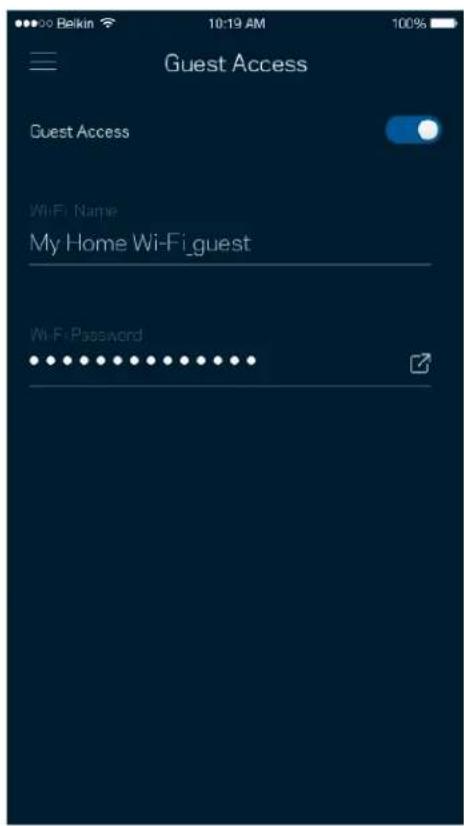
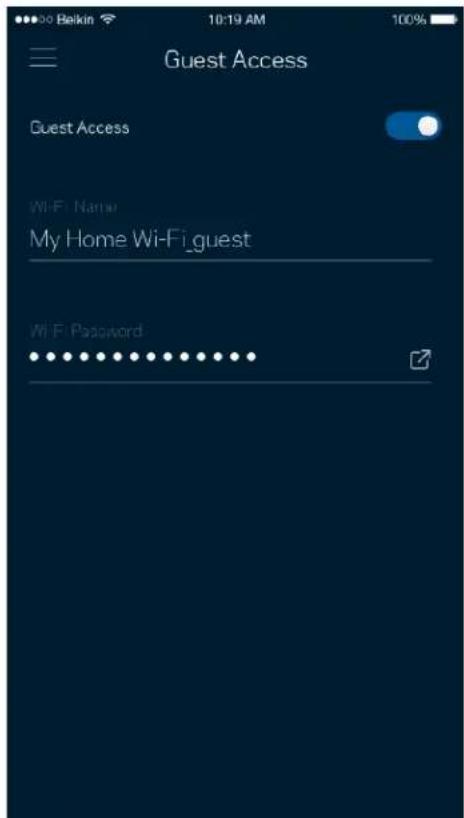
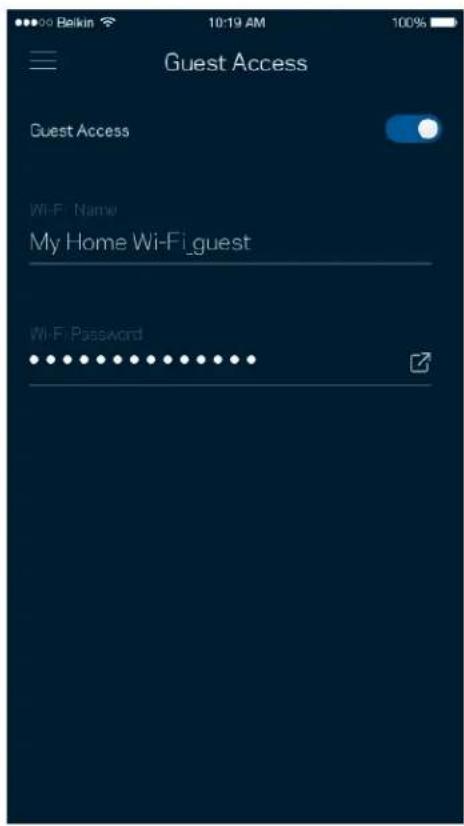
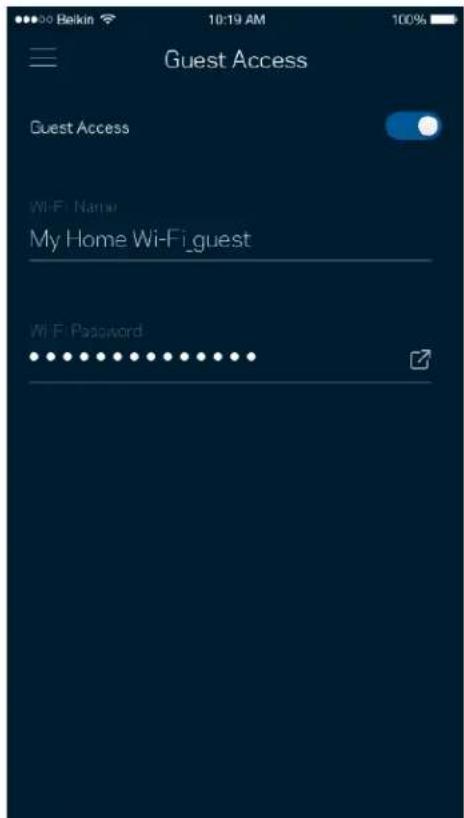
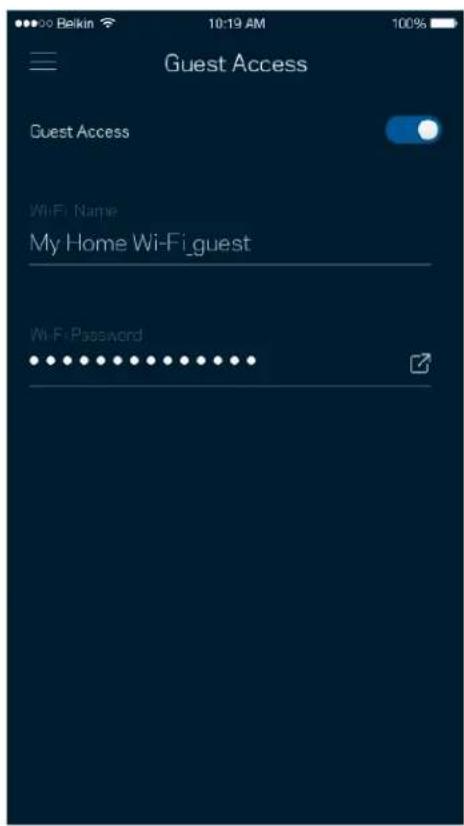
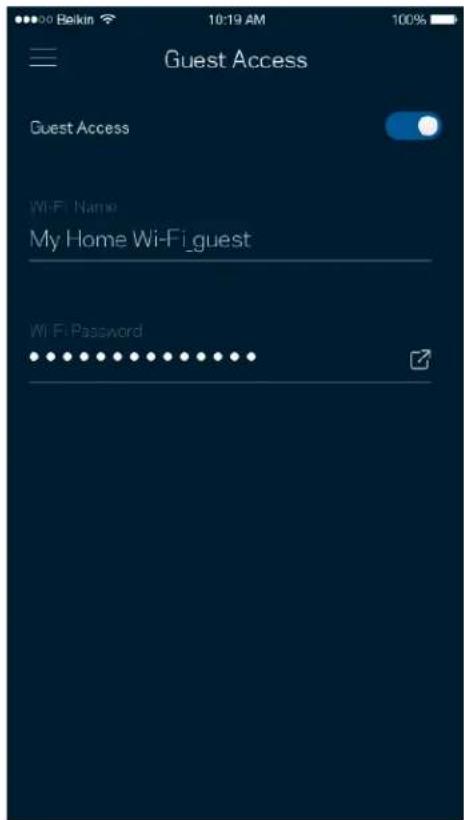
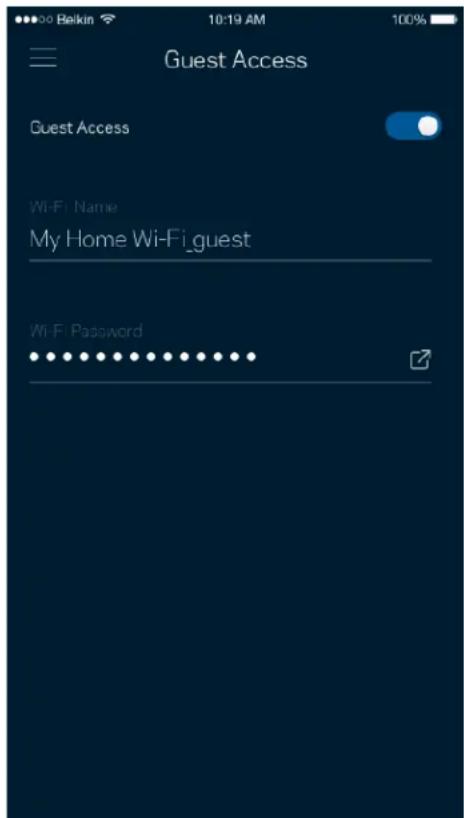
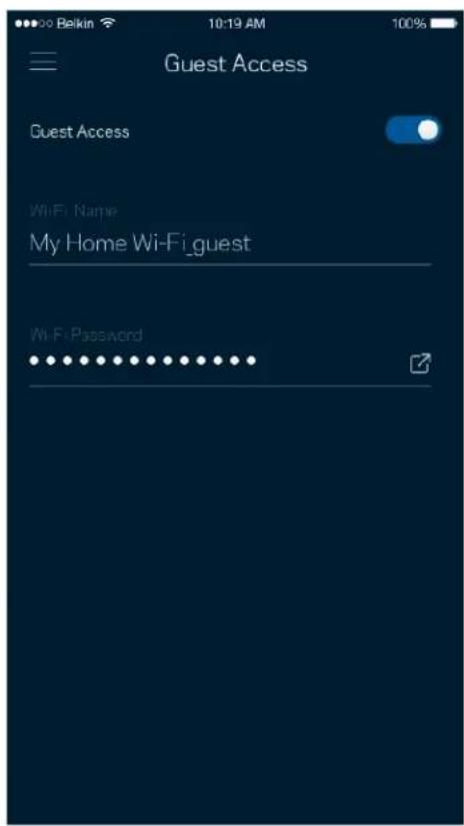
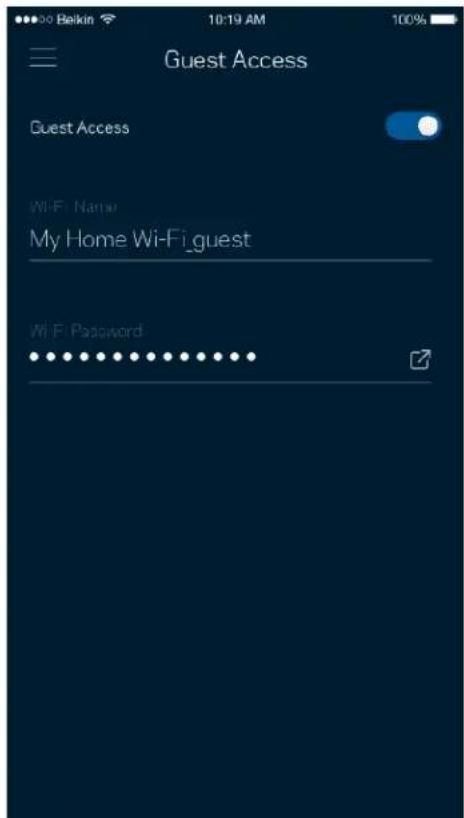
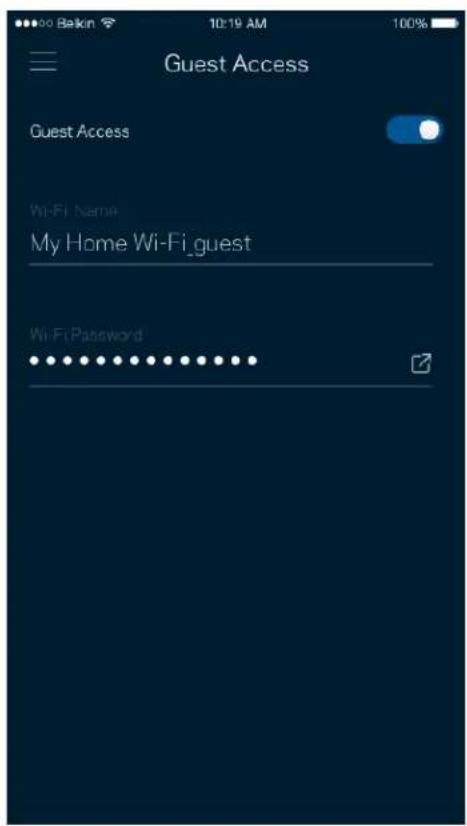
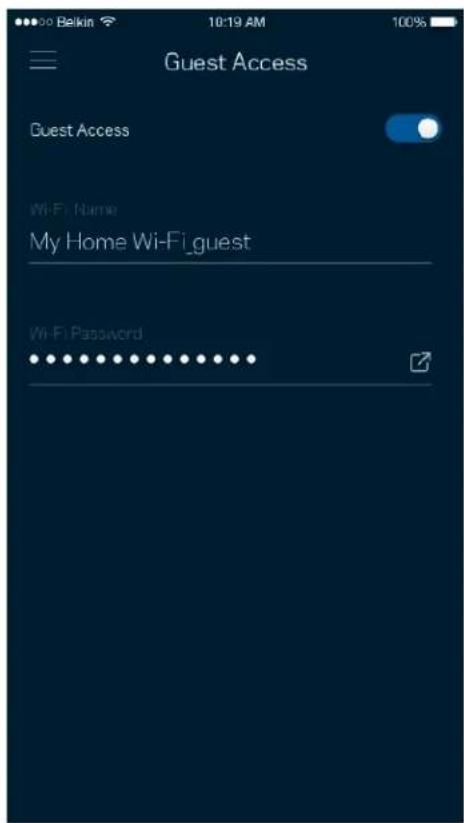
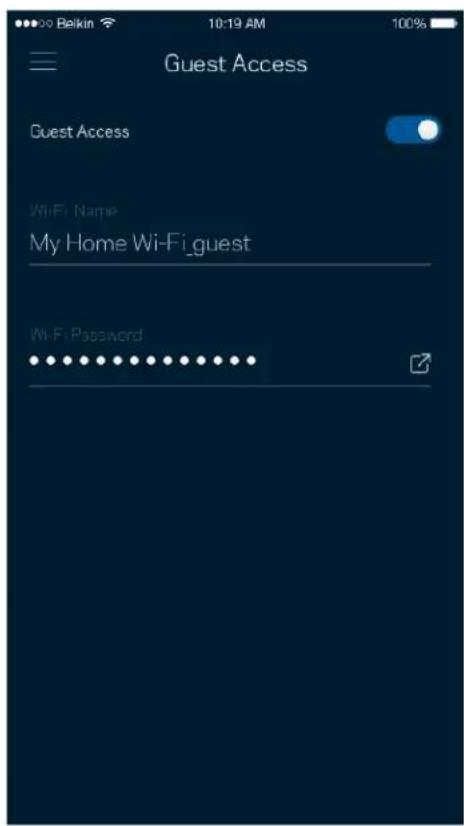
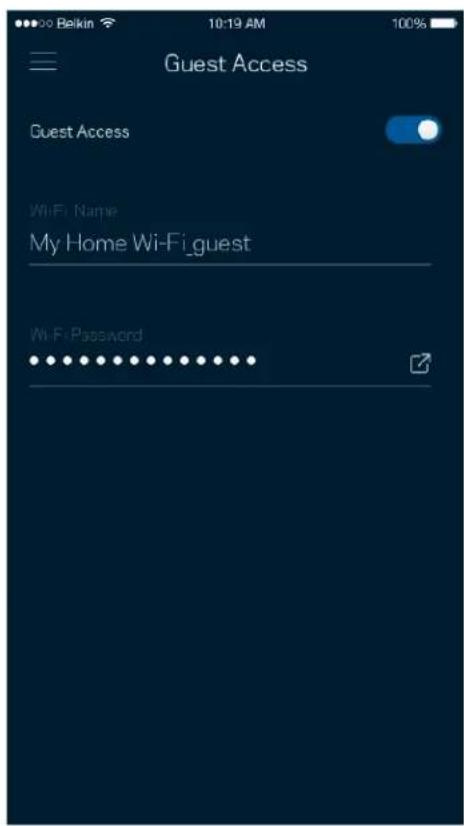
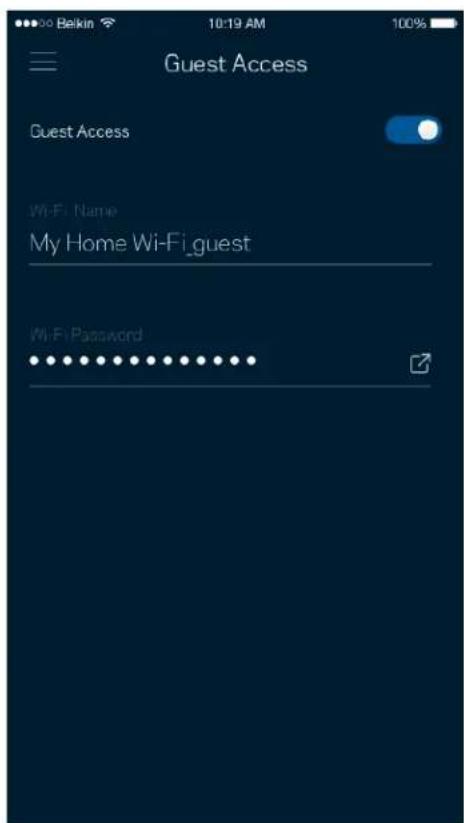
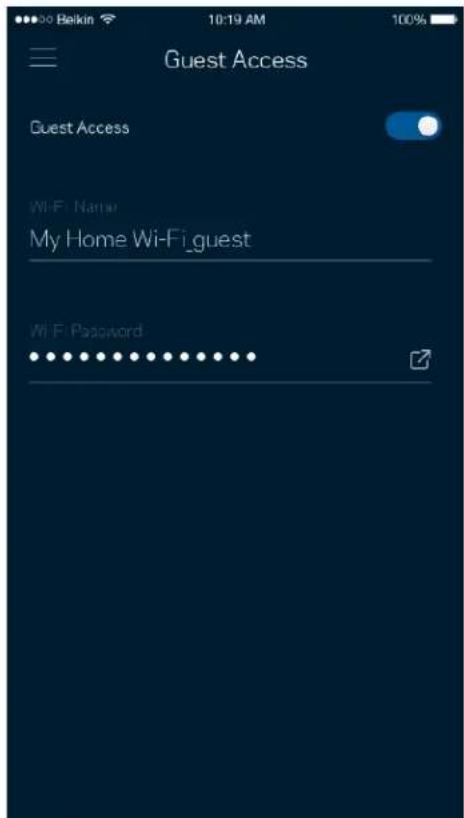
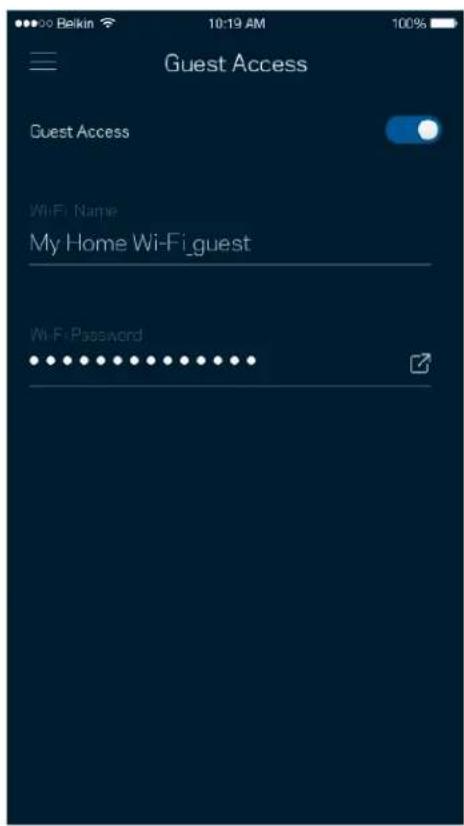
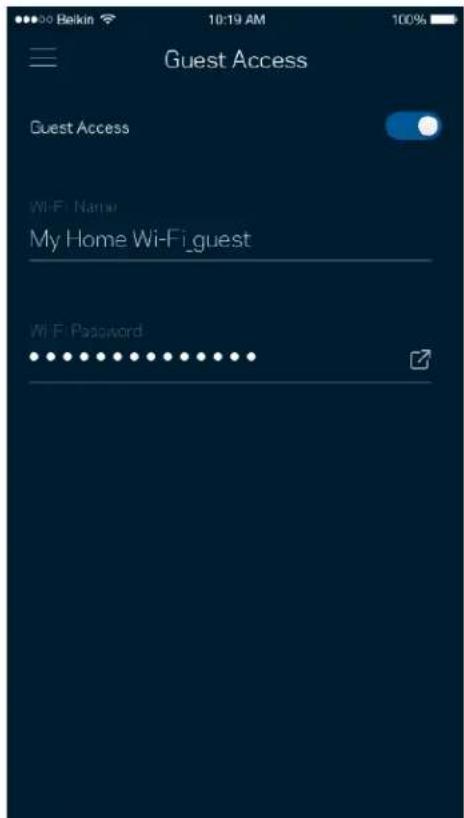
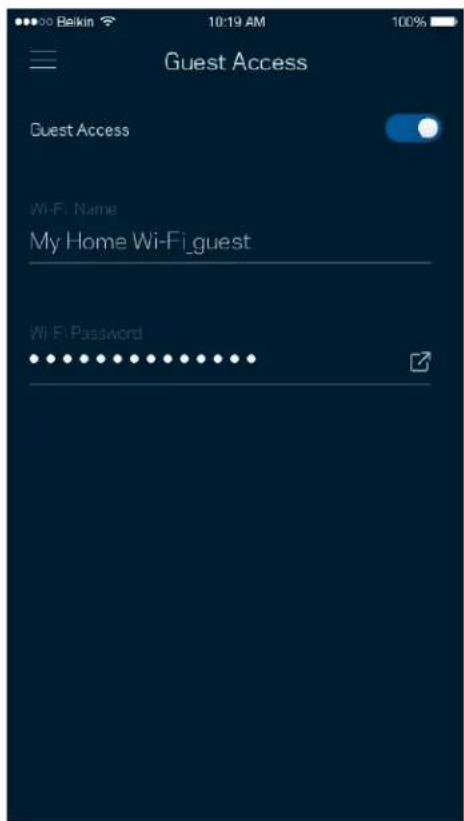
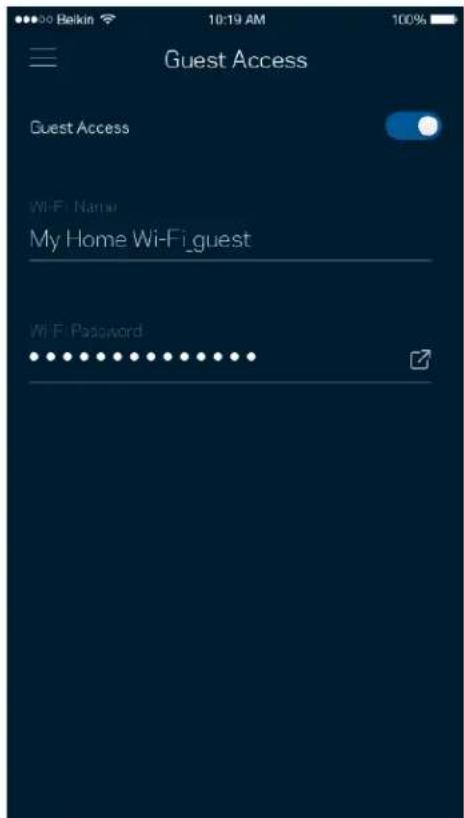
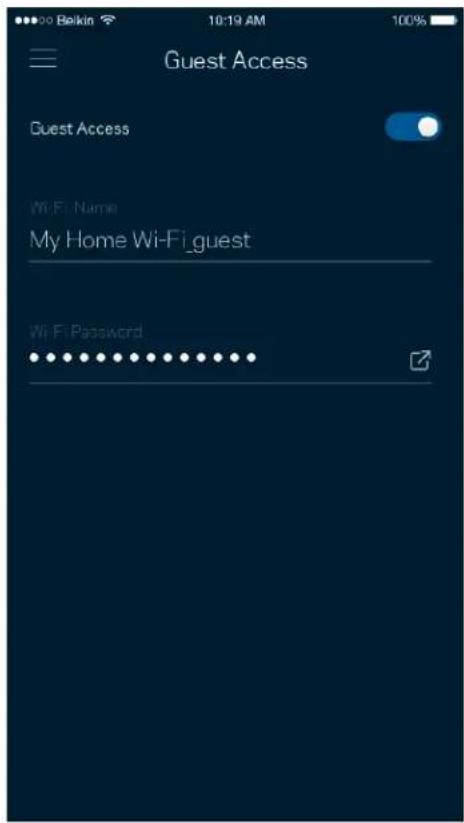
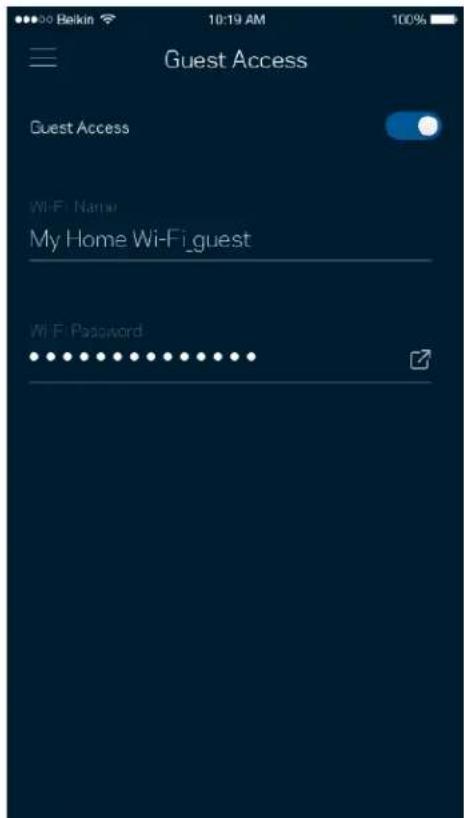
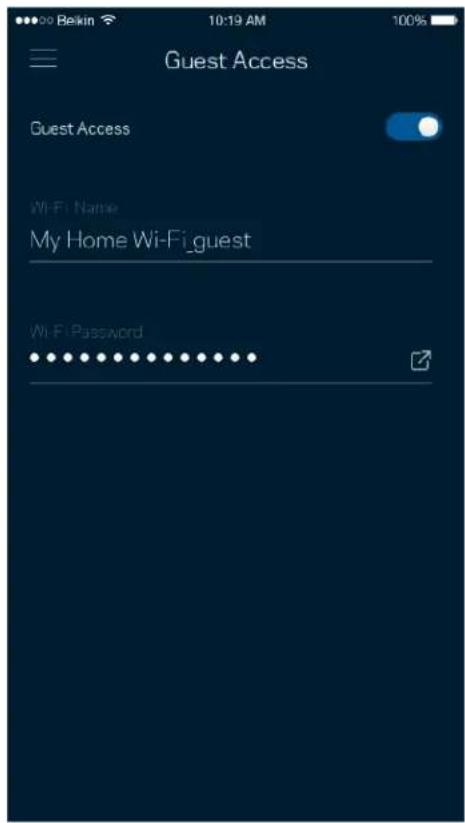
Use your Guest Access to allow guests to get online while restricting their access to other resources connected to your Wi-Fi. Send the password by text message or email.
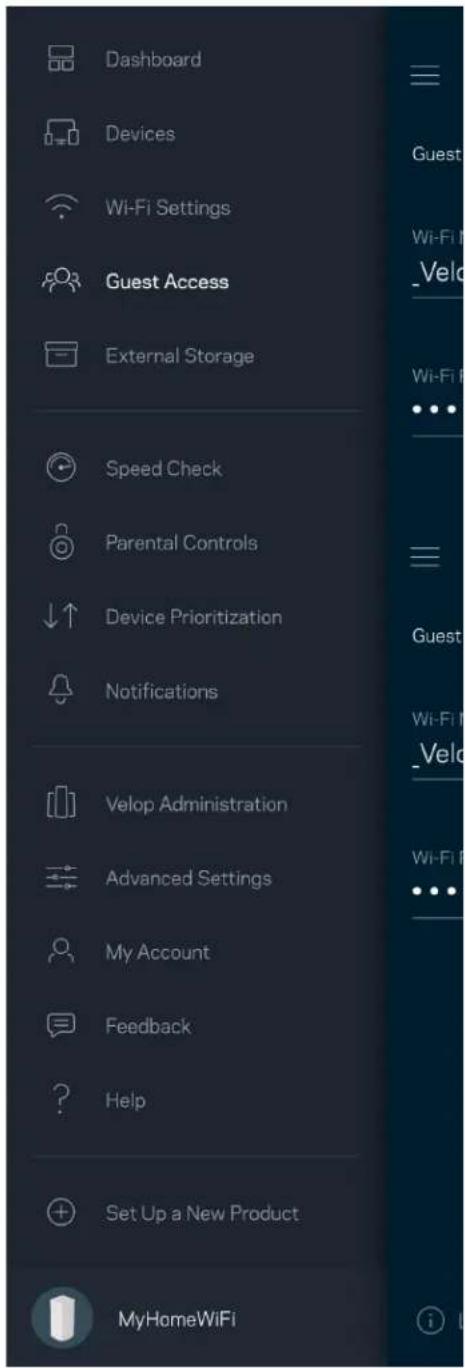
Dashboard Devices Wi-Fi Settings Guest Access External Storage Speed Check Parental Controls Device Prioritization Notifications Velop Administration Advanced Settings My Account Feedback Help Set Up a New Product MyHomeWiFi

Guest Access Guest Access Wi-Fi Name My Home Wi-Fi_guest Wi-Fi Password

External Storage

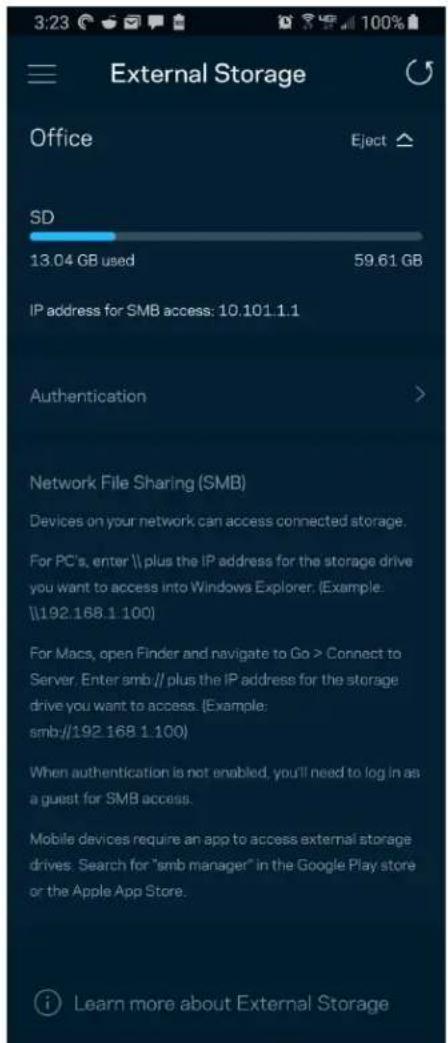
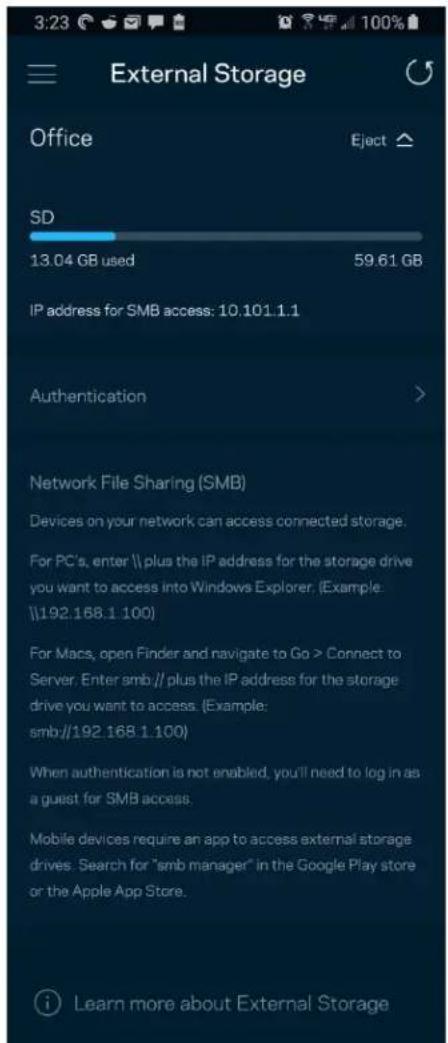
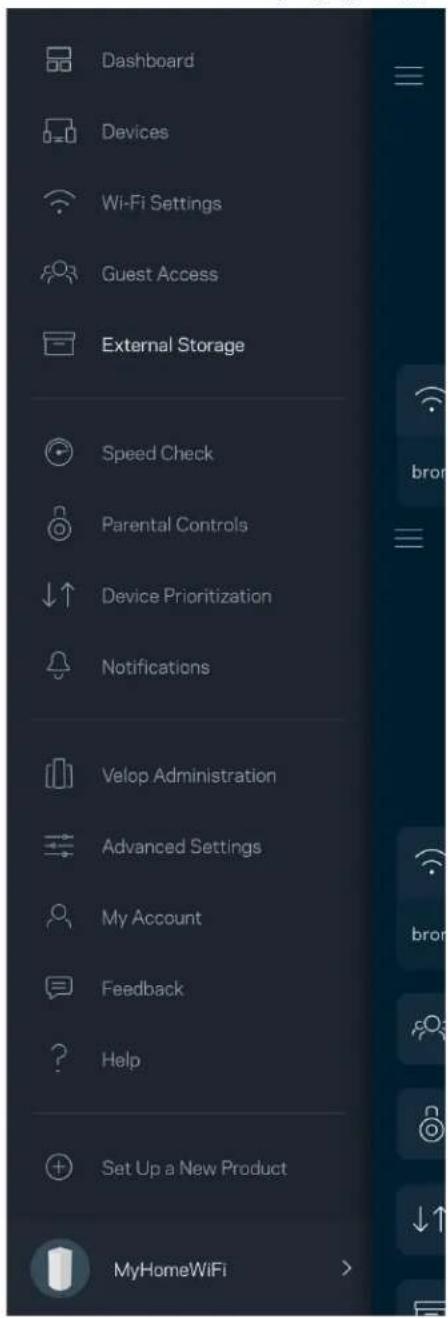
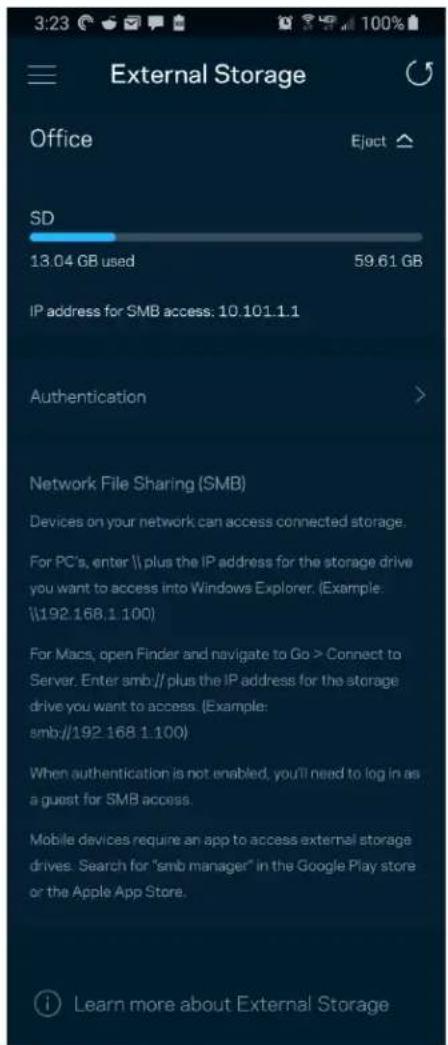
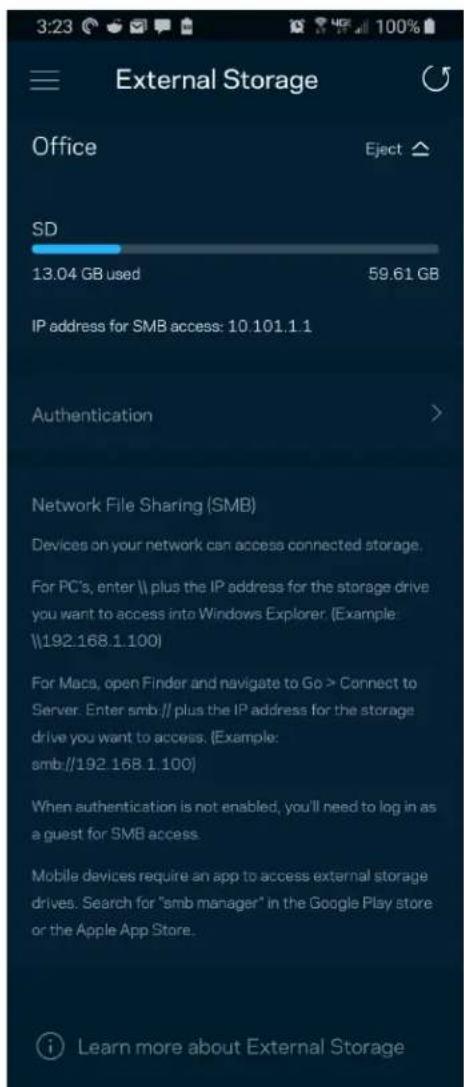
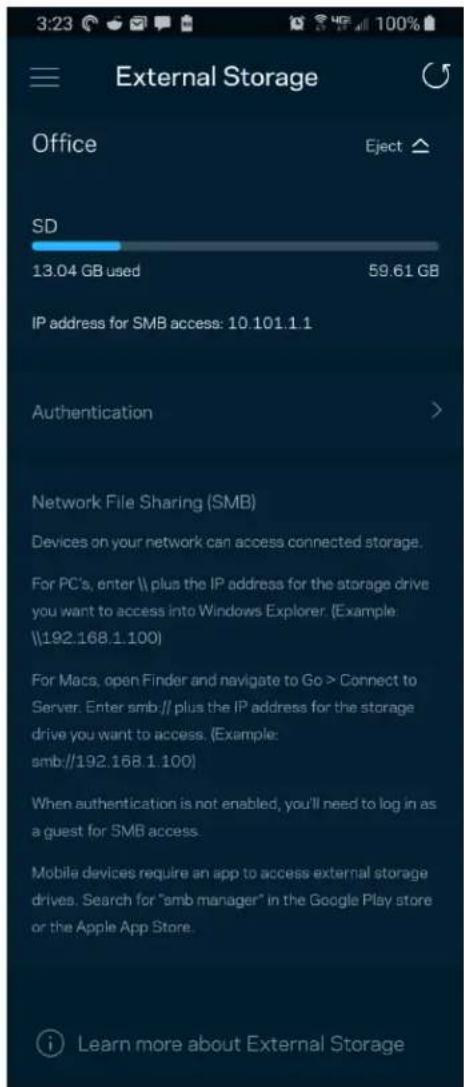
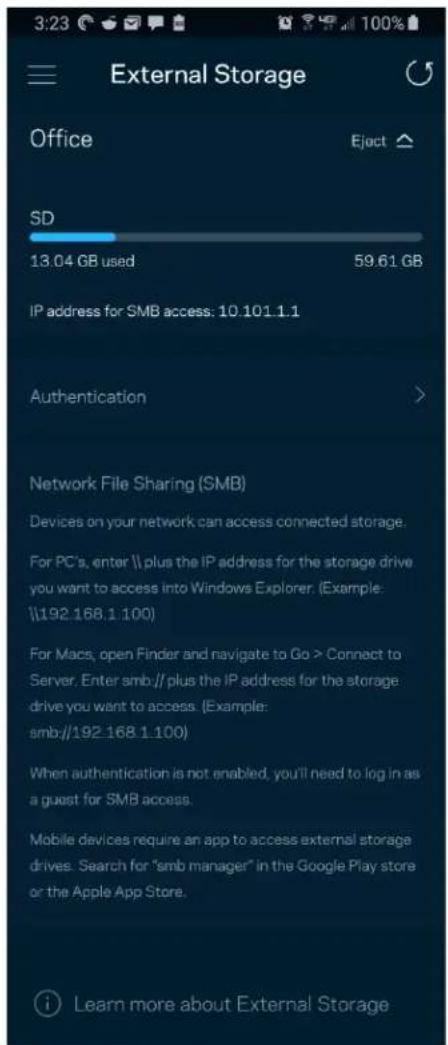
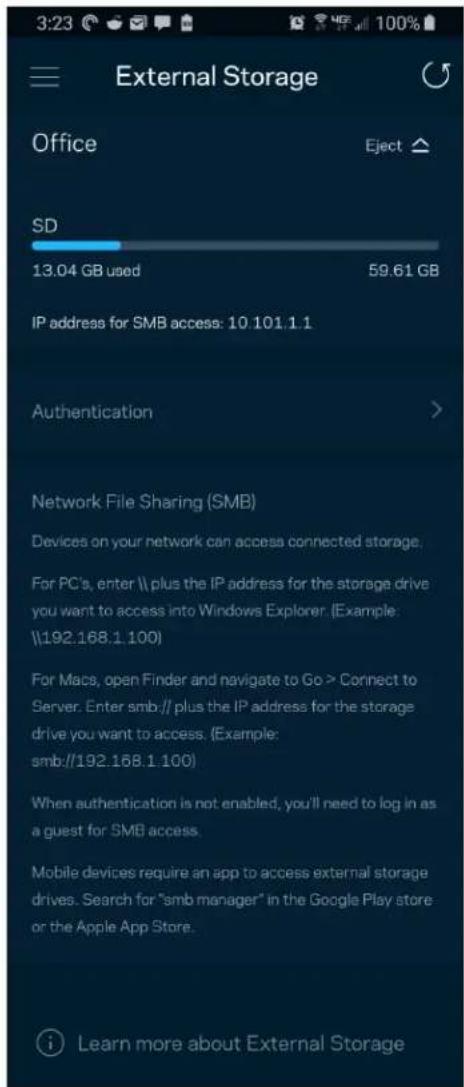
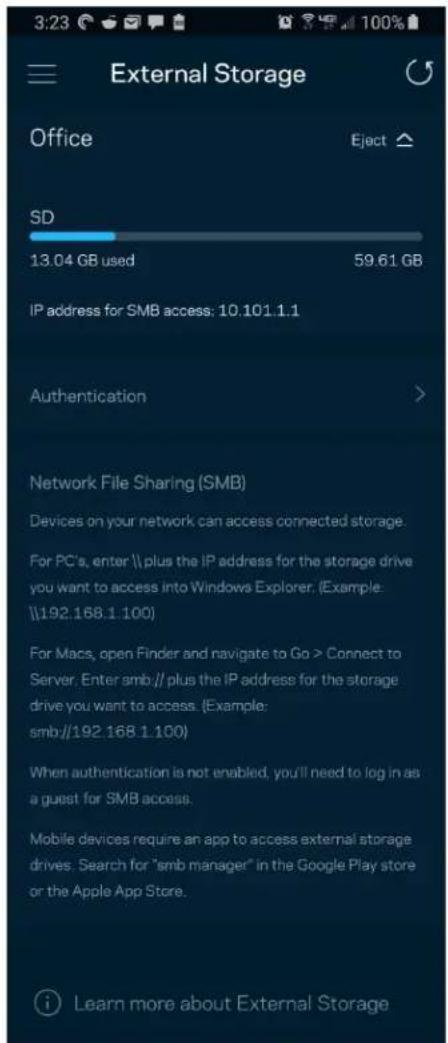
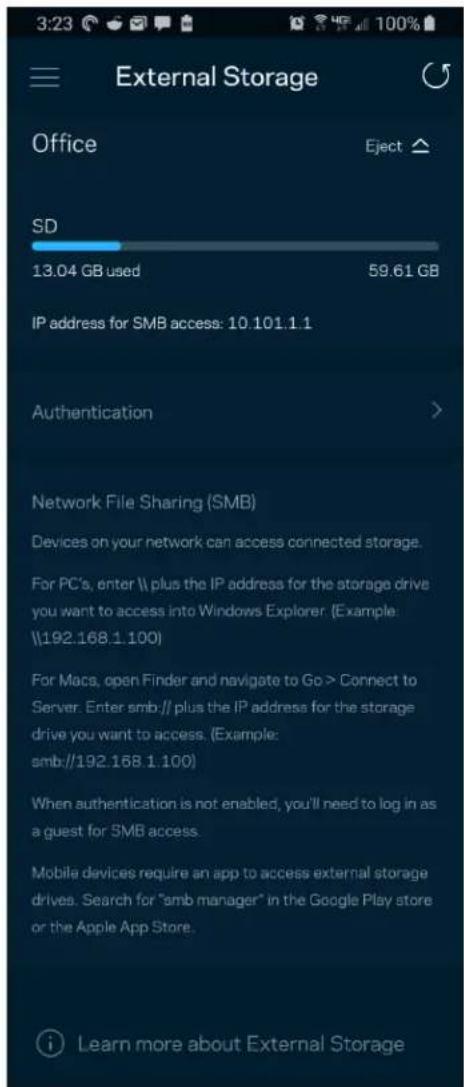
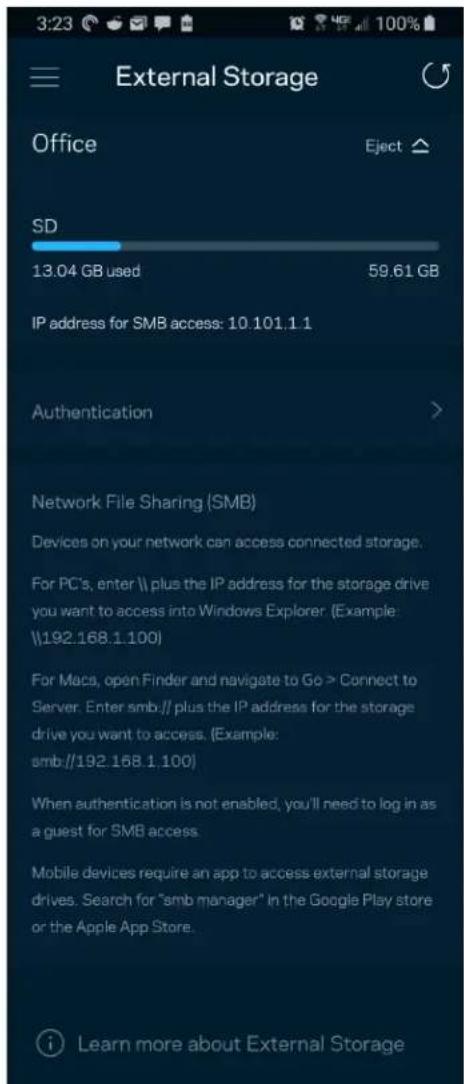
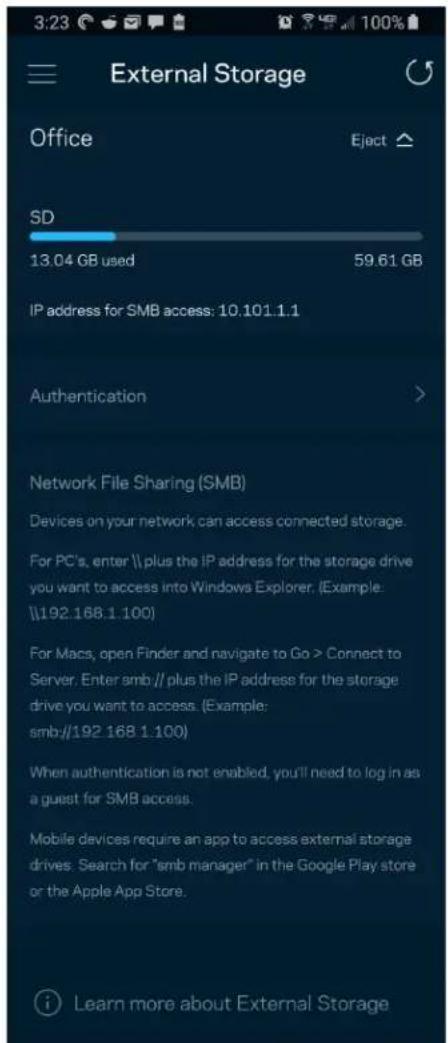
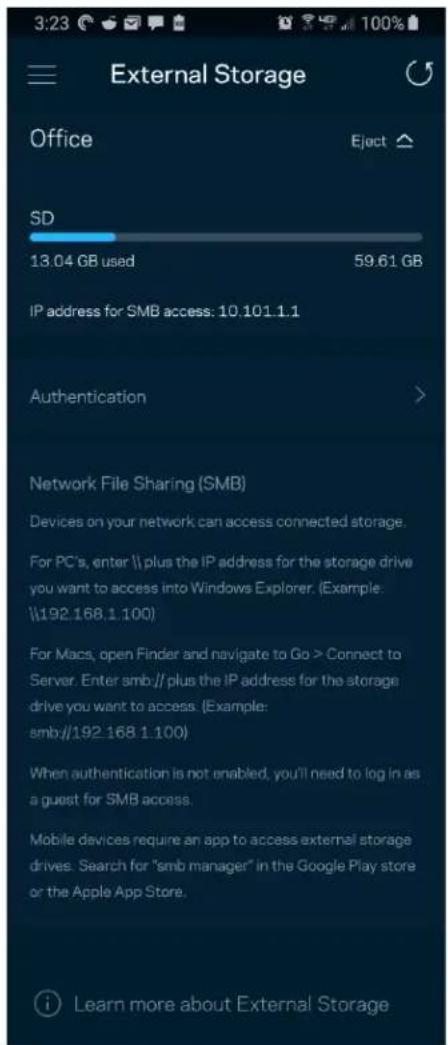
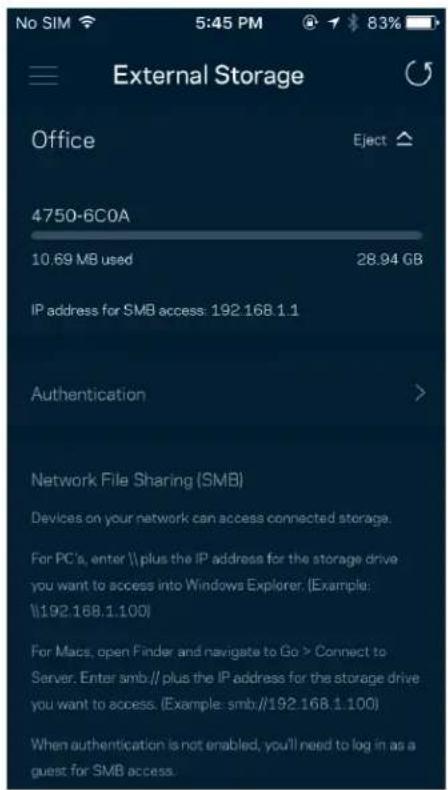
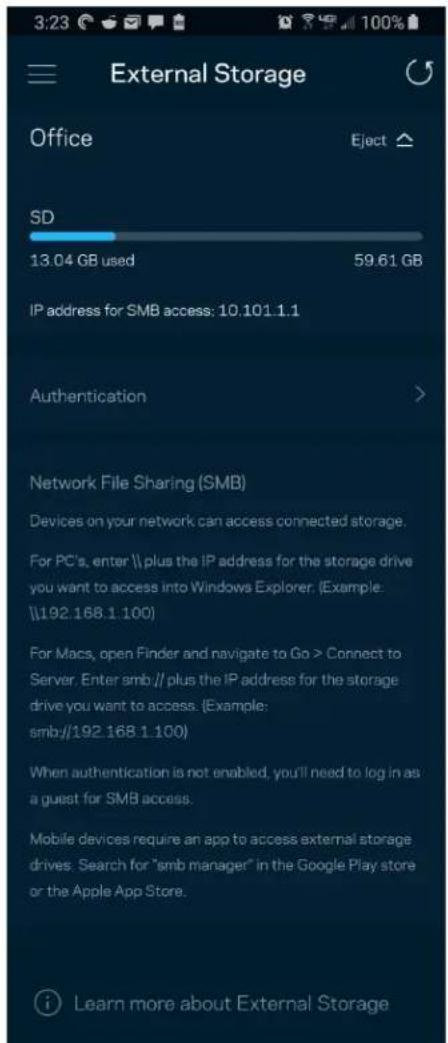
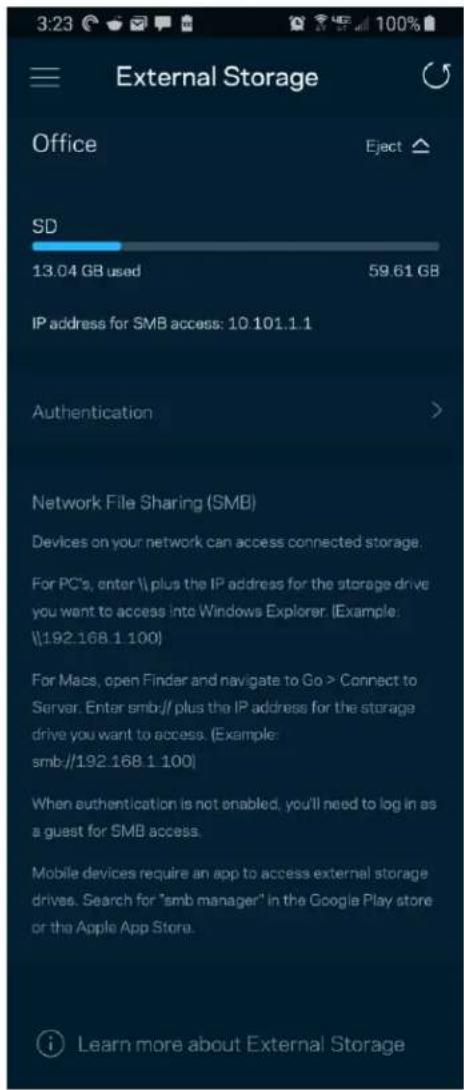
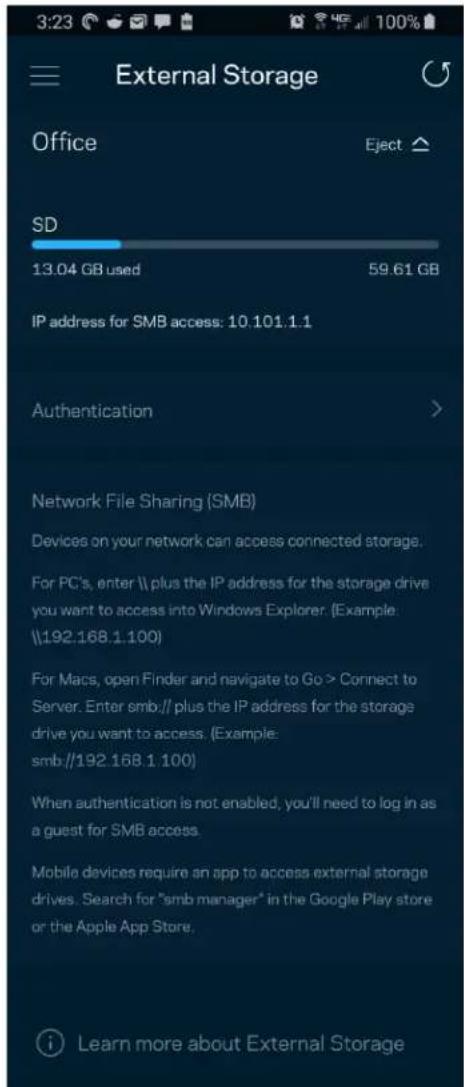
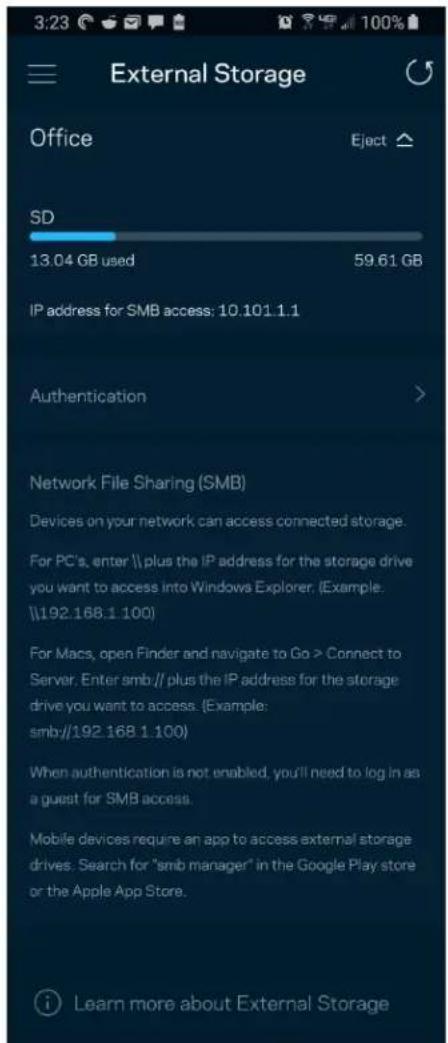
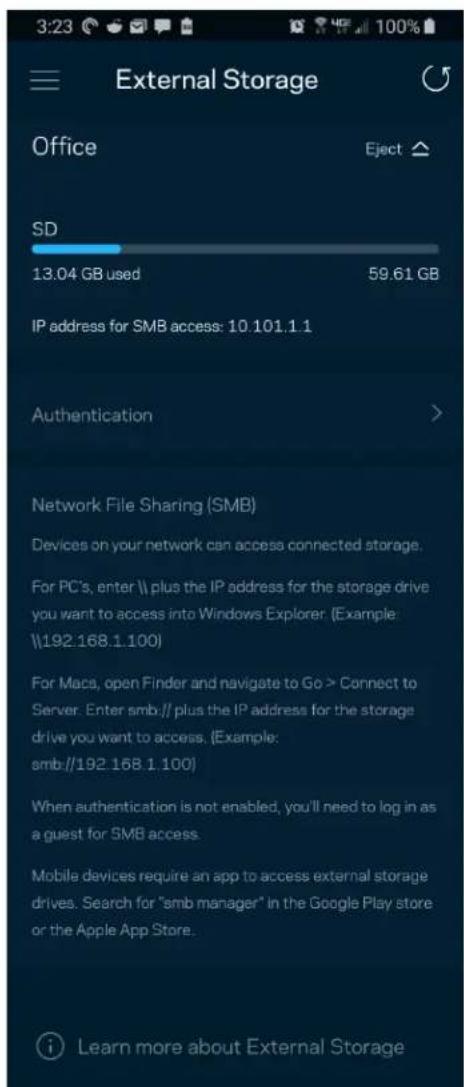
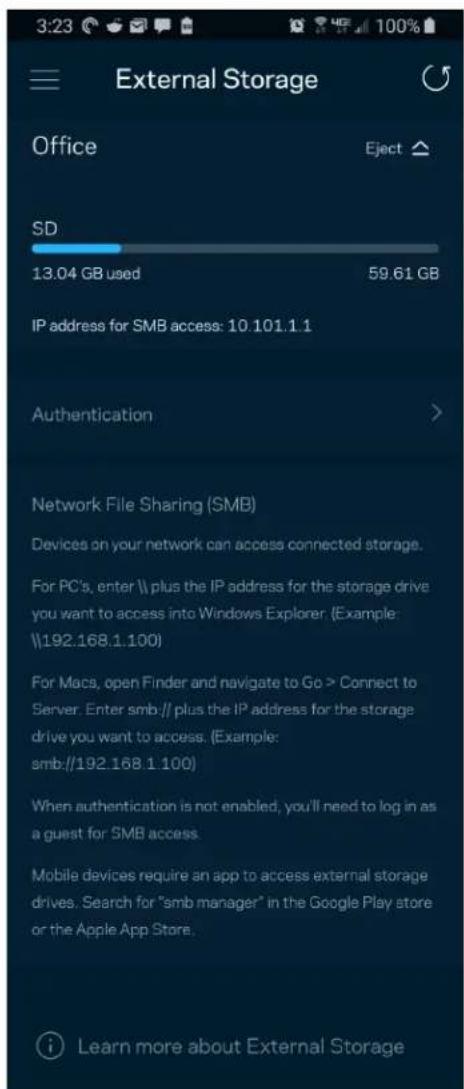
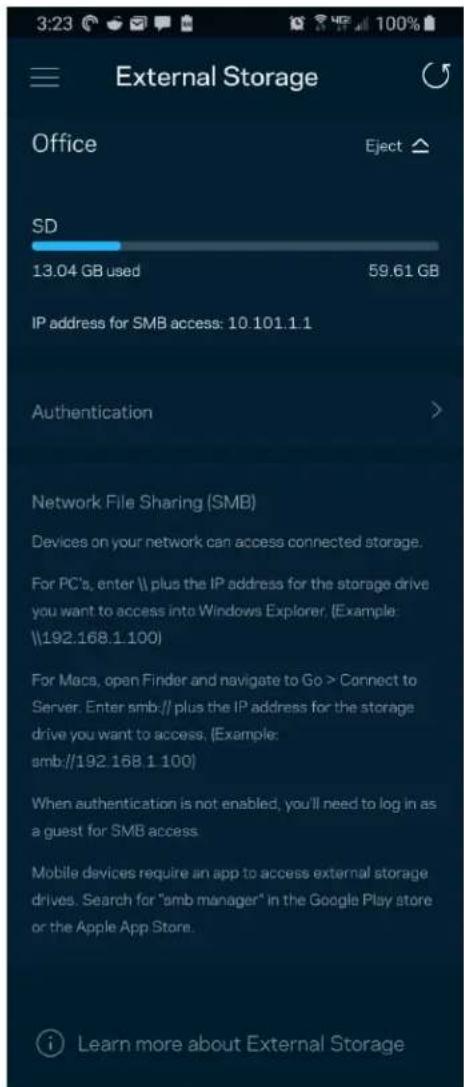
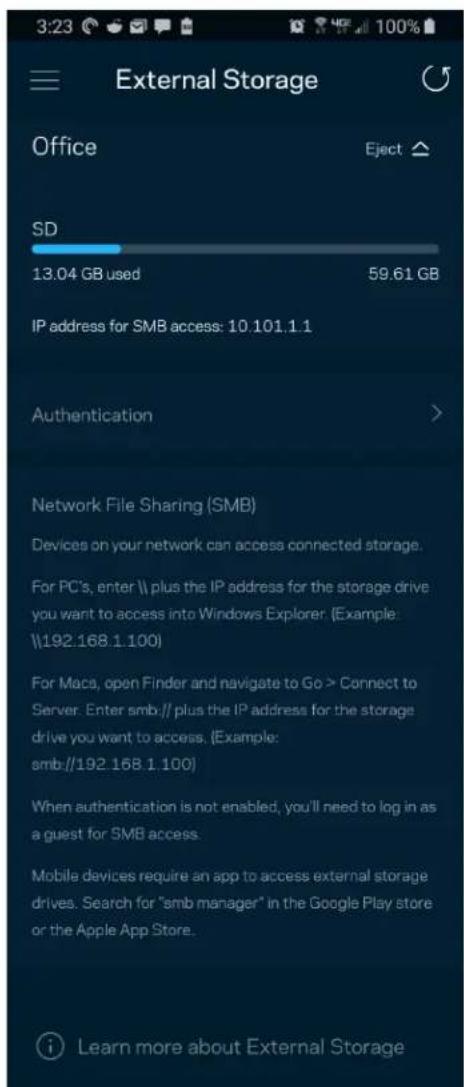
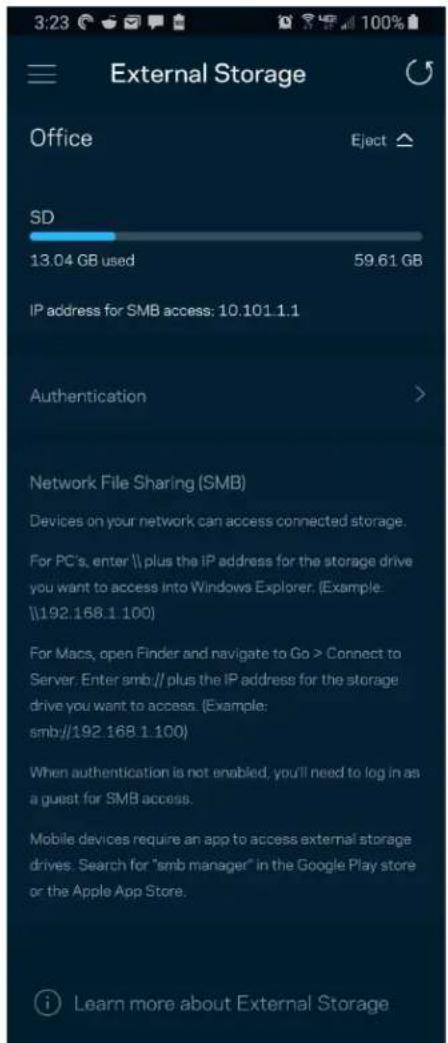
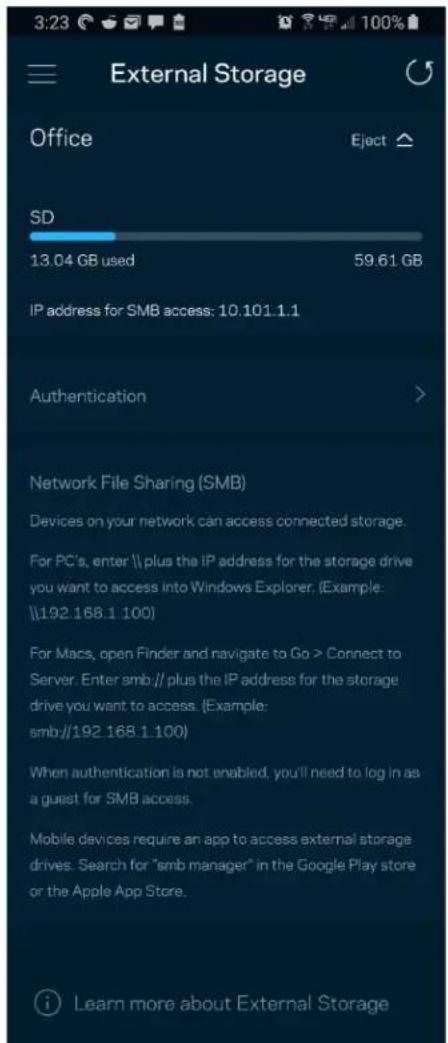
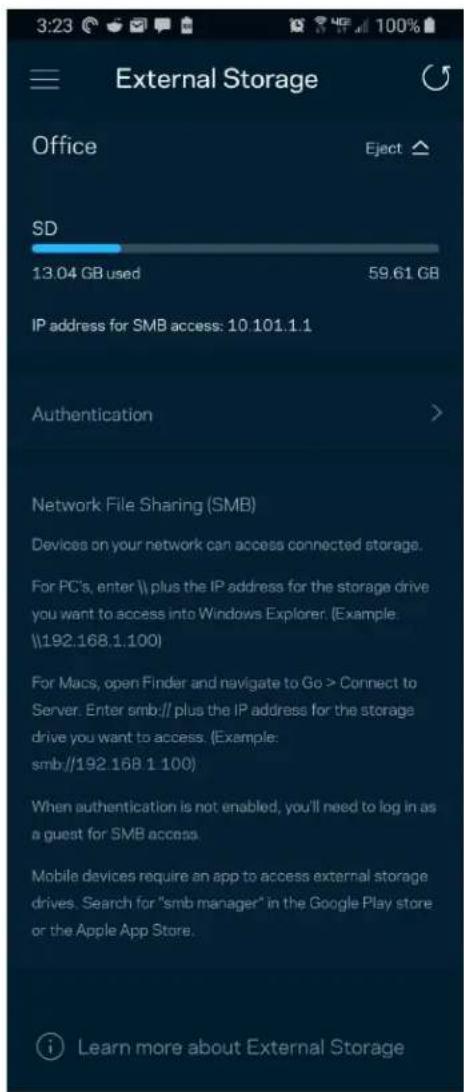
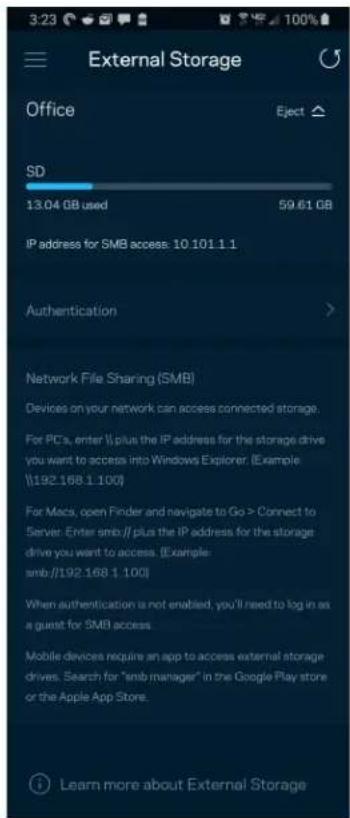
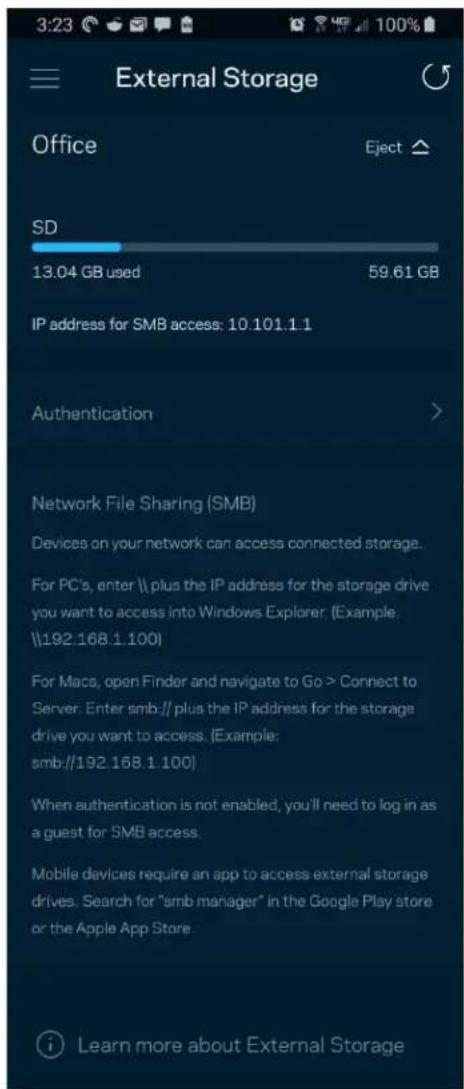
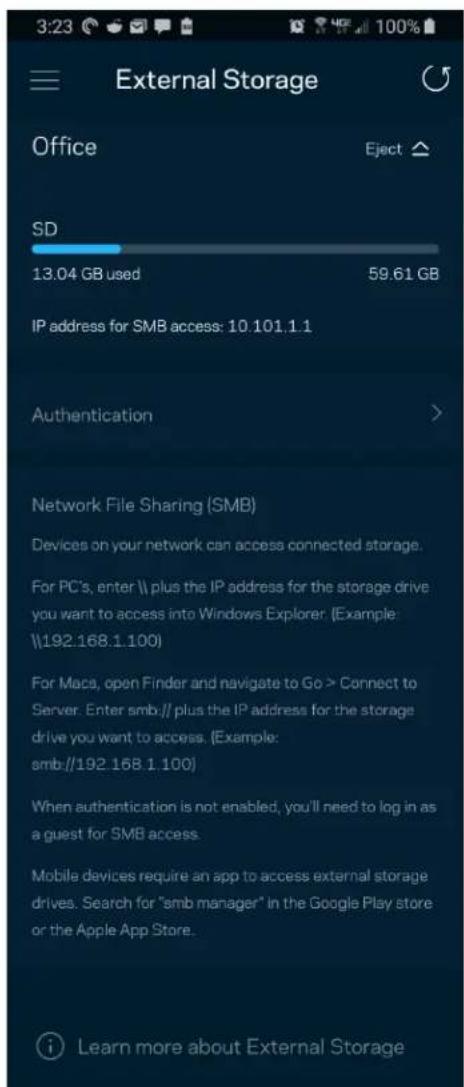
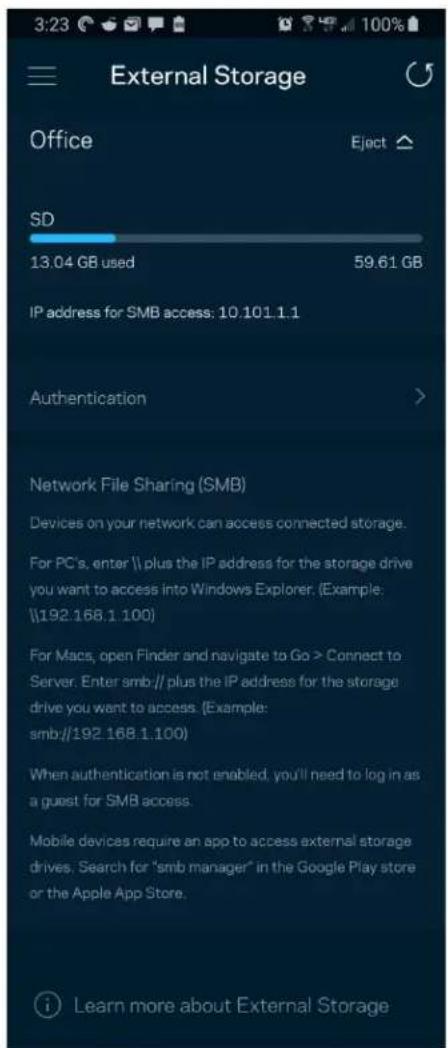
See which node an external drive is connected to, check the amount of free space left, and enable authentication by setting a username and password. (Only when a drive is plugged in to a node's USB port.) Be sure to tap Eject ▲ before removing a drive to avoid losing data.
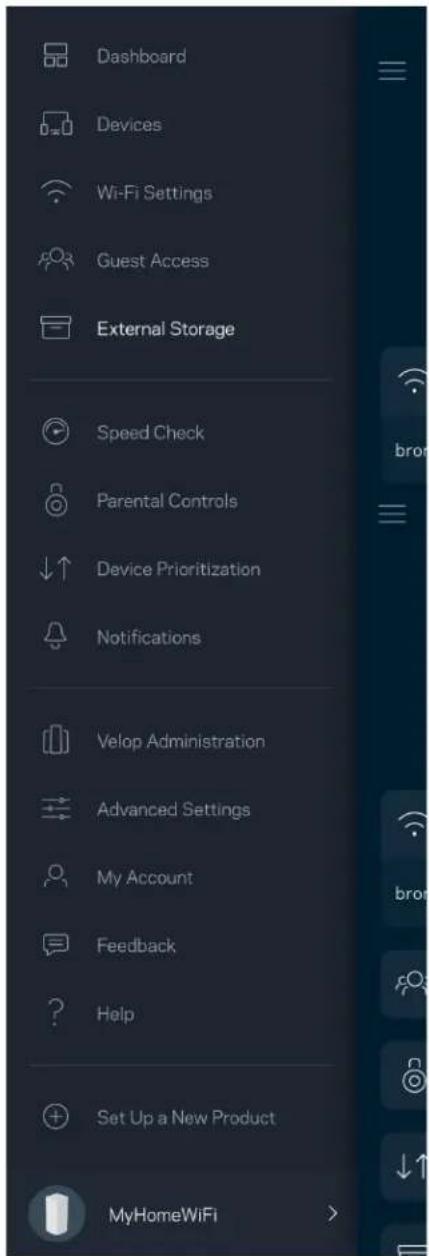
Dashboard Devices Wi-Fi Settings Guest Access External Storage Speed Check Parental Controls Device Prioritization Notifications Velop Administration Advanced Settings My Account Feedback Help Set Up a New Product MyHomeWiFi

External Storage Office Eject ▲ SD 13.04 GB used 59.61 GB IP address for SMB access: 10.101.1.1 Authentication > Network File Sharing (SMB) Devices on your network can access connected storage. For PC's, enter \ plus the IP address for the storage drive you want to access into Windows Explorer. (Example: \192.168.1.100) For Macs, open Finder and navigate to Go > Connect to Server. Enter smb // plus the IP address for the storage drive you want to access. (Example: smb://192.168.1.100) When authentication is not enabled, you'll need to log in as a guest for SMB access. Mobile devices require an app to access external storage drives. Search for "smb manager" in the Google Play store or the Apple App Store. Learn more about External Storage

Speed Check

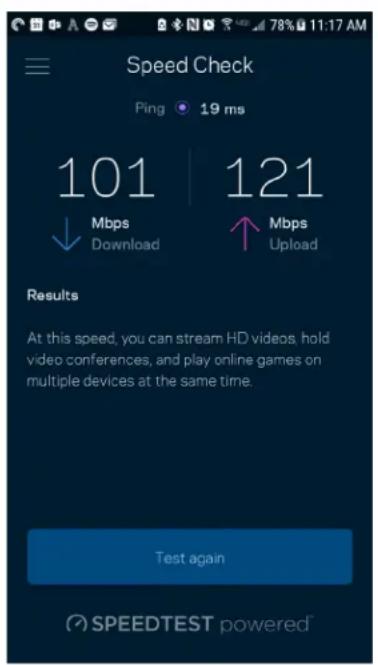
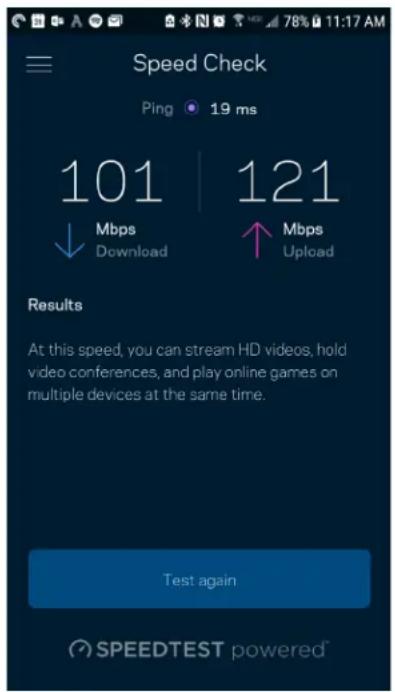
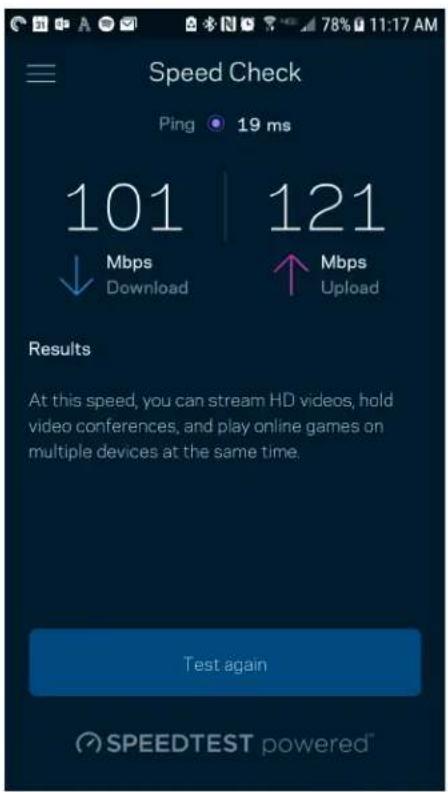
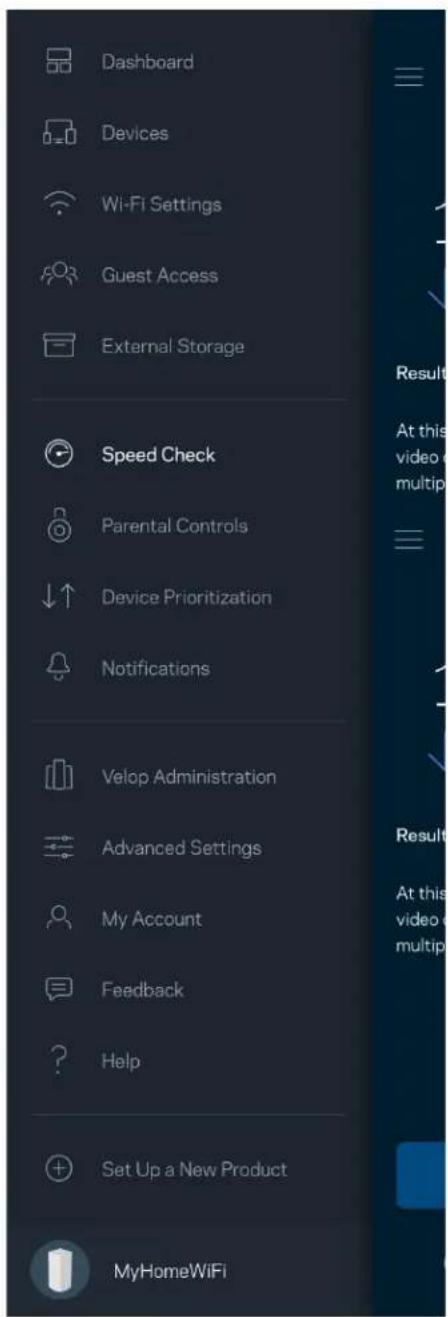
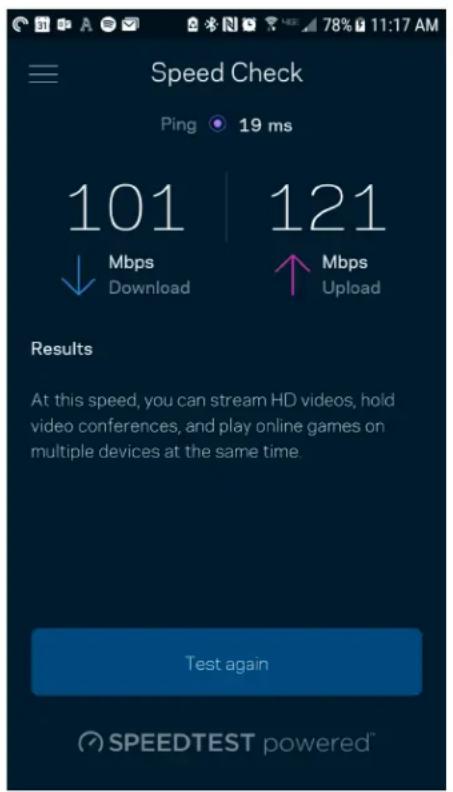
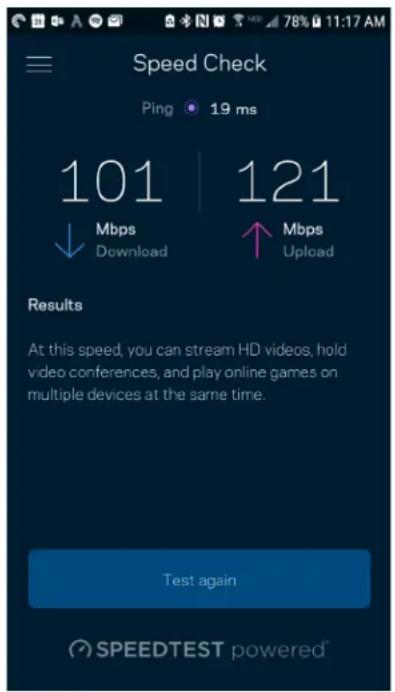
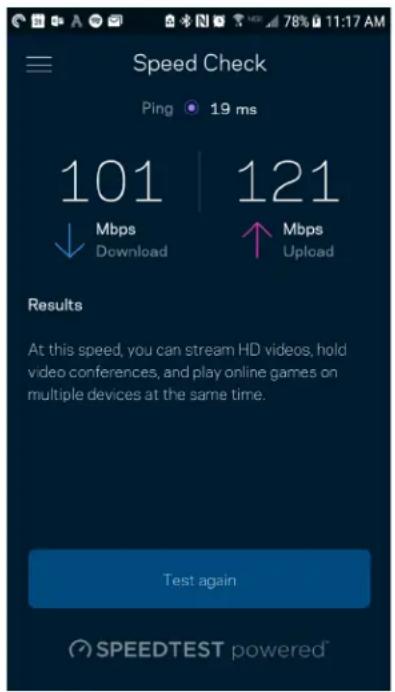
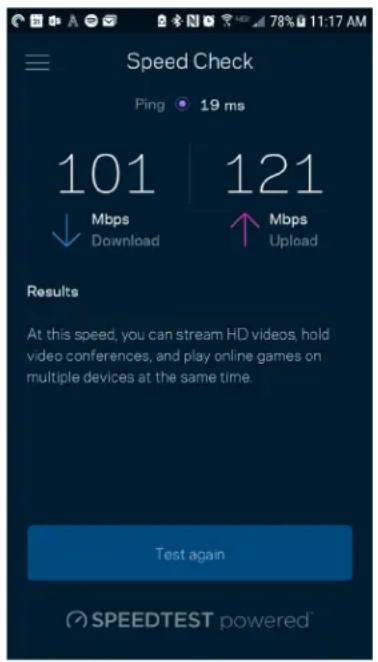
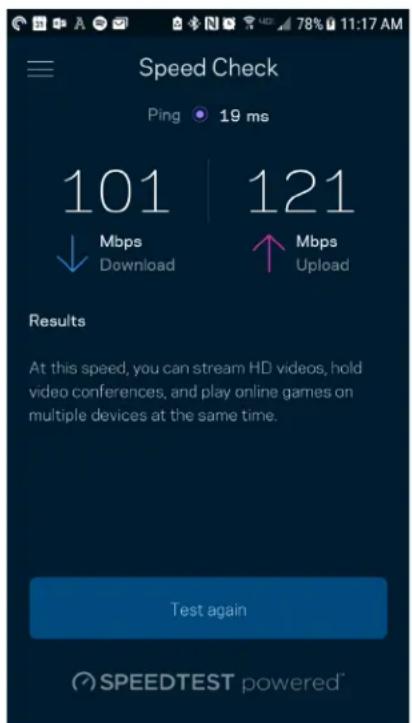
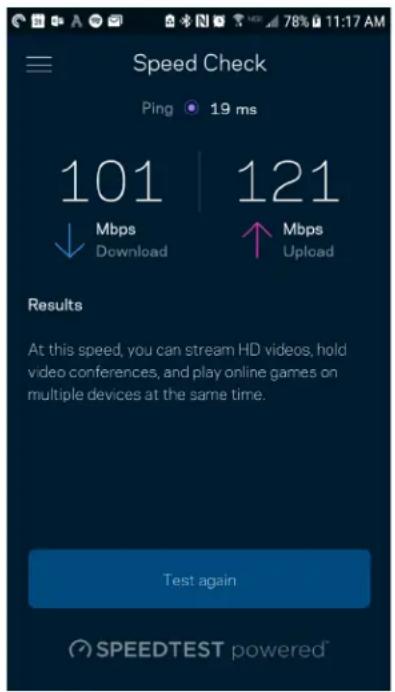
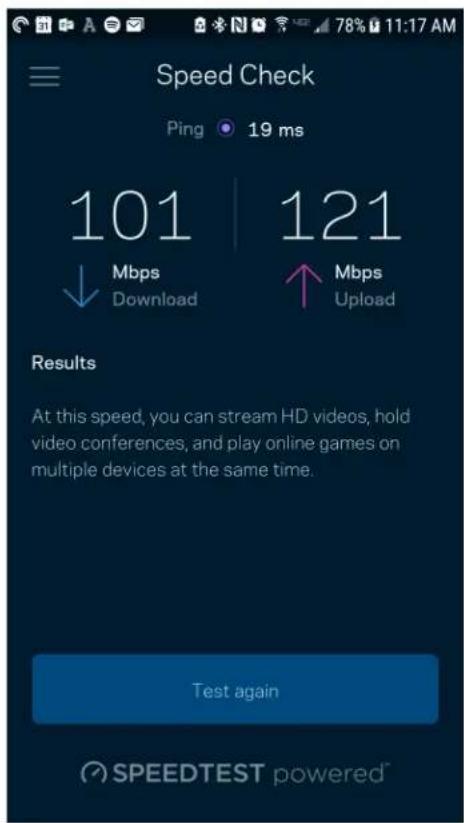
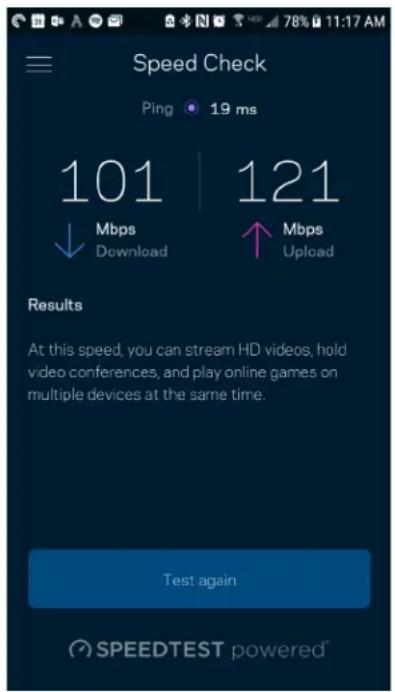
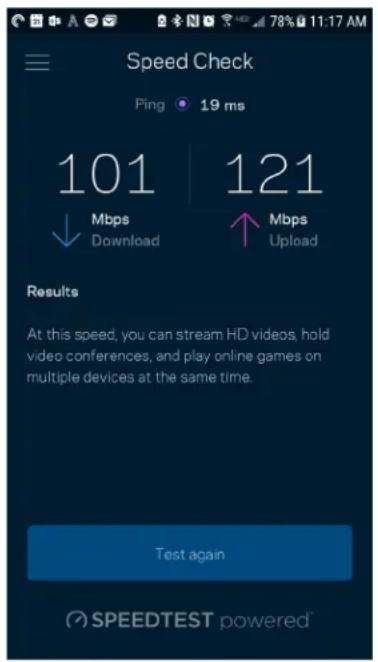
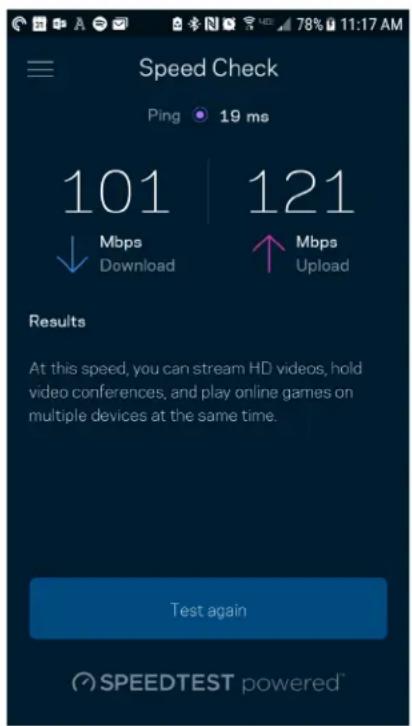
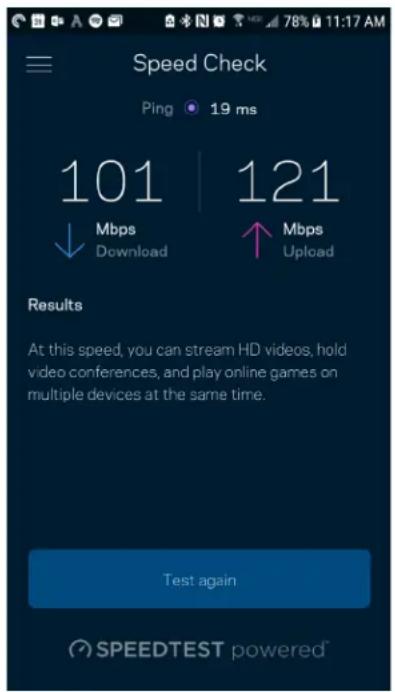
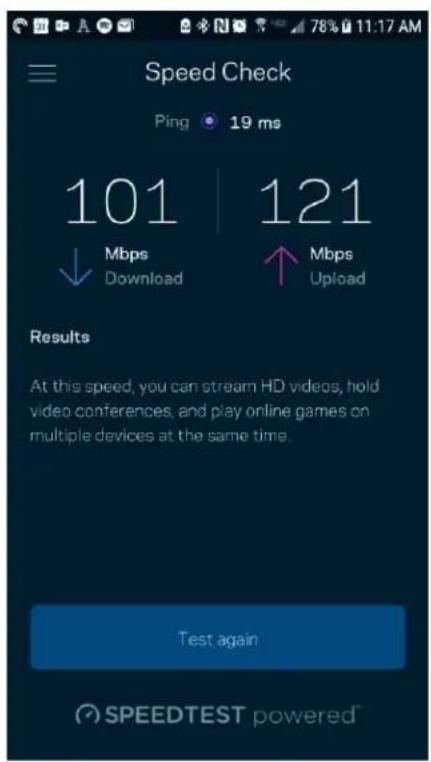
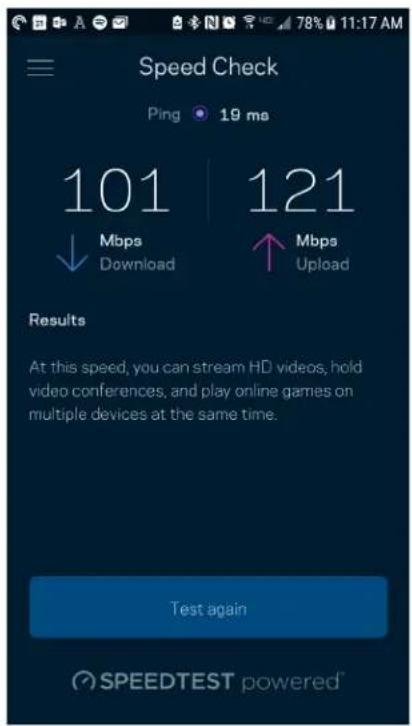
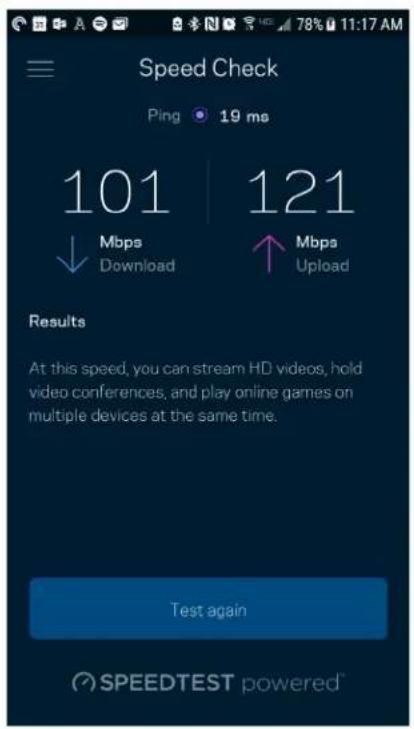
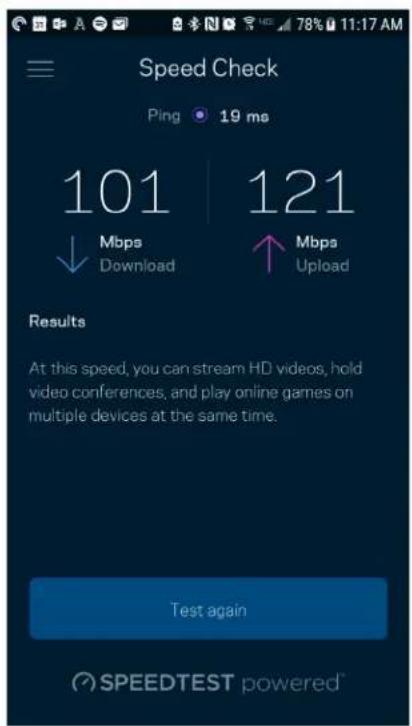
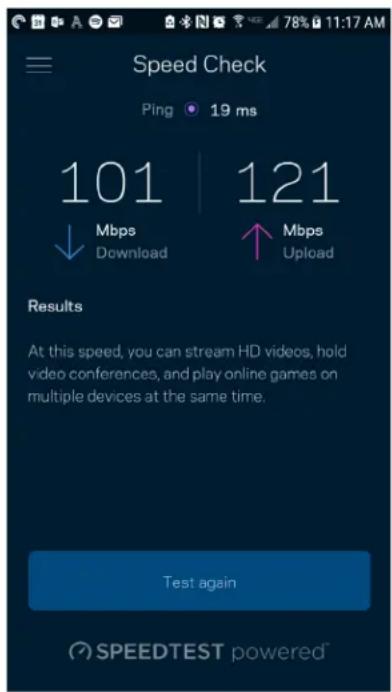
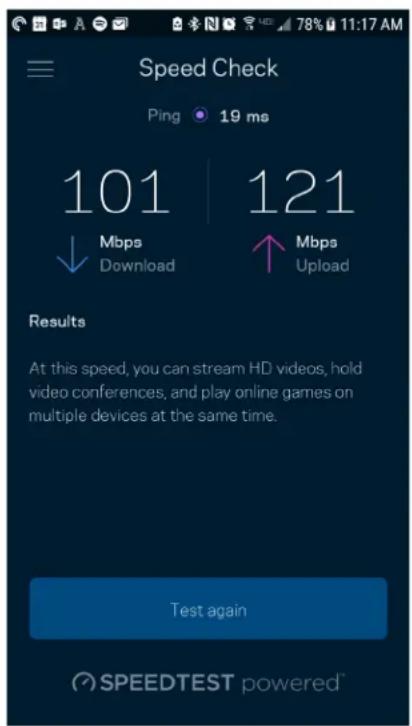
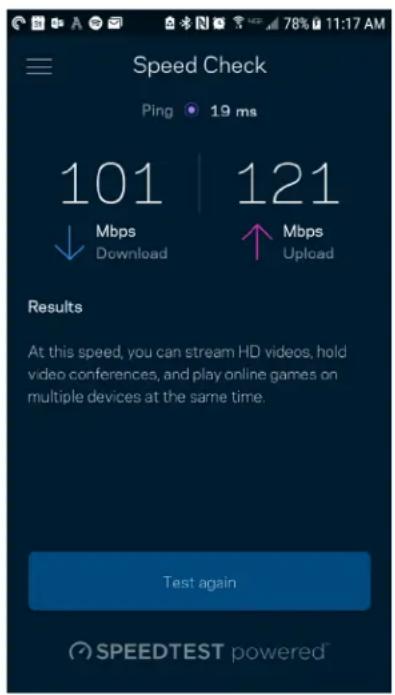
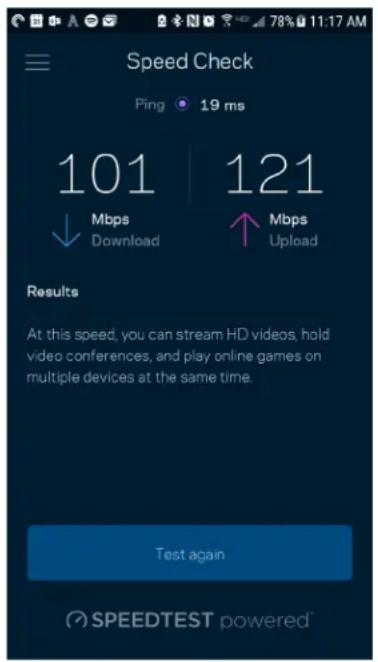
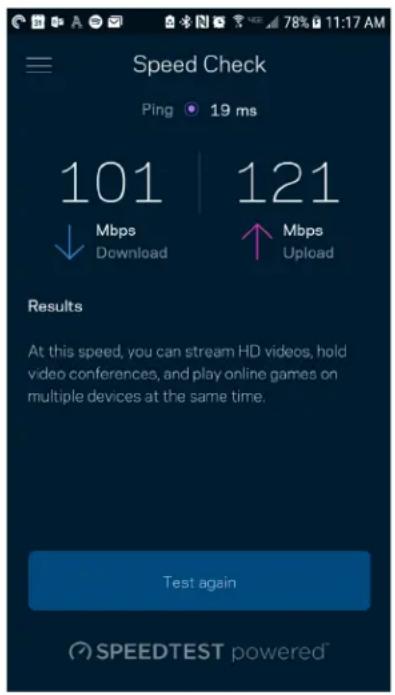
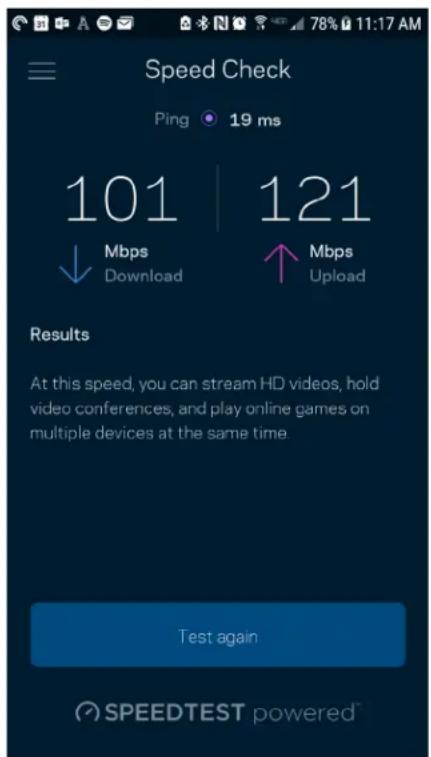
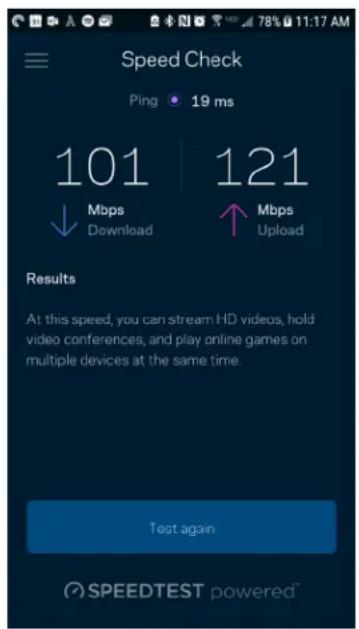
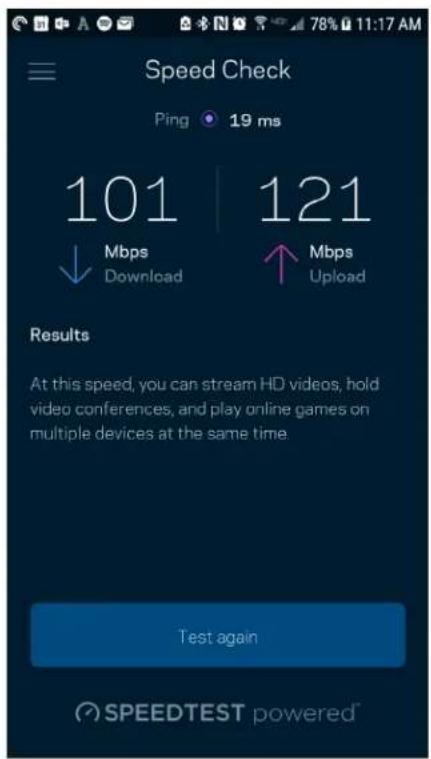
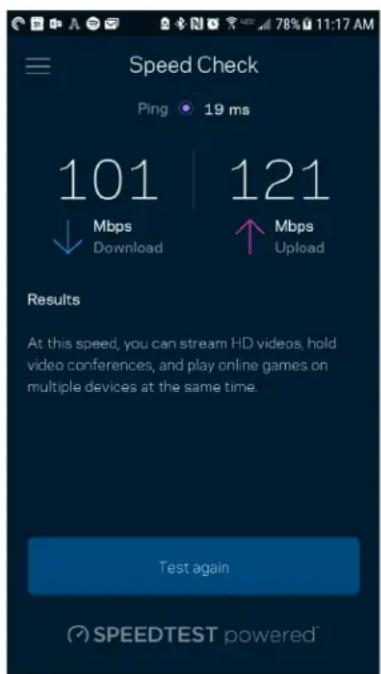
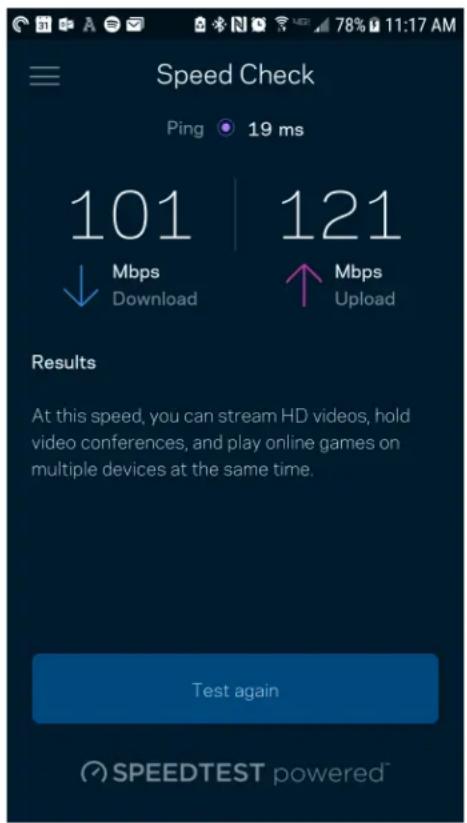
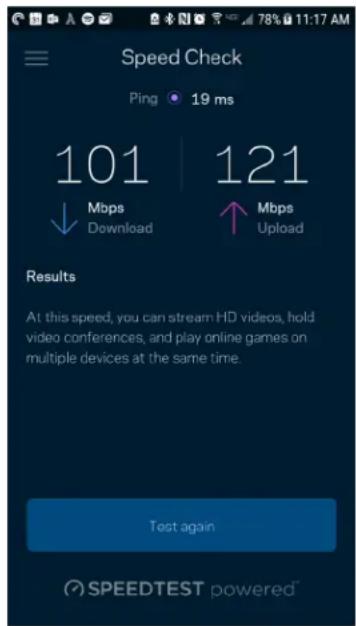
Run a speed check to make sure you are getting the speeds you are paying for. Speed check also helps in Device Prioritization because results determine how Wi-Fi is distributed to the prioritized devices.
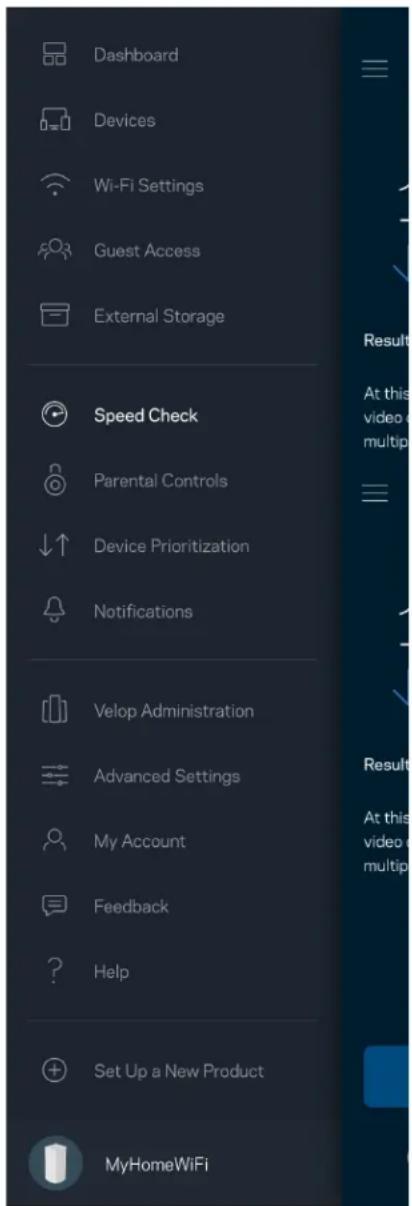
Dashboard Devices Wi-Fi Settings Guest Access External Storage Speed Check Parental Controls ↓↑ Device Prioritization Notifications Velop Administration Advanced Settings My Account Feedback ? Help Set Up a New Product MyHomeWiFi

Speed Check Ping 19 ms 101 | 121 ↓ Mbps ↑ Mbps Download Upload Results At this speed, you can stream HD videos, hold video conferences, and play online games on multiple devices at the same time. Test again SPEEDTEST powered

  • Download speed is the rate at which internet content is transferred to your Velop system.
  • Upload speed is the rate at which you can upload content to the internet.

Note—Internet connection speeds are determined by a variety of factors, including ISP account type, local and worldwide internet traffic, and number of devices in your home that are sharing the internet connection.

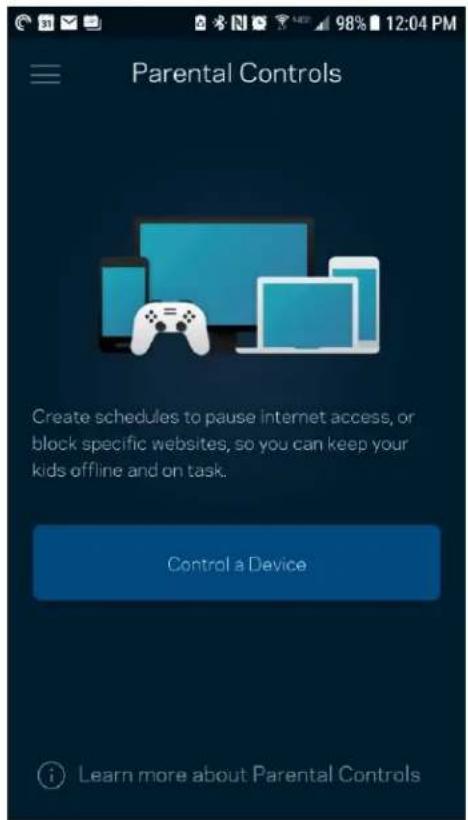
Parental Controls

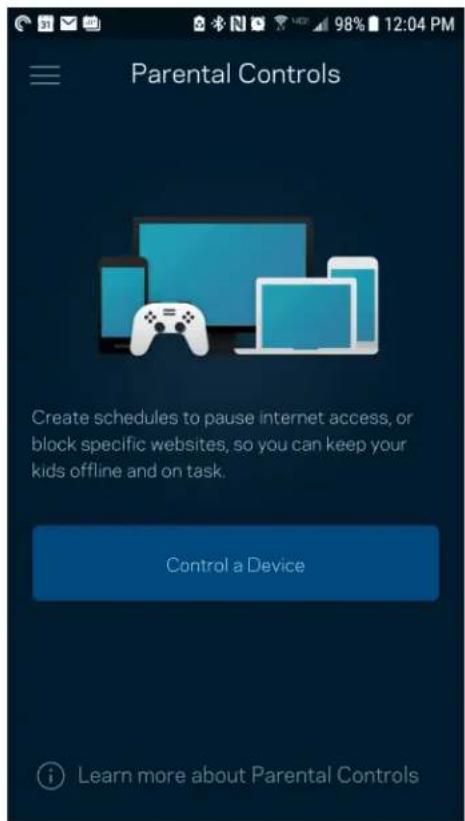
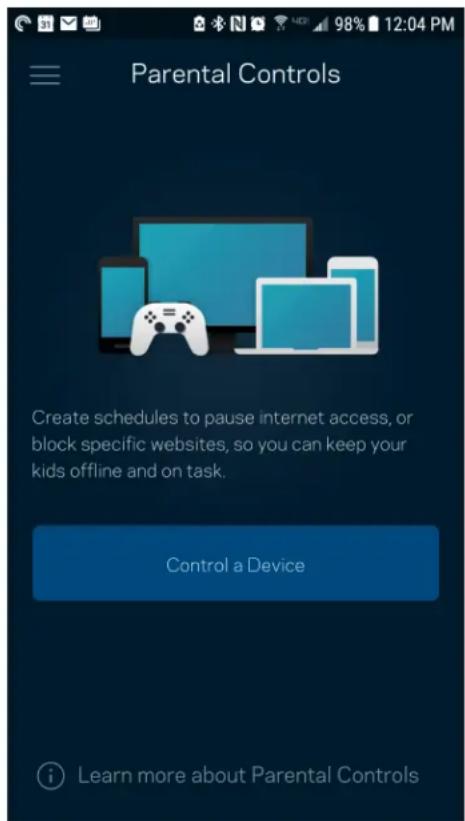
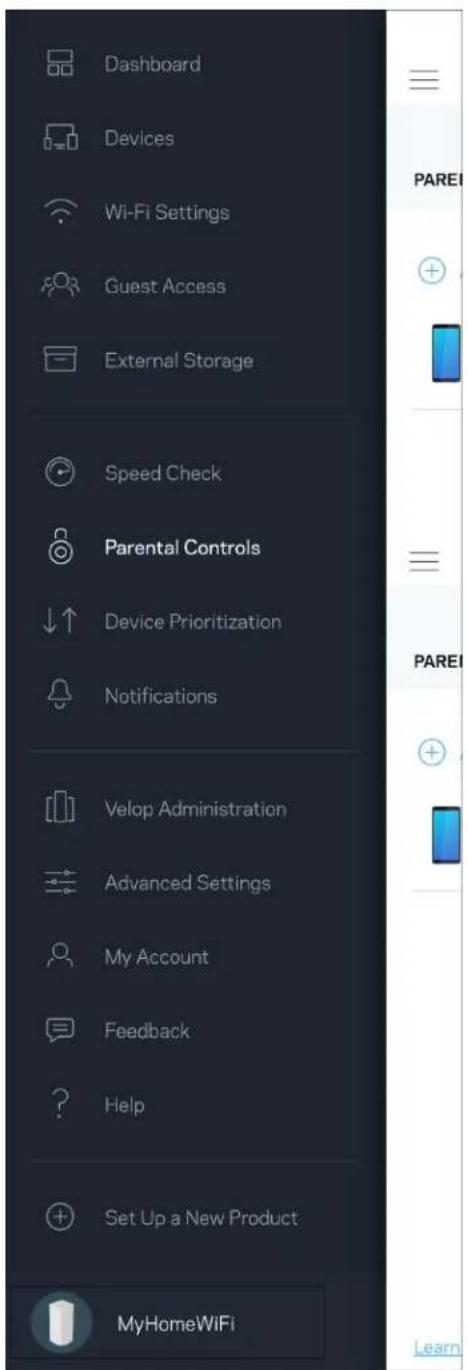
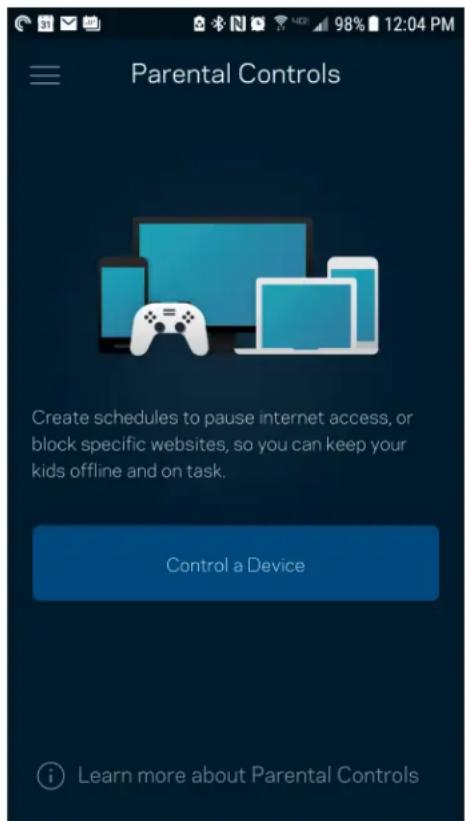
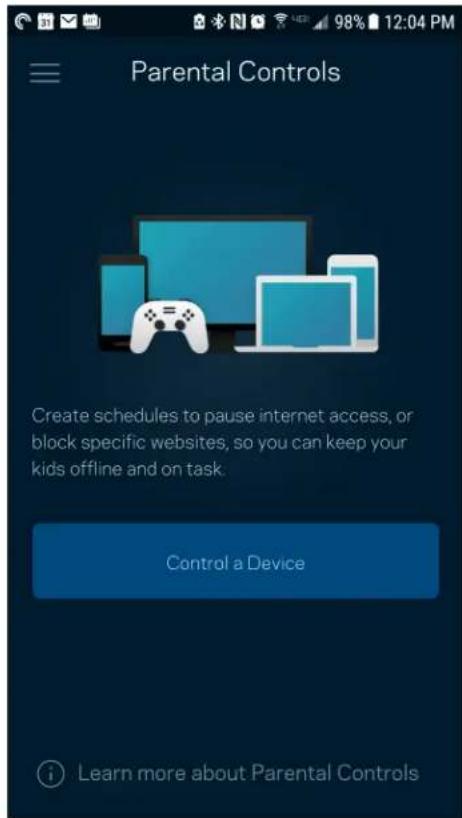
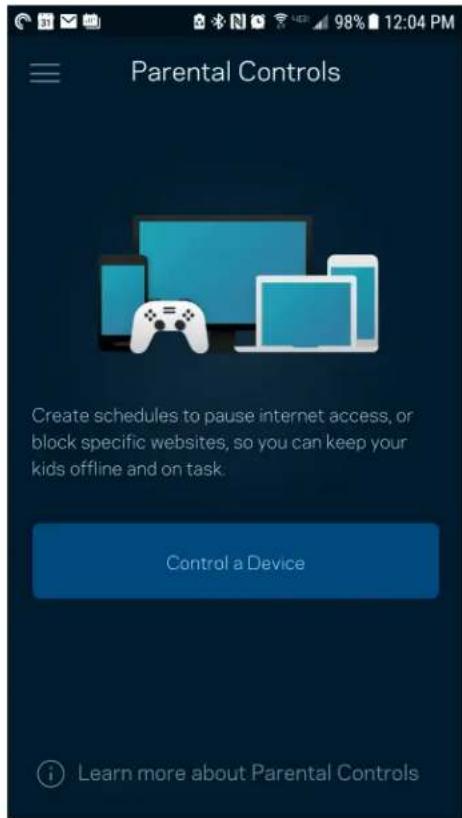
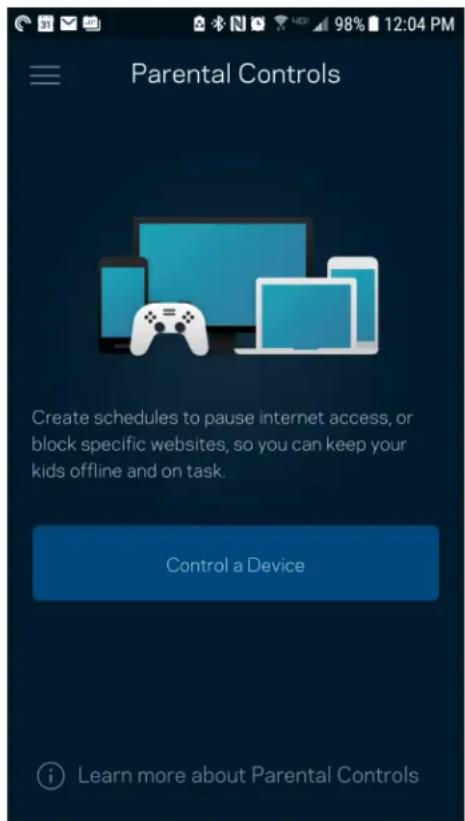
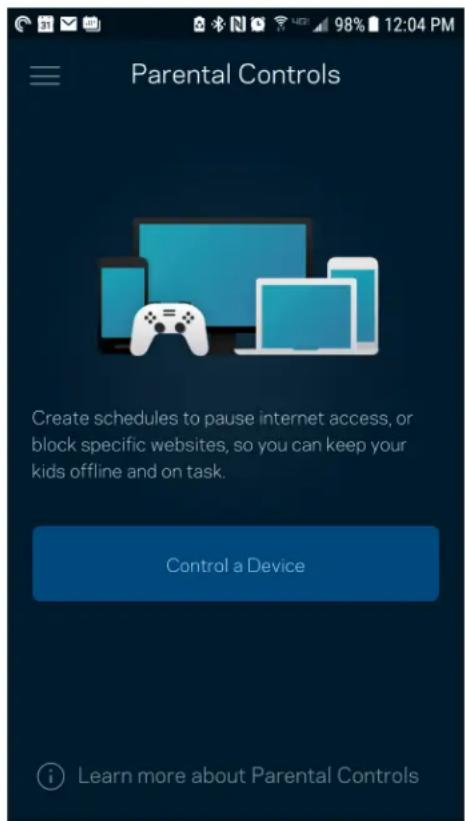
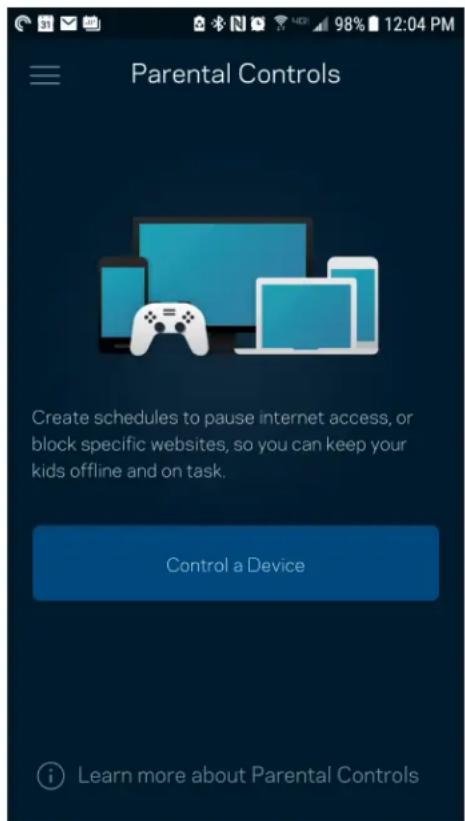
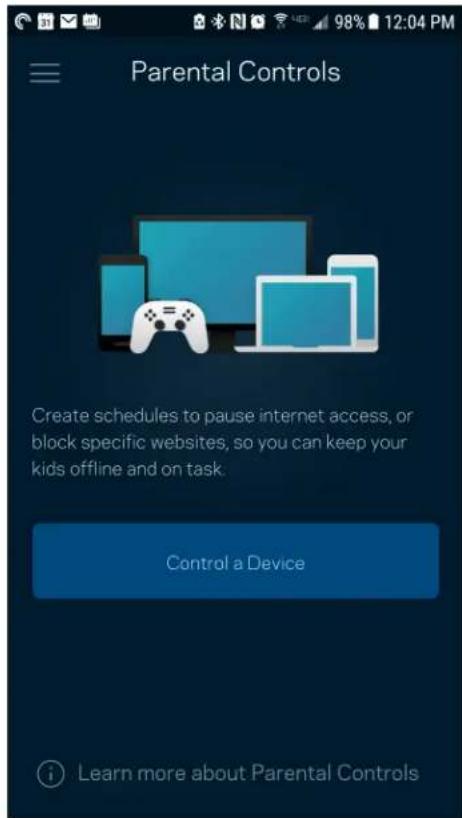
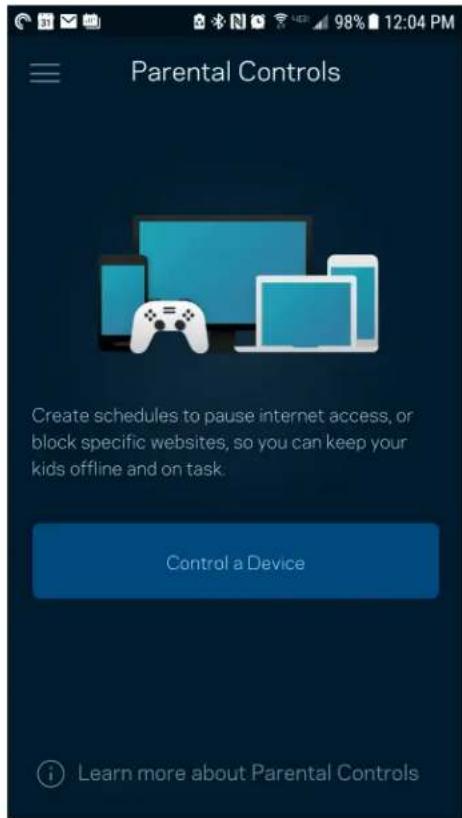
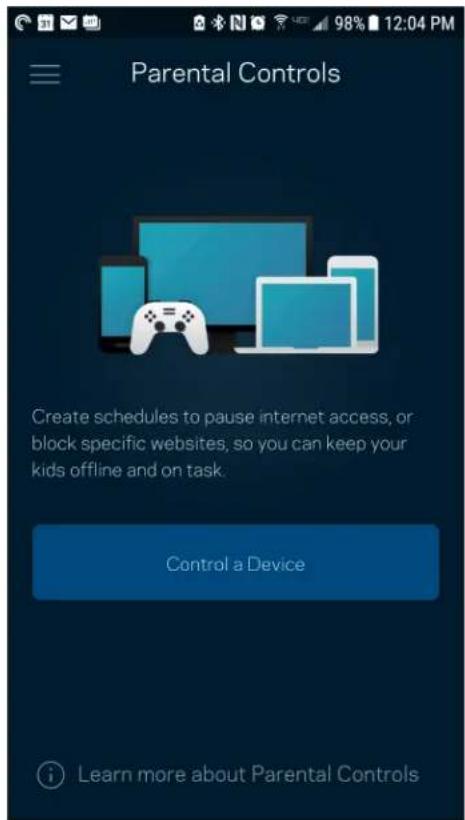
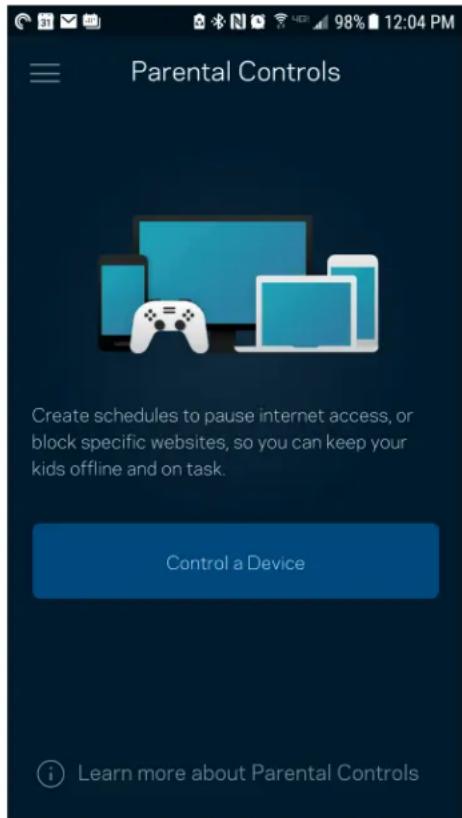
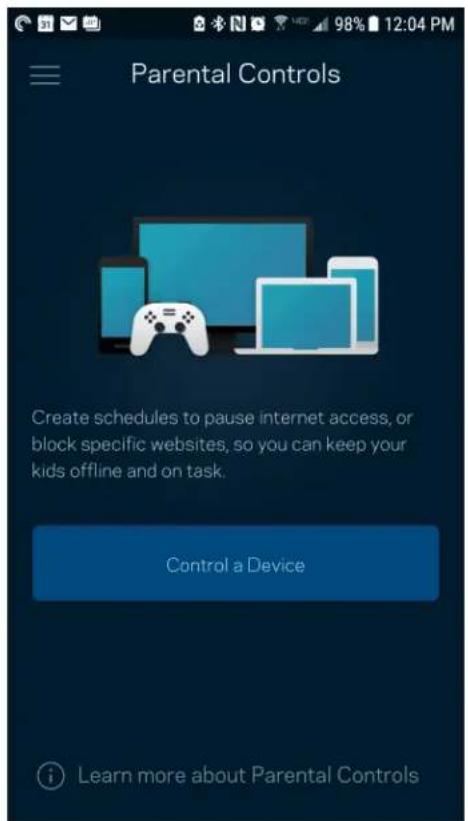
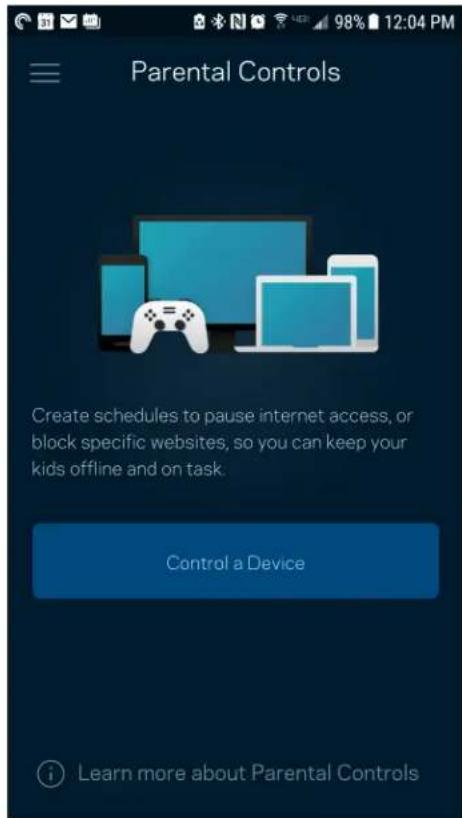
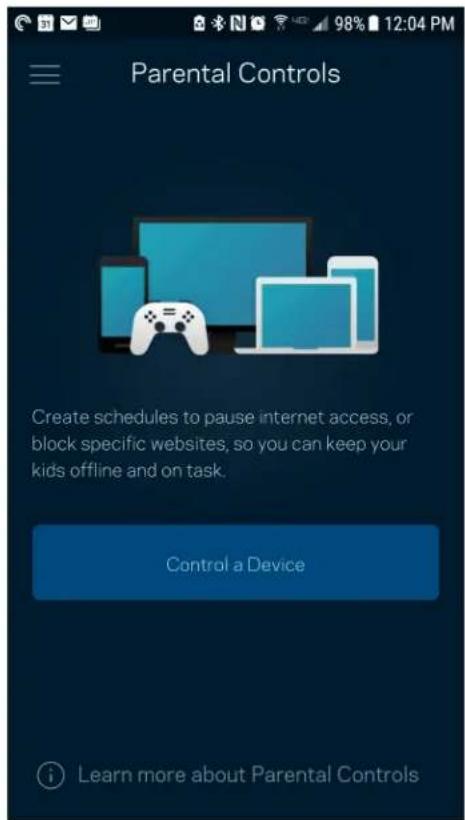
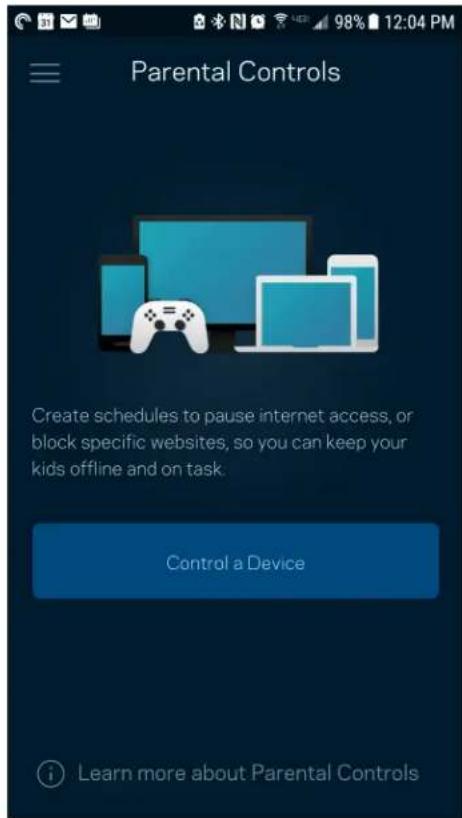
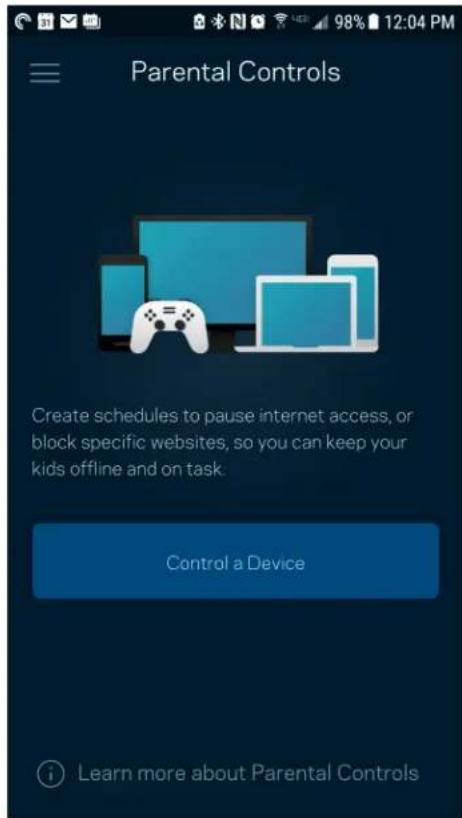
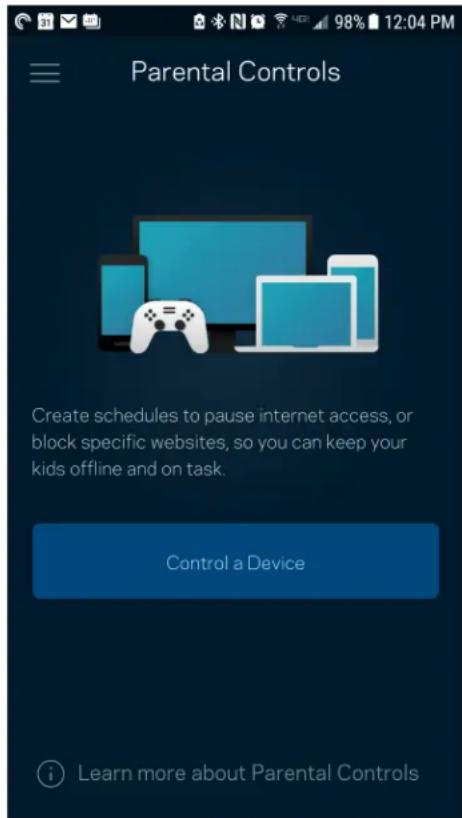
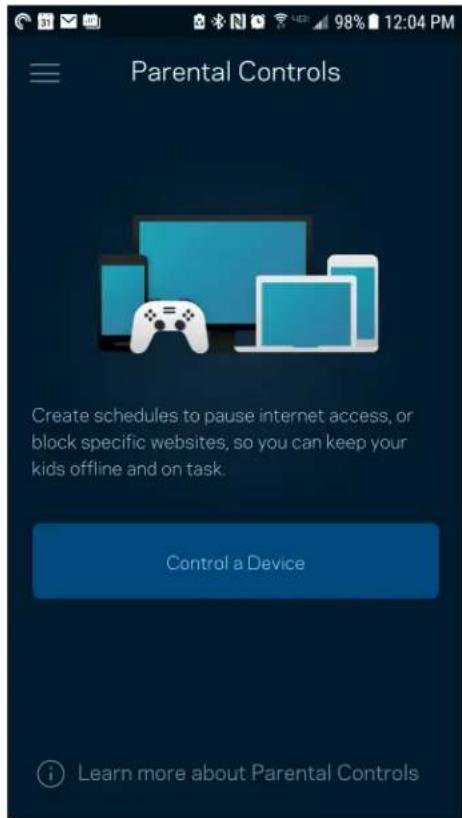
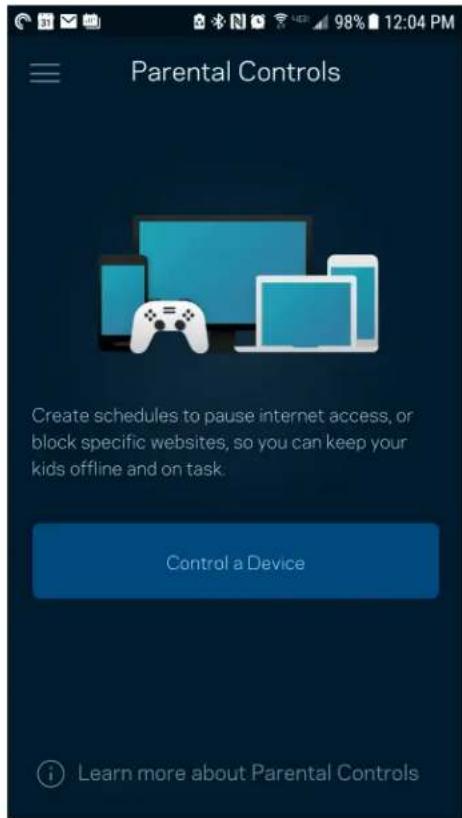
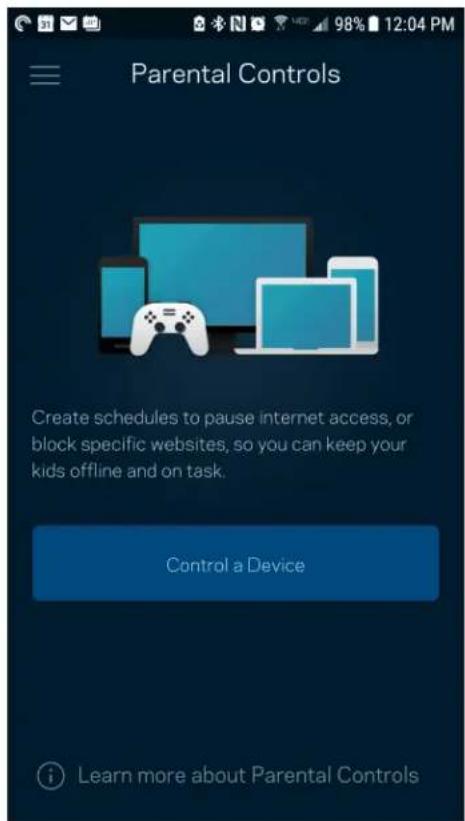
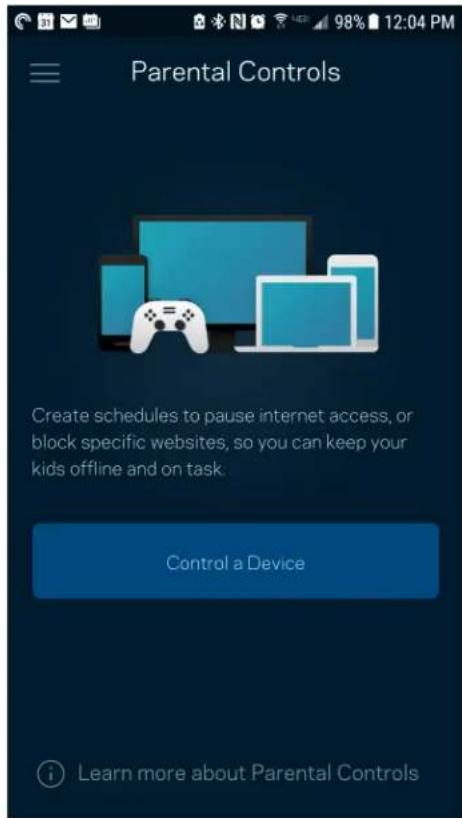
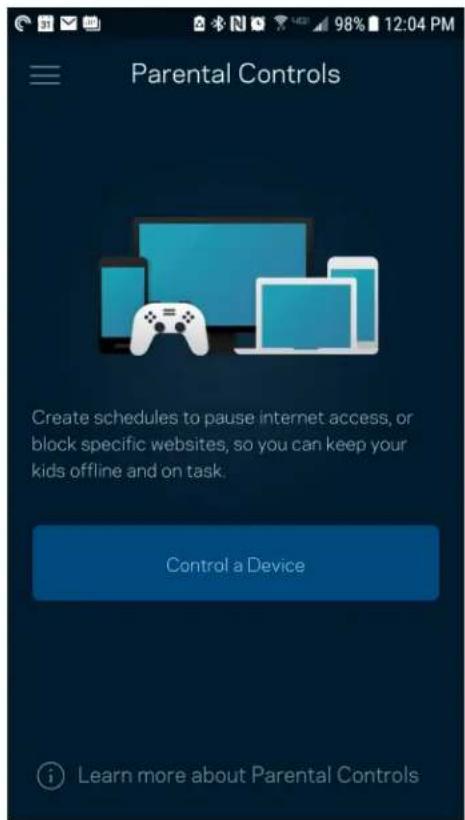
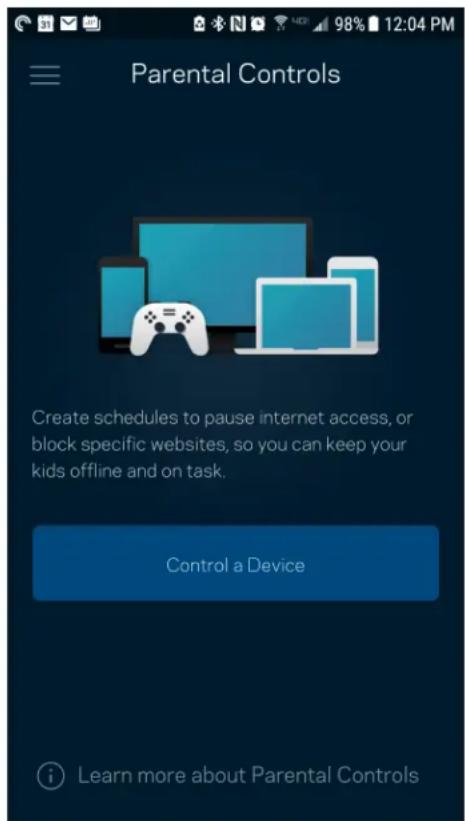
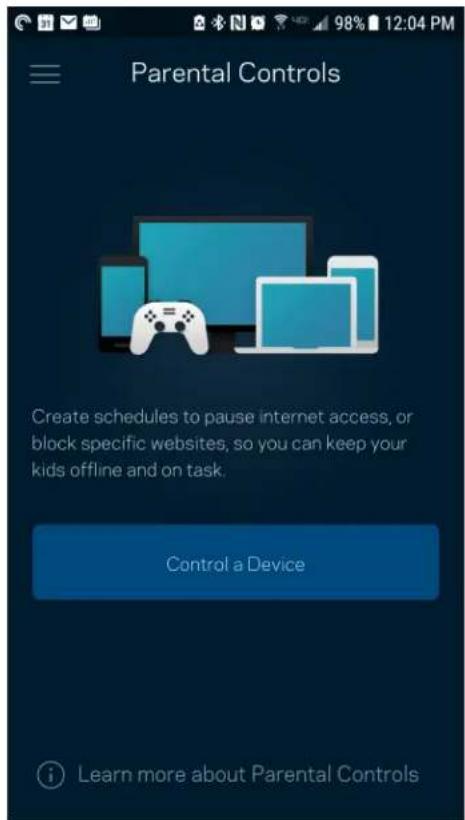
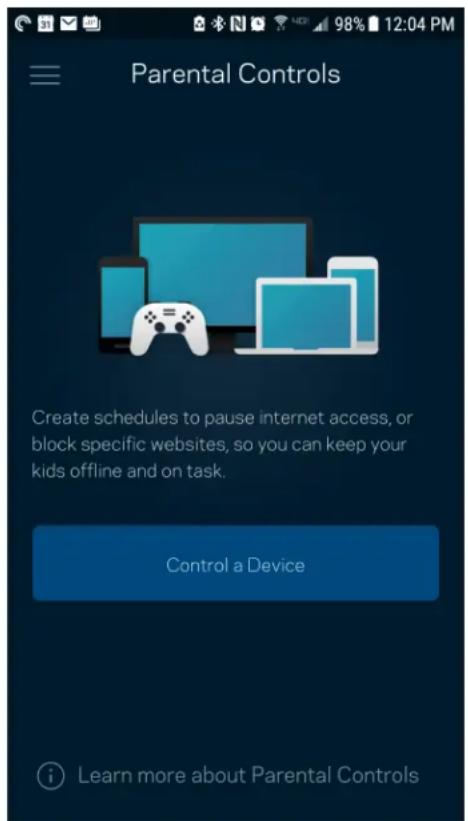
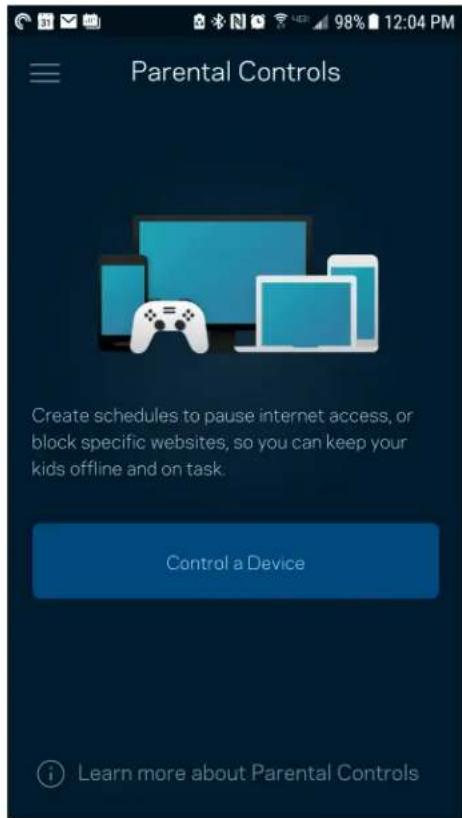
Parental controls allow you to control when your kids are online and what they're doing there. Pause internet to specific devices, or block specific websites.
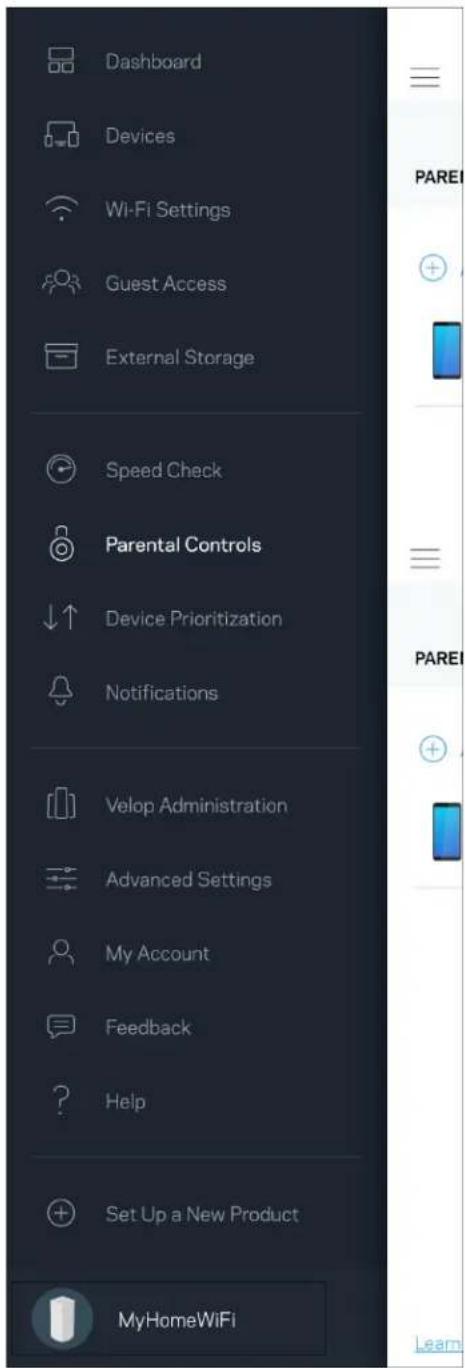
Dashboard Devices Wi-Fi Settings Guest Access External Storage Speed Check Parental Controls Device Prioritization Notifications Velop Administration Advanced Settings My Account Feedback Help Set Up a New Product MyHomeWiFi

Parental Controls Create schedules to pause internet access, or block specific websites, so you can keep your kids offline and on task. Control a Device Learn more about Parental Controls

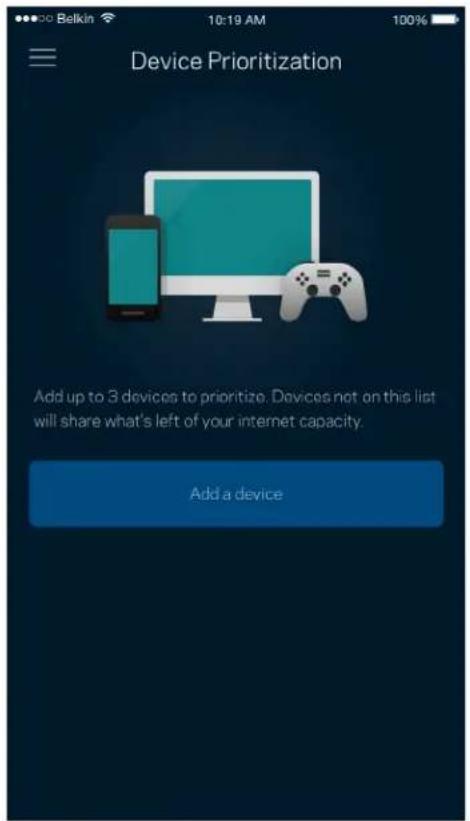
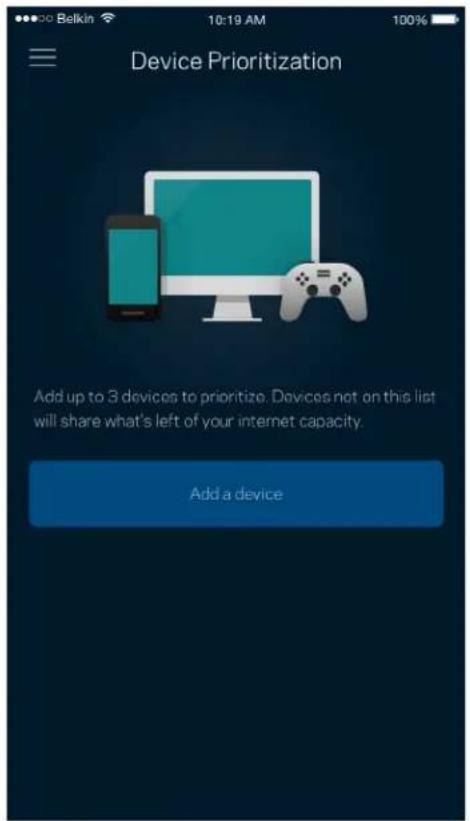
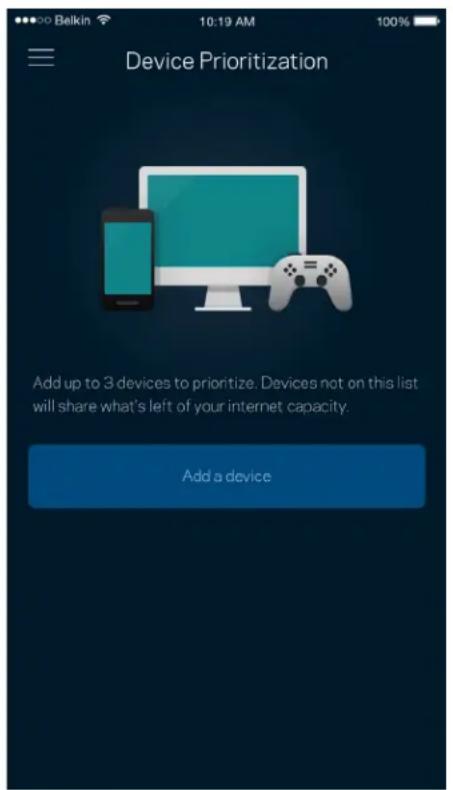
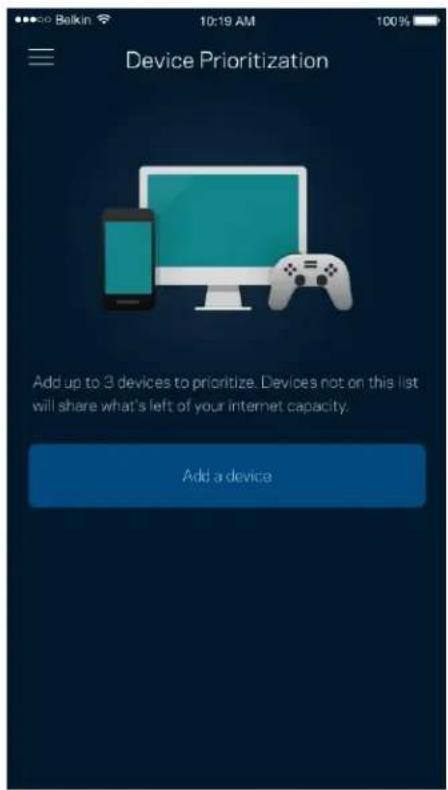
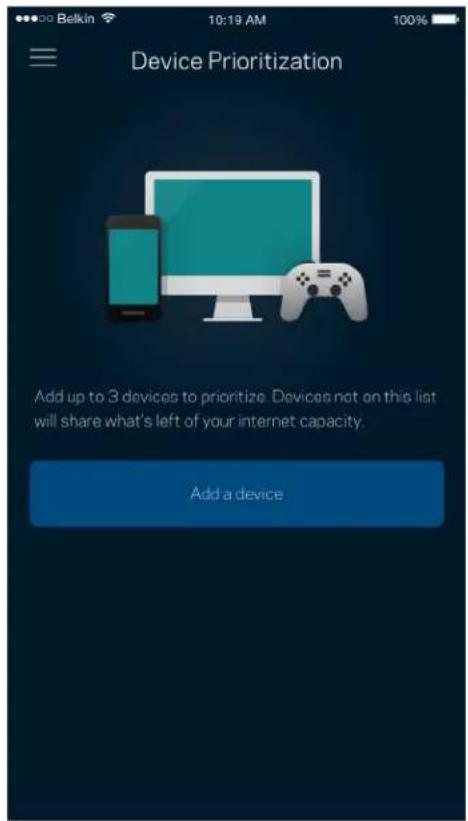
Device Prioritization

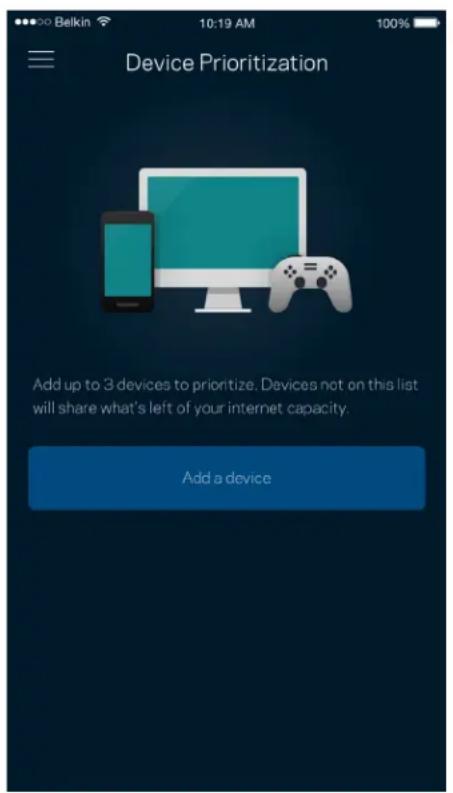
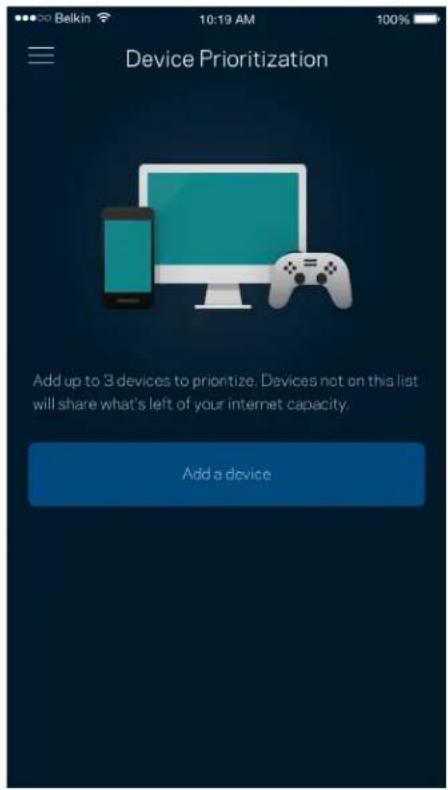
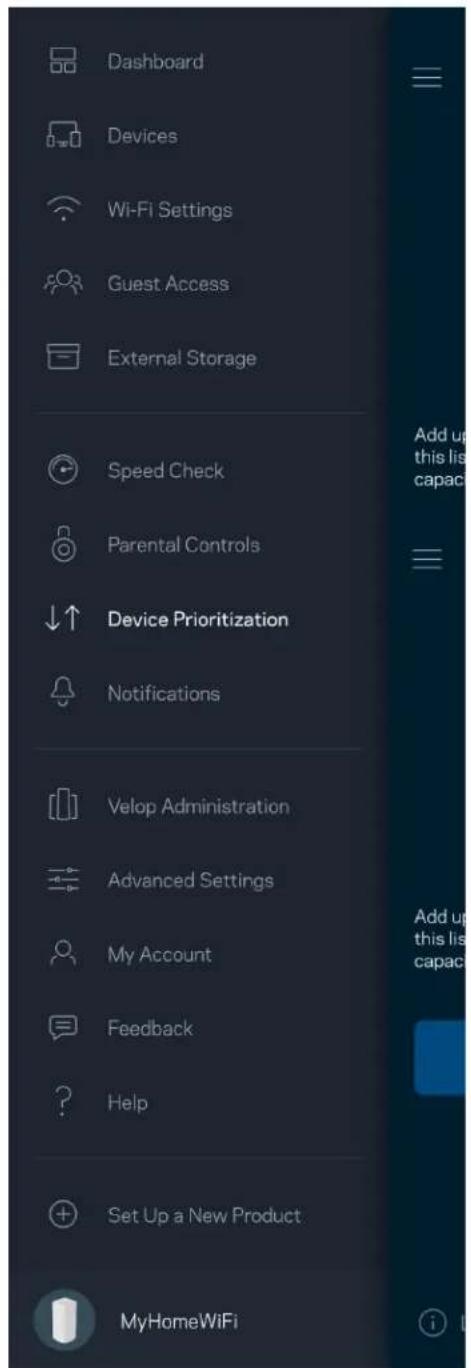
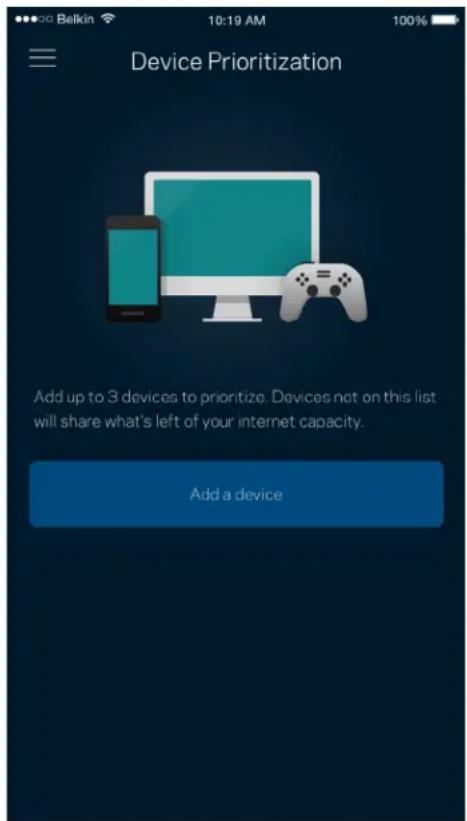
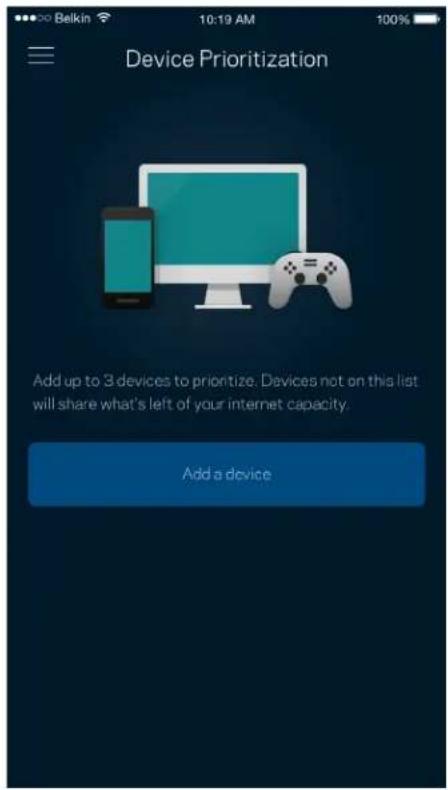
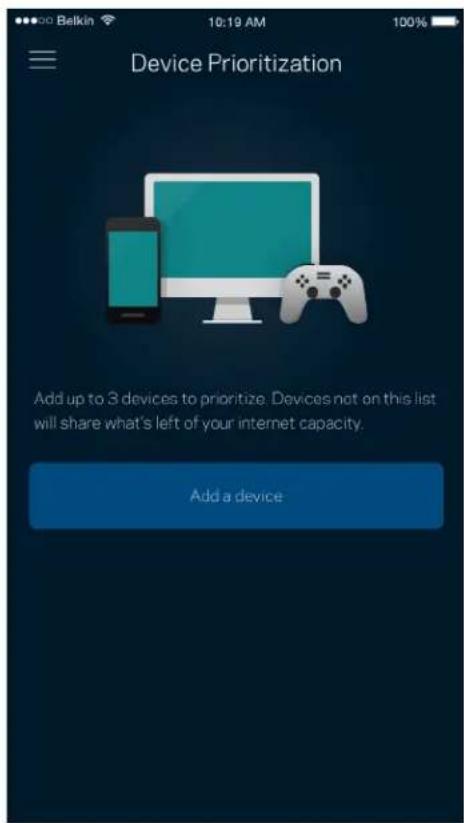
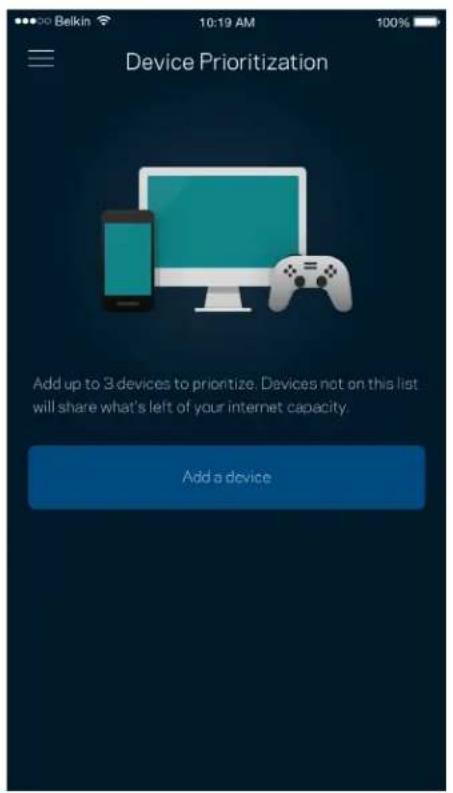
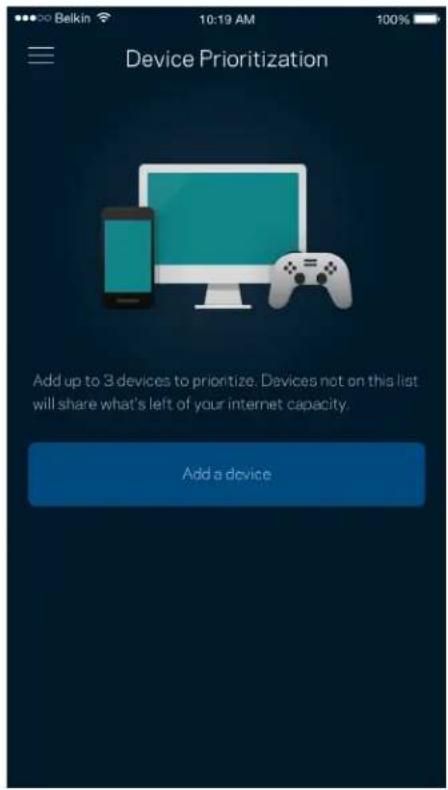
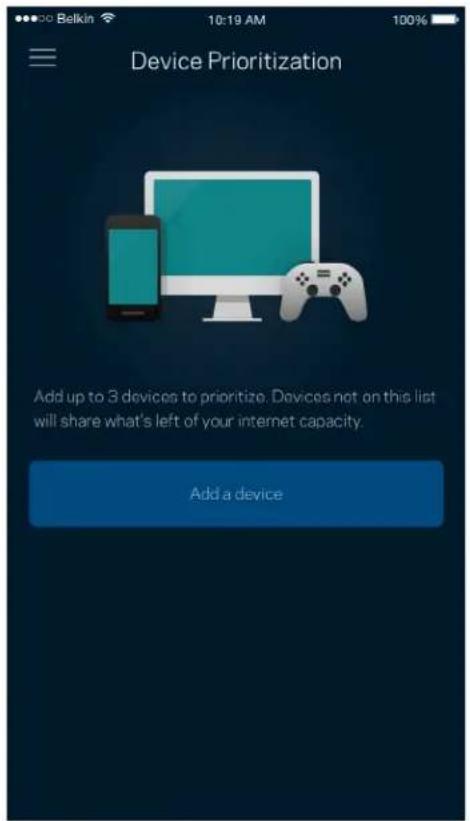
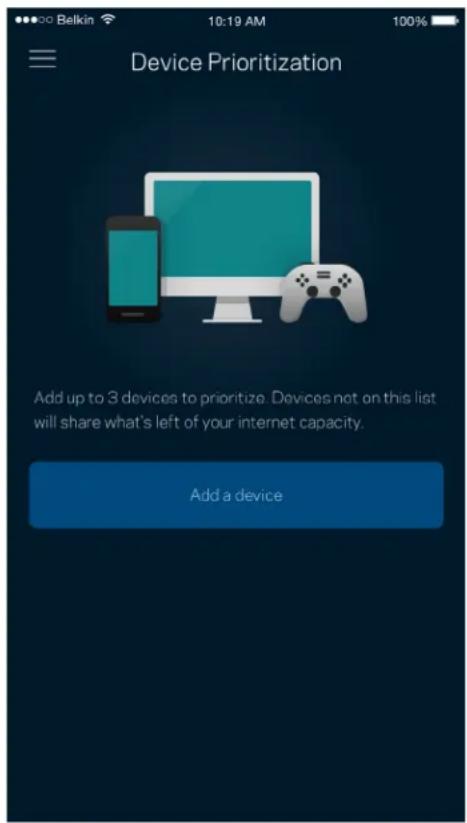
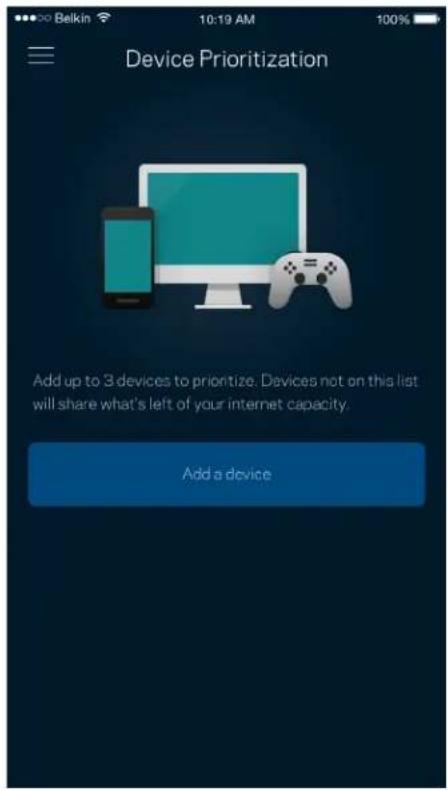
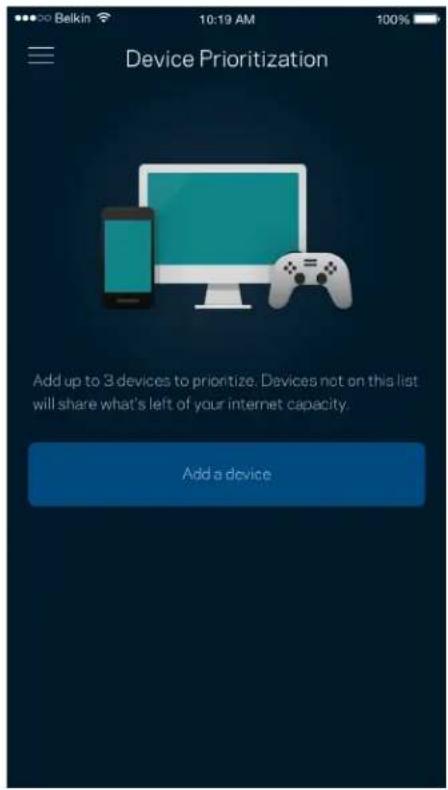
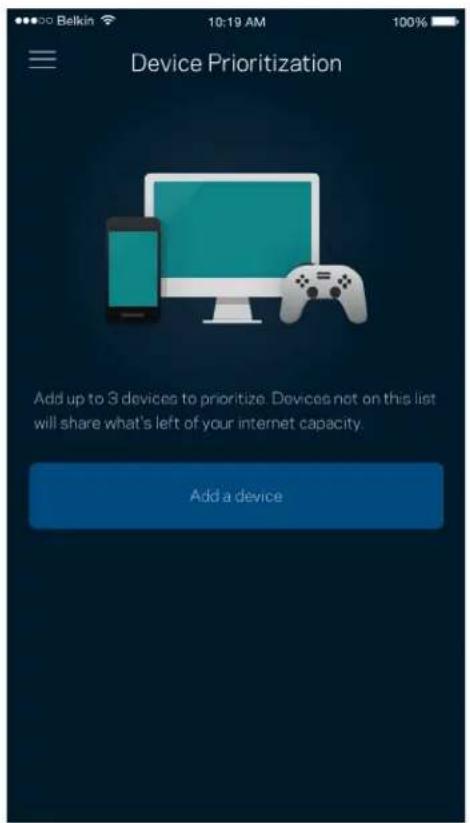
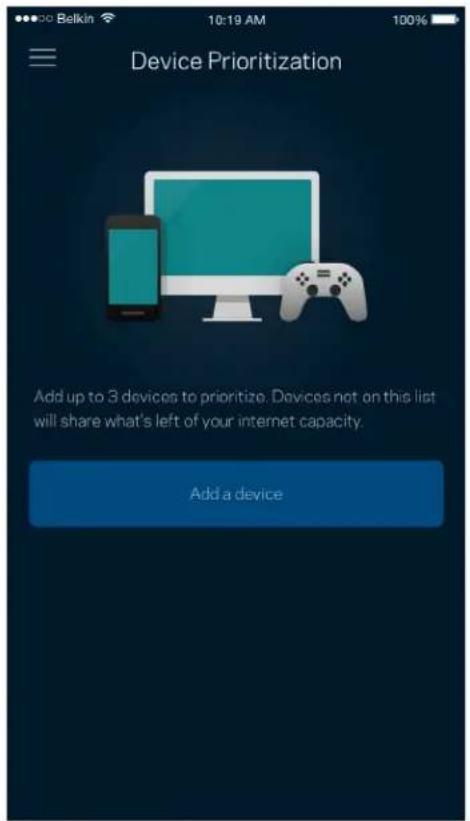
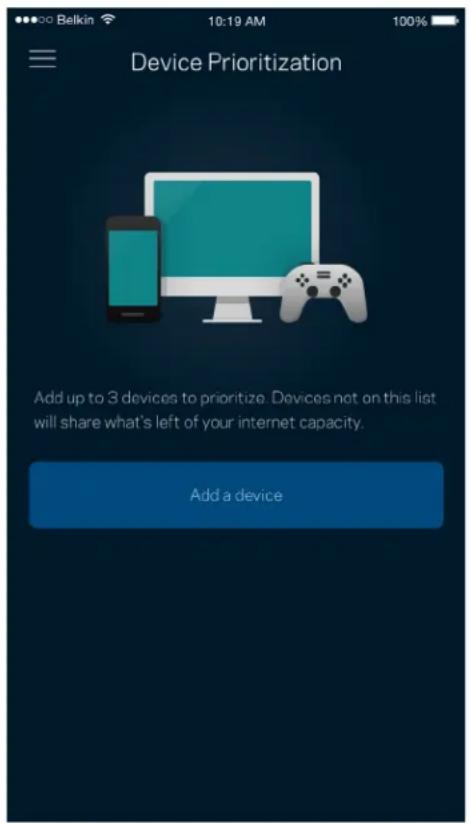
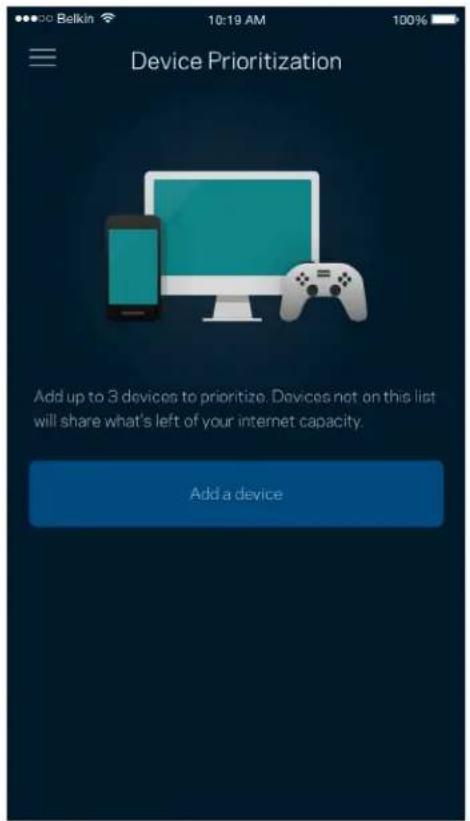
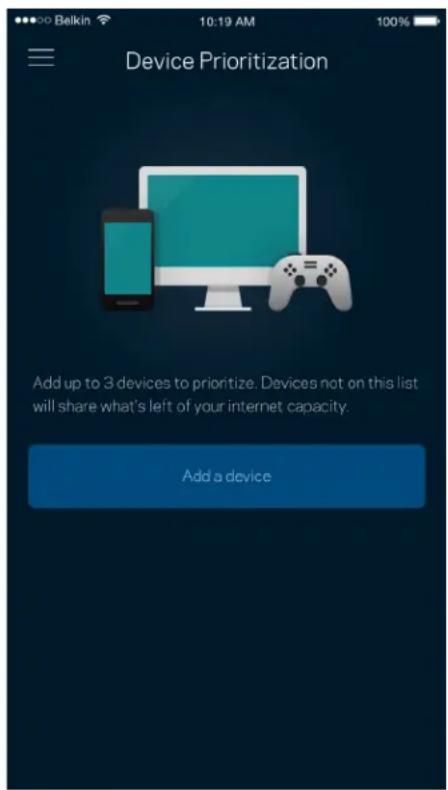
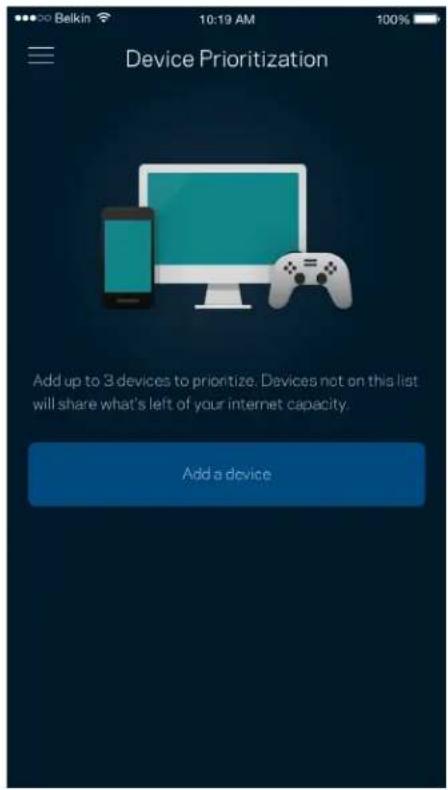
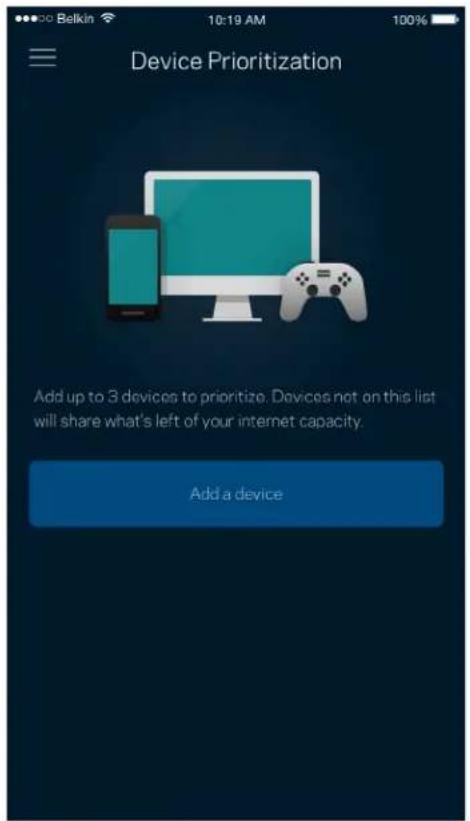
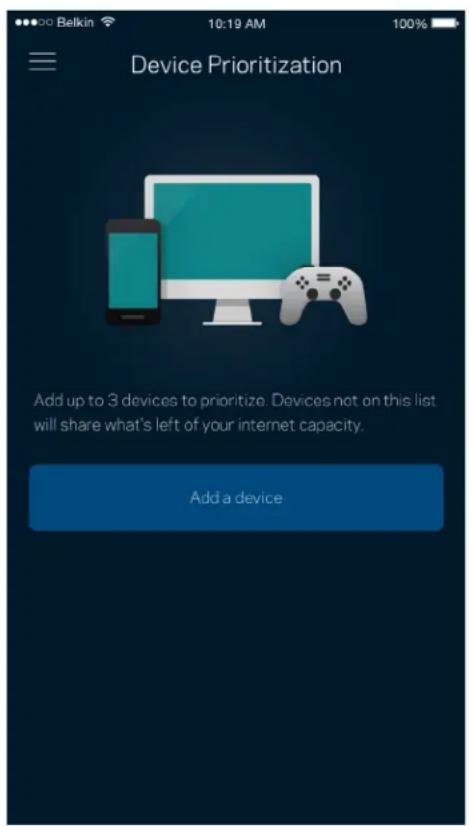
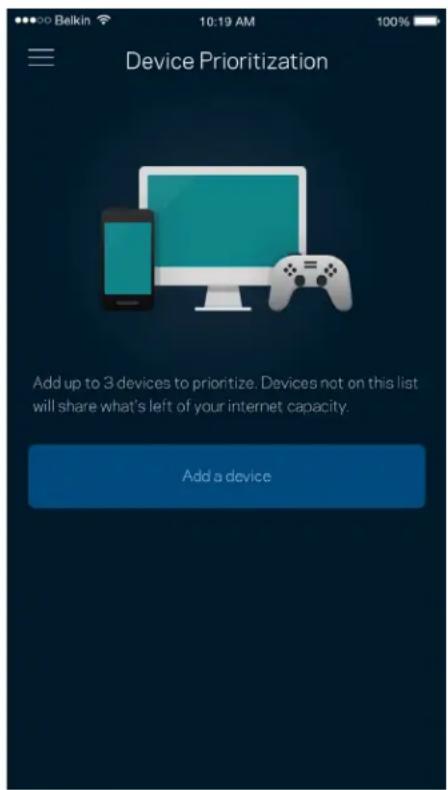
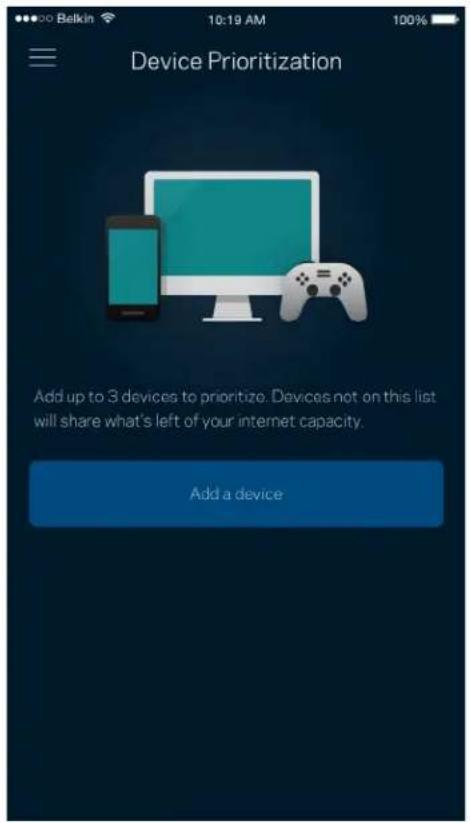
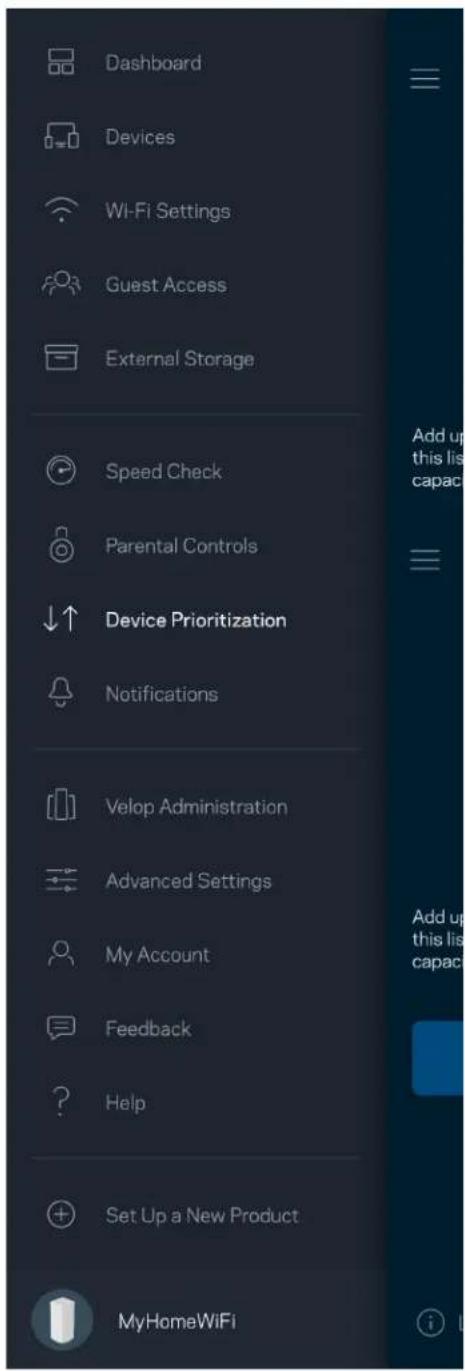
Choose up to three devices for priority usage of your internet connection. Those devices – wired and/or wireless – always will have the best access when connected. Velop runs a speed check to determine how to best distribute Wi-Fi to prioritized devices. Other devices will share the leftover capacity. Prioritized devices appear on Dashboard.
Dashboard Devices Wi-Fi Settings Guest Access External Storage Speed Check Parental Controls Device Prioritization Notifications Velop Administration Advanced Settings My Account Feedback Help Set Up a New Product MyHomeWiFi

Device Prioritization Add up to 3 devices to prioritize. Devices not on this list will share what's left of your internet capacity. Add a device

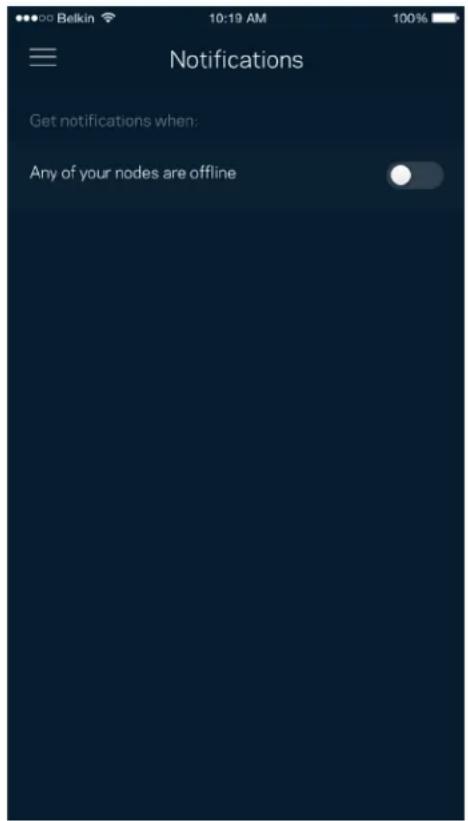
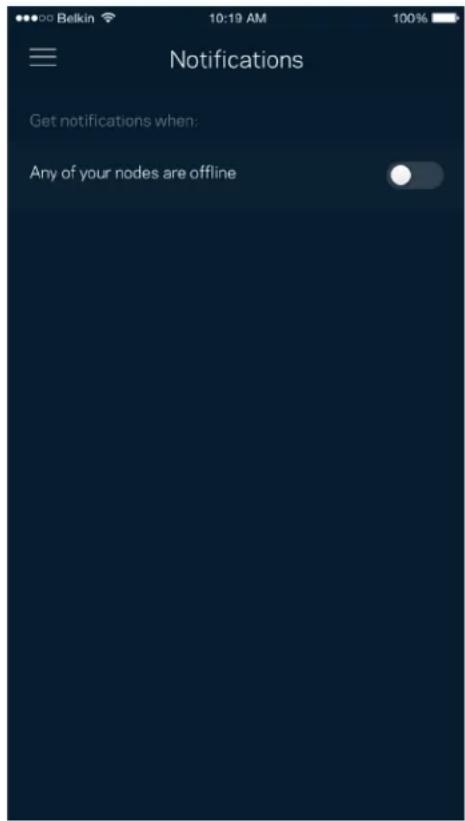
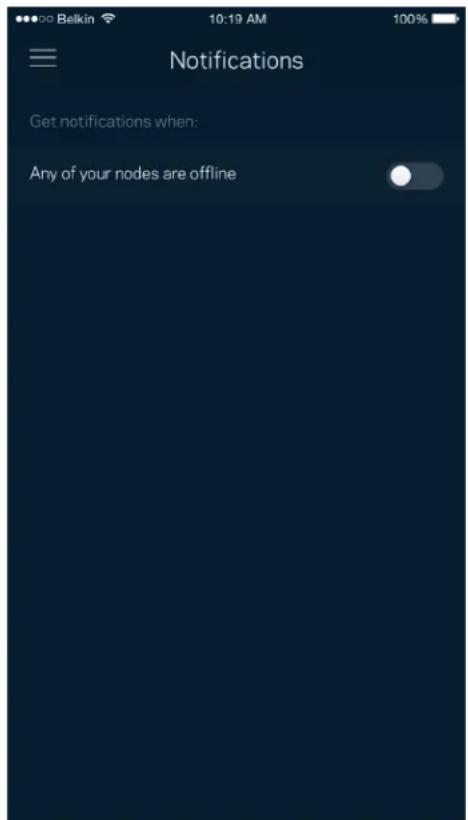
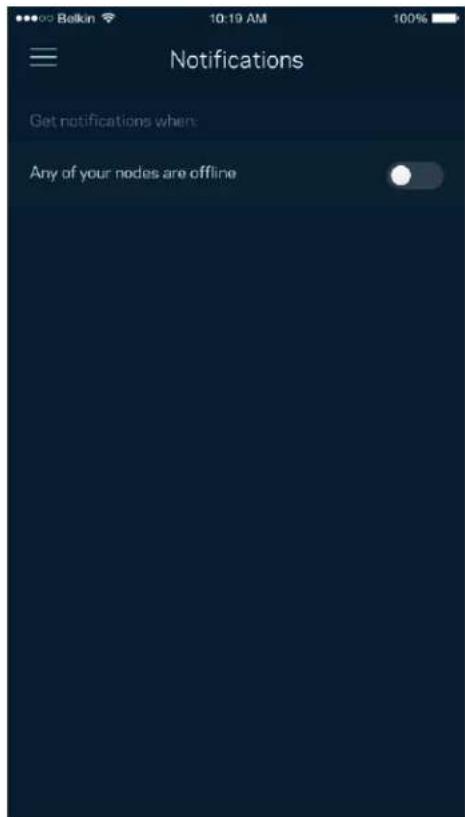
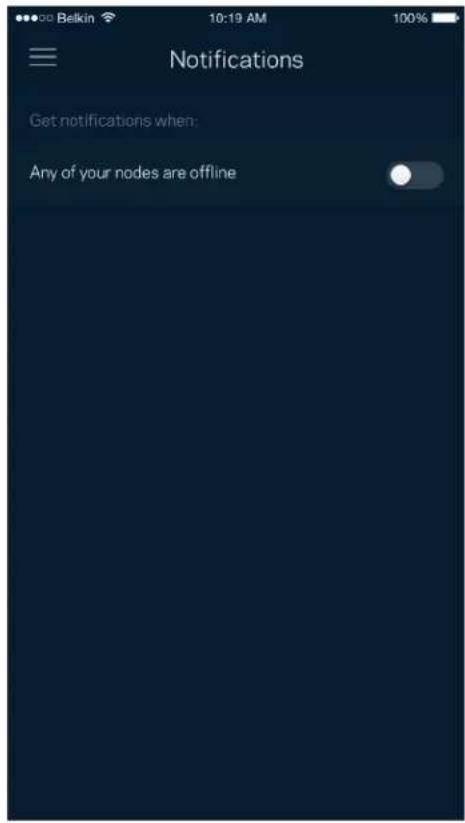
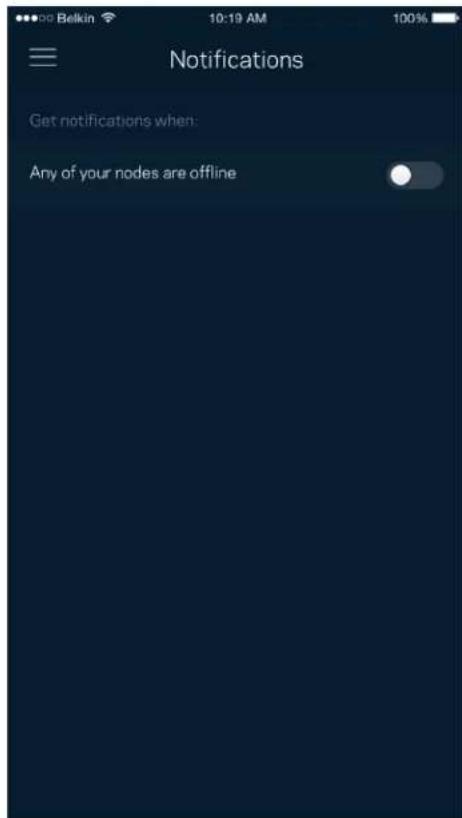
Notifications

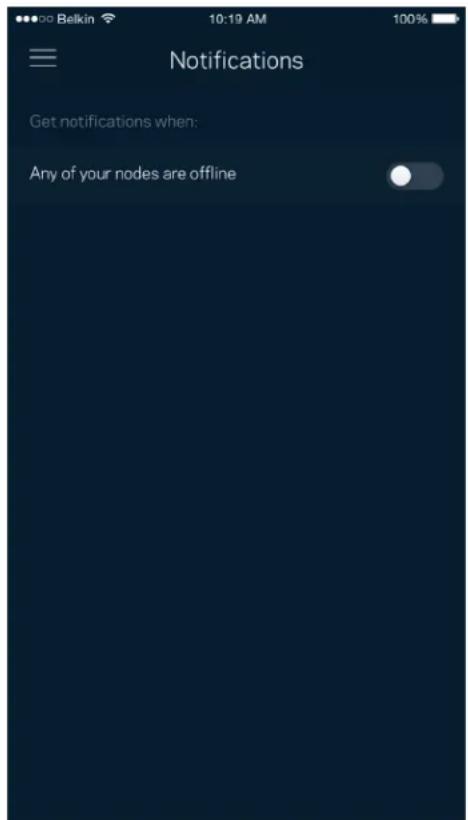
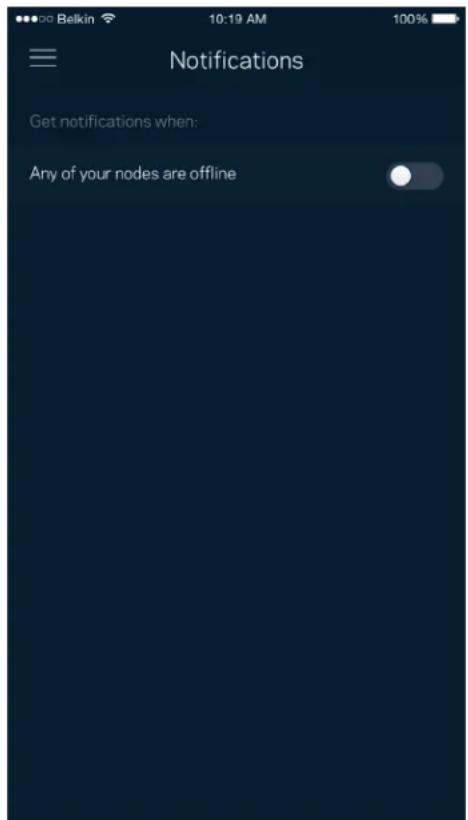
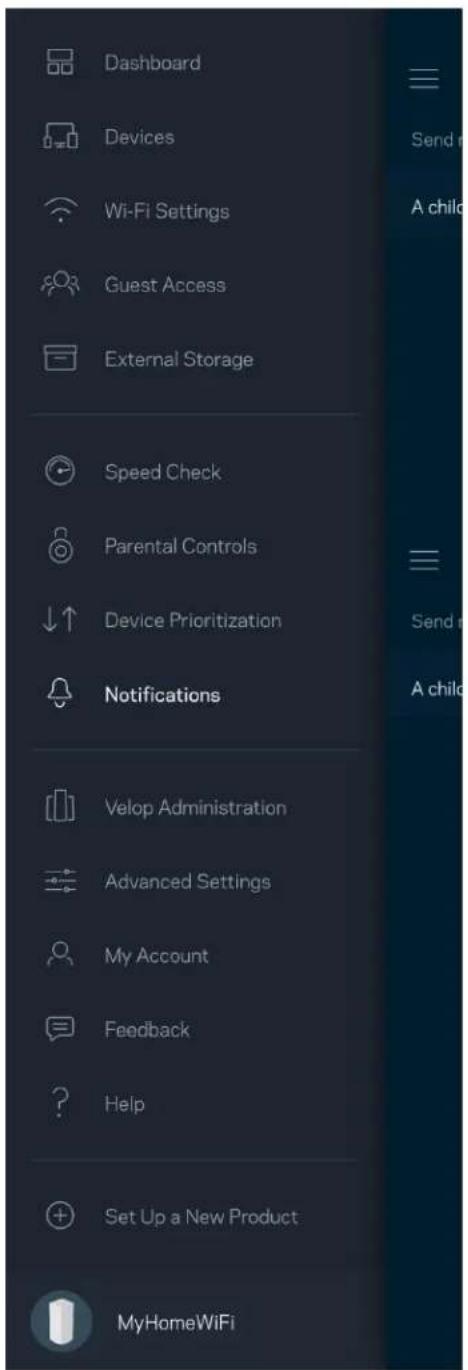
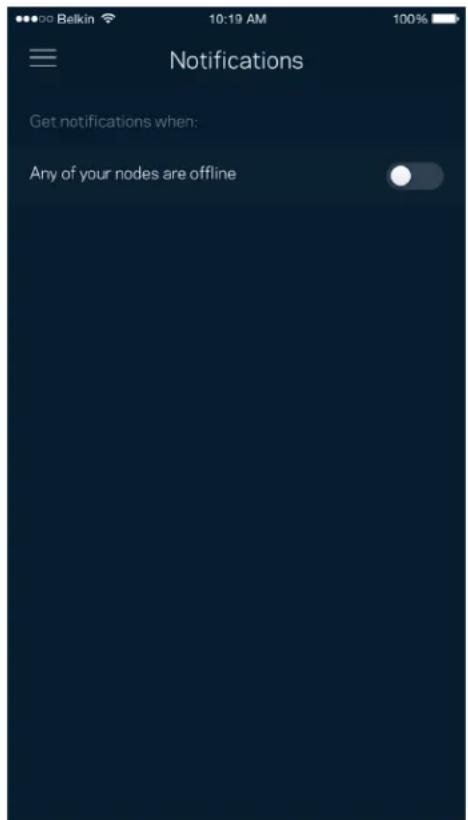
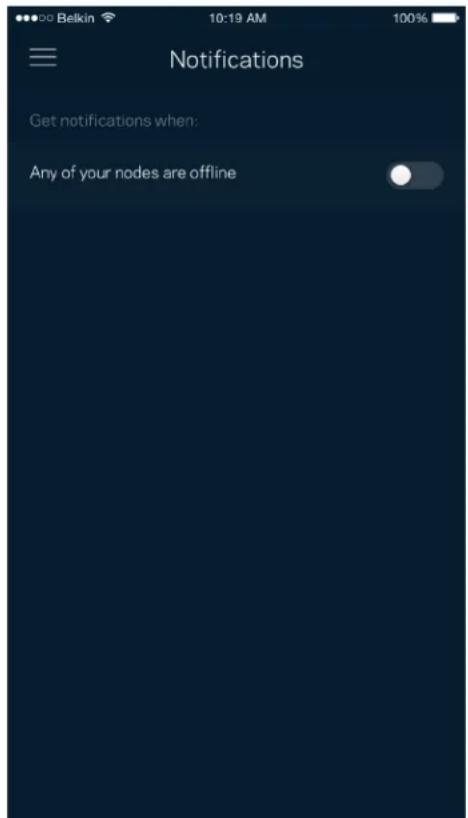
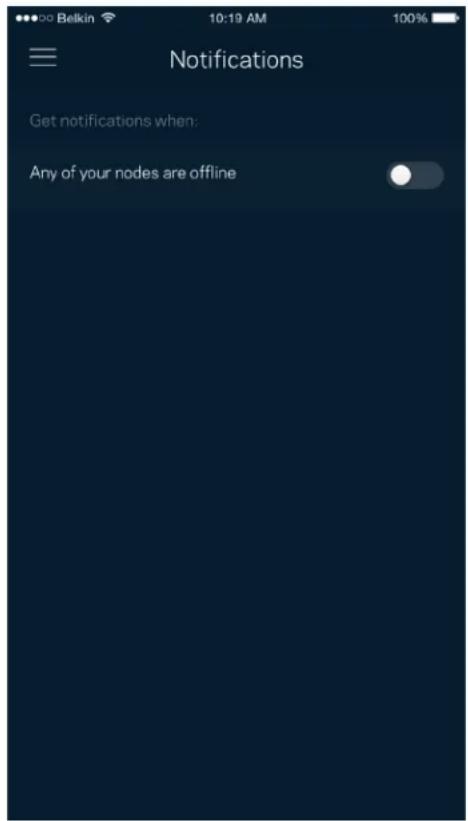
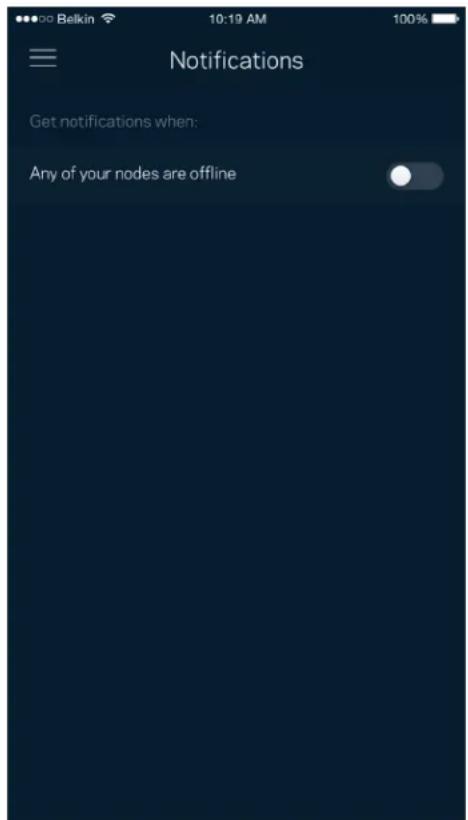
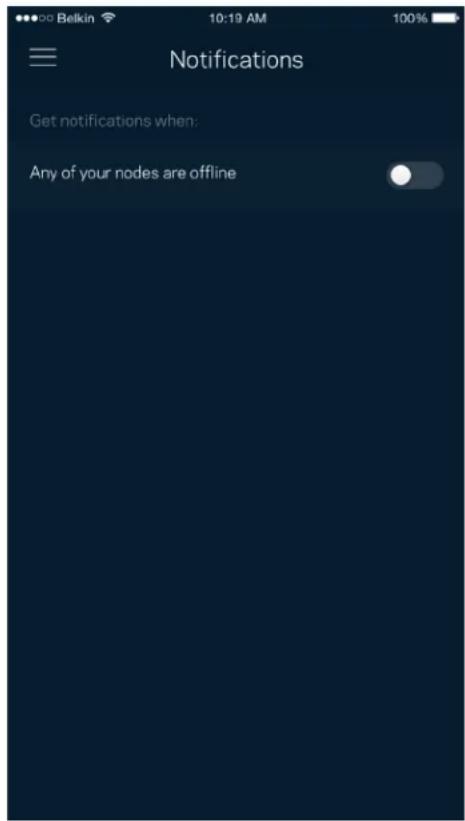
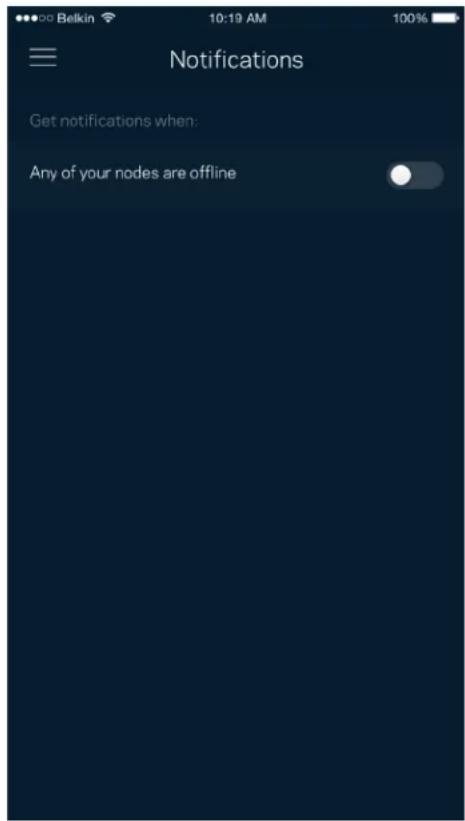
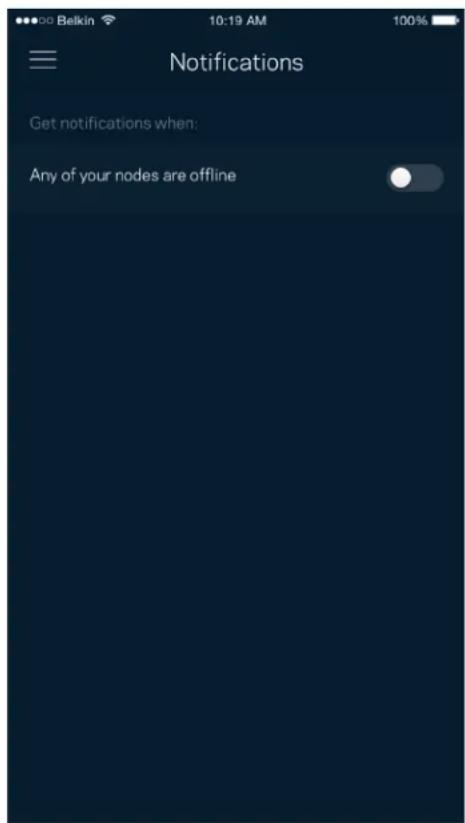
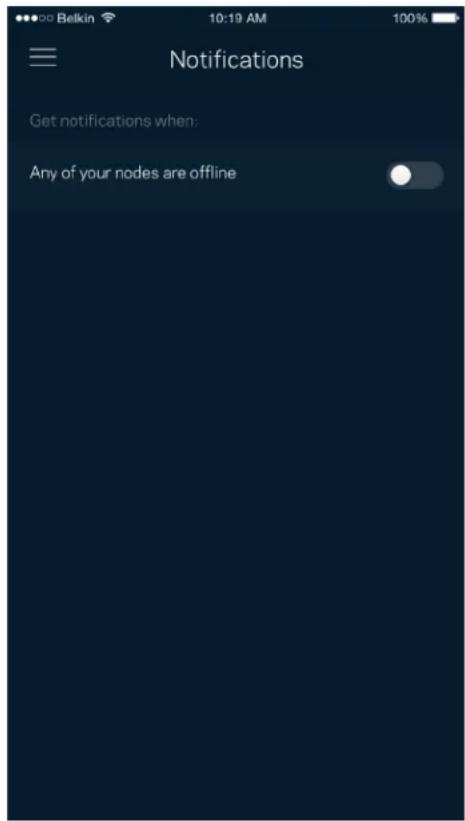
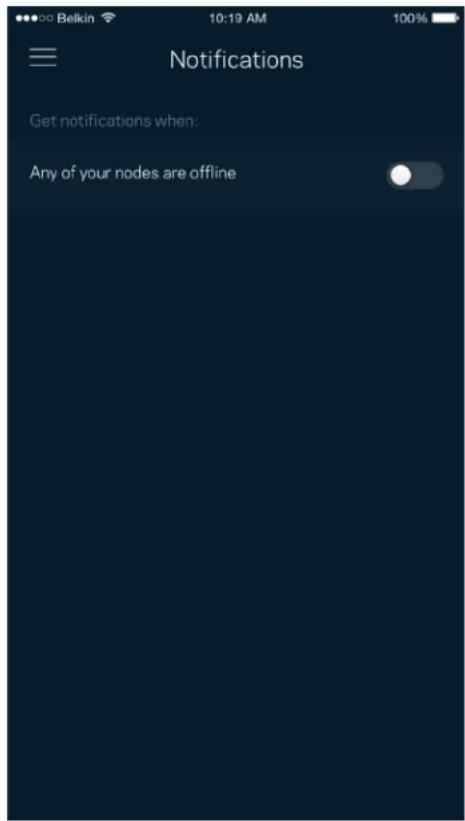
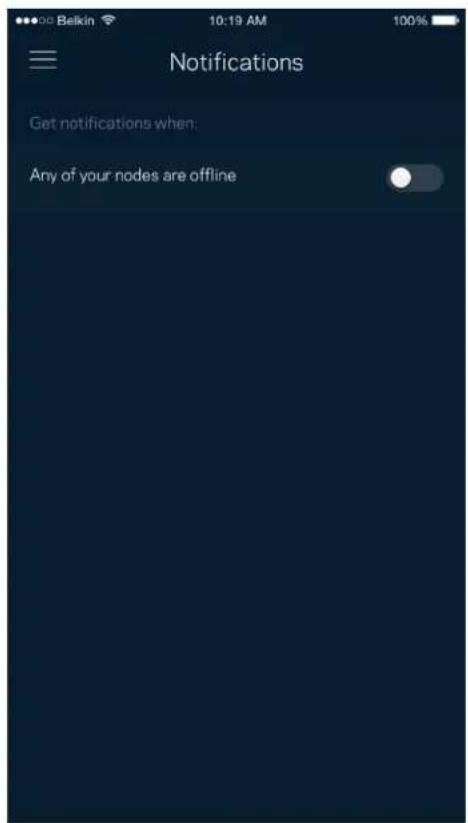
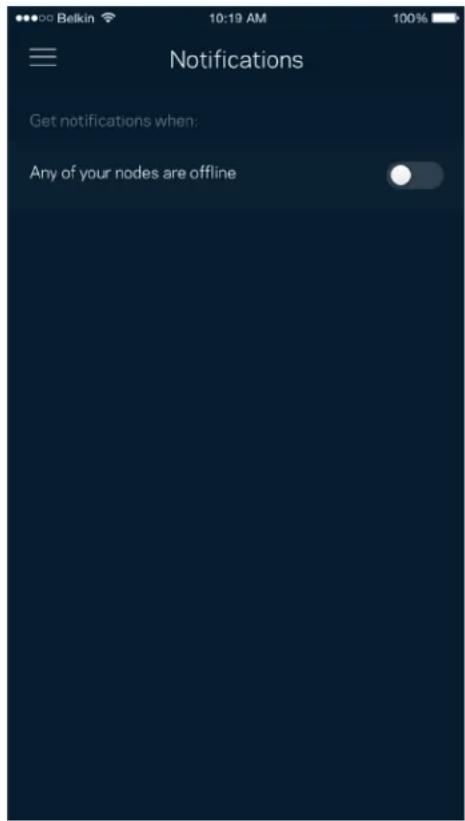
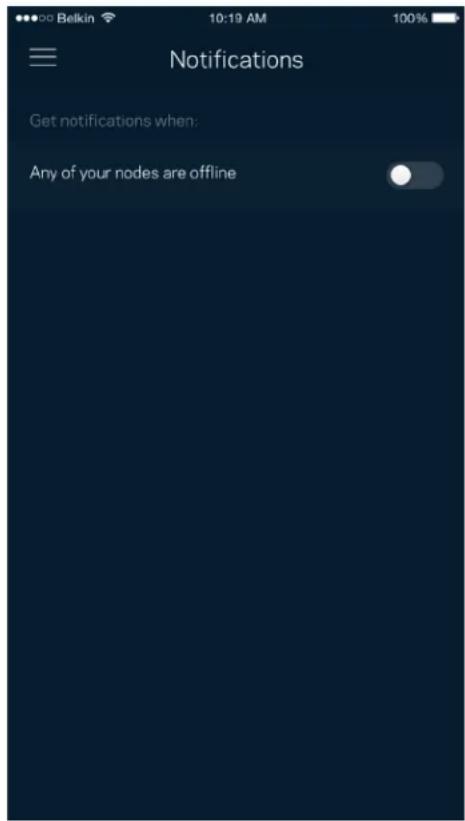
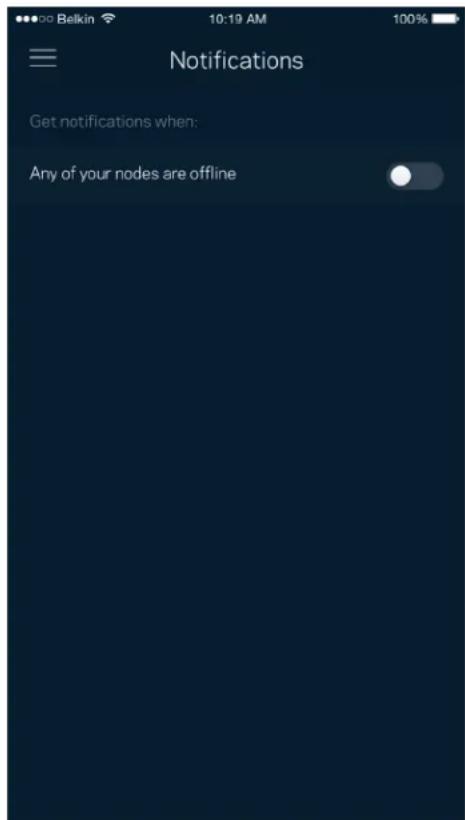
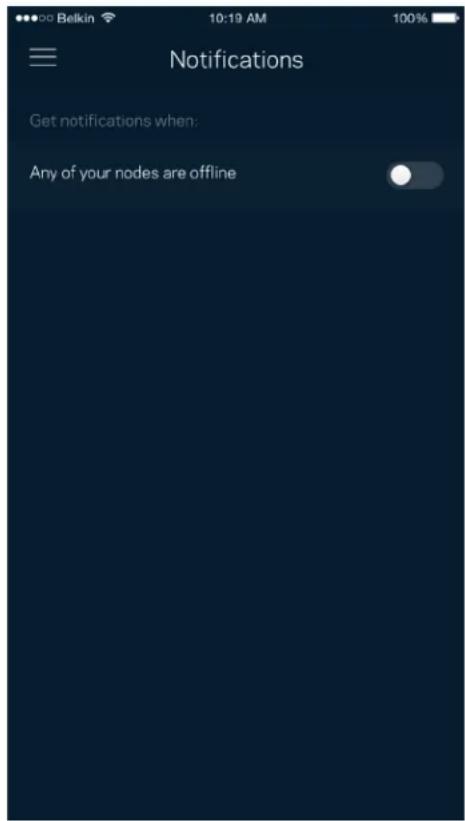
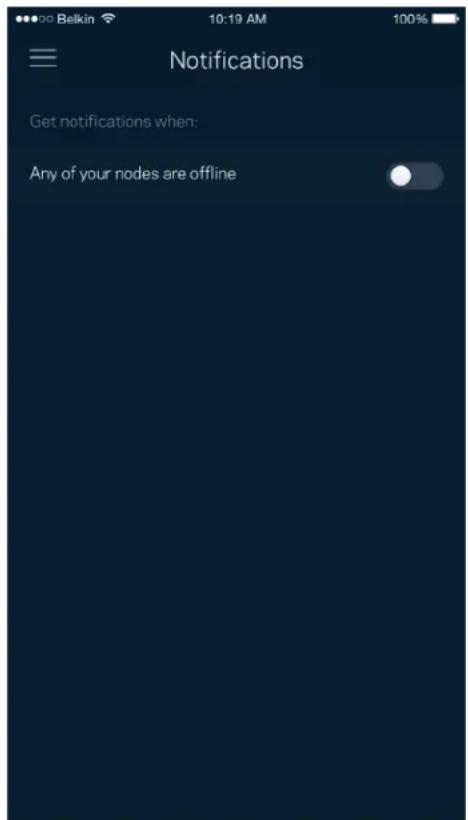
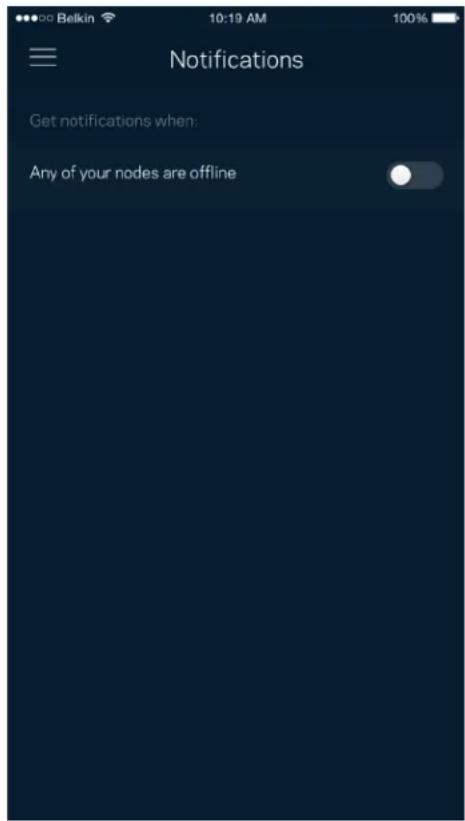
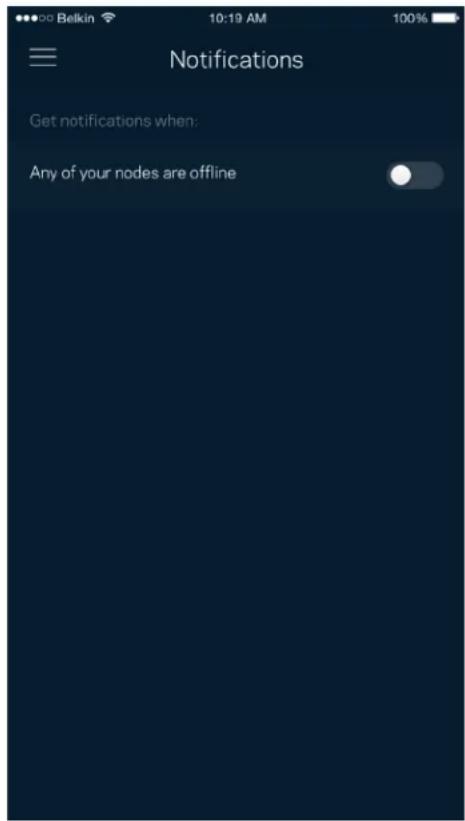
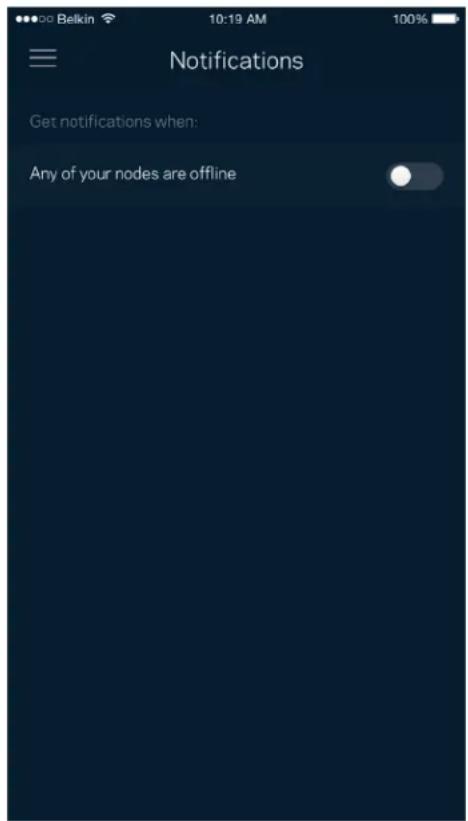
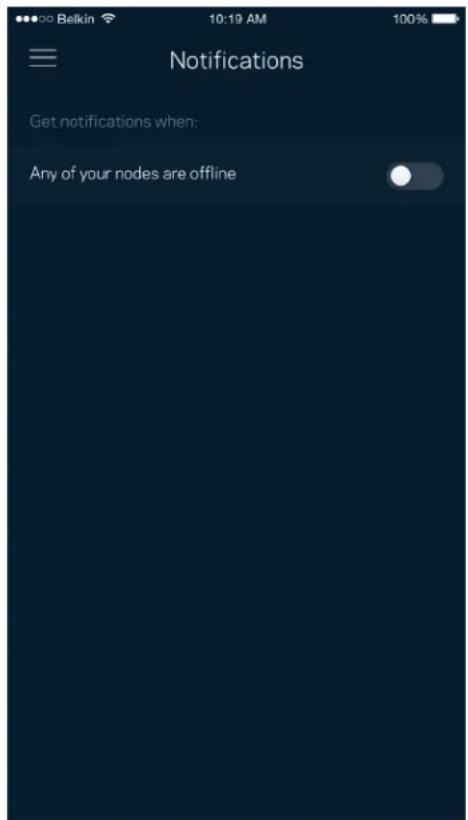
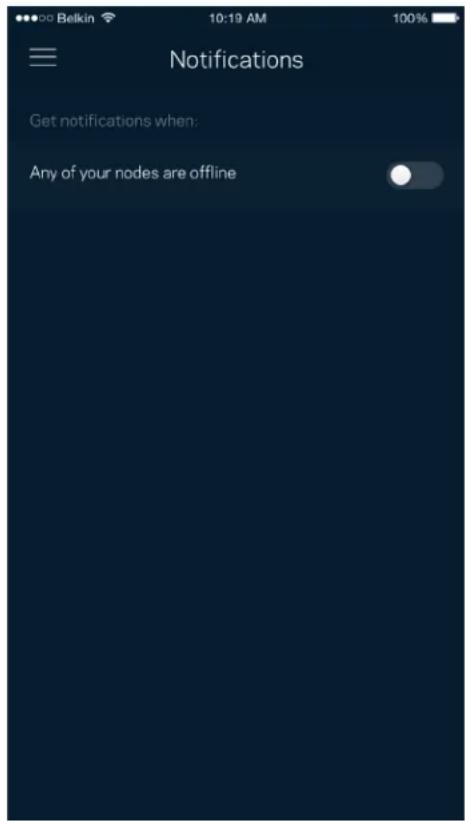
If you have more than one node, Velop can notify you when secondary nodes in your system go offline. Secondary nodes are any that are not wired to your modem. You have to turn on notifications in your mobile device settings to allow Velop to notify you.
Dashboard Devices Wi-Fi Settings Guest Access External Storage Speed Check Parental Controls Device Prioritization Notifications Velop Administration Advanced Settings My Account Feedback Help Set Up a New Product MyHomeWiFi

Belkin 10:19 AM 100% Notifications Get notifications when: Any of your nodes are offline

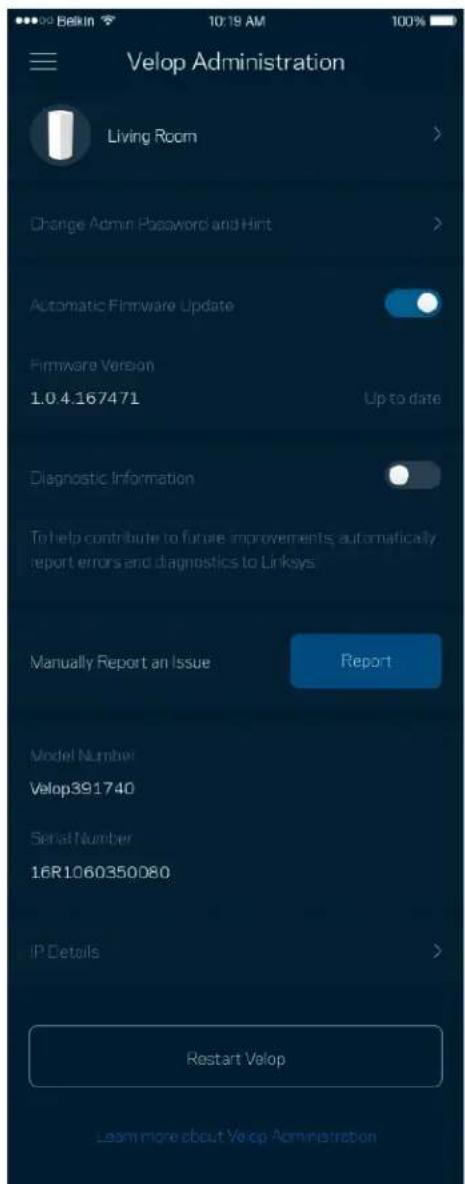
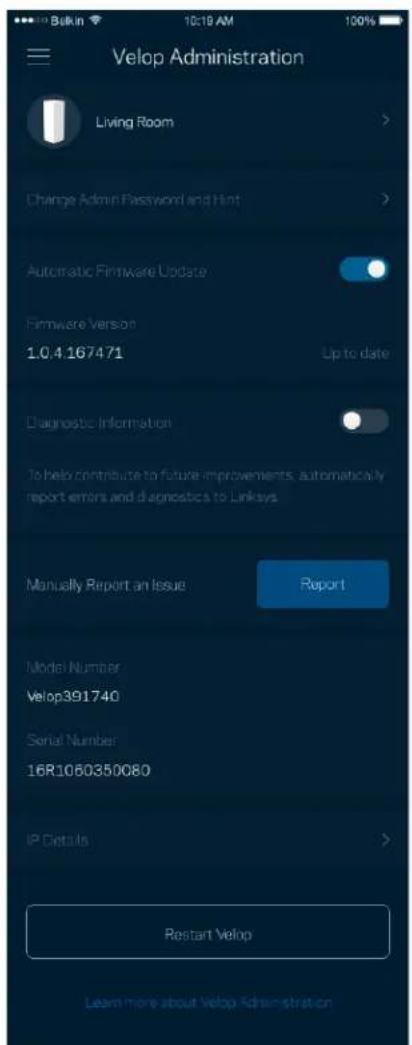
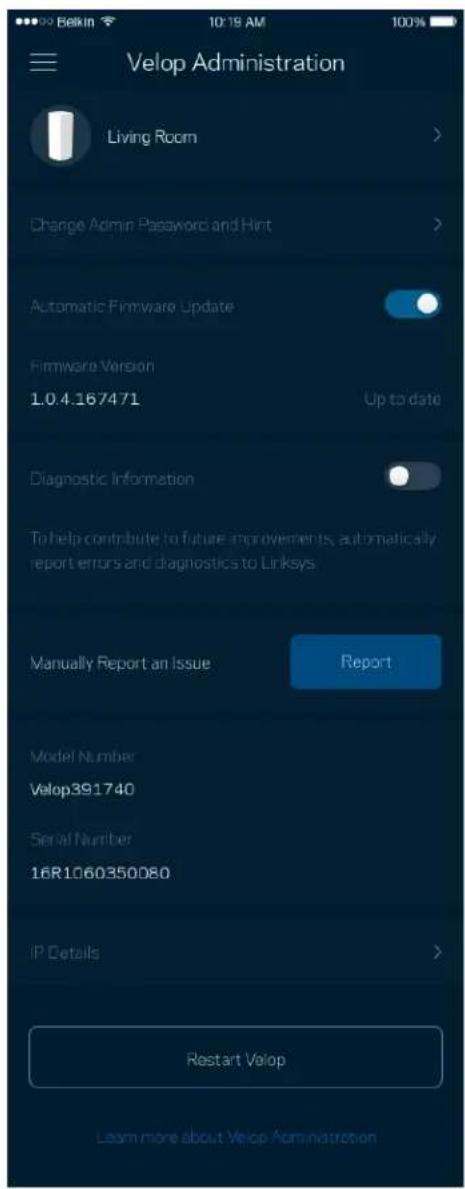
Velop Administration

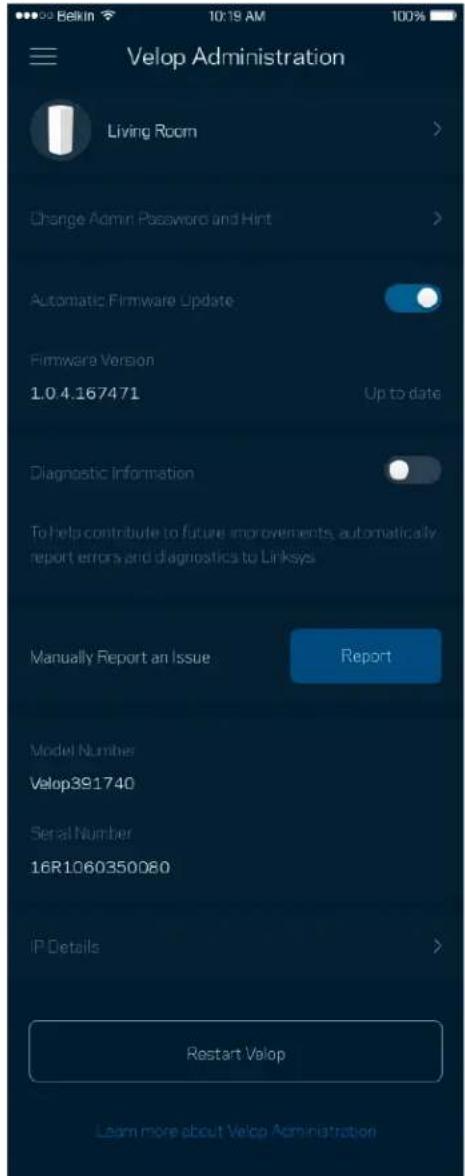
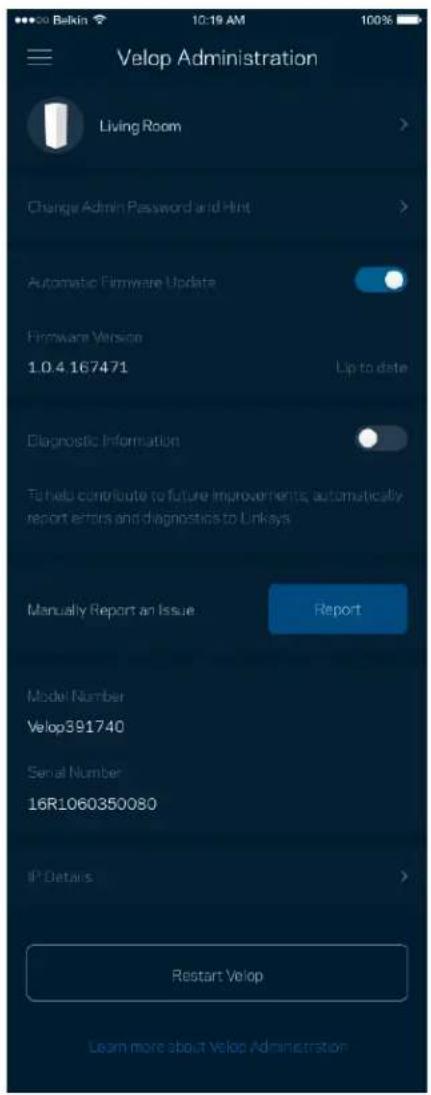
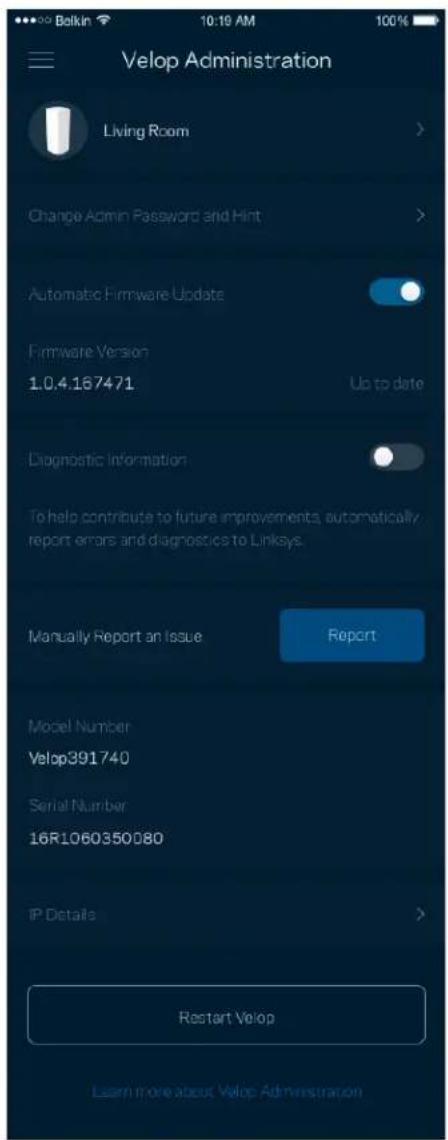
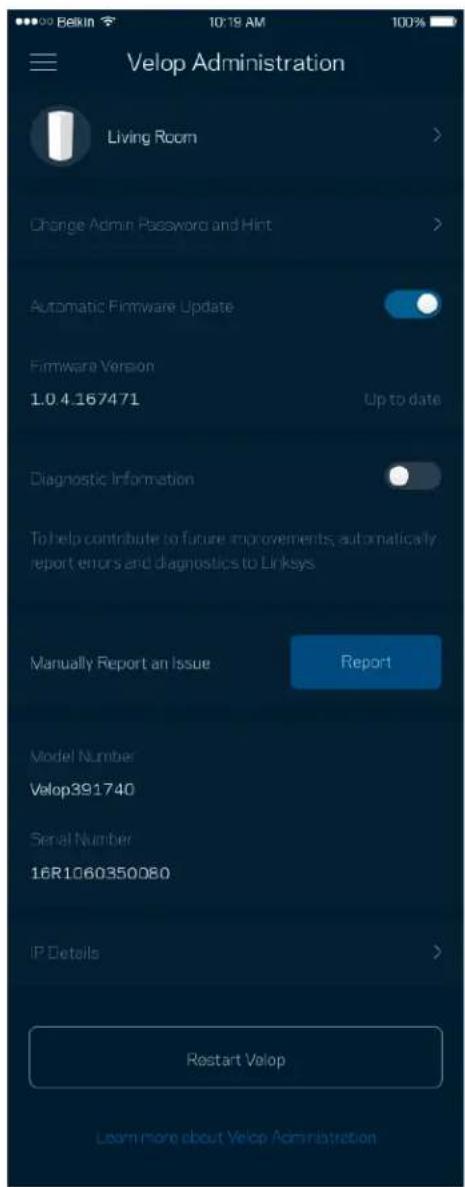
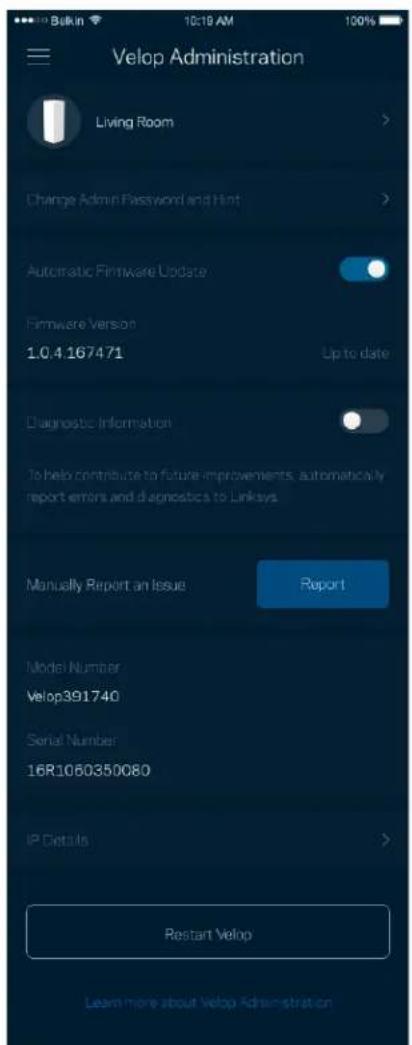
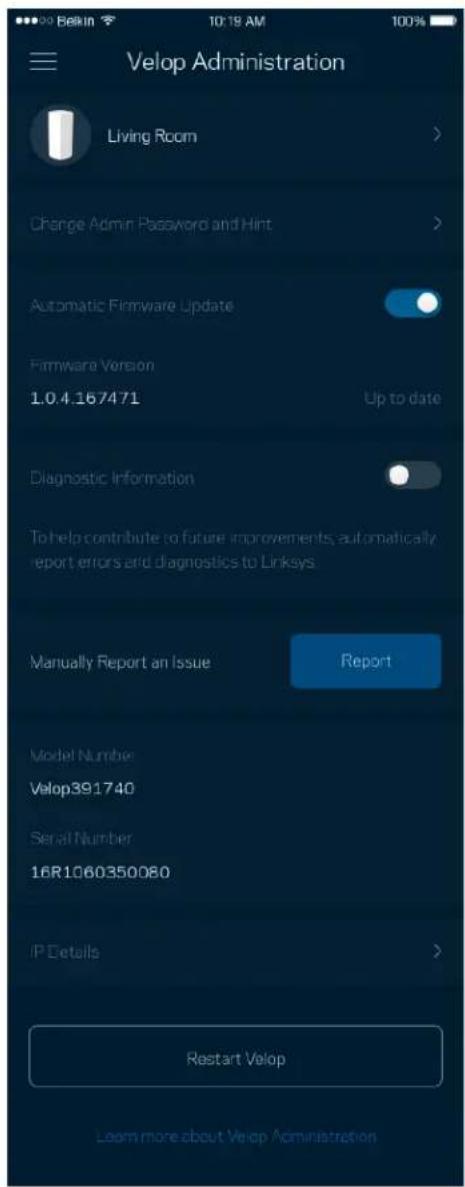
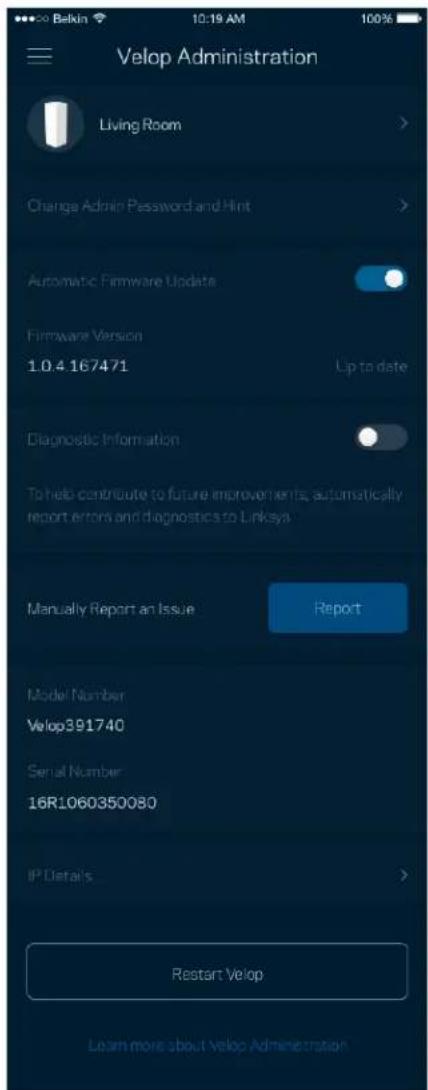
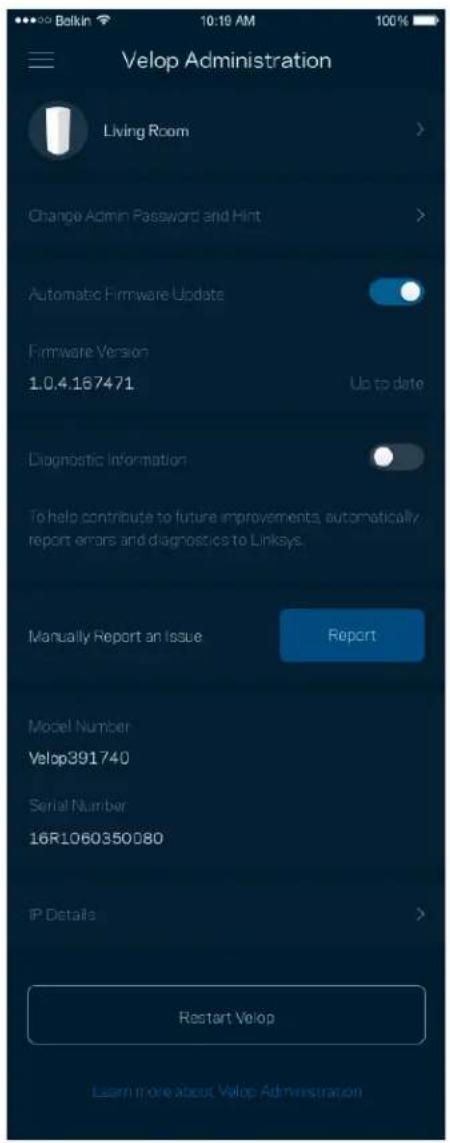
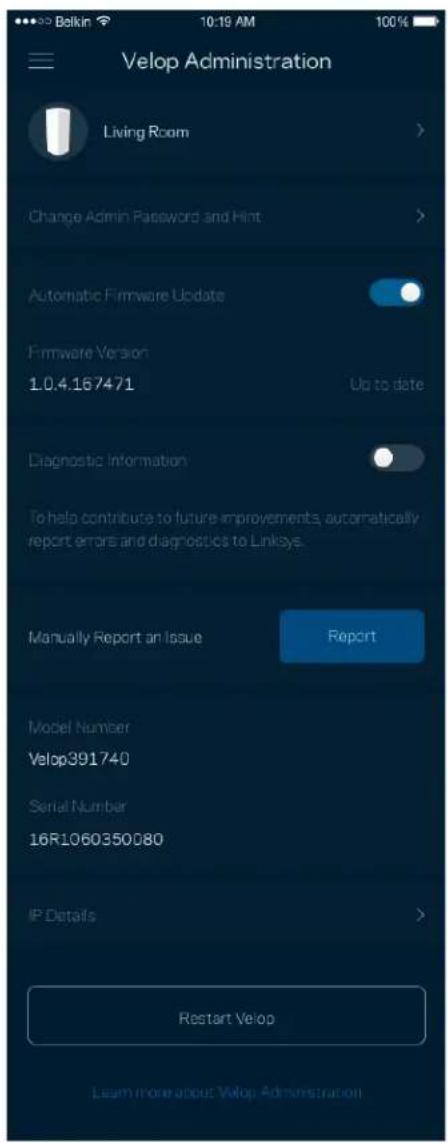
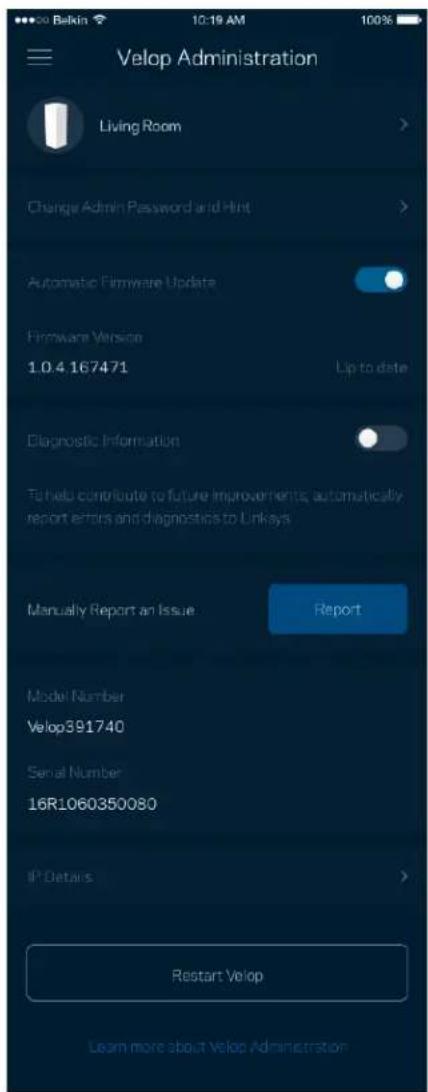
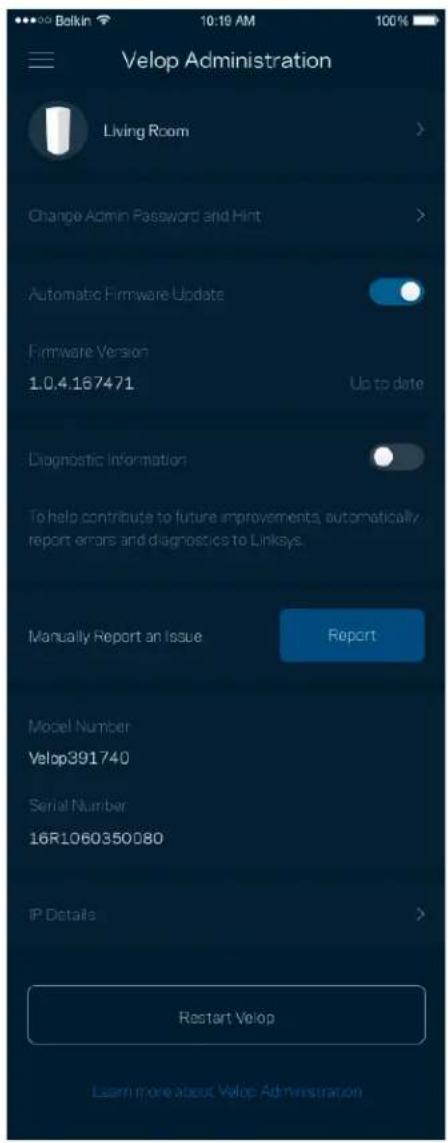
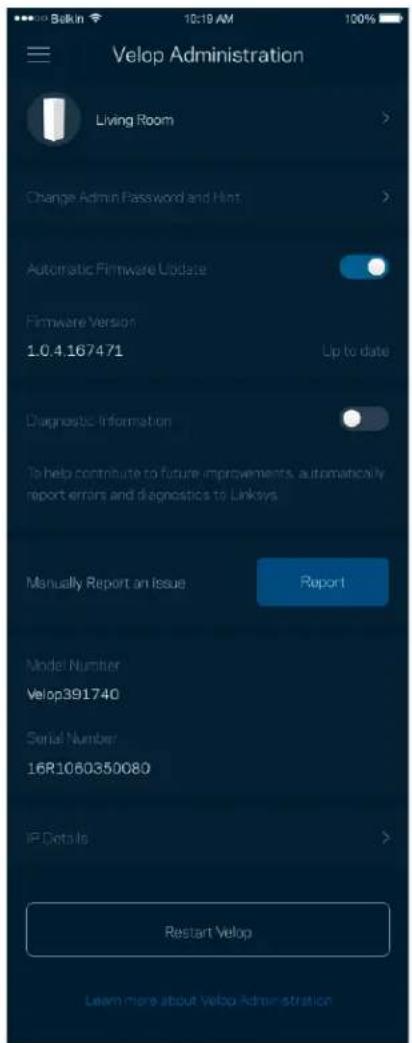
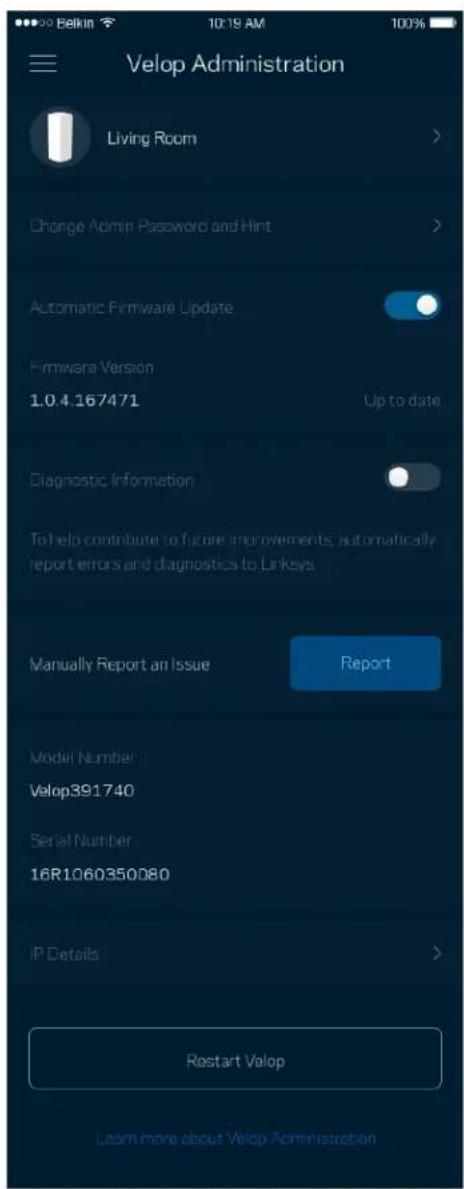
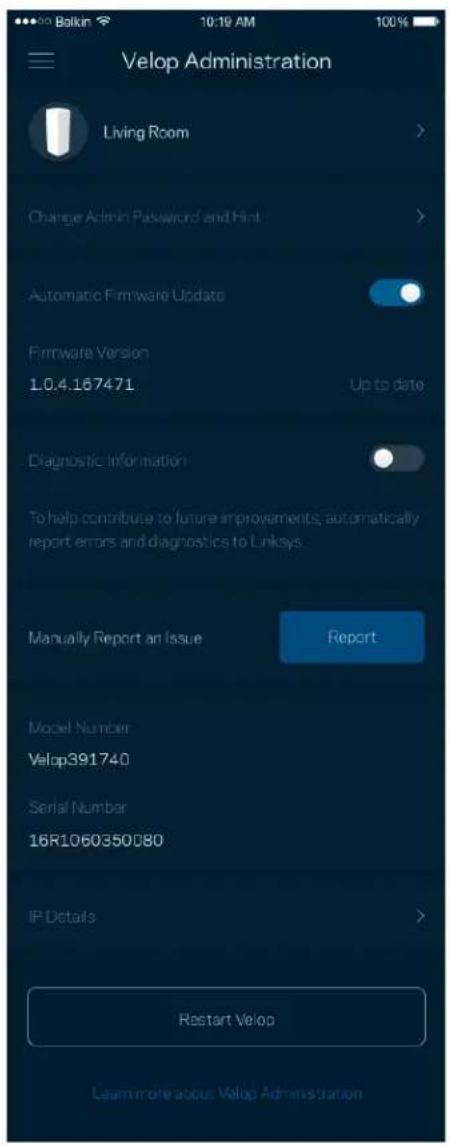
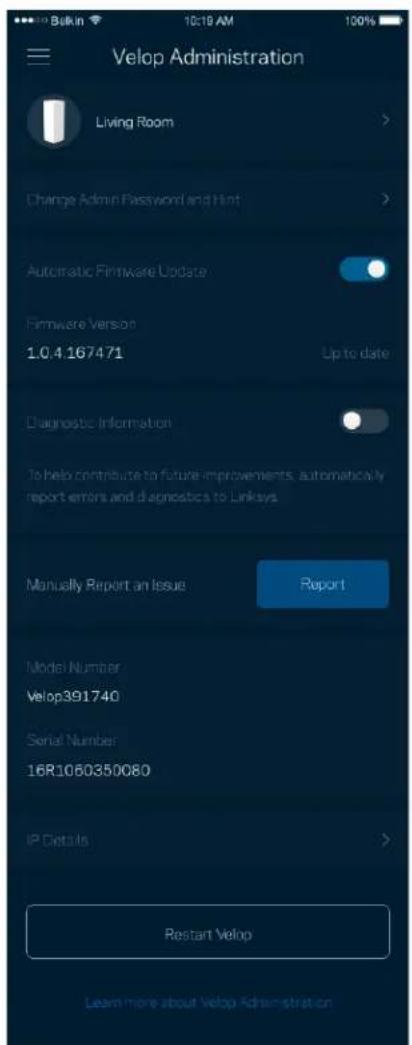
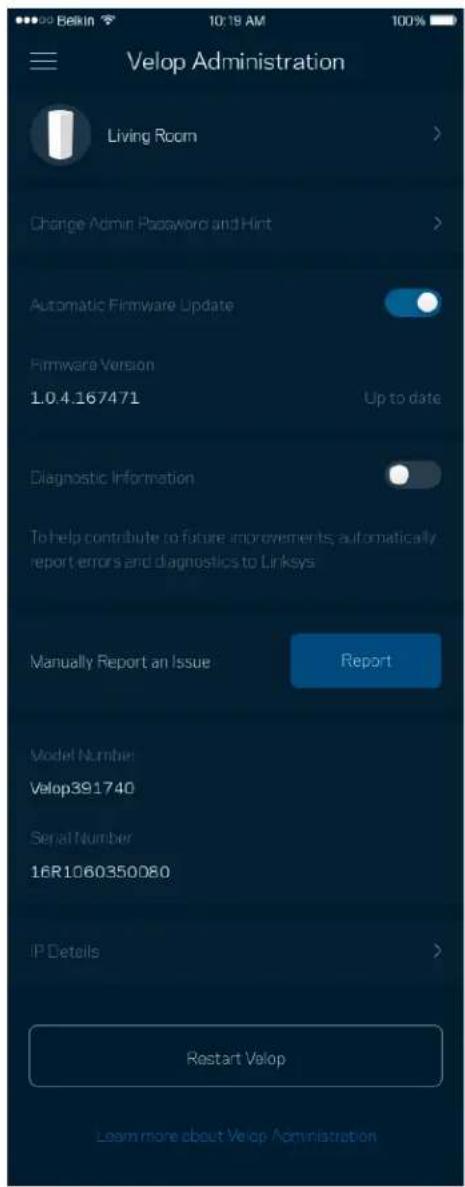
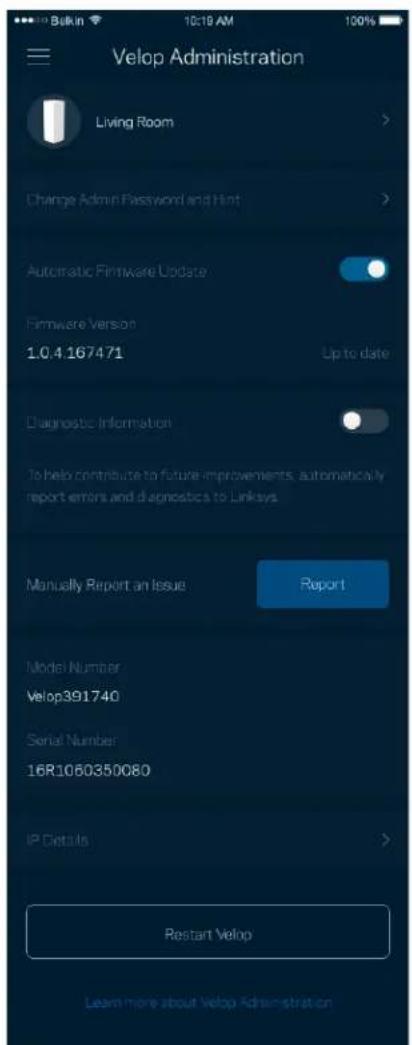
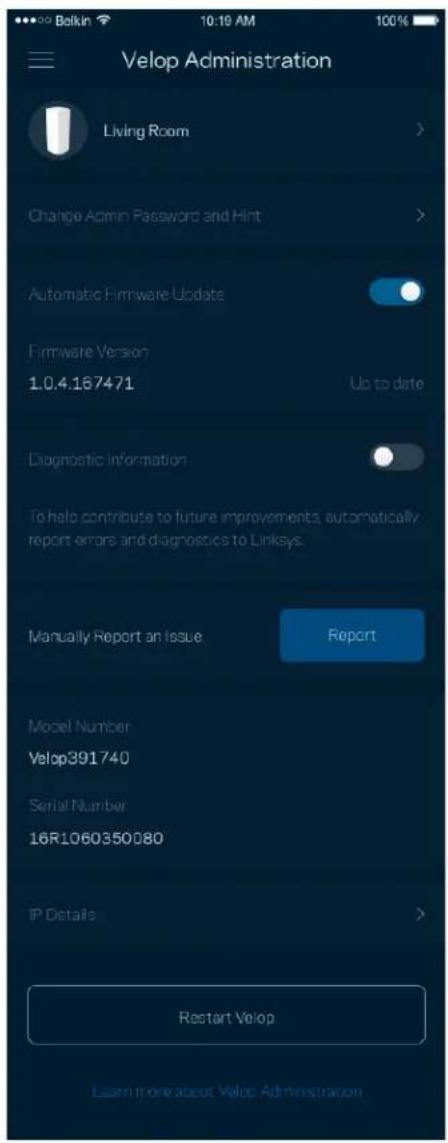
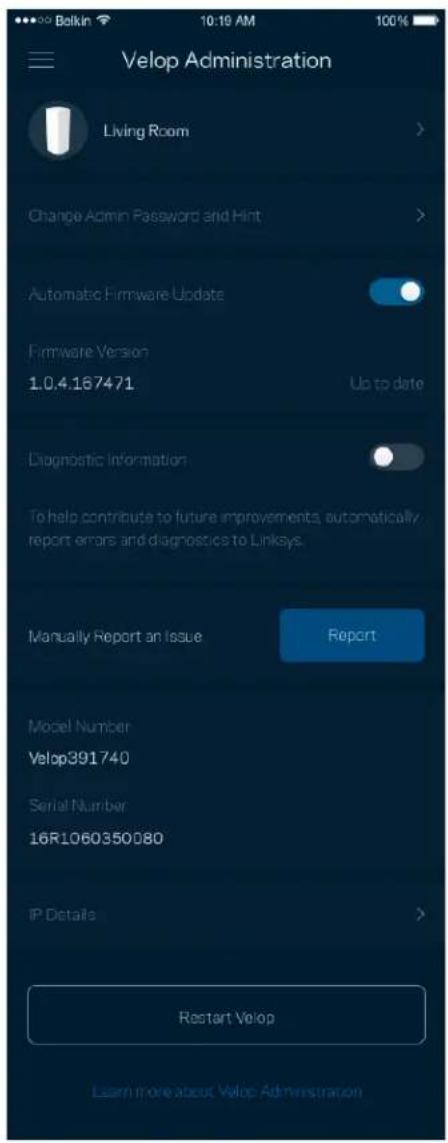
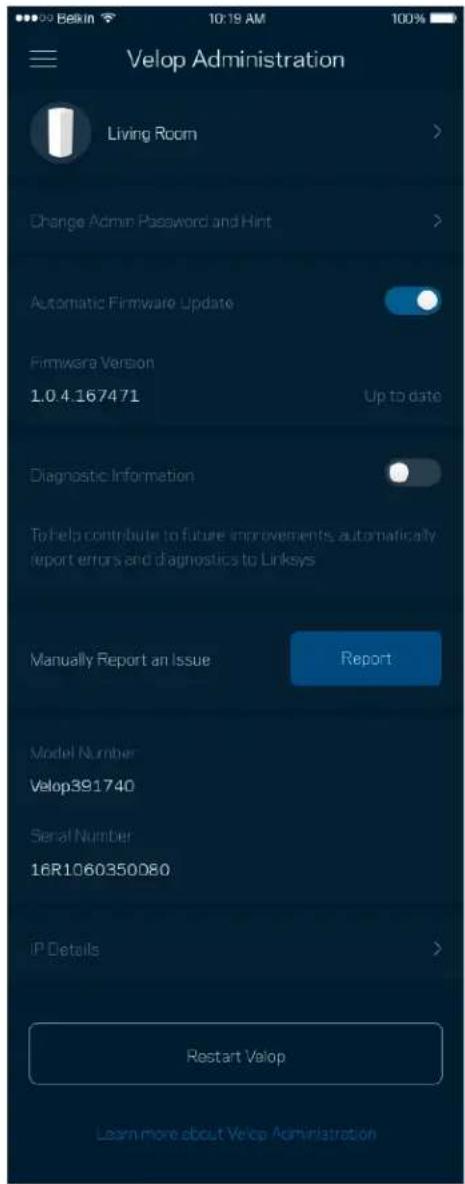
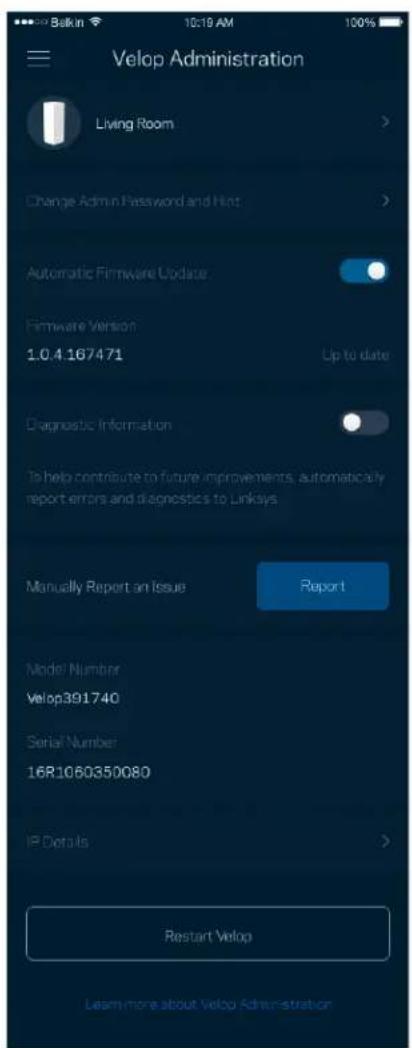
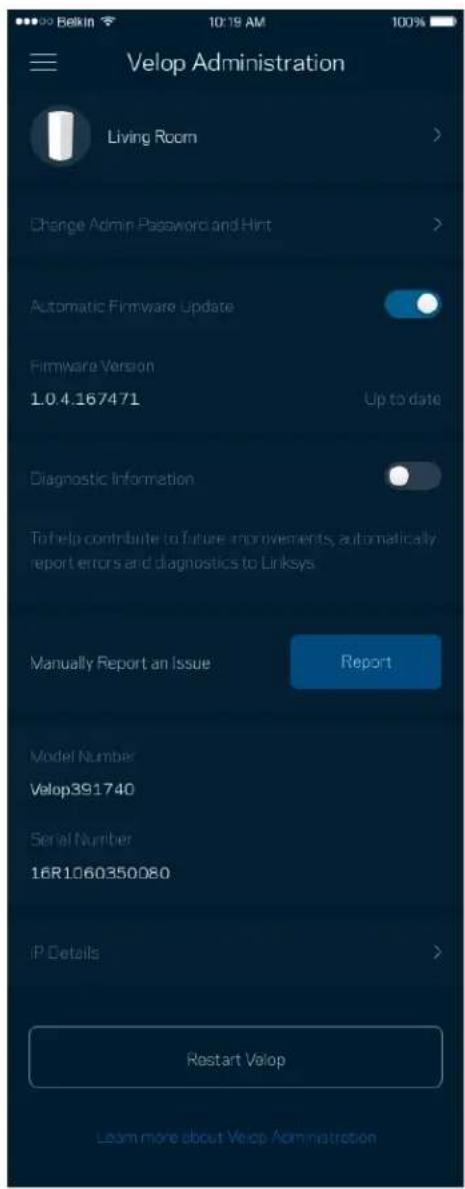
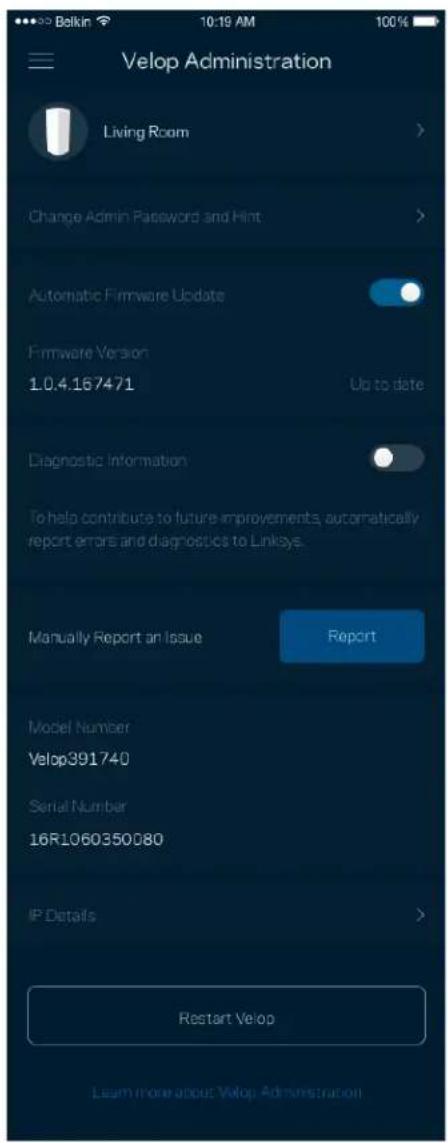
Use the Velop Administration screen to change the admin password and hint, and check various identifiers (model number, serial number, and IP details) for all nodes in your Wi-Fi.
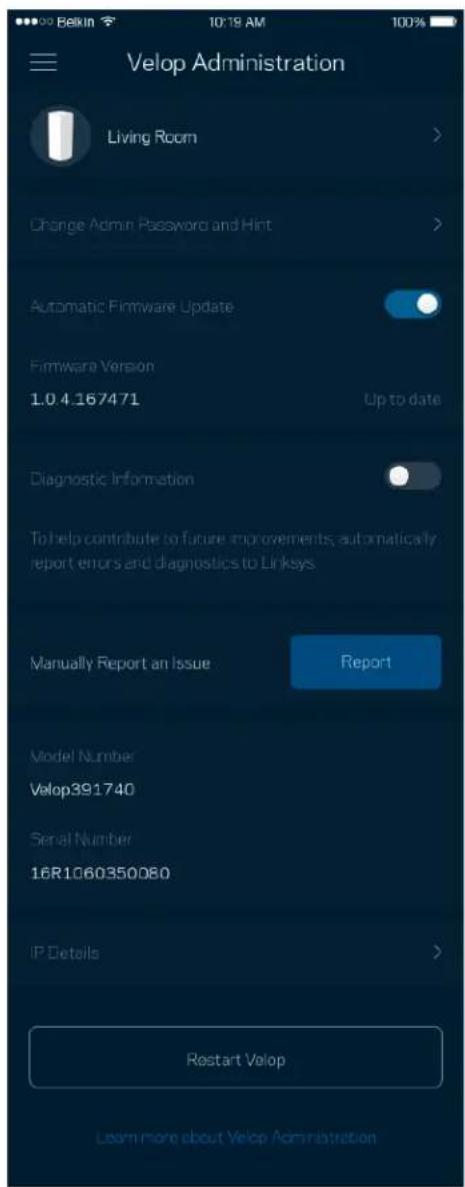
Dashboard Devices Wi-Fi Settings Guest Access External Storage Speed Check Parental Controls Device Prioritization Notifications Velop Administration Advanced Settings My Account Feedback Help Set Up a New Product MyHomeWiFi

Velop Administration Living Room Change Admin Password and Hint Automatic Firmware Update Firmware Version 1.0.4.167471 Up to date Diagnostic Information To help contribute to future improvements, automatically report errors and diagnostics to Linksys Manually Report an Issue Report Model Number Velop391740 Serial Number 16R1060350080 IP Details Restart Velop Learn more about Velop Administration

Opt in to automatically report crashes to Linksys and contribute to improving the Wi-Fi experience. You also can manually report specific issues to Linksys.

The following information will be sent with your description of the issue:

• App version• Login Type ( cloud: show email address associated, local: display "Velop admin")
• Device model• WAN Connection type (display Wi-Fi or ethernet)
• Device OS version• Time: date (mo/day/year, time, time zone)

Advanced Settings

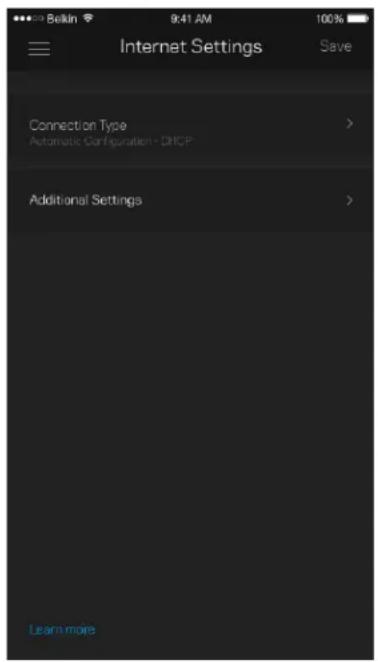
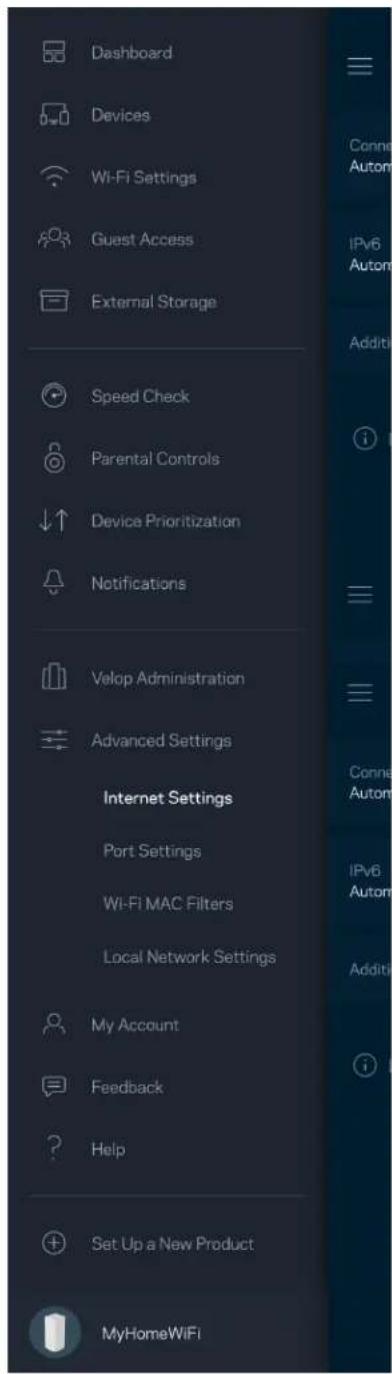
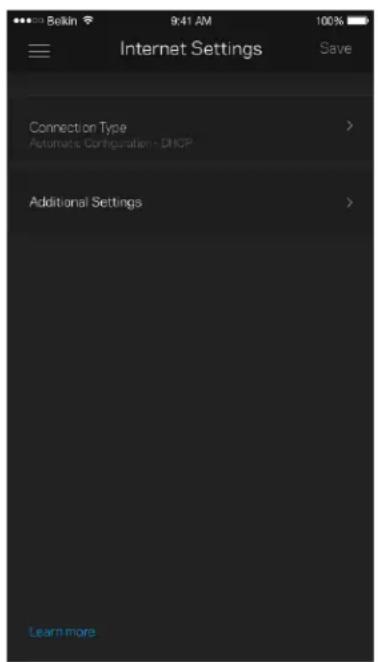
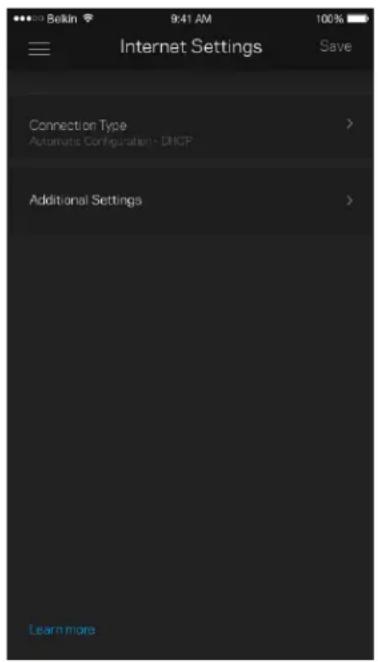
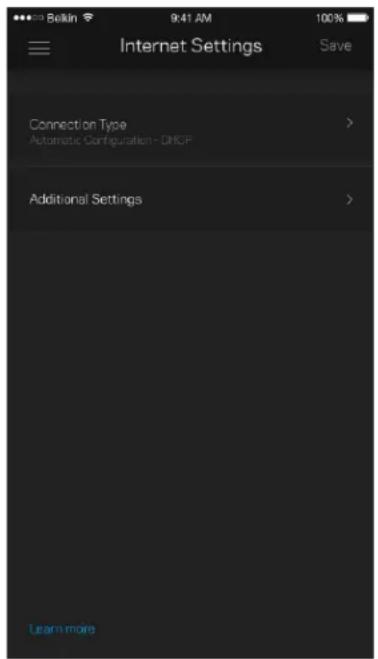
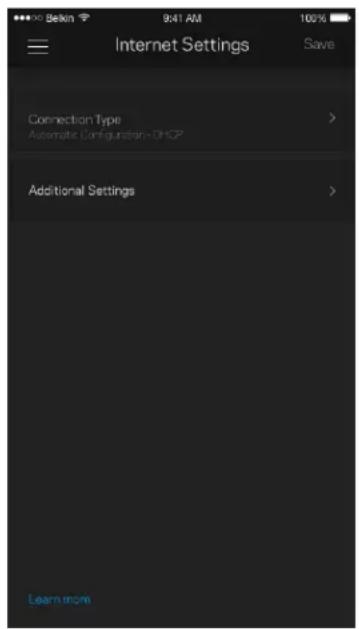
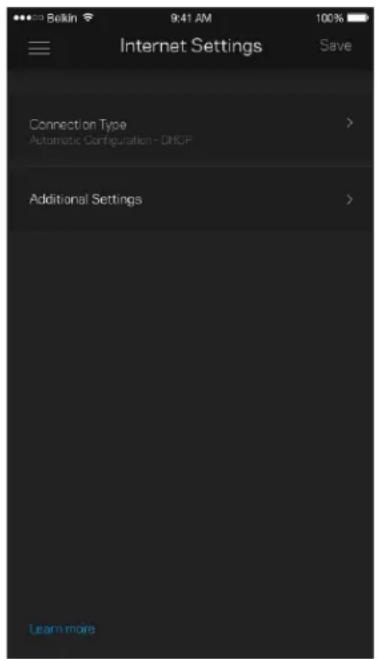
Internet Settings

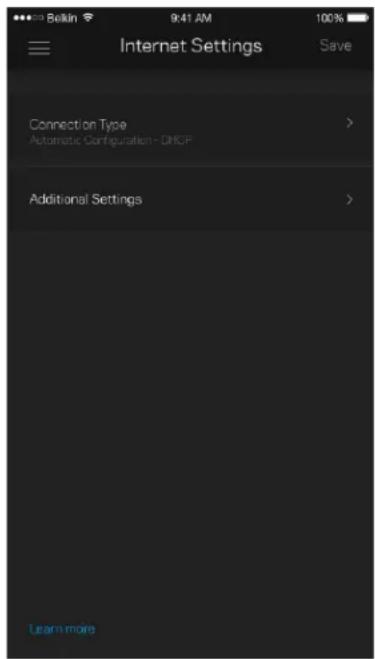
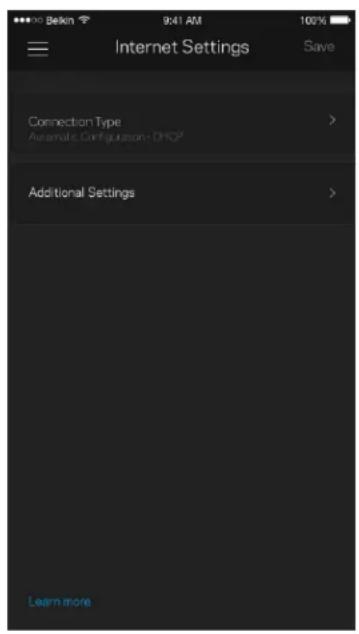
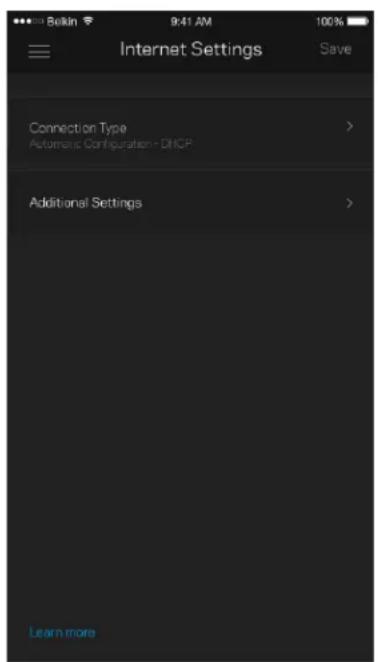
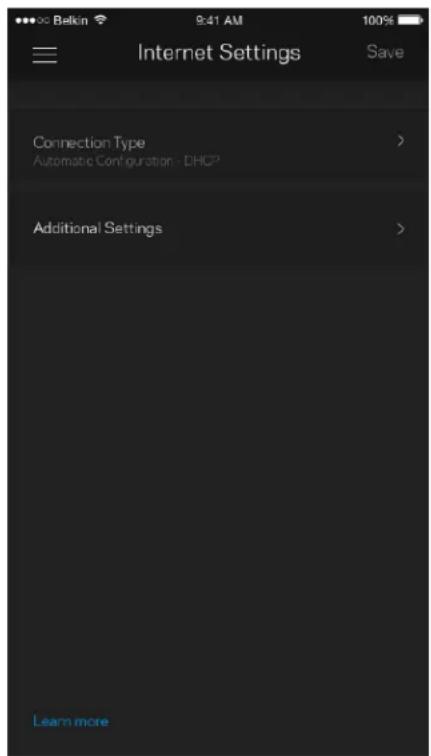
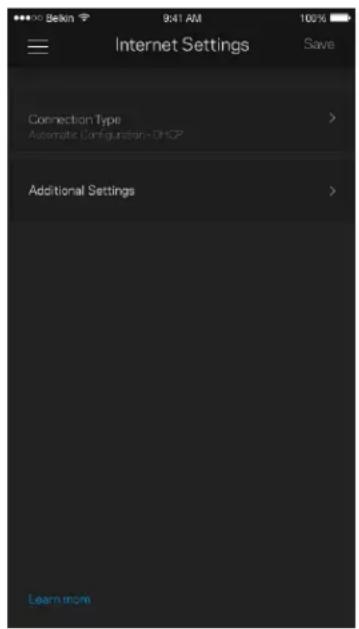
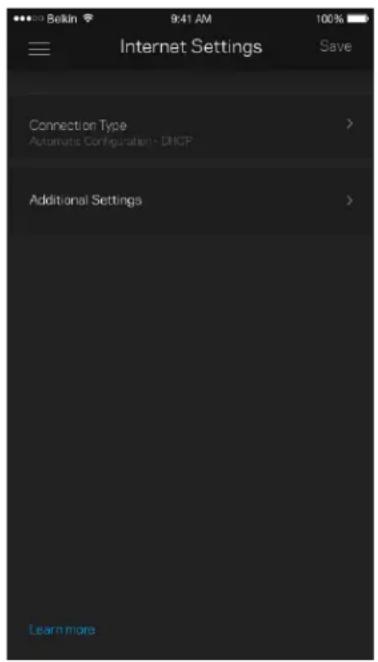
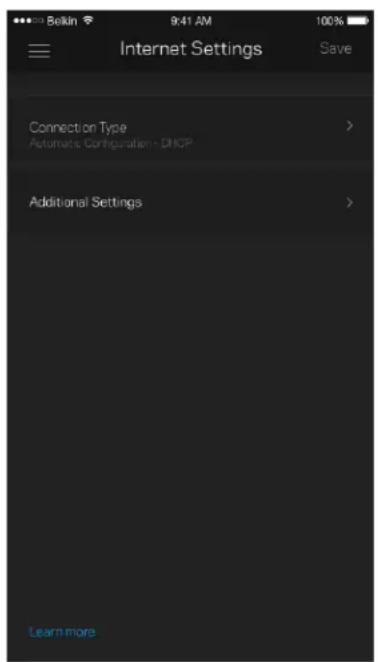
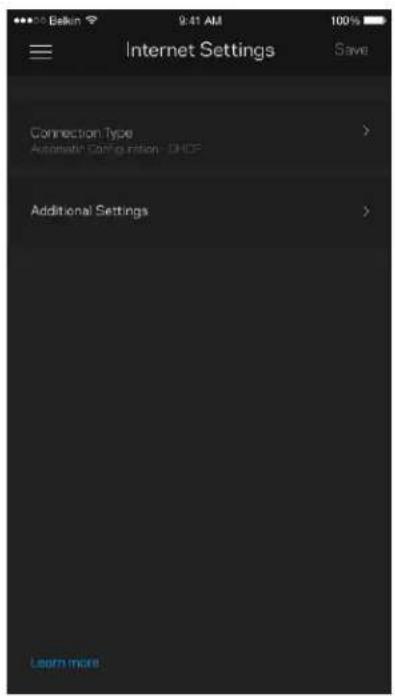
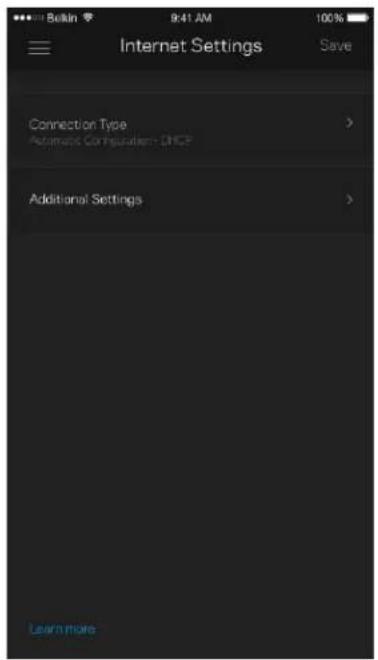
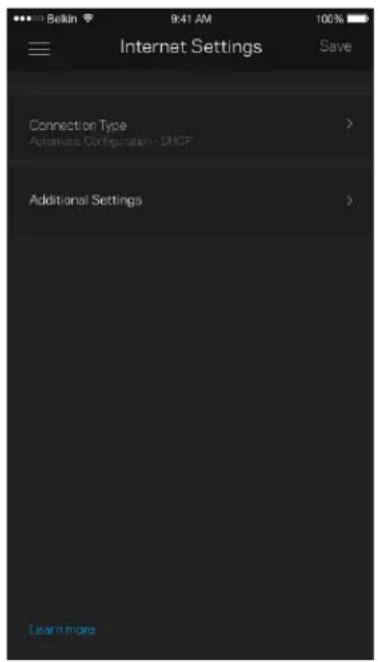
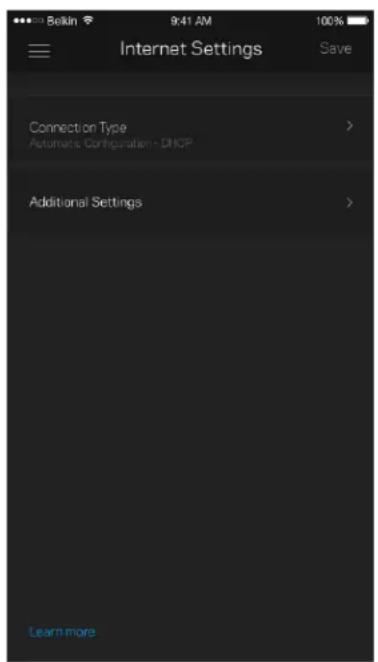
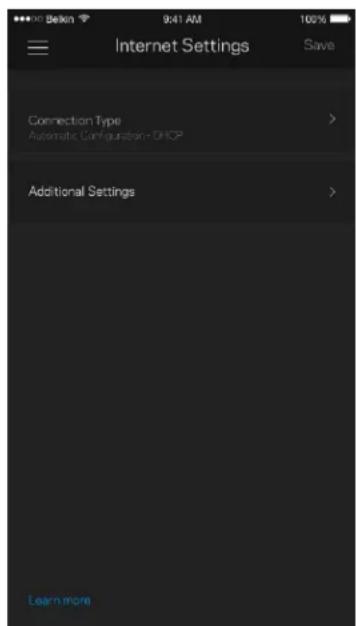
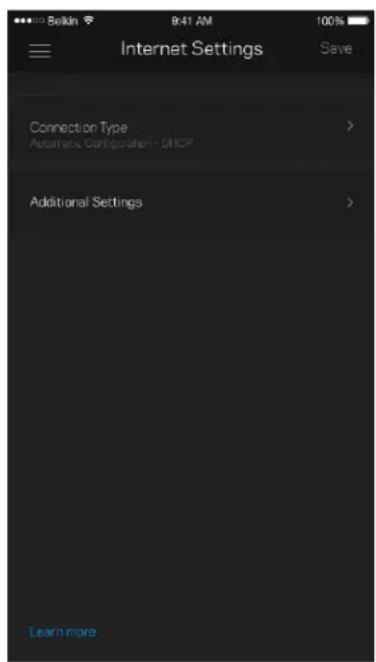
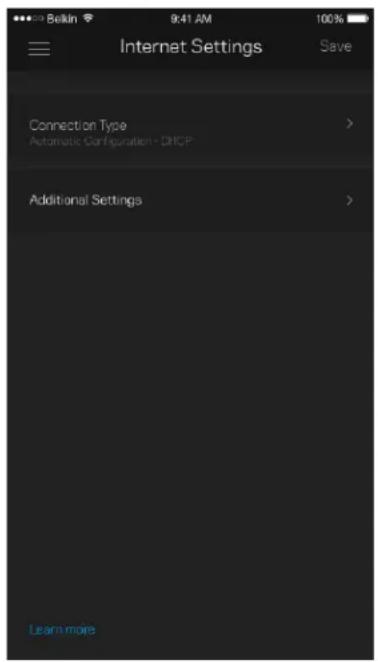
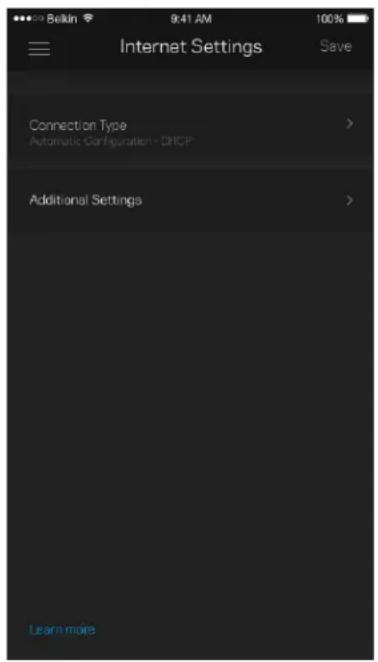
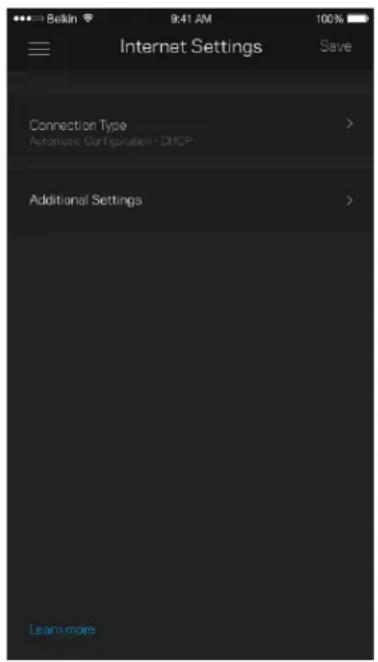
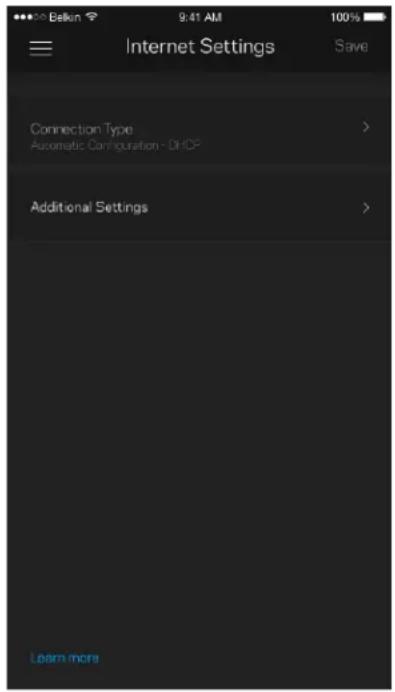
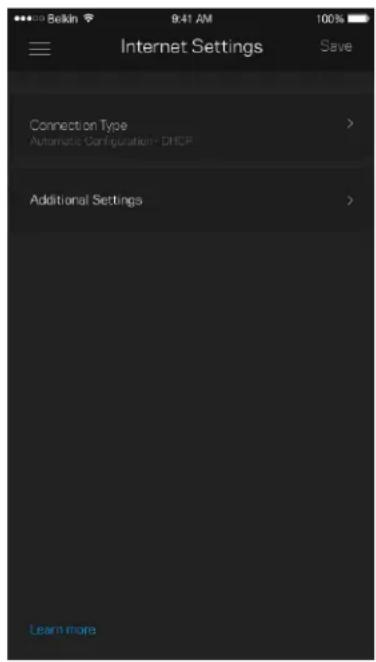
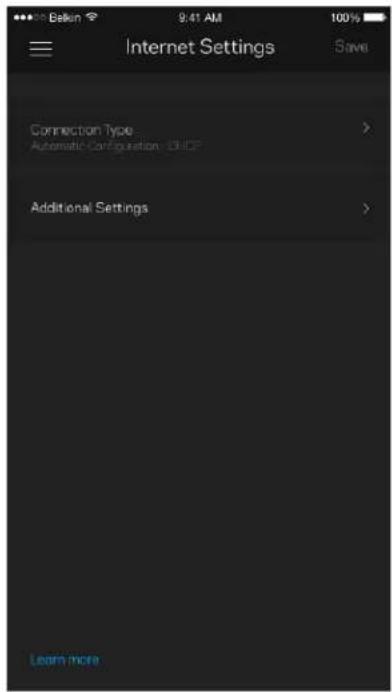
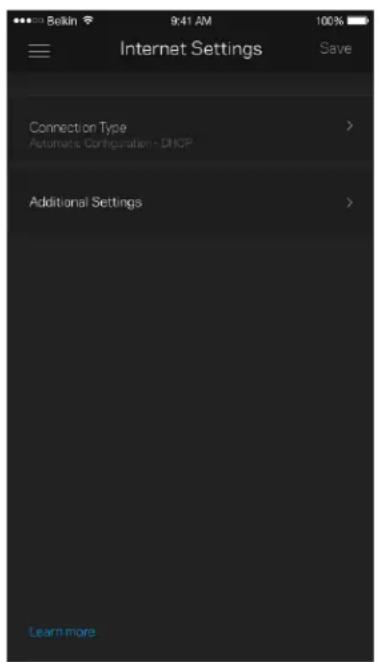
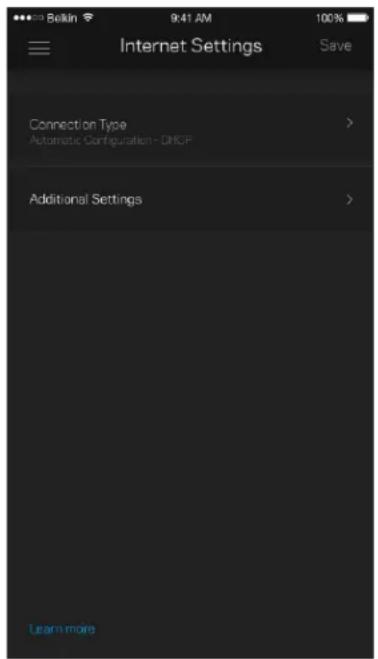
You can choose how your Velop system connects to the internet. The default is Automatic

Configuration - DHCP. Other connection types depend on your internet service provider or how you plan to use your Velop system. Advanced users can use Additional Settings to clone MAC addresses and set MTU (maximum transmission unit).
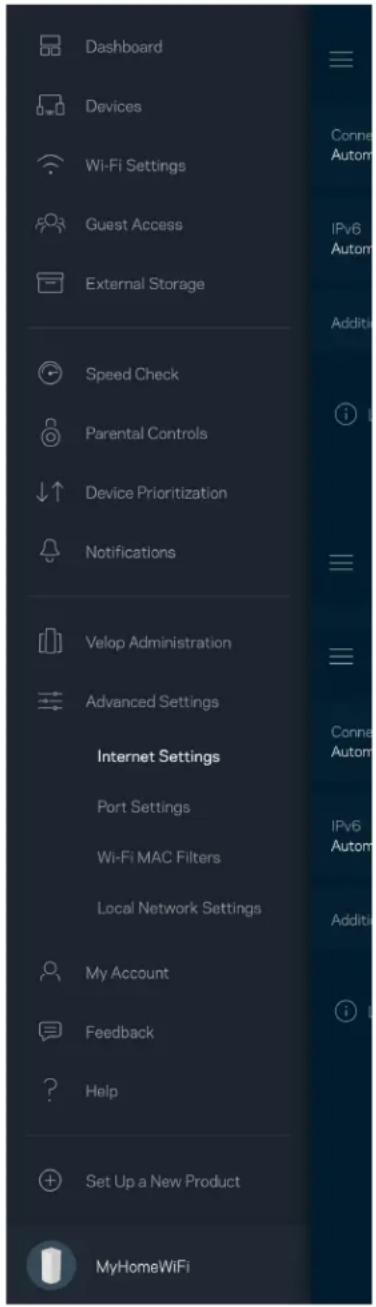
Dashboard Devices Wi-Fi Settings Guest Access External Storage Speed Check Parental Controls Device Prioritization Notifications Velop Administration Advanced Settings Internet Settings Port Settings Wi-Fi MAC Filters Local Network Settings My Account Feedback Help Set Up a New Product MyHomeWiFi

Bellin 9:41 AM 100% Internet Settings Save Connection Type Automatic Configuration - DHCP Additional Settings Learn more

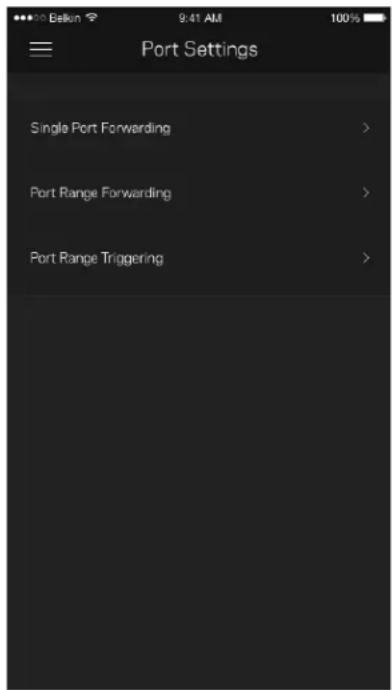
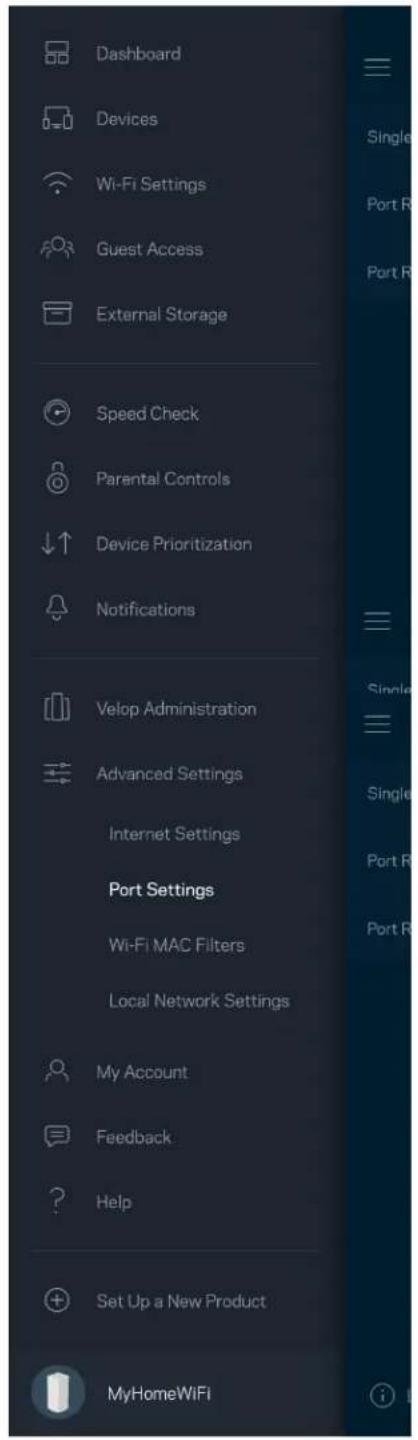
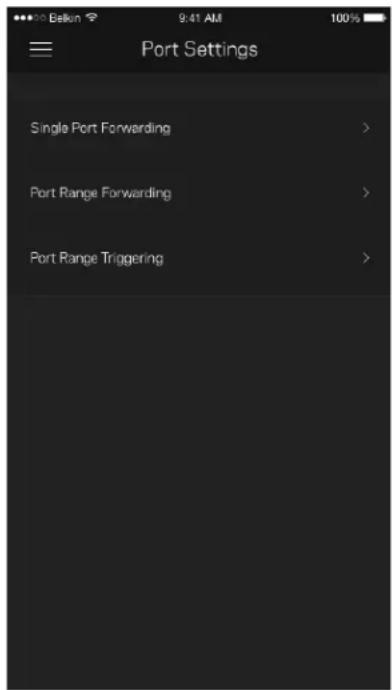
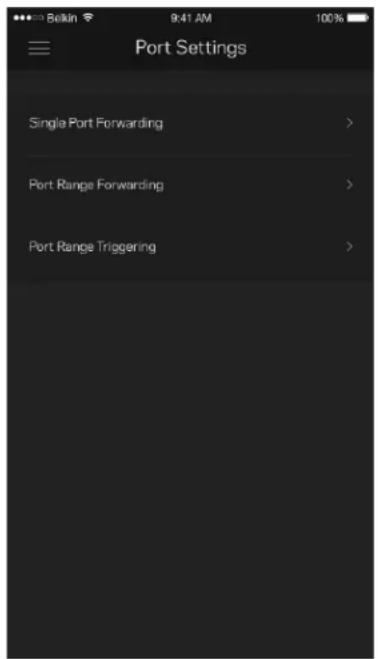
Port Settings

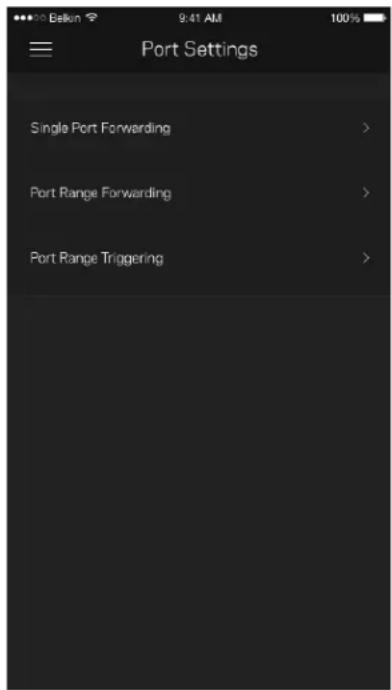
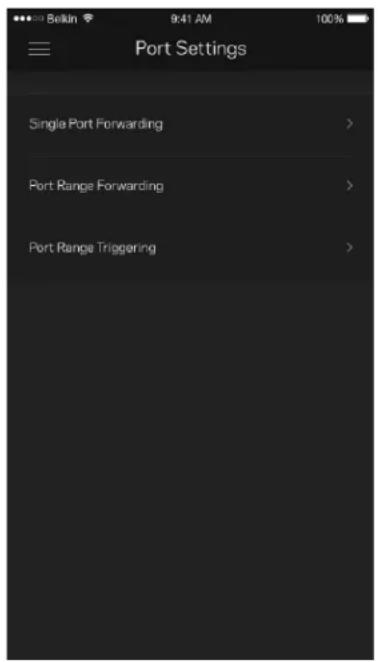
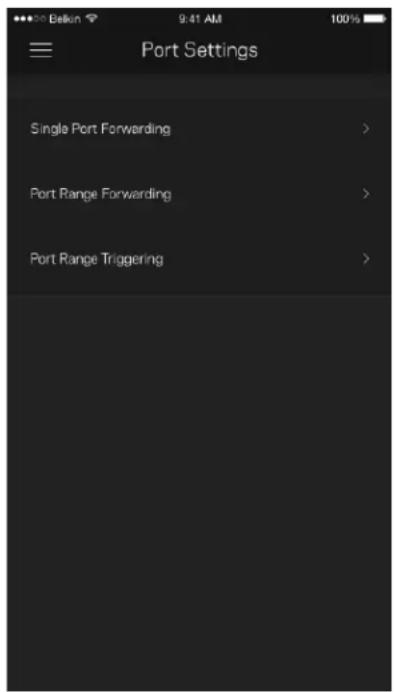
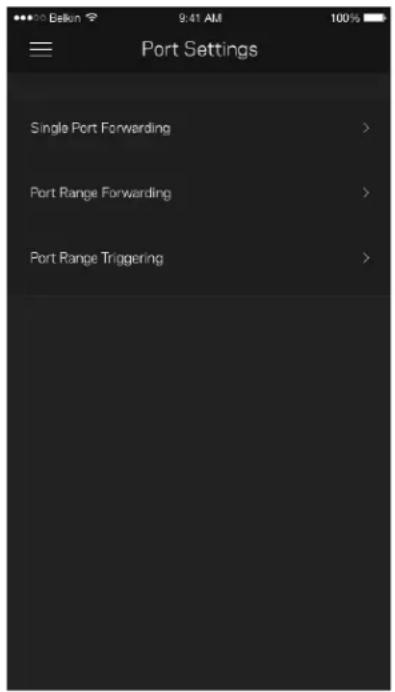
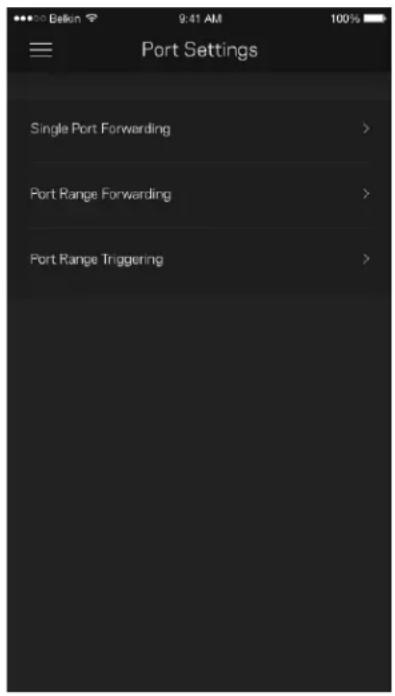
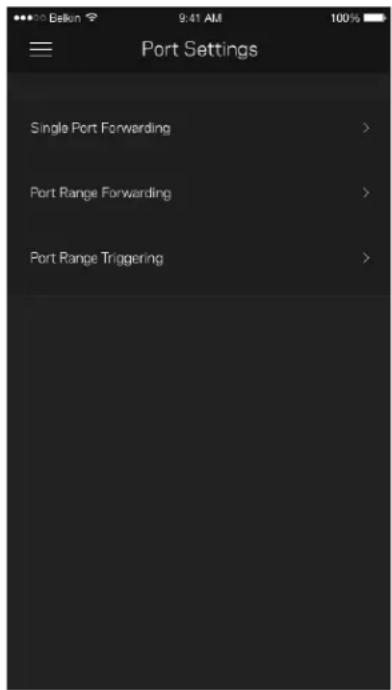
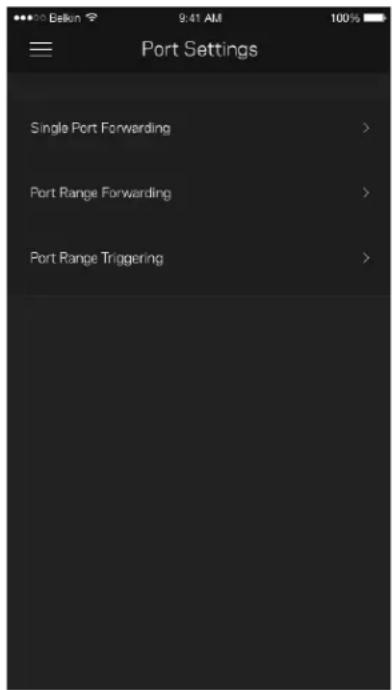
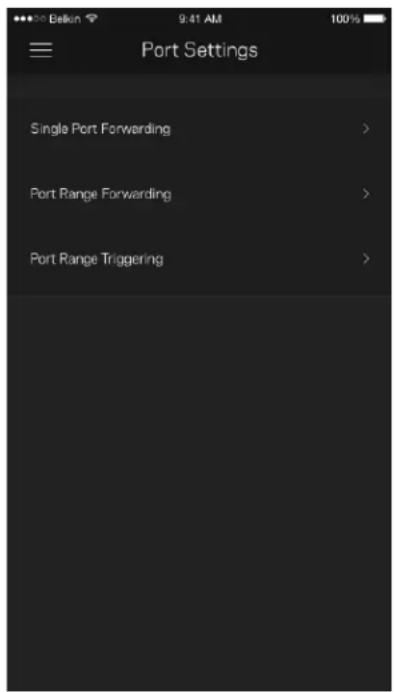
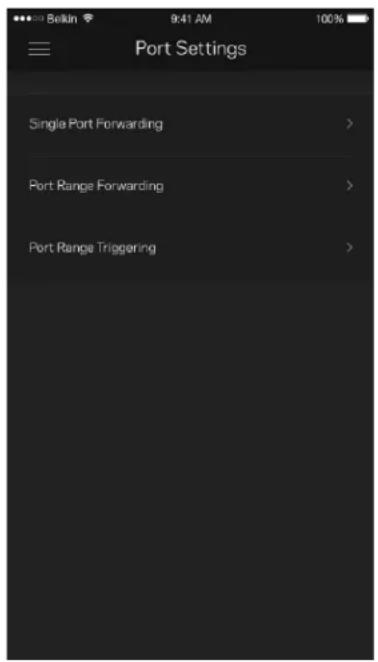
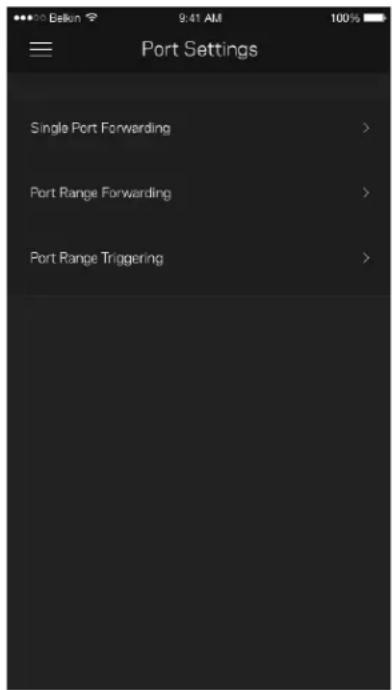
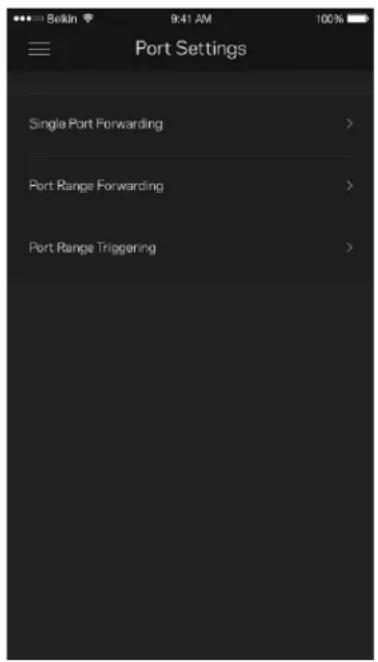
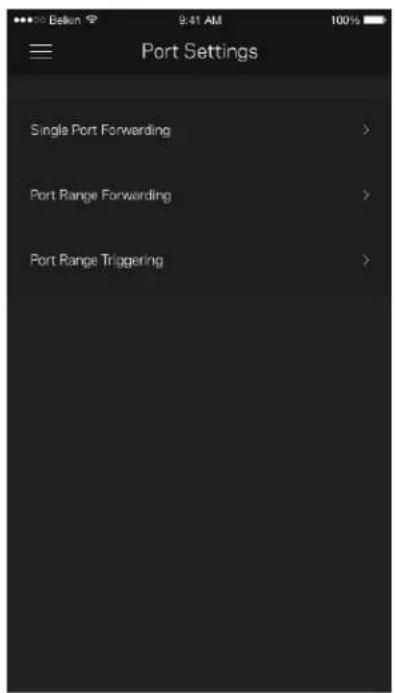
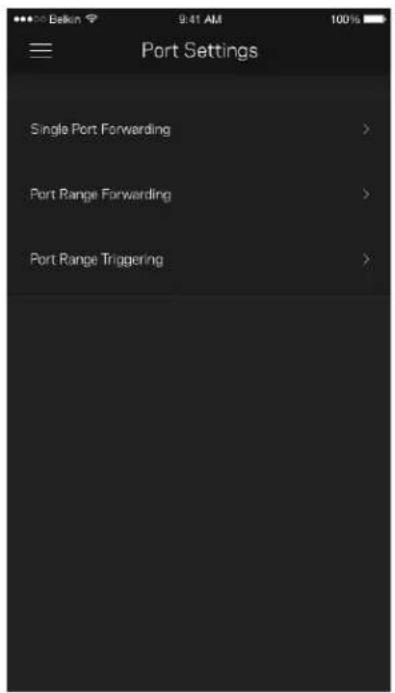
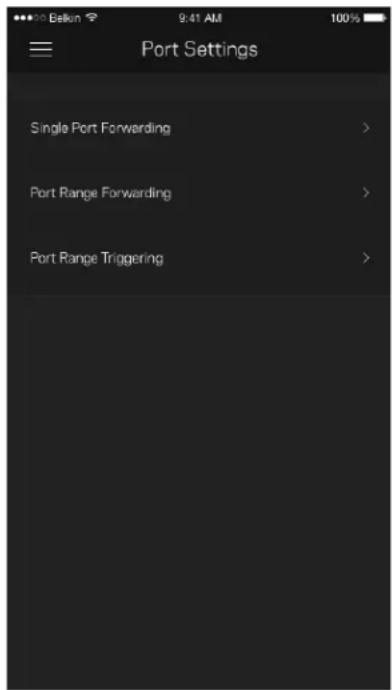
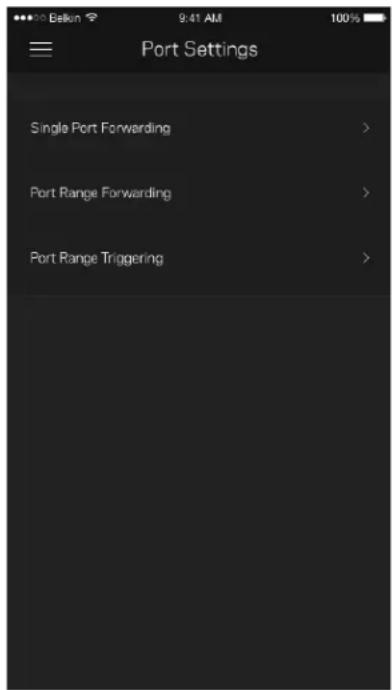
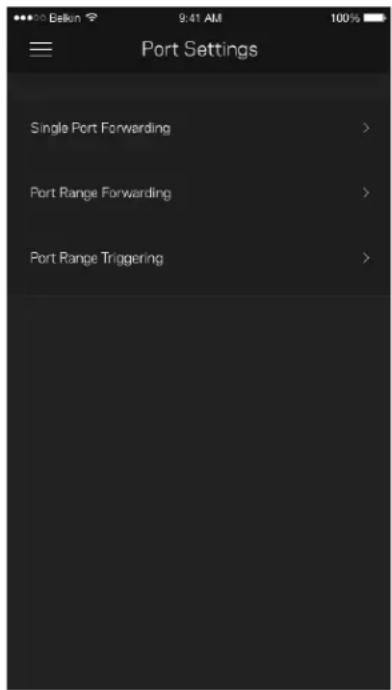
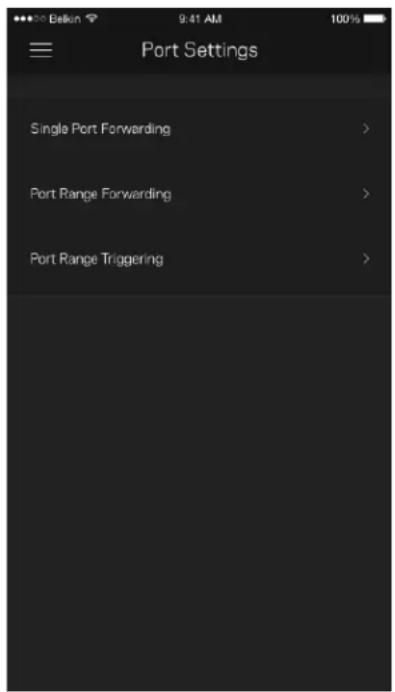
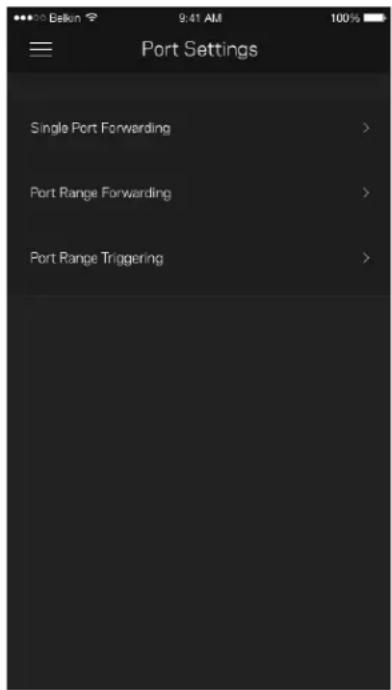
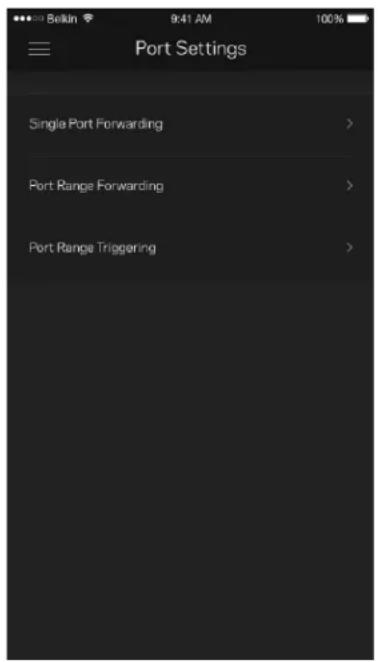
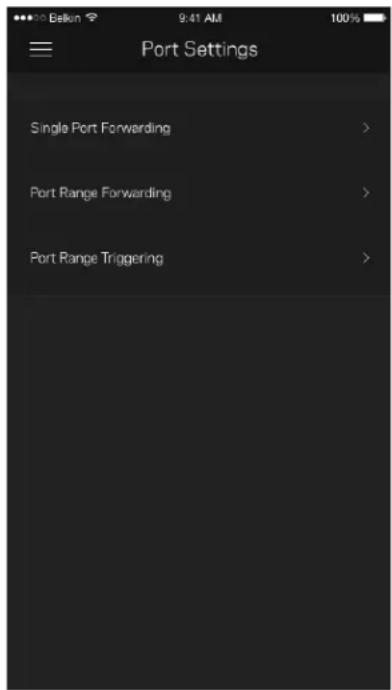
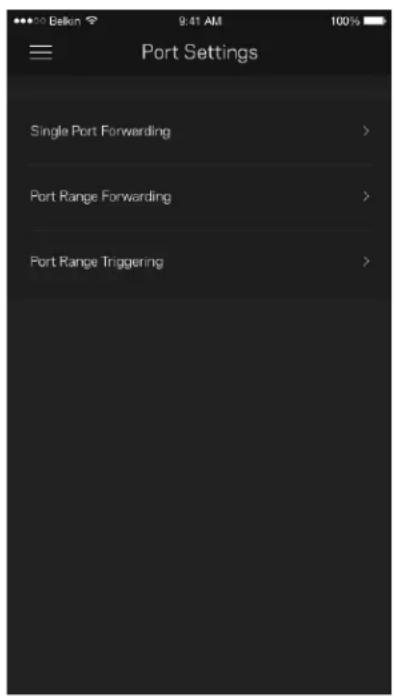
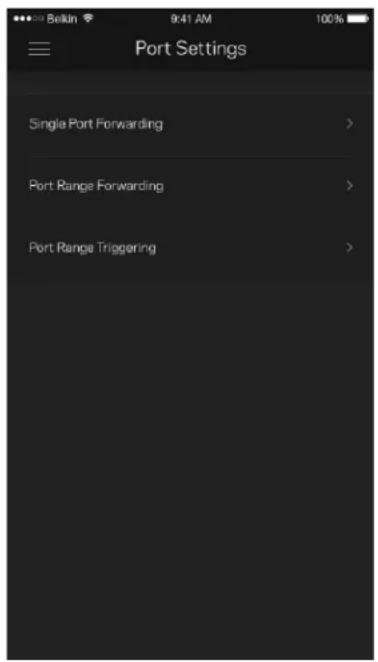
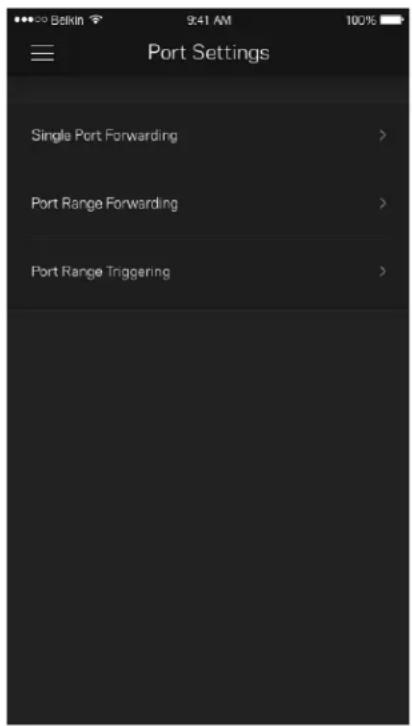
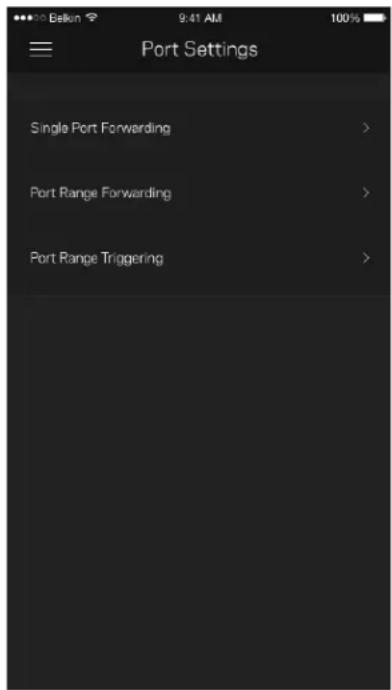
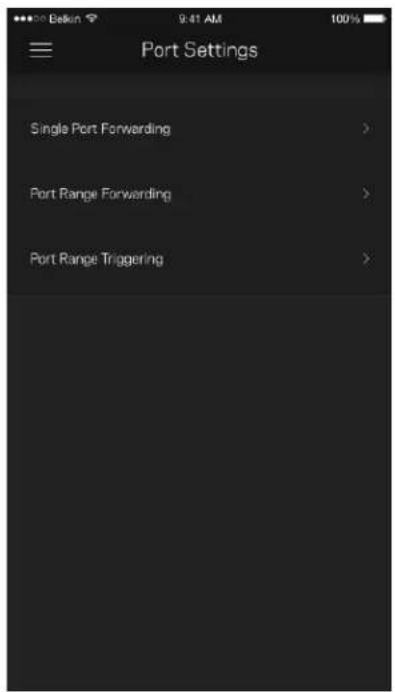
Port forwarding—for a single port, multiple ports or a range of ports—sends traffic inbound on a specific port or ports to a specific device or port on your Wi-Fi. In port range triggering, Velop watches outgoing data for specific port numbers. Velop remembers the IP address of the device that requests the data so that when the requested data returns, it is routed back to the proper device.
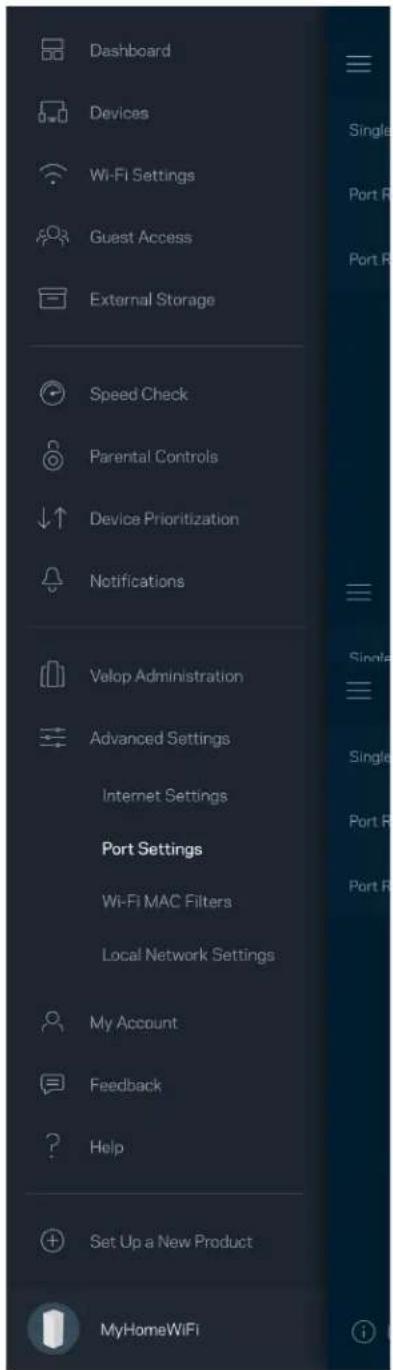
Dashboard Devices Wi-Fi Settings Guest Access External Storage Speed Check Parental Controls Device Prioritization Notifications Valop Administration Advanced Settings Internet Settings Port Settings Wi-Fi MAC Filters Local Network Settings My Account Feedback Help Set Up a New Product MyHomeWiFi

Bakin 9:41 AM Port Settings Single Port Forwarding > Port Range Forwarding > Port Range Triggering >

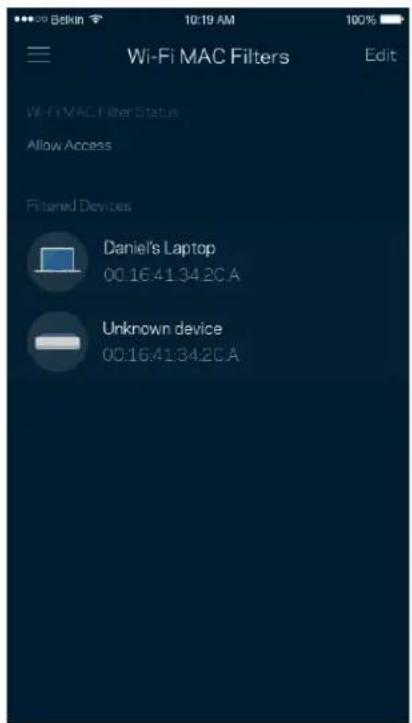
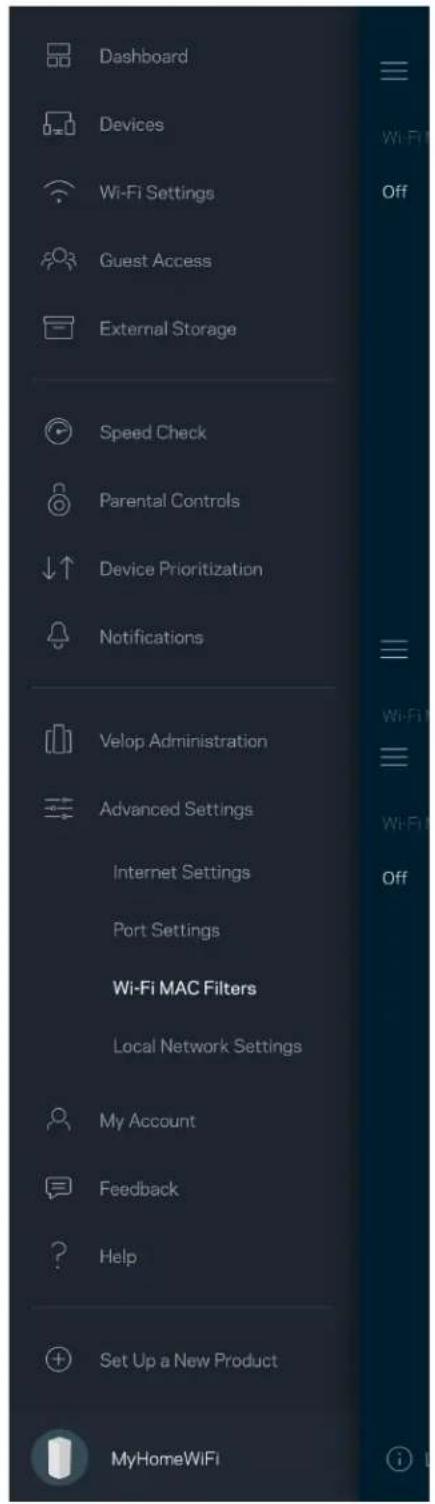
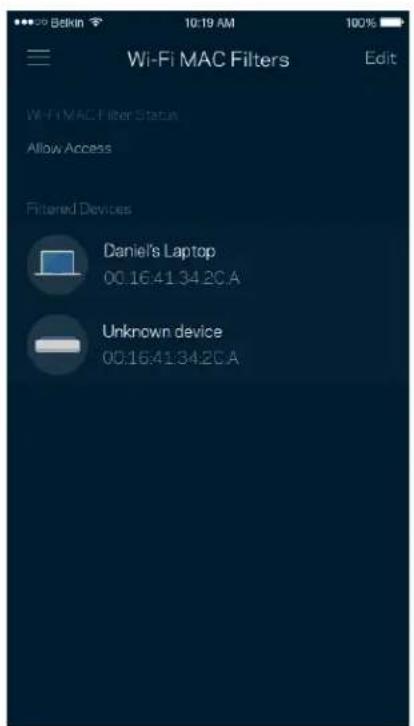
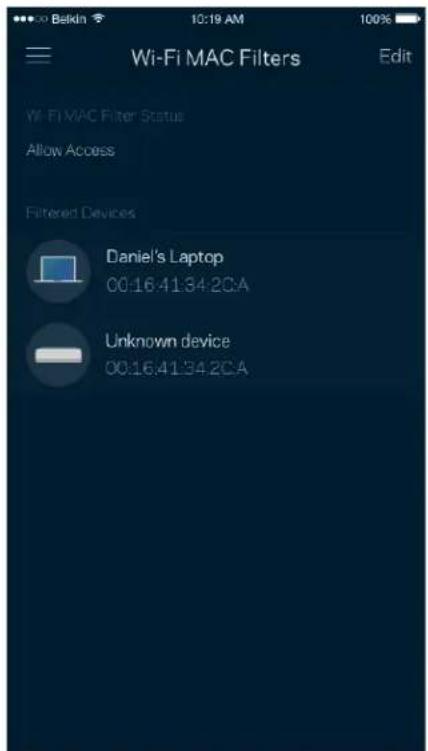
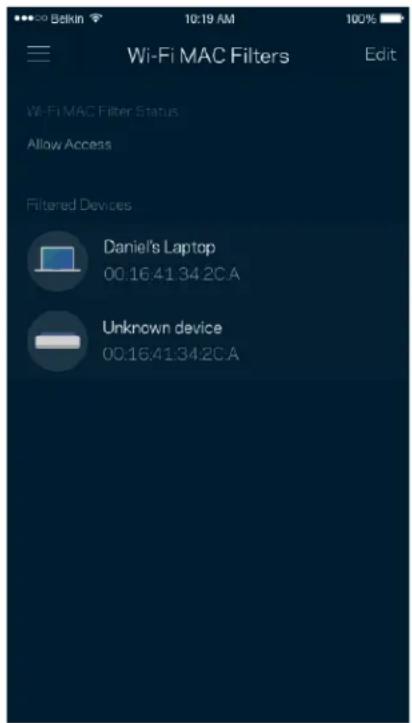
Wi-Fi MAC Filters

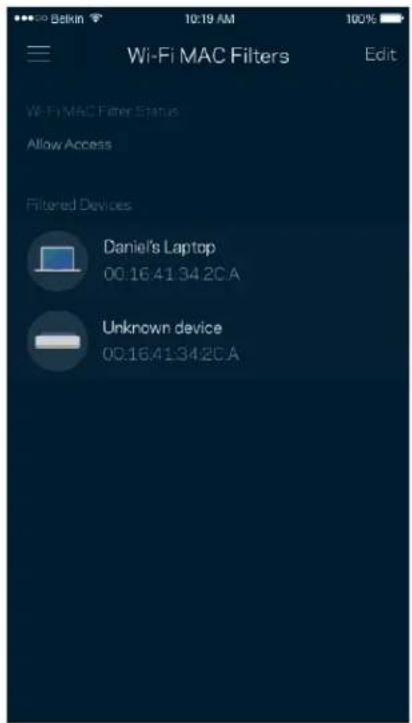
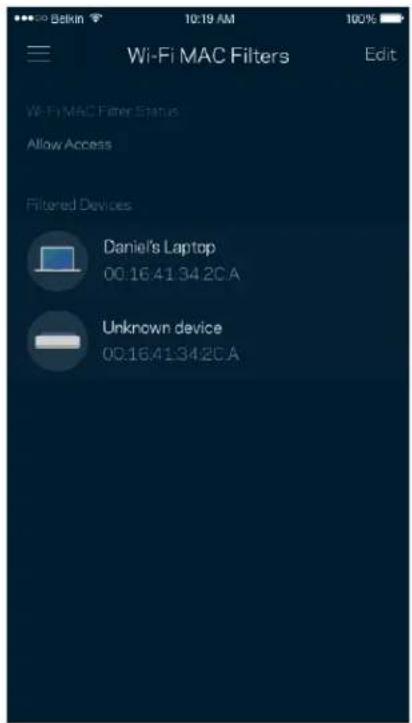
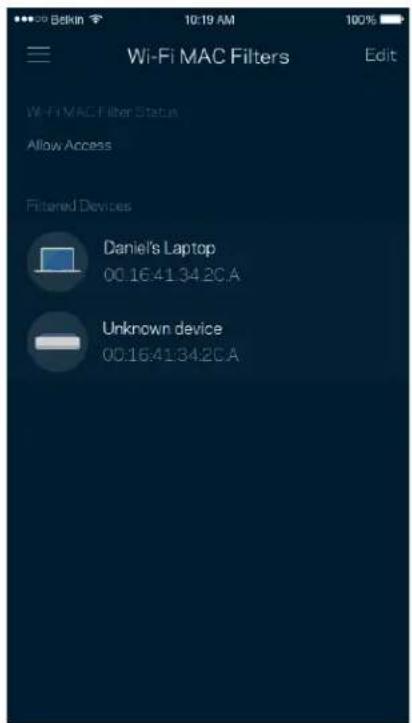
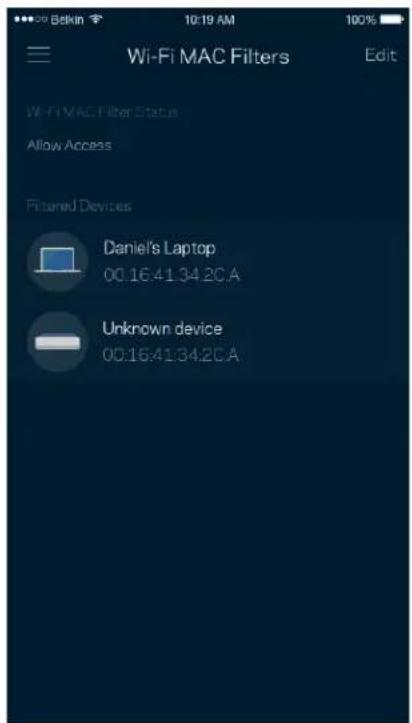
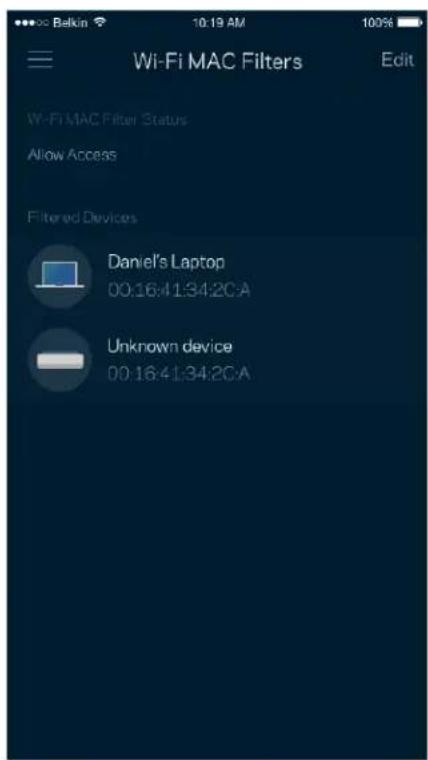
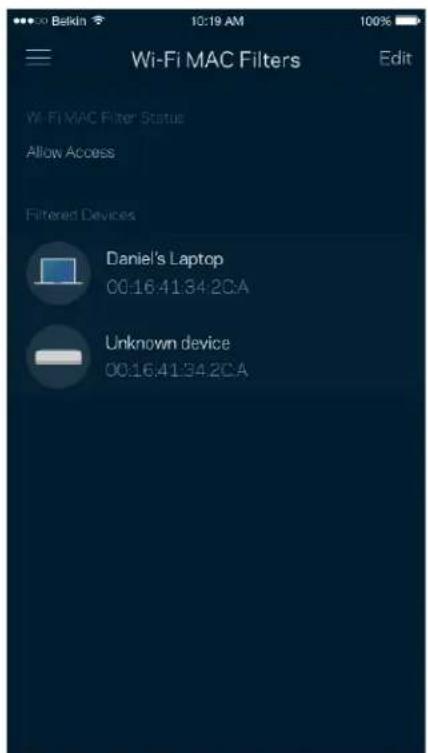
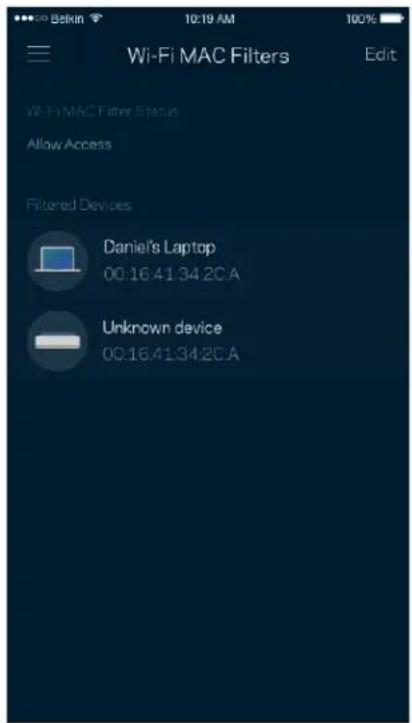
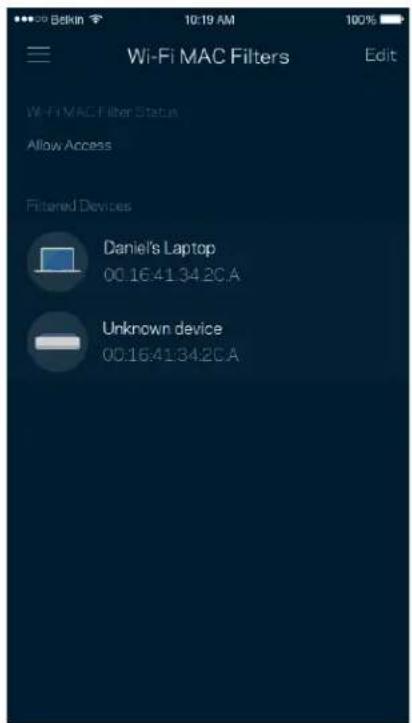
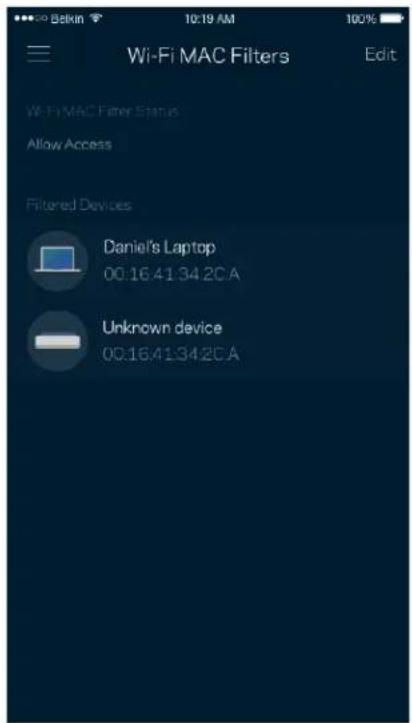
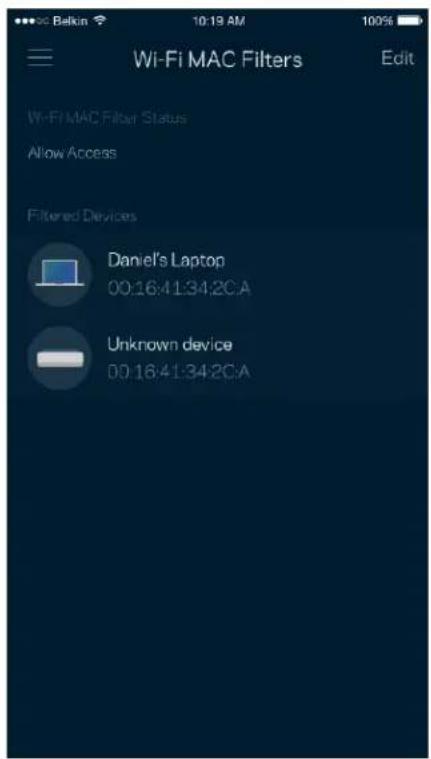
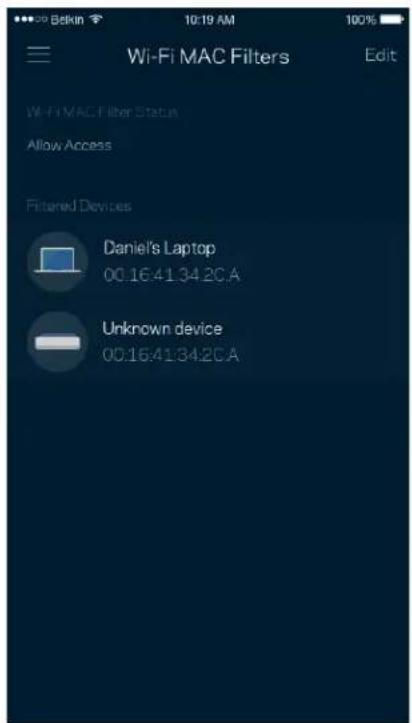
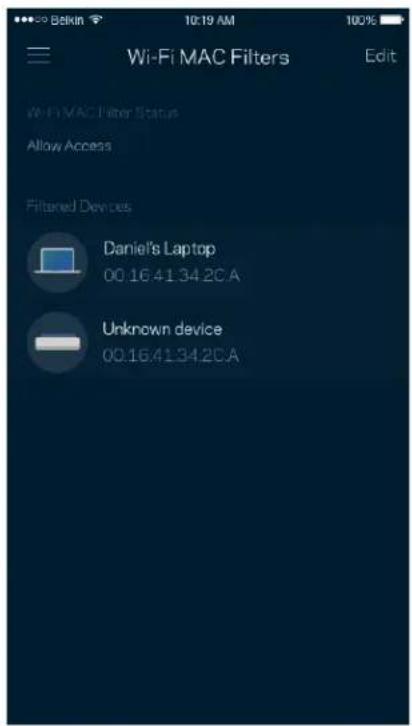
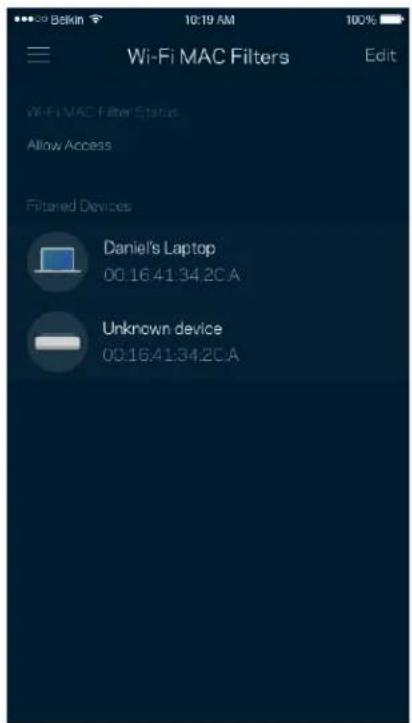
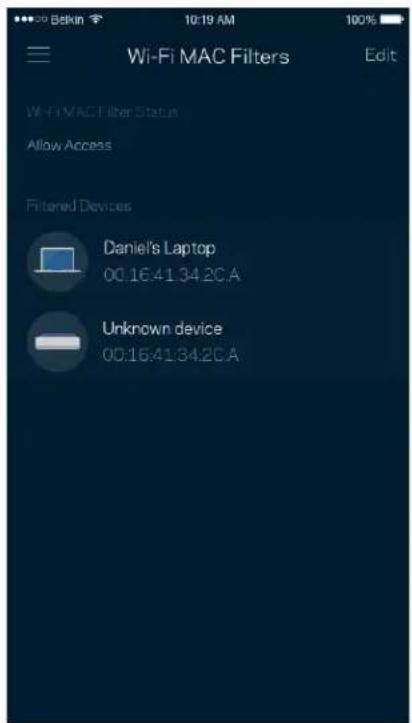
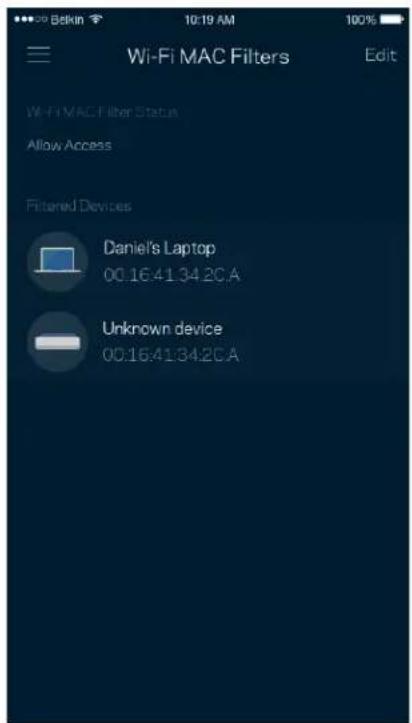
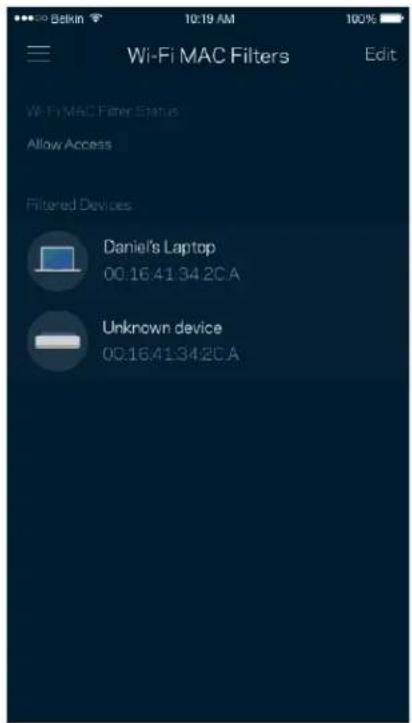
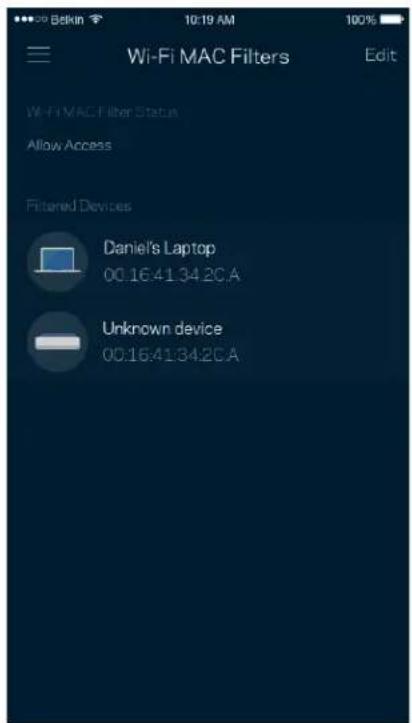
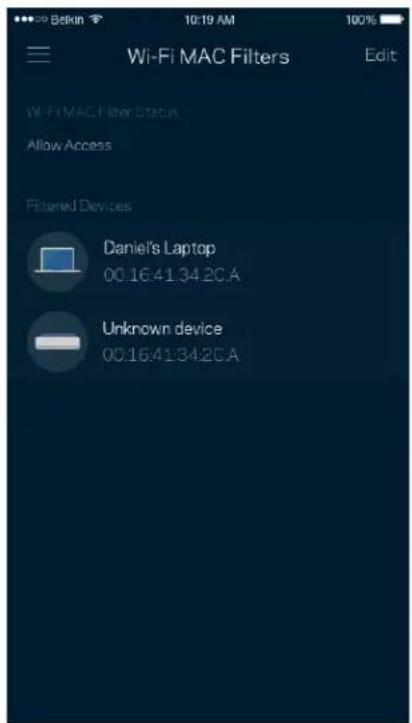
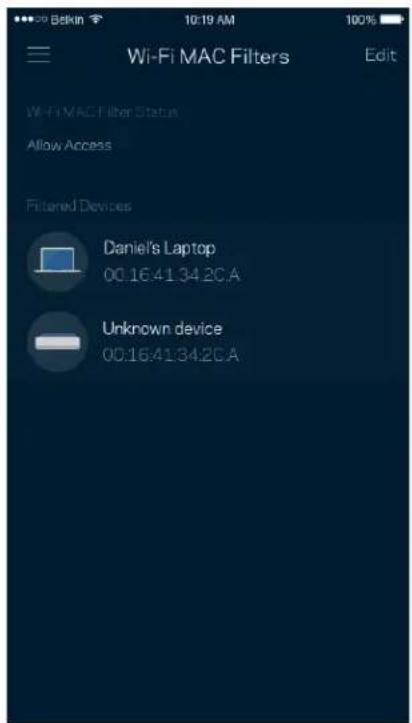
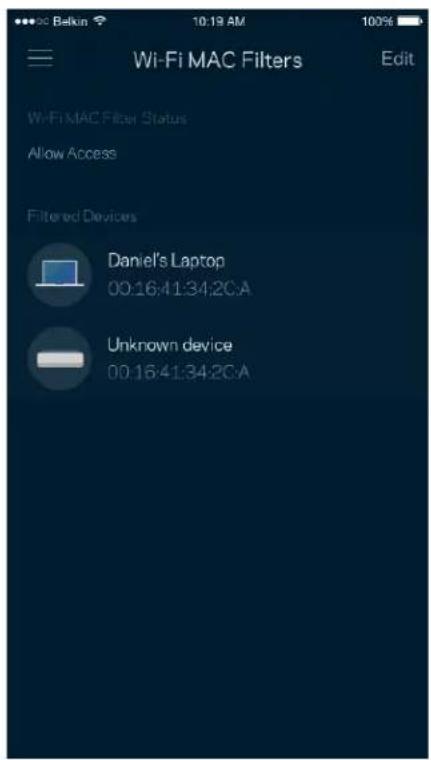
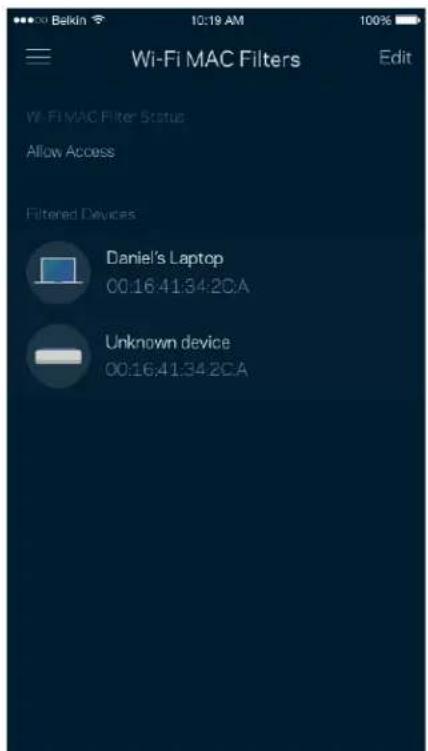
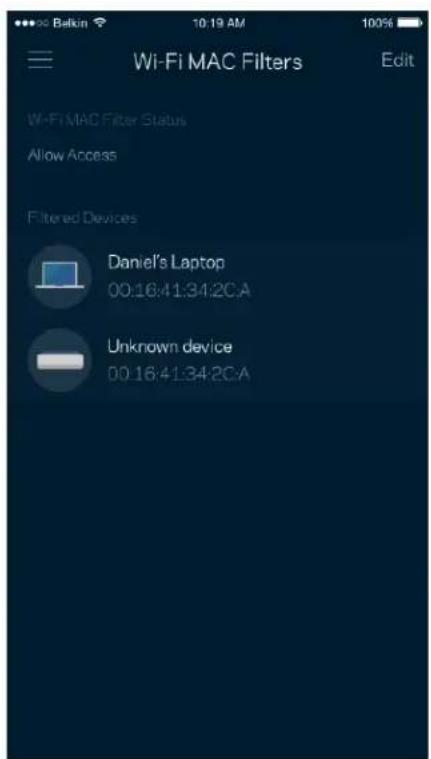
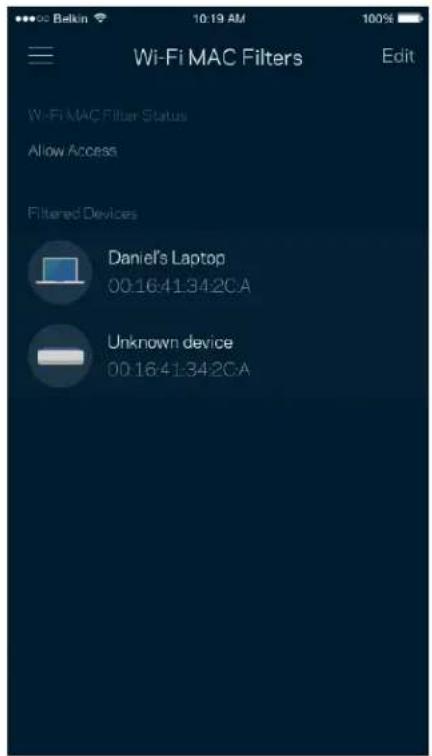
Every network device has a unique 12-digit MAC (media access control) address. You can create a list of MAC addresses and regulate how devices use your Wi-Fi.
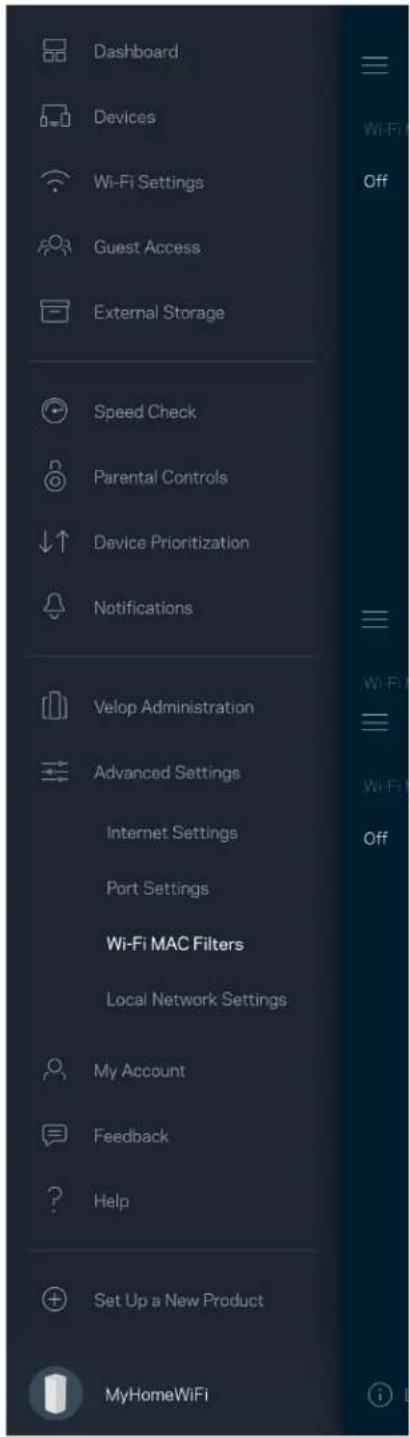
Dashboard Devices Wi-Fi Settings Guest Access. External Storage Speed Check Parental Controls Device Prioritization Notifications Velop Administration Advanced Settings Internet Settings Port Settings Wi-Fi MAC Filters Local Network Settings My Account Feedback Help Set Up a New Product MyHomeWiFi

Wi-Fi MAC Filters Edit Wi-Fi MAC Filter Status Allow Access Filtered Devices Daniel's Laptop 00:16:41:34:2CA Unknown device 00:16:41:34:2CA

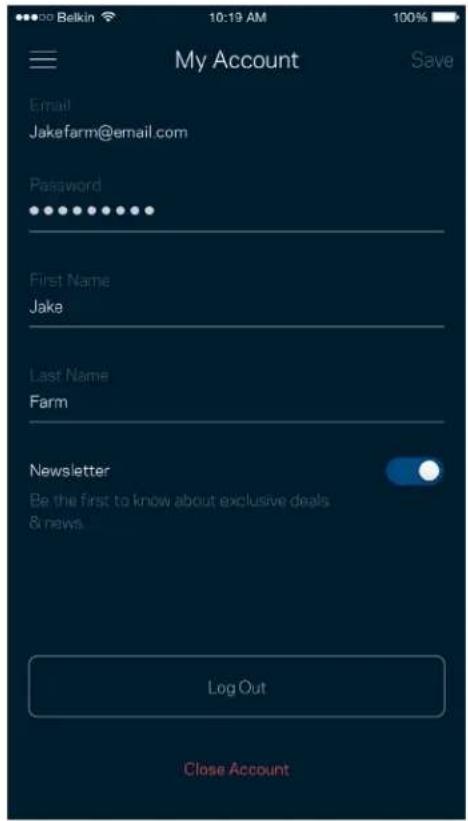
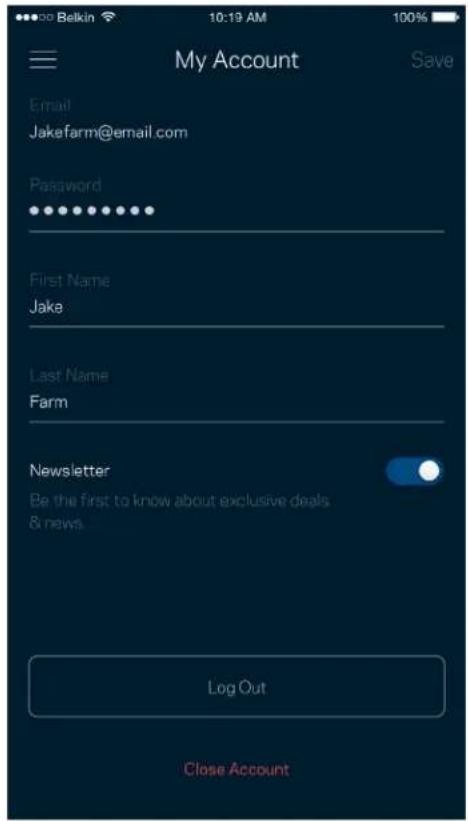
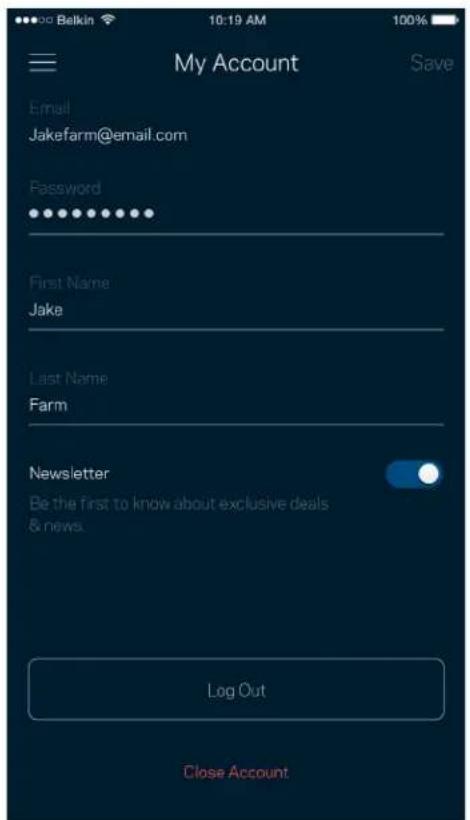
My Account

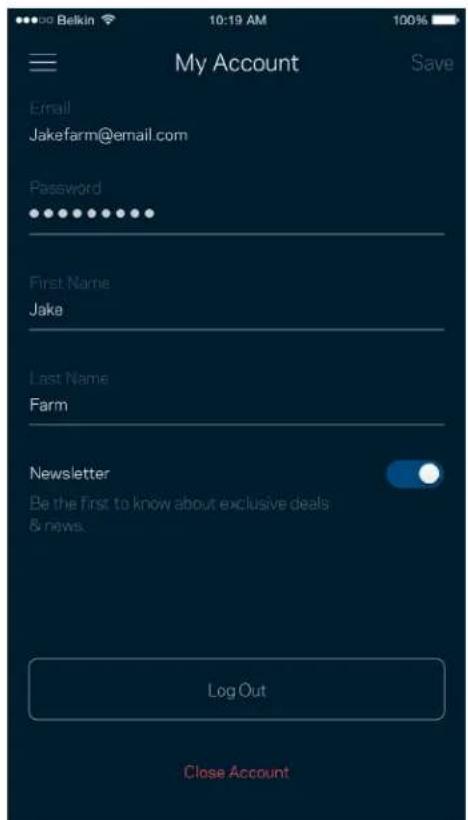
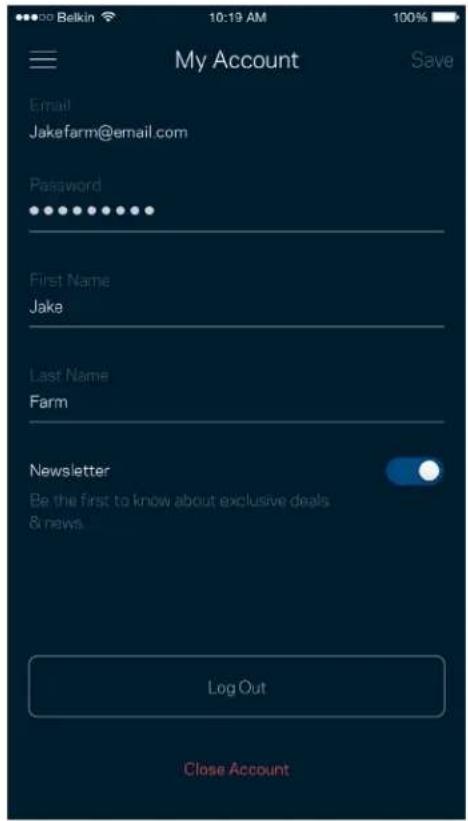
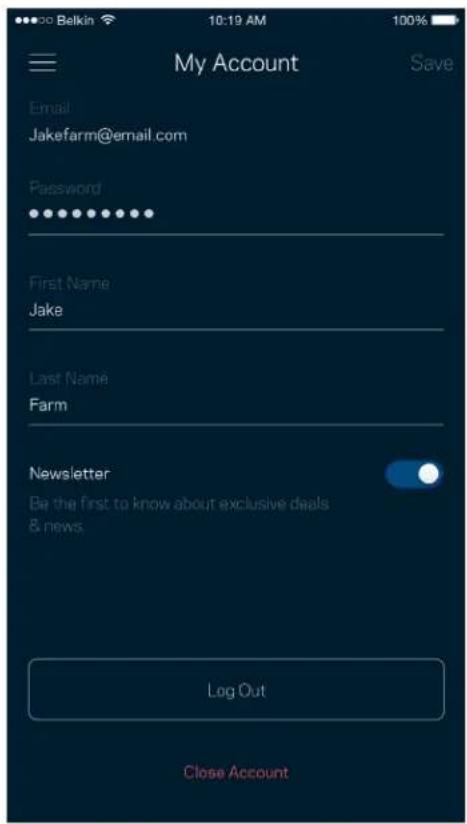
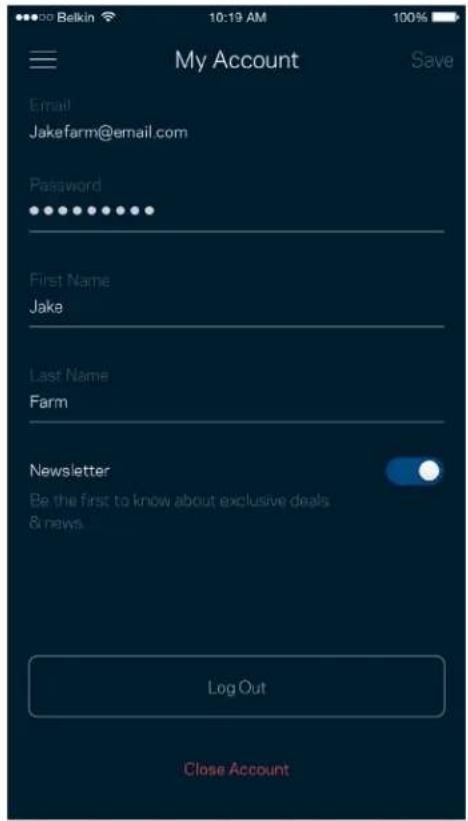
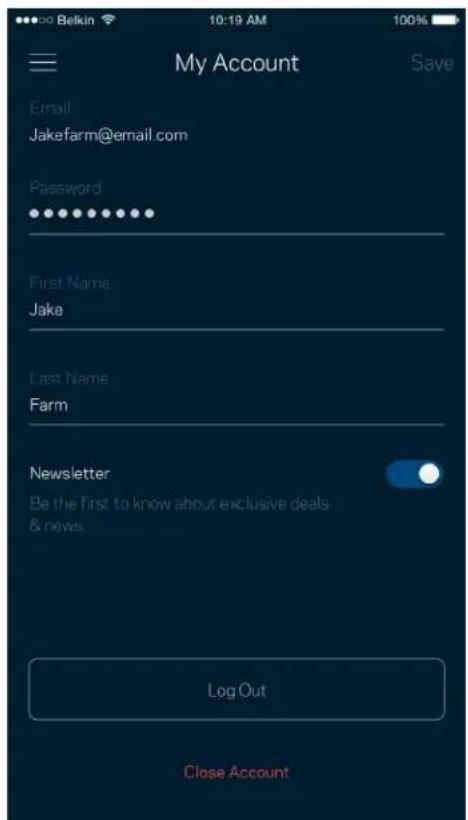
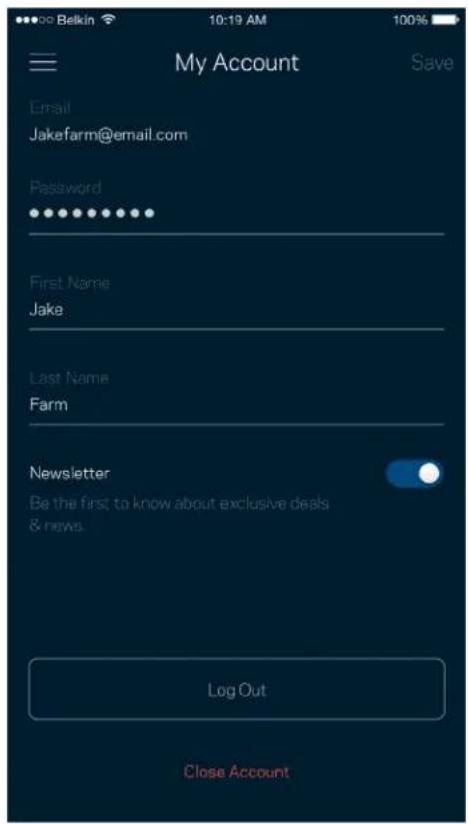
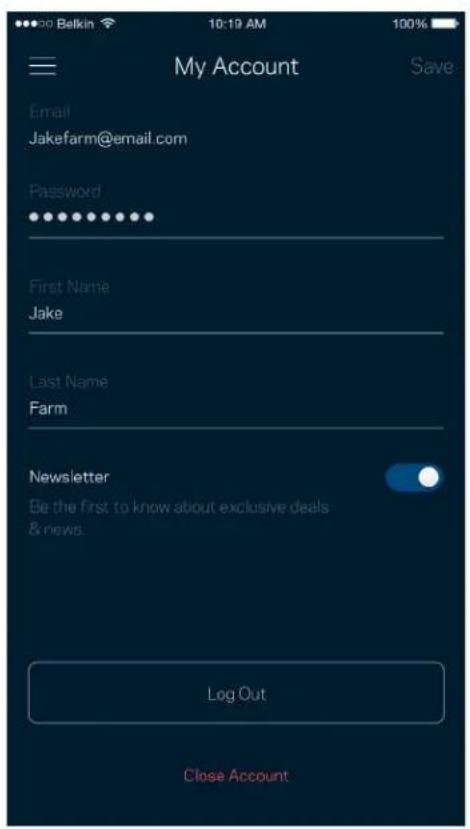
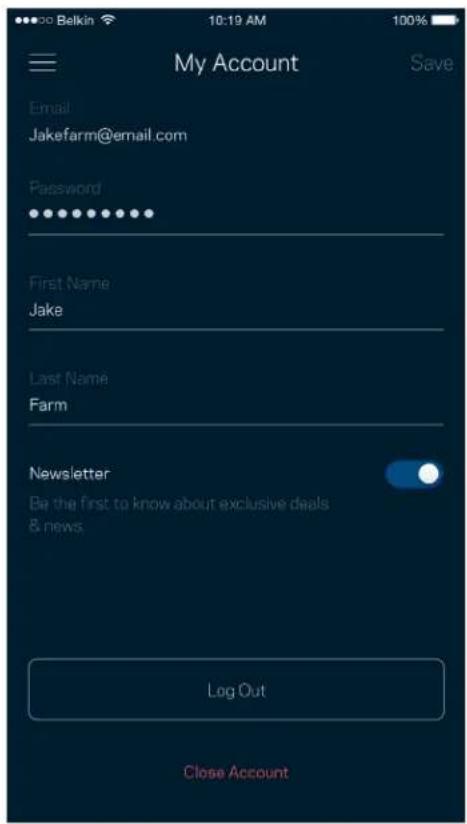
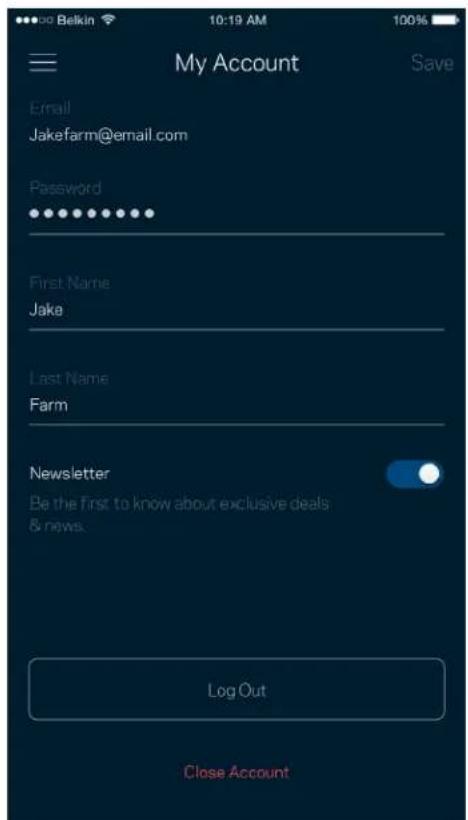
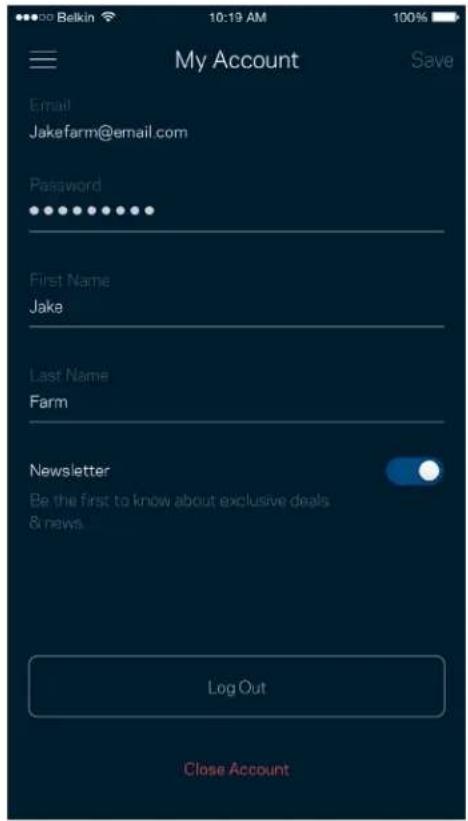
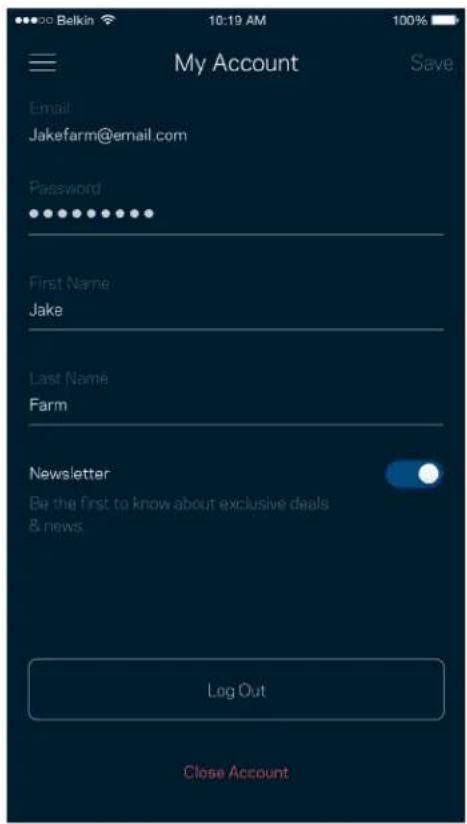
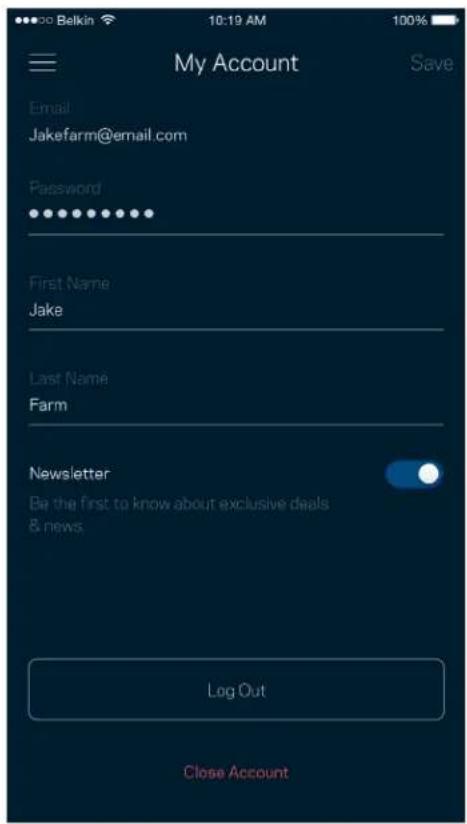
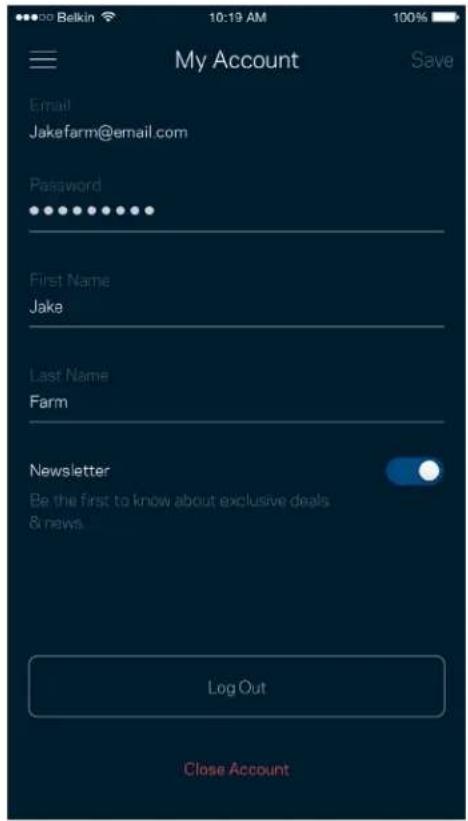
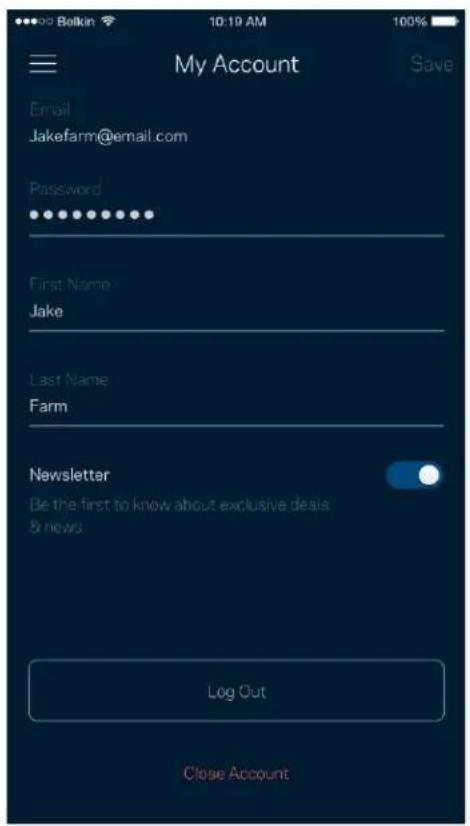
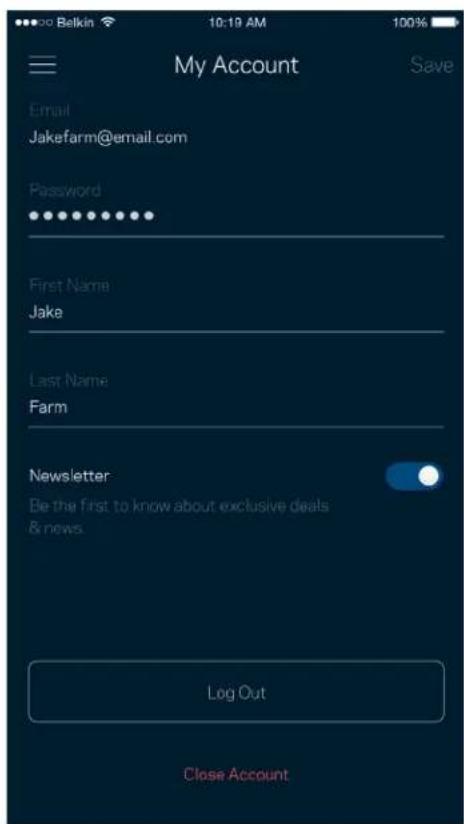
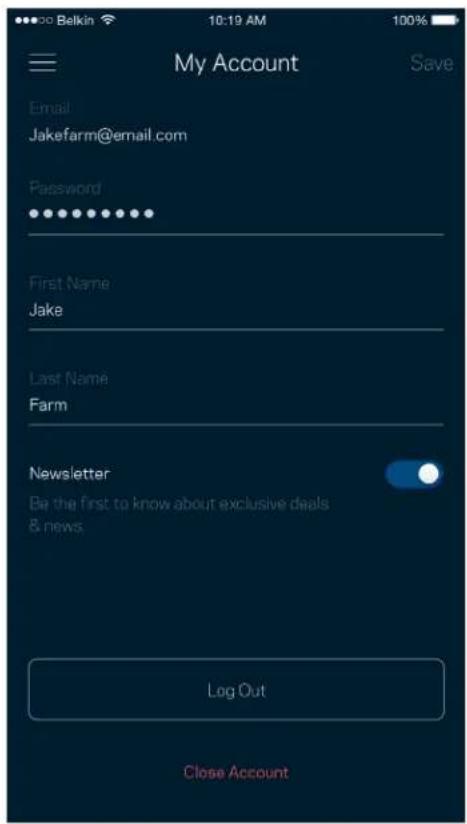
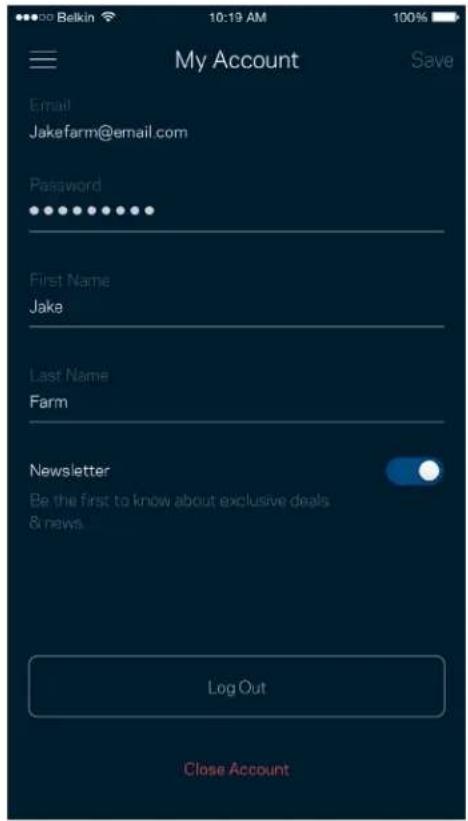
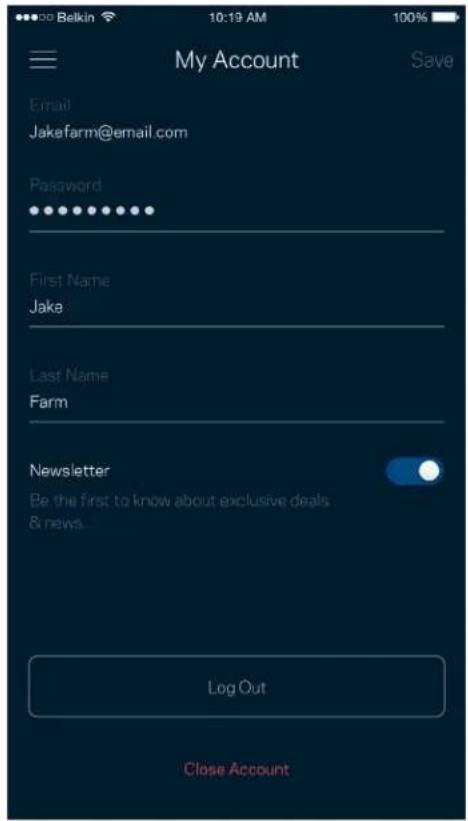
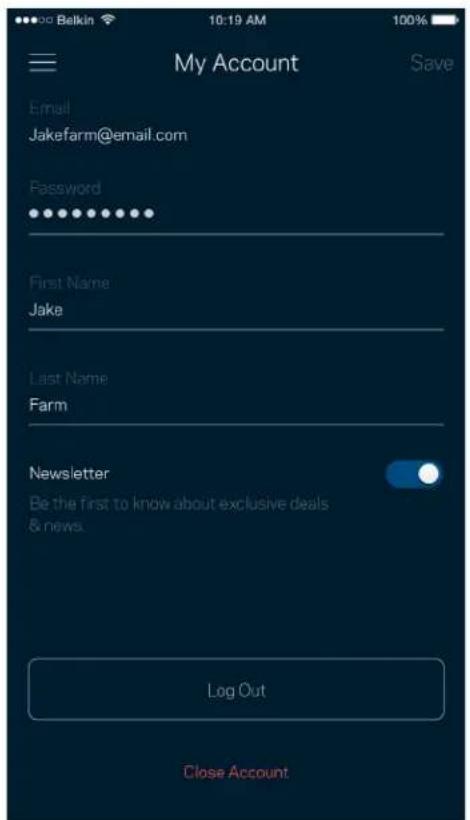
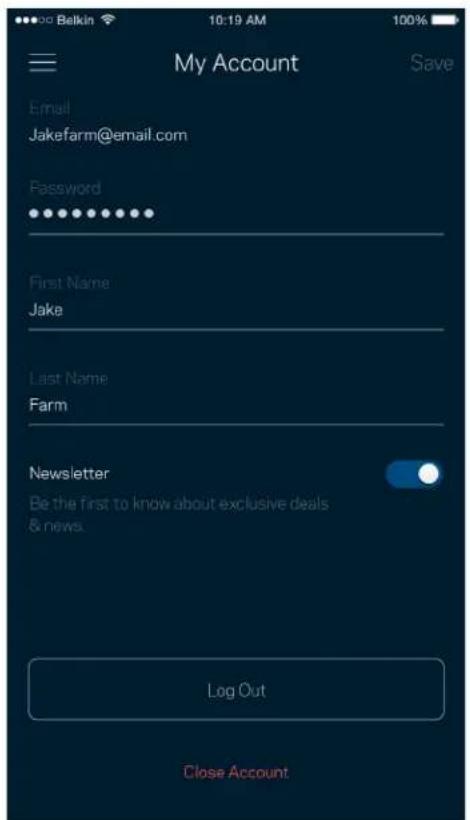
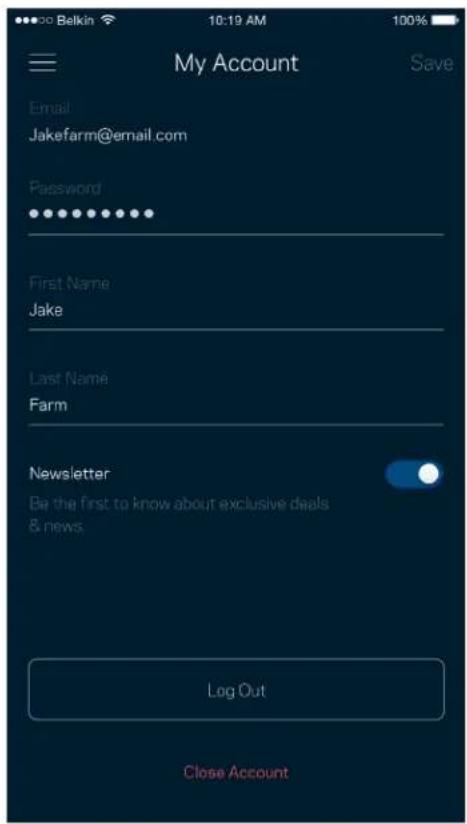
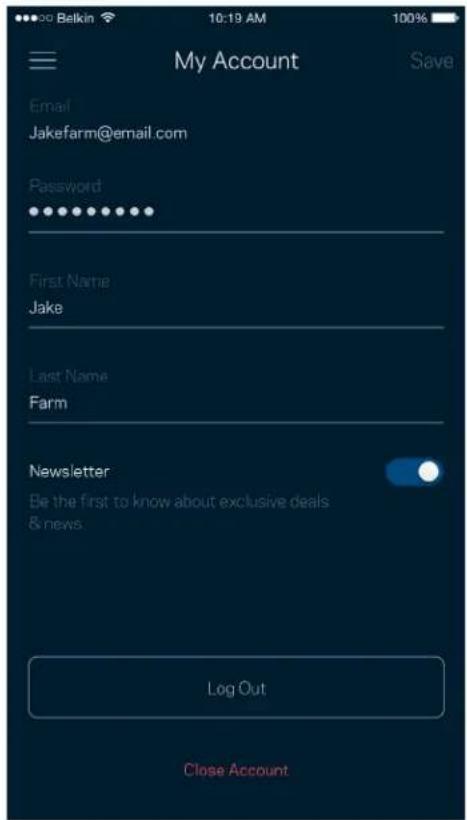
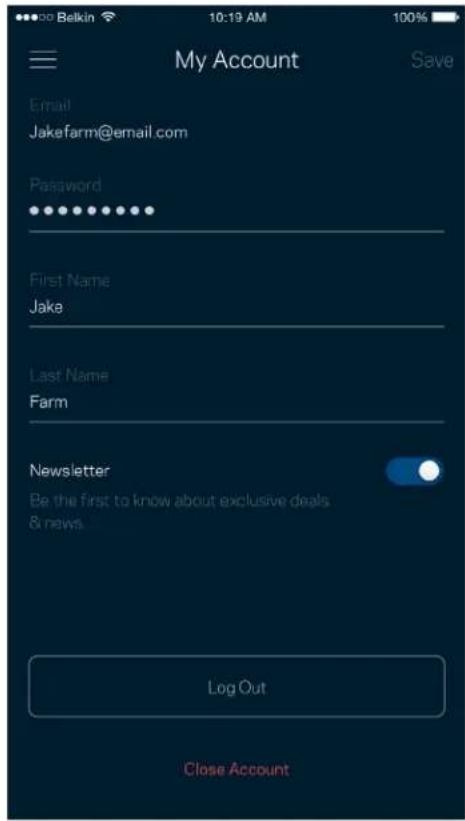
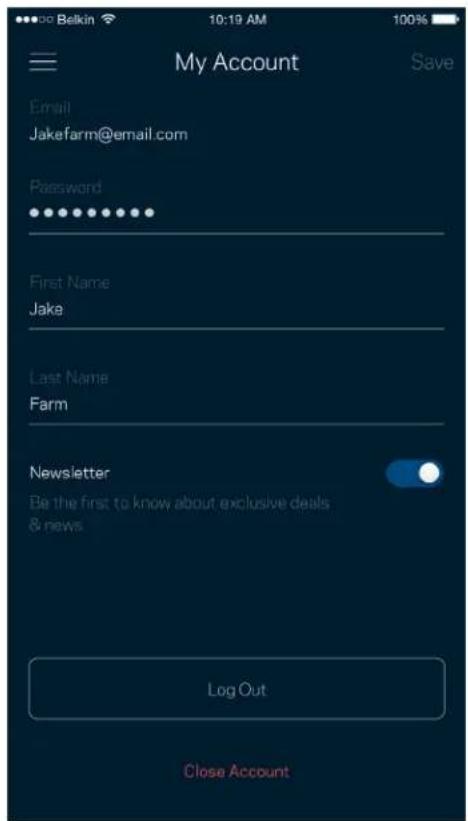
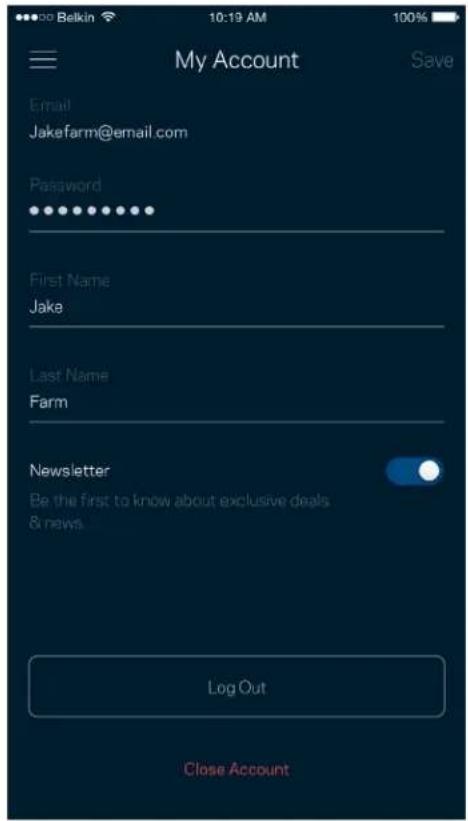
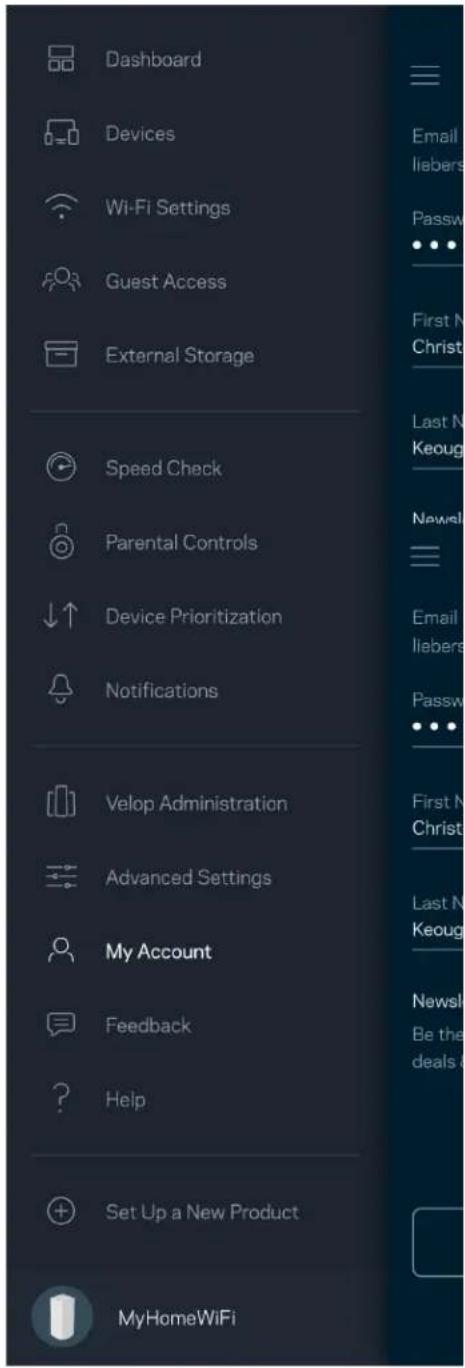
Change your Linksys app password and opt in to receive the latest news and deals from Linksys.
Dashboard Devices Wi-Fi Settings Guest Access External Storage Speed Check Parental Controls Device Prioritization Notifications Velop Administration Advanced Settings My Account Feedback Help Set Up a New Product MyHomeWiFi

My Account Email Jakefarm@email.com Password First Name Jake Last Name Farm Newsletter Be the first to know about exclusive deals & news. Log Out Close Account

Feedback

Here's your chance to tell us what you think. Rate the app at your app store, send us a suggestion, or report an issue that's keeping you from a great experience.
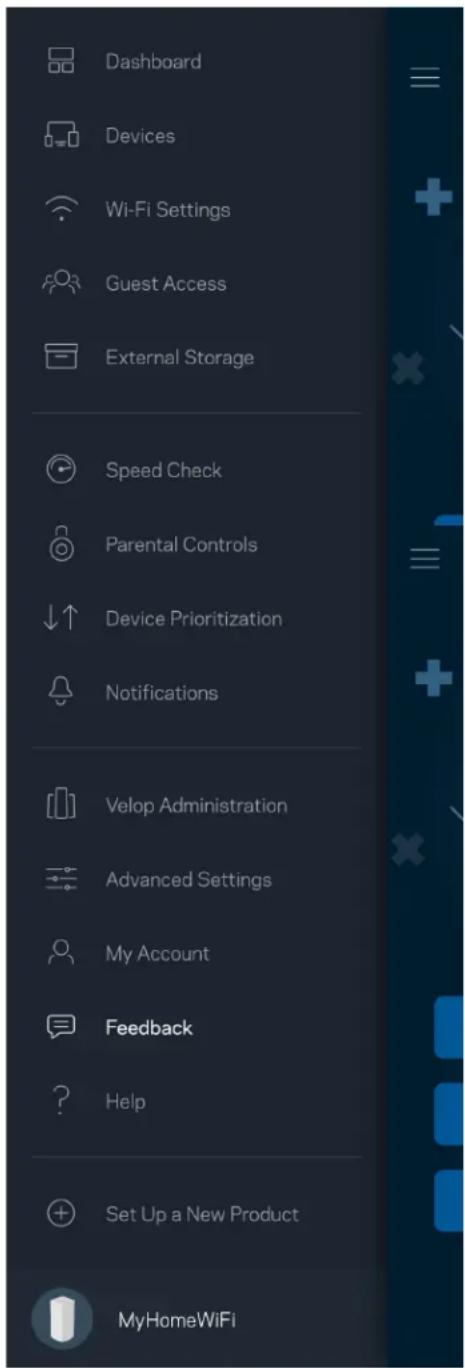
Dashboard Devices Wi-Fi Settings Guest Access External Storage Speed Check Parental Controls Device Prioritization Notifications Velop Administration Advanced Settings My Account Feedback Help Set Up a New Product MyHomeWiFi

Help

Having trouble with the app? Just need a little more information about a feature? Tap Help for an explanation.
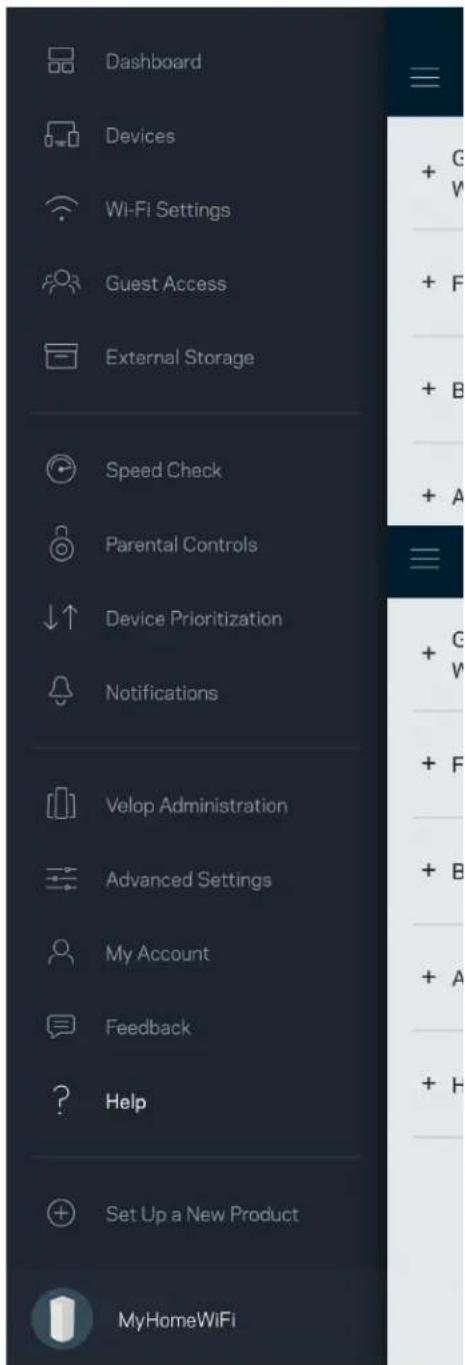
Dashboard Devices Wi-Fi Settings Guest Access External Storage Speed Check Parental Controls Device Prioritization Notifications Velop Administration Advanced Settings My Account Feedback Help Set Up a New Product MyHomeWiFi

Connect Directly To Velop

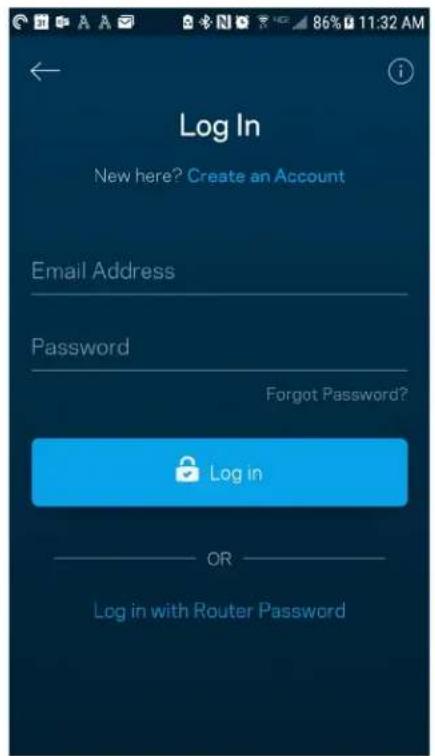
If you are not connected to the internet you still can access your Velop system. Connect to your Wi-Fi name, launch the Linksys app and tap Log in with Router Password toward the bottom of the screen. You will not be able to access your Linksys Wi-Fi account when not online.
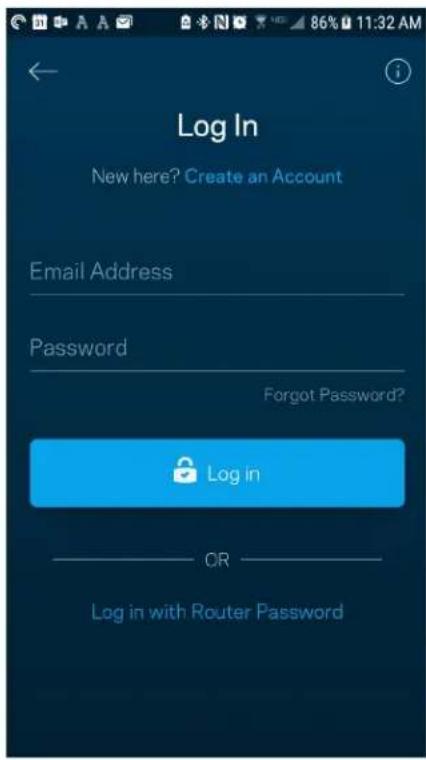
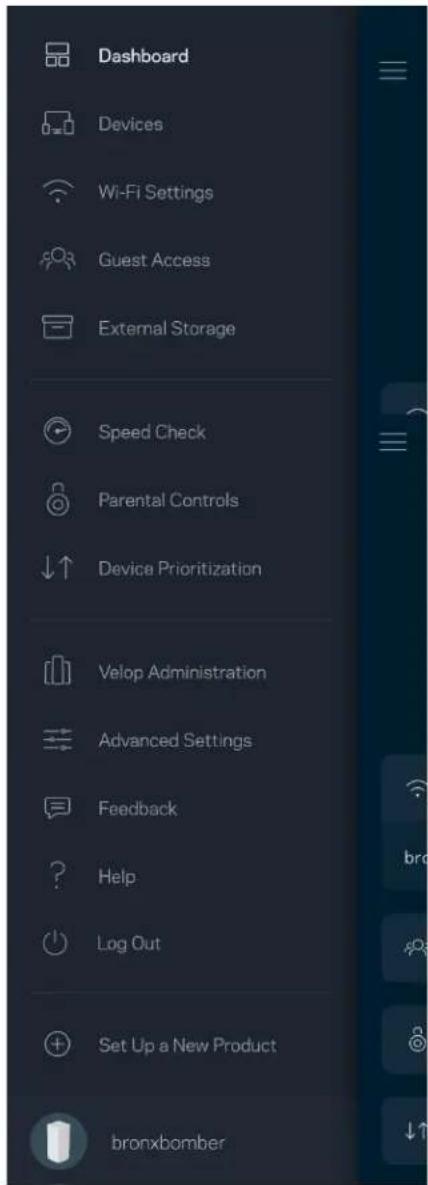
Log In New here? Create an Account Email Address Password Forgot Password? Log in OR Log in with Router Password

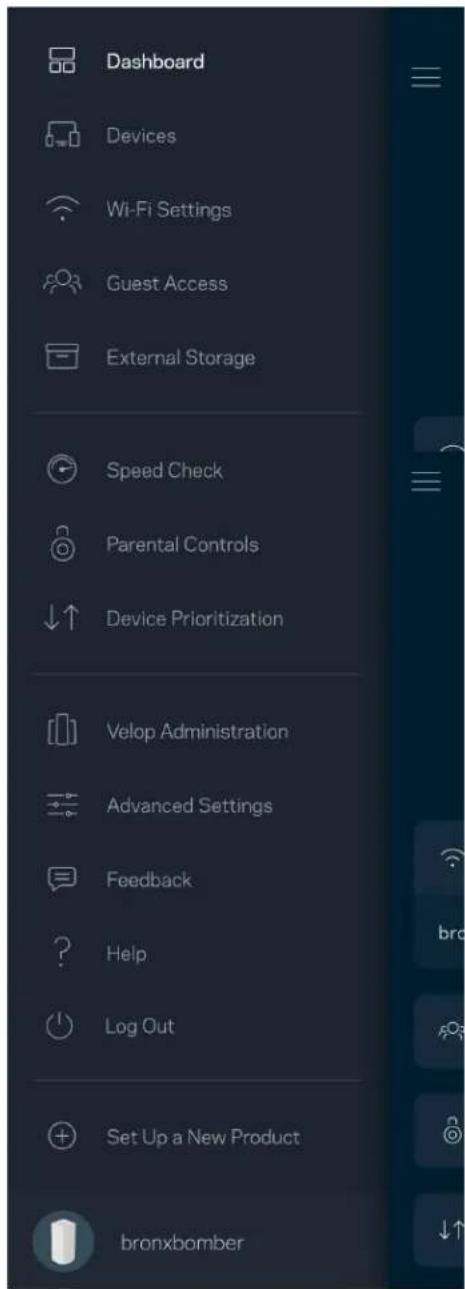
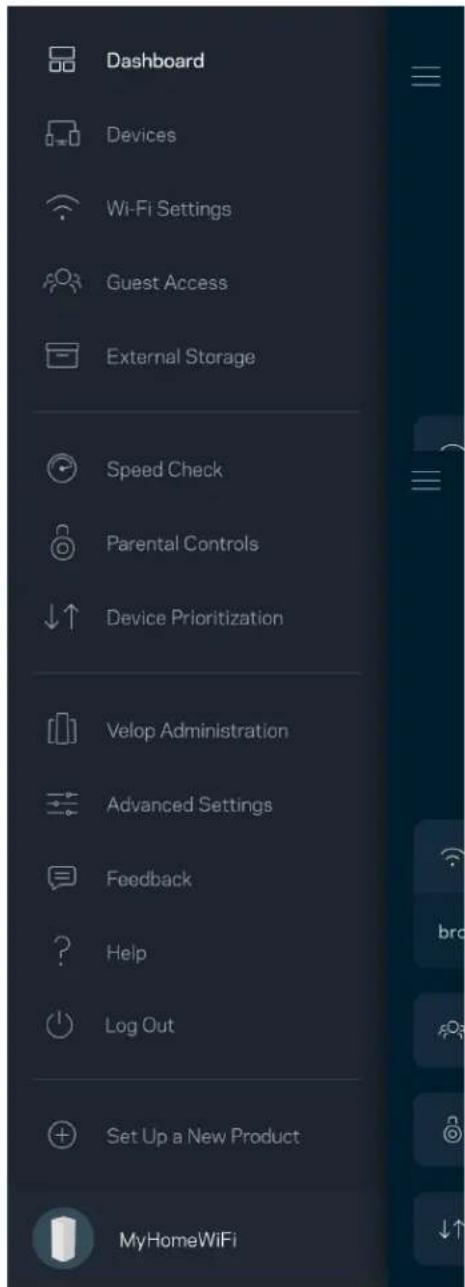
Dashboard Devices Wi-Fi Settings Guest Access External Storage Speed Check Parental Controls Device Prioritization Velop Administration Advanced Settings Feedback Help Log Out Set Up a New Product bronxbomber

Velop admin password

We created a secure admin password during setup. To change it, tap Velop Administration and Change Velop Password and Hint.
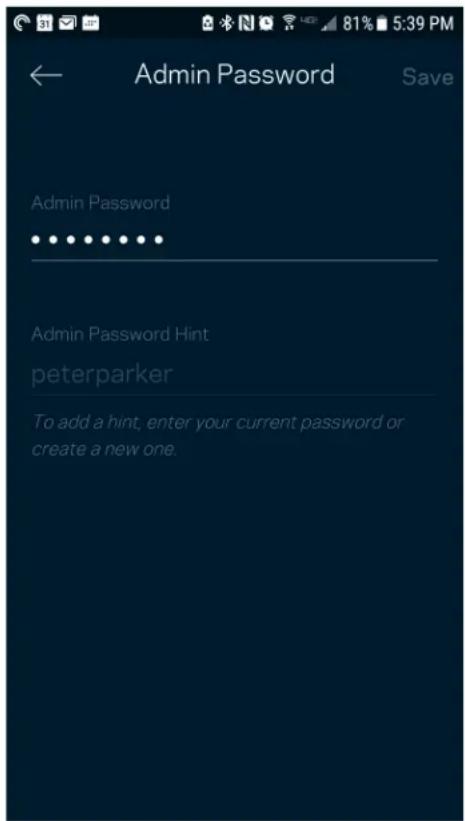
Admin Password Save Admin Password • • • • • • • • • • Admin Password Hint peterparker To add a hint, enter your current password or create a new one.

To keep your Velop system secure, we'll send you an email if someone changes the admin password.
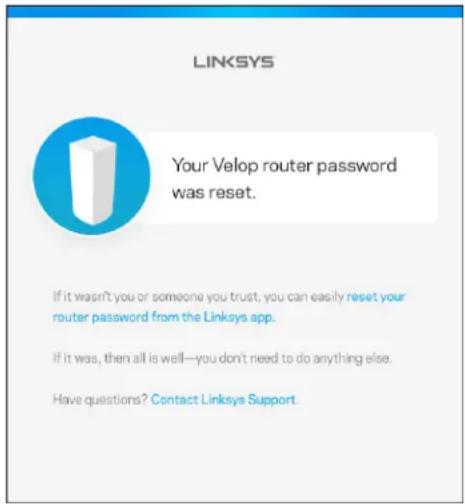
LINKSYS Your Velop router password was reset. If it wasn't you or someone you trust, you can easily reset your router password from the Linksys app. If it was, then all is well—you don't need to do anything else. Have questions? Contact Linksys Support.

How to restore factory defaults

You should never need to factory reset your Velop—a very disruptive process. A factory reset restores your Velop system to the state it was when you took it out of its box, requiring you to go through the setup process again. All settings you have customized in setup and since - things such as Wi-Fi name, passwords, security type - will be erased. All wireless devices will disconnect from your Wi-Fi.

To reset Velop:

- With your node connected to power and turned on, press and hold the Reset button on the bottom. The light on top of the node will turn red and fade in pulses. Do not release the button until the light goes out and then turns bright red.
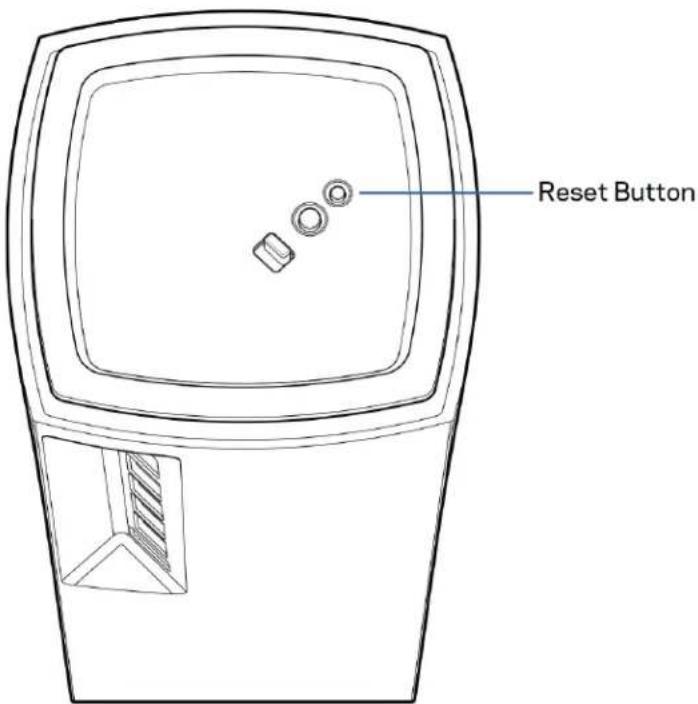
Reset Button

Specifications

Linksys Velop

Model Name Velop (Tri-Band)

Model Number MX5300

Switch Port Speed 10/100/1000 Mbps

Radio Frequency 2.4 GHz and 5 GHz

# of Antennas 13 (internal)

Ports USB 3.0, ethernet, internet, power

Buttons Power switch, WPS, reset

Light One, multicolored light for power and status

Security Features WPA2-Personal, WPA3-Personal

Security Key Bits Up to 128-bit encryption

Environmental

Dimensions 4.45 inches x 4.45 inches x 9.57 inches

Unit Weight 1.58 kg (3.48 lb)

Power 12V, 4A

Certifications FCC, IC, CE, Wi-Fi (IEEE 802.11a/b/g/n/ac, draft 802.11ax)

Operating Temp. 32^ to 104^ F (0 to 40^ C)

Storage Temp. -4° to 140° F (-20 to 60° C)

Operating Humidity 10% to 80% relative humidity, non-condensing

Storage Humidity 5% to 90% non-condensing

Notes:

For regulatory, warranty, and safety information, go to Linksys.com/support/Velop.

Specifications are subject to change without notice.

Maximum performance derived from IEEE Standard 802.11 specifications. Actual performance can vary, including lower wireless network capacity, data throughput rate, range and coverage.

Performance depends on many factors, conditions and variables, including distance from the access point, volume of network traffic, building materials and construction, operating system used, mix of wireless products used, interference and other adverse conditions.

Visit linksys.com/support/Velop for award-winning technical support.

BELKIN, LINKSYS and many product names and logos are trademarks of the Belkin group of companies. Third-party trademarks mentioned are the property of their respective owners.

© 2019 Belkin International, Inc. and/or its affiliates. All rights reserved.

LINKSYS®

GUÍA DEL USUARIO

VELOP

AX5300

Modelo MX5300

Tabla de contenidos
Use Email Use Admin Password Email Address Password Forgot Password? Log in

Dashboard My Home Wi-Fi is Online Internet 4 Devices Wi-Fi My Home Wi-Fi Guest Access My Home Wi-Fi_Guest Parental Controls Justin's Laptop Blocked Manually Device Prioritization External Storage Office Eject SD 13.04 GB used 59.61 GB IP address for SMB access: 10.101.1.1

Dispositivos

Belkin 10:19 AM 100% Devices Connected Devices (5) Downstairs TV MyHomeWiFi Game Console Connected via ethernet Jon's Phone MyHomeWiFi Mika's Laptop MyHomeWiFi Thermostat MyHomeWiFi Guest Devices (3) Michelle's Phone MyGuestWiFi Offline Devices (5)

Wi-Fi Settings Save Wi-Fi name My Home Wi-Fi Wi-Fi Password Advanced Settings > Connect a Device with WPS >

Channel Finder Channel Finder will scan your environment for the Wi-Fi channels that will give you the best performance. We will turn off your Wi-Fi for up to three minutes while we do this. Scan Channels

Acceso de invitados

Guest Access Guest Access Wi-Fi Name: My Home Wi-Fi_guest Wi-FiPassword

External Storage Office Eject SD 13.04 GB used 59.61 GB IP address for SMB access: 10.101.1.1 Authentication > Network File Sharing (SMB) Devices on your network can access connected storage. For PC's, enter \ plus the IP address for the storage drive you want to access into Windows Explorer. (Example: \192.168.1.100) For Macs, open Finder and navigate to Go > Connect to Server. Enter smb // plus the IP address for the storage drive you want to access. (Example: smb://192.168.1.100) When authentication is not enabled, you'll need to log in as a guest for SMB access. Mobile devices require an app to access external storage drives. Search for "smb manager" in the Google Play store or the Apple App Store. Learn more about External Storage

Prueba de velocidad

Speed Check Ping 19 ms 101 | 121 ↓ Mbps Download ↑ Mbps Upload Results At this speed, you can stream HD videos, hold video conferences, and play online games on multiple devices at the same time. Test again SPEEDTEST powered™

Parental Controls Create schedules to pause internet access, or block specific websites, so you can keep your kids offline and on task. Control a Device Learn more about Parental Controls

Device Prioritization Add up to 3 devices to prioritize. Devices not on this list will share what's left of your internet capacity. Add a device

Notificaciones

Belkin 10:19 AM 100% Notifications Get notifications when: Any of your nodes are offline

Velop Administration Living Room Change Admin Password and Hint Automatic Firmware Update Firmware Version 1.0.4.167471 Up to date Diagnostic Information To help contribute to future improvements, automatically report errors and diagnostics to Linksys Manually Report an Issue Report Model Number Velop391740 Serial Number 16R1060350080 IP Details Restart Velop Learn more about Velop Administration

Bekin 9:41 AM 100% Internet Settings Save Connection Type > Automatic Configuration - DHCP Additional Settings > Learn more

Port Settings Single Port Forwarding > Port Range Forwarding > Port Range Triggering >

Filtrado MAC de Wi-Fi

Wi-Fi MAC Filters Edit Wi-Fi MAC Filter Status Allow Access Filtered Devices Daniel's Laptop 00:16:41 34:20 A Unknown device 00:16:41 34:20 A

Mi cuenta

My Account Email Jakefarm@email.com Password First Name Jake Last Name Farm Newsletter Be the first to know about exclusive deals & news Log Out Close Account

Valoración

Ayuda

Dashboard Devices Wi-Fi Settings Guest Access External Storage Speed Check Parental Controls Device Prioritization Velop Administration Advanced Settings Feedback Help Log Out Set Up a New Product MyHomeWiFi

Administration Velop 22

Use Email Use Admin Password Email Address Password Forgot Password? Log in

Dashboard My Home Wi-Fi is Online Internet 4 Devices Wi-Fi My Home Wi-Fi Guest Access My Home Wi-Fi Guest Parental Controls Justin's Laptop Blocked Manually Device Prioritization John's Laptop Mika's Phone Office Computer

Appareils

Belkin 10:19 AM 100% Devices Connected Devices (5) Downstairs TV MyHomeWiFi Game Console Connected via ethernet Jon's Phone MyHomeWiFi Mika's Laptop MyHomeWiFi Thermostat MyHomeWiFi Guest Devices (3) Michelle's Phone MyGuestWiFi Offline Devices (5)

Wi-Fi Settings Wi-Fi name My Home Wi-Fi Wi-Fi Password Advanced Settings Connect a Device with WPS

Paramètres avancés

Channel Finder Channel Finder will scan your environment for the Wi-Fi channels that will give you the best performance. We will turn off your Wi-Fi for up to three minutes while we do this. Scan Channels

Accès d'invité

Guest Access Guest Access Wi-Fi Name My Home Wi-Fi_guest Wi-Fi Password

Stockage externe

External Storage Office Eject SD 13.04 GB used 59.61 GB IP address for SMB access: 10.101.1.1 Authentication Network File Sharing (SMB) Devices on your network can access connected storage. For PC's, enter \ plus the IP address for the storage drive you want to access into Windows Explorer. (Example: \192.168.1.100) For Macs, open Finder and navigate to Go > Connect to Server. Enter smb // plus the IP address for the storage drive you want to access. (Example: smb://192.168.1.100) When authentication is not enabled, you'll need to log in as a guest for SMB access. Mobile devices require an app to access external storage drives. Search for "smb manager" in the Google Play store or the Apple App Store. Learn more about External Storage

Contrôle de vitesse

Speed Check Ping 19 ms 101 | 121 ↓ Mbps ↑ Mbps Download Upload Results At this speed, you can stream HD videos, hold video conferences, and play online games on multiple devices at the same time. Test again SPEEDTEST powered

Parental Controls Create schedules to pause internet access, or block specific websites, so you can keep your kids offline and on task. Control a Device Learn more about Parental Controls

Device Prioritization Add up to 3 devices to prioritize. Devices not on this list will share what's left of your internet capacity. Add a device

Notifications

Belkin 10:19 AM 100% Notifications Get notifications when: Any of your nodes are offline

Administration Velop

Velop Administration Living Room Change Admin Password and Hint Automatic Firmware Update Firmware Version 1.0.4.167471 Lip to date Diagnostic Information To help contribute to future improvements, automatically report errors and diagnostics to Linksys Manually Report an Issue Report Model Number Velop391740 Serial Number 16R1060350080 IP Details Restart Velop Learn more about Velop Administration

Internet Settings Save Connection Type > Automatic Configuration - DHCP Additional Settings > Learn more

Paramètres de ports

Port Settings Single Port Forwarding > Port Range Forwarding > Port Range Triggering >

Filtres MAC sans-fil

Wi-Fi MAC Filters Edit Wi-Fi MAC Filter Status Allow Access Filtered Devices Daniel's Laptop 00:16:41:34:20A Unknown device 00:16:41:34:20A

Mon compte

My Account Email Jakefarm@email.com Password First Name Jake Last Name Farm Newsletter Be the first to know about exclusive deals & news Log Out Close Account

Commentaires

Aide

Dashboard Devices Wi-Fi Settings Guest Access External Storage Speed Check Parental Controls Device Prioritization Velop Administration Advanced Settings Feedback Help Log Out Set Up a New Product MyHomeWiFi

Certifications FCC, IC, CE, Wi-Fi (IEEE 802.11a/b/g/n/ac, draft 802.11ax)
Already using a Linksys product? Log in Have a new Linksys product? Launch setup

Dashboard Devices Wi-Fi Settings Guest Access External Storage Speed Check Parental Controls Device Prioritization Notifications Velop Administration Advanced Settings My Account Feedback Help Set Up a New Product MyHomeWiFi

Dashboard Devices Wi-Fi Settings Guest Access External Storage Speed Check Parental Controls Device Prioritization Notifications Velop Administration Advanced Settings My Account Feedback Help Set Up a New Product MyHomeWiFi

Dashboard Devices Wi-Fi Settings Guest Access External Storage Speed Check Parental Controls Device Prioritization Notifications Velop Administration Advanced Settings My Account Feedback Help Set Up a New Product MyHomeWiFi

Advanced Wi-Fi Settings Save Security Type > WPA2-Personal > Wi-Fi Mode Mixed > Channel Finder >

Dashboard Devices Wi-Fi Settings Guest Access External Storage Speed Check Parental Controls Device Prioritization Notifications Velop Administration Advanced Settings My Account Feedback Help Set Up a New Product MyHomeWiFi

Dashboard Devices Wi-Fi Settings Guest Access External Storage Speed Check Parental Controls Device Prioritization Notifications Velop Administration Advanced Settings My Account Feedback Help Set Up a New Product MyHomeWiFi

Speed Check Ping 19 ms 101 | 121 ↓ Mbps Download ↑ Mbps Upload Results At this speed, you can stream HD videos, hold video conferences, and play online games on multiple devices at the same time. Test again SPEEDTEST powered™

Dashboard Devices Wi-Fi Settings Guest Access External Storage Speed Check Parental Controls Device Prioritization Notifications Velop Administration Advanced Settings My Account Feedback Help Set Up a New Product MyHomeWiFi

Dashboard Devices Wi-Fi Settings Guest Access External Storage Speed Check Parental Controls Device Prioritization Notifications Velop Administration Advanced Settings My Account Feedback Help Set Up a New Product MyHomeWiFi

Dashboard Devices Wi-Fi Settings Guest Access External Storage Speed Check Parental Controls Device Prioritization Notifications Velop Administration Advanced Settings My Account Feedback Help Set Up a New Product MyHomeWiFi

¡علامات

Dashboard Devices Wi-Fi Settings Guest Access External Storage Speed Check Parental Controls Device Prioritization Notifications Velop Administration Advanced Settings My Account Feedback Help Set Up a New Product MyHomeWiFi

Dashboard Devices Wi-Fi Settings Guest Access External Storage Speed Check Parental Controls Device Prioritization Notifications Velop Administration Advanced Settings My Account Feedback Help Set Up a New Product MyHomeWiFi

Dashboard Devices Wi-Fi Settings Guest Access External Storage Speed Check Parental Controls Device Prioritization Notifications Velop Administration Advanced Settings Internet Settings Port Settings Wi-Fi MAC Filters Local Network Settings My Account Feedback Help Set Up a New Product MyHomeWiFi

إعدادات المنفرذ

Dashboard Devices Wi-Fi Settings Guest Access External Storage Speed Check Parental Controls Device Prioritization Notifications Velop Administration Advanced Settings Internet Settings Port Settings Wi-Fi MAC Filters Local Network Settings My Account Feedback Help Set Up a New Product MyHomeWiFi

Dashboard Devices Wi-Fi Settings Guest Access External Storage Speed Check Parental Controls Device Prioritization Notifications Velop Administration Advanced Settings Internet Settings Port Settings Wi-Fi MAC Filters Local Network Settings My Account Feedback Help Set Up a New Product MyHomeWiFi

Dashboard Devices Wi-Fi Settings Guest Access External Storage Speed Check Parental Controls Device Prioritization Notifications Velop Administration Advanced Settings My Account Feedback Help Set Up a New Product MyHomeWiFi

التعليمقات

الاتصال بVelop

Log In New here? Create an Account Email Address Password Forgot Password? Log in OR Log in with Router Password

Use Email Use Admin Password Email Address Password Forgot Password? Log in

Dashboard My Home Wi-Fi is Online Internet 4 Devices Wi-Fi My Home Wi-Fi Guest Access My Home Wi-Fi_Guest Parental Controls Justin's Laptop Blocked Manually Device Prioritization External Storage Office Eject SD 13.04 GB used 59.61 GB IP address for SMB access: 10.101.1.1

Устройства

Belkin 10:19 AM 100% Devices Connected Devices (5) Downstairs TV MyHomeWiFi Game Console Connected via ethernet Jon's Phone MyHomeWiFi Mika's Laptop MyHomeWiFi Thermostat MyHomeWiFi Guest Devices (3) Michelle's Phone MyGuestWiFi Offline Devices (5)

Wi-Fi Settings Wi-Fi name My Home Wi-Fi Wi-Fi Password Advanced Settings Connect a Device with WPS

Разширени настройки

Channel Finder Channel Finder will scan your environment for the Wi-Fi channels that will give you the best performance. We will turn off your Wi-Fi for up to three minutes while we do this. Scan Channels

Достъп за гости

Guest Access Guest Access Wi-Fi Name My Home Wi-Fi_guest Wi-Fi Password

External Storage Office Eject SD 13.04 GB used 59.61 GB IP address for SMB access: 10.101.1.1 Authentication Network File Sharing (SMB) Devices on your network can access connected storage. For PC's, enter \ plus the IP address for the storage drive you want to access into Windows Explorer. (Example: \192.168.1.100) For Macs, open Finder and navigate to Go > Connect to Server. Enter smb://plus the IP address for the storage drive you want to access. (Example: smb://192.168.1.100) When authentication is not enabled, you'll need to log in as a guest for SMB access. Mobile devices require an app to access external storage drives. Search for "smb manager" in the Google Play store or the Apple App Store. Learn more about External Storage

Speed Check Ping 19 ms 101 121 ↓ Mbps ↑ Mbps Download Upload Results At this speed, you can stream HD videos, hold video conferences, and play online games on multiple devices at the same time. Test again SPEEDTEST powered™

Parental Controls Create schedules to pause internet access, or block specific websites, so you can keep your kids offline and on task. Control a Device Learn more about Parental Controls

Device Prioritization Add up to 3 devices to prioritize. Devices not on this list will share what's left of your internet capacity. Add a device

Известия

Belkin 10:19 AM 100% Notifications Get notifications when: Any of your nodes are offline

Velop Administration Living Room Change Admin Password and Hint Automatic Firmware Update Firmware Version 1.0.4.157471 Up to date Diagnostic Information To help contribute to future improvements, automatically report errors and diagnostics to Linksys. Manually Report an Issue Report Model Number Velop391740 Serial Number 16R1060350080 IP Details Restart Velop Learn more about Velop Administration

Bekin 9:41 AM 100% Internet Settings Save Connection Type Automatic Configuration - DHCP Additional Settings Learn more

Belkin 9:41 AM 100% Port Settings Single Port Forwarding > Port Range Forwarding > Port Range Triggering >

Wi-Fi MAC филтри

Wi-Fi MAC Filters Edit Wi-Fi MAC Filter Status Allow Access Filtered Devices Daniel's Laptop 00:16:41:34:20A Unknown device 00:16:41:34:20A

Моят акаунт

My Account Email Jakefarm@email.com Password First Name Jake Last Name Farm Newsletter Be the first to know about exclusive deals & news. Log Out Close Account

Обратна връзка

Помощ

Dashboard Devices Wi-Fi Settings Guest Access External Storage Speed Check Parental Controls Device Prioritization Velop Administration Advanced Settings Feedback Help Log Out Set Up a New Product bronxbomber

Администраторска парола за Velop

Use Email Use Admin Password Email Address Password Forgot Password? Log in

Dashboard My Home Wi-Fi is Online Internet 4 Devices Wi-Fi My Home Wi-Fi Guest Access My Home Wi-Fi_Guest Parental Controls Justin's Laptop Blocked Manually Device Prioritization External Storage Office Eject SD 13.04 GB used 59.61 GB IP address for SMB access: 10.101.1.1

Zařízení

Belkin 10:19 AM 100% Devices Connected Devices (5) Downstairs TV MyHomeWiFi Game Console Connected via ethernet Jon's Phone MyHomeWiFi Mika's Laptop MyHomeWiFi Thermostat MyHomeWiFi Guest Devices (3) Michelle's Phone MyGuestWiFi Offline Devices (5)

Wi-Fi Settings Wi-Fi name My Home Wi-Fi Wi-Fi Password Advanced Settings Connect a Device with WPS

Pokročilá nastavení

Channel Finder Channel Finder will scan your environment for the Wi-Fi channels that will give you the best performance. We will turn off your Wi-Fi for up to three minutes while we do this. Scan Channels

Guest Access Guest Access Wi-Fi Name My Home Wi-Fi_guest Wi-Fi Password

Externí úložiště

External Storage Office Eject ▲ SD 13.04 GB used 59.61 GB IP address for SMB access: 10.101.1.1 Authentication > Network File Sharing (SMB) Devices on your network can access connected storage. For PC's, enter \ plus the IP address for the storage drive you want to access into Windows Explorer. (Example: \192.168.1.100) For Macs, open Finder and navigate to Go > Connect to Server. Enter smb // plus the IP address for the storage drive you want to access. (Example: smb//192.168.1.100) When authentication is not enabled, you'll need to log in as a guest for SMB access. Mobile devices require an app to access external storage drives. Search for "smb manager" in the Google Play store or the Apple App Store. Learn more about External Storage

Rychlostní test

Speed Check Ping 19 ms 101 | 121 ↓ Mbps ↑ Mbps Download Upload Results At this speed, you can stream HD videos, hold video conferences, and play online games on multiple devices at the same time. Test again SPEEDTEST powered

Parental Controls Create schedules to pause internet access, or block specific websites, so you can keep your kids offline and on task. Control a Device Learn more about Parental Controls

Priorita zařízení

Device Prioritization Add up to 3 devices to prioritize. Devices not on this list will share what's left of your internet capacity. Add a device

Upozornění

Belkin 10:19 AM 100% Notifications Get notifications when: Any of your nodes are offline

Správa Velop

Velop Administration Living Room Change Admin Password and Hint Automatic Firmware Update Firmware Version 1.0.4.167471 Up to date Diagnostic Information To help contribute to future improvements, automatically report errors and diagnostics to Linksys Manually Report an Issue Report Model Number Velop391740 Serial Number 16R1060350080 IP Details Restart Velop Learn more about Velop Administration

Bellin 9:41 AM 100% Internet Settings Save Connection Type Automatic Configuration - DHCP Additional Settings Learn more

Nastavení portů

Bekin 9:41 AM 100% Port Settings Single Port Forwarding > Port Range Forwarding > Port Range Triggering >

Filtry MAC pro Wi-Fi

Wi-Fi MAC Filters Edit Wi-Fi MAC Filter Status Allow Access Filtered Devices Daniel's Laptop 00:16:41 34:20 A Unknown device 00:16:41 34:20 A

Můj účet

My Account Email Jakefarm@email.com Password First Name Jake Last Name Farm Newsletter Be the first to know about exclusive deals & news Log Out Close Account

Zpětná vazba

Nápověda

Dashboard Devices Wi-Fi Settings Guest Access External Storage Speed Check Parental Controls Device Prioritization Velop Administration Advanced Settings Feedback Help Log Out Set Up a New Product MyHomeWiFi

Heslo správce Velop

FCC, IC, CE, Wi-Fi (IEEE 802.11a/b/g/n/ac, draft 802.11ax)
Provozní teplota
Use Email Use Admin Password Email Address Password Forgot Password? Log in

Dashboard My Home Wi-Fi is Online Internet 4 Devices Wi-Fi My Home Wi-Fi Guest Access My Home Wi-Fi_Guest Parental Controls Justin's Laptop Blocked Manually Device Prioritization External Storage Office Eject SD 13.04 GB used 59.61 GB IP address for SMB access: 10.101.1.1

Enheder

Belkin 10:19 AM 100% Devices Connected Devices (5) Downstairs TV MyHomeWiFi Game Console Connected via ethernet Jon's Phone MyHomeWiFi Mika's Laptop MyHomeWiFi Thermostat MyHomeWiFi Guest Devices (3) Michelle's Phone MyGuestWiFi Offline Devices (5)

Wi-Fi Settings Wi-Fi name My Home Wi-Fi Wi-Fi Password Advanced Settings Connect a Device with WPS

Avancerede indstillinger

Channel Finder Channel Finder will scan your environment for the Wi-Fi channels that will give you the best performance. We will turn off your Wi-Fi for up to three minutes while we do this. Scan Channels

Gæsteadgang

Guest Access Guest Access Wi-Fi Name My Home Wi-Fi_guest Wi-Fi Password

Ekstern lagring

External Storage Office Eject ▲ SD 13.04 GB used 59.61 GB IP address for SMB access: 10.101.1.1 Authentication > Network File Sharing (SMB) Devices on your network can access connected storage. For PC's, enter \ plus the IP address for the storage drive you want to access into Windows Explorer. (Example: \192.168.1.100) For Macs, open Finder and navigate to Go > Connect to Server. Enter smb // plus the IP address for the storage drive you want to access. (Example: smb//192.168.1.100) When authentication is not enabled, you'll need to log in as a guest for SMB access. Mobile devices require an app to access external storage drives. Search for "amb manager" in the Google Play store or the Apple App Store. Learn more about External Storage

Hastighedstjek

Speed Check Ping 19 ms 101 | 121 ↓ Mbps ↑ Mbps Download Upload Results At this speed, you can stream HD videos, hold video conferences, and play online games on multiple devices at the same time. Test again SPEEDTEST powered

Parental Controls Create schedules to pause internet access, or block specific websites, so you can keep your kids offline and on task. Control a Device Learn more about Parental Controls

Enhedsprioritering

Device Prioritization Add up to 3 devices to prioritize. Devices not on this list will share what's left of your internet capacity. Add a device

Meddelelser

Belkin 10:19 AM 100% Notifications Get notifications when: Any of your nodes are offline

Administration af Velop

Velop Administration Living Room Change Admin Password and Hint Automatic Firmware Update Firmware Version 1.0.4.167471 Up to date Diagnostic Information To help contribute to future improvements automatically report errors and diagnostics to Linksys Manually Report an Issue Report Model Number Velop391740 Serial Number 16R1060350080 IP Details Restart Velop Learn more about Velop Administration

Belkin 9:41 AM 100% Internet Settings Save Connection Type > Automatic Configuration - DHCP Additional Settings > Learn more

Portindstillinger

Port Settings Single Port Forwarding > Port Range Forwarding > Port Range Triggering >

Wi-Fi MAC-filtre

Wi-Fi MAC Filters Edit Wi-Fi MAC Filter Status Allow Access Filtered Devices Daniel's Laptop 00:16:41 34:20 A Unknown device 00:16:41 34:20 A

Min konto

My Account Email Jakefarm@email.com Password First Name Jake Last Name Farm Newsletter Be the first to know about exclusive deals & news. Log Out Close Account

Tilbagemelding

Hjælp

Dashboard Devices Wi-Fi Settings Guest Access External Storage Speed Check Parental Controls Device Prioritization Velop Administration Advanced Settings Feedback Help Log Out Set Up a New Product MyHomeWiFi

Velop administratoradgangskode.

Use Email Use Admin Password Email Address Password Forgot Password? Log in

Dashboard My Home Wi-Fi is Online Internet 4 Devices Wi-Fi My Home Wi-Fi Guest Access My Home Wi-Fi_Guest Parental Controls Justin's Laptop Blocked Manually Device Prioritization External Storage Office Eject SD 13.04 GB used 59.61 GB IP address for SMB access: 10.101.1.1

Geräte

Belkin 10:19 AM 100% Devices Connected Devices (5) Downstairs TV MyHomeWiFi Game Console Connected via ethernet Jon's Phone MyHomeWiFi Mika's Laptop MyHomeWiFi Thermostat MyHomeWiFi Guest Devices (3) Michelle's Phone MyGuestWiFi Offline Devices (5)

Wi-Fi Settings Wi-Fi name My Home Wi-Fi Wi-Fi Password Advanced Settings Connect a Device with WPS

Channel Finder Channel Finder will scan your environment for the Wi-Fi channels that will give you the best performance. We will turn off your Wi-Fi for up to three minutes while we do this. Scan Channels

Gastzugriff

Guest Access Guest Access Wi-Fi Name My Home Wi-Fi_guest Wi-Fi Password

Externer Speicher

External Storage Office Eject SD 13.04 GB used 59.61 GB IP address for SMB access: 10.101.1.1 Authentication Network File Sharing (SMB) Devices on your network can access connected storage. For PC's, enter \ plus the IP address for the storage drive you want to access into Windows Explorer. (Example: \192.168.1.100) For Macs, open Finder and navigate to Go > Connect to Server. Enter smb://plus the IP address for the storage drive you want to access. (Example: smb://192.168.1.100) When authentication is not enabled, you'll need to log in as a guest for SMB access. Mobile devices require an app to access external storage drives. Search for "smb manager" in the Google Play store or the Apple App Store. Learn more about External Storage

Speed Check Ping 19 ms 101 | 121 ↓ Mbps Download ↑ Mbps Upload Results At this speed, you can stream HD videos, hold video conferences, and play online games on multiple devices at the same time. Test again SPEEDTEST powered

Parental Controls Create schedules to pause internet access, or block specific websites, so you can keep your kids offline and on task. Control a Device Learn more about Parental Controls

Device Prioritization Add up to 3 devices to prioritize. Devices not on this list will share what's left of your internet capacity. Add a device

Benachrichtigungen

Belkin 10:19 AM 100% Notifications Get notifications when: Any of your nodes are offline

Velop-Verwaltung

Velop Administration Living Room Change Admin Password and Hint Automatic Firmware Update Firmware Version 1.0.4.167471 Up to date Diagnostic Information To help contribute to future improvements, automatically report errors and diagnostics to Linksys Manually Report an issue Report Model Number Velop391740 Serial Number 16R1060350080 IP Details Restart Velop Learn more about Velop Administration

Balkin 9:41 AM 100% Internet Settings Save Connection Type Automatic Configuration - DHCP Additional Settings Learn more

Port-Einstellungen

Port Settings Single Port Forwarding > Port Range Forwarding > Port Range Triggering >

WLAN-MAC-Filter

Wi-Fi MAC Filters Edit Wi-Fi MAC Filter Status Allow Access Filtered Devices Daniel's Laptop 00:16:41 34.2C A Unknown device 00:16:41 34.2C A

Mein Konto

My Account Email Jakefarm@email.com Password First Name Jake Last Name Farm Newsletter Be the first to know about exclusive deals & news Log Out Close Account

Feedback

Hilfe

Dashboard Devices Wi-Fi Settings Guest Access External Storage Speed Check Parental Controls ↓↑ Device Prioritization Velop Administration Advanced Settings Feedback ? Help Log Out Set Up a New Product MyHomeWiFi

Use Email Use Admin Password Email Address Password Forgot Password? Log In

Dashboard My Home Wi-Fi is Online Internet 4 Devices Wi-Fi My Home Wi-Fi Guest Access My Home Wi-Fi_Guest Parental Controls Justin's Laptop Blocked Manually Device Prioritization External Storage Office Eject SD 13.04 GB used 59.61 GB IP address for SMB access: 10.101.1.1

Devices (Συσκευές)

Belkin 10:19 AM 100% Devices Connected Devices (5) Downstairs TV MyHomeWiFi Game Console Connected via ethernet Jon's Phone MyHomeWiFi Mika's Laptop MyHomeWiFi Thermostat MyHomeWiFi Guest Devices (3) Michelle's Phone MyGuestWiFi Offline Devices (5)

Wi-Fi Settings Hi-Fi name My Home Wi-Fi Wi-Fi Password Advanced Settings Connect a Device with WPS

Channel Finder Channel Finder will scan your environment for the Wi-Fi channels that will give you the best performance. We will turn off your Wi-Fi for up to three minutes while we do this. Scan Channels

Guest Access Guest Access Wi-Fi Name My Home Wi-Fi_guest Wi-Fi.Password

External Storage Office Eject SD 13.04 GB used 59.61 GB IP address for SMB access: 10.101.1.1 Authentication Network File Sharing (SMB) Devices on your network can access connected storage. For PC's, enter \\ plus the IP address for the storage drive you want to access into Windows Explorer. (Example: \\192.168.1.100) For Macs, open Finder and navigate to Go > Connect to Server. Enter smb:// plus the IP address for the storage drive you want to access. (Example: smb://192.168.1.100) When authentication is not enabled, you'll need to log in as a guest for SMB access. Mobile devices require an app to access external storage drives. Search for "smb manager" in the Google Play store or the Apple App Store. Learn more about External Storage

Speed Check Ping 19 ms 101 121 ↓ Mbps ↑ Mbps Download Upload Results At this speed, you can stream HD videos, hold video conferences, and play online games on multiple devices at the same time. Test again SPEEDTEST powered

Parental Controls Create schedules to pause internet access, or block specific websites, so you can keep your kids offline and on task. Control a Device Learn more about Parental Controls

Device Prioritization Add up to 3 devices to prioritize. Devices not on this list will share what's left of your internet capacity. Add a device

Belkin 10:19 AM 100% Notifications Get notifications when: Any of your nodes are offline

Velop Administration Living Room Change Admin Password and Hint Automatic Firmware Update Firmware Version 1.0.4.167471 Up to date Diagnostic Information To help contribute to future improvements, automatically report errors and diagnostics to Linksys. Manually Report an Issue Report Model Number Velop391740 Serial Number 16R1060350080 IP Details Restart Velop Learn more about Velop Administration

Bulkin 9:41 AM Internet Settings Save Connection Type Automatic Configuration - DHCP Additional Settings Learn more

Port Settings Single Port Forwarding > Port Range Forwarding > Port Range Triggering >

Wi-Fi MAC Filters Edit Wi-Fi MAC Filter Status Allow Access Filtered Devices Daniel's Laptop 00:16:41:34:20A Unknown device 00:16:41:34:20A

My Account Email Jakefarm@email.com Password First Name Jake Last Name Farm Newsletter Be the first to know about exclusive deals & news. Log Out Close Account

Feedback (Σχόλια)

Help (Βοήθεια)
Dashboard Devices Wi-Fi Settings Guest Access External Storage Speed Check Parental Controls Device Prioritization Velop Administration Advanced Settings Feedback Help Log Out Set Up a New Product MyHomeWiFi

Use Email Use Admin Password Email Address Password Forgot Password? Log in

Dashboard My Home Wi-Fi is Online Internet 4 Devices Wi-Fi My Home Wi-Fi Guest Access My Home Wi-Fi_Guest Parental Controls Justin's Laptop Blocked Manually Device Prioritization External Storage Office Eject SD 13.04 GB used 59.61 GB IP address for SMB access: 10.101.1.1

Dispositivos

Belkin 10:19 AM 100% Devices Connected Devices (5) Downstairs TV MyHomeWiFi Game Console Connected via ethernet Jon's Phone MyHomeWiFi Mika's Laptop MyHomeWiFi Thermostat MyHomeWiFi Guest Devices (3) Michelle's Phone MyGuestWiFi Offline Devices (5)

Wi-Fi Settings Hi-Fi name My Home Wi-Fi Wi-Fi Password Advanced Settings > Connect a Device with WPS >

Channel Finder Channel Finder will scan your environment for the Wi-Fi channels that will give you the best performance. We will turn off your Wi-Fi for up to three minutes while we do this. Scan Channels

Acceso de Invitados

Guest Access Guest Access Wi-Fi Name My Home Wi-Fi_guest Wi-Fi Password

External Storage Office Eject SD 13.04 GB used 59.61 GB IP address for SMB access: 10.101.1.1 Authentication > Network File Sharing (SMB) Devices on your network can access connected storage. For PC's, enter \ plus the IP address for the storage drive you want to access into Windows Explorer. (Example: \192.168.1.100) For Macs, open Finder and navigate to Go > Connect to Server. Enter smb // plus the IP address for the storage drive you want to access. (Example: smb://192.168.1.100) When authentication is not enabled, you'll need to log in as a guest for SMB access. Mobile devices require an app to access external storage drives. Search for "smb manager" in the Google Play store or the Apple App Store. Learn more about External Storage

Prueba de velocidad

Speed Check Ping 19 ms 101 | 121 ↓ Mbps ↑ Mbps Download Upload Results At this speed, you can stream HD videos, hold video conferences, and play online games on multiple devices at the same time. Test again SPEEDTEST powered

Parental Controls Create schedules to pause internet access, or block specific websites, so you can keep your kids offline and on task. Control a Device Learn more about Parental Controls

Device Prioritization Add up to 3 devices to prioritize. Devices not on this list will share what's left of your internet capacity. Add a device

Notificaciones

Belkin 10:19 AM 100% Notifications Get notifications when: Any of your nodes are offline

Velop Administration Living Room Change Admin Password and Hint Automatic Firmware Update Firmware Version 1.0.4.167471 Up to date Diagnostic Information To help contribute to future improvements, automatically report errors and diagnostics to Linksys Manually Report an Issue Report Model Number Velop391740 Serial Number: 16R1060350080 IP Details... Restart Velop Learn more about Velop Administration

Belkin 9:41 AM 100% Internet Settings Save Connection Type > Automatic Configuration - DHCP Additional Settings > Learn more

Port Settings Single Port Forwarding > Port Range Forwarding > Port Range Triggering >

Filtros MAC Wi-Fi

Wi-Fi MAC Filters Edit Wi-Fi MAC Filter Status Allow Access Filtered Devices Daniel's Laptop 00:16:4134:2CA Unknown device 00:16:4134:2CA

Mi cuenta

My Account Email Jakefarm@email.com Password First Name Jake Last Name Farm Newsletter Be the first to know about exclusive deals & news. Log Out Close Account

Su opinión

Ayuda

Conectar directamente a Velop
Dashboard Devices Wi-Fi Settings Guest Access External Storage Speed Check Parental Controls Device Prioritization Velop Administration Advanced Settings Feedback Help Log Out Set Up a New Product MyHomeWiFi

Use Email Use Admin Password Email Address Password Forgot Password? Log in

Dashboard My Home Wi-Fi is Online Internet 4 Devices Wi-Fi My Home Wi-Fi Guest Access My Home Wi-Fi_Guest Parental Controls Justin's Laptop Blocked Manually Device Prioritization External Storage Office Eject SD 13.04 GB used 59.61 GB IP address for SMB access: 10.101.1.1

Seadmed

Belkin 10:19 AM 100% Devices Connected Devices (5) Downstairs TV MyHomeWiFi Game Console Connected via ethernet Jon's Phone MyHomeWiFi Mika's Laptop MyHomeWiFi Thermostat MyHomeWiFi Guest Devices (3) Michelle's Phone MyGuestWiFi Offline Devices (5)

Wi-Fi Settings Hi-Fi name My Home Wi-Fi Wi-Fi Password Advanced Settings Connect a Device with WPS

Täpsemad seaded

Channel Finder Channel Finder will scan your environment for the Wi-Fi channels that will give you the best performance. We will turn off your Wi-Fi for up to three minutes while we do this. Scan Channels

Külalise juurdepääs

Guest Access Guest Access Wi-Fi Name: My Home Wi-Fi_guest Wi-FiPassword

Välismälu

External Storage Office Eject ▲ SD 13.04 GB used 59.61 GB IP address for SMB access: 10.101.1.1 Authentication > Network File Sharing (SMB) Devices on your network can access connected storage. For PC's, enter \ plus the IP address for the storage drive you want to access into Windows Explorer (Example: \192.168.1.100) For Macs, open Finder and navigate to Go > Connect to Server. Enter smb:// plus the IP address for the storage drive you want to access. (Example: smb://192.168.1.100) When authentication is not enabled, you'll need to log in as a guest for SMB access. Mobile devices require an app to access external storage drives. Search for "amb manager" in the Google Play store or the Apple App Store. Learn more about External Storage

Kiirustest

Speed Check Ping 19 ms 101 121 ↓ Mbps ↑ Mbps Download Upload Results At this speed, you can stream HD videos, hold video conferences, and play online games on multiple devices at the same time. Test again SPEEDTEST powered™

Parental Controls Create schedules to pause internet access, or block specific websites, so you can keep your kids offline and on task. Control a Device Learn more about Parental Controls

Device Prioritization Add up to 3 devices to prioritize. Devices not on this list will share what's left of your internet capacity. Add a device

Teated

Belkin 10:19 AM 100% Notifications Get notifications when: Any of your nodes are offline

Velop Administration Living Room Change Admin Password and Hint Automatic Firmware Update Firmware Version 1.0.4.187471 Up to date Diagnostic Information To help contribute to future improvements, automatically/ report errors and diagnostics to Linkays. Manually Report an Issue Report Model Number Velop391740 Serial Number 16R1060350080 IP Details Restart Velop Learn more about Velop Administration

Bekin 9:41 AM 100% Internet Settings Save Connection Type > Automatic Configuration-OHCP Additional Settings > Learn more

Pordi seaded

Port Settings Single Port Forwarding > Port Range Forwarding > Port Range Triggering >

Wi-Fi MAC-filtrid

Wi-Fi MAC Filters Edit Wi-Fi MAC Filter Status Allow Access Filtered Devices Daniel's Laptop 00:16:41:34:20A Unknown device 00:16:41:34:20A

Minu konto

My Account Email Jakefarm@email.com Password First Name Jake Last Name Farm Newsletter Be the first to know about exclusive deals & news. Log Out Close Account

Tagasiside

Abi

Dashboard Devices Wi-Fi Settings Guest Access External Storage Speed Check Parental Controls Device Prioritization Velop Administration Advanced Settings Feedback Help Log Out Set Up a New Product MyHomeWiFi

Velopi administraatori parool

Use Email Use Admin Password Email Address Password Forgot Password? Log in

Dashboard My Home Wi-Fi is Online Internet 4 Devices Wi-Fi My Home Wi-Fi Guest Access My Home Wi-Fi_Guest Parental Controls Justin's Laptop Blocked Manually Device Prioritization External Storage Office Eject SD 13.04 GB used 59.61 GB IP address for SMB access: 10.101.1.1

Laitteet

Belkin 10:19 AM 100% Devices Connected Devices (5) Downstairs TV MyHomeWiFi Game Console Connected via ethernet Jon's Phone MyHomeWiFi Mika's Laptop MyHomeWiFi Thermostat MyHomeWiFi Guest Devices (3) Michelle's Phone MyGuestWiFi Offline Devices (5)

Wi-Fi Settings Hi-Fi name My Home Wi-Fi Wi-Fi Password Advanced Settings Connect a Device with WPS

Lisäasetukset

Channel Finder Channel Finder will scan your environment for the Wi-Fi channels that will give you the best performance. We will turn off your Wi-Fi for up to three minutes while we do this. Scan Channels

Vieraskäyttö

Guest Access Guest Access Wi-Fi Name My Home Wi-Fi_guest Wi-Fi Password

External Storage Office Eject ▲ SD 13.04 GB used 59.61 GB IP address for SMB access: 10.101.1.1 Authentication > Network File Sharing (SMB) Devices on your network can access connected storage. For PC's, enter \ plus the IP address for the storage drive you want to access into Windows Explorer. (Example: \192.168.1.100) For Macs, open Finder and navigate to Go > Connect to Server. Enter smb:// plus the IP address for the storage drive you want to access. (Example: smb://192.168.1.100) When authentication is not enabled, you'll need to log in as a guest for SMB access. Mobile devices require an app to access external storage drives. Search for "smb manager" in the Google Play store or the Apple App Store. Learn more about External Storage

Nopeustarkistus

Speed Check Ping 19 ms 101 | 121 ↓ Mbps ↑ Mbps Download Upload Results At this speed, you can stream HD videos, hold video conferences, and play online games on multiple devices at the same time. Test again SPEEDTEST powered

Parental Controls Create schedules to pause internet access, or block specific websites, so you can keep your kids offline and on task. Control a Device Learn more about Parental Controls

Device Prioritization Add up to 3 devices to prioritize. Devices not on this list will share what's left of your internet capacity. Add a device

Ilmoitukset

Belkin 10:19 AM 100% Notifications Get notifications when: Any of your nodes are offline

Velop-hallinta

Velop Administration Living Room Change Admin Password and Hint Automatic Firmware Update Firmware Version 1.0.4.167471 Up to date Diagnostic Information To help contribute to future improvements, automatically report errors and diagnostics to Linkays. Manually Report an Issue Report Model Number Velop391740 Serial Number 16R1060350080 IP Details Restart Velop Learn more about Velop Administration

Bekin 9:41 AM 100% Internet Settings Save Connection Type > Automatic Configuration - DHCP Additional Settings > Learn more

Porttiasetukset

Bekin 9:41 AM 100% Port Settings Single Port Forwarding > Port Range Forwarding > Port Range Triggering >

Wi-Fi-verkon MAC-suodattimet

Wi-Fi MAC Filters Edit Wi-Fi MAC Filter Status Allow Access Filtered Devices Daniel's Laptop 00:16:41:34.2CA Unknown device 00:16:41:34.2CA

Oma tili

My Account Email Jakefarm@email.com Password First Name Jake Last Name Farm Newsletter Be the first to know about exclusive deals & news. Log Out Close Account

Palaute

Ohje

Dashboard Devices Wi-Fi Settings Guest Access External Storage Speed Check Parental Controls Device Prioritization Velop Administration Advanced Settings Feedback Help Log Out Set Up a New Product MyHomeWiFi

Velop Administration (Administration Velop) 22
Use Email Use Admin Password Email Address Password Forgot Password? Log in

Dashboard My Home Wi-Fi is Online Internet 4 Devices Wi-Fi My Home Wi-Fi Guest Access My Home Wi-Fi Guest Parental Controls Justin's Laptop Blocked Manually Device Prioritization External Storage Office Eject SD 13.04 GB used 59.61 GB IP address for SMB access. 10.101.1.1

Belkin 10:19 AM 100% Devices Connected Devices (5) Downstairs TV MyHomeWiFi Game Console Connected via ethernet Jon's Phone MyHomeWiFi Mika's Laptop MyHomeWiFi Thermostat MyHomeWiFi Guest Devices (3) Michelle's Phone MyGuestWiFi Offline Devices (5)

Wi-Fi Settings Hi-Fi name My Home Wi-Fi Wi-Fi Password Advanced Settings Connect a Device with WPS

Paramètres avancés

Channel Finder Channel Finder will scan your environment for the Wi-Fi channels that will give you the best performance. We will turn off your Wi-Fi for up to three minutes while we do this. Scan Channels

Guest Access Guest Access Wi-Fi Name My Home Wi-Fi_guest Wi Fi Password

External Storage (Stockage externe)
External Storage Office Eject SD 13.04 GB used 59.61 GB IP address for SMB access: 10.101.1.1 Authentication Network File Sharing (SMB) Devices on your network can access connected storage. For PC's, enter \plus the IP address for the storage drive you want to access into Windows Explorer. (Example: \192.168.1.100) For Macs, open Finder and navigate to Go > Connect to Server. Enter smb // plus the IP address for the storage drive you want to access. (Example: smb://192.168.1.100) When authentication is not enabled, you'll need to log in as a guest for SMB access. Mobile devices require an app to access external storage drives. Search for "smb manager" in the Google Play store or the Apple App Store. Learn more about External Storage

Speed Check Ping 19 ms 101 | 121 ↓ Mbps Download ↑ Mbps Upload Results At this speed, you can stream HD videos, hold video conferences, and play online games on multiple devices at the same time. Test again SPEEDTEST powered™

Parental Controls Create schedules to pause internet access, or block specific websites, so you can keep your kids offline and on task. Control a Device Learn more about Parental Controls

Device Prioritization Add up to 3 devices to prioritize. Devices not on this list will share what's left of your internet capacity. Add a device

Notifications

Delkin 10:19 AM 100% Notifications Get notifications when: Any of your nodes are offline

Velop Administration (Administration Velop)
Balkin 9:41 AM 100% Internet Settings Save Connection Type Automatic Configuration - DHCP Additional Settings Learn more

Bolkin 9:41 AM 100% Port Settings Single Port Forwarding > Port Range Forwarding > Port Range Triggering >

Wi-Fi MAC Filters (Filtres MAC Wi-Fi)
Wi-Fi MAC Filters Edit Wi-Fi MAC Filter Status Allow Access Filtered Devices Daniel's Laptop 00:16:41:34:2CA Unknown device 00:16:41:34:2CA

My Account Email Jakefarm@email.com Password First Name Jake Last Name Farm Newsletter Be the first to know about exclusive deals & news Log Out Close Account

Help (Aide)

Dashboard Devices Wi-Fi Settings Guest Access External Storage Speed Check Parental Controls ↓↑ Device Prioritization Velop Administration Advanced Settings Feedback ? Help Log Out Set Up a New Product MyHomeWiFi

Use Email Use Admin Password Email Address Password Forgot Password? Log in

Dashboard My Home Wi-Fi is Online Internet 4 Devices Wi-Fi My Home Wi-Fi Guest Access My Home Wi-Fi Guest Parental Controls Justin's Laptop Blocked Manually Device Prioritization External Storage Office Eject SD 13.04 GB used 59.61 GB IP address for SMB access: 10.101.1.1

Devices (Eszközök)

Belkin 10:19 AM 100% Devices Connected Devices (5) Downstairs TV MyHomeWiFi Game Console Connected via ethernet Jon's Phone MyHomeWiFi Mika's Laptop MyHomeWiFi Thermostat MyHomeWiFi Guest Devices (3) Michelle's Phone MyGuestWiFi Offline Devices (5)

Wi-Fi Settings Wi-Fi name My Home Wi-Fi Wi-Fi Password Advanced Settings Connect a Device with WPS

Channel Finder Channel Finder will scan your environment for the Wi-Fi channels that will give you the best performance. We will turn off your Wi-Fi for up to three minutes while we do this. Scan Channels

Guest Access Guest Access Wi-Fi Name My Home Wi-Fi_guest Wi-Fi Password

External Storage Office Eject SD 13.04 GB used 59.61 GB IP address for SMB access: 10.101.1.1 Authentication > Network File Sharing (SMB) Devices on your network can access connected storage. For PC's, enter \ plus the IP address for the storage drive you want to access into Windows Explorer. (Example: \192.168.1.100) For Macs, open Finder and navigate to Go > Connect to Server. Enter smb://plus the IP address for the storage drive you want to access. (Example: smb://192.168.1.100) When authentication is not enabled, you'll need to log in as a guest for SMB access. Mobile devices require an app to access external storage drives. Search for "smb manager" in the Google Play store or the Apple App Store. Learn more about External Storage

Sebességteszt

Speed Check Ping 19 ms 101 | 121 ↓ Mbps Download ↑ Mbps Upload Results At this speed, you can stream HD videos, hold video conferences, and play online games on multiple devices at the same time. Test again SPEEDTEST powered

Parental Controls Create schedules to pause internet access, or block specific websites, so you can keep your kids offline and on task. Control a Device Learn more about Parental Controls

Device Prioritization Add up to 3 devices to prioritize. Devices not on this list will share what's left of your internet capacity. Add a device

Belkin 10:19 AM 100% Notifications Get notifications when: Any of your nodes are offline

Velop Administration Living Room Change Admin Password and Hint Automatic Firmware Update Firmware Version 1.0.4.167471 Up to date Diagnostic Information To help contribute to future improvements, automatically report errors and diagnostics to Linksys Manually Report an issue Report Model Number Velop391740 Serial Number 16R1060350080 IP Details Restart Velop Learn more about Velop Administration

Bekin 9:41 AM 100% Internet Settings Save Connection Type > Automatic Configuration-OHCP Additional Settings > Learn more

Belkin 9:41 AM 100% Port Settings Single Port Forwarding > Port Range Forwarding > Port Range Triggering >

Wi-Fi MAC Filters Edit Wi-Fi MAC Filter Status Allow Access Filtered Devices Daniel's Laptop 00:16:41:34:20A Unknown device 00:16:41:34:20A

My Account Email Jakefarm@email.com Password First Name Jake Last Name Farm Newsletter Be the first to know about exclusive deals & news. Log Out Close Account

Help (Súgó)

Dashboard Devices Wi-Fi Settings Guest Access External Storage Speed Check Parental Controls Device Prioritization Velop Administration Advanced Settings Feedback Help Log Out Set Up a New Product MyHomeWiFi

Use Email Use Admin Password Email Address Password Forgot Password? Log in

Dashboard My Home Wi-Fi is Online Internet 4 Devices Wi-Fi My Home Wi-Fi Guest Access My Home Wi-Fi_Guest Parental Controls Justin's Laptop Blocked Manually Device Prioritization External Storage Office Eject SD 13.04 GB used 59.61 GB IP address for SMB access: 10.101.1.1

Perangkat

Belkin 10:19 AM 100% Devices Connected Devices (5) Downstairs TV MyHomeWiFi Game Console Connected via ethernet Jon's Phone MyHomeWiFi Mika's Laptop MyHomeWiFi Thermostat MyHomeWiFi Guest Devices (3) Michelle's Phone MyGuestWiFi Offline Devices (5)

Wi-Fi Settings Hi-Fi name My Home Wi-Fi Wi-Fi Password Advanced Settings Connect a Device with WPS

Pengaturan Lanjutan

Channel Finder Channel Finder will scan your environment for the Wi-Fi channels that will give you the best performance. We will turn off your Wi-Fi for up to three minutes while we do this. Scan Channels

Akses Tamu

Guest Access Guest Access Wi-Fi Name: My Home Wi-Fi_guest Wi-FiPassword

Penyimpanan Eksternal

No SIM 5:45 PM 83% External Storage Office Eject 4750-6C0A 10.69 MB used 28.94 GB IP address for SMB access: 192.168.1.1 Authentication > Network File Sharing (SMB) Devices on your network can access connected storage. For PC's, enter \\ plus the IP address for the storage drive you want to access into Windows Explorer. (Example: \192.168.1.100) For Macs, open Finder and navigate to Go > Connect to Server. Enter smb // plus the IP address for the storage drive you want to access. (Example: smb //192.168.1.100) When authentication is not enabled, you'll need to log in as a guest for SMB access.

Uji Kecepatan

Speed Check Ping 19 ms 101 121 ↓ Mbps ↑ Mbps Download Upload Results At this speed, you can stream HD videos, hold video conferences, and play online games on multiple devices at the same time. Test again SPEEDTEST powered

Parental Controls Create schedules to pause internet access, or block specific websites, so you can keep your kids offline and on task. Control a Device Learn more about Parental Controls

Device Prioritization Add up to 3 devices to prioritize. Devices not on this list will share what's left of your internet capacity. Add a device

Notifikasi

Belkin 10:19 AM 100% Notifications Get notifications when: Any of your nodes are offline

Administrasi Velop

Velop Administration Living Room Change Admin Password and Hint Automatic Firmware Update Firmware Version 1.0.4.167471 Lip to date Diagnostic Information To help contribute to future improvements, automatically report errors and diagnostics to Linksys Manually Report an Issue Report Model Number Velop391740 Serial Number 16R1060350080 IP Details Restart Velop Learn more about Velop Administration

Bellin 9:41 AM 100% Internet Settings Save Connection Type Automatic Configuration - DHCP Additional Settings Learn more

Pengaturan Port

Port Settings Single Port Forwarding > Port Range Forwarding > Port Range Triggering >

Filter MAC Wi-Fi

Wi-Fi MAC Filters Edit Wi-Fi MAC Filter Status Allow Access Filtered Devices Daniel's Laptop 00:16:41:34:2C:A Unknown device 00:16:41:34:2C:A

Akun Saya

My Account Email Jakefarm@email.com Password First Name Jake Last Name Farm Newsletter Be the first to know about exclusive deals & news. Log Out Close Account

Masukan

Bantuan

Dashboard Devices Wi-Fi Settings Guest Access External Storage Speed Check Parental Controls Device Prioritization Velop Administration Advanced Settings Feedback Help Log Out Set Up a New Product MyHomeWiFi

Kata sandi admin Velop

Cara memulihkan default pabrik
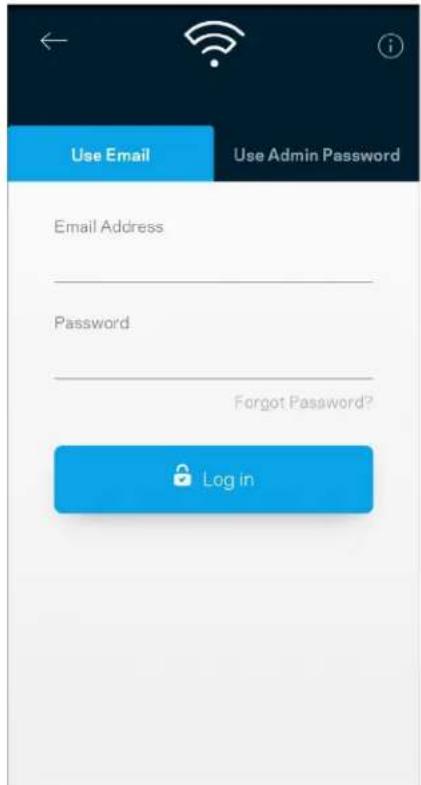
Use Email Use Admin Password Email Address Password Forgot Password? Log in

Dashboard My Home Wi-Fi is Online Internet 4 Devices Wi-Fi My Home Wi-Fi Guest Access My Home Wi-Fi Guest Parental Controls Justin's Laptop Blocked Manually Device Prioritization John's Laptop Mika's Phone Office Computer

Dispositivi

Belkin 10:19 AM 100% Devices Connected Devices (5) Downstairs TV MyHomeWiFi Game Console Connected via ethernet Jon's Phone MyHomeWiFi Mika's Laptop MyHomeWiFi Thermostat MyHomeWiFi Guest Devices (3) Michelle's Phone MyGuestWiFi Offline Devices (5)

Wi-Fi Settings Hi-Fi name My Home Wi-Fi Wi-Fi Password Advanced Settings Connect a Device with WPS

Channel Finder Channel Finder will scan your environment for the Wi-Fi channels that will give you the best performance. We will turn off your Wi-Fi for up to three minutes while we do this. Scan Channels

Accesso ospite

Guest Access Guest Access Wi-Fi Name My Home Wi-Fi_guest Wi-Fi Password

External Storage Office Eject SD 13.04 GB used 59.61 GB IP address for SMB access: 10.101.1.1 Authentication > Network File Sharing (SMB) Devices on your network can access connected storage. For PC's, enter \ plus the IP address for the storage drive you want to access into Windows Explorer. (Example: \192.168.1.100) For Macs, open Finder and navigate to Go > Connect to Server. Enter smb // plus the IP address for the storage drive you want to access. (Example: smb://192.168.1.100) When authentication is not enabled, you'll need to log in as a guest for SMB access. Mobile devices require an app to access external storage drives. Search for "smb manager" in the Google Play store or the Apple App Store. Learn more about External Storage

Test della velocità

Speed Check Ping 19 ms 101 | 121 ↓ Mbps ↑ Mbps Download Upload Results At this speed, you can stream HD videos, hold video conferences, and play online games on multiple devices at the same time. Test again SPEEDTEST powered

Parental Controls Create schedules to pause internet access, or block specific websites, so you can keep your kids offline and on task. Control a Device Learn more about Parental Controls

Device Prioritization Add up to 3 devices to prioritize. Devices not on this list will share what's left of your internet capacity. Add a device

Notifiche

Belkin 10:19 AM 100% Notifications Get notifications when: Any of your nodes are offline

Velop Administration Living Room Change Admin Password and Hint Automatic Firmware Update Firmware Version 1.0.4.187471 Up to date Diagnostic Information To help contribute to future improvements, automatically report errors and diagnostics to Linksys. Manually Report an Issue Report Model Number Velop391740 Serial Number 16R1060350080 IP Details Restart Velop Learn more about Velop Administration

Internet Settings Save Connection Type > Automatic Configuration - DHCP Additional Settings > Learn more

Impostazioni porta

Belkin 9:41 AM 100% Port Settings Single Port Forwarding > Port Range Forwarding > Port Range Triggering >

Filtri MAC Wi-Fi

Wi-Fi MAC Filters Edit Wi-Fi MAC Filter Status Allow Access Filtered Devices Daniel's Laptop 00:16:41 34:20 A Unknown device 00:16:41 34:20 A

Il mio account

My Account Email Jakefarm@email.com Password First Name Jake Last Name Farm Newsletter Be the first to know about exclusive deals & news Log Out Close Account

Feedback

Guida

Dashboard Devices Wi-Fi Settings Guest Access External Storage Speed Check Parental Controls Device Prioritization Velop Administration Advanced Settings Feedback Help Log Out Set Up a New Product MyHomeWiFi

Use Email Use Admin Password Email Address Password Forgot Password? Log in

Dashboard My Home Wi-Fi is Online Internet 4 Devices Wi-Fi My Home Wi-Fi Guest Access My Home Wi-Fi Guest Parental Controls Justin's Laptop Blocked Manually Device Prioritization John's Laptop Mika's Phone Office Computer

デバイス

Belkin 10:19 AM 100% Devices Connected Devices (5) Downstairs TV MyHomeWiFi Game Console Connected via ethernet Jon's Phone MyHomeWiFi Mika's Laptop MyHomeWiFi Thermostat MyHomeWiFi Guest Devices (3) Michelle's Phone MyGuestWiFi Offline Devices (5)

デバイスの詳細を表示または変更するには

Wi-Fi Settings Save Wi-Fi name My Home Wi-Fi Wi-Fi Password Advanced Settings > Connect a Device with WPS >

詳細設定

デバイスを WPS に接続

ゲスト アクセス

Guest Access Guest Access Wi-Fi Name: My Home Wi-Fi_guest Wi-FiPassword

外部保存スペース

External Storage Office Eject SD 13.04 GB used 59.61 GB IP address for SMB access: 10.101.1.1 Authentication Network File Sharing (SMB) Devices on your network can access connected storage. For PC's, enter \ plus the IP address for the storage drive you want to access into Windows Explorer. (Example: \192.168.1 100) For Macs, open Finder and navigate to Go > Connect to Server. Enter smb// plus the IP address for the storage drive you want to access. (Example: smb://192.168.1 100) When authentication is not enabled, you'll need to log in as a guest for SMB access. Mobile devices require an app to access external storage drives. Search for "smb manager" in the Google Play store or the Apple App Store. Learn more about External Storage

スピードテスト

Speed Check Ping 19 ms 101 | 121 ↓ Mbps ↑ Mbps Download Upload Results At this speed, you can stream HD videos, hold video conferences, and play online games on multiple devices at the same time. Test again SPEEDTEST powered

Parental Controls Create schedules to pause internet access, or block specific websites, so you can keep your kids offline and on task. Control a Device Learn more about Parental Controls

デバイスの優先順位付け

Device Prioritization Add up to 3 devices to prioritize. Devices not on this list will share what's left of your internet capacity. Add a device

通知

Balkin 10:19 AM 100% Notifications Get notifications when: Any of your nodes are offline

Velop の管理

Velop Administration Living Room Change Admin Password and Hint Automatic Firmware Update Firmware Version 1.0.4.167471 Up to date Diagnostic Information To help contribute to future improvements, automatically report errors and diagnostics to Linksys Manually Report an Issue Report Model Number Velop391740 Serial Number 16R1060350080 IP Details Restart Velop Learn more about Velop Administration

Internet Settings Save Connection Type Automatic Computation - DHCP Additional Settings Learn more

ポート設定

Bakun 9:41 AM 100% Port Settings Single Port Forwarding > Port Range Forwarding > Port Range Triggering >

Wi-Fi MAC フィルター

Wi-Fi MAC Filters Edit Wi-Fi MAC Filter Status Allow Access Filtered Devices Daniel's Laptop 00.16.41.34.2C.A Unknown device 00.16.41.34.2C.A

マイ アカウント

My Account Email Jakefarm@email.com Password First Name: Jake Last Name: Farm Newsletter Be the first to know about exclusive deals & news. Log Out Close Account

フィードバック

ヘルプ

Velop に直接接続

Dashboard Devices Wi-Fi Settings Guest Access External Storage Speed Check Parental Controls Device Prioritization Velop Administration Advanced Settings Feedback Help Log Out Set Up a New Product MyHomeWiFi

Velop 管理者アカウント

ファクトリ既定値に復元するには

Use Email Use Admin Password Email Address Password Forgot Password? Log in

Dashboard My Home Wi-Fi is Online Internet 4 Devices Wi-Fi My Home Wi-Fi Guest Access My Home Wi-Fi_Guest Parental Controls Justin's Laptop Blocked Manually Device Prioritization External Storage Office Eject SD 13.04 GB used 59.61 GB IP address for SMB access: 10.101 1.1

장치

Belkin 10:19 AM 100% Devices Connected Devices (5) Downstairs TV MyHomeWiFi Game Console Connected via ethernet Jon's Phone MyHomeWiFi Mika's Laptop MyHomeWiFi Thermostat MyHomeWiFi Guest Devices (3) Michelle's Phone MyGuestWiFi Offline Devices (5)

Wi-Fi Settings Hi-Fi name My Home Wi-Fi Wi-Fi Password Advanced Settings > Connect a Device with WPS >

고급 설정

Channel Finder Channel Finder will scan your environment for the Wi-Fi channels that will give you the best performance. We will turn off your Wi-Fi for up to three minutes while we do this. Scan Channels

WPS와장치연결

게스트 액세스

Guest Access Guest Access Wi-Fi Name My Home Wi-Fi_guest Wi-Fi Password

외부 저장 장치

External Storage Office Eject ▲ SD 13.04 GB used 59.61 GB IP address for SMB access: 10.101.1.1 Authentication > Network File Sharing (SMB) Devices on your network can access connected storage. For PC's, enter \ plus the IP address for the storage drive you want to access into Windows Explorer. (Example \192.168.1.100) For Macs, open Finder and navigate to Go > Connect to Server. Enter smb// plus the IP address for the storage drive you want to access. (Example: smb//192.168.1.100) When authentication is not enabled, you'll need to log in as a guest for SMB access. Mobile devices require an app to access external storage drives. Search for "smb manager" in the Google Play store or the Apple App Store. Learn more about External Storage

속도 점검

Speed Check Ping 19 ms 101 121 ↓ Mbps ↑ Mbps Download Upload Results At this speed, you can stream HD videos, hold video conferences, and play online games on multiple devices at the same time. Test again SPEEDTEST powered

Parental Controls Create schedules to pause internet access, or block specific websites, so you can keep your kids offline and on task. Control a Device Learn more about Parental Controls

장치 우선 순위 지정

Device Prioritization Add up to 3 devices to prioritize. Devices not on this list will share what's left of your internet capacity. Add a device

알림

Belkin 10:19 AM 100% Notifications Get notifications when: Any of your nodes are offline

Velop 관리

Velop Administration Living Room Change Admin Password and Hint Automatic Firmware Update Firmware Version 1.0.4.167471 Up to date Diagnostic Information To help contribute to future improvements, automatically report errors and diagnostics to Linksys Manually Report an Issue Report Model Number Velop391740 Serial Number 16R1060350080 IP Details Restart Velop Learn more about Velop Administration

8:41 AM 9:41 AM 100% Internet Settings Save Connection Type > Automatic Computation - DHCP Additional Settings > Learn more

포트 설정

Bekin 9:41 AM 100% Port Settings Single Port Forwarding > Port Range Forwarding > Port Range Triggering >

Wi-Fi MAC 필터

Wi-Fi MAC Filters Edit Wi-Fi MAC Filter Status Allow Access Filtered Devices Daniel's Laptop 00.16.41:34.2C.A Unknown device 00.16.41:34.2C.A

내 계정

My Account Email Jakefarm@email.com Password First Name Jake Last Name Farm Newsletter Be the first to know about exclusive deals & news. Log Out Close Account

피드백

도움말

Velop 에 직접 연결

Dashboard Devices Wi-Fi Settings Guest Access External Storage Speed Check Parental Controls Device Prioritization Velop Administration Advanced Settings Feedback Help Log Out Set Up a New Product MyHomeWiFi

Velop 관리자 암호

출하시 기본값을 복구하는 방법

Use Email Use Admin Password Email Address Password Forgot Password? Log in

Dashboard My Home Wi-Fi is Online Internet 4 Devices Wi-Fi My Home Wi-Fi Guest Access My Home Wi-Fi_Guest Parental Controls Justin's Laptop Blocked Manually Device Prioritization John's Laptop Mika's Phone Office Computer

Irenginiai

Belkin 10:19 AM 100% Devices Connected Devices (5) Downstairs TV MyHomeWiFi Game Console Connected via ethernet Jon's Phone MyHomeWiFi Mika's Laptop MyHomeWiFi Thermostat MyHomeWiFi Guest Devices (3) Michelle's Phone MyGuestWiFi Offline Devices (5)

Wi-Fi Settings Wi-Fi name My Home Wi-Fi Wi-Fi Password Advanced Settings Connect a Device with WPS

Channel Finder Channel Finder will scan your environment for the Wi-Fi channels that will give you the best performance. We will turn off your Wi-Fi for up to three minutes while we do this. Scan Channels

Jrenginio prijungimas naudojant WPS

Svečio prieiga
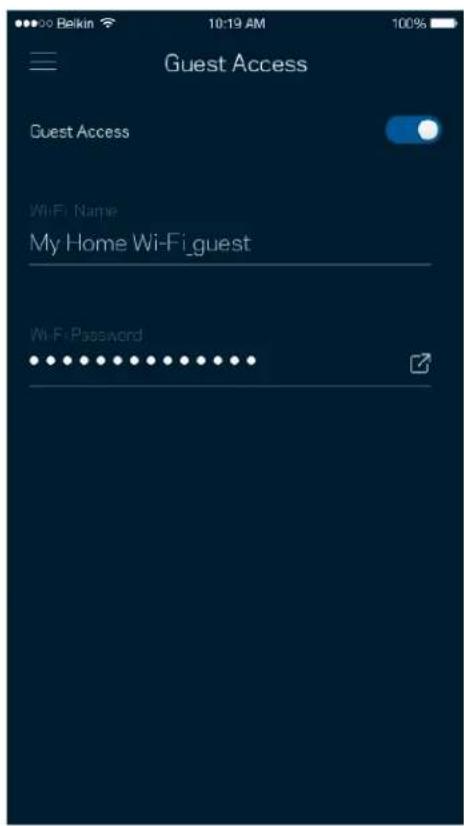
Guest Access Guest Access Wi-Fi Name My Home Wi-Fi_guest Wi-Fi Password

Išorinė saugykla

External Storage Office Eject SD 13.04 GB used 59.61 GB IP address for SMB access: 10.101.1.1 Authentication > Network File Sharing (SMB) Devices on your network can access connected storage. For PC's, enter \\ plus the IP address for the storage drive you want to access into Windows Explorer. (Example: \\192.168.1.100) For Macs, open Finder and navigate to Go > Connect to Server. Enter smb// plus the IP address for the storage drive you want to access. (Example: smb://192.168.1.100) When authentication is not enabled, you'll need to log in as a guest for SMB access. Mobile devices require an app to access external storage drives. Search for "smb manager" in the Google Play store or the Apple App Store. Learn more about External Storage

Greičio patikra

Speed Check Ping 19 ms 101 | 121 ↓ Mbps ↑ Mbps Download Upload Results At this speed, you can stream HD videos, hold video conferences, and play online games on multiple devices at the same time. Test again SPEEDTEST powered™

Parental Controls Create schedules to pause internet access, or block specific websites, so you can keep your kids offline and on task. Control a Device Learn more about Parental Controls

Device Prioritization Add up to 3 devices to prioritize. Devices not on this list will share what's left of your internet capacity. Add a device

Pranešimai

Belkin 10:19 AM 100% Notifications Get notifications when: Any of your nodes are offline

Velop Administration Living Room Change Admin Password and Hint Automatic Firmware Update Firmware Version 1.0.4.167471 Up to date Diagnostic Information To help contribute to future improvements, automatically report errors and diagnostics to Linksys. Manually Report an Issue Report Model Number Velop391740 Serial Number 16R1060350080 IP Details Restart Velop Learn more about Velop Administration

Bekin 9:41 AM 100% Internet Settings Save Connection Type > Automatic Configuration - DHCP Additional Settings > Learn more

Prievado nuostatos

Port Settings Single Port Forwarding > Port Range Forwarding > Port Range Triggering >

„Wi-Fi“ MAC filtrai

Wi-Fi MAC Filters Edit Wi-Fi MAC Filter Status Allow Access Filtered Devices Daniel's Laptop 00:16:41 34:20 A Unknown device 00:16:41 34:20 A

Mano paskyra

My Account Email Jakefarm@email.com Password First Name Jake Last Name Farm Newsletter Be the first to know about exclusive deals & news. Log Out Close Account

Atsiliepimai

Pagalba

Dashboard Devices Wi-Fi Settings Guest Access External Storage Speed Check Parental Controls Device Prioritization Velop Administration Advanced Settings Feedback Help Log Out Set Up a New Product MyHomeWiFi

Use Email Use Admin Password Email Address Password Forgot Password? Log in

Dashboard My Home Wi-Fi is Online Internet 4 Devices Wi-Fi My Home Wi-Fi Guest Access My Home Wi-Fi Guest Parental Controls Justin's Laptop Blocked Manually Device Prioritization External Storage Office Eject SD 13.04 GB used 59.61 GB IP address for SMB access: 10.101.1.1

lerices

Belkin 10:19 AM 100% Devices Connected Devices (5) Downstairs TV MyHomeWiFi Game Console Connected via ethernet Jon's Phone MyHomeWiFi Mika's Laptop MyHomeWiFi Thermostat MyHomeWiFi Guest Devices (3) Michelle's Phone MyGuestWiFi Offline Devices (5)

Wi-Fi Settings Wi-Fi name My Home Wi-Fi Wi-Fi Password Advanced Settings Connect a Device with WPS

İpaši iestatījumi

Channel Finder Channel Finder will scan your environment for the Wi-Fi channels that will give you the best performance. We will turn off your Wi-Fi for up to three minutes while we do this. Scan Channels

Guest Access Guest Access Wi-Fi Name My Home Wi-Fi_guest Wi-Fi Password

Ārējā krātuve

External Storage Office Eject ▲ SD 13.04 GB used 59.61 GB IP address for SMB access: 10.101.1.1 Authentication > Network File Sharing (SMB) Devices on your network can access connected storage. For PC's, enter \ plus the IP address for the storage drive you want to access into Windows Explorer. (Example: \192.168.1.100) For Maca, open Finder and navigate to Go > Connect to Server. Enter smb:// plus the IP address for the storage drive you want to access. (Example: smb://192.168.1.100) When authentication is not enabled, you'll need to log in as a guest for SMB access. Mobile devices require an app to access external storage drives. Search for "smb manager" in the Google Play store or the Apple App Store. Learn more about External Storage

Ätruma pärbaude

Speed Check Ping 19 ms 101 121 ↓ Mbps ↑ Mbps Download Upload Results At this speed, you can stream HD videos, hold video conferences, and play online games on multiple devices at the same time. Test again SPEEDTEST powered

Parental Controls Create schedules to pause internet access, or block specific websites, so you can keep your kids offline and on task. Control a Device Learn more about Parental Controls

Device Prioritization Add up to 3 devices to prioritize. Devices not on this list will share what's left of your internet capacity. Add a device

Paziņojumi

Belkin 10:19 AM 100% Notifications Get notifications when: Any of your nodes are offline

Velop pārvaldība

Velop Administration Living Room Change Admin Password and Hint Automatic Firmware Update Firmware Version 1.0.4.167471 Up to date Diagnostic Information To help contribute to future improvements, automatically report errors and diagnostics to Linksys. Manually Report an Issue Report Model Number Velop391740 Serial Number 16R1060350080 IP Details Restart Velop Learn more about Velop Administration

Bellin 9:41 AM 100% Internet Settings Save Connection Type Automatic Configuration - DHCP Additional Settings Learn more

Port Settings Single Port Forwarding > Port Range Forwarding > Port Range Triggering >

Wi-Fi MAC filtri

Wi-Fi MAC Filters Edit Wi-Fi MAC Filter Status Allow Access Filtered Devices Daniel's Laptop 00:16:41 34:20 A Unknown device 00:16:41 34:20 A

Mans konts

My Account Email Jakefarm@email.com Password First Name Jake Last Name Farm Newsletter Be the first to know about exclusive deals & news Log Out Close Account

Atsauksmes

Palīdzība

Dashboard Devices Wi-Fi Settings Guest Access External Storage Speed Check Parental Controls Device Prioritization Velop Administration Advanced Settings Feedback Help Log Out Set Up a New Product MyHomeWiFi

Velop administratora parole

Device Prioritization (Apparaatprioritering) 20

Notifications (Meldingen) 21

Velop-beheer 22
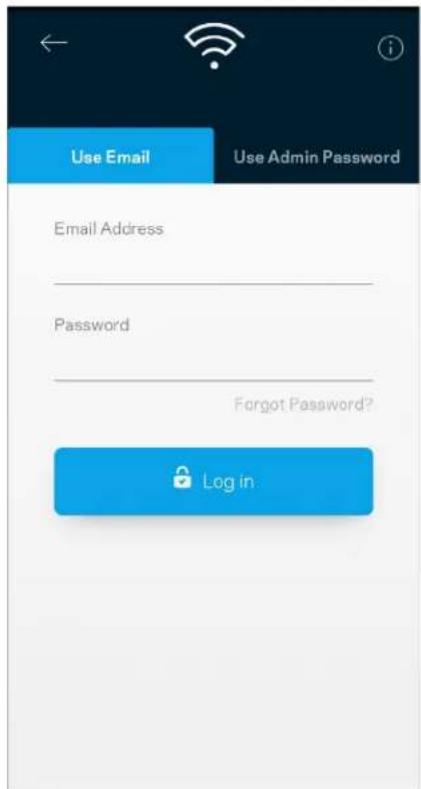
Use Email Use Admin Password Email Address Password Forgot Password? Log in

Dashboard My Home Wi-Fi is Online Internet 4 Devices Wi-Fi My Home Wi-Fi Guest Access My Home Wi-Fi_Guest Parental Controls Justin's Laptop Blocked Manually Device Prioritization External Storage Office Eject SD 13.04 GB used 59.61 GB IP address for SMB access: 10.101.1.1

Devices (Apparaten)

Belkin 10:19 AM 100% Devices Connected Devices (5) Downstairs TV MyHomeWiFi Game Console Connected via ethernet Jon's Phone MyHomeWiFi Mika's Laptop MyHomeWiFi Thermostat MyHomeWiFi Guest Devices (3) Michelle's Phone MyGuestWiFi Offline Devices (5)

Wi-Fi Settings Save Wi-Fi name My Home Wi-Fi Wi-Fi Password Advanced Settings > Connect a Device with WPS >

Channel Finder Channel Finder will scan your environment for the Wi-Fi channels that will give you the best performance. We will turn off your Wi-Fi for up to three minutes while we do this. Scan Channels

Guest Access (Gasttoegang)

Guest Access Guest Access Wi-Fi Name My Home Wi-Fi_guest Wi-Fi Password

Externe opslag (External Storage)

External Storage Office Eject SD 13.04 GB used 59.61 GB IP address for SMB access: 10.101.1.1 Authentication Network File Sharing (SMB) Devices on your network can access connected storage. For PC's, enter \ plus the IP address for the storage drive you want to access into Windows Explorer (Example: \192.168.1.100) For Macs, open Finder and navigate to Go > Connect to Server. Enter smb // plus the IP address for the storage drive you want to access. (Example: smb://192.168.1.100) When authentication is not enabled, you'll need to log in as a guest for SMB access. Mobile devices require an app to access external storage drives. Search for "smb manager" in the Google Play store or the Apple App Store. Learn more about External Storage

Speed Check (Snelheidscontrole)

Speed Check Ping 19 ms 101 | 121 ↓ Mbps ↑ Mbps Download Upload Results At this speed, you can stream HD videos, hold video conferences, and play online games on multiple devices at the same time. Test again SPEEDTEST powered™

Parental Controls Create schedules to pause internet access, or block specific websites, so you can keep your kids offline and on task. Control a Device Learn more about Parental Controls

Device Prioritization (Apparaatprioritering)
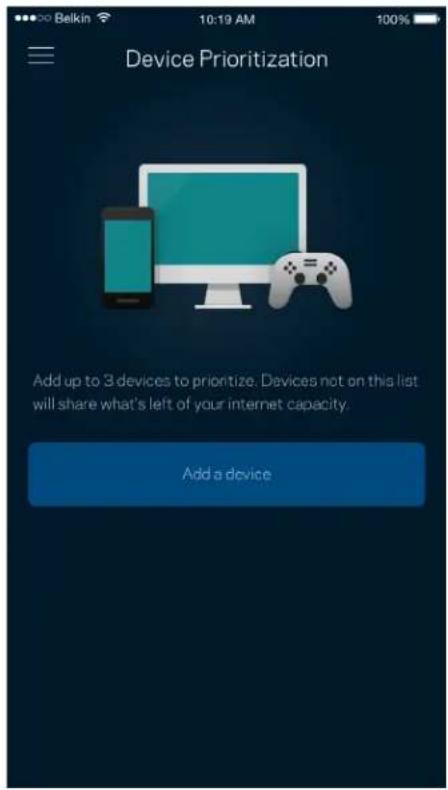
Device Prioritization Add up to 3 devices to prioritize. Devices not on this list will share what's left of your internet capacity. Add a device

Notifications (Meldingen)

Belkin 10:19 AM 100% Notifications Get notifications when: Any of your nodes are offline

Velop-beheer

Velop Administration Living Room Change Admin Password and Hint Automatic Firmware Update Firmware Version 1.0.4.167471 Up to date Diagnostic Information To help contribute to future improvements, automatically report errors and diagnostics to Linksys Manually Report an issue Report Model Number Velop391740 Serial Number 16R1060350080 IP Details Restart Velop Learn more about Velop Administration

Bekin 9:41 AM 100% Internet Settings Save Connection Type Automatic Configuration-SHOP Additional Settings Learn more

Port Settings (Poortinstellingen)

Beklon 9:41 AM 100% Port Settings Single Port Forwarding > Port Range Forwarding > Port Range Triggering >

WiFi MAC-filters

Wi-Fi MAC Filters Edit Wi-Fi MAC Filter Status Allow Access Filtered Devices Daniel's Laptop 00:16:41:34:20A Unknown device 00:16:41:34:20A

My Account Email Jakefarm@email.com Password First Name Jake Last Name Farm Newsletter Be the first to know about exclusive deals & news Log Out Close Account

Help

Feedback

Dashboard Devices Wi-Fi Settings Guest Access External Storage Speed Check Parental Controls Device Prioritization Velop Administration Advanced Settings Feedback Help Log Out Set Up a New Product MyHomeWiFi

Fabrieksinstellingen terugzetten

Certificering FCC, IC, CE, Wi-Fi (IEEE 802.11a/b/g/n/ac, concept 802.11ax)

Velop-systeminnstillinger 9

Logg inn på Linksys-appen 9

Dashbord 10

Enheter 11

Velop-systeminnstillinger
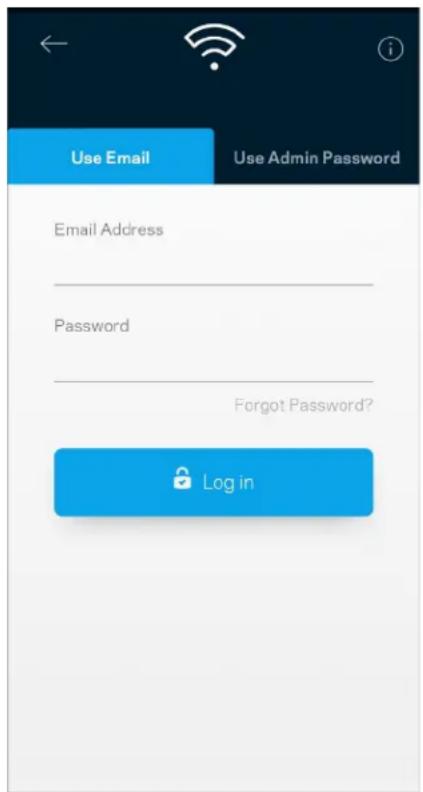
Use Email Use Admin Password Email Address Password Forgot Password? Log in

  1. Skriv inn e-postadressen du brukte när du opprettet kontoen.
  2. Skriv inn kontopassordet ditt.
  3. Trykk på Logg inn.

Dashbord

Dashboard My Home Wi-Fi is Online Internet 4 Devices Wi-Fi My Home Wi-Fi Guest Access My Home Wi-Fi, Guest Parental Controls Justin's Laptop Blocked Manually Device Prioritization External Storage Office Eject SD 13.04 GB used 59.61 GB IP address for SMB access: 10.101.1.1

Enheter

Belkin 10:19 AM 100% Devices Connected Devices (5) Downstairs TV MyHomeWiFi Game Console Connected via ethernet Jon's Phone MyHomeWiFi Mika's Laptop MyHomeWiFi Thermostat MyHomeWiFi Guest Devices (3) Michelle's Phone MyGuestWiFi Offline Devices (5)

Wi-Fi Settings Save Wi-Fi name My Home Wi-Fi Wi-Fi Password Advanced Settings > Connect a Device with WPS >

Avanserte innstillinger

Channel Finder Channel Finder will scan your environment for the Wi-Fi channels that will give you the best performance. We will turn off your Wi-Fi for up to three minutes while we do this. Scan Channels

Gjestetilgang

Guest Access Guest Access Wi-Fi Name My Home Wi-Fi_guest Wi-FiPassword

Ekstern lagring

External Storage Office Eject ▲ SD 13.04 GB used 59.61 GB IP address for SMB access: 10.101.1.1 Authentication > Network File Sharing (SMB) Devices on your network can access connected storage. For PC's, enter \ plus the IP address for the storage drive you want to access into Windows Explorer. (Example: \192.168.1 100) For Macs, open Finder and navigate to Go > Connect to Server. Enter smb:// plus the IP address for the storage drive you want to access. (Example: smb://192.168.1 100) When authentication is not enabled, you'll need to log in as a guest for SMB access. Mobile devices require an app to access external storage drives. Search for "amb manager" in the Google Play store or the Apple App Store. Learn more about External Storage

Hastighetssjekk

Speed Check Ping 19 ms 101 121 ↓ Mbps ↑ Mbps Download Upload Results At this speed, you can stream HD videos, hold video conferences, and play online games on multiple devices at the same time. Test again SPEEDTEST powered

Parental Controls Create schedules to pause internet access, or block specific websites, so you can keep your kids offline and on task. Control a Device Learn more about Parental Controls

Enhetsprioritering

Device Prioritization Add up to 3 devices to prioritize. Devices not on this list will share what's left of your internet capacity. Add a device

Varslinger

Belkin 10:19 AM 100% Notifications Get notifications when: Any of your nodes are offline

Velop Administration Living Room Change Admin Password and Hint Automatic Firmware Update Firmware Version 1.0.4.167471 Up to date Diagnostic Information To help contribute to future improvements, automatically report errors and diagnostics to Linksys Manually Report an Issue Report Model Number: Velop391740 Serial Number: 16R1060350080 IP Details Restart Velop Learn more about Velop Administration

Bekkin 9:41 AM 100% Internet Settings Save Connection Type > Automatic Configuration - DHCP Additional Settings > Learn more

Portinnstillinger

Bekin 9:41 AM 100% Port Settings Single Port Forwarding > Port Range Forwarding > Port Range Triggering >

Wi-Fi MAC-filtre

Wi-Fi MAC Filters Edit Wi-Fi MAC Filter Status Allow Access Filtered Devices Daniel's Laptop 00:16:41 34:20 A Unknown device 00:16:41 34:20 A

Min konto

My Account Email Jakefarm@email.com Password First Name Jake Last Name Farm Newsletter Be the first to know about exclusive deals & news. Log Out Close Account

Tilbakemelding

Hjelp

Dashboard Devices Wi-Fi Settings Guest Access External Storage Speed Check Parental Controls Device Prioritization Velop Administration Advanced Settings Feedback Help Log Out Set Up a New Product MyHomeWiFi

Velop-administratorpassord

Use Email Use Admin Password Email Address Password Forgot Password? Log in

Dashboard My Home Wi-Fi is Online Internet 4 Devices Wi-Fi My Home Wi-Fi Guest Access My Home Wi-Fi_Guest Parental Controls Justin's Laptop Blocked Manually Device Prioritization External Storage Office Eject SD 13.04 GB used 59.61 GB IP address for SMB access: 10.101.1.1

Urządzenia

Belkin 10:19 AM 100% Devices Connected Devices (5) Downstairs TV MyHomeWiFi Game Console Connected via ethernet Jon's Phone MyHomeWiFi Mika's Laptop MyHomeWiFi Thermostat MyHomeWiFi Guest Devices (3) Michelle's Phone MyGuestWiFi Offline Devices (5)

Wi-Fi Settings Hi-Fi name My Home Wi-Fi Wi-Fi Password Advanced Settings Connect a Device with WPS

Channel Finder Channel Finder will scan your environment for the Wi-Fi channels that will give you the best performance. We will turn off your Wi-Fi for up to three minutes while we do this. Scan Channels

Guest Access Guest Access Wi-Fi Name My Home Wi-Fi_guest Wi-Fi Password

External Storage Office Eject ▲ SD 13.04 GB used 59.61 GB IP address for SMB access: 10.101.1.1 Authentication > Network File Sharing (SMB) Devices on your network can access connected storage. For PC's, enter \ plus the IP address for the storage drive you want to access into Windows Explorer. (Example: \192.168.1.100) For Maca, open Finder and navigate to Go > Connect to Server. Enter smb:// plus the IP address for the storage drive you want to access. (Example: smb://192.168.1.100) When authentication is not enabled, you'll need to log in as a guest for SMB access. Mobile devices require an app to access external storage drives. Search for "smb manager" in the Google Play store or the Apple App Store. Learn more about External Storage

Speed Check Ping 19 ms 101 | 121 ↓ Mbps ↑ Mbps Download Upload Results At this speed, you can stream HD videos, hold video conferences, and play online games on multiple devices at the same time. Test again SPEEDTEST powered™

Parental Controls Create schedules to pause internet access, or block specific websites, so you can keep your kids offline and on task. Control a Device Learn more about Parental Controls

Device Prioritization Add up to 3 devices to prioritize. Devices not on this list will share what's left of your internet capacity. Add a device

Powiadomienia

Belkin 10:19 AM 100% Notifications Get notifications when: Any of your nodes are offline

Velop Administration Living Room Change Admin Password and Hint Automatic Firmware Update Firmware Version 1.0.4.167471 Up to date Diagnostic Information To help contribute to future improvements, automatically report errors and diagnostics to Linksys Manually Report an issue Report Model Number Velop391740 Serial Number 16R1060350080 IP Details Restart Velop Learn more about Velop Administration

Bekin 9:41 AM 100% Internet Settings Save Connection Type Automatic Configuration - DHCP Additional Settings Learn more

Ustawienia portu

Port Settings Single Port Forwarding > Port Range Forwarding > Port Range Triggering >

Wi-Fi MAC Filters Edit Wi-Fi MAC Filter Status Allow Access Filtered Devices Daniel's Laptop 00:16:41:34:2CA Unknown device 00:16:41:34:2CA

Moje konto

My Account Email Jakefarm@email.com Password First Name Jake Last Name Farm Newsletter Be the first to know about exclusive deals & news. Log Out Close Account

Opinie

Pomoc

Dashboard Devices Wi-Fi Settings Guest Access External Storage Speed Check Parental Controls Device Prioritization Velop Administration Advanced Settings Feedback Help Log Out Set Up a New Product MyHomeWiFi

Use Email Use Admin Password Email Address Password Forgot Password? Log in

Dashboard My Home Wi-Fi is Online Internet 4 Devices Wi-Fi My Home Wi-Fi Guest Access My Home Wi-Fi_Guest Parental Controls Justin's Laptop Blocked Manually Device Prioritization External Storage Office Eject SD 13.04 GB used 59.61 GB IP address for SMB access: 10.101.1.1

Dispositivos

Belkin 10:19 AM 100% Devices Connected Devices (5) Downstairs TV MyHomeWiFi Game Console Connected via ethernet Jon's Phone MyHomeWiFi Mika's Laptop MyHomeWiFi Thermostat MyHomeWiFi Guest Devices (3) Michelle's Phone MyGuestWiFi Offline Devices (5)

Wi-Fi Settings Hi-Fi name My Home Wi-Fi Wi-Fi Password Advanced Settings Connect a Device with WPS

Channel Finder Channel Finder will scan your environment for the Wi-Fi channels that will give you the best performance. We will turn off your Wi-Fi for up to three minutes while we do this. Scan Channels

Guest Access Guest Access Wi-Fi Name: My Home Wi-Fi_guest Wi-FiPassword

Armazenamento externo

External Storage Office Eject SD 13.04 GB used 59.61 GB IP address for SMB access: 10.101.1.1 Authentication > Network File Sharing (SMB) Devices on your network can access connected storage. For PC's, enter \ plus the IP address for the storage drive you want to access into Windows Explorer. (Example: \192.168.1.100) For Macs, open Finder and navigate to Go > Connect to Server. Enter smb// plus the IP address for the storage drive you want to access. (Example: smb://192.168.1.100) When authentication is not enabled, you'll need to log in as a guest for SMB access. Mobile devices require an app to access external storage drives. Search for "smb manager" in the Google Play store or the Apple App Store. Learn more about External Storage

Speed Check Ping 19 ms 101 | 121 ↓ Download ↑ Mbps ↑ Upload Results At this speed, you can stream HD videos, hold video conferences, and play online games on multiple devices at the same time. Test again SPEEDTEST powered

Parental Controls Create schedules to pause internet access, or block specific websites, so you can keep your kids offline and on task. Control a Device Learn more about Parental Controls

Device Prioritization Add up to 3 devices to prioritize. Devices not on this list will share what's left of your internet capacity. Add a device

Notificações

Belkin 10:19 AM 100% Notifications Get notifications when: Any of your nodes are offline

Administração Velop

Velop Administration Living Room Change Admin Password and Hint Automatic Firmware Update Firmware Version 1.0.4.187471 Up to date Diagnostic Information To help contribute to future improvements, automatically report errors and diagnostics to Linksys. Manually Report an Issue Report Model Number Velop391740 Serial Number 16R1060350080 IP Details Restart Velop Learn more about Velop Administration

Bekin 9:41 AM 100% Internet Settings Save Connection Type > Automatic Configuration - DHCP Additional Settings > Learn more

Belkin 9:41 AM 100% Port Settings Single Port Forwarding > Port Range Forwarding > Port Range Triggering >

Filtros MAC Wi-Fi

Wi-Fi MAC Filters Edit Wi-Fi MAC Filter Status Allow Access Filtered Devices Daniel's Laptop 00:16:41 34:20 A Unknown device 00:16:41 34:20 A

A minha conta

My Account Email Jakefarm@email.com Password First Name Jake Last Name Farm Newsletter Be the first to know about exclusive deals & news. Log Out Close Account

Comentários

Ajuda

Dashboard Devices Wi-Fi Settings Guest Access External Storage Speed Check Parental Controls Device Prioritization Velop Administration Advanced Settings Feedback Help Log Out Set Up a New Product MyHomeWiFi

Palavra-passe de administrador Velop
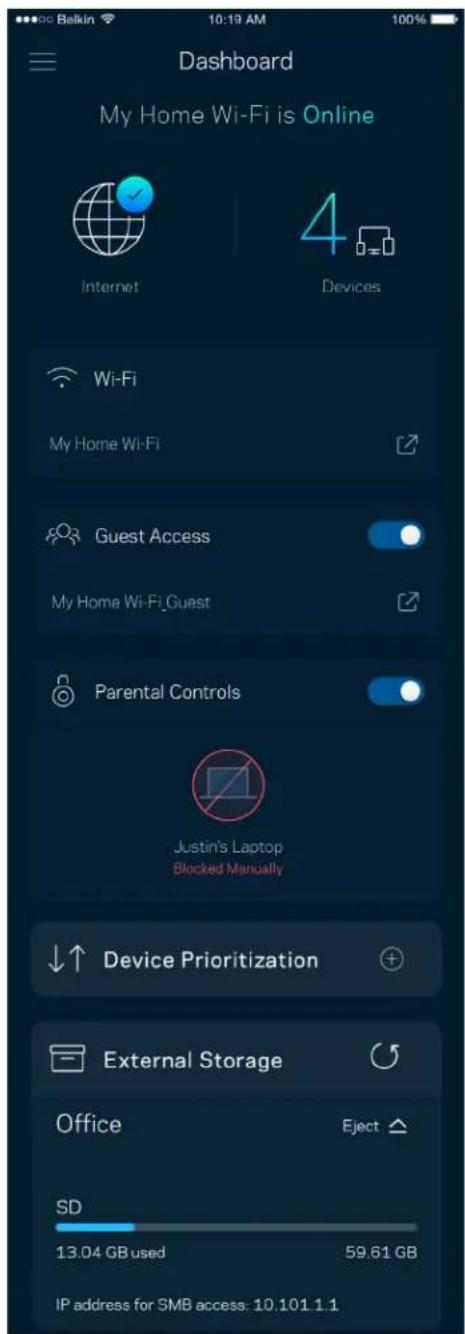
Use Email Use Admin Password Email Address Password Forgot Password? Log in

Dashboard My Home Wi-Fi is Online Internet 4 Devices Wi-Fi My Home Wi-Fi Guest Access My Home Wi-Fi_Guest Parental Controls Justin's Laptop Blocked Manually Device Prioritization External Storage Office Eject SD 13.04 GB used 59.61 GB IP address for SMB access: 10.101.1.1

Dispositivos

Belkin 10:19 AM 100% Devices Connected Devices (5) Downstairs TV MyHomeWiFi Game Console Connected via ethernet Jon's Phone MyHomeWiFi Mika's Laptop MyHomeWiFi Thermostat MyHomeWiFi Guest Devices (3) Michelle's Phone MyGuestWiFi Offline Devices (5)

Wi-Fi Settings Save Wi-Fi name My Home Wi-Fi Wi-Fi Password Advanced Settings > Connect a Device with WPS >

Channel Finder Channel Finder will scan your environment for the Wi-Fi channels that will give you the best performance. We will turn off your Wi-Fi for up to three minutes while we do this. Scan Channels

Guest Access Guest Access Wi-Fi Name My Home Wi-Fi_guest Wi-Fi Password

Armazenamento externo

External Storage Office Eject SD 13.04 GB used 59.61 GB IP address for SMB access: 10.101.1.1 Authentication > Network File Sharing (SMB) Devices on your network can access connected storage. For PC's, enter \ plus the IP address for the storage drive you want to access into Windows Explorer. (Example: \192.168.1.100) For Macs, open Finder and navigate to Go > Connect to Server. Enter smb // plus the IP address for the storage drive you want to access. (Example: smb://192.168.1.100) When authentication is not enabled, you'll need to log in as a guest for SMB access. Mobile devices require an app to access external storage drives. Search for "smb manager" in the Google Play store or the Apple App Store. Learn more about External Storage

Speed Check Ping 19 ms 101 | 121 ↓ Mbps ↑ Mbps Download Upload Results At this speed, you can stream HD videos, hold video conferences, and play online games on multiple devices at the same time. Test again SPEEDTEST powered

Parental Controls Create schedules to pause internet access, or block specific websites, so you can keep your kids offline and on task. Control a Device Learn more about Parental Controls

Device Prioritization Add up to 3 devices to prioritize. Devices not on this list will share what's left of your internet capacity. Add a device

Notificações

Belkin 10:19 AM 100% Notifications Get notifications when: Any of your nodes are offline

Velop Administration Living Room Change Admin Password and Hint Automatic Firmware Update Firmware Version 1.0.4.187471 Up to date Diagnostic Information To help contribute to future improvements, automatically report errors and diagnostics to Linksys. Manually Report an Issue Report Model Number Velop391740 Serial Number 16R1060350080 IP Details Restart Velop Learn more about Velop Administration

Bekin 9:41 AM 100% Internet Settings Save Connection Type Automatic Configuration - DHCP Additional Settings Learn more

Port Settings Single Port Forwarding > Port Range Forwarding > Port Range Triggering >

Filtros MAC do Wi-Fi

Wi-Fi MAC Filters Edit Wi-Fi MAC Filter Status Allow Access Filtered Devices Daniel's Laptop 00:16:41 34:20 A Unknown device 00:16:41 34:20 A

Minha conta

My Account Email Jakefarm@email.com Password First Name Jake Last Name Farm Newsletter Be the first to know about exclusive deals & news. Log Out Close Account

Opinião

Ajuda

Dashboard Devices Wi-Fi Settings Guest Access External Storage Speed Check Parental Controls Device Prioritization Velop Administration Advanced Settings Feedback Help Log Out Set Up a New Product MyHomeWiFi

Use Email Use Admin Password Email Address Password Forgot Password? Log in

Dashboard My Home Wi-Fi is Online Internet 4 Devices Wi-Fi My Home Wi-Fi Guest Access My Home Wi-Fi_Guest Parental Controls Justin's Laptop Blocked Manually Device Prioritization External Storage Office Eject SD 13.04 GB used 59.61 GB IP address for SMB access: 10.101.1.1

Dispositive

Devices Connected Devices (5) Downstairs TV MyHomeWiFi > Game Console Connected via ethernet > Jon's Phone MyHomeWiFi > Mika's Laptop MyHomeWiFi > Thermostat MyHomeWiFi > Guest Devices (3) Michelle's Phone MyGuestWiFi > Offline Devices (5)

Wi-Fi Settings Hi-Fi name My Home Wi-Fi Wi-Fi Password Advanced Settings > Connect a Device with WPS >

Setări avansate

Channel Finder Channel Finder will scan your environment for the Wi-Fi channels that will give you the best performance. We will turn off your Wi-Fi for up to three minutes while we do this. Scan Channels

Acces invitați

Guest Access Guest Access Wi-Fi Name My Home Wi-Fi_guest Wi-Fi Password

Stocare externă

External Storage Office Eject SD 13.04 GB used 59.61 GB IP address for SMB access: 10.101.1.1 Authentication Network File Sharing (SMB) Devices on your network can access connected storage. For PC's, enter \\ plus the IP address for the storage drive you want to access into Windows Explorer. (Example: \192.168.1.100) For Macs, open Finder and navigate to Go > Connect to Server. Enter smb:// plus the IP address for the storage drive you want to access. (Example: smb://192.168.1.100) When authentication is not enabled, you'll need to log in as a guest for SMB access. Mobile devices require an app to access external storage drives. Search for "smb manager" in the Google Play store or the Apple App Store. Learn more about External Storage

Verificare viteză

Speed Check Ping 19 ms 101 | 121 ↓ Mbps ↑ Mbps Download Upload Results At this speed, you can stream HD videos, hold video conferences, and play online games on multiple devices at the same time. Test again SPEEDTEST powered™

Parental Controls Create schedules to pause internet access, or block specific websites, so you can keep your kids offline and on task. Control a Device Learn more about Parental Controls

Device Prioritization Add up to 3 devices to prioritize. Devices not on this list will share what's left of your internet capacity. Add a device

Notificări

Belkin 10:19 AM 100% Notifications Get notifications when: Any of your nodes are offline

Administrare Velop

Velop Administration Living Room Change Admin Password and Hint Automatic Firmware Update Firmware Version 1.0.4.167471 Up to date Diagnostic Information To help contribute to future improvements automatically report errors and diagnostics to Linksys Manually Report an Issue Report Model Number Velop391740 Serial Number 16R1060350D80 IP Details Restart Velop Learn more about Velop Administration

Bekin 9:41 AM 100% Internet Settings Save Connection Type > Automatic Configuration - DHCP Additional Settings > Learn more

Setări port

Bekun 9:41 AM 100% Port Settings Single Port Forwarding > Port Range Forwarding > Port Range Triggering >

Filtre MAC Wi-Fi

Wi-Fi MAC Filters Edit Wi-Fi MAC Filter Status Allow Access Filtered Devices Daniel's Laptop 00:16:41:34:2C:A Unknown device 00:16:41:34:2C:A

Contul meu

My Account Email Jakefarm@email.com Password First Name Jake Last Name Farm Newsletter Be the first to know about exclusive deals & news. Log Out Close Account

Feedback

Ajutor

Dashboard Devices Wi-Fi Settings Guest Access External Storage Speed Check Parental Controls Device Prioritization Velop Administration Advanced Settings Feedback Help Log Out Set Up a New Product MyHomeWiFi

Parola de administrator Velop

Use Email Use Admin Password Email Address Password Forgot Password? Log in

Dashboard My Home Wi-Fi is Online Internet Devices Wi-Fi My Home Wi-Fi Guest Access My Home Wi-Fi Guest Parental Controls Justin's Laptop Blocked Manually Device Prioritization External Storage Office Eject SD 13.04 GB used 59.61 GB IP address for SMB access: 10.101.1.1

Устройства

Belkin 10:19 AM 100% Devices Connected Devices (5) Downstairs TV MyHomeWiFi Game Console Connected via ethernet Jon's Phone MyHomeWiFi Mika's Laptop MyHomeWiFi Thermostat MyHomeWiFi Guest Devices (3) Michelle's Phone MyGuestWiFi Offline Devices (5)

Wi-Fi Settings Wi-Fi name My Home Wi-Fi Wi-Fi Password Advanced Settings Connect a Device with WPS

Channel Finder Channel Finder will scan your environment for the Wi-Fi channels that will give you the best performance. We will turn off your Wi-Fi for up to three minutes while we do this. Scan Channels

Гостевой доступ

Guest Access Guest Access Wi-Fi Name My Home Wi-Fi_guest Wi-Fi Password

Внешнее хранилище

External Storage Office Eject ▲ SD 13.04 GB used 59.61 GB IP address for SMB access: 10.101.1.1 Authentication Network File Sharing (SMB) Devices on your network can access connected storage. For PCs, enter I plus the IP address for the storage drive you want to access into Windows Explorer. (Example \192.168 1.100) For Macs, open Finder and navigate to Go > Connect to Server- Enter smb // plus the IP address for the storage drive you want to access. (Example- smb //192.168 1.100) When authentication is not enabled, you'll need to log in as a guest for SMB access. Mobile devices require an app to access external storage drives. Search for "smb manager" in the Google Play store or the Apple App Store. Learn more about External Storage

Измерение скорости

Speed Check Ping 19 ms 101 | 121 ↓ Mbps ↑ Mbps Download Upload Results At this speed, you can stream HD videos, hold video conferences, and play online games on multiple devices at the same time. Test again SPEEDTEST powered™

Parental Controls Create schedules to pause internet access, or block specific websites, so you can keep your kids offline and on task. Control a Device Learn more about Parental Controls

Приоритет устройств

Device Prioritization Add up to 3 devices to prioritize. Devices not on this list will share what's left of your internet capacity. Add a device

Уведомления

Belkin 10:19 AM 100% Notifications Get notifications when: Any of your nodes are offline

Velop Administration Living Room Change Admin Password and Hint Automatic Firmware Update Firmware Version 1.0.4.167471 Up to date Diagnostic Information To help contribute to future improvements, automatically report errors and diagnostics to Linksys Manually Report an Issue Report Model Number Velop391740 Serial Number 16R1060350080 IP Details Restart Velop Learn more about Velop Administration

Belkin 9:41 AM 100% Internet Settings Save Connection Type > Automatic Configuration* DHCP Additional Settings > Learn more

Настройки портов

Belkin 9:41 AM 100% Port Settings Single Port Forwarding > Port Range Forwarding > Port Range Triggering >

Wi-Fi MAC Filters Edit Wi-Fi MAC Filter Status Allow Access Filtered Devices Daniel's Laptop 00:16:41:34:2C:A Unknown device 00:16:41:34:2C:A

Моя учетная запись

My Account Email Jakefarm@email.com Password First Name Jake Last Name Farm Newsletter Be the first to know about exclusive deals & news Log Out Close Account

Отзыв

Справка

Dashboard Devices Wi-Fi Settings Guest Access External Storage Speed Check Parental Controls Device Prioritization Velop Administration Advanced Settings Feedback Help Log Out Set Up a New Product MyHomeWiFi

Use Email Use Admin Password Email Address Password Forgot Password? Log in

Dashboard My Home Wi-Fi is Online Internet Devices Wi-Fi My Home Wi-Fi Guest Access My Home Wi-Fi_Guest Parental Controls Justin's Laptop Blocked Manually Device Prioritization External Storage Office Eject SD 13.04 GB used 59.61 GB IP address for SMB access: 10.101.1.1

设备

Belkin 10:19 AM 100% Devices Connected Devices (5) Downstairs TV MyHomeWiFi Game Console Connected via ethernet Jon's Phone MyHomeWiFi Mika's Laptop MyHomeWiFi Thermostat MyHomeWiFi Guest Devices (3) Michelle's Phone MyGuestWiFi Offline Devices (5)

查看或更改设备详情

Wi-Fi Settings Hi-Fi name My Home Wi-Fi Wi-Fi Password Advanced Settings Connect a Device with WPS

高级设置

Channel Finder Channel Finder will scan your environment for the Wi-Fi channels that will give you the best performance. We will turn off your Wi-Fi for up to three minutes while we do this. Scan Channels

使用 WPS 连接设备

来宾访问

Guest Access Guest Access Wi-Fi Name My Home Wi-Fi_guest Wi-Fi Password

外部存储器

External Storage Office Eject ▲ SD 13.04 GB used 59.61 GB IP address for SMB access: 10.101.1.1 Authentication > Network File Sharing (SMB) Devices on your network can access connected storage. For PC's, enter \\ plus the IP address for the storage drive you want to access into Windows Explorer. (Example: \192.168.1.100) For Macs, open Finder and navigate to Go > Connect to Server. Enter smb://plus the IP address for the storage drive you want to access. (Example: smb://192.168.1.100) When authentication is not enabled, you'll need to log in as a guest for SMB access. Mobile devices require an app to access external storage drives. Search for "smb manager" in the Google Play store or the Apple App Store. Learn more about External Storage

速度测试

Speed Check Ping 19 ms 101 | 121 ↓ Mbps ↑ Mbps Download Upload Results At this speed, you can stream HD videos, hold video conferences, and play online games on multiple devices at the same time. Test again SPEEDTEST powered

Parental Controls Create schedules to pause internet access, or block specific websites, so you can keep your kids offline and on task. Control a Device Learn more about Parental Controls

设备优先级设置

Device Prioritization Add up to 3 devices to prioritize. Devices not on this list will share what's left of your internet capacity. Add a device

通知

Belkin 10:19 AM 100% Notifications Get notifications when: Any of your nodes are offline

Velop管理

Velop Administration Living Room Change Admin Password and Hint Automatic Firmware Update Firmware Version 1.0.4.167471 Up to date Diagnostic Information To help contribute to future improvements, automatically report errors and diagnostics to Linksys Manually Report an Issue Report Model Number Velop391740 Serial Number 16R1060350080 IP Details Restart Velop Learn more about Velop Administration

Bakun 9:41 AM 100% Internet Settings Save Connection Type > Automatic Configuration DHCP Additional Settings > Learn more

端口设置

Bakin 9:41 AM 100% Port Settings Single Port Forwarding > Port Range Forwarding > Port Range Triggering >

Wi-Fi MAC 筛选

Wi-Fi MAC Filters Edit Wi-Fi MAC Filter Status Allow Access Filtered Devices Daniel's Laptop 00:16:41:34:2C:A Unknown device 00:16:41:34:2C:A

我的帐户

My Account Email Jakefarm@email.com Password First Name Jake Last Name Farm Newsletter Be the first to know about exclusive deals & news Log Out Close Account

反馈

帮助

直接连接至 Velop

Dashboard Devices Wi-Fi Settings Guest Access External Storage Speed Check Parental Controls Device Prioritization Velop Administration Advanced Settings Feedback Help Log Out Set Up a New Product MyHomeWiFi

Velop 管理员密码

如何恢复出厂默认设置

Tlačidlo Reset – Ak chcete resetovať uzol na továrenské nastavenia, podržte tlačidlo stlačené, kým sa indikátor na vrchnom paneli uzla nerozsvieti červeno, pomaly nezhasne a opät nezačne blikat jasne červeno.
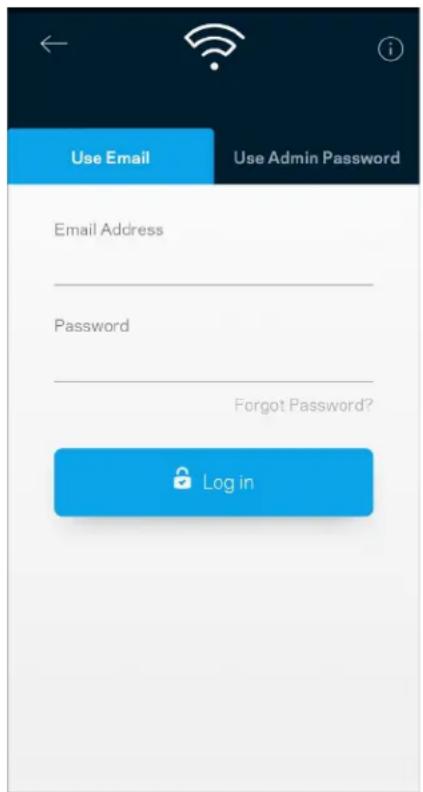
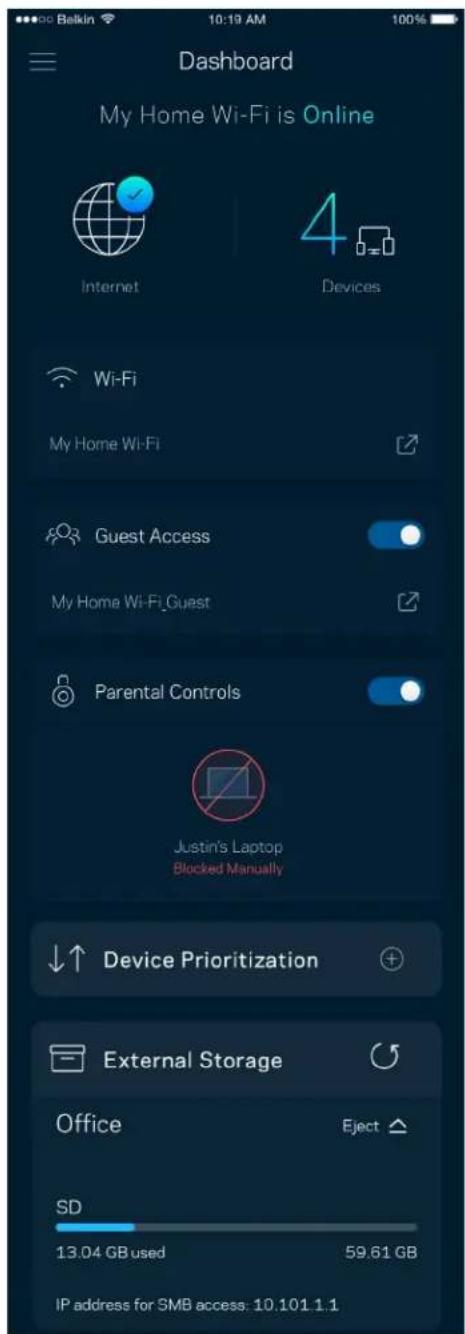
Use Email Use Admin Password Email Address Password Forgot Password? Log in

Dashboard My Home Wi-Fi is Online Internet 4 Devices Wi-Fi My Home Wi-Fi Guest Access My Home Wi-Fi_Guest Parental Controls Justin's Laptop Blocked Manually Device Prioritization External Storage Office Eject SD 13.04 GB used 59.61 GB IP address for SMB access: 10.101.1.1

Zariadenia (Devices)

Belkin 10:19 AM 100% Devices Connected Devices (5) Downstairs TV MyHomeWiFi Game Console Connected via ethernet Jon's Phone MyHomeWiFi Mika's Laptop MyHomeWiFi Thermostat MyHomeWiFi Guest Devices (3) Michelle's Phone MyGuestWiFi Offline Devices (5)

Wi-Fi Settings Hi-Fi name My Home Wi-Fi Wi-Fi Password Advanced Settings Connect a Device with WPS

Pokročilé nastavenia (Advanced Settings)
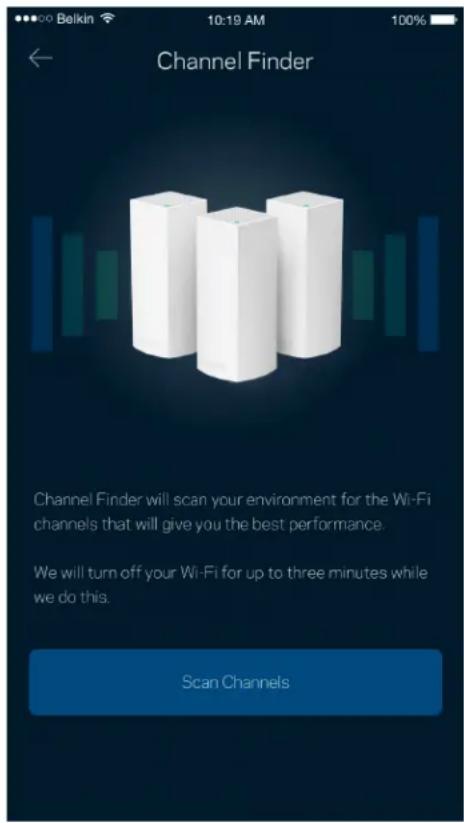
Channel Finder Channel Finder will scan your environment for the Wi-Fi channels that will give you the best performance. We will turn off your Wi-Fi for up to three minutes while we do this. Scan Channels

Prístup hostí (Guest Access)

Guest Access Guest Access Wi-Fi Name My Home Wi-Fi_guest Wi-Fi Password

Externé úložisko (External Storage)

External Storage Office Eject ▲ SD 13.04 GB used 59.61 GB IP address for SMB access: 10.101.1.1 Authentication > Network File Sharing (SMB) Devices on your network can access connected storage. For PC's, enter \ plus the IP address for the storage drive you want to access into Windows Explorer. (Example: \192.168.1.100) For Maca, open Finder and navigate to Go > Connect to Server. Enter smb:// plus the IP address for the storage drive you want to access. (Example: smb://192.168.1.100) When authentication is not enabled, you'll need to log in as a guest for SMB access. Mobile devices require an app to access external storage drives. Search for "smb manager" in the Google Play store or the Apple App Store. Learn more about External Storage

Speed Check (Kontrola rýchlosti)

Speed Check Ping 19 ms 101 | 121 ↓ Mbps ↑ Mbps Download Upload Results At this speed, you can stream HD videos, hold video conferences, and play online games on multiple devices at the same time. Test again SPEEDTEST powered

Parental Controls Create schedules to pause internet access, or block specific websites, so you can keep your kids offline and on task. Control a Device Learn more about Parental Controls

Prioritizácia zariadení (Device Prioritization)
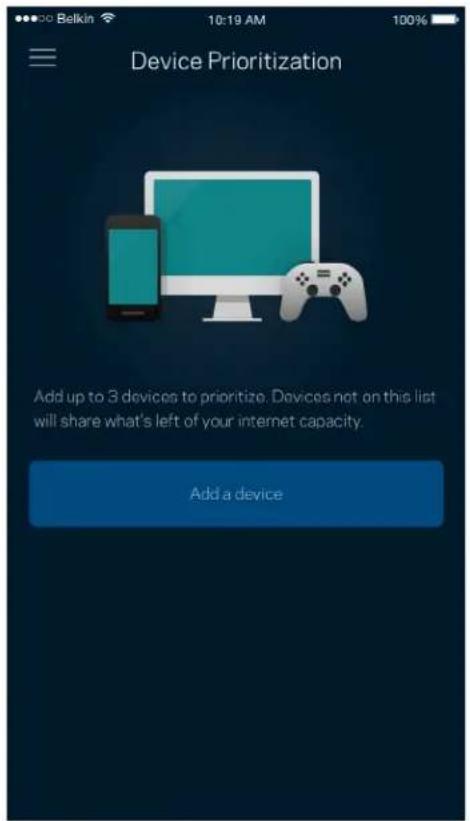
Device Prioritization Add up to 3 devices to prioritize. Devices not on this list will share what's left of your internet capacity. Add a device

Belkin 10:19 AM 100% Notifications Get notifications when: Any of your nodes are offline

Správa Velop (Velop Administration)
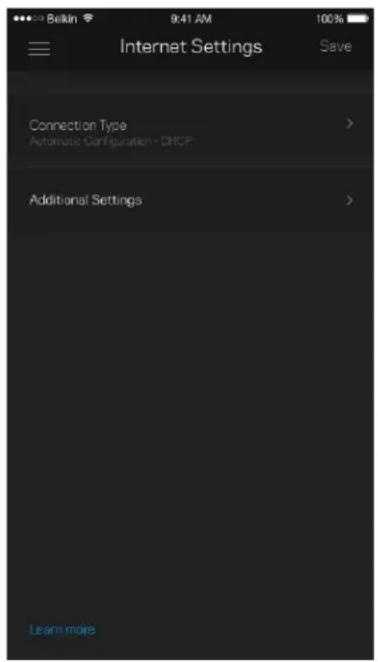
Velop Administration Living Room Change Admin Password and Hint Automatic Firmware Update Firmware Version 1.0.4.167471 Up to date Diagnostic Information To help contribute to future improvements, automatically report errors and diagnostics to Linkays. Manually Report an Issue Report Model Number Velop391740 Serial Number 16R1060350080 IP Details Restart Velop Learn more about Velop Administration

Bekin 9:41 AM 100% Internet Settings Save Connection Type > Automatic Configuration - DHCP Additional Settings > Learn more

Nastavenia portov (Port Settings)

Port Settings Single Port Forwarding > Port Range Forwarding > Port Range Triggering >

Filtre adries MAC (Wi-Fi MAC Filters)
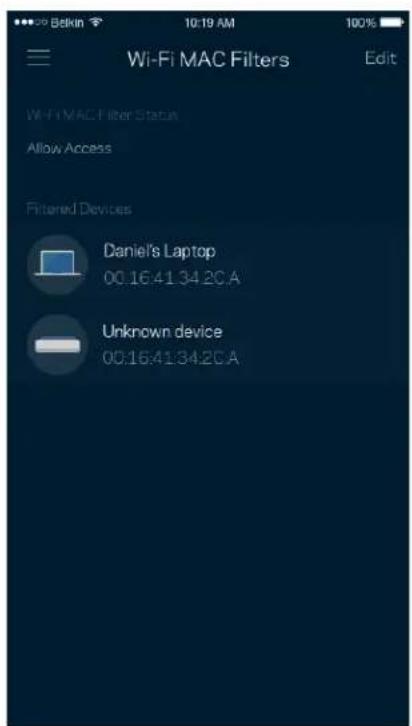
Wi-Fi MAC Filters Edit Wi-Fi MAC Filter Status Allow Access Filtered Devices Daniel's Laptop 00:16:41:34.2CA Unknown device 00:16:41:34.2CA

Moje konto (My Account)

My Account Email Jakefarm@email.com Password First Name Jake Last Name Farm Newsletter Be the first to know about exclusive deals & news Log Out Close Account

Odozva (Feedback)

Pomocník (Help)

Priame pripojenie k systému Velop
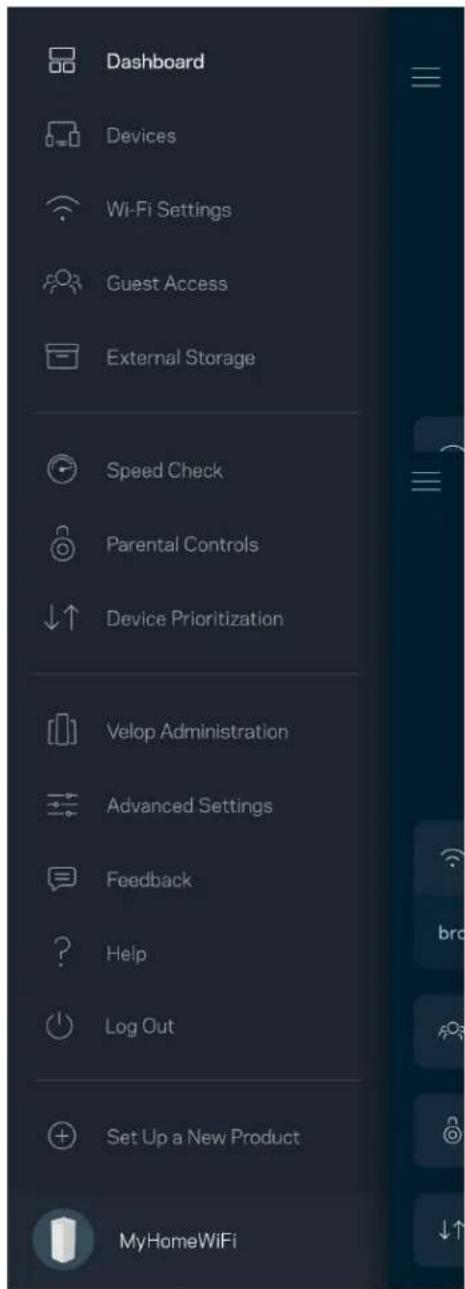
Dashboard Devices Wi-Fi Settings Guest Access External Storage Speed Check Parental Controls Device Prioritization Velop Administration Advanced Settings Feedback Help Log Out Set Up a New Product MyHomeWiFi

Use Email Use Admin Password Email Address Password Forgot Password? Log in

  1. Vnesite e-poštni naslov, ki ste ga uporabili pri ustvarjanju računa.
  2. Vnesite geslo računa.
  3. Dotaknite se polja Log in (Prijava).

Nadzorna plošča
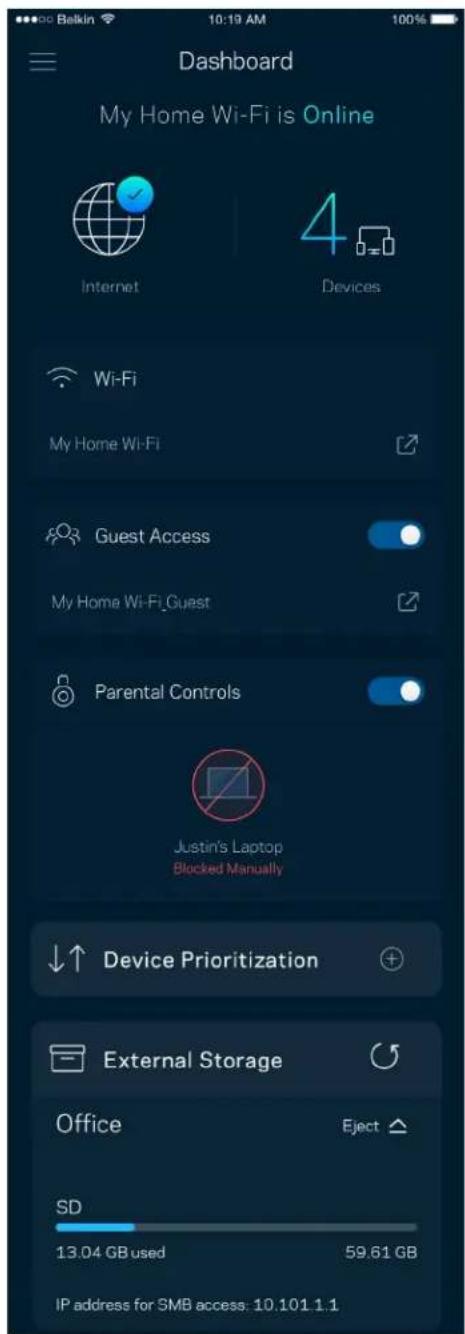
Dashboard My Home Wi-Fi is Online Internet 4 Devices Wi-Fi My Home Wi-Fi Guest Access My Home Wi-Fi_Guest Parental Controls Justin's Laptop Blocked Manually Device Prioritization External Storage Office Eject SD 13.04 GB used 59.61 GB IP address for SMB access: 10.101.1.1

Naprave

Belkin 10:19 AM 100% Devices Connected Devices (5) Downstairs TV MyHomeWiFi Game Console Connected via ethernet Jon's Phone MyHomeWiFi Mika's Laptop MyHomeWiFi Thermostat MyHomeWiFi Guest Devices (3) Michelle's Phone MyGuestWiFi Offline Devices (5)

Za ogled ali spremembo podrobnosti omrežne naprave

Table of contents Click a title to access it
Manual assistant
Powered by Anthropic
Waiting for your message
Product information

Brand : LINKSYS

Model : Velop AX5300

Category : Home Automation