34Z050 - Kitchen scale Zelmer - Free user manual and instructions
Find the device manual for free 34Z050 Zelmer in PDF.


| Product Type | Kitchen Scale |
| Brand | Zelmer |
| Model | 34Z050 |
| Maximum Capacity | 5 kg (11 lb) |
| Graduation (Precision) | 1 g (0.1 oz) |
| Measurement Units | g, lb:oz, ml, fl.oz |
| Tare Function | Yes |
| Auto-Off | Yes (after 2 minutes of inactivity) |
| Power Supply | 1 x 3V CR2032 battery (included) |
| Platform Material | Stainless steel |
| Housing Material | ABS plastic |
| Display | LCD, 4 digits |
| Dimensions (approx.) | 20 x 15 x 2 cm (7.9 x 5.9 x 0.8 in) |
| Net Weight (approx.) | 200 g (7 oz) |
| Overload Protection | Yes (indication "Err" or similar) |
| Low Battery Indicator | Yes |
| Cleaning Instructions | Wipe with a damp cloth; do not immerse in water |
| Battery Replacement | User-replaceable (CR2032) |
| Warranty | 2 years |
| Accessories Included | 1 x CR2032 battery, user manual |
Frequently Asked Questions - 34Z050 Zelmer
User questions about 34Z050 Zelmer
0 question about this device. Answer the ones you know or ask your own.
Ask a new question about this device
Download the instructions for your Kitchen scale in PDF format for free! Find your manual 34Z050 - Zelmer and take your electronic device back in hand. On this page are published all the documents necessary for the use of your device. 34Z050 by Zelmer.
USER MANUAL 34Z050 Zelmer
natural_image
Exterior view of a modern office building (no signage)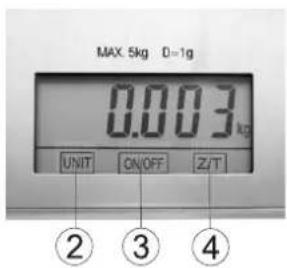
natural_image
Exterior view of a modern office building (no signage)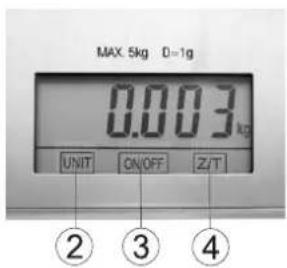
natural_image
Exterior view of a modern office building (no signage)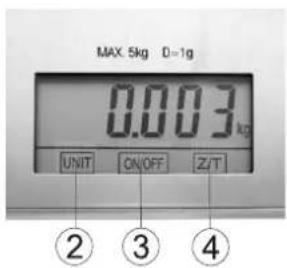
Obsluha a fungovanie váhy:
1) Spôsob použitia
flowchart
graph LR
    A["Device with horizontal bar and downward arrow"] --> B["Image with magnified circle labeled '3V CR2032' and '12' pointing to a hand holding a paper"]
    B --> C["Device with magnified circle, top view, and right-hand box"]
natural_image
Exterior view of a modern office building (no signage)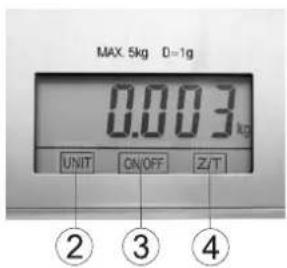
natural_image
Exterior view of a modern office building (no signage)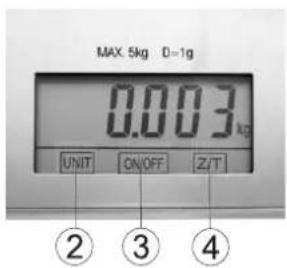
natural_image
Exterior view of a modern office building (no signage)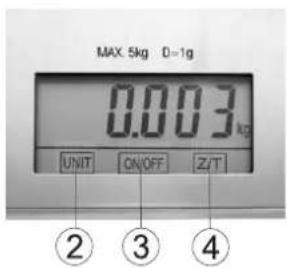
natural_image
3D rendering of a rectangular electronic device with a labeled component (no visible text or symbols)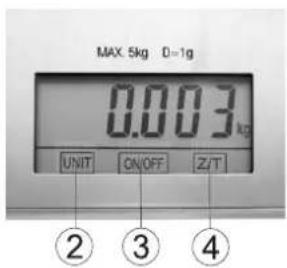
natural_image
Exterior view of a modern office building (no signage)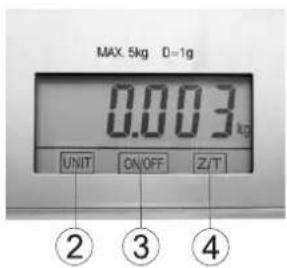
flowchart
graph LR
    A["Device with horizontal stripe"] --> B["Measurement with 3V CR2032 sensor"]
    B --> C["Final display with magnified detail"]
natural_image
Exterior view of a rectangular electronic device with a labeled component (no readable text or symbols)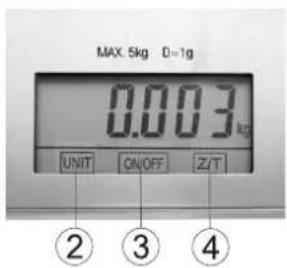
flowchart
graph LR
    A["Device with horizontal stripes"] --> B["Step 1: Magnified View"]
    B --> C["Step 2: Display with 3V CR2032"]
    C --> D["Device with circular arrow pointing to top panel"]
Handling and operation 80
Cleaning and maintenance 85
Ecology – Environment protection 85
Dear Customers!
Congratulations on your choice of our appliance, and welcome among the users of Zelmer products.
In order to achieve best possible results we recommend using exclusively original Zelmer accessories. They have been specially designed for this product.
Please read these instructions carefully. Pay your special attention to important safety instructions. Keep this User's Guide for future reference.
Important handling instructions

area
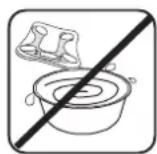
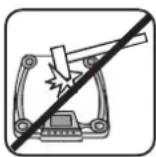
Do not immerse in water Do not hitDo not use nor store in humid
Specifications
Technical parameters are included at the name plate.
Accuracy ±1 g. Capacity range 3 g – 5000 g.
The kitchen scales meet the requirements of effective standards.
The appliance meets the requirements of the following directives:
Electro- Magnetic Compatibility (EMC) - 2004/108/EC.
The product is marked with CE symbol on the name plate.
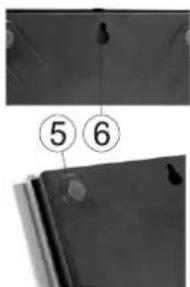
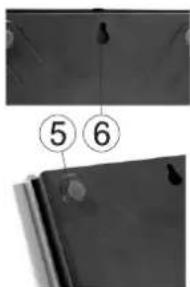
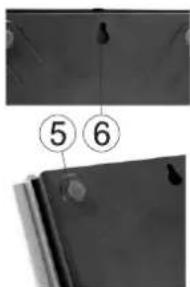
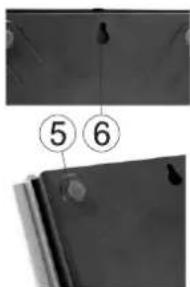
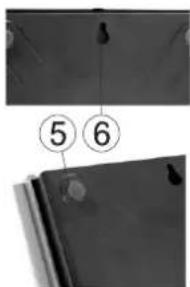
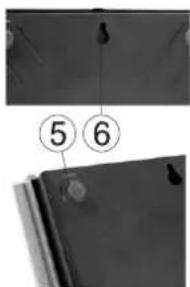
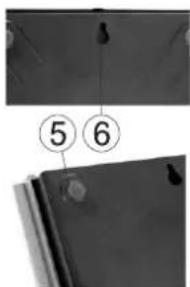
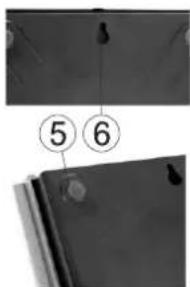
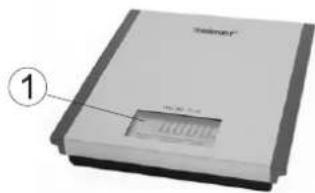
Outline:
- Electronic display.
- UNIT swap function.
- ON/OFF button.
- Z/T reset function.
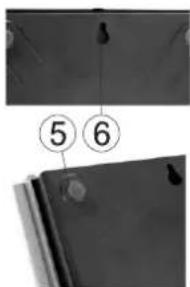
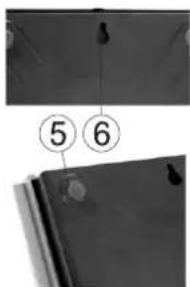
- Rubber support.
- Wall hanger.
natural_image
Exterior view of a modern office building (no signage)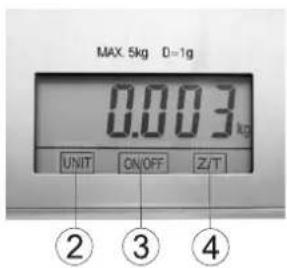
Handling and operation:
1) Handling
- Place the scales on firm and flat position.
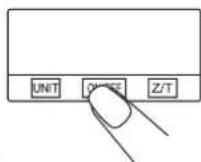
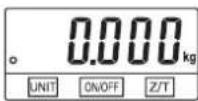
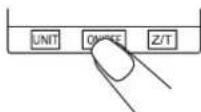
- Press ON/OFF (3) button to switch the appliance on.
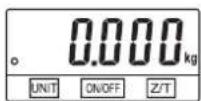
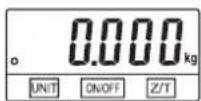
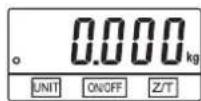
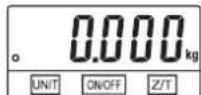
- Before you start weighting, wait until you can see „0.000“ on display.
- To maximize the duration of batteries, switch off the scales after operation pressing ON/OFF (3) button.
Attention: If you use a bowl for weighting, put it on the scales at first, and then wait until you can see "0.000".
2) Alarm indicators
- Exchange battery.
- Scales overloaded. Remove the object to avoid damage. Maximum load (5 kg) is indicated on the scales.
3) Labels on display
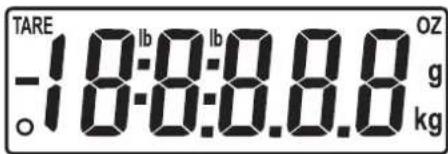
TARE
- Minus value
lb – Pounds
0 - Zero weight
g - grams
kg - Kilograms
OZ - Ounces
1.

2.

4) Functions
This function allows weighting some products, without necessity of removing them from the scales.
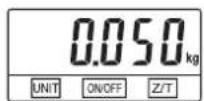
- Switch on the scales with ON/OFF (3) button. Wait until "0.000" symbol appears on display.
- Put the first product on the scales. Wait until you can see the result.
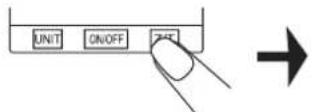
- Press Z/T (4) button, to reset the display, so that it shows "0.000" before you put the next product on. You can repeat this activity.
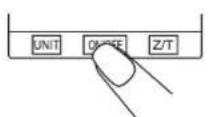
Switch on the scales



product on the scales
product
Reset
Readiness status The weighed the first
Scales unstable Readiness status The weight of the


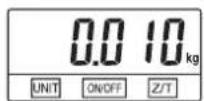

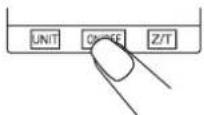
Place the second product (without removing the former)
is over
Switch off the scalesThe operation
ATTENTION:
Removing the products (in case of two products on the scales):
- after removing the first product, you will see "0.000" on display; after removing the second product you shall see its weight,
- when you press Z/T button (4): after removing the first product, you shall see its weight; after removing the second product, you shall see the weight of both products on display.
„ZERO" function
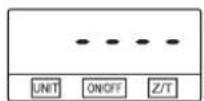
If the sum of weights of all products is ≤ 4% of maximum scales load (200 g with maximum load 5 kg) the display shall show „----” or „0g” every time, when you press Z/T (4) button.
- symbol "----" means, that the scales is unstable and you should wait a bit,
- symbol „0g” on the left bottom corner of the display means, that „ZERO” is active.
Maximum load remains unchanged. After applying „ZERO” function, the scales come back to weighting.
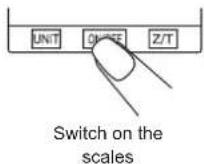

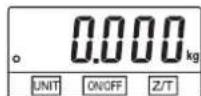

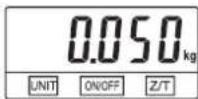

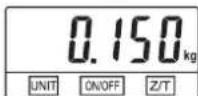

Readiness status The we go to the first
first product
on the
scales
product
Place the second product
(without
removing the
former)
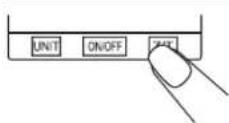
Restart Unstable

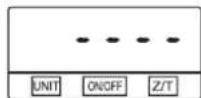
scales

„ZERO" function
active
„TARE" function
If the sum of weights of all products is > 4% of maximum scales load (200 g with maximum load 5 kg) the display shall show „----” or „0g” every time, when you press Z/T (4) button.
- symbol "----" means, that the scales is unstable and you should wait a bit,
- symbol „0“ and „TARE“ on the left side of the display means, that „TARE“ function is active.
Maximum load is reduced by total weight of all products on the scales.
Switch off the scales


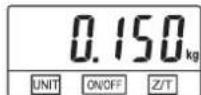

product on the
scales
Gross weight
Readiness status Place the
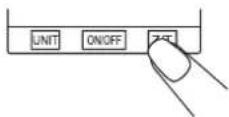
Reset Scales

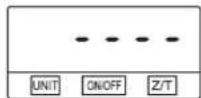
instable

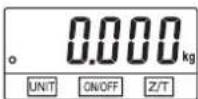
Readiness status

I.e. the product were in the
bowl – remove them
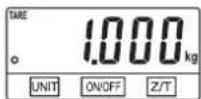
Net weight
Auto switch off
The scales shall switch off automatically, if the display shows "0.000" or the same weight for 2 minutes.
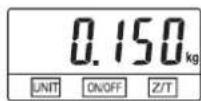
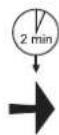
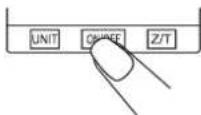
5) Unit swap function
The scales has function of switching from one weight unit system (kilograms, grams) to British weight units (pounds, ounces). Press UNIT (2) button, to recalculate the units during weighting.
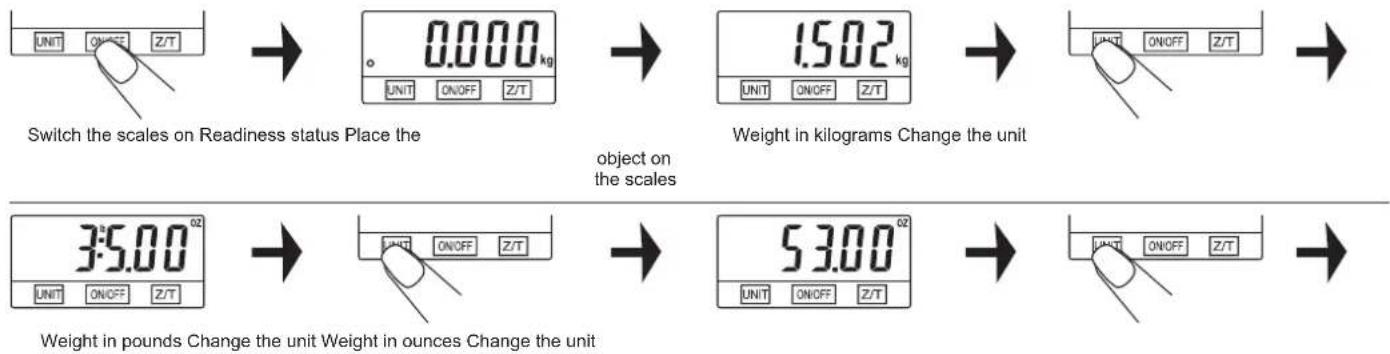
flowchart
graph LR
    A["UNIT ON/OFF Z/T"] --> B["0.000 kg UNIT ON/OFF Z/T"]
    B --> C["1.502 kg UNIT ON/OFF Z/T"]
    C --> D["UNIT ON/OFF Z/T"]
    D --> E["Weight in kilograms Change the unit"]
    F["3:5.00 OZ UNIT ON/OFF Z/T"] --> G["UNIT ON/OFF Z/T"]
    G --> H["53.00 OZ UNIT ON/OFF Z/T"]
    H --> I["UNIT ON/OFF Z/T"]
    I --> J["Weight in pounds Change the unit Weight in ounces Change the unit"]
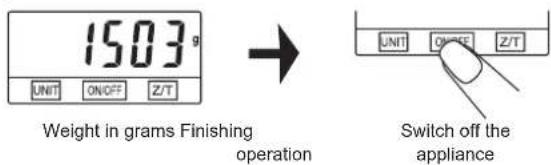
6) Exchanging batteries
Before you use remove the isolation from the battery (1 lithium battery CR2032-3V) Please take note to the polarity.
Battery exchange:

flowchart
graph TD
    A["Input"] --> B["3V CR2032"]
    B --> C["Output"]
- Open the lid of the battery compartment at the backside of the scales.
- Straighten a small black belt to remove the battery. Be careful not to bend the contacts.
- Insert new battery, placing one part under the contacts and pressing the latter side.
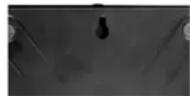
It is possible to hang the scales on the wall. There is a hole for hanging it on the bottom of the scales.
Cleaning and maintenance
- Clean the scales with a bit damp cloth. Do not immerse the scales in water; do not use chemical/corrosive agents.
- All plastic parts should be immediately cleaned after it gets dirty with fat, spices, vinegar and ford of intensive taste/colour. You should avoid contact with sour citrus juice.
- Place the scales on firm, flat surface. Do not use the scales on the carpet.
Ecology – Environment protection
Each user can contribute to protect the environment. It is neither difficult nor expensive. In order to do so:
Return cardboard packages to recycling points.
Throw polyethylene (PE) bags into appropriate containers.
Batteries contain substances harmful to the natural environment. Do not throw them away with other household waste. Return used batteries to recycling points. Before disposing of or returning the appliance to a recycling point make sure to remove the batteries from the battery compartment.
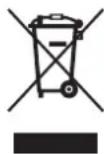
Return a worn out appliance to an appropriate collecting point as the components of the appliance may pose a threat to the environment.
Do not dispose into the domestic waste disposal!!!
The manufacturer/importer does not accept any liability for any damages resulting from unintended use or improper handling.
The manufacturer/importer reserves his rights to modify the product any time in order to adjust it to law regulations, norms, directives, or due to construction, trade, aesthetic or other reasons, without notifying in advance.